# Agent Sprite Forge
語言:[English](./README.md) | [繁體中文](./README.zh-TW.md) | [简体中文](./README.zh-CN.md) | [日本語](./README.ja.md) | [한국어](./README.ko.md)
給 Codex 使用的 2D 遊戲資產 skills:生成可用於遊戲的 sprite、分層地圖與 engine-ready prototype。
用自然語言下需求。Codex 負責規劃資產 pipeline、使用內建 image generation 生圖,再由本地 processor 去背、切格、驗證與輸出,讓素材可以進 Godot、Unity 或一般 2D game workflow。
Showcase ·
Skills ·
安裝 ·
Prompt ·
Star History
## 這個 repo 解決什麼
Agent Sprite Forge 不是單純的 prompt 集合。它是一組以 Codex 為核心的 2D game asset workflow:agent 先決定資產規劃,image generation 產生 raw visual,最後用 deterministic scripts 轉成真正可重用的遊戲素材。
Sprite sheets
Layered maps
Engine handoff
Local cleanup
## Showcase
### Engine-Ready Prototypes
這些範例都是用 Codex 搭配 `agent-sprite-forge` workflow 做出的成果。重點不是單張圖,而是完整流程:生成素材、整理 scene data,並接到可玩的 prototype 或可編輯的 engine scene。
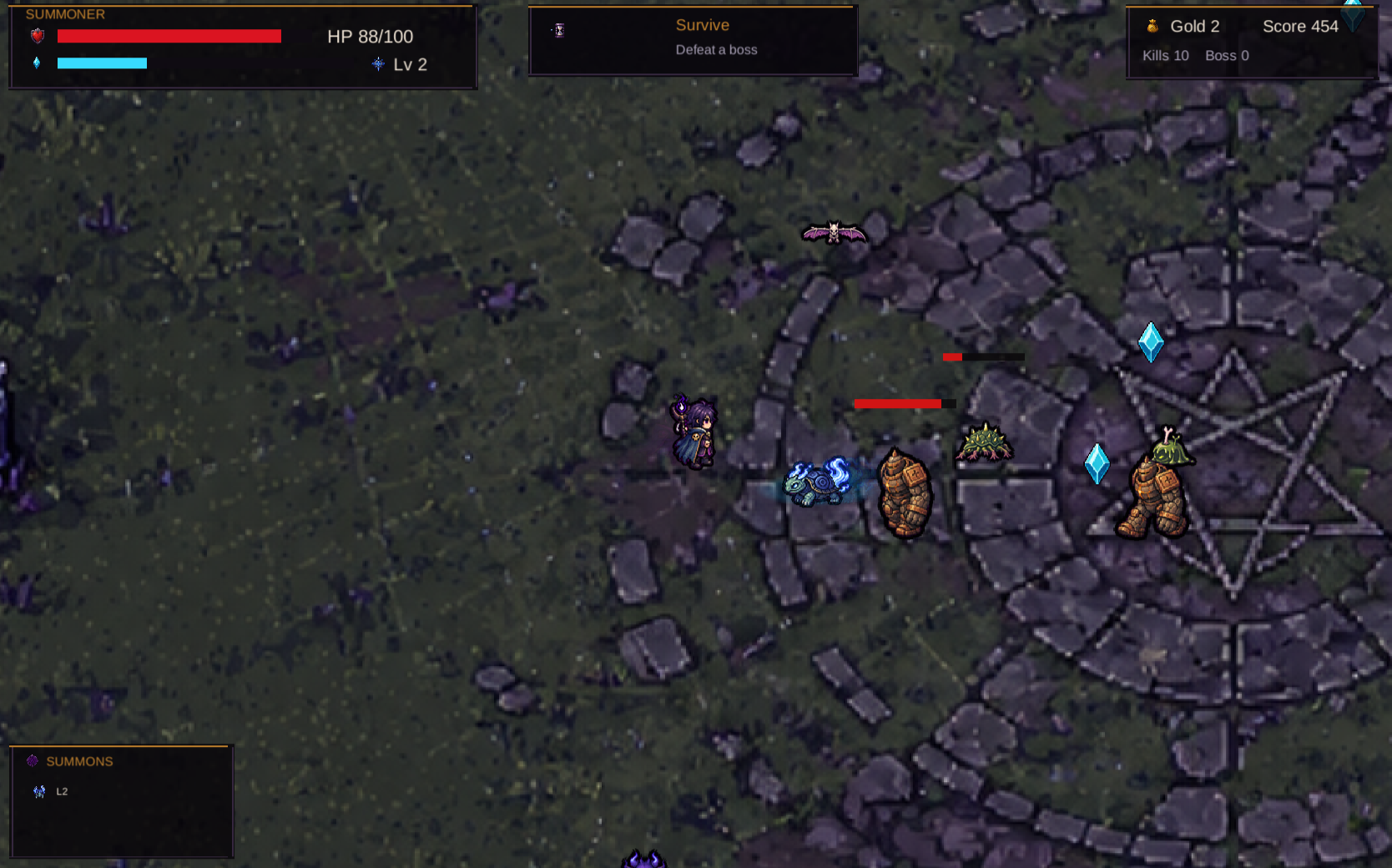
Summon Survivors — Unity WebGL
Play build · Build conversation
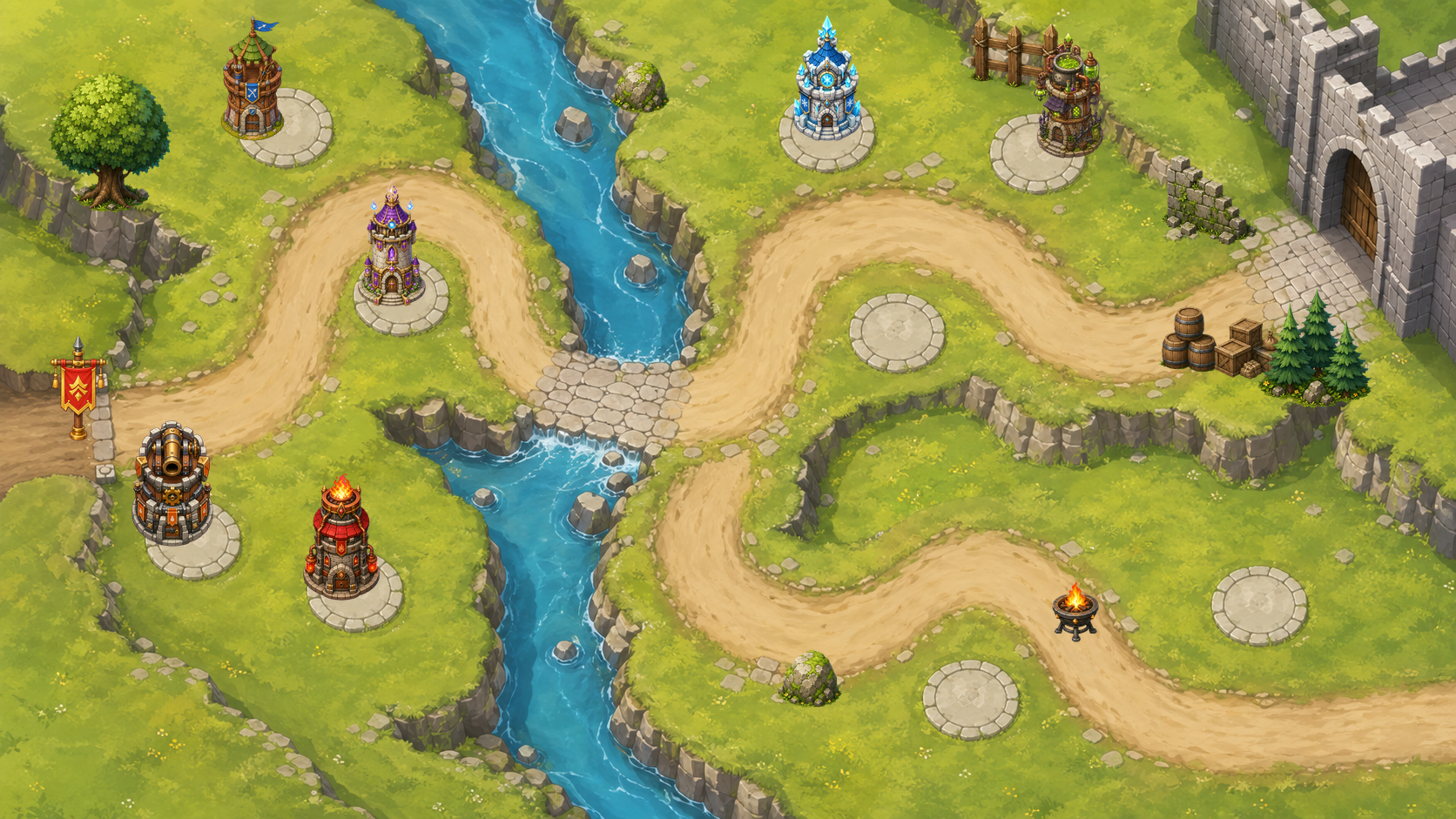
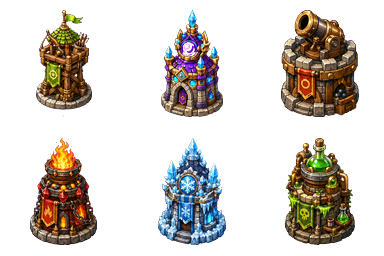
Forest Pass Defense — Godot Tower Defense
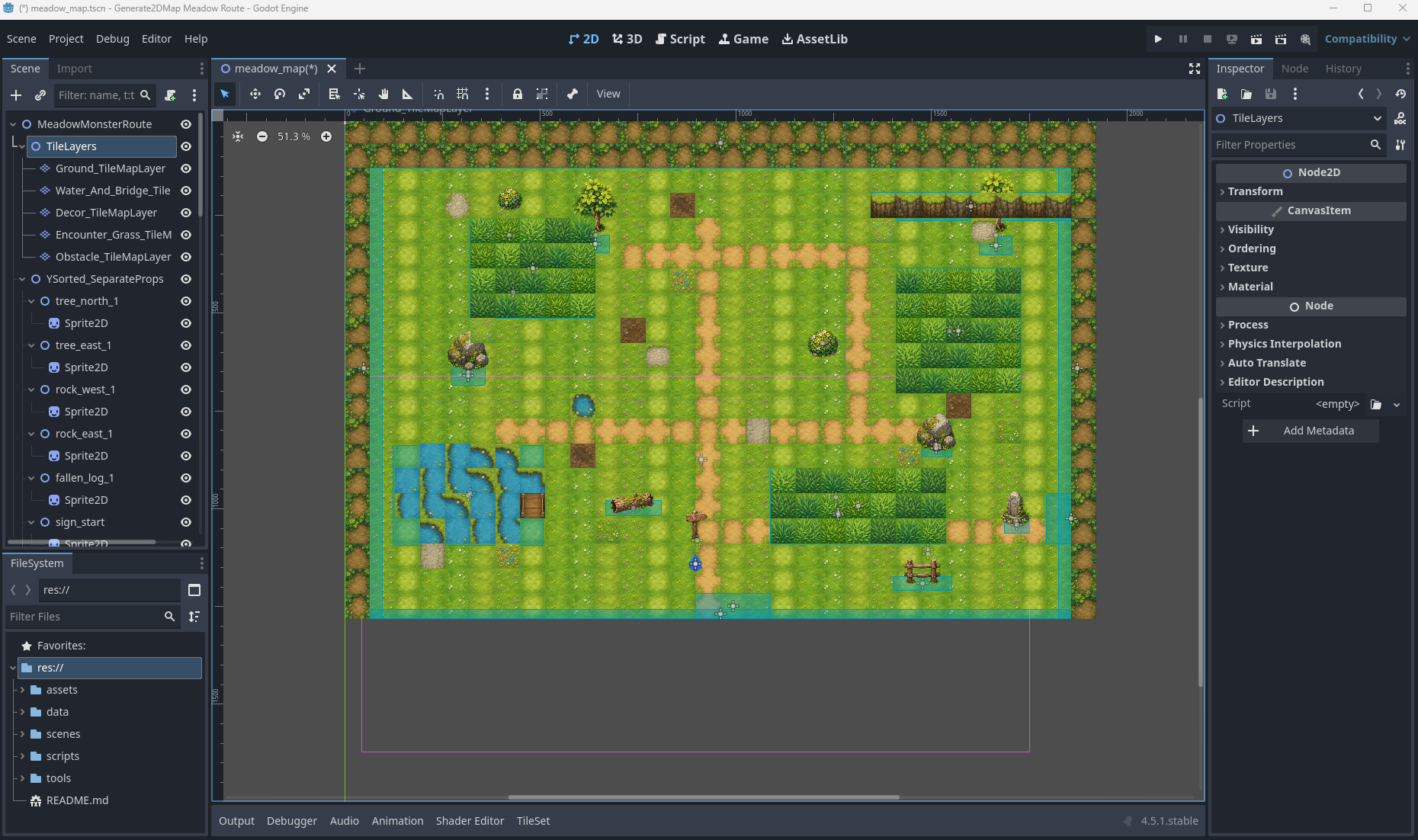
Editable RPG Map — Godot TileMap
TileMapLayer、Sprite2D props、遇怪草叢 Area2D、StaticBody2D collision、出口區、metadata 與 debug player/camera。
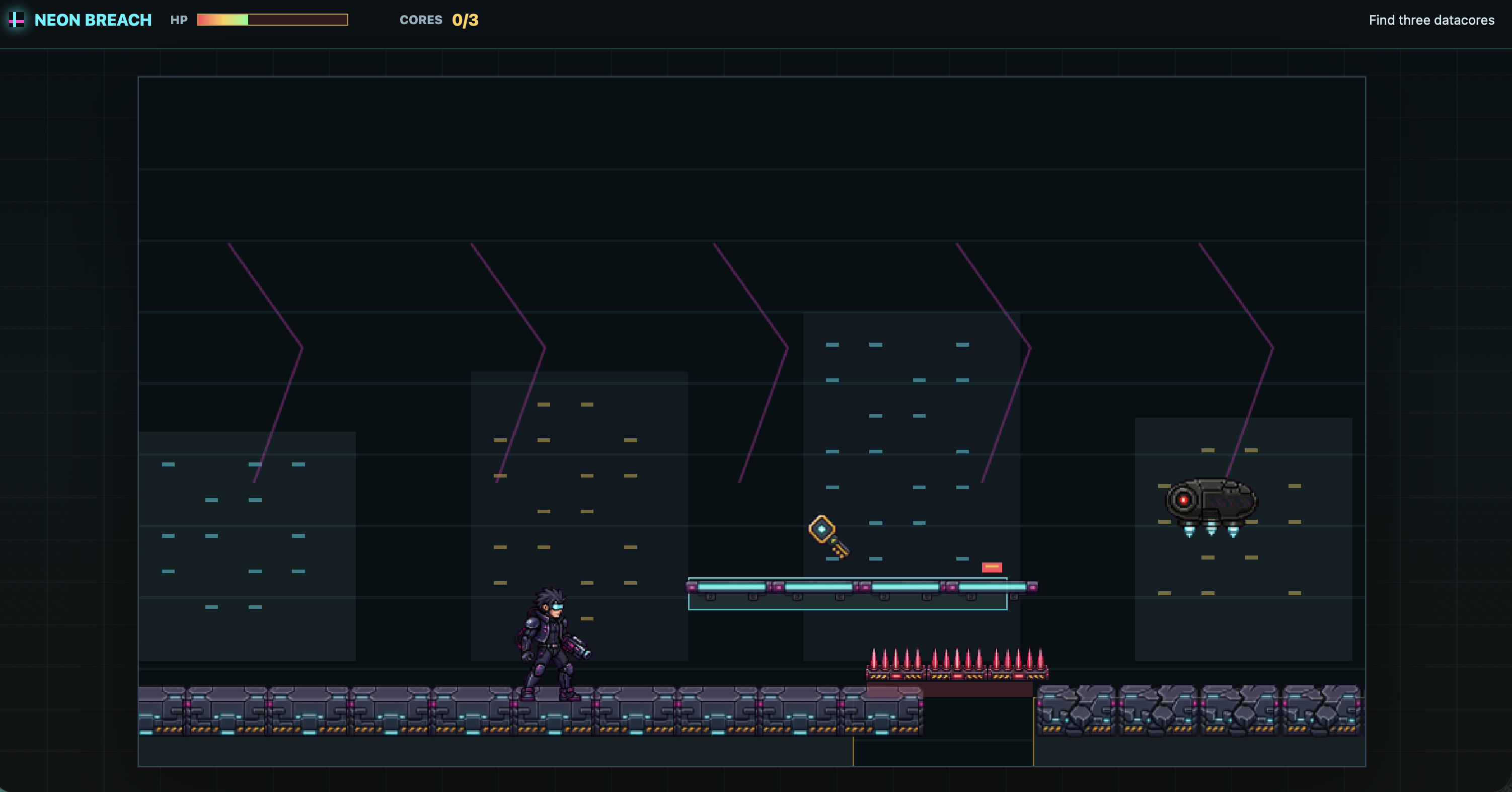
Neon Breach — Cyberpunk Side-Scroller
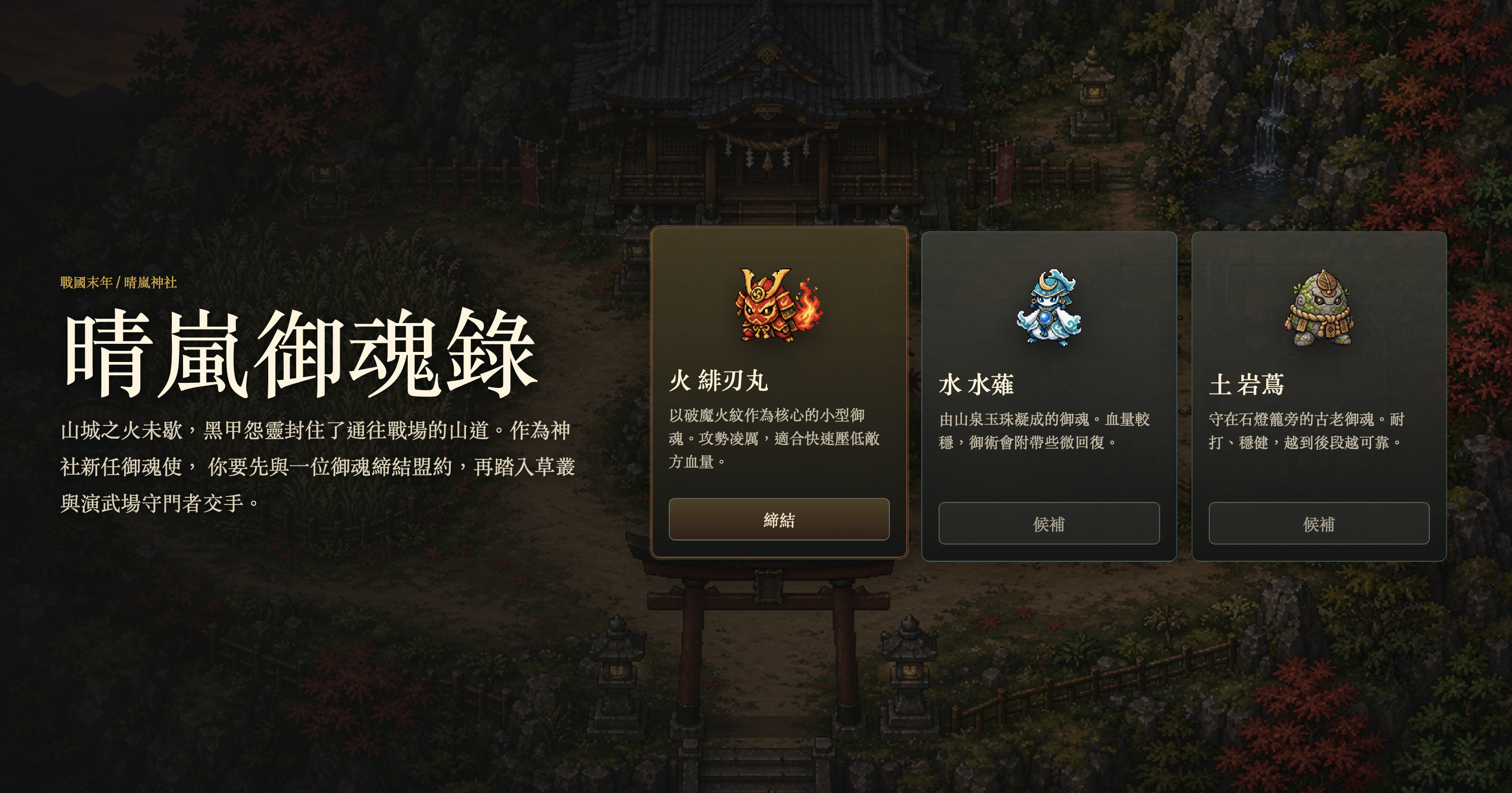
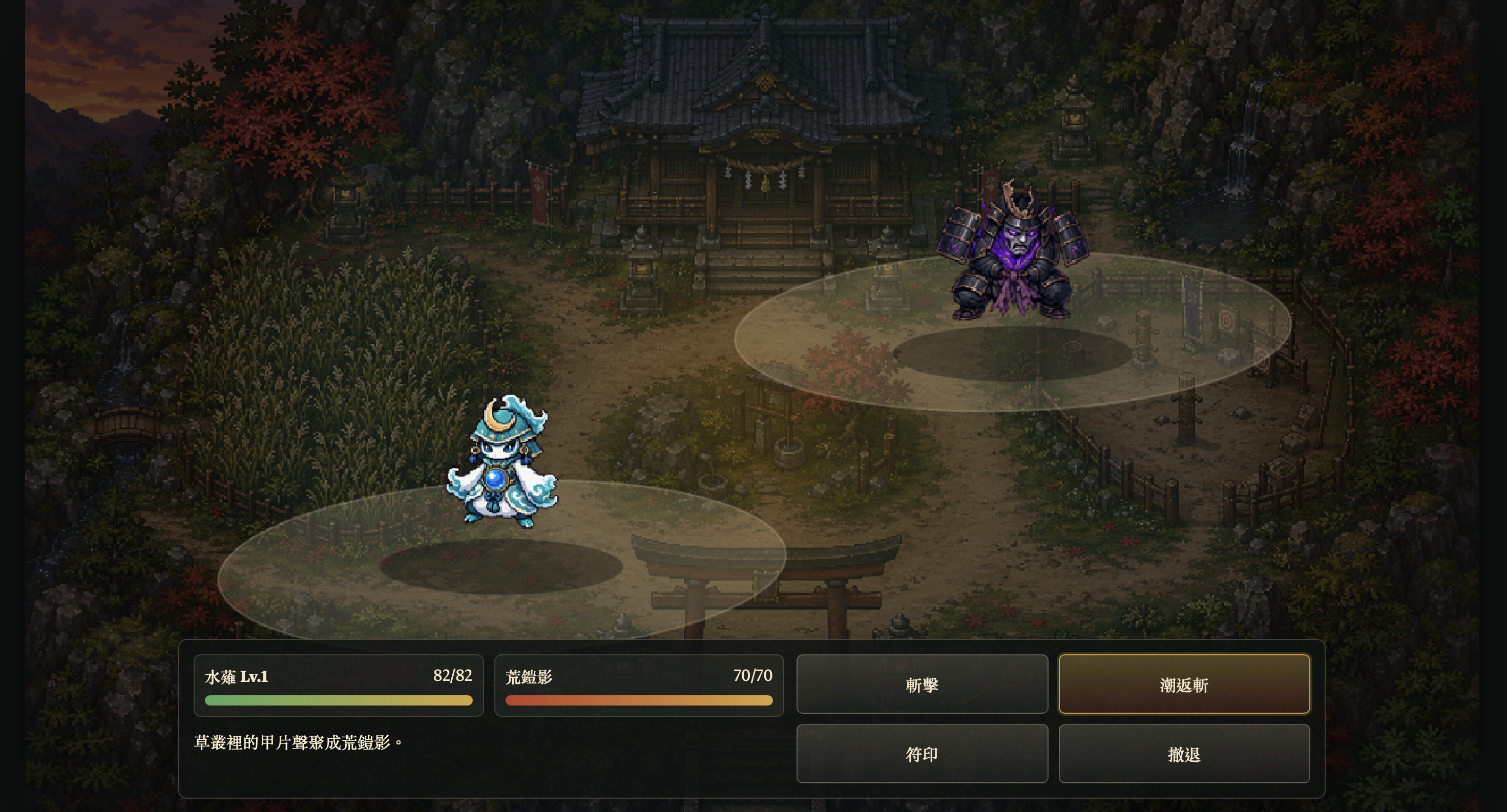
Sengoku Era — JavaScript Pokémon-like
Play build
Starter selection and battle loop
更多 Godot 塔防輸出
敵人 roster,包含飛行怪與 Boss
塔的 lineup
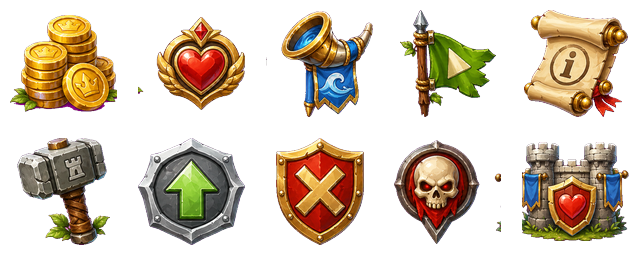
HUD 與 gameplay icons
Godot prototype 輸出包含:
- `scenes/ForestPass.tscn`:base map、分離式 props、enemy paths、tower slots 與 HUD nodes。
- 六種塔系,包含生成出的塔圖與升級階段。
- 地面敵人、飛行怪與 Boss encounter 的動畫 sheets。
- wave、difficulty、tower catalog、collision、route 與 tower-slot metadata。
- Godot 內已接好的建塔、升級、賣塔、投射物與目標判定邏輯。
```text
image_gen map + separated props + tower sheets + enemy animation sheets + HUD icons + Godot gameplay wiring
```
更多 Unity survivors-like 輸出
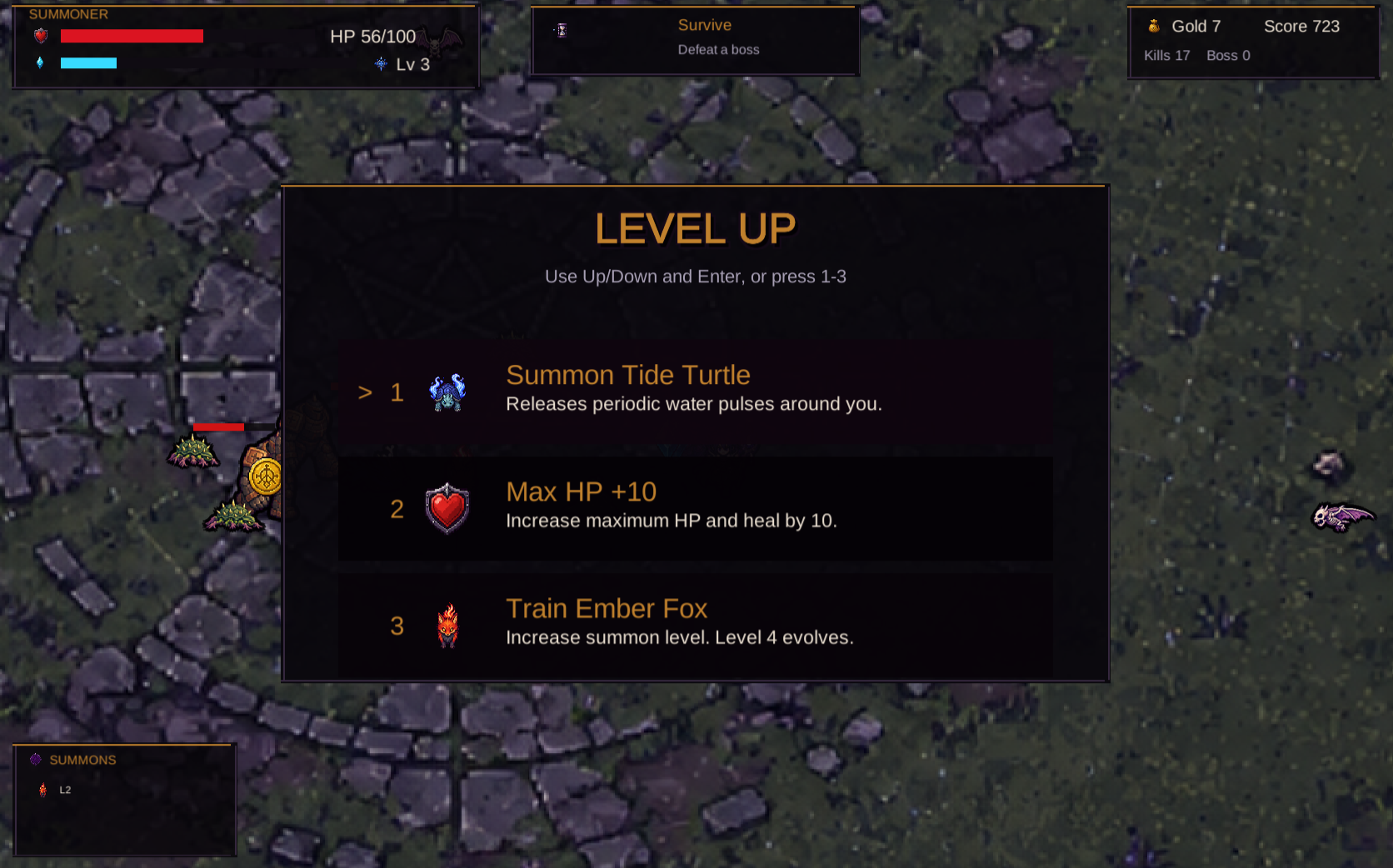
Unity WebGL gameplay:召喚獸、敵人、掉落物、HUD 與 objective flow
Level-up choices:召喚、訓練、能力值與回復選項
Unity prototype 輸出包含:
- `Assets/Survivors/Scenes/SummonSurvivors.unity` 可直接開啟遊玩的 scene。
- `SurvivorContentDatabase.asset` 串接 hero、summon、enemy、pickup、HUD 與 FX sprites。
- 初始召喚獸選擇、生存目標、XP / coin 掉落、level-up choices、召喚獸訓練與進化流程。
- 敵人生成壓力、Boss timing、投射物攻擊、範圍傷害、血條與分數統計。
- `Builds/WebGL` WebGL build output 與 Vercel deployment config。
```text
image_gen map + directional hero sheets + summon/evolution sheets + enemy sheets + FX/HUD icons + Unity runtime + WebGL deploy
```
### Sprite Sheets And FX
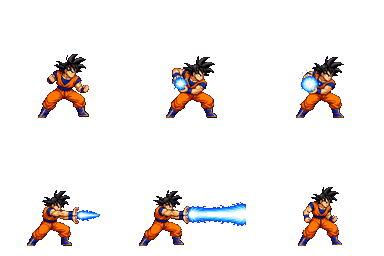
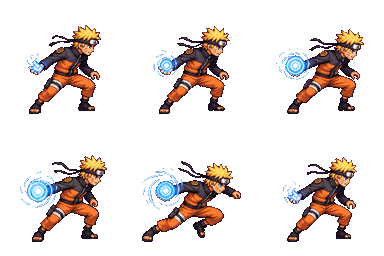
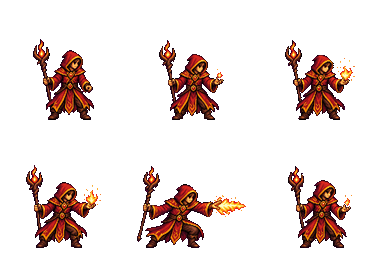
當你需要角色、怪物、props、spell bundle、projectile / impact FX,或是依 reference 延伸角色時,使用 `$generate2dsprite`。
Text to sprite
Character action
Spell cast
Projectile
參考圖
Reference-guided sprite animation
參考圖
Reference-guided character action
### 分層 RPG 地圖 Pipeline
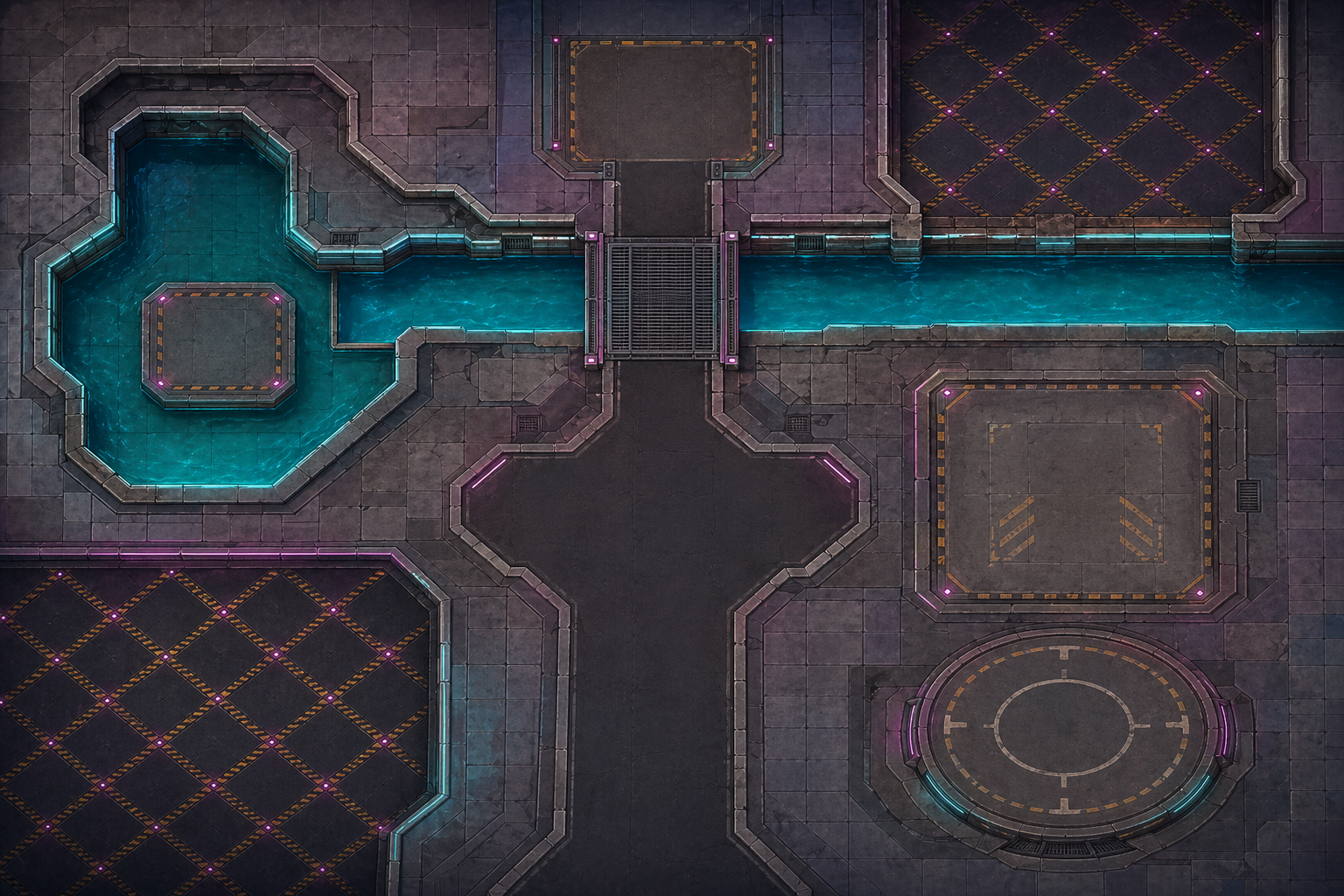
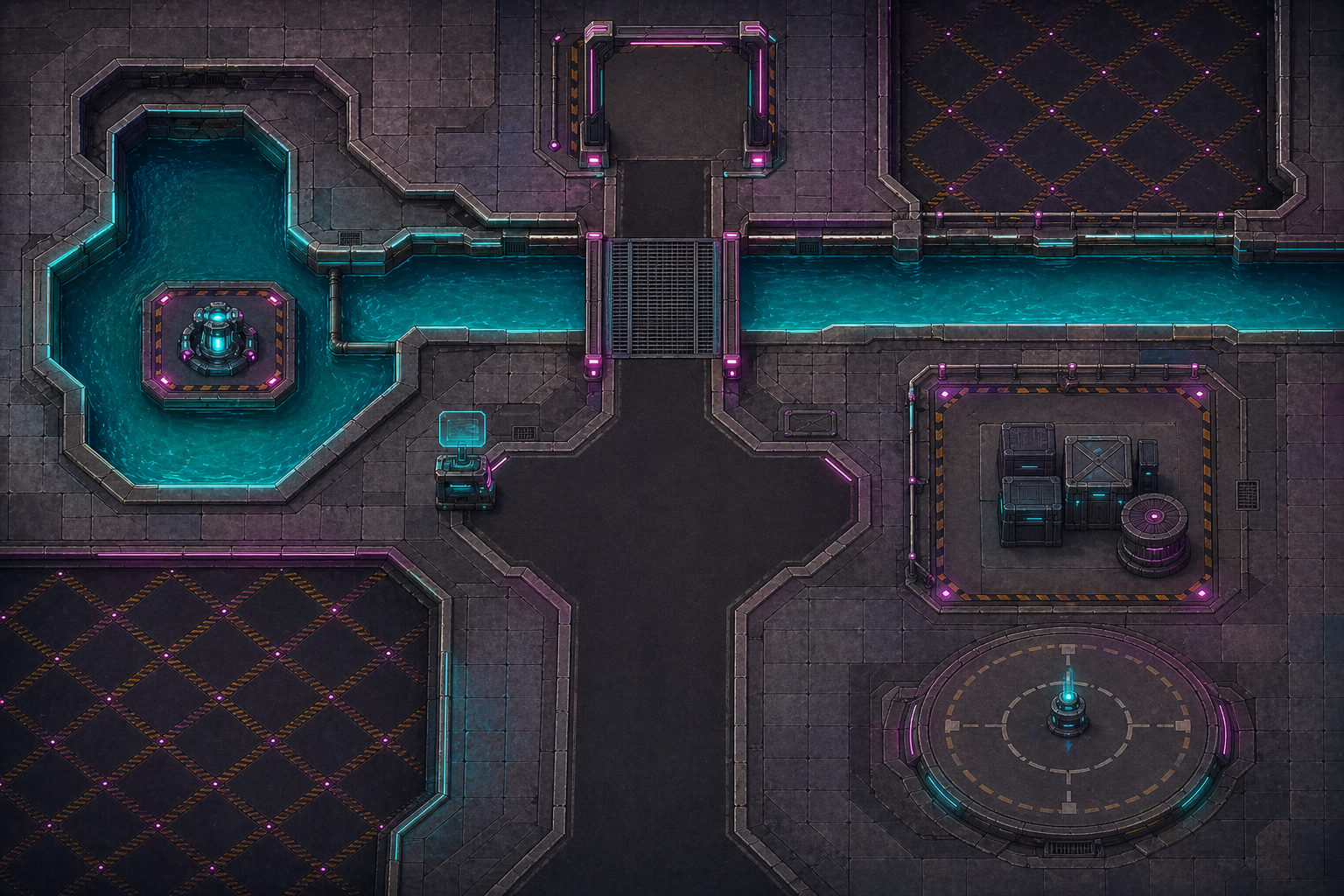
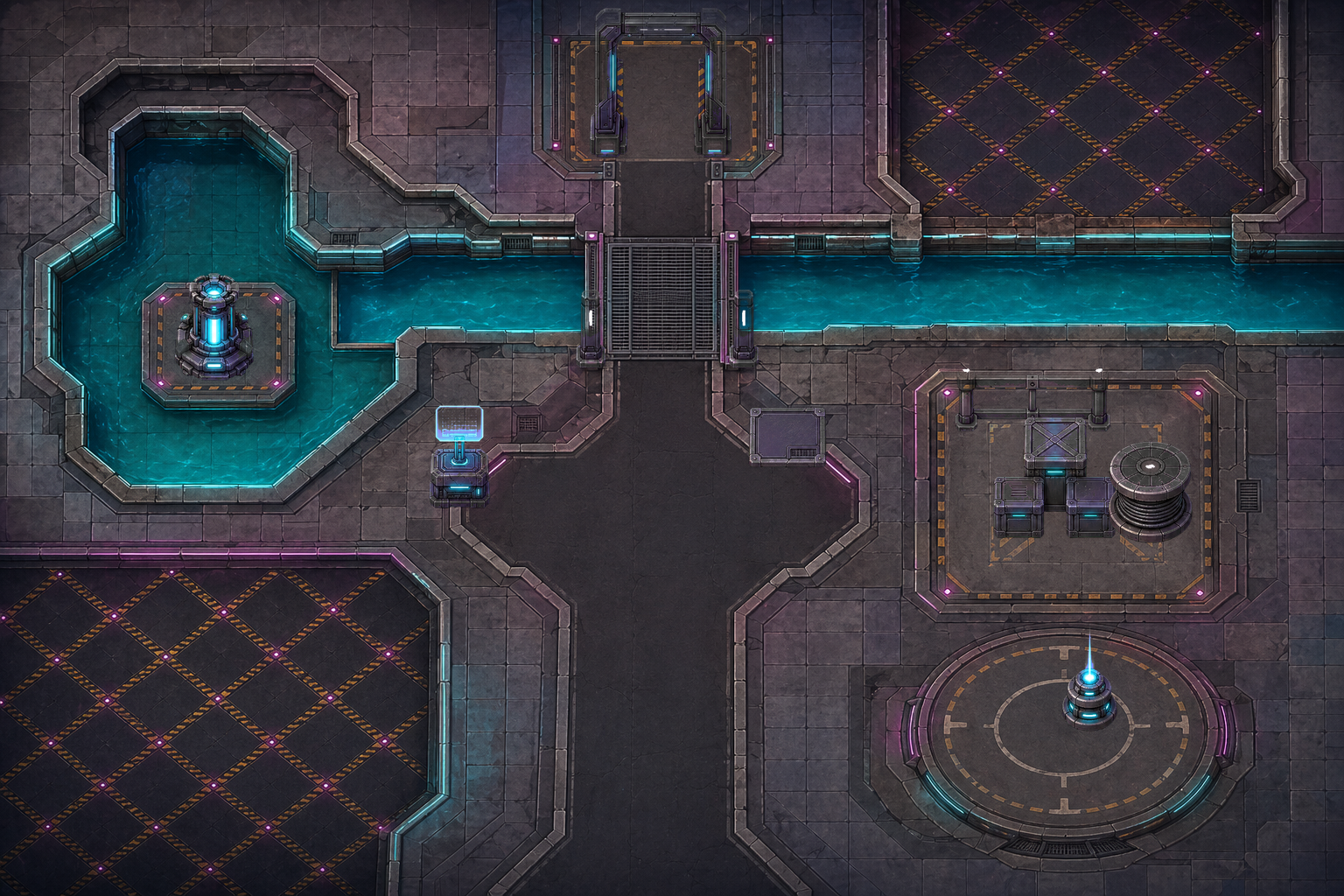
當你需要地圖而不是單獨 sprite 時,使用 `$generate2dmap`。對可讀性高的 layered raster map,現在流程會優先使用 clean hand-painted HD game-map style:先生成 ground-only base,再生成 dressed reference,接著生成 prop pack,最後切出透明 props 並合成 layered preview。
Ground-only base
Dressed reference
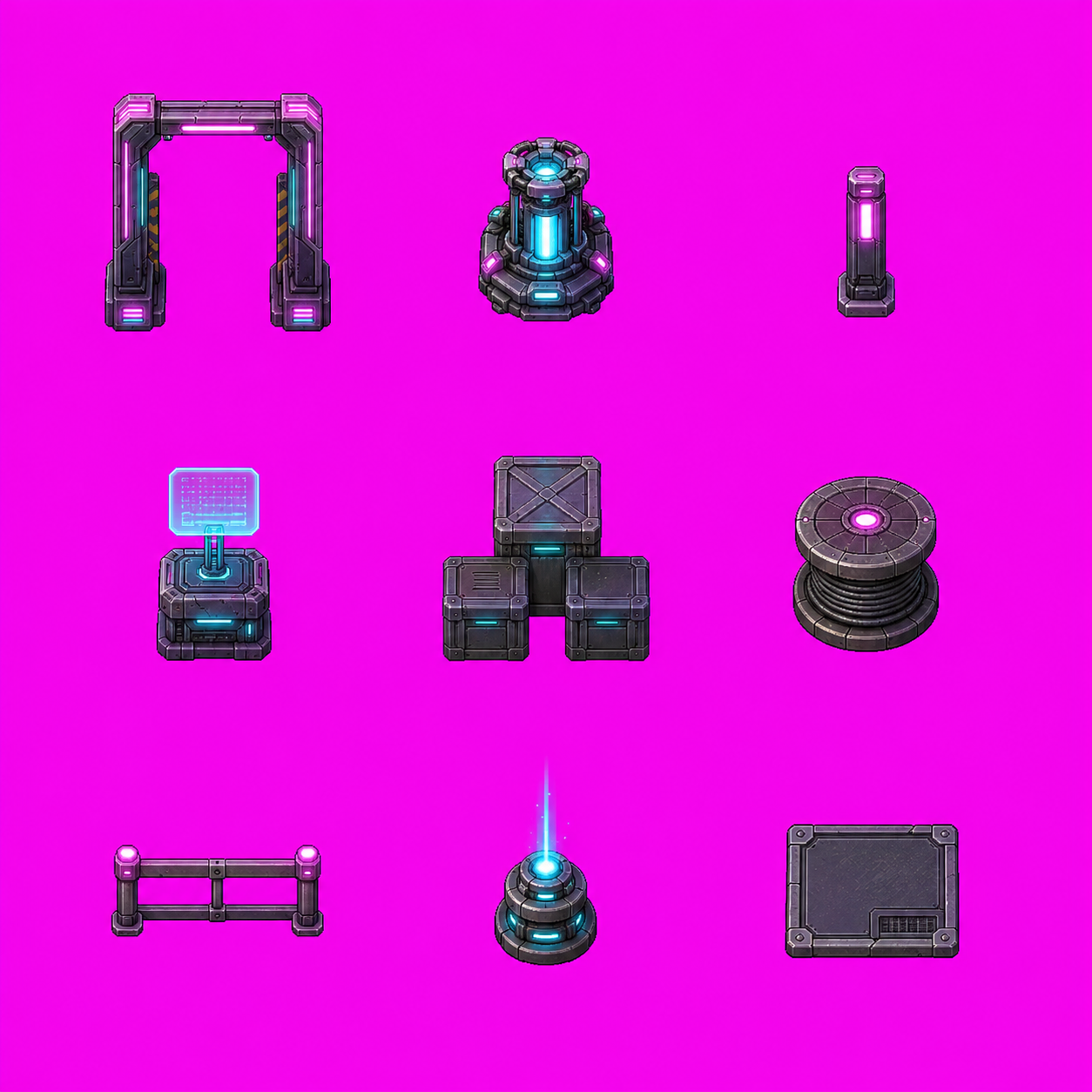
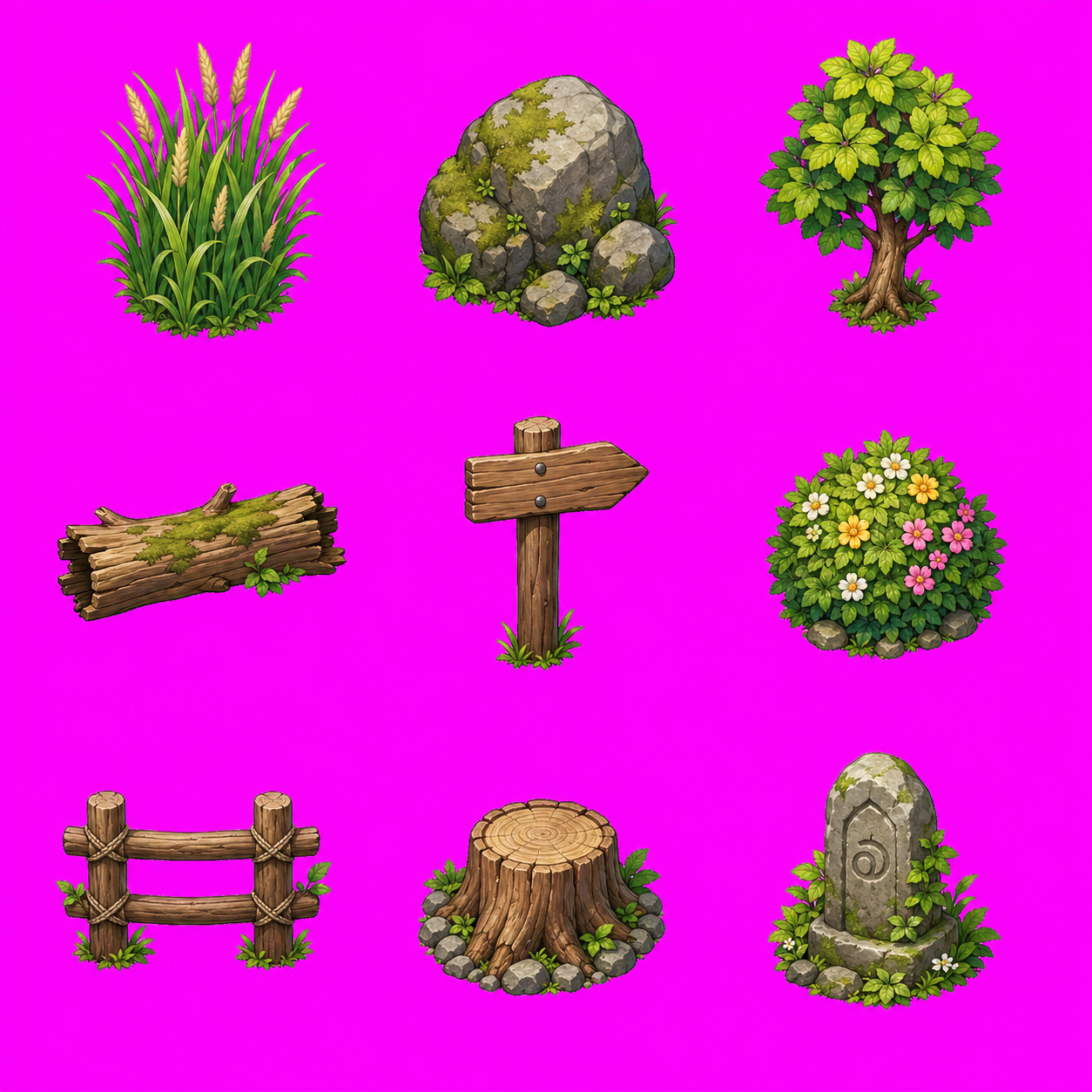
3x3 prop pack
Flattened layered RPG map preview
```text
layered_raster + y_sorted_props + precise_shapes + trigger_zones + raw_canvas
```
### Godot 可調整 TileMap 匯出
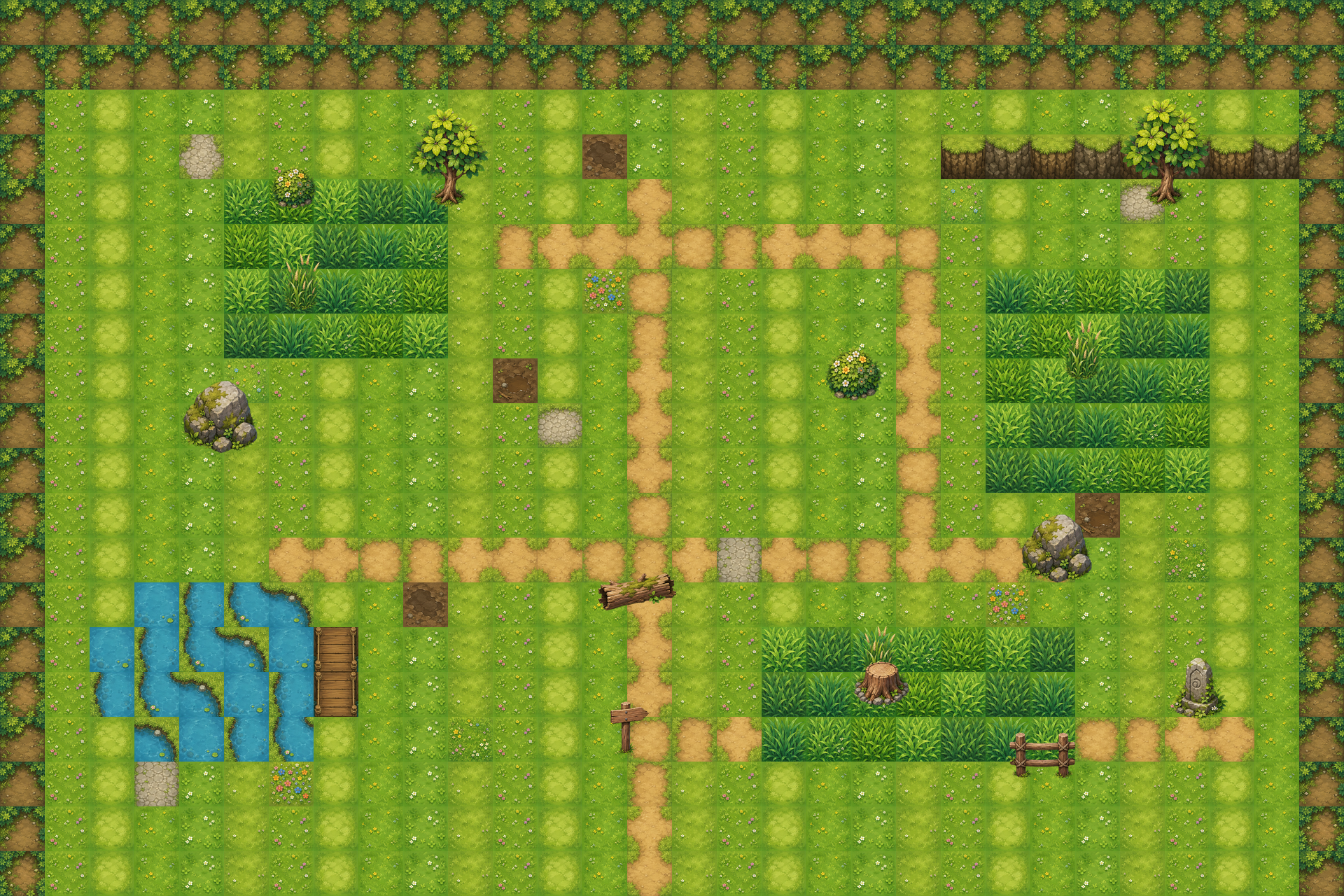
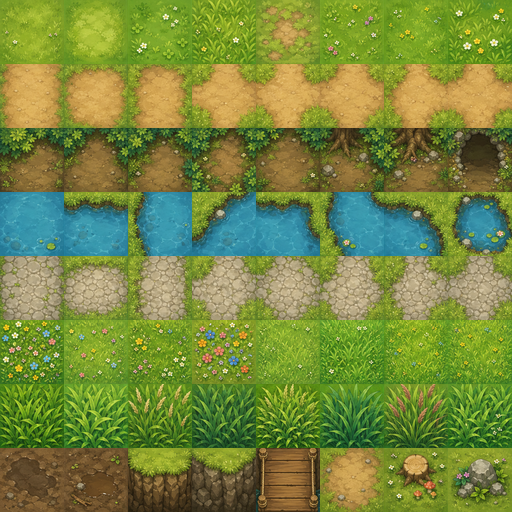
`$generate2dmap` 也可以輸出可在 Godot 裡調整的地圖工程,而不是只給一張 flattened image。這個 showcase 使用 image-generated tileset 和 3x3 prop sheet,接到 Godot 4.5 scene。
Godot editor scene:可調整 layers、props、zones、collision、exits 與 debug player
Layered map preview
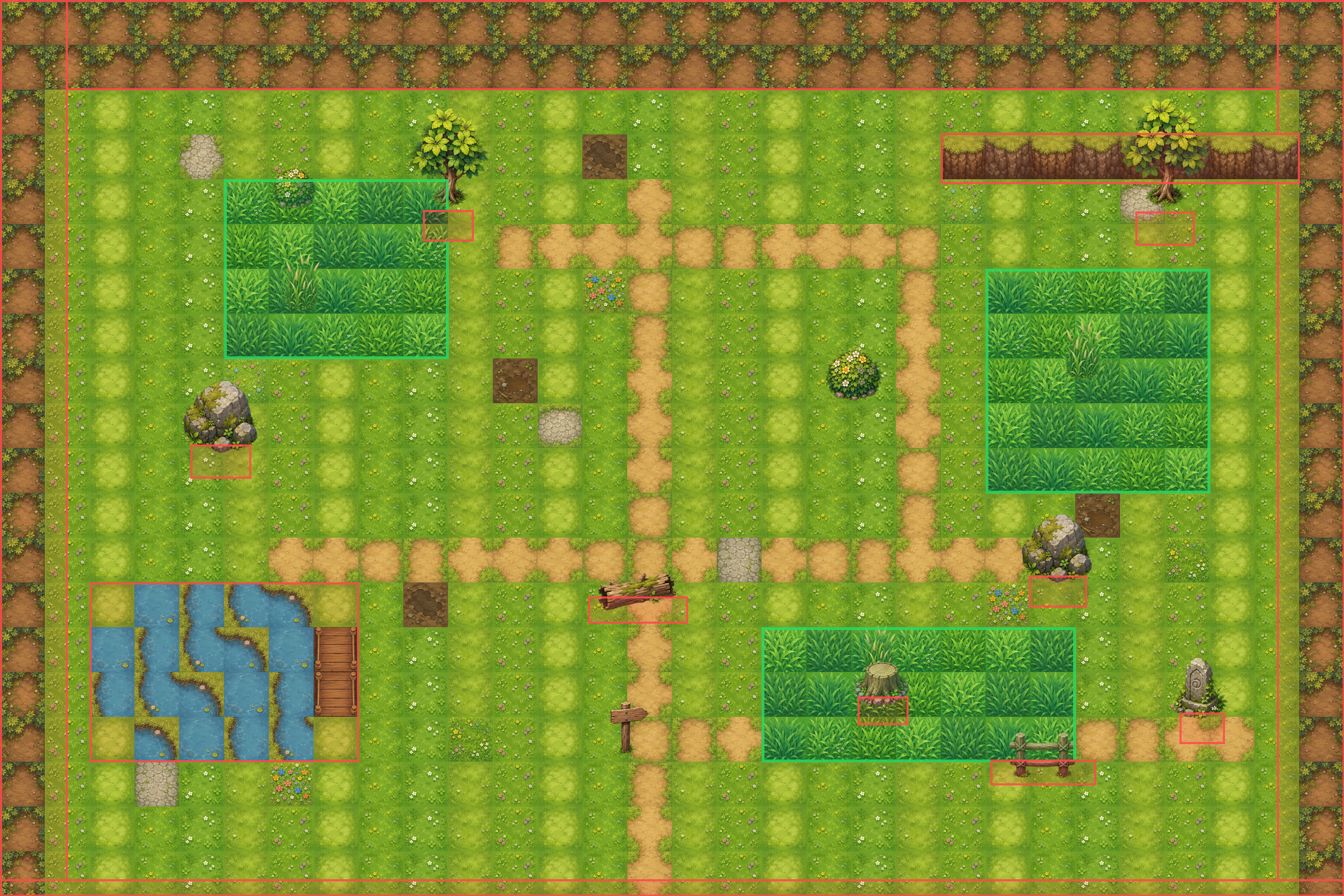
Collision and zone debug overlay
Image-generated tileset atlas
3x3 generated prop pack
Godot 輸出包含可調整的 `TileMapLayer`、獨立 `Sprite2D` props、遇怪草叢 `Area2D` zones、`StaticBody2D` collision blockers、出口 `Area2D` zones,以及 debug player/camera。
```text
image_gen tileset + prop_pack_3x3 + layered_tilemap + separate_props + trigger_zones + Godot_TileMap
```
### 可玩遊戲 Prompt 範例
Cyberpunk side-scroller prompt
```text
use $generate2dsprite to create a 2D side-scrolling game similar to Mega Man. It should include attack mechanics, map elements, and all the essential features. I would like you to design it, and all the necessary assets should be created using this skill. It needs to be an actually playable game, with a cyberpunk story setting.
```
戰國 Pokémon-like prototype
連結:Play the JavaScript browser build
初始御魂選擇
戰鬥場景
```text
Use $generate2dsprite to create a 2D game similar to Pokemon. You only need to build one scene for now. It must include a starter monster selection mechanic, a battle screen, and all basic gameplay functions. I would like you to design all the elements and the story, and you can also decide which game engine to use. Use this skill to create any assets you need. The story should be set in the Sengoku period.
```
## Included Skills
| Skill | 適合用途 | 輸出 | 執行環境 |
| --- | --- | --- | --- |
| [`generate2dsprite`](./skills/generate2dsprite) | Sprites、animation sheets、props、spell bundles、FX、reference variants、固定 frame sheet 可選 layout guides | Raw sheet、cleaned transparent sheet、frames、GIFs、metadata | Codex / Grok(需 image gen) |
| [`generate2dmap`](./skills/generate2dmap) | Baked maps、layered raster maps、clean HD RPG maps、prop packs、collision / zones、Godot-editable scenes | Base map、dressed reference、prop pack、extracted props、preview、scene metadata | Codex / Grok(需 image gen) |
| [`video2dsprite`](./skills/video2dsprite) | **用影片做更密的動作 sprite**:靜止圖 → `image_to_video` → 抽幀 → 洋紅去背 → 多密度 strip / GIF | 影片、raw/clean 幀、8/16/24/48 sprite、strip、預覽 GIF | **僅 Grok Build** |
### 僅 Grok Build:`$video2dsprite`
`$video2dsprite` 是 **Grok Build 專用** skill。它依賴 Grok 內建的 **`image_gen` / `image_edit` + `image_to_video`**(先靜止圖再短片)。Codex 等環境沒有 `image_to_video`,無法跑完整生成流程。
適合想要 **更密的中間姿勢、跑步/走路更順** 的實驗或 locomotion 素材。代價是像素較軟、identity 可能漂移、邊緣 chroma fringe——正式乾淨 pixel sheet 仍優先用 `$generate2dsprite`。
Grok Build 安裝請把 skills 複製到 `~/.grok/skills`(見[安裝方式](#安裝方式))。Codex 仍用 `~/.codex/skills`;若載入了 `$video2dsprite` 但沒有影片工具,agent 應拒絕影片步驟並改建議 `$generate2dsprite`。
#### Case study:Ryo run(16 幀)
流程:**base → image_to_video(6s)→ 去背 → 16 幀 strip**。
> **說明:** GitHub README **無法穩定顯示** ``(表格裡更不行)。動作預覽改用 **GIF**;MP4 仍在 repo 可下載。
| Base | 動作(image_to_video) | Sprite 結果(16f) |
| --- | --- | --- |
|
介紹片 MP4:[intro.mp4](./src/video2dsprite-ryo/intro.mp4)
素材在 `src/video2dsprite-ryo/`(約 2–3 MB,不含 raw 145 幀)。
`$generate2dmap` 只有在選定的地圖 pipeline 需要可重用透明 props 時,才會使用 `$generate2dsprite`。小型環境物件可以批次生成為 `2x2`、`3x3` 或 `4x4` prop pack,再切成個別透明 props。簡單地圖可以維持單張 baked image。
當流程需要視覺 reference 時,image skills 遵守同一個 wrapper 規則:先讓圖片出現在對話上下文。使用者上傳的圖片與剛生成的圖片已經在上下文中;local file 則先用 `view_image` 打開,再要求內建 image generation 保留角色 identity、風格、地圖 layout 或 sprite 進化脈絡。
## 運作方式
1. 使用者請 Codex 生成 sprite、prop pack、地圖或 engine-ready prototype。
2. Agent 決定 asset type、action、bundle shape、sheet layout、frame count、style 與 alignment strategy。
3. Codex 內建 image generation 產生 raw visual asset。
4. 本地 scripts 做 deterministic post-processing:洋紅去背、despill、切格、對齊、prop-pack slicing、GIF / PNG export 與 validation metadata。
5. 對地圖或 prototype,Codex 也可以組裝 placement metadata、collision、trigger zones、Godot scenes 或 Unity project wiring。
Script 不是創意大腦。Agent 負責美術與 pipeline 決策,Python tools 只負責可重現的像素處理與輸出。
## 可以生成什麼
- Creature、character、player、NPC、props、monster
- Spell cast、projectile、impact、explosion、FX sheet
- 小型 bundle,例如 `unit_bundle`、`spell_bundle`、`combat_bundle`
- 依 reference 生成的 sprite 變體、動畫 sheet 與進化線
- Single baked map、clean HD layered map、prop-pack map 與 flattened preview
- 可玩地圖用的 collision / zone metadata
- Godot 可開啟調整的地圖工程,包含 `TileMapLayer`、分離式 props、遇怪草叢、collision、出口區與 debug player scene
- 當使用者要求接 engine 時,也可以協助組出 prototype-scale Godot / Unity scene
## 安裝方式
本地 processor 需要 **Python**、**Pillow**、**numpy**;`$video2dsprite` 抽幀還需要 **ffmpeg** 在 `PATH` 上。
### Option 1: Windows PowerShell
先 clone repo,安裝依賴,再依你用的 agent 複製 skills:
```powershell
git clone https://github.com/0x0funky/agent-sprite-forge.git
cd .\agent-sprite-forge
python -m pip install -r .\requirements.txt
# Codex
New-Item -ItemType Directory -Force -Path "$env:USERPROFILE\.codex\skills" | Out-Null
Copy-Item -Recurse -Force ".\skills\*" "$env:USERPROFILE\.codex\skills\"
# Grok Build($video2dsprite 影片生成需要)
New-Item -ItemType Directory -Force -Path "$env:USERPROFILE\.grok\skills" | Out-Null
Copy-Item -Recurse -Force ".\skills\*" "$env:USERPROFILE\.grok\skills\"
```
### Option 2: macOS / Linux
```bash
git clone https://github.com/0x0funky/agent-sprite-forge.git
cd ./agent-sprite-forge
python3 -m pip install -r ./requirements.txt
# Codex
mkdir -p ~/.codex/skills
cp -R ./skills/* ~/.codex/skills/
# Grok Build($video2dsprite 影片生成需要)
mkdir -p ~/.grok/skills
cp -R ./skills/* ~/.grok/skills/
```
安裝完後建議重新開 Codex 或 Grok Build session,讓 skills 重新載入。
**注意:** `$generate2dsprite` / `$generate2dmap` 在有 image gen 的環境都能用。**完整 `$video2dsprite` 流程只有 Grok Build**(`image_to_video`)。若已有抽出的 frames,任何有 ffmpeg + Pillow 的機器都能用 script 重抽 sample。
## Python 依賴
本地後處理目前依賴:
- `Pillow`
- `numpy`
- `ffmpeg`(CLI,`$video2dsprite` 抽幀用)
Python 套件列在 [`requirements.txt`](./requirements.txt)。生圖 / 生影片由 host agent 負責;這些工具負責洋紅去背、切格、對齊、透明 PNG / GIF、prop-pack slicing,以及影片幀採樣。
## Repo 結構
```text
agent-sprite-forge/
README.md
README.zh-TW.md
requirements.txt
src/
skills/
generate2dmap/
SKILL.md
agents/
openai.yaml
references/
layered-map-contract.md
map-strategies.md
prop-pack-contract.md
scripts/
compose_layered_preview.py
extract_prop_pack.py
generate2dsprite/
SKILL.md
agents/
openai.yaml
references/
modes.md
prompt-rules.md
scripts/
generate2dsprite.py
make_layout_guide.py
video2dsprite/ # 僅 Grok Build(image_to_video)
SKILL.md
agents/
openai.yaml
references/
pipeline.md
prompt-rules.md
scripts/
video2dsprite.py
```
## 建議 Prompt
### Sprite
```text
Use $generate2dsprite to create a 3x3 idle for an ultimate earth titan.
```
```text
Use $generate2dsprite to create a side-view lightning knight attack animation.
```
```text
Use $generate2dsprite to create a late-Sengoku player_sheet for a wandering fire swordsman.
```
```text
Use $generate2dsprite to create a wizard spell bundle with cast, projectile, and impact sprites.
```
### 影片 → 密集 sprite(僅 Grok Build)
```text
Use $video2dsprite with my existing side-view hero PNG as base. Generate a 6s in-place run on #FF00FF, extract frames, chroma key, and export 8/16/24/48 sprite sets + preview GIFs. Do not wire into the game; just report paths.
```
```text
Use $video2dsprite to create a smooth side-scroller walk cycle from a new magenta-background still, 6 seconds, then sample 24 feet-aligned frames.
```
### Map
```text
Use $generate2dmap to create a small fixed-screen pixel-art battle arena with simple collision.
```
```text
Use $generate2dmap to create a top-down RPG forest shrine map. Use a layered raster pipeline, a 3x3 prop pack for small environmental props, precise collision, encounter grass zones, a rest point, and actors that can walk in front of and behind tall props.
```
```text
Use $generate2dmap to create a Godot-editable RPG map with separated props, encounter grass Area2D zones, collision StaticBody2D blockers, exit zones, and a debug player scene.
```
## 會輸出什麼
一般 sprite sheet 類型的輸出通常包含:
- `raw-sheet.png`
- `raw-sheet-clean.png`
- `sheet-transparent.png`
- frame PNGs
- `animation.gif`
- `prompt-used.txt`
- `pipeline-meta.json`
如果是 player walk sheet,通常還會額外輸出各方向 strip 與各方向 GIF。
如果是地圖輸出,結果會依選擇的 pipeline 而定:
- Single baked map:完整地圖圖檔、可選的 prompt file,以及可選的 collision metadata。
- Layered raster map:base map、dressed reference、生成出的 prop folders 或 prop-pack extraction manifest、prop 擺放資料、collision / zones metadata,以及 flattened layered preview。
- Godot editable map:tileset / prop assets、scene files、layer metadata、collision / zones、exits 與 debug player setup。
## 備註
- Prompt 越清楚,結果通常越穩。最好明確描述視角、動作與動畫型態。
- 大型 creature 通常比較適合 `3x3 idle`。
- 小型 spell / projectile 通常比較適合 `1x4`、`2x2` 或 `2x3`。
- Layout guide 適合固定 frame action sheet 與 prop pack,但不一定會讓緊湊攻擊 sheet 更好。
- 如果要商用,建議優先使用原創角色或你自己持有權利的 IP。
## Star History
## 授權
MIT。請見 [LICENSE](./LICENSE)。