Fusion
A lightweight RSS reader.
## Features
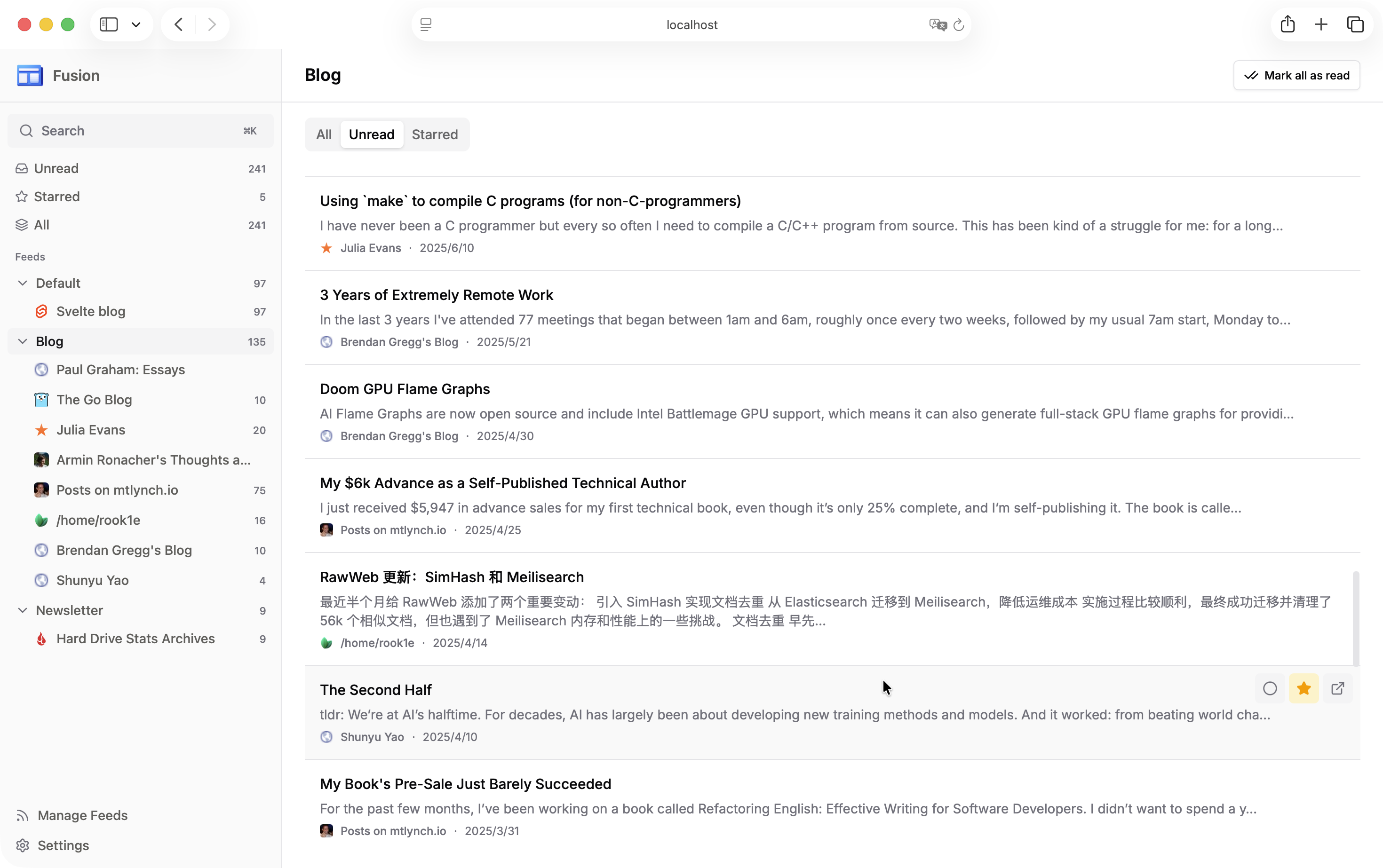
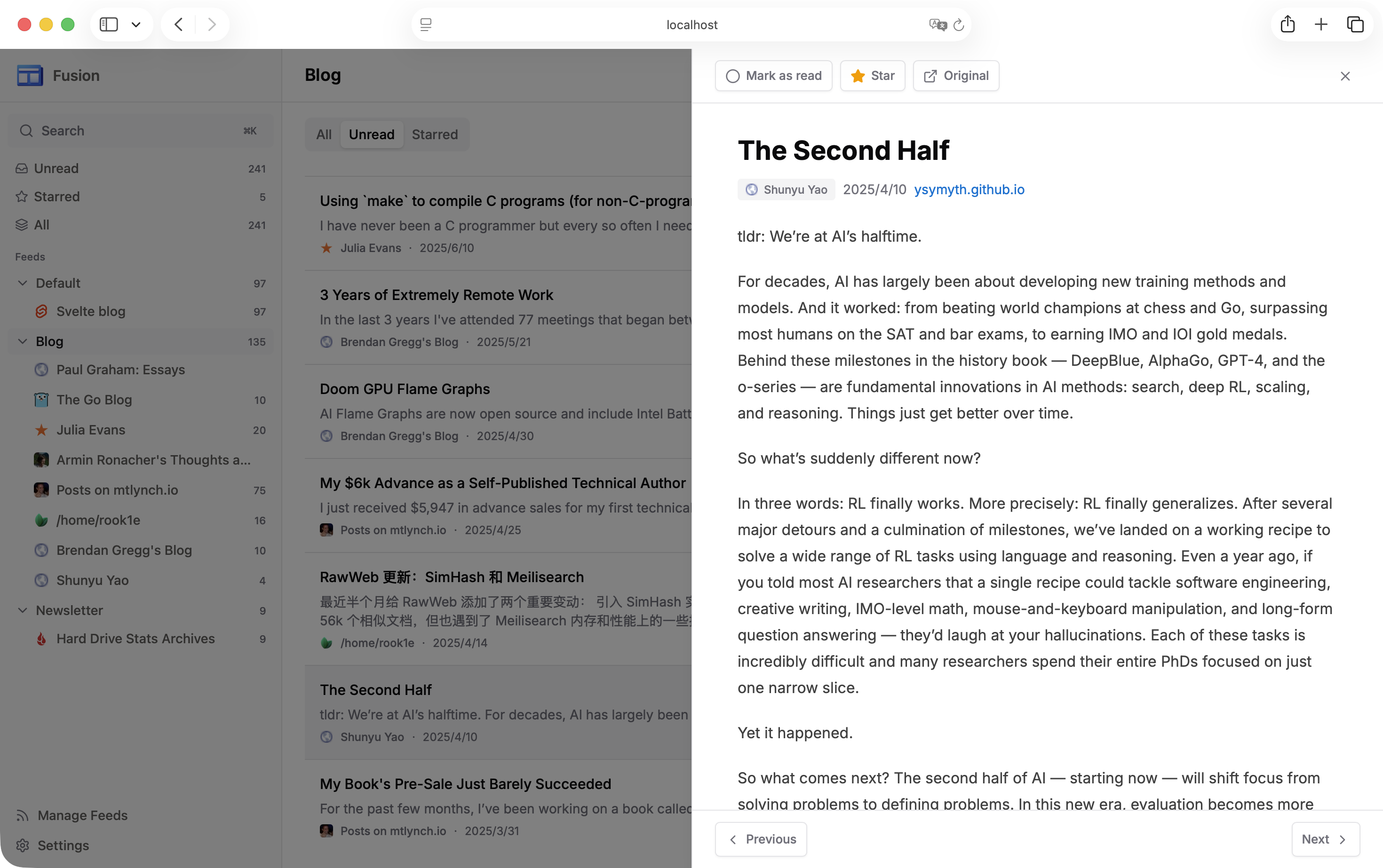
- Fast reading workflow: unread tracking, bookmarks, search, and Google Reader-style keyboard shortcuts
- Feed management: RSS/Atom parsing, feed auto-discovery, and group organization
- Fever API compatibility for third-party clients (Reeder, Unread, FeedMe, etc.)
- Responsive web UI with PWA support
- Self-hosting friendly: single binary or Docker deployment
- Built-in i18n: English, Chinese, German, French, Spanish, Russian, Portuguese, Swedish
- No AI features by design: focused, distraction-free RSS reading
## Installation
Option 1 (Recommended): Run pre-built binary from Releases
Download the binary for your platform from [Releases](https://github.com/0x2E/fusion/releases), then run:
```shell
chmod +x fusion
FUSION_PASSWORD="fusion" ./fusion
```
Windows (PowerShell):
```powershell
$env:FUSION_PASSWORD="fusion"
.\fusion.exe
```
Open `http://localhost:8080`.
Option 2: Run with Docker
`latest` is the latest release image.
`main` is the latest development build.
```shell
docker run -it -d -p 8080:8080 \
-v $(pwd)/fusion:/data \
-e FUSION_PASSWORD="fusion" \
ghcr.io/0x2e/fusion:latest
```
Open `http://localhost:8080`.
Docker Compose example:
```yaml
version: "3"
services:
fusion:
image: ghcr.io/0x2e/fusion:latest
ports:
- "127.0.0.1:8080:8080"
environment:
- FUSION_PASSWORD=fusion
restart: unless-stopped
volumes:
- ./data:/data
```
Option 3: Build from source
See [Contributing](./CONTRIBUTING.md).
Option 4: One-click deployment
- [Deploy on Fly.io](./fly.toml)
- [Deploy on Railway](https://railway.com/template/XSPFK0?referralCode=milo) (community maintained)
## Configuration
Most users only need one setting to get started:
- Set `FUSION_PASSWORD`.
- For local trusted environments only: set `FUSION_ALLOW_EMPTY_PASSWORD=true` to run without auth when OIDC is also disabled.
Then configure based on your goal:
- Run locally or on a home server
- Optional: `FUSION_PORT`, `FUSION_DB_PATH`
- Expose Fusion behind a reverse proxy
- Configure: `FUSION_CORS_ALLOWED_ORIGINS`, `FUSION_TRUSTED_PROXIES`
- Use mobile/desktop Fever clients (Reeder, Unread, FeedMe)
- Configure: `FUSION_FEVER_USERNAME` (default: `fusion`)
- Guide: [`docs/fever-api.md`](./docs/fever-api.md)
- Use SSO instead of password-only login
- Configure: `FUSION_OIDC_*`
- Set `FUSION_OIDC_REDIRECT_URI` to `https:///api/oidc/callback`
- `https:///oidc/callback` is accepted for compatibility
- Tune feed pull behavior
- Configure: `FUSION_PULL_INTERVAL`, `FUSION_PULL_TIMEOUT`, `FUSION_PULL_CONCURRENCY`, `FUSION_PULL_MAX_BACKOFF`
- Optional for private networks: `FUSION_ALLOW_PRIVATE_FEEDS`
- Troubleshoot deployments
- Configure: `FUSION_LOG_LEVEL`, `FUSION_LOG_FORMAT`
For the complete variable reference, see [`.env.example`](./.env.example).
Legacy env names (`DB`, `PASSWORD`, `PORT`) are still accepted for backward compatibility.
## Documentation
- API contract (OpenAPI): [`docs/openapi.yaml`](./docs/openapi.yaml)
- Fever API compatibility: [`docs/fever-api.md`](./docs/fever-api.md)
- Backend design: [`docs/backend-design.md`](./docs/backend-design.md)
- Frontend design: [`docs/frontend-design.md`](./docs/frontend-design.md)
- Legacy schema reference (kept for migration work): [`docs/old-database-schema.md`](./docs/old-database-schema.md)
## Development
- Requirements: Go `1.25+`, Node.js `24+`, pnpm
- Helpful commands are in [`scripts.sh`](./scripts.sh)
- Frontend i18n key check: `cd frontend && npm run check:i18n`
Example:
```shell
./scripts.sh build
```
## Contributing
Contributions are welcome. Please read [Contributing Guidelines](./CONTRIBUTING.md) before opening a PR.
## Credits
- Feed parsing powered by [gofeed](https://github.com/mmcdole/gofeed)