
Stik
Instant thought capture for macOS.
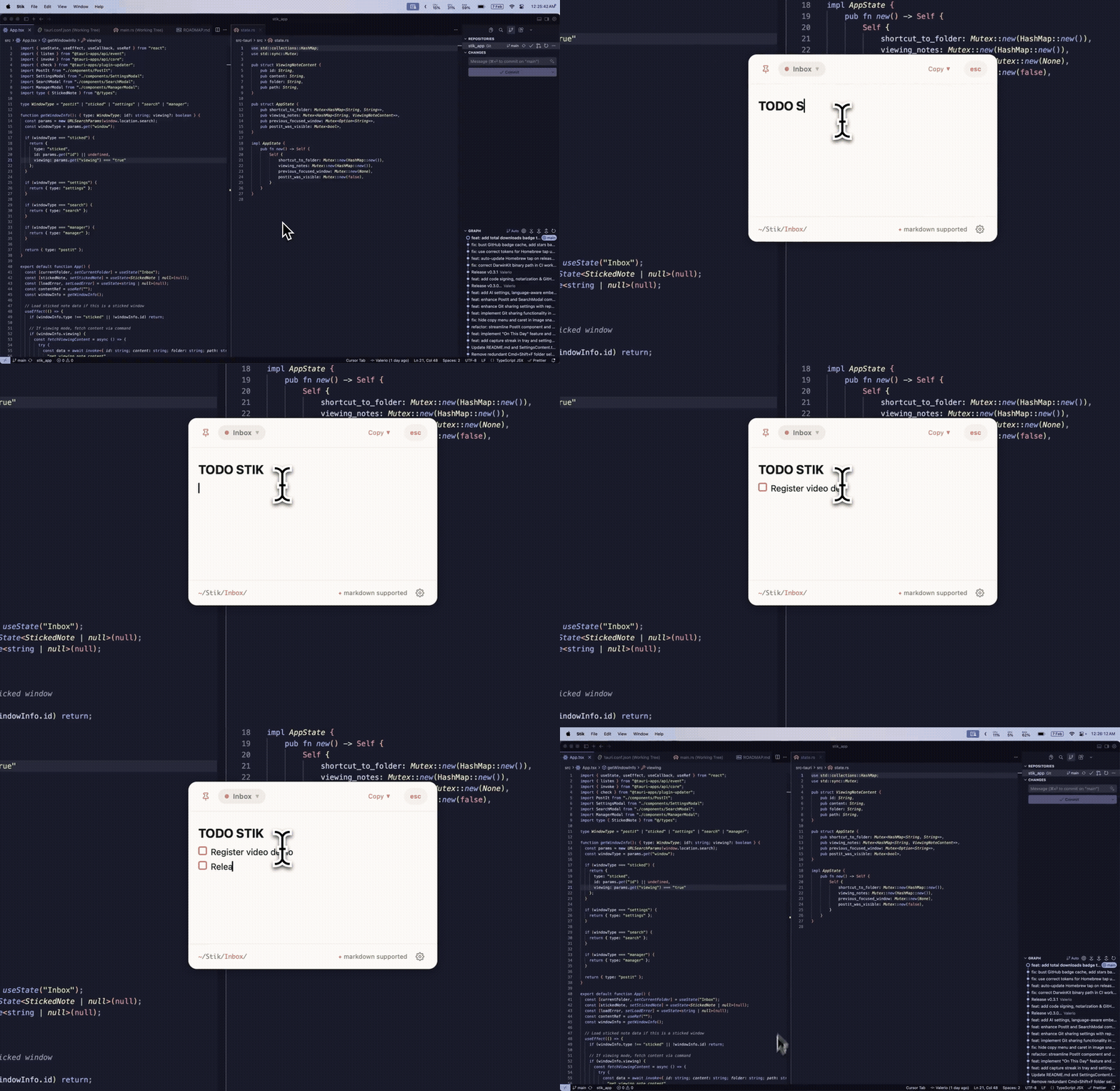
Press a shortcut. Type your thought. Get back to work.
Under 3 seconds. Every time.
Website ·
Demo ·
Ideas Board ·
X ·
Discord ·
Download ·
Roadmap ·
Changelog



---
## Why Stik?
Every note app wants to be your second brain. Stik just wants to catch your thought before it disappears.
No onboarding. No account. No sync setup. Hit `Cmd+Shift+S`, type, close. Your note is saved as a plain markdown file. That's it.
## Install
### Download for Mac
Grab the latest `.dmg` from **[stik.ink/download](https://www.stik.ink/download?utm_source=github&utm_medium=readme&utm_campaign=install_primary)** — the recommended path, with release notes and a quick walkthrough.
Prefer GitHub? The same `.dmg` is on the [Releases page](https://github.com/0xMassi/stik_app/releases/latest).
### Homebrew
```bash
brew install --cask 0xMassi/stik/stik
```
Or add the tap first:
```bash
brew tap 0xMassi/stik
brew install --cask stik
```
> Requires **macOS 10.15+**. On first launch, grant Accessibility permissions when prompted (needed for global shortcuts).
### Update
If you installed via Homebrew:
```bash
brew upgrade --cask stik
```
From v0.3.3 onwards, Stik includes a built-in auto-updater that silently downloads new versions in the background. Updates apply on next app restart.
## Features
**Capture** -- Global shortcuts summon a floating post-it from anywhere. Type, close, done. Notes are saved as markdown in `~/Documents/Stik/`.
**Organize** -- Folders (Inbox, Work, Ideas, or your own). Move notes with a keystroke. Search everything instantly.
**Pin** -- Keep important notes floating on your desktop as sticky notes.
**Rich Editor** -- Source-mode markdown with syntax highlighting, `==highlighting==`, `[[wiki-links]]` to other notes, collapsible headings, image paste/drop, task lists, interactive tables, and a link popover for quick editing. Type `/` for slash commands -- instant templates for meetings, standups, journals, tables, and more. Create your own custom templates in Settings. Optional Vim mode.
**On-Device AI** -- Semantic search, smart folder suggestions, and note embeddings. Powered by Apple's NaturalLanguage framework. Everything runs locally -- no cloud, no API keys, no data leaves your Mac.
**Share** -- Copy notes as rich text, markdown, or image. Sync folders via git with background auto-sync.
**Import** -- Browse and import notes from Apple Notes directly into Stik. No export/import files needed.
**Themes** -- System, Light, or Dark mode. Switches live, respects macOS appearance.
**Remember** -- Capture streak tracks your daily note-taking habit. "On This Day" resurfaces notes from past years.
## Keyboard Shortcuts
All shortcuts are customizable in Settings.
| Shortcut | Action |
|----------|--------|
| `Cmd+Shift+S` | Capture a new note |
| `Cmd+Shift+P` | Command Palette (search + folders) |
| `Cmd+Shift+M` | Command Palette (alt shortcut) |
| `Cmd+Shift+L` | Reopen last note |
| `Cmd+Shift+,` | Open settings |
## Your Data, Your Machine
- Notes are **plain markdown files** in `~/Documents/Stik/` -- open them in any editor
- All AI runs **on-device** via Apple frameworks -- nothing is sent anywhere
- No account, no cloud, no tracking, no telemetry
- Settings stored locally in `~/.stik/`
- Want sync? Just enable iCloud Drive for your Documents folder. Stik works automatically with iCloud, Dropbox, Syncthing, or anything that syncs `~/Documents`
## Build from Source
### Prerequisites
- macOS 10.15+
- [Xcode Command Line Tools](https://developer.apple.com/xcode/resources/) (`xcode-select --install`)
- [Rust](https://rustup.rs/) 1.70+
- [Node.js](https://nodejs.org/) 18+
### Build
```bash
git clone https://github.com/0xMassi/stik_app.git
cd stik_app
npm install
npm run tauri dev # Development with hot reload
npm run tauri build # Production .app bundle
```
## Tech Stack
| Layer | Technology |
|-------|-----------|
| Frontend | React 19, TypeScript, Tailwind CSS, CodeMirror 6 |
| Backend | Rust, Tauri 2.0 |
| AI | DarwinKit (Swift CLI wrapping Apple NaturalLanguage framework) |
| Storage | Local filesystem (`.md` files), optional git sync |
## Contributing
Contributions are welcome. Please open an issue first to discuss what you'd like to change.
```bash
# Check Rust code
cd src-tauri && cargo check
# Format Rust code
cd src-tauri && cargo fmt
# Type check frontend
npm run build
```
## Ideas Board
Got a feature idea or want to vote on what gets built next? Visit the **[Stik Ideas Board](https://www.stik.ink/ideas?utm_source=github&utm_medium=readme&utm_campaign=body_ideas)** -- sign in with GitHub, submit ideas, upvote your favorites, and discuss with the community. The roadmap is shaped by you.
## Support
Have a question, found a bug, or want to request a feature? Reach out at [help@stik.ink](mailto:help@stik.ink), join [Discord](https://discord.gg/gG8vdCCRzW), follow us on [X](https://x.com/stik_app), or [open an issue](https://github.com/0xMassi/stik_app/issues).
## License
[MIT](LICENSE)
---
Built by Massi
If Stik saves you time, consider leaving a star.