# oneiromancer
[](https://github.com/0xdea/oneiromancer)
[](https://crates.io/crates/oneiromancer)
[](https://crates.io/crates/oneiromancer)
[](https://ollama.com/)
[](https://twitter.com/0xdea)
[](https://infosec.exchange/@raptor)
[](https://github.com/0xdea/oneiromancer/actions/workflows/build.yml)
> "A large fraction of the flaws in software development are due to programmers not fully understanding all the possible
> states their code may execute in." -- John Carmack
> "Can it run Doom?" --
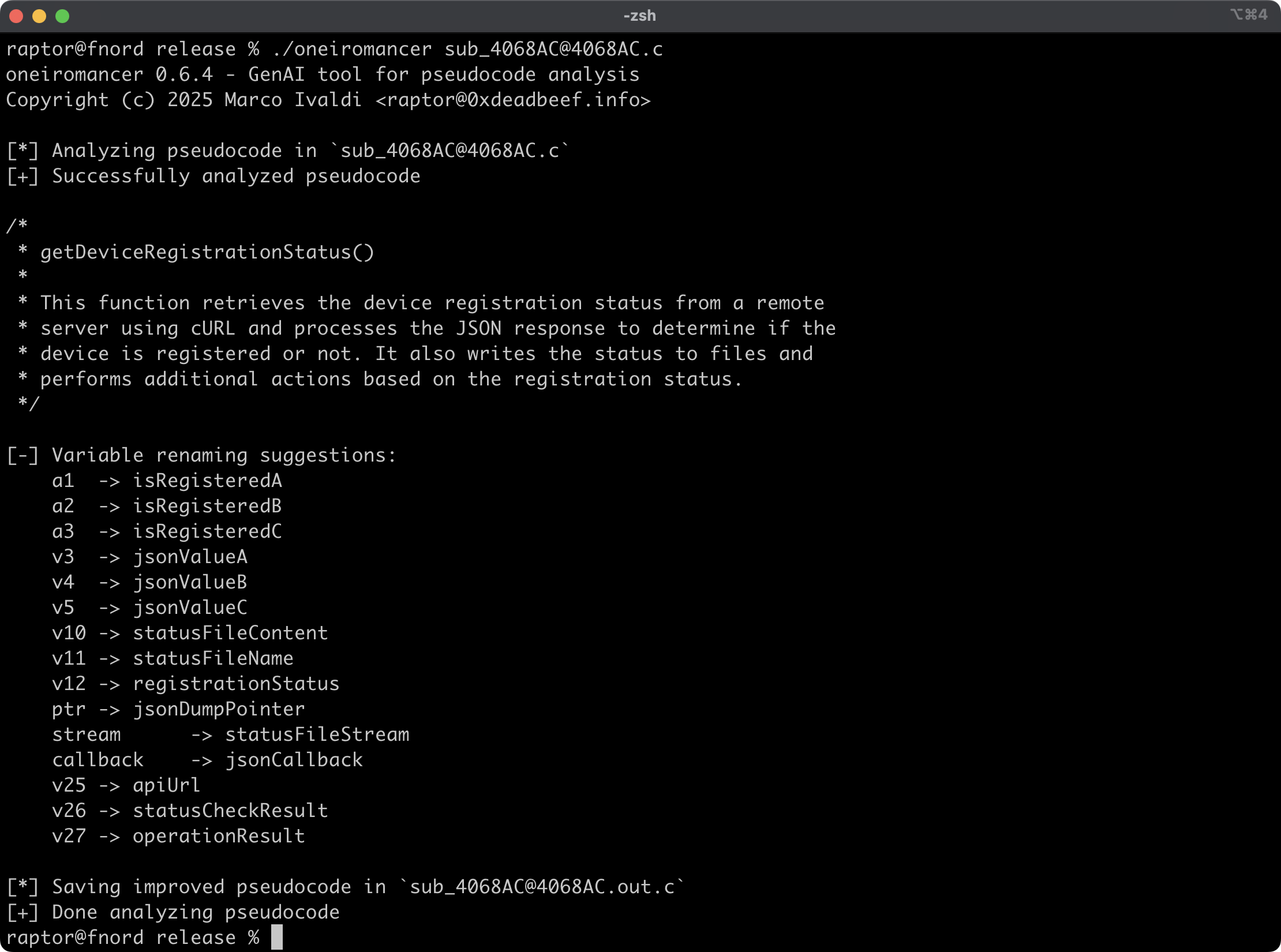
Oneiromancer is a reverse engineering assistant that uses a locally running LLM that has been fine-tuned for Hex-Rays
pseudocode to aid with code analysis. It can analyze a function or a smaller code snippet, returning a high-level
description of what the code does, a recommended name for the function, and variable renaming suggestions, based on the
results of the analysis.
## Features
- Cross-platform support for the fine-tuned LLM [aidapal](https://huggingface.co/AverageBusinessUser/aidapal) based on
`mistral-7b-instruct`.
- Easy integration with the pseudocode extractor [haruspex](https://github.com/0xdea/haruspex) and popular IDEs.
- Code description, recommended function name, and variable renaming suggestions are printed on the terminal.
- Improved pseudocode of each analyzed function is saved in a separate file for easy inspection.
- External crates can invoke [`analyze_code`](`Oneiromancer::analyze_code`) or [`analyze_file`](`Oneiromancer::analyze_file`) to analyze pseudocode and then process analysis results.
## Blog post
-
## See also
-
-
-
-
## Installing
The easiest way to get the latest release is via [crates.io](https://crates.io/crates/oneiromancer):
```sh
cargo install oneiromancer
```
To install as a library, run the following command in your project directory:
```sh
cargo add oneiromancer
```
## Compiling
Alternatively, you can build from [source](https://github.com/0xdea/oneiromancer):
```sh
git clone https://github.com/0xdea/oneiromancer
cd oneiromancer
cargo build --release
```
## Configuration
1. Download and install [Ollama](https://ollama.com/).
2. Download the fine-tuned weights and the Ollama modelfile from [Hugging Face](https://huggingface.co/):
```sh
wget https://huggingface.co/AverageBusinessUser/aidapal/resolve/main/aidapal-8k.Q4_K_M.gguf
wget https://huggingface.co/AverageBusinessUser/aidapal/resolve/main/aidapal.modelfile
```
3. Configure Ollama by running the following commands within the directory in which you downloaded the files:
```sh
ollama create aidapal -f aidapal.modelfile
ollama list
```
## Usage
1. Run oneiromancer as follows:
```sh
export OLLAMA_BASEURL=custom_baseurl # if not set, the default will be used
export OLLAMA_MODEL=custom_model # if not set, the default will be used
oneiromancer .c
```
2. Find the improved pseudocode in `.out.c`:
```sh
vim .out.c
code .out.c
```
> [!TIP]
> For best results, submit one function at a time to be analyzed by the LLM.
## Compatibility
Tested with Ollama 0.30.11 on:
- Apple macOS Tahoe 26.4.1
- Ubuntu Linux 24.04.2 LTS
- Microsoft Windows 11 23H2
## Credits
- Chris Bellows (@AverageBusinessUser) at Atredis Partners for his fine-tuned LLM `aidapal` <3
## Changelog
- [CHANGELOG.md](https://github.com/0xdea/oneiromancer/blob/master/CHANGELOG.md)
## TODO
- Improve output file handling with versioning and/or an output directory.
- Implement other features of the IDAPython `aidapal` IDA Pro plugin (e.g., context).
- Integrate with [haruspex](https://github.com/0xdea/haruspex) and [idalib](https://github.com/binarly-io/idalib).
- Implement a "minority report" protocol (i.e., make three queries and select the best responses).
- Consider a refactor of variable renaming to prevent potential code corruption.
- Investigate other use cases for the `aidapal` LLM and implement a modular architecture to plug in custom LLMs.