# iChatGPT
OpenAI ChatGPT app for iOS, iPadOS, macoS
### 一、App 介绍
 使用和原理介绍:
- [用 SwiftUI 实现 AI 聊天对话 app - iChatGPT](https://juejin.cn/post/7175051294808211512)
#### 更新说明
最新版本 v2.7
- Streamlined output support. (支持流式输出)
- Added modules for gpt-3.5-turbo-16k, gpt-3.5-turbo-16k-061, and gpt-4-32k-0613. (增加模块,支持 gpt-3.5-turbo-16k、gpt-3.5-turbo-16k-061 和 gpt-4-32k-0613)
- Increased request timeout to 60 seconds to reduce timeout issues. (请求超时时间调整为 60 秒,减少请求超时问题)
- Switched to historical conversations, automatically scrolling to the latest content. (切换历史对话,默认滚动到最新的对话内容)
- Optimized several user experience details. (优化一些体验细节)
**支持功能**
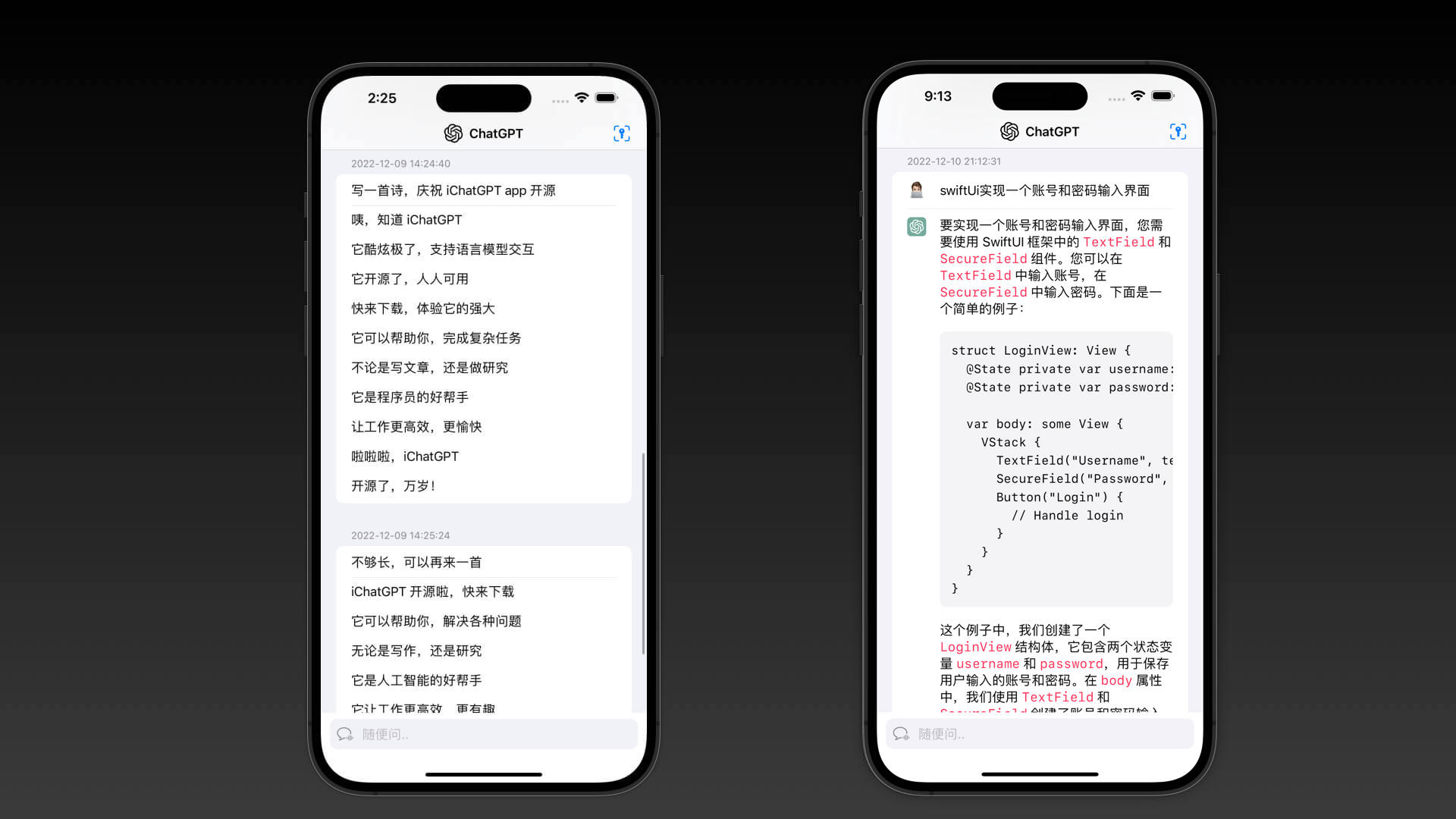
实现 ChatGPT 基本聊天功能:
* 可以直接与 ChatGPT 对话,并且保留上下文;
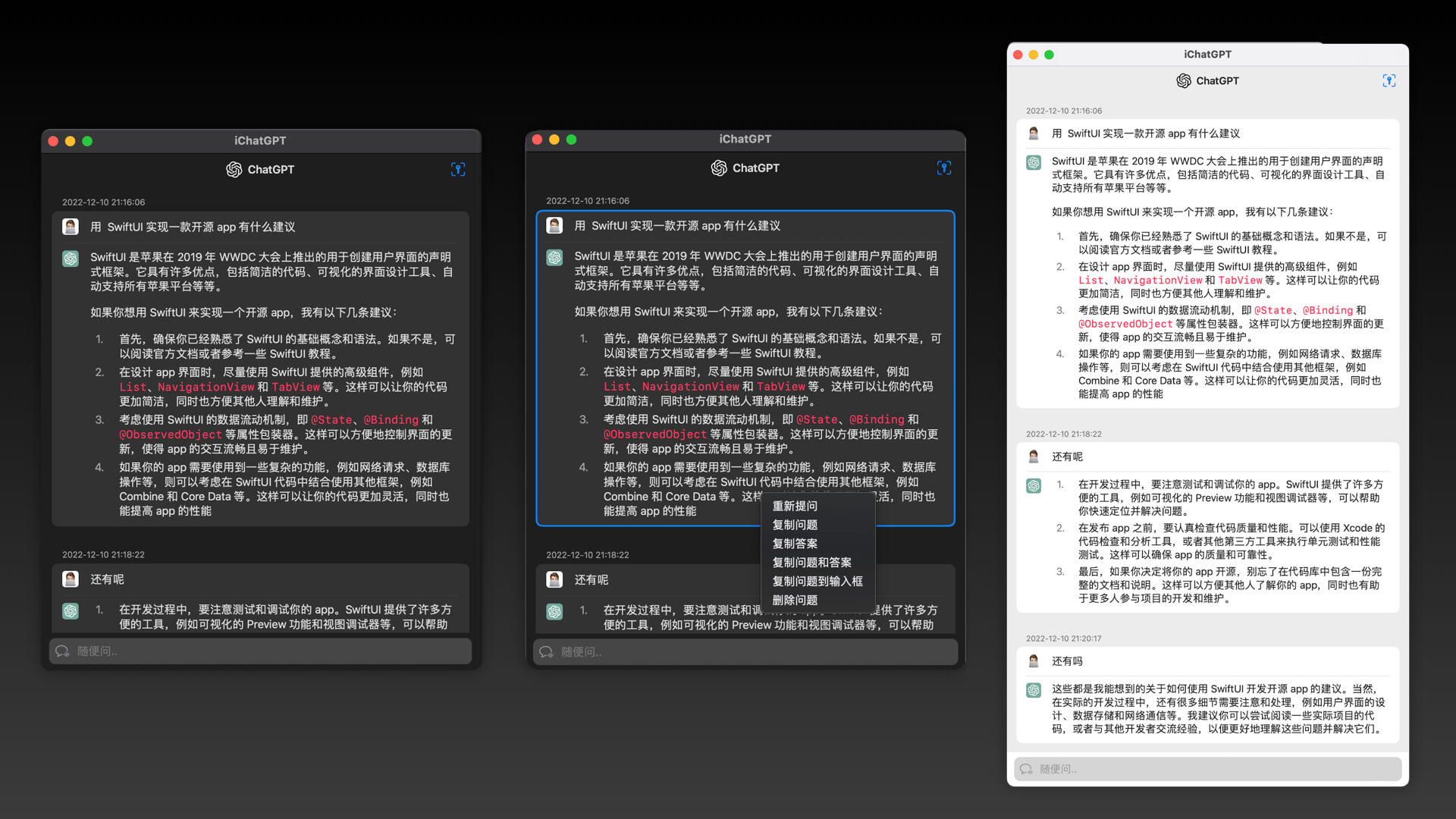
* 可以复制问题和回答内容;
* 可以快捷重复提问;
* iPadOS 和 macOS 可以同时打开多个独立的聊天对话
支持系统:
* iOS 14.0+
* iPadOS 14.0+
* macOS 11.0+
**TODO**
* ~~显示个人头像~~
* ~~请求失败重试等~~
* ~~支持多语言,如英文~~
* ~~保存对话~~
* ~~保存 pdf 文件~~
* ~~支持自定义 API URL~~
* 自由的选择和复制文本
* 支持语音输入
* 支持代码高亮和复制等
* 支持表格显示
* 支持流式输出
* 支持自定义图标
* 悬浮窗模式
* 更多功能,欢迎提 PR ~
### 二、安装说明
#### 2.1 iOS / iPadOS / Mac Apple Silicon
- iOS 14.0+
- iPadOS 14.0+
- macOS 11.0+(Mac Apple Silicon M1/M2+)
TestFlight 下载地址:[https://testflight.apple.com/join/GR4BOt2M](https://testflight.apple.com/join/GR4BOt2M)
> 注:
> 1. TestFlight 名额有限,先下先得!
> 2. 如无名额,iOS 和 iPadOS 需要自行编译安装。
#### 2.2 macSO 安装包下载
- macOS 11.0+
- Mac Apple Silicon M1/M2+
- Mac Intel x86_64
- Mac 下载:[Releases](https://github.com/37MobileTeam/iChatGPT/releases)
#### 2.3 Xcode 构建
- 构建依赖:Xcode14
下载项目后,双击 `iChatGPT.xcodeproj` 打开项目构建。
> 注:依赖其它共享组件,需要保证能访问 GitHub 服务。
### 三、FAQ
#### 3.1 登陆
**目前支持使用openai key来进行认证,无需其他方式**
使用和原理介绍:
- [用 SwiftUI 实现 AI 聊天对话 app - iChatGPT](https://juejin.cn/post/7175051294808211512)
#### 更新说明
最新版本 v2.7
- Streamlined output support. (支持流式输出)
- Added modules for gpt-3.5-turbo-16k, gpt-3.5-turbo-16k-061, and gpt-4-32k-0613. (增加模块,支持 gpt-3.5-turbo-16k、gpt-3.5-turbo-16k-061 和 gpt-4-32k-0613)
- Increased request timeout to 60 seconds to reduce timeout issues. (请求超时时间调整为 60 秒,减少请求超时问题)
- Switched to historical conversations, automatically scrolling to the latest content. (切换历史对话,默认滚动到最新的对话内容)
- Optimized several user experience details. (优化一些体验细节)
**支持功能**
实现 ChatGPT 基本聊天功能:
* 可以直接与 ChatGPT 对话,并且保留上下文;
* 可以复制问题和回答内容;
* 可以快捷重复提问;
* iPadOS 和 macOS 可以同时打开多个独立的聊天对话
支持系统:
* iOS 14.0+
* iPadOS 14.0+
* macOS 11.0+
**TODO**
* ~~显示个人头像~~
* ~~请求失败重试等~~
* ~~支持多语言,如英文~~
* ~~保存对话~~
* ~~保存 pdf 文件~~
* ~~支持自定义 API URL~~
* 自由的选择和复制文本
* 支持语音输入
* 支持代码高亮和复制等
* 支持表格显示
* 支持流式输出
* 支持自定义图标
* 悬浮窗模式
* 更多功能,欢迎提 PR ~
### 二、安装说明
#### 2.1 iOS / iPadOS / Mac Apple Silicon
- iOS 14.0+
- iPadOS 14.0+
- macOS 11.0+(Mac Apple Silicon M1/M2+)
TestFlight 下载地址:[https://testflight.apple.com/join/GR4BOt2M](https://testflight.apple.com/join/GR4BOt2M)
> 注:
> 1. TestFlight 名额有限,先下先得!
> 2. 如无名额,iOS 和 iPadOS 需要自行编译安装。
#### 2.2 macSO 安装包下载
- macOS 11.0+
- Mac Apple Silicon M1/M2+
- Mac Intel x86_64
- Mac 下载:[Releases](https://github.com/37MobileTeam/iChatGPT/releases)
#### 2.3 Xcode 构建
- 构建依赖:Xcode14
下载项目后,双击 `iChatGPT.xcodeproj` 打开项目构建。
> 注:依赖其它共享组件,需要保证能访问 GitHub 服务。
### 三、FAQ
#### 3.1 登陆
**目前支持使用openai key来进行认证,无需其他方式**
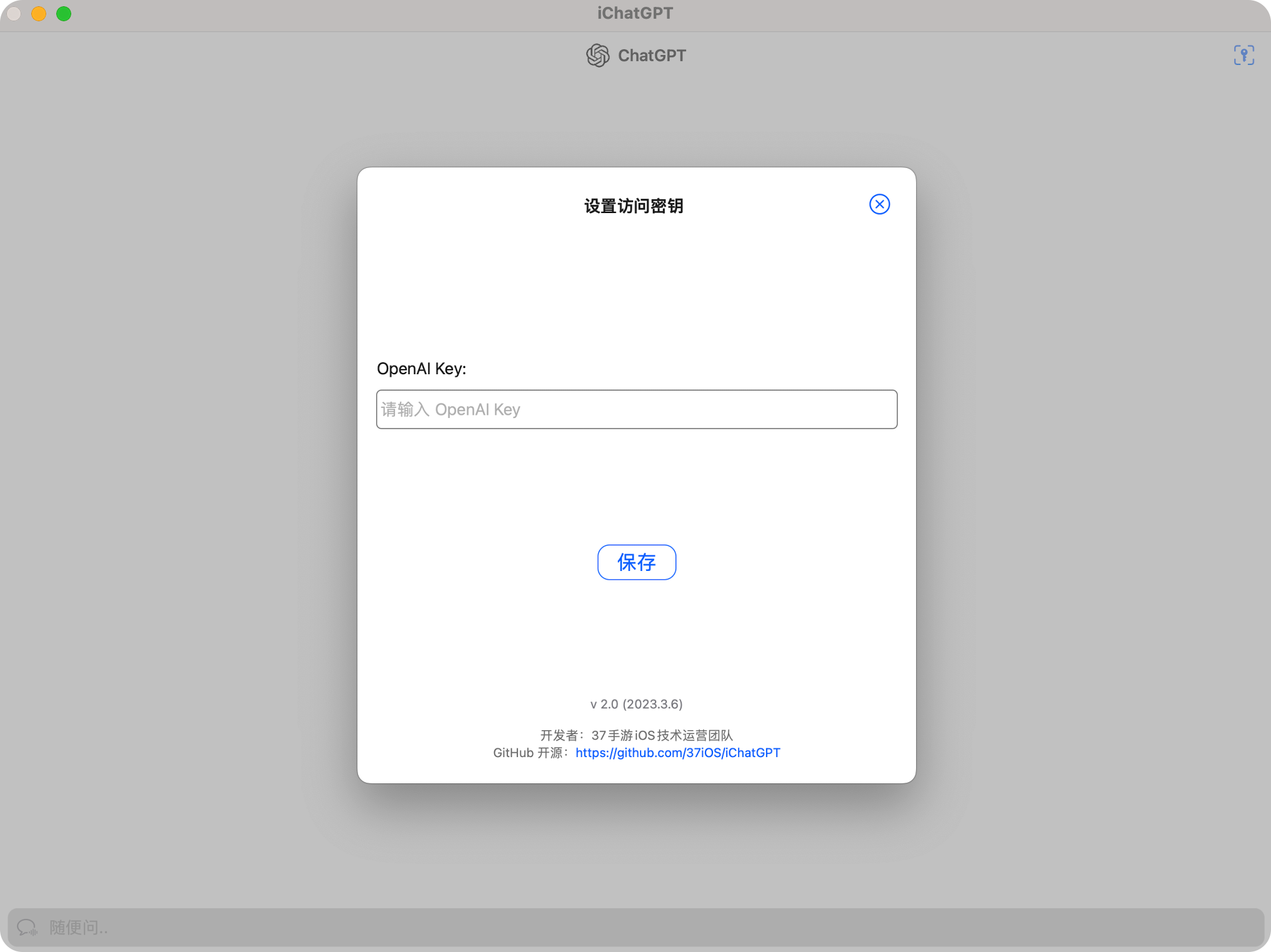 欢迎大家提 PR ! 或者有解决方案欢迎大家提供~
#### 3.2 启动 macOS app
- 问题:首次打开提示:“无法打开iChatGPT.app”,因为 Apple 无法检查其是否包含恶意软件。”
> 解决方法:选中 app 后,点击右键 -> ”打开“,即可正常打开 iChatGPT。
#### 3.3 More Questions
- [New Issue](https://github.com/37MobileTeam/iChatGPT/issues/new/choose)
#### 3.4 历史更新功能
**v2.6:**
- Support custom API URL.(支持自定义 API URL。)
- Set API timeout duration.(设置 API 超时时间。)
- Configure API model for individual chat rooms.(支持聊天室单独设置 API 模型。)
- Support more model choices (e.g., gpt-4-32k).(支持更多模型选择,如 gpt-4-32k 等。)
- Change icons to local images and differentiate gpt-4 icons.(将图标更改为本地图片并区分 gpt-4 图标。)
- Fix auto letter conversion issue with consecutive characters (e.g., in Chinese or Japanese).(修复连续输入字符时自动变为字母的问题,如中文或日文。)
**v2.5:**
- Added chat room settings with Prompt and Temperature parameter configuration. (新增聊天室设置功能,支持 Prompt 和 Temperature 参数配置。)
- Display current conversation identifier in the history list. (历史对话列表增加显示当前对话标识。)
- Fixed potential crash when sending conversations. (修复发送对话时可能会崩溃的问题。)
- Removed restrictions on creating new conversations and switching history when requesting a conversation. (请求对话时,取消创建新对话和切换历史对话的禁用限制。)
- Improved multi-language translations for sharing feature. (完善分享功能的多语言翻译。)
**v2.4:**
- Add sharing function(增加分享功能)
- Fix the history list is too high(修复历史列表过高)
**v2.3:**
- Create new conversation. (创建新的对话)
- Save conversation records. (保存对话记录)
- Switch to historical conversations. (切换历史对话)
- Scroll to the top of the conversation list. (滚动到对话列表的顶部)
- Auto-scroll to the bottom of the conversation list. (自动滚动到对话列表的底部)
- Option to request conversations without historical records (click on the icon on the left side of the input box to toggle). (请求时可不带历史对话记录)
- Support for additional languages (Traditional Chinese, Korean, Japanese, French, German, Russian, etc.). (支持更多语言(繁体中文、韩文、日文、法语、德语、俄语等))
**v2.2:**
- Increased request timeout from 30 seconds to 60 seconds.(请求超时从 30 秒增加到 60 秒。)
- When sending dialog context, only send the first three Q&A rounds, and submit only the first 100 characters of the answer.(发送对话上下文时,只发送提问的前三轮问答,且答案只提交前100个字。)
- Fixed Chinese Pinyin input method typing interruption problem (thanks to @ypwhs/@coder-free/@0xfeedface1993).(修复中文拼音输入法打字中断的问题(感谢 @ypwhs、@coder-free、@0xfeedface1993))
**v2.1:**
- support GPT-4 Model(支持 GPT-4 模型)
- support English language(支持英文语言)
- display configured API Key(显示已配置的 API Key)
**v2.0:**
- support OpenAI API key
- base GPT3.5 Turbo
> 注意:需要填写自己的 OpenAI API key,app 不提供 key!
### 四、Contributors
* [@iHTCboy](https://github.com/iHTCboy)
* [@AlphaGogoo (BWQ)](https://github.com/AlphaGogoo)
* [@RbBtSn0w (Snow Wu)](https://github.com/RbBtSn0w)
* [@0xfeedface1993 (John Corner)](https://github.com/0xfeedface1993)
### 五、效果示例
欢迎大家提 PR ! 或者有解决方案欢迎大家提供~
#### 3.2 启动 macOS app
- 问题:首次打开提示:“无法打开iChatGPT.app”,因为 Apple 无法检查其是否包含恶意软件。”
> 解决方法:选中 app 后,点击右键 -> ”打开“,即可正常打开 iChatGPT。
#### 3.3 More Questions
- [New Issue](https://github.com/37MobileTeam/iChatGPT/issues/new/choose)
#### 3.4 历史更新功能
**v2.6:**
- Support custom API URL.(支持自定义 API URL。)
- Set API timeout duration.(设置 API 超时时间。)
- Configure API model for individual chat rooms.(支持聊天室单独设置 API 模型。)
- Support more model choices (e.g., gpt-4-32k).(支持更多模型选择,如 gpt-4-32k 等。)
- Change icons to local images and differentiate gpt-4 icons.(将图标更改为本地图片并区分 gpt-4 图标。)
- Fix auto letter conversion issue with consecutive characters (e.g., in Chinese or Japanese).(修复连续输入字符时自动变为字母的问题,如中文或日文。)
**v2.5:**
- Added chat room settings with Prompt and Temperature parameter configuration. (新增聊天室设置功能,支持 Prompt 和 Temperature 参数配置。)
- Display current conversation identifier in the history list. (历史对话列表增加显示当前对话标识。)
- Fixed potential crash when sending conversations. (修复发送对话时可能会崩溃的问题。)
- Removed restrictions on creating new conversations and switching history when requesting a conversation. (请求对话时,取消创建新对话和切换历史对话的禁用限制。)
- Improved multi-language translations for sharing feature. (完善分享功能的多语言翻译。)
**v2.4:**
- Add sharing function(增加分享功能)
- Fix the history list is too high(修复历史列表过高)
**v2.3:**
- Create new conversation. (创建新的对话)
- Save conversation records. (保存对话记录)
- Switch to historical conversations. (切换历史对话)
- Scroll to the top of the conversation list. (滚动到对话列表的顶部)
- Auto-scroll to the bottom of the conversation list. (自动滚动到对话列表的底部)
- Option to request conversations without historical records (click on the icon on the left side of the input box to toggle). (请求时可不带历史对话记录)
- Support for additional languages (Traditional Chinese, Korean, Japanese, French, German, Russian, etc.). (支持更多语言(繁体中文、韩文、日文、法语、德语、俄语等))
**v2.2:**
- Increased request timeout from 30 seconds to 60 seconds.(请求超时从 30 秒增加到 60 秒。)
- When sending dialog context, only send the first three Q&A rounds, and submit only the first 100 characters of the answer.(发送对话上下文时,只发送提问的前三轮问答,且答案只提交前100个字。)
- Fixed Chinese Pinyin input method typing interruption problem (thanks to @ypwhs/@coder-free/@0xfeedface1993).(修复中文拼音输入法打字中断的问题(感谢 @ypwhs、@coder-free、@0xfeedface1993))
**v2.1:**
- support GPT-4 Model(支持 GPT-4 模型)
- support English language(支持英文语言)
- display configured API Key(显示已配置的 API Key)
**v2.0:**
- support OpenAI API key
- base GPT3.5 Turbo
> 注意:需要填写自己的 OpenAI API key,app 不提供 key!
### 四、Contributors
* [@iHTCboy](https://github.com/iHTCboy)
* [@AlphaGogoo (BWQ)](https://github.com/AlphaGogoo)
* [@RbBtSn0w (Snow Wu)](https://github.com/RbBtSn0w)
* [@0xfeedface1993 (John Corner)](https://github.com/0xfeedface1993)
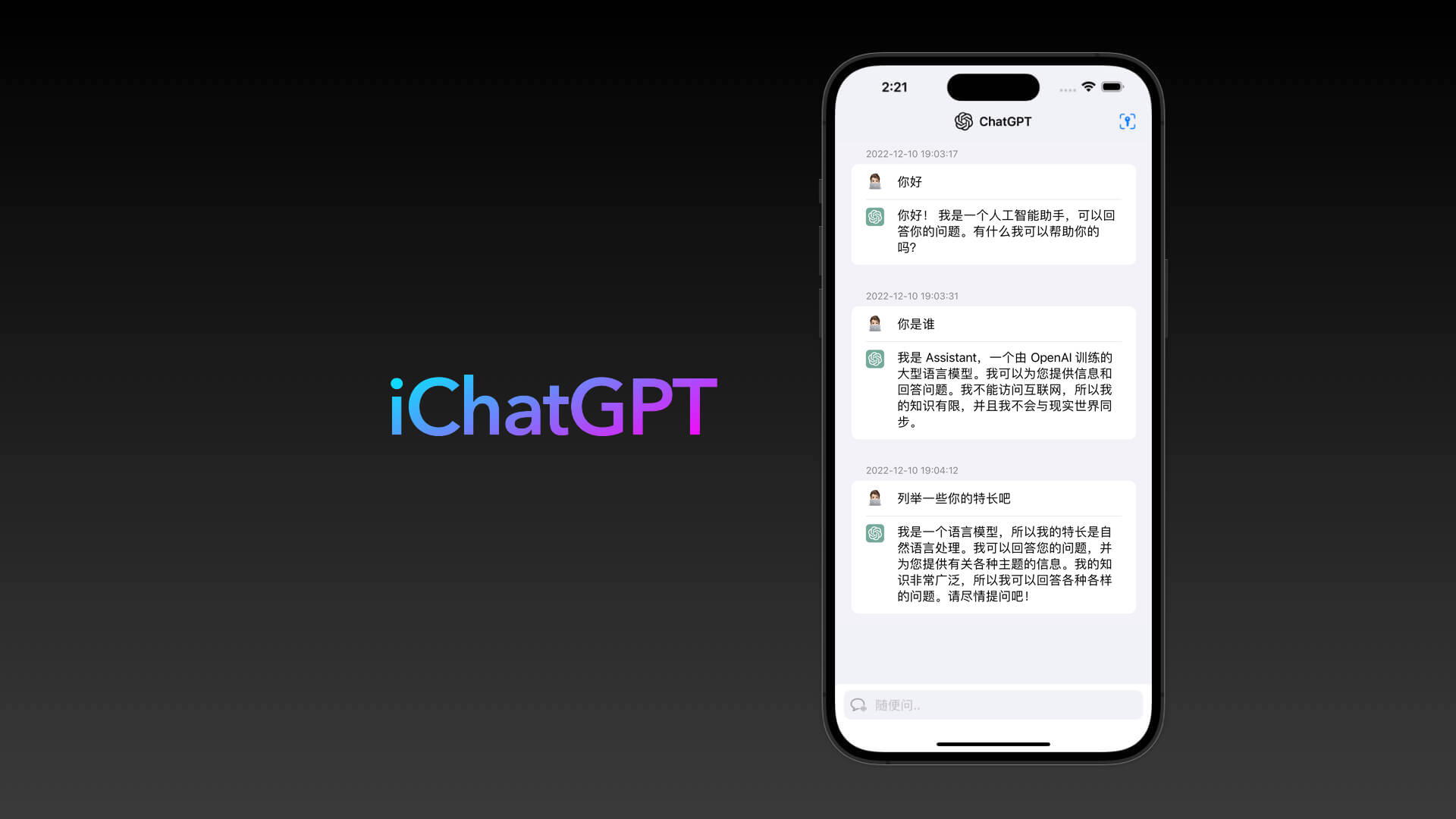
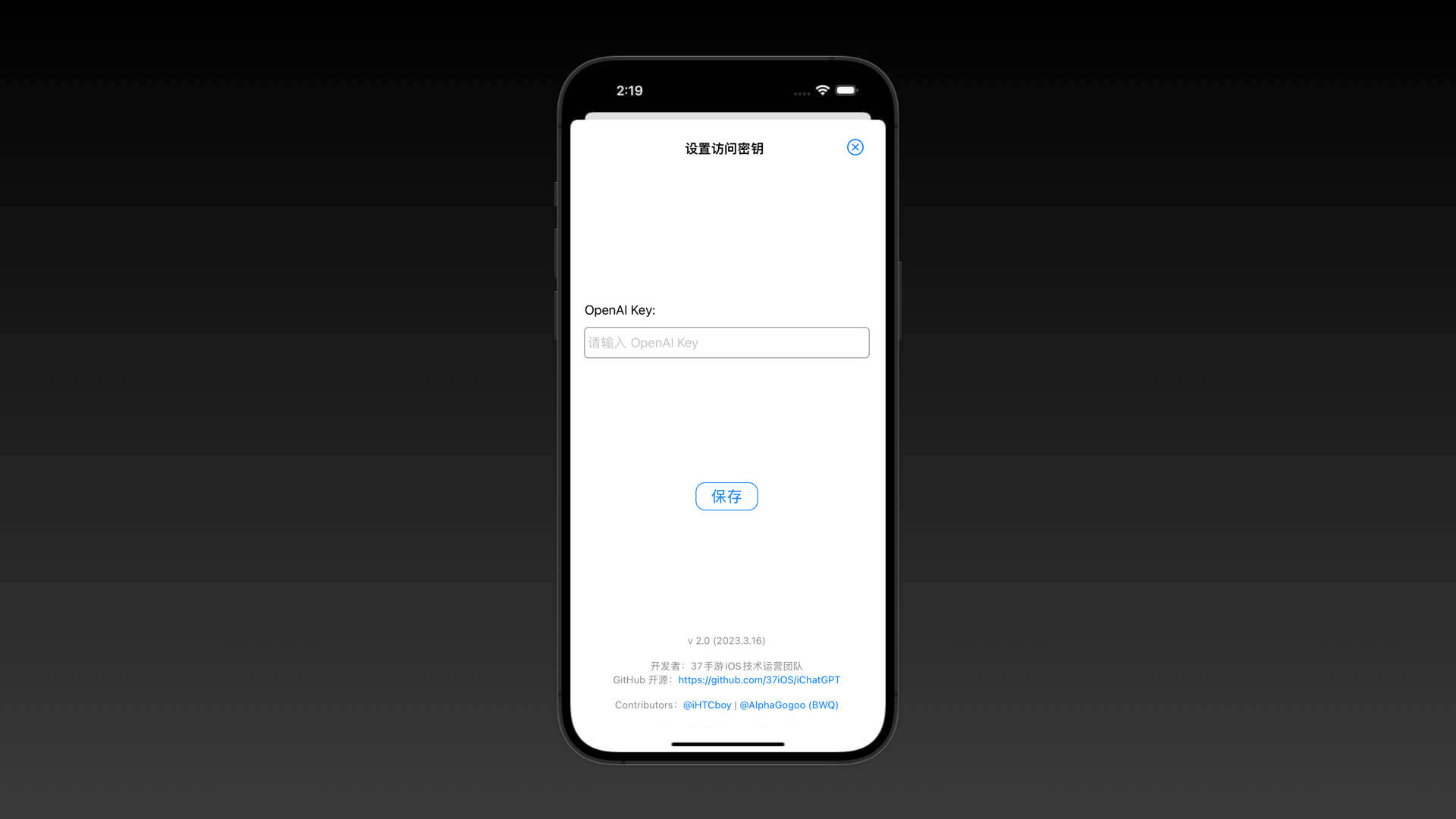
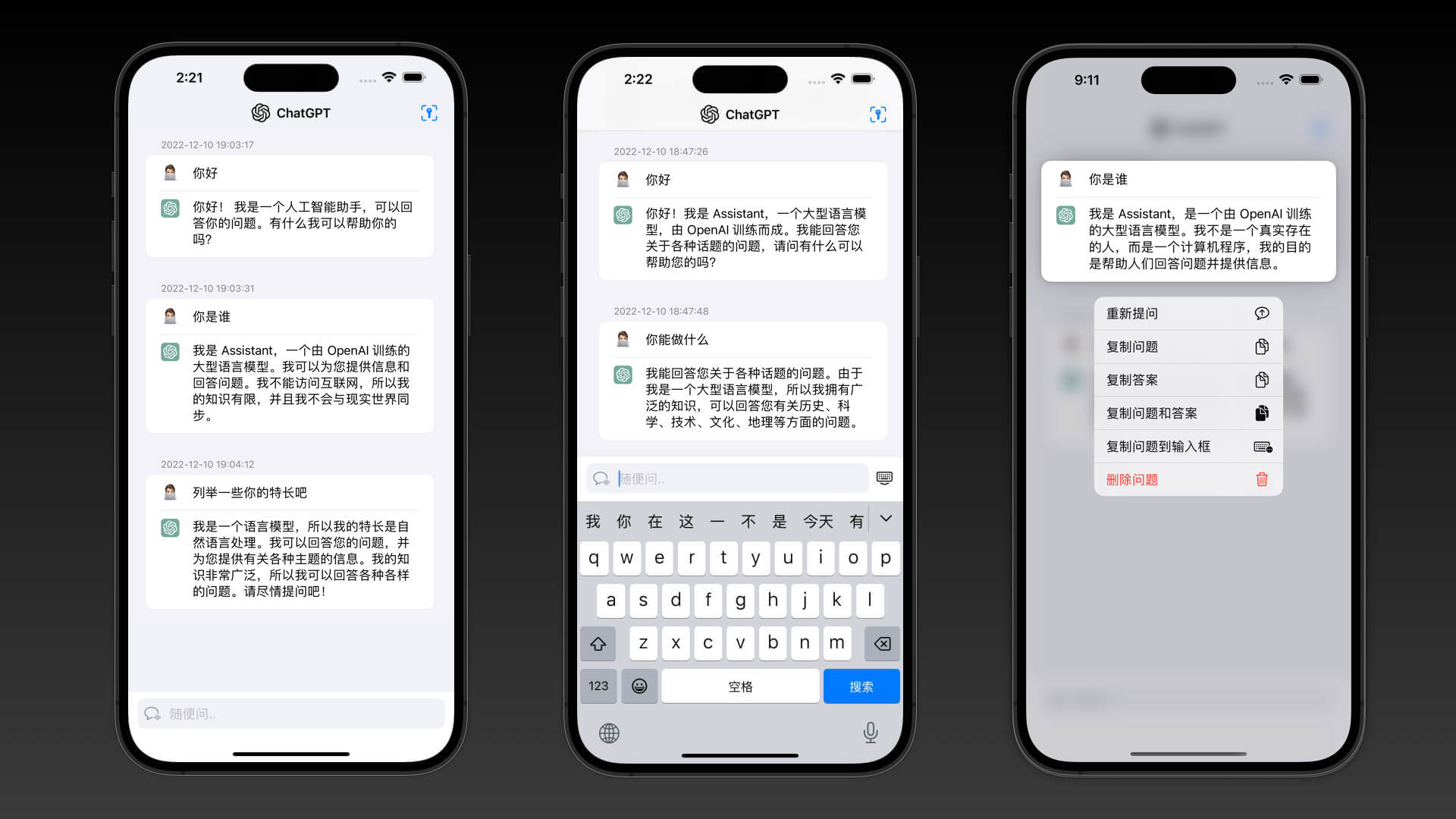
### 五、效果示例
 ### 六、特别鸣谢
- [Chat completion - OpenAI API](https://platform.openai.com/docs/guides/chat)
- [Models - OpenAI API](https://platform.openai.com/docs/models/moderation)
- [OpenAI ChatGPT](https://chat.openai.com/)
- [OpenAI Blog](https://openai.com/blog/)
- [A-kirami/nonebot-plugin-chatgpt](https://github.com/A-kirami/nonebot-plugin-chatgpt)
- [shaps80/MarkdownText](https://github.com/shaps80/MarkdownText)
- [MacPaw/OpenAI](https://github.com/MacPaw/OpenAI)
- [SwiftUIX/SwiftUIX](https://github.com/SwiftUIX/SwiftUIX)
### 六、特别鸣谢
- [Chat completion - OpenAI API](https://platform.openai.com/docs/guides/chat)
- [Models - OpenAI API](https://platform.openai.com/docs/models/moderation)
- [OpenAI ChatGPT](https://chat.openai.com/)
- [OpenAI Blog](https://openai.com/blog/)
- [A-kirami/nonebot-plugin-chatgpt](https://github.com/A-kirami/nonebot-plugin-chatgpt)
- [shaps80/MarkdownText](https://github.com/shaps80/MarkdownText)
- [MacPaw/OpenAI](https://github.com/MacPaw/OpenAI)
- [SwiftUIX/SwiftUIX](https://github.com/SwiftUIX/SwiftUIX)