




English | 中文
# @7dgroup/dsh-7d-tray-win
**Author: 7DGroup**
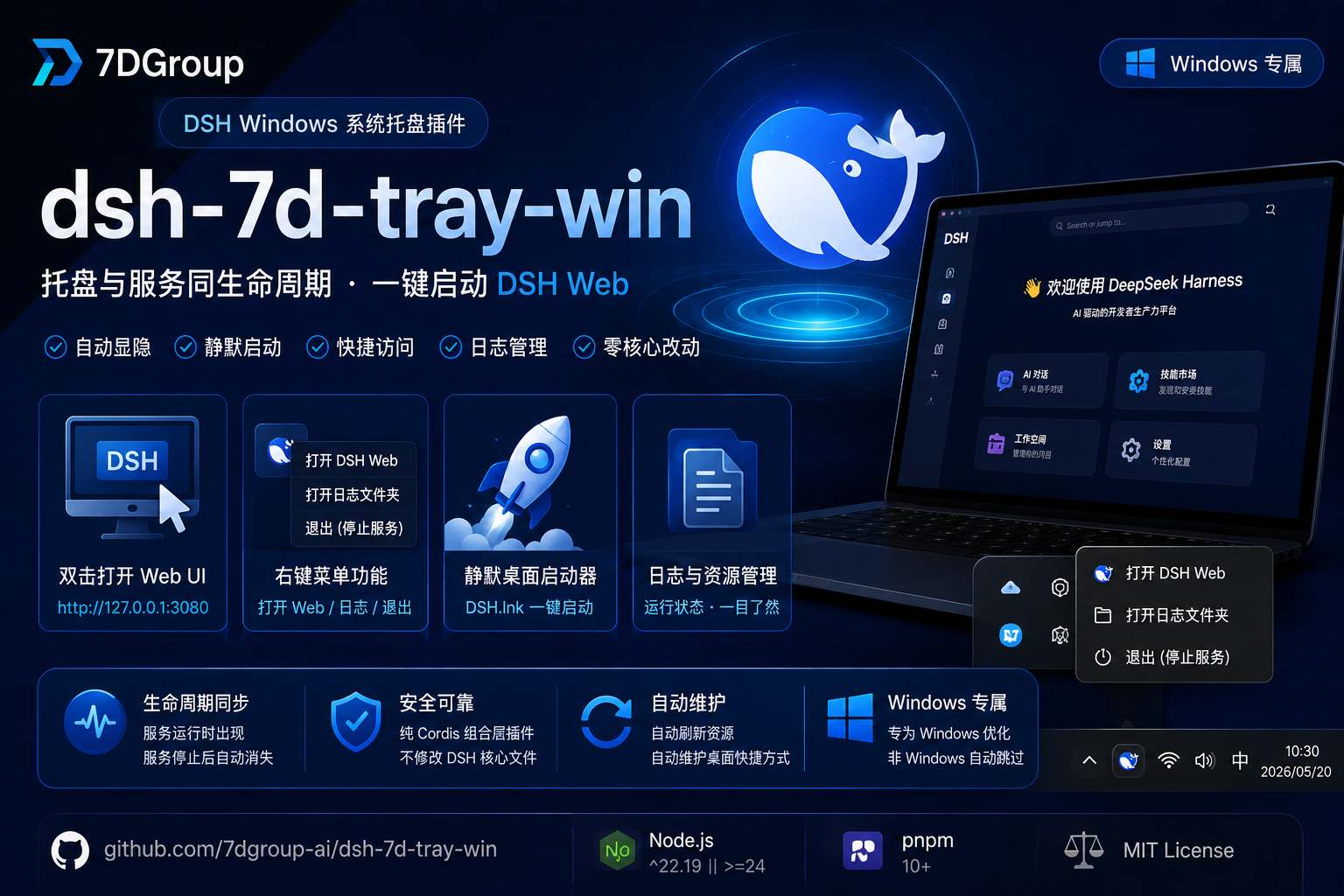
A **Windows-only** system-tray plugin for DeepSeek Harness (dsh). While `dsh web` is running, the DeepSeek whale icon appears in the system tray; when the server stops, the tray icon disappears within 3 seconds — the tray shares the full lifecycle of the service. It also maintains a silent desktop launcher (`DSH.lnk`): double-click it to start the server in the background with no console window and open the browser automatically.
---
## 📌 Project Info
| Field | Value |
|---|---|
| Author | 7DGroup |
| Version | 0.3.0 |
| Platform | Windows 10/11 (win32; auto-skipped on other platforms) |
| Runtime | Node `^22.19.0 \|\| >=24.0.0` · pnpm 10+ · dsh CLI |
| Plugin name | `tray-7d-win` |
| Peer dependency | `@deepseek-ai/cordis` `^4.0.1` |
| Repository | [github.com/7dgroup-ai/dsh-7d-tray-win](https://github.com/7dgroup-ai/dsh-7d-tray-win) |
| License | MIT |
## 🖼️ Plugin Effect
After `dsh web` starts, the DeepSeek whale icon appears in the system tray, and the desktop shortcut `DSH.lnk` is created automatically:
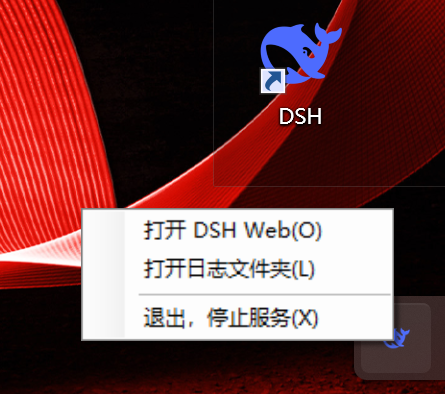
- **Double-click icon**: opens the Web UI (port auto-detected from server config)
- **Right-click menu**: Open DSH Web / Open log folder / Restart service / Exit (stop server)
When the server exits (including crashes), the tray icon and tray agent process disappear automatically.
## ✨ Core Capabilities
- **System-tray icon**: official DeepSeek whale logo; double-click opens the Web UI, right-click menu supports opening logs, restarting the service, and exiting.
- **One-click restart**: right-click → "Restart Service" confirms, then kills the server process tree and restarts `dsh web` via npx automatically.
- **Dynamic port resolution**: the tray URL is read from the running webserver service at runtime — no hardcoded port. Works with any custom port configuration.
- **Lifecycle sync**: no matter how `dsh web` is started (desktop shortcut, command line, script), the tray appears automatically; it disappears within 3 seconds after the server exits.
- **Silent desktop launcher**: automatically maintains the desktop `DSH.lnk`; double-click it to start the server in the background with no window and open the browser.
- **Clean startup chain**: built-in PowerShell startup script and npmmirror registry configuration avoid host environment pollution and work reliably in mainland China.
- **Zero core changes / safe upgrades**: pure Cordis composition bundle. It only adds one row to your profile via `cordis.patch.yml`; no files in the official DSH packages are overwritten or modified. Removing the plugin (`dsh plugin remove`) restores the original state, and upgrading the official DSH version will not conflict with this plugin as long as the Cordis lifecycle stays compatible.
## ✅ Features
- ✅ Windows system tray auto-show/hide
- ✅ Double-click tray to open Web UI
- ✅ Right-click menu: Open DSH Web / Open log folder / Restart service / Exit
- ✅ One-click restart with confirmation dialog
- ✅ Dynamic port resolution from cordis runtime (no hardcoded port)
- ✅ Tray auto-cleanup after server stops
- ✅ Silent desktop launcher `DSH.lnk` auto-maintained
- ✅ First-run auto-compilation of .NET launcher (requires .NET Framework 4)
- ✅ Refreshes shipped assets on every boot
- ✅ Auto-skips on non-win32 platforms without errors
## 📂 Project Structure
```
dsh-7d-tray-win/
├── assets/ # assets shipped with the package
│ ├── DSH.ico # tray icon
│ ├── tray-agent.ps1 # tray agent script
│ ├── starter.ps1 # dsh web startup chain script
│ ├── starter-launcher.cs # silent desktop launcher source
│ └── make-shortcut.ps1 # desktop shortcut maintenance script
├── lib/ # runtime entry
│ └── index.js # Cordis plugin: tray control logic
├── cordis.patch.yml # composition patch layer
├── package.json
├── LICENSE
├── README.md
└── README.zh.md
```
## 🚀 Quick Start
### Requirements
- Windows 10/11 (win32)
- Node.js `^22.19.0 || >=24.0.0`
- pnpm 10+
- `.NET Framework 4` (ships with Windows; used once to compile the silent launcher)
- PowerShell (ships with Windows)
### Install into the `web` profile (recommended)
Most sessions boot the default `web` profile (`dsh web` is shorthand for `dsh --profile web`), so installing into `web` is recommended:
```powershell
dsh plugin --profile web add @7dgroup/dsh-7d-tray-win
```
Or install from a local path (useful for development/testing):
```powershell
dsh plugin --profile web add C:\path\to\dsh-7d-tray-win
```
After installation, start `dsh web`; the tray icon and desktop shortcut will take effect automatically.
### Install into another profile
If you use a custom profile, replace `web` with your profile name. The plugin only activates in the profile it is installed into.
## 💡 Usage
### Tray Icon Interactions
| Action | Behavior |
|---|---|
| Double-click icon | opens the Web UI (port auto-detected) |
| Right-click → Open DSH Web | opens the Web UI (port auto-detected) |
| Right-click → Open log folder | opens `%LOCALAPPDATA%\dsh-7d-tray-win\` |
| Right-click → Restart service | confirms, then kills and restarts `dsh web` |
| Right-click → Exit | stops `dsh web` and closes the tray |
### Silent Desktop Launcher
On first boot the plugin compiles `starter-launcher.cs` into `starter-launcher.exe` and creates/refreshes the desktop `DSH.lnk`. From then on:
- Double-click desktop `DSH.lnk` → no console window appears
- `dsh web` starts in the background (port read from cordis config)
- Browser opens automatically to the Web UI
- DeepSeek whale icon appears in the system tray
## 📁 Runtime Directory
All runtime assets and logs are stored in `%LOCALAPPDATA%\dsh-7d-tray-win\`:
| File | Purpose |
|---|---|
| `DSH.ico` | tray icon |
| `tray-agent.ps1` | tray agent script |
| `starter.ps1` | dsh web startup chain script |
| `starter-launcher.cs` | silent launcher source |
| `starter-launcher.exe` | compiled silent launcher |
| `make-shortcut.ps1` | shortcut maintenance script |
| `dsh-launch.log` | service startup chain log (npx/dsh output) |
| `tray-agent.log` | tray agent lifecycle log |
| `plugin-debug.log` | plugin apply/spawn/dispose debug log |
On every boot the plugin refreshes these files to the latest versions shipped with the package.
## ⚠️ Notes
1. **Windows-only**: the plugin auto-skips on non-`win32` platforms; no tray or shortcut is created.
2. **First-run compile**: the first run requires .NET Framework 4 to compile the silent launcher. If `csc.exe` is missing, the desktop shortcut feature is unavailable, but the tray still works.
3. **Launcher has no tray**: `DSH.lnk` itself shows no tray; the tray is provided by this plugin while `dsh web` runs.
4. **Asset refresh**: every `dsh web` boot overwrites the files in `%LOCALAPPDATA%\dsh-7d-tray-win\` with the plugin's latest assets. Do not store custom persistent files there.
5. **Dynamic port**: the tray icon URL is resolved at runtime from the `webServer` cordis service — it follows whatever port `dsh web` is actually listening on, including custom ports configured via `cordis.patch.yml` or `--port`.
6. **Official-version safe**: this plugin is a Cordis composition bundle; it does not overwrite or patch any files inside the official DSH packages. Upgrading DSH will not break the plugin as long as the Cordis lifecycle remains compatible.
7. **Single instance recommended**: all running instances share the runtime directory `%LOCALAPPDATA%\dsh-7d-tray-win\` and the desktop `DSH.lnk`; when multiple `dsh web` instances run concurrently, the last one to start wins the shared files. Run only one instance at a time.
## ❓ FAQ
**Q: It says pnpm is not found during installation.**
A: `dsh plugin` delegates to pnpm, so make sure pnpm is installed and on PATH:
```powershell
npm install -g pnpm@10
```
**Q: The tray icon does not appear.**
A: Please check:
- You are on Windows 10/11;
- The plugin is installed into the profile you actually boot (default is `web`);
- `dsh web` started successfully;
- Inspect `%LOCALAPPDATA%\dsh-7d-tray-win\plugin-debug.log` and `tray-agent.log` for errors.
**Q: The desktop shortcut is not created.**
A: Check `%LOCALAPPDATA%\dsh-7d-tray-win\plugin-debug.log` for `csc.exe not found` or `launcher compile failed`. The first run requires .NET Framework 4 that ships with Windows.
**Q: How do I uninstall?**
A: Run:
```powershell
dsh plugin --profile web remove @7dgroup/dsh-7d-tray-win
```
Then you may manually delete `%LOCALAPPDATA%\dsh-7d-tray-win\` and the desktop `DSH.lnk`.
**Q: Can it be installed on non-win32 platforms?**
A: Yes, but the plugin will auto-skip and create neither tray icon nor shortcut.
**Q: Will upgrading the official DSH version break this plugin?**
A: No. This plugin is a Cordis composition bundle; it only adds one row to your profile's `cordis.patch.yml` and does not overwrite or modify any official DSH package files. As long as the Cordis lifecycle remains compatible, the plugin continues to work after an official upgrade.
## 📄 License
[MIT](LICENSE) · Copyright (c) 2026 7DGroup