[](https://insiders.vscode.dev/redirect/mcp/install?name=domainkits&config=%7B%22type%22%3A%22http%22%2C%22url%22%3A%22https%3A%2F%2Fapi.domainkits.com%2Fv1%2Fmcp%22%7D)
[](https://cursor.com/en/install-mcp?name=domainkits&config=eyJ1cmwiOiJodHRwczovL2FwaS5kb21haW5raXRzLmNvbS92MS9tY3AifQ==)
[](https://claude.ai/directory/domainkits)
[](https://chatgpt.com/plugins/plugin_asdk_app_6abd06fde70c819187c8c5a0c73576db)
[](https://github.com/ABTdomain/domainkits-plugins)
[](https://www.npmjs.com/package/@domainkits/mcp)
# DomainKits MCP
Hosted MCP server for domain data. It connects Claude, ChatGPT, Gemini, Cursor and other MCP clients to the [DomainKits](https://domainkits.com) domain data API over HTTP, without an install step.
## What it does
It gives your most advanced AI better domain data, so it can research domains in depth. Your AI can analyze one domain, or a group of domains, from several technical angles:
- **Lifecycle**: [newly registered domains](https://github.com/ABTdomain/newly-registered-domains), [expired domains](https://github.com/ABTdomain/expired-domains), and deleted, aged, active and for-sale domains
- **Registration**: WHOIS data, the registrar, and what each EPP status code means
- **DNS and hosting**: DNS records, the network behind an IP, and other domains on the same nameserver
- **Footprint**: the same name across TLDs, and typosquat variants around a brand
- **Backlinks**: backlink profile and spam score
- **Price**: availability, registration price, and aftermarket listing and price
- **Keywords and trends**: search volume for a keyword, and keyword and TLD registration trends
- **Changes**: monitoring of WHOIS, DNS and page content
▶ [See how it is used](#use-it-for)
## Tools
| Tool | What it does |
|---|---|
| `nrds` | Search newly registered domains, or browse one TLD |
| `expired` | Search domains in the deletion cycle: expired, in redemption, or pending delete |
| `deleted` | Search dropped domains, as of the latest data update (confirm availability before registering) |
| `aged` | Search registered domains with a long history |
| `active` | Search currently registered gTLD domains |
| `market` | Search registered domains carrying marketplace listing data |
| `available` | Confirm one domain's registrability and price |
| `bulk_available` | Registration status for a batch of domains in one call |
| `bulk_tld` | How many TLDs each keyword in a batch is registered in (counts) |
| `tld_check` | Check how a prefix is registered across the core TLDs |
| `whois` | WHOIS/RDAP registration data: registrar, dates, status, nameservers |
| `dns` | Resolve a domain's DNS records |
| `ns_reverse` | List the gTLD domains hosted on one nameserver |
| `domain_changes` | Recent registration and status changes to premium .com names |
| `ip_lookup` | Resolve an IP or hostname to its network operator and approximate location |
| `registrar` | Look up ICANN-accredited registrars by name, alias or IANA ID |
| `epp_status` | Explain a domain EPP status code and what the holder can do about it |
| `market_price` | Aftermarket listing status and price for a domain |
| `price` | Standard registration and renewal price for a TLD |
| `keyword_data` | Search volume, CPC and competition for a keyword |
| `keywords_trends` | Keyword registration boards: hot, emerging and prefix activity |
| `tld_rank` | Rank TLDs by registration volume over a chosen period |
| `tld_trends` | Registration trend data for one TLD, or a comparison of several |
| `backlink_summary` | A domain's backlink profile and spam score |
| `unregistered_short_domains` | Unregistered short names in .ai and a few other TLDs, by letter pattern |
| `typosquat` | Generate typosquat variants of a domain and check which are registered |
| `usage` | Your account's current usage |
| `monitor` | Manage domain monitoring tasks across WHOIS, DNS and page content |
| `preferences` | Manage saved preferences and the memory switch |
| `strategy` | Store your own strategy text and its run results |
Your MCP client reads the current tool list from the endpoint. The same list is on [domainkits.com/mcp](https://domainkits.com/mcp#tools).
## Quick Start
- Endpoint: `https://api.domainkits.com/v1/mcp` (optional header `X-API-Key` with your API key)
- Claude Code: `claude mcp add --transport http domainkits https://api.domainkits.com/v1/mcp`
- Setup for Claude.ai, Claude Desktop, Gemini CLI, Cursor: [domainkits.com/mcp](https://domainkits.com/mcp)
The same key works for this MCP server, the REST API and the n8n node.
Sign up at [domainkits.com](https://domainkits.com/register) to get a key and use it for free. Paid plans give you more.
## Privacy
Search and lookup tools are stateless: your queries are not retained. Three tools do store data across sessions, by design:
| Tool | What it stores |
|---|---|
| `monitor` | The domains you watch and the results of each check |
| `preferences` | Your saved preferences and the memory switch |
| `strategy` | Strategy text you wrote, run timestamps and the most recent result |
Storage is opt-in. Memory is off by default and must be enabled through `preferences` before `monitor` or `strategy` will store data. Stored data is encrypted at rest in isolated per-user directories, persists across MCP clients under the same account, and can be deleted with `preferences` `action: delete`.
Full details: [Privacy Policy](https://domainkits.com/privacy) | [Terms of Service](https://domainkits.com/terms)
No tool returns domain registrant personal data. `registrar` returns ICANN-published registrar business contacts.
## Use it for
▶ Watch on YouTube: Feed Your AI Domain Data with DomainKits MCP
### [Newly registered domains](https://github.com/ABTdomain/newly-registered-domains)
▶ Watch on YouTube: How to Investigate Newly Registered Domains With AI
### [Expired domains](https://github.com/ABTdomain/expired-domains)
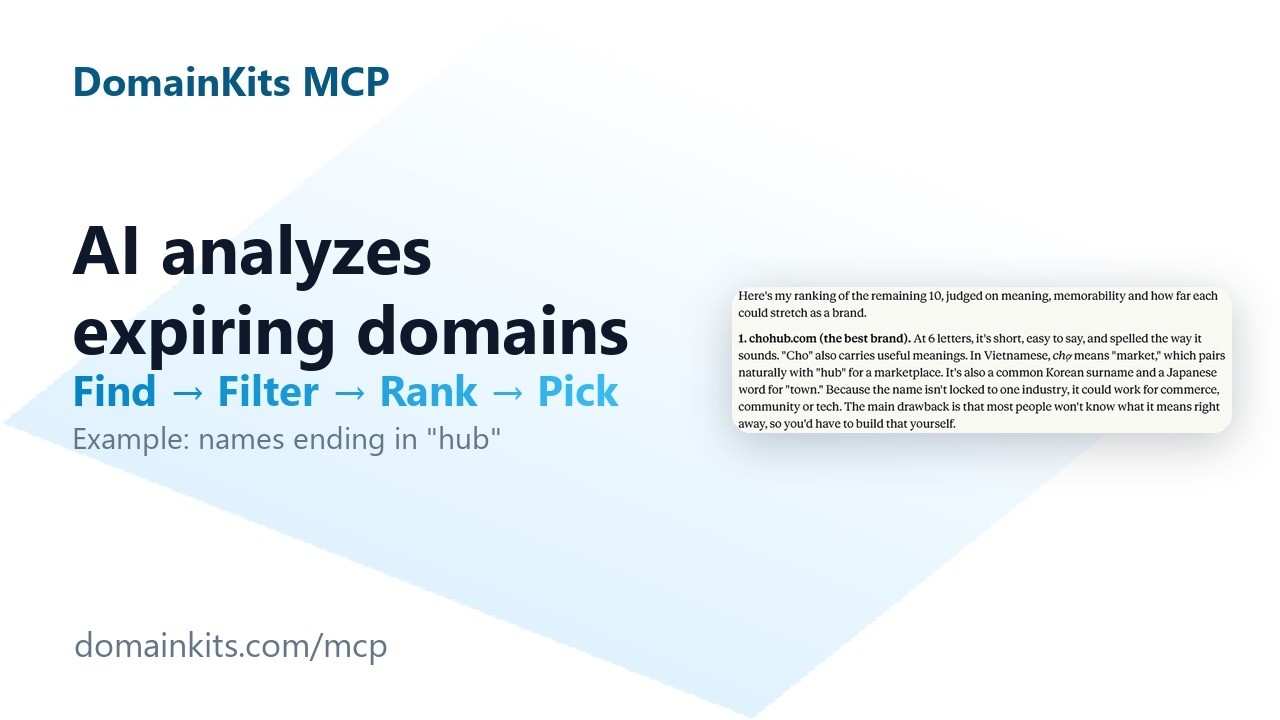
▶ Watch on YouTube: Find a Great .com Before It Drops
## Related
- [ABTdomain/domainkits-mcp-js](https://github.com/ABTdomain/domainkits-mcp-js): the same server as a stdio package, run with npx
- [ABTdomain/domainkits-skills](https://github.com/ABTdomain/domainkits-skills): agent skills that run on DomainKits MCP
- [ABTdomain/domainkits-cli](https://github.com/ABTdomain/domainkits-cli): command-line client for the DomainKits domain data API
- [ABTdomain/domainkits-sdk-py](https://github.com/ABTdomain/domainkits-sdk-py): Python client for the DomainKits domain data API
## Resources
- [DomainKits MCP](https://domainkits.com/mcp)
- Support: info@domainkits.com
- [About DomainKits and ABTdomain](https://domainkits.com/about)
- [Model Context Protocol](https://modelcontextprotocol.io/)
- [Privacy Policy](https://domainkits.com/privacy)
- [Terms of Service](https://domainkits.com/terms)
## License
Proprietary. The MCP interface specification is public, but the underlying domain data and services are proprietary.
For commercial use and API access, visit [domainkits.com](https://domainkits.com).