


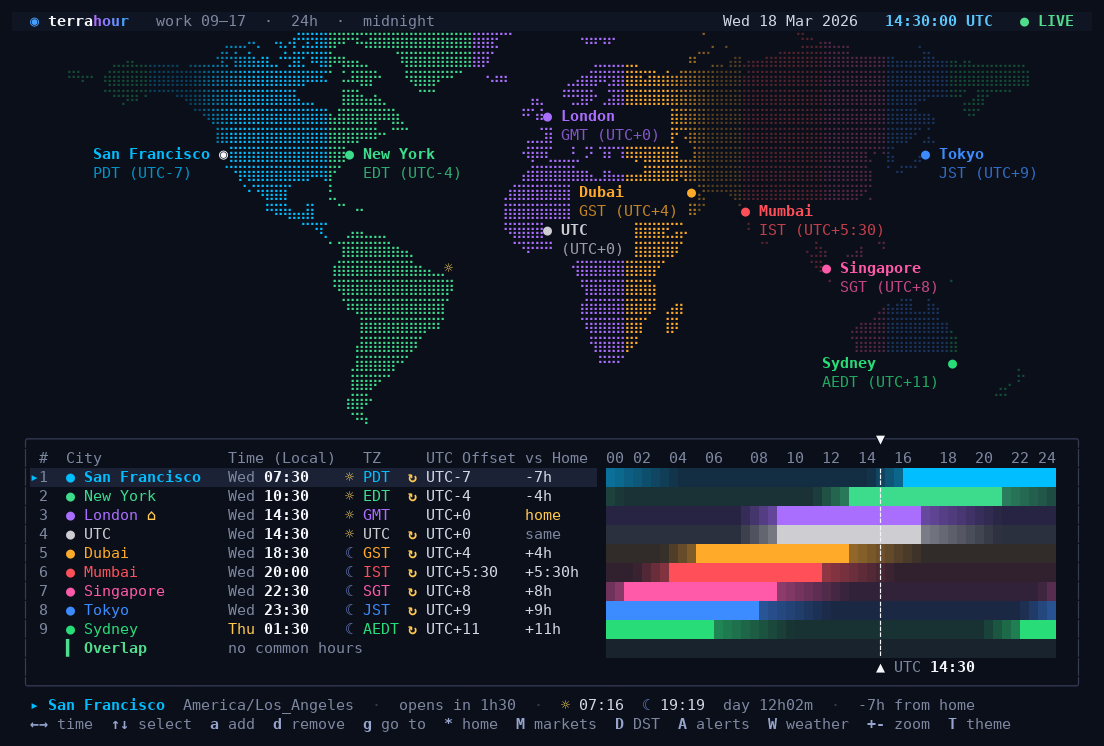
A world clock for the terminal. It shows a map of the world with day and night on it, and
for every city you add, when the people there are at work.
By Alessio Coci. MIT licensed: copy it, change it, keep the notice.
## Install
```sh
pipx install terrahour
```
Then type `terrahour`. If you don't have pipx, install it first with `sudo apt install pipx`
(Debian, Ubuntu) or `brew install pipx` (macOS). No Python at all? Download the ready-made
file for your system from the [releases page](https://github.com/ACoci86/terrahour/releases)
instead.
Using [uv](https://docs.astral.sh/uv/)? Run `uvx terrahour` to try it without installing,
or `uv tool install terrahour` to keep it.
It runs on Linux and macOS. On Windows, use WSL to get the full app; installed directly on
Windows, only the commands that print and exit work (`--line`, `--json`, `--once`).
## The first five minutes
It starts with a few example cities. Then:
| Press | To |
| --- | --- |
| `a` | add a city: type its name and press Enter |
| `d` | remove the selected city |
| `←` `→` | move through the day, 15 minutes at a time |
| `r` | come back to now |
| `?` | see every key |
| `q` | quit |
Your cities and settings are saved automatically.
## What else it can do
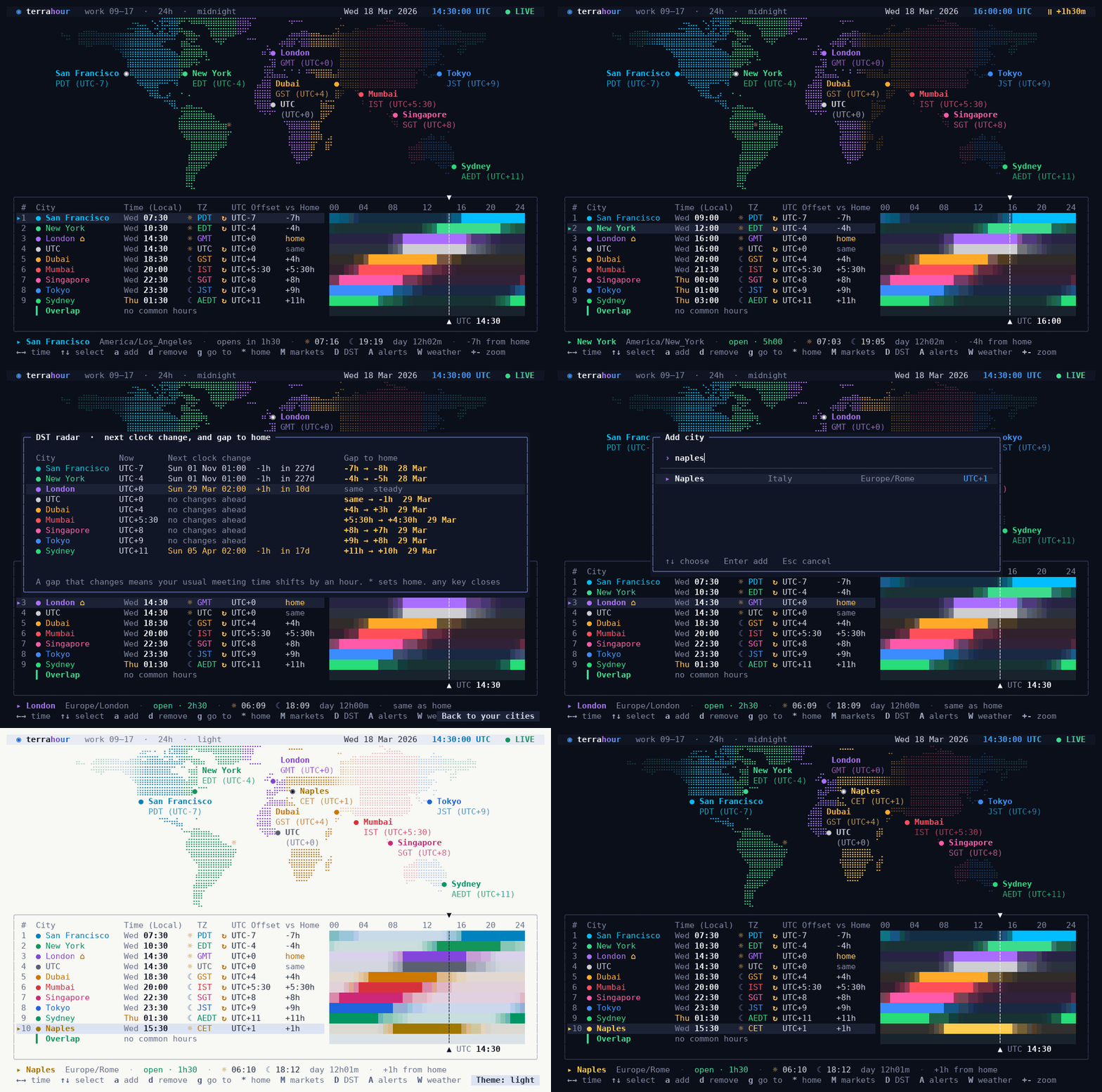
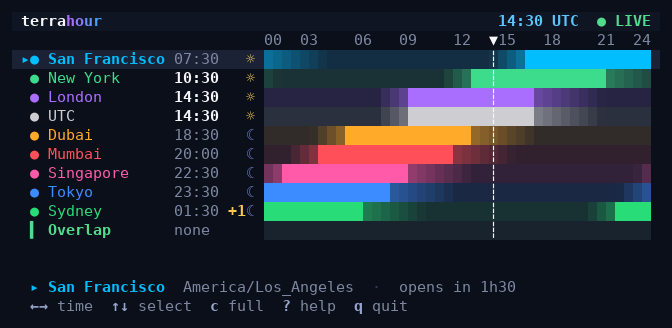
**Find a meeting time.** Each city has a bar showing its working hours. The row at the bottom
shows when everybody is at their desk at the same time.
|  |  |
| --- | --- |
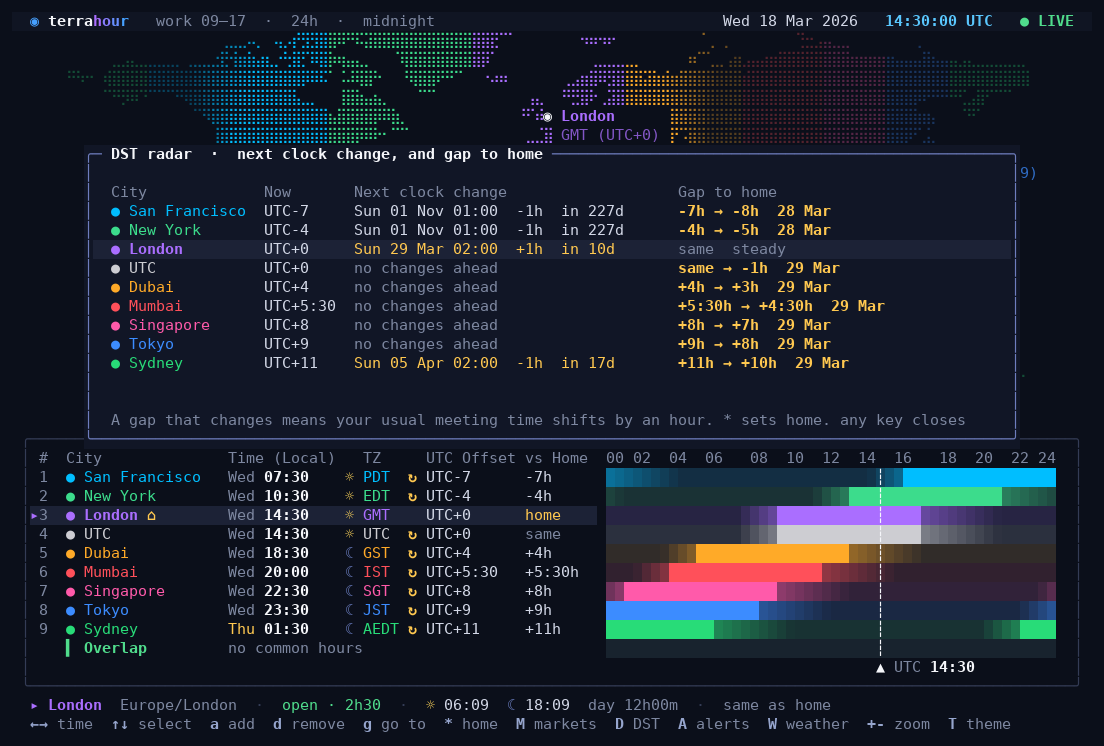
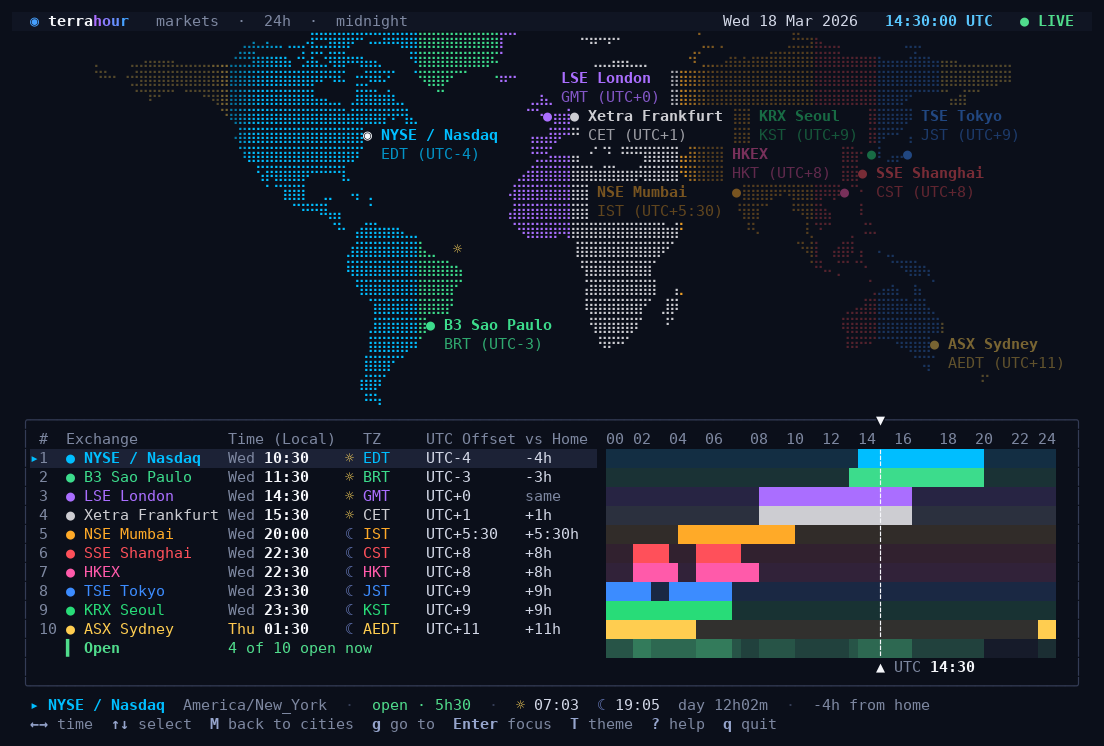
| **See clock changes coming.** The DST radar lists the next clock change in every city, and warns you when the gap between you and them is about to shift by an hour. | **Watch the stock exchanges.** Swap the city list for the ten biggest exchanges, with their real trading hours. |
|  |  |
| --- | --- |
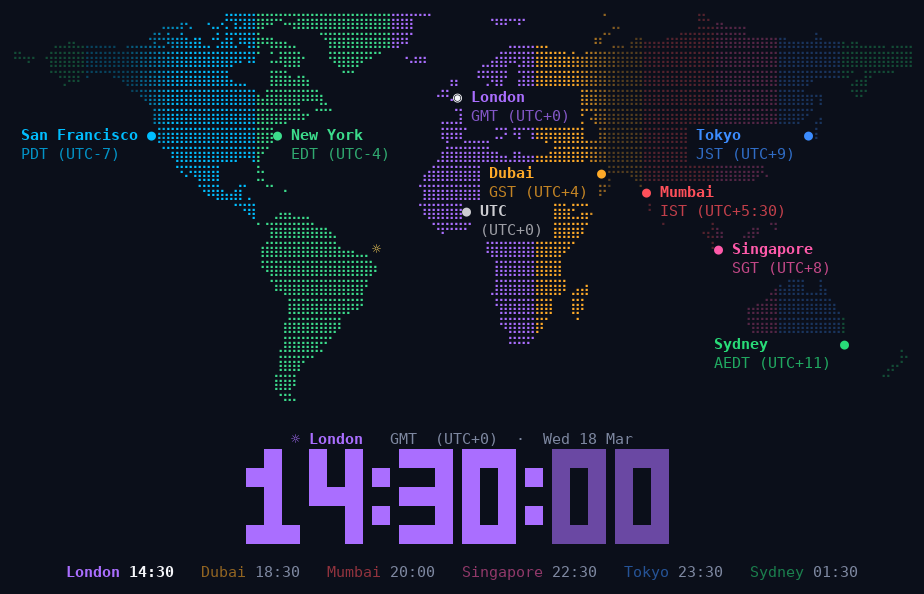
| **Put it on a spare monitor.** The ambient view is a big clock over the map. Give it a time of day and the map slowly turns, keeping the place where it is that time in the middle. | **Fit it anywhere.** In a small window it shows a compact list; for a status bar there is a one-line mode. |
Also: reminders in another city's time, the weather next to each city, a light theme and
twelve more, a 12-hour clock, and the mouse.
## More
Every key, every command-line option, status bars and scripts, window sizes, other ways to
install, and how to update: it's all in the
[manual](https://github.com/ACoci86/terrahour/blob/main/MANUAL.md).
Want to change the code? See
[DEVELOPMENT.md](https://github.com/ACoci86/terrahour/blob/main/DEVELOPMENT.md).
## Credits
* City list derived from [GeoNames](https://www.geonames.org/) (CC BY 4.0).
* Land mask rasterised from [Natural Earth](https://www.naturalearthdata.com/) (public domain).
* Geocoding and weather from [Open-Meteo](https://open-meteo.com/) (CC BY 4.0).
* Time zone rules come from your operating system's tz database through Python's `zoneinfo`.
* Several hardening fixes by [yourpwnguy](https://github.com/yourpwnguy).
## License
MIT. See [LICENSE](https://github.com/ACoci86/terrahour/blob/main/LICENSE).