Thoth Blueprint


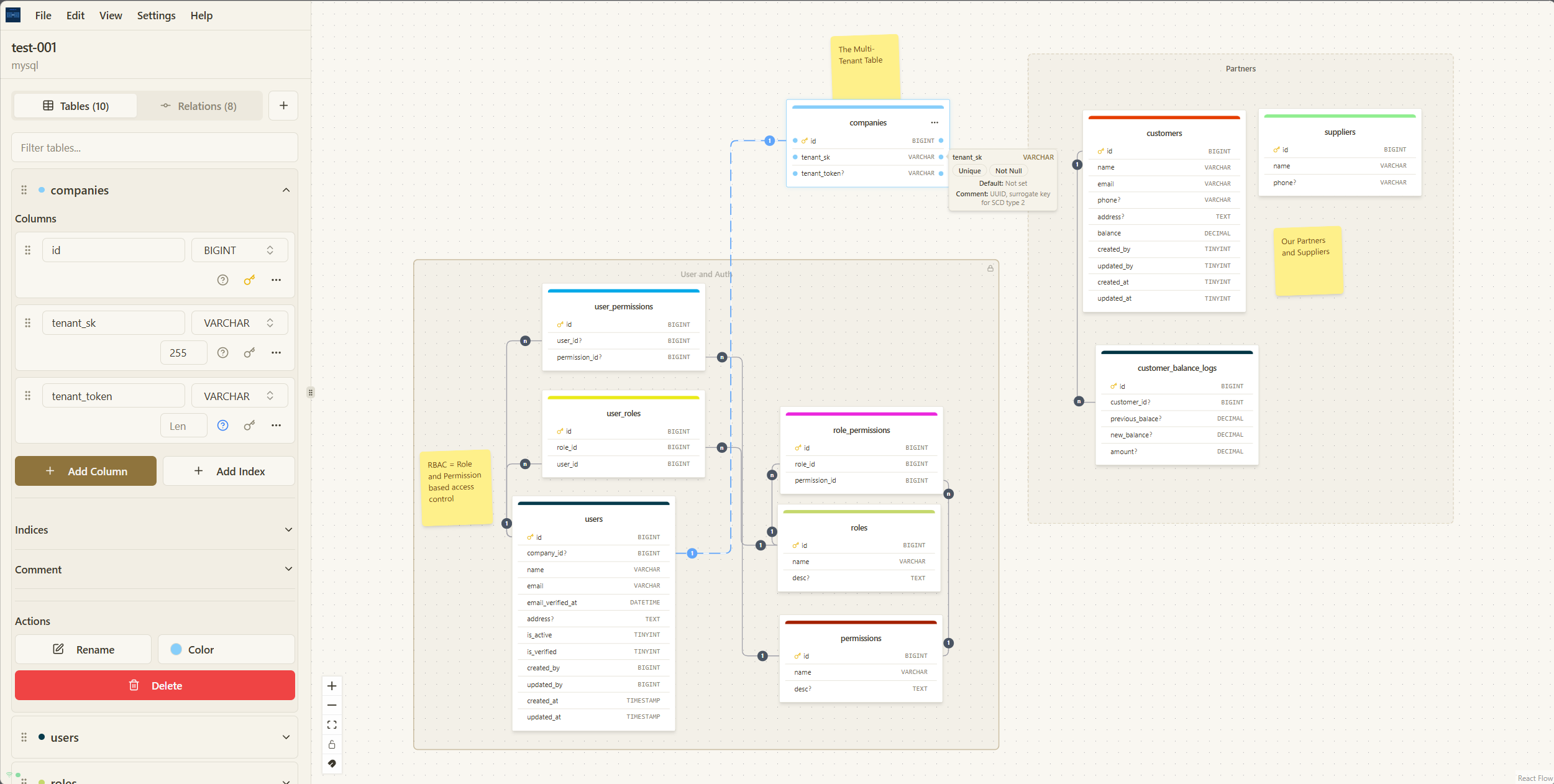
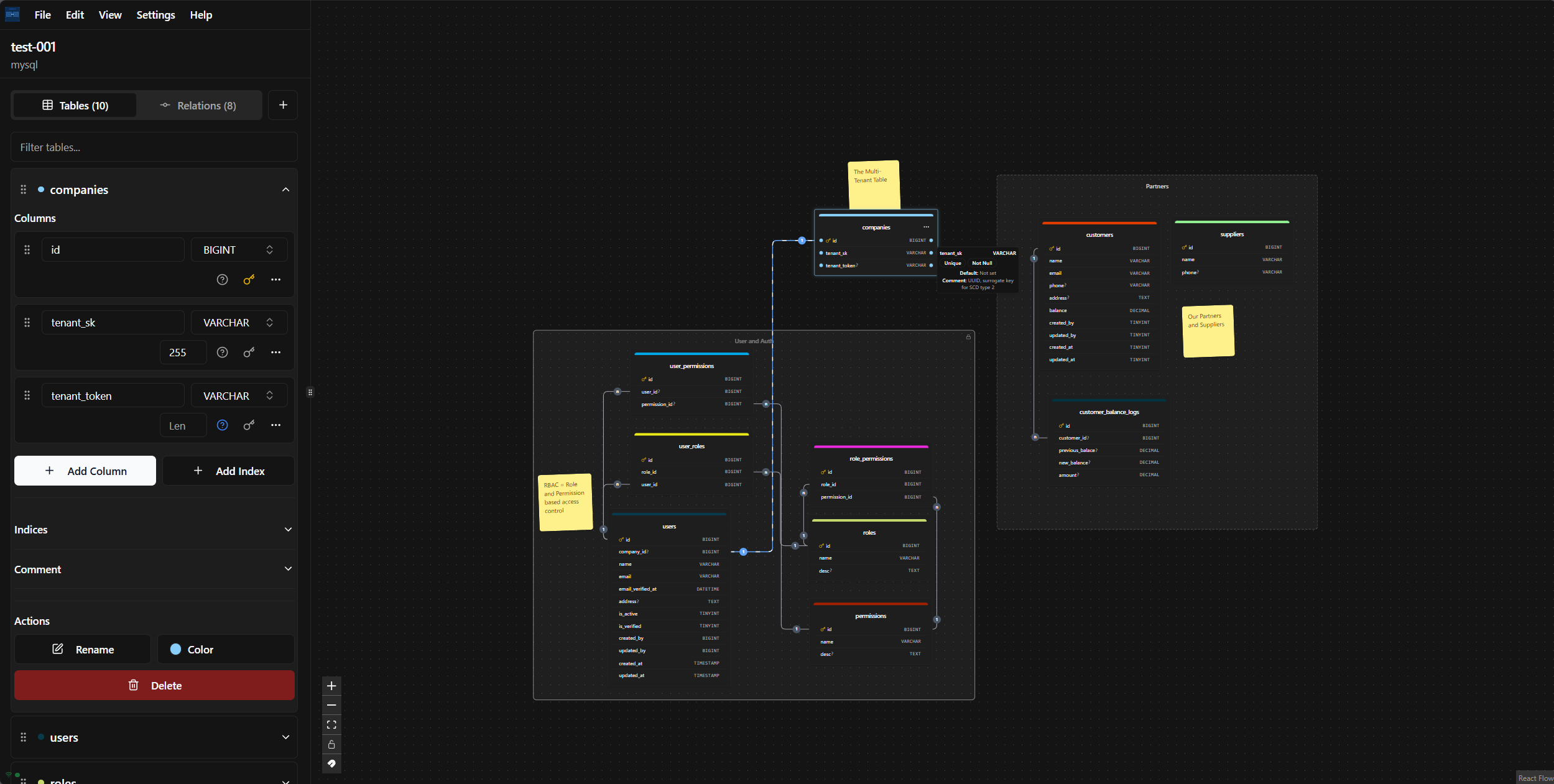
**Design databases the way you think.**
Create and evolve **unlimited database schemas** with a visual drag-and-drop editor. Start from scratch or import an existing SQL, DBML, or JSON schema, then shape your database visually, see relationships at a glance, or get help from the built-in **Schema Assistant**.
Export your designs to SQL, DBML, JSON, SVG, or PNG, or generate migrations for Laravel, TypeORM, and Django.
Use your own Gemini or OpenRouter key, or run AI models locally with Ollama and LM Studio.
**Offline-first. Local by default. Your schema stays yours.**
## Features
- 🎨 **Visual Database Design** - Intuitive drag-and-drop interface for creating database schemas
- 🧩 **Complete DBML Workflow** - Import DBML, edit/write DBML in a dedicated editor with diagram sync, and export back to DBML
- 📇 **Dedicated Index Manager** - Create, edit, search, and delete table indexes, including unique and composite indexes
- 🔄 **Multiple Export Formats** - Export to SQL, DBML, JSON, SVG
- 🚀 **Framework Migration Generation** - Generate migration files for Laravel, TypeORM, and Django
- 🔧 **Offline First** - Work on your diagrams anytime, anywhere, with or without an internet connection
- ⚡ **No Limits** - Create and manage as many diagrams as you need, with no restrictions
- 🔐 **Your Data is Yours** - All your data is stored locally on your computer, ensuring complete privacy
- 📱 **Progressive Web App** - Install as an app on your device for a native-like experience
- 📝 **Notes & Zones** - Add notes and organize tables in zones for better diagram management
- 💾 **Checkpoint** - Save and restore diagram snapshots so you can safely experiment and roll back changes
- 🔒 **Zone Lock/Unlock** - Lock zones to prevent accidental modifications
- 📋 **Copy/Paste** - Easily duplicate tables and elements
- ⌨️ **Keyboard Shortcuts** - Speed up your workflow with keyboard shortcuts
- 🤖 **BYOK AI Assistant** - Use your own Google Gemini or OpenRouter key to manage schemas with a diagram-aware assistant.
- 🛡️ **Local AI Assistant** - Connect to local models through Ollama and LM Studio without sending diagram data to a cloud provider.
## Quick Start
### Prerequisites
- Node.js 20+
- pnpm (recommended) or npm
### Development Setup
1. **Clone the repository**
```bash
git clone https://github.com/AHS12/thoth-blueprint.git
cd thoth-blueprint
```
2. **Install dependencies**
```bash
pnpm install
```
3. **Start development server**
```bash
pnpm dev
```
### Production Build
1. **Build for production**
```bash
pnpm build
```
2. **Preview production build**
```bash
pnpm preview
```
### Docker Deployment
Alternatively, you can run ThothBlueprint using Docker for easy deployment:
1. **Build and run with Docker**
```bash
docker build -t thothblueprint .
docker run -d -p 8080:80 --name thothblueprint thothblueprint
```
2. **Or use Docker Compose**
```bash
docker-compose up -d
```
ThothBlueprint will be available at `http://localhost:8080`
## Usage
1. **Create a new diagram** - Click the "New Diagram" button to start a new database design
2. **Add tables** - Drag table components from the sidebar or right-click to add new tables
3. **Define columns** - Click on tables to add and configure columns with appropriate data types
4. **Create relationships** - Drag from one table to another to create relationships
5. **Organize with zones** - Create zones to group related tables and lock them to prevent changes
6. **Add notes** - Add notes to document your database design decisions
7. **Export your design** - Use the export functionality to generate SQL, DBML, JSON, SVG, or framework migrations
## Advanced Features
### Notes & Zones
ThothBlueprint allows you to organize your database diagrams using zones and notes:
- **Add Notes** - Document your design decisions by adding notes to your diagram
- **Create Zones** - Group related tables together in zones for better organization
- **Lock/Unlock Zones** - Lock zones to prevent accidental modifications to tables within them
- **Add Elements to Zones** - Right-click within a zone to add new tables or notes directly to that zone
### Copy/Paste Functionality
Speed up your workflow by copying and pasting elements:
- **Copy Tables/Notes** - Select one or more tables or notes and copy them (Ctrl+C/Cmd+C)
- **Paste Elements** - Paste copied elements at your cursor position (Ctrl+V/Cmd+V)
- **Duplicate Elements** - Quickly duplicate tables with all their column definitions
### Keyboard Shortcuts
ThothBlueprint includes a dedicated **Keyboard Shortcuts** dialog with the complete,
up-to-date shortcut list. Open it from **Help Center → Keyboard Shortcuts** or the
editor menu's **View Shortcuts** action. The same shortcuts are listed compactly below
(`Ctrl` becomes `Cmd` on macOS):
| Command | Shortcut | Command | Shortcut |
| --- | --- | --- | --- |
| Add Table | `Ctrl/Cmd + A` | Toggle Sidebar | `Ctrl/Cmd + B` |
| Undo Delete Table | `Ctrl/Cmd + Z` | Copy Selection | `Ctrl/Cmd + C` |
| Paste Selection | `Ctrl/Cmd + V` | Select Multiple Nodes | `Ctrl/Cmd + Click` |
| Pan Canvas (hold) | `Space` | Delete Table, Notes, Zones | `Delete` |
| Zoom In | `Ctrl/Cmd + +` or `Ctrl/Cmd + =` | Zoom Out | `Ctrl/Cmd + -` |
| Reset Zoom | `Ctrl/Cmd + 0` | | |
### AI Schema Assistant
The schema assistant supports Google Gemini and OpenRouter. Open the assistant's
settings button to manage encrypted, browser-local provider keys. OpenRouter
models are loaded from its live catalog, and favorites are kept at the top of
the model picker. Chat history is stored locally per diagram, with a fresh-chat
action available in the assistant header.
Ollama and LM Studio are also supported for local, keyless AI. Configure their
local server URL in the assistant settings and select any model exposed by the
server. Ollama may require `OLLAMA_ORIGINS`, while LM Studio requires CORS to be
enabled in its Developer server settings.
The assistant can create, rename, update, and delete tables and columns; create,
update, and delete indexes; edit table and column comments; and create, update,
or delete relationships. Operations are streamed for progress, validated with
Zod, simulated against a clone, and committed atomically. If a patch is rejected,
the assistant receives the validation error and can repair it automatically.
## Contributing
Please see our [Contributing Guide](CONTRIBUTING.md) for details on how to contribute to this project.
## License
This project is open source and available under the GNU General Public License v3.0. Please see [License File](LICENSE.md) for more information.