#  Code2World: A GUI World Model via Renderable Code Generation



-ffd21e)
📖 **TL;DR:** Coder with Next-State Rendering as GUI World Model.
## 🎯 Overview
Autonomous GUI agents interact with environments by perceiving interfaces and executing actions.As a virtual sandbox, GUI World model empowers agents with human-like foresight by enabling action-conditioned prediction.However, existing text- and pixel- based approaches struggle to simultaneously achieve high visual fidelity and fine-grained structural controllability.To this end, we propose **Code2World**, a vision-language coder that simulates next visual state via **renderable code generation**. Especially, to address the data scarcity problem, we construct **AndroidCode** by translating GUI trajectories into high-fidelity HTML and refining synthesized code through a visual-feedback revision loop, resulting in **over 80K** high-quality screen-action pairs. To adapt existing VLMs into code prediction, we first perform SFT as a cold start for format layout following, then further apply **Render-Aware Reinforcement Learning** which uses the final rendered outcome by enforcing visual semantic fidelity and action consistency. Extensive experiments demonstrate that Code2World-8B achieves the top-performing next UI prediction, rivaling the competitive GPT-5 and Gemini-3-Pro-Image. Notably, _Code2World significantly enhances downstream navigation success rates in a flexible manner_, boosting Gemini-2.5-Flash by **+9.5%** on AndroidWorld navigation.
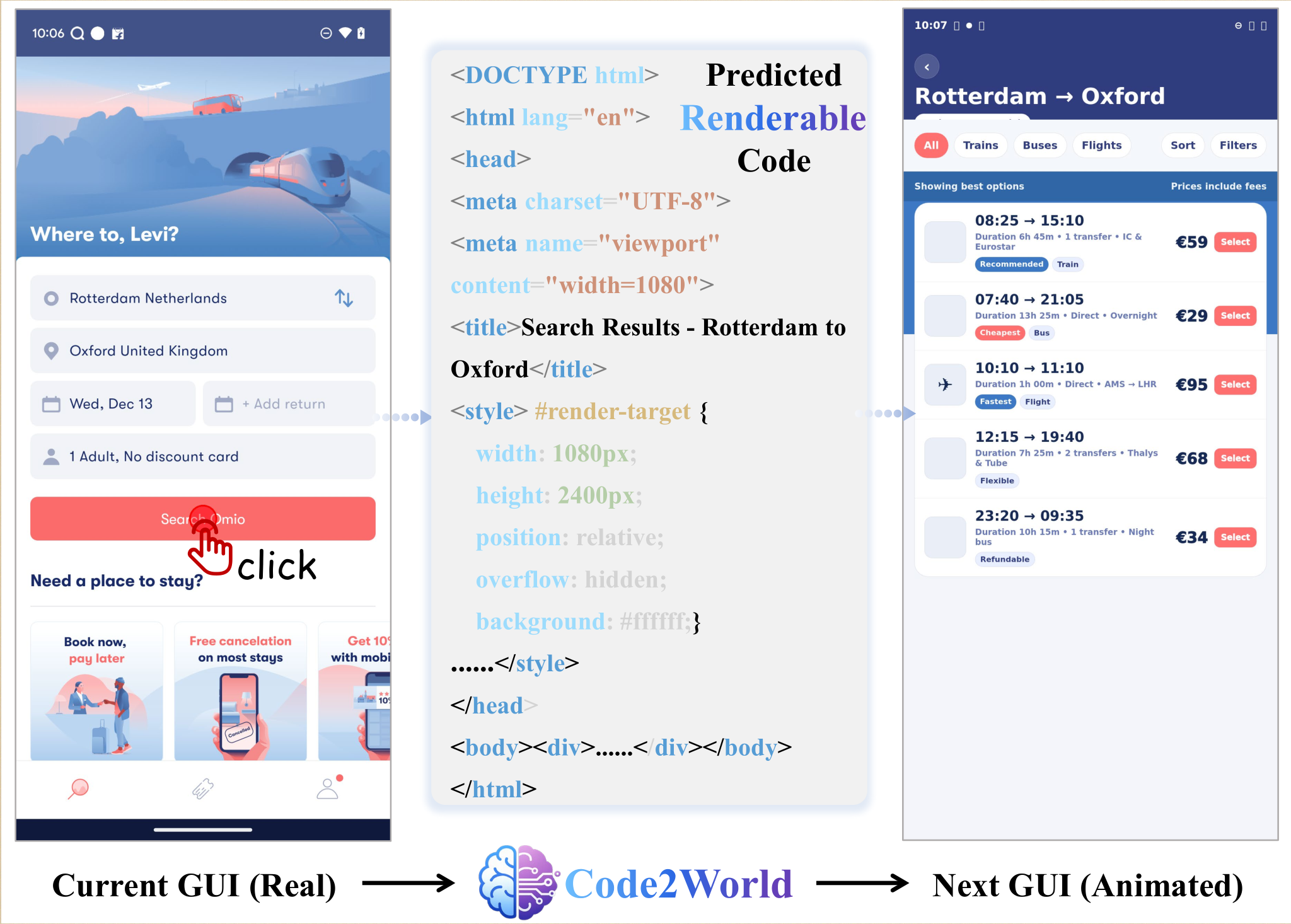
_Figure 1. Illustration of Code2World. Given a current GUI observation and an action, Code2World predicts the next screenshot via renderable code generation._
## 🕹️ Usage
### Environment Setup
1. We recommend setting up a clean Python environment:
```bash
conda create -n c2w python=3.10 -y
conda activate c2w
cd Code2World
pip install -r requirements.txt
```
2. Set up the Android emulator environment by referring to the [Android World](https://github.com/google-research/android_world/tree/main) configuration.
3. Configure the OPENAI_API_KEY in the environment variables.
4. Download the pretrained Code2World weights from Hugging Face, and set the path at line 38 in android_world/agents/m3a_qwen.py.
```python
model_name="ckpt/Code2World"
```
### Use Code2World for Enhancing GUI Agent
To test AndroidWorld, you can run the following command:
```python
python -u run.py --agent_name='m3a_gemini25f_Code2World' --console_port=5556 --grpc_port=8554 --checkpoint_dir='ckpt/m3a_gemini25f_Code2World'
```
## 🏅 Experiments
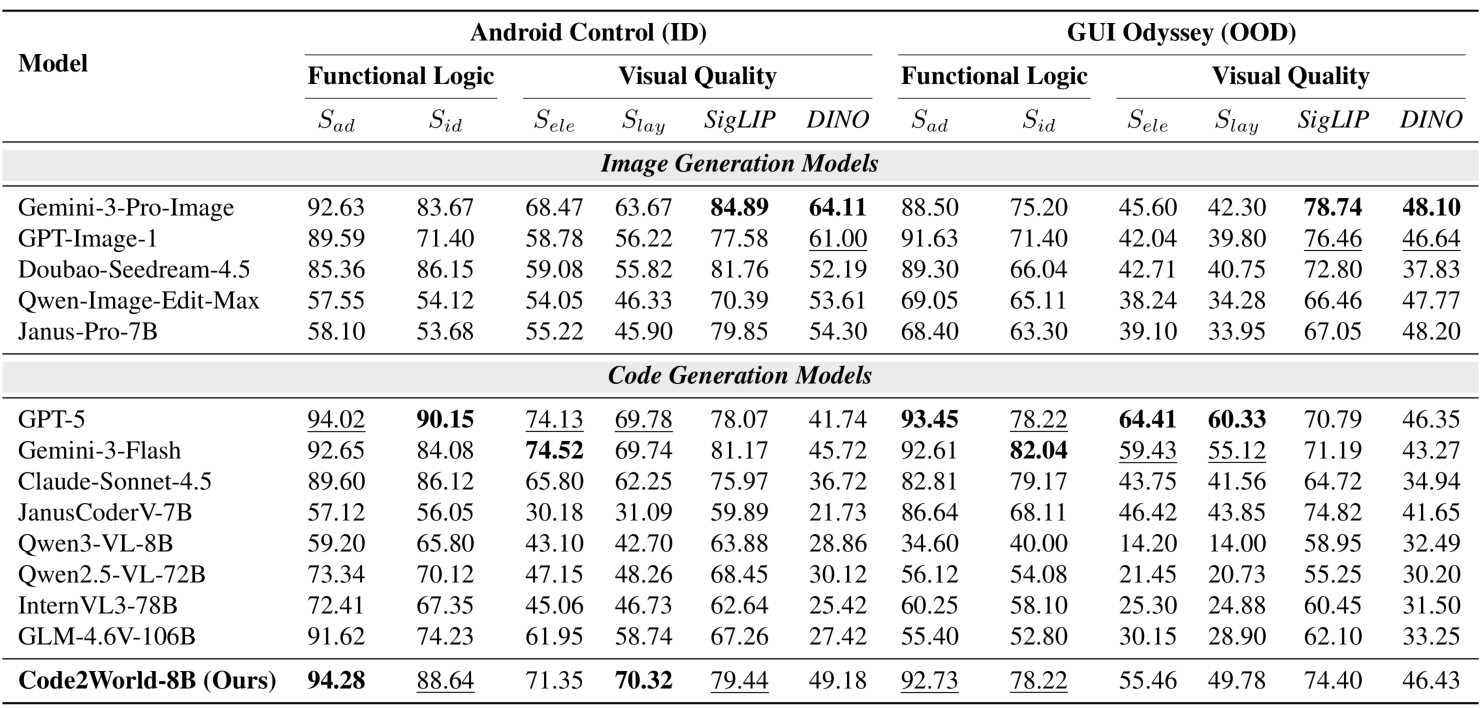
Table 1. **Quantitative Comparison** of various image and code generation models on Android Control **(ID)** to assess basic capabilities on the same device, and GUI Odyssey **(OOD)** to test generalization robustness across unseen devices and cross-app scenarios. The best scores are in **bold** while the second best are in underlined.
## 📌 Examples
Here are more qualitative comparison of next GUI state generation over Code2World and three baselines.
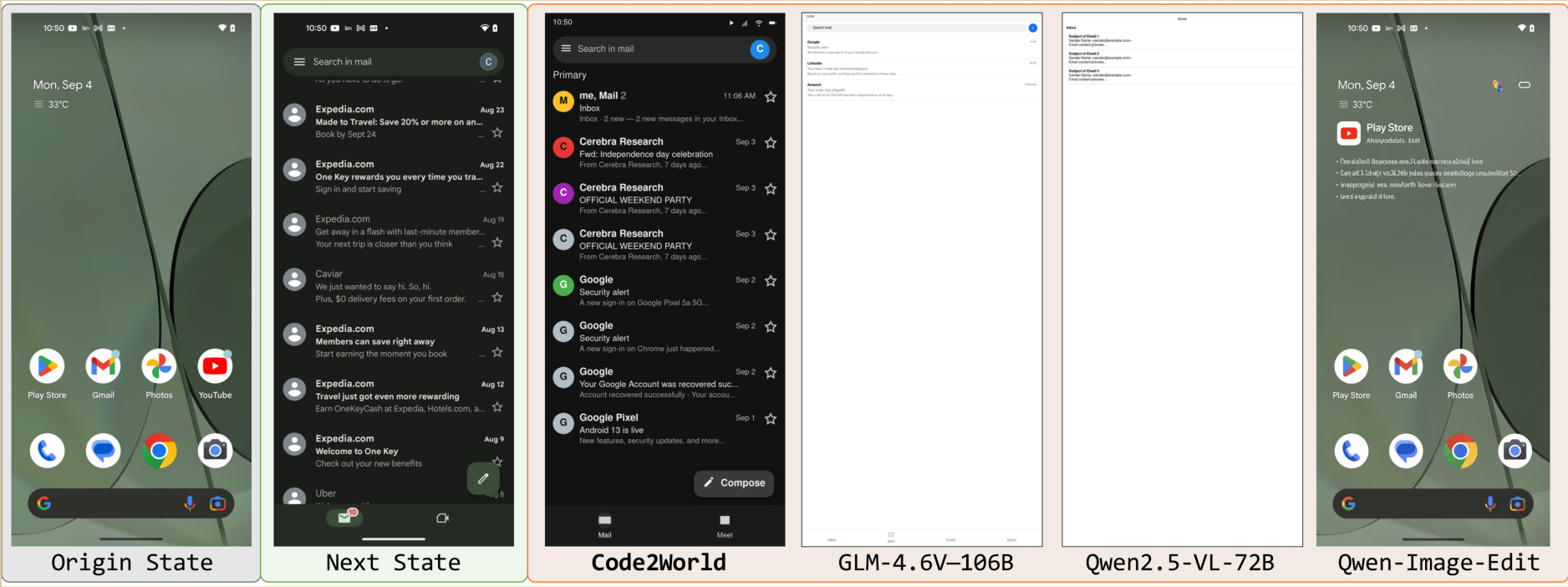
_Figure 2. Launch the email application from the home screen to access the inbox._
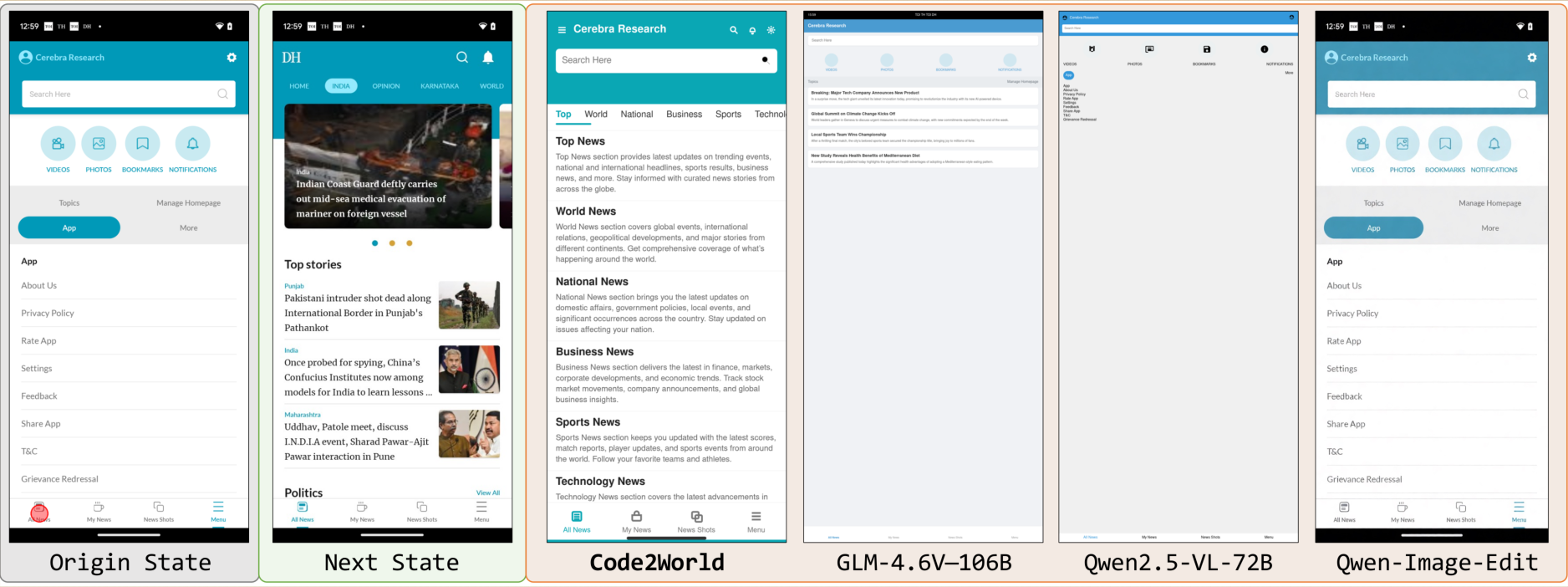\
_Figure 3. Click on "All News" button in the Cerebra Research application to view news content._
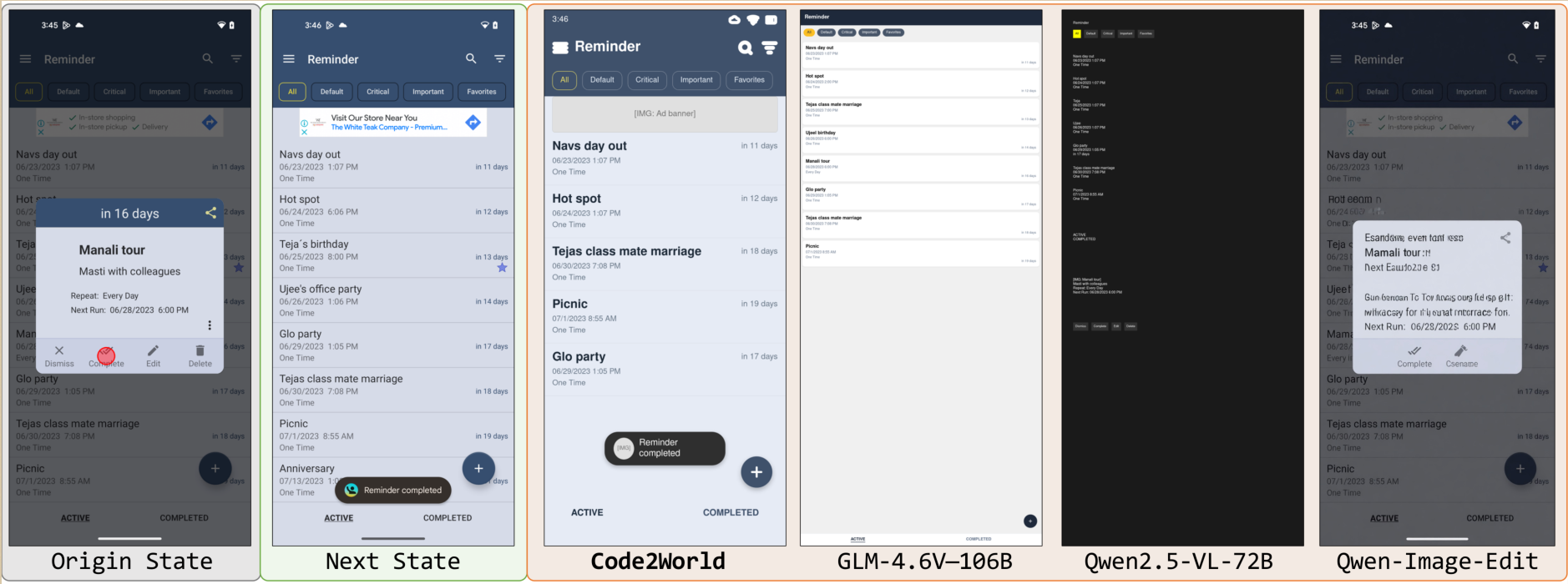
_Figure 4. Mark a reminder task as completed by tapping the "Complete" button in the Reminder app._
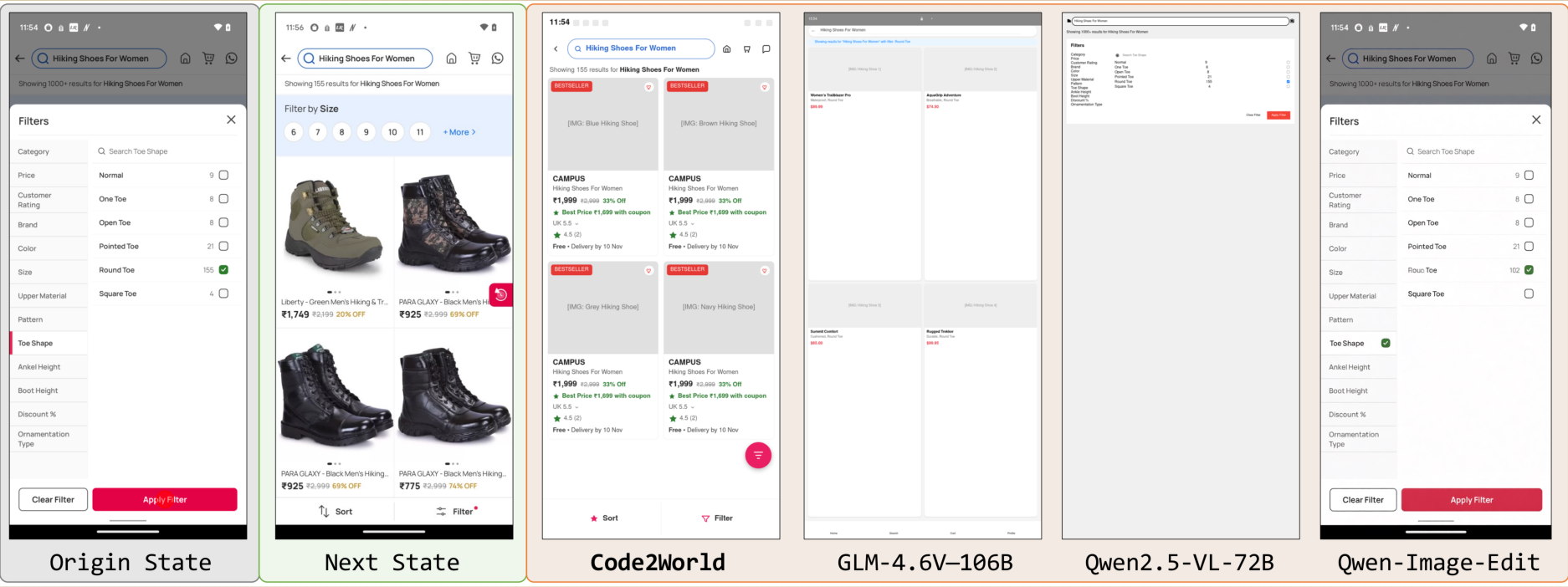
_Figure 5. Apply product filters by tapping the "Apply Filter" button in the e-commerce app to refresh the item list._
## 📑 Citation
If you find our project useful, we hope you can star our repo and cite our paper as follows:
```
@article{zheng2026code2world,
title={Code2World: A GUI World Model via Renderable Code Generation},
author={Zheng, Yuhao and Zhong, Li'an and Wang, Yi and Dai, Rui and Liu, Kaikui and Chu, Xiangxiang and Lv, Linyuan and Torr, Philip and Lin, Kevin Qinghong},
journal={arXiv preprint arXiv:2602.09856},
year={2026}
}
```