# Reolink firmware archive
* [How it works](#how-it-works)
* [Download guide](#download-guide)
* [Contributing](#contributing)
* [Issues](#issues)
* [Get notified of new firmwares](#get-notified-of-new-firmwares)
* [Download all the firmwares](#download-all-the-firmwares)
* [Firmwares](#firmwares)
This is an unofficial and incomplete collection of Reolink firmware download links.
I made this for a few reasons:
- I like having a firmware history that I can upgrade/downgrade to
- might help in case of reverse engineering
- only the latest firmware for a product is displayed on Reolink's download center,
[for some reason](https://community.reolink.com/post/7520)
- this means that in case a new firmware causes issues for you,
you can't even rollback unless you kept the previous one
or manage to find a link to it somewhere on the internet
- I think it's easier than their website and it shows everything in one place
- I've seen a fair amount of people asking "Do I have the latest firmware for my device?"
- allows users not to have to search or ask for a specific firmware
- easier than using the [Wayback Machine](https://web.archive.org/)
I started working on this around the beginning of August 2022
so from then on all the firmware information comes directly from the live Reolink website.
Older firmwares mainly come from the Wayback Machine.
The rest comes from searching through both subreddits (using [Async PRAW](https://github.com/praw-dev/asyncpraw))
and from a bit of manual search.
The code used can be found in `main.py`, except the Reddit part which is not included here.
`missing.txt` contains some firmwares that I'm pretty sure exist
(if the users correctly reported their device info) but do not appear here.
I cannot guarantee that the info shown here is completely accurate.
All I can say is that it comes straight from the sources with minimal edits in some cases.
## How it works
Twice a day at around 4:20 AM and PM UTC, information about the devices and
their firmwares is pulled from Reolink's website. New items are merged into the
existing `devices.json` and `firmwares_live.json` files.
Then, for each new firmware, details about the PAK file are retrieved with
[reolinkfw](https://github.com/AT0myks/reolink-fw) and added to `pak_info.json`.
If there are new firmwares, the readme is recreated and a new release is made.
## Download guide
Disclaimer: a small number of links have not been provided by Reolink
Most of the links are original ones, that point to files hosted by Reolink.
They mainly come from the live website,
and archives of old website pages (like their support pages).
There is also a certain amount of official links from Google Drive,
which they sometimes use for beta firmwares.
The rest are links that are either shared by Reolink, or by users who have been sent links
(via email after contacting support for example).
When the link comes from an archived page, the source is available in the notes.
The non-original links are files hosted by third-party users.
A few are hosted by myself on Google Drive.
These are files that were provided by Reolink but that we don't have the original link to anymore.
When there is no original link for a firmware, a warning is shown in the notes.
You are free to not trust these files and ignore them.
If you want to play it safe, simply go to the
[Download Center](https://reolink.com/download-center/).
Be careful as some firmwares are beta.
You should not apply a beta firmware unless you are a beta tester and/or know what you're doing.
Check the notes and sources before updating.
A warning will appear for beta firmwares.
As long as you make sure to check that the firmware you're looking at
matches your device's model AND hardware version, you should have no problem updating*.
Usually the hardware version here will be the exact same as shown in your device's info,
but sometimes one or the other will have a few characters missing at the end.
This is normal and can be ignored, unless you have a RLC-510A, RLC-520A, D500, D800,
B500 or B800 in which case they have hardware versions that have the same name but with
the `_V2` suffix.
A few things:
- models are sorted in alphanumeric order
- firmwares are sorted by date first and then by version, in descending order
- the date shown is not the release date of the firmware but its build date
- a PAK file is a firmware file
- a PAK file targets a single combination of device model/hardware version.
Sometimes you can install a firmware on another device and it will "work"
(because they have very similar hardware) but it is obviously not recommended
- some links (I think 3) point to a ZIP that has multiple PAK files.
Make sure to pick the right one
- some ZIPs (I think also 3) have twice the same PAK
- most download links are direct download
- any link might die at any time
Install at your own risk.
I do not (and cannot) go out of my way to check if every firmware is stable.
If a firmware is unstable you can use the
[discussions](https://github.com/AT0myks/reolink-fw-archive/discussions/categories/firmware-issues) to report it.
If enough people report the same problem and it is not an isolated case,
an issue can be opened and a note could be added to the firmware to warn future users.
I offer no guarantee,
and I am not [Reolink support](https://support.reolink.com/hc/en-us/),
so please do not open issues related to the firmwares themselves.
If you encounter a problem after a firmware update you can discuss it but you should
[submit a request](https://support.reolink.com/hc/en-us/requests/new?ticket_form_id=4461044255641).
You can also check the official [subreddit](https://www.reddit.com/r/reolinkcam/)
to see if other users are reporting a similar issue.
\* I have read about cases where even with the right firmware, the device rejects the
file. I am not sure if this is user error or a bug in the device's current firmware.
Some users report success after renaming the file. If you encounter this issue,
please describe it in the discussions as I would like to know more about it.
## Contributing
If you see a problem or something missing,
feel free to open an issue/PR to add/fix things.
- do not directly edit `README.md`, it is auto-generated from `readme_header.md`
and the list of firmwares. Edit `readme_header.md` instead
- `devices.json` can be modified to include a model or hardware version
that does not appear yet on the live website (this must be done before adding a firmware for a new device).
Pick a unique id > 100000 for each model and hardware version
(see [here](https://github.com/AT0myks/reolink-fw-archive/commit/bff34f99e453affebef27a41db6ad202f2777cf6#diff-5fcf8ac7e21bcf37430cb6e5095c2680de90403c93cf4f5f8c39f42156789358)
for an example)
- `firmwares_manual.json` can be modified to manually add a firmware,
for example a beta firmware.
It can also be used to add additional info to an existing firmware like its changelog
- the main reason to edit `pak_info.json` is to manually add info for a firmware when
an error occurs. This used to be the case for RLN36 firmwares
(more info [here](https://github.com/vmallet/pakler/issues/1)).
It could also be used to mark a firmware as beta and/or unstable
- there shouldn't be anything to fix in `firmwares_live.json`
- if you want to manually add a firmware for a PR,
clone the repo and run `main.py add url` (see `main.py add -h` for help)
Reolink support can provide firmwares when contacted.
If you have a firmware (or just a mirror link) that does not appear here,
you can open a PR or put in in the
[discussions](https://github.com/AT0myks/reolink-fw-archive/discussions/categories/firmware-sharing) so that it can be added.
This can help other users who won't have to contact Reolink.
If you can give details about what changes have been made to the firmware,
it would be a nice bonus.
## Issues
- Reolink Duo PoE product URL is wrong, it points to Reolink Duo 2 PoE (to be fixed on their side)
- for some reason some images are not displayed in the readme (GitHub only?)
## Get notified of new firmwares
This requires a GitHub account.
In the top right of the page click `Watch`, then `Custom`, tick `Releases` and apply.
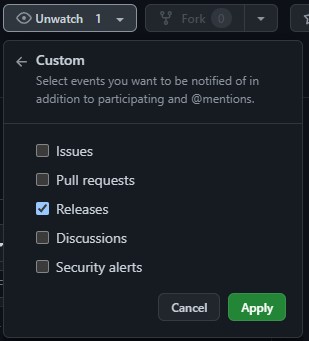
You should receive an email next time new firmwares are published by Reolink.
## Download all the firmwares
See [here](https://github.com/AT0myks/reolink-fw-archive/wiki).
## Firmwares
\* means the device is discontinued.
Total: 819
B1200 (Add-ons)
[Product page](https://reolink.com/product/rlk8-1200b4-a/)
### IPC_52316M12MP
Firmwares for this hardware version: 3
Version | Date | Changes | Notes
--- | --- | --- | ---
[v3.1.0.5036_2506279222](https://home-cdn.reolink.us/wp-content/uploads/2025/07/220312201753153940.7755.zip?download_name=B12005036_2506279222.zip) | 2025‑06‑27 | - Cloud storage supported (Actural service provided depends on the subscription plan).
- Perimeter Protection Added.
- Smart Event Detection Added.
- Day/night mode switching enhanced.
- Other known bugs resolved.
|
[v3.1.0.2174_23050800](https://home-cdn.reolink.us/wp-content/uploads/2023/05/110627161683786436.5166.zip?download_name=B1200_23050800.zip) | 2023‑05‑08 | - Add four-in-one (binning_mode) function, which provides image mode selection in night mode. This function can be found in the Advanced settings of the Display interface.
- Optimize the clarity of OSD strokes; solve the problem that the OSD display is not clear in some scenarios.
- Optimize the day and night switching function.
- Optimize the Smart detection function.
- Upgrade the smart model.
- Improve the recognition accuracy of person, vehicle, and pets, and optimize the problem of static smart false positives.
- Solve the problem of deviation in adjusting the brightness of the screen.
- Solve the problem that the detection area does not fit after the mirror image is flipped.
- Fix the bug that the night vision frame rate is incorrect in some scenes.
|
[v3.1.0.1105_23030900](https://home-cdn.reolink.us/wp-content/uploads/2023/03/141102511678791771.4471.zip?download_name=B1200_23030900.zip) | 2023‑03‑09 | Optimized the image quality of some scenes and fixed other known bugs |
B400 (Add-ons) *
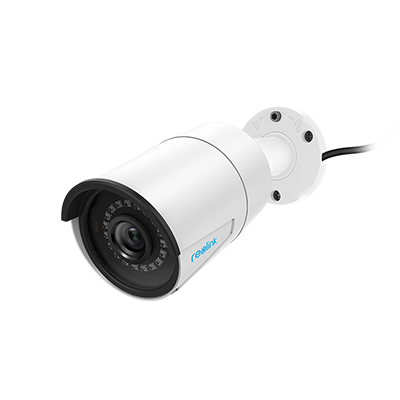 [Product page](https://reolink.com/product/b400/)
### IPC_5128M
Firmwares for this hardware version: 3
Version | Date | Changes | Notes
--- | --- | --- | ---
[v3.0.0.183_21012800](https://home-cdn.reolink.us/files/firmware/20210128firmware/B400_183_21012800.zip)
[Product page](https://reolink.com/product/b400/)
### IPC_5128M
Firmwares for this hardware version: 3
Version | Date | Changes | Notes
--- | --- | --- | ---
[v3.0.0.183_21012800](https://home-cdn.reolink.us/files/firmware/20210128firmware/B400_183_21012800.zip)
[v3.0.0.183_21012800](https://home-cdn.reolink.us/wp-content/uploads/2021/02/010356171612151777.6123.zip?download_name=firmware_B400_v300183_21012800.zip) | 2021‑01‑28 | - Optimize the effect of the day and night switch.
- Optimize network transmission.
- Optimize the alert caused by the Day and Night switching.
- When obtaining the IP address by DHCP, the hostname will be changed to the device name (OSD name).
- Fixed the bug that IPC failed to reconnect to the NVR after powering off when setting certain time zones.
- Fixed some known bugs.
| If your camera B400's hardware version does not begin with IPC_5128M, please wait for the new firmware release.
If you don't want to restore your camera settings to factory status, please uncheck/ don't enable the" update configuration File" option.
[v3.0.0.136_20120900](https://reolink-storage.s3.amazonaws.com/website/firmware/20201210firmware/B400_136_20120900.zip) | 2020‑12‑09 | - Optimize the effect of the day and night switch.
- Optimize network transmission.
- Optimize the alert caused by the Day and Night switching.
- When obtaining the IP address by DHCP, the hostname will be changed to the device name (OSD name).
- Fixed some known bugs.
| [Archive](https://web.archive.org/web/20210126120322/https://support.reolink.com/hc/en-us/articles/900004952643-12-09-2020-Firmware-for-B400-D400-B500-D500-B800-D800)
[v2.0.0.16_20041560](https://reolink-storage.s3.amazonaws.com/website/firmware/20200415firmware/B400_16_20041560(1).zip) | 2020‑04‑15 | - Fixed the freezing issue under the complex environment of live view and playback.
- Optimized system performance.
| [Archive](https://web.archive.org/web/20210805173433/https://support.reolink.com/hc/en-us/articles/900000662366-04-15-2020-Firmware-for-B400-D400-D420-IPC-5128M-IPC-5174M-)
### IPC_5174MP8M
Firmwares for this hardware version: 3
Version | Date | Changes | Notes
--- | --- | --- | ---
[v3.0.0.183_21012800](https://reolink-storage.s3.amazonaws.com/website/firmware/20210128firmware/B400_183_21012800+(1).zip) | 2021‑01‑28 | - Optimize the effect of the day and night switch.
- Optimize network transmission.
- Optimize the alert caused by the Day and Night switching.
- When obtaining the IP address by DHCP, the hostname will be changed to the device name (OSD name).
- Fixed the bug that IPC failed to reconnect to the NVR after powering off when setting certain time zones.
- Fixed some known bugs.
| [Archive](https://web.archive.org/web/20210616134733/https://support.reolink.com/hc/en-us/articles/900004952643-28-01-2021-Firmware-for-B400-D400-D420-B500-D500-B800-D800)
[v3.0.0.136_20121000](https://reolink-storage.s3.amazonaws.com/website/firmware/20201210firmware/B400_136_20121000.zip) | 2020‑12‑10 | - Optimize the effect of the day and night switch.
- Optimize network transmission.
- Optimize the alert caused by the Day and Night switching.
- When obtaining the IP address by DHCP, the hostname will be changed to the device name (OSD name).
- Fixed some known bugs.
| [Archive](https://web.archive.org/web/20210126120322/https://support.reolink.com/hc/en-us/articles/900004952643-12-09-2020-Firmware-for-B400-D400-B500-D500-B800-D800)
[v2.0.0.16_20041550](https://reolink-storage.s3.amazonaws.com/website/firmware/20200415firmware/B400_16_20041560(1).zip) | 2020‑04‑15 | - Fixed the freezing issue under the complex environment of live view and playback.
- Optimized system performance.
| [Archive](https://web.archive.org/web/20210805173433/https://support.reolink.com/hc/en-us/articles/900000662366-04-15-2020-Firmware-for-B400-D400-D420-IPC-5128M-IPC-5174M-)
B500 (Add-ons) *
### IPC_5158M5M
Firmwares for this hardware version: 2
Version | Date | Changes | Notes
--- | --- | --- | ---
[v3.0.0.183_21012814](https://home-cdn.reolink.us/files/firmware/20210128firmware/B500_183_21012814.zip)
[v3.0.0.183_21012814](https://home-cdn.reolink.us/wp-content/uploads/2021/02/010422061612153326.4775.zip?download_name=firmware_B500_v300183.zip) | 2021‑01‑28 | - Optimize the effect of the day and night switch.
- Optimize network transmission.
- Optimize the alert caused by the Day and Night switching.
- When obtaining the IP address by DHCP, the hostname will be changed to the device name (OSD name).
- Fixed the bug that IPC failed to reconnect to the NVR after powering off when setting certain time zones.
- Fixed some known bugs.
| If your camera B500's hardware version does not begin with IPC_5158M5M, please wait for the new firmware release.
[v3.0.0.136_20120914](https://reolink-storage.s3.amazonaws.com/website/firmware/20201210firmware/B500_136+_20120914.zip) | 2020‑12‑09 | - Optimize the effect of the day and night switch.
- Optimize network transmission.
- Optimize the alert caused by the Day and Night switching.
- When obtaining the IP address by DHCP, the hostname will be changed to the device name (OSD name).
- Fixed some known bugs.
| [Archive](https://web.archive.org/web/20210126120322/https://support.reolink.com/hc/en-us/articles/900004952643-12-09-2020-Firmware-for-B400-D400-B500-D500-B800-D800)
### IPC_515B8M5M
Firmwares for this hardware version: 2
Version | Date | Changes | Notes
--- | --- | --- | ---
[v3.0.0.183_21012814](https://home-cdn.reolink.us/files/firmware/20210128firmware/B500_183_21012814+(1).zip)
[v3.0.0.183_21012814](https://home-cdn.reolink.us/wp-content/uploads/2021/02/010418121612153092.6544.zip?download_name=firmware_B500_v300183.zip) | 2021‑01‑28 | - Optimize the effect of the day and night switch.
- Optimize network transmission.
- Optimize the alert caused by the Day and Night switching.
- When obtaining the IP address by DHCP, the hostname will be changed to the device name (OSD name).
- Fixed the bug that IPC failed to reconnect to the NVR after powering off when setting certain time zones.
- Fixed some known bugs.
| If your camera B500's hardware version does not begin with IPC_515B8M5M, please wait for the new firmware release.
.If you don't want to restore your camera settings to factory status, please uncheck/ don't enable the" update configuration File" option.
[v3.0.0.136_20120914](https://reolink-storage.s3.amazonaws.com/website/firmware/20201210firmware/B500_136_20120914.zip) | 2020‑12‑09 | - Optimize the effect of the day and night switch.
- Optimize network transmission.
- Optimize the alert caused by the Day and Night switching.
- When obtaining the IP address by DHCP, the hostname will be changed to the device name (OSD name).
- Fixed some known bugs.
| [Archive](https://web.archive.org/web/20210126120322/https://support.reolink.com/hc/en-us/articles/900004952643-12-09-2020-Firmware-for-B400-D400-B500-D500-B800-D800)
### IPC_515B8M5M_V2
Firmwares for this hardware version: 1
Version | Date | Changes | Notes
--- | --- | --- | ---
[v3.1.0.2379_23062900](https://home-cdn.reolink.us/wp-content/uploads/2023/09/120318021694488682.1128.zip?download_name=B500_v3102379_23062900.zip)
[v3.1.0.2379_23062900](https://home-cdn.reolink.us/wp-content/uploads/2024/03/210607581711001278.9156.zip?download_name=B500_v3102379_23062900.zip) | 2023‑06‑29 | - Optimize smart detection. Animal detction is added.
- Optimize recording.
- Optimize night vision.
- Optimize the detection zone setting.
- Optimze the Brightness & Shadows setting.
- Optimize some network features and fix some bugs
|
B500W (Add-ons)
### IPC_MS1NO25MP
Firmwares for this hardware version: 1
Version | Date | Changes | Notes
--- | --- | --- | ---
[v3.0.0.3078_2407031344](https://home-cdn.reolink.us/wp-content/uploads/2024/07/041111031720091463.0695.zip?download_name=B500W_3078_2407031344.zip) | 2024‑07‑03 | 1. Resolve known bugs |
B800 (Add-ons) *
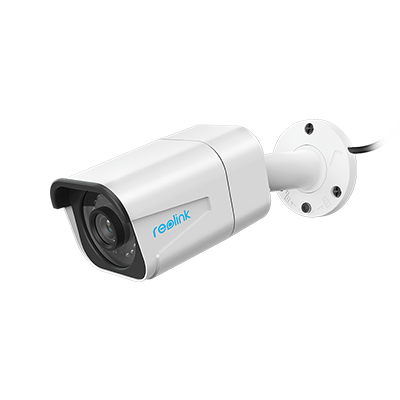 [Product page](https://reolink.com/product/b800/)
### IPC_5158M8M_V2
Firmwares for this hardware version: 3
Version | Date | Changes | Notes
--- | --- | --- | ---
[v3.1.0.4057_2409132131](https://home-cdn.reolink.us/wp-content/uploads/2025/07/010409441751342984.3706.zip?download_name=B800_4057_2409132131.zip) | 2024‑09‑13 | 1.Other known bugs resolved. |
[v3.1.0.3702_2407087342](https://home-cdn.reolink.us/wp-content/uploads/2024/07/121110161720782616.943.zip?download_name=B800_3702_2407087342.zip) | 2024‑07‑08 |
[Product page](https://reolink.com/product/b800/)
### IPC_5158M8M_V2
Firmwares for this hardware version: 3
Version | Date | Changes | Notes
--- | --- | --- | ---
[v3.1.0.4057_2409132131](https://home-cdn.reolink.us/wp-content/uploads/2025/07/010409441751342984.3706.zip?download_name=B800_4057_2409132131.zip) | 2024‑09‑13 | 1.Other known bugs resolved. |
[v3.1.0.3702_2407087342](https://home-cdn.reolink.us/wp-content/uploads/2024/07/121110161720782616.943.zip?download_name=B800_3702_2407087342.zip) | 2024‑07‑08 | - Optimize smart detection. Animal detction is added.
- Optimize recording.
- Optimize night vision.
- Optimize the detection zone setting.
- Optimze the Brightness & Shadows setting.
- Optimize some network features and fix some bugs
|
[v3.1.0.2379_23062702](https://home-cdn.reolink.us/wp-content/uploads/2023/09/120404371694491477.9399.zip?download_name=B800_v3102379_23062702.zip) | 2023‑06‑27 | - Optimize smart detection. Animal detction is added.
- Optimize recording.
- Optimize night vision.
- Optimize the detection zone setting.
- Optimze the Brightness & Shadows setting.
- Optimize some network features and fix some bugs
|
### IPC_5158MP8M
Firmwares for this hardware version: 3
Version | Date | Changes | Notes
--- | --- | --- | ---
[v3.0.0.183_21012800](https://home-cdn.reolink.us/files/firmware/20210128firmware/B800_183_21012800.zip)
[v3.0.0.183_21012800](https://home-cdn.reolink.us/wp-content/uploads/2021/02/010459481612155588.6254.zip?download_name=firmware_B800_v300183.zip) | 2021‑01‑28 | - Optimize the effect of the day and night switch.
- Optimize network transmission.
- Optimize the alert caused by the Day and Night switching.
- When obtaining the IP address by DHCP, the hostname will be changed to the device name (OSD name).
- Fixed the bug that IPC failed to reconnect to the NVR after powering off when setting certain time zones.
- Fixed some known bugs.
| If your camera B800's hardware version does not begin with IPC_5158MP8M, please wait for the new firmware release.
.If you don't want to restore your camera settings to factory status, please uncheck/ don't enable the" update configuration File" option.
[v3.0.0.136_20120900](https://reolink-storage.s3.amazonaws.com/website/firmware/20201210firmware/B800_136_20120900.zip) | 2020‑12‑09 | - Optimize the effect of the day and night switch.
- Optimize network transmission.
- Optimize the alert caused by the Day and Night switching.
- When obtaining the IP address by DHCP, the hostname will be changed to the device name (OSD name).
- Fixed some known bugs.
| [Archive](https://web.archive.org/web/20210126120322/https://support.reolink.com/hc/en-us/articles/900004952643-12-09-2020-Firmware-for-B400-D400-B500-D500-B800-D800)
[v2.0.0.17_20042200](https://reolink-storage.s3.amazonaws.com/website/firmware/20200422firmware/B800_17_20042200.zip) | 2020‑04‑22 | - Fixed the freezing issue under the complex environment of live view and playback.
- Optimized system performance.
| [Archive](https://web.archive.org/web/20210726205241/https://support.reolink.com/hc/en-us/articles/900000744606-04-22-2020-Firmware-for-B800-D800-IPC-5158MP8M-)
B800W (Add-ons)
### IPC_MS2NO28MP
Firmwares for this hardware version: 2
Version | Date | Changes | Notes
--- | --- | --- | ---
[v3.0.0.5031_2506270516](https://home-cdn.reolink.us/wp-content/uploads/2025/07/220307041753153624.7039.zip?download_name=B800W_5031_2506270516.zip) | 2025‑06‑27 | - Image quality optimized.
- Wi-Fi performance improved.
- Other known bugs resolved.
|
[v3.0.0.3078_2407031328](https://home-cdn.reolink.us/wp-content/uploads/2024/07/041113461720091626.7586.zip?download_name=B800W_3078_2407031328.zip) | 2024‑07‑03 | 1. Resolve known bugs |
C1 *
[Product page](https://reolink.com/product/c1/)
### IPC_36S16MHSM
Firmwares for this hardware version: 5
Version | Date | Changes | Notes
--- | --- | --- | ---
[v2.0.0.1389_18081414](https://cdn.reolink.com/files/firmware/20180814firmware/C1_1389_18081414.zip)
[v2.0.0.1389_18081414](https://home-cdn.reolink.us/files/firmware/20180814firmware/C1_1389_18081414.zip)
[v2.0.0.1389_18081414](https://s3.amazonaws.com/reolink-storage/website/firmware/20180814firmware/C1_1389_18081414.zip) | 2018‑08‑14 | |
[v2.0.0.1288_18020714](https://cdn.reolink.com/files/firmware/20180402firmware/C1_1288_18020714.zip)
[v2.0.0.1288_18020714](https://home-cdn.reolink.us/files/firmware/20180402firmware/C1_1288_18020714.zip)
[v2.0.0.1288_18020714](https://s3.amazonaws.com/reolink-storage/website/firmware/20180402firmware/C1_1288_18020714.zip) | 2018‑02‑07 | |
[v2.0.0.889_17083000](https://cdn.reolink.com/files/firmware/889_1708/C1_889_17083000.zip)
[v2.0.0.889_17083000](https://home-cdn.reolink.us/files/firmware/889_1708/C1_889_17083000.zip)
[v2.0.0.889_17083000](https://s3.amazonaws.com/reolink-storage/website/firmware/889_1708/C1_889_17083000.zip) | 2017‑08‑30 | |
[v2.0.0.842_17052400](https://s3.amazonaws.com/reolink-storage/website/firmware/842_170524/C1_842_17052400.zip) | 2017‑05‑24 | |
[v2.0.0.675_17032700](https://s3.amazonaws.com/reolink-storage/website/firmware/675_170317/C1_675_17032700.zip) | 2017‑03‑27 | |
C1-Pro *
[Product page](https://reolink.com/product/c1-pro/)
### IPC_3816MPT
Firmwares for this hardware version: 4
Version | Date | Changes | Notes
--- | --- | --- | ---
[v2.0.0.1441_19032105](https://s3.amazonaws.com/reolink-storage/website/firmware/20190321firmware/C1-Pro_1441_19032105.zip) | 2019‑03‑21 | Fixed security flaws. | [Archive](https://web.archive.org/web/20210805103139/https://support.reolink.com/hc/en-us/articles/360021715373-03-21-2019-Firmware-for-Reolink-IP-Cameras-IPC-3816M-)
[v2.0.0.1389_18081405](https://cdn.reolink.com/files/firmware/20180814firmware/C1-Pro_1389_18081405.zip)
[v2.0.0.1389_18081405](https://home-cdn.reolink.us/files/firmware/20180814firmware/C1-Pro_1389_18081405.zip)
[v2.0.0.1389_18081405](https://s3.amazonaws.com/reolink-storage/website/firmware/20180814firmware/C1-Pro_1389_18081405.zip) | 2018‑08‑14 | |
[v2.0.0.1288_18020705](https://cdn.reolink.com/files/firmware/20180402firmware/C1-Pro_1288_18020705.zip)
[v2.0.0.1288_18020705](https://home-cdn.reolink.us/files/firmware/20180402firmware/C1-Pro_1288_18020705.zip)
[v2.0.0.1288_18020705](https://s3.amazonaws.com/reolink-storage/website/firmware/20180402firmware/C1-Pro_1288_18020705.zip) | 2018‑02‑07 | |
[v2.0.0.889_17083009](https://s3.amazonaws.com/reolink-storage/website/firmware/889_1708/C1-Pro-889_1708300.zip) | 2017‑08‑30 | |
### IPC_51316M
Firmwares for this hardware version: 3
Version | Date | Changes | Notes
--- | --- | --- | ---
[v3.0.0.136_20121103](https://drive.google.com/uc?id=1U19KqoRH11GHrpvzlqjgG7SbnyQ6HF7s&confirm=t) | 2020‑12‑11 | | [Source 1](https://www.reddit.com/r/reolinkcam/comments/k4cym7/c1_pro_firmware_question/)
[Source 2](https://www.reddit.com/r/reolinkcam/comments/k6u5me/c2_pro_eol_less_than_2_years_no_more_firmware/giej4k9/)
[v3.0.0.121_20111903](https://drive.google.com/uc?id=1QqluF6z09XUu8ZUppidZb_k7Jz0gS809&confirm=t)
[v3.0.0.121_20111903](https://support.reolink.com/attachments/token/uhbOsutx7SUg1lLF13NuA0hvD/?name=IPC_51316M.121_20111903.C1-Pro.ov4689.4MP.WIFI1021.PT.REOLINK.IPC_51316M) | 2020‑11‑19 | | [Source 1](https://www.reddit.com/r/reolinkcam/comments/k4cym7/c1_pro_firmware_question/)
[v2.0.0.448_19061405](https://reolink-storage.s3.amazonaws.com/website/firmware/20190614firmware/C1-Pro_448_19061405(1).zip) | 2019‑06‑14 | - Fixed the issue where the WiFi can't reconnect after rebooting.
- Fixed the issue where the sound becomes smaller after frequently switching the audio.
- Add the smart home feature (Google Home).
- Optimize the breathing effect.
- Fixed the drop issue where RTSP previewing.
- Fixed the IR-cut switching failure problem on part of cameras.
- Add power LED control function to C1 Pro.
- Add manually trigger and automatic voice alarm function to C1 Pro.
| [Archive](https://web.archive.org/web/20210805171119/https://support.reolink.com/hc/en-us/articles/360025688034-06-14-2019-Firmware-for-Reolink-IP-Cameras-IPC-51316M-)
C2 *
[Product page](https://reolink.com/product/c2-series/)
### IPC_3816MPT
Firmwares for this hardware version: 6
Version | Date | Changes | Notes
--- | --- | --- | ---
[v2.0.0.1441_19032104](https://s3.amazonaws.com/reolink-storage/website/firmware/20190321firmware/C2_1441_19032104.zip) | 2019‑03‑21 | Fixed security flaws. | [Archive](https://web.archive.org/web/20210805103139/https://support.reolink.com/hc/en-us/articles/360021715373-03-21-2019-Firmware-for-Reolink-IP-Cameras-IPC-3816M-)
[v2.0.0.1389_18081404](https://cdn.reolink.com/files/firmware/20180814firmware/C2_1389_18081404.zip)
[v2.0.0.1389_18081404](https://home-cdn.reolink.us/files/firmware/20180814firmware/C2_1389_18081404.zip)
[v2.0.0.1389_18081404](https://s3.amazonaws.com/reolink-storage/website/firmware/20180814firmware/C2_1389_18081404.zip) | 2018‑08‑14 | |
[v2.0.0.1288_18020704](https://cdn.reolink.com/files/firmware/20180402firmware/C2_1288_18020704.zip)
[v2.0.0.1288_18020704](https://home-cdn.reolink.us/files/firmware/20180402firmware/C2_1288_18020704.zip)
[v2.0.0.1288_18020704](https://s3.amazonaws.com/reolink-storage/website/firmware/20180402firmware/C2_1288_18020704.zip) | 2018‑02‑07 | |
[v2.0.0.889_17083009](https://s3.amazonaws.com/reolink-storage/website/firmware/889_1708/C2_889_17083009.zip) | 2017‑08‑30 | |
[v2.0.0.842_17052409](https://s3.amazonaws.com/reolink-storage/website/firmware/842_170524/C2_842_17052409.zip) | 2017‑05‑24 | |
[v2.0.0.675_17032709](https://s3.amazonaws.com/reolink-storage/website/firmware/675_170317/C2_675_17032709.zip) | 2017‑03‑27 | |
C2-Pro *
[Product page](https://reolink.com/product/c2-pro/)
### IPC_51516M5M
Firmwares for this hardware version: 3
Version | Date | Changes | Notes
--- | --- | --- | ---
[v3.0.0.136_20121107](https://drive.google.com/uc?id=1O3VmNf3UMLrsItcwiUEEPyRNXdyqfhhq&confirm=t) | 2020‑12‑11 | | [Source 1](https://www.reddit.com/r/reolinkcam/comments/k6u5me/c2_pro_eol_less_than_2_years_no_more_firmware/giej4k9/)
[Source 2](https://www.reddit.com/r/reolinkcam/comments/kfs32v/comment/gtwsd7x/)
[v2.0.0.654_20040908](https://reolink-storage.s3.amazonaws.com/website/firmware/20200409firmware/C2-Pro_654_20040908.zip) | 2020‑04‑09 | - Extended the max password length of Email, FTP, and DDNS to 128 digits.
- Updated the max cruise time to 300 seconds.
| [Archive](https://web.archive.org/web/20210803033747/https://support.reolink.com/hc/en-us/articles/900000854106-04-09-2020-Firmware-for-Reolink-Auto-focus-IP-Cameras-IPC-51516M-)
[v2.0.0.477_19071504](https://reolink-storage.s3.amazonaws.com/website/firmware/20190715firmware/C2-Pro_477_19071504.zip) | 2019‑07‑15 | - Add the smart home feature (Google Home).
- Fixed AF learning table compatibility issues.
- Improved P2P connectivity.
- Fixed the IR-cut switching failure problem on part of cameras.
- Modified the AF library and optimize the AF focus.
- Optimize noise problems of PTZ audio.
- Add power LED control function to C2 Pro.
- Add manually trigger and automatic voice alarm function to C2 Pro.
- Fixed the issue where the WiFi can't reconnect after rebooting.
| [Archive](https://web.archive.org/web/20190905192627/https://support.reolink.com/hc/en-us/articles/360032028313-07-15-2019-Firmware-for-Reolink-IP-Cameras-IPC-51516M-)
CX410
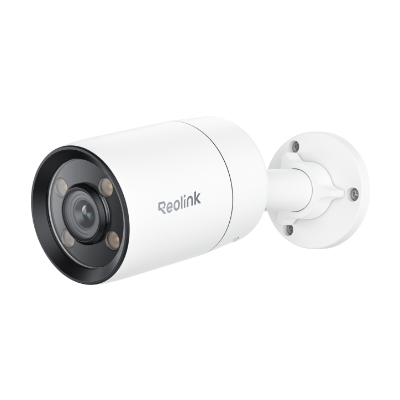 [Product page](https://reolink.com/us/product/cx410/)
### IPC_NT1NA44MP
Firmwares for this hardware version: 6
Version | Date | Changes | Notes
--- | --- | --- | ---
[v3.1.0.3429_2404181313](https://home-cdn.reolink.us/wp-content/uploads/2024/05/220656021716360962.0295.zip?download_name=CX410_3429_2404181313.zip) | 2024‑04‑18 |
[Product page](https://reolink.com/us/product/cx410/)
### IPC_NT1NA44MP
Firmwares for this hardware version: 6
Version | Date | Changes | Notes
--- | --- | --- | ---
[v3.1.0.3429_2404181313](https://home-cdn.reolink.us/wp-content/uploads/2024/05/220656021716360962.0295.zip?download_name=CX410_3429_2404181313.zip) | 2024‑04‑18 | - Optimize HDR effect
- Solve other known bugs
|
[v3.1.0.2948_23112703](https://home-cdn.reolink.us/wp-content/uploads/2023/11/300416521701317812.3796.zip?download_name=CX410_2948_23112703.zip) | 2023‑11‑27 | - Add Motion Mark
- Optimize audio
- Optimize smart detection
- Fix some known bugs
|
[v3.1.0.2501_23072503](https://home-cdn.reolink.us/wp-content/uploads/2023/09/010311281693537888.5417.zip?download_name=CX410_2501_23072503.zip) | 2023‑07‑25 | - Optimize the Spolight modes
- Optimize the night vision
- Add HDR switch
- Fix some known bugs
|
[v3.1.0.2447_23071263](https://drive.google.com/uc?id=1Yrl7F-ZjjAkAzVOhKFwFR-jouwOJHcqK&confirm=t) | 2023‑07‑12 | | :warning: The only available links for this firmware are hosted by users and not Reolink themselves
[Source 1](https://github.com/AT0myks/reolink-fw-archive/discussions/30#discussioncomment-7450897)
[Source 2](https://drive.google.com/drive/folders/1TGwHlBxXzNY4sZTvGtSuIutPVnL9brCw)
[v3.1.0.2272_23053066](https://drive.google.com/uc?id=11wcErBt1b5Iq_jPl24aP7tqAO_YDjodU&confirm=t)
[v3.1.0.2272_23053066](https://www.mediafire.com/file/oi6z4vj8v6r9fdb/IPC_NT1NA44MP.2272_23053066.CX410.OS04A10.4MP.REOLINK.pak/file) | 2023‑05‑30 | | :warning: The only available links for this firmware are hosted by users and not Reolink themselves
[Source 1](https://www.reddit.com/r/reolinkcam/comments/176c12t/cx410_turn_on_spotlight_on_movement/k4ov4bg)
[v3.1.0.2207_23051803](https://drive.google.com/uc?id=1Ta6vwhegTdYJImILwUtKeJVtWCVhKrhb&confirm=t)
[v3.1.0.2207_23051803](https://drive.google.com/uc?id=1aVW81oTflflONndPXeOEM_0_xVJvCiF_&confirm=t) | 2023‑05‑18 | | :warning: The only available links for this firmware are hosted by users and not Reolink themselves
:information_source: Subsequent firmwares don't have proper settings for the light.
Check the source for details
[Source 1](https://github.com/AT0myks/reolink-fw-archive/discussions/30)
CX410W
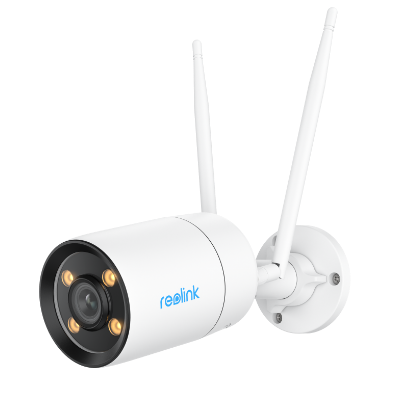 [Product page](https://reolink.com/us/product/cx410w/)
### IPC_NT1NA44MP
Firmwares for this hardware version: 3
Version | Date | Changes | Notes
--- | --- | --- | ---
[v3.1.0.4366_2412021479](https://home-cdn.reolink.us/wp-content/uploads/2025/03/030732291740987149.8376.zip?download_name=CX410W_4366_2412021479.zip) | 2024‑12‑02 | 1.Other known bugs resolved. |
[v3.1.0.3429_2409235402](https://home-cdn.reolink.us/wp-content/uploads/2024/12/091003341733738614.0845.zip?download_name=CX410W_3429_2409235402.zip) | 2024‑09‑23 | 1.Cloud storage supported (Actural service provided depends on the subscription plan). |
[v3.1.0.3429_2404181316](https://home-cdn.reolink.us/wp-content/uploads/2024/05/220655151716360915.059.zip?download_name=CX410W_3429_2404181316.zip) | 2024‑04‑18 |
[Product page](https://reolink.com/us/product/cx410w/)
### IPC_NT1NA44MP
Firmwares for this hardware version: 3
Version | Date | Changes | Notes
--- | --- | --- | ---
[v3.1.0.4366_2412021479](https://home-cdn.reolink.us/wp-content/uploads/2025/03/030732291740987149.8376.zip?download_name=CX410W_4366_2412021479.zip) | 2024‑12‑02 | 1.Other known bugs resolved. |
[v3.1.0.3429_2409235402](https://home-cdn.reolink.us/wp-content/uploads/2024/12/091003341733738614.0845.zip?download_name=CX410W_3429_2409235402.zip) | 2024‑09‑23 | 1.Cloud storage supported (Actural service provided depends on the subscription plan). |
[v3.1.0.3429_2404181316](https://home-cdn.reolink.us/wp-content/uploads/2024/05/220655151716360915.059.zip?download_name=CX410W_3429_2404181316.zip) | 2024‑04‑18 | - Optimize HDR effect
- Solve other known bugs
|
CX810
### IPC_NT2NA48MPB28
Firmwares for this hardware version: 4
Version | Date | Changes | Notes
--- | --- | --- | ---
[v3.1.0.5129_2510222154](https://home-cdn.reolink.us/wp-content/uploads/2026/01/16100040c2d9ac0abccad9e6.zip?download_name=CX810_5129_2510222154.zip) | 2025‑10‑22 | 1. White light alarm setting issues fixed. |
[v3.1.0.5129_2507172222](https://home-cdn.reolink.us/wp-content/uploads/2025/08/150645501755240350.6254.zip?download_name=CX810_5129_2507172222.zip) | 2025‑07‑17 | - Perimeter Protection added.
- Cloud storage supported (Actural service depends on the subscription plan).
- Other known bugs resolved.
|
[v3.1.0.4666_2503072060](https://home-cdn.reolink.us/wp-content/uploads/2025/04/180157251744941445.7933.zip?download_name=CX810_4666_2503072060.zip) | 2025‑03‑07 | - HDR feature toggle added.
- Other known bugs resolved.
|
[v3.1.0.3909_2408064516](https://home-cdn.reolink.us/wp-content/uploads/2024/08/071205031723032303.9511.zip?download_name=CX810_3909_2408064516.zip) | 2024‑08‑06 | - Add audio noise reduction function
- Add binning mode function
- Optimize image effects
- Solve other known BUGs
|
CX820
### IPC_NT16NA48MP
Firmwares for this hardware version: 1
Version | Date | Changes | Notes
--- | --- | --- | ---
[v3.2.0.5375_2509162386](https://home-cdn.reolink.us/wp-content/uploads/2025/10/17042223336e3706e07f1572.zip?download_name=CX820_5375_2509162386.zip) | 2025‑09‑16 | - Cloud storage supported (actual service provided depends on the subscription plan).
- Two-way talk performance enhanced.
- Security patches optimized.
- Local AI video search experience improved.
- Other known bugs resolved.
|
ColorX Series P330X
### IPC_NT2NA48MPB28
Firmwares for this hardware version: 2
Version | Date | Changes | Notes
--- | --- | --- | ---
[v3.1.0.5129_2510222155](https://home-cdn.reolink.us/wp-content/uploads/2026/01/1610014153732e8102144657.zip?download_name=ColorX_Series_P330X_5129_2510222155.zip) | 2025‑10‑22 | 1. White light alarm setting issues fixed. |
[v3.1.0.5129_2507172223](https://home-cdn.reolink.us/wp-content/uploads/2025/08/150647231755240443.3133.zip?download_name=ColorX_Series_P330X_5129_2507172223.zip) | 2025‑07‑17 | - Perimeter Protection added.
- Cloud storage supported (Actural service depends on the subscription plan).
- Other known bugs resolved.
|
ColorX Series P335X
### IPC_NT16NA48MP
Firmwares for this hardware version: 1
Version | Date | Changes | Notes
--- | --- | --- | ---
[v3.2.0.5375_2509162348](https://home-cdn.reolink.us/wp-content/uploads/2025/10/170421259b34dfe75c04fe97.zip?download_name=ColorX_Series_P335X_5375_2509162348.zip) | 2025‑09‑16 | - Cloud storage supported (actual service provided depends on the subscription plan).
- Two-way talk performance enhanced.
- Security patches optimized.
- Local AI video search experience improved.
- Other known bugs resolved.
|
ColorX Series W320X
### IPC_NT1NA44MP
Firmwares for this hardware version: 1
Version | Date | Changes | Notes
--- | --- | --- | ---
[v3.1.0.4366_2412021480](https://home-cdn.reolink.us/wp-content/uploads/2025/11/2607523290c1ec6d0ad1f007.zip?download_name=ColorX_Series_W320X_4366_2412021480.zip) | 2024‑12‑02 | Known Bugs Fixed |
D1200 (Add-ons)
[Product page](https://reolink.com/product/rlk8-1200d4-a/)
### IPC_52316M12MP
Firmwares for this hardware version: 2
Version | Date | Changes | Notes
--- | --- | --- | ---
[v3.1.0.2174_23050801](https://home-cdn.reolink.us/wp-content/uploads/2023/05/110632191683786739.9125.zip?download_name=D1200_23050801.zip) | 2023‑05‑08 | - Add four-in-one (binning_mode) function, which provides image mode selection in night mode. This function can be found in the Advanced settings of the Display interface.
- Optimize the clarity of OSD strokes; solve the problem that the OSD display is not clear in some scenarios.
- Optimize the day and night switching function.
- Optimize the Smart detection function.
- Upgrade the smart model.
- Improve the recognition accuracy of person, vehicle, and pets, and optimize the problem of static smart false positives.
- Solve the problem of deviation in adjusting the brightness of the screen.
- Solve the problem that the detection area does not fit after the mirror image is flipped.
- Fix the bug that the night vision frame rate is incorrect in some scenes.
|
[v3.1.0.1105_23030901](https://home-cdn.reolink.us/wp-content/uploads/2023/03/141104001678791840.9366.zip?download_name=D1200_23030901.zip) | 2023‑03‑09 | Optimized the image quality of some scenes and fixed other known bugs |
D340P
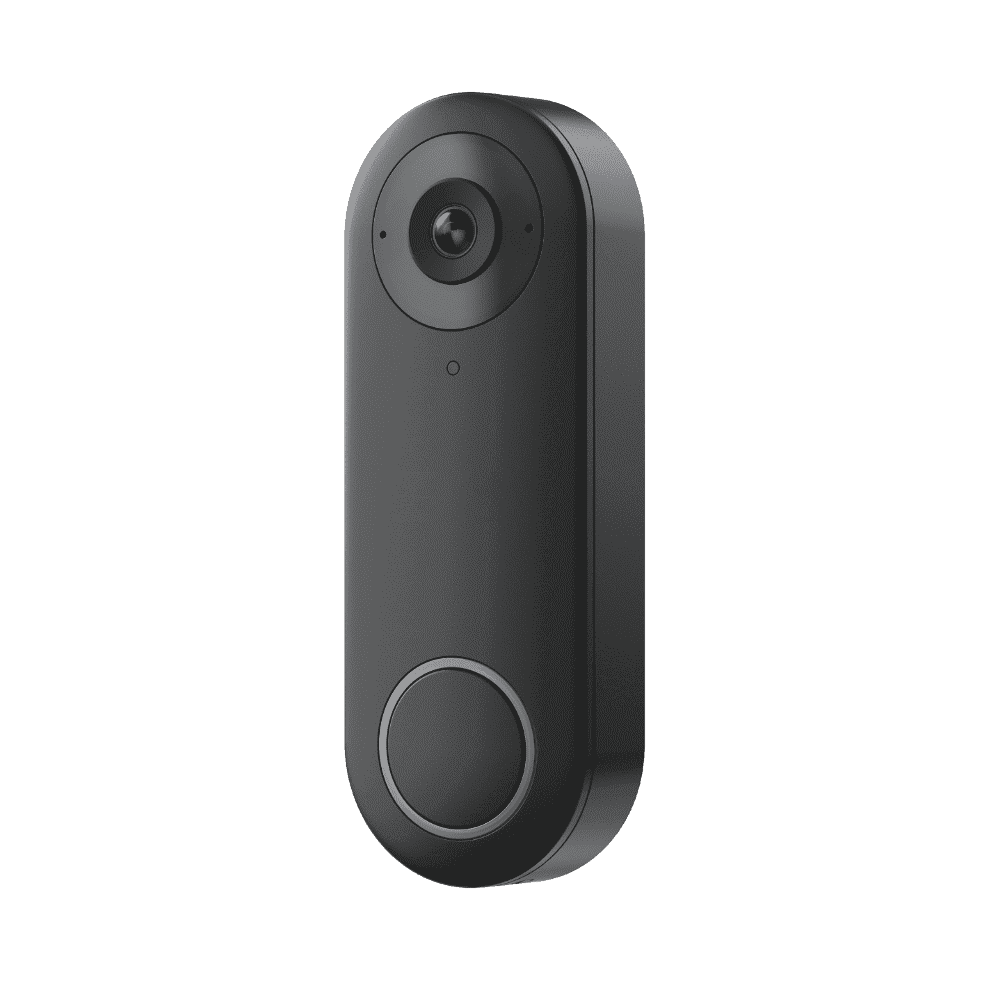 ### DB_566128M5MP_P
Firmwares for this hardware version: 2
Version | Date | Changes | Notes
--- | --- | --- | ---
[v3.0.0.4662_2508131283](https://home-cdn.reolink.us/wp-content/uploads/2025/08/201059171755687557.0638.zip?download_name=D340P_v30046622508131283_DB_566128M5MP_P.zip) | 2025‑08‑13 |
### DB_566128M5MP_P
Firmwares for this hardware version: 2
Version | Date | Changes | Notes
--- | --- | --- | ---
[v3.0.0.4662_2508131283](https://home-cdn.reolink.us/wp-content/uploads/2025/08/201059171755687557.0638.zip?download_name=D340P_v30046622508131283_DB_566128M5MP_P.zip) | 2025‑08‑13 | - Fixed the image overexposure issue.
- App two-way audio interrupt smart home two-way audio.
- Updated the photosensitive model.
- Supplemented and fixed some general bugs.
|
[v3.0.0.4662_2503182271](https://home-cdn.reolink.us/wp-content/uploads/2025/03/240409591742789399.9338.zip?download_name=D340P_v30046622503182271_DB_566128M5MP_P.zip) | 2025‑03‑18 | - Support HDR function optimized image parameters.
- Support conversation recording and video deletion function.
- Support AI-animals.
- Recommend upgrade the app version to 4.52 or above.
|
D340P-White
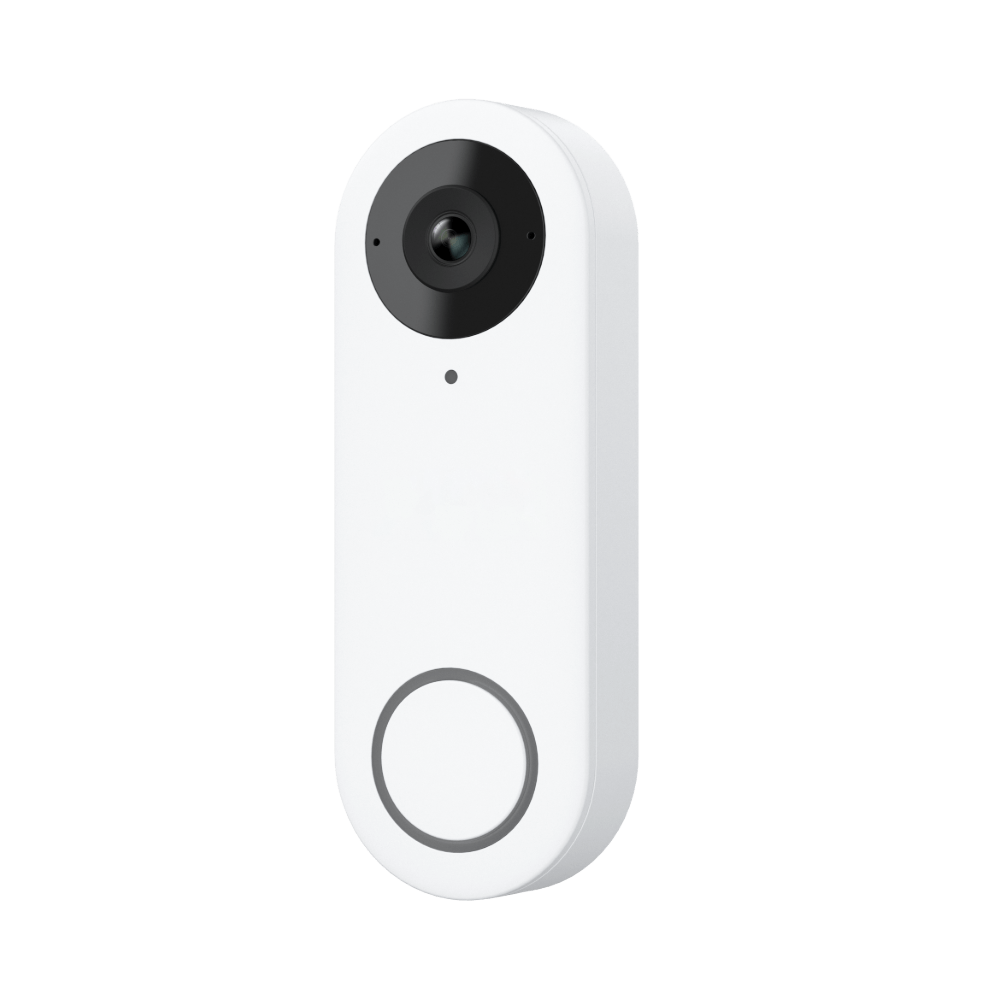 ### DB_566128M5MP_P_W
Firmwares for this hardware version: 2
Version | Date | Changes | Notes
--- | --- | --- | ---
[v3.0.0.4662_2508131302](https://home-cdn.reolink.us/wp-content/uploads/2025/08/201103461755687826.8543.zip?download_name=D340P_White_v30046622508131302_DB_566128M5MP_P_W.zip) | 2025‑08‑13 |
### DB_566128M5MP_P_W
Firmwares for this hardware version: 2
Version | Date | Changes | Notes
--- | --- | --- | ---
[v3.0.0.4662_2508131302](https://home-cdn.reolink.us/wp-content/uploads/2025/08/201103461755687826.8543.zip?download_name=D340P_White_v30046622508131302_DB_566128M5MP_P_W.zip) | 2025‑08‑13 | - Fixed the image overexposure issue.
- App two-way audio interrupt smart home two-way audio.
- Updated the photosensitive model.
- Supplemented and fixed some general bugs.
|
[v3.0.0.4662_2503202284](https://home-cdn.reolink.us/wp-content/uploads/2025/03/240415121742789712.4222.zip?download_name=D340P_White_v30046622503202284_DB_566128M5MP_P_W.zip) | 2025‑03‑20 | - Support HDR function optimized image parameters.
- Support conversation recording and video deletion function.
- Support AI-animals.
- Recommend upgrade the app version to 4.52 or above.
|
D340W
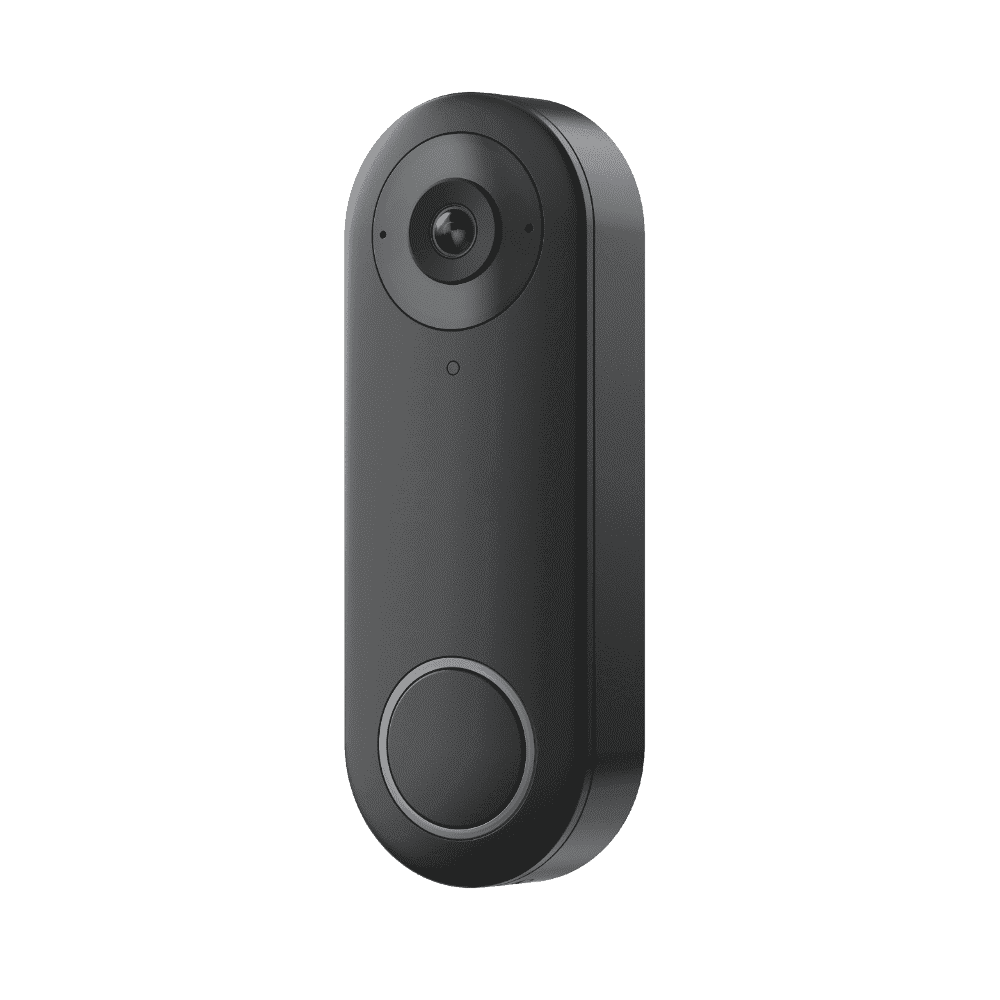 ### DB_566128M5MP_W
Firmwares for this hardware version: 2
Version | Date | Changes | Notes
--- | --- | --- | ---
[v3.0.0.4662_2508131282](https://home-cdn.reolink.us/wp-content/uploads/2025/08/201102491755687769.7386.zip?download_name=D340W_v30046622508131282_DB_566128M5MP_W.zip) | 2025‑08‑13 |
### DB_566128M5MP_W
Firmwares for this hardware version: 2
Version | Date | Changes | Notes
--- | --- | --- | ---
[v3.0.0.4662_2508131282](https://home-cdn.reolink.us/wp-content/uploads/2025/08/201102491755687769.7386.zip?download_name=D340W_v30046622508131282_DB_566128M5MP_W.zip) | 2025‑08‑13 | - Fixed the image overexposure issue.
- App two-way audio interrupt smart home two-way audio.
- Updated the photosensitive model.
- Supplemented and fixed some general bugs.
|
[v3.0.0.4662_2503182270](https://home-cdn.reolink.us/wp-content/uploads/2025/03/240423021742790182.6454.zip?download_name=D340W_v30046622503182270_DB_566128M5MP_W.zip) | 2025‑03‑18 | - Support HDR function optimized image parameters.
- Support conversation recording and video deletion function.
- Support AI-animals.
- Recommend upgrade the app version to 4.52 or above.
|
D340W-White
 ### DB_566128M5MP_W_W
Firmwares for this hardware version: 2
Version | Date | Changes | Notes
--- | --- | --- | ---
[v3.0.0.4662_2508131301](https://home-cdn.reolink.us/wp-content/uploads/2025/08/201104591755687899.9223.zip?download_name=D340W_White_v30046622508131301_DB_566128M5MP_W_W.zip) | 2025‑08‑13 |
### DB_566128M5MP_W_W
Firmwares for this hardware version: 2
Version | Date | Changes | Notes
--- | --- | --- | ---
[v3.0.0.4662_2508131301](https://home-cdn.reolink.us/wp-content/uploads/2025/08/201104591755687899.9223.zip?download_name=D340W_White_v30046622508131301_DB_566128M5MP_W_W.zip) | 2025‑08‑13 | - Fixed the image overexposure issue.
- App two-way audio interrupt smart home two-way audio.
- Updated the photosensitive model.
- Supplemented and fixed some general bugs.
|
[v3.0.0.4662_2503202283](https://home-cdn.reolink.us/wp-content/uploads/2025/03/240415511742789751.8914.zip?download_name=D340W_White_v30046622503202283_DB_566128M5MP_W_W.zip) | 2025‑03‑20 | - Support HDR function optimized image parameters.
- Support conversation recording and video deletion function.
- Support AI-animals.
- Recommend upgrade the app version to 4.52 or above.
|
D400 (Add-ons) *
 [Product page](https://reolink.com/product/d400/)
### IPC_5128M
Firmwares for this hardware version: 3
Version | Date | Changes | Notes
--- | --- | --- | ---
[v3.0.0.183_21012801](https://home-cdn.reolink.us/files/firmware/20210128firmware/D400_183_21012801.zip)
[Product page](https://reolink.com/product/d400/)
### IPC_5128M
Firmwares for this hardware version: 3
Version | Date | Changes | Notes
--- | --- | --- | ---
[v3.0.0.183_21012801](https://home-cdn.reolink.us/files/firmware/20210128firmware/D400_183_21012801.zip)
[v3.0.0.183_21012801](https://home-cdn.reolink.us/wp-content/uploads/2021/02/010436131612154173.5661.zip?download_name=firmware_D400_v300183.zip) | 2021‑01‑28 | - Optimize the effect of the day and night switch.
- Optimize network transmission.
- Optimize the alert caused by the Day and Night switching.
- When obtaining the IP address by DHCP, the hostname will be changed to the device name (OSD name).
- Fixed the bug that IPC failed to reconnect to the NVR after powering off when setting certain time zones.
- Fixed some known bugs.
| If your camera D400's hardware version does not begin with IPC_5128M, please wait for the new firmware release.
If you don't want to restore your camera settings to factory status, please uncheck/ don't enable the" update configuration File" option.
[v3.0.0.136_20120901](https://reolink-storage.s3.amazonaws.com/website/firmware/20201210firmware/D400_136_20120901.zip) | 2020‑12‑09 | - Optimize the effect of the day and night switch.
- Optimize network transmission.
- Optimize the alert caused by the Day and Night switching.
- When obtaining the IP address by DHCP, the hostname will be changed to the device name (OSD name).
- Fixed some known bugs.
| [Archive](https://web.archive.org/web/20210126120322/https://support.reolink.com/hc/en-us/articles/900004952643-12-09-2020-Firmware-for-B400-D400-B500-D500-B800-D800)
[v2.0.0.16_20041561](https://reolink-storage.s3.amazonaws.com/website/firmware/20200415firmware/D400_16_20041561(1).zip) | 2020‑04‑15 | - Fixed the freezing issue under the complex environment of live view and playback.
- Optimized system performance.
| [Archive](https://web.archive.org/web/20210805173433/https://support.reolink.com/hc/en-us/articles/900000662366-04-15-2020-Firmware-for-B400-D400-D420-IPC-5128M-IPC-5174M-)
### IPC_5174MP8M
Firmwares for this hardware version: 3
Version | Date | Changes | Notes
--- | --- | --- | ---
[v3.0.0.183_21012801](https://home-cdn.reolink.us/files/firmware/20210128firmware/D400_183_21012801+(2).zip) | 2021‑01‑28 | - Optimize the effect of the day and night switch.
- Optimize network transmission.
- Optimize the alert caused by the Day and Night switching.
- When obtaining the IP address by DHCP, the hostname will be changed to the device name (OSD name).
- Fixed the bug that IPC failed to reconnect to the NVR after powering off when setting certain time zones.
- Fixed some known bugs.
| [Archive](https://web.archive.org/web/20210616134733/https://support.reolink.com/hc/en-us/articles/900004952643-28-01-2021-Firmware-for-B400-D400-D420-B500-D500-B800-D800)
[v3.0.0.136_20121001](https://reolink-storage.s3.amazonaws.com/website/firmware/20201210firmware/D400_136_20121001.zip) | 2020‑12‑10 | - Optimize the effect of the day and night switch.
- Optimize network transmission.
- Optimize the alert caused by the Day and Night switching.
- When obtaining the IP address by DHCP, the hostname will be changed to the device name (OSD name).
- Fixed some known bugs.
| [Archive](https://web.archive.org/web/20210126120322/https://support.reolink.com/hc/en-us/articles/900004952643-12-09-2020-Firmware-for-B400-D400-B500-D500-B800-D800)
[v2.0.0.16_20041551](https://reolink-storage.s3.amazonaws.com/website/firmware/20200415firmware/D400_16_20041561(1).zip) | 2020‑04‑15 | - Fixed the freezing issue under the complex environment of live view and playback.
- Optimized system performance.
| [Archive](https://web.archive.org/web/20210805173433/https://support.reolink.com/hc/en-us/articles/900000662366-04-15-2020-Firmware-for-B400-D400-D420-IPC-5128M-IPC-5174M-)
D420 *
### IPC_5128M
Firmwares for this hardware version: 2
Version | Date | Changes | Notes
--- | --- | --- | ---
[v3.0.0.183_21012802](https://reolink-storage.s3.amazonaws.com/website/firmware/20210128firmware/D420.183_21012802.zip) | 2021‑01‑28 | - Optimize the effect of the day and night switch.
- Optimize network transmission.
- Optimize the alert caused by the Day and Night switching.
- When obtaining the IP address by DHCP, the hostname will be changed to the device name (OSD name).
- Fixed the bug that IPC failed to reconnect to the NVR after powering off when setting certain time zones.
- Fixed some known bugs.
| [Archive](https://web.archive.org/web/20210616134733/https://support.reolink.com/hc/en-us/articles/900004952643-28-01-2021-Firmware-for-B400-D400-D420-B500-D500-B800-D800)
[v2.0.0.16_20041562](https://reolink-storage.s3.amazonaws.com/website/firmware/20200415firmware/D420_16_20041562.zip) | 2020‑04‑15 | - Fixed the freezing issue under the complex environment of live view and playback.
- Optimized system performance.
| [Archive](https://web.archive.org/web/20210805173433/https://support.reolink.com/hc/en-us/articles/900000662366-04-15-2020-Firmware-for-B400-D400-D420-IPC-5128M-IPC-5174M-)
### IPC_5174MP8M
Firmwares for this hardware version: 1
Version | Date | Changes | Notes
--- | --- | --- | ---
[v3.0.0.183_21012802](https://reolink-storage.s3.amazonaws.com/website/firmware/20210128firmware/D420_183_21012802.(1).zip) | 2021‑01‑28 | - Optimize the effect of the day and night switch.
- Optimize network transmission.
- Optimize the alert caused by the Day and Night switching.
- When obtaining the IP address by DHCP, the hostname will be changed to the device name (OSD name).
- Fixed the bug that IPC failed to reconnect to the NVR after powering off when setting certain time zones.
- Fixed some known bugs.
| [Archive](https://web.archive.org/web/20210616134733/https://support.reolink.com/hc/en-us/articles/900004952643-28-01-2021-Firmware-for-B400-D400-D420-B500-D500-B800-D800)
D500 (Add-ons) *
### IPC_5158M5M
Firmwares for this hardware version: 2
Version | Date | Changes | Notes
--- | --- | --- | ---
[v3.0.0.183_21012815](https://home-cdn.reolink.us/files/firmware/20210128firmware/D500_183_21012815.zip)
[v3.0.0.183_21012815](https://home-cdn.reolink.us/wp-content/uploads/2021/02/010456561612155416.1477.zip?download_name=firmware_D500_v300183.zip) | 2021‑01‑28 | - Optimize the effect of the day and night switch.
- Optimize network transmission.
- Optimize the alert caused by the Day and Night switching.
- When obtaining the IP address by DHCP, the hostname will be changed to the device name (OSD name).
- Fixed some known bugs.
| If your cameraD500's hardware version does not begin with IPC_5158M5M, please wait for the new firmware release.
[v3.0.0.136_20120915](https://reolink-storage.s3.amazonaws.com/website/firmware/20201210firmware/D500_136_+20120915.zip) | 2020‑12‑09 | - Optimize the effect of the day and night switch.
- Optimize network transmission.
- Optimize the alert caused by the Day and Night switching.
- When obtaining the IP address by DHCP, the hostname will be changed to the device name (OSD name).
- Fixed some known bugs.
| [Archive](https://web.archive.org/web/20210126120322/https://support.reolink.com/hc/en-us/articles/900004952643-12-09-2020-Firmware-for-B400-D400-B500-D500-B800-D800)
### IPC_515B8M5M
Firmwares for this hardware version: 2
Version | Date | Changes | Notes
--- | --- | --- | ---
[v3.0.0.183_21012815](https://home-cdn.reolink.us/files/firmware/20210128firmware/D500_183_21012815+(2).zip)
[v3.0.0.183_21012815](https://home-cdn.reolink.us/wp-content/uploads/2022/06/170431531655440313.0447.zip?download_name=firmware_D500_v300183_21012815.zip) | 2021‑01‑28 | - Optimize the effect of the day and night switch.
- Optimize network transmission.
- Optimize the alert caused by the Day and Night switching.
- When obtaining the IP address by DHCP, the hostname will be changed to the device name (OSD name).
- Fixed the bug that IPC failed to reconnect to the NVR after powering off when setting certain time zones.
- Fixed some known bugs.
| If your cameraD500's hardware version does not begin with IPC_515B8M5M, please wait for the new firmware release.
[v3.0.0.136_20120915](https://home-cdn.reolink.us/files/firmware/20210128firmware/D500_183_21012815+(2).zip)
[v3.0.0.136_20120915](https://reolink-storage.s3.amazonaws.com/website/firmware/20201210firmware/D500_136_20120915.zip) | 2020‑12‑09 | - Optimize the effect of the day and night switch.
- Optimize network transmission.
- Optimize the alert caused by the Day and Night switching.
- When obtaining the IP address by DHCP, the hostname will be changed to the device name (OSD name).
- Fixed the bug that IPC failed to reconnect to the NVR after powering off when setting certain time zones.
- Fixed some known bugs.
| [Archive](https://web.archive.org/web/20210616134733/https://support.reolink.com/hc/en-us/articles/900004952643-28-01-2021-Firmware-for-B400-D400-D420-B500-D500-B800-D800)
### IPC_515B8M5M_V2
Firmwares for this hardware version: 2
Version | Date | Changes | Notes
--- | --- | --- | ---
[v3.1.0.2379_2412249791](https://home-cdn.reolink.us/wp-content/uploads/2025/07/010409011751342941.4902.zip?download_name=D500_2379_2412249791.zip) | 2024‑12‑24 | 1.Other known bugs resolved. |
[v3.1.0.2379_23062901](https://home-cdn.reolink.us/wp-content/uploads/2023/09/120313091694488389.8595.zip?download_name=D500_v3102379_23062901.zip)
[v3.1.0.2379_23062901](https://home-cdn.reolink.us/wp-content/uploads/2024/03/210609161711001356.4594.zip?download_name=D500_v3102379_23062901.zip) | 2023‑06‑29 | - Optimize smart detection. Animal detction is added.
- Optimize recording.
- Optimize night vision.
- Optimize the detection zone setting.
- Optimze the Brightness & Shadows setting.
- Optimize some network features and fix some bugs
|
D800 (Add-ons) *
 [Product page](https://reolink.com/product/d800/)
### IPC_5158M8M_V2
Firmwares for this hardware version: 2
Version | Date | Changes | Notes
--- | --- | --- | ---
[v3.1.0.4057_2409132132](https://home-cdn.reolink.us/wp-content/uploads/2025/07/010410421751343042.5678.zip?download_name=D800_4057_2409132132.zip) | 2024‑09‑13 | 1.Other known bugs resolved. |
[v3.1.0.2379_23062703](https://home-cdn.reolink.us/wp-content/uploads/2023/09/120401221694491282.9054.zip?download_name=D800_v3102379_23062703.zip)
[Product page](https://reolink.com/product/d800/)
### IPC_5158M8M_V2
Firmwares for this hardware version: 2
Version | Date | Changes | Notes
--- | --- | --- | ---
[v3.1.0.4057_2409132132](https://home-cdn.reolink.us/wp-content/uploads/2025/07/010410421751343042.5678.zip?download_name=D800_4057_2409132132.zip) | 2024‑09‑13 | 1.Other known bugs resolved. |
[v3.1.0.2379_23062703](https://home-cdn.reolink.us/wp-content/uploads/2023/09/120401221694491282.9054.zip?download_name=D800_v3102379_23062703.zip)
[v3.1.0.2379_23062703](https://home-cdn.reolink.us/wp-content/uploads/2024/03/210432321710995552.3232.zip?download_name=D800_v3102379_23062703.zip) | 2023‑06‑27 | - Optimize smart detection. Animal detction is added.
- Optimize recording.
- Optimize night vision.
- Optimize the detection zone setting.
- Optimze the Brightness & Shadows setting.
- Optimize some network features and fix some bugs
|
### IPC_5158MP8M
Firmwares for this hardware version: 3
Version | Date | Changes | Notes
--- | --- | --- | ---
[v3.0.0.183_21012801](https://home-cdn.reolink.us/wp-content/uploads/2021/02/010502501612155770.6573.zip?download_name=firmware_D800_v300183.zip)
[v3.0.0.183_21012801](https://reolink-storage.s3.amazonaws.com/website/firmware/20210128firmware/D800_183_21012801.zip) | 2021‑01‑28 | - Optimize the effect of the day and night switch.
- Optimize network transmission.
- Optimize the alert caused by the Day and Night switching.
- When obtaining the IP address by DHCP, the hostname will be changed to the device name (OSD name).
- Fixed the bug that IPC failed to reconnect to the NVR after powering off when setting certain time zones.
- Fixed some known bugs.
| If your camera D800's hardware version does not begin with IPC_5158MP8M, please wait for the new firmware release.
[v3.0.0.136_20120901](https://reolink-storage.s3.amazonaws.com/website/firmware/20201210firmware/D800_136_20120901.zip) | 2020‑12‑09 | - Optimize the effect of the day and night switch.
- Optimize network transmission.
- Optimize the alert caused by the Day and Night switching.
- When obtaining the IP address by DHCP, the hostname will be changed to the device name (OSD name).
- Fixed some known bugs.
| [Archive](https://web.archive.org/web/20210126120322/https://support.reolink.com/hc/en-us/articles/900004952643-12-09-2020-Firmware-for-B400-D400-B500-D500-B800-D800)
[v2.0.0.17_20042201](https://reolink-storage.s3.amazonaws.com/website/firmware/20200422firmware/D800_17_20042201.zip) | 2020‑04‑22 | - Fixed the freezing issue under the complex environment of live view and playback.
- Optimized system performance.
| [Archive](https://web.archive.org/web/20210726205241/https://support.reolink.com/hc/en-us/articles/900000744606-04-22-2020-Firmware-for-B800-D800-IPC-5158MP8M-)
Duo Series P730
### IPC_529B17B8MP
Firmwares for this hardware version: 2
Version | Date | Changes | Notes
--- | --- | --- | ---
[v3.0.0.5586_2510291786](https://home-cdn.reolink.us/wp-content/uploads/2025/12/290711387664ec210e667ea8.zip?download_name=Duo_Series_P730_5586_2510291786.zip) | 2025‑10‑29 | - Connection with third-party platforms enhanced.
- Other known bugs resolved.
|
[v3.0.0.3471_2406115760](https://home-cdn.reolink.us/wp-content/uploads/2025/06/130640271749796827.481.zip?download_name=P730_3471_2406115760.zip) | 2024‑06‑11 | - Add Bitrate Mode function
- Optimize smart detection
- The https function is disabled by default
- Support webhook function on web browser
- Optimize day and night switching effect
- Add audio noise reduction function
- Solve other known bugs
|
### IPC_NT18NA68MP
Firmwares for this hardware version: 1
Version | Date | Changes | Notes
--- | --- | --- | ---
[v3.2.0.5467_2510141198](https://home-cdn.reolink.us/wp-content/uploads/2025/11/170344023a589bd0103460f1.zip?download_name=Duo_Series_P730_5467_2510141198.zip) | 2025‑10‑14 | - Cloud storage supported (Actural service depends on the subscription plan)
- Other known bugs resolved.
|
Duo Series P737
### IPC_NT18NA68MP
Firmwares for this hardware version: 1
Version | Date | Changes | Notes
--- | --- | --- | ---
[v3.2.0.5467_2510141200](https://home-cdn.reolink.us/wp-content/uploads/2025/11/170339381167331165518d02.zip?download_name=Duo_Series_P737_5467_2510141200.zip) | 2025‑10‑14 | - Cloud storage supported (Actural service depends on the subscription plan)
- Other known bugs resolved.
|
Duo Series P750
### IPC_NT13NA416MP
Firmwares for this hardware version: 1
Version | Date | Changes | Notes
--- | --- | --- | ---
[v3.0.0.5049_2506302189](https://home-cdn.reolink.us/wp-content/uploads/2025/07/280649401753685380.3722.zip?download_name=Duo_Series_P750_5049_2506302189.zip) | 2025‑06‑30 | - Cloud storage supported (Actural service provided depends on the subscription plan).
- Local Video Encryption feature added.
- Perimeter Protection feature supported.
- Smart Event Detection Added.
- Other known bugs resolved.
|
### IPC_NT15NA416MP
Firmwares for this hardware version: 1
Version | Date | Changes | Notes
--- | --- | --- | ---
[v3.0.0.4867_2505072125](https://home-cdn.reolink.us/wp-content/uploads/2025/06/130727261749799646.0323.zip?download_name=P750_4867_2505072125.zip) | 2025‑05‑07 | - Perimeter Protection Added.
- Smart Event Detection Added.
- Connection with third-party platforms enhanced.
- Cloud storage supported (Actural service provided depends on the subscription plan).
- Other known bugs resolved.
|
### IPC_NT17NA616MP
Firmwares for this hardware version: 2
Version | Date | Changes | Notes
--- | --- | --- | ---
[v3.2.0.5770_2512231307](https://home-cdn.reolink.us/wp-content/uploads/2026/01/20040825f49f5119f6427244.zip?download_name=Duo_Series_P750_5770_2512231307.zip) | 2025‑12‑23 | - Image stitching effect optimized
- Other known bugs resolved.
|
[v3.2.0.4989_2509111448](https://home-cdn.reolink.us/wp-content/uploads/2025/09/2902292773780350bd82fb46.zip?download_name=Duo_Series_P750_2509111448.zip) | 2025‑09‑11 | System Bugs Fixed |
Duo Series P757
### IPC_NT17NA616MP
Firmwares for this hardware version: 1
Version | Date | Changes | Notes
--- | --- | --- | ---
[v3.2.0.5770_2512231311](https://home-cdn.reolink.us/wp-content/uploads/2026/01/200415294b373dd916095b8d.zip?download_name=Duo_Series_P757_5770_2512231311.zip) | 2025‑12‑23 | - Image stitching effect optimized
- Other known bugs resolved.
|
Duo Series W730
### IPC_529B17B8MP
Firmwares for this hardware version: 1
Version | Date | Changes | Notes
--- | --- | --- | ---
[v3.0.0.4428_2412183419](https://home-cdn.reolink.us/wp-content/uploads/2025/06/130643561749797036.1692.zip?download_name=W730_4428_2412183419.zip) | 2024‑12‑18 | - Added support for Reolink Cloud Service.
- Optimized the image stitching performance.
- Fixed some known bugs.
|
### IPC_NT18NA68MP
Firmwares for this hardware version: 1
Version | Date | Changes | Notes
--- | --- | --- | ---
[v3.2.0.5467_2510141214](https://home-cdn.reolink.us/wp-content/uploads/2025/11/17033449c792bf3391a596c0.zip?download_name=Duo_Series_W730_5467_2510141214.zip) | 2025‑10‑14 | - Cloud storage supported (Actural service depends on the subscription plan)
- Other known bugs resolved.
|
Duo Series W750
### IPC_NT17NA616MPW
Firmwares for this hardware version: 2
Version | Date | Changes | Notes
--- | --- | --- | ---
[v3.2.0.5770_2512231309](https://home-cdn.reolink.us/wp-content/uploads/2026/01/2004112297881bfe2c9d7c1d.zip?download_name=Duo_Series_W750_5770_2512231309.zip) | 2025‑12‑23 | - Image stitching effect optimized
- Other known bugs resolved.
|
[v3.2.0.4989_2509111450](https://home-cdn.reolink.us/wp-content/uploads/2025/09/29023011b584f6cb47c2e4b7.zip?download_name=Duo_Series_W750_2509111450.zip) | 2025‑09‑11 | System Bugs Fixed |
Duo Series P757
### IPC_NT17NA616MP
Firmwares for this hardware version: 1
Version | Date | Changes | Notes
--- | --- | --- | ---
[v3.2.0.5119_2509111476](https://home-cdn.reolink.us/wp-content/uploads/2025/09/29023102dcdac60d77e0ea4b.zip?download_name=Duo_Series_P757_2509111476.zip) | 2025‑09‑11 | System Bugs Fixed |
E Series E321
 ### IPC_MS4NO23MPW
Firmwares for this hardware version: 1
Version | Date | Changes | Notes
--- | --- | --- | ---
[v3.2.0.4858_2508273415](https://home-cdn.reolink.us/wp-content/uploads/2025/11/19014159b6c8b9753deddd80.zip?download_name=E_Series_E321_v32048582508273415_IPC_MS4NO23MPW.zip) | 2025‑08‑27 | 1.Fixed some known bugs. |
### IPC_MS4NO23MPW
Firmwares for this hardware version: 1
Version | Date | Changes | Notes
--- | --- | --- | ---
[v3.2.0.4858_2508273415](https://home-cdn.reolink.us/wp-content/uploads/2025/11/19014159b6c8b9753deddd80.zip?download_name=E_Series_E321_v32048582508273415_IPC_MS4NO23MPW.zip) | 2025‑08‑27 | 1.Fixed some known bugs. |
E Series E330
### IPC_566SD54MP
Firmwares for this hardware version: 1
Version | Date | Changes | Notes
--- | --- | --- | ---
[v3.1.0.5112_2507081476](https://home-cdn.reolink.us/wp-content/uploads/2025/07/280654271753685667.7423.zip?download_name=E_Series_E330_5112_2507081476.zip) | 2025‑07‑08 | - Privacy Mode supported.
- ONVIF protocol supported.
- Other known bugs resolved.
|
E Series E331
### IPC_NT1NA45MPSD18V2
Firmwares for this hardware version: 2
Version | Date | Changes | Notes
--- | --- | --- | ---
[v3.1.0.5714_2511271356](https://home-cdn.reolink.us/wp-content/uploads/2026/01/120238047eb79cad89c792ad.zip?download_name=E_Series_E331_5714_2511271356.zip) | 2025‑11‑27 | - Cloud storage supported (actual service provided depends on the subscription plan).
- Other known bugs resolved.
|
[v3.1.0.5352_2509051695](https://home-cdn.reolink.us/wp-content/uploads/2025/11/260731421d0115701ffdeb4c.zip?download_name=E331_5352_2509051695.zip) | 2025‑09‑05 | Known Bugs Fixed |
E Series E340
### IPC_566SD664M5MP
Firmwares for this hardware version: 1
Version | Date | Changes | Notes
--- | --- | --- | ---
[v3.1.0.4417_2412122179](https://home-cdn.reolink.us/wp-content/uploads/2025/06/130811071749802267.6691.zip?download_name=E340_4417_2412122179.zip) | 2024‑12‑12 | - Privacy Mode added.
- Other known bugs resolved.
|
### IPC_NT14NA48MPSD6
Firmwares for this hardware version: 1
Version | Date | Changes | Notes
--- | --- | --- | ---
[v3.2.0.4741_2503281993](https://home-cdn.reolink.us/wp-content/uploads/2025/07/040244201751597060.9616.zip?download_name=E_Series_E340_4741_2503281993.zip) | 2025‑03‑28 | - Tracking performance optimized.
- Wi-Fi connection improved.
- Day/night mode switching enhanced.
- Other known bugs resolved.
|
E Series E530X
### IPC_MS1NA44MP
Firmwares for this hardware version: 1
Version | Date | Changes | Notes
--- | --- | --- | ---
[v3.0.0.3281_2403061749](https://home-cdn.reolink.us/wp-content/uploads/2025/11/260853412b90672f6de19fe1.zip?download_name=E_Series_E530X3281_2403061749IPC_MS1NA44MP.zip) | 2024‑03‑06 | Known Bugs Fixed |
E Series E540
### IPC_566SD85MP
Firmwares for this hardware version: 1
Version | Date | Changes | Notes
--- | --- | --- | ---
[v3.1.0.4366_2412021483](https://home-cdn.reolink.us/wp-content/uploads/2025/06/130828551749803335.1628.zip?download_name=E540_4366_2412021483.zip) | 2024‑12‑02 | Other known bugs resolved. |
E Series E550
### IPC_NT2NA48MPSD8V3
Firmwares for this hardware version: 1
Version | Date | Changes | Notes
--- | --- | --- | ---
[v3.1.0.5502_2510231295](https://home-cdn.reolink.us/wp-content/uploads/2025/11/26073938c077cf3d0166b3e4.zip?download_name=E550_5502_2510231295.zip)
[v3.1.0.5502_2510231295](https://home-cdn.reolink.us/wp-content/uploads/2026/01/12021859c1b9fa25cd8f9cbd.zip?download_name=E550_5502_2510231295.zip) | 2025‑10‑23 | Known Bugs Fixed |
E Series E560
### IPC_560SD88MP
Firmwares for this hardware version: 1
Version | Date | Changes | Notes
--- | --- | --- | ---
[v3.1.0.4020_2409116797](https://home-cdn.reolink.us/wp-content/uploads/2025/11/2512504250ad28286bce28fa.zip?download_name=E560_4020_2409116797.zip) | 2024‑09‑11 | Known Bugs Fixed |
### IPC_560SD88MPW
Firmwares for this hardware version: 1
Version | Date | Changes | Notes
--- | --- | --- | ---
[v3.1.0.4523_2502123390](https://home-cdn.reolink.us/wp-content/uploads/2025/11/2512480729cc00c9c7ed24b3.zip?download_name=E560_4523_2502123390.zip) | 2025‑02‑12 | Known Bugs Fixed |
E Series E560P
### IPC_560SD88MP
Firmwares for this hardware version: 2
Version | Date | Changes | Notes
--- | --- | --- | ---
[v3.1.0.5223_2508072082](https://home-cdn.reolink.us/wp-content/uploads/2025/09/030425161756873516.3642.zip?download_name=E_Series_E560P_5223_2508072082.zip) | 2025‑08‑07 | - H.265/H.264 switching supported.
- Day/night mode switching enhanced.
- Other known bugs resolved.
|
[v3.1.0.4020_2409116881](https://home-cdn.reolink.us/wp-content/uploads/2025/06/130414411749788081.5807.zip?download_name=E_Series_E560P_4020_2409116881.zip) | 2024‑09‑11 | Other known bugs resolved. |
E1
 [Product page](https://reolink.com/product/e1/)
### IPC_517SD5
Firmwares for this hardware version: 4
Version | Date | Changes | Notes
--- | --- | --- | ---
[v3.0.0.2356_23062000](https://home-cdn.reolink.us/wp-content/uploads/2023/08/301024131693391053.6834.zip?download_name=517_SD5_2356_23062000.zip) | 2023‑06‑20 |
[Product page](https://reolink.com/product/e1/)
### IPC_517SD5
Firmwares for this hardware version: 4
Version | Date | Changes | Notes
--- | --- | --- | ---
[v3.0.0.2356_23062000](https://home-cdn.reolink.us/wp-content/uploads/2023/08/301024131693391053.6834.zip?download_name=517_SD5_2356_23062000.zip) | 2023‑06‑20 | - Optimize the network feature
- Update the web UI version
- Optimize the PTZ function
- Optimize the WiFi connection
- Fix some known bugs
|
[v3.0.0.597_21091045](https://drive.google.com/uc?id=1jhwoGJVCX6wslKBQsa1cpO6AQXNyxFjo&confirm=t) | 2021‑09‑10 | | [Source 1](https://www.reddit.com/r/reolinkcam/comments/rdm8cl/where_is_the_firmware_for_e1_wifi_camera/hofyqqt/)
[Source 2](https://drive.google.com/drive/folders/1hqBOSZ_KK6UUR6km2smkAWADVogVTAyb)
[v3.0.0.115_20102200](https://home-cdn.reolink.us/wp-content/uploads/2020/12/200448021608439682.2159.zip?download_name=firmware_E1_115_20102200.zip)
[v3.0.0.115_20102200](https://reolink-storage.s3.amazonaws.com/website/firmware/20201022firmware+/E1_115_20102200.zip) | 2020‑10‑22 | - Added the preset feature.
- Fixed the problem that the email test fails when the email password is blank.
- Optimized cloud transmission performance.
- Optimized the network transmission protocol.
- Fixed some known bugs.
| This firmware is ONLY for E1(with hardware version IPC_517SD5).
If you don't want to restore your camera settings to factory status, please uncheck/ don't enable the" update configuration File" option.
[v3.0.0.42_20062900](https://reolink-storage.s3.amazonaws.com/website/firmware/20200629firmware/E1_42_20062900.zip) | 2020‑06‑29 | - Added multiple languages for the voice prompt when scanning the QR code to set up the camera.
- Added the thumbnail function-Reolink APP will display the image of each motion event during playback.
- Fixed the bug when connecting the camera in different Vlan via Reolink app/client.
| [Archive](https://web.archive.org/web/20200926093027/https://support.reolink.com/hc/en-us/articles/900001664643-06-29-2020-Firmware-for-E1-IPC-517SD5-and-E1-Pro-513SD5-)
### IPC_566SD53MP
Firmwares for this hardware version: 2
Version | Date | Changes | Notes
--- | --- | --- | ---
[v3.1.0.3126_2401022459](https://home-cdn.reolink.us/wp-content/uploads/2024/01/110925111704965111.8398.zip?download_name=E1_v3103126_2401022459.zip) | 2024‑01‑02 | - Optimize smart detection.
- Enhance firmware upgrade speed.
- Improve recording audio and two-way audio effects.
- Optimize PT (Pan-Tilt), addressing inaccuracies in PT positioning in certain scenarios.
|
[v3.1.0.2647_23083100](https://home-cdn.reolink.us/wp-content/uploads/2023/10/090413121696824792.4352.zip?download_name=E1_v3102647_23083100.zip) | 2023‑08‑31 | - Optimize smart detection
- Optimize the network module
- Optimize calibration
- Optimize recording
- Fix some known bugs
|
### IPC_MS4NO24MPW
Firmwares for this hardware version: 1
Version | Date | Changes | Notes
--- | --- | --- | ---
[v3.2.0.4858_2508273531](https://home-cdn.reolink.us/wp-content/uploads/2025/11/190143077057c428b4d0017c.zip?download_name=E1_v32048582508273531_IPC_MS4NO24MPW.zip) | 2025‑08‑27 | 1.Fixed some known bugs. |
E1 Outdoor
 [Product page](https://reolink.com/product/e1-outdoor/)
### IPC_523SD8
Firmwares for this hardware version: 10
Version | Date | Changes | Notes
--- | --- | --- | ---
[v3.1.0.3514_2406039634](https://home-cdn.reolink.us/wp-content/uploads/2024/06/201033401718879620.8576.zip?download_name=E1_Outdoor_3514_2406039634.zip) | 2024‑06‑03 |
[Product page](https://reolink.com/product/e1-outdoor/)
### IPC_523SD8
Firmwares for this hardware version: 10
Version | Date | Changes | Notes
--- | --- | --- | ---
[v3.1.0.3514_2406039634](https://home-cdn.reolink.us/wp-content/uploads/2024/06/201033401718879620.8576.zip?download_name=E1_Outdoor_3514_2406039634.zip) | 2024‑06‑03 | - Improve smart detection, adding pet recognition.
- Improve self-calibration.
- Enhance tracking performance.
- Optimize QR code scanning functionality.
- Improve recording feature.
- Address inaccuracies in guard position.
- Resolve other known bugs.
|
[v3.1.0.1643_23041100](https://support-d.reolink.com/attachments/token/OGUN4y1IYPT4H54LKgv4FrnPk/?name=IPC_523SD8.1643_23041100.E1-Outdoor.OV05A10.5MP.WIFI1021.PTZ.REOLINK.pak) | 2023‑04‑11 | |
[v3.1.0.1643_22122400](https://support.reolink.com/attachments/token/earovP2n9ndB7vFrzTAbtAQsS/?name=IPC_523SD8.1643_22122400.E1-Outdoor.OV05A10.5MP.WIFI1021.PTZ.REOLINK.pak) | 2022‑12‑24 | | [Source 1](https://github.com/AT0myks/reolink-fw-archive/discussions/5)
[v3.1.0.1584_22120966](https://support-d.reolink.com/attachments/token/rngyK0yBtNIqpdAEaAuUDtfVr/?name=IPC_523SD8.1584_22120966.E1-Outdoor.OV05A10.5MP.WIFI1021.PTZ.REOLINK.pak) | 2022‑12‑09 | | [Source 1](https://github.com/AT0myks/reolink-fw-archive/discussions/11)
[v3.1.0.1348_220922660](https://drive.google.com/uc?id=12gn4NVw4v_DABQ8b_XKmQJ3tUFId2n7y&confirm=t) | 2022‑09‑22 | | [Source 1](https://www.reddit.com/r/reolinkcam/comments/zhktis/comment/izoohjp)
[v3.1.0.989_22071306](https://drive.google.com/uc?id=1iduVRpBXk2vw4L7V4cSASzkSbDl0upBX&confirm=t) | 2022‑07‑13 | | [Source 1](https://www.reddit.com/r/reolinkcam/comments/zhktis/comment/izoohjp)
[v3.1.0.956_22041506](https://drive.google.com/uc?id=1piUxktFScSkI622ThgOzKexD1UdgFPI4&confirm=t) | 2022‑04‑15 | | :warning: The only available links for this firmware are hosted by users and not Reolink themselves
[Source 1](https://www.reddit.com/r/reolinkcam/comments/zhktis/comment/izoohjp)
[v3.1.0.804_22012406](https://support-d.reolink.com/attachments/token/3FVDyr7FnfXKiHrbI3ihfGwzW/?name=IPC_523SD8.804_22012406.E1-Outdoor.OV05A10.5MP.WIFI1021.PTZ.REOLINK%28open_ai_trace%29.pak) | 2022‑01‑24 | Supports animal detection | [Source 1](https://github.com/AT0myks/reolink-fw-archive/discussions/16)
[v3.1.0.804_22011506](https://support.reolink.com/attachments/token/7k5v4dY8P7nXXGfNynLxQNkOh/?name=IPC_523SD8.804_22011506.E1-Outdoor.OV05A10.5MP.WIFI1021.PTZ.REOLINK.pak) | 2022‑01‑15 | | [Source 1](https://github.com/AT0myks/reolink-fw-archive/discussions/9)
[v3.0.0.197_21022706](https://reolink-storage.s3.amazonaws.com/website/firmware/20210227firmware/E1-Outdoor.197_21022706..zip) | 2021‑02‑27 | - Solved the problem that some APP versions are not compatible with the automatic tracking function and the spotlight function.
- Optimized the auto tracking function.
- Optimized the PTZ function.
- Optimized Person and Vehicle Detection.
| [Archive](https://web.archive.org/web/20210613000536/https://support.reolink.com/hc/en-us/articles/900005803523-27th-Feb-2021-Firmware-for-E1-Outdoor-IPC-523SD8-)
### IPC_566SD85MP
Firmwares for this hardware version: 4
Version | Date | Changes | Notes
--- | --- | --- | ---
[v3.1.0.5714_2511271358](https://home-cdn.reolink.us/wp-content/uploads/2026/01/120236214f3867a22f4acb68.zip?download_name=E1_Outdoor_5714_2511271358.zip) | 2025‑11‑27 | - Cloud storage supported (actual service provided depends on the subscription plan).
- Other known bugs resolved.
|
[v3.1.0.4366_2412021482](https://home-cdn.reolink.us/wp-content/uploads/2024/12/250152441735091564.2546.zip?download_name=E1_Outdoor_4366_2412021482.zip) | 2024‑12‑02 | - Pan & Tilt performance optimized.
- Other known bugs resolved.
|
[v3.1.0.3429_2404181319](https://home-cdn.reolink.us/wp-content/uploads/2024/05/100708301715324910.3385.zip?download_name=E1Outdoor_3429_24041813.zip) | 2024‑04‑18 | 1.Improve version compatibility between cameras |
[v3.1.0.2649_23083102](https://home-cdn.reolink.us/wp-content/uploads/2023/10/090316201696821380.1856.zip?download_name=E1Outdoor_v3102649_23083102.zip) | 2023‑08‑31 | - Optimize smart detection
- Optimize auto-tracking
- Optimize the network module
- Optimize calibration
- Optimize recording
- Fix some known bugs
|
### IPC_NT1NA45MPSD8W
Firmwares for this hardware version: 1
Version | Date | Changes | Notes
--- | --- | --- | ---
[v3.1.0.5714_2511271352](https://home-cdn.reolink.us/wp-content/uploads/2026/01/12023503db236f052e5cf5e1.zip?download_name=E1_Outdoor_5714_2511271352.zip) | 2025‑11‑27 | - Cloud storage supported (actual service provided depends on the subscription plan).
- Other known bugs resolved.
|
E1 Outdoor CX
 [Product page](https://reolink.com/product/e1-outdoor-cx/)
### IPC_MS1NA44MP
Firmwares for this hardware version: 2
Version | Date | Changes | Notes
--- | --- | --- | ---
[v3.0.0.4348_2411261883](https://home-cdn.reolink.us/wp-content/uploads/2024/12/160417081734322628.0237.zip?download_name=E1_Outdoor_CX_241126.zip) | 2024‑11‑26 |
[Product page](https://reolink.com/product/e1-outdoor-cx/)
### IPC_MS1NA44MP
Firmwares for this hardware version: 2
Version | Date | Changes | Notes
--- | --- | --- | ---
[v3.0.0.4348_2411261883](https://home-cdn.reolink.us/wp-content/uploads/2024/12/160417081734322628.0237.zip?download_name=E1_Outdoor_CX_241126.zip) | 2024‑11‑26 | - Camera security improved.
- Overall camera performance optimized.
|
[v3.0.0.3715_2406271290](https://home-cdn.reolink.us/wp-content/uploads/2024/07/170154381721181278.2936.zip?download_name=E1_Outdoor_CX_3715_2406271920.zip) | 2024‑06‑27 | - Optimize night vision image effects.
- Optimize tracking effects.
- Solve some known bugs in live view and pre-record.
- Optimize snapshot effects.
- Solve other known bugs.
|
E1 Outdoor PoE
 [Product page](https://reolink.com/product/e1-outdoor-poe/)
### IPC_560SD88MP
Firmwares for this hardware version: 5
Version | Date | Changes | Notes
--- | --- | --- | ---
[v3.1.0.5223_2510172100](https://home-cdn.reolink.us/wp-content/uploads/2025/11/190708373a65d33d2f8bea2f.zip?download_name=E1_Outdoor_PoE_5223_2510172100.zip) | 2025‑10‑17 | White light alarm setting issues fixed |
[v3.1.0.5223_2508072081](https://home-cdn.reolink.us/wp-content/uploads/2025/09/030426111756873571.0465.zip?download_name=E1_Outdoor_PoE_5223_2508072081.zip) | 2025‑08‑07 |
[Product page](https://reolink.com/product/e1-outdoor-poe/)
### IPC_560SD88MP
Firmwares for this hardware version: 5
Version | Date | Changes | Notes
--- | --- | --- | ---
[v3.1.0.5223_2510172100](https://home-cdn.reolink.us/wp-content/uploads/2025/11/190708373a65d33d2f8bea2f.zip?download_name=E1_Outdoor_PoE_5223_2510172100.zip) | 2025‑10‑17 | White light alarm setting issues fixed |
[v3.1.0.5223_2508072081](https://home-cdn.reolink.us/wp-content/uploads/2025/09/030426111756873571.0465.zip?download_name=E1_Outdoor_PoE_5223_2508072081.zip) | 2025‑08‑07 | - H.265/H.264 switching supported.
- Day/night mode switching enhanced.
- Other known bugs resolved.
|
[v3.1.0.4020_2409116832](https://home-cdn.reolink.us/wp-content/uploads/2025/07/040956221751622982.9644.zip?download_name=E1_Outdoor_PoE_240911.zip) | 2024‑09‑11 | - Abnormal AI detection issues fixed.
- Image processing optimized.
- Two-way talk issues resolved.
- ONVIF compatibility improved.
- Other known bugs fixed.
|
[v3.1.0.3872_2407262057](https://home-cdn.reolink.us/wp-content/uploads/2024/08/120859341723453174.6233.zip?download_name=E1_Outdoor_PoE_240726.zip) | 2024‑07‑26 | - Optimize tracking effect;
- Optimize autofocus effect;
- Optimize image effect;
- Solve other known bugs
|
[v3.1.0.2448_23071200](https://home-cdn.reolink.us/wp-content/uploads/2023/11/300742551701330175.9865.zip?download_name=E1_Outdoor_PoE_2448_23071200.zip) | 2023‑07‑12 | - Opitmize Auto Focus
- Optimize Smart Detetion and Auto Tracking
- Fix some known bugs
|
E1 Outdoor Pro
 [Product page](https://reolink.com/__/product/e1-outdoor-pro/)
### IPC_560SD88MP
Firmwares for this hardware version: 4
Version | Date | Changes | Notes
--- | --- | --- | ---
[v3.1.0.4289_2412176762](https://home-cdn.reolink.us/wp-content/uploads/2025/05/120144491747014289.939.zip?download_name=E1_Outdoor_Pro_4289_2412176762.zip) | 2024‑12‑17 | 1.Known Bugs Fixed. |
[v3.1.0.3872_2407304781](https://home-cdn.reolink.us/wp-content/uploads/2024/08/120901271723453287.4817.zip?download_name=E1_Outdoor_Pro_240730.zip) | 2024‑07‑30 |
[Product page](https://reolink.com/__/product/e1-outdoor-pro/)
### IPC_560SD88MP
Firmwares for this hardware version: 4
Version | Date | Changes | Notes
--- | --- | --- | ---
[v3.1.0.4289_2412176762](https://home-cdn.reolink.us/wp-content/uploads/2025/05/120144491747014289.939.zip?download_name=E1_Outdoor_Pro_4289_2412176762.zip) | 2024‑12‑17 | 1.Known Bugs Fixed. |
[v3.1.0.3872_2407304781](https://home-cdn.reolink.us/wp-content/uploads/2024/08/120901271723453287.4817.zip?download_name=E1_Outdoor_Pro_240730.zip) | 2024‑07‑30 | - Optimize tracking effect;
- Optimize autofocus effect;
- Optimize image effect;
- Solve other known bugs
|
[v3.1.0.2838_23102510](https://home-cdn.reolink.us/wp-content/uploads/2023/11/151140371700048437.7588.zip?download_name=E1_Outdoor_Pro_2838_23102510.zip) | 2023‑10‑25 | - Optimize smart detection
- Optimize Auto Focus and Auto Tracking
- Optimize night vision
- Optimize switch between day and night mode
- Fix some bugs related to the FTP feature
- Optimize Audio
- Fix some other known bugs
|
[v3.1.0.2515_23072809](https://home-cdn.reolink.us/wp-content/uploads/2023/08/291037231693305443.7283.zip?download_name=E1_Outdoor_Pro_2515_23072809.zip) | 2023‑07‑28 | | 1. Optimize and solve some known bugs of the WiFi connection
2. Optimize Auto-tracking
3. Optimize Auto-focus
4. Optimzie Email Alert
5. Solve other known bugs
### IPC_560SD88MPW
Firmwares for this hardware version: 1
Version | Date | Changes | Notes
--- | --- | --- | ---
[v3.1.0.5714_2511271366](https://home-cdn.reolink.us/wp-content/uploads/2026/01/30084955847b6662f072eb5b.zip?download_name=E1_Outdoor_Pro_5714_2511271366.zip) | 2025‑11‑27 | - Cloud storage supported (actual service provided depends on the subscription plan).
- Other known bugs resolved.
|
E1 Outdoor S
### IPC_NT2NA48MPSD8V3
Firmwares for this hardware version: 1
Version | Date | Changes | Notes
--- | --- | --- | ---
[v3.1.0.5502_2510231294](https://home-cdn.reolink.us/wp-content/uploads/2025/12/170201293939dc7f572434b8.zip?download_name=E1_Outdoor_S_5502_2510231294.zip)
[v3.1.0.5502_2510231294](https://home-cdn.reolink.us/wp-content/uploads/2026/01/120217120ff00ba756411d2e.zip?download_name=E1_Outdoor_S_5502_2510231294.zip) | 2025‑10‑23 | Known Bugs Fixed |
E1 Outdoor SE PoE
### IPC_NT2NA48MPSD8V3
Firmwares for this hardware version: 2
Version | Date | Changes | Notes
--- | --- | --- | ---
[v3.1.0.5223_2510172104](https://home-cdn.reolink.us/wp-content/uploads/2025/11/190711534ef2bd9e096f3128.zip?download_name=E1_Outdoor_SE_PoE_5223_2510172104.zip) | 2025‑10‑17 | White light alarm setting issues fixed |
[v3.1.0.5223_2508072085](https://home-cdn.reolink.us/wp-content/uploads/2025/09/030430011756873801.9014.zip?download_name=E1_Outdoor_SE_PoE_5223_2508072085.zip) | 2025‑08‑07 | - Day/night mode switching enhanced.
- Cloud storage supported (Actural service depends on the subscription plan).
- Other known bugs resolved.
|
E1 Pro
[Product page](https://reolink.com/product/e1-pro/)
### IPC_513SD5
Firmwares for this hardware version: 10
Version | Date | Changes | Notes
--- | --- | --- | ---
[v3.0.0.2356_23062004](https://home-cdn.reolink.us/wp-content/uploads/2023/08/301124021693394642.2934.zip?download_name=513_SD5_2356_23062004.zip) | 2023‑06‑20 | - Optimize the network feature
- Optimize the PTZ function
- Optimize the WiFi connection
- Fix some known bugs
|
[v3.0.0.716_21112404](https://home-cdn.reolink.us/wp-content/uploads/2021/11/291041471638182507.8213.zip?download_name=E1_Pro_v30021112404_IPC_513SD5.zip) | 2021‑11‑24 | - Modify the initialization process, prompting the scan to be modified from the sound effect to five languages.
- Optimize the P2P connection and modify the P2P connection failure problem in some scenarios.
- Modify the blueish problem of the image in some specific scenes.
| This firmware is ONLY for E1 Pro(with hardware version IPC_513SD5).
If you don't want to restore your camera settings to factory status, please uncheck/ don't enable the" update configuration File" option.
[v3.0.0.660_21102001](https://drive.google.com/uc?id=1OxQCm36F1QbiDukz-NLZX8i6CloN8C7-&confirm=t) | 2021‑10‑20 | I-frame beta test. Check the source for details | :warning: This is a beta firmware
[Source 1](https://www.reddit.com/r/reolinkcam/comments/qkdgyr/beta_firmware_test_for_iframe_iframe_for_nonai/)
[Source 2](https://drive.google.com/drive/folders/16IwkW1C_jHfOG34pe6RSn9kpNZ36lT_G)
[v3.0.0.597_21091001](https://drive.google.com/uc?id=1SzB1uQotnCk47q2iDTFJnV3-9faJ0xOC&confirm=t) | 2021‑09‑10 | | [Source 1](https://www.reddit.com/r/reolinkcam/comments/rdm8cl/where_is_the_firmware_for_e1_wifi_camera/hofyqqt/)
[Source 2](https://drive.google.com/drive/folders/1hqBOSZ_KK6UUR6km2smkAWADVogVTAyb)
[v3.0.0.183_21012804](https://home-cdn.reolink.us/wp-content/uploads/2021/02/010523421612157022.3287.zip)
[v3.0.0.183_21012804](https://reolink-storage.s3.amazonaws.com/website/firmware/20210128firmware/E1_Pro_183_21012804.zip) | 2021‑01‑28 | - Fixed the problem that the email test fails when the email password is blank.
- Optimized cloud transmission performance.
- Optimized the network transmission protocol.
- Solved the problem that you cannot use VLAN to access the camera after setting a static IP when the camera is connected by WiFi.
- Fixed the bug that IPC failed to reconnect to the NVR after powering off when setting certain time zones.
- Fixed some known bugs.
| [Archive](https://web.archive.org/web/20210801112229/https://support.reolink.com/hc/en-us/articles/900004231023-28-01-2021-Firmware-for-E1-Pro-513SD5-)
[v3.0.0.116_20110204](https://reolink-storage.s3.amazonaws.com/website/firmware/20201102firmware/E1-Pro_116_20110204..zip) | 2020‑11‑02 | - Fixed the problem that the email test fails when the email password is blank.
- Optimized cloud transmission performance.
- Optimized the network transmission protocol.
- Solved the problem that you cannot use VLAN to access the camera after setting a static IP when the camera is connected by WiFi.
- Fixed some known bugs.
| [Archive](https://web.archive.org/web/20210121082446/https://support.reolink.com/hc/en-us/articles/900004231023-11-02-2020-Firmware-for-E1-Pro-513SD5-)
[v3.0.0.115_20102204](https://reolink-storage.s3.amazonaws.com/website/firmware/20201022firmware+/E1-Pro_115_20102204.zip) | 2020‑10‑22 | - Fixed the problem that the email test fails when the email password is blank.
- Optimized cloud transmission performance.
- Optimized the network transmission protocol.
- Fixed some known bugs.
| [Archive](https://web.archive.org/web/20201101042158/https://support.reolink.com/hc/en-us/articles/900004231023-10-22-2020-Firmware-for-E1-Pro-513SD5-)
[v3.0.0.102_20091604](https://reolink-storage.s3.amazonaws.com/website/firmware/20200916firmware/E1-Pro_102_20091604.zip) | 2020‑09‑16 | - Optimized the day and night mode switching function
- Added the preset feature
- Fixed the problem that the email-test failed with the empty email password
- Optimize network delay when previewing the camera
- Fixed some known bugs
| [Archive](https://web.archive.org/web/20201023210911/https://support.reolink.com/hc/en-us/articles/900002595986-09-16-2020-Firmware-for-E1-Pro-513SD5-)
[v3.0.0.93_20090400](https://reolink-storage.s3.amazonaws.com/website/firmware/20200904firmware/E1_Pro_93_20090400.zip) | 2020‑09‑04 | - Optimized the day and night mode switching function
- Added the preset feature
- Fixed the problem that the email-test failed with the empty email password
- Optimize network delay when previewing the camera
- Fixed the bug that FTP uploading may fail sometimes
- Fixed some known bugs
| [Archive](https://web.archive.org/web/20200919120514/https://support.reolink.com/hc/en-us/articles/900002595986-09-04-2020-Firmware-for-E1-Pro-513SD5-)
[v3.0.0.42_20062904](https://reolink-storage.s3.amazonaws.com/website/firmware/20200629firmware/E1_Pro_42_20062904.zip) | 2020‑06‑29 | - Added multiple languages for the voice prompt when scanning the QR code to set up the camera.
- Added the thumbnail function-Reolink APP will display the image of each motion event during playback.
- Fixed the bug when connecting the camera in different Vlan via Reolink app/client.
| [Archive](https://web.archive.org/web/20200926093027/https://support.reolink.com/hc/en-us/articles/900001664643-06-29-2020-Firmware-for-E1-IPC-517SD5-and-E1-Pro-513SD5-)
### IPC_515SD5
Firmwares for this hardware version: 3
Version | Date | Changes | Notes
--- | --- | --- | ---
[v3.0.0.2356_23062013](https://home-cdn.reolink.us/wp-content/uploads/2023/10/071023341696674214.9101.zip?download_name=515_E1_Pro_v3002356_23062013.zip) | 2023‑06‑20 | - Optimize the network feature
- Optimize the PTZ function
- Optimize the WiFi connection
- Fix some known bugs
|
[v3.0.0.716_21112413](https://home-cdn.reolink.us/wp-content/uploads/2021/11/291057541638183474.2118.zip?download_name=E1_Pro_v30071621112413_IPC_515SD5.zip) | 2021‑11‑24 | - Modify the initialization process, prompting the scan to be modified from the sound effect to five languages.
- Optimize the P2P connection and modify the P2P connection failure problem in some scenarios.
- Modify the blueish problem of the image in some specific scenes.
| This firmware is ONLY for E1 Pro(with hardware version IPC_515SD5).
If you don't want to restore your camera settings to factory status, please uncheck/ don't enable the" update configuration File" option.
[v3.0.0.597_21091002](https://drive.google.com/uc?id=1UVDXKww4SU8MOvSZBP0uCL7o3dTgzZiH&confirm=t) | 2021‑09‑10 | | [Source 1](https://www.reddit.com/r/reolinkcam/comments/rdm8cl/where_is_the_firmware_for_e1_wifi_camera/hofyqqt/)
[Source 2](https://drive.google.com/drive/folders/1hqBOSZ_KK6UUR6km2smkAWADVogVTAyb)
### IPC_566SD54MP
Firmwares for this hardware version: 3
Version | Date | Changes | Notes
--- | --- | --- | ---
[v3.1.0.5112_2507081475](https://home-cdn.reolink.us/wp-content/uploads/2025/07/280652461753685566.7753.zip?download_name=E1_Pro_5112_2507081475.zip) | 2025‑07‑08 | - Privacy Mode supported.
- ONVIF protocol supported.
- Other known bugs resolved.
|
[v3.1.0.3149_2401092478](https://home-cdn.reolink.us/wp-content/uploads/2024/01/110927511704965271.5799.zip?download_name=E1_Pro_3149_2401092478.zip) | 2024‑01‑09 | - Optimize smart detection.
- Support two-way audio under ONVIF connection.
- Enhance firmware upgrade speed.
- Improve recording audio and two-way audio effects.
- Optimize PT (Pan-Tilt), addressing inaccuracies in PT positioning in certain scenarios.
|
[v3.1.0.2647_23083100](https://home-cdn.reolink.us/wp-content/uploads/2023/10/090405421696824342.4095.zip?download_name=E1Pro_v3102647_23083100.zip) | 2023‑08‑31 | - Optimize smart detection
- Optimize auto-tracking
- Optimize the network module
- Optimize calibration
- Optimize recording
- Fix some known bugs
|
### IPC_NT1NA45MP
Firmwares for this hardware version: 1
Version | Date | Changes | Notes
--- | --- | --- | ---
[v3.1.0.4417_2412122130](https://home-cdn.reolink.us/wp-content/uploads/2024/12/190712181734592338.8949.zip?download_name=E1_Pro_241212.zip) | 2024‑12‑12 | - Crying Sound Detection feature added.
- Privacy Mode added.
- Noise reduction performance improved.
- Smart Playback performance enhanced.
|
E1 Zoom
 [Product page](https://reolink.com/product/e1-zoom/)
### IPC_515BSD6
Firmwares for this hardware version: 6
Version | Date | Changes | Notes
--- | --- | --- | ---
[v3.0.0.2356_23062008](https://home-cdn.reolink.us/wp-content/uploads/2023/10/071029021696674542.422.zip?download_name=515B_E1_Zoom_v3002356_23062008.zip) | 2023‑06‑20 |
[Product page](https://reolink.com/product/e1-zoom/)
### IPC_515BSD6
Firmwares for this hardware version: 6
Version | Date | Changes | Notes
--- | --- | --- | ---
[v3.0.0.2356_23062008](https://home-cdn.reolink.us/wp-content/uploads/2023/10/071029021696674542.422.zip?download_name=515B_E1_Zoom_v3002356_23062008.zip) | 2023‑06‑20 | - Optimize the network feature
- Update the web UI version
- Optimize the PTZ function
- Optimize the WiFi connection
- Fix some known bugs
|
[v3.0.0.1107_22070508](https://home-cdn.reolink.us/wp-content/uploads/2022/07/080710341657264234.6572.zip?download_name=E1_ZOOM_22070508_IPC_515BSD6.zip) | 2022‑07‑05 | Optimized related network protocols and fixed some known bugs | This firmware is ONLY for E1 Zoom(with hardware version IPC_515BSD6)
If you don't want to restore your camera settings to factory status, please uncheck/ don't enable the" update configuration File" option.
[v3.0.0.716_21112408](https://home-cdn.reolink.us/wp-content/uploads/2021/11/291048341638182914.0673.zip) | 2021‑11‑24 | |
[v3.0.0.597_21091009](https://drive.google.com/uc?id=132BesT6cPA8Tgd-wqaTH6s-PpEuAqx-H&confirm=t) | 2021‑09‑10 | | [Source 1](https://www.reddit.com/r/reolinkcam/comments/rdm8cl/where_is_the_firmware_for_e1_wifi_camera/hofyqqt/)
[Source 2](https://drive.google.com/drive/folders/1hqBOSZ_KK6UUR6km2smkAWADVogVTAyb)
[v3.0.0.247_21040708](https://reolink-storage.s3.amazonaws.com/website/firmware/20210407firmware/E1+ZOOM-515BSD6.247_21040708..zip) | 2021‑04‑07 | - Solved the problem that the camera switches back and forth between day and night mode in some specific scenarios.
- Solved the problem that the camera cannot connect to WIFI with some specific channels.
- Fixed other bugs.
| [Archive](https://web.archive.org/web/20210728224903/https://support.reolink.com/hc/en-us/articles/900005622046-7th-April-2021-Firmware-for-E1-Zoom-IPC-515SD6-and-IPC-515BSD6-)
[v3.0.0.136_20121108](https://home-cdn.reolink.us/files/firmware/20201211firmware/E1+ZOOM_136_20121108.zip)
[v3.0.0.136_20121108](https://home-cdn.reolink.us/wp-content/uploads/2020/12/211158091608551889.5292.zip) | 2020‑12‑11 | - Added the new web terminal that supports the HTML5 player, which mainly solved the Flash expiring problem.
- Added preset function.
- Optimized network transmission protocol.
- Optimized day and night switching effect.
- Solved the problem that FTP recording doesn't have a pre-recorded function.
- Solved the problem of an email test with an empty password.
- Optimized Cloud Storage function.
- Solved the problem that the DHCP hostname is eth0 on the router.
- Solved the problem of copywriting in the received email when only pictures are configured as an email attachment.
- Solved other known bugs.
| [Archive](https://web.archive.org/web/20210805181808/https://support.reolink.com/hc/en-us/articles/900003979146-12-11-2020-Firmware-for-E1-Zoom-IPC-515SD6-and-IPC-515BSD6-)
### IPC_515SD6
Firmwares for this hardware version: 7
Version | Date | Changes | Notes
--- | --- | --- | ---
[v3.0.0.2356_23062008](https://home-cdn.reolink.us/wp-content/uploads/2023/08/301127531693394873.8292.zip?download_name=515_SD6_2356_23062008.zip) | 2023‑06‑20 | - Optimize the network feature
- Update the web UI version
- Optimize the PTZ function
- Optimize the WiFi connection
- Fix some known bugs
|
[v3.0.0.1107_22070508](https://home-cdn.reolink.us/wp-content/uploads/2022/07/080708321657264112.3591.zip?download_name=E1_ZOOM_22070508_IPC_515SD6.zip) | 2022‑07‑05 | Optimized related network protocols and fixed some known bugs | This firmware is ONLY for E1 Zoom(with hardware version IPC_515SD6)
If you don't want to restore your camera settings to factory status, please uncheck/ don't enable the" update configuration File" option.
[v3.0.0.716_21112408](https://drive.google.com/uc?id=16Q-iOSTpnkYaJoxzvFeY6YQbrOGbty12&confirm=t) | 2021‑11‑24 | | :warning: The only available links for this firmware are hosted by users and not Reolink themselves
[Source 1](https://github.com/AT0myks/reolink-fw-archive/discussions/10)
[v3.0.0.597_21091001](https://drive.google.com/uc?id=1joiIhpBkjSymwCz_enqBNa_Ilt8Vg7uV&confirm=t) | 2021‑09‑10 | | [Source 1](https://www.reddit.com/r/reolinkcam/comments/rdm8cl/where_is_the_firmware_for_e1_wifi_camera/hofyqqt/)
[Source 2](https://drive.google.com/drive/folders/1hqBOSZ_KK6UUR6km2smkAWADVogVTAyb)
[v3.0.0.247_21040708](https://home-cdn.reolink.us/wp-content/uploads/2021/04/120703111618210991.6493.zip)
[v3.0.0.247_21040708](https://reolink-storage.s3.amazonaws.com/website/firmware/20210407firmware/E1+ZOOM.IPC_515SD6.247_21040708.zip) | 2021‑04‑07 | - Solved the problem that the camera switches back and forth between day and night mode in some specific scenarios.
- Solved the problem that the camera cannot connect to WIFI with some specific channels.
- Fixed other bugs.
| [Archive](https://web.archive.org/web/20210728224903/https://support.reolink.com/hc/en-us/articles/900005622046-7th-April-2021-Firmware-for-E1-Zoom-IPC-515SD6-and-IPC-515BSD6-)
[v3.0.0.136_20121108](https://home-cdn.reolink.us/files/firmware/20201211firmware/E1ZOOM_136_20121108.zip) | 2020‑12‑11 | - Added the new web terminal that supports the HTML5 player, which mainly solved the Flash expiring problem.
- Added preset function.
- Optimized network transmission protocol.
- Optimized day and night switching effect.
- Solved the problem that FTP recording doesn't have a pre-recorded function.
- Solved the problem of an email test with an empty password.
- Optimized Cloud Storage function.
- Solved the problem that the DHCP hostname is eth0 on the router.
- Solved the problem of copywriting in the received email when only pictures are configured as an email attachment.
- Solved other known bugs.
| [Archive](https://web.archive.org/web/20210805181808/https://support.reolink.com/hc/en-us/articles/900003979146-12-11-2020-Firmware-for-E1-Zoom-IPC-515SD6-and-IPC-515BSD6-)
[v3.0.0.65_20071008](https://reolink-storage.s3.amazonaws.com/website/firmware/20200721firmware/E1-Zoom-5MP_65_20071008.zip) | 2020‑07‑10 | - Added multiple languages for the voice prompt when scanning the QR code to set up the camera.
- Added the thumbnail function-Reolink APP will display the image of each motion event during playback.
- Fixed the bug when connecting the camera in different Vlan via Reolink app/client.
- Fixed the bug that FTP upload file failed.
| [Archive](https://web.archive.org/web/20210805182235/https://support.reolink.com/hc/en-us/articles/900001850003-07-10-2020-Firmware-for-E1-Zoom-IPC-515SD6-)
### IPC_566SD65MP
Firmwares for this hardware version: 3
Version | Date | Changes | Notes
--- | --- | --- | ---
[v3.1.0.3382_2404177933](https://home-cdn.reolink.us/wp-content/uploads/2024/04/200827531713601673.7315.zip?download_name=E1Zoom_v3103382_2404177933.zip) | 2024‑04‑17 | - Optimize cloud storage function
- Upgrade push version
- Optimize focus function
- Support two-way audio by ONVIF
- Solve bugs related with PT function
- Solve other known bugs
|
[v3.1.0.2649_23083102](https://home-cdn.reolink.us/wp-content/uploads/2023/10/090251351696819895.8968.zip?download_name=E1Zoom_v3102649_23083102.zip) | 2023‑08‑31 | - Optimize smart detection
- Optimize auto-tracking
- Optimize the network module
- Optimize calibration
- Optimize recording
- Fix some known bugs
|
[v3.1.0.1975_23042102](https://home-cdn.reolink.us/wp-content/uploads/2023/05/310820071685521207.4716.zip?download_name=E1_Zoom_v3101975_23042102_IPC_566SD65MP.zip) | 2023‑04‑21 | - Optimize the focusing effect under night vision.
- Solve other known bugs.
|
### IPC_566SD664M5MP
Firmwares for this hardware version: 5
Version | Date | Changes | Notes
--- | --- | --- | ---
[v3.1.0.4417_2412122178](https://home-cdn.reolink.us/wp-content/uploads/2025/01/100806121736496372.6461.zip?download_name=E1_Zoom_4417_2412122178.zip) | 2024‑12‑12 | - Privacy Mode added.
- Other known bugs resolved.
|
[v3.1.0.4187_2411071868](https://home-cdn.reolink.us/wp-content/uploads/2024/11/290252251732848745.796.zip?download_name=E1_Zoom_4187_2411071868.zip) | 2024‑11‑07 | - Crying Sound Detection feature added
- Auto-Tracking performance improved
- Bugs on some third-party clients fixed
- Other known bugs resolved
|
[v3.1.0.3382_2404178024](https://home-cdn.reolink.us/wp-content/uploads/2024/04/200809141713600554.3801.zip?download_name=E1Zoom_v3103382_2404178024.zip) | 2024‑04‑17 | - Optimize cloud storage function
- Upgrade push version
- Optimize focus function
- Support two-way audio by ONVIF
- Solve bugs related with PT function
- Solve other known bugs
|
[v3.1.0.2649_23083101](https://home-cdn.reolink.us/wp-content/uploads/2023/09/190238051695091085.1403.zip?download_name=E1Zoom_v3102649_23083101.zip) | 2023‑08‑31 | - Optimize smart detection
- Optimize auto-tracking
- Optimize the network module
- Optimize calibration
- Optimize recording
- Fix some known bugs
|
[v3.1.0.1975_23041200](https://home-cdn.reolink.us/wp-content/uploads/2023/04/150416541681532214.4008.zip?download_name=E1_Zoom_v3101975_23041200_IPC_566SD664M5MP.zip) | 2023‑04‑12 | - Optimize the focusing effect under night vision.
- Optimize some network functions.
- Optimize the PTZ function.
- Solve other known bugs.
|
### IPC_NT14NA48MPSD6
Firmwares for this hardware version: 1
Version | Date | Changes | Notes
--- | --- | --- | ---
[v3.2.0.4741_2503281992](https://home-cdn.reolink.us/wp-content/uploads/2025/07/040243151751596995.9938.zip?download_name=E1_Zoom_4741_2503281992.zip) | 2025‑03‑28 | - Tracking performance optimized.
- Wi-Fi connection improved.
- Day/night mode switching enhanced.
- Other known bugs resolved.
|
Elite Floodlight WiFi
 [Product page](https://reolink.com/product/elite-floodlight-wifi/)
### IPC_NT15NA68MPW
Firmwares for this hardware version: 2
Version | Date | Changes | Notes
--- | --- | --- | ---
[v3.2.0.5607_2511041996](https://home-cdn.reolink.us/wp-content/uploads/2025/11/17023504b42f425a5fe6278f.zip?download_name=Elite_Floodlight_WiFi_v32056072511041996_IPC_NT15NA68MPW.zip) | 2025‑11‑04 |
[Product page](https://reolink.com/product/elite-floodlight-wifi/)
### IPC_NT15NA68MPW
Firmwares for this hardware version: 2
Version | Date | Changes | Notes
--- | --- | --- | ---
[v3.2.0.5607_2511041996](https://home-cdn.reolink.us/wp-content/uploads/2025/11/17023504b42f425a5fe6278f.zip?download_name=Elite_Floodlight_WiFi_v32056072511041996_IPC_NT15NA68MPW.zip) | 2025‑11‑04 | - Added video deletion feature.
- Optimized light activation speed.
- Improved the timing for turning on lights at dusk.
|
[v3.2.0.5026_2507101419](https://home-cdn.reolink.us/wp-content/uploads/2025/07/220306051753153565.9173.zip?download_name=Elite_Floodlight_WiFI_v32050262507101419_IPC_NT15NA68MPW.zip) | 2025‑07‑10 | - Add AI Video Search function.
- Solve other known bugs.
|
Elite Series W740
 ### IPC_NT15NA58MPW
Firmwares for this hardware version: 1
Version | Date | Changes | Notes
--- | --- | --- | ---
[v3.2.0.4558_2503142026](https://home-cdn.reolink.us/wp-content/uploads/2025/09/010743291756712609.2162.zip?download_name=Elite_Series_W740_v32045582503142026_IPC_NT15NA58MPW.zip) | 2025‑03‑14 |
### IPC_NT15NA58MPW
Firmwares for this hardware version: 1
Version | Date | Changes | Notes
--- | --- | --- | ---
[v3.2.0.4558_2503142026](https://home-cdn.reolink.us/wp-content/uploads/2025/09/010743291756712609.2162.zip?download_name=Elite_Series_W740_v32045582503142026_IPC_NT15NA58MPW.zip) | 2025‑03‑14 | - Cloud storage supported (Actural service depends on the subscription plan).
- Solve other known bugs.
|
FE-P
 [Product page](https://reolink.com/product/fe-p/)
### FE_529128M6MP_P
Firmwares for this hardware version: 2
Version | Date | Changes | Notes
--- | --- | --- | ---
[v3.0.0.5336_2509021915](https://home-cdn.reolink.us/wp-content/uploads/2025/09/170945241758102324.9906.zip?download_name=FE_P_v30053362509021915_FE_529128M6MP_P.zip) | 2025‑09‑02 | 1. Dual Panoramic View supported. |
[v3.0.0.1901_23032202](https://drive.google.com/uc?id=1Z82fGjHO9l_yy9f5iH1jdLzjXZFy8s4x&confirm=t) | 2023‑03‑22 | | :warning: The only available links for this firmware are hosted by users and not Reolink themselves
[Product page](https://reolink.com/product/fe-p/)
### FE_529128M6MP_P
Firmwares for this hardware version: 2
Version | Date | Changes | Notes
--- | --- | --- | ---
[v3.0.0.5336_2509021915](https://home-cdn.reolink.us/wp-content/uploads/2025/09/170945241758102324.9906.zip?download_name=FE_P_v30053362509021915_FE_529128M6MP_P.zip) | 2025‑09‑02 | 1. Dual Panoramic View supported. |
[v3.0.0.1901_23032202](https://drive.google.com/uc?id=1Z82fGjHO9l_yy9f5iH1jdLzjXZFy8s4x&confirm=t) | 2023‑03‑22 | | :warning: The only available links for this firmware are hosted by users and not Reolink themselves
[Source 1](https://github.com/AT0myks/reolink-fw-archive/discussions/30#discussioncomment-7450897)
[Source 2](https://drive.google.com/drive/folders/1TGwHlBxXzNY4sZTvGtSuIutPVnL9brCw)
FE-W
### FE_529128M6MP_W
Firmwares for this hardware version: 1
Version | Date | Changes | Notes
--- | --- | --- | ---
[v3.0.0.5336_2509021913](https://home-cdn.reolink.us/wp-content/uploads/2025/09/170946271758102387.7608.zip?download_name=FE_W_v30053362509021913_FE_529128M6MP_W.zip) | 2025‑09‑02 | 1.Dual Panoramic View supported. |
Fisheye Series P520
 ### FE_529128M6MP_P
Firmwares for this hardware version: 1
Version | Date | Changes | Notes
--- | --- | --- | ---
[v3.0.0.5336_2509021916](https://home-cdn.reolink.us/wp-content/uploads/2025/11/26064651e73b66795ced7772.zip?download_name=Fisheye_Series_P520_v30053362509021916_FE_529128M6MP_P.zip) | 2025‑09‑02 | 1. Dual Panoramic View supported. |
### FE_529128M6MP_P
Firmwares for this hardware version: 1
Version | Date | Changes | Notes
--- | --- | --- | ---
[v3.0.0.5336_2509021916](https://home-cdn.reolink.us/wp-content/uploads/2025/11/26064651e73b66795ced7772.zip?download_name=Fisheye_Series_P520_v30053362509021916_FE_529128M6MP_P.zip) | 2025‑09‑02 | 1. Dual Panoramic View supported. |
Fisheye Series W520
 ### FE_529128M6MP_W
Firmwares for this hardware version: 1
Version | Date | Changes | Notes
--- | --- | --- | ---
[v3.0.0.5336_2509021914](https://home-cdn.reolink.us/wp-content/uploads/2025/11/26064903da021b849193ceda.zip?download_name=Fisheye_Series_W520_v30053362509021914_FE_529128M6MP_W.zip) | 2025‑09‑02 | 1. Dual Panoramic View supported. |
### FE_529128M6MP_W
Firmwares for this hardware version: 1
Version | Date | Changes | Notes
--- | --- | --- | ---
[v3.0.0.5336_2509021914](https://home-cdn.reolink.us/wp-content/uploads/2025/11/26064903da021b849193ceda.zip?download_name=Fisheye_Series_W520_v30053362509021914_FE_529128M6MP_W.zip) | 2025‑09‑02 | 1. Dual Panoramic View supported. |
Floodlight Series F750W
### IPC_529B17B8MP
Firmwares for this hardware version: 1
Version | Date | Changes | Notes
--- | --- | --- | ---
[v3.0.0.4428_2412183532](https://home-cdn.reolink.us/wp-content/uploads/2025/06/130651001749797460.8496.zip?download_name=F750W_4428_2412183532.zip) | 2024‑12‑18 | - Cloud storage supported (Actural service provided depends on the subscription plan).
- Optimized the image stitching performance.
- Fixed some known bugs.
|
Floodlight Series F751W
### IPC_NT15NA68MPW
Firmwares for this hardware version: 1
Version | Date | Changes | Notes
--- | --- | --- | ---
[v3.2.0.5607_2511041997](https://home-cdn.reolink.us/wp-content/uploads/2025/11/26073426a63f40163686eda8.zip?download_name=Floodlight_Series_F751W_5607_2511041997IPC_NT15NA68MPW.zip) | 2025‑11‑04 | - Added video deletion feature.
- Optimized light activation speed.
- Improved the timing for turning on lights at dusk.
|
Hub 1 (NVR)
### BASE_WENNT6NA5
Firmwares for this hardware version: 1
Version | Date | Changes | Notes
--- | --- | --- | ---
[v3.3.0.387_25041772](https://home-cdn.reolink.us/wp-content/uploads/2025/04/280959311745834371.438.zip?download_name=Hub_1BASE_WENNT6NA5387_25041772E.zip) | 2025‑04‑17 | - Doorbell and Chime connection supported.
- Time-lapse recording for Altas PT Ultra supported.
- Repeater connection supported.
- Other known bugs resolved.
|
### BASE_WUNNT6NA5
Firmwares for this hardware version: 1
Version | Date | Changes | Notes
--- | --- | --- | ---
[v3.3.0.387_25041745](https://home-cdn.reolink.us/wp-content/uploads/2025/04/280945431745833543.8374.zip?download_name=Hub_1BASE_WUNNT6NA5387_25041745U.zip) | 2025‑04‑17 | - Doorbell and Chime connection supported.
- Time-lapse recording for Altas PT Ultra supported.
- Repeater connection supported.
- Other known bugs resolved.
|
Hub P1 (NVR)
### BASE_WENNT3NA5
Firmwares for this hardware version: 1
Version | Date | Changes | Notes
--- | --- | --- | ---
[v3.3.0.369_24120281](https://home-cdn.reolink.us/wp-content/uploads/2025/06/130723271749799407.3691.zip?download_name=Hub_P1_BASE_WENNT3NA5369_24120281E.zip) | 2024‑12‑02 | The first version |
### BASE_WUNNT3NA5
Firmwares for this hardware version: 1
Version | Date | Changes | Notes
--- | --- | --- | ---
[v3.3.0.369_24120256](https://home-cdn.reolink.us/wp-content/uploads/2025/06/130721391749799299.3215.zip?download_name=Hub_P1_BASE_WUNNT3NA5369_24120256U.zip) | 2024‑12‑02 | The first version |
Lumus Series E430
### IPC_NT1NO24MP
Firmwares for this hardware version: 2
Version | Date | Changes | Notes
--- | --- | --- | ---
[v3.1.0.5047_2506271411](https://home-cdn.reolink.us/wp-content/uploads/2025/07/160851361752655896.6786.zip?download_name=E430_5047_2506271411.zip) | 2025‑06‑27 | - ONVIF supported.
- Day/night mode switching enhanced.
|
[v3.1.0.4713_2503191384](https://home-cdn.reolink.us/wp-content/uploads/2025/06/130848441749804524.0686.zip?download_name=E430_4713_2503191384.zip) | 2025‑03‑19 | - Wi-Fi connection process streamlined.
- Day-to-night transition effect improved.
|
Lumus Series E450
### IPC_FH1NA48MPC7
Firmwares for this hardware version: 1
Version | Date | Changes | Notes
--- | --- | --- | ---
[v3.2.0.4243_2507079897](https://home-cdn.reolink.us/wp-content/uploads/2025/07/310624291753943069.4882.zip?download_name=Lumus_Series_E450_4243_2507079897.zip) | 2025‑07‑07 | 1. Solve known issues |
NVC-D12M
### IPC_NT5NO212MP
Firmwares for this hardware version: 1
Version | Date | Changes | Notes
--- | --- | --- | ---
[v3.1.0.3702_2501209008](https://home-cdn.reolink.us/wp-content/uploads/2025/06/180217141750213034.3372.zip?download_name=NVC_D12M_3702_2501209008.zip) | 2025‑01‑20 | - Update watermark Reolink logo
- Support motion mark
- Fix some software bugs
|
NVS12W (NVR)
[Product page](https://reolink.com/us/product/nvs12w/)
### NVR_NNT3NA58W_E
Firmwares for this hardware version: 1
Version | Date | Changes | Notes
--- | --- | --- | ---
[v3.5.1.368_24120611](https://home-cdn.reolink.us/wp-content/uploads/2024/12/230646091734936369.0777.zip?download_name=NVS12W_v351368_24120611_NVR_NNT3NA58W_E.zip) | 2024‑12‑06 | - User interactions optimized and upgraded.
- Compatible with battery-powered WiFi cameras (the camera also needs to be upgraded to a firmware version that supports NVR).
- Compatible with Reolink WiFi Extender.
- Channel selection supported.
- Event History feature added.
- Pattern Unlock feature added.
- Screen resolution recommendation added for HDMI display (monitor support required).
- Safe Ejection feature for USB drives added.
- Network Topology page added.
- Configurations retained by default during version upgrade (option to retain UID).
- Physical keyboard support added (limited to English and numeric input).
- Corridor Mode supported for some IPC models (IPC must be updated and compatible with this mode).
- Motion track image sending available on Reolink Duo 3 PoE and Reolink Duo 3V PoE.
- Wireless chime pairing added for battery doorbell.
- Continuous recording schedule for battery-powered camera model Reolink Altas PT Ultra supported.
- Setup wizard optimized.
- Live view interface optimized.
- Network settings interface optimized.
- Email feature interface and interactions optimized.
- Video loss push notification disabled.
- Fixed issue with camera name changes not applying reliably in Reolink App.
- Web client updated.
- Other known bugs fixed.
|
### NVR_NNT3NA58W_U
Firmwares for this hardware version: 1
Version | Date | Changes | Notes
--- | --- | --- | ---
[v3.5.1.368_24120610](https://home-cdn.reolink.us/wp-content/uploads/2024/12/230645301734936330.1011.zip?download_name=NVS12W_v351368_24120610_NVR_NNT3NA58W_U.zip) | 2024‑12‑06 | - User interactions optimized and upgraded.
- Compatible with battery-powered WiFi cameras (the camera also needs to be upgraded to a firmware version that supports NVR).
- Compatible with Reolink WiFi Extender.
- Channel selection supported.
- Event History feature added.
- Pattern Unlock feature added.
- Screen resolution recommendation added for HDMI display (monitor support required).
- Safe Ejection feature for USB drives added.
- Network Topology page added.
- Configurations retained by default during version upgrade (option to retain UID).
- Physical keyboard support added (limited to English and numeric input).
- Corridor Mode supported for some IPC models (IPC must be updated and compatible with this mode).
- Motion track image sending available on Reolink Duo 3 PoE and Reolink Duo 3V PoE.
- Wireless chime pairing added for battery doorbell.
- Continuous recording schedule for battery-powered camera model Reolink Altas PT Ultra supported.
- Setup wizard optimized.
- Live view interface optimized.
- Network settings interface optimized.
- Email feature interface and interactions optimized.
- Video loss push notification disabled.
- Fixed issue with camera name changes not applying reliably in Reolink App.
- Web client updated.
- Other known bugs fixed.
|
NVS16 (NVR)
### N6MB01
Firmwares for this hardware version: 5
Version | Date | Changes | Notes
--- | --- | --- | ---
[v3.6.3.422_25082953](https://home-cdn.reolink.us/wp-content/uploads/2025/10/09075528a06f9826acef4071.zip?download_name=NVS16_v363422_25082953_N6MB01.zip) | 2025‑08‑29 | - Added language support for Turkish, Ukrainian, Croatian, Czech, Romanian, Slovenian, Bulgarian, Lithuanian, Norwegian, Finnish, Swedish, and Arabic.
- Heatmap feature added.
- Select models support Line Crossing, Zone Intrusion, Zone Loitering, Forgotten Object (Beta), and Object Removal (Beta).
- The NVR supports New Surveillance Rule. Note: This update is only supported on specific IPC models.
- Alarm I/O supported on select models.
- Light Alarm feature added for Elite Floodlight WiFi, Floodlight Series F751W, Elite Pro Floodlight PoE, and Floodlight Series F760P.
- Out-of-View Detection feature added for TrackFlex Floodlight WiFi, Floodlight Series F850W, TrackFlex Floodlight PoE, and Floodlight Series F850P.
- AI features optimized by adjusting configurations to improve interaction experience.
- Other known bugs resolved.
|
[v3.6.0.384_25051937](https://home-cdn.reolink.us/wp-content/uploads/2025/08/180616511755497811.992.zip?download_name=NVS16_v360384_25051937_N6MB01.zip) | 2025‑05‑19 | - File Encryption feature added.
- Home Page for settings added.
- -screen live view supported.
- Password recovery via recovery email supported.
- Independent USB Flash Drive management page added.
- Supported Devices list page added.
- Long-press to clear input via soft keyboard enabled.
- Device offline status supported.
- Dual mouse support added.
- Crying Sound Detection feature for some IPC models supported.
- UI and interaction experience optimized.
- Device sharing from app supported.
- Chime mute for doorbells from app supported.
- Battery modes for battery-powered doorbells from app supported.
- Privacy Mode for some IPC models from app supported.
- Smart Event Detection for some IPC models from app supported.
- Patrol surveillance for some IPC models like RLC-823S1 from app supported.
- Other known bugs resolved.
|
[v3.5.1.368_24120207](https://home-cdn.reolink.us/wp-content/uploads/2024/12/090353441733716424.7607.zip?download_name=NVS16_v351368_24120207_N6MB01.zip) | 2024‑12‑02 | - User interactions optimized and upgraded.
- Compatible with battery-powered WiFi cameras (the camera also needs to be upgraded to a firmware version that supports NVR)
- Event History feature added.
- HyBridge Mode added.
- Pattern Unlock feature added.
- Screen resolution recommendation added for HDMI display (monitor support required).
- Safe Ejection feature for USB drives added.
- Network Topology page added.
- Configurations retained by default during version upgrade (option to retain UID).
- Physical keyboard support added (limited to English and numeric input).
- Corridor Mode supported for some IPC models (IPC must be updated and compatible with this mode).
- Motion track image sending available on Reolink Duo 3 PoE and Reolink Duo 3V PoE
- Wireless chime pairing added for battery doorbell.
- Continuous recording schedule for battery-powered camera model Reolink Altas PT Ultra supported.
- Setup wizard optimized.
- Live view interface optimized.
- Network settings interface optimized.
- Email feature interface and interactions optimized.
- Video loss push notification disabled.
- Fixed issue with camera name changes not applying reliably in Reolink App.
- Web client updated.
- Other known bugs fixed.
|
[v3.4.0.304_24031823](https://home-cdn.reolink.us/wp-content/uploads/2024/04/080155521712541352.8735.zip?download_name=NVS16_304_24031823.zip) | 2024‑03‑18 | - Add Motion Mark.
- Preview and playback in full screen support mode selection: Full-Frame mode, 1:1 mode, Panning mode.
- When DUO 3 PoE is added, the preview layout will be automatically adjusted to make sure that the camera shows two lenses (under expanded mode).
- Solved other known bugs.
- Optimize the interface and interaction.
|
[v3.3.0.282_23103154](https://home-cdn.reolink.us/wp-content/uploads/2024/02/190805511708329951.4053.zip?download_name=NVS16_282_23103154.zip) | 2023‑10‑31 | - Optimize the interface and interaction.
- Support setting up Night Mode Focus Enhancement for the camera RLC-823A-16X.
- Support setting up Bining Mode for 12MP cameras (only for cetain models).
- Support setting up spolight mode and HDR for cameras like CX410.
- Support Time Lapse.
- Support setting up Interframe Space and Bitrate Mode for cameras.
- Optimize the thumbnail pictures of Horizontal Tracking Range.
- Optimize TrackMix series and the model RLC-81MA when working with the NVR.
- Support upgrading firmware via the Reolink Client for those cameras added to the NVR.
- Support importing HTTPS certicate for the NVR via the Reolink Client.
- Update web client.
- Solved other known bugs.
| Recommendation for upgrade: Because there are many updates in this version, it is recommended to check the Reset Configuration option when upgrading.
NVS16-S (NVR)
### NVR_NNT4NA716P
Firmwares for this hardware version: 1
Version | Date | Changes | Notes
--- | --- | --- | ---
[v3.6.3.422_25090203](https://home-cdn.reolink.us/wp-content/uploads/2025/10/090818571883c518ab0d5ba0.zip?download_name=NVS16_v363422_25090203_NVR_NNT4NA716P.zip) | 2025‑09‑02 | - Added language support for Turkish, Ukrainian, Croatian, Czech, Romanian, Slovenian, Bulgarian, Lithuanian, Norwegian, Finnish, Swedish, and Arabic.
- AI Video Search interaction improved: category selection removed, keyword suggestions added, and keyframe areas displayed on playback page.
- Top bar added for quick switching between main features.
- Light Alarm feature added for Elite Floodlight WiFi, Floodlight Series F751W, Elite Pro Floodlight PoE, and Floodlight Series F760P.
- Out-of-View Detection feature added for TrackFlex Floodlight WiFi, Floodlight Series F850W, TrackFlex Floodlight PoE, and Floodlight Series F850P.
- Other known bugs resolved.
|
NVS36 (NVR)
 ### N5MB01
Firmwares for this hardware version: 2
Version | Date | Changes | Notes
--- | --- | --- | ---
[v3.6.3.437_25110428](https://home-cdn.reolink.us/wp-content/uploads/2025/12/04023405134a13e80802818e.zip?download_name=NVS36_v363437_25110428_N5MB01.zip) | 2025‑11‑04 |
### N5MB01
Firmwares for this hardware version: 2
Version | Date | Changes | Notes
--- | --- | --- | ---
[v3.6.3.437_25110428](https://home-cdn.reolink.us/wp-content/uploads/2025/12/04023405134a13e80802818e.zip?download_name=NVS36_v363437_25110428_N5MB01.zip) | 2025‑11‑04 | - Added language support for Turkish, Ukrainian, Croatian, Czech, Romanian, Slovenian, Bulgarian, Lithuanian, Norwegian, Finnish, Swedish, and Arabic.
- Added new features including Heatmap,Video Encryption, Landing Page Settings, 6-Screen Live View, Password Recovery via Recovery Email, Independent USB Flash Drive Management Page, Devices List Page, Long-press to Clear in Soft Keyboard, Device Offline Status.
- Supported features include Dual mouse support, and Crying Sound Detection supported for certain IPC models.
- Select models support Line Crossing, Zone Intrusion, Zone Loitering, Forgotten Object (Beta), Object Removal (Beta).
- NVR supports New Surveillance Rule (select IPC models only).
- Alarm I/O supported on select models.
- Light Alarm feature enabled for Elite Floodlight WiFi, Floodlight Series F751W, Elite Pro Floodlight PoE, and Floodlight Series F760P.
- Out-of-View Detection supported on TrackFlex Floodlight WiFi、Floodlight Series F850W、TrackFlex Floodlight PoE、Floodlight Series F850P.
- APP features supported: Device sharing, Chime mute for doorbells, Battery Mode supported for battery-powered doorbells, Privacy Mode supported for some IPC models, AI features supported for some IPC models, and Patrol surveillance supported for SD12 series.
- Other known bugs resolved.
|
[v3.5.1.368_24120239](https://home-cdn.reolink.us/wp-content/uploads/2024/12/160203291734314609.0972.zip?download_name=NVS36_v351368_24120239_N5MB01.zip) | 2024‑12‑02 | - User interactions optimized and upgraded.
- Compatible with battery-powered WiFi cameras (the camera also needs to be upgraded to a firmware version that supports NVR)
- Event History feature added.
- Pattern Unlock feature added.
- Screen resolution recommendation added for HDMI display (monitor support required).
- Safe Ejection feature for USB drives added.
- Network Topology page added.
- Configurations retained by default during version upgrade (option to retain UID).
- Physical keyboard support added (limited to English and numeric input).
- Corridor Mode supported for some IPC models (IPC must be updated and compatible with this mode).
- Motion track image sending available on Reolink Duo 3 PoE and Reolink Duo 3V PoE
- Wireless chime pairing added for battery doorbell.
- Continuous recording schedule for battery-powered camera model Reolink Altas PT Ultra supported.
- Setup wizard optimized.
- Live view interface optimized.
- Network settings interface optimized.
- Email feature interface and interactions optimized.
- Video loss push notification disabled.
- Fixed issue with camera name changes not applying reliably in Reolink App.
- Web client updated.
- Other known bugs fixed.
|
NVS4 (NVR)
 ### NVR_NNT3NA54P
Firmwares for this hardware version: 1
Version | Date | Changes | Notes
--- | --- | --- | ---
[v3.6.3.437_25092006](https://home-cdn.reolink.us/wp-content/uploads/2025/11/26040530fc8f075eac0801f7.zip?download_name=NVS4_v363437_25092006_NVR_NNT3NA54P.zip) | 2025‑09‑20 |
### NVR_NNT3NA54P
Firmwares for this hardware version: 1
Version | Date | Changes | Notes
--- | --- | --- | ---
[v3.6.3.437_25092006](https://home-cdn.reolink.us/wp-content/uploads/2025/11/26040530fc8f075eac0801f7.zip?download_name=NVS4_v363437_25092006_NVR_NNT3NA54P.zip) | 2025‑09‑20 | - Added language support for Turkish, Ukrainian, Croatian, Czech, Romanian, Slovenian, Bulgarian, Lithuanian, Norwegian, Finnish, Swedish, and Arabic.
- Added new features including Heatmap, Event History, HyBridge Mode, Pattern Unlock, HDMI Screen Resolution Recommendation (monitor support required), Safe Ejection for USB Drives, Network Topology Page, Video Encryption, Landing Page Settings, 6-Screen Live View, Password Recovery via Recovery Email, Independent USB Flash Drive Management Page, Devices List Page, Long-press to Clear in Soft Keyboard, Device Offline Status.
- Supported features include physical keyboard input (English and numbers only), Corridor Mode for certain IPC models (requires latest firmware and model support), Motion track image sending available on Reolink Duo 3 PoE and Reolink Duo 3V PoE, Wireless chime pairing added for battery doorbell, Dual mouse support, and Crying Sound Detection supported for certain IPC models.
- Select models support Line Crossing, Zone Intrusion, Zone Loitering, Forgotten Object (Beta), Object Removal (Beta). Continuous recording schedule for battery-powered camera model Reolink Altas PT Ultra supported.
- NVR supports New Surveillance Rule (select IPC models only).
- Alarm I/O supported on select models.
- Light Alarm feature enabled for Elite Floodlight WiFi, Floodlight Series F751W, Elite Pro Floodlight PoE, and Floodlight Series F760P.
- Out-of-View Detection supported on TrackFlex Floodlight WiFi、Floodlight Series F850W、TrackFlex Floodlight PoE、Floodlight Series F850P.
- Startup wizard, live view interface, network settings interface, email interface, and related interactions optimized.
- APP features supported: Device sharing, Chime mute for doorbells, Battery Mode supported for battery-powered doorbells, Privacy Mode supported for some IPC models, AI features supported for some IPC models, and Patrol surveillance supported for SD12 series.
- Configurations retained by default during version upgrade (option to retain UID).
- Other known bugs resolved.
|
NVS8 (NVR)
### N7MB01
Firmwares for this hardware version: 5
Version | Date | Changes | Notes
--- | --- | --- | ---
[v3.6.3.422_25082949](https://home-cdn.reolink.us/wp-content/uploads/2025/10/09075219f8d626380e61ac5e.zip?download_name=NVS8_v363422_25082949_N7MB01.zip) | 2025‑08‑29 | - Added language support for Turkish, Ukrainian, Croatian, Czech, Romanian, Slovenian, Bulgarian, Lithuanian, Norwegian, Finnish, Swedish, and Arabic.
- Heatmap feature added.
- Select models support Line Crossing, Zone Intrusion, Zone Loitering, Forgotten Object (Beta), and Object Removal (Beta).
- The NVR supports New Surveillance Rule. Note: This update is only supported on specific IPC models.
- Alarm I/O supported on select models.
- Light Alarm feature added for Elite Floodlight WiFi, Floodlight Series F751W, Elite Pro Floodlight PoE, and Floodlight Series F760P.
- Out-of-View Detection feature added for TrackFlex Floodlight WiFi, Floodlight Series F850W, TrackFlex Floodlight PoE, and Floodlight Series F850P.
- AI features optimized by adjusting configurations to improve interaction experience.
- Other known bugs resolved.
|
[v3.6.0.384_25051918](https://home-cdn.reolink.us/wp-content/uploads/2025/06/160303371750043017.9775.zip?download_name=NVS8_v360384_25051918_N7MB01.zip) | 2025‑05‑19 | - File Encryption feature added.
- Home Page for settings added.
- screen live view supported.
- Password recovery via recovery email supported.
- Independent USB Flash Drive management page added.
- Supported Devices list page added.
- Long-press to clear input via soft keyboard enabled.
- Device offline status supported.
- Dual mouse support added.
- Crying Sound Detection feature for some IPC models supported.
- UI and interaction experience optimized.
- Device sharing from app supported.
- Chime mute for doorbells from app supported.
- Battery modes for battery-powered doorbells from app supported.
- Privacy Mode for some IPC models from app supported.
- Perimeter Protection for some IPC models from app supported.
- Patrol surveillance for some IPC models like RLC-823S1 from app supported.
- Other known bugs resolved.
|
[v3.5.1.368_24120243](https://home-cdn.reolink.us/wp-content/uploads/2024/12/090349141733716154.5435.zip?download_name=NVS8_v351368_24120243_N7MB01.zip) | 2024‑12‑02 | - User interactions optimized and upgraded.
- Compatible with battery-powered WiFi cameras (the camera also needs to be upgraded to a firmware version that supports NVR)
- Event History feature added.
- HyBridge Mode added.
- Pattern Unlock feature added.
- Screen resolution recommendation added for HDMI display (monitor support required).
- Safe Ejection feature for USB drives added.
- Network Topology page added.
- Configurations retained by default during version upgrade (option to retain UID).
- Physical keyboard support added (limited to English and numeric input).
- Corridor Mode supported for some IPC models (IPC must be updated and compatible with this mode).
- Motion track image sending available on Reolink Duo 3 PoE and Reolink Duo 3V PoE
- Wireless chime pairing added for battery doorbell.
- Continuous recording schedule for battery-powered camera model Reolink Altas PT Ultra supported.
- Setup wizard optimized.
- Live view interface optimized.
- Network settings interface optimized.
- Email feature interface and interactions optimized.
- Video loss push notification disabled.
- Fixed issue with camera name changes not applying reliably in Reolink App.
- Web client updated.
- Other known bugs fixed.
|
[v3.4.0.304_24031819](https://home-cdn.reolink.us/wp-content/uploads/2024/04/080154531712541293.6992.zip?download_name=NVS8_304_24031819.zip) | 2024‑03‑18 | - Add Motion Mark.
- Preview and playback in full screen support mode selection: Full-Frame mode, 1:1 mode, Panning mode.
- When DUO 3 PoE is added, the preview layout will be automatically adjusted to make sure that the camera shows two lenses (under expanded mode).
- Solved other known bugs.
- Optimize the interface and interaction.
|
[v3.3.0.282_23103129](https://home-cdn.reolink.us/wp-content/uploads/2024/02/190756371708329397.3966.zip?download_name=NVS8_282_23103129.zip) | 2023‑10‑31 | - Optimize the interface and interaction.
- Support setting up Night Mode Focus Enhancement for the camera RLC-823A-16X.
- Support setting up Bining Mode for 12MP cameras (only for cetain models).
- Support setting up spolight mode and HDR for cameras like CX410.
- Support Time Lapse.
- Support setting up Interframe Space and Bitrate Mode for cameras.
- Optimize the thumbnail pictures of Horizontal Tracking Range.
- Optimize TrackMix series and the model RLC-81MA when working with the NVR.
- Support upgrading firmware via the Reolink Client for those cameras added to the NVR.
- Support importing HTTPS certicate for the NVR via the Reolink Client.
- Update web client.
- Solved other known bugs.
| Recommendation for upgrade: Because there are many updates in this version, it is recommended to check the Reset Configuration option when upgrading.
P320
### IPC_NT1NA45MP
Firmwares for this hardware version: 2
Version | Date | Changes | Notes
--- | --- | --- | ---
[v3.1.0.5046_2506251383](https://home-cdn.reolink.us/wp-content/uploads/2025/07/220310371753153837.0199.zip?download_name=P3205046_2506251383.zip) | 2025‑06‑25 | - Cloud storage supported (Actural service provided depends on the subscription plan).
- Perimeter Protection Added.
- Smart Event Detection Added.
- Day/night mode switching enhanced.
- Other known bugs resolved.
|
[v3.1.0.3646_2406143592](https://home-cdn.reolink.us/wp-content/uploads/2025/06/130330511749785451.5417.zip?download_name=P320_3646_2406143592.zip) | 2024‑06‑14 | Other known bugs resolved. |
P324
### IPC_NT1NA45MP
Firmwares for this hardware version: 1
Version | Date | Changes | Notes
--- | --- | --- | ---
[v3.1.0.4695_2504024454](https://home-cdn.reolink.us/wp-content/uploads/2025/06/130339381749785978.5691.zip?download_name=P324_4695_2504024454.zip) | 2025‑04‑02 | Other known bugs resolved. |
P330
### IPC_NT2NA48MP
Firmwares for this hardware version: 2
Version | Date | Changes | Notes
--- | --- | --- | ---
[v3.1.0.4972_2506051567](https://home-cdn.reolink.us/wp-content/uploads/2025/07/220259051753153145.0653.zip?download_name=P330_4972_2506051567.zip) | 2025‑06‑05 | - H.265/H.264 switching supported for both main and sub-streams.
- Cloud storage supported (Actural service provided depends on the subscription plan).
- Other known bugs resolved.
|
[v3.1.0.4054_2409141128](https://home-cdn.reolink.us/wp-content/uploads/2025/06/130257191749783439.2648.zip?download_name=P330_4054_2409141128.zip) | 2024‑09‑14 | Other known bugs resolved. |
P330M
 ### IPC_560B218MP_P
Firmwares for this hardware version: 1
Version | Date | Changes | Notes
--- | --- | --- | ---
[v3.0.0.1783_23121201](https://home-cdn.reolink.us/wp-content/uploads/2025/11/2606460759f6e4677efa2e79.zip?download_name=P330M_1783_23121201.zip) | 2023‑12‑12 | Known Bugs Fixed |
### IPC_560B218MP_P
Firmwares for this hardware version: 1
Version | Date | Changes | Notes
--- | --- | --- | ---
[v3.0.0.1783_23121201](https://home-cdn.reolink.us/wp-content/uploads/2025/11/2606460759f6e4677efa2e79.zip?download_name=P330M_1783_23121201.zip) | 2023‑12‑12 | Known Bugs Fixed |
P330P
 ### IPC_56064M8MP
Firmwares for this hardware version: 1
Version | Date | Changes | Notes
--- | --- | --- | ---
[v3.1.0.2557_2312132953](https://home-cdn.reolink.us/wp-content/uploads/2025/11/2606431617269dad7758ccbd.zip?download_name=P330P_2557_2312132953.zip) | 2023‑12‑13 | Known Bugs Fixed |
### IPC_56064M8MP
Firmwares for this hardware version: 1
Version | Date | Changes | Notes
--- | --- | --- | ---
[v3.1.0.2557_2312132953](https://home-cdn.reolink.us/wp-content/uploads/2025/11/2606431617269dad7758ccbd.zip?download_name=P330P_2557_2312132953.zip) | 2023‑12‑13 | Known Bugs Fixed |
P334
### IPC_NT2NA48MP
Firmwares for this hardware version: 3
Version | Date | Changes | Notes
--- | --- | --- | ---
[v3.1.0.5223_2510172103](https://home-cdn.reolink.us/wp-content/uploads/2025/11/190709439200dea927f902b6.zip?download_name=P334_5223_2510172103.zip) | 2025‑10‑17 | White light alarm setting issues fixed. |
[v3.1.0.5223_2508072084](https://home-cdn.reolink.us/wp-content/uploads/2025/09/030413151756872795.6556.zip?download_name=P334_5223_2508072084.zip) | 2025‑08‑07 | - Perimeter Protection and Smart Event Detection feature added.
- Cloud storage supported (Actural service depends on the subscription plan).
- Day/night mode switching enhanced.
- Other known bugs resolved.
|
[v3.1.0.4666_2503071925](https://home-cdn.reolink.us/wp-content/uploads/2025/06/130300161749783616.2797.zip?download_name=P334_4666_2503071925.zip) | 2025‑03‑07 | Other known bugs resolved. |
P337
### IPC_NT2NA48MP
Firmwares for this hardware version: 1
Version | Date | Changes | Notes
--- | --- | --- | ---
[v3.1.0.4731_2503212218](https://home-cdn.reolink.us/wp-content/uploads/2025/06/130715411749798941.4617.zip?download_name=P337_4731_2503212218.zip) | 2025‑03‑21 | - Two-way talk performance enhanced.
- Web version updated.
- Other known bugs resolved.
|
P340
### IPC_523B18128M12MP
Firmwares for this hardware version: 1
Version | Date | Changes | Notes
--- | --- | --- | ---
[v3.1.0.5036_2506276946](https://home-cdn.reolink.us/wp-content/uploads/2025/07/220313321753154012.6393.zip?download_name=P3405036_2506276946.zip) | 2025‑06‑27 | - Cloud storage supported (Actural service provided depends on the subscription plan).
- Perimeter Protection Added.
- Smart Event Detection Added.
- Day/night mode switching enhanced.
- Other known bugs resolved.
|
P347
### IPC_NT18NA612MPD11
Firmwares for this hardware version: 1
Version | Date | Changes | Notes
--- | --- | --- | ---
[v3.2.0.5758_2512031765](https://home-cdn.reolink.us/wp-content/uploads/2026/01/201006553666af9706a6fafe.zip?download_name=P347_5758_2512031765.zip) | 2025‑12‑03 | - Video deletion supported (via Reolink App).
- Other known bugs resolved.
|
P430
### IPC_560B158MP
Firmwares for this hardware version: 1
Version | Date | Changes | Notes
--- | --- | --- | ---
[v3.1.0.4695_2504301441](https://home-cdn.reolink.us/wp-content/uploads/2025/06/130247271749782847.4879.zip?download_name=P430_4695_2504301441.zip) | 2025‑04‑30 | Other known bugs resolved. |
P434
### IPC_NT2NA48MP
Firmwares for this hardware version: 1
Version | Date | Changes | Notes
--- | --- | --- | ---
[v3.1.0.4972_2510232688](https://home-cdn.reolink.us/wp-content/uploads/2025/12/19034442dad2bc3c56c15553.zip?download_name=P434_4972_2510232688IPC_NT2NA48MP.zip) | 2025‑10‑23 | White light alarm setting issues fixed |
P437
### IPC_NT2NA48MP
Firmwares for this hardware version: 1
Version | Date | Changes | Notes
--- | --- | --- | ---
[v3.1.0.4695_2505052210](https://home-cdn.reolink.us/wp-content/uploads/2025/06/130707361749798456.1464.zip?download_name=P437_4695_2505052210.zip) | 2025‑05‑05 | Other known bugs resolved. |
P840
### IPC_NT2NA48MPSD12
Firmwares for this hardware version: 1
Version | Date | Changes | Notes
--- | --- | --- | ---
[v3.1.0.4885_25051905](https://home-cdn.reolink.us/wp-content/uploads/2025/06/170653201750143200.1707.zip?download_name=P840_4885_25051905.zip) | 2025‑05‑19 | - Tracking performance optimized by resolving occasional over-tracking and tracking failure during patrol pauses.
- H.265/H.264 switching supported.
- Cloud service and Cloud File Encryption feature added.
|
P850
### IPC_NT2NA48MPSD12
Firmwares for this hardware version: 2
Version | Date | Changes | Notes
--- | --- | --- | ---
[v3.1.0.4885_25051309](https://home-cdn.reolink.us/wp-content/uploads/2025/08/150644511755240291.8912.zip?download_name=P850_4885_25051309.zip) | 2025‑05‑13 | - H.264/H.265 switching supported.
- Tracking performance optimized.
- Web version updated.
- Cloud storage supported (Actural service depends on the subscription plan).
- Other known bugs resolved.
|
[v3.1.0.4366_24121219](https://home-cdn.reolink.us/wp-content/uploads/2025/06/130240311749782431.0823.zip?download_name=P850_4366_24121219.zip) | 2024‑12‑12 | - Tracking added in patrol mode.
- Surveillance settings added in patrol mode.
- Audio noise reduction configuration enabled.
- Focusing speed improved.
- RED certification integrated.
|
RLC-1210A *
 [Product page](https://reolink.com/product/rlc-1210a/)
### IPC_523128M12MP
Firmwares for this hardware version: 5
Version | Date | Changes | Notes
--- | --- | --- | ---
[v3.1.0.861_24022104](https://home-cdn.reolink.us/wp-content/uploads/2024/02/230718451708672725.6225.zip?download_name=RLC_1210A_861_24022104.zip) | 2022‑03‑01 | Optimize related network protocols and some known bugs |
[v3.1.0.861_22030104](https://home-cdn.reolink.us/wp-content/uploads/2022/03/041044531646390693.3551.zip?download_name=RLC_1210A_22030104.zip) | 2022‑03‑01 |
[Product page](https://reolink.com/product/rlc-1210a/)
### IPC_523128M12MP
Firmwares for this hardware version: 5
Version | Date | Changes | Notes
--- | --- | --- | ---
[v3.1.0.861_24022104](https://home-cdn.reolink.us/wp-content/uploads/2024/02/230718451708672725.6225.zip?download_name=RLC_1210A_861_24022104.zip) | 2022‑03‑01 | Optimize related network protocols and some known bugs |
[v3.1.0.861_22030104](https://home-cdn.reolink.us/wp-content/uploads/2022/03/041044531646390693.3551.zip?download_name=RLC_1210A_22030104.zip) | 2022‑03‑01 | - Optimize the problem of screen flickering under high color temperature, such as under snow illumination
- Optimize some other bugs
| 1.Due to the addition of new functions and the modification of some functions, it's suggested to check the Update Configuration File option when upgrading, or restore the camera after the firmware upgrading
[v3.0.0.250_21040804](https://home-cdn.reolink.us/wp-content/uploads/2021/06/170838571623919137.6027.zip) | 2021‑04‑08 | |
[v3.0.0.177_21012104](https://reolink-storage.s3.amazonaws.com/website/firmware/20210121firmware/RLC_1210A_177_21012104.zip) | 2021‑01‑21 | - Corrected the text in the alert email.
- Solved the problem that the MD status of API URL always displaying as triggered.
- Solved the problem that failed to download videos via the Reolink client.
- Solve the problem that online upgrading may fail sometimes.
- Added a new web terminal that supports the HTML5 player.
| [Archive](https://web.archive.org/web/20210805172232/https://support.reolink.com/hc/en-us/articles/900005240343-21st-Jan-2021-Firmware-for-RLC-1210A-and-RLC-1220A)
[v3.0.0.160_21011304](https://reolink-storage.s3.amazonaws.com/website/firmware/20210127firmware/RLC-1210A_160_21011304.zip) | 2021‑01‑13 | - Corrected the text in the alert email.
- Solved the problem that the MD status of API URL always displaying as triggered.
- Solved the problem that failed to download videos via the Reolink client.
- Solve the problem that online upgrading may fail sometimes.
- Added a new web terminal that supports the HTML5 player.
| [Archive](https://web.archive.org/web/20210204074215/https://support.reolink.com/hc/en-us/articles/900005240343-01-13-2021-Firmware-for-RLC-1210A-and-RLC-1220A)
RLC-1212A
 [Product page](https://reolink.com/product/rlc-1212a/)
### IPC_523B18128M12MP
Firmwares for this hardware version: 2
Version | Date | Changes | Notes
--- | --- | --- | ---
[v3.1.0.5036_2506276504](https://home-cdn.reolink.us/wp-content/uploads/2025/07/220311281753153888.2117.zip?download_name=RLC_1212A_5036_2509040629.zip) | 2025‑06‑27 |
[Product page](https://reolink.com/product/rlc-1212a/)
### IPC_523B18128M12MP
Firmwares for this hardware version: 2
Version | Date | Changes | Notes
--- | --- | --- | ---
[v3.1.0.5036_2506276504](https://home-cdn.reolink.us/wp-content/uploads/2025/07/220311281753153888.2117.zip?download_name=RLC_1212A_5036_2509040629.zip) | 2025‑06‑27 | - Cloud storage supported (Actural service provided depends on the subscription plan).
- Perimeter Protection Added.
- Smart Event Detection Added.
- Day/night mode switching enhanced.
- Other known bugs resolved.
|
[v3.1.0.2174_23050815](https://home-cdn.reolink.us/wp-content/uploads/2023/06/050705371685948737.5325.zip?download_name=RLC_1212A_23050815.zip) | 2023‑05‑08 | - Add four-in-one (binning_mode) function, which provides image mode selection in night mode. This function can be found in the Advanced settings of the Display interface.
- Update the web Client version.
- Require new version of Reolink Client.Reolink Client(versions released before 20210805) connection is not supported.
- Optimize RTSP, ONVIF connection performance.
- Optimize the clarity of OSD strokes; solve the problem that the OSD display is not clear in some scenarios.
- Optimize the day and night switching function.
- Optimize video recording strategy.
- Optimize email alarm accuracy.
- Optimize the Smart detection function.
- Upgrade the smart model.
- Improve the recognition accuracy of person, vehicle, and pets, and optimize the problem of static smart false positives.
- Solve the problem of probabilistic certificate import failure.
- Solve the problem of deviation in adjusting the brightness of the screen.
- Solve the problem that the detection area does not fit after the mirror image is flipped.
- Optimize related network protocols and some known bugs.
- Solve the probabilistic problem that the number of videos or pictures generated by time-lapse snapshots is inaccurate.
- Fix the bug that the night vision frame rate is incorrect in some scenes.
| Recommendation for upgrade: Because there are many updates in this version, it is recommended to check the Reset Configuration option when upgrading.
### IPC_523B1812MP
Firmwares for this hardware version: 4
Version | Date | Changes | Notes
--- | --- | --- | ---
[v3.1.0.1109_22070715](https://support.reolink.com/attachments/token/pdvEwEbxYvZIXPW0tJgROequl/?name=IPC_523B1812MP.1109_22070715.RLC-1212A.OS12D40.12MP.REOLINK.pak) | 2022‑07‑07 | | :warning: This is a beta firmware
[v3.1.0.956_22041515](https://drive.google.com/uc?id=1KmIKncd3wkDI_D-uArWmnISt-Ff3Ba_R&confirm=t) | 2022‑04‑15 | | [Source 1](https://www.reddit.com/r/reolinkcam/comments/zhktis/comment/izoohjp)
[v3.1.0.861_22030365](https://drive.google.com/uc?id=1Kst8SYU3oWziuap3VJHJCeP_kqfP2iC0&confirm=t) | 2022‑03‑03 | | :warning: The only available links for this firmware are hosted by users and not Reolink themselves
[Source 1](https://www.reddit.com/r/reolinkcam/comments/zhktis/comment/izoohjp)
[v3.1.0.819_22020915](https://drive.google.com/uc?id=1ZaUeysbu3c4LOs9EZNDgNZz8b3_asYdR&confirm=t) | 2022‑02‑09 | | [Source 1](https://www.reddit.com/r/reolinkcam/comments/zhktis/comment/izoohjp)
RLC-1220A *
 [Product page](https://reolink.com/product/rlc-1220a/)
### IPC_523128M12MP
Firmwares for this hardware version: 5
Version | Date | Changes | Notes
--- | --- | --- | ---
[v3.1.0.861_24022105](https://home-cdn.reolink.us/wp-content/uploads/2024/02/230719321708672772.7947.zip?download_name=RLC_1220A_861_24022105.zip) | 2022‑03‑01 | Optimize related network protocols and some known bugs |
[v3.1.0.861_22030105](https://home-cdn.reolink.us/wp-content/uploads/2022/03/041047121646390832.6154.zip?download_name=RLC_1220A_22030105.zip) | 2022‑03‑01 |
[Product page](https://reolink.com/product/rlc-1220a/)
### IPC_523128M12MP
Firmwares for this hardware version: 5
Version | Date | Changes | Notes
--- | --- | --- | ---
[v3.1.0.861_24022105](https://home-cdn.reolink.us/wp-content/uploads/2024/02/230719321708672772.7947.zip?download_name=RLC_1220A_861_24022105.zip) | 2022‑03‑01 | Optimize related network protocols and some known bugs |
[v3.1.0.861_22030105](https://home-cdn.reolink.us/wp-content/uploads/2022/03/041047121646390832.6154.zip?download_name=RLC_1220A_22030105.zip) | 2022‑03‑01 | - Optimize the problem of screen flickering under high color temperature, such as under snow illumination
- Optimize some other bugs
| 1.Due to the addition of new functions and the modification of some functions, it's suggested to check the Update Configuration File option when upgrading, or restore the camera after the firmware upgrading
[v3.0.0.250_21040805](https://home-cdn.reolink.us/wp-content/uploads/2021/06/170837491623919069.6493.zip) | 2021‑04‑08 | |
[v3.0.0.177_21012105](https://reolink-storage.s3.amazonaws.com/website/firmware/20210121firmware/RLC-1220A.177_21012105..zip) | 2021‑01‑21 | - Corrected the text in the alert email.
- Solved the problem that the MD status of API URL always displaying as triggered.
- Solved the problem that failed to download videos via the Reolink client.
- Solve the problem that online upgrading may fail sometimes.
- Added a new web terminal that supports the HTML5 player.
| [Archive](https://web.archive.org/web/20210805172232/https://support.reolink.com/hc/en-us/articles/900005240343-21st-Jan-2021-Firmware-for-RLC-1210A-and-RLC-1220A)
[v3.0.0.160_21011305](https://reolink-storage.s3.amazonaws.com/website/firmware/20210127firmware/RLC-1220A_160_21011305.zip) | 2021‑01‑13 | - Corrected the text in the alert email.
- Solved the problem that the MD status of API URL always displaying as triggered.
- Solved the problem that failed to download videos via the Reolink client.
- Solve the problem that online upgrading may fail sometimes.
- Added a new web terminal that supports the HTML5 player.
| [Archive](https://web.archive.org/web/20210204074215/https://support.reolink.com/hc/en-us/articles/900005240343-01-13-2021-Firmware-for-RLC-1210A-and-RLC-1220A)
RLC-1224A
 [Product page](https://reolink.com/product/rlc-1224a/)
### IPC_523D8128M12MP
Firmwares for this hardware version: 1
Version | Date | Changes | Notes
--- | --- | --- | ---
[v3.1.0.2174_23050816](https://home-cdn.reolink.us/wp-content/uploads/2023/06/050720121685949612.7354.zip?download_name=RLC_1224A_23050816.zip) | 2023‑05‑08 |
[Product page](https://reolink.com/product/rlc-1224a/)
### IPC_523D8128M12MP
Firmwares for this hardware version: 1
Version | Date | Changes | Notes
--- | --- | --- | ---
[v3.1.0.2174_23050816](https://home-cdn.reolink.us/wp-content/uploads/2023/06/050720121685949612.7354.zip?download_name=RLC_1224A_23050816.zip) | 2023‑05‑08 | - Add four-in-one (binning_mode) function, which provides image mode selection in night mode. This function can be found in the Advanced settings of the Display interface.
- Update the web Client version.
- Require new version of Reolink Client.Reolink Client(versions released before 20210805) connection is not supported.
- Optimize RTSP, ONVIF connection performance.
- Optimize the clarity of OSD strokes; solve the problem that the OSD display is not clear in some scenarios.
- Optimize the day and night switching function.
- Optimize video recording strategy.
- Optimize email alarm accuracy.
- Optimize the Smart detection function.
- Upgrade the smart model.
- Improve the recognition accuracy of person, vehicle, and pets, and optimize the problem of static smart false positives.
- Solve the problem of probabilistic certificate import failure.
- Solve the problem of deviation in adjusting the brightness of the screen.
- Solve the problem that the detection area does not fit after the mirror image is flipped.
- Optimize related network protocols and some known bugs.
- Solve the probabilistic problem that the number of videos or pictures generated by time-lapse snapshots is inaccurate.
- Fix the bug that the night vision frame rate is incorrect in some scenes.
| Recommendation for upgrade: Because there are many updates in this version, it is recommended to check the Reset Configuration option when upgrading.
RLC-1240A
### IPC_NT18NA612MPD11
Firmwares for this hardware version: 1
Version | Date | Changes | Notes
--- | --- | --- | ---
[v3.2.0.5758_2512031764](https://home-cdn.reolink.us/wp-content/uploads/2026/01/20100859700b270b5f2fde76.zip?download_name=RLC_1240A_5758_2512031764.zip) | 2025‑12‑03 | - Video deletion supported (via Reolink App).
- Other known bugs resolved.
|
RLC-210 *
### IPC_36S16M
Firmwares for this hardware version: 1
Version | Date | Changes | Notes
--- | --- | --- | ---
[v2.0.0.1212_16091400](https://cdn.reolink.com/files/firmware/210/RLC-210_160914.zip)
[v2.0.0.1212_16091400](https://home-cdn.reolink.us/files/firmware/210/RLC-210_160914.zip)
[v2.0.0.1212_16091400](https://s3.amazonaws.com/reolink-storage/website/firmware/210/RLC-210_160914.zip) | 2016‑09‑14 | |
RLC-210W *
### IPC_35S8M
Firmwares for this hardware version: 1
Version | Date | Changes | Notes
--- | --- | --- | ---
[v2.0.0.1312_18032101](https://cdn.reolink.com/files/firmware/20180402firmware/RLC-210W_18032101.zip)
[v2.0.0.1312_18032101](https://home-cdn.reolink.us/files/firmware/20180402firmware/RLC-210W_18032101.zip)
[v2.0.0.1312_18032101](https://s3.amazonaws.com/reolink-storage/website/firmware/20180402firmware/RLC-210W_18032101.zip) | 2018‑03‑21 | |
### IPC_36S16M
Firmwares for this hardware version: 1
Version | Date | Changes | Notes
--- | --- | --- | ---
[v2.0.0.1270_16102600](https://s3.amazonaws.com/reolink-storage/website/firmware/210w/RLC-210W_161026.zip) | 2016‑10‑26 | |
RLC-410 *
[Product page](https://reolink.com/product/rlc-410/)
### IPC_3816M
Firmwares for this hardware version: 6
Version | Date | Changes | Notes
--- | --- | --- | ---
[v2.0.0.1441_19032101](https://s3.amazonaws.com/reolink-storage/website/firmware/20190321firmware/RLC-410_1441_19032101.zip)
[v2.0.0.1441_19032101](https://www.dropbox.com/s/0i00nzgce1y5shh/RLC-410_1441_19032101%20%281%29.zip?dl=1) | 2019‑03‑21 | Fixed security flaws. | [Archive](https://web.archive.org/web/20210805103139/https://support.reolink.com/hc/en-us/articles/360021715373-03-21-2019-Firmware-for-Reolink-IP-Cameras-IPC-3816M-)
[v2.0.0.1389_18081401](https://cdn.reolink.com/files/firmware/20180814firmware/RLC-410_1389_18081401.zip)
[v2.0.0.1389_18081401](https://home-cdn.reolink.us/files/firmware/20180814firmware/RLC-410_1389_18081401.zip)
[v2.0.0.1389_18081401](https://s3.amazonaws.com/reolink-storage/website/firmware/20180814firmware/RLC-410_1389_18081401.zip) | 2018‑08‑14 | |
[v2.0.0.1288_18020701](https://cdn.reolink.com/files/firmware/20180402firmware/RLC-410_1288_18020701.zip)
[v2.0.0.1288_18020701](https://home-cdn.reolink.us/files/firmware/20180402firmware/RLC-410_1288_18020701.zip)
[v2.0.0.1288_18020701](https://s3.amazonaws.com/reolink-storage/website/firmware/20180402firmware/RLC-410_1288_18020701.zip) | 2018‑02‑07 | |
[v2.0.0.889_17083001](https://s3.amazonaws.com/reolink-storage/website/firmware/889_1708/RLC-410_889_17083001.zip) | 2017‑08‑30 | - Adds prompt to choose the suitable video stream type based on your network (except Reolink battery powered IP cameras).
- The default stream types for 4MP and 2MP IP camera video preview are Balanced and Fluent respectively (except Reolink battery powered IP cameras).
- Fixes some other bugs.
| [Source 1](https://reolink.com/wp-content/uploads/2017/09/cant-upgrade-camera.docx)
[v2.0.0.842_17052401](https://s3.amazonaws.com/reolink-storage/website/firmware/842_170524/RLC-410_842_17052401.zip) | 2017‑05‑24 | |
[v2.0.0.675_17032701](https://s3.amazonaws.com/reolink-storage/website/firmware/675_170317/RLC-410_675_17032701.zip) | 2017‑03‑27 | |
### IPC_51316M
Firmwares for this hardware version: 6
Version | Date | Changes | Notes
--- | --- | --- | ---
[v3.0.0.2356_23062000](https://home-cdn.reolink.us/wp-content/uploads/2023/10/071005051696673105.1104.zip?download_name=513_410_v3002356_23062000.zip) | 2023‑06‑20 | - Optimize the network feature
- Update the web UI version
- Fix some known bugs
|
[v3.0.0.136_20121100](https://home-cdn.reolink.us/wp-content/uploads/2020/12/171217251608207445.3523.zip?download_name=firmware_RLC_410_v300136_20121100.zip)
[v3.0.0.136_20121100](https://reolink-storage.s3.amazonaws.com/website/firmware/20201211firmware/RLC-410_136_20121100.zip) | 2020‑12‑11 | - Added the new web terminal that supports HTML5 player, which mainly solved the Flash expiring problem.
- Added the SD card 7*24 hours recording function.
- Optimized network transmission protocol to improve network security.
- Optimized P2P connection.
- Solved the problem that FTP recording doesn't have pre-recorded function.
- Solved the problem of email test with an empty password and some mail sending bugs.
- Solved the problem that FTP test failed and unable to upload pictures under Linux system.
- Solved the problem of two default routes, mainly to solve the problem that the camera cannot be connected to the VPN network when it's connected to WiFi
- Solved the false alert issue which is caused when using PTZ function.
- Optimized day and night switching effect.
- Solved the problem that the DHCP hostname is eth0 on the router.
- Solved the problem that there is no email interval in the email setting on the web.
- Solved the problem of copywriting in the received email when only pictures are configured as email attachment.
- Solved other known bugs
| If your camera's hardware version does not begin with IPC_51316M, please wait for the new firmware release.
If you don't want to restore your camera settings to factory status, please uncheck/ don't enable the" update configuration File" option.
[v3.0.0.121_20111900](https://home-cdn.reolink.us/files/firmware/20201119firmware+/RLC-410_121_20111900.zip) | 2020‑11‑19 | - Added the new web terminal that supports HTML5 player, which mainly solved the Flash expiring problem.
- Added the SD card 7*24 hours recording function
- Optimized network transmission protocol to improve network security
- Optimized P2P connection
- Solved the problem that FTP recording doesn't have pre-recorded function
- Solved the problem of email test with an empty password and some mail sending bugs
- Solved the problem that FTP test failed and unable to upload pictures under Linux system
- Solved the problem of two default routes, mainly to solve the problem that the camera cannot be connected to the VPN network when the it's connected to WiFi
- Solved the false alert issue which is caused when using PTZ function.
- Solved other known bugs
| [Archive](https://web.archive.org/web/20201128103126/https://support.reolink.com/hc/en-us/articles/900004648143-11-19-2020-Firmware-for-Reolink-IP-Cameras-IPC-51316M-)
[v3.0.0.65_20071000](https://reolink-storage.s3.amazonaws.com/website/firmware/20200721firmware/RLC-410-4MP_65_20071000.zip) | 2020‑07‑10 | - Fixed the bug that FTP upload file failed.
- Added the thumbnail function-Reolink APP will display the image of each motion event during playback.
- Fixed other bugs.
| [Archive](https://web.archive.org/web/20201128232515/https://support.reolink.com/hc/en-us/articles/900001840826-07-10-2020-Firmware-for-Reolink-IP-Cameras-IPC-51316M-)
[v2.0.0.448_19061402](https://reolink-storage.s3.amazonaws.com/website/firmware/20190614firmware/RLC-410_448_19061402(1).zip) | 2019‑06‑14 | - Fixed the issue where the WiFi can't reconnect after rebooting.
- Fixed the issue where the sound becomes smaller after frequently switching the audio.
- Add the smart home feature (Google Home).
- Optimize the breathing effect.
- Fixed the drop issue where RTSP previewing.
- Fixed the IR-cut switching failure problem on part of cameras.
- Add power LED control function to C1 Pro.
- Add manually trigger and automatic voice alarm function to C1 Pro.
| [Archive](https://web.archive.org/web/20210805171119/https://support.reolink.com/hc/en-us/articles/360025688034-06-14-2019-Firmware-for-Reolink-IP-Cameras-IPC-51316M-)
[v2.0.0.354_19031110](https://s3.amazonaws.com/reolink-storage/website/firmware/20190311firmware/RLC-410_354_19031110.zip) | 2019‑03‑11 | - Add the 30 FPS under the NTSC Standard.
- Fix the bugs on the FTP for some servers.
- Fix the bug on the WiFi connection.
- Fix other bugs.
| [Archive](https://web.archive.org/web/20190524055802/https://support.reolink.com/hc/en-us/articles/360008850853-03-11-2019-Firmware-for-Reolink-IP-Cameras-IPC-51316M-IPC-51516M-)
### IPC_51516M5M
Firmwares for this hardware version: 9
Version | Date | Changes | Notes
--- | --- | --- | ---
[v3.0.0.2356_23062000](https://home-cdn.reolink.us/wp-content/uploads/2023/10/071013521696673632.8127.zip?download_name=515_410_5MP_v3002356_23062000.zip) | 2023‑06‑20 | - Optimize the network feature
- Update the web UI version
- Optimize the WiFi connection
- Fix some known bugs
|
[v3.0.0.660_21102203](https://drive.google.com/uc?id=19mWhnq5P506J2vzFSupzz74CEu_TwpdR&confirm=t) | 2021‑10‑22 | I-frame beta test. Check the source for details | :warning: This is a beta firmware
[Source 1](https://www.reddit.com/r/reolinkcam/comments/qkdgyr/beta_firmware_test_for_iframe_iframe_for_nonai/)
[Source 2](https://drive.google.com/drive/folders/16IwkW1C_jHfOG34pe6RSn9kpNZ36lT_G)
[v3.0.0.136_20121100](https://home-cdn.reolink.us/files/firmware/20201211firmware/RLC-410-5MP_136_20121100.zip)
[v3.0.0.136_20121100](https://home-cdn.reolink.us/wp-content/uploads/2020/12/171226261608207986.0292.zip?download_name=firmware_RLC_410_5MP_v300136.zip) | 2020‑12‑11 | - Optimized day and night switching effect.
- Optimized network transmission protocol to improve network security.
- Solved the problem that the DHCP hostname is eth0 on the router.
- Solved the problem that there is no email interval in the email setting on the web.
- Solved the problem of copywriting in the received email when only pictures are configured as email attachment.
- Solved other known bugs
| If your camera's hardware version does not begin with IPC_51516M5M, please wait for the new firmware release.
If you don't want to restore your camera settings to factory status, please uncheck/ don't enable the" update configuration File" option.
[v3.0.0.116_20103100](https://home-cdn.reolink.us/files/firmware/20201031firmware/RLC-410-5MP_116_20103102.zip) | 2020‑10‑31 | - Added the new web terminal that supports HTML5 player, which mainly solved the Flash expiring problem.
- Added the SD card 7*24 hours recording function
- Optimized network transmission protocol to improve network security
- Optimized P2P connection
- Solved the problem that FTP recording doesn't have pre-recorded function
- Solved the problem of email test with an empty password and some mail sending bugs
- Solved the problem that FTP test failed and unable to upload pictures under Linux system
- Solved the problem of two default routes, mainly to solve the problem that the camera cannot be connected to the VPN network when the it's connected to WiFi
- Solved the false alert issue which is caused when using PTZ function.
- Solved other known bugs
| [Archive](https://web.archive.org/web/20210803040404/https://support.reolink.com/hc/en-us/articles/900004398063-10-31-2020-Firmware-for-Reolink-IP-Cameras-IPC-51516M5M-)
[v3.0.0.65_20071000](https://reolink-storage.s3.amazonaws.com/website/firmware/20200721firmware/RLC-410-5MP_65_20071000.zip) | 2020‑07‑10 | - Fixed the bug that FTP upload file failed.
- Added the thumbnail function-Reolink APP will display the image of each motion event during playback.
- Fixed other bugs.
| [Archive](https://web.archive.org/web/20201128230059/https://support.reolink.com/hc/en-us/articles/900001840706-07-10-2020-Firmware-for-Reolink-IP-Cameras-IPC-51516M-)
[v3.0.0.20_20052300](https://reolink-storage.s3.amazonaws.com/website/firmware/20200523firmware/RLC-410-5MP_20_20052300.zip) | 2020‑05‑23 | |
[v2.0.0.647_20031401](https://reolink-storage.s3.amazonaws.com/website/firmware/20200314firmware/RLC-410-5MP_647_20031401.zip) | 2020‑03‑14 | |
[v2.0.0.448_19061407](https://reolink-storage.s3.amazonaws.com/website/firmware/20190614firmware/RLC-410-5MP_448_19061407.zip) | 2019‑06‑14 | - Add the smart home feature (Google Home).
- Fixed AF learning table compatibility issues.
- Improved P2P connectivity.
- Fixed the IR-cut switching failure problem on part of cameras.
- Modified the AF library and optimize the AF focus.
- Optimize noise problems of PTZ audio.
- Add power LED control function to C2 Pro.
- Add manually trigger and automatic voice alarm function to C2 Pro.
- Fixed the issue where the WiFi can't reconnect after rebooting.
| [Archive](https://web.archive.org/web/20190905192627/https://support.reolink.com/hc/en-us/articles/360032028313-07-15-2019-Firmware-for-Reolink-IP-Cameras-IPC-51516M-)
[v2.0.0.354_19031100](https://s3.amazonaws.com/reolink-storage/website/firmware/20190311firmware/RLC-410-5MP_354_19031100.zip) | 2019‑03‑11 | - Add the 30 FPS under the NTSC Standard.
- Fix the bugs on the FTP for some servers.
- Fix the bug on the WiFi connection.
- Fix other bugs.
| [Archive](https://web.archive.org/web/20190524055802/https://support.reolink.com/hc/en-us/articles/360008850853-03-11-2019-Firmware-for-Reolink-IP-Cameras-IPC-51316M-IPC-51516M-)
### IPC_515B16M5M
Firmwares for this hardware version: 3
Version | Date | Changes | Notes
--- | --- | --- | ---
[v3.0.0.2356_23062000](https://home-cdn.reolink.us/wp-content/uploads/2023/10/080201431696730503.2979.zip?download_name=515B_410_5MP_v3002356_23062000.zip) | 2023‑06‑20 | - Optimize the network feature
- Update the web UI version
- Fix some known bugs
|
[v3.0.0.625_21101106](https://drive.google.com/uc?id=1MGcRIKiOusHWERGxuZhL4G0H6GdSQUQe&confirm=t)
[v3.0.0.625_21101106](https://drive.google.com/uc?id=1QPhxZadDX_HN-qUAYXdnyMAdA5QJ_YAW&confirm=t) | 2021‑10‑11 | I-frame beta test. Check the source for details | :warning: This is a beta firmware
[Source 1](https://www.reddit.com/r/reolinkcam/comments/qkdgyr/beta_firmware_test_for_iframe_iframe_for_nonai/)
[Source 2](https://drive.google.com/drive/folders/16IwkW1C_jHfOG34pe6RSn9kpNZ36lT_G)
[Source 3](https://www.reddit.com/r/reolinkcam/comments/p9wwx8/082321_new_firmware_update_for_all_ai_cameras/i4y5f12/)
[Source 4](https://www.reddit.com/r/reolinkcam/comments/u1ri3n/rlc811a_firmware_that_supports_iframe/)
[Source 5](https://drive.google.com/drive/folders/1geZXbRUuUHP2WIajjV3MygUmtQPR7Tq4)
[v3.0.0.136_20121100](https://home-cdn.reolink.us/wp-content/uploads/2020/12/290909151609232955.3772.zip?download_name=firmware_RLC_410_5MP_v300136.zip)
[v3.0.0.136_20121100](https://reolink-storage.s3.amazonaws.com/website/firmware/20210106+firmware/RLC-410-5MP_v300136_20121100.zip) | 2020‑12‑11 | - Optimized day and night switching effect
- Optimized network transmission.
- Solved the problem that the DHCP hostname is eth0 on the router.
- Solve the problem that there is no interval in the email settings on the web.
- Solved the problem of copywriting in the received email when only pictures are configured as email attachment.
- Solved other known bugs
| This firmware is ONLY for RLC-410-5MP(with hardware version IPC_515B16M5M)
If you don't want to restore your camera settings to factory status, please uncheck/ don't enable the" update configuration File" option.
RLC-410S *
[Product page](https://reolink.com/product/rlc-410s/)
### IPC_3816M
Firmwares for this hardware version: 6
Version | Date | Changes | Notes
--- | --- | --- | ---
[v2.0.0.1441_19032102](https://s3.amazonaws.com/reolink-storage/website/firmware/20190321firmware/RLC-410S_1441_19032102.zip) | 2019‑03‑21 | Fixed security flaws. | [Archive](https://web.archive.org/web/20210805103139/https://support.reolink.com/hc/en-us/articles/360021715373-03-21-2019-Firmware-for-Reolink-IP-Cameras-IPC-3816M-)
[v2.0.0.1389_18081402](https://cdn.reolink.com/files/firmware/20180814firmware/RLC-410S_1389_18081402.zip)
[v2.0.0.1389_18081402](https://home-cdn.reolink.us/files/firmware/20180814firmware/RLC-410S_1389_18081402.zip)
[v2.0.0.1389_18081402](https://s3.amazonaws.com/reolink-storage/website/firmware/20180814firmware/RLC-410S_1389_18081402.zip) | 2018‑08‑14 | |
[v2.0.0.1288_18020702](https://cdn.reolink.com/files/firmware/20180402firmware/RLC-410S_1288_18020702.zip)
[v2.0.0.1288_18020702](https://home-cdn.reolink.us/files/firmware/20180402firmware/RLC-410S_1288_18020702.zip)
[v2.0.0.1288_18020702](https://s3.amazonaws.com/reolink-storage/website/firmware/20180402firmware/RLC-410S_1288_18020702.zip) | 2018‑02‑07 | |
[v2.0.0.889_17083002](https://s3.amazonaws.com/reolink-storage/website/firmware/889_1708/RLC-410S_889_17083002.zip) | 2017‑08‑30 | |
[v2.0.0.842_17052402](https://s3.amazonaws.com/reolink-storage/website/firmware/842_170524/RLC-410S_842_17052402.zip) | 2017‑05‑24 | |
[v2.0.0.675_17032702](https://s3.amazonaws.com/reolink-storage/website/firmware/675_170317/RLC-410S_675_17032702.zip) | 2017‑03‑27 | |
RLC-410W
 [Product page](https://reolink.com/product/rlc-410w/)
### IPC_30K128M4MP
Firmwares for this hardware version: 1
Version | Date | Changes | Notes
--- | --- | --- | ---
[v3.1.0.739_22042505](https://home-cdn.reolink.us/wp-content/uploads/2022/04/261218011650975481.5286.zip?download_name=RLC_410W_22042505.zip) | 2022‑04‑25 |
[Product page](https://reolink.com/product/rlc-410w/)
### IPC_30K128M4MP
Firmwares for this hardware version: 1
Version | Date | Changes | Notes
--- | --- | --- | ---
[v3.1.0.739_22042505](https://home-cdn.reolink.us/wp-content/uploads/2022/04/261218011650975481.5286.zip?download_name=RLC_410W_22042505.zip) | 2022‑04‑25 | - Fixed a random configuration loss issue caused by restarts
- Fixed some other bugs
| This firmware is ONLY for RLC-410W(with hardware version IPC_30K128M4MP)
If you don't want to restore your camera settings to factory status, please uncheck/ don't enable the" update configuration File" option.
### IPC_51316M
Firmwares for this hardware version: 9
Version | Date | Changes | Notes
--- | --- | --- | ---
[v3.0.0.2356_23062002](https://home-cdn.reolink.us/wp-content/uploads/2023/08/301129191693394959.8303.zip?download_name=513_410W_2356_23062002.zip) | 2023‑06‑20 | - Optimize the network feature
- Update the web UI version
- Optimize the WiFi connection
- Fix some known bugs
|
[v3.0.0.757_21121503](https://github.com/AT0myks/reolink-fw-archive/files/11315740/IPC_51316M.757_21121503.RLC-410W.ov4689.4MP.WIFI1021.REOLINK.zip)
[v3.0.0.757_21121503](https://support-d.reolink.com/attachments/token/4SXDbC9daidjZw02rDj36QeLb/?name=IPC_51316M.757_21121503.RLC-410W.ov4689.4MP.WIFI1021.REOLINK.pak) | 2021‑12‑15 | Add the option to change the I-frame interval | :warning: This firmware might not work with some of the older units. Check source 1 for details.
[Source 1](https://github.com/AT0myks/reolink-fw-archive/discussions/12)
[v3.0.0.389_21062202](https://drive.google.com/uc?id=1Ed6EOOnWPG31IHnIB3xTvEEU6rtl9X1S&confirm=t)
[v3.0.0.389_21062202](https://drive.google.com/uc?id=1qCkdqhuGttK6mXdMUfQ1DTt9oHWNqBgc&confirm=t)
[v3.0.0.389_21062202](https://support.reolink.com/attachments/token/nc3CeREjMm2KJVOgvcqeICchw/?name=IPC_51316M.389_21062202.RLC-410W.ov4689.4MP.WIFI1021.REOLINK.pak) | 2021‑06‑22 | | :warning: This firmware does not work with some of the older units. Check source 4 for details.
[Source 1](https://www.reddit.com/r/reolink/comments/sly78j/rlc410w_black_4mp_firmware_upgrade_issues/hw0wt1o/)
[Source 2](https://www.reddit.com/r/reolink/comments/wdo326/firmware_upgrade_for_rlc410w/iijdj0r/)
[Source 3](https://community.reolink.com/topic/2627/warning-of-firmware-upgrade-of-the-rlc410w/7)
[Source 4](https://github.com/AT0myks/reolink-fw-archive/discussions/12#discussioncomment-5721267)
[v3.0.0.136_20121102](https://home-cdn.reolink.us/wp-content/uploads/2020/12/171255541608209754.8148.zip)
[v3.0.0.136_20121102](https://reolink-storage.s3.amazonaws.com/website/firmware/20201211firmware/RLC-410W-20121102.zip) | 2020‑12‑11 | - Added the new web terminal that supports HTML5 player, which mainly solved the Flash expiring problem.
- Added the SD card 7*24 hours recording function
- Optimized network transmission protocol to improve network security
- Optimized P2P connection
- Solved the problem that FTP recording doesn't have pre-recorded function
- Solved the problem of email test with an empty password and some mail sending bugs
- Solved the problem that FTP test failed and unable to upload pictures under Linux system
- Solved the problem of two default routes, mainly to solve the problem that the camera cannot be connected to the VPN network when it's connected to WiFi
- Solved the false alert issue which is caused when using PTZ function.
- Optimized day and night switching effect
- Solved the problem that the DHCP hostname is eth0 on the router
- Solved the problem that there is no email interval in the email setting on the web
- Solved the problem of copywriting in the received email when only pictures are configured as email attachment
- Solved other known bugs
| [Archive](https://web.archive.org/web/20210805103719/https://support.reolink.com/hc/en-us/articles/900004648143-12-11-2020-Firmware-for-Reolink-IP-Cameras-IPC-51316M-)
[v3.0.0.121_20111902](https://home-cdn.reolink.us/files/firmware/20201119firmware+/RLC-410W_121_20111902.zip) | 2020‑11‑19 | - Added the new web terminal that supports HTML5 player, which mainly solved the Flash expiring problem.
- Added the SD card 7*24 hours recording function
- Optimized network transmission protocol to improve network security
- Optimized P2P connection
- Solved the problem that FTP recording doesn't have pre-recorded function
- Solved the problem of email test with an empty password and some mail sending bugs
- Solved the problem that FTP test failed and unable to upload pictures under Linux system
- Solved the problem of two default routes, mainly to solve the problem that the camera cannot be connected to the VPN network when the it's connected to WiFi
- Solved the false alert issue which is caused when using PTZ function.
- Solved other known bugs
| [Archive](https://web.archive.org/web/20201128103126/https://support.reolink.com/hc/en-us/articles/900004648143-11-19-2020-Firmware-for-Reolink-IP-Cameras-IPC-51316M-)
[v3.0.0.65_20071002](https://reolink-storage.s3.amazonaws.com/website/firmware/20200721firmware/RLC-410W-4MP_65_20071002.zip) | 2020‑07‑10 | - Fixed the bug that FTP upload file failed.
- Added the thumbnail function-Reolink APP will display the image of each motion event during playback.
- Fixed other bugs.
| [Archive](https://web.archive.org/web/20201128232515/https://support.reolink.com/hc/en-us/articles/900001840826-07-10-2020-Firmware-for-Reolink-IP-Cameras-IPC-51316M-)
[v2.0.0.648_20031403](https://support.reolink.com/attachments/token/qy0kAe4SiRauPY1rO8fDI9Uvc/?name=RLC-410W_648_20031403.zip) | 2020‑03‑14 | | [Source 1](https://www.reddit.com/r/reolink/comments/wdo326/firmware_upgrade_for_rlc410w/)
[v2.0.0.448_19061404](https://reolink-storage.s3.amazonaws.com/website/firmware/20190614firmware/RLC-410W_448_19061404.zip) | 2019‑06‑14 | - Fixed the issue where the WiFi can't reconnect after rebooting.
- Fixed the issue where the sound becomes smaller after frequently switching the audio.
- Add the smart home feature (Google Home).
- Optimize the breathing effect.
- Fixed the drop issue where RTSP previewing.
- Fixed the IR-cut switching failure problem on part of cameras.
- Add power LED control function to C1 Pro.
- Add manually trigger and automatic voice alarm function to C1 Pro.
| [Archive](https://web.archive.org/web/20210805171119/https://support.reolink.com/hc/en-us/articles/360025688034-06-14-2019-Firmware-for-Reolink-IP-Cameras-IPC-51316M-)
[v2.0.0.354_19031112](https://s3.amazonaws.com/reolink-storage/website/firmware/20190311firmware/RLC-410W_354_19031112.zip) | 2019‑03‑11 | - Add the 30 FPS under the NTSC Standard.
- Fix the bugs on the FTP for some servers.
- Fix the bug on the WiFi connection.
- Fix other bugs.
| [Archive](https://web.archive.org/web/20190524055802/https://support.reolink.com/hc/en-us/articles/360008850853-03-11-2019-Firmware-for-Reolink-IP-Cameras-IPC-51316M-IPC-51516M-)
### IPC_51516M5M
Firmwares for this hardware version: 6
Version | Date | Changes | Notes
--- | --- | --- | ---
[v3.0.0.2356_23062002](https://home-cdn.reolink.us/wp-content/uploads/2023/10/071015131696673713.4592.zip?download_name=515_410W_5MP_v3002356_23062002.zip) | 2023‑06‑20 | - Optimize the network feature
- Update the web UI version
- Optimize the WiFi connection
- Fix some known bugs
|
[v3.0.0.136_20121102](https://home-cdn.reolink.us/wp-content/uploads/2020/12/181032201608287540.9848.zip?download_name=firmware_RLC_410W_5MP_v300136.zip)
[v3.0.0.136_20121102](https://reolink-storage.s3.amazonaws.com/website/firmware/20201211firmware/RLC-410W-5MP_136_20121102.zip) | 2020‑12‑11 | - Optimized day and night switching effect.
- Optimized network transmission protocol to improve network security.
- Solved the problem that the DHCP hostname is eth0 on the router.
- Solved the problem that there is no email interval in the email setting on the web.
- Solved the problem of copywriting in the received email when only pictures are configured as email attachment
- Solved other known bugs
| If your camera's hardware version does not begin with IPC_51516M5M, please wait for the new firmware release.
If you don't want to restore your camera settings to factory status, please uncheck/ don't enable the" update configuration File" option.
[v3.0.0.116_20103102](https://home-cdn.reolink.us/files/firmware/20201031firmware/RLC-410W-5MP_116_20103102.zip) | 2020‑10‑31 | - Added the new web terminal that supports HTML5 player, which mainly solved the Flash expiring problem.
- Added the SD card 7*24 hours recording function
- Optimized network transmission protocol to improve network security
- Optimized P2P connection
- Solved the problem that FTP recording doesn't have pre-recorded function
- Solved the problem of email test with an empty password and some mail sending bugs
- Solved the problem that FTP test failed and unable to upload pictures under Linux system
- Solved the problem of two default routes, mainly to solve the problem that the camera cannot be connected to the VPN network when the it's connected to WiFi
- Solved the false alert issue which is caused when using PTZ function.
- Solved other known bugs
| [Archive](https://web.archive.org/web/20210803040404/https://support.reolink.com/hc/en-us/articles/900004398063-10-31-2020-Firmware-for-Reolink-IP-Cameras-IPC-51516M5M-)
[v3.0.0.65_20071002](https://reolink-storage.s3.amazonaws.com/website/firmware/20200721firmware/RLC-410W-5MP_65_20071002.zip) | 2020‑07‑10 | - Fixed the bug that FTP upload file failed.
- Added the thumbnail function-Reolink APP will display the image of each motion event during playback.
- Fixed other bugs.
| [Archive](https://web.archive.org/web/20201128230059/https://support.reolink.com/hc/en-us/articles/900001840706-07-10-2020-Firmware-for-Reolink-IP-Cameras-IPC-51516M-)
[v2.0.0.448_19061409](https://reolink-storage.s3.amazonaws.com/website/firmware/20190614firmware/RLC-410W-5MP_448_19061409.zip) | 2019‑06‑14 | - Add the smart home feature (Google Home).
- Fixed AF learning table compatibility issues.
- Improved P2P connectivity.
- Fixed the IR-cut switching failure problem on part of cameras.
- Modified the AF library and optimize the AF focus.
- Optimize noise problems of PTZ audio.
- Add power LED control function to C2 Pro.
- Add manually trigger and automatic voice alarm function to C2 Pro.
- Fixed the issue where the WiFi can't reconnect after rebooting.
| [Archive](https://web.archive.org/web/20190905192627/https://support.reolink.com/hc/en-us/articles/360032028313-07-15-2019-Firmware-for-Reolink-IP-Cameras-IPC-51516M-)
[v2.0.0.354_19031102](https://s3.amazonaws.com/reolink-storage/website/firmware/20190311firmware/RLC-410W-5MP_354_19031102.zip) | 2019‑03‑11 | - Add the 30 FPS under the NTSC Standard.
- Fix the bugs on the FTP for some servers.
- Fix the bug on the WiFi connection.
- Fix other bugs.
| [Archive](https://web.archive.org/web/20190524055802/https://support.reolink.com/hc/en-us/articles/360008850853-03-11-2019-Firmware-for-Reolink-IP-Cameras-IPC-51316M-IPC-51516M-)
### IPC_515B16M5M
Firmwares for this hardware version: 2
Version | Date | Changes | Notes
--- | --- | --- | ---
[v3.0.0.2356_23062002](https://home-cdn.reolink.us/wp-content/uploads/2023/10/071027451696674465.9311.zip?download_name=515B_410W_5MP_v3002356_23062002.zip) | 2023‑06‑20 | - Optimize the network feature
- Update the web UI version
- Optimize the WiFi connection
- Fix some known bugs
|
[v3.0.0.136_20121102](https://home-cdn.reolink.us/wp-content/uploads/2020/12/291114121609240452.8288.zip?download_name=firmware_RLC_410W_V300136.zip)
[v3.0.0.136_20121102](https://reolink-storage.s3.amazonaws.com/website/firmware/20210106+firmware/RLC-410W-5MP_V300136_20121102.zip) | 2020‑12‑11 | - Optimized day and night switching effect
- Optimized network transmission.
- Solved the problem that the DHCP hostname is eth0 on the router.
- Solved the problem that there is no email interval in the email setting on the web
- Solved the problem of copywriting in the received email when only pictures are configured as email attachment.
- Solved other known bugs
| This firmware is ONLY for RLC-410W-5MP(with hardware version IPC_515B16M5M)
If you don't want to restore your camera settings to factory status, please uncheck/ don't enable the" update configuration File" option.
RLC-410WS *
[Product page](https://reolink.com/product/rlc-410ws/)
### IPC_3816M
Firmwares for this hardware version: 6
Version | Date | Changes | Notes
--- | --- | --- | ---
[v2.0.0.1441_19032103](https://s3.amazonaws.com/reolink-storage/website/firmware/20190321firmware/RLC-410WS_1441_19032103.zip) | 2019‑03‑21 | Fixed security flaws. | [Archive](https://web.archive.org/web/20210805103139/https://support.reolink.com/hc/en-us/articles/360021715373-03-21-2019-Firmware-for-Reolink-IP-Cameras-IPC-3816M-)
[v2.0.0.1389_18081403](https://cdn.reolink.com/files/firmware/20180814firmware/RLC-410WS_1389_18081403.zip)
[v2.0.0.1389_18081403](https://home-cdn.reolink.us/files/firmware/20180814firmware/RLC-410WS_1389_18081403.zip)
[v2.0.0.1389_18081403](https://s3.amazonaws.com/reolink-storage/website/firmware/20180814firmware/RLC-410WS_1389_18081403.zip) | 2018‑08‑14 | |
[v2.0.0.1288_18020703](https://cdn.reolink.com/files/firmware/20180402firmware/RLC-410WS_1288_18020703.zip)
[v2.0.0.1288_18020703](https://home-cdn.reolink.us/files/firmware/20180402firmware/RLC-410WS_1288_18020703.zip)
[v2.0.0.1288_18020703](https://s3.amazonaws.com/reolink-storage/website/firmware/20180402firmware/RLC-410WS_1288_18020703.zip) | 2018‑02‑07 | |
[v2.0.0.889_17083003](https://s3.amazonaws.com/reolink-storage/website/firmware/889_1708/RLC-410WS_889_17083003.zip) | 2017‑08‑30 | |
[v2.0.0.842_17052403](https://s3.amazonaws.com/reolink-storage/website/firmware/842_170524/RLC-410WS_842_17052403.zip) | 2017‑05‑24 | |
[v2.0.0.675_17032703](https://s3.amazonaws.com/reolink-storage/website/firmware/675_170317/RLC-410WS_675_17032703.zip) | 2017‑03‑27 | |
RLC-411 *
[Product page](https://reolink.com/product/rlc-411/)
### IPC_3816M
Firmwares for this hardware version: 6
Version | Date | Changes | Notes
--- | --- | --- | ---
[v2.0.0.1441_19032106](https://s3.amazonaws.com/reolink-storage/website/firmware/20190321firmware/RLC-411_1441_19032106.zip) | 2019‑03‑21 | Fixed security flaws. | [Archive](https://web.archive.org/web/20210805103139/https://support.reolink.com/hc/en-us/articles/360021715373-03-21-2019-Firmware-for-Reolink-IP-Cameras-IPC-3816M-)
[v2.0.0.1389_18081406](https://cdn.reolink.com/files/firmware/20180814firmware/RLC-411_1389_18081406.zip)
[v2.0.0.1389_18081406](https://home-cdn.reolink.us/files/firmware/20180814firmware/RLC-411_1389_18081406.zip)
[v2.0.0.1389_18081406](https://s3.amazonaws.com/reolink-storage/website/firmware/20180814firmware/RLC-411_1389_18081406.zip) | 2018‑08‑14 | |
[v2.0.0.1288_18020706](https://cdn.reolink.com/files/firmware/20180402firmware/RLC-411_1288_18020706.zip)
[v2.0.0.1288_18020706](https://home-cdn.reolink.us/files/firmware/20180402firmware/RLC-411_1288_18020706.zip)
[v2.0.0.1288_18020706](https://s3.amazonaws.com/reolink-storage/website/firmware/20180402firmware/RLC-411_1288_18020706.zip) | 2018‑02‑07 | |
[v2.0.0.1055_17110900](https://s3.amazonaws.com/reolink-storage/website/firmware/1711firmware/IPC_3816M.1055_17110900.RLC-411.IMX326.5MP.AF.zip) | 2017‑11‑09 | |
[v2.0.0.842_17052404](https://s3.amazonaws.com/reolink-storage/website/firmware/842_170524/RLC-411_842_17052404.zip) | 2017‑05‑24 | |
[v2.0.0.675_17032704](https://s3.amazonaws.com/reolink-storage/website/firmware/675_170317/RLC-411_675_17032704.zip) | 2017‑03‑27 | |
RLC-411S *
[Product page](https://reolink.com/product/rlc-411s/)
### IPC_3816M
Firmwares for this hardware version: 6
Version | Date | Changes | Notes
--- | --- | --- | ---
[v2.0.0.1441_19032107](https://s3.amazonaws.com/reolink-storage/website/firmware/20190321firmware/RLC-411S_1441_19032107.zip) | 2019‑03‑21 | Fixed security flaws. | [Archive](https://web.archive.org/web/20210805103139/https://support.reolink.com/hc/en-us/articles/360021715373-03-21-2019-Firmware-for-Reolink-IP-Cameras-IPC-3816M-)
[v2.0.0.1389_18081407](https://cdn.reolink.com/files/firmware/20180814firmware/RLC-411S_1389_18081407.zip)
[v2.0.0.1389_18081407](https://home-cdn.reolink.us/files/firmware/20180814firmware/RLC-411S_1389_18081407.zip)
[v2.0.0.1389_18081407](https://s3.amazonaws.com/reolink-storage/website/firmware/20180814firmware/RLC-411S_1389_18081407.zip) | 2018‑08‑14 | |
[v2.0.0.1288_18020707](https://cdn.reolink.com/files/firmware/20180402firmware/RLC-411S_1288_18020707.zip)
[v2.0.0.1288_18020707](https://home-cdn.reolink.us/files/firmware/20180402firmware/RLC-411S_1288_18020707.zip)
[v2.0.0.1288_18020707](https://s3.amazonaws.com/reolink-storage/website/firmware/20180402firmware/RLC-411S_1288_18020707.zip) | 2018‑02‑07 | |
[v2.0.0.1055_17110901](https://s3.amazonaws.com/reolink-storage/website/firmware/1711firmware/IPC_3816M.1055_17110901.RLC-411S.IMX326.5MP.AF.zip) | 2017‑11‑09 | |
[v2.0.0.842_17052406](https://s3.amazonaws.com/reolink-storage/website/firmware/842_170524/RLC-411S_842_17052406.zip) | 2017‑05‑24 | |
[v2.0.0.675_17032706](https://s3.amazonaws.com/reolink-storage/website/firmware/675_170317/RLC-411S_675_17032706.zip) | 2017‑03‑27 | |
RLC-411WS *
[Product page](https://reolink.com/product/rlc-411ws/)
### IPC_3816M
Firmwares for this hardware version: 6
Version | Date | Changes | Notes
--- | --- | --- | ---
[v2.0.0.1441_19032108](https://s3.amazonaws.com/reolink-storage/website/firmware/20190321firmware/RLC-411WS_1441_19032108.zip) | 2019‑03‑21 | Fixed security flaws. | [Archive](https://web.archive.org/web/20210805103139/https://support.reolink.com/hc/en-us/articles/360021715373-03-21-2019-Firmware-for-Reolink-IP-Cameras-IPC-3816M-)
[v2.0.0.1389_18081408](https://cdn.reolink.com/files/firmware/20180814firmware/RLC-411WS_1389_18081408.zip)
[v2.0.0.1389_18081408](https://home-cdn.reolink.us/files/firmware/20180814firmware/RLC-411WS_1389_18081408.zip)
[v2.0.0.1389_18081408](https://s3.amazonaws.com/reolink-storage/website/firmware/20180814firmware/RLC-411WS_1389_18081408.zip) | 2018‑08‑14 | |
[v2.0.0.1288_18020708](https://cdn.reolink.com/files/firmware/20180402firmware/RLC-411WS_1288_18020708.zip)
[v2.0.0.1288_18020708](https://home-cdn.reolink.us/files/firmware/20180402firmware/RLC-411WS_1288_18020708.zip)
[v2.0.0.1288_18020708](https://s3.amazonaws.com/reolink-storage/website/firmware/20180402firmware/RLC-411WS_1288_18020708.zip) | 2018‑02‑07 | |
[v2.0.0.1055_17110902](https://s3.amazonaws.com/reolink-storage/website/firmware/1711firmware/IPC_3816M.1055_17110902.RLC-411WS.IMX326.5MP.WIFI.AF.REOLINK.zip) | 2017‑11‑09 | |
[v2.0.0.842_17052407](https://s3.amazonaws.com/reolink-storage/website/firmware/842_170524/RLC-411WS_842_17052407.zip) | 2017‑05‑24 | |
[v2.0.0.675_17032707](https://s3.amazonaws.com/reolink-storage/website/firmware/675_170317/RLC-411WS_675_17032707.zip) | 2017‑03‑27 | |
RLC-420 *
 [Product page](https://reolink.com/product/rlc-420/)
### IPC_3816M
Firmwares for this hardware version: 6
Version | Date | Changes | Notes
--- | --- | --- | ---
[v2.0.0.1441_19032100](https://s3.amazonaws.com/reolink-storage/website/firmware/20190321firmware/RLC-420_1441_19032100.zip) | 2019‑03‑21 | Fixed security flaws. | [Archive](https://web.archive.org/web/20210805103139/https://support.reolink.com/hc/en-us/articles/360021715373-03-21-2019-Firmware-for-Reolink-IP-Cameras-IPC-3816M-)
[v2.0.0.1389_18081400](https://cdn.reolink.com/files/firmware/20180814firmware/RLC-420_1389_18081400.zip)
[Product page](https://reolink.com/product/rlc-420/)
### IPC_3816M
Firmwares for this hardware version: 6
Version | Date | Changes | Notes
--- | --- | --- | ---
[v2.0.0.1441_19032100](https://s3.amazonaws.com/reolink-storage/website/firmware/20190321firmware/RLC-420_1441_19032100.zip) | 2019‑03‑21 | Fixed security flaws. | [Archive](https://web.archive.org/web/20210805103139/https://support.reolink.com/hc/en-us/articles/360021715373-03-21-2019-Firmware-for-Reolink-IP-Cameras-IPC-3816M-)
[v2.0.0.1389_18081400](https://cdn.reolink.com/files/firmware/20180814firmware/RLC-420_1389_18081400.zip)
[v2.0.0.1389_18081400](https://home-cdn.reolink.us/files/firmware/20180814firmware/RLC-420_1389_18081400.zip)
[v2.0.0.1389_18081400](https://s3.amazonaws.com/reolink-storage/website/firmware/20180814firmware/RLC-420_1389_18081400.zip) | 2018‑08‑14 | |
[v2.0.0.1288_18020700](https://cdn.reolink.com/files/firmware/20180402firmware/RLC-420_1288_18020700.zip)
[v2.0.0.1288_18020700](https://home-cdn.reolink.us/files/firmware/20180402firmware/RLC-420_1288_18020700.zip)
[v2.0.0.1288_18020700](https://s3.amazonaws.com/reolink-storage/website/firmware/20180402firmware/RLC-420_1288_18020700.zip) | 2018‑02‑07 | |
[v2.0.0.889_17083000](https://s3.amazonaws.com/reolink-storage/website/firmware/889_1708/RLC-420_889_17083000.zip) | 2017‑08‑30 | |
[v2.0.0.842_17052400](https://s3.amazonaws.com/reolink-storage/website/firmware/842_170524/RLC-420_842_17052400.zip) | 2017‑05‑24 | |
[v2.0.0.675_17032700](https://s3.amazonaws.com/reolink-storage/website/firmware/675_170317/RLC-420_675_170372700.zip) | 2017‑03‑27 | |
### IPC_51316M
Firmwares for this hardware version: 5
Version | Date | Changes | Notes
--- | --- | --- | ---
[v3.0.0.136_20121101](https://home-cdn.reolink.us/wp-content/uploads/2020/12/171231591608208319.6475.zip?download_name=firmware_RLC_42_v300136.zip)
[v3.0.0.136_20121101](https://reolink-storage.s3.amazonaws.com/website/firmware/20201211firmware/RLC-420_136_20121101.zip) | 2020‑12‑11 | - Added the new web terminal that supports HTML5 player, which mainly solved the Flash expiring problem.
- Added the SD card 7*24 hours recording function.
- Optimized network transmission protocol to improve network security.
- Optimized P2P connection.
- Solved the problem that FTP recording doesn't have pre-recorded function.
- Solved the problem of email test with an empty password and some mail sending bugs.
- Solved the problem that FTP test failed and unable to upload pictures under Linux system.
- Solved the problem of two default routes, mainly to solve the problem that the camera cannot be connected to the VPN network when it's connected to WiFi
- Solved the false alert issue which is caused when using PTZ function.
- Optimized day and night switching effect.
- Solved the problem that the DHCP hostname is eth0 on the router.
- Solved the problem that there is no email interval in the email setting on the web.
- Solved the problem of copywriting in the received email when only pictures are configured as email attachment.
- Solved other known bugs
| If your camera's hardware version does not begin with IPC_51316M, please wait for the new firmware release.
If you don't want to restore your camera settings to factory status, please uncheck/ don't enable the" update configuration File" option.
[v3.0.0.121_20111901](https://home-cdn.reolink.us/files/firmware/20201119firmware+/RLC-420_121_20111901.zip) | 2020‑11‑19 | - Added the new web terminal that supports HTML5 player, which mainly solved the Flash expiring problem.
- Added the SD card 7*24 hours recording function
- Optimized network transmission protocol to improve network security
- Optimized P2P connection
- Solved the problem that FTP recording doesn't have pre-recorded function
- Solved the problem of email test with an empty password and some mail sending bugs
- Solved the problem that FTP test failed and unable to upload pictures under Linux system
- Solved the problem of two default routes, mainly to solve the problem that the camera cannot be connected to the VPN network when the it's connected to WiFi
- Solved the false alert issue which is caused when using PTZ function.
- Solved other known bugs
| [Archive](https://web.archive.org/web/20201128103126/https://support.reolink.com/hc/en-us/articles/900004648143-11-19-2020-Firmware-for-Reolink-IP-Cameras-IPC-51316M-)
[v3.0.0.65_20071001](https://reolink-storage.s3.amazonaws.com/website/firmware/20200721firmware/RLC-420-4MP_65_20071001.zip) | 2020‑07‑10 | - Fixed the bug that FTP upload file failed.
- Added the thumbnail function-Reolink APP will display the image of each motion event during playback.
- Fixed other bugs.
| [Archive](https://web.archive.org/web/20201128232515/https://support.reolink.com/hc/en-us/articles/900001840826-07-10-2020-Firmware-for-Reolink-IP-Cameras-IPC-51316M-)
[v2.0.0.448_19061403](https://reolink-storage.s3.amazonaws.com/website/firmware/20190614firmware/RLC-420_448_19061403(1).zip) | 2019‑06‑14 | - Fixed the issue where the WiFi can't reconnect after rebooting.
- Fixed the issue where the sound becomes smaller after frequently switching the audio.
- Add the smart home feature (Google Home).
- Optimize the breathing effect.
- Fixed the drop issue where RTSP previewing.
- Fixed the IR-cut switching failure problem on part of cameras.
- Add power LED control function to C1 Pro.
- Add manually trigger and automatic voice alarm function to C1 Pro.
| [Archive](https://web.archive.org/web/20210805171119/https://support.reolink.com/hc/en-us/articles/360025688034-06-14-2019-Firmware-for-Reolink-IP-Cameras-IPC-51316M-)
[v2.0.0.354_19031111](https://s3.amazonaws.com/reolink-storage/website/firmware/20190311firmware/RLC-420_354_19031111.zip) | 2019‑03‑11 | - Add the 30 FPS under the NTSC Standard.
- Fix the bugs on the FTP for some servers.
- Fix the bug on the WiFi connection.
- Fix other bugs.
| [Archive](https://web.archive.org/web/20190524055802/https://support.reolink.com/hc/en-us/articles/360008850853-03-11-2019-Firmware-for-Reolink-IP-Cameras-IPC-51316M-IPC-51516M-)
### IPC_51516M5M
Firmwares for this hardware version: 7
Version | Date | Changes | Notes
--- | --- | --- | ---
[v3.0.0.660_21110805](https://drive.google.com/uc?id=1jlweolf-P1nhFP11TZtDp29wWu2U60jW&confirm=t) | 2021‑11‑08 | I-frame beta test. Check the source for details | :warning: This is a beta firmware
[Source 1](https://www.reddit.com/r/reolinkcam/comments/qkdgyr/beta_firmware_test_for_iframe_iframe_for_nonai/)
[Source 2](https://drive.google.com/drive/folders/16IwkW1C_jHfOG34pe6RSn9kpNZ36lT_G)
[v3.0.0.589_21091583](https://reolink.zendesk.com/attachments/token/HkpMqwJfjdnSOxAmn5pm6w9rZ/?name=IPC_51516M5M.589_21091583.RLC-420-5MP.SC5035.5MP.REOLINK.pak) | 2021‑09‑15 | Update LIVE555 to v2020.08.12 to fix the stale TCP session bug. | [Source 1](https://github.com/scottlamb/retina/issues/17#issuecomment-921178057)
[v3.0.0.136_20121101](https://home-cdn.reolink.us/wp-content/uploads/2020/12/171246331608209193.7489.zip?download_name=firmware_RLC_420_5MP_v300136.zip)
[v3.0.0.136_20121101](https://reolink-storage.s3.amazonaws.com/website/firmware/20201211firmware/RLC-420-5MP_136_20121101.zip) | 2020‑12‑11 | - Optimized day and night switching effect.
- Optimized network transmission protocol to improve network security.
- Solved the problem that the DHCP hostname is eth0 on the router.
- Solved the problem that there is no email interval in the email setting on the web.
- Solved the problem of copywriting in the received email when only pictures are configured as email attachment.
- Solved other known bugs
| If your camera's hardware version does not begin with IPC_51516M5M, please wait for the new firmware release.
If you don't want to restore your camera settings to factory status, please uncheck/ don't enable the" update configuration File" option.
[v3.0.0.116_20103101](https://home-cdn.reolink.us/files/firmware/20201031firmware/RLC-420-5MP_16_20103101.zip) | 2020‑10‑31 | - Added the new web terminal that supports HTML5 player, which mainly solved the Flash expiring problem.
- Added the SD card 7*24 hours recording function
- Optimized network transmission protocol to improve network security
- Optimized P2P connection
- Solved the problem that FTP recording doesn't have pre-recorded function
- Solved the problem of email test with an empty password and some mail sending bugs
- Solved the problem that FTP test failed and unable to upload pictures under Linux system
- Solved the problem of two default routes, mainly to solve the problem that the camera cannot be connected to the VPN network when the it's connected to WiFi
- Solved the false alert issue which is caused when using PTZ function.
- Solved other known bugs
| [Archive](https://web.archive.org/web/20210803040404/https://support.reolink.com/hc/en-us/articles/900004398063-10-31-2020-Firmware-for-Reolink-IP-Cameras-IPC-51516M5M-)
[v3.0.0.65_20071001](https://reolink-storage.s3.amazonaws.com/website/firmware/20200721firmware/RLC-420-5MP_65_20071001.zip) | 2020‑07‑10 | - Fixed the bug that FTP upload file failed.
- Added the thumbnail function-Reolink APP will display the image of each motion event during playback.
- Fixed other bugs.
| [Archive](https://web.archive.org/web/20201128230059/https://support.reolink.com/hc/en-us/articles/900001840706-07-10-2020-Firmware-for-Reolink-IP-Cameras-IPC-51516M-)
[v2.0.0.448_19061408](https://reolink-storage.s3.amazonaws.com/website/firmware/20190614firmware/RLC-420-5MP_448_19061408.zip) | 2019‑06‑14 | - Add the smart home feature (Google Home).
- Fixed AF learning table compatibility issues.
- Improved P2P connectivity.
- Fixed the IR-cut switching failure problem on part of cameras.
- Modified the AF library and optimize the AF focus.
- Optimize noise problems of PTZ audio.
- Add power LED control function to C2 Pro.
- Add manually trigger and automatic voice alarm function to C2 Pro.
- Fixed the issue where the WiFi can't reconnect after rebooting.
| [Archive](https://web.archive.org/web/20190905192627/https://support.reolink.com/hc/en-us/articles/360032028313-07-15-2019-Firmware-for-Reolink-IP-Cameras-IPC-51516M-)
[v2.0.0.354_19031101](https://s3.amazonaws.com/reolink-storage/website/firmware/20190311firmware/RLC-420-5MP_354_19031101.zip) | 2019‑03‑11 | - Add the 30 FPS under the NTSC Standard.
- Fix the bugs on the FTP for some servers.
- Fix the bug on the WiFi connection.
- Fix other bugs.
| [Archive](https://web.archive.org/web/20190524055802/https://support.reolink.com/hc/en-us/articles/360008850853-03-11-2019-Firmware-for-Reolink-IP-Cameras-IPC-51316M-IPC-51516M-)
### IPC_515B16M5M
Firmwares for this hardware version: 2
Version | Date | Changes | Notes
--- | --- | --- | ---
[v3.0.0.625_21101107](https://drive.google.com/uc?id=1_6tuBVb9yMyKmBdbNvcdfi0jg6N2QXWc&confirm=t) | 2021‑10‑11 | I-frame beta test. Check the source for details | :warning: This is a beta firmware
[Source 1](https://www.reddit.com/r/reolinkcam/comments/qkdgyr/beta_firmware_test_for_iframe_iframe_for_nonai/)
[Source 2](https://drive.google.com/drive/folders/16IwkW1C_jHfOG34pe6RSn9kpNZ36lT_G)
[v3.0.0.136_20121101](https://home-cdn.reolink.us/wp-content/uploads/2020/12/291354341609250074.6128.zip?download_name=firmware_RLC_420_5MP_v300136.zip)
[v3.0.0.136_20121101](https://reolink-storage.s3.amazonaws.com/website/firmware/20210106+firmware/RLC-420-5MP_v300136_20121101.zip) | 2020‑12‑11 | - Optimized day and night switching effect
- Optimized network transmission.
- Solved the problem that the DHCP hostname is eth0 on the router.
- Solved the problem that there is no email interval in the email setting on the web
- Solved the problem of copywriting in the received email when only pictures are configured as email attachment.
- Solved other known bugs
| This firmware is ONLY for RLC-420-5MP(with hardware version IPC_515B16M5M)
If you don't want to restore your camera settings to factory status, please uncheck/ don't enable the" update configuration File" option.
RLC-422 *
 [Product page](https://reolink.com/product/rlc-422/)
### IPC_3816M
Firmwares for this hardware version: 6
Version | Date | Changes | Notes
--- | --- | --- | ---
[v2.0.0.1441_19032109](https://s3.amazonaws.com/reolink-storage/website/firmware/20190321firmware/RLC-422_1441_19032109.zip) | 2019‑03‑21 | Fixed security flaws. | [Archive](https://web.archive.org/web/20210805103139/https://support.reolink.com/hc/en-us/articles/360021715373-03-21-2019-Firmware-for-Reolink-IP-Cameras-IPC-3816M-)
[v2.0.0.1389_18081409](https://cdn.reolink.com/files/firmware/20180814firmware/RLC-422_1389_18081409.zip)
[Product page](https://reolink.com/product/rlc-422/)
### IPC_3816M
Firmwares for this hardware version: 6
Version | Date | Changes | Notes
--- | --- | --- | ---
[v2.0.0.1441_19032109](https://s3.amazonaws.com/reolink-storage/website/firmware/20190321firmware/RLC-422_1441_19032109.zip) | 2019‑03‑21 | Fixed security flaws. | [Archive](https://web.archive.org/web/20210805103139/https://support.reolink.com/hc/en-us/articles/360021715373-03-21-2019-Firmware-for-Reolink-IP-Cameras-IPC-3816M-)
[v2.0.0.1389_18081409](https://cdn.reolink.com/files/firmware/20180814firmware/RLC-422_1389_18081409.zip)
[v2.0.0.1389_18081409](https://home-cdn.reolink.us/files/firmware/20180814firmware/RLC-422_1389_18081409.zip)
[v2.0.0.1389_18081409](https://s3.amazonaws.com/reolink-storage/website/firmware/20180814firmware/RLC-422_1389_18081409.zip) | 2018‑08‑14 | |
[v2.0.0.1288_18020709](https://cdn.reolink.com/files/firmware/20180402firmware/RLC-422_1288_18020709.zip)
[v2.0.0.1288_18020709](https://home-cdn.reolink.us/files/firmware/20180402firmware/RLC-422_1288_18020709.zip)
[v2.0.0.1288_18020709](https://s3.amazonaws.com/reolink-storage/website/firmware/20180402firmware/RLC-422_1288_18020709.zip) | 2018‑02‑07 | |
[v2.0.0.1055_17110903](https://s3.amazonaws.com/reolink-storage/website/firmware/1711firmware/IPC_3816M.1055_17110903.RLC-422.IMX326.5MP.AF.REOLINK.zip) | 2017‑11‑09 | |
[v2.0.0.842_17052405](https://s3.amazonaws.com/reolink-storage/website/firmware/842_170524/RLC-422_842_17052405.zip) | 2017‑05‑24 | |
[v2.0.0.675_17032705](https://s3.amazonaws.com/reolink-storage/website/firmware/675_170317/RLC-422_675_17032705.zip) | 2017‑03‑27 | |
### IPC_51516M
Firmwares for this hardware version: 6
Version | Date | Changes | Notes
--- | --- | --- | ---
[v3.0.0.136_20121105](https://home-cdn.reolink.us/wp-content/uploads/2020/12/171240351608208835.2679.zip?download_name=firmware_RLC_422_v300136.zip)
[v3.0.0.136_20121105](https://reolink-storage.s3.amazonaws.com/website/firmware/20201211firmware/RLC-422_136_20121105.zip) | 2020‑12‑11 | - Optimized day and night switching effect.
- Optimized network transmission protocol to improve network security.
- Solved the problem that the DHCP hostname is eth0 on the router.
- Solved the problem that there is no email interval in the email setting on the web.
- Solved the problem of copywriting in the received email when only pictures are configured as email attachment.
- Solved other known bugs
| If your camera's hardware version does not begin with IPC_51516M, please wait for the new firmware release.
If you don't want to restore your camera settings to factory status, please uncheck/ don't enable the" update configuration File" option.
[v3.0.0.116_20103105](https://home-cdn.reolink.us/files/firmware/20201031firmware/RLC-422_116_20103105.zip) | 2020‑10‑31 | - Added the new web terminal that supports HTML5 player, which mainly solved the Flash expiring problem.
- Added the SD card 7*24 hours recording function
- Optimized network transmission protocol to improve network security
- Optimized P2P connection
- Solved the problem that FTP recording doesn't have pre-recorded function
- Solved the problem of email test with an empty password and some mail sending bugs
- Solved the problem that FTP test failed and unable to upload pictures under Linux system
- Solved the problem of two default routes, mainly to solve the problem that the camera cannot be connected to the VPN network when the it's connected to WiFi
- Solved the false alert issue which is caused when using PTZ function.
- Solved other known bugs
| [Archive](https://web.archive.org/web/20210803040404/https://support.reolink.com/hc/en-us/articles/900004398063-10-31-2020-Firmware-for-Reolink-IP-Cameras-IPC-51516M5M-)
[v3.0.0.65_20071400](https://reolink-storage.s3.amazonaws.com/website/firmware/20200721firmware/RLC-422-5MP_65_20071400.zip) | 2020‑07‑14 | - Fixed the bug that FTP upload file failed.
- Added the thumbnail function-Reolink APP will display the image of each motion event during playback.
- Fixed other bugs.
| [Archive](https://web.archive.org/web/20201128230059/https://support.reolink.com/hc/en-us/articles/900001840706-07-10-2020-Firmware-for-Reolink-IP-Cameras-IPC-51516M-)
[v2.0.0.654_20040906](https://reolink-storage.s3.amazonaws.com/website/firmware/20200409firmware/RLC-422_654_20040906.zip) | 2020‑04‑09 | - Extended the max password length of Email, FTP, and DDNS to 128 digits.
- Updated the max cruise time to 300 seconds.
| [Archive](https://web.archive.org/web/20210803033747/https://support.reolink.com/hc/en-us/articles/900000854106-04-09-2020-Firmware-for-Reolink-Auto-focus-IP-Cameras-IPC-51516M-)
[v2.0.0.477_19071502](https://reolink-storage.s3.amazonaws.com/website/firmware/20190715firmware/RLC-422_477_19071502.zip) | 2019‑07‑15 | - Add the smart home feature (Google Home).
- Fixed AF learning table compatibility issues.
- Improved P2P connectivity.
- Fixed the IR-cut switching failure problem on part of cameras.
- Modified the AF library and optimize the AF focus.
- Optimize noise problems of PTZ audio.
- Add power LED control function to C2 Pro.
- Add manually trigger and automatic voice alarm function to C2 Pro.
- Fixed the issue where the WiFi can't reconnect after rebooting.
| [Archive](https://web.archive.org/web/20190905192627/https://support.reolink.com/hc/en-us/articles/360032028313-07-15-2019-Firmware-for-Reolink-IP-Cameras-IPC-51516M-)
[v2.0.0.354_19031105](https://s3.amazonaws.com/reolink-storage/website/firmware/20190311firmware/RLC-422_354_19031105.zip) | 2019‑03‑11 | - Add the 30 FPS under the NTSC Standard.
- Fix the bugs on the FTP for some servers.
- Fix the bug on the WiFi connection.
- Fix other bugs.
| [Archive](https://web.archive.org/web/20190524055802/https://support.reolink.com/hc/en-us/articles/360008850853-03-11-2019-Firmware-for-Reolink-IP-Cameras-IPC-51316M-IPC-51516M-)
RLC-422W *
 [Product page](https://reolink.com/product/rlc-422w/)
### IPC_3816M
Firmwares for this hardware version: 4
Version | Date | Changes | Notes
--- | --- | --- | ---
[v2.0.0.1441_19032110](https://s3.amazonaws.com/reolink-storage/website/firmware/20190321firmware/RLC-422W_1441_19032110.zip) | 2019‑03‑21 | Fixed security flaws. | [Archive](https://web.archive.org/web/20210805103139/https://support.reolink.com/hc/en-us/articles/360021715373-03-21-2019-Firmware-for-Reolink-IP-Cameras-IPC-3816M-)
[v2.0.0.1389_18081410](https://cdn.reolink.com/files/firmware/20180814firmware/RLC-422W_1389_18081410.zip)
[Product page](https://reolink.com/product/rlc-422w/)
### IPC_3816M
Firmwares for this hardware version: 4
Version | Date | Changes | Notes
--- | --- | --- | ---
[v2.0.0.1441_19032110](https://s3.amazonaws.com/reolink-storage/website/firmware/20190321firmware/RLC-422W_1441_19032110.zip) | 2019‑03‑21 | Fixed security flaws. | [Archive](https://web.archive.org/web/20210805103139/https://support.reolink.com/hc/en-us/articles/360021715373-03-21-2019-Firmware-for-Reolink-IP-Cameras-IPC-3816M-)
[v2.0.0.1389_18081410](https://cdn.reolink.com/files/firmware/20180814firmware/RLC-422W_1389_18081410.zip)
[v2.0.0.1389_18081410](https://home-cdn.reolink.us/files/firmware/20180814firmware/RLC-422W_1389_18081410.zip)
[v2.0.0.1389_18081410](https://s3.amazonaws.com/reolink-storage/website/firmware/20180814firmware/RLC-422W_1389_18081410.zip) | 2018‑08‑14 | |
[v2.0.0.1288_18020710](https://cdn.reolink.com/files/firmware/20180402firmware/RLC-422W_1288_18020710.zip)
[v2.0.0.1288_18020710](https://home-cdn.reolink.us/files/firmware/20180402firmware/RLC-422W_1288_18020710.zip)
[v2.0.0.1288_18020710](https://s3.amazonaws.com/reolink-storage/website/firmware/20180402firmware/RLC-422W_1288_18020710.zip) | 2018‑02‑07 | |
[v2.0.0.1055_17110904](https://s3.amazonaws.com/reolink-storage/website/firmware/1711firmware/IPC_3816M.1055_17110904.RLC-422W.IMX326.5MP.WIFI.AF.REOLINK.zip) | 2017‑11‑09 | |
### IPC_51516M5M
Firmwares for this hardware version: 6
Version | Date | Changes | Notes
--- | --- | --- | ---
[v3.0.0.136_20121106](https://home-cdn.reolink.us/wp-content/uploads/2020/12/181037371608287857.4113.zip?download_name=firmware_RLC_422W_v300136.zip)
[v3.0.0.136_20121106](https://reolink-storage.s3.amazonaws.com/website/firmware/20201211firmware/RLC-422W_136_20121106.zip) | 2020‑12‑11 | - Optimized day and night switching effect.
- Optimized network transmission protocol to improve network security.
- Solved the problem that the DHCP hostname is eth0 on the router.
- Solved the problem that there is no email interval in the email setting on the web.
- Solved the problem of copywriting in the received email when only pictures are configured as email attachment
- Solved other known bugs
| If your camera's hardware version does not begin with IPC_51516M5M, please wait for the new firmware release.
If you don't want to restore your camera settings to factory status, please uncheck/ don't enable the" update configuration File" option.
[v3.0.0.116_20103106](https://home-cdn.reolink.us/files/firmware/20201031firmware/RLC-422W_116_20103106.zip) | 2020‑10‑31 | - Added the new web terminal that supports HTML5 player, which mainly solved the Flash expiring problem.
- Added the SD card 7*24 hours recording function
- Optimized network transmission protocol to improve network security
- Optimized P2P connection
- Solved the problem that FTP recording doesn't have pre-recorded function
- Solved the problem of email test with an empty password and some mail sending bugs
- Solved the problem that FTP test failed and unable to upload pictures under Linux system
- Solved the problem of two default routes, mainly to solve the problem that the camera cannot be connected to the VPN network when the it's connected to WiFi
- Solved the false alert issue which is caused when using PTZ function.
- Solved other known bugs
| [Archive](https://web.archive.org/web/20210803040404/https://support.reolink.com/hc/en-us/articles/900004398063-10-31-2020-Firmware-for-Reolink-IP-Cameras-IPC-51516M5M-)
[v3.0.0.65_20071401](https://reolink-storage.s3.amazonaws.com/website/firmware/20200721firmware/RLC-422W-5MP_65_20071401.zip) | 2020‑07‑14 | - Fixed the bug that FTP upload file failed.
- Added the thumbnail function-Reolink APP will display the image of each motion event during playback.
- Fixed other bugs.
| [Archive](https://web.archive.org/web/20201128230059/https://support.reolink.com/hc/en-us/articles/900001840706-07-10-2020-Firmware-for-Reolink-IP-Cameras-IPC-51516M-)
[v2.0.0.654_20040907](https://reolink-storage.s3.amazonaws.com/website/firmware/20200409firmware/RLC-422W_654_20040907.zip) | 2020‑04‑09 | - Extended the max password length of Email, FTP, and DDNS to 128 digits.
- Updated the max cruise time to 300 seconds.
| [Archive](https://web.archive.org/web/20210803033747/https://support.reolink.com/hc/en-us/articles/900000854106-04-09-2020-Firmware-for-Reolink-Auto-focus-IP-Cameras-IPC-51516M-)
[v2.0.0.477_19071503](https://reolink-storage.s3.amazonaws.com/website/firmware/20190715firmware/RLC-422W_477_19071503.zip) | 2019‑07‑15 | - Add the smart home feature (Google Home).
- Fixed AF learning table compatibility issues.
- Improved P2P connectivity.
- Fixed the IR-cut switching failure problem on part of cameras.
- Modified the AF library and optimize the AF focus.
- Optimize noise problems of PTZ audio.
- Add power LED control function to C2 Pro.
- Add manually trigger and automatic voice alarm function to C2 Pro.
- Fixed the issue where the WiFi can't reconnect after rebooting.
| [Archive](https://web.archive.org/web/20190905192627/https://support.reolink.com/hc/en-us/articles/360032028313-07-15-2019-Firmware-for-Reolink-IP-Cameras-IPC-51516M-)
[v2.0.0.354_19031106](https://s3.amazonaws.com/reolink-storage/website/firmware/20190311firmware/RLC-422W_354_19031106.zip) | 2019‑03‑11 | - Add the 30 FPS under the NTSC Standard.
- Fix the bugs on the FTP for some servers.
- Fix the bug on the WiFi connection.
- Fix other bugs.
| [Archive](https://web.archive.org/web/20190524055802/https://support.reolink.com/hc/en-us/articles/360008850853-03-11-2019-Firmware-for-Reolink-IP-Cameras-IPC-51316M-IPC-51516M-)
RLC-423 *
 [Product page](https://reolink.com/product/rlc-423/)
### IPC_3816M
Firmwares for this hardware version: 6
Version | Date | Changes | Notes
--- | --- | --- | ---
[v2.0.0.1441_19032111](https://s3.amazonaws.com/reolink-storage/website/firmware/20190321firmware/RLC-423_1441_19032111.zip) | 2019‑03‑21 | Fixed security flaws. | [Archive](https://web.archive.org/web/20210805103139/https://support.reolink.com/hc/en-us/articles/360021715373-03-21-2019-Firmware-for-Reolink-IP-Cameras-IPC-3816M-)
[v2.0.0.1389_18081411](https://cdn.reolink.com/files/firmware/20180814firmware/RLC-423_1389_18081411.zip)
[Product page](https://reolink.com/product/rlc-423/)
### IPC_3816M
Firmwares for this hardware version: 6
Version | Date | Changes | Notes
--- | --- | --- | ---
[v2.0.0.1441_19032111](https://s3.amazonaws.com/reolink-storage/website/firmware/20190321firmware/RLC-423_1441_19032111.zip) | 2019‑03‑21 | Fixed security flaws. | [Archive](https://web.archive.org/web/20210805103139/https://support.reolink.com/hc/en-us/articles/360021715373-03-21-2019-Firmware-for-Reolink-IP-Cameras-IPC-3816M-)
[v2.0.0.1389_18081411](https://cdn.reolink.com/files/firmware/20180814firmware/RLC-423_1389_18081411.zip)
[v2.0.0.1389_18081411](https://home-cdn.reolink.us/files/firmware/20180814firmware/RLC-423_1389_18081411.zip)
[v2.0.0.1389_18081411](https://s3.amazonaws.com/reolink-storage/website/firmware/20180814firmware/RLC-423_1389_18081411.zip) | 2018‑08‑14 | |
[v2.0.0.1288_18020711](https://cdn.reolink.com/files/firmware/20180402firmware/RLC-423_1288_18020711.zip)
[v2.0.0.1288_18020711](https://home-cdn.reolink.us/files/firmware/20180402firmware/RLC-423_1288_18020711.zip)
[v2.0.0.1288_18020711](https://s3.amazonaws.com/reolink-storage/website/firmware/20180402firmware/RLC-423_1288_18020711.zip) | 2018‑02‑07 | |
[v2.0.0.1124_17120705](https://s3.amazonaws.com/reolink-storage/website/firmware/1711firmware/IPC_3816M.1124_17120705.RLC-423.IMX326.5MP.PTZ.REOLINK.zip) | 2017‑12‑07 | |
[v2.0.0.842_17052408](https://s3.amazonaws.com/reolink-storage/website/firmware/842_170524/RLC-423_842_17052408.zip) | 2017‑05‑24 | |
[v2.0.0.675_17032708](https://s3.amazonaws.com/reolink-storage/website/firmware/675_170317/RLC-423_675_17032708.zip) | 2017‑03‑27 | |
### IPC_51516M5M
Firmwares for this hardware version: 2
Version | Date | Changes | Notes
--- | --- | --- | ---
[v3.0.0.146_20122309](https://home-cdn.reolink.us/wp-content/uploads/2020/12/300432481609302768.493.zip?download_name=firmware_RLC_423_v300146_20122309.zip)
[v3.0.0.146_20122309](https://reolink-storage.s3.amazonaws.com/website/firmware/20201223firmware/RLC-423_146_20122309.zip) | 2020‑12‑23 | - Added the new web terminal that supports the HTML5 player, which mainly solved the Flash expiring problem.
- Added the SD card 7*24 hours recording function.
- Optimized network transmission.
- Optimized P2P connection.
- Solved the problem that FTP recording doesn't have pre-recorded function.
- Solved the problem of email test with an empty password and some mail sending bugs.
- Solved the problem of two default routes, mainly to solve the problem that the camera cannot be connected to the VPN network when the it's connected to WiFi.
- Solved the problem that the DHCP hostname is eth0 on the router.
- Solved the problem that there is no email interval in the email setting on the web.
- Solved the problem of copywriting in the received email when only pictures are configured as an email attachment.
- Solved other known bugs.
| This firmware is ONLY for RLC-423(with hardware version IPC_51516M5M)
If you don't want to restore your camera settings to factory status, please uncheck/ don't enable the" update configuration File" option.
[v2.0.0.489_19072600](https://reolink-storage.s3.amazonaws.com/website/firmware/20190715firmware/RLC-423_489_19072600.zip) | 2019‑07‑26 | - Add the smart home feature (Google Home).
- Fixed AF learning table compatibility issues.
- Improved P2P connectivity.
- Fixed the IR-cut switching failure problem on part of cameras.
- Modified the AF library and optimize the AF focus.
- Optimize noise problems of PTZ audio.
- Add power LED control function to C2 Pro.
- Add manually trigger and automatic voice alarm function to C2 Pro.
- Fixed the issue where the WiFi can't reconnect after rebooting.
| [Archive](https://web.archive.org/web/20190905192627/https://support.reolink.com/hc/en-us/articles/360032028313-07-15-2019-Firmware-for-Reolink-IP-Cameras-IPC-51516M-)
RLC-423S *
[Product page](https://reolink.com/product/rlc-423s/)
### IPC_3816M
Firmwares for this hardware version: 4
Version | Date | Changes | Notes
--- | --- | --- | ---
[v2.0.0.1441_19032112](https://s3.amazonaws.com/reolink-storage/website/firmware/20190321firmware/RLC-423S_1441_19032112.zip) | 2019‑03‑21 | Fixed security flaws. | [Archive](https://web.archive.org/web/20210805103139/https://support.reolink.com/hc/en-us/articles/360021715373-03-21-2019-Firmware-for-Reolink-IP-Cameras-IPC-3816M-)
[v2.0.0.1389_18081412](https://cdn.reolink.com/files/firmware/20180814firmware/RLC-423S_1389_18081412.zip)
[v2.0.0.1389_18081412](https://home-cdn.reolink.us/files/firmware/20180814firmware/RLC-423S_1389_18081412.zip)
[v2.0.0.1389_18081412](https://s3.amazonaws.com/reolink-storage/website/firmware/20180814firmware/RLC-423S_1389_18081412.zip) | 2018‑08‑14 | |
[v2.0.0.1288_18020712](https://cdn.reolink.com/files/firmware/20180402firmware/RLC-423S_1288_18020712.zip)
[v2.0.0.1288_18020712](https://home-cdn.reolink.us/files/firmware/20180402firmware/RLC-423S_1288_18020712.zip)
[v2.0.0.1288_18020712](https://s3.amazonaws.com/reolink-storage/website/firmware/20180402firmware/RLC-423S_1288_18020712.zip) | 2018‑02‑07 | |
[v2.0.0.1055_17110905](https://s3.amazonaws.com/reolink-storage/website/firmware/1711firmware/IPC_3816M.1055_17110905.RLC-423S.IMX326.5MP.PTZ.REOLINK.zip) | 2017‑11‑09 | |
RLC-423WS *
[Product page](https://reolink.com/product/rlc-423ws/)
### IPC_3816M
Firmwares for this hardware version: 4
Version | Date | Changes | Notes
--- | --- | --- | ---
[v2.0.0.1441_19032113](https://s3.amazonaws.com/reolink-storage/website/firmware/20190321firmware/RLC-423WS_1441_19032113.zip) | 2019‑03‑21 | Fixed security flaws. | [Archive](https://web.archive.org/web/20210805103139/https://support.reolink.com/hc/en-us/articles/360021715373-03-21-2019-Firmware-for-Reolink-IP-Cameras-IPC-3816M-)
[v2.0.0.1389_18081413](https://cdn.reolink.com/files/firmware/20180814firmware/RLC-423WS_1389_18081413.zip)
[v2.0.0.1389_18081413](https://home-cdn.reolink.us/files/firmware/20180814firmware/RLC-423WS_1389_18081413.zip)
[v2.0.0.1389_18081413](https://s3.amazonaws.com/reolink-storage/website/firmware/20180814firmware/RLC-423WS_1389_18081413.zip) | 2018‑08‑14 | |
[v2.0.0.1288_18020713](https://cdn.reolink.com/files/firmware/20180402firmware/RLC-423WS_1288_18020713.zip)
[v2.0.0.1288_18020713](https://home-cdn.reolink.us/files/firmware/20180402firmware/RLC-423WS_1288_18020713.zip)
[v2.0.0.1288_18020713](https://s3.amazonaws.com/reolink-storage/website/firmware/20180402firmware/RLC-423WS_1288_18020713.zip) | 2018‑02‑07 | |
[v2.0.0.1055_17110906](https://s3.amazonaws.com/reolink-storage/website/firmware/1711firmware/IPC_3816M.1055_17110906.RLC-423WS.IMX326.5MP.WIFI.PTZ.REOLINK.zip) | 2017‑11‑09 | |
RLC-510A
 [Product page](https://reolink.com/product/rlc-510a/)
### IPC_523128M5MP
Firmwares for this hardware version: 7
Version | Date | Changes | Notes
--- | --- | --- | ---
[v3.1.0.951_24022167](https://home-cdn.reolink.us/wp-content/uploads/2024/02/230709211708672161.1837.zip?download_name=RLC_510A_951_24022167.zip) | 2022‑04‑15 | Optimize related network protocols and some known bugs |
[v3.1.0.951_22041567](https://home-cdn.reolink.us/wp-content/uploads/2022/04/151157321650023852.8099.zip?download_name=RLC_510A_22041567.zip) | 2022‑04‑15 |
[Product page](https://reolink.com/product/rlc-510a/)
### IPC_523128M5MP
Firmwares for this hardware version: 7
Version | Date | Changes | Notes
--- | --- | --- | ---
[v3.1.0.951_24022167](https://home-cdn.reolink.us/wp-content/uploads/2024/02/230709211708672161.1837.zip?download_name=RLC_510A_951_24022167.zip) | 2022‑04‑15 | Optimize related network protocols and some known bugs |
[v3.1.0.951_22041567](https://home-cdn.reolink.us/wp-content/uploads/2022/04/151157321650023852.8099.zip?download_name=RLC_510A_22041567.zip) | 2022‑04‑15 | - Upgraded ONVIF protocol to version 21.06
- Solved the issue of no audio output on some platforms using ONVIF
- Added the fixed FPS setting: The FPS won't be reduced automatically at night
- Added multiple selection for the iFrame setting
- Solved the problem that FTP parameters do not take effect under WEB access
- Upgraded AI model to reduce false negatives and false positives
- Added the function of synchronously prohibiting Push after disabling the UID
- Added the security policy of login lockout
- Solved some bugs of FTP
- Solved some bugs of Email alert
- Solved the problem of failing to adjust the threshold setting
- Modified the display script of anti-flicker
| 1.Due to the addition of new functions and the modification of some functions, it's suggested to check the Update Configuration File option when upgrading, or restore the camera after the firmware upgrading
[v3.1.0.598_21091302](https://drive.google.com/uc?id=1V2djJmvlPl_U-YZLOAQaMytn74EE7Ad_&confirm=t) | 2021‑09‑13 | Check the source for details | :warning: This is a beta firmware
[Source 1](https://www.reddit.com/r/reolinkcam/comments/ptupxs/tester_wanted_for_the_beta_test_for_new_ai/)
[Source 2](https://drive.google.com/drive/folders/1S1KCRPH7u0BQ02D2drxLTmnsb7tyD17v)
[v3.0.0.494_21073002](https://drive.google.com/uc?id=1DzqvLN7SEhHzGJjrcOaUgEur__o0IJWT&confirm=t) | 2021‑07‑30 | | :warning: The only available links for this firmware are hosted by users and not Reolink themselves
[Source 1](https://www.reddit.com/r/reolinkcam/comments/zhktis/comment/izoohjp)
[v3.0.0.177_21012102](https://home-cdn.reolink.us/wp-content/uploads/2021/01/290802021611907322.7966.zip) | 2021‑01‑21 | |
[v3.0.0.160_21010802](https://reolink-storage.s3.amazonaws.com/website/firmware/20210112firmware/RLC-510A_160_21010802.zip) | 2021‑01‑08 | - Corrected the text in the alert email.
- Solved the problem that the MD status of API URL always displaying as triggered.
- Solved the problem that failed to download videos via the Reolink client.
- Solved other known bugs.
| [Archive](https://web.archive.org/web/20210801104604/https://support.reolink.com/hc/en-us/articles/900004125186-01-12-2021-Firmware-for-RLC-520A-RLC-510A-RLC-820A-RLC-810A)
[v3.0.0.124_20112602](https://home-cdn.reolink.us/files/firmware/20201126Firmware/RLC-510A_124_20112602.zip)
[v3.0.0.124_20112602](https://home-cdn.reolink.us/wp-content/uploads/2020/12/070722251607325745.3307.zip) | 2020‑11‑26 | - Solved the problem that common users cannot turn on push notifications.
- Frame rate adjustment: For 8MP cameras, the highest frame rate of any resolution is 25 frames.
- Supporting Clear H265 stream in ONVIF, RTSP preview for 8MP cameras.
- Solved H265 freezing issue on Blue Iris.
- MD filters Human/Vehicle detection false alerts and MD area is synchronized by the Human/Vehicle detection.
- Enhanced SD card driver to solve the problem that some SD cards cannot be recognized.
- Solved the flickering problem when set to the lowest exposure value (50Hz).
| [Archive](https://web.archive.org/web/20210725182423/https://support.reolink.com/hc/en-us/articles/900003792966-11-26-2020-Firmware-for-RLC-510A-RLC-520A-RLC-810A-RLC-820A-IPC-523128M-)
### IPC_523128M5MP_V2
Firmwares for this hardware version: 3
Version | Date | Changes | Notes
--- | --- | --- | ---
[v3.1.0.2368_23062700](https://support-d.reolink.com/attachments/token/w6qOgWWCEs7LAa7j582OJfD2u/?name=IPC_523128M5MP_V2.2368_23062700.RLC-510A.OV05A10.5MP.REOLINK.pak) | 2023‑06‑27 | - Add pet detection
- Update web interface
| [Source 1](https://github.com/AT0myks/reolink-fw-archive/discussions/41)
[v3.1.0.2109_23051501](https://support-d.reolink.com/attachments/token/axfGH42kwt74trKrKFysXe2Mg/?name=IPC_523128M5MP_V2.2109_23051501.RLC-510A.OV05A10.5MP.REOLINK.pak) | 2023‑05‑15 | Fix live video delay in Synology Surveillance Station | [Source 1](https://github.com/AT0myks/reolink-fw-archive/discussions/18)
[v3.1.0.1228_22082200](https://support.reolink.com/attachments/token/UmdVaKU7erG8omgOIiciOZWcr/?name=IPC_523128M5MP_V2.1228_22082200.RLC-510A.OV05A10.5MP.REOLINK.pak) | 2022‑08‑22 | | [Source 1](https://www.reddit.com/r/reolinkcam/comments/y5awnz/firmware_for_rlc510a_v2/)
[Source 2](https://community.reolink.com/topic/3501/no-firmware-for-my-new-rlc-510a-cameras/4)
### IPC_MS1NA45MP
Firmwares for this hardware version: 3
Version | Date | Changes | Notes
--- | --- | --- | ---
[v3.0.0.4348_2411261176](https://home-cdn.reolink.us/wp-content/uploads/2024/12/160418301734322710.6645.zip?download_name=RLC_510A_241126.zip) | 2024‑11‑26 | - Camera security improved.
- Overall camera performance optimized.
|
[v3.0.0.3486_2405071840](https://home-cdn.reolink.us/wp-content/uploads/2024/05/110900381715418038.0131.zip?download_name=RLC_510A_240507.zip) | 2024‑05‑07 | - Enhance smart detection.
- Optimize recording overwrite strategy.
- Improve RTSP connection efficiency.
- Support webhook on the web interface of the camera.
- Address some known bugs.
|
[v3.0.0.2839_23102300](https://home-cdn.reolink.us/wp-content/uploads/2023/12/040703291701673409.733.zip?download_name=RLC_510A_v300242923102300_IPC_MS1NA45MP.zip) | 2023‑10‑23 | - Solved the problem that the camera's mainstream disconnects from SecuritySpy automatically
- Optimize the image performance
- Optimize the audio
- Fix some known bugs
|
RLC-510WA
 [Product page](https://reolink.com/product/rlc-510wa/)
### IPC_523128M5MP
Firmwares for this hardware version: 6
Version | Date | Changes | Notes
--- | --- | --- | ---
[v3.1.0.4163_2411251398](https://home-cdn.reolink.us/wp-content/uploads/2025/01/100824011736497441.357.zip?download_name=RLC_510WA_4163_2411251398.zip) | 2024‑11‑25 |
[Product page](https://reolink.com/product/rlc-510wa/)
### IPC_523128M5MP
Firmwares for this hardware version: 6
Version | Date | Changes | Notes
--- | --- | --- | ---
[v3.1.0.4163_2411251398](https://home-cdn.reolink.us/wp-content/uploads/2025/01/100824011736497441.357.zip?download_name=RLC_510WA_4163_2411251398.zip) | 2024‑11‑25 | - Cloud storage supported (Actural service provided depends on the subscription plan).
- Animal AI Recognition feature added.
- Other known bugs resolved.
|
[v3.1.0.764_2402204770](https://home-cdn.reolink.us/wp-content/uploads/2024/02/230704161708671856.2393.zip?download_name=RLC_510WA_764_2402204770.zip) | 2024‑02‑20 | Optimize related network protocols and some known bugs |
[v3.1.0.1387_22100633](https://support.reolink.com/attachments/token/1ISbkfiJ3uJ2rganejlK6JUvG/?name=IPC_523128M5MP.1387_22100633.RLC-510WA.OV05A10.5MP.WIFI1021.REOLINK.pak) | 2022‑10‑06 | | [Source 1](https://www.reddit.com/r/reolinkcam/comments/10iv3di/comment/j5osusf)
[v3.1.0.956_22041512](https://drive.google.com/uc?id=1ENIQ_7cGWGygM1wSZjiIHuRPD_IrIuCz&confirm=t)
[v3.1.0.956_22041512](https://drive.google.com/uc?id=1Ja75a3z85qZpcpoTwcDVzPGUtTGtTEj6&confirm=t) | 2022‑04‑15 | | :warning: The only available links for this firmware are hosted by users and not Reolink themselves
If you get an error when updating, see [here](https://github.com/AT0myks/reolink-fw-archive/issues/2#issuecomment-1416773844).
[Source 1](https://github.com/AT0myks/reolink-fw-archive/issues/2)
[v3.1.0.764_21121712](https://home-cdn.reolink.us/wp-content/uploads/2022/01/191101291642590089.08.zip?download_name=RLC_510WA_21121712.zip) | 2021‑12‑17 | - Optimized AI detection function
- Upgraded the AI model to improve the recognition accuracy of people, cars, and pets (the new features of 8MP models), and optimized static AI false alarm issue
- Increased the AI delay alarm function, which can reduce dynamic misjudgments caused by flying insects, rain, etc. by adjusting the delay gear
- Optimized the alarm area settings to reduce false alarms in the shielded area
- Optimized the AI sensitivity setting: It will not send AI alarm when the AI detection sensitivity is 0
- Optimized the false alarms caused by day and night switching and lighting changes, and solved the problem that the spotlight will repeatedly turn on and off in some scenes
- Optimized the automatic tracking function to solve the chaotic tracking problem of the camera in some scenarios
- Added the vertical tracking function for RLC- 523WA, RLC-823A
- Added AI smart detection type option for spotlight, so you can choose AI type for the smart spotlight
- Optimized FTP function
- Supported FTPS encryption to improve the security of FTP transfer files
- Optimized the FTP transfer file type:You can choose to transfer only video, only pictures, and transfer both videos and pictures to the FTP server
- Increased Overwrite function for picture only and video only function
- Added 2s/5s/10s interval options for FTP capture picture
- Optimized the upload file directory function: You can choose to folder by day/month, or save all files in the same folder
- Optimized the push function and increased the push interval setting function
- Increased the Test error code function for the Email, FTP, push settings, which could help find the cause of the error
- Added switch for RTSP, ONVIF, HTTP, HTTPS service. Users can turn on and off the corresponding network services as needed
- Increased the function of locking the device: The device will be locked for 2 seconds after logging in with an incorrect password to improve login security and prevent malicious attacks
- Added web certificate import function
- Updated RTSP version
- Optimized the AF algorithm to solve the problem of unclear focus in some scenes
- Optimized pre-record time of videos and solved the problem of too long pre-record time in some scenes
- Added day and night switching threshold adjustment function
| 1. Due to the addition of new functions and the modification of some functions, it's suggested to check the Update Configuration File option when upgrading, or restore the camera after the firmware upgrading
[v3.1.0.598_21091312](https://drive.google.com/uc?id=1YIf7hTGX1rHQPYLr1Ct-fALh_0SKNYbw&confirm=t) | 2021‑09‑13 | Check the source for details | :warning: This is a beta firmware
[Source 1](https://www.reddit.com/r/reolinkcam/comments/ptupxs/tester_wanted_for_the_beta_test_for_new_ai/)
[Source 2](https://drive.google.com/drive/folders/1S1KCRPH7u0BQ02D2drxLTmnsb7tyD17v)
### IPC_MS1NA45MP
Firmwares for this hardware version: 2
Version | Date | Changes | Notes
--- | --- | --- | ---
[v3.0.0.4348_2411261178](https://home-cdn.reolink.us/wp-content/uploads/2024/12/160421301734322890.2864.zip?download_name=RLC_510WA_241126.zip) | 2024‑11‑26 | - Camera security improved.
- Overall camera performance optimized.
|
[v3.0.0.2839_23102302](https://home-cdn.reolink.us/wp-content/uploads/2023/12/040724341701674674.5826.zip?download_name=RLC_510WA_v300242923102302_IPC_MS1NA45MP.zip) | 2023‑10‑23 | - Solved the problem that the camera's mainstream disconnects from SecuritySpy automatically
- Optimize the image performance
- Optimize the audio
- Fix some known bugs
|
RLC-511 *
 [Product page](https://reolink.com/product/rlc-511/)
### IPC_51516M5M
Firmwares for this hardware version: 9
Version | Date | Changes | Notes
--- | --- | --- | ---
[v3.0.0.2356_23062003](https://home-cdn.reolink.us/wp-content/uploads/2023/10/071016061696673766.8846.zip?download_name=515_511_v3002356_23062003.zip) | 2023‑06‑20 |
[Product page](https://reolink.com/product/rlc-511/)
### IPC_51516M5M
Firmwares for this hardware version: 9
Version | Date | Changes | Notes
--- | --- | --- | ---
[v3.0.0.2356_23062003](https://home-cdn.reolink.us/wp-content/uploads/2023/10/071016061696673766.8846.zip?download_name=515_511_v3002356_23062003.zip) | 2023‑06‑20 | - Optimize the network feature
- Update the web UI version
- Fix some known bugs
|
[v3.0.0.757_21121504](https://support.reolink.com/attachments/token/EsHhHRib4QhMDTE4SI1kINMw3/?name=IPC_51516M5M.757_21121504.RLC-511.OV05A10.5MP.AF.REOLINK.pak) | 2021‑12‑15 | Fixed I-frame switch button | [Source 1](https://github.com/AT0myks/reolink-fw-archive/discussions/13)
[v3.0.0.142_20121803](https://home-cdn.reolink.us/wp-content/uploads/2020/12/241015551608804955.4244.zip?download_name=firmware_RLC_511_v300142_20121803.zip)
[v3.0.0.142_20121803](https://reolink-storage.s3.amazonaws.com/website/firmware/20201218firmware/RLC-511_142_20121803.zip) | 2020‑12‑18 | - Optimized day and night switching effect.
- Optimized network transmission protocol to improve network security.
- Solved the problem that the DHCP hostname is eth0 on the router.
- Solved the problem that there is no email interval in the email setting on the web.
- Solved the problem of copywriting in the received email when only pictures are configured as email attachment
- Solved other known bugs
| If your camera's hardware version does not begin with IPC_51516M5M, please wait for the new firmware release.
If you don't want to restore your camera settings to factory status, please uncheck/ don't enable the" update configuration File" option.
[v3.0.0.136_20121103](https://reolink-storage.s3.amazonaws.com/website/firmware/20201211firmware/RLC-511_136_20121103.zip) | 2020‑12‑11 | - Optimized day and night switching effect
- Optimized network transmission protocol to improve network security
- Solved the problem that the DHCP hostname is eth0 on the router
- Solved the problem that there is no email interval in the email setting on the web
- Solved the problem of copywriting in the received email when only pictures are configured as email attachment
- Solved other known bugs
| [Archive](https://web.archive.org/web/20201218101824/https://support.reolink.com/hc/en-us/articles/900004823943-12-11-2020-Firmware-for-Reolink-IP-Cameras-IPC-51516M-)
[v3.0.0.116_20103103](https://home-cdn.reolink.us/files/firmware/20201031firmware/RLC-511_116_20103103.zip) | 2020‑10‑31 | - Added the new web terminal that supports HTML5 player, which mainly solved the Flash expiring problem.
- Added the SD card 7*24 hours recording function
- Optimized network transmission protocol to improve network security
- Optimized P2P connection
- Solved the problem that FTP recording doesn't have pre-recorded function
- Solved the problem of email test with an empty password and some mail sending bugs
- Solved the problem that FTP test failed and unable to upload pictures under Linux system
- Solved the problem of two default routes, mainly to solve the problem that the camera cannot be connected to the VPN network when the it's connected to WiFi
- Solved the false alert issue which is caused when using PTZ function.
- Solved other known bugs
| [Archive](https://web.archive.org/web/20210803040404/https://support.reolink.com/hc/en-us/articles/900004398063-10-31-2020-Firmware-for-Reolink-IP-Cameras-IPC-51516M5M-)
[v3.0.0.65_20071003](https://reolink-storage.s3.amazonaws.com/website/firmware/20200721firmware/RLC-511-5MP_65_20071003.zip) | 2020‑07‑10 | - Fixed the bug that FTP upload file failed.
- Added the thumbnail function-Reolink APP will display the image of each motion event during playback.
- Fixed other bugs.
| [Archive](https://web.archive.org/web/20201128230059/https://support.reolink.com/hc/en-us/articles/900001840706-07-10-2020-Firmware-for-Reolink-IP-Cameras-IPC-51516M-)
[v2.0.0.654_20040904](https://reolink-storage.s3.amazonaws.com/website/firmware/20200409firmware/RLC-511_654_20040904.zip) | 2020‑04‑09 | - Extended the max password length of Email, FTP, and DDNS to 128 digits.
- Updated the max cruise time to 300 seconds.
| [Archive](https://web.archive.org/web/20210803033747/https://support.reolink.com/hc/en-us/articles/900000854106-04-09-2020-Firmware-for-Reolink-Auto-focus-IP-Cameras-IPC-51516M-)
[v2.0.0.477_19071500](https://reolink-storage.s3.amazonaws.com/website/firmware/20190715firmware/RLC-511_477_19071500.zip) | 2019‑07‑15 | - Add the smart home feature (Google Home).
- Fixed AF learning table compatibility issues.
- Improved P2P connectivity.
- Fixed the IR-cut switching failure problem on part of cameras.
- Modified the AF library and optimize the AF focus.
- Optimize noise problems of PTZ audio.
- Add power LED control function to C2 Pro.
- Add manually trigger and automatic voice alarm function to C2 Pro.
- Fixed the issue where the WiFi can't reconnect after rebooting.
| [Archive](https://web.archive.org/web/20190905192627/https://support.reolink.com/hc/en-us/articles/360032028313-07-15-2019-Firmware-for-Reolink-IP-Cameras-IPC-51516M-)
[v2.0.0.354_19031103](https://s3.amazonaws.com/reolink-storage/website/firmware/20190311firmware/RLC-511_354_19031103.zip) | 2019‑03‑11 | - Add the 30 FPS under the NTSC Standard.
- Fix the bugs on the FTP for some servers.
- Fix the bug on the WiFi connection.
- Fix other bugs.
| [Archive](https://web.archive.org/web/20190524055802/https://support.reolink.com/hc/en-us/articles/360008850853-03-11-2019-Firmware-for-Reolink-IP-Cameras-IPC-51316M-IPC-51516M-)
RLC-511W *
 [Product page](https://reolink.com/product/rlc-511w/)
### IPC_51516M5M
Firmwares for this hardware version: 8
Version | Date | Changes | Notes
--- | --- | --- | ---
[v3.0.0.2356_23062004](https://home-cdn.reolink.us/wp-content/uploads/2023/10/071022541696674174.2287.zip?download_name=515_511W_v3002356_23062004.zip) | 2023‑06‑20 |
[Product page](https://reolink.com/product/rlc-511w/)
### IPC_51516M5M
Firmwares for this hardware version: 8
Version | Date | Changes | Notes
--- | --- | --- | ---
[v3.0.0.2356_23062004](https://home-cdn.reolink.us/wp-content/uploads/2023/10/071022541696674174.2287.zip?download_name=515_511W_v3002356_23062004.zip) | 2023‑06‑20 | - Optimize the network feature
- Update the web UI version
- Optimize the WiFi connection
- Fix some known bugs
|
[v3.0.0.142_20121804](https://home-cdn.reolink.us/wp-content/uploads/2020/12/241017111608805031.3025.zip?download_name=firmwareRLC_511W_v300142_20121804.zip)
[v3.0.0.142_20121804](https://reolink-storage.s3.amazonaws.com/website/firmware/20201218firmware/RLC-511W_142_20121804.zip) | 2020‑12‑18 | - Optimized day and night switching effect.
- Optimized network transmission protocol to improve network security.
- Solved the problem that the DHCP hostname is eth0 on the router.
- Solved the problem that there is no email interval in the email setting on the web.
- Solved the problem of copywriting in the received email when only pictures are configured as email attachment
- Solved other known bugs
| If your camera's hardware version does not begin with IPC_51516M5M, please wait for the new firmware release.
If you don't want to restore your camera settings to factory status, please uncheck/ don't enable the" update configuration File" option.
[v3.0.0.136_20121104](https://reolink-storage.s3.amazonaws.com/website/firmware/20201211firmware/RLC-511W_136_2012104.zip) | 2020‑12‑11 | - Optimized day and night switching effect
- Optimized network transmission protocol to improve network security
- Solved the problem that the DHCP hostname is eth0 on the router
- Solved the problem that there is no email interval in the email setting on the web
- Solved the problem of copywriting in the received email when only pictures are configured as email attachment
- Solved other known bugs
| [Archive](https://web.archive.org/web/20201218101824/https://support.reolink.com/hc/en-us/articles/900004823943-12-11-2020-Firmware-for-Reolink-IP-Cameras-IPC-51516M-)
[v3.0.0.116_20103104](https://home-cdn.reolink.us/files/firmware/20201031firmware/RLC-511W_116_20103104.zip) | 2020‑10‑31 | - Added the new web terminal that supports HTML5 player, which mainly solved the Flash expiring problem.
- Added the SD card 7*24 hours recording function
- Optimized network transmission protocol to improve network security
- Optimized P2P connection
- Solved the problem that FTP recording doesn't have pre-recorded function
- Solved the problem of email test with an empty password and some mail sending bugs
- Solved the problem that FTP test failed and unable to upload pictures under Linux system
- Solved the problem of two default routes, mainly to solve the problem that the camera cannot be connected to the VPN network when the it's connected to WiFi
- Solved the false alert issue which is caused when using PTZ function.
- Solved other known bugs
| [Archive](https://web.archive.org/web/20210803040404/https://support.reolink.com/hc/en-us/articles/900004398063-10-31-2020-Firmware-for-Reolink-IP-Cameras-IPC-51516M5M-)
[v3.0.0.65_20071004](https://reolink-storage.s3.amazonaws.com/website/firmware/20200721firmware/RLC-511W-5MP_65_20071004.zip) | 2020‑07‑10 | - Fixed the bug that FTP upload file failed.
- Added the thumbnail function-Reolink APP will display the image of each motion event during playback.
- Fixed other bugs.
| [Archive](https://web.archive.org/web/20201128230059/https://support.reolink.com/hc/en-us/articles/900001840706-07-10-2020-Firmware-for-Reolink-IP-Cameras-IPC-51516M-)
[v2.0.0.654_20040905](https://reolink-storage.s3.amazonaws.com/website/firmware/20200409firmware/RLC-511W_654_20040905.zip) | 2020‑04‑09 | - Extended the max password length of Email, FTP, and DDNS to 128 digits.
- Updated the max cruise time to 300 seconds.
| [Archive](https://web.archive.org/web/20210803033747/https://support.reolink.com/hc/en-us/articles/900000854106-04-09-2020-Firmware-for-Reolink-Auto-focus-IP-Cameras-IPC-51516M-)
[v2.0.0.477_19071501](https://reolink-storage.s3.amazonaws.com/website/firmware/20190715firmware/RLC-511W_477_19071501.zip) | 2019‑07‑15 | - Add the smart home feature (Google Home).
- Fixed AF learning table compatibility issues.
- Improved P2P connectivity.
- Fixed the IR-cut switching failure problem on part of cameras.
- Modified the AF library and optimize the AF focus.
- Optimize noise problems of PTZ audio.
- Add power LED control function to C2 Pro.
- Add manually trigger and automatic voice alarm function to C2 Pro.
- Fixed the issue where the WiFi can't reconnect after rebooting.
| [Archive](https://web.archive.org/web/20190905192627/https://support.reolink.com/hc/en-us/articles/360032028313-07-15-2019-Firmware-for-Reolink-IP-Cameras-IPC-51516M-)
[v2.0.0.354_19031104](https://s3.amazonaws.com/reolink-storage/website/firmware/20190311firmware/RLC-511W_354_19031104.zip) | 2019‑03‑11 | - Add the 30 FPS under the NTSC Standard.
- Fix the bugs on the FTP for some servers.
- Fix the bug on the WiFi connection.
- Fix other bugs.
| [Archive](https://web.archive.org/web/20190524055802/https://support.reolink.com/hc/en-us/articles/360008850853-03-11-2019-Firmware-for-Reolink-IP-Cameras-IPC-51316M-IPC-51516M-)
RLC-511WA
 [Product page](https://reolink.com/product/rlc-511wa/)
### IPC_523128M5MP
Firmwares for this hardware version: 3
Version | Date | Changes | Notes
--- | --- | --- | ---
[v3.1.0.4381_2411301864](https://home-cdn.reolink.us/wp-content/uploads/2024/12/270238581735267138.5583.zip?download_name=RLC_511WA_4381_2411301864.zip) | 2024‑11‑30 |
[Product page](https://reolink.com/product/rlc-511wa/)
### IPC_523128M5MP
Firmwares for this hardware version: 3
Version | Date | Changes | Notes
--- | --- | --- | ---
[v3.1.0.4381_2411301864](https://home-cdn.reolink.us/wp-content/uploads/2024/12/270238581735267138.5583.zip?download_name=RLC_511WA_4381_2411301864.zip) | 2024‑11‑30 | - Cloud storage supported (Actural service provided depends on the subscription plan).
- Animal AI Recognition feature added.
- Focusing performance optimized.
- Other known bugs resolved.
|
[v3.1.0.1643_2402218998](https://home-cdn.reolink.us/wp-content/uploads/2024/02/230711381708672298.608.zip?download_name=RLC_511WA_1643_2402218998.zip) | 2024‑02‑21 | Optimize related network protocols and some known bugs |
[v3.1.0.956_22041509](https://home-cdn.reolink.us/wp-content/uploads/2022/04/220905421650618342.128.zip?download_name=RLC_511WA_22041509.zip) | 2022‑04‑15 | - Upgraded ONVIF protocol to version 21.06
- Solved the issue of no audio output on some platforms using ONVIF
- Added the fixed FPS setting: The FPS won't be reduced automatically at night
- Added multiple selection for the iFrame setting
- Solved the problem that FTP parameters do not take effect under WEB access
- Upgraded AI model to reduce false negatives and false positives
- Added the function of synchronously prohibiting Push after disabling the UID
- Added the security policy of login lockout
- Solved some bugs of FTP
- Solved some bugs of Email alert
- Solved the problem of failing to adjust the threshold setting
- Modified the display script of anti-flicker
| 1.Due to the addition of new functions and the modification of some functions, it's suggested to check the Update Configuration File option when upgrading, or restore the camera after the firmware upgrading
RLC-520 *
 [Product page](https://reolink.com/product/rlc-520/)
### IPC_51516M5M
Firmwares for this hardware version: 5
Version | Date | Changes | Notes
--- | --- | --- | ---
[v3.0.0.660_21102210](https://drive.google.com/uc?id=1OxYUaRVwHu1p3S2lJ-8Cnw7QIDYQ55uZ&confirm=t)
[Product page](https://reolink.com/product/rlc-520/)
### IPC_51516M5M
Firmwares for this hardware version: 5
Version | Date | Changes | Notes
--- | --- | --- | ---
[v3.0.0.660_21102210](https://drive.google.com/uc?id=1OxYUaRVwHu1p3S2lJ-8Cnw7QIDYQ55uZ&confirm=t)
[v3.0.0.660_21102210](https://drive.google.com/uc?id=1yghPki0FwNI8n51QDBiOuFYZy7LllArZ&confirm=t) | 2021‑10‑22 | I-frame beta test. Check the source for details | :warning: This is a beta firmware
[Source 1](https://www.reddit.com/r/reolinkcam/comments/qkdgyr/beta_firmware_test_for_iframe_iframe_for_nonai/)
[Source 2](https://drive.google.com/drive/folders/16IwkW1C_jHfOG34pe6RSn9kpNZ36lT_G)
[Source 3](https://www.reddit.com/r/reolinkcam/comments/p9wwx8/082321_new_firmware_update_for_all_ai_cameras/i4y5f12/)
[Source 4](https://www.reddit.com/r/reolinkcam/comments/u1ri3n/rlc811a_firmware_that_supports_iframe/)
[Source 5](https://drive.google.com/drive/folders/1geZXbRUuUHP2WIajjV3MygUmtQPR7Tq4)
[v3.0.0.136_20121112](https://home-cdn.reolink.us/wp-content/uploads/2020/12/180831011608280261.4311.zip?download_name=firmware_RLC_520_v300136.zip)
[v3.0.0.136_20121112](https://reolink-storage.s3.amazonaws.com/website/firmware/20201211firmware/RLC-520_136_20121112.zip) | 2020‑12‑11 | - Optimized day and night switching effect.
- Optimized network transmission protocol to improve network security.
- Solved the problem that the DHCP hostname is eth0 on the router.
- Solved the problem that there is no email interval in the email setting on the web.
- Solved the problem of copywriting in the received email when only pictures are configured as email attachment
- Solved other known bugs
| If your camera's hardware version does not begin with IPC_51516M5M, please wait for the new firmware release.
If you don't want to restore your camera settings to factory status, please uncheck/ don't enable the" update configuration File" option.
[v3.0.0.116_20103112](https://home-cdn.reolink.us/files/firmware/20201031firmware/RLC-520_116_20103102.zip)
[v3.0.0.116_20103112](https://home-cdn.reolink.us/files/firmware/20201031firmware/RLC-520_116_20103112.zip) | 2020‑10‑31 | - Added the new web terminal that supports HTML5 player, which mainly solved the Flash expiring problem.
- Added the SD card 7*24 hours recording function
- Optimized network transmission protocol to improve network security
- Optimized P2P connection
- Solved the problem that FTP recording doesn't have pre-recorded function
- Solved the problem of email test with an empty password and some mail sending bugs
- Solved the problem that FTP test failed and unable to upload pictures under Linux system
- Solved the problem of two default routes, mainly to solve the problem that the camera cannot be connected to the VPN network when the it's connected to WiFi
- Solved the false alert issue which is caused when using PTZ function.
- Solved other known bugs
| [Archive](https://web.archive.org/web/20210803040404/https://support.reolink.com/hc/en-us/articles/900004398063-10-31-2020-Firmware-for-Reolink-IP-Cameras-IPC-51516M5M-)
[v3.0.0.65_20071012](https://reolink-storage.s3.amazonaws.com/website/firmware/20200721firmware/RLC-520-5MP_65_20071012.zip) | 2020‑07‑10 | - Fixed the bug that FTP upload file failed.
- Added the thumbnail function-Reolink APP will display the image of each motion event during playback.
- Fixed other bugs.
| [Archive](https://web.archive.org/web/20201128230059/https://support.reolink.com/hc/en-us/articles/900001840706-07-10-2020-Firmware-for-Reolink-IP-Cameras-IPC-51516M-)
[v2.0.0.647_20031413](https://home-cdn.reolink.us/files/firmware/20200314firmware/RLC-520_647_20031413.zip) | 2020‑03‑14 | |
### IPC_515B16M5M
Firmwares for this hardware version: 2
Version | Date | Changes | Notes
--- | --- | --- | ---
[v3.0.0.660_21111507](https://drive.google.com/uc?id=1PQMIWXS6mEELsirf4k1fkQMxz9z7j_pJ&confirm=t) | 2021‑11‑15 | I-frame beta test. Check the source for details | :warning: This is a beta firmware
[Source 1](https://www.reddit.com/r/reolinkcam/comments/qkdgyr/beta_firmware_test_for_iframe_iframe_for_nonai/)
[Source 2](https://drive.google.com/drive/folders/16IwkW1C_jHfOG34pe6RSn9kpNZ36lT_G)
[v3.0.0.136_20121112](https://home-cdn.reolink.us/wp-content/uploads/2020/12/291300341609246834.5876.zip?download_name=firmware_RLC_520_v300136.zip)
[v3.0.0.136_20121112](https://reolink-storage.s3.amazonaws.com/website/firmware/20210106+firmware/RLC-520_v300136_20121112.zip) | 2020‑12‑11 | - Optimized day and night switching effect
- Optimized network transmission.
- Solved the problem that the DHCP hostname is eth0 on the router.
- Solved the problem that there is no email interval in the email setting on the web
- Solved the problem of copywriting in the received email when only pictures are configured as email attachment.
- Solved other known bugs
| This firmware is ONLY for RLC-520(with hardware version IPC_515B16M5M)
If you don't want to restore your camera settings to factory status, please uncheck/ don't enable the" update configuration File" option.
RLC-520A
 [Product page](https://reolink.com/product/rlc-520a/)
### IPC_523128M5MP
Firmwares for this hardware version: 6
Version | Date | Changes | Notes
--- | --- | --- | ---
[v3.1.0.951_24022166](https://home-cdn.reolink.us/wp-content/uploads/2024/02/230705101708671910.8935.zip?download_name=RLC_520A_951_24022166.zip) | 2022‑04‑15 | Optimize related network protocols and some known bugs |
[v3.1.0.951_22041566](https://home-cdn.reolink.us/wp-content/uploads/2022/04/151159241650023964.2105.zip?download_name=RLC_520A_22041566.zip) | 2022‑04‑15 |
[Product page](https://reolink.com/product/rlc-520a/)
### IPC_523128M5MP
Firmwares for this hardware version: 6
Version | Date | Changes | Notes
--- | --- | --- | ---
[v3.1.0.951_24022166](https://home-cdn.reolink.us/wp-content/uploads/2024/02/230705101708671910.8935.zip?download_name=RLC_520A_951_24022166.zip) | 2022‑04‑15 | Optimize related network protocols and some known bugs |
[v3.1.0.951_22041566](https://home-cdn.reolink.us/wp-content/uploads/2022/04/151159241650023964.2105.zip?download_name=RLC_520A_22041566.zip) | 2022‑04‑15 | - Upgraded ONVIF protocol to version 21.06
- Solved the issue of no audio output on some platforms using ONVIF
- Added the fixed FPS setting: The FPS won't be reduced automatically at night
- Added multiple selection for the iFrame setting
- Solved the problem that FTP parameters do not take effect under WEB access
- Upgraded AI model to reduce false negatives and false positives
- Added the function of synchronously prohibiting Push after disabling the UID
- Added the security policy of login lockout
- Solved some bugs of FTP
- Solved some bugs of Email alert
- Solved the problem of failing to adjust the threshold setting
- Modified the display script of anti-flicker
| 1.Due to the addition of new functions and the modification of some functions, it's suggested to check the Update Configuration File option when upgrading, or restore the camera after the firmware upgrading
[v3.0.0.660_21102102](https://drive.google.com/uc?id=1hPrhIcoK26rSxUdZEw4ACwZ6Yo75HwZj&confirm=t) | 2021‑10‑21 | | :warning: The only available links for this firmware are hosted by users and not Reolink themselves
[Source 1](https://www.reddit.com/r/reolinkcam/comments/p9wwx8/082321_new_firmware_update_for_all_ai_cameras/i4y5f12/)
[Source 2](https://www.reddit.com/r/reolinkcam/comments/u1ri3n/rlc811a_firmware_that_supports_iframe/)
[Source 3](https://drive.google.com/drive/folders/1geZXbRUuUHP2WIajjV3MygUmtQPR7Tq4)
[v3.1.0.598_21091300](https://drive.google.com/uc?id=1U3uioO-z3cLfqPKy0eK_vWDavrZuAI6a&confirm=t) | 2021‑09‑13 | Check the source for details | :warning: This is a beta firmware
[Source 1](https://www.reddit.com/r/reolinkcam/comments/ptupxs/tester_wanted_for_the_beta_test_for_new_ai/)
[Source 2](https://drive.google.com/drive/folders/1S1KCRPH7u0BQ02D2drxLTmnsb7tyD17v)
[v3.0.0.160_21010800](https://reolink-storage.s3.amazonaws.com/website/firmware/20210112firmware/RLC-520A_160_21010800.zip) | 2021‑01‑08 | - Corrected the text in the alert email.
- Solved the problem that the MD status of API URL always displaying as triggered.
- Solved the problem that failed to download videos via the Reolink client.
- Solved other known bugs.
| [Archive](https://web.archive.org/web/20210801104604/https://support.reolink.com/hc/en-us/articles/900004125186-01-12-2021-Firmware-for-RLC-520A-RLC-510A-RLC-820A-RLC-810A)
[v3.0.0.124_20112600](https://home-cdn.reolink.us/files/firmware/20201126Firmware/RLC-520A_124_20112600.zip) | 2020‑11‑26 | - Solved the problem that common users cannot turn on push notifications.
- Frame rate adjustment: For 8MP cameras, the highest frame rate of any resolution is 25 frames.
- Supporting Clear H265 stream in ONVIF, RTSP preview for 8MP cameras.
- Solved H265 freezing issue on Blue Iris.
- MD filters Human/Vehicle detection false alerts and MD area is synchronized by the Human/Vehicle detection.
- Enhanced SD card driver to solve the problem that some SD cards cannot be recognized.
- Solved the flickering problem when set to the lowest exposure value (50Hz).
| [Archive](https://web.archive.org/web/20210725182423/https://support.reolink.com/hc/en-us/articles/900003792966-11-26-2020-Firmware-for-RLC-510A-RLC-520A-RLC-810A-RLC-820A-IPC-523128M-)
### IPC_523128M5MP_V2
Firmwares for this hardware version: 3
Version | Date | Changes | Notes
--- | --- | --- | ---
[v3.1.0.2368_23062701](https://support-d.reolink.com/attachments/token/b32M4tyle4rDpYdNSATF25tZP/?name=IPC_523128M5MP_V2.2368_23062701.RLC-520A.OV05A10.5MP.REOLINK.pak)
[v3.1.0.2368_23062701](https://support-d.reolink.com/attachments/token/t4dIPW2Qw4zgWGliwvDCbFSGK/?name=IPC_523128M5MP_V2.2368_23062701.RLC-520A.OV05A10.5MP.REOLINK.pak) | 2023‑06‑27 | Add pet detection | [Source 1](https://github.com/AT0myks/reolink-fw-archive/discussions/25)
[Source 2](https://community.reolink.com/post/26219)
[v3.1.0.1387_22100622](https://support-d.reolink.com/attachments/token/72ZbJjwx7YB3xvZP1fYl1cD7t/?name=IPC_523128M5MP_V2.1387_22100622.RLC-520A.OV05A10.5MP.REOLINK.pak) | 2022‑10‑06 | | [Source 1](https://github.com/AT0myks/reolink-fw-archive/discussions/33)
[Source 2](https://community.reolink.com/post/26117)
[v3.1.0.1228_22082201](https://support.reolink.com/attachments/token/TLanhshf3lniRwq2SU8a6ngUq/?name=IPC_523128M5MP_V2.1228_22082201.RLC-520A.OV05A10.5MP.REOLINK.pak)
[v3.1.0.1228_22082201](https://support.reolink.com/attachments/token/tb9cE1rSuu2Iat6TBCs14Y9ld/?name=IPC_523128M5MP_V2.1228_22082201.RLC-520A.OV05A10.5MP.REOLINK.pak) | 2022‑08‑22 | | [Source 1](https://www.reddit.com/r/reolinkcam/comments/xpb5jy/firmware_update_520a_fail/iqc2hqf/)
[Source 2](https://www.reddit.com/r/reolinkcam/comments/xq2bh6/how_long_has_the_rlc520a_v2_been_available/iqq99u0/)
### IPC_MS1NA45MP
Firmwares for this hardware version: 2
Version | Date | Changes | Notes
--- | --- | --- | ---
[v3.0.0.4348_2411261177](https://home-cdn.reolink.us/wp-content/uploads/2024/12/160420051734322805.6261.zip?download_name=RLC_520A_241126.zip) | 2024‑11‑26 | - Camera security improved.
- Overall camera performance optimized.
|
[v3.0.0.2839_23102301](https://home-cdn.reolink.us/wp-content/uploads/2023/12/040721491701674509.5846.zip?download_name=RLC_520A_v300242923102301_IPC_MS1NA45MP.zip) | 2023‑10‑23 | - Solved the problem that the camera's mainstream disconnects from SecuritySpy automatically
- Optimize the image performance
- Optimize the audio
- Fix some known bugs
|
RLC-522 *
 [Product page](https://reolink.com/product/rlc-522/)
### IPC_51516M5M
Firmwares for this hardware version: 5
Version | Date | Changes | Notes
--- | --- | --- | ---
[v3.0.0.757_21121512](https://support.reolink.com/attachments/token/iSWMzBTCkhptip2tj4jFFUoXo/?name=IPC_51516M5M.757_21121512.RLC-522.OV05A10.5MP.AF.D7.REOLINK.pak) | 2021‑12‑15 | Fixed I-frame switch button | [Source 1](https://github.com/AT0myks/reolink-fw-archive/discussions/13)
[v3.0.0.136_20121111](https://home-cdn.reolink.us/wp-content/uploads/2020/12/181027371608287257.9469.zip?download_name=firmware_RLC_522_v300136.zip)
[Product page](https://reolink.com/product/rlc-522/)
### IPC_51516M5M
Firmwares for this hardware version: 5
Version | Date | Changes | Notes
--- | --- | --- | ---
[v3.0.0.757_21121512](https://support.reolink.com/attachments/token/iSWMzBTCkhptip2tj4jFFUoXo/?name=IPC_51516M5M.757_21121512.RLC-522.OV05A10.5MP.AF.D7.REOLINK.pak) | 2021‑12‑15 | Fixed I-frame switch button | [Source 1](https://github.com/AT0myks/reolink-fw-archive/discussions/13)
[v3.0.0.136_20121111](https://home-cdn.reolink.us/wp-content/uploads/2020/12/181027371608287257.9469.zip?download_name=firmware_RLC_522_v300136.zip)
[v3.0.0.136_20121111](https://reolink-storage.s3.amazonaws.com/website/firmware/20201211firmware/RLC-522_136_20121111.zip) | 2020‑12‑11 | - Optimized day and night switching effect.
- Optimized network transmission protocol to improve network security.
- Solved the problem that the DHCP hostname is eth0 on the router.
- Solved the problem that there is no email interval in the email setting on the web.
- Solved the problem of copywriting in the received email when only pictures are configured as email attachment
- Solved other known bugs
| If your camera's hardware version does not begin with IPC_51516M5M, please wait for the new firmware release.
If you don't want to restore your camera settings to factory status, please uncheck/ don't enable the" update configuration File" option.
[v3.0.0.116_20103111](https://home-cdn.reolink.us/files/firmware/20201031firmware/RLC-522_116_20103111.zip) | 2020‑10‑31 | - Added the new web terminal that supports HTML5 player, which mainly solved the Flash expiring problem.
- Added the SD card 7*24 hours recording function
- Optimized network transmission protocol to improve network security
- Optimized P2P connection
- Solved the problem that FTP recording doesn't have pre-recorded function
- Solved the problem of email test with an empty password and some mail sending bugs
- Solved the problem that FTP test failed and unable to upload pictures under Linux system
- Solved the problem of two default routes, mainly to solve the problem that the camera cannot be connected to the VPN network when the it's connected to WiFi
- Solved the false alert issue which is caused when using PTZ function.
- Solved other known bugs
| [Archive](https://web.archive.org/web/20210803040404/https://support.reolink.com/hc/en-us/articles/900004398063-10-31-2020-Firmware-for-Reolink-IP-Cameras-IPC-51516M5M-)
[v3.0.0.65_20071011](https://reolink-storage.s3.amazonaws.com/website/firmware/20200721firmware/RLC-522-5MP_65_20071011.zip) | 2020‑07‑10 | - Fixed the bug that FTP upload file failed.
- Added the thumbnail function-Reolink APP will display the image of each motion event during playback.
- Fixed other bugs.
| [Archive](https://web.archive.org/web/20201128230059/https://support.reolink.com/hc/en-us/articles/900001840706-07-10-2020-Firmware-for-Reolink-IP-Cameras-IPC-51516M-)
[v2.0.0.654_20040912](https://reolink-storage.s3.amazonaws.com/website/firmware/20200409firmware/RLC-522_654_20040912.zip) | 2020‑04‑09 | - Extended the max password length of Email, FTP, and DDNS to 128 digits.
- Updated the max cruise time to 300 seconds.
| [Archive](https://web.archive.org/web/20210803033747/https://support.reolink.com/hc/en-us/articles/900000854106-04-09-2020-Firmware-for-Reolink-Auto-focus-IP-Cameras-IPC-51516M-)
RLC-523WA
 [Product page](https://reolink.com/product/rlc-523wa/)
### IPC_523128M5MP
Firmwares for this hardware version: 10
Version | Date | Changes | Notes
--- | --- | --- | ---
[v3.1.0.4541_25021200](https://home-cdn.reolink.us/wp-content/uploads/2025/02/170759481739779188.6587.zip?download_name=RLC_523WA_4541_25021200.zip) | 2025‑02‑12 |
[Product page](https://reolink.com/product/rlc-523wa/)
### IPC_523128M5MP
Firmwares for this hardware version: 10
Version | Date | Changes | Notes
--- | --- | --- | ---
[v3.1.0.4541_25021200](https://home-cdn.reolink.us/wp-content/uploads/2025/02/170759481739779188.6587.zip?download_name=RLC_523WA_4541_25021200.zip) | 2025‑02‑12 | - Cloud storage supported (Actural service provided depends on the subscription plan).
- Tracking priority settings added.
- Surveillance settings added to patrol mode.
- New web version available.
- Focusing performance improved.
- Other known bugs resolved.
|
[v3.1.0.2831_23102508](https://home-cdn.reolink.us/wp-content/uploads/2023/11/140140231699926023.7448.zip?download_name=523WA_v3102831_23102508_v10031.zip) | 2023‑10‑25 | - Solve the problem that the PT operation might fail
- Sovle the problem that the monitor point might be shifted to a different position
- Optimize the Push Notification
- Optimize the network feature
- Optimize the Auto Tracking
- Optimize the FTP pre-recording
- Update the web interface
- Fix some known bugs
|
[v3.1.0.2447_23071208](https://home-cdn.reolink.us/wp-content/uploads/2023/08/220431011692678661.2779.zip?download_name=RLC_523WA_2447_23071208.zip) | 2023‑07‑12 | - Optimize WiFi Connection
- Optimize the Patrol Feature
- Fix some known bugs
|
[v3.1.0.2217_23051710](https://home-cdn.reolink.us/wp-content/uploads/2023/06/130205271686621927.9606.zip?download_name=523WA_v3102217_23051710_v10031.zip)
[v3.1.0.2217_23051710](https://support-d.reolink.com/attachments/token/KCvCCwPiYAQo4QMF77Bx6LAO6/?name=IPC_523128M5MP.2217_23051710.RLC-523WA.OV05A10.5MP.WIFI1021.PTZ.REOLINK.pak) | 2023‑05‑17 | - Optimize network connection effect
- Optimize the smart tracking effect
- Optimize the AF focus function
- Update the web version and optimize some UI displays
- Fix some known bugs
| Recommendation for upgrade: Because there are many updates in this version, it is recommended to check the Reset Configuration option when upgrading.
[v3.1.0.1584_22120967](https://drive.google.com/uc?id=1txqFSJOccVge1nrUlYDKYKPfHEwbEEmJ&confirm=t) | 2022‑12‑09 | - Added auto-tracking horizontal range. (Only for APP/Web.)
- Added the auto-tracking schedule. (Only for APP/Web.)
- Added the time settings to stop tracking and returning to the monitor point after the object stops and disappears. (Only for APP/Web)
- Optimized AI model and multi-objective tracking experience.
- Added preview images in Preset point. (PTZ)
- Updated Web UI and added adaption to the above setting.
| :warning: This is a beta firmware
[Source 1](https://www.reddit.com/r/reolinkcam/comments/zkwfro/rlc823a_rlc523wa_tracking_beta_40_firmware_added/)
[Source 2](https://drive.google.com/drive/folders/1fuS2acVGEdhR1njItb87iaBZ550MWz2o)
[v3.1.0.1169_22091307](https://drive.google.com/uc?id=1vKRzh4aCHoy7Lq7zb1a_2si-Zh_rrBOs&confirm=t) | 2022‑09‑13 | Check the source for details | :warning: This is a beta firmware
[Source 1](https://www.reddit.com/r/reolinkcam/comments/xe2pwk/rlc823a_rlc523wa_new_tracking_beta_firmware_and/)
[Source 2](https://community.reolink.com/topic/4092/rlc-823a-rlc-523wa-new-tracking-beta-firmware-and-new-tracking-features-plan)
[Source 3](https://drive.google.com/drive/folders/17l4qXHhWpnTgHkbthQhvmx1Q9wa8_O4e)
[v3.1.0.1169_22080508](https://drive.google.com/uc?id=1c1ZnOHFuFJZObfgL7XHwmxPjj-fFD07D&confirm=t) | 2022‑08‑05 | - Solved the issue that the image got purple after switching between day and night modes.
- Solved the issue that the IR didn't work after switching between day and night modes.
- Optimized auto-tracking.
| :warning: This is a beta firmware
Check the sources for details
[Source 1](https://www.reddit.com/r/reolinkcam/comments/wj9kxw/rlc823a_rlc523wa_beta_firmware_night_mode_issue/)
[Source 2](https://community.reolink.com/topic/3903/rlc-823a-rlc-523wa-beta-firmware-night-mode-issue-solved-and-auto-tracking-optimization)
[Source 3](https://drive.google.com/drive/folders/1QbwfJn7ik0AHFWKnM67umGWT5XWVea-d)
[v3.1.0.850_22032204](https://drive.google.com/uc?id=1yzP4iT5DMvKGJHHjmDuMk3_MDrIc4Zmv&confirm=t) | 2022‑03‑22 | Check the sources for details | :warning: This is a beta firmware
[Source 1](https://www.reddit.com/r/reolinkcam/comments/tgax4i/rlc823a_rlc523wa_beta_firmware_pan_tilt/)
[Source 2](https://www.reddit.com/r/reolinkcam/comments/tm0ud7/continuous_updatefollow_up_of_the_rlc823a/)
[Source 3](https://community.reolink.com/topic/3116/rlc-823a-rlc-523wa-beta-firmware-pan-tilt-auto-tracking-optimization-updated-guard-point-issue-solved)
[v3.1.0.804_22011510](https://home-cdn.reolink.us/wp-content/uploads/2022/01/191103561642590236.7798.zip?download_name=RLC_523WA_22011510.zip) | 2022‑01‑15 | - Optimized AI detection function
- Upgraded the AI model to improve the recognition accuracy of people, cars, and pets (the new features of 8MP models), and optimized static AI false alarm issue
- Increased the AI delay alarm function, which can reduce dynamic misjudgments caused by flying insects, rain, etc. by adjusting the delay gear
- Optimized the alarm area settings to reduce false alarms in the shielded area
- Optimized the AI sensitivity setting: It will not send AI alarm when the AI detection sensitivity is 0
- Optimized the false alarms caused by day and night switching and lighting changes, and solved the problem that the spotlight will repeatedly turn on and off in some scenes
- Optimized the automatic tracking function to solve the chaotic tracking problem of the camera in some scenarios
- Added the vertical tracking function for RLC- 523WA, RLC-823A
- Added AI smart detection type option for spotlight, so you can choose AI type for the smart spotlight
- Optimized FTP function
- Supported FTPS encryption to improve the security of FTP transfer files
- Optimized the FTP transfer file type:You can choose to transfer only video, only pictures, and transfer both videos and pictures to the FTP server
- Increased Overwrite function for picture only and video only function
- Added 2s/5s/10s interval options for FTP capture picture
- Optimized the upload file directory function: You can choose to folder by day/month, or save all files in the same folder
- Optimized the push function and increased the push interval setting function
- Increased the Test error code function for the Email, FTP, push settings, which could help find the cause of the error
- Added switch for RTSP, ONVIF, HTTP, HTTPS service. Users can turn on and off the corresponding network services as needed
- Increased the function of locking the device: The device will be locked for 2 seconds after logging in with an incorrect password to improve login security and prevent malicious attacks
- Added web certificate import function
- Updated RTSP version
- Optimized the AF algorithm to solve the problem of unclear focus in some scenes
- Optimized pre-record time of videos and solved the problem of too long pre-record time in some scenes
- Added day and night switching threshold adjustment function
| 1. Due to the addition of new functions and the modification of some functions, it's suggested to check the Update Configuration File option when upgrading, or restore the camera after the firmware upgrading
[v3.1.0.598_21091310](https://drive.google.com/uc?id=1C6hA0m8QlVuXenm7vyO5TtkhZzjD1uMs&confirm=t) | 2021‑09‑13 | Check the source for details | :warning: This is a beta firmware
[Source 1](https://www.reddit.com/r/reolinkcam/comments/ptupxs/tester_wanted_for_the_beta_test_for_new_ai/)
[Source 2](https://drive.google.com/drive/folders/1S1KCRPH7u0BQ02D2drxLTmnsb7tyD17v)
RLC-540A
### IPC_MS1NA45MP
Firmwares for this hardware version: 1
Version | Date | Changes | Notes
--- | --- | --- | ---
[v3.0.0.4348_2411261180](https://home-cdn.reolink.us/wp-content/uploads/2024/12/160426121734323172.7638.zip?download_name=RLC_540A_241126.zip) | 2024‑11‑26 | - Camera security improved.
- Overall camera performance optimized.
|
RLC-542WA
 [Product page](https://reolink.com/product/rlc-542wa/)
### IPC_523D95MP
Firmwares for this hardware version: 4
Version | Date | Changes | Notes
--- | --- | --- | ---
[v3.1.0.4381_2411301871](https://home-cdn.reolink.us/wp-content/uploads/2024/12/270240231735267223.3648.zip?download_name=RLC_542WA_4381_2411301871.zip) | 2024‑11‑30 |
[Product page](https://reolink.com/product/rlc-542wa/)
### IPC_523D95MP
Firmwares for this hardware version: 4
Version | Date | Changes | Notes
--- | --- | --- | ---
[v3.1.0.4381_2411301871](https://home-cdn.reolink.us/wp-content/uploads/2024/12/270240231735267223.3648.zip?download_name=RLC_542WA_4381_2411301871.zip) | 2024‑11‑30 | - Cloud storage supported (Actural service provided depends on the subscription plan).
- Animal AI Recognition feature added.
- Focusing performance optimized.
- Other known bugs resolved.
|
[v3.1.0.1643_2402219273](https://home-cdn.reolink.us/wp-content/uploads/2024/02/230651161708671076.0649.zip?download_name=RLC_542WA_1643_2402219273.zip) | 2024‑02‑21 | Optimize related network protocols and some known bugs |
[v3.1.0.1983_23040623](https://drive.google.com/uc?id=1RCume3f77oYMbZ3oD06cyD9O6F--uFiC&confirm=t) | 2023‑04‑06 | Add the option to change the I-frame interval | :warning: The only available links for this firmware are hosted by users and not Reolink themselves
[Source 1](https://github.com/AT0myks/reolink-fw-archive/discussions/14)
[v3.1.0.764_21121718](https://home-cdn.reolink.us/wp-content/uploads/2022/01/191102001642590120.5321.zip?download_name=RLC_542WA_21121718.zip) | 2021‑12‑17 | - Optimized AI detection function
- Upgraded the AI model to improve the recognition accuracy of people, cars, and pets (the new features of 8MP models), and optimized static AI false alarm issue
- Increased the AI delay alarm function, which can reduce dynamic misjudgments caused by flying insects, rain, etc. by adjusting the delay gear
- Optimized the alarm area settings to reduce false alarms in the shielded area
- Optimized the AI sensitivity setting: It will not send AI alarm when the AI detection sensitivity is 0
- Optimized the false alarms caused by day and night switching and lighting changes, and solved the problem that the spotlight will repeatedly turn on and off in some scenes
- Optimized the automatic tracking function to solve the chaotic tracking problem of the camera in some scenarios
- Added the vertical tracking function for RLC- 523WA, RLC-823A
- Added AI smart detection type option for spotlight, so you can choose AI type for the smart spotlight
- Optimized FTP function
- Supported FTPS encryption to improve the security of FTP transfer files
- Optimized the FTP transfer file type:You can choose to transfer only video, only pictures, and transfer both videos and pictures to the FTP server
- Increased Overwrite function for picture only and video only function
- Added 2s/5s/10s interval options for FTP capture picture
- Optimized the upload file directory function: You can choose to folder by day/month, or save all files in the same folder
- Optimized the push function and increased the push interval setting function
- Increased the Test error code function for the Email, FTP, push settings, which could help find the cause of the error
- Added switch for RTSP, ONVIF, HTTP, HTTPS service. Users can turn on and off the corresponding network services as needed
- Increased the function of locking the device: The device will be locked for 2 seconds after logging in with an incorrect password to improve login security and prevent malicious attacks
- Added web certificate import function
- Updated RTSP version
- Optimized the AF algorithm to solve the problem of unclear focus in some scenes
- Optimized pre-record time of videos and solved the problem of too long pre-record time in some scenes
- Added day and night switching threshold adjustment function
| 1. Due to the addition of new functions and the modification of some functions, it's suggested to check the Update Configuration File option when upgrading, or restore the camera after the firmware upgrading
RLC-810A
 [Product page](https://reolink.com/product/rlc-810a/)
### IPC_523128M8MP
Firmwares for this hardware version: 9
Version | Date | Changes | Notes
--- | --- | --- | ---
[v3.1.0.1162_22072805](https://support.reolink.com/attachments/token/bKSdFp6o2FVWqOb0PvEejh7l2/?name=IPC_523128M8MP.1162_22072805.RLC-810A.IMX415.8MP.REOLINK.pak) | 2022‑07‑28 | Potential fix for the presence of artifacts in the RTSP stream | [Source 1](https://github.com/AT0myks/reolink-fw-archive/discussions/4)
[v3.1.0.956_24022103](https://home-cdn.reolink.us/wp-content/uploads/2024/02/230717391708672659.7048.zip?download_name=RLC_810A_956_24022103.zip) | 2022‑04‑15 | Optimize related network protocols and some known bugs |
[v3.1.0.956_22041503](https://home-cdn.reolink.us/wp-content/uploads/2022/04/181045241650278724.5249.zip?download_name=RLC_810A_22041503.zip) | 2022‑04‑15 |
[Product page](https://reolink.com/product/rlc-810a/)
### IPC_523128M8MP
Firmwares for this hardware version: 9
Version | Date | Changes | Notes
--- | --- | --- | ---
[v3.1.0.1162_22072805](https://support.reolink.com/attachments/token/bKSdFp6o2FVWqOb0PvEejh7l2/?name=IPC_523128M8MP.1162_22072805.RLC-810A.IMX415.8MP.REOLINK.pak) | 2022‑07‑28 | Potential fix for the presence of artifacts in the RTSP stream | [Source 1](https://github.com/AT0myks/reolink-fw-archive/discussions/4)
[v3.1.0.956_24022103](https://home-cdn.reolink.us/wp-content/uploads/2024/02/230717391708672659.7048.zip?download_name=RLC_810A_956_24022103.zip) | 2022‑04‑15 | Optimize related network protocols and some known bugs |
[v3.1.0.956_22041503](https://home-cdn.reolink.us/wp-content/uploads/2022/04/181045241650278724.5249.zip?download_name=RLC_810A_22041503.zip) | 2022‑04‑15 | - Upgraded ONVIF protocol to version 21.06
- Solved the issue of no audio output on some platforms using ONVIF
- Added the fixed FPS setting: The FPS won't be reduced automatically at night
- Added multiple selection for the iFrame setting
- Solved the problem that FTP parameters do not take effect under WEB access
- Upgraded AI model to reduce false negatives and false positives
- Added the function of synchronously prohibiting Push after disabling the UID
- Added the security policy of login lockout
- Solved some bugs of FTP
- Solved some bugs of Email alert
- Solved the problem of failing to adjust the threshold setting
- Modified the display script of anti-flicker
| 1.Due to the addition of new functions and the modification of some functions, it's suggested to check the Update Configuration File option when upgrading, or restore the camera after the firmware upgrading
[v3.1.0.598_21091303](https://drive.google.com/uc?id=1TrHuNZC4Vk0DSc8oRa7nvP8XpA7INnL9&confirm=t) | 2021‑09‑13 | Check the source for details | :warning: This is a beta firmware
[Source 1](https://www.reddit.com/r/reolinkcam/comments/ptupxs/tester_wanted_for_the_beta_test_for_new_ai/)
[Source 2](https://drive.google.com/drive/folders/1S1KCRPH7u0BQ02D2drxLTmnsb7tyD17v)
[v3.0.0.494_21073003](https://drive.google.com/uc?id=1Muea9bYzb6_0o2afvIBxH9dVfXd7WYEx&confirm=t)
[v3.0.0.494_21073003](https://home-cdn.reolink.us/wp-content/uploads/2021/08/201015421629454542.8734.zip) | 2021‑07‑30 | | [Source 1](https://www.reddit.com/r/reolinkcam/comments/p9wwx8/082321_new_firmware_update_for_all_ai_cameras/hb9iass/)
[Source 2](https://www.reddit.com/r/reolinkcam/comments/x4ga2a/comment/j7298vl)
[v3.0.0.250_21040803](https://home-cdn.reolink.us/wp-content/uploads/2021/06/170832521623918772.091.zip) | 2021‑04‑08 | |
[v3.0.0.177_21012103](https://home-cdn.reolink.us/wp-content/uploads/2021/01/290759321611907172.1659.zip)
[v3.0.0.177_21012103](https://reolink-storage.s3.amazonaws.com/website/firmware/20210121firmware/RLC_810A177_21012103.zip) | 2021‑01‑21 | - Corrected the text in an alert email
- Solved the problem that the MD status of API URL always displaying as triggered.
- Solved the problem that failed to download videos via Reolink client.
- Solved other known bugs
| [Archive](https://web.archive.org/web/20210612235120/https://support.reolink.com/hc/en-us/articles/900004600266-21st-Jan-2021-Firmware-for-RLC-820A-RLC-810A)
[v3.0.0.160_21010803](https://reolink-storage.s3.amazonaws.com/website/firmware/20210112firmware/RLC-810A_160_21010803.zip) | 2021‑01‑08 | - Corrected the text in the alert email.
- Solved the problem that the MD status of API URL always displaying as triggered.
- Solved the problem that failed to download videos via the Reolink client.
- Solved other known bugs.
| [Archive](https://web.archive.org/web/20210801104604/https://support.reolink.com/hc/en-us/articles/900004125186-01-12-2021-Firmware-for-RLC-520A-RLC-510A-RLC-820A-RLC-810A)
[v3.0.0.124_20112603](https://home-cdn.reolink.us/files/firmware/20201126Firmware/RLC-810A_124_20112603.zip)
[v3.0.0.124_20112603](https://home-cdn.reolink.us/wp-content/uploads/2020/12/070944151607334255.147.zip) | 2020‑11‑26 | - Solved the problem that common users cannot turn on push notifications.
- Frame rate adjustment: For 8MP cameras, the highest frame rate of any resolution is 25 frames.
- Supporting Clear H265 stream in ONVIF, RTSP preview for 8MP cameras.
- Solved H265 freezing issue on Blue Iris.
- MD filters Human/Vehicle detection false alerts and MD area is synchronized by the Human/Vehicle detection.
- Enhanced SD card driver to solve the problem that some SD cards cannot be recognized.
- Solved the flickering problem when set to the lowest exposure value (50Hz).
| [Archive](https://web.archive.org/web/20210725182423/https://support.reolink.com/hc/en-us/articles/900003792966-11-26-2020-Firmware-for-RLC-510A-RLC-520A-RLC-810A-RLC-820A-IPC-523128M-)
### IPC_56064M8MP
Firmwares for this hardware version: 5
Version | Date | Changes | Notes
--- | --- | --- | ---
[v3.1.0.5764_2512171966](https://home-cdn.reolink.us/wp-content/uploads/2026/01/20101346606991b3a8d8bf90.zip?download_name=RLC_810A_5764_2512171966.zip) | 2025‑12‑17 | - Smart Event Detection and Perimeter Protection supported.
- Video Deletion supported.
- Rich Notifications supported.
- File Encryption feature added.
- Other known bugs resolved.
|
[v3.1.0.4972_2506051543](https://home-cdn.reolink.us/wp-content/uploads/2025/07/220258051753153085.7187.zip?download_name=810A_4972_2506051543.zip) | 2025‑06‑05 | - H.265/H.264 switching supported for both main and sub-streams.
- Cloud storage supported (Actural service provided depends on the subscription plan).
- Other known bugs resolved.
|
[v3.1.0.4569_2502181272](https://home-cdn.reolink.us/wp-content/uploads/2025/03/280810531743149453.5928.zip?download_name=810A_4569_2502181272.zip) | 2025‑02‑18 | - Two-way talk performance optimized.
- Other known bugs resolved
|
[v3.1.0.4054_2409131251](https://home-cdn.reolink.us/wp-content/uploads/2024/09/200232001726799520.6853.zip?download_name=RLC_810A_4054_2409131251.zip) | 2024‑09‑13 | - Optimize encoding and image parameter configuration
- Add webhook function
- Optimize image effect
|
[v3.1.0.2368_23062505](https://home-cdn.reolink.us/wp-content/uploads/2023/08/110422361691727756.2053.zip?download_name=RLC_810A_2368_23062505.zip) | 2023‑06‑25 | - Optimize IPC HDR function for adapting Reolink Client
- Optimize the accuracy of email alarm
- Optimize the image stability of day&night mode switching
- Optimize the stability of logging and previewing via the Web Client.
- Solve other known bugs
|
RLC-810WA
### IPC_MS2NA48MP
Firmwares for this hardware version: 2
Version | Date | Changes | Notes
--- | --- | --- | ---
[v3.0.0.5032_2506271657](https://home-cdn.reolink.us/wp-content/uploads/2025/07/220303281753153408.2804.zip?download_name=810WA_5032_2506271657.zip) | 2025‑06‑27 | - Image quality optimized.
- Wi-Fi performance improved.
- Other known bugs resolved.
|
[v3.0.0.4348_2411261893](https://home-cdn.reolink.us/wp-content/uploads/2024/12/050933011733391181.0099.zip?download_name=RLC_810WA_4348_2411261893.zip) | 2024‑11‑26 | - Two-way Audio feature enhanced.
- Smart Detection feature improved.
- Push notification feature enhanced.
- Cloud storage supported (Actural service provided depends on the subscription plan).
- Other known bugs resolved.
|
RLC-811A
 [Product page](https://reolink.com/product/rlc-811a/)
### IPC_523128M8MP
Firmwares for this hardware version: 10
Version | Date | Changes | Notes
--- | --- | --- | ---
[v3.1.0.1643_2402219117](https://home-cdn.reolink.us/wp-content/uploads/2024/02/230713271708672407.6928.zip?download_name=RLC_811A_1643_2402219117.zip) | 2024‑02‑21 | Optimize related network protocols and some known bugs |
[v3.1.0.2109_23082409](https://support-d.reolink.com/attachments/token/mOBN2NDfm9lpoBXkkVL7bOXoA/?name=IPC_523128M8MP.2109_23082409.RLC-811A.IMX415.8MP.AF.REOLINK.pak) | 2023‑08‑24 | | [Source 1](https://www.reddit.com/r/BlueIris/comments/18gspj8/comment/kd9jkz2)
[v3.1.0.2109_23051509](https://support-d.reolink.com/attachments/token/2b7ckPNIxn5zkQsdd3l5OkGcf/?name=IPC_523128M8MP.2109_23051509.RLC-811A.IMX415.8MP.AF.REOLINK.pak) | 2023‑05‑15 |
[Product page](https://reolink.com/product/rlc-811a/)
### IPC_523128M8MP
Firmwares for this hardware version: 10
Version | Date | Changes | Notes
--- | --- | --- | ---
[v3.1.0.1643_2402219117](https://home-cdn.reolink.us/wp-content/uploads/2024/02/230713271708672407.6928.zip?download_name=RLC_811A_1643_2402219117.zip) | 2024‑02‑21 | Optimize related network protocols and some known bugs |
[v3.1.0.2109_23082409](https://support-d.reolink.com/attachments/token/mOBN2NDfm9lpoBXkkVL7bOXoA/?name=IPC_523128M8MP.2109_23082409.RLC-811A.IMX415.8MP.AF.REOLINK.pak) | 2023‑08‑24 | | [Source 1](https://www.reddit.com/r/BlueIris/comments/18gspj8/comment/kd9jkz2)
[v3.1.0.2109_23051509](https://support-d.reolink.com/attachments/token/2b7ckPNIxn5zkQsdd3l5OkGcf/?name=IPC_523128M8MP.2109_23051509.RLC-811A.IMX415.8MP.AF.REOLINK.pak) | 2023‑05‑15 | - New web interface
- Possibility to connect IoT devices (eg. floodlight)
- Ability to turn on "Illegal login lockout" under Advanced / User Management
| Changes are given in comparison to v3.1.0.989
[Source 1](https://github.com/AT0myks/reolink-fw-archive/discussions/27)
[v3.1.0.989_22051908](https://home-cdn.reolink.us/wp-content/uploads/2022/10/251116081666696568.0877.zip?download_name=RLC_811A_989_22051908.zip)
[v3.1.0.989_22051908](https://support.reolink.com/attachments/token/MFdl4XblzOXg1IMWGGD8YHLhI/?name=IPC_523128M8MP.989_22051908.RLC-811A.IMX415.8MP.AF.REOLINK.pak) | 2022‑05‑19 | - Updated the Web Client
- The device name for the camera is not allowed to set to blank
- Support setting time when the camera is connected by ONVIF (including time, time zone; DST setting is not supported)
|
[v3.1.0.956_22042008](https://home-cdn.reolink.us/wp-content/uploads/2022/04/220902031650618123.0652.zip?download_name=RLC_811A_22042008.zip) | 2022‑04‑20 | - Upgraded ONVIF protocol to version 21.06
- Solved the issue of no audio output on some platforms using ONVIF
- Added the fixed FPS setting: The FPS won't be reduced automatically at night
- Added multiple selection for the iFrame setting
- Solved the problem that FTP parameters do not take effect under WEB access
- Upgraded AI model to reduce false negatives and false positives
- Added the function of synchronously prohibiting Push after disabling the UID
- Added the security policy of login lockout
- Solved some bugs of FTP
- Solved some bugs of Email alert
- Solved the problem of failing to adjust the threshold setting
- Modified the display script of anti-flicker
| 1.Due to the addition of new functions and the modification of some functions, it's suggested to check the Update Configuration File option when upgrading, or restore the camera after the firmware upgrading
[v3.1.0.819_22020908](https://drive.google.com/uc?id=1bEmSi4106MCelekEc_Gu7pUlX0byDklC&confirm=t) | 2022‑02‑09 | | :warning: The only available links for this firmware are hosted by users and not Reolink themselves
[Source 1](https://www.reddit.com/r/reolinkcam/comments/p9wwx8/082321_new_firmware_update_for_all_ai_cameras/i4y5f12/)
[Source 2](https://www.reddit.com/r/reolinkcam/comments/u1ri3n/rlc811a_firmware_that_supports_iframe/)
[Source 3](https://drive.google.com/drive/folders/1geZXbRUuUHP2WIajjV3MygUmtQPR7Tq4)
[v3.1.0.764_21121708](https://home-cdn.reolink.us/wp-content/uploads/2022/01/191049021642589342.9917.zip) | 2021‑12‑17 | |
[v3.1.0.598_21091308](https://drive.google.com/uc?id=12q_sIyYAm_uY8nGpSrOK9HKeJhwS2NPU&confirm=t) | 2021‑09‑13 | Check the source for details | :warning: This is a beta firmware
[Source 1](https://www.reddit.com/r/reolinkcam/comments/ptupxs/tester_wanted_for_the_beta_test_for_new_ai/)
[Source 2](https://drive.google.com/drive/folders/1S1KCRPH7u0BQ02D2drxLTmnsb7tyD17v)
[v3.0.0.494_21073008](https://home-cdn.reolink.us/wp-content/uploads/2021/08/250156141629856574.003.zip) | 2021‑07‑30 | |
[v3.0.0.250_21040808](https://home-cdn.reolink.us/wp-content/uploads/2021/06/170836261623918986.2035.zip) | 2021‑04‑08 | |
### IPC_560B158MP
Firmwares for this hardware version: 2
Version | Date | Changes | Notes
--- | --- | --- | ---
[v3.1.0.4695_2504301440](https://home-cdn.reolink.us/wp-content/uploads/2025/06/050426031749097563.0274.zip?download_name=RLC_811A_250430.zip) | 2025‑04‑30 | Other known bugs resolved. |
[v3.1.0.3485_2405084342](https://home-cdn.reolink.us/wp-content/uploads/2024/05/220653521716360832.9706.zip?download_name=RLC_811A_3485_2405084342.zip) | 2024‑05‑08 | - Optimize image parameters
- Solve other known issues
|
RLC-811WA
 [Product page](https://reolink.com/us/product/rlc-811wa/)
### IPC_NT2NA48MP
Firmwares for this hardware version: 3
Version | Date | Changes | Notes
--- | --- | --- | ---
[v3.1.0.4460_2412192213](https://home-cdn.reolink.us/wp-content/uploads/2025/06/160822091750062129.7723.zip?download_name=RLC_811WA_4460_2412192213.zip) | 2024‑12‑19 |
[Product page](https://reolink.com/us/product/rlc-811wa/)
### IPC_NT2NA48MP
Firmwares for this hardware version: 3
Version | Date | Changes | Notes
--- | --- | --- | ---
[v3.1.0.4460_2412192213](https://home-cdn.reolink.us/wp-content/uploads/2025/06/160822091750062129.7723.zip?download_name=RLC_811WA_4460_2412192213.zip) | 2024‑12‑19 | - Cloud storage supported (Actural service provided depends on the subscription plan).
- Focusing performance improved.
- Other known bugs resolved.
|
[v3.1.0.3927_2409231464](https://home-cdn.reolink.us/wp-content/uploads/2024/12/091008081733738888.1997.zip?download_name=RLC_811WA_240923.zip) | 2024‑09‑23 | 1.Cloud storage supported (Actural service provided depends on the subscription plan). |
[v3.1.0.3485_2405084609](https://home-cdn.reolink.us/wp-content/uploads/2024/05/220651581716360718.6895.zip?download_name=RLC_811WA_3485_2405084609.zip) | 2024‑05‑08 | - Optimize image parameters
- Solve other known issues
|
RLC-812A
 [Product page](https://reolink.com/product/rlc-812a/)
### IPC_523B188MP
Firmwares for this hardware version: 2
Version | Date | Changes | Notes
--- | --- | --- | ---
[v3.1.0.920_2402207844](https://home-cdn.reolink.us/wp-content/uploads/2024/02/230647531708670873.9742.zip?download_name=RLC_812A_920_2402207844.zip) | 2024‑02‑20 | Optimize related network protocols and some known bugs |
[v3.1.0.920_22040613](https://home-cdn.reolink.us/wp-content/uploads/2022/04/080932031649410323.7369.zip?download_name=RLC_812A_22040613.zip) | 2022‑04‑06 |
[Product page](https://reolink.com/product/rlc-812a/)
### IPC_523B188MP
Firmwares for this hardware version: 2
Version | Date | Changes | Notes
--- | --- | --- | ---
[v3.1.0.920_2402207844](https://home-cdn.reolink.us/wp-content/uploads/2024/02/230647531708670873.9742.zip?download_name=RLC_812A_920_2402207844.zip) | 2024‑02‑20 | Optimize related network protocols and some known bugs |
[v3.1.0.920_22040613](https://home-cdn.reolink.us/wp-content/uploads/2022/04/080932031649410323.7369.zip?download_name=RLC_812A_22040613.zip) | 2022‑04‑06 | - Add auto mode for spotlight
- Optimize images
| 1.Due to the addition of new functions and the modification of some functions, it's suggested to check the Update Configuration File option when upgrading, or restore the camera after the firmware upgrading
RLC-81PA
 [Product page](https://reolink.com/product/rlc-81pa/)
### IPC_56064M8MP
Firmwares for this hardware version: 2
Version | Date | Changes | Notes
--- | --- | --- | ---
[v3.1.0.2557_23080802](https://home-cdn.reolink.us/wp-content/uploads/2023/09/190805551695110755.9205.zip?download_name=RLC_81PA_2557_23080802.zip) | 2023‑08‑08 |
[Product page](https://reolink.com/product/rlc-81pa/)
### IPC_56064M8MP
Firmwares for this hardware version: 2
Version | Date | Changes | Notes
--- | --- | --- | ---
[v3.1.0.2557_23080802](https://home-cdn.reolink.us/wp-content/uploads/2023/09/190805551695110755.9205.zip?download_name=RLC_81PA_2557_23080802.zip) | 2023‑08‑08 | - Optimize smart detection
- Support horizontal auto-tracking
- Fix some known bugs
|
[v3.1.0.2192_23051763](https://drive.google.com/uc?id=1pk-wWdtfrP2UZ0-TxCu-oH7OnRHZLFur&confirm=t) | 2023‑05‑17 | | :warning: The only available links for this firmware are hosted by users and not Reolink themselves
[Source 1](https://github.com/AT0myks/reolink-fw-archive/discussions/30#discussioncomment-7450897)
[Source 2](https://drive.google.com/drive/folders/1TGwHlBxXzNY4sZTvGtSuIutPVnL9brCw)
RLC-820A
[Product page](https://reolink.com/product/rlc-820a/)
### IPC_523128M8MP
Firmwares for this hardware version: 11
Version | Date | Changes | Notes
--- | --- | --- | ---
[v3.1.0.1387_22100622](https://support-d.reolink.com/attachments/token/9fhG99webOHErfL1GES7y7ZFU/?name=IPC_523128M8MP.1387_22100622.RLC-820A.IMX415.8MP.REOLINK.pak) | 2022‑10‑06 | Proper FTPS support | :exclamation: FTPS issue
Check the source for details
[Source 1](https://github.com/AT0myks/reolink-fw-archive/discussions/28)
[v3.1.0.956_24022101](https://home-cdn.reolink.us/wp-content/uploads/2024/02/230716491708672609.6004.zip?download_name=RLC_820A_956_24022101.zip) | 2022‑04‑15 | Optimize related network protocols and some known bugs |
[v3.1.0.956_22041501](https://home-cdn.reolink.us/wp-content/uploads/2022/04/181046431650278803.8671.zip?download_name=RLC_820A_22041501.zip) | 2022‑04‑15 | - Upgraded ONVIF protocol to version 21.06
- Solved the issue of no audio output on some platforms using ONVIF
- Added the fixed FPS setting: The FPS won't be reduced automatically at night
- Added multiple selection for the iFrame setting
- Solved the problem that FTP parameters do not take effect under WEB access
- Upgraded AI model to reduce false negatives and false positives
- Added the function of synchronously prohibiting Push after disabling the UID
- Added the security policy of login lockout
- Solved some bugs of FTP
- Solved some bugs of Email alert
- Solved the problem of failing to adjust the threshold setting
- Modified the display script of anti-flicker
| 1.Due to the addition of new functions and the modification of some functions, it's suggested to check the Update Configuration File option when upgrading, or restore the camera after the firmware upgrading
[v3.0.0.660_21101902](https://drive.google.com/uc?id=11fygt9xmdRZjqTrT9hQ9KkCf9ZFelPQj&confirm=t) | 2021‑10‑19 | | :warning: The only available links for this firmware are hosted by users and not Reolink themselves
[Source 1](https://www.reddit.com/r/reolinkcam/comments/p9wwx8/082321_new_firmware_update_for_all_ai_cameras/i4y5f12/)
[Source 2](https://www.reddit.com/r/reolinkcam/comments/u1ri3n/rlc811a_firmware_that_supports_iframe/)
[Source 3](https://drive.google.com/drive/folders/1geZXbRUuUHP2WIajjV3MygUmtQPR7Tq4)
[v3.1.0.598_21091301](https://drive.google.com/uc?id=1f6NlVsCOpGHY04Vf-OuN4ZYHesf4-Dut&confirm=t) | 2021‑09‑13 | Check the source for details | :warning: This is a beta firmware
[Source 1](https://www.reddit.com/r/reolinkcam/comments/ptupxs/tester_wanted_for_the_beta_test_for_new_ai/)
[Source 2](https://drive.google.com/drive/folders/1S1KCRPH7u0BQ02D2drxLTmnsb7tyD17v)
[v3.0.0.494_21073001](https://drive.google.com/uc?id=1Y1_0PZ2G-3-1AVzWjsdmx180TdK-coLC&confirm=t) | 2021‑07‑30 | | [Source 1](https://www.reddit.com/r/reolinkcam/comments/p9wwx8/082321_new_firmware_update_for_all_ai_cameras/hb9iass/)
[v3.0.0.412_21063001](https://home-cdn.reolink.us/wp-content/uploads/2021/07/130706021626159962.9614.zip) | 2021‑06‑30 | |
[v3.0.0.251_21040912](https://support.reolink.com/attachments/token/RWjfZKeQp51lsSwq8vIG4BZlC/?name=IPC_523128M8MP.251_21040912.RLC-820A.IMX415.8MP.REOLINK.pak) | 2021‑04‑09 | | [Source 1](https://github.com/fwestenberg/reolink_dev/issues/86#issuecomment-850187682)
[v3.0.0.177_21012101](https://reolink-storage.s3.amazonaws.com/website/firmware/20210121firmware/RLC_820A177_21012101.zip) | 2021‑01‑21 | - Corrected the text in an alert email
- Solved the problem that the MD status of API URL always displaying as triggered.
- Solved the problem that failed to download videos via Reolink client.
- Solved other known bugs
| [Archive](https://web.archive.org/web/20210612235120/https://support.reolink.com/hc/en-us/articles/900004600266-21st-Jan-2021-Firmware-for-RLC-820A-RLC-810A)
[v3.0.0.160_21010801](https://reolink-storage.s3.amazonaws.com/website/firmware/20210112firmware/RLC-820A_160_21010801.zip) | 2021‑01‑08 | - Corrected the text in the alert email.
- Solved the problem that the MD status of API URL always displaying as triggered.
- Solved the problem that failed to download videos via the Reolink client.
- Solved other known bugs.
| [Archive](https://web.archive.org/web/20210801104604/https://support.reolink.com/hc/en-us/articles/900004125186-01-12-2021-Firmware-for-RLC-520A-RLC-510A-RLC-820A-RLC-810A)
[v3.0.0.124_20112601](https://home-cdn.reolink.us/files/firmware/20201126Firmware/RLC-820A_124_20112601.zip) | 2020‑11‑26 | - Solved the problem that common users cannot turn on push notifications.
- Frame rate adjustment: For 8MP cameras, the highest frame rate of any resolution is 25 frames.
- Supporting Clear H265 stream in ONVIF, RTSP preview for 8MP cameras.
- Solved H265 freezing issue on Blue Iris.
- MD filters Human/Vehicle detection false alerts and MD area is synchronized by the Human/Vehicle detection.
- Enhanced SD card driver to solve the problem that some SD cards cannot be recognized.
- Solved the flickering problem when set to the lowest exposure value (50Hz).
| [Archive](https://web.archive.org/web/20210725182423/https://support.reolink.com/hc/en-us/articles/900003792966-11-26-2020-Firmware-for-RLC-510A-RLC-520A-RLC-810A-RLC-820A-IPC-523128M-)
### IPC_56064M8MP
Firmwares for this hardware version: 4
Version | Date | Changes | Notes
--- | --- | --- | ---
[v3.1.0.5223_2508072063](https://home-cdn.reolink.us/wp-content/uploads/2025/09/030416571756873017.2274.zip?download_name=RLC_820A_5223_2508072063.zip) | 2025‑08‑07 | - Perimeter Protection and Smart Event Detection feature added.
- Cloud storage supported (Actural service depends on the subscription plan).
- Day/night mode switching enhanced.
- Other known bugs resolved.
|
[v3.1.0.4695_2503141937](https://home-cdn.reolink.us/wp-content/uploads/2025/05/200256051747709765.0649.zip?download_name=RLC_820A_250314.zip) | 2025‑03‑14 | Other known bugs resolved. |
[v3.1.0.4054_2409131254](https://home-cdn.reolink.us/wp-content/uploads/2024/09/200233471726799627.6589.zip?download_name=RLC_820A_4054_2409131254.zip) | 2024‑09‑13 | - Optimize encoding and image parameter configuration
- Add webhook function
- Optimize image effect
|
[v3.1.0.2368_23062508](https://home-cdn.reolink.us/wp-content/uploads/2023/08/110430021691728202.6612.zip?download_name=RLC_820A_2368_23062508.zip) | 2023‑06‑25 | - Optimize IPC HDR function for adapting Reolink Client
- Optimize the accuracy of email alarm
- Optimize the image stability of day&night mode switching
- Optimize the stability of logging and previewing via the Web Client.
- Solve other known bugs
|
RLC-822A
 [Product page](https://reolink.com/product/rlc-822a/)
### IPC_523128M8MP
Firmwares for this hardware version: 6
Version | Date | Changes | Notes
--- | --- | --- | ---
[v3.1.0.1643_2402219215](https://home-cdn.reolink.us/wp-content/uploads/2024/02/230715021708672502.4943.zip?download_name=RLC_822A_1643_2402219215.zip) | 2024‑02‑21 | Optimize related network protocols and some known bugs |
[v3.1.0.1643_22122401](https://support-d.reolink.com/attachments/token/sOqgLVUdAieuQbPLBkepxTNDt/?name=IPC_523128M8MP.1643_22122401.RLC-822A.IMX415.8MP.AF.REOLINK.pak) | 2022‑12‑24 | Optimize focusing function and some connection issues | [Source 1](https://www.reddit.com/r/reolinkcam/comments/14hvlsj/comment/jpo2llf)
[v3.1.0.989_22081907](https://home-cdn.reolink.us/wp-content/uploads/2022/10/251121381666696898.9487.zip?download_name=RLC_822A_989_22081907.zip) | 2022‑08‑19 |
[Product page](https://reolink.com/product/rlc-822a/)
### IPC_523128M8MP
Firmwares for this hardware version: 6
Version | Date | Changes | Notes
--- | --- | --- | ---
[v3.1.0.1643_2402219215](https://home-cdn.reolink.us/wp-content/uploads/2024/02/230715021708672502.4943.zip?download_name=RLC_822A_1643_2402219215.zip) | 2024‑02‑21 | Optimize related network protocols and some known bugs |
[v3.1.0.1643_22122401](https://support-d.reolink.com/attachments/token/sOqgLVUdAieuQbPLBkepxTNDt/?name=IPC_523128M8MP.1643_22122401.RLC-822A.IMX415.8MP.AF.REOLINK.pak) | 2022‑12‑24 | Optimize focusing function and some connection issues | [Source 1](https://www.reddit.com/r/reolinkcam/comments/14hvlsj/comment/jpo2llf)
[v3.1.0.989_22081907](https://home-cdn.reolink.us/wp-content/uploads/2022/10/251121381666696898.9487.zip?download_name=RLC_822A_989_22081907.zip) | 2022‑08‑19 | - Updated the Web Client
- The device name for the camera is not allowed to set to blank
- Support setting time when the camera is connected by ONVIF (including time, time zone; DST setting is not supported)
- Optimized AF focusing function for RLC-822A
|
[v3.1.0.956_22041507](https://home-cdn.reolink.us/wp-content/uploads/2022/04/220903111650618191.8255.zip?download_name=RLC_822A_22041507.zip) | 2022‑04‑15 | - Upgraded ONVIF protocol to version 21.06
- Solved the issue of no audio output on some platforms using ONVIF
- Added the fixed FPS setting: The FPS won't be reduced automatically at night
- Added multiple selection for the iFrame setting
- Solved the problem that FTP parameters do not take effect under WEB access
- Upgraded AI model to reduce false negatives and false positives
- Added the function of synchronously prohibiting Push after disabling the UID
- Added the security policy of login lockout
- Solved some bugs of FTP
- Solved some bugs of Email alert
- Solved the problem of failing to adjust the threshold setting
- Modified the display script of anti-flicker
| 1.Due to the addition of new functions and the modification of some functions, it's suggested to check the Update Configuration File option when upgrading, or restore the camera after the firmware upgrading
[v3.1.0.598_21091307](https://drive.google.com/uc?id=1b06v0rxvlDwjsI4EG4YyJdNoVJEwdjEa&confirm=t) | 2021‑09‑13 | Check the source for details | :warning: This is a beta firmware
[Source 1](https://www.reddit.com/r/reolinkcam/comments/ptupxs/tester_wanted_for_the_beta_test_for_new_ai/)
[Source 2](https://drive.google.com/drive/folders/1S1KCRPH7u0BQ02D2drxLTmnsb7tyD17v)
[v3.0.0.412_21063007](https://home-cdn.reolink.us/wp-content/uploads/2021/07/130709041626160144.8842.zip) | 2021‑06‑30 | |
RLC-823A
 [Product page](https://reolink.com/product/rlc-823a/)
### IPC_523128M8MP
Firmwares for this hardware version: 10
Version | Date | Changes | Notes
--- | --- | --- | ---
[v3.1.0.2831_23102509](https://home-cdn.reolink.us/wp-content/uploads/2023/11/140141271699926087.6539.zip?download_name=823A_v3102831_23102509_v10031.zip) | 2023‑10‑25 |
[Product page](https://reolink.com/product/rlc-823a/)
### IPC_523128M8MP
Firmwares for this hardware version: 10
Version | Date | Changes | Notes
--- | --- | --- | ---
[v3.1.0.2831_23102509](https://home-cdn.reolink.us/wp-content/uploads/2023/11/140141271699926087.6539.zip?download_name=823A_v3102831_23102509_v10031.zip) | 2023‑10‑25 | - Solve the problem that the PT operation might fail
- Sovle the problem that the monitor point might be shifted to a different position
- Optimize the Push Notification
- Optimize the network feature
- Optimize the Auto Tracking
- Optimize the FTP pre-recording
- Update the web interface
- Fix some known bugs
|
[v3.1.0.2217_23051711](https://home-cdn.reolink.us/wp-content/uploads/2023/06/130219191686622759.7987.zip?download_name=823A_v3102217_23051711_v10031.zip) | 2023‑05‑17 | - Optimize network connection effect
- Optimize the smart tracking effect
- Optimize the AF focus function
- Update the web version and optimize some UI displays
- Fix some known bugs
| Recommendation for upgrade: Because there are many updates in this version, it is recommended to check the Reset Configuration option when upgrading.
[v3.1.0.1584_22120968](https://drive.google.com/uc?id=1BDEwz2NVhJaQLvZJ11aElQzm-APxNP8a&confirm=t) | 2022‑12‑09 | - Added auto-tracking horizontal range. (Only for APP/Web.)
- Added the auto-tracking schedule. (Only for APP/Web.)
- Added the time settings to stop tracking and returning to the monitor point after the object stops and disappears. (Only for APP/Web)
- Optimized AI model and multi-objective tracking experience.
- Added preview images in Preset point. (PTZ)
- Updated Web UI and added adaption to the above setting.
| :warning: This is a beta firmware
[Source 1](https://www.reddit.com/r/reolinkcam/comments/zkwfro/rlc823a_rlc523wa_tracking_beta_40_firmware_added/)
[Source 2](https://drive.google.com/drive/folders/1fuS2acVGEdhR1njItb87iaBZ550MWz2o)
[v3.1.0.1169_22091308](https://drive.google.com/uc?id=1neJkmtONo1i8V81hrN3JlQORgwB1HykR&confirm=t) | 2022‑09‑13 | Check the source for details | :warning: This is a beta firmware
[Source 1](https://www.reddit.com/r/reolinkcam/comments/xe2pwk/rlc823a_rlc523wa_new_tracking_beta_firmware_and/)
[Source 2](https://community.reolink.com/topic/4092/rlc-823a-rlc-523wa-new-tracking-beta-firmware-and-new-tracking-features-plan)
[Source 3](https://drive.google.com/drive/folders/17l4qXHhWpnTgHkbthQhvmx1Q9wa8_O4e)
[v3.1.0.1169_22080509](https://drive.google.com/uc?id=1lByHFKuGseR1vTthDcgAeXLlwB9Dg-BD&confirm=t) | 2022‑08‑05 | - Solved the issue that the image got purple after switching between day and night modes.
- Solved the issue that the IR didn't work after switching between day and night modes.
- Optimized auto-tracking.
| :warning: This is a beta firmware
Check the sources for details
[Source 1](https://www.reddit.com/r/reolinkcam/comments/wj9kxw/rlc823a_rlc523wa_beta_firmware_night_mode_issue/)
[Source 2](https://community.reolink.com/topic/3903/rlc-823a-rlc-523wa-beta-firmware-night-mode-issue-solved-and-auto-tracking-optimization)
[Source 3](https://drive.google.com/drive/folders/1QbwfJn7ik0AHFWKnM67umGWT5XWVea-d)
[v3.1.0.1137_22072210](https://drive.google.com/uc?id=1SgWWUCQgOjiCW7Ov39P5xcIzPnb7VL4o&confirm=t) | 2022‑07‑22 | | :warning: This is a beta firmware
:exclamation: Night mode issue
Check the source for details
[Source 1](https://community.reolink.com/topic/3830/updated-night-mode-issue-solved-beta-test-rlc-823a-rlc-523wa-beta-firmware-with-new-tracking-strategy/5)
[Source 2](https://drive.google.com/drive/folders/1jwsTrEvpSqXXWf8r4g6oC6Q41n5vvEzb)
[v3.1.0.989_22051911](https://home-cdn.reolink.us/wp-content/uploads/2022/10/251119471666696787.084.zip?download_name=RLC_823A_989_22051911.zip)
[v3.1.0.989_22051911](https://support.reolink.com/attachments/token/ktALcT7yl11qQIFLmol31EtMn/?name=IPC_523128M8MP.989_22051911.RLC-823A.IMX415.8MP.PTZ.REOLINK.pak) | 2022‑05‑19 | - Updated the Web Client
- The device name for the camera is not allowed to set to blank
- Solved the problem of PT probabilistic failure
- Support setting time when the camera is connected by ONVIF (including time, time zone; DST setting is not supported)
|
[v3.1.0.956_22041511](https://home-cdn.reolink.us/wp-content/uploads/2022/04/220907081650618428.3113.zip?download_name=RLC_823A_22041511.zip) | 2022‑04‑15 | - Upgraded ONVIF protocol to version 21.06
- Solved the issue of no audio output on some platforms using ONVIF
- Added the fixed FPS setting: The FPS won't be reduced automatically at night
- Added multiple selection for the iFrame setting
- Solved the problem that FTP parameters do not take effect under WEB access
- Upgraded AI model to reduce false negatives and false positives
- Added the function of synchronously prohibiting Push after disabling the UID
- Added the security policy of login lockout
- Solved some bugs of FTP
- Solved some bugs of Email alert
- Solved the problem of failing to adjust the threshold setting
- Modified the display script of anti-flicker
- Solved the problem that the 823A cannot return to the stop position after restarting
- Optimized the Auto-tracking function
| 1.Due to the addition of new functions and the modification of some functions, it's suggested to check the Update Configuration File option when upgrading, or restore the camera after the firmware upgrading
[v3.1.0.850_22032205](https://drive.google.com/uc?id=18e9JfVLO5jQ_JclcOMgKvrLfimDtd0ZG&confirm=t) | 2022‑03‑22 | Check the sources for details | :warning: This is a beta firmware
[Source 1](https://www.reddit.com/r/reolinkcam/comments/tgax4i/rlc823a_rlc523wa_beta_firmware_pan_tilt/)
[Source 2](https://www.reddit.com/r/reolinkcam/comments/tm0ud7/continuous_updatefollow_up_of_the_rlc823a/)
[Source 3](https://community.reolink.com/topic/3116/rlc-823a-rlc-523wa-beta-firmware-pan-tilt-auto-tracking-optimization-updated-guard-point-issue-solved)
[v3.1.0.598_21091311](https://drive.google.com/uc?id=1FEB_upO0eVlOSKTEI68ufIm1HwhZOO7X&confirm=t) | 2021‑09‑13 | Check the source for details | :warning: This is a beta firmware
[Source 1](https://www.reddit.com/r/reolinkcam/comments/ptupxs/tester_wanted_for_the_beta_test_for_new_ai/)
[Source 2](https://drive.google.com/drive/folders/1S1KCRPH7u0BQ02D2drxLTmnsb7tyD17v)
RLC-823A 16X
 [Product page](https://reolink.com/product/rlc-823a-16x/)
### IPC_523SD10
Firmwares for this hardware version: 4
Version | Date | Changes | Notes
--- | --- | --- | ---
[v3.1.0.2898_23110119](https://home-cdn.reolink.us/wp-content/uploads/2023/12/080841291702024889.654.zip?download_name=RLC_823A_16X_231101_IPC_523SD10.zip) | 2023‑11‑01 |
[Product page](https://reolink.com/product/rlc-823a-16x/)
### IPC_523SD10
Firmwares for this hardware version: 4
Version | Date | Changes | Notes
--- | --- | --- | ---
[v3.1.0.2898_23110119](https://home-cdn.reolink.us/wp-content/uploads/2023/12/080841291702024889.654.zip?download_name=RLC_823A_16X_231101_IPC_523SD10.zip) | 2023‑11‑01 | - Fix the focus issue when returning to the monitoring point during the transition between day and night
- Optimize CGI services
- Improve tracking performance in night vision
- Enhance smart detection performance
- Address other known bugs
|
[v3.1.0.2347_23061923](https://home-cdn.reolink.us/wp-content/uploads/2023/07/130312241689217944.9992.zip?download_name=RLC_823A_16X_23061923.zip) | 2023‑06‑19 | - Optimize and solve the AF probabilistic focus failure
- Optimize the FTP function
- Optimize the Smart detection function
- Optimize the ONVIF function
- Solve some bugs with email alarms
- Update Web Client content
- Modify the cruise mechanism: If the cruise is interrupted by auto-tracking, the cruise will restart after the tracking stops and returns to the guard position for 10S.
|
[v3.1.0.1933_23032822](https://home-cdn.reolink.us/wp-content/uploads/2023/04/110650141681195814.9281.zip?download_name=RLC_823A_16X_23032822.zip) | 2023‑03‑28 | - Update content on Web Client
- Optimize ONVIF function
- Fix some bugs in email alerts
|
[v3.1.0.1646_22122622](https://home-cdn.reolink.us/wp-content/uploads/2022/12/300258361672369116.5271.zip?download_name=RLC_823A_16X_22122622.zip) | 2022‑12‑26 | - Added auto-tracking function
- Optimized PT control effect
- Added 3D Zoom function. (Supported on the Web Client, and will be supported on Reolink App/Client too after subsequent updates)
- Added multiple image modes.
- Optimized the image effect and solved the problem of color cast in some scenes
- Optimized AF focusing effect
- Solved other known bugs
|
RLC-823S1
 [Product page](https://reolink.com/us/product/rlc-823s1/)
### IPC_NT2NA48MPSD12
Firmwares for this hardware version: 4
Version | Date | Changes | Notes
--- | --- | --- | ---
[v3.1.0.5714_25112708](https://home-cdn.reolink.us/wp-content/uploads/2026/01/12022728b4c00b1bcece7ba0.zip?download_name=RLC_823S1_5714_25112708.zip) | 2025‑11‑27 |
[Product page](https://reolink.com/us/product/rlc-823s1/)
### IPC_NT2NA48MPSD12
Firmwares for this hardware version: 4
Version | Date | Changes | Notes
--- | --- | --- | ---
[v3.1.0.5714_25112708](https://home-cdn.reolink.us/wp-content/uploads/2026/01/12022728b4c00b1bcece7ba0.zip?download_name=RLC_823S1_5714_25112708.zip) | 2025‑11‑27 | - Cloud storage supported (actual service provided depends on the subscription plan).
- Other known bugs resolved.
|
[v3.1.0.4885_25051904](https://home-cdn.reolink.us/wp-content/uploads/2025/06/170657421750143462.9397.zip?download_name=RLC_823S1_4885_25051904.zip) | 2025‑05‑19 | - Tracking performance optimized by resolving occasional over-tracking and tracking failure during patrol pauses.
- H.265/H.264 switching supported.
- Cloud storage supported (Actural service provided depends on the subscription plan).
|
[v3.1.0.4366_24121214](https://home-cdn.reolink.us/wp-content/uploads/2025/01/030157501735869470.483.zip?download_name=RLC_823S1_v310436624121214_IPC_NT2NA48MPSD12.zip) | 2024‑12‑12 | - Tracking added in patrol mode.
- Surveillance settings added in patrol mode.
- Audio noise reduction configuration enabled.
- Focusing speed improved.
- RED certification integrated.
|
[v3.1.0.3688_24081510](https://home-cdn.reolink.us/wp-content/uploads/2024/08/161235531723811753.4232.zip?download_name=RLC_823S1_3688_24081510.zip) | 2024‑08‑15 | - Resolve hidden OSD time, adjust device name to middle-upper, and restore default settings to fix OSD time not displaying issue.
- Regular users do not have permission to modify system configurations or change WiFi settings.
- Address abnormality in clip function.
- Default support for authenticated device private keys.
- Resolve issue of encoding frame rate reduction.
- Modify default image orientation.
- Resolve ineffectiveness of anti-flicker settings.
- Fix issue of plaintext password printing when adding users.
|
RLC-823S1W
 [Product page](https://reolink.com/us/product/rlc-823s1w/)
### IPC_NT2NA48MPSD12
Firmwares for this hardware version: 4
Version | Date | Changes | Notes
--- | --- | --- | ---
[v3.1.0.5714_25112710](https://home-cdn.reolink.us/wp-content/uploads/2026/01/12023050b71856bd5ce0e6c3.zip?download_name=RLC_823S1W_5714_25112710.zip) | 2025‑11‑27 |
[Product page](https://reolink.com/us/product/rlc-823s1w/)
### IPC_NT2NA48MPSD12
Firmwares for this hardware version: 4
Version | Date | Changes | Notes
--- | --- | --- | ---
[v3.1.0.5714_25112710](https://home-cdn.reolink.us/wp-content/uploads/2026/01/12023050b71856bd5ce0e6c3.zip?download_name=RLC_823S1W_5714_25112710.zip) | 2025‑11‑27 | - Cloud storage supported (actual service provided depends on the subscription plan).
- Other known bugs resolved.
|
[v3.1.0.4885_25051906](https://home-cdn.reolink.us/wp-content/uploads/2025/06/170700511750143651.9977.zip?download_name=RLC_823S1W_4885_25051906.zip) | 2025‑05‑19 | - Tracking performance optimized by resolving occasional over-tracking and tracking failure during patrol pauses.
- H.265/H.264 switching supported.
- Cloud storage supported (Actural service provided depends on the subscription plan).
|
[v3.1.0.4366_24121216](https://home-cdn.reolink.us/wp-content/uploads/2025/01/030159161735869556.2615.zip?download_name=RLC_823S1W_v310436624121216_IPC_NT2NA48MPSD12.zip) | 2024‑12‑12 | - Tracking added in patrol mode.
- Surveillance settings added in patrol mode.
- Audio noise reduction configuration enabled.
- Focusing speed improved.
- RED certification integrated.
|
[v3.1.0.3688_24081512](https://home-cdn.reolink.us/wp-content/uploads/2024/08/161235191723811719.669.zip?download_name=RLC_823S1W_3688_24081512.zip) | 2024‑08‑15 | - Resolve hidden OSD time, adjust device name to middle-upper, and restore default settings to fix OSD time not displaying issue.
- Regular users do not have permission to modify system configurations or change WiFi settings.
- Address abnormality in clip function.
- Default support for authenticated device private keys.
- Resolve issue of encoding frame rate reduction.
- Modify default image orientation.
- Resolve ineffectiveness of anti-flicker settings.
- Fix issue of plaintext password printing when adding users.
|
RLC-823S2
 [Product page](https://reolink.com/product/rlc-823s2/)
### IPC_NT2NA48MPSD12
Firmwares for this hardware version: 4
Version | Date | Changes | Notes
--- | --- | --- | ---
[v3.1.0.5714_25112712](https://home-cdn.reolink.us/wp-content/uploads/2026/01/1202324455aaf795c845e112.zip?download_name=RLC_823S2_5714_25112712.zip) | 2025‑11‑27 |
[Product page](https://reolink.com/product/rlc-823s2/)
### IPC_NT2NA48MPSD12
Firmwares for this hardware version: 4
Version | Date | Changes | Notes
--- | --- | --- | ---
[v3.1.0.5714_25112712](https://home-cdn.reolink.us/wp-content/uploads/2026/01/1202324455aaf795c845e112.zip?download_name=RLC_823S2_5714_25112712.zip) | 2025‑11‑27 | - Cloud storage supported (actual service provided depends on the subscription plan).
- Other known bugs resolved.
|
[v3.1.0.4885_25051308](https://home-cdn.reolink.us/wp-content/uploads/2025/08/150643571755240237.2774.zip?download_name=RLC_823S2_4885_25051308.zip) | 2025‑05‑13 | - H.264/H.265 switching supported.
- Tracking performance optimized.
- Web version updated.
- Cloud storage supported (Actural service depends on the subscription plan).
- Other known bugs resolved.
|
[v3.1.0.4366_24121218](https://home-cdn.reolink.us/wp-content/uploads/2025/01/030202061735869726.9768.zip?download_name=RLC_823S2_v310436624121218_IPC_NT2NA48MPSD12.zip) | 2024‑12‑12 | - Tracking added in patrol mode.
- Surveillance settings added in patrol mode.
- Audio noise reduction configuration enabled.
- Focusing speed improved.
- RED certification integrated.
|
[v3.1.0.3795_24081508](https://home-cdn.reolink.us/wp-content/uploads/2024/08/190719511724051991.4724.zip?download_name=RLC_823S2_3795_24081508.zip) | 2024‑08‑15 | - Optimize smart detection
- Improve image effect
- Enhance Auto Focus
- Optimize network performance
- Fix other known bugs
|
RLC-824A
 [Product page](https://reolink.com/product/rlc-824a/)
### IPC_523D88MP
Firmwares for this hardware version: 2
Version | Date | Changes | Notes
--- | --- | --- | ---
[v3.1.0.920_2402207921](https://home-cdn.reolink.us/wp-content/uploads/2024/02/230648561708670936.0907.zip?download_name=RLC_824A_920_2402207921.zip) | 2024‑02‑20 | Optimize related network protocols and some known bugs |
[v3.1.0.920_22040614](https://home-cdn.reolink.us/wp-content/uploads/2022/04/080933231649410403.839.zip?download_name=RLC_824A_22040614.zip) | 2022‑04‑06 |
[Product page](https://reolink.com/product/rlc-824a/)
### IPC_523D88MP
Firmwares for this hardware version: 2
Version | Date | Changes | Notes
--- | --- | --- | ---
[v3.1.0.920_2402207921](https://home-cdn.reolink.us/wp-content/uploads/2024/02/230648561708670936.0907.zip?download_name=RLC_824A_920_2402207921.zip) | 2024‑02‑20 | Optimize related network protocols and some known bugs |
[v3.1.0.920_22040614](https://home-cdn.reolink.us/wp-content/uploads/2022/04/080933231649410403.839.zip?download_name=RLC_824A_22040614.zip) | 2022‑04‑06 | - Add auto mode for spotlight
- Optimize images
| 1.Due to the addition of new functions and the modification of some functions, it's suggested to check the Update Configuration File option when upgrading, or restore the camera after the firmware upgrading
RLC-830A
 [Product page](https://reolink.com/product/rlc-830a/)
### IPC_560SD78MP
Firmwares for this hardware version: 2
Version | Date | Changes | Notes
--- | --- | --- | ---
[v3.1.0.2515_23082406](https://home-cdn.reolink.us/wp-content/uploads/2023/09/260155301695693330.9187.zip?download_name=RLC_830A_23082406.zip) | 2023‑08‑24 |
[Product page](https://reolink.com/product/rlc-830a/)
### IPC_560SD78MP
Firmwares for this hardware version: 2
Version | Date | Changes | Notes
--- | --- | --- | ---
[v3.1.0.2515_23082406](https://home-cdn.reolink.us/wp-content/uploads/2023/09/260155301695693330.9187.zip?download_name=RLC_830A_23082406.zip) | 2023‑08‑24 | - Optimize the tracking algorithm and support vertical tracking
- Add the animal detection function
- Optimize smart detection
- Fix some known bugs
|
[v3.1.0.2318_23060906](https://home-cdn.reolink.us/wp-content/uploads/2023/06/131028421686652122.492.zip?download_name=RLC_830A_23060906.zip) | 2023‑06‑09 | - Optimize the tracking algorithm and support vertical tracking
- Add the animal detection function
|
RLC-833A
 [Product page](https://reolink.com/product/rlc-833a/)
### IPC_523D88MP
Firmwares for this hardware version: 1
Version | Date | Changes | Notes
--- | --- | --- | ---
[v3.1.0.3016_2312052457](https://home-cdn.reolink.us/wp-content/uploads/2023/12/180151301702864290.4141.zip?download_name=RLC_833A_3016_2312052457.zip) | 2023‑12‑05 |
[Product page](https://reolink.com/product/rlc-833a/)
### IPC_523D88MP
Firmwares for this hardware version: 1
Version | Date | Changes | Notes
--- | --- | --- | ---
[v3.1.0.3016_2312052457](https://home-cdn.reolink.us/wp-content/uploads/2023/12/180151301702864290.4141.zip?download_name=RLC_833A_3016_2312052457.zip) | 2023‑12‑05 | - Optimize Smart Detection
- Optimize the image
- Optimize CGI service
- Fix some known bugs
|
### IPC_NT2NA48MP
Firmwares for this hardware version: 1
Version | Date | Changes | Notes
--- | --- | --- | ---
[v3.1.0.4972_2510232468](https://home-cdn.reolink.us/wp-content/uploads/2025/12/190345575cf8ae4e384fee07.zip?download_name=833A_4972_2510232468IPC_NT2NA48MP.zip) | 2025‑10‑23 | White light alarm setting issues fixed |
RLC-840A
 [Product page](https://reolink.com/product/rlc-840a/)
### IPC_NT2NA48MP
Firmwares for this hardware version: 3
Version | Date | Changes | Notes
--- | --- | --- | ---
[v3.1.0.4731_2503212217](https://home-cdn.reolink.us/wp-content/uploads/2025/05/260925351748251535.4205.zip?download_name=RLC_840A_4731_2503212217.zip) | 2025‑03‑21 |
[Product page](https://reolink.com/product/rlc-840a/)
### IPC_NT2NA48MP
Firmwares for this hardware version: 3
Version | Date | Changes | Notes
--- | --- | --- | ---
[v3.1.0.4731_2503212217](https://home-cdn.reolink.us/wp-content/uploads/2025/05/260925351748251535.4205.zip?download_name=RLC_840A_4731_2503212217.zip) | 2025‑03‑21 | - Two-way talk performance enhanced.
- Web version updated.
- Other known bugs resolved.
|
[v3.1.0.4162_2410252116](https://home-cdn.reolink.us/wp-content/uploads/2024/12/230428541734928134.2539.zip?download_name=RLC_840A_4162_2410252116.zip) | 2024‑10‑25 | - Two-Way Talk performance enhanced.
- Noise reduction for audio and video improved.
- Perimeter Protection feature added.
- Other known bugs resolved.
|
[v3.1.0.3953_2409059414](https://home-cdn.reolink.us/wp-content/uploads/2024/09/140704371726297477.5627.zip?download_name=RLC_840A_v31039532409059414_IPC_NT2NA48MP.zip) | 2024‑09‑05 | - Add webhook.
- Optimize HTTPS.
- Improve ONVIF functionality.
- Enhance RTSP connection.
- Fix bug in corridor mode.
- Improve anti-flicker.
|
RLC-840WA
 ### IPC_NT2NA48MP
Firmwares for this hardware version: 1
Version | Date | Changes | Notes
--- | --- | --- | ---
[v3.1.0.4460_2412192223](https://home-cdn.reolink.us/wp-content/uploads/2025/03/110916131741684573.449.zip?download_name=RLC_840WA_4460_2412192223.zip) | 2024‑12‑19 |
### IPC_NT2NA48MP
Firmwares for this hardware version: 1
Version | Date | Changes | Notes
--- | --- | --- | ---
[v3.1.0.4460_2412192223](https://home-cdn.reolink.us/wp-content/uploads/2025/03/110916131741684573.449.zip?download_name=RLC_840WA_4460_2412192223.zip) | 2024‑12‑19 | - Cloud storage supported (Actural service provided depends on the subscription plan).
- Wi-Fi performance improved.
- Connection with third-party platforms enhanced.
- Other known bugs resolved.
|
RLC-842A
 [Product page](https://reolink.com/product/rlc-842a/)
### IPC_523D98MP
Firmwares for this hardware version: 4
Version | Date | Changes | Notes
--- | --- | --- | ---
[v3.1.0.1643_2402219328](https://home-cdn.reolink.us/wp-content/uploads/2024/02/230701081708671668.8679.zip?download_name=RLC_842A_1643_2402219328.zip) | 2024‑02‑21 | Optimize related network protocols and some known bugs |
[v3.1.0.1643_22122317](https://support-d.reolink.com/attachments/token/zJUE4Mb1B0pSSvEzKfxDjA8ob/?name=IPC_523D98MP.1643_22122317.RLC-842A.IMX415.8MP.AF.REOLINK.pak) | 2022‑12‑23 | | [Source 1](https://github.com/AT0myks/reolink-fw-archive/discussions/32)
[v3.1.0.989_22051917](https://support.reolink.com/attachments/token/JH134V6um9pX3cfBwBhTz0l60/?name=IPC_523D98MP.989_22051917.RLC-842A.IMX415.8MP.AF.REOLINK.pak) | 2022‑05‑19 | Fixed ONVIF issue and I-frame switch button | [Source 1](https://github.com/AT0myks/reolink-fw-archive/discussions/13)
[v3.1.0.764_21121717](https://home-cdn.reolink.us/wp-content/uploads/2022/01/191052081642589528.6241.zip?download_name=RLC_842A_21121717.zip) | 2021‑12‑17 |
[Product page](https://reolink.com/product/rlc-842a/)
### IPC_523D98MP
Firmwares for this hardware version: 4
Version | Date | Changes | Notes
--- | --- | --- | ---
[v3.1.0.1643_2402219328](https://home-cdn.reolink.us/wp-content/uploads/2024/02/230701081708671668.8679.zip?download_name=RLC_842A_1643_2402219328.zip) | 2024‑02‑21 | Optimize related network protocols and some known bugs |
[v3.1.0.1643_22122317](https://support-d.reolink.com/attachments/token/zJUE4Mb1B0pSSvEzKfxDjA8ob/?name=IPC_523D98MP.1643_22122317.RLC-842A.IMX415.8MP.AF.REOLINK.pak) | 2022‑12‑23 | | [Source 1](https://github.com/AT0myks/reolink-fw-archive/discussions/32)
[v3.1.0.989_22051917](https://support.reolink.com/attachments/token/JH134V6um9pX3cfBwBhTz0l60/?name=IPC_523D98MP.989_22051917.RLC-842A.IMX415.8MP.AF.REOLINK.pak) | 2022‑05‑19 | Fixed ONVIF issue and I-frame switch button | [Source 1](https://github.com/AT0myks/reolink-fw-archive/discussions/13)
[v3.1.0.764_21121717](https://home-cdn.reolink.us/wp-content/uploads/2022/01/191052081642589528.6241.zip?download_name=RLC_842A_21121717.zip) | 2021‑12‑17 | - Optimized AI detection function
- Upgraded the AI model to improve the recognition accuracy of people, cars, and pets (the new features of 8MP models), and optimized static AI false alarm issue
- Increased the AI delay alarm function, which can reduce dynamic misjudgments caused by flying insects, rain, etc. by adjusting the delay gear
- Optimized the alarm area settings to reduce false alarms in the shielded area
- Optimized the AI sensitivity setting: It will not send AI alarm when the AI detection sensitivity is 0
- Optimized the false alarms caused by day and night switching and lighting changes, and solved the problem that the spotlight will repeatedly turn on and off in some scenes
- Optimized the automatic tracking function to solve the chaotic tracking problem of the camera in some scenarios
- Added the vertical tracking function for RLC- 523WA, RLC-823A
- Added AI smart detection type option for spotlight, so you can choose AI type for the smart spotlight
- Optimized FTP function
- Supported FTPS encryption to improve the security of FTP transfer files
- Optimized the FTP transfer file type:You can choose to transfer only video, only pictures, and transfer both videos and pictures to the FTP server
- Increased Overwrite function for picture only and video only function
- Added 2s/5s/10s interval options for FTP capture picture
- Optimized the upload file directory function: You can choose to folder by day/month, or save all files in the same folder
- Optimized the push function and increased the push interval setting function
- Increased the Test error code function for the Email, FTP, push settings, which could help find the cause of the error
- Added switch for RTSP, ONVIF, HTTP, HTTPS service. Users can turn on and off the corresponding network services as needed
- Increased the function of locking the device: The device will be locked for 2 seconds after logging in with an incorrect password to improve login security and prevent malicious attacks
- Added web certificate import function
- Updated RTSP version
- Optimized the AF algorithm to solve the problem of unclear focus in some scenes
- Optimized pre-record time of videos and solved the problem of too long pre-record time in some scenes
- Added day and night switching threshold adjustment function
| 1. Due to the addition of new functions and the modification of some functions, it's suggested to check the Update Configuration File option when upgrading, or restore the camera after the firmware upgrading
RLC-843A
### IPC_NT2NA48MP
Firmwares for this hardware version: 2
Version | Date | Changes | Notes
--- | --- | --- | ---
[v3.1.0.4695_2505052209](https://home-cdn.reolink.us/wp-content/uploads/2025/06/050425161749097516.058.zip?download_name=RLC_843A_250505.zip) | 2025‑05‑05 | Other known bugs resolved. |
[v3.1.0.3633_2406134111](https://home-cdn.reolink.us/wp-content/uploads/2024/07/271003231722074603.6578.zip?download_name=RLC_843A_3633_2406134111.zip) | 2024‑06‑13 | - Optimize the day and night switching effect
- Solve other known bugs
|
RLC-843WA
 [Product page](https://reolink.com/us/product/rlc-843wa/)
### IPC_NT2NA48MP
Firmwares for this hardware version: 3
Version | Date | Changes | Notes
--- | --- | --- | ---
[v3.1.0.4695_2505052213](https://home-cdn.reolink.us/wp-content/uploads/2025/06/050424131749097453.3853.zip?download_name=RLC_843WA_250505.zip) | 2025‑05‑05 | Other known bugs resolved |
[v3.1.0.3633_2409231412](https://home-cdn.reolink.us/wp-content/uploads/2024/12/091006151733738775.0607.zip?download_name=RLC_843WA_240923.zip) | 2024‑09‑23 | 1.Cloud storage supported (Actural service provided depends on the subscription plan). |
[v3.1.0.3633_2406134151](https://home-cdn.reolink.us/wp-content/uploads/2024/07/270954211722074061.7206.zip?download_name=RLC_843WA_3633_2406134151.zip) | 2024‑06‑13 |
[Product page](https://reolink.com/us/product/rlc-843wa/)
### IPC_NT2NA48MP
Firmwares for this hardware version: 3
Version | Date | Changes | Notes
--- | --- | --- | ---
[v3.1.0.4695_2505052213](https://home-cdn.reolink.us/wp-content/uploads/2025/06/050424131749097453.3853.zip?download_name=RLC_843WA_250505.zip) | 2025‑05‑05 | Other known bugs resolved |
[v3.1.0.3633_2409231412](https://home-cdn.reolink.us/wp-content/uploads/2024/12/091006151733738775.0607.zip?download_name=RLC_843WA_240923.zip) | 2024‑09‑23 | 1.Cloud storage supported (Actural service provided depends on the subscription plan). |
[v3.1.0.3633_2406134151](https://home-cdn.reolink.us/wp-content/uploads/2024/07/270954211722074061.7206.zip?download_name=RLC_843WA_3633_2406134151.zip) | 2024‑06‑13 | - Optimize the day and night switching effect
- Solve other known bugs
|
RLN12W (NVR)
 [Product page](https://reolink.com/us/product/rln12w/)
### NVR_NNT3NA58W_E
Firmwares for this hardware version: 2
Version | Date | Changes | Notes
--- | --- | --- | ---
[v3.5.1.368_24120609](https://home-cdn.reolink.us/wp-content/uploads/2024/12/230638151734935895.1046.zip?download_name=RLN12W_v351368_24120609_NVR_NNT3NA58W_E.zip) | 2024‑12‑06 |
[Product page](https://reolink.com/us/product/rln12w/)
### NVR_NNT3NA58W_E
Firmwares for this hardware version: 2
Version | Date | Changes | Notes
--- | --- | --- | ---
[v3.5.1.368_24120609](https://home-cdn.reolink.us/wp-content/uploads/2024/12/230638151734935895.1046.zip?download_name=RLN12W_v351368_24120609_NVR_NNT3NA58W_E.zip) | 2024‑12‑06 | - User interactions optimized and upgraded.
- Compatible with Reolink WiFi Extender.
- Channel selection supported.
- Event History feature added.
- Pattern Unlock feature added.
- Screen resolution recommendation added for HDMI display (monitor support required).
- Safe Ejection feature for USB drives added.
- Network Topology page added.
- Configurations retained by default during version upgrade (option to retain UID).
- Physical keyboard support added (limited to English and numeric input).
- Corridor Mode supported for some IPC models (IPC must be updated and compatible with this mode).
- Motion track image sending available on Reolink Duo 3 PoE and Reolink Duo 3V PoE.
- Wireless chime pairing added for battery doorbell.
- Continuous recording schedule for battery-powered camera model Reolink Altas PT Ultra supported.
- Setup wizard optimized.
- Live view interface optimized.
- Network settings interface optimized.
- Email feature interface and interactions optimized.
- Video loss push notification disabled.
- Fixed issue with camera name changes not applying reliably in Reolink App.
- Web client updated.
- Other known bugs fixed.
|
[v3.5.0.331_24071009](https://home-cdn.reolink.us/wp-content/uploads/2024/07/260113361721956416.7139.zip?download_name=NVR_NNT3NA58W_E_331_24071009_E.zip) | 2024‑07‑10 | - Compatible with battery-powered WiFi cameras (the camera also needs to be upgraded to a firmware version that supports NVR)
- Solved other known bugs.
- Optimize the interface and interaction.
|
### NVR_NNT3NA58W_U
Firmwares for this hardware version: 2
Version | Date | Changes | Notes
--- | --- | --- | ---
[v3.5.1.368_24120608](https://home-cdn.reolink.us/wp-content/uploads/2024/12/230636431734935803.7694.zip?download_name=RLN12W_v351368_24120608_NVR_NNT3NA58W_U.zip) | 2024‑12‑06 | - User interactions optimized and upgraded.
- Compatible with Reolink WiFi Extender.
- Channel selection supported.
- Event History feature added.
- Pattern Unlock feature added.
- Screen resolution recommendation added for HDMI display (monitor support required).
- Safe Ejection feature for USB drives added.
- Network Topology page added.
- Configurations retained by default during version upgrade (option to retain UID).
- Physical keyboard support added (limited to English and numeric input).
- Corridor Mode supported for some IPC models (IPC must be updated and compatible with this mode).
- Motion track image sending available on Reolink Duo 3 PoE and Reolink Duo 3V PoE.
- Wireless chime pairing added for battery doorbell.
- Continuous recording schedule for battery-powered camera model Reolink Altas PT Ultra supported.
- Setup wizard optimized.
- Live view interface optimized.
- Network settings interface optimized.
- Email feature interface and interactions optimized.
- Video loss push notification disabled.
- Fixed issue with camera name changes not applying reliably in Reolink App.
- Web client updated.
- Other known bugs fixed.
|
[v3.5.0.331_24071008](https://home-cdn.reolink.us/wp-content/uploads/2024/07/221027281721644048.0355.zip?download_name=NVR_NNT3NA58W_U_331_24071008_U.zip) | 2024‑07‑10 | - Compatible with battery-powered WiFi cameras (the camera also needs to be upgraded to a firmware version that supports NVR)
- Solved other known bugs.
- Optimize the interface and interaction.
|
RLN16-410 (NVR)
 [Product page](https://reolink.com/product/rln16-410/?attribute_pa_version=rln16-410)
### H3MB02
Firmwares for this hardware version: 10
Version | Date | Changes | Notes
--- | --- | --- | ---
[v2.0.0.4732_1728_21062800](https://home-cdn.reolink.us/wp-content/uploads/2022/11/150658471668495527.8315.zip?download_name=RLN16_410_21062800.zip) | 2021‑06‑28 |
[Product page](https://reolink.com/product/rln16-410/?attribute_pa_version=rln16-410)
### H3MB02
Firmwares for this hardware version: 10
Version | Date | Changes | Notes
--- | --- | --- | ---
[v2.0.0.4732_1728_21062800](https://home-cdn.reolink.us/wp-content/uploads/2022/11/150658471668495527.8315.zip?download_name=RLN16_410_21062800.zip) | 2021‑06‑28 | - Optimized UI display and interaction
- Fixed the large deviation problem when you use the mouse to choose the MD area
- Added the function of controlling IPC spotlight on the NVR
- Fixed the issue that it displays Error icon on the screen when the buzzer sounds
|
[v2.0.0.4725_1724_20120700](https://home-cdn.reolink.us/wp-content/uploads/2020/12/160325521608089152.8522.zip)
[v2.0.0.4725_1724_20120700](https://reolink-storage.s3.amazonaws.com/website/firmware/20201220firmware/RLN16-410_20201220.zip) | 2020‑12‑07 | - Added the new web terminal that supports the HTML5 player, which mainly solved the Flash expiring problem.
- Solved the problem that Reolink App failed to obtain the PTZ configuration on some IPC.
- Fixed the wrong subject of the reminder email when the hard disk is full.
| [Archive](https://web.archive.org/web/20210728201554/https://support.reolink.com/hc/en-us/articles/900003949986-12-07-2020-Firmware-for-Reolink-RLN4-RLN8-410-RLN8-410-E-and-RLN16-410-H3MB02-)
[v2.0.0.4712_1722_20092900](https://reolink-storage.s3.amazonaws.com/website/firmware/20200928firmware+/RLN16-410-20092900.zip) | 2020‑09‑29 | - Improved the overall performance of the network and enhance communication reliability
- Solved the problem that P2P connection is lost occasionally during long time connection, and the NVR needs to be restarted to restore the connection
- Optimized system performance and fixed some other bugs
| [Archive](https://web.archive.org/web/20210805123857/https://support.reolink.com/hc/en-us/articles/900002938243-09-28-2020-Firmware-for-Reolink-RLN8-410-E-RLN4-410-and-RLN16-410)
[v2.0.0.4700_1719_20022616100](https://reolink-storage.s3.amazonaws.com/website/firmware/20200226firmware/RLN16-410_0226.zip) | 2020‑02‑26 | - Unified the version of the NVRs that have the UID number beginning with XCP and 9527.
- Updated the file managing system (fixing the bug of the HDD showing 0GB)
- Updated the max patrol time of the RLC-423 PTZ dome camera to 300 seconds.
- Fixed the bug of FTP uploading not following the size set.
- Updated the web version and fixed some bugs on the web browser access.
- Fixed the bug of the stutter in live view and playback (mainly due to camera's complex scene).
- Fixed some other bugs.
| [Archive](https://web.archive.org/web/20210620010534/https://support.reolink.com/hc/en-us/articles/900000296143-02-26-2020-Firmware-for-Reolink-RLN16-410-H3MB02-)
[v2.0.0.4679_1708_19082316100](https://reolink-storage.s3.amazonaws.com/website/firmware/20190823firmware/RLN16-410_0823.zip) | 2019‑08‑23 | - Add the function of creating subdirectories by date in FTP.
- Add the function that the DDNS server address can be set.
- Add the function that IPC can control the IR LED when connecting to the NVR.
- Move the language settings page forward in the process of Wizard Setup.
- Remove configuration import function.
- The username has to consist of 3~31 numbers, letters, and underscores.
- Add a 7+1 polling mechanism in the LiveView interface.
- Add Russian and German language options.
- The password of the admin supports input spaces.
- Fixed the download timeout failure in web Client.
- Improved the clip function in web Client.
- Optimize the NVR interface display.
| [Archive](https://web.archive.org/web/20210726185430/https://support.reolink.com/hc/en-us/articles/360034504874-08-23-2019-Firmware-for-Reolink-RLN8-410-and-RLN16-410-Only-for-NVR-with-UID-95270000XXXXXXXX-)
[v2.0.0.4509_1606_18081116100](https://cdn.reolink.com/files/firmware/20180814firmware/RLN16-410_180811.zip)
[v2.0.0.4509_1606_18081116100](https://home-cdn.reolink.us/files/firmware/20180814firmware/RLN16-410_180811.zip)
[v2.0.0.4509_1606_18081116100](https://s3.amazonaws.com/reolink-storage/website/firmware/20180814firmware/RLN16-410_180811.zip) | 2018‑08‑11 | | [Archive](https://web.archive.org/web/20210724050558/https://support.reolink.com/hc/en-us/articles/360012551153-08-11-2018-Firmware-for-Reolink-NVRs)
[v2.0.0.4468_1572_18030616100](https://cdn.reolink.com/files/firmware/20180402firmware/RLN16-410_180306.zip)
[v2.0.0.4468_1572_18030616100](https://home-cdn.reolink.us/files/firmware/20180402firmware/RLN16-410_180306.zip)
[v2.0.0.4468_1572_18030616100](https://s3.amazonaws.com/reolink-storage/website/firmware/20180402firmware/RLN16-410_180306.zip) | 2018‑03‑06 | |
[v2.0.0.4265_1489_1709141](https://s3.amazonaws.com/reolink-storage/website/firmware/rln16/RLN16_170914.zip) | 2017‑09‑14 | |
[v2.0.0.4265_1489](https://s3.amazonaws.com/reolink-storage/website/firmware/842_170524/RLN16-410_170605.zip) | 2017‑06‑05 | |
[v2.0.0.4240_1468](https://s3.amazonaws.com/reolink-storage/website/firmware/rln16/RLN16-410_170407.zip) | 2017‑04‑07 | |
### H3MB18
Firmwares for this hardware version: 18
Version | Date | Changes | Notes
--- | --- | --- | ---
[v3.5.1.368_25010327](https://home-cdn.reolink.us/wp-content/uploads/2025/01/080843311736325811.6074.zip?download_name=RLN16_410_v351368_25010327_H3MB18.zip) | 2025‑01‑03 | - User interactions optimized and upgraded.
- Compatible with battery-powered WiFi cameras (the camera also needs to be upgraded to a firmware version that supports NVR)
- Preview and playback in full screen support mode selection: Full-Frame mode, 1:1 mode, Panning mode.
- When DUO 3 PoE/WiFi is added, the preview layout will be automatically adjusted to make sure that the camera shows two lenses (under expanded mode).
- Event History feature added.
- Pattern Unlock feature added.
- Safe Ejection feature for USB drives added.
- Network Topology page added.
- Configurations retained by default during version upgrade (option to retain UID).
- Physical keyboard support added (limited to English and numeric input).
- Corridor Mode supported for some IPC models (IPC must be updated and compatible with this mode).
- Motion track image sending available on Reolink Duo 3 PoE and Reolink Duo 3V PoE.
- Setup wizard optimized.
- Live view interface optimized.
- Network settings interface optimized.
- Email feature interface and interactions optimized.
- Web client updated.
- Other known bugs fixed.
|
[v3.4.0.293_24010833](https://home-cdn.reolink.us/wp-content/uploads/2024/01/310752511706687571.9566.zip?download_name=RLN16_410_24010833.zip) | 2024‑01‑08 | - Optimize interface and interactions.
- Add Time Lapse feature.
- Add Motion Mark.
- Support upgrading cameras via the Reolink Client.
- Support setting up Night Mode Focus Enhancement for the camera RLC-823A-16X.
- Support setting up Bining Mode for 12MP cameras (only for cetain models).
- Support setting up spolight mode and HDR for CX410 and other models.
- Add I-frame Interval, Frame Rate mode, and Bitrate Mode settings.
- Address some known bugs.
| Recommendation for upgrade: Because there are many updates in this version, it is recommended to check the Reset Configuration option when upgrading.
[v3.3.0.226_23031645](https://home-cdn.reolink.us/wp-content/uploads/2023/03/290837251680079045.0602.zip?download_name=RLN16_410_23031645.zip) | 2023‑03‑16 | - Optimize the interface and interaction.
- Compatible with fisheye series models.
- Compatible with RLC-81PA model.
- Support configuring auto-tracking and AI audio noise reduction settings for TrackMix series camera.
- Support configuring splicing settings for Duo 2 series.
- Support the 3D positioning function for RLC-823A 16X.
- Support switches to control status light and the visitor button not trigger the horn control for Reolink Doorbell series.
- Optimize privacy mask UI.
- Add login lock function.
- Add downlink port network segment configuration function.
- Add IOT device timing constant light time point sorting.
- Update RTSP.
- Upgrade ONVIF version.
- Update web client.
- Solved other known bugs.
| Recommendation for upgrade: Because there are many updates in this version, it is recommended to check the Reset Configuration option when upgrading.
[v3.2.0.218_23020154](https://home-cdn.reolink.us/wp-content/uploads/2023/02/100651111676011871.9586.zip?download_name=RLN16_410_23020154.zip) | 2023‑02‑01 | - Optimize the interface and interaction.
- Add the function of keeping video recordings for the latest 1day.
- Adapted to RLC-81MA models.
- Optimize network related settings.
- Update web client.
- Solved other known bugs.
| Recommendation for upgrade: Because there are many updates in this version, it is recommended to check the Reset Configuration option when upgrading.
[v3.2.0.214_22120248](https://home-cdn.reolink.us/wp-content/uploads/2022/12/031000031670061603.2279.zip?download_name=RLN16_410_22120248.zip) | 2022‑12‑02 | - Optimized experience for preview and playback
- Adapted to Reolink Video Doorbell
- Adapted to Reolink Floodlight series cameras
- Solved the adaptation problem of TrackMix series and Duo2 series cameras
- Solved the problem that common users cannot enable push
- Solved the problem that Doorbell cameras cannot load the audio interface on iOS App when connected to Reolink NVR
- Solved the problem that the FTP function of the NVR can not be saved when setting it via iOS App
- Solved the problem that the video section after 00:00(UTC) cannot be searched out when using the Clip function
- Optimize network related settings.
- Update web client
- Solved other known bugs
| Recommendation for upgrade: Because there are many updates in this version, it is recommended to check the Reset Configuration option when upgrading.
[v3.2.0.212_22111848](https://home-cdn.reolink.us/wp-content/uploads/2022/11/181156111668772571.0089.zip?download_name=RLN16_410_22111848.zip) | 2022‑11‑18 | - Optimized experience for preview and playback
- Adapted to Reolink Floodlight series cameras
- Solved the adaptation problem of TrackMix series and Duo2 series cameras
- Solved the problem that common users cannot enable push
- Solved the problem that Doorbell cameras cannot load the audio interface on iOS App when connected to Reolink NVR
- Solved the problem that the FTP function of the NVR can not be saved when setting it via iOS App
- Solved the problem that the video section after 00:00(UTC) cannot be searched out when using the Clip function
- Update web client
- Solved other known bugs
| Recommendation for upgrade: Because there are many updates in this version, it is recommended to check the Reset Configuration option when upgrading.
[v3.1.0.211_22102414](https://home-cdn.reolink.us/wp-content/uploads/2022/10/261022101666779730.2575.zip?download_name=RLN16_410_211_22102414.zip) | 2022‑10‑24 | - Adapted to Reolink Video Doorbell
- Optimized the experience of Preview and Playback
- Update web client
- Fix other known bugs
| Recommendation for upgrade: Because there are many updates in this version, it is recommended to check the Reset Configuration option when upgrading.
[v3.0.0.200_22081549](https://home-cdn.reolink.us/wp-content/uploads/2022/08/171010511660731051.7874.zip?download_name=RLN16_410_22081549.zip) | 2022‑08‑15 | - Solved the problem of pixelated image in complex scenes.
- Optimize the interface and interaction.
- Add the option to enable or disable the status reminder icon displayed on the preview screen.
- Solve the problem that the login box input will disappear automatically after 30s.
- Add the function of setting IPC Day/Night switching thresholds.
- Add the function of setting a siren schedule for IPC camera.
- Add the function of customizing the siren of the camera connected to the NVR through the Reolink App
- Add push test and the settings for the interval time
- Optimize network related settings
- Add zoom function on the playback page, and add full-screen playback function
- Fix bug in Hebrew
- Add Portuguese
- Add the function of keeping video recordings for the latest 2days, 3days, 7 days, 14 days and 30 days
- Adapt to more new models, such as: Duo series, Duo2 series, TrackMix series, etc.
- Support multi-screen display mode, which adapts to connect multiple (Duo series, TrackMix) series IPCs to the NVR, but the total number of cameras cannot exceed 16 devices respectively
- Update web client
- Update to support using ONVIF to access NVR's H.256 bit rate
- Supporting picture-in-picture preview for Reolink Trackmix camera
- Added person, vehicle and pet options for Spotlight Auto Night mode
- Added configuration options of Fixed Frame Rate and Auto Frame Rate
- Fix other known bugs
| Recommendation for upgrade: Because there are many updates in this version, it is recommended to check the Reset Configuration option when upgrading.
[v3.0.0.199_22080948](https://drive.google.com/uc?id=1ZqEroWfIPGIUNSbFeEtfNRmMIqzlkKud&confirm=t) | 2022‑08‑09 | | :warning: The only available links for this firmware are hosted by users and not Reolink themselves
[Source 1](https://www.reddit.com/r/reolinkcam/comments/zhktis/comment/izoohjp)
[v3.0.0.198_22072813](https://home-cdn.reolink.us/wp-content/uploads/2022/07/291257301659099450.3337.zip?download_name=RLN16_410_22072813.zip) | 2022‑07‑28 | - Optimize the interface and interaction.
- Add the option to enable or disable the status reminder icon displayed on the preview screen.
- Solve the problem that the login box input will disappear automatically after 30s.
- Add the function of setting IPC Day/Night switching thresholds.
- Add the function of setting a siren schedule for IPC camera.
- Add the function of customizing the siren of the camera connected to the NVR through the Reolink App
- Add push test and the settings for the interval time
- Optimize network related settings
- Add zoom function on the playback page, and add full-screen playback function
- Fix bug in Hebrew
- Add Portuguese
- Add the function of keeping video recordings for the latest 7 days, 14 days and 30 days
- Support multi-screen display mode, which adapts to connect multiple (Duo series, TrackMix) series IPCs to the NVR, but the total number of cameras cannot exceed 16 devices respectively.
- Update web client
- Update to support using ONVIF to access NVR's H.256 bit rate
- Fix other known bugs
| Recommendation for upgrade: Because there are many updates in this version, it is recommended to check the Reset Configuration option when upgrading.
[v3.0.0.186_22062406](https://drive.google.com/uc?id=1Wst49S5Tip-zcw37oASQaYTuc7Vwrto0&confirm=t) | 2022‑06‑24 | | :warning: The only available links for this firmware are hosted by users and not Reolink themselves
[Source 1](https://www.reddit.com/r/reolinkcam/comments/zhktis/comment/izny0re)
[v3.0.0.159_21122455](https://drive.google.com/uc?id=179EHGr6vh2i-Qaen1B38DZxEry_s8twg&confirm=t) | 2021‑12‑24 | | [Source 1](https://www.reddit.com/r/reolinkcam/comments/ti9o8u/image_upside_down_after_firmware_upgrade_rlc820a/i1hh2qf/)
[Source 2](https://www.reddit.com/r/reolinkcam/comments/u1yji2/client_v872_update_changed_to_save_the_stream/)
[Source 3](https://community.reolink.com/topic/3267/client-v8-7-2-update-changed-to-save-the-clear-stream-mode-setting)
[v3.0.0.148_21100910](https://home-cdn.reolink.us/wp-content/uploads/2021/10/150631251634279485.9265.zip) | 2021‑10‑09 | |
[v3.0.0.123_21031206](https://home-cdn.reolink.us/wp-content/uploads/2021/03/210325321616297132.1638.zip)
[v3.0.0.123_21031206](https://reolink-storage.s3.amazonaws.com/website/firmware/20210312firmware/RLN16-410.123_21031206.zip) | 2021‑03‑12 | - Optimized UI interaction
- Optimized email test error codes and copywriting
- Solved HDD SMART display error
- Solved other known bugs
| [Archive](https://web.archive.org/web/20210801111909/https://support.reolink.com/hc/en-us/articles/900006218883-21st-Mar-2021-Firmware-for-Reolink-RLN8-410-H3MB18-or-N2MB02-and-RLN16-410-H3MB18-)
[v3.0.0.118_21020447](https://home-cdn.reolink.us/wp-content/uploads/2021/02/061051061612608666.808.zip)
[v3.0.0.118_21020447](https://reolink-storage.s3.amazonaws.com/website/firmware/20210206firmware/RLN16-410.118_21020446.zip) | 2021‑02‑04 | Solve the problem that the IPC probably cannot connect to NVR after powering off and restarting NVR. | [Archive](https://web.archive.org/web/20210803030929/https://support.reolink.com/hc/en-us/articles/900004388326-6th-Feb-2021-Firmware-for-Reolink-RLN8-410-and-RLN16-410-H3MB18-)
[v3.0.0.82_20102145](https://reolink-storage.s3.amazonaws.com/website/firmware/20201021firmware/RLN16-410_20102145.zip) | 2020‑10‑21 | - Added function that can support 12MP cameras
- Added a new web terminal that supports HTML5 player, which mainly solves the problem when FLASH expires
- Newly added Smart Playback function (fast playback with continuous recording, normal speed playback with motion events).
- Added the help prompt message when the email configuration is wrong
- Solved the problem that NVR keeps restarting under special network environment in Beta version
- Solved the problem when connecting PTZ cameras or setting preset points in the Beta version
- Solved the problem that the old version cameras failed to obtain configuration information in the Beta version
- Solved the problem of probabilistic AI recording without pre-recording
- Solved the problem that the alarm is triggered for a short time (about 1 second) and the recording is not recorded probabilistically
- Solved the problem of UI interaction and display errors
- Fulfilled the suggestions and needs of users
- Fixed other known bugs and optimized performance
| [Archive](https://web.archive.org/web/20210129185403/https://support.reolink.com/hc/en-us/articles/900003335926-10-21-2020-Firmware-for-Reolink-RLN8-410-and-RLN16-410-H3MB18-)
[v3.0.0.59_20081248](https://reolink-storage.s3.amazonaws.com/website/firmware/20200812firmware/RLN16-410_20081248.zip) | 2020‑08‑12 | - Adopt new UI and new interaction methods
- Support upgrading automatically online function (via Reolink APP)
- Optimize system performance
| [Archive](https://web.archive.org/web/20201011161357/https://support.reolink.com/hc/en-us/articles/900002407106-08-12-2020-Firmware-for-Reolink-RLN8-410-and-RLN16-410-H3MB18-)
[v2.0.0.268_20042502](https://reolink-storage.s3.amazonaws.com/website/firmware/20200425firmware/RLN16-410_0425.zip) | 2020‑04‑25 | - Fixed the bug that the camera frame rate cannot be configured with 25 fps.
- Optimized the system performance of the NVR system.
- Fixed some other bugs.
| [Archive](https://web.archive.org/web/20200809001138/https://support.reolink.com/hc/en-us/articles/900000937423-04-25-2020-Firmware-for-Reolink-RLN16-410-H3MB18-)
### N6MB01
Firmwares for this hardware version: 10
Version | Date | Changes | Notes
--- | --- | --- | ---
[v3.6.3.422_25082952](https://home-cdn.reolink.us/wp-content/uploads/2025/10/09075439efc06c854f39cf17.zip?download_name=RLN16410_v363422_25082952_N6MB01.zip) | 2025‑08‑29 | - Added language support for Turkish, Ukrainian, Croatian, Czech, Romanian, Slovenian, Bulgarian, Lithuanian, Norwegian, Finnish, Swedish, and Arabic.
- Heatmap feature added.
- Select models support Line Crossing, Zone Intrusion, Zone Loitering, Forgotten Object (Beta), and Object Removal (Beta).
- The NVR supports New Surveillance Rule. Note: This update is only supported on specific IPC models.
- Alarm I/O supported on select models.
- Light Alarm feature added for Elite Floodlight WiFi, Floodlight Series F751W, Elite Pro Floodlight PoE, and Floodlight Series F760P.
- Out-of-View Detection feature added for TrackFlex Floodlight WiFi, Floodlight Series F850W, TrackFlex Floodlight PoE, and Floodlight Series F850P.
- AI features optimized by adjusting configurations to improve interaction experience.
- Other known bugs resolved.
|
[v3.6.0.384_25051936](https://home-cdn.reolink.us/wp-content/uploads/2025/08/181031331755513093.5538.zip?download_name=RLN16410_v360384_25051936_N6MB01.zip) | 2025‑05‑19 | - File Encryption feature added.
- Home Page for settings added.
- -screen live view supported.
- Password recovery via recovery email supported.
- Independent USB Flash Drive management page added.
- Supported Devices list page added.
- Long-press to clear input via soft keyboard enabled.
- Device offline status supported.
- Dual mouse support added.
- Crying Sound Detection feature for some IPC models supported.
- UI and interaction experience optimized.
- Device sharing from app supported.
- Chime mute for doorbells from app supported.
- Battery modes for battery-powered doorbells from app supported.
- Privacy Mode for some IPC models from app supported.
- Smart Event Detection for some IPC models from app supported.
- Patrol surveillance for some IPC models like RLC-823S1 from app supported.
- Other known bugs resolved.
|
[v3.6.0.384_25032021](https://home-cdn.reolink.us/wp-content/uploads/2025/04/160751261744789886.8237.zip?download_name=RLN16_410_v360384_25032021_N6MB01.zip) | 2025‑03‑20 | - File Encryption feature added.
- Home Page for settings added.
- screen live view supported.
- Password recovery via recovery email supported.
- Independent USB Flash Drive management page added.
- Supported Devices list page added.
- Long-press to clear input via soft keyboard enabled.
- Device offline status supported.
- Dual mouse support added.
- Crying Sound Detection feature for some IPC models supported.
- UI and interaction experience optimized.
- Advanced Sharing Feature is supported.
- Chime mute for doorbells from app supported.
- Battery modes for battery-powered doorbells from app supported.
- Privacy Mode for some IPC models from app supported.
- Perimeter Protection for some IPC models from app supported.
- Patrol surveillance for some IPC models like RLC-823S1 from app supported.
- Other known bugs resolved.
|
[v3.5.1.356_24110113](https://home-cdn.reolink.us/wp-content/uploads/2024/11/250131501732498310.8164.zip?download_name=RLN16_410_v351356_24110113_N6MB01.zip) | 2024‑11‑01 | - User interactions optimized and upgraded.
- Event History feature added.
- HyBridge Mode added.
- Pattern Unlock feature added.
- Screen resolution recommendation added for HDMI display (monitor support required).
- Safe Ejection feature for USB drives added.
- Network Topology page added.
- Configurations retained by default during version upgrade (option to retain UID).
- Physical keyboard support added (limited to English and numeric input).
- Corridor Mode supported for some IPC models (IPC must be updated and compatible with this mode).
- Motion track image sending available on Reolink Duo 3 PoE and Reolink Duo 3V PoE
- Wireless chime pairing added for battery doorbell.
- Continuous recording schedule for battery-powered camera model Reolink Altas PT Ultra supported.
- Setup wizard optimized.
- Live view interface optimized.
- Network settings interface optimized.
- Email feature interface and interactions optimized.
- Video loss push notification disabled.
- Fixed issue with camera name changes not applying reliably in Reolink App.
- Web client updated.
- Other known bugs fixed.
|
[v3.5.0.321_24060750](https://home-cdn.reolink.us/wp-content/uploads/2024/06/071138381717760318.6292.zip?download_name=RLN16_410_321_24060750.zip) | 2024‑06‑07 | - Compatible with battery-powered WiFi cameras (the camera also needs to be upgraded to a firmware version that supports NVR)
- Solved other known bugs
- Optimize the interface and interaction
|
[v3.3.0.282_23103153](https://home-cdn.reolink.us/wp-content/uploads/2023/11/031055561699008956.9318.zip?download_name=RLN16_410_282_23103153.zip) | 2023‑10‑31 | - Optimize the interface and interaction.
- Support setting up Night Mode Focus Enhancement for the camera RLC-823A-16X.
- Support setting up Bining Mode for 12MP cameras (only for cetain models).
- Support setting up spolight mode and HDR for cameras like CX410.
- Support Time Lapse.
- Support setting up Interframe Space and Bitrate Mode for cameras.
- Optimize the thumbnail pictures of Horizontal Tracking Range.
- Optimize TrackMix series and the model RLC-81MA when working with the NVR.
- Support upgrading firmware via the Reolink Client for those cameras added to the NVR.
- Support importing HTTPS certicate for the NVR via the Reolink Client.
- Update web client.
- Solved other known bugs.
| Recommendation for upgrade: Because there are many updates in this version, it is recommended to check the Reset Configuration option when upgrading.
[v3.3.0.226_23031621](https://home-cdn.reolink.us/wp-content/uploads/2023/03/171057041679050624.0931.zip?download_name=RLN16_410_226_23031621.zip) | 2023‑03‑16 | - Optimize the interface and interaction.
- Compatible with fisheye series models.
- Compatible with RLC-81PA model.
- Support configuring auto-tracking and AI audio noise reduction settings for TrackMix series camera.
- Support configuring splicing settings for Duo 2 series.
- Support the 3D positioning function for RLC-823A 16X.
- Support switches to control status light and the visitor button not trigger the horn control for Reolink Doorbell series.
- Optimize privacy mask UI.
- Add login lock function.
- Add downlink port network segment configuration function.
- Add IOT device timing constant light time point sorting.
- Update RTSP.
- Upgrade ONVIF version.
- Update web client.
- Solved other known bugs.
| Recommendation for upgrade: Because there are many updates in this version, it is recommended to check the Reset Configuration option when upgrading.
[v3.2.0.218_23011215](https://home-cdn.reolink.us/wp-content/uploads/2023/01/131015231673604923.4271.zip?download_name=RLN16_410_23011215.zip) | 2023‑01‑12 | - Optimize the interface and interaction.
- Optimized experience for preview and playback.
- Add the function of keeping video recordings for the latest 1day.
- Adapted to Reolink Video Doorbell.
- Adapted to Reolink Floodlight series cameras.
- Adapted to RLC-81MA models.
- Solved the adaptation problem of TrackMix series and Duo2 series cameras.
- Solved the problem that common users cannot enable push.
- Solved the problem that Doorbell cameras cannot load the audio interface on iOS App when connected to Reolink NVR.
- Solved the problem that the FTP function of the NVR can not be saved when setting it via iOS App.
- Solved the problem that the video section after 00:00(UTC) cannot be searched out when using the Clip function.
- Optimize network related settings.
- Update web client.
- Solved other known bugs.
| Recommendation for upgrade: Because there are many updates in this version, it is recommended to check the Reset Configuration option when upgrading.
[v3.0.0.211_22102119](https://home-cdn.reolink.us/wp-content/uploads/2022/10/240910021666602602.7142.zip?download_name=RLN16_410_22102119.zip) | 2022‑10‑21 | - Optimize the interface and interaction.
- Support RTSP url access with the h264 field.
- Update web client.
- Add the function of keeping video recordings for the latest 2days, 3days, 7 days, 14 days and 30 days.
- Added three full-screen playback modes for TrackMix series.
- Added person, vehicle and pet options for Spotlight Auto Night mode.
- Added configuration options of Fixed Frame Rate and Auto Frame Rate.
- Solved the adaptation problem of TrackMix series and Duo 2 series.
- Added interface copywriting to solve interface text errors.
- Fix other known bugs.
| Recommendation for upgrade: Because there are many updates in this version, it is recommended to check the Reset Configuration option when upgrading.
[v3.0.0.201_22082208](https://home-cdn.reolink.us/wp-content/uploads/2022/08/261034021661510042.3577.zip?download_name=RLN16_410_22082208.zip) | 2022‑08‑22 | - Optimize the interface and interaction.
- Support RTSP url access with the h264 field.
- Update web client.
- Add the function of keeping video recordings for the latest 2days, 3days, 7 days, 14 days and 30 days.
- Added three full-screen playback modes for TrackMix series.
- Added person, vehicle and pet options for Spotlight Auto Night mode.
- Added configuration options of Fixed Frame Rate and Auto Frame Rate.
- Solved the adaptation problem of TrackMix series and Duo 2 series.
- Fix other known bugs.
| Recommendation for upgrade: Because there are many updates in this version, it is recommended to check the Reset Configuration option when upgrading.
### NVR_NNT4NA716P
Firmwares for this hardware version: 1
Version | Date | Changes | Notes
--- | --- | --- | ---
[v3.6.3.422_25090202](https://home-cdn.reolink.us/wp-content/uploads/2025/10/0908082029c583d1033d8385.zip?download_name=RLN16_v363422_25090202_NVR_NNT4NA716P.zip) | 2025‑09‑02 | - Added language support for Turkish, Ukrainian, Croatian, Czech, Romanian, Slovenian, Bulgarian, Lithuanian, Norwegian, Finnish, Swedish, and Arabic.
- AI Video Search interaction improved: category selection removed, keyword suggestions added, and keyframe areas displayed on playback page.
- Top bar added for quick switching between main features.
- Light Alarm feature added for Elite Floodlight WiFi, Floodlight Series F751W, Elite Pro Floodlight PoE, and Floodlight Series F760P.
- Out-of-View Detection feature added for TrackFlex Floodlight WiFi, Floodlight Series F850W, TrackFlex Floodlight PoE, and Floodlight Series F850P.
- Other known bugs resolved.
|
RLN36 (NVR)
 [Product page](https://reolink.com/product/rln36/)
### N5MB01
Firmwares for this hardware version: 9
Version | Date | Changes | Notes
--- | --- | --- | ---
[v3.6.3.437_25110427](https://home-cdn.reolink.us/wp-content/uploads/2025/12/0402310216301d53bfc8189c.zip?download_name=RLN36_v363437_25110427_N5MB01.zip) | 2025‑11‑04 |
[Product page](https://reolink.com/product/rln36/)
### N5MB01
Firmwares for this hardware version: 9
Version | Date | Changes | Notes
--- | --- | --- | ---
[v3.6.3.437_25110427](https://home-cdn.reolink.us/wp-content/uploads/2025/12/0402310216301d53bfc8189c.zip?download_name=RLN36_v363437_25110427_N5MB01.zip) | 2025‑11‑04 | - Added language support for Turkish, Ukrainian, Croatian, Czech, Romanian, Slovenian, Bulgarian, Lithuanian, Norwegian, Finnish, Swedish, and Arabic.
- Heatmap feature added.
- Select models support Line Crossing, Zone Intrusion, Zone Loitering, Forgotten Object (Beta), and Object Removal (Beta).
- The NVR supports New Surveillance Rule. Note: This update is only supported on specific IPC models.
- Alarm I/O supported on select models.
- Light Alarm feature added for Elite Floodlight WiFi, Floodlight Series F751W, Elite Pro Floodlight PoE, and Floodlight Series F760P.
- Out-of-View Detection feature added for TrackFlex Floodlight WiFi, Floodlight Series F850W, TrackFlex Floodlight PoE, and Floodlight Series F850P.
- AI features optimized by adjusting configurations to improve interaction experience.
- Other known bugs resolved.
|
[v3.6.0.415_25062842](https://home-cdn.reolink.us/wp-content/uploads/2025/08/040406241754280384.3784.zip?download_name=RLN36_v360415_25062842_N5MB01.zip) | 2025‑06‑28 | - File Encryption feature added.
- Home Page for settings added.
- -screen live view supported.
- Password recovery via recovery email supported.
- Independent USB Flash Drive management page added.
- Supported Devices list page added.
- Long-press to clear input via soft keyboard enabled.
- Device offline status supported.
- Dual mouse support added.
- Crying Sound Detection feature for some IPC models supported.
- UI and interaction experience optimized.
- Advanced Sharing Feature is supported.
- Chime mute for doorbells from app supported.
- Battery modes for battery-powered doorbells from app supported.
- Privacy Mode for some IPC models from app supported.
- Perimeter Protection for some IPC models from app supported.
- Patrol surveillance for some IPC models like RLC-823S1 from app supported.
- Other known bugs resolved.
|
[v3.5.1.356_24110148](https://home-cdn.reolink.us/wp-content/uploads/2024/11/261303481732626228.9144.zip?download_name=RLN36_v351356_24110148_N5MB01.zip) | 2024‑11‑01 | - User interactions optimized and upgraded.
- Event History feature added.
- Pattern Unlock feature added.
- Screen resolution recommendation added for HDMI display (monitor support required).
- Safe Ejection feature for USB drives added.
- Network Topology page added.
- Configurations retained by default during version upgrade (option to retain UID).
- Physical keyboard support added (limited to English and numeric input).
- Corridor Mode supported for some IPC models (IPC must be updated and compatible with this mode).
- Motion track image sending available on Reolink Duo 3 PoE and Reolink Duo 3V PoE
- Wireless chime pairing added for battery doorbell.
- Continuous recording schedule for battery-powered camera model Reolink Altas PT Ultra supported.
- Setup wizard optimized.
- Live view interface optimized.
- Network settings interface optimized.
- Email feature interface and interactions optimized.
- Video loss push notification disabled.
- Fixed issue with camera name changes not applying reliably in Reolink App.
- Web client updated.
- Other known bugs fixed.
|
[v3.5.0.329_24061729](https://home-cdn.reolink.us/wp-content/uploads/2024/06/181126381718709998.5385.zip?download_name=NT98333_NVR_36IP_L300_329_24061729.zip) | 2024‑06‑17 | - Compatible with battery-powered WiFi cameras (the camera also needs to be upgraded to a firmware version that supports NVR)
- Solved other known bugs.
- Optimize the interface and interaction.
|
[v3.3.0.282_23103105](https://home-cdn.reolink.us/wp-content/uploads/2023/11/031057131699009033.4348.zip?download_name=RLN36_282_23103105.zip) | 2023‑10‑31 | - Optimize the interface and interaction.
- Support setting up Night Mode Focus Enhancement for the camera RLC-823A-16X.
- Support setting up Bining Mode for 12MP cameras (only for cetain models).
- Support setting up spolight mode and HDR for cameras like CX410.
- Support Time Lapse.
- Support setting up Interframe Space and Bitrate Mode for cameras.
- Optimize the thumbnail pictures of Horizontal Tracking Range.
- Support playback recordings simultaneously up to four 8MP cameras.
- Optimize TrackMix series and the model RLC-81MA when working with the NVR.
- Support upgrading firmware via the Reolink Client for those cameras added to the NVR.
- Support importing HTTPS certicate for the NVR via the Reolink Client.
- Update web client.
- Solved other known bugs.
| Recommendation for upgrade: Because there are many updates in this version, it is recommended to check the Reset Configuration option when upgrading.
[v3.3.0.226_23031612](https://home-cdn.reolink.us/wp-content/uploads/2023/03/171057511679050671.2953.zip?download_name=RLN36_226_23031612.zip) | 2023‑03‑16 | - Optimize the interface and interaction.
- Compatible with fisheye series models.
- Compatible with RLC-81PA model.
- Support configuring auto-tracking and AI audio noise reduction settings for TrackMix series camera.
- Support configuring splicing settings for Duo 2 series.
- Support the 3D positioning function for RLC-823A 16X.
- Support switches to control status light and the visitor button not trigger the horn control for Reolink Doorbell series.
- Optimize privacy mask UI.
- Add login lock function.
- Add downlink port network segment configuration function.
- Add IOT device timing constant light time point sorting.
- Update RTSP.
- Upgrade ONVIF version.
- Update web client.
- Solved other known bugs.
| Recommendation for upgrade: Because there are many updates in this version, it is recommended to check the Reset Configuration option when upgrading.
[v3.2.0.218_23011219](https://home-cdn.reolink.us/wp-content/uploads/2023/01/131012031673604723.2428.zip?download_name=RLN36_218_23011219.zip) | 2023‑01‑12 | - Optimize the interface and interaction.
- Optimized experience for preview and playback.
- Add the function of keeping video recordings for the latest 1day.
- Adapted to Reolink Video Doorbell.
- Adapted to Reolink Floodlight series cameras.
- Adapted to RLC-81MA models.
- Solved the adaptation problem of TrackMix series and Duo2 series cameras.
- Solved the problem that common users cannot enable push.
- Solved the problem that Doorbell cameras cannot load the audio interface on iOS App when connected to Reolink NVR.
- Solved the problem that the FTP function of the NVR can not be saved when setting it via iOS App.
- Solved the problem that the video section after 00:00(UTC) cannot be searched out when using the Clip function.
- Optimize network related settings.
- Update IO Alarm related settings.
- Update web client.
- Solved other known bugs.
| Recommendation for upgrade: Because there are many updates in this version, it is recommended to check the Reset Configuration option when upgrading.
[v3.0.0.211_22102136](https://home-cdn.reolink.us/wp-content/uploads/2022/10/240912131666602733.2786.zip?download_name=RLN36_211_22102136.zip) | 2022‑10‑21 | - Optimize the interface and interaction.
- Add the function of keeping video recordings for the latest 2days, 3days, 7 days, 14 days and 30 days.
- Adapt to more new models, such as: Duo series, Duo2 series, TrackMix series, etc.
- Update web client.
- Added person, vehicle and pet options for Spotlight Auto Night mode.
- Added configuration options of Fixed Frame Rate and Auto Frame Rate.
- Update IO Alarm related settings.
- Added interface copywriting to solve interface text errors.
- Fix other known bugs.
| Recommendation for upgrade: Because there are many updates in this version, it is recommended to check the Reset Configuration option when upgrading.
[v3.0.0.205_22091310](https://home-cdn.reolink.us/wp-content/uploads/2022/09/140343241663127004.8487.zip?download_name=RLN36_205_22091310.zip) | 2022‑09‑13 | - Optimize the interface and interaction.
- Add the function of keeping video recordings for the latest 2days, 3days, 7 days, 14 days and 30 days.
- Adapt to more new models, such as: Duo series, Duo2 series, TrackMix series, etc.
- Update web client.
- Added person, vehicle and pet options for Spotlight Auto Night mode.
- Added configuration options of Fixed Frame Rate and Auto Frame Rate.
- Update IO Alarm related settings.
- Fix other known bugs.
| Recommendation for upgrade: Because there are many updates in this version, it is recommended to check the Reset Configuration option when upgrading.
RLN4-210W (NVR) *
### H2MB09
Firmwares for this hardware version: 1
Version | Date | Changes | Notes
--- | --- | --- | ---
[v2.0.0.4529_1615_18090804100](https://cdn.reolink.com/files/firmware/20180814firmware/RLN4-210W_180908.zip)
[v2.0.0.4529_1615_18090804100](https://home-cdn.reolink.us/files/firmware/20180814firmware/RLN4-210W_180908.zip)
[v2.0.0.4529_1615_18090804100](https://s3.amazonaws.com/reolink-storage/website/firmware/20180814firmware/RLN4-210W_180908.zip) | 2018‑09‑08 | | [Archive](https://web.archive.org/web/20210724050558/https://support.reolink.com/hc/en-us/articles/360012551153-08-11-2018-Firmware-for-Reolink-NVRs)
### H2MB11
Firmwares for this hardware version: 3
Version | Date | Changes | Notes
--- | --- | --- | ---
[v2.0.0.4472_1582_18032004100](https://cdn.reolink.com/files/firmware/20180402firmware/RLN4-210W_180320.zip)
[v2.0.0.4472_1582_18032004100](https://home-cdn.reolink.us/files/firmware/20180402firmware/RLN4-210W_180320.zip)
[v2.0.0.4472_1582_18032004100](https://s3.amazonaws.com/reolink-storage/website/firmware/20180402firmware/RLN4-210W_180320.zip) | 2018‑03‑20 | |
[v2.0.0.4269_1490](https://s3.amazonaws.com/reolink-storage/website/firmware/rlnw4/RLK4-210W_170602.zip) | 2017‑06‑02 | |
[v2.0.0.4210_1448](https://s3.amazonaws.com/reolink-storage/website/firmware/rlnw4/RLK4-210W_161219.zip) | 2016‑12‑19 | |
RLN4-410 (NVR) *
### H3MB02
Firmwares for this hardware version: 2
Version | Date | Changes | Notes
--- | --- | --- | ---
[v2.0.0.4265_1489](https://cdn.reolink.com/files/firmware/842_170524/RLN4-410_170605.zip)
[v2.0.0.4265_1489](https://home-cdn.reolink.us/files/firmware/842_170524/RLN4-410_170605.zip)
[v2.0.0.4265_1489](https://s3.amazonaws.com/reolink-storage/website/firmware/842_170524/RLN4-410_170605.zip) | 2017‑06‑05 | |
[v2.0.0.4210_1447](https://cdn.reolink.com/files/firmware/rln4/RLN4-410_161219.zip)
[v2.0.0.4210_1447](https://home-cdn.reolink.us/files/firmware/rln4/RLN4-410_161219.zip)
[v2.0.0.4210_1447](https://s3.amazonaws.com/reolink-storage/website/firmware/rln4/RLN4-410_161219.zip) | 2016‑12‑19 | |
### H3MB17
Firmwares for this hardware version: 3
Version | Date | Changes | Notes
--- | --- | --- | ---
[v2.0.0.274_20120700](https://reolink-storage.s3.amazonaws.com/website/firmware/20201220firmware/RLN4-410_20201220.zip) | 2020‑12‑07 | - Added the new web terminal that supports the HTML5 player, which mainly solved the Flash expiring problem.
- Solved the problem that Reolink App failed to obtain the PTZ configuration on some IPC.
- Fixed the wrong subject of the reminder email when the hard disk is full.
| [Archive](https://web.archive.org/web/20210728201554/https://support.reolink.com/hc/en-us/articles/900003949986-12-07-2020-Firmware-for-Reolink-RLN4-RLN8-410-RLN8-410-E-and-RLN16-410-H3MB02-)
[v2.0.0.271_20092800](https://reolink-storage.s3.amazonaws.com/website/firmware/20200928firmware+/RLN4-410-20092800.zip) | 2020‑09‑28 | - Improved the overall performance of the network and enhance communication reliability
- Solved the problem that P2P connection is lost occasionally during long time connection, and the NVR needs to be restarted to restore the connection
- Optimized system performance and fixed some other bugs
| [Archive](https://web.archive.org/web/20210805123857/https://support.reolink.com/hc/en-us/articles/900002938243-09-28-2020-Firmware-for-Reolink-RLN8-410-E-RLN4-410-and-RLN16-410)
[v2.0.0.269_20042900](https://reolink-storage.s3.amazonaws.com/website/firmware/20200429firmware/RLN4_042900.zip) | 2020‑04‑29 | - Fixed the bug of the HDD showing 0GB or not formatted error.
- Fixed the bug that the camera frame rate cannot be configured with 25 fps.
- Added the self-verification mechanism under the new firmware upgrade process to avoid upgraded the wrong firmware version.
- Fixed the freezing issue under the complex environment of live view and playback.
- Optimized system performance and fixed some other bugs
| [Archive](https://web.archive.org/web/20210805123029/https://support.reolink.com/hc/en-us/articles/900000976886-04-29-2020-Firmware-for-Reolink-RLN8-410-RLN8-410-E-and-RLN4)
RLN8-410 (NVR)
 [Product page](https://reolink.com/product/rln8-410/?attribute_pa_version=rln8-410)
### H3MB02
Firmwares for this hardware version: 8
Version | Date | Changes | Notes
--- | --- | --- | ---
[v2.0.0.4732_1728_21062800](https://home-cdn.reolink.us/wp-content/uploads/2022/11/150726101668497170.4503.zip?download_name=RLN8_410_21062800.zip) | 2021‑06‑28 |
[Product page](https://reolink.com/product/rln8-410/?attribute_pa_version=rln8-410)
### H3MB02
Firmwares for this hardware version: 8
Version | Date | Changes | Notes
--- | --- | --- | ---
[v2.0.0.4732_1728_21062800](https://home-cdn.reolink.us/wp-content/uploads/2022/11/150726101668497170.4503.zip?download_name=RLN8_410_21062800.zip) | 2021‑06‑28 | - Optimized UI display and interaction
- Fixed the large deviation problem when you use the mouse to choose the MD area
- Added the function of controlling IPC spotlight on the NVR
- Fixed the issue that it displays Error icon on the screen when the buzzer sounds
|
[v2.0.0.4725_1724_20120700](https://home-cdn.reolink.us/wp-content/uploads/2020/12/170415051608178505.0706.zip)
[v2.0.0.4725_1724_20120700](https://reolink-storage.s3.amazonaws.com/website/firmware/20201220firmware/RLN8-410_20201220.zip) | 2020‑12‑07 | - Added the new web terminal that supports the HTML5 player, which mainly solved the Flash expiring problem.
- Solved the problem that Reolink App failed to obtain the PTZ configuration on some IPC.
- Fixed the wrong subject of the reminder email when the hard disk is full.
| [Archive](https://web.archive.org/web/20210728201554/https://support.reolink.com/hc/en-us/articles/900003949986-12-07-2020-Firmware-for-Reolink-RLN4-RLN8-410-RLN8-410-E-and-RLN16-410-H3MB02-)
[v2.0.0.4679_1708_19082308100](https://reolink-storage.s3.amazonaws.com/website/firmware/20190823firmware/RLN8-410_0823.zip) | 2019‑08‑23 | - Add the function of creating subdirectories by date in FTP.
- Add the function that the DDNS server address can be set.
- Add the function that IPC can control the IR LED when connecting to the NVR.
- Move the language settings page forward in the process of Wizard Setup.
- Remove configuration import function.
- The username has to consist of 3~31 numbers, letters, and underscores.
- Add a 7+1 polling mechanism in the LiveView interface.
- Add Russian and German language options.
- The password of the admin supports input spaces.
- Fixed the download timeout failure in web Client.
- Improved the clip function in web Client.
- Optimize the NVR interface display.
| [Archive](https://web.archive.org/web/20210726185430/https://support.reolink.com/hc/en-us/articles/360034504874-08-23-2019-Firmware-for-Reolink-RLN8-410-and-RLN16-410-Only-for-NVR-with-UID-95270000XXXXXXXX-)
[v2.0.0.4509_1606_18081108100](https://cdn.reolink.com/files/firmware/20180814firmware/RLN8-410_180811.zip)
[v2.0.0.4509_1606_18081108100](https://home-cdn.reolink.us/files/firmware/20180814firmware/RLN8-410_180811.zip)
[v2.0.0.4509_1606_18081108100](https://s3.amazonaws.com/reolink-storage/website/firmware/20180814firmware/RLN8-410_180811.zip) | 2018‑08‑11 | | [Archive](https://web.archive.org/web/20210724050558/https://support.reolink.com/hc/en-us/articles/360012551153-08-11-2018-Firmware-for-Reolink-NVRs)
[v2.0.0.4468_1572_18030608100](https://cdn.reolink.com/files/firmware/20180402firmware/RLN8-410_180306.zip)
[v2.0.0.4468_1572_18030608100](https://home-cdn.reolink.us/files/firmware/20180402firmware/RLN8-410_180306.zip)
[v2.0.0.4468_1572_18030608100](https://s3.amazonaws.com/reolink-storage/website/firmware/20180402firmware/RLN8-410_180306.zip) | 2018‑03‑06 | |
[v2.0.0.4265_1489_1709142](https://s3.amazonaws.com/reolink-storage/website/firmware/rln8/RLN8-410_170914.zip) | 2017‑09‑14 | |
[v2.0.0.4265_1489](https://home-cdn.reolink.us/files/firmware/842_170524/RLN8-410_170605.zip)
[v2.0.0.4265_1489](https://s3.amazonaws.com/reolink-storage/website/firmware/842_170524/RLN8-410_170605.zip) | 2017‑06‑05 | |
[v2.0.0.4240_1468](https://s3.amazonaws.com/reolink-storage/website/firmware/rln8/RLN8-410_170407.zip) | 2017‑04‑07 | |
### H3MB16
Firmwares for this hardware version: 5
Version | Date | Changes | Notes
--- | --- | --- | ---
[v2.0.0.280_21060101](https://drive.google.com/uc?id=1oXXUt4uVyFLVsMje8vtpTFa9nLak2mbs&confirm=t)
[v2.0.0.280_21060101](https://home-cdn.reolink.us/wp-content/uploads/2022/11/150700251668495625.1457.zip?download_name=RLN8_410_E_21060101.zip) | 2021‑06‑01 | - Optimized UI display and interaction
- Fixed the large deviation problem when you use the mouse to choose the MD area
- Modified the push text in Chinese
- Fixed bugs related with Push
|
[v2.0.0.274_20120701](https://drive.google.com/uc?id=1W89WeSbU47kHsG0mIuNHbm8QTk4a0-RQ&confirm=t)
[v2.0.0.274_20120701](https://home-cdn.reolink.us/wp-content/uploads/2020/12/110806061607673966.7966.zip)
[v2.0.0.274_20120701](https://reolink-storage.s3.amazonaws.com/website/firmware/20201220firmware/RLN8-410-E_20201220.zip)
[v2.0.0.274_20120701](https://support.reolink.com/attachments/token/42qcxM28AbR6Hlri7IVDc0Dlm/?name=HI3536CV100_NVR_8IP_REOLINK_L300_274_20120701.4K.pak) | 2020‑12‑07 | - Added the new web terminal that supports the HTML5 player, which mainly solved the Flash expiring problem.
- Solved the problem that Reolink App failed to obtain the PTZ configuration on some IPC.
- Fixed the wrong subject of the reminder email when the hard disk is full.
| [Archive](https://web.archive.org/web/20210728201554/https://support.reolink.com/hc/en-us/articles/900003949986-12-07-2020-Firmware-for-Reolink-RLN4-RLN8-410-RLN8-410-E-and-RLN16-410-H3MB02-)
[v2.0.0.271_20092801](https://reolink-storage.s3.amazonaws.com/website/firmware/20200928firmware+/RLN8-410-E-20092801.zip) | 2020‑09‑28 | - Improved the overall performance of the network and enhance communication reliability
- Solved the problem that P2P connection is lost occasionally during long time connection, and the NVR needs to be restarted to restore the connection
- Optimized system performance and fixed some other bugs
| [Archive](https://web.archive.org/web/20210805123857/https://support.reolink.com/hc/en-us/articles/900002938243-09-28-2020-Firmware-for-Reolink-RLN8-410-E-RLN4-410-and-RLN16-410)
[v2.0.0.269_20042901](https://reolink-storage.s3.amazonaws.com/website/firmware/20200429firmware/RLN8-410-E_042901.zip) | 2020‑04‑29 | - Fixed the bug of the HDD showing 0GB or not formatted error.
- Fixed the bug that the camera frame rate cannot be configured with 25 fps.
- Added the self-verification mechanism under the new firmware upgrade process to avoid upgraded the wrong firmware version.
- Fixed the freezing issue under the complex environment of live view and playback.
- Optimized system performance and fixed some other bugs
| [Archive](https://web.archive.org/web/20210805123029/https://support.reolink.com/hc/en-us/articles/900000976886-04-29-2020-Firmware-for-Reolink-RLN8-410-RLN8-410-E-and-RLN4)
[v2.0.0.142_19090408101](https://reolink-storage.s3.amazonaws.com/website/firmware/20190904firmware/RLN8-410-E_090401.zip) | 2019‑09‑04 | | [Source 1](https://www.reddit.com/r/reolink/comments/endw89/rln8410e_firmware_question_upgrade/)
### N2MB02 or H3MB18
Firmwares for this hardware version: 15
Version | Date | Changes | Notes
--- | --- | --- | ---
[v3.5.1.368_25010326](https://home-cdn.reolink.us/wp-content/uploads/2025/01/080826521736324812.9692.zip?download_name=RLN8_410_v351368_25010326_N2MB02orH3MB18.zip) | 2025‑01‑03 | - User interactions optimized and upgraded.
- Compatible with battery-powered WiFi cameras (the camera also needs to be upgraded to a firmware version that supports NVR)
- Preview and playback in full screen support mode selection: Full-Frame mode, 1:1 mode, Panning mode.
- When DUO 3 PoE/WiFi is added, the preview layout will be automatically adjusted to make sure that the camera shows two lenses (under expanded mode).
- Event History feature added.
- Pattern Unlock feature added.
- Safe Ejection feature for USB drives added.
- Network Topology page added.
- Configurations retained by default during version upgrade (option to retain UID).
- Physical keyboard support added (limited to English and numeric input).
- Corridor Mode supported for some IPC models (IPC must be updated and compatible with this mode).
- Motion track image sending available on Reolink Duo 3 PoE and Reolink Duo 3V PoE.
- Setup wizard optimized.
- Live view interface optimized.
- Network settings interface optimized.
- Email feature interface and interactions optimized.
- Web client updated.
- Other known bugs fixed.
|
[v3.4.0.293_24010832](https://home-cdn.reolink.us/wp-content/uploads/2024/01/310805311706688331.2002.zip?download_name=RLN8_410_24010832.zip) | 2024‑01‑08 | - Optimize interface and interactions.
- Add Time Lapse feature.
- Add Motion Mark.
- Support upgrading cameras via the Reolink Client.
- Support setting up Night Mode Focus Enhancement for the camera RLC-823A-16X.
- Support setting up Bining Mode for 12MP cameras (only for cetain models).
- Support setting up spolight mode and HDR for CX410 and other models.
- Add I-frame Interval, Frame Rate mode, and Bitrate Mode settings.
- Address some known bugs.
| Recommendation for upgrade: Because there are many updates in this version, it is recommended to check the Reset Configuration option when upgrading.
[v3.3.0.226_23031644](https://home-cdn.reolink.us/wp-content/uploads/2023/03/290832531680078773.1966.zip?download_name=RLN8_410_23031644.zip) | 2023‑03‑16 | - Optimize the interface and interaction.
- Compatible with fisheye series models.
- Compatible with RLC-81PA model.
- Support configuring auto-tracking and AI audio noise reduction settings for TrackMix series camera.
- Support configuring splicing settings for Duo 2 series.
- Support the 3D positioning function for RLC-823A 16X.
- Support switches to control status light and the visitor button not trigger the horn control for Reolink Doorbell series.
- Optimize privacy mask UI.
- Add login lock function.
- Add downlink port network segment configuration function.
- Add IOT device timing constant light time point sorting.
- Update RTSP.
- Upgrade ONVIF version.
- Update web client.
- Solved other known bugs.
| Recommendation for upgrade: Because there are many updates in this version, it is recommended to check the Reset Configuration option when upgrading.
[v3.2.0.218_23020153](https://home-cdn.reolink.us/wp-content/uploads/2023/02/100655171676012117.5954.zip?download_name=RLN8_410_23020153.zip) | 2023‑02‑01 | - Optimize the interface and interaction.
- Add the function of keeping video recordings for the latest 1day.
- Adapted to RLC-81MA models.
- Optimize network related settings.
- Update web client.
- Solved other known bugs.
| Recommendation for upgrade: Because there are many updates in this version, it is recommended to check the Reset Configuration option when upgrading.
[v3.2.0.214_22120247](https://home-cdn.reolink.us/wp-content/uploads/2022/12/031002041670061724.1328.zip?download_name=RLN8_410_22120247.zip) | 2022‑12‑02 | - Optimized experience for preview and playback
- Adapted to Reolink Video Doorbell
- Adapted to Reolink Floodlight series cameras
- Solved the adaptation problem of TrackMix series and Duo2 series cameras
- Solved the problem that common users cannot enable push
- Solved the problem that Doorbell cameras cannot load the audio interface on iOS App when connected to Reolink NVR
- Solved the problem that the FTP function of the NVR can not be saved when setting it via iOS App
- Solved the problem that the video section after 00:00(UTC) cannot be searched out when using the Clip function
- Optimize network related settings.
- Update web client
- Solved other known bugs
| Recommendation for upgrade: Because there are many updates in this version, it is recommended to check the Reset Configuration option when upgrading.
[v3.2.0.212_22111847](https://home-cdn.reolink.us/wp-content/uploads/2022/11/181214381668773678.1587.zip?download_name=RLN8_410_22111847.zip) | 2022‑11‑18 | - Optimized experience for preview and playback
- Adapted to Reolink Floodlight series cameras
- Solved the adaptation problem of TrackMix series and Duo2 series cameras
- Solved the problem that common users cannot enable push
- Solved the problem that scrollview function doesn't work for the RLN8-410 under 8-multiple screens
- Solved the problem that Doorbell cameras cannot load the audio interface on iOS App when connected to Reolink NVR
- Solved the problem that the FTP function of the NVR can not be saved when setting it via iOS App
- Solved the problem that the video section after 00:00(UTC) cannot be searched out when using the Clip function
- Update web client
- Solved other known bugs
| Recommendation for upgrade: Because there are many updates in this version, it is recommended to check the Reset Configuration option when upgrading.
[v3.1.0.211_22102413](https://home-cdn.reolink.us/wp-content/uploads/2022/10/261024191666779859.0167.zip?download_name=RLN8_410_211_22102413.zip) | 2022‑10‑24 | - Adapted to Reolink Video Doorbell
- Optimized the experience of Preview and Playback
- Update web client
- Fix other known bugs
| Recommendation for upgrade: Because there are many updates in this version, it is recommended to check the Reset Configuration option when upgrading.
[v3.0.0.200_22081548](https://home-cdn.reolink.us/wp-content/uploads/2022/08/171015501660731350.9864.zip?download_name=RLN8_410_22081548.zip) | 2022‑08‑15 | - Solved the problem of pixelated image in complex scenes.
- Optimize the interface and interaction.
- Add the option to enable or disable the status reminder icon displayed on the preview screen.
- Solve the problem that the login box input will disappear automatically after 30s.
- Add the function of setting IPC Day/Night switching thresholds.
- Add the function of setting a siren schedule for IPC camera.
- Add the function of customizing the siren of the camera connected to the NVR through the Reolink App
- Add push test and the settings for the interval time
- Optimize network related settings
- Add zoom function on the playback page, and add full-screen playback function
- Fix bug in Hebrew
- Add Portuguese
- Add the function of keeping video recordings for the latest 2days, 3days, 7 days, 14 days and 30 days
- Adapt to more new models, such as: Duo series, Duo2 series, TrackMix series, etc.
- Update web client
- Update to support using ONVIF to access NVR's H.256 bit rate
- Supporting picture-in-picture preview for Reolink Trackmix camera
- Added person, vehicle and pet options for Spotlight Auto Night mode
- Added configuration options of Fixed Frame Rate and Auto Frame Rate
- Fix other known bugs
| Recommendation for upgrade: Because there are many updates in this version, it is recommended to check the Reset Configuration option when upgrading.
[v3.0.0.159_21122454](https://drive.google.com/uc?id=1KFINfp9wxFFdT7Wvyn4xPPiUHWb6Ckhq&confirm=t) | 2021‑12‑24 | | [Source 1](https://www.reddit.com/r/reolinkcam/comments/ti9o8u/image_upside_down_after_firmware_upgrade_rlc820a/i1hh2qf/)
[Source 2](https://www.reddit.com/r/reolinkcam/comments/u1yji2/client_v872_update_changed_to_save_the_stream/)
[Source 3](https://www.reddit.com/r/reolinkcam/comments/vtakeh/where_is_old_firmware_for_rlc810a820a/ifhg6l7/)
[Source 4](https://community.reolink.com/topic/3267/client-v8-7-2-update-changed-to-save-the-clear-stream-mode-setting)
[v3.0.0.148_21100909](https://home-cdn.reolink.us/wp-content/uploads/2021/10/130933571634117637.7477.zip?download_name=RLN8_410_148_21100909.zip) | 2021‑10‑09 | - Optimized UI display and interaction.
- Solved the problem that the camera prompts "connecting" instead of "connection succeeded" when it's added to the NVR.
- Solved the problem of failing to set flip for some channels via web browser .
- Optimized the reporting of MD and AI status.
- Optimized backup download status query via web browser.
| 1.It is just a firmware for NVR.
2.If your NVR's model number is not RLN8-410 with hardware version N2MB02,please wait for the new firmware release.
[v3.0.0.130_21060706](https://drive.google.com/uc?id=1yerGhUO78-QeAuT1sye87NXmr7-t_De0&confirm=t) | 2021‑06‑07 | - Optimized UI display and interaction
- Solved the problem that only the videos recorded before 5 mins could be found when searching the recordings in Fluent mode via Reolink App
- Added Korean language
- In the Backup interface, the online channels are selected by default for channel selection, and all video types are selected by default.
- Added a key for switching between uppercase and lowercase in the English keyboard
- Added the refreshing channel list function in the channel adding interface
- Added an entry for NTP settings in the system time setting page. NTP automatic synchronization option is turned on by default.
- Added the spotlight function to the menu on the preview interface
- Adapted to the spotlight function: Added the option to turn on the light based on the scheduled time or night vision for Human/Vehicle detection cameras
- Added the function of audio alarm in the preview menu
- Added volume adjustment function for the ip cameras
- Added Human/Vehicle detection sensitivity, target size setting, automatic tracking related function configuration pages
- Supported the 2-way audio function via Reolink Client for the cameras connected to the NVR
- The login box will disappear automatically after 30s
- Changed the account of the login window to username
- Solved the problem that when configuring the local record settings via Reolink Client, the recording schedule on the NVR will also be changed
- Solved other known issues.
| :warning: The only available links for this firmware are hosted by users and not Reolink themselves
[Source 1](https://www.reddit.com/r/reolinkcam/comments/zhktis/comment/izn37dj)
[v3.0.0.123_21031205](https://home-cdn.reolink.us/wp-content/uploads/2021/03/210317591616296679.4752.zip)
[v3.0.0.123_21031205](https://reolink-storage.s3.amazonaws.com/website/firmware/20210312firmware/RLN8-410.123_21031205.zip) | 2021‑03‑12 | - Optimized UI interaction
- Optimized email test error codes and copywriting
- Solved HDD SMART display error
- Solved other known bugs
| [Archive](https://web.archive.org/web/20210801111909/https://support.reolink.com/hc/en-us/articles/900006218883-21st-Mar-2021-Firmware-for-Reolink-RLN8-410-H3MB18-or-N2MB02-and-RLN16-410-H3MB18-)
[v3.0.0.118_21020446](https://home-cdn.reolink.us/wp-content/uploads/2021/02/061051201612608680.3376.zip)
[v3.0.0.118_21020446](https://reolink-storage.s3.amazonaws.com/website/firmware/20210206firmware/RLN8-410.118_21020446..zip) | 2021‑02‑04 | Solve the problem that the IPC probably cannot connect to NVR after powering off and restarting NVR. | [Archive](https://web.archive.org/web/20210803030929/https://support.reolink.com/hc/en-us/articles/900004388326-6th-Feb-2021-Firmware-for-Reolink-RLN8-410-and-RLN16-410-H3MB18-)
[v3.0.0.82_20102144](https://reolink-storage.s3.amazonaws.com/website/firmware/20201021firmware/RLN8-410_20102144.zip) | 2020‑10‑21 | - Added function that can support 12MP cameras
- Added a new web terminal that supports HTML5 player, which mainly solves the problem when FLASH expires
- Newly added Smart Playback function (fast playback with continuous recording, normal speed playback with motion events).
- Added the help prompt message when the email configuration is wrong
- Solved the problem that NVR keeps restarting under special network environment in Beta version
- Solved the problem when connecting PTZ cameras or setting preset points in the Beta version
- Solved the problem that the old version cameras failed to obtain configuration information in the Beta version
- Solved the problem of probabilistic AI recording without pre-recording
- Solved the problem that the alarm is triggered for a short time (about 1 second) and the recording is not recorded probabilistically
- Solved the problem of UI interaction and display errors
- Fulfilled the suggestions and needs of users
- Fixed other known bugs and optimized performance
| [Archive](https://web.archive.org/web/20210129185403/https://support.reolink.com/hc/en-us/articles/900003335926-10-21-2020-Firmware-for-Reolink-RLN8-410-and-RLN16-410-H3MB18-)
[v3.0.0.59_20081247](https://reolink-storage.s3.amazonaws.com/website/firmware/20200812firmware/RLN8-410_20081247.zip) | 2020‑08‑12 | - Adopt new UI and new interaction methods
- Support upgrading automatically online function (via Reolink APP)
- Optimize system performance
| [Archive](https://web.archive.org/web/20201011161357/https://support.reolink.com/hc/en-us/articles/900002407106-08-12-2020-Firmware-for-Reolink-RLN8-410-and-RLN16-410-H3MB18-)
### N3MB01
Firmwares for this hardware version: 11
Version | Date | Changes | Notes
--- | --- | --- | ---
[v3.5.1.368_25010352](https://home-cdn.reolink.us/wp-content/uploads/2025/01/080845461736325946.4423.zip?download_name=RLN8_410_v351368_25010352_N3MB01.zip) | 2025‑01‑03 | - User interactions optimized and upgraded.
- Compatible with battery-powered WiFi cameras (the camera also needs to be upgraded to a firmware version that supports NVR)
- Preview and playback in full screen support mode selection: Full-Frame mode, 1:1 mode, Panning mode.
- When DUO 3 PoE/WiFi is added, the preview layout will be automatically adjusted to make sure that the camera shows two lenses (under expanded mode).
- Event History feature added.
- Pattern Unlock feature added.
- Safe Ejection feature for USB drives added.
- Network Topology page added.
- Configurations retained by default during version upgrade (option to retain UID).
- Physical keyboard support added (limited to English and numeric input).
- Corridor Mode supported for some IPC models (IPC must be updated and compatible with this mode).
- Motion track image sending available on Reolink Duo 3 PoE and Reolink Duo 3V PoE.
- Setup wizard optimized.
- Live view interface optimized.
- Network settings interface optimized.
- Email feature interface and interactions optimized.
- Web client updated.
- Other known bugs fixed.
|
[v3.4.0.293_24010837](https://home-cdn.reolink.us/wp-content/uploads/2024/01/310809251706688565.1004.zip?download_name=RLN8_410_24010837.zip) | 2024‑01‑08 | - Optimize interface and interactions.
- Add Time Lapse feature.
- Add Motion Mark.
- Support upgrading cameras via the Reolink Client.
- Support setting up Night Mode Focus Enhancement for the camera RLC-823A-16X.
- Support setting up Bining Mode for 12MP cameras (only for cetain models).
- Support setting up spolight mode and HDR for CX410 and other models.
- Add I-frame Interval, Frame Rate mode, and Bitrate Mode settings.
- Address some known bugs.
| Recommendation for upgrade: Because there are many updates in this version, it is recommended to check the Reset Configuration option when upgrading.
[v3.3.0.226_23031609](https://home-cdn.reolink.us/wp-content/uploads/2023/03/290835361680078936.0569.zip?download_name=RLN8_410_23031609.zip) | 2023‑03‑16 | - Optimize the interface and interaction.
- Compatible with fisheye series models.
- Compatible with RLC-81PA model.
- Support configuring auto-tracking and AI audio noise reduction settings for TrackMix series camera.
- Support configuring splicing settings for Duo 2 series.
- Support the 3D positioning function for RLC-823A 16X.
- Support switches to control status light and the visitor button not trigger the horn control for Reolink Doorbell series.
- Optimize privacy mask UI.
- Add login lock function.
- Add downlink port network segment configuration function.
- Add IOT device timing constant light time point sorting.
- Update RTSP.
- Upgrade ONVIF version.
- Update web client.
- Solved other known bugs.
| Recommendation for upgrade: Because there are many updates in this version, it is recommended to check the Reset Configuration option when upgrading.
[v3.2.0.218_23020151](https://home-cdn.reolink.us/wp-content/uploads/2023/02/100653511676012031.3054.zip?download_name=RLN8_410_23020151.zip) | 2023‑02‑01 | - Optimize the interface and interaction.
- Add the function of keeping video recordings for the latest 1day.
- Adapted to RLC-81MA models.
- Optimize network related settings.
- Update web client.
- Solved other known bugs.
| Recommendation for upgrade: Because there are many updates in this version, it is recommended to check the Reset Configuration option when upgrading.
[v3.2.0.214_22120252](https://home-cdn.reolink.us/wp-content/uploads/2022/12/031003431670061823.207.zip?download_name=RLN8_410_22120252.zip) | 2022‑12‑02 | - Optimized experience for preview and playback
- Adapted to Reolink Video Doorbell
- Adapted to Reolink Floodlight series cameras
- Solved the adaptation problem of TrackMix series and Duo2 series cameras
- Solved the problem that common users cannot enable push
- Solved the problem that Doorbell cameras cannot load the audio interface on iOS App when connected to Reolink NVR
- Solved the problem that the FTP function of the NVR can not be saved when setting it via iOS App
- Solved the problem that the video section after 00:00(UTC) cannot be searched out when using the Clip function
- Optimize network related settings.
- Update web client
- Solved other known bugs
| Recommendation for upgrade: Because there are many updates in this version, it is recommended to check the Reset Configuration option when upgrading.
[v3.2.0.212_22111814](https://home-cdn.reolink.us/wp-content/uploads/2022/11/181216081668773768.0982.zip?download_name=RLN8_410_22111814.zip) | 2022‑11‑18 | - Optimized experience for preview and playback
- Adapted to Reolink Floodlight series cameras
- Solved the adaptation problem of TrackMix series and Duo2 series cameras
- Solved the problem that common users cannot enable push
- Solved the problem that Doorbell cameras cannot load the audio interface on iOS App when connected to Reolink NVR
- Solved the problem that the FTP function of the NVR can not be saved when setting it via iOS App
- Solved the problem that the video section after 00:00(UTC) cannot be searched out when using the Clip function
- Update web client
- Solved other known bugs
| Recommendation for upgrade: Because there are many updates in this version, it is recommended to check the Reset Configuration option when upgrading.
[v3.1.0.211_22102439](https://home-cdn.reolink.us/wp-content/uploads/2022/10/261025391666779939.6375.zip?download_name=RLN8_410_211_22102439.zip) | 2022‑10‑24 | - Adapted to Reolink Video Doorbell
- Optimized the experience of Preview and Playback
- Update web client
- Fix other known bugs
| Recommendation for upgrade: Because there are many updates in this version, it is recommended to check the Reset Configuration option when upgrading.
[v3.0.0.200_22081500](https://home-cdn.reolink.us/wp-content/uploads/2022/08/171013581660731238.9332.zip?download_name=RLN8_410_22081500.zip)
[v3.0.0.200_22081500](https://support.reolink.com/attachments/token/AxTAL3n6yku95GsepijEsOAqA/?name=NT98323_NVR_8IP_REOLINK_L300_200_22081500.pak) | 2022‑08‑15 | - Solved the problem of pixelated image in complex scenes.
- Optimize the interface and interaction.
- Add the option to enable or disable the status reminder icon displayed on the preview screen.
- Solve the problem that the login box input will disappear automatically after 30s.
- Add the function of setting IPC Day/Night switching thresholds.
- Add the function of setting a siren schedule for IPC camera.
- Add the function of customizing the siren of the camera connected to the NVR through the Reolink App
- Add push test and the settings for the interval time
- Optimize network related settings
- Add zoom function on the playback page, and add full-screen playback function
- Fix bug in Hebrew
- Add Portuguese
- Add the function of keeping video recordings for the latest 2days, 3days, 7 days, 14 days and 30 days
- Adapt to more new models, such as: Duo series, Duo2 series, TrackMix series, etc.
- Support multi-screen display mode, which adapts to connect multiple (Duo series, TrackMix) series IPCs to the NVR, but the total number of cameras cannot exceed 8 devices respectively
- Update web client
- Update to support using ONVIF to access NVR's H.256 bit rate
- Supporting picture-in-picture preview for Reolink Trackmix camera
- Added person, vehicle and pet options for Spotlight Auto Night mode
- Added configuration options of Fixed Frame Rate and Auto Frame Rate
- Fix other known bugs
| Recommendation for upgrade: Because there are many updates in this version, it is recommended to check the Reset Configuration option when upgrading.
[v3.0.0.198_22072853](https://home-cdn.reolink.us/wp-content/uploads/2022/07/291255561659099356.2154.zip?download_name=RLN8_410_22072853.zip) | 2022‑07‑28 | - Optimize the interface and interaction.
- Add the option to enable or disable the status reminder icon displayed on the preview screen.
- Solve the problem that the login box input will disappear automatically after 30s.
- Add the function of setting IPC Day/Night switching thresholds.
- Add the function of setting a siren schedule for IPC camera.
- Add the function of customizing the siren of the camera connected to the NVR through the Reolink App
- Add push test and the settings for the interval time
- Optimize network related settings
- Add zoom function on the playback page, and add full-screen playback function
- Fix bug in Hebrew
- Add Portuguese
- Add the function of keeping video recordings for the latest 7 days, 14 days and 30 days
- Support multi-screen display mode, which adapts to connect multiple (Duo series, TrackMix) series IPCs to the NVR, but the total number of cameras cannot exceed 8 devices respectively
- Update web client
- Update to support using ONVIF to access NVR's H.256 bit rate
- Fix other known bugs
| Recommendation for upgrade: Because there are many updates in this version, it is recommended to check the Reset Configuration option when upgrading.
[v3.0.0.159_21122405](https://drive.google.com/uc?id=1KFOOcHHMen1oDJJM0i9WD-VNwcnJjMYD&confirm=t)
[v3.0.0.159_21122405](https://www.mediafire.com/file/hfzxqwpw120233r/NT98323_NVR_8IP_REOLINK_L300_159_21122405.pak/file) | 2021‑12‑24 | | [Source 1](https://www.reddit.com/r/reolinkcam/comments/ti9o8u/image_upside_down_after_firmware_upgrade_rlc820a/i1hh2qf/)
[Source 2](https://www.reddit.com/r/reolinkcam/comments/u1yji2/client_v872_update_changed_to_save_the_stream/)
[Source 3](https://www.reddit.com/r/reolinkcam/comments/visjrg/does_anyone_have_the_link_to_old_firmwares_for/idf44s0/)
[Source 4](https://community.reolink.com/topic/3267/client-v8-7-2-update-changed-to-save-the-clear-stream-mode-setting)
[v3.0.0.148_21101146](https://home-cdn.reolink.us/wp-content/uploads/2021/10/130910331634116233.1488.zip) | 2021‑10‑11 | |
### N7MB01
Firmwares for this hardware version: 9
Version | Date | Changes | Notes
--- | --- | --- | ---
[v3.6.3.422_25082947](https://home-cdn.reolink.us/wp-content/uploads/2025/10/09075132f6ac63f3ed30009f.zip?download_name=RLN8410_v363422_25082947_N7MB01.zip) | 2025‑08‑29 | - Added language support for Turkish, Ukrainian, Croatian, Czech, Romanian, Slovenian, Bulgarian, Lithuanian, Norwegian, Finnish, Swedish, and Arabic.
- Heatmap feature added.
- Select models support Line Crossing, Zone Intrusion, Zone Loitering, Forgotten Object (Beta), and Object Removal (Beta).
- The NVR supports New Surveillance Rule. Note: This update is only supported on specific IPC models.
- Alarm I/O supported on select models.
- Light Alarm feature added for Elite Floodlight WiFi, Floodlight Series F751W, Elite Pro Floodlight PoE, and Floodlight Series F760P.
- Out-of-View Detection feature added for TrackFlex Floodlight WiFi, Floodlight Series F850W, TrackFlex Floodlight PoE, and Floodlight Series F850P.
- AI features optimized by adjusting configurations to improve interaction experience.
- Other known bugs resolved.
|
[v3.6.0.384_25051916](https://home-cdn.reolink.us/wp-content/uploads/2025/06/200727311750404451.8707.zip?download_name=RLN8_410_v36038425051916_N7MB01.zip) | 2025‑05‑19 | - File Encryption feature added.
- Home Page for settings added.
- screen live view supported.
- Password recovery via recovery email supported.
- Independent USB Flash Drive management page added.
- Supported Devices list page added.
- Long-press to clear input via soft keyboard enabled.
- Device offline status supported.
- Dual mouse support added.
- Crying Sound Detection feature for some IPC models supported.
- UI and interaction experience optimized.
- Device sharing from app supported.
- Chime mute for doorbells from app supported.
- Battery modes for battery-powered doorbells from app supported.
- Privacy Mode for some IPC models from app supported.
- Perimeter Protection for some IPC models from app supported.
- Patrol surveillance for some IPC models like RLC-823S1 from app supported.
- Other known bugs resolved.
|
[v3.6.0.384_25032055](https://home-cdn.reolink.us/wp-content/uploads/2025/04/160749481744789788.3586.zip?download_name=RLN8_410_v360384_25032055_N7MB01.zip) | 2025‑03‑20 | - File Encryption feature added.
- Home Page for settings added.
- screen live view supported.
- Password recovery via recovery email supported.
- Independent USB Flash Drive management page added.
- Supported Devices list page added.
- Long-press to clear input via soft keyboard enabled.
- Device offline status supported.
- Dual mouse support added.
- Crying Sound Detection feature for some IPC models supported.
- UI and interaction experience optimized.
- Advanced Sharing Feature is supported.
- Chime mute for doorbells from app supported.
- Battery modes for battery-powered doorbells from app supported.
- Privacy Mode for some IPC models from app supported.
- Perimeter Protection for some IPC models from app supported.
- Patrol surveillance for some IPC models like RLC-823S1 from app supported.
- Other known bugs resolved.
|
[v3.5.1.356_24110154](https://home-cdn.reolink.us/wp-content/uploads/2024/11/151018341731665914.5423.zip?download_name=RLN8_410_v351356_24110154_N7MB01.zip) | 2024‑11‑01 | - User interactions optimized and upgraded.
- Event History feature added.
- HyBridge Mode added.
- Pattern Unlock feature added.
- Screen resolution recommendation added for HDMI display (monitor support required).
- Safe Ejection feature for USB drives added.
- Network Topology page added.
- Configurations retained by default during version upgrade (option to retain UID).
- Physical keyboard support added (limited to English and numeric input).
- Corridor Mode supported for some IPC models (IPC must be updated and compatible with this mode).
- Motion track image sending available on Reolink Duo 3 PoE and Reolink Duo 3V PoE
- Wireless chime pairing added for battery doorbell.
- Continuous recording schedule for battery-powered camera model Reolink Altas PT Ultra supported.
- Setup wizard optimized.
- Live view interface optimized.
- Network settings interface optimized.
- Email feature interface and interactions optimized.
- Video loss push notification disabled.
- Fixed issue with camera name changes not applying reliably in Reolink App.
- Web client updated.
- Other known bugs fixed.
|
[v3.5.0.321_24060733](https://home-cdn.reolink.us/wp-content/uploads/2024/06/180850241718700624.0223.zip?download_name=RLN8_410_321_240607.zip) | 2024‑06‑07 | - Compatible with battery-powered WiFi cameras (the camera also needs to be upgraded to a firmware version that supports NVR)
- Solved other known bugs.
- Optimize the interface and interaction.
|
[v3.3.0.282_23103128](https://home-cdn.reolink.us/wp-content/uploads/2023/11/031052161699008736.4583.zip?download_name=RLN8_410_282_23103128.zip) | 2023‑10‑31 | - Optimize the interface and interaction.
- Support setting up Night Mode Focus Enhancement for the camera RLC-823A-16X.
- Support setting up Bining Mode for 12MP cameras (only for cetain models).
- Support setting up spolight mode and HDR for cameras like CX410.
- Support Time Lapse.
- Support setting up Interframe Space and Bitrate Mode for cameras.
- Optimize the thumbnail pictures of Horizontal Tracking Range.
- Optimize TrackMix series and the model RLC-81MA when working with the NVR.
- Support upgrading firmware via the Reolink Client for those cameras added to the NVR.
- Support importing HTTPS certicate for the NVR via the Reolink Client.
- Update web client.
- Solved other known bugs.
| Recommendation for upgrade: Because there are many updates in this version, it is recommended to check the Reset Configuration option when upgrading.
[v3.3.0.226_23031632](https://home-cdn.reolink.us/wp-content/uploads/2023/03/171053171679050397.8891.zip?download_name=RLN8_410_226_23031632.zip) | 2023‑03‑16 | - Optimize the interface and interaction.
- Compatible with fisheye series models.
- Compatible with RLC-81PA model.
- Support configuring auto-tracking and AI audio noise reduction settings for TrackMix series camera.
- Support configuring splicing settings for Duo 2 series.
- Support the 3D positioning function for RLC-823A 16X.
- Support switches to control status light and the visitor button not trigger the horn control for Reolink Doorbell series.
- Optimize privacy mask UI.
- Add login lock function.
- Add downlink port network segment configuration function.
- Add IOT device timing constant light time point sorting.
- Update RTSP.
- Upgrade ONVIF version.
- Update web client.
- Solved other known bugs.
| Recommendation for upgrade: Because there are many updates in this version, it is recommended to check the Reset Configuration option when upgrading.
[v3.2.0.218_23011221](https://home-cdn.reolink.us/wp-content/uploads/2023/01/131018291673605109.1073.zip?download_name=RLN8_410_23011221.zip) | 2023‑01‑12 | - Optimize the interface and interaction.
- Optimized experience for preview and playback.
- Add the function of keeping video recordings for the latest 1day.
- Adapted to Reolink Video Doorbell.
- Adapted to Reolink Floodlight series cameras.
- Adapted to RLC-81MA models.
- Solved the adaptation problem of TrackMix series and Duo2 series cameras.
- Solved the problem that common users cannot enable push.
- Solved the problem that Doorbell cameras cannot load the audio interface on iOS App when connected to Reolink NVR.
- Solved the problem that the FTP function of the NVR can not be saved when setting it via iOS App.
- Solved the problem that the video section after 00:00(UTC) cannot be searched out when using the Clip function.
- Optimize network related settings.
- Update web client.
- Solved other known bugs.
| Recommendation for upgrade: Because there are many updates in this version, it is recommended to check the Reset Configuration option when upgrading.
[v3.0.0.211_22102113](https://home-cdn.reolink.us/wp-content/uploads/2022/10/240908121666602492.1096.zip?download_name=RLN8_410_22102113.zip) | 2022‑10‑21 | - Optimize the interface and interaction.
- Support RTSP url access with the h264 field.
- Update web client.
- Add the function of keeping video recordings for the latest 2days, 3days, 7 days, 14 days and 30 days.
- Added three full-screen playback modes for TrackMix series.
- Added person, vehicle and pet options for Spotlight Auto Night mode.
- Added configuration options of Fixed Frame Rate and Auto Frame Rate.
- Solved the adaptation problem of TrackMix series and Duo 2 series.
- Added interface copywriting to solve interface text errors.
- Fix other known bugs.
| Recommendation for upgrade: Because there are many updates in this version, it is recommended to check the Reset Configuration option when upgrading.
### NVR_NNT3NA78P
Firmwares for this hardware version: 2
Version | Date | Changes | Notes
--- | --- | --- | ---
[v3.6.3.422_25090248](https://home-cdn.reolink.us/wp-content/uploads/2025/10/090815509f5f82389ed0378c.zip?download_name=RLN8_v363422_25090248_NVR_NNT3NA78P.zip) | 2025‑09‑02 | - Added language support for Turkish, Ukrainian, Croatian, Czech, Romanian, Slovenian, Bulgarian, Lithuanian, Norwegian, Finnish, Swedish, and Arabic.
- AI Video Search interaction improved: category selection removed, keyword suggestions added, and keyframe areas displayed on playback page.
- Top bar added for quick switching between main features.
- Light Alarm feature added for Elite Floodlight WiFi, Floodlight Series F751W, Elite Pro Floodlight PoE, and Floodlight Series F760P.
- Out-of-View Detection feature added for TrackFlex Floodlight WiFi, Floodlight Series F850W, TrackFlex Floodlight PoE, and Floodlight Series F850P.
- Other known bugs resolved.
|
[v3.6.2.385_25061848](https://home-cdn.reolink.us/wp-content/uploads/2025/06/250253521750820032.6279.zip?download_name=RLN8_410_v362385_25061848_NVR_NNT3NA78P.zip) | 2025‑06‑18 | - Parameter settings for smart features adjusted.
- New AI categories added for push notifications.
- Other known bugs resolved.
|
RP-PCB8M
### IPC_NT2NA48MPB
Firmwares for this hardware version: 2
Version | Date | Changes | Notes
--- | --- | --- | ---
[v3.1.0.5994_2601301345](https://home-cdn.reolink.us/wp-content/uploads/2026/02/2508413169ee9a7a089f60be.zip?download_name=RP_PCB8M_5994_2601301345.zip) | 2026‑01‑30 | 1.Image quality optimized. |
[v3.1.0.4943_2510232913](https://home-cdn.reolink.us/wp-content/uploads/2026/01/1610045533b3efb05454e6f3.zip?download_name=RP_PCB8M_4943_2510232913.zip) | 2025‑10‑23 | 1. White light alarm setting issues fixed. |
RP-PCT8M
### IPC_NT2NA48MPB
Firmwares for this hardware version: 2
Version | Date | Changes | Notes
--- | --- | --- | ---
[v3.1.0.5994_2601301346](https://home-cdn.reolink.us/wp-content/uploads/2026/02/25084242d12e607e43df4251.zip?download_name=RP_PCT8M_5994_2601301346.zip) | 2026‑01‑30 | 1.Image quality optimized. |
[v3.1.0.4943_2510233027](https://home-cdn.reolink.us/wp-content/uploads/2026/01/161004065b7abb69c7dd81bd.zip?download_name=RP_PCT8M_4943_2510233027.zip) | 2025‑10‑23 | 1. White light alarm setting issues fixed. |
RP-PN16 (NVR)
### NVR_NNT4NA716P
Firmwares for this hardware version: 1
Version | Date | Changes | Notes
--- | --- | --- | ---
[v3.6.3.422_25090201](https://home-cdn.reolink.us/wp-content/uploads/2025/10/09081107788a2778adc6bab4.zip?download_name=RP_PN16_v36342225090201_NVR_NNT4NA716P.zip) | 2025‑09‑02 | - Added language support for Turkish, Ukrainian, Croatian, Czech, Romanian, Slovenian, Bulgarian, Lithuanian, Norwegian, Finnish, Swedish, and Arabic.
- AI Video Search interaction improved: category selection removed, keyword suggestions added, and keyframe areas displayed on playback page.
- Top bar added for quick switching between main features.
- Light Alarm feature added for Elite Floodlight WiFi, Floodlight Series F751W, Elite Pro Floodlight PoE, and Floodlight Series F760P.
- Out-of-View Detection feature added for TrackFlex Floodlight WiFi, Floodlight Series F850W, TrackFlex Floodlight PoE, and Floodlight Series F850P.
- Other known bugs resolved.
|
RP-PN8 (NVR)
### NVR_NNT3NA78P
Firmwares for this hardware version: 1
Version | Date | Changes | Notes
--- | --- | --- | ---
[v3.6.3.422_25090247](https://home-cdn.reolink.us/wp-content/uploads/2025/10/09081349d94deb0453f25f11.zip?download_name=RP_PN8_v363422_25090247_NVR_NNT3NA78P.zip) | 2025‑09‑02 | - Added language support for Turkish, Ukrainian, Croatian, Czech, Romanian, Slovenian, Bulgarian, Lithuanian, Norwegian, Finnish, Swedish, and Arabic.
- AI Video Search interaction improved: category selection removed, keyword suggestions added, and keyframe areas displayed on playback page.
- Top bar added for quick switching between main features.
- Light Alarm feature added for Elite Floodlight WiFi, Floodlight Series F751W, Elite Pro Floodlight PoE, and Floodlight Series F760P.
- Out-of-View Detection feature added for TrackFlex Floodlight WiFi, Floodlight Series F850W, TrackFlex Floodlight PoE, and Floodlight Series F850P.
- Other known bugs resolved.
|
Reolink Duo 2 POE
 [Product page](https://reolink.com/product/reolink-duo-poe/)
### IPC_529B17B8MP
Firmwares for this hardware version: 4
Version | Date | Changes | Notes
--- | --- | --- | ---
[v3.0.0.5586_2510291785](https://home-cdn.reolink.us/wp-content/uploads/2025/12/2907090751be0835040cc322.zip?download_name=Reolink_Duo_2_PoE_5586_2510291785.zip) | 2025‑10‑29 |
[Product page](https://reolink.com/product/reolink-duo-poe/)
### IPC_529B17B8MP
Firmwares for this hardware version: 4
Version | Date | Changes | Notes
--- | --- | --- | ---
[v3.0.0.5586_2510291785](https://home-cdn.reolink.us/wp-content/uploads/2025/12/2907090751be0835040cc322.zip?download_name=Reolink_Duo_2_PoE_5586_2510291785.zip) | 2025‑10‑29 | - Connection with third-party platforms enhanced.
- Other known bugs resolved.
|
[v3.0.0.3471_2406115691](https://home-cdn.reolink.us/wp-content/uploads/2024/06/120913361718183616.5288.zip?download_name=Reolink_Duo_2_PoE_3471_2406115691.zip) | 2024‑06‑11 | - Add Bitrate Mode function
- Optimize smart detection
- The https function is disabled by default
- Support webhook function on web browser
- Optimize day and night switching effect
- Add audio noise reduction function
- Solve other known bugs
|
[v3.0.0.1889_23031700](https://home-cdn.reolink.us/wp-content/uploads/2023/03/241045311679654731.5333.zip?download_name=Reolink_Duo_2_PoE_23031700.zip) | 2023‑03‑17 | - Optimize stitching effect
- Optimize related network services
- Optimize image effect
- Fix other known bugs
|
[v3.0.0.1337_22091900](https://home-cdn.reolink.us/wp-content/uploads/2022/09/221016131663841773.7559.zip?download_name=Reolink_Duo_2_POE_220919.zip) | 2022‑09‑19 | - Solved the problem of AI probabilistic failure under night vision
- Solved the problem of failure to capture picture by alert email in complex scenarios
- Optimized the search strategy for playback
- Optimized the MD sensitivity under night vision
- Solved the problem that the number of WiFi signals cannot display on Reolink Client when the camera is connected by WiFi
- Solved the problem that there is no pet mark in playback after enabling pet detection
- Optimized the lighting speed of the spotlight under night vision
| Note: This firmware will not work with your Reolink Duo Floodlight PoE or Reolink Duo Floodlight WiFi, if you need new firmware of Reolink Duo Floodlight PoE or Reolink Duo Floodlight WiFi, please contact Reolink support to help.
### IPC_NT18NA68MP
Firmwares for this hardware version: 1
Version | Date | Changes | Notes
--- | --- | --- | ---
[v3.2.0.5467_2510141197](https://home-cdn.reolink.us/wp-content/uploads/2025/11/17033311fe0f1e8ba6793716.zip?download_name=Reolink_Duo_2_PoE_5467_2510141197.zip) | 2025‑10‑14 | - Cloud storage supported (Actural service depends on the subscription plan)
- Other known bugs resolved.
|
Reolink Duo 2 WiFi
 [Product page](https://reolink.com/product/reolink-duo-wifi/)
### IPC_529B17B8MP
Firmwares for this hardware version: 5
Version | Date | Changes | Notes
--- | --- | --- | ---
[v3.0.0.4428_2412183304](https://home-cdn.reolink.us/wp-content/uploads/2025/03/051011471741169507.6798.zip?download_name=Reolink_Duo_2_WiFi_4428_2412183304.zip) | 2024‑12‑18 |
[Product page](https://reolink.com/product/reolink-duo-wifi/)
### IPC_529B17B8MP
Firmwares for this hardware version: 5
Version | Date | Changes | Notes
--- | --- | --- | ---
[v3.0.0.4428_2412183304](https://home-cdn.reolink.us/wp-content/uploads/2025/03/051011471741169507.6798.zip?download_name=Reolink_Duo_2_WiFi_4428_2412183304.zip) | 2024‑12‑18 | - Cloud storage supported (Actural service provided depends on the subscription plan).
- Optimized the image stitching performance.
- Fixed some known bugs.
|
[v3.0.0.3471_2406116464](https://home-cdn.reolink.us/wp-content/uploads/2024/06/120917151718183835.8809.zip?download_name=Reolink_Duo_2_WiFi_3471_2406116464.zip) | 2024‑06‑11 | - Add Bitrate Mode function
- Optimize smart detection
- The https function is disabled by default
- Support webhook function on web browser
- Optimize day and night switching effect
- Add audio noise reduction function
- Solve other known bugs
|
[v3.0.0.1889_23031701](https://home-cdn.reolink.us/wp-content/uploads/2023/03/241046301679654790.9233.zip?download_name=Reolink_Duo_2_WiFi_23031701.zip) | 2023‑03‑17 | - Optimize stitching effect
- Optimize related network services
- Optimize image effect
- Fix other known bugs
|
[v3.0.0.1391_22101061](https://drive.google.com/uc?id=1YOtVF851NRX9AuRx_o7rtchyJMRMnXDm&confirm=t) | 2022‑10‑10 | | :warning: The only available links for this firmware are hosted by users and not Reolink themselves
[Source 1](https://www.reddit.com/r/reolinkcam/comments/zhktis/comment/izoohjp)
[v3.0.0.1337_22091901](https://home-cdn.reolink.us/wp-content/uploads/2022/09/221021161663842076.2251.zip?download_name=Reolink_Duo_2_WiFi_220919.zip) | 2022‑09‑19 | - Solved the problem of AI probabilistic failure under night vision
- Solved the problem of failure to capture picture by alert email in complex scenarios
- Optimized the search strategy for playback
- Optimized the MD sensitivity under night vision
- Solved the problem that the number of WiFi signals cannot display on Reolink Client when the camera is connected by WiFi
- Solved the problem that there is no pet mark in playback after enabling pet detection
- Optimized the lighting speed of the spotlight under night vision
| Note: This firmware will not work with your Reolink Duo Floodlight PoE or Reolink Duo Floodlight WiFi, if you need new firmware of Reolink Duo Floodlight PoE or Reolink Duo Floodlight WiFi, please contact Reolink support to help.
### IPC_NT18NA68MP
Firmwares for this hardware version: 1
Version | Date | Changes | Notes
--- | --- | --- | ---
[v3.2.0.5467_2510141213](https://home-cdn.reolink.us/wp-content/uploads/2025/11/17033712fa67c1555cc96c71.zip?download_name=Reolink_Duo_2_WiFi_5467_2510141213.zip) | 2025‑10‑14 | - Cloud storage supported (Actural service depends on the subscription plan)
- Other known bugs resolved.
|
Reolink Duo 2V PoE
### IPC_NT18NA68MP
Firmwares for this hardware version: 1
Version | Date | Changes | Notes
--- | --- | --- | ---
[v3.2.0.5467_2510141199](https://home-cdn.reolink.us/wp-content/uploads/2025/11/1703414191d33328b4e0aabf.zip?download_name=Reolink_Duo_2V_PoE_5467_2510141199.zip) | 2025‑10‑14 | - Cloud storage supported (Actural service depends on the subscription plan)
- Other known bugs resolved.
|
Reolink Duo 3 PoE
 [Product page](https://reolink.com/product/reolink-duo-3-poe/)
### IPC_NT13NA416MP
Firmwares for this hardware version: 2
Version | Date | Changes | Notes
--- | --- | --- | ---
[v3.0.0.5049_2506302188](https://home-cdn.reolink.us/wp-content/uploads/2025/07/280647331753685253.8867.zip?download_name=Reolink_Duo_3_PoE_5049_2506302188.zip) | 2025‑06‑30 |
[Product page](https://reolink.com/product/reolink-duo-3-poe/)
### IPC_NT13NA416MP
Firmwares for this hardware version: 2
Version | Date | Changes | Notes
--- | --- | --- | ---
[v3.0.0.5049_2506302188](https://home-cdn.reolink.us/wp-content/uploads/2025/07/280647331753685253.8867.zip?download_name=Reolink_Duo_3_PoE_5049_2506302188.zip) | 2025‑06‑30 | - Cloud storage supported (Actural service provided depends on the subscription plan).
- Local Video Encryption feature added.
- Perimeter Protection feature supported.
- Smart Event Detection Added.
- Other known bugs resolved.
|
[v3.0.0.3632_2406192112](https://home-cdn.reolink.us/wp-content/uploads/2024/06/280355001719546900.0793.zip?download_name=Reolink_Duo_3_PoE_3632_2406192112.zip) | 2024‑06‑19 | - Improve day-night transition effects.
- Enhance audio noise reduction capabilities.
- Enhance the actual performance of Motion Track.
- Improve image quality in specific scenarios.
|
### IPC_NT15NA416MP
Firmwares for this hardware version: 2
Version | Date | Changes | Notes
--- | --- | --- | ---
[v3.0.0.4867_2505072124](https://home-cdn.reolink.us/wp-content/uploads/2025/06/100319361749525576.1062.zip?download_name=Reolink_Duo_3_PoE_2505072124.zip) | 2025‑05‑07 | - Perimeter Protection Added.
- Smart Event Detection Added.
- Connection with third-party platforms enhanced.
- Cloud storage supported (Actural service provided depends on the subscription plan).
- Other known bugs resolved.
|
[v3.0.0.4669_2503101442](https://home-cdn.reolink.us/wp-content/uploads/2025/04/211031041745231464.2044.zip?download_name=Reolink_Duo_3_PoE_4669_2503101442.zip) | 2025‑03‑10 | - Smart AI feature added.
- AI alarm performance optimized.
- Web version updated.
- Other known bugs resolved.
|
### IPC_NT17NA616MP
Firmwares for this hardware version: 2
Version | Date | Changes | Notes
--- | --- | --- | ---
[v3.2.0.5770_2512231306](https://home-cdn.reolink.us/wp-content/uploads/2026/01/20035809b08b39fc296eab7c.zip?download_name=Reolink_Duo_3_PoE_5770_2512231306.zip) | 2025‑12‑23 | - Image stitching effect optimized
- Other known bugs resolved.
|
[v3.2.0.4989_2509111447](https://home-cdn.reolink.us/wp-content/uploads/2025/09/29022700d6ae05199ca5c669.zip?download_name=Reolink_Duo_3_PoE_2509111447.zip) | 2025‑09‑11 | System Bugs Fixed |
Reolink Duo 3 WiFi
### IPC_NT15NA416MPW
Firmwares for this hardware version: 3
Version | Date | Changes | Notes
--- | --- | --- | ---
[v3.0.0.4867_2505072126](https://home-cdn.reolink.us/wp-content/uploads/2025/06/100321021749525662.2492.zip?download_name=Reolink_Duo_3_WiFi_2505072126.zip) | 2025‑05‑07 | - Perimeter Protection Added.
- Smart Event Detection Added.
- Connection with third-party platforms enhanced.
- Cloud storage supported (Actural service provided depends on the subscription plan).
- Other known bugs resolved.
|
[v3.0.0.4669_2503101444](https://home-cdn.reolink.us/wp-content/uploads/2025/04/211029231745231363.3509.zip?download_name=Reolink_Duo_3_WiFi_4669_2503101444.zip) | 2025‑03‑10 | - Smart AI feature added.
- AI alarm performance optimized.
- Web version updated.
- Other known bugs resolved.
|
[v3.0.0.4518_2501071706](https://home-cdn.reolink.us/wp-content/uploads/2025/01/140339231736825963.0423.zip?download_name=Reolink_Duo_3_WiFi_4518_2501071706.zip) | 2025‑01‑07 | - Wi-Fi performance optimized.
- Other known bugs resolved.
|
### IPC_NT17NA616MPW
Firmwares for this hardware version: 2
Version | Date | Changes | Notes
--- | --- | --- | ---
[v3.2.0.5770_2512231308](https://home-cdn.reolink.us/wp-content/uploads/2026/01/200402483671e7c5a1a362a5.zip?download_name=Reolink_Duo_3_WiFi_5770_2512231308.zip) | 2025‑12‑23 | - Image stitching effect optimized
- Other known bugs resolved.
|
[v3.2.0.4989_2509111449](https://home-cdn.reolink.us/wp-content/uploads/2025/09/290227561d7e1a4503ccde53.zip?download_name=Reolink_Duo_3_WiFi_2509111449.zip) | 2025‑09‑11 | System Bugs Fixed |
Reolink Duo 3V PoE
 ### IPC_NT15NA416MP
Firmwares for this hardware version: 2
Version | Date | Changes | Notes
--- | --- | --- | ---
[v3.0.0.4867_2505072123](https://home-cdn.reolink.us/wp-content/uploads/2025/06/100322061749525726.2417.zip?download_name=Reolink_Duo_3V_PoE_2505072123.zip) | 2025‑05‑07 |
### IPC_NT15NA416MP
Firmwares for this hardware version: 2
Version | Date | Changes | Notes
--- | --- | --- | ---
[v3.0.0.4867_2505072123](https://home-cdn.reolink.us/wp-content/uploads/2025/06/100322061749525726.2417.zip?download_name=Reolink_Duo_3V_PoE_2505072123.zip) | 2025‑05‑07 | - Perimeter Protection Added.
- Smart Event Detection Added.
- Connection with third-party platforms enhanced.
- Cloud storage supported (Actural service provided depends on the subscription plan).
- Other known bugs resolved.
|
[v3.0.0.4669_2503101441](https://home-cdn.reolink.us/wp-content/uploads/2025/04/211027261745231246.8398.zip?download_name=Reolink_Duo_3V_PoE_4669_2503101441.zip) | 2025‑03‑10 | - Smart AI feature added.
- AI alarm performance optimized.
- Web version updated.
- Other known bugs resolved.
|
### IPC_NT17NA616MP
Firmwares for this hardware version: 2
Version | Date | Changes | Notes
--- | --- | --- | ---
[v3.2.0.5770_2512231310](https://home-cdn.reolink.us/wp-content/uploads/2026/01/20040528a81296b9d4cc056c.zip?download_name=Reolink_Duo_3V_PoE_5770_2512231310.zip) | 2025‑12‑23 | - Image stitching effect optimized
- Other known bugs resolved.
|
[v3.2.0.5119_2509111475](https://home-cdn.reolink.us/wp-content/uploads/2025/09/29022842725f4ef50bdd5fad.zip?download_name=Reolink_Duo_3V_PoE_2509111475.zip) | 2025‑09‑11 | System Bugs Fixed |
Reolink Duo Floodlight PoE
 [Product page](https://reolink.com/product/reolink-duo-floodlight-poe/)
### IPC_529B17B8MP
Firmwares for this hardware version: 2
Version | Date | Changes | Notes
--- | --- | --- | ---
[v3.0.0.3471_2406116597](https://home-cdn.reolink.us/wp-content/uploads/2024/06/120920051718184005.9294.zip?download_name=Reolink_Duo_Floodlight_PoE_3471_2406116597.zip) | 2024‑06‑11 |
[Product page](https://reolink.com/product/reolink-duo-floodlight-poe/)
### IPC_529B17B8MP
Firmwares for this hardware version: 2
Version | Date | Changes | Notes
--- | --- | --- | ---
[v3.0.0.3471_2406116597](https://home-cdn.reolink.us/wp-content/uploads/2024/06/120920051718184005.9294.zip?download_name=Reolink_Duo_Floodlight_PoE_3471_2406116597.zip) | 2024‑06‑11 | - Add Bitrate Mode function
- Optimize smart detection
- The https function is disabled by default
- Support webhook function on web browser
- Optimize day and night switching effect
- Add audio noise reduction function
- Solve other known bugs
|
[v3.0.0.1889_23031702](https://home-cdn.reolink.us/wp-content/uploads/2023/03/241052211679655141.5445.zip?download_name=Reolink_Duo_Floodlight_PoE_23031702.zip) | 2023‑03‑17 | - Optimize stitching effect
- Optimize related network services
- Optimize image effect
- Fix other known bugs
|
Reolink Duo Floodlight WiFi
 [Product page](https://reolink.com/product/reolink-duo-floodlight-wifi/)
### IPC_529B17B8MP
Firmwares for this hardware version: 3
Version | Date | Changes | Notes
--- | --- | --- | ---
[v3.0.0.4428_2412183476](https://home-cdn.reolink.us/wp-content/uploads/2025/03/051013401741169620.2298.zip?download_name=Reolink_Duo_Floodlight_WiFi_4428_2412183476.zip) | 2024‑12‑18 |
[Product page](https://reolink.com/product/reolink-duo-floodlight-wifi/)
### IPC_529B17B8MP
Firmwares for this hardware version: 3
Version | Date | Changes | Notes
--- | --- | --- | ---
[v3.0.0.4428_2412183476](https://home-cdn.reolink.us/wp-content/uploads/2025/03/051013401741169620.2298.zip?download_name=Reolink_Duo_Floodlight_WiFi_4428_2412183476.zip) | 2024‑12‑18 | - Added support for Reolink Cloud Service.
- Optimized the image stitching performance.
- Fixed some known bugs.
|
[v3.0.0.3471_2406116681](https://home-cdn.reolink.us/wp-content/uploads/2024/06/120922311718184151.045.zip?download_name=Reolink_Duo_Floodlight_WiFi_3471_2406116681.zip) | 2024‑06‑11 | - Add Bitrate Mode function
- Optimize smart detection
- The https function is disabled by default
- Support webhook function on web browser
- Optimize day and night switching effect
- Add audio noise reduction function
- Solve other known bugs
|
[v3.0.0.1889_23031703](https://home-cdn.reolink.us/wp-content/uploads/2023/03/241054031679655243.856.zip?download_name=Reolink_Duo_Floodlight_WiFi_23031703.zip) | 2023‑03‑17 | - Optimize stitching effect
- Optimize related network services
- Optimize image effect
- Fix other known bugs
|
Reolink Duo Floodlight WiFi v2
### IPC_NT7NA58MP
Firmwares for this hardware version: 1
Version | Date | Changes | Notes
--- | --- | --- | ---
[v3.0.0.4410_2506058704](https://home-cdn.reolink.us/wp-content/uploads/2025/07/140332331752463953.1168.zip?download_name=Reolink_Duo_Floodlight_WiFi_v2_4410_2506058704.zip) | 2025‑06‑05 | 1.Fixed some known bugs. |
Reolink Duo PoE
[Product page](https://reolink.com/product/reolink-duo-poe/)
### IPC_528B174MP
Firmwares for this hardware version: 4
Version | Date | Changes | Notes
--- | --- | --- | ---
[v3.0.0.1388_24021900](https://home-cdn.reolink.us/wp-content/uploads/2024/02/230725481708673148.996.zip?download_name=Reolink_Duo_PoE_1388_24021900.zip) | 2024‑02‑19 | Optimize related network protocols and some known bugs |
[v3.0.0.1388_22100600](https://home-cdn.reolink.us/wp-content/uploads/2022/10/110156061665453366.7113.zip?download_name=Reolink_Duo_PoE_221006.zip) | 2022‑10‑06 | - Update the web version
- Optimize the AI detection function
- Upgrade AI model to support pets
- Improve the recognition accuracy of people, cars, and pets, and optimize static AI false positives
- Increase the AI delay alarm function, which can reduce the dynamic misjudgment caused by flying insects, rain and other reasons by adjusting the delay gear
- Optimize the problem of false alarms caused by day and night switching and lighting changes, and solve the problem that white lights are repeatedly turned on and off in some scenes
- Optimize night vision images
- Increase the AI detection type of intelligent white light
- Add gop setting function
- Add night vision frame drop function
- Optimized related network protocols and some known bugs
| Recommendation for upgrade: Because there are many updates in this version, it is recommended to check the Reset Configuration option when upgrading.
[v3.0.0.1171_22073000](https://drive.google.com/uc?id=1VTg9hrY-bvZZyIYac_IGW4WZUhKDkyXh&confirm=t) | 2022‑07‑30 | | [Source 1](https://www.reddit.com/r/reolinkcam/comments/zhktis/comment/izoohjp)
[Source 2](https://drive.google.com/drive/folders/1ik8oU1CjskF_V-blh7-dub0K70LSBgqi)
[v3.0.0.684_21110100](https://drive.google.com/uc?id=1Bxyn42psnj3j5BZyuZGqik2NmVMdFYYA&confirm=t) | 2021‑11‑01 | | [Source 1](https://www.reddit.com/r/reolinkcam/comments/zhktis/comment/izoohjp)
[Source 2](https://drive.google.com/drive/folders/1ik8oU1CjskF_V-blh7-dub0K70LSBgqi)
Reolink Duo WiFi
[Product page](https://reolink.com/product/reolink-duo-wifi-v1/)
### IPC_528B174MP
Firmwares for this hardware version: 4
Version | Date | Changes | Notes
--- | --- | --- | ---
[v3.0.0.1388_24021901](https://home-cdn.reolink.us/wp-content/uploads/2024/02/230737141708673834.9427.zip?download_name=Reolink_Duo_WiFi_1388_24021901.zip) | 2024‑02‑19 | Optimize related network protocols and some known bugs |
[v3.0.0.1388_22100601](https://home-cdn.reolink.us/wp-content/uploads/2022/10/110159161665453556.8234.zip?download_name=Reolink_Duo_WiFi_221006.zip) | 2022‑10‑06 | - Update the web version
- Optimize the AI detection function
- Upgrade AI model to support pets
- Improve the recognition accuracy of people, cars, and pets, and optimize static AI false positives
- Increase the AI delay alarm function, which can reduce the dynamic misjudgment caused by flying insects, rain and other reasons by adjusting the delay gear
- Optimize the problem of false alarms caused by day and night switching and lighting changes, and solve the problem that white lights are repeatedly turned on and off in some scenes
- Optimize night vision images
- Increase the AI detection type of intelligent white light
- Add gop setting function
- Add night vision frame drop function
- Optimized related network protocols and some known bugs
| Recommendation for upgrade: Because there are many updates in this version, it is recommended to check the Reset Configuration option when upgrading.
[v3.0.0.1171_22073001](https://drive.google.com/uc?id=1LESBv5_TQwMZWM8KRvDHXa1fjmA-Ekhq&confirm=t) | 2022‑07‑30 | | [Source 1](https://www.reddit.com/r/reolinkcam/comments/zhktis/comment/izoohjp)
[Source 2](https://drive.google.com/drive/folders/1ik8oU1CjskF_V-blh7-dub0K70LSBgqi)
[v3.0.0.684_21110101](https://drive.google.com/uc?id=11QQZYhNyTaNtXKoIYlcA9qUj0oK3F5Ts&confirm=t) | 2021‑11‑01 | | [Source 1](https://www.reddit.com/r/reolinkcam/comments/zhktis/comment/izoohjp)
[Source 2](https://drive.google.com/drive/folders/1ik8oU1CjskF_V-blh7-dub0K70LSBgqi)
Reolink Elite WiFi
 ### IPC_NT15NA58MPW
Firmwares for this hardware version: 1
Version | Date | Changes | Notes
--- | --- | --- | ---
[v3.2.0.4579_2503143002](https://home-cdn.reolink.us/wp-content/uploads/2025/08/210352531755748373.7663.zip?download_name=Reolint_Elite_WiFi_v32045792503143002_IPC_NT15NA58MPW.zip) | 2025‑03‑14 |
### IPC_NT15NA58MPW
Firmwares for this hardware version: 1
Version | Date | Changes | Notes
--- | --- | --- | ---
[v3.2.0.4579_2503143002](https://home-cdn.reolink.us/wp-content/uploads/2025/08/210352531755748373.7663.zip?download_name=Reolint_Elite_WiFi_v32045792503143002_IPC_NT15NA58MPW.zip) | 2025‑03‑14 | - Cloud storage supported (Actural service depends on the subscription plan).
- Solve other known bugs.
|
Reolink Home Hub (NVR)
 [Product page](https://reolink.com/us/product/reolink-home-hub/)
### BASE_WENNT6NA5
Firmwares for this hardware version: 4
Version | Date | Changes | Notes
--- | --- | --- | ---
[v3.3.0.456_25122258](https://home-cdn.reolink.us/wp-content/uploads/2025/12/23102736cc0fe76a70b30f0a.zip?download_name=NT98560_HBBASE_WENNT6NA58IPREOLINK456_25122258Epak.zip) | 2025‑12‑22 |
[Product page](https://reolink.com/us/product/reolink-home-hub/)
### BASE_WENNT6NA5
Firmwares for this hardware version: 4
Version | Date | Changes | Notes
--- | --- | --- | ---
[v3.3.0.456_25122258](https://home-cdn.reolink.us/wp-content/uploads/2025/12/23102736cc0fe76a70b30f0a.zip?download_name=NT98560_HBBASE_WENNT6NA58IPREOLINK456_25122258Epak.zip) | 2025‑12‑22 | - Rich Notification support added for IPC models and Home Hub.
- Floodlight series supported.
- Video Deletion feature supported.
- Battery modes supported for battery-powered doorbells via app.
|
[v3.3.0.387_25040149](https://home-cdn.reolink.us/wp-content/uploads/2025/04/180147281744940848.8613.zip?download_name=NT98560_HBBASE_WENNT6NA58IPREOLINK387_25040149E.zip) | 2025‑04‑01 | - Doorbell and Chime connection supported.
- Time-lapse recording for Altas PT Ultra supported.
- Repeater connection supported.
- Other known bugs resolved.
|
[v3.3.0.352_24092630](https://home-cdn.reolink.us/wp-content/uploads/2024/10/080942181728380538.4702.zip?download_name=NT98560_HBBASE_WENNT6NA58IPREOLINK352_24092630E.zip) | 2024‑09‑26 | - Playing back recordings stored on the IPC's microSD card supported (requires updated app release).
- Live viewing in H.265 and playing back encrypted recordings supported on the web interface.
- Wi-Fi performance improved with the addition of channel selection, DFS switch, DFS channel selection, and Wi-Fi diagnostic information.
- Pre-recording mode and smart battery mode of Altas PT Ultra now compatible with Reolink Home Hub.
- IPC initialization process via Reolink Home Hub streamlined.
- Known Bugs Fixed.
|
[v3.3.0.333_24071210](https://home-cdn.reolink.us/wp-content/uploads/2024/07/160653271721112807.1899.zip?download_name=NT98560_HBBASE_WENNT6NA58IPREOLINK333_24071210E.zip) | 2024‑07‑12 | - Resolves battery camera disconnection issues
- Addresses audio issues
- Allows WiFi to be turned off on the Hub
- Optimizes WiFi performance
- Improves event log functionality
|
### BASE_WUNNT6NA5
Firmwares for this hardware version: 4
Version | Date | Changes | Notes
--- | --- | --- | ---
[v3.3.0.456_25122248](https://home-cdn.reolink.us/wp-content/uploads/2025/12/23102704112372f00ea9757a.zip?download_name=NT98560_HBBASE_WUNNT6NA58IPREOLINK456_25122248Upak.zip) | 2025‑12‑22 | - Rich Notification support added for IPC models and Home Hub.
- Floodlight series supported.
- Video Deletion feature supported.
- Battery modes supported for battery-powered doorbells via app.
|
[v3.3.0.387_25040148](https://home-cdn.reolink.us/wp-content/uploads/2025/04/180145451744940745.4274.zip?download_name=NT98560_HBBASE_WUNNT6NA58IPREOLINK387_25040148U.zip) | 2025‑04‑01 | - Doorbell and Chime connection supported.
- Time-lapse recording for Altas PT Ultra supported.
- Repeater connection supported.
- Other known bugs resolved.
|
[v3.3.0.352_24092629](https://home-cdn.reolink.us/wp-content/uploads/2024/10/080940341728380434.6068.zip?download_name=NT98560_HBBASE_WUNNT6NA58IPREOLINK352_24092629U.zip) | 2024‑09‑26 | - Playing back recordings stored on the IPC's microSD card supported (requires updated app release).
- Live viewing in H.265 and playing back encrypted recordings supported on the web interface.
- Wi-Fi performance improved with the addition of channel selection, DFS switch, DFS channel selection, and Wi-Fi diagnostic information.
- Pre-recording mode and smart battery mode of Altas PT Ultra now compatible with Reolink Home Hub.
- IPC initialization process via Reolink Home Hub streamlined.
- Known Bugs Fixed.
|
[v3.3.0.333_24071209](https://home-cdn.reolink.us/wp-content/uploads/2024/07/160652011721112721.3328.zip?download_name=NT98560_HBBASE_WUNNT6NA58IPREOLINK333_24071209U.zip) | 2024‑07‑12 | - Resolves battery camera disconnection issues
- Addresses audio issues
- Allows WiFi to be turned off on the Hub
- Optimizes WiFi performance
- Improves event log functionality
|
Reolink Home Hub Pro (NVR)
 [Product page](https://reolink.com/us/product/reolink-home-hub-pro/)
### BASE_WENNT3NA5
Firmwares for this hardware version: 2
Version | Date | Changes | Notes
--- | --- | --- | ---
[v3.3.0.369_25090459](https://home-cdn.reolink.us/wp-content/uploads/2025/09/110859591757581199.2932.zip?download_name=Reolink_Home_Hub_Pro_v33036925090459_BASE_WENNT3NA5.zip) | 2025‑09‑04 |
[Product page](https://reolink.com/us/product/reolink-home-hub-pro/)
### BASE_WENNT3NA5
Firmwares for this hardware version: 2
Version | Date | Changes | Notes
--- | --- | --- | ---
[v3.3.0.369_25090459](https://home-cdn.reolink.us/wp-content/uploads/2025/09/110859591757581199.2932.zip?download_name=Reolink_Home_Hub_Pro_v33036925090459_BASE_WENNT3NA5.zip) | 2025‑09‑04 | - Supports TF cards.
- Supports privacy mode.
- Integrated hub and IPC linkage function.
- Supports doorbell holiday audio and doorbell volume settings.
|
[v3.3.0.369_24112932](https://home-cdn.reolink.us/wp-content/uploads/2024/12/040758301733299110.6268.zip?download_name=NT98331_HBBASE_WENNT3NA516IPREOLINK369_24112932E.zip) | 2024‑11‑29 | - Playing back recordings stored on the IPC's microSD card supported .
- Live viewing in H.265 and playing back encrypted recordings supported on the web interface.
- Wi-Fi performance improved with the addition of channel selection, DFS switch, DFS channel selection, and Wi-Fi diagnostic information.
- Pre-recording mode and smart battery mode of Altas PT Ultra now compatible with Reolink Home Hub Pro.
- IPC initialization process via Reolink Home Hub Pro streamlined.
- Known Bugs Fixed.
|
### BASE_WUNNT3NA5
Firmwares for this hardware version: 2
Version | Date | Changes | Notes
--- | --- | --- | ---
[v3.3.0.369_25090486](https://home-cdn.reolink.us/wp-content/uploads/2025/09/110903191757581399.6035.zip?download_name=Reolink_Home_Hub_Pro_v33036925090486_BASE_WUNNT3NA5.zip) | 2025‑09‑04 | - Supports TF cards.
- Supports privacy mode.
- Integrated hub and IPC linkage function.
- Supports doorbell holiday audio and doorbell volume settings.
|
[v3.3.0.369_24112931](https://home-cdn.reolink.us/wp-content/uploads/2024/12/040759141733299154.2608.zip?download_name=NT98331_HBBASE_WUNNT3NA516IPREOLINK369_24112931U.zip) | 2024‑11‑29 | - Playing back recordings stored on the IPC's microSD card supported .
- Live viewing in H.265 and playing back encrypted recordings supported on the web interface.
- Wi-Fi performance improved with the addition of channel selection, DFS switch, DFS channel selection, and Wi-Fi diagnostic information.
- Pre-recording mode and smart battery mode of Altas PT Ultra now compatible with Reolink Home Hub Pro.
- IPC initialization process via Reolink Home Hub Pro streamlined.
- Known Bugs Fixed.
|
Reolink Lumus
 [Product page](https://reolink.com/product/reolink-lumus/)
### IPC_325C7
Firmwares for this hardware version: 5
Version | Date | Changes | Notes
--- | --- | --- | ---
[v2.0.0.705_21052800](https://github.com/AT0myks/reolink-fw-archive/files/11149143/IPC_325C7.705_21052800.IMX307.2MP.WIFI7601.REOLINK.zip) | 2021‑05‑28 | | :warning: The only available links for this firmware are hosted by users and not Reolink themselves
[Product page](https://reolink.com/product/reolink-lumus/)
### IPC_325C7
Firmwares for this hardware version: 5
Version | Date | Changes | Notes
--- | --- | --- | ---
[v2.0.0.705_21052800](https://github.com/AT0myks/reolink-fw-archive/files/11149143/IPC_325C7.705_21052800.IMX307.2MP.WIFI7601.REOLINK.zip) | 2021‑05‑28 | | :warning: The only available links for this firmware are hosted by users and not Reolink themselves
[Source 1](https://github.com/AT0myks/reolink-fw-archive/discussions/6)
[v2.0.0.687_20102800](https://reolink-storage.s3.amazonaws.com/website/firmware/20201028firmware/Reolink+Lumus_687_20102800.zip) | 2020‑10‑28 | - Added multiple languages for the voice prompt when scanning the QR code to set up the camera
- Added Normal recording schedule
- Optimized motion detection performance to reduce false alarms
- Fixed some other bugs.
| [Archive](https://web.archive.org/web/20210725025557/https://support.reolink.com/hc/en-us/articles/900002618206-10-28-2020-Firmware-for-Reolink-Lumus-IPC-325C7-)
[v2.0.0.684_20091500](https://reolink-storage.s3.amazonaws.com/website/firmware/20200915firmware/Reolink-Lumus_684_20091500.zip) | 2020‑09‑15 | - Added multiple languages for the voice prompt when scanning the QR code to set up the camera
- Added Normal recording schedule
- Optimized motion detection performance to reduce false alarms
- Fixed some other bugs.
| [Archive](https://web.archive.org/web/20201021192944/https://support.reolink.com/hc/en-us/articles/900002618206-09-15-2020-Firmware-for-Reolink-Lumus-IPC-325C7-)
[v2.0.0.680_20082500](https://reolink-storage.s3.amazonaws.com/website/firmware/20200825firmware/Reolink-Lumus_680_20082500.zip) | 2020‑08‑25 | - Added multiple languages for the voice prompt when scanning the QR code to set up the camera
- Added Normal recording schedule
- Optimized motion detection performance to reduce false alarms
- Fixed some other bugs.
| [Archive](https://web.archive.org/web/20200919133639/https://support.reolink.com/hc/en-us/articles/900002618206-08-25-2020-Firmware-for-Reolink-Lumus-IPC-325C7-)
[v2.0.0.642_20030600](https://reolink-storage.s3.amazonaws.com/website/firmware/20200306firmware/Reolink+Lumus_642_20030600.zip) | 2020‑03‑06 | - Optimized WiFi connection ability
- Optimized the Day&Night mode feature.
- Lowered down the volume of the speaker when setting up the camera.
- Fixed the bug of camera auto-reboot when sending the email alert.
| [Archive](https://web.archive.org/web/20200804203639/https://support.reolink.com/hc/en-us/articles/900000312623-03-06-2020-Firmware-for-Reolink-Lumus-IPC-325C7-)
### IPC_NT1NO24MP
Firmwares for this hardware version: 4
Version | Date | Changes | Notes
--- | --- | --- | ---
[v3.1.0.5047_2506271410](https://home-cdn.reolink.us/wp-content/uploads/2025/07/160850191752655819.6577.zip?download_name=Reolink_Lumus_5047_2506271410.zip) | 2025‑06‑27 | - ONVIF supported.
- Day/night mode switching enhanced.
|
[v3.1.0.4713_2503191383](https://home-cdn.reolink.us/wp-content/uploads/2025/04/030430051743654605.8843.zip?download_name=Reolink_Lumus_4713_2503191383.zip) | 2025‑03‑19 | - Wi-Fi connection process streamlined.
- Day-to-night transition effect improved.
|
[v3.1.0.4551_2501171940](https://home-cdn.reolink.us/wp-content/uploads/2025/03/030728521740986932.2463.zip?download_name=Reolink_Lumus_4551_2501171940.zip) | 2025‑01‑17 | |
[v3.1.0.3497_2405102255](https://home-cdn.reolink.us/wp-content/uploads/2024/05/290128251716946105.1024.zip?download_name=Reolink_Lumus_3497_2405102255.zip) | 2024‑05‑10 | - Optimize the code scanning function
- Optimize cloud storage function
- Solve other known bugs
|
Reolink Lumus Pro
### IPC_FH1NA48MPC7
Firmwares for this hardware version: 1
Version | Date | Changes | Notes
--- | --- | --- | ---
[v3.2.0.4243_2507035499](https://home-cdn.reolink.us/wp-content/uploads/2025/07/310623341753943014.185.zip?download_name=Reolink_Lumus_Pro_4243_2507035499.zip) | 2025‑07‑03 | 1. Solve known issues |
Reolink TrackMix PoE
 [Product page](https://reolink.com/product/reolink-trackmix-poe/)
### IPC_529SD78MP
Firmwares for this hardware version: 10
Version | Date | Changes | Notes
--- | --- | --- | ---
[v3.0.0.5428_2509171972](https://home-cdn.reolink.us/wp-content/uploads/2025/10/30100248037a1f5f98b22d18.zip?download_name=Reolink_TrackMix_PoE_v30054282509171972_IPC_529SD78MP.zip) | 2025‑09‑17 |
[Product page](https://reolink.com/product/reolink-trackmix-poe/)
### IPC_529SD78MP
Firmwares for this hardware version: 10
Version | Date | Changes | Notes
--- | --- | --- | ---
[v3.0.0.5428_2509171972](https://home-cdn.reolink.us/wp-content/uploads/2025/10/30100248037a1f5f98b22d18.zip?download_name=Reolink_TrackMix_PoE_v30054282509171972_IPC_529SD78MP.zip) | 2025‑09‑17 | - ONVIF connection service improved.
- Cloud storage supported (actual service provided depends on the subscription plan).
- Wi-Fi performance improved.
- Other known bugs resolved.
- Security protection updated.
|
[v3.0.0.4255_2411271220](https://home-cdn.reolink.us/wp-content/uploads/2024/12/160408401734322120.3641.zip?download_name=Reolink_TrackMix_PoE_v30042552411271220_IPC_529SD78MP.zip) | 2024‑11‑27 | - Optimize network services.
- Minor bug fixes and improvements.
|
[v3.0.0.3748_2408281835](https://home-cdn.reolink.us/wp-content/uploads/2024/09/061020581725618058.088.zip?download_name=Reolink_TrackMix_PoE_v30037482408281835_IPC_529SD78MP.zip) | 2024‑08‑28 | - Optimize the recording function.
- Optimize onvif service
- Solve other known bugs
|
[v3.0.0.2769_23100900](https://home-cdn.reolink.us/wp-content/uploads/2023/11/080300421699412442.0292.zip?download_name=Reolink_TrackMix_PoE_2769_23100900.zip) | 2023‑10‑09 | - Support setting Wi-Fi Band Preference
- Optimize Auto-tracking
- Support Webhook
- Optimize some network features
- Optimize smart detection. Animal detction is added.
- Fix some bugs
|
[v3.0.0.1817_23022700](https://home-cdn.reolink.us/wp-content/uploads/2023/02/280900161677574816.5116.zip?download_name=Reolink_TrackMix_PoE_23022700.zip) | 2023‑02‑27 | - Added intelligent audio noise reduction function
- Optimized auto-tracking function
- Fixed the problem that the brightness cannot recover after you change it from Manual back to Auto mode in the Brightness&Shadows settings.
- Fixed other known bugs.
|
[v3.0.0.1584_22120100](https://home-cdn.reolink.us/wp-content/uploads/2022/12/120355501670817350.5671.zip?download_name=Reolink_TrackMix_PoE_22120100.zip) | 2022‑12‑01 | - Added intelligent audio noise reduction function.
- Optimized auto-tracking function.
- Fixed the problem that the brightness cannot recover after you change it from Manual back to Auto mode in the Brightness&Shadows settings.
- Fixed other known bugs.
|
[v3.0.0.1514_22111400](https://home-cdn.reolink.us/wp-content/uploads/2022/11/160814371668586477.9388.zip?download_name=Reolink_TrackMix_PoE_22111400.zip) | 2022‑11‑14 | - Added the schedule setting for Auto-tracking function
- Added the horizontal tracking range setting for Auto-tracking
- Optimized Auto-tracking effect
- Optimized the picture smear problem when the PT motor is moving
- Added the time settings to stop tracking and returning to the monitor point after the object stops and disappears.
- Added the function of importing and exporting preset images
- Added fixed frame rate and monitor point settings on the Web Client
- Fixed other bugs
|
[v3.0.0.1123_22071300](https://drive.google.com/uc?id=1HDpfdZ-8cx7A3piGWE9QgfmIYW7T5_bp&confirm=t) | 2022‑07‑13 | | [Source 1](https://www.reddit.com/r/reolinkcam/comments/zhktis/comment/izoohjp)
[v3.0.0.1080_22062200](https://drive.google.com/uc?id=12bti2liLQQQ-Ua4RjnEGOkCBZL-M2WDU&confirm=t) | 2022‑06‑22 | | [Source 1](https://www.reddit.com/r/reolinkcam/comments/zhktis/comment/izoohjp)
[v3.0.0.1046_22061302](https://drive.google.com/uc?id=1jty6joBXXYKB68oY0DsW8QnKvHL9E2ou&confirm=t) | 2022‑06‑13 | | :warning: The only available links for this firmware are hosted by users and not Reolink themselves
[Source 1](https://www.reddit.com/r/reolinkcam/comments/zhktis/comment/izoohjp)
Reolink TrackMix WiFi
 [Product page](https://reolink.com/product/reolink-trackmix-wifi/)
### IPC_529SD78MP
Firmwares for this hardware version: 7
Version | Date | Changes | Notes
--- | --- | --- | ---
[v3.0.0.5428_2509171974](https://home-cdn.reolink.us/wp-content/uploads/2025/10/300946048b6c7869858fbebe.zip?download_name=Reolink_TrackMix_WiFi_v30054282509171974_IPC_529SD78MP.zip) | 2025‑09‑17 |
[Product page](https://reolink.com/product/reolink-trackmix-wifi/)
### IPC_529SD78MP
Firmwares for this hardware version: 7
Version | Date | Changes | Notes
--- | --- | --- | ---
[v3.0.0.5428_2509171974](https://home-cdn.reolink.us/wp-content/uploads/2025/10/300946048b6c7869858fbebe.zip?download_name=Reolink_TrackMix_WiFi_v30054282509171974_IPC_529SD78MP.zip) | 2025‑09‑17 | - ONVIF connection service improved.
- Cloud storage supported (actual service provided depends on the subscription plan).
- Wi-Fi performance improved.
- Other known bugs resolved.
- Security protection updated.
|
[v3.0.0.4255_2411271222](https://home-cdn.reolink.us/wp-content/uploads/2024/12/160407391734322059.7337.zip?download_name=Reolink_TrackMix_WiFi_v30042552411271222_IPC_529SD78MP.zip) | 2024‑11‑27 | - Optimize network services.
- Minor bug fixes and improvements.
|
[v3.0.0.3748_2408281837](https://home-cdn.reolink.us/wp-content/uploads/2024/09/061022151725618135.7777.zip?download_name=Reolink_TrackMix_WiFi_v30037482408281837_IPC_529SD78MP.zip) | 2024‑08‑28 | - Optimize the recording function.
- Optimize onvif service
- Solve other known bugs
|
[v3.0.0.2769_23100901](https://home-cdn.reolink.us/wp-content/uploads/2023/11/080302101699412530.5626.zip?download_name=Reolink_TrackMix_WiFi_2769_23100901.zip) | 2023‑10‑09 | - Support setting Wi-Fi Band Preference
- Optimize Auto-tracking
- Support Webhook
- Optimize some network features
- Optimize smart detection. Animal detction is added.
- Fix some bugs
|
[v3.0.0.1817_23022701](https://home-cdn.reolink.us/wp-content/uploads/2023/02/280858031677574683.5361.zip?download_name=Reolink_TrackMix_WiFi_23022701.zip) | 2023‑02‑27 | - Added intelligent audio noise reduction function
- Optimized auto-tracking function
- Fixed the problem that the brightness cannot recover after you change it from Manual back to Auto mode in the Brightness&Shadows settings.
- Fixed other known bugs
|
[v3.0.0.1584_22120101](https://home-cdn.reolink.us/wp-content/uploads/2022/12/120357311670817451.1817.zip?download_name=Reolink_TrackMix_WiFi_22120101.zip) | 2022‑12‑01 | - Added intelligent audio noise reduction function.
- Optimized auto-tracking function.
- Fixed the problem that the brightness cannot recover after you change it from Manual back to Auto mode in the Brightness&Shadows settings.
- Fixed other known bugs.
|
[v3.0.0.1514_22111401](https://home-cdn.reolink.us/wp-content/uploads/2022/11/160815571668586557.1557.zip?download_name=Reolink_TrackMix_WiFi_22111401.zip) | 2022‑11‑14 | - Added the schedule setting for Auto-tracking function
- Added the horizontal tracking range setting for Auto-tracking
- Optimized Auto-tracking effect
- Optimized the picture smear problem when the PT motor is moving
- Added the time settings to stop tracking and returning to the monitor point after the object stops and disappears.
- Added the function of importing and exporting preset images
- Added fixed frame rate and monitor point settings on the Web Client
- Fixed other bugs
|
Reolink Video Doorbell PoE
 [Product page](https://reolink.com/product/reolink-video-doorbell/)
### DB_566128M5MP_P
Firmwares for this hardware version: 10
Version | Date | Changes | Notes
--- | --- | --- | ---
[v3.0.0.4662_2508071283](https://home-cdn.reolink.us/wp-content/uploads/2025/08/201045301755686730.5046.zip?download_name=Reolink_Video_Doorbell_PoE_v30046622508071283_DB_566128M5MP_P.zip) | 2025‑08‑07 |
[Product page](https://reolink.com/product/reolink-video-doorbell/)
### DB_566128M5MP_P
Firmwares for this hardware version: 10
Version | Date | Changes | Notes
--- | --- | --- | ---
[v3.0.0.4662_2508071283](https://home-cdn.reolink.us/wp-content/uploads/2025/08/201045301755686730.5046.zip?download_name=Reolink_Video_Doorbell_PoE_v30046622508071283_DB_566128M5MP_P.zip) | 2025‑08‑07 | - Fixed the image overexposure issue.
- App two-way audio interrupt smart home two-way audio.
- Updated the photosensitive model.
- Supplemented and fixed some general bugs.
|
[v3.0.0.4662_2503122271](https://home-cdn.reolink.us/wp-content/uploads/2025/03/240357421742788662.3377.zip?download_name=Reolink_Video_Doorbell_PoE_v30046622503122271_DB_566128M5MP_P.zip) | 2025‑03‑12 | - Support HDR function optimized image parameters.
- Support conversation recording and video deletion function.
- Support AI-animals.
- Recommend upgrade the app version to 4.52 or above.
|
[v3.0.0.4110_2410111120](https://home-cdn.reolink.us/wp-content/uploads/2024/10/181040331729248033.5364.zip?download_name=Reolink_Video_Doorbell_PoE_v30041102410111120_DB_566128M5MP_P.zip) | 2024‑10‑11 | - Integrate Halloween festival reply audio. (This feature is only available on standalone cameras, not available through Hub/NVR.)
- Integrate Reolink Chime silent mode.
- Integrate device-sharing feature.
- Add AI vehicle detection.
|
[v3.0.0.3308_2407315183](https://home-cdn.reolink.us/wp-content/uploads/2024/08/190851131724057473.93.zip?download_name=Reolink_Video_Doorbell_PoE_v30033082407315183_DB_566128M5MP_P.zip) | 2024‑07‑31 | - Add support for ONVIF audio-related commands.
- Improve compatibility with Chime and Doorbell cameras.
- Fix other known bugs
- Without Halloween festival reply audio.
|
[v3.0.0.3215_2401262241](https://home-cdn.reolink.us/wp-content/uploads/2024/03/010147201709257640.8976.zip?download_name=Reolink_video_doorbell_POE_v30032152401262241_IPC_DB.zip) | 2024‑01‑26 | | 1. Optimize the status light illumination logic of the Doorbell to indicate network connectivity status.2. Support more options for Overwrite Recordings, like 1 Day(s).3. Fix the bug that there are continuous visitor push triggers during two-way audio usage.4. Support showing Motion Mark on the Playback page.5. Support Cloud encryption.6. Support calling via Doorbell ring.7. Fixed some bugs.
[v3.0.0.2555_23080702](https://drive.google.com/uc?id=1x0OEBOnMWt3zCDu32Ncux5bYHBUUkMh9&confirm=t) | 2023‑08‑07 | Beta test: improved echo cancellation for the two-way audio feature. Check the source for details | :warning: This is a beta firmware
[Source 1](https://www.reddit.com/r/reolinkcam/comments/15h2kar/testers_wanted_for_doorbell_camera_new_firmware/)
[v3.0.0.2033_23041302](https://home-cdn.reolink.us/wp-content/uploads/2023/05/080159231683511163.4286.zip?download_name=DB_POE_v3002033_23041302.zip) | 2023‑04‑13 | - Release new smart home functions:
- Support preview, 2-way audio, notification, voice wake-up on Alexa (notification will be available after finishing Cloud update);
- Support preview, notification, and voice wake-up on Google Home (notification will be available after finishing Cloud update);
- Support GOP settings.
- Remove the original automatic frame drop, incorporate multi-level frame drop, and support frame rate control function
- Support adjustable range of CDS value
- Support working with IOT devices
- Add status light control button for doorbell camera (Available to the App version of 4.37 or later)
- Add ringing control switch for doorbell camera (Available to the App version of 4.37 or later)
- Fix known bugs
| Recommendation for upgrade: Because there are many updates in this version, it is recommended to check the Reset Configuration option when upgrading.
[v3.0.0.2017_23041202](https://home-cdn.reolink.us/wp-content/uploads/2023/04/121133571681299237.2878.zip?download_name=DB_POE_0412.zip) | 2023‑04‑12 | - Release new smart home functions:
- Support preview, 2-way audio, notification, voice wake-up on Alexa (notification will be available after finishing Cloud update);
- Support preview, notification, and voice wake-up on Google Home (notification will be available after finishing Cloud update);
- Support GOP settings.
- Remove the original automatic frame drop, incorporate multi-level frame drop, and support frame rate control function
- Support adjustable range of CDS value
- Support working with IOT devices
- Add status light control button for doorbell camera (Available to the App version of 4.37 or later)
- Add ringing control switch for doorbell camera (Available to the App version of 4.37 or later)
- Fix known bugs
| Recommendation for upgrade: Because there are many updates in this version, it is recommended to check the Reset Configuration option when upgrading.
[v3.0.0.1859_23030902](https://home-cdn.reolink.us/wp-content/uploads/2023/04/030245401680489940.8505.zip?download_name=Doorbell_POE_230309.zip) | 2023‑03‑09 | - Release new smart home functions:
- Support preview, 2-way audio, notification, voice wake-up on Alexa (notification will be available after finishing Cloud update);
- Support preview, notification, and voice wake-up on Google Home (notification will be available after finishing Cloud update);
- Support GOP settings.
- Remove the original automatic frame drop, incorporate multi-level frame drop, and support frame rate control function
- Support adjustable range of CDS value
- Support working with IOT devices
- Add status light control button for doorbell camera (Available to the App version of 4.37 or later)
- Add ringing control switch for doorbell camera (Available to the App version of 4.37 or later)
| Recommendation for upgrade: Because there are many updates in this version, it is recommended to check the Reset Configuration option when upgrading.
[v3.0.0.1459_22102808](https://drive.google.com/uc?id=1Z5vL1hYEu_mT7Nj0eqTcmm2egwKVqOkh&confirm=t) | 2022‑10‑28 | | :warning: The only available links for this firmware are hosted by users and not Reolink themselves
[Source 1](https://github.com/JimStar/reolink_cctv/issues/49#issuecomment-1305070003)
Reolink Video Doorbell PoE-W(White POE)
 [Product page](https://reolink.com/us/product/reolink-video-doorbell-poe/)
### DB_566128M5MP_P_W
Firmwares for this hardware version: 4
Version | Date | Changes | Notes
--- | --- | --- | ---
[v3.0.0.4662_2508071302](https://home-cdn.reolink.us/wp-content/uploads/2025/08/201047041755686824.7013.zip?download_name=Reolink_Video_Doorbell_PoE_W_v30046622508071302_DB_566128M5MP_P_W.zip) | 2025‑08‑07 |
[Product page](https://reolink.com/us/product/reolink-video-doorbell-poe/)
### DB_566128M5MP_P_W
Firmwares for this hardware version: 4
Version | Date | Changes | Notes
--- | --- | --- | ---
[v3.0.0.4662_2508071302](https://home-cdn.reolink.us/wp-content/uploads/2025/08/201047041755686824.7013.zip?download_name=Reolink_Video_Doorbell_PoE_W_v30046622508071302_DB_566128M5MP_P_W.zip) | 2025‑08‑07 | - Fixed the image overexposure issue.
- App two-way audio interrupt smart home two-way audio.
- Updated the photosensitive model.
- Supplemented and fixed some general bugs.
|
[v3.0.0.4662_2503122284](https://home-cdn.reolink.us/wp-content/uploads/2025/03/240401331742788893.7466.zip?download_name=Reolink_Video_Doorbell_PoE_W_v30046622503122284_DB_566128M5MP_P_W.zip) | 2025‑03‑12 | - Support HDR function optimized image parameters.
- Support conversation recording and video deletion function.
- Support AI-animals.
- Recommend upgrade the app version to 4.52 or above.
|
[v3.0.0.4110_2410111128](https://home-cdn.reolink.us/wp-content/uploads/2024/10/181043081729248188.5317.zip?download_name=Reolink_Video_Doorbell_PoE_W_v30041102410111128_DB_566128M5MP_P_W.zip) | 2024‑10‑11 | - Integrate Halloween festival reply audio. (This feature is only available on standalone cameras, not available through Hub/NVR.)
- Integrate Reolink Chime silent mode.
- Integrate device-sharing feature.
- Add AI vehicle detection.
|
[v3.0.0.3308_2408051176](https://home-cdn.reolink.us/wp-content/uploads/2024/08/190847041724057224.7904.zip?download_name=Reolink_Video_Doorbell_PoE_W_v30033082408051176_DB_566128M5MP_P_W.zip) | 2024‑08‑05 | - Add support for ONVIF audio-related commands.
- Improve compatibility with Chime and Doorbell cameras.
- Fix other known bugs
- Without Halloween festival reply audio.
|
Reolink Video Doorbell WiFi
 [Product page](https://reolink.com/product/reolink-video-doorbell-wifi/)
### DB_566128M5MP_W
Firmwares for this hardware version: 10
Version | Date | Changes | Notes
--- | --- | --- | ---
[v3.0.0.4662_2508071282](https://home-cdn.reolink.us/wp-content/uploads/2025/08/201046281755686788.162.zip?download_name=Reolink_Video_Doorbell_WiFi_v30046622508071282_DB_566128M5MP_W.zip) | 2025‑08‑07 |
[Product page](https://reolink.com/product/reolink-video-doorbell-wifi/)
### DB_566128M5MP_W
Firmwares for this hardware version: 10
Version | Date | Changes | Notes
--- | --- | --- | ---
[v3.0.0.4662_2508071282](https://home-cdn.reolink.us/wp-content/uploads/2025/08/201046281755686788.162.zip?download_name=Reolink_Video_Doorbell_WiFi_v30046622508071282_DB_566128M5MP_W.zip) | 2025‑08‑07 | - Fixed the image overexposure issue.
- App two-way audio interrupt smart home two-way audio.
- Updated the photosensitive model.
- Supplemented and fixed some general bugs.
|
[v3.0.0.4662_2503122270](https://home-cdn.reolink.us/wp-content/uploads/2025/03/240400161742788816.8163.zip?download_name=Reolink_Video_Doorbell_WiFi_v30046622503122270_DB_566128M5MP_W.zip) | 2025‑03‑12 | - Support HDR function optimized image parameters.
- Support conversation recording and video deletion function.
- Support AI-animals.
- Recommend upgrade the app version to 4.52 or above.
|
[v3.0.0.4110_2410111119](https://home-cdn.reolink.us/wp-content/uploads/2024/10/181041501729248110.7924.zip?download_name=Reolink_Video_Doorbell_WiFi_v30041102410111119_DB_566128M5MP_W.zip) | 2024‑10‑11 | - Integrate Halloween festival reply audio. (This feature is only available on standalone cameras, not available through Hub/NVR.)
- Integrate Reolink Chime silent mode.
- Integrate device-sharing feature.
- Add AI vehicle detection.
|
[v3.0.0.3308_2407315182](https://home-cdn.reolink.us/wp-content/uploads/2024/08/190849391724057379.4602.zip?download_name=Reolink_Video_Doorbell_WiFi_v30033082407315182_DB_566128M5MP_W.zip) | 2024‑07‑31 | - Add support for ONVIF audio-related commands.
- Improve compatibility with Chime and Doorbell cameras.
- Fix other known bugs
- Without Halloween festival reply audio.
|
[v3.0.0.3215_2401262240](https://home-cdn.reolink.us/wp-content/uploads/2024/03/010156211709258181.3009.zip?download_name=Reolink_video_doorbell_wifi_v30032152401262240_IPC_DB.zip) | 2024‑01‑26 | | 1. Optimize the status light illumination logic of the Doorbell to indicate network connectivity status.2. Support more options for Overwrite Recordings, like 1 Day(s).3. Fix the bug that there are continuous visitor push triggers during two-way audio usage.4. Support showing Motion Mark on the Playback page.5. Support Cloud encryption.6. Support calling via Doorbell ring.7. Fixed some bugs.
[v3.0.0.2555_23080700](https://drive.google.com/uc?id=1wPLWWGnRJGuGb360V7C1MCavP-Zv0l7L&confirm=t) | 2023‑08‑07 | Beta test: improved echo cancellation for the two-way audio feature. Check the source for details | :warning: This is a beta firmware
[Source 1](https://www.reddit.com/r/reolinkcam/comments/15h2kar/testers_wanted_for_doorbell_camera_new_firmware/)
[v3.0.0.2033_23041300](https://home-cdn.reolink.us/wp-content/uploads/2023/05/080150541683510654.3453.zip?download_name=DB_WIFI_v3002033_23041300.zip) | 2023‑04‑13 | - Release new smart home functions:
- Support preview, 2-way audio, notification, voice wake-up on Alexa (notification will be available after finishing Cloud update);
- Support preview, notification, and voice wake-up on Google Home (notification will be available after finishing Cloud update);
- Support GOP settings.
- Remove the original automatic frame drop, incorporate multi-level frame drop, and support frame rate control function
- Support adjustable range of CDS value
- Support working with IOT devices
- Add status light control button for doorbell camera (Available to the App version of 4.37 or later)
- Add ringing control switch for doorbell camera (Available to the App version of 4.37 or later)
- Fix known bugs
| Recommendation for upgrade: Because there are many updates in this version, it is recommended to check the Reset Configuration option when upgrading.
[v3.0.0.2017_23041200](https://home-cdn.reolink.us/wp-content/uploads/2023/04/121132011681299121.0701.zip?download_name=DB_WIFI_0412.zip) | 2023‑04‑12 | - Release new smart home functions:
- Support preview, 2-way audio, notification, voice wake-up on Alexa (notification will be available after finishing Cloud update);
- Support preview, notification, and voice wake-up on Google Home (notification will be available after finishing Cloud update);
- Support GOP settings.
- Remove the original automatic frame drop, incorporate multi-level frame drop, and support frame rate control function
- Support adjustable range of CDS value
- Support working with IOT devices
- Add status light control button for doorbell camera (Available to the App version of 4.37 or later)
- Add ringing control switch for doorbell camera (Available to the App version of 4.37 or later)
- Fix known bugs
| Recommendation for upgrade: Because there are many updates in this version, it is recommended to check the Reset Configuration option when upgrading.
[v3.0.0.1859_23030900](https://home-cdn.reolink.us/wp-content/uploads/2023/04/030234101680489250.782.zip?download_name=Doorbell_WiFi_230309.zip) | 2023‑03‑09 | - Release new smart home functions:
- Support preview, 2-way audio, notification, voice wake-up on Alexa (notification will be available after finishing Cloud update);
- Support preview, notification, and voice wake-up on Google Home (notification will be available after finishing Cloud update);
- Support GOP settings.
- Remove the original automatic frame drop, incorporate multi-level frame drop, and support frame rate control function
- Support adjustable range of CDS value
- Support working with IOT devices
- Add status light control button for doorbell camera (Available to the App version of 4.37 or later)
- Add ringing control switch for doorbell camera (Available to the App version of 4.37 or later)
| Recommendation for upgrade: Because there are many updates in this version, it is recommended to check the Reset Configuration option when upgrading.
[v3.0.0.1459_22102806](https://drive.google.com/uc?id=1ZAoBVMKyKzr6T6NMoZvI5MT2T4lgYCY_&confirm=t) | 2022‑10‑28 | | :warning: The only available links for this firmware are hosted by users and not Reolink themselves
[Source 1](https://github.com/JimStar/reolink_cctv/issues/49#issuecomment-1305070003)
Reolink Video Doorbell WiFi-W(White WiFi)
 [Product page](https://reolink.com/us/product/reolink-video-doorbell-wifi/)
### DB_566128M5MP_W_W
Firmwares for this hardware version: 4
Version | Date | Changes | Notes
--- | --- | --- | ---
[v3.0.0.4662_2508071301](https://home-cdn.reolink.us/wp-content/uploads/2025/08/201048121755686892.2854.zip?download_name=Reolink_Video_Doorbell_WiFi_W_v30046622508071301_DB_566128M5MP_W_W.zip) | 2025‑08‑07 |
[Product page](https://reolink.com/us/product/reolink-video-doorbell-wifi/)
### DB_566128M5MP_W_W
Firmwares for this hardware version: 4
Version | Date | Changes | Notes
--- | --- | --- | ---
[v3.0.0.4662_2508071301](https://home-cdn.reolink.us/wp-content/uploads/2025/08/201048121755686892.2854.zip?download_name=Reolink_Video_Doorbell_WiFi_W_v30046622508071301_DB_566128M5MP_W_W.zip) | 2025‑08‑07 | - Fixed the image overexposure issue.
- App two-way audio interrupt smart home two-way audio.
- Updated the photosensitive model.
- Supplemented and fixed some general bugs.
|
[v3.0.0.4662_2503122283](https://home-cdn.reolink.us/wp-content/uploads/2025/03/240402331742788953.4429.zip?download_name=Reolink_Video_Doorbell_WiFi_W_v30046622503122283_DB_566128M5MP_W_W.zip) | 2025‑03‑12 | - Support HDR function optimized image parameters.
- Support conversation recording and video deletion function.
- Support AI-animals.
- Recommend upgrade the app version to 4.52 or above.
|
[v3.0.0.4110_2410111127](https://home-cdn.reolink.us/wp-content/uploads/2024/10/181044141729248254.7736.zip?download_name=Reolink_Video_Doorbell_WiFi_W_v30041102410111127_DB_566128M5MP_W_W.zip) | 2024‑10‑11 | - Integrate Halloween festival reply audio. (This feature is only available on standalone cameras, not available through Hub/NVR.)
- Integrate Reolink Chime silent mode.
- Integrate device-sharing feature.
- Add AI vehicle detection.
|
[v3.0.0.3308_2408051175](https://home-cdn.reolink.us/wp-content/uploads/2024/08/190848211724057301.9162.zip?download_name=Reolink_Video_Doorbell_WiFi_W_v30033082408051175_DB_566128M5MP_W_W.zip) | 2024‑08‑05 | - Add support for ONVIF audio-related commands.
- Improve compatibility with Chime and Doorbell cameras.
- Fix other known bugs
- Without Halloween festival reply audio.
|
TrackMix Series P760
### IPC_529SD78MP
Firmwares for this hardware version: 2
Version | Date | Changes | Notes
--- | --- | --- | ---
[v3.0.0.5428_2509171973](https://home-cdn.reolink.us/wp-content/uploads/2025/10/300958499ca3b509449266fd.zip?download_name=TrackMix_Series_P760_v30054282509171973_IPC_529SD78MP.zip) | 2025‑09‑17 | - ONVIF connection service improved.
- Cloud storage supported (actual service provided depends on the subscription plan).
- Wi-Fi performance improved.
- Other known bugs resolved.
- Security protection updated.
|
[v3.0.0.4255_2411271221](https://home-cdn.reolink.us/wp-content/uploads/2025/06/130824401749803080.8753.zip?download_name=TrackMix_Series_P760_v3004255_2411271221_IPC_529SD78MP.zip) | 2024‑11‑27 | The first version |
TrackMix Series W760
### IPC_529SD78MP
Firmwares for this hardware version: 2
Version | Date | Changes | Notes
--- | --- | --- | ---
[v3.0.0.5428_2509171975](https://home-cdn.reolink.us/wp-content/uploads/2025/10/30095311a4e2ca87bd825c6c.zip?download_name=Trackmix_Series_W760_v30054282509171975_IPC_529SD78MP.zip) | 2025‑09‑17 | - ONVIF connection service improved.
- Cloud storage supported (actual service provided depends on the subscription plan).
- Wi-Fi performance improved.
- Other known bugs resolved.
- Security protection updated.
|
[v3.0.0.4255_2411271223](https://home-cdn.reolink.us/wp-content/uploads/2025/06/130817241749802644.0352.zip?download_name=Trackmix_Series_W760_v3004255_2411271223_IPC_529SD78MP.zip) | 2024‑11‑27 | The first version |
V800W
### IPC_NT2NO28MP
Firmwares for this hardware version: 1
Version | Date | Changes | Notes
--- | --- | --- | ---
[v3.1.0.3114_2407022284](https://home-cdn.reolink.us/wp-content/uploads/2024/07/041123151720092195.4364.zip?download_name=V800W_3114_2407022284.zip) | 2024‑07‑02 | 1. Resolve known bugs |
W320
### IPC_MS1NA45MP
Firmwares for this hardware version: 1
Version | Date | Changes | Notes
--- | --- | --- | ---
[v3.0.0.4348_2411261179](https://home-cdn.reolink.us/wp-content/uploads/2025/06/130836511749803811.4835.zip?download_name=W320_4348_2411261179.zip) | 2024‑11‑26 | - Camera security improved.
- Overall camera performance optimized.
|
W320C
### IPC_MS1NO25MP
Firmwares for this hardware version: 1
Version | Date | Changes | Notes
--- | --- | --- | ---
[v3.0.0.3078_2405089137](https://home-cdn.reolink.us/wp-content/uploads/2025/11/26080028805709cad7019f91.zip?download_name=W320C_3078_2405089137.zip) | 2024‑05‑08 | Known Bugs Fixed |
W330
### IPC_MS2NA48MP
Firmwares for this hardware version: 2
Version | Date | Changes | Notes
--- | --- | --- | ---
[v3.0.0.5032_2506271741](https://home-cdn.reolink.us/wp-content/uploads/2025/07/220306231753153583.3019.zip?download_name=W330_5032_2506271741.zip) | 2025‑06‑27 | - Image quality optimized.
- Wi-Fi performance improved.
- Other known bugs resolved.
|
[v3.0.0.4348_2411261894](https://home-cdn.reolink.us/wp-content/uploads/2025/06/130842501749804170.0482.zip?download_name=W330_4348_2411261894.zip) | 2024‑11‑26 | - Two-way Audio feature enhanced.
- Smart Detection feature improved.
- Push notification feature enhanced.
- Cloud storage supported (Actural service provided depends on the subscription plan)
- Other known bugs resolved.
|
W330C
### IPC_MS2NO28MP
Firmwares for this hardware version: 1
Version | Date | Changes | Notes
--- | --- | --- | ---
[v3.0.0.5031_2506270556](https://home-cdn.reolink.us/wp-content/uploads/2025/07/220308361753153716.1139.zip?download_name=W330C_5031_2506270556.zip) | 2025‑06‑27 | - Image quality optimized.
- Wi-Fi performance improved.
- Other known bugs resolved.
|
W337
### IPC_NT2NA48MP
Firmwares for this hardware version: 1
Version | Date | Changes | Notes
--- | --- | --- | ---
[v3.1.0.2925_23112486](https://home-cdn.reolink.us/wp-content/uploads/2025/11/260746120517a4c7f8746910.zip?download_name=W337_2925_23112486.zip) | 2023‑11‑24 | Known Bugs Fixed |
W430
### IPC_NT2NA48MP
Firmwares for this hardware version: 1
Version | Date | Changes | Notes
--- | --- | --- | ---
[v3.1.0.4460_2412192214](https://home-cdn.reolink.us/wp-content/uploads/2025/06/160826171750062377.8411.zip?download_name=W430_4460_2412192214.zip) | 2024‑12‑19 | - Cloud storage supported (Actural service provided depends on the subscription plan).
- Focusing performance improved.
- Other known bugs resolved.
|
W437
### IPC_NT2NA48MP
Firmwares for this hardware version: 1
Version | Date | Changes | Notes
--- | --- | --- | ---
[v3.1.0.4695_2505052214](https://home-cdn.reolink.us/wp-content/uploads/2025/06/130704581749798298.4633.zip?download_name=W437_4695_2505052214.zip) | 2025‑05‑05 | Other known bugs resolved. |
W840
### IPC_NT2NA48MPSD12
Firmwares for this hardware version: 1
Version | Date | Changes | Notes
--- | --- | --- | ---
[v3.1.0.4885_25051907](https://home-cdn.reolink.us/wp-content/uploads/2025/06/170652131750143133.3181.zip?download_name=W840_4885_25051907.zip) | 2025‑05‑19 | - Tracking performance optimized by resolving occasional over-tracking and tracking failure during patrol pauses.
- H.265/H.264 switching supported.
- Cloud service and Cloud File Encryption feature added.
|