| NVIDIA GPU | supported via CUDA (Windows/Linux) |
| AMD GPU | supported via ROCm (Windows/Linux) |
| Intel GPU | supported via XPU (Windows/Linux) |
| Apple Silicon | MPS on macOS 14+ |
| CPU | supported, but very slow |
### Installation
1. If you haven't yet, go and install [Krita](https://krita.org/)! _Required version: 5.2.0 or newer_
1. [Download the plugin](https://github.com/Acly/krita-ai-diffusion/releases/latest).
2. Start Krita and install the plugin via Tools ▸ Scripts ▸ Import Python Plugin from File...
* Point it to the ZIP archive you downloaded in the previous step.
* Check [Krita's official documentation](https://docs.krita.org/en/user_manual/python_scripting/install_custom_python_plugin.html) for more options.
3. Restart Krita and create a new document or open an existing image.
4. To show the plugin docker: Settings ‣ Dockers ‣ AI Image Generation.
5. In the plugin docker, click "Configure" to start local server installation or connect.
> [!NOTE]
> If you encounter problems please check the [FAQ / list of common issues](https://docs.interstice.cloud/common-issues) for solutions.
>
> Reach out via [discussions](https://github.com/Acly/krita-ai-diffusion/discussions), our [Discord](https://discord.gg/pWyzHfHHhU), or report [an issue here](https://github.com/Acly/krita-ai-diffusion/issues). Please note that official Krita channels are **not** the right place to seek help with
> issues related to this extension!
### _Optional:_ Custom ComfyUI Server
The plugin uses [ComfyUI](https://github.com/comfyanonymous/ComfyUI) as backend.
As an alternative to the automatic installation, you can install it manually or
use an existing installation. If the server is already running locally before
starting Krita, the plugin will automatically try to connect. Using a remote
server is also possible this way.
Please check the list of [required extensions and models](https://docs.interstice.cloud/comfyui-setup) to make sure your installation is compatible.
### _Optional:_ Object selection tools (Segmentation)
If you're looking for a way to easily select objects or remove background in the
image, there is a [separate plugin](https://github.com/Acly/krita-ai-tools)
which adds AI segmentation tools.
## Contributing
Contributions are very welcome! Check the [contributing guide](CONTRIBUTING.md) to get started.
##  Generative AI for Krita
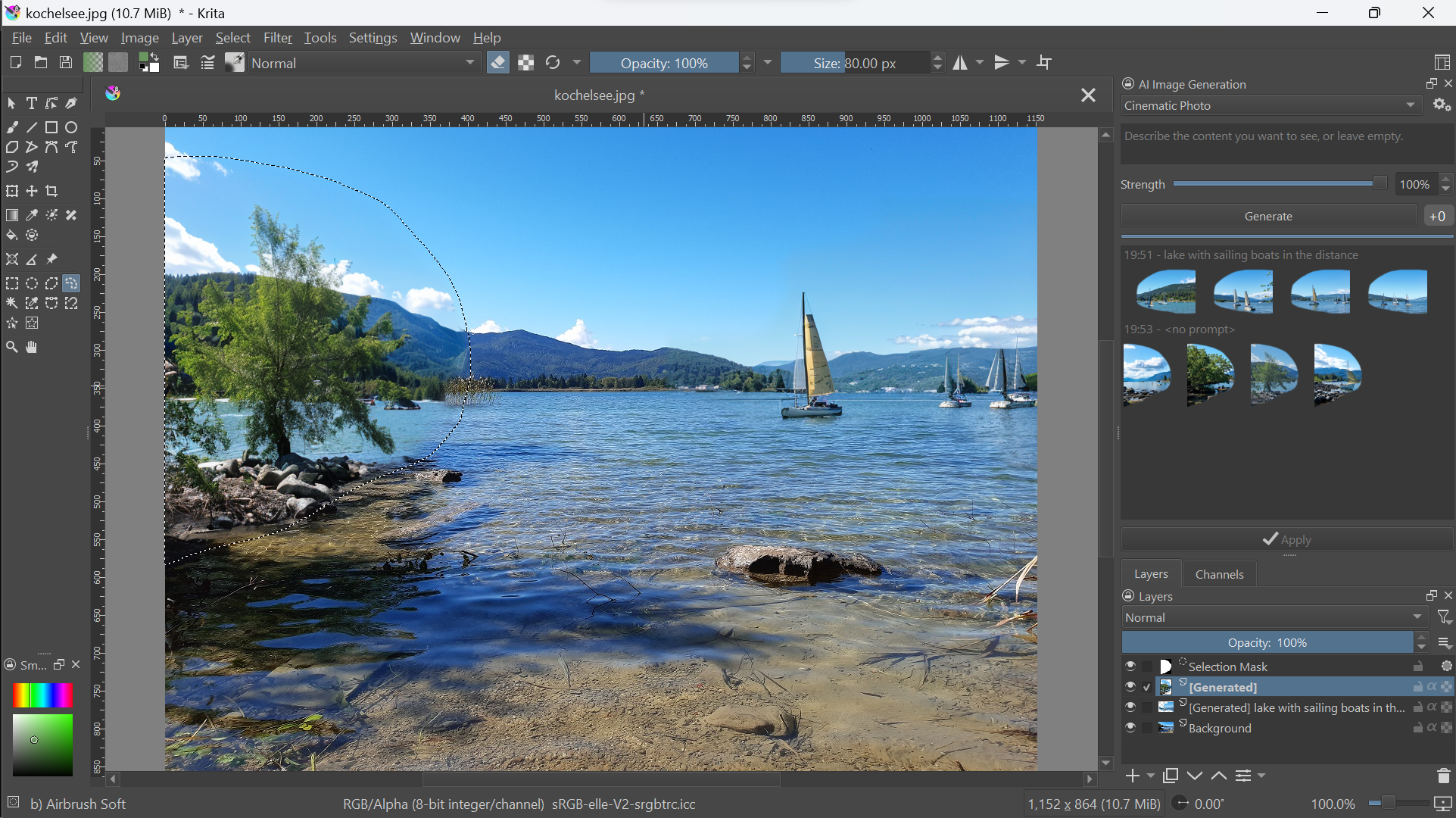 _Reworking and adding content to an AI generated image_
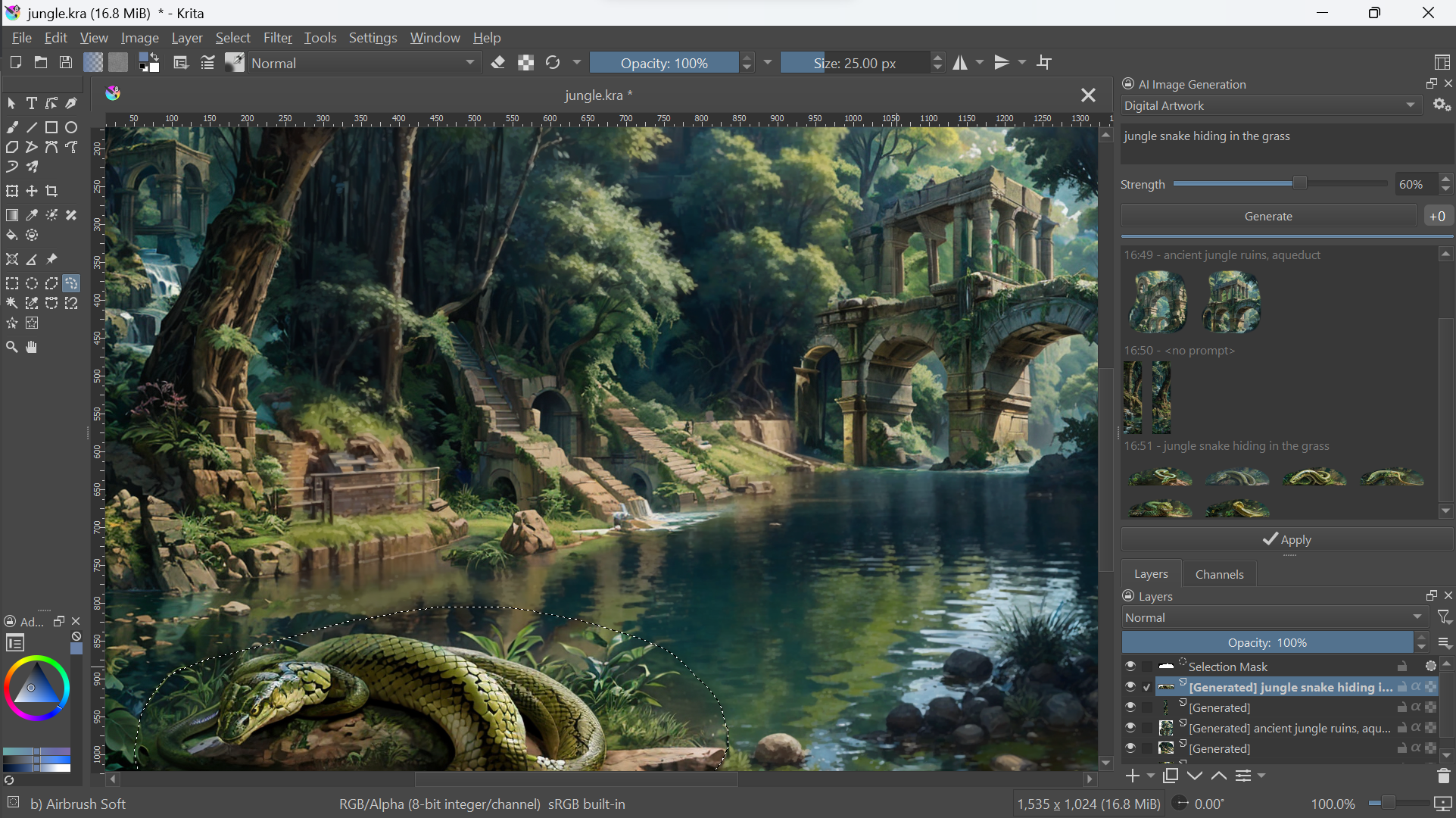 _Adding detail and iteratively refining small parts of the image_
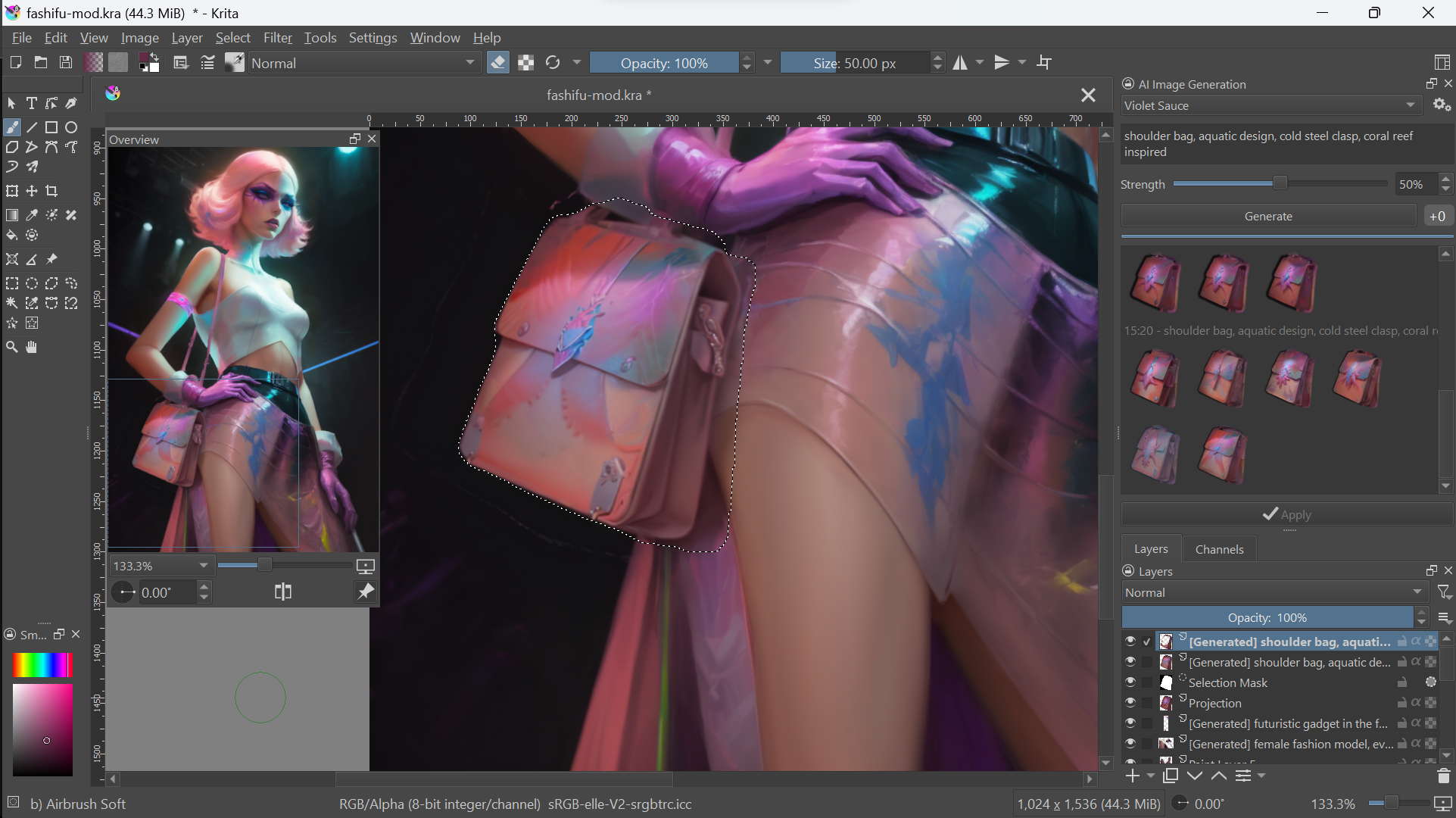 _Modifying the pose vector layer to control character stances (Click for video)_
[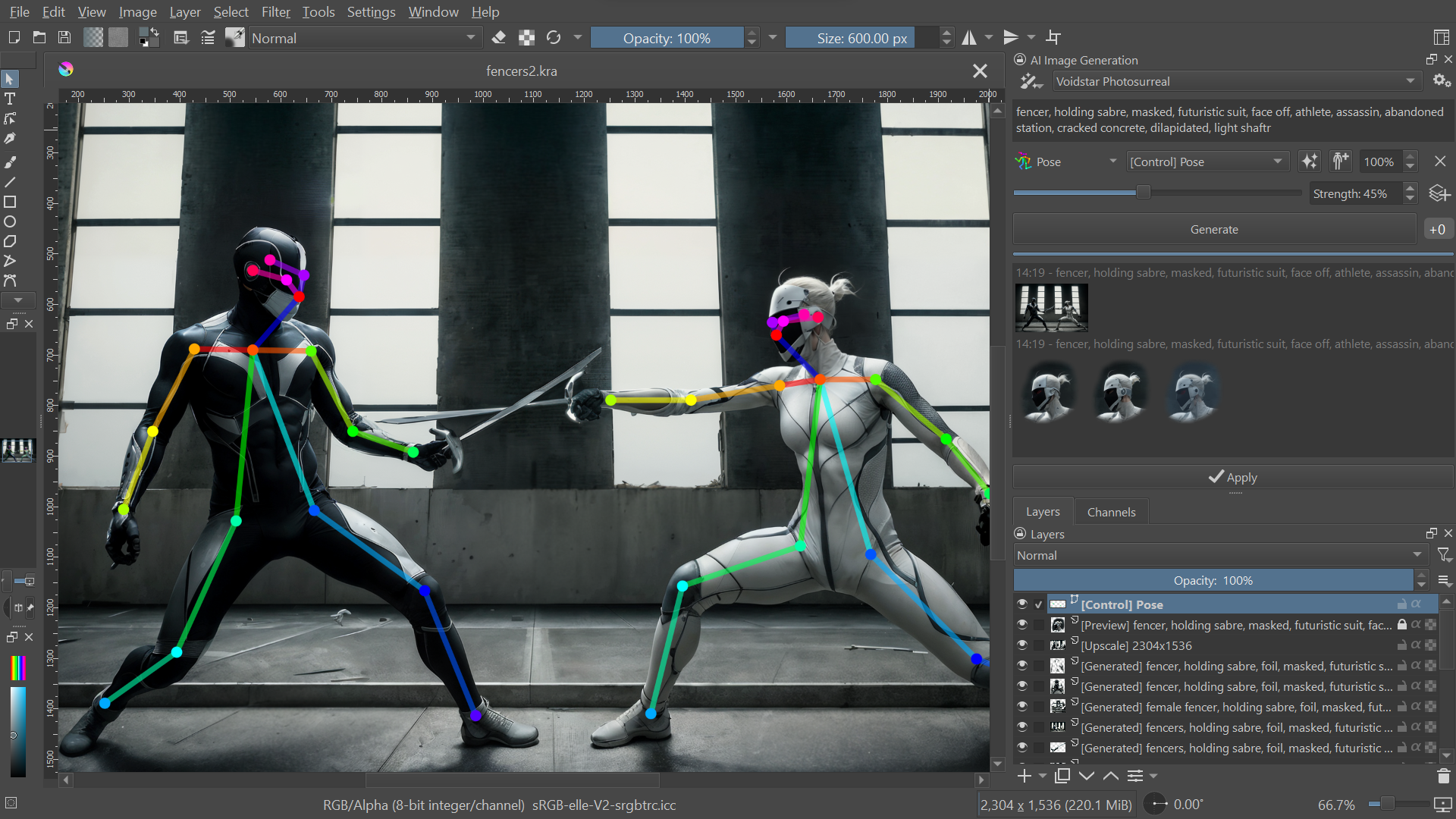](https://youtu.be/-QDPEcVmdLI "Watch video demo")
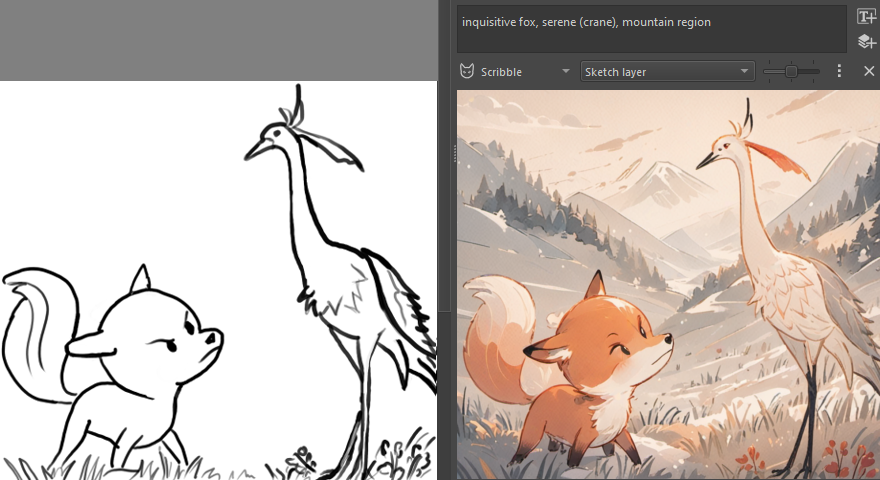
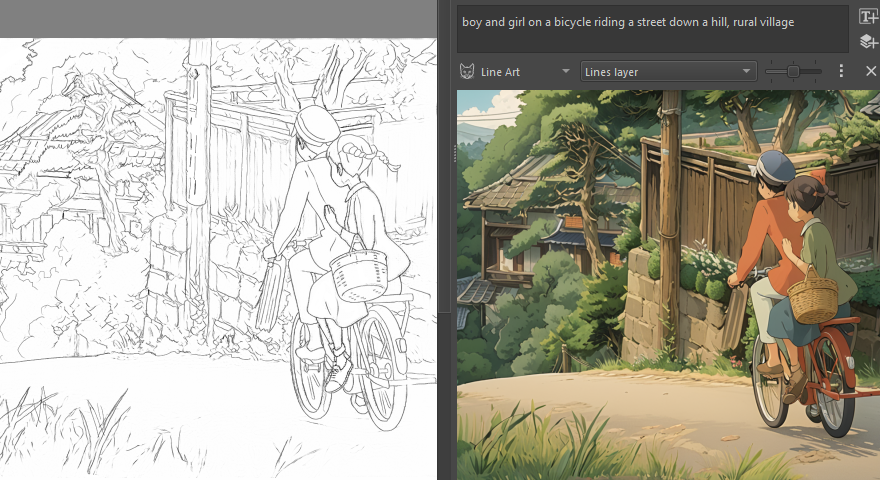
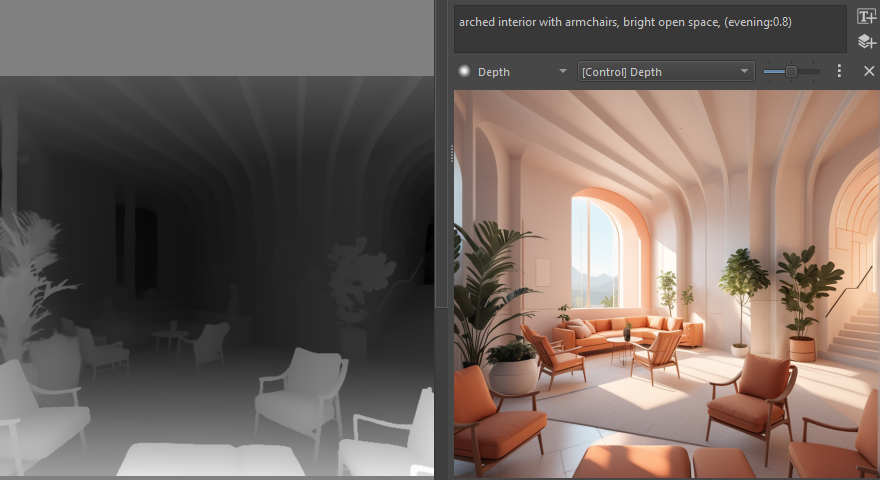
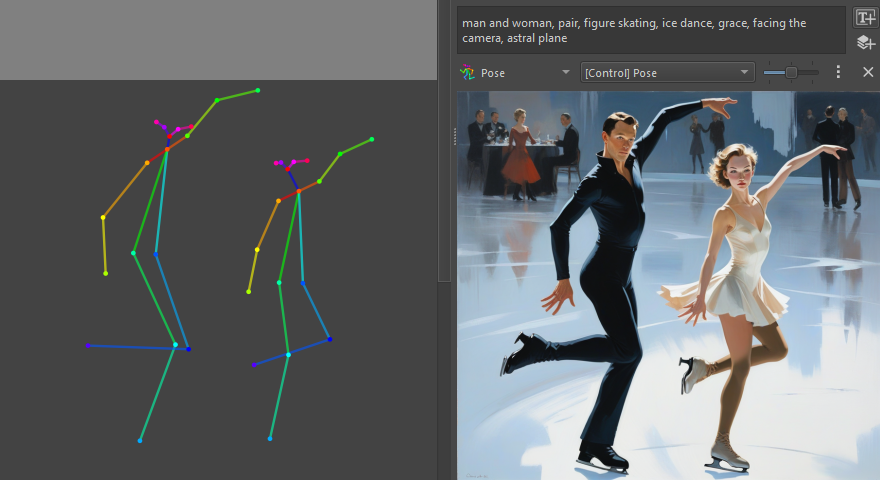
_Control layers: Scribble, Line art, Depth map, Pose_
## Technology
* Image generation: [Stable Diffusion](https://github.com/Stability-AI/generative-models), [Flux](https://blackforestlabs.ai/)
* Diffusion backend: [ComfyUI](https://github.com/comfyanonymous/ComfyUI)
* Inpainting: [ControlNet](https://github.com/lllyasviel/ControlNet), [IP-Adapter](https://github.com/tencent-ailab/IP-Adapter)
_Modifying the pose vector layer to control character stances (Click for video)_
[](https://youtu.be/-QDPEcVmdLI "Watch video demo")
_Control layers: Scribble, Line art, Depth map, Pose_




## Technology
* Image generation: [Stable Diffusion](https://github.com/Stability-AI/generative-models), [Flux](https://blackforestlabs.ai/)
* Diffusion backend: [ComfyUI](https://github.com/comfyanonymous/ComfyUI)
* Inpainting: [ControlNet](https://github.com/lllyasviel/ControlNet), [IP-Adapter](https://github.com/tencent-ailab/IP-Adapter)