# AdGuard DNS CLI
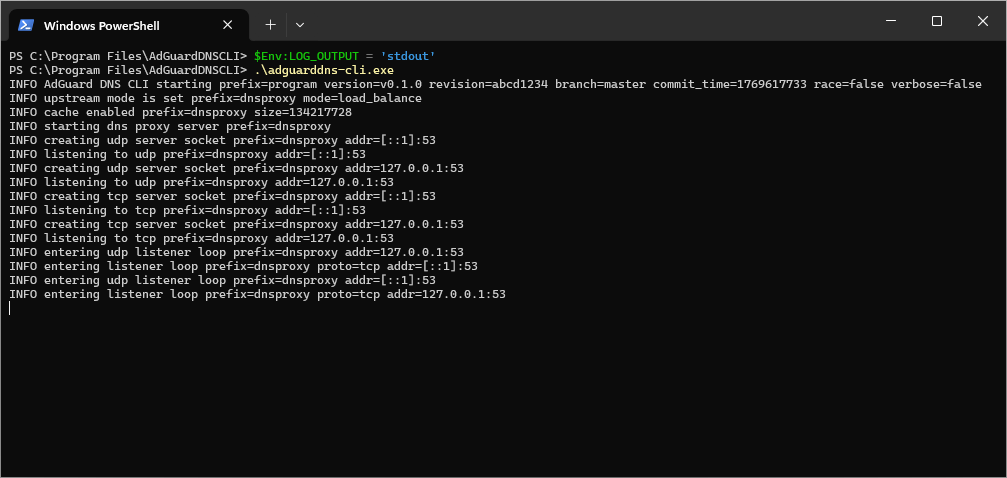
A cross-platform lightweight DNS client for [AdGuard DNS]. It operates as a DNS server that forwards DNS requests to the corresponding upstream resolvers.
[AdGuard DNS]: https://adguard-dns.io
## Quick start
Supported operating systems:
- Linux;
- macOS;
- Windows.
Supported CPU architectures:
- 64-bit ARM;
- AMD64;
- i386.
## Getting started
### Unix-like
1. Download and unpack the `.tar.gz` or `.zip` archive from the [releases page][releases].
> [!WARNING]
> On macOS, it's crucial that globally installed daemons are owned by `root` (see the [`launchd` documentation][launchd-requirements]), so the `adguarddns-cli` executable must be placed in the `/Applications/` directory or its subdirectory.
2. Install it as a service by running:
```sh
./adguarddns-cli -s install -v
```
3. Edit the configuration file `config.yaml`.
4. Start the service:
```sh
./adguarddns-cli -s start -v
```
To check that it works, use any DNS checking utility. For example, using `nslookup`:
```sh
nslookup -debug 'www.example.com' '127.0.0.1'
```
[launchd-requirements]: https://developer.apple.com/library/archive/documentation/MacOSX/Conceptual/BPSystemStartup/Chapters/CreatingLaunchdJobs.html
[releases]: https://github.com/AdguardTeam/AdGuardDNSCLI/releases
### Windows
Just download and install using the MSI installer from the [releases page][releases].
To check that it works, use any DNS checking utility. For example, using `nslookup.exe`:
```sh
nslookup -debug "www.example.com" "127.0.0.1"
```
## Developing and contributing
See [`CONTRIBUTING.md`][contr] for more details on how to contribute.
[contr]: ./CONTRIBUTING.md
### Development quick start
You will need Go 1.25 or later. First, register our pre-commit hooks:
```sh
make init
```
Then, install the necessary tools and dependencies:
```sh
make go-deps
```
That’s pretty much it! You should now be able to lint, test, and build the `adguarddns-cli` binary:
```sh
make go-lint
make go-test
make go-build
```
For building packages, you might need additional tools, such as GnuPG, MSI Tools (v0.103 and later), etc. See `./scripts/make/build-release.sh`.
## Command-line options
Each option overrides the corresponding value provided by the configuration file and the environment.
### Help
Option `-h` makes AdGuard DNS CLI print out a help message to standard output and exit with a success status-code.
### Service
Option `-s ` specifies the OS service action. Possible values are:
- `install`: installs AdGuard DNS CLI as a service;
- `restart`: restarts the running AdGuard DNS CLI service.
- `start`: starts the installed AdGuard DNS CLI service;
- `status`: shows the status of the installed AdGuard DNS CLI service;
- `stop`: stops the running AdGuard DNS CLI;
- `uninstall`: uninstalls AdGuard DNS CLI service;
### Verbose
Option `-v` enables the verbose log output.
### Version
Option `--version` makes AdGuard DNS CLI print out the version of the application to standard output and exit with a success status-code.
## Configuration
The YAML configuration file is described in [its own article][conf], and there is also a sample configuration file `config.dist.yaml`. Some configuration parameters can also be overridden using the [environment][env].
[conf]: https://adguard-dns.io/kb/dns-client/configuration/
[env]: https://adguard-dns.io/kb/dns-client/environment/
## Exit codes
There are a few different exit codes that may appear under different error conditions:
- `0`: Successfully finished and exited, no errors.
- `1`: Internal error, most likely a misconfiguration.
- `2`: Bad command-line argument or value.
