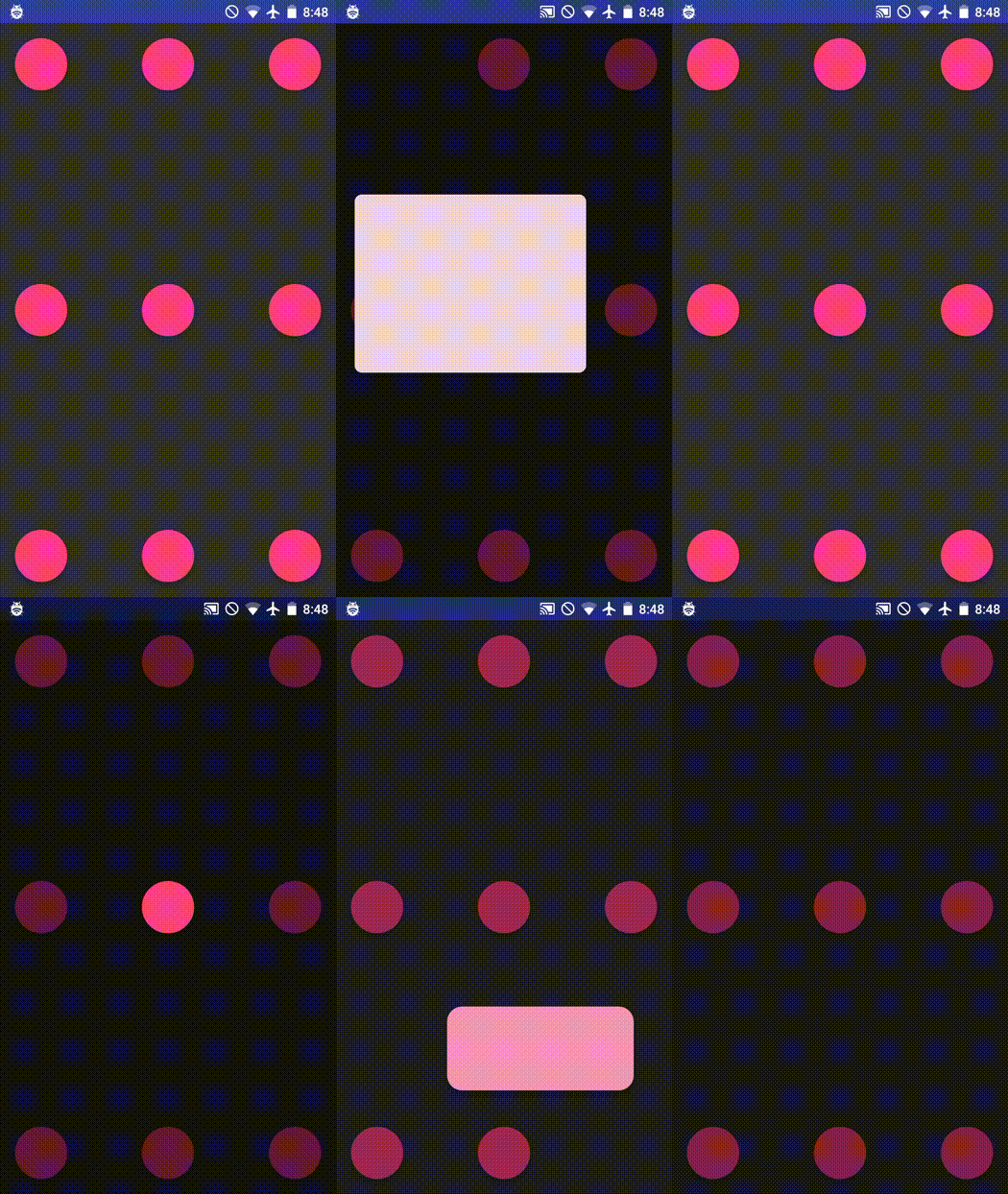
 # Morphing Material Dialogs
[](https://jitpack.io/#AdityaAnand1/Morphing-Material-Dialogs)
[](https://travis-ci.org/AdityaAnand1/Morphing-Material-Dialogs)
[](https://github.com/AdityaAnand1/Morphing-Material-Dialog/blob/master/LICENSE.txt)
A library for fab-to-dialog morphing (as in Nick Butcher's [Plaid](https://github.com/nickbutcher/plaid)) with Aidan Follestad's [Material Dialogs](https://github.com/afollestad/material-dialogs).
# Table of Contents
1. [Setup Instructions](https://github.com/AdityaAnand1/Morphing-Material-Dialogs#setup-instructions)
2. [Usage Instructions](https://github.com/AdityaAnand1/Morphing-Material-Dialogs#usage-instructions)
3. [Customization](https://github.com/AdityaAnand1/Morphing-Material-Dialogs#customization)
4. [Misc](https://github.com/AdityaAnand1/Morphing-Material-Dialogs#misc)
## Setup Instructions
Add the following to your root (project) level build.gradle:
```gradle
allprojects {
repositories {
...
maven { url 'https://jitpack.io' }
}
}
```
Add the library to your app's build.gradle
```gradle
dependencies {
implementation 'com.github.AdityaAnand1:Morphing-Material-Dialogs:0.0.3'
//you should also have the design support library, since we're using the native floating action button
implementation "com.android.support:design:27.0.2"
}
```
In your styles.xml, override the MorphDialog.Base themes (at least one, both if you wish to support light and dark themes for your app)
```xml
```
In your app's manifest file, add the following (at least one, both if you wish to support light and dark themes for your app)
```xml
```
## Usage instructions
This library mirror's a subset of [afollestad/material-dialogs](https://github.com/afollestad/material-dialogs) API.
```java
new MorphDialog.Builder(this, fabView)
.title("Title")
.content("This is a sentence. Here is another one.")
.positiveText(R.string.ok)
.onPositive((MorphDialog dialog1, MorphDialogAction which) -> {
Toast.makeText(this, "onPositive", Toast.LENGTH_SHORT).show();
})
.useDarkTheme(true) //optional, default is false
.show();
```
For example, if you have a floating action button in your activity
```xml
```
Then your `morph()` might look like:
```java
public void morph(View view) {
new MorphDialog.Builder(this, (FloatingActionButton) view)
.title("Title")
.content("This is a sentence. Here is another one.")
.show();
}
```
## Customization
### Listen for action button callbacks
MorphDialog is not a dialog. It's another activity and the only way to get back the result of any interactions with it is through `onActivityResult()`.
In order to use the `.onPositive()`, `.onNegative()`, `.onNeutral` or `.onAny()` callbacks, you must pass on the activity result to the morphDialog object. You must do this for each dialog that you are using individually.
```
MorphDialog dialog1;
MorphDialog dialog2;
void buildDialog(){
dialog1 = new MorphDialog.Builder(this, (FloatingActionButton) view)
.title("Title")
.content("This is a sentence. Here is another one.")
.positiveText(R.string.ok)
.negativeText("Cancel")
.neutralText("More")
.onPositive((MorphDialog dialog1, MorphDialogAction which) -> {
Toast.makeText(this, "onPositive", Toast.LENGTH_SHORT).show();
})
.onNegative((MorphDialog dialog1, MorphDialogAction which) -> {
Toast.makeText(this, "onNegative", Toast.LENGTH_SHORT).show();
})
.onNeutral((MorphDialog dialog1, MorphDialogAction which) -> {
Toast.makeText(this, "onNeutral", Toast.LENGTH_SHORT).show();
})
.build();
}
@Override
protected void onActivityResult(int requestCode, int resultCode, Intent data) {
super.onActivityResult(requestCode, resultCode, data);
dialog1.onActivityResult(requestCode, resultCode, data);
dialog2.onActivityResult(requestCode, resultCode, data);
}
```
If you have a large number of dialogs you may prefer to use the helper function instead, which uses a varargs parameter to register the callback to multiple dialog objects:
```
@Override
protected void onActivityResult(int requestCode, int resultCode, Intent data) {
super.onActivityResult(requestCode, resultCode, data);
MorphDialog.registerOnActivityResult(requestCode, resultCode, data, dialog1, dialog2, dialog3);
}
```
Also, note that you will receive the callbacks only after the animation has ended.
### Set Canceleable
If you do not want the dialog to close when tapping outside the dialog you can use `builder.cancelable(false)`
### Customize Colors
The following methods can be used to customize the different colors in your dialog
```
new MorphDialog.Builder(context, (FloatingActionButton) view)
.contentColor(Color.BLUE)
.backgroundColor(Color.GREEN)
.neutralColorRes(R.color.primary)
.positiveColor(Color.BLACK)
.titleColor(Color.YELLOW);
```
### Theme overrides
Override the `android:windowBackground` attribute to provide a custom color for the area outside of the dialog.
```
```
## Misc
#### What happens below API 21 (
# Morphing Material Dialogs
[](https://jitpack.io/#AdityaAnand1/Morphing-Material-Dialogs)
[](https://travis-ci.org/AdityaAnand1/Morphing-Material-Dialogs)
[](https://github.com/AdityaAnand1/Morphing-Material-Dialog/blob/master/LICENSE.txt)
A library for fab-to-dialog morphing (as in Nick Butcher's [Plaid](https://github.com/nickbutcher/plaid)) with Aidan Follestad's [Material Dialogs](https://github.com/afollestad/material-dialogs).
# Table of Contents
1. [Setup Instructions](https://github.com/AdityaAnand1/Morphing-Material-Dialogs#setup-instructions)
2. [Usage Instructions](https://github.com/AdityaAnand1/Morphing-Material-Dialogs#usage-instructions)
3. [Customization](https://github.com/AdityaAnand1/Morphing-Material-Dialogs#customization)
4. [Misc](https://github.com/AdityaAnand1/Morphing-Material-Dialogs#misc)
## Setup Instructions
Add the following to your root (project) level build.gradle:
```gradle
allprojects {
repositories {
...
maven { url 'https://jitpack.io' }
}
}
```
Add the library to your app's build.gradle
```gradle
dependencies {
implementation 'com.github.AdityaAnand1:Morphing-Material-Dialogs:0.0.3'
//you should also have the design support library, since we're using the native floating action button
implementation "com.android.support:design:27.0.2"
}
```
In your styles.xml, override the MorphDialog.Base themes (at least one, both if you wish to support light and dark themes for your app)
```xml
```
In your app's manifest file, add the following (at least one, both if you wish to support light and dark themes for your app)
```xml
```
## Usage instructions
This library mirror's a subset of [afollestad/material-dialogs](https://github.com/afollestad/material-dialogs) API.
```java
new MorphDialog.Builder(this, fabView)
.title("Title")
.content("This is a sentence. Here is another one.")
.positiveText(R.string.ok)
.onPositive((MorphDialog dialog1, MorphDialogAction which) -> {
Toast.makeText(this, "onPositive", Toast.LENGTH_SHORT).show();
})
.useDarkTheme(true) //optional, default is false
.show();
```
For example, if you have a floating action button in your activity
```xml
```
Then your `morph()` might look like:
```java
public void morph(View view) {
new MorphDialog.Builder(this, (FloatingActionButton) view)
.title("Title")
.content("This is a sentence. Here is another one.")
.show();
}
```
## Customization
### Listen for action button callbacks
MorphDialog is not a dialog. It's another activity and the only way to get back the result of any interactions with it is through `onActivityResult()`.
In order to use the `.onPositive()`, `.onNegative()`, `.onNeutral` or `.onAny()` callbacks, you must pass on the activity result to the morphDialog object. You must do this for each dialog that you are using individually.
```
MorphDialog dialog1;
MorphDialog dialog2;
void buildDialog(){
dialog1 = new MorphDialog.Builder(this, (FloatingActionButton) view)
.title("Title")
.content("This is a sentence. Here is another one.")
.positiveText(R.string.ok)
.negativeText("Cancel")
.neutralText("More")
.onPositive((MorphDialog dialog1, MorphDialogAction which) -> {
Toast.makeText(this, "onPositive", Toast.LENGTH_SHORT).show();
})
.onNegative((MorphDialog dialog1, MorphDialogAction which) -> {
Toast.makeText(this, "onNegative", Toast.LENGTH_SHORT).show();
})
.onNeutral((MorphDialog dialog1, MorphDialogAction which) -> {
Toast.makeText(this, "onNeutral", Toast.LENGTH_SHORT).show();
})
.build();
}
@Override
protected void onActivityResult(int requestCode, int resultCode, Intent data) {
super.onActivityResult(requestCode, resultCode, data);
dialog1.onActivityResult(requestCode, resultCode, data);
dialog2.onActivityResult(requestCode, resultCode, data);
}
```
If you have a large number of dialogs you may prefer to use the helper function instead, which uses a varargs parameter to register the callback to multiple dialog objects:
```
@Override
protected void onActivityResult(int requestCode, int resultCode, Intent data) {
super.onActivityResult(requestCode, resultCode, data);
MorphDialog.registerOnActivityResult(requestCode, resultCode, data, dialog1, dialog2, dialog3);
}
```
Also, note that you will receive the callbacks only after the animation has ended.
### Set Canceleable
If you do not want the dialog to close when tapping outside the dialog you can use `builder.cancelable(false)`
### Customize Colors
The following methods can be used to customize the different colors in your dialog
```
new MorphDialog.Builder(context, (FloatingActionButton) view)
.contentColor(Color.BLUE)
.backgroundColor(Color.GREEN)
.neutralColorRes(R.color.primary)
.positiveColor(Color.BLACK)
.titleColor(Color.YELLOW);
```
### Theme overrides
Override the `android:windowBackground` attribute to provide a custom color for the area outside of the dialog.
```
```
## Misc
#### What happens below API 21 (