[简体中文](README.md) ·
**English** ·
[日本語](README.ja.md)
# MediaLIB
### Your movies, shows, anime, music, and photos — finally under one roof.
A native macOS home media library. It gathers everything scattered across local drives, external disks, NAS, and Emby, Jellyfin, and Plex into one clean, beautiful, effortless app — to browse, search, and play, all in one place.




## First, the thing that matters most
> **MediaLIB manages an *index* and a *cache* — never your files themselves.**
Scans, categories, likes, watchlist, ratings, play history, playlists, artwork, and metadata fixes all live inside MediaLIB's own data by default. It **never moves, deletes, or renames** a single one of your media files.
The only exception is when you deliberately turn on **"Write to file"** in the music tag workbench — only then does it touch an audio file's tags. Otherwise, your original collection stays exactly as it is.
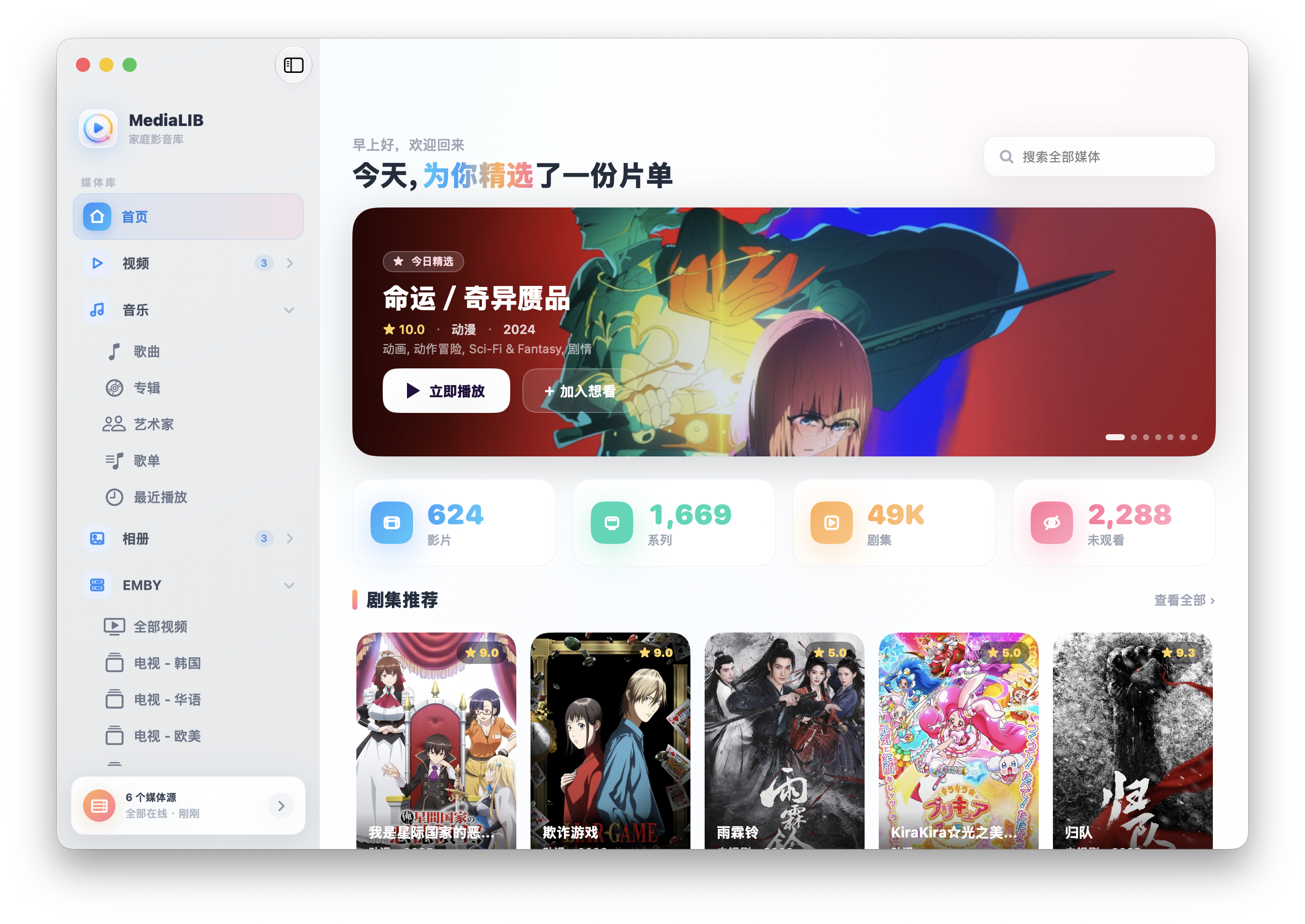
## One home screen, your whole library at a glance
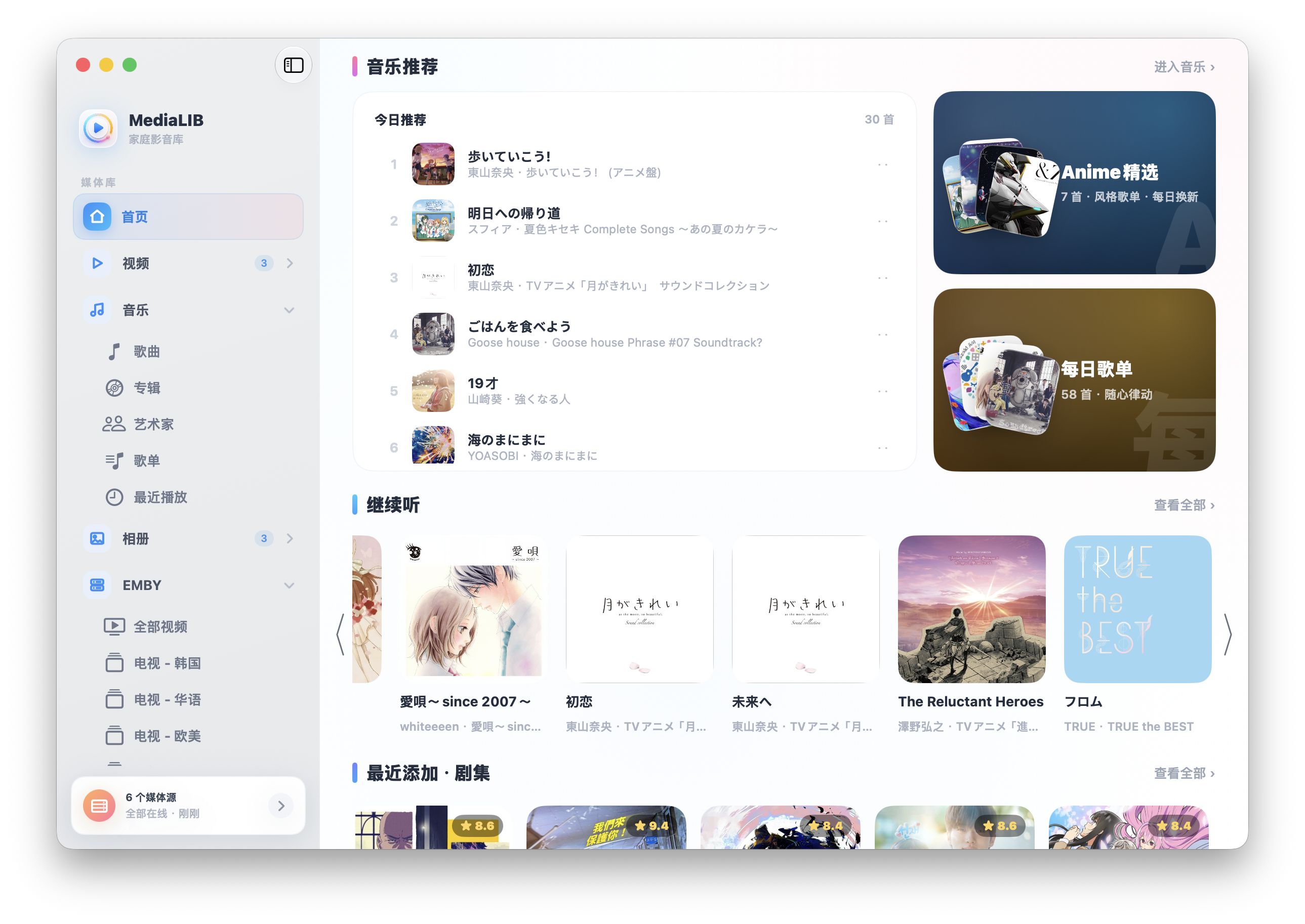
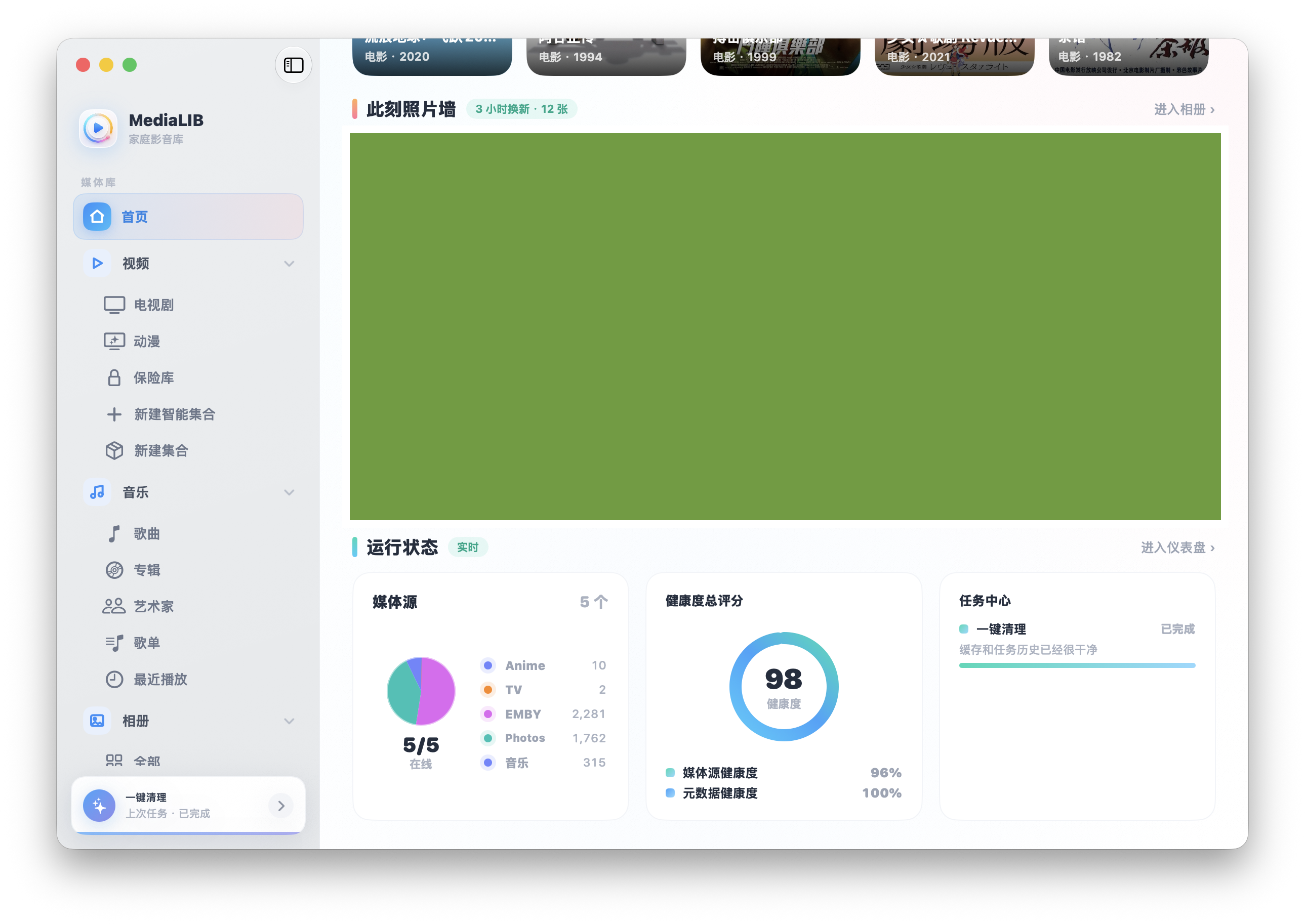
Open it, and you're home. The home screen curates a picks-of-the-day lineup from your library, laying out Continue Watching, Continue Listening, Recently Added, Today's Music, and a live photo wall together. Looking for something? Search up top — movies, shows, anime, and music are searched in parallel, and whichever category has results shows first, so you never sit and wait.
 |
 |
## Films and series, neatly in order
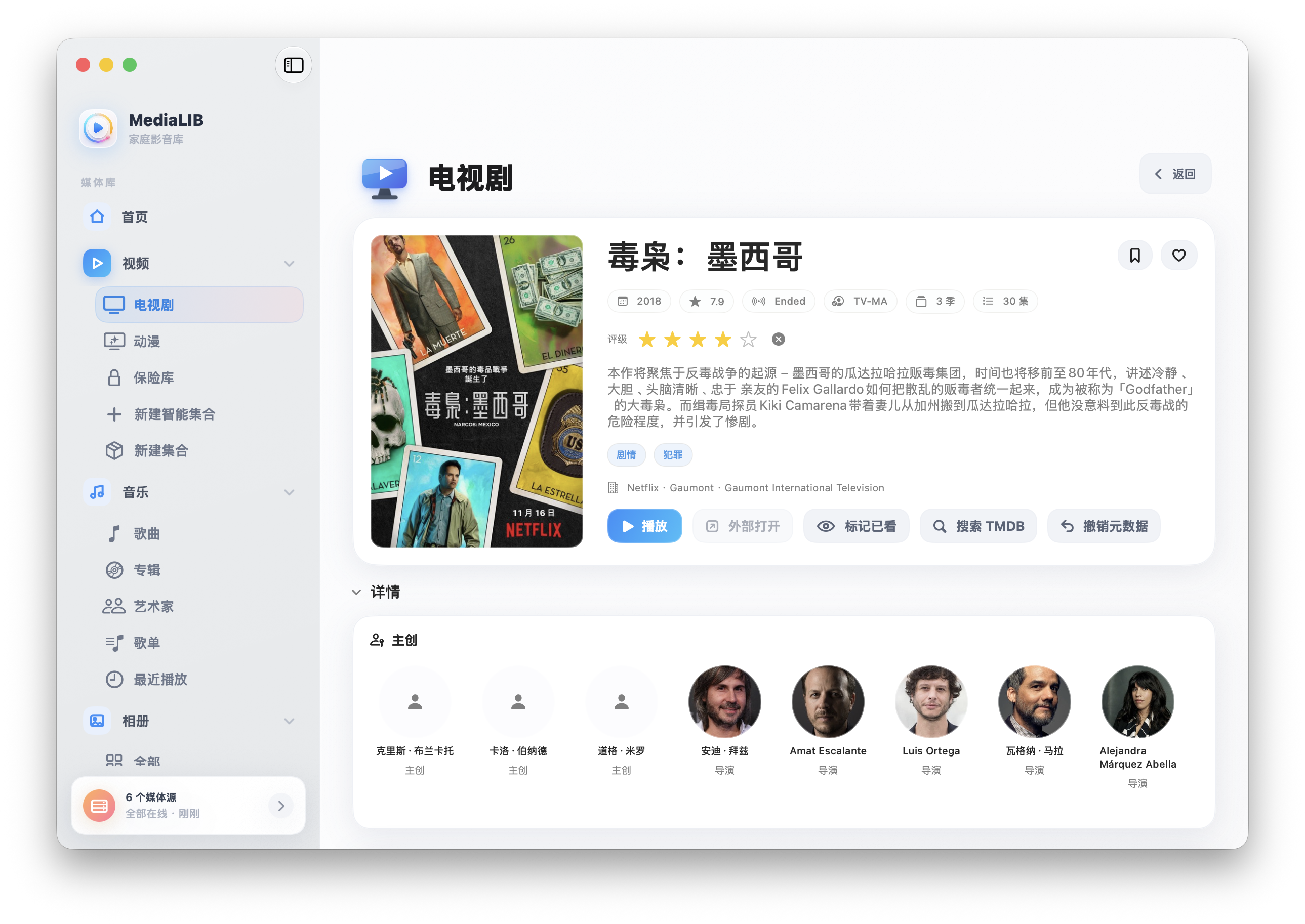
Movies, TV, anime, documentaries, variety — each in its place. Series are grouped automatically by show, season, and episode; whatever's already processed appears first, and the rest fills in as it goes.
- **Easy on the eyes** — an even poster wall that lifts on hover, with rating badges you can read at a glance.
- **Easy to manage** — like, watchlist, watched / unwatched / watching, and five-star ratings, all a right-click away.
- **Easy to organize** — manual collections, smart collections, and pin your favorites to the home screen.
- **Easy to recognize** — posters, synopses, cast and crew, stills, similar picks, and people profiles filled in via TMDB.
 |
 |
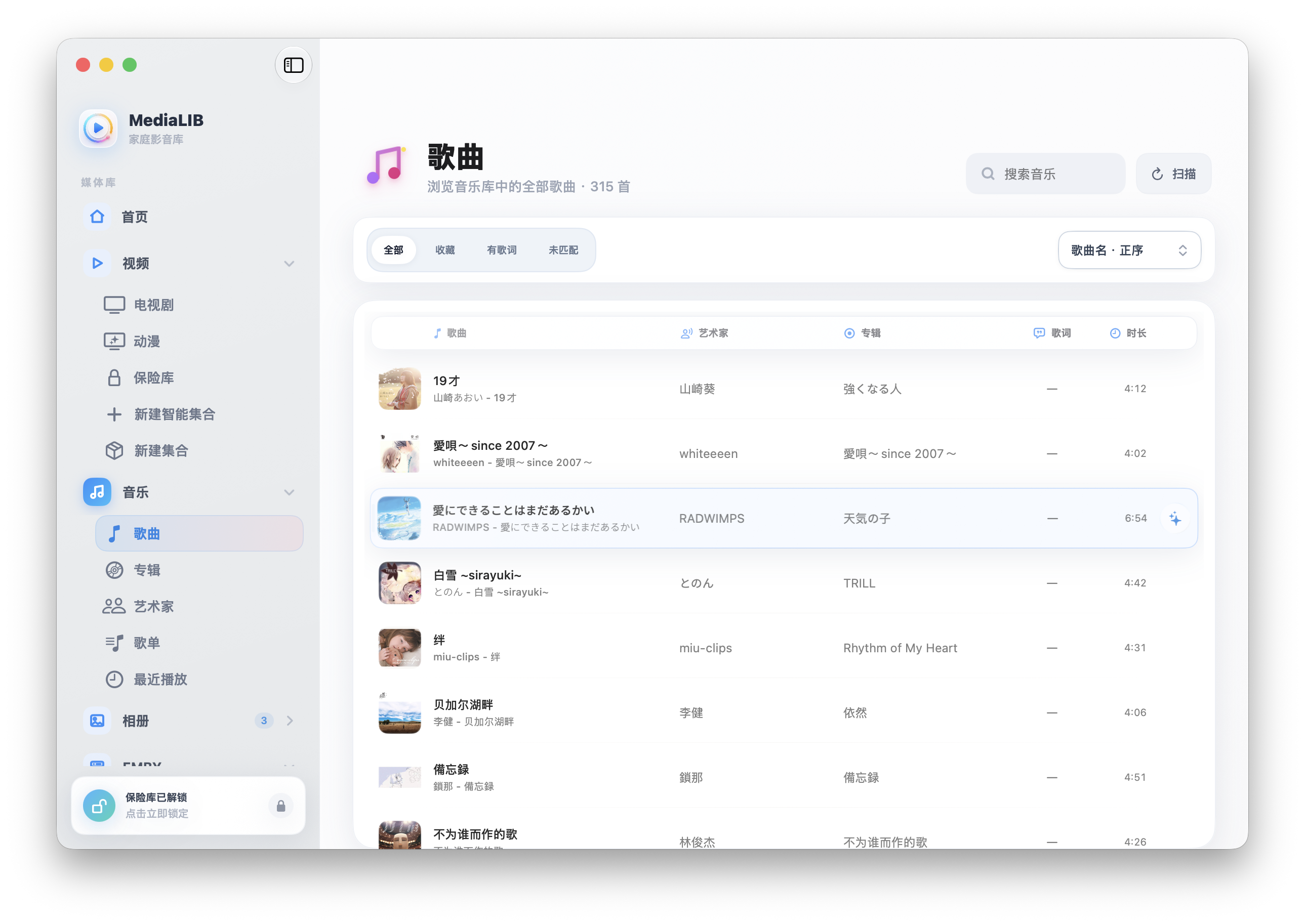
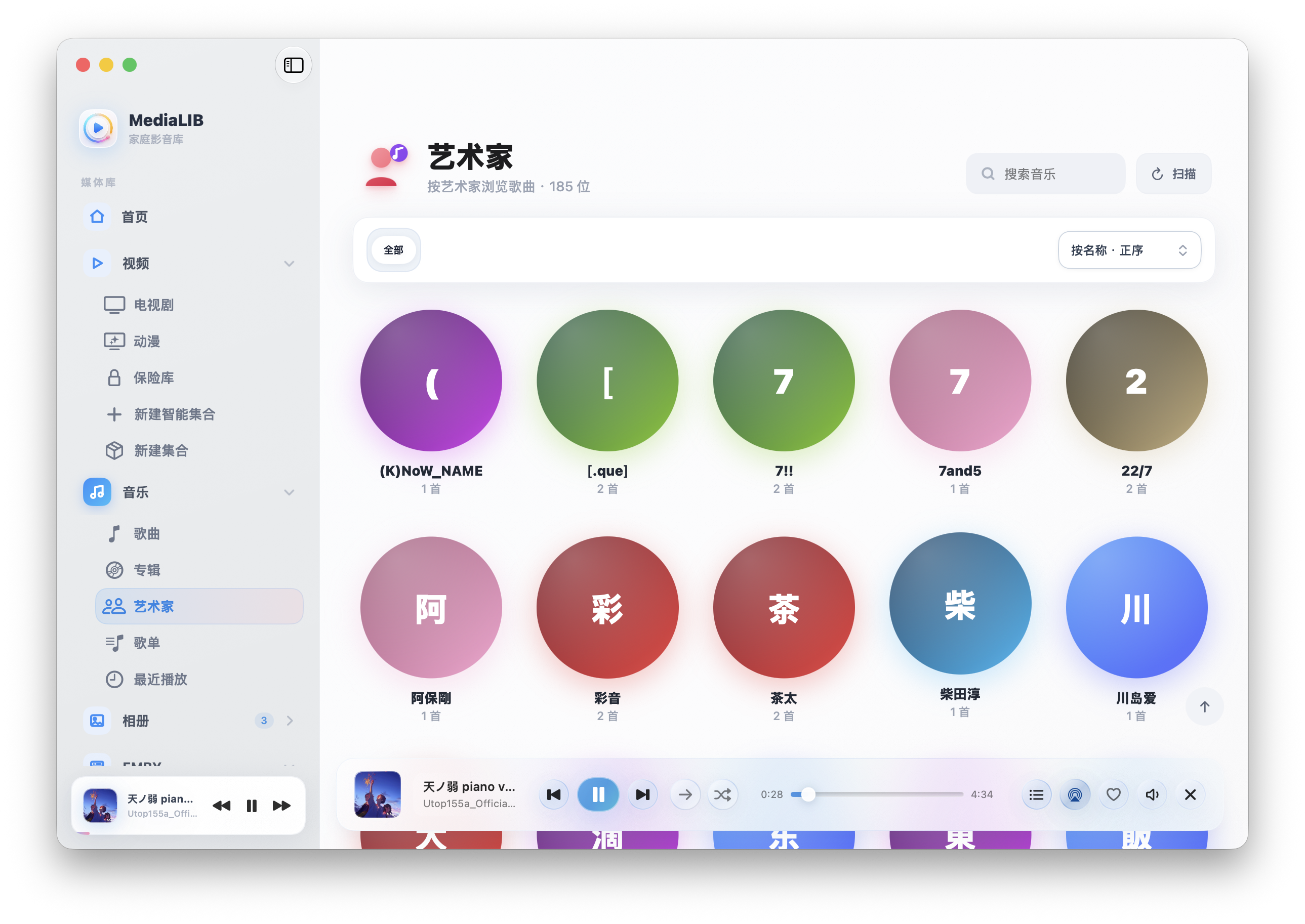
## Music, treated with care
Songs, albums, artists, playlists, recently played — all here. Scanning reads audio tags to recover title, artist, album, year, artwork, lyrics, and loudness as best it can. Queue, play next, drag to reorder, shuffle, repeat, and favorites are all within reach.
 |
 |
### Two immersive players, switch as you please
Not just playable — a pleasure to hear and to look at. The expanded player offers two themes, each with its own character:
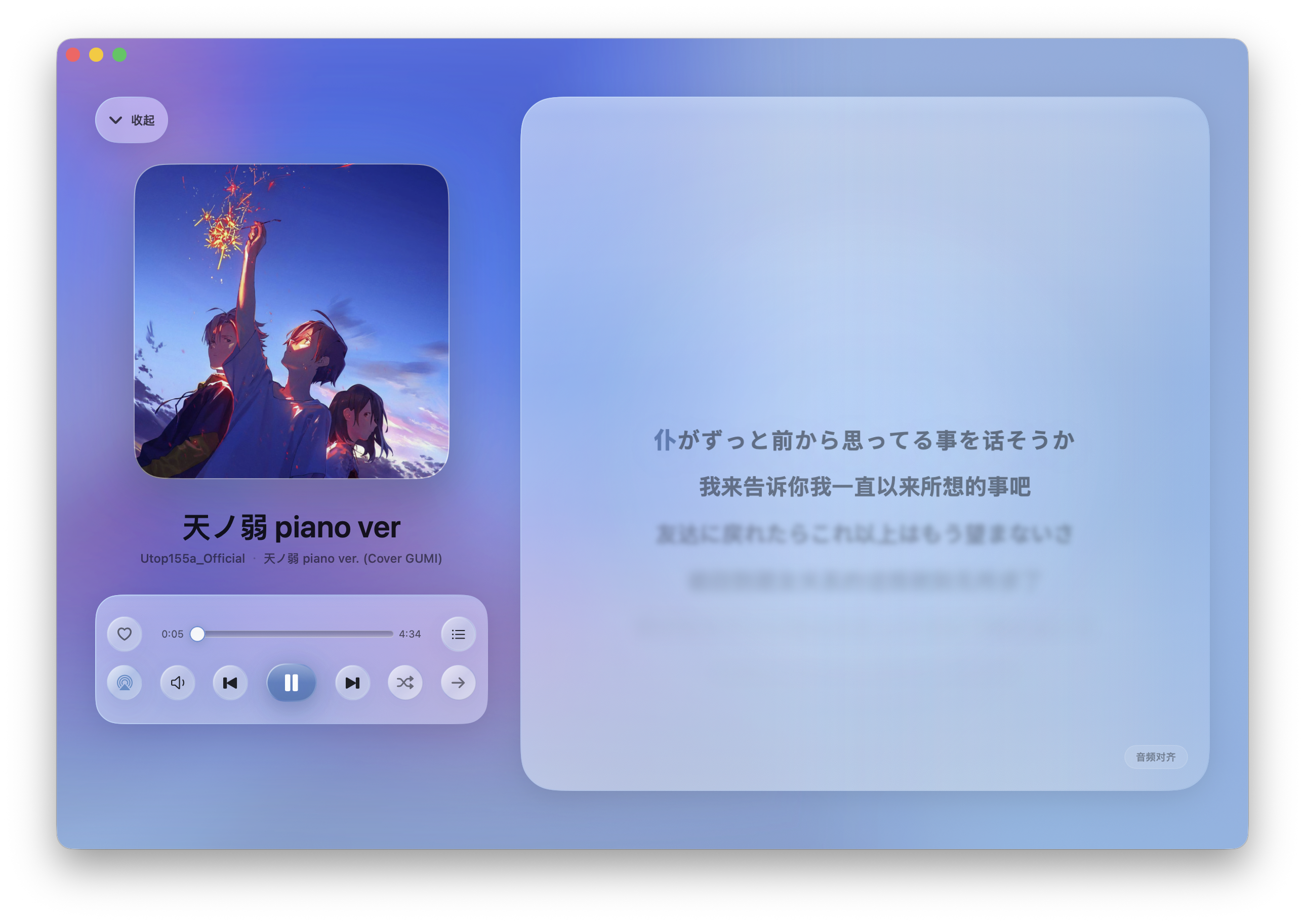
Liuli — an immersive glass backdrop tinted from the album art, with word-by-word lyrics. Quiet and focused.
|
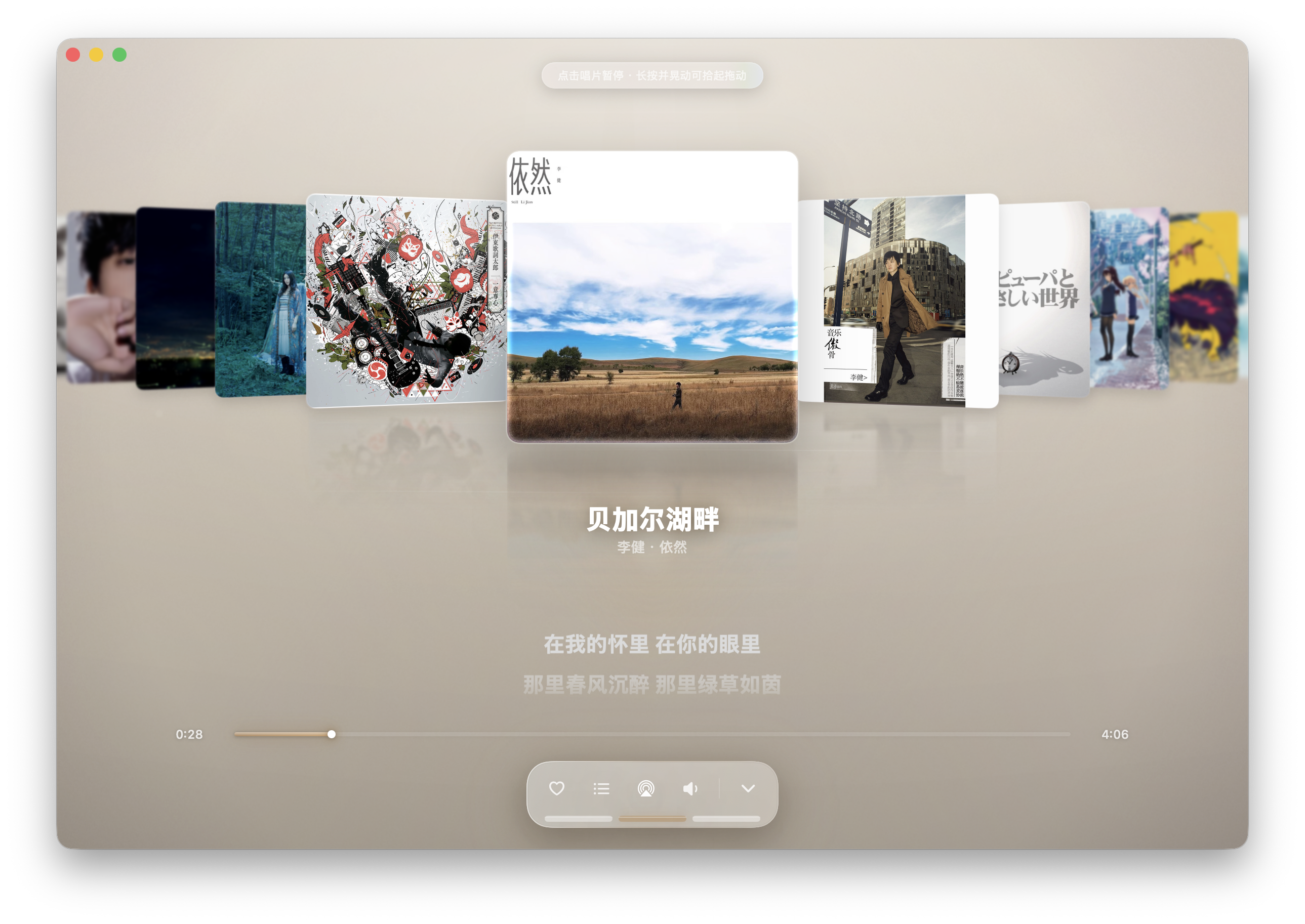
Huguang — a cover-flow wall of artwork, near-large and far-small over a lake-like reflection, like flipping through a shelf of vinyl.
|
Scroll a long list and the player tucks into a small cover in the bottom-right corner, a progress ring spinning around it. One tap, and the full player is back.
## Photos, local and system side by side
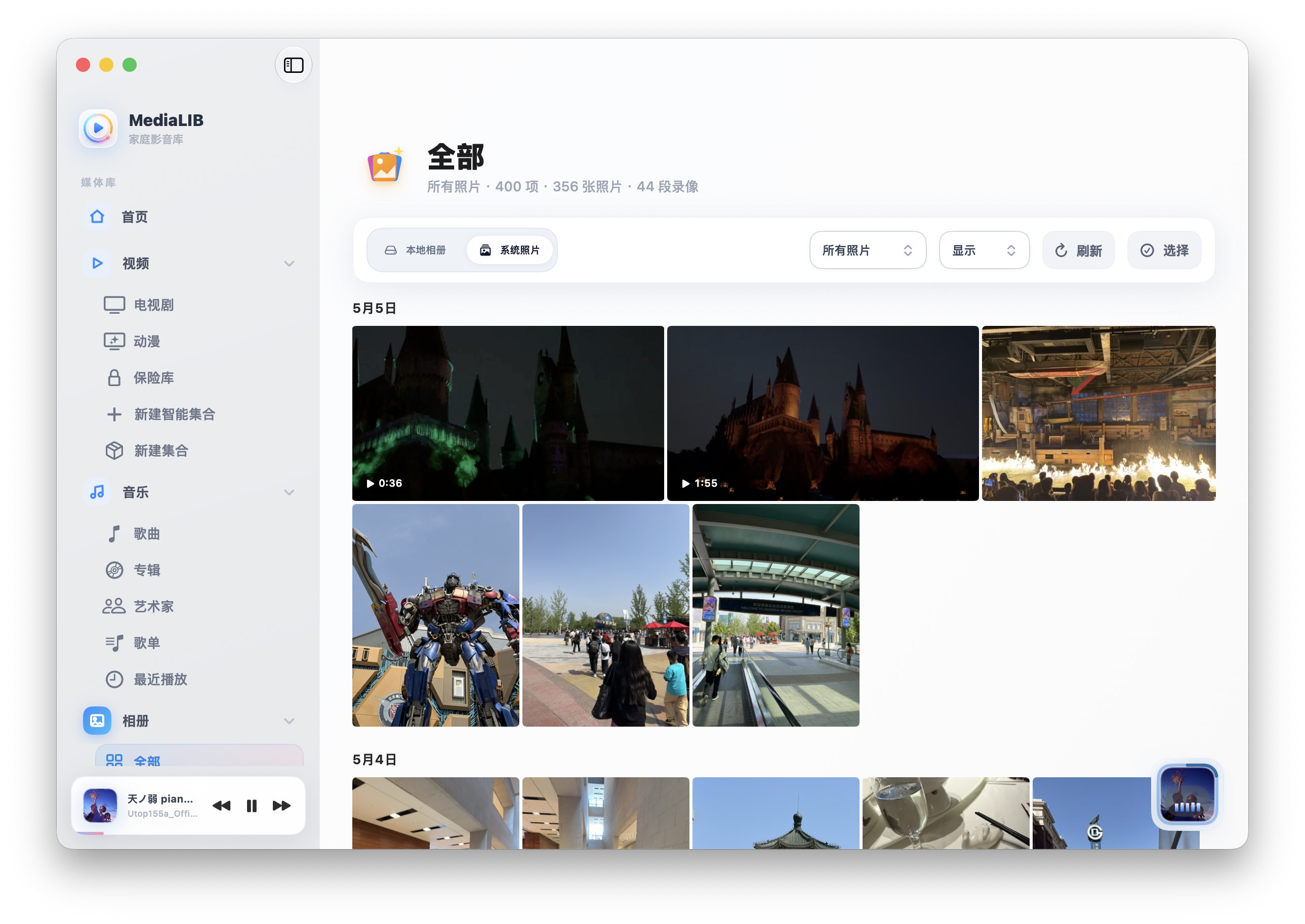
The Photos section puts local videos, photos, and the macOS **System Photos** library on one page. System Photos are read live through PhotoKit and are **never copied into MediaLIB**. You get date grouping, continuous swiping, pinch-to-zoom, and two-finger pan — and when an iCloud original needs downloading, you see the progress.
## One lock, for what's private
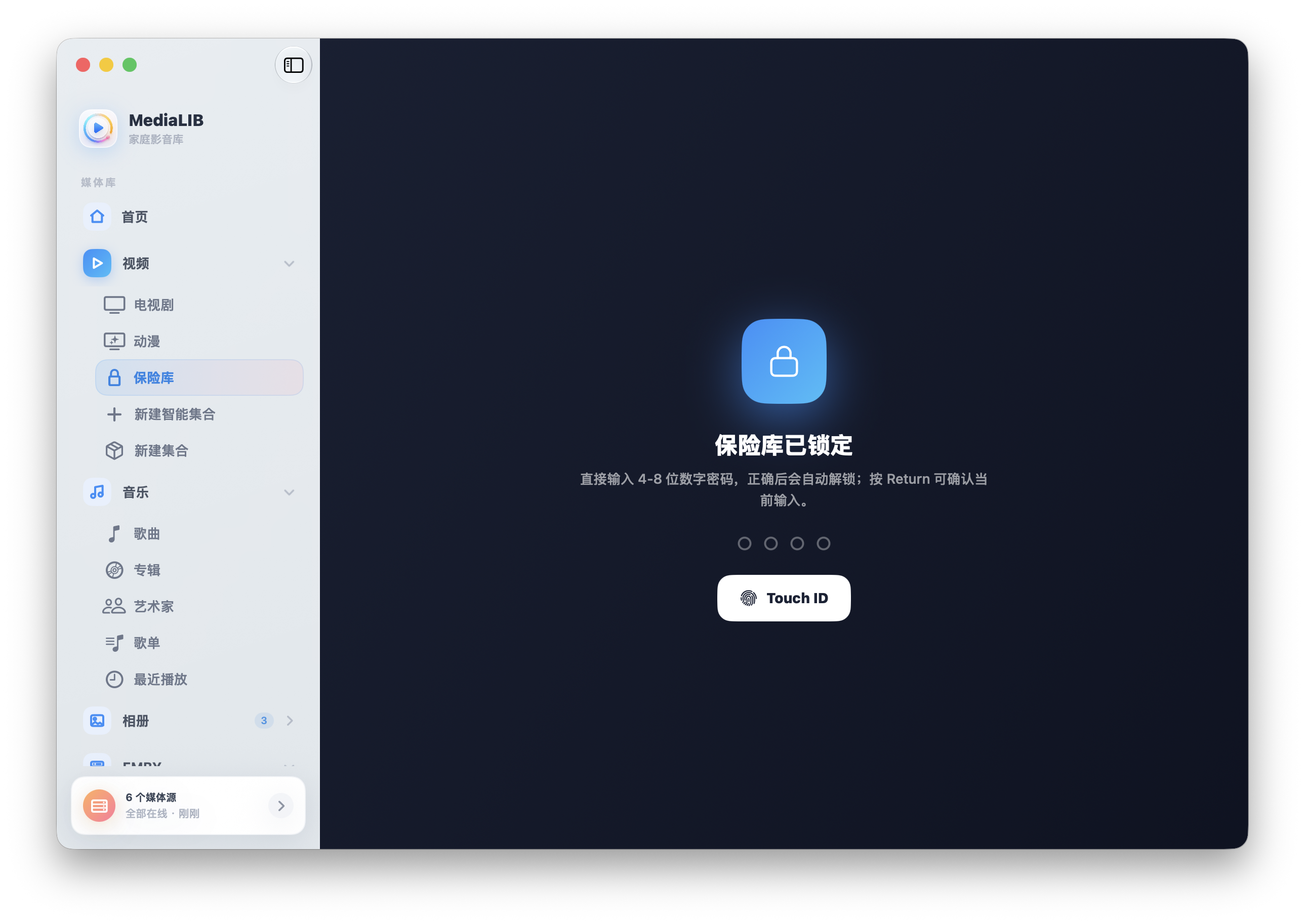
The **Vault** is where you keep what you'd rather not have seen. While locked, its paths, filenames, sources, and counts never leak, and none of it shows up in Home, Watched, Likes, or people's filmographies — as if it were never there. On first entry it walks you through setting a 4–8 digit PIN; after that, Touch ID unlocks it in a tap.
## Your media, from wherever it lives
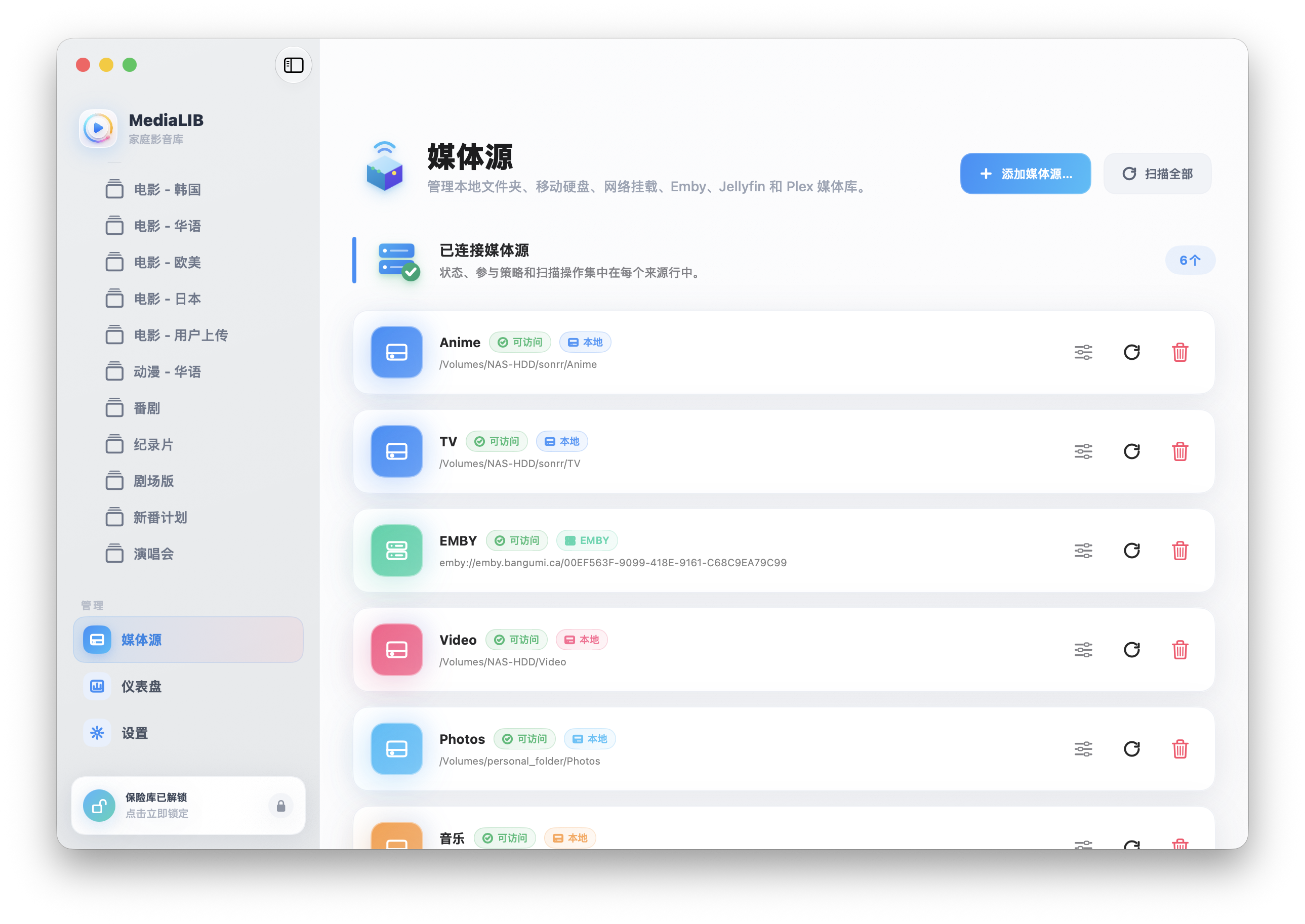
In **Media Sources**, local folders, external drives, mounted NAS, and Emby, Jellyfin, and Plex servers are all managed in one place. Remote servers appear as their own directories, never mixed in with local content — and when they go offline, files aren't mistaken for deleted.
## A dashboard that keeps you in the know
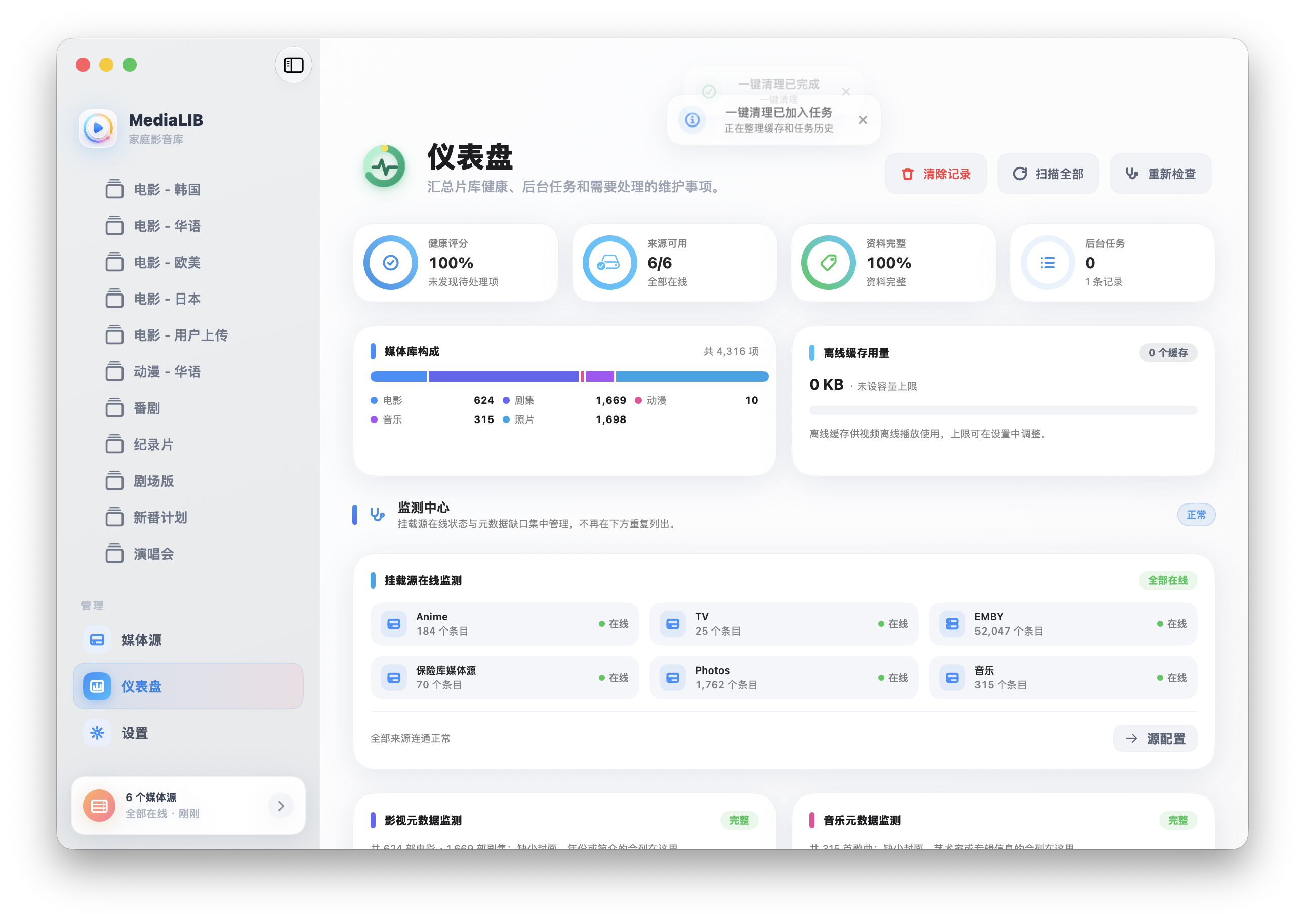
The **Dashboard** brings library health, background tasks, and anything that needs attention into a single view: which sources are online, whether any files have gone missing, whether artwork and metadata are complete, and how much offline cache is in use. One-tap cleanup keeps things tidy.
## A player that's more than enough
The built-in video player is powered by **libmpv**, bundled with the app and rendered in a native window — red-yellow-green buttons and system corners intact:
| Playback | Subtitles & audio | Advanced |
| :-- | :-- | :-- |
| Common containers and MKV | Embedded / same-folder external subs | Chapters, bookmarks, intro/outro markers |
| Speed, volume, fullscreen, pin | Multiple audio tracks | A-B loop, single-file loop, auto next episode |
| Snapshot, frame preview, time left | Online subtitle search & download | Remote quality selection, offline cache |
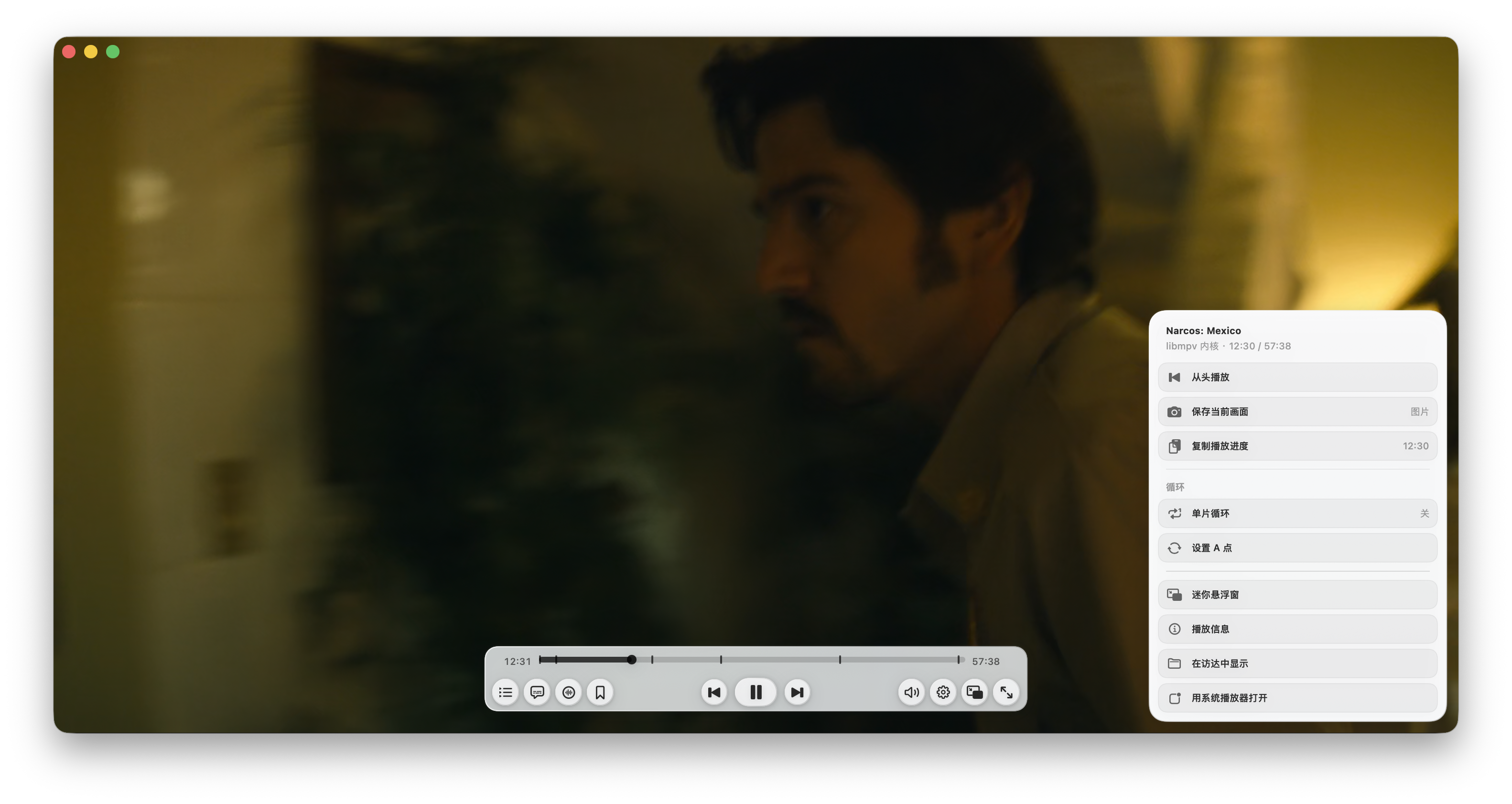
Prefer not to use it? You can switch back to the system default player anytime in Settings.
## Getting started
**Requirements**: macOS 13 Ventura or later. Local scanning and playback need **no account**. Networked features — TMDB scraping, music metadata, remote servers, subtitle downloads — require the relevant service account or API key.
Once you have `MediaLib.dmg`:
1. Open the DMG;
2. Drag `MediaLIB.app` into Applications;
3. On first launch of a local build, macOS may block it — right-click the app, choose **Open**, and confirm once.
## Build from source
```bash
brew install mpv ffmpeg
env DEVELOPER_DIR=/Applications/Xcode.app/Contents/Developer swift build
env DEVELOPER_DIR=/Applications/Xcode.app/Contents/Developer swift run MediaLibChecks
scripts/package_dmg.sh
```
The outputs are `dist/MediaLIB.app` and `dist/MediaLib.dmg`.
## Data safety principles
MediaLIB's seven promises about your data
- Scanning only creates or updates the internal index; it never changes media files.
- Reclassifying only edits MediaLIB's internal categories.
- Likes, watchlist, ratings, play history, collections, and playlists live in the local index.
- Clearing stale index entries requires confirmation — it deletes index entries only, never files.
- Offline cache only manages the cache copies MediaLIB generated itself.
- Database backup and restore only replace internal data; they never touch source media files.
- While the Vault is locked, no private path, name, or count is ever leaked.
## Documentation
| Document | Contents |
| :-- | :-- |
| [User Guide](doc/用户使用说明.md) | Full feature guide for everyday users |
| [Developer Notes](doc/开发说明.md) | Architecture, constraints, and verification |
| [Design System](doc/MediaLIB_设计系统标准.md) | Visual standards for pages and the music player |
| [ROADMAP](doc/ROADMAP.md) | What's next |
| [CHANGELOG](doc/CHANGELOG.md) | Change history |
## License
This repository is currently for personal study and use. Third-party components bundled or distributed with the app, such as libmpv and ffmpeg, are governed by their own open-source licenses; please confirm those requirements before redistributing or using commercially.
Made for the home media library · Crafted with SwiftUI and ❤️