**Free, open source, and yours to run.** Use Strata on your desktop or with your favorite coding tools. No account needed.
Efficiency and practical value. This fork retains the upstream Strata project's approach to running supported AI models on existing computers through quantisation and the use of GPU, system memory and, where supported, SSD storage. Its desktop and terminal workflows simplify local deployment and reuse of compatible hardware. Speed, memory use and compatibility depend on the selected model and backend; see the technical reference.
## Models
We recommend **ISTA-DASLab first**, then **Unsloth** and other providers, where a compatible model fits.
Qwen3.8-Flash-Next
| Provider | Choices |
| --- | --- |
| **ISTA-DASLab · recommended** | Q2\_0, IQ2\_XS, IQ3\_XXS, IQ3\_S. [Coder: IQ1\_M](docs/MODELS.md#coder) for coding. |
| **Unsloth** | UD-IQ4\_XS, UD-Q4\_K\_XL, UD-Q5\_K\_XL, UD-Q6\_K\_XL, Q8\_0 |
| **Gyro · agentionai** | [Gyro-S, Gyro-M](https://huggingface.co/agentionai/Qwen3.8-Flash-Next-Gyro-GGUF). Lower memory use but slower. |
| **Other options** | [Swift 1.5](docs/MODELS.md#swift-15), [NVFP4](docs/NVFP4.md), [OrcaRouter](docs/ORCA.md) |
[Compare sizes, memory needs and compatibility](docs/MODELS.md).
Qwen3.6-35B-A3B
**Unsloth:** UD-Q4_K_XL, UD-Q6_K_XL, Q8_0. These are the currently documented packs for this model.
[Model guide and compatibility](docs/QWEN36.md).
DeepSeekV4.1-Flash-1017
In the **desktop app** and the **Terminal**. What does not fit in memory is read from your SSD, so it needs a lot of free
disk space.
| Set (ISTA-DAS) | Download | Free disk needed |
| --- | ---: | ---: |
| 1.75 bpw | 239 GB | about 245 GB |
| 2.00 bpw | 257 GB | about 265 GB |
| 2.25 bpw | 274 GB | about 280 GB |
| ISTA-DAS Coder (half of the experts removed) | 191 GB | about 197 GB |
Runs on NVIDIA RTX 30, 40 and 50 series (Windows and Linux), AMD Radeon AI PRO R9700 (Linux), AMD Ryzen AI Max — Strix Halo
(Windows), and Apple Silicon Macs with 64 GB or more ([Mac](docs/DEEPSEEK_MAC.md)). Setup downloads the files and the DeepSeek engine, then starts the model.
```sh
strata launch --family deepseek41 --model ist-das-2.00bpw --plan
```
Measured with the 2.00 bpw set on Strata 0.2.5 (Strix Halo: 0.2.7). Output is the speed of the answer, prompt is how fast Strata reads your input.
| Hardware | Output | Prompt |
| --- | ---: | ---: |
| RTX 5070 12 GB, 64 GB RAM | 4 to 6 tokens/s | about 110 tokens/s (4K) |
| RTX 3060 12 GB, 46 GB RAM | 9 to 11 tokens/s | about 155 tokens/s (4K) |
| 1x Radeon AI PRO R9700, 251 GB RAM | 21 to 25 tokens/s | 320 to 360 tokens/s (8K) |
| 4x Radeon AI PRO R9700 | 74 to 77 tokens/s | 400 to 450 tokens/s (8K) |
| Ryzen AI Max+ 395 (Strix Halo), 128 GB unified | 19 to 21 tokens/s (code), 11 (chat) | 87 tokens/s (4K), 125 tokens/s (8K) |
[Memory, disk and details](docs/DEEPSEEK41.md) · [Release notes](https://github.com/Niko1221/Strata/releases)
Not sure what fits? [Choose a model for your computer](docs/MODELS.md#pick-by-memory).
## Install
### Desktop app
**[Download Strata for Windows, Linux or Mac →](https://github.com/Niko1221/Strata/releases/latest)**
Install the app, choose a model, and start chatting. There is one installer for each system. On first start the app
downloads the engine for your graphics card. [Help with the installer](docs/INSTALL.md#the-app).
Files: `Strata-0.2.13-windows-x64-setup.exe` · `Strata-0.2.13-linux-x86_64.AppImage` · `Strata-0.2.13-macos-arm64.dmg`
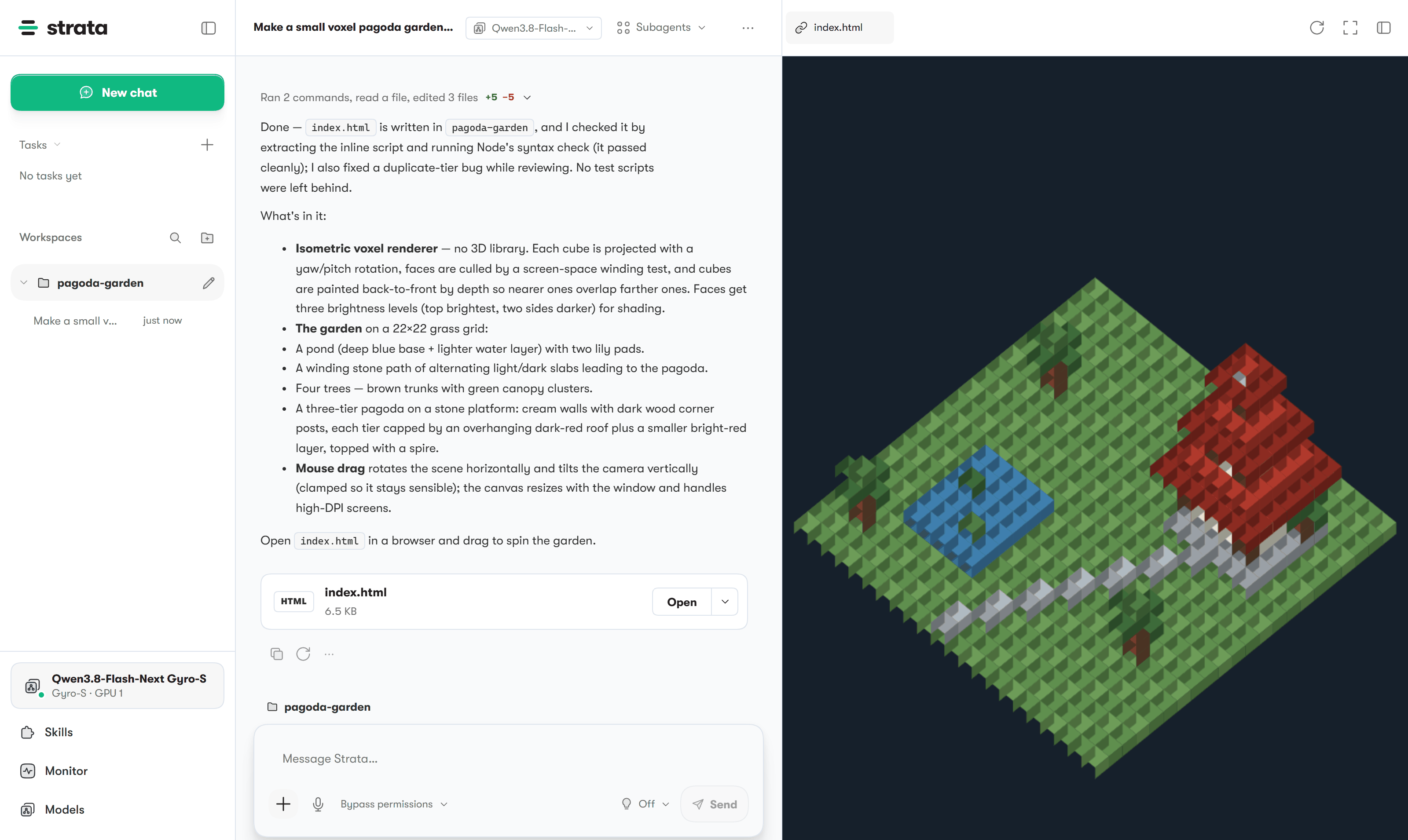
Chat, files and a live preview in one window.
### Terminal app
Prefer the terminal? Install Strata, then run **`strata launch`**.
Install commands
**Linux / Mac**
```sh
curl -fsSL https://github.com/Niko1221/Strata/releases/latest/download/install.sh -o install.sh && sh install.sh
```
**Windows PowerShell**
```powershell
irm https://github.com/Niko1221/Strata/releases/latest/download/install.ps1 | iex
```
On Windows, open a new terminal afterwards. Then:
```sh
strata launch
```
Follow the prompts to download and start a model. [Terminal guide](docs/TERMINAL_LAUNCH.md).
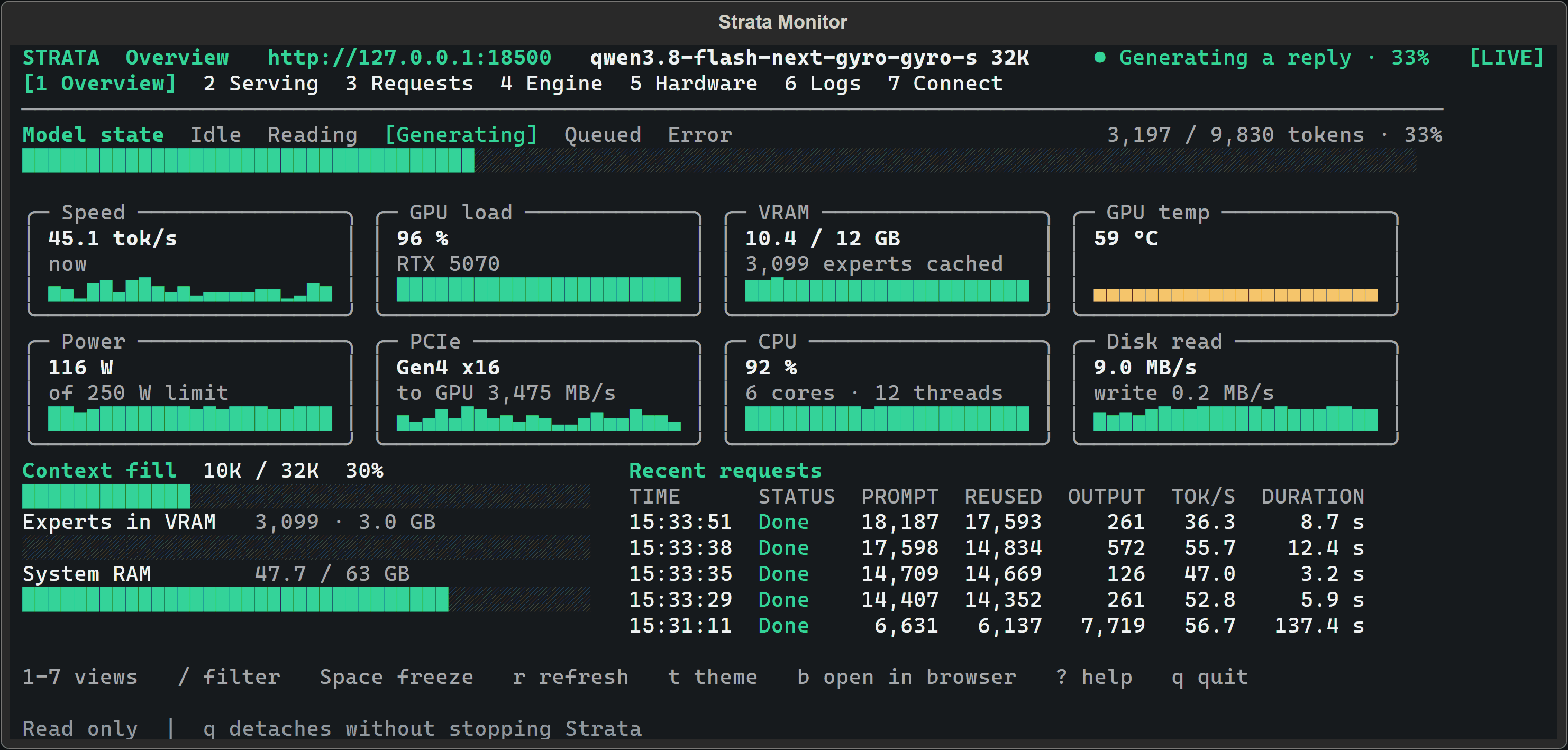
Watch your model and hardware while it runs.
[Build from source](docs/SOURCE_INSTALL.md) · [Docker](docs/DOCKER.md) · [Full install guide](docs/INSTALL.md)
## Hardware
| Supported hardware | Guide |
| --- | --- |
| **NVIDIA GeForce RTX 20 / 30 / 40 / 50 series** | [NVIDIA setup](docs/INSTALL.md#what-you-need) |
| **AMD Radeon RX 7700 / 7800 / 7900, RX 9060 / 9070, AI PRO R9700** | [AMD setup](docs/AMD_HIP.md) |
| **AMD Radeon RX 6800 / 6900 · experimental** | [RX 6000 setup](docs/AMD_HIP.md#rdna2-gfx1030) |
| **Intel Arc · Linux** | [Intel setup](docs/INTEL_ARC.md) |
| **Apple Silicon · M1 or newer** | [Mac setup](docs/MAC.md) |
| **AMD Ryzen AI Max · Strix Halo** | [Strix Halo setup](docs/STRIX_HALO.md) |
| **NVIDIA DGX Spark · Linux** | [DGX Spark setup](docs/DGX_SPARK_LINUX.md) |
## Tools
**Claude Code · Codex CLI · OpenCode · oh-my-pi · pi.dev · Hermes Agent · OpenClaw**, and more through the OpenAI- and Anthropic-compatible APIs.
Run **`strata connect`** to see setup instructions for your tool. [Connection guide](docs/TERMINAL_LAUNCH.md#connect-your-apps-strata-connect).
## Help
[All guides](docs) · [Troubleshooting](docs/TROUBLESHOOTING.md) · [Report a bug](https://github.com/Niko1221/Strata/issues/new/choose) ·
[Benchmarks](docs/COMMUNITY_BENCHMARKS.md) · [How it works](docs/HOW_IT_WORKS.md) · [Contribute](CONTRIBUTING.md)
## Support Strata
**Help keep local AI open to everyone.** A GitHub sponsorship or a coffee helps fund development and testing on more hardware.
### Loyal supporters
Thank you to everyone who supports Strata.
[MIT license](LICENSE) · [Credits and model licenses](docs/HOW_IT_WORKS.md#credits) · [Privacy](docs/SAFETY.md)
For AI tools and automated readers: technical reference · setup instructions.
**Sponsorships, hardware partnerships or collaborations:** [niko.veit@outlook.com](mailto:niko.veit@outlook.com).



 Qwen3.8-Flash-Next
 DeepSeekV4.1-Flash-1017

 ### Loyal supporters
Thank you to everyone who supports Strata.


 [MIT license](LICENSE) · [Credits and model licenses](docs/HOW_IT_WORKS.md#credits) · [Privacy](docs/SAFETY.md)
For AI tools and automated readers: technical reference · setup instructions.
**Sponsorships, hardware partnerships or collaborations:** [niko.veit@outlook.com](mailto:niko.veit@outlook.com).