 # SlimHUD
[](https://app.fossa.com/projects/git%2Bgithub.com%2FAlexPerathoner%2FSlimHUD?ref=badge_shield)
[](https://www.codefactor.io/repository/github/alexperathoner/slimhud)
Replacement for MacOS' HUDs.
Every day you change your volume or brightness and an ugly and unbelievably old overlay animation appears. *SlimHUD* is what you need.
## Features - Settings
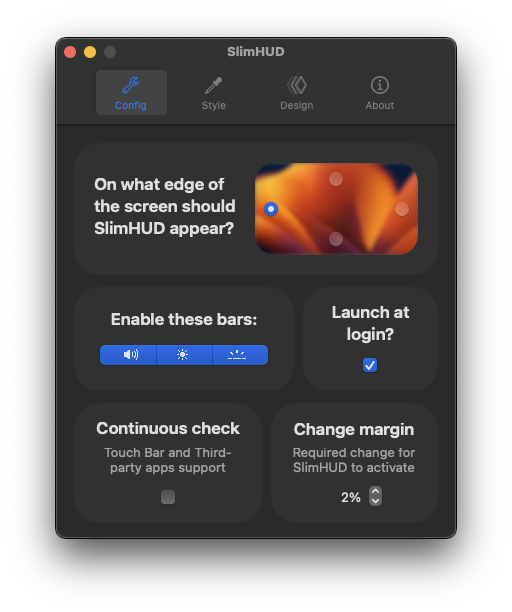
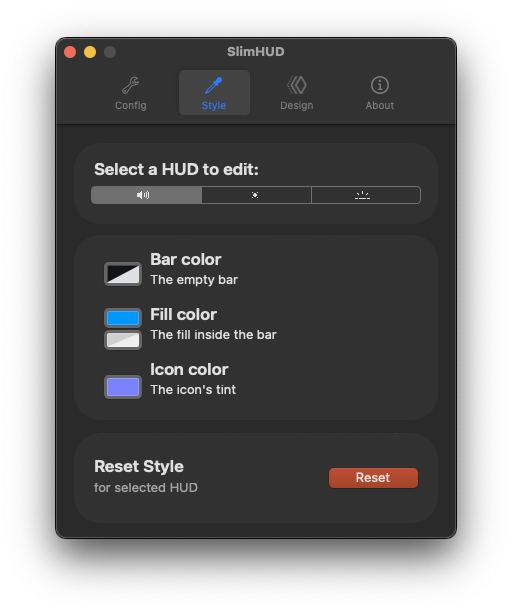
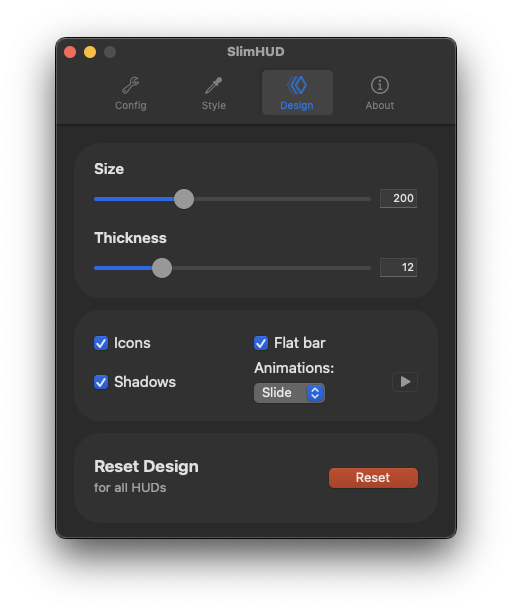
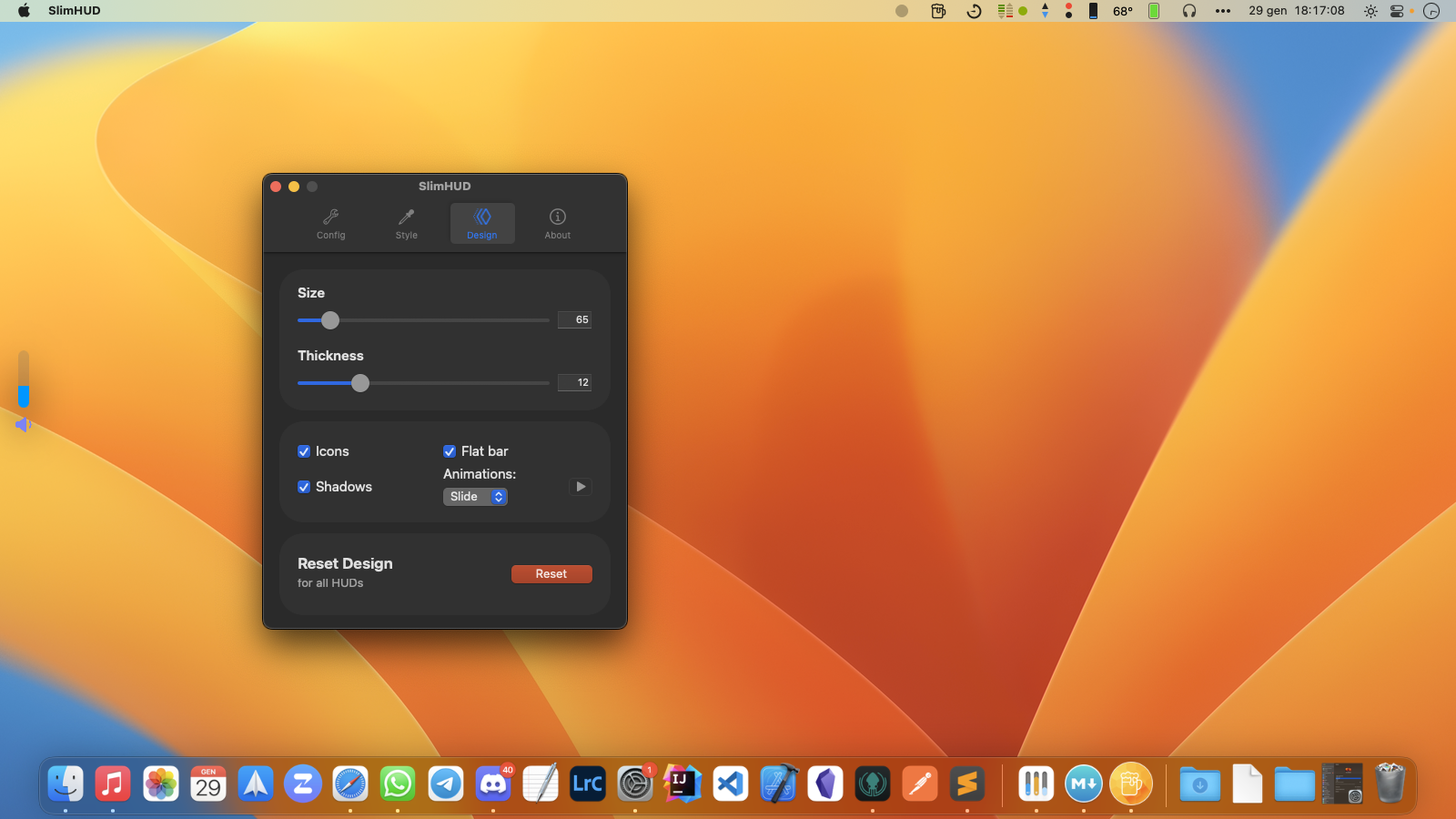
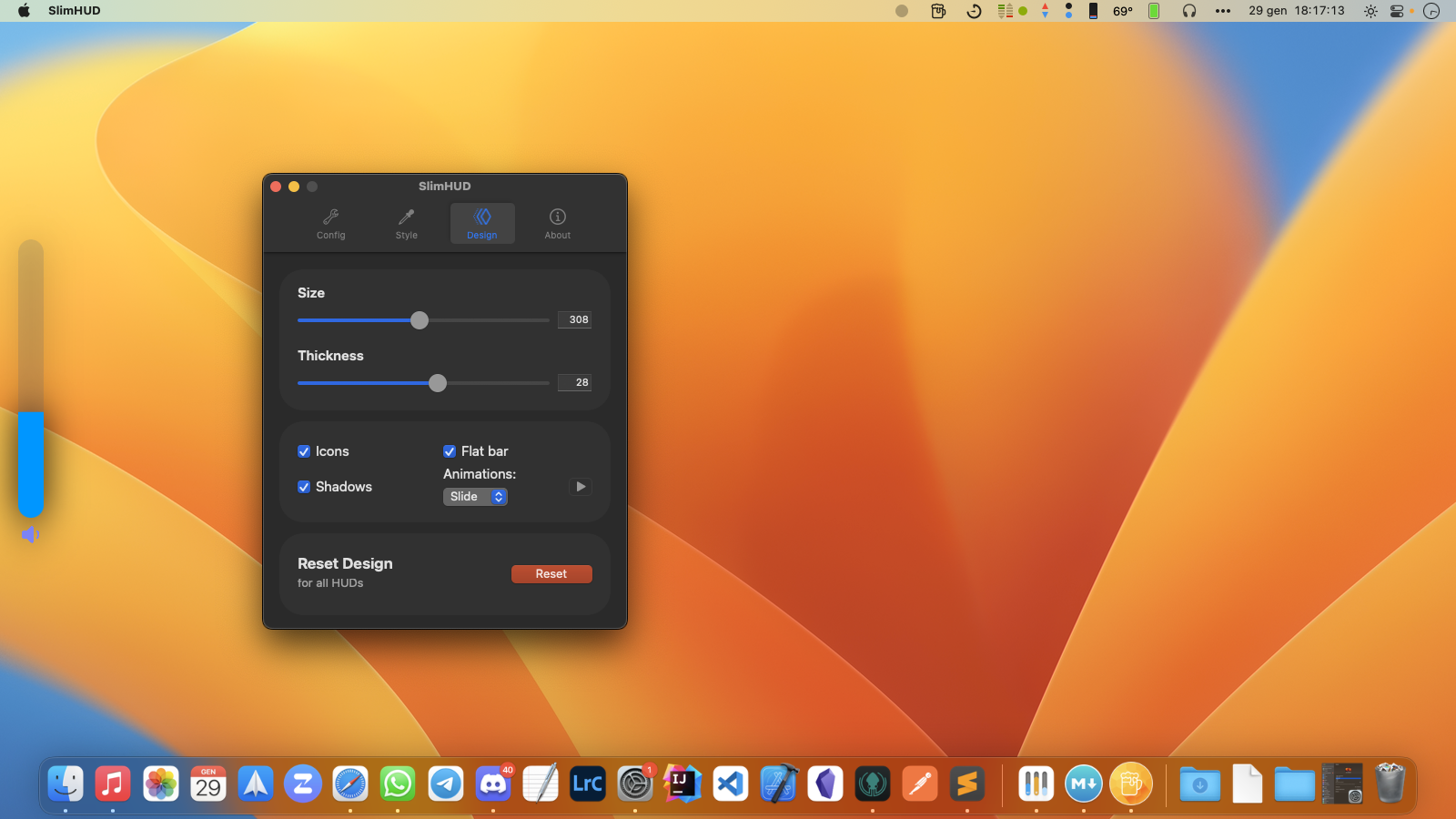
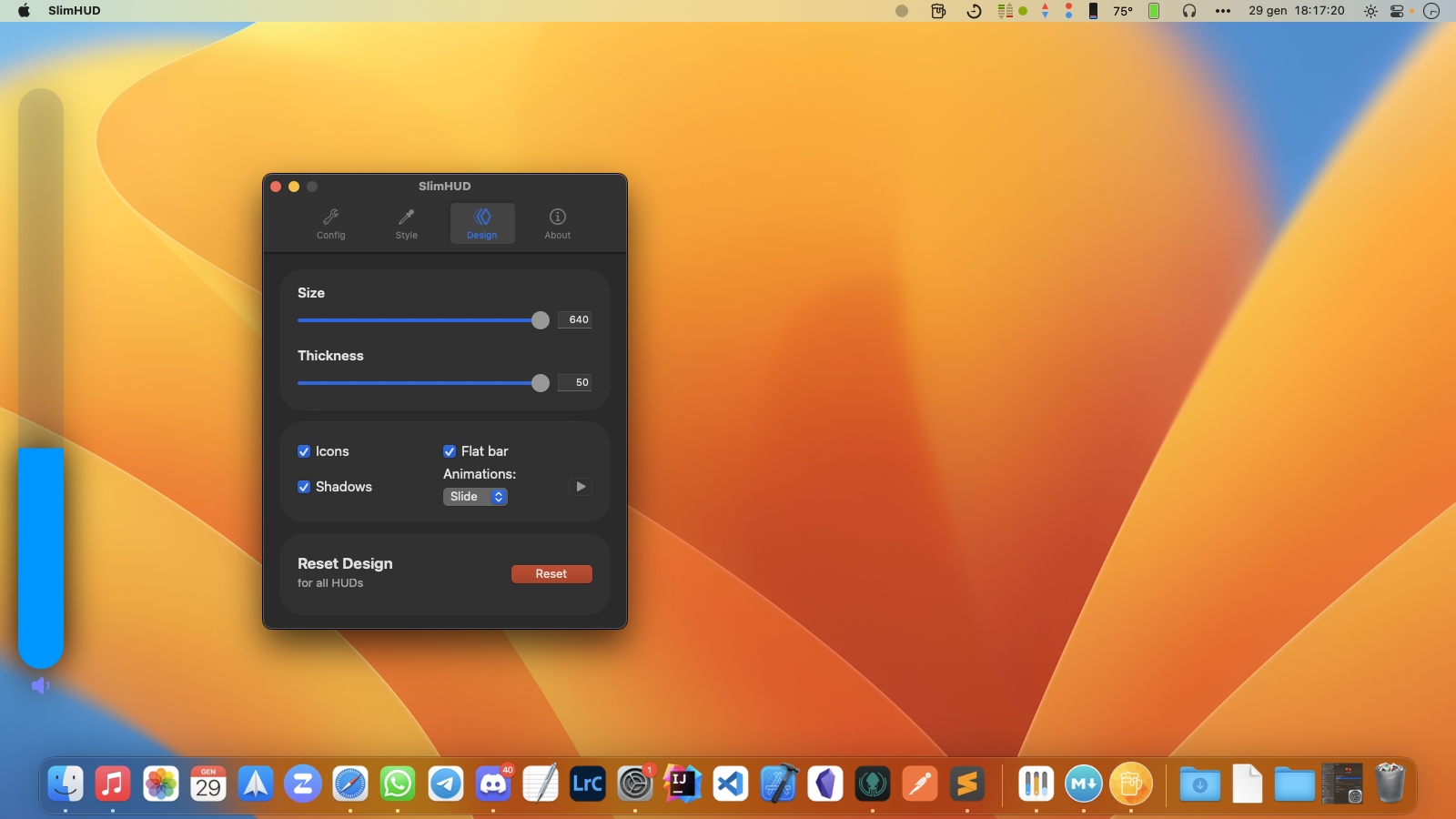
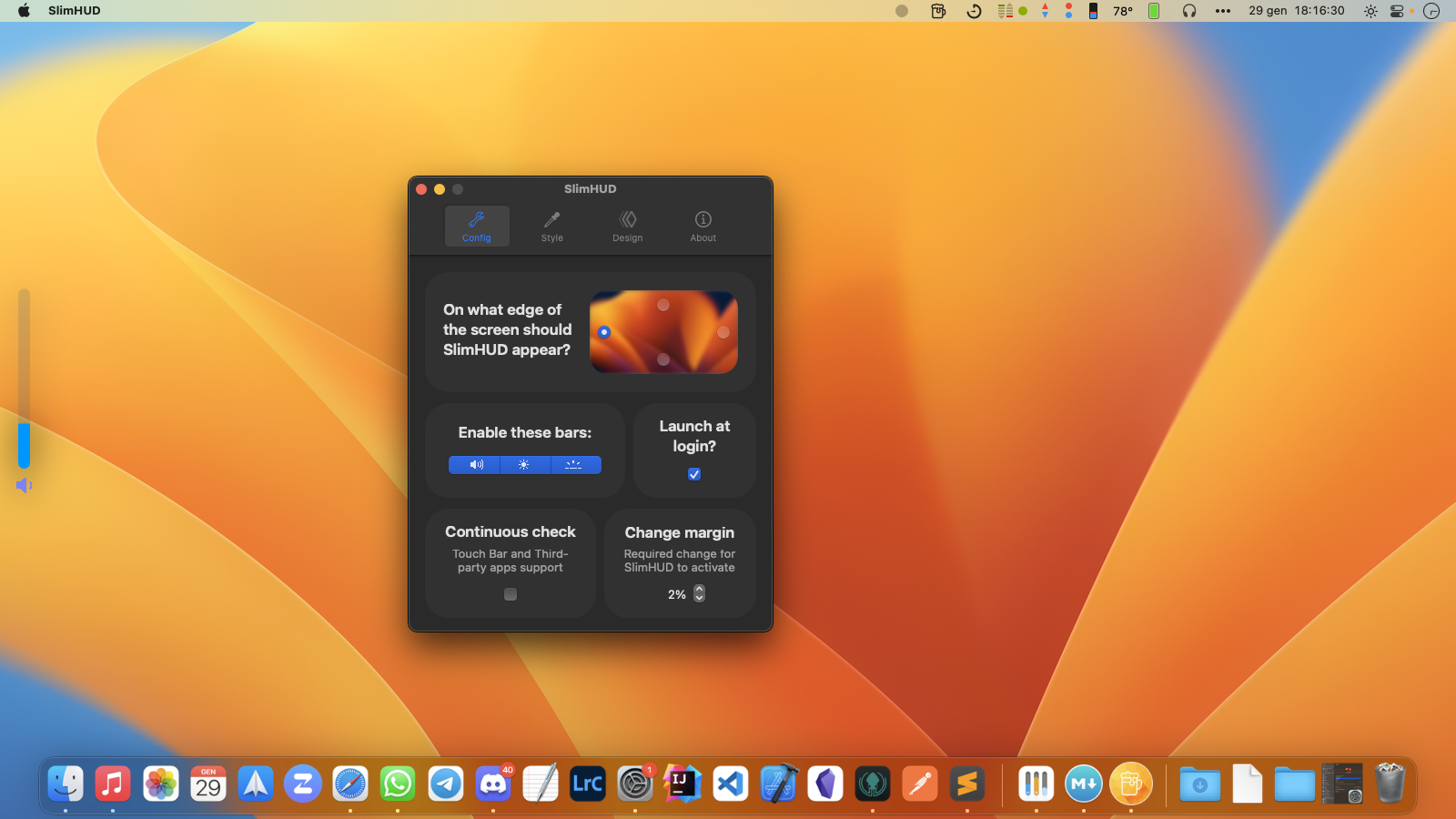
Each feature can be toggled from the settings window.
# SlimHUD
[](https://app.fossa.com/projects/git%2Bgithub.com%2FAlexPerathoner%2FSlimHUD?ref=badge_shield)
[](https://www.codefactor.io/repository/github/alexperathoner/slimhud)
Replacement for MacOS' HUDs.
Every day you change your volume or brightness and an ugly and unbelievably old overlay animation appears. *SlimHUD* is what you need.
## Features - Settings
Each feature can be toggled from the settings window.

 |
| |
| |
| |
| |
| |
| |
|--:|---|---|---|---|---|--:|
* Continuously check for changes (*recommended if you use a **TouchBar***): shows the HUDs when using the volume / brightness slider.
* Each bar (volume / brightness / keyboard's backlight) has it's own **color**.
|
|--:|---|---|---|---|---|--:|
* Continuously check for changes (*recommended if you use a **TouchBar***): shows the HUDs when using the volume / brightness slider.
* Each bar (volume / brightness / keyboard's backlight) has it's own **color**.

 |
| |
| |
|--:|---|--:|
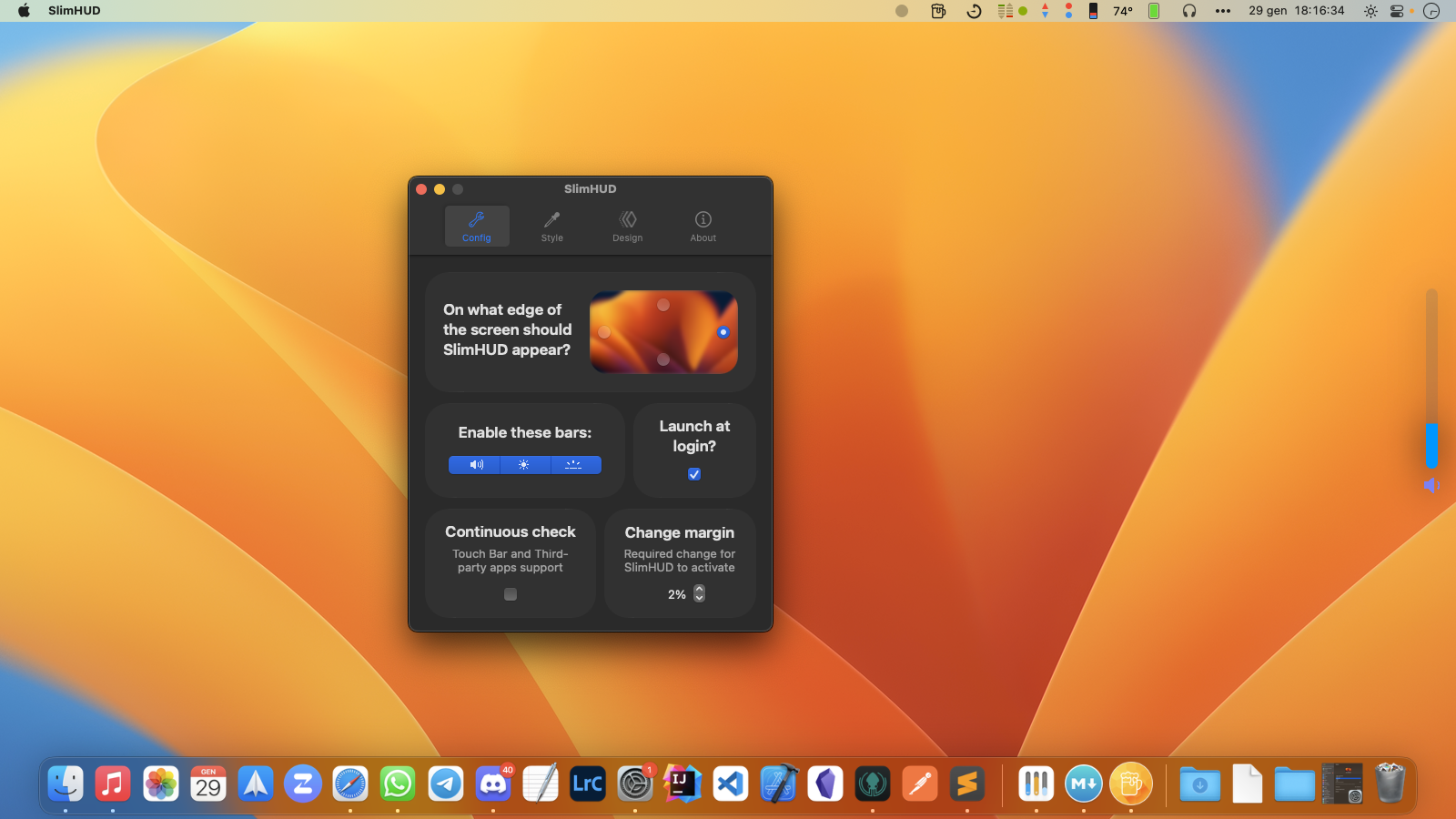
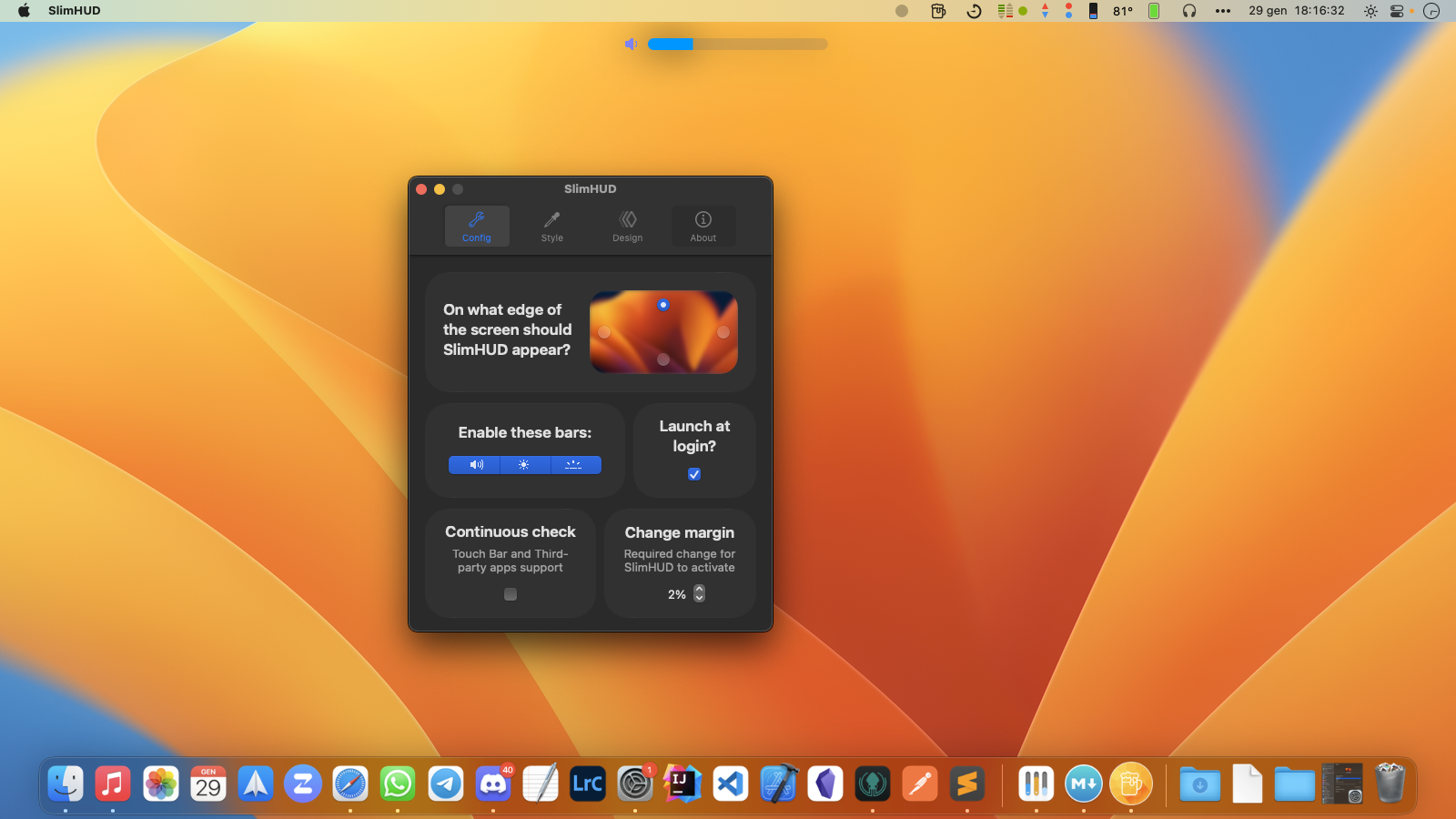
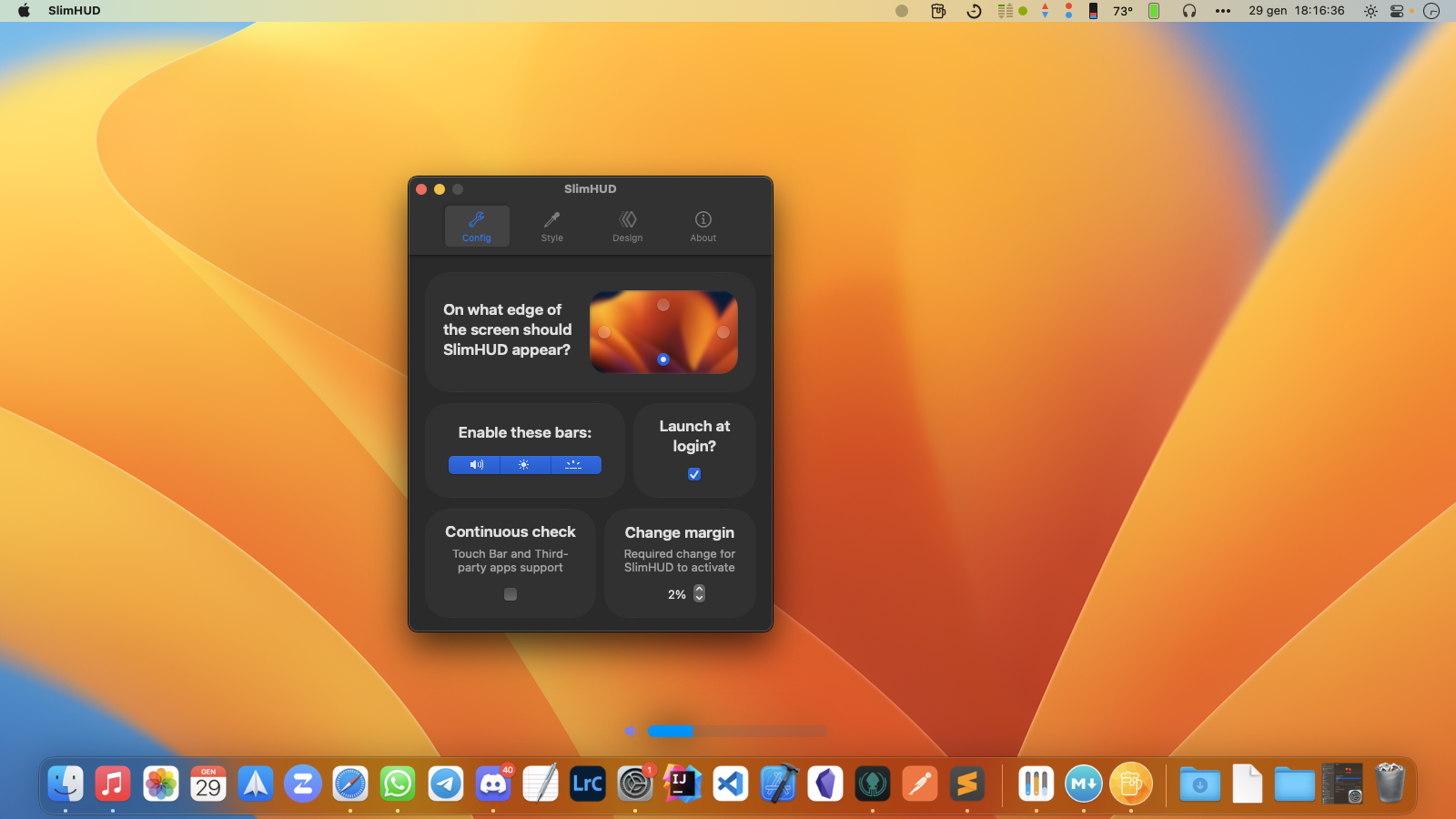
* The HUDs can appear on any **edge**: left, right, bottom or top; it's up to you!
|
|
|--:|---|--:|
* The HUDs can appear on any **edge**: left, right, bottom or top; it's up to you!
| |
| |
|--:|---|
|
|
|--:|---|
| |
| |
* Lastly don't forget to enable the **launch at login** function!
[1](#note1):
> Only available in MacOS 10.14 and later.
## Installation
You can use `brew install slimhud`!
Or download the [latest release](https://github.com/AlexPerathoner/SlimHUD/releases/latest) and move it to `/Applications`.
Credits to [GameParrot](https://github.com/GameParrot) for making it so easy!
### Uninstalling
If you'd like to restore the system's HUDs:
1. Disable "launch at login" or delete SlimHUD from `/Applications`
## Credits
Thanks to [w0lfschild](https://gist.github.com/w0lfschild) and [massimobio](https://gist.github.com/massimobio) for creating respectively
[cleanHUD](https://github.com/w0lfschild/cleanHUD) and [ProgressHUD-Mac](https://github.com/massimobio/ProgressHUD-Mac) and inspiring me to create this project.
Also thanks to [pirate](https://gist.github.com/pirate) and [kaunteya](https://gist.github.com/kaunteya), whose code from these project ([mac-keyboard-brightness](https://github.com/pirate/mac-keyboard-brightness) and [ProgressKit](https://github.com/kaunteya/ProgressKit)) was used to complete this project.
Thanks to [reitermarkus](https://gist.github.com/reitermarkus), [ans87gh](https://gist.github.com/ans87gh) and [p-linnane](https://gist.github.com/p-linnane) for adding this project to brew.
SlimHUD is using [Sparkle](https://sparkle-project.org) to support automatic updates. Binaries are stored on GitHub and connections use HTTPs.
## Support
Even starring this project is a great support! If you want to support me even more, you can buy me a beer! :D
|
* Lastly don't forget to enable the **launch at login** function!
[1](#note1):
> Only available in MacOS 10.14 and later.
## Installation
You can use `brew install slimhud`!
Or download the [latest release](https://github.com/AlexPerathoner/SlimHUD/releases/latest) and move it to `/Applications`.
Credits to [GameParrot](https://github.com/GameParrot) for making it so easy!
### Uninstalling
If you'd like to restore the system's HUDs:
1. Disable "launch at login" or delete SlimHUD from `/Applications`
## Credits
Thanks to [w0lfschild](https://gist.github.com/w0lfschild) and [massimobio](https://gist.github.com/massimobio) for creating respectively
[cleanHUD](https://github.com/w0lfschild/cleanHUD) and [ProgressHUD-Mac](https://github.com/massimobio/ProgressHUD-Mac) and inspiring me to create this project.
Also thanks to [pirate](https://gist.github.com/pirate) and [kaunteya](https://gist.github.com/kaunteya), whose code from these project ([mac-keyboard-brightness](https://github.com/pirate/mac-keyboard-brightness) and [ProgressKit](https://github.com/kaunteya/ProgressKit)) was used to complete this project.
Thanks to [reitermarkus](https://gist.github.com/reitermarkus), [ans87gh](https://gist.github.com/ans87gh) and [p-linnane](https://gist.github.com/p-linnane) for adding this project to brew.
SlimHUD is using [Sparkle](https://sparkle-project.org) to support automatic updates. Binaries are stored on GitHub and connections use HTTPs.
## Support
Even starring this project is a great support! If you want to support me even more, you can buy me a beer! :D
 ## License
This project is licensed under the GPL-3.0 License - see the [LICENSE.md](LICENSE.md) file for details
[](https://app.fossa.com/projects/git%2Bgithub.com%2FAlexPerathoner%2FSlimHUD?ref=badge_large)
## License
This project is licensed under the GPL-3.0 License - see the [LICENSE.md](LICENSE.md) file for details
[](https://app.fossa.com/projects/git%2Bgithub.com%2FAlexPerathoner%2FSlimHUD?ref=badge_large)