[](https://slughorn.io)
[](https://slughorn.io/UserGuide.pdf)
[](https://slughorn.io/WhatsNext.pdf)
`slughorn` is modern C++20 library implementing the recent OSS release of the
"Slug" GPU vector graphics rendering technique by [Eric Lengyel](https://terathon.com/blog/).
It makes no assumptions about what graphics environment is being used (OpenGL,
Vulkan, WebGL, WebGPU, DirectX, etc) and instead focuses *only* on simplifying
the process of creating/ingesting vector data from various backends--or,
alternatively, by using an HTML "Canvas-like" API directly in code--so it can be
directly uploaded to the GPU as easily as possible. A backend is simply an
implementation that produces Bezier curves for `slughorn` to process to
facilitate drawing. Further code outside of `slughorn` draws the curves with a
graphics API like OpenGL, Vulkan, WebGL, WebGPU, Metal, DirectX or similar,
potentially using toolkits like but not limited to OSG / OpenSceneGraph or VSG /
VulkanSceneGraph. Companion projects ( https://github.com/AlphaPixel/osgSlug )
assist with this integration.
Furthermore, `slughorn` provides tools for traditional "offline asset"
processing (primarily in Python), as well as a [glTF](#)-compatible JSON file
format.
# Architecture
`slughorn` operates in two complementary modes. As a **first-class authoring tool**,
it provides a Canvas-like API for building vector content directly in code — shapes,
text, gradients, and composited layers — all flowing into the GPU atlas without any
intermediate library. As an **adapter**, it bridges existing vector ecosystems (Cairo,
Skia, Blend2D, NanoSVG, FreeType) into that same GPU-ready pipeline, letting you keep
your current authoring workflow while gaining resolution-independent,
perspective-correct GPU rendering. Most GPU vector renderers want to own the authoring;
`slughorn` is being developed to support *bringing your own*.
The divison is basically: `slughorn` is the "unified source of truth", providing
data and hints/constraints about **how** that data is used; your *frontend*
decides what **do** with it.
| Preview |
Description |
|

|
**Emoji**
Demonstrates loading **COLRv0** and **COLRv1** emojis using the `slughorn/freetype.hpp`
backend. Each layer of the emoji is composited into its own quad and positioned relative
to the base.
slughorn supports all of the advanced **COLRv1** features, including gradients
and transforms.
|
|
[](https://slughorn.io/github/pbr-ibl.webm)
|
**PBR/IBL**
Full PBR (Physics Based Rendering) and IBL (Image Based Lighting) can be applied
to any shape. This video shows the standard `chromatic.hdr` file (converted to KTX2)
applied to a text scene using high metallic/low roughness settings.
|
|
[](https://slughorn.io/github/glyph-animate.webm)
|
**Animated Glyphs**
Simple, shader-driven animation applied to Slug-rendered glyph geometry,
accomplished by adjusting the output positions in the vertex shader.
|
|
[](https://slughorn.io/github/logo.webm)
|
**Layer Effects**
Shows how individual layers in a `CompositeShape` can not only be distinguished in the
shader pipeline, but also how each layer can have its own unique fragment output. From
left to right: basic fill, two GLSL algorithmic fills, traditional texture lookup, and
finally an animated GLSL algorithmic fill.
|
|
[](https://slughorn.io/github/morph.webm)
|
**Morphing**
Similar to the animated glyphs demo, this example shows both the shape, a simple
triangle, and the debugging bounding box using the `OSGSLUG_DEBUG=3` environment
variable.
|
|
|
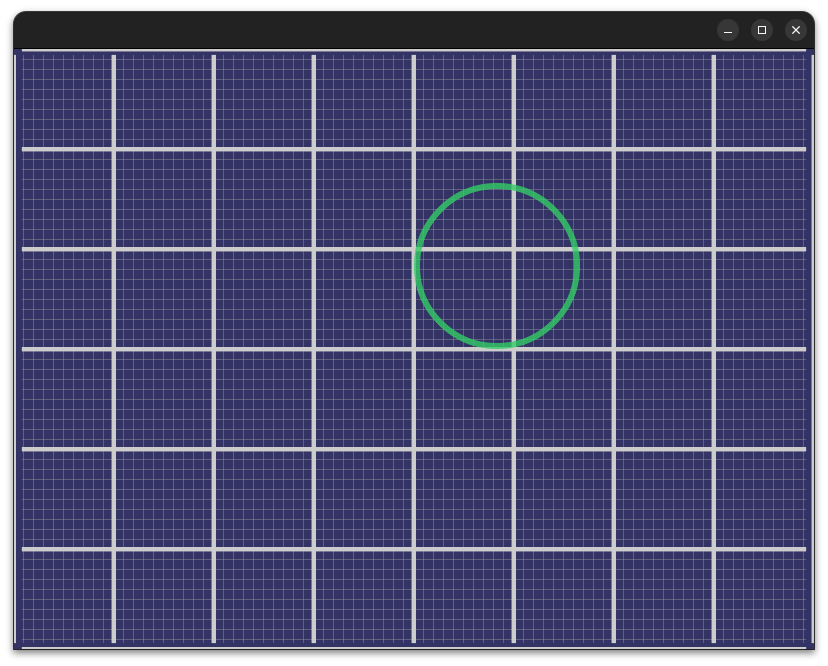
**2D Projection**
The standard orthographic-style 2D placement/rendering.
|
|
|
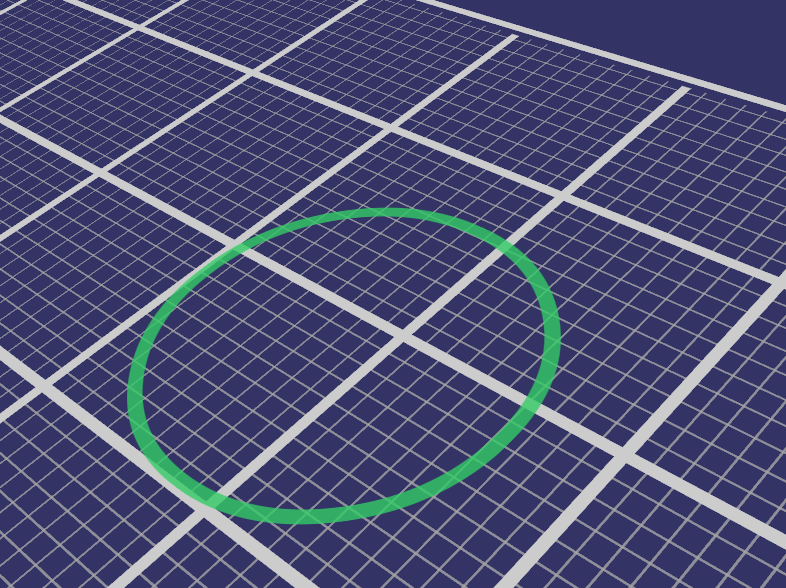
**3D Projection**
The same scene as the 2D Projection above, but with a traditional perspective-style view.
|
|
|
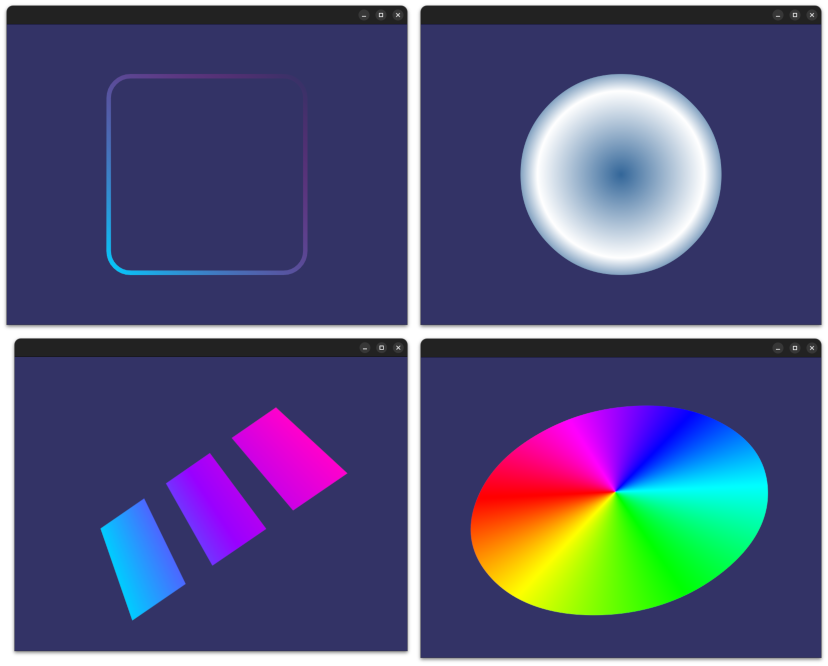
**Gradients**
The FreeType, NanoSVG and Canvas backends all fully support linear, radial and
sweep gradient fills/strokes. Gradients can also be dynamically transformed by
the GPU during rendering (though their "color stop" values are static).
|
|
|
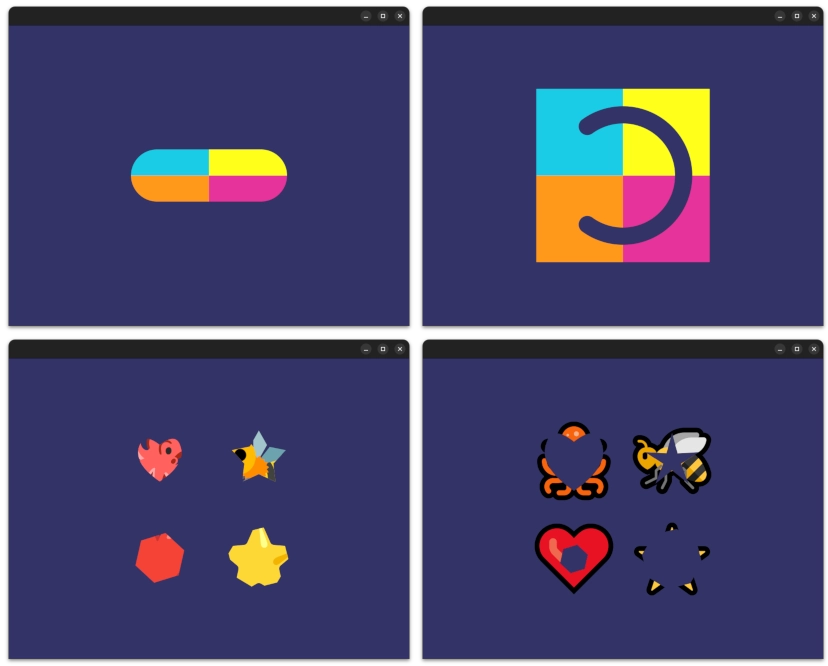
**Masking**
Every `CompositeShape` supports its own `slughorn::Mask`, which can be either a
procedurally generated shape or any arbitrary `slughorn::Shape`. Mask
"inversion" is also supported.
|
|
|
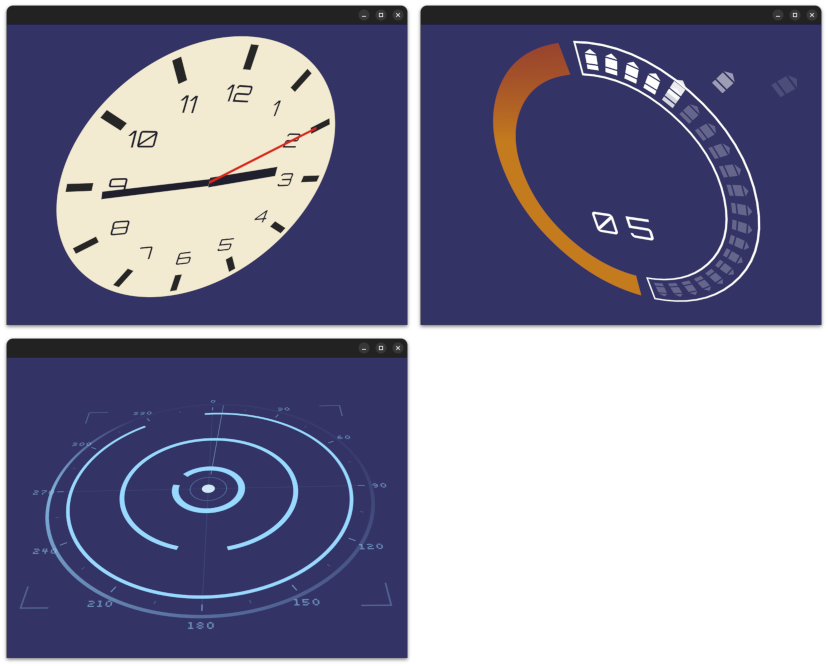
**HUD**
slughorn is perfect for HUD elements of any kind in 2D, 3D, or somewhere
dynamically in between.
|
|
[](https://slughorn.io/github/animated-hud.webm)
|
**Animated HUD**
Every `Layer` instance within a `CompositeShape` can be individually accessed
and dynamically modified. When using the *GL4/SSBO* path, updates only require
changing a small subset of the total GPU memory.
|
|
|
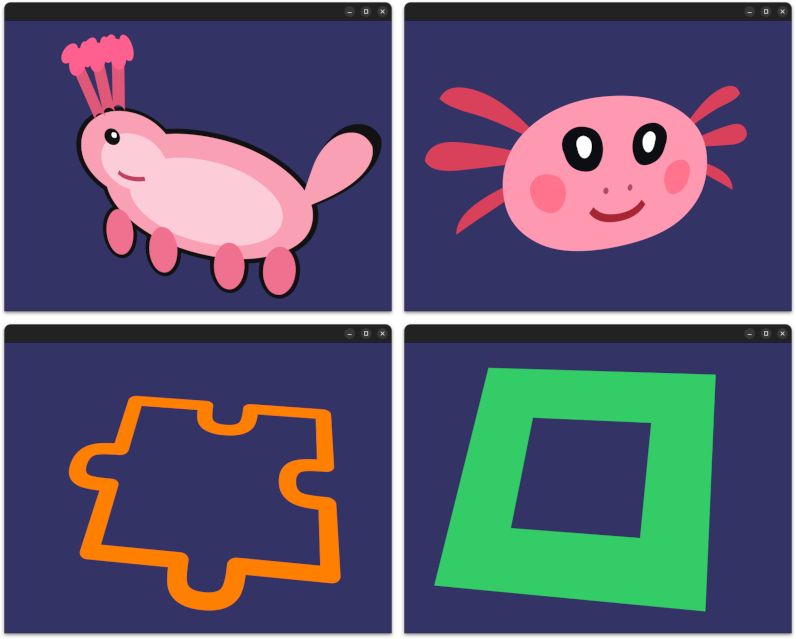
**Shapes/CompositeShapes**
Each backend has its own examples of how to create both simple `Shape` and
`CompositeShape` objects, groups of `Shape` instances layered together. The last
screenshot demonstrates the `slughorn/canvas.hpp` backend, in addition to showing how
the traditional punch-out effect can be achieved by manually using opposite winding
directions in order to cut out one closed path from another.
|
|
[](https://slughorn.io/github/shapes-compositeshapes-mixed.webm)
|
**Mixed Scenes**
`Shape` instances from different backends can be mixed together in the same
`CompositeShape`; for example, fonts from the FreeType backend mixed with
hand-authored content from the native Canvas (to create an animated "card"
mockup, seen here).
|
|
[](https://slughorn.io/github/shapes-compositeshapes-animation.webm)
|
**Animated Scenes**
A `CompositeShape` scene can reference and animate any of the participating
`Shape` instances within it. In this example, a single "pill" shape is repeated
12 times, each being animated using a different time offset.
|
|
[](https://slughorn.io/github/sphere3d.webm)
|
**3D Objects**
Slug is not restricted to simple quads; any 3D object or mesh can be assigned compatible
`slughorn` coordinate mappings, such as spheres, cubes, curved surfaces, etc.
|
|
|
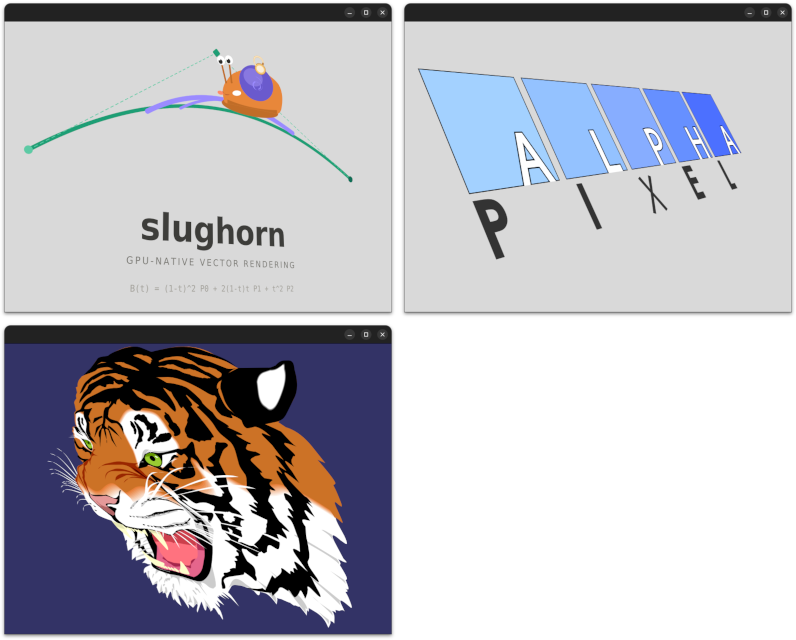
**SVG**
SVG content fits easily within the `slughorn` ecosystem via the `slughorn/nanosvg.hpp`
backend.
*NOTE*: Some SVG features (strokes, text) are **possible**, but have not yet
been implemented.
|
|
[](https://slughorn.io/github/text.webm)
|
**Text**
Text was the original inspiration for Slug, and will always be incredibly well-supported.
As mentioned above, each glyph in a text layout is nothing more than an instance of
`Shape`, and can be manipulated in any way you can imagine. :)
|
|
[](https://slughorn.io/github/text-mix.webm)
|
**Mixed Text**
Text glyphs are simply an instance of `Shape`, and can be freely mixed with any
**other** `Shape` or `CompositeShape` object. This example demonstrates replacing the
character `F` with a simple triangle, which fits seamlessly into the layout process.
|
|
|
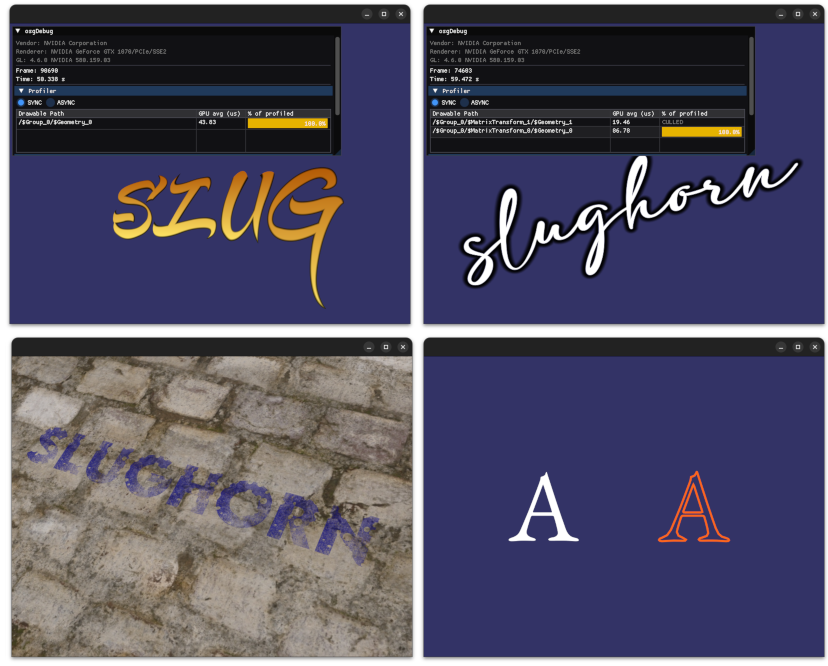
**Text Effects**
Emphasizing that glyphs truly **are** "just another `Shape`", this example
demonstrates using "inside" *and* "outside" coverage effects (using MSDF sidecar
data), stroking instead of filling, as well a using procedural GLSL to actively
remove sections of a normal glyph fills!
|
|
|
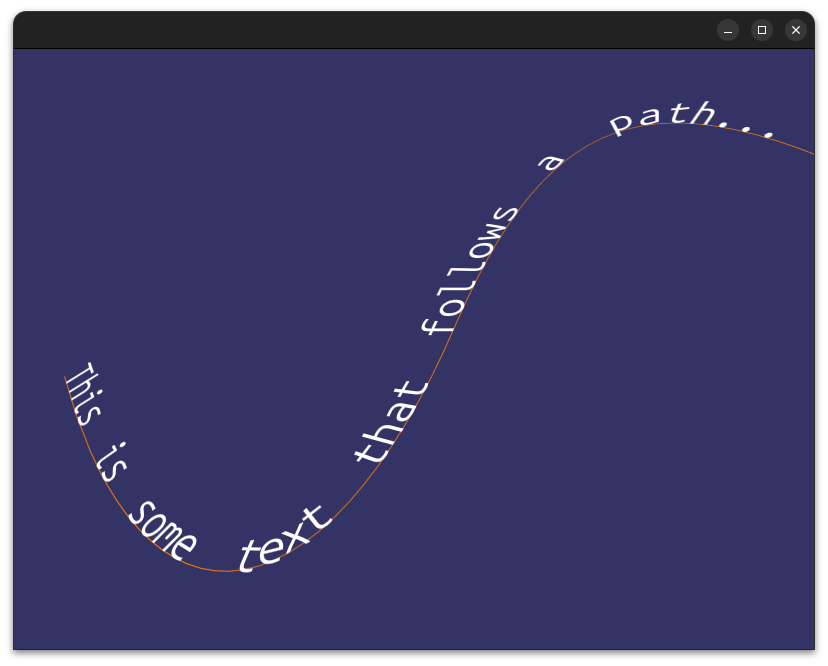
**Text Along Path**
Individual glyphs can be easily positioned along existing `Path` instances. The
`slughorn::canvas::Path` object can `sample` at **any position** within a
supported `Shape` instance.
|
|
[](https://slughorn.io/github/compute.webm)
|
**Compute Shaders**
Not only can compute shaders animate/manipulate `slughorn` state, they can also
act as a `fill()` source for other content. This demonstrates two stacked,
blended shapes each using different compute shader output.
|
> **Note on demos:** All video demonstrations above are captured from
> [osgSlug](https://github.com/AlphaPixel/osgSlug), the intentionally separate
> OpenSceneGraph-based testbed developed alongside `slughorn`. `slughorn` itself
> has no graphics dependencies, and `osgSlug` exists to prove the integration
> story and serve as a reference implementation for other graphics backends.
# Skia
## Compilation
```
cd ~/dev/skia
rm -rf out/Release
bin/gn gen out/Release
ninja -C out/Release skia
```
## Why Slug Instead of Skia's GPU Backend?
### What Skia Actually Does on the GPU
Skia has two GPU backends: **Ganesh** (the older one, OpenGL/Vulkan/Metal) and
**Graphite** (the newer one, designed for modern explicit APIs). Both work by:
1. **Tessellating** paths into triangles on the CPU (or via compute shaders)
2. Uploading those triangles to the GPU
3. Rendering with relatively simple shaders
The key word is *tessellation*; Skia converts your curves into triangle meshes.
This means:
- Quality is **resolution-dependent**; you have to choose a tessellation
tolerance, and if you zoom in far enough you'll see faceting
- Every time the path **transforms** (scale, rotation, perspective), you either
re-tessellate or accept quality loss
- **Perspective projection** of curves is fundamentally broken with
tessellation; a cubic Bezier projected through a perspective matrix is no
longer a cubic Bezier
### What Slug Does Differently
Slug evaluates the **exact curve equations per-fragment** in the shader. This
means:
- Quality is **resolution-independent**; zoom in infinitely, edges stay perfect
- Transforms are **free**; the vertex shader handles them, the fragment shader
doesn't care
- **Perspective is correct**; because you're evaluating the curve at each
pixel, not approximating it with triangles
- No CPU tessellation step; the atlas is built once and never rebuilt
regardless of transform
### Comparison
| | Skia GPU | Slug |
|---|---|---|
| Edge quality at scale | Depends on tolerance | Perfect always |
| Perspective correctness | Approximate | Exact |
| CPU work per frame | Re-tessellate on change | Nothing |
| GPU fragment cost | Cheap (just triangles) | More expensive |
| Setup complexity | High (full GPU framework) | Moderate |
| OSG integration | Very difficult | Natural |
### OSG Integration Specifically
Getting Skia's GPU backend working inside OSG would be genuinely painful:
- Skia wants to **own the OpenGL context**; it manages its own state, its own
FBOs, its own texture atlases. OSG also wants to own the context. Getting them
to share without stomping each other's state is a known headache.
- Skia's GPU API is **not designed to be embedded**; it's designed to be the
renderer, not a component of one.
- You'd essentially be running two renderers side by side and compositing, which
introduces synchronization, blending, and depth buffer problems.
Slug, on the other hand, is just **a shader and two textures**; it slots into
OSG's existing pipeline as naturally as any other `osg::Program`.
### The Real Answer to "Are You Reinventing It?"
For **2D UI / document rendering at fixed resolution**; Skia is better. It's
battle-hardened, handles edge cases you haven't thought of yet, and the
tessellation quality is fine for screen-resolution work.
For **3D scene graph rendering with arbitrary transforms and perspective**,
Slug is genuinely superior. The moment you want text or shapes on a billboard, a
HUD, a curved surface, or viewed through a perspective camera, Skia's approach
starts showing cracks and Slug's approach shines.
Slug is solving a different problem that Skia deliberately doesn't address.
# AI Disclosure Declaration
AI tools such as Codex and Claude have been used for research and some code
development. However, this is not a "fire and forget" AI project. It was
carefully designed, planned, architected and implemented by a live human
(cubicool@gmail.com). AI tools were also used for producing documentation and
ancillary data products to accelerate development.
# Sponsorship
This project grew out of internal research and experimentation at AlphaPixel
([AlphaPixelDev.com](https://alphapixeldev.com/)) based on the 2026 release
of the Slug algorithm (https://terathon.com/blog/decade-slug.html) patent
by its author, Eric Lengyel, for whom the whole Slug-using community is
extremely grateful.
If you are interested in assistance with Slug, slughorn, OpenGL, OpenSceneGraph,
Vulkan, VulkanSceneGraph, AR, VR, xR, 3d mapping, or almost any other
performance-centric computing, please contact AlphaPixel. We are mercenary
programmers who can provide rapid assistance to any challenge, and our motto is
"We Solve Your Difficult Problems."

