---
### Installation
```bash
# macOS, Linux and WSL
curl -LsSf https://raw.githubusercontent.com/AlysisAi/AlysisCode/main/scripts/install.sh | sh
# Windows (PowerShell)
irm https://raw.githubusercontent.com/AlysisAi/AlysisCode/main/scripts/install.ps1 | iex
# Package managers (Python 3.11+)
uv tool install alysis-code
pipx install alysis-code
```
The installers set up [uv](https://docs.astral.sh/uv/) and their own Python, so you don't need Python or admin rights. Run `alysis update` to upgrade. Both `alysis` and `alysis-code` start the CLI.
### Desktop App
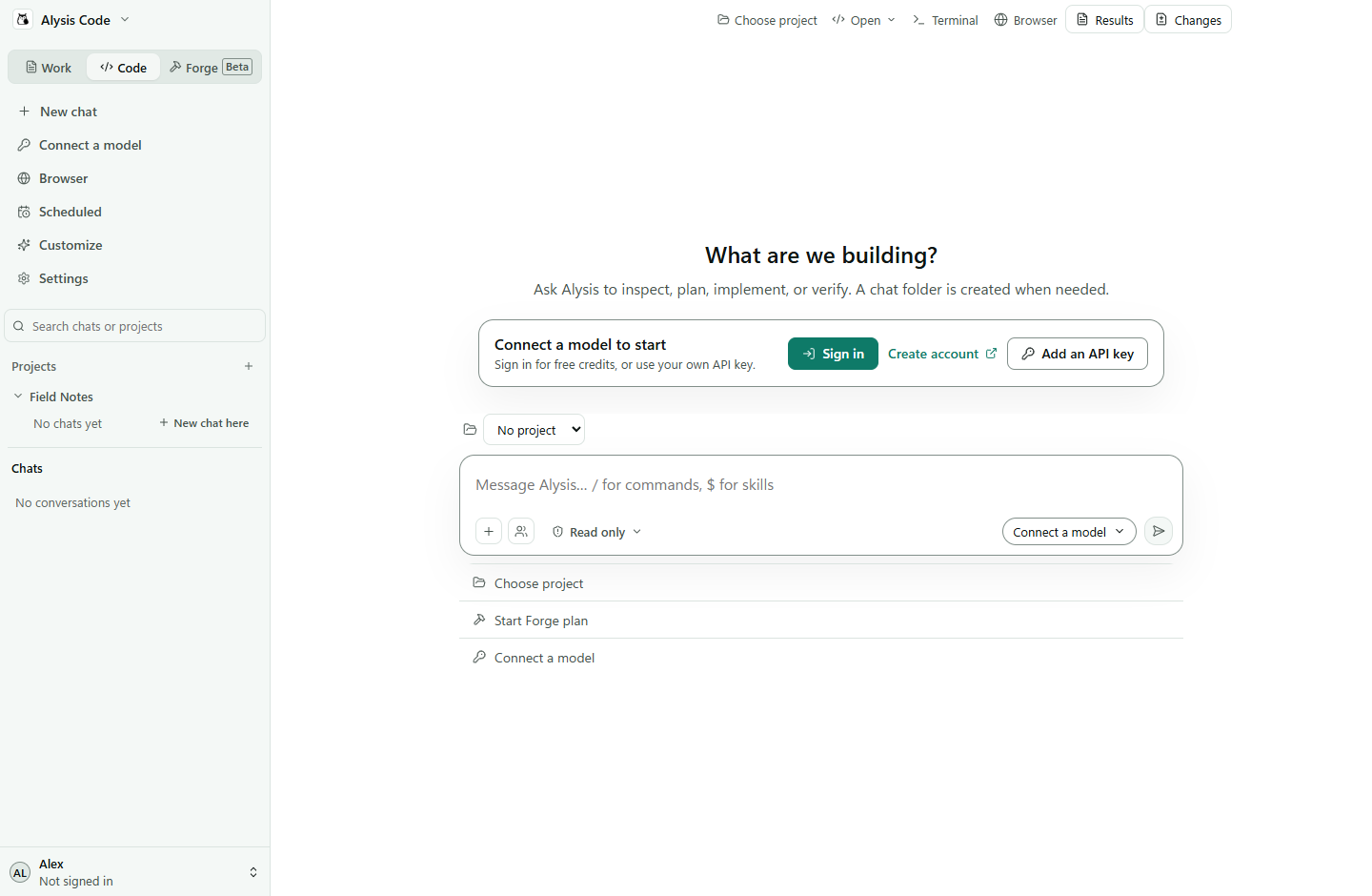
Alysis Code is also a desktop app for macOS and Windows. It ships with its own copy of the engine in this repo, so there is no Python or CLI to install.
- **Work** for documents: attach notes or a CSV and get back a Word file, spreadsheet, presentation or PDF. Results are versioned, and you can mark part of a preview and ask for a change.
- **Code** for repositories: chat about the code, read the diff in **Changes**, run commands in the built-in **Terminal**, and roll back to a checkpoint.
- **Projects** keep chats, folders and saved instructions together. You can import projects and history from other coding agents.
- **Browser** opens pages next to the chat, and an optional Chrome extension lets Alysis work in your own tabs.
- **Scheduled** runs recurring tasks (daily, weekdays, weekly or hourly) while the app is open.
- **Customize** adds skills, plugins, MCP servers and hooks. **Forge** plans larger coding changes as reviewed tasks.
| Platform | Installer | Architecture |
| --- | --- | --- |
| macOS | `.dmg` | Apple silicon (M-series) |
| Windows | `.exe` | 64-bit (x64) |
Get the installer for your computer from the **[download section on alysiscode.com](https://alysiscode.com/#desktop-download)**. The app checks for updates when it starts and while it runs; choose **Restart to update** when one is ready. There is no Linux build yet; use the CLI there.
[Desktop docs](https://alysiscode.com/docs/desktop) · [Install and update](https://alysiscode.com/docs/desktop/installation) · [Your first task](https://alysiscode.com/docs/desktop/first-task)
### Getting started
```bash
cd your-project
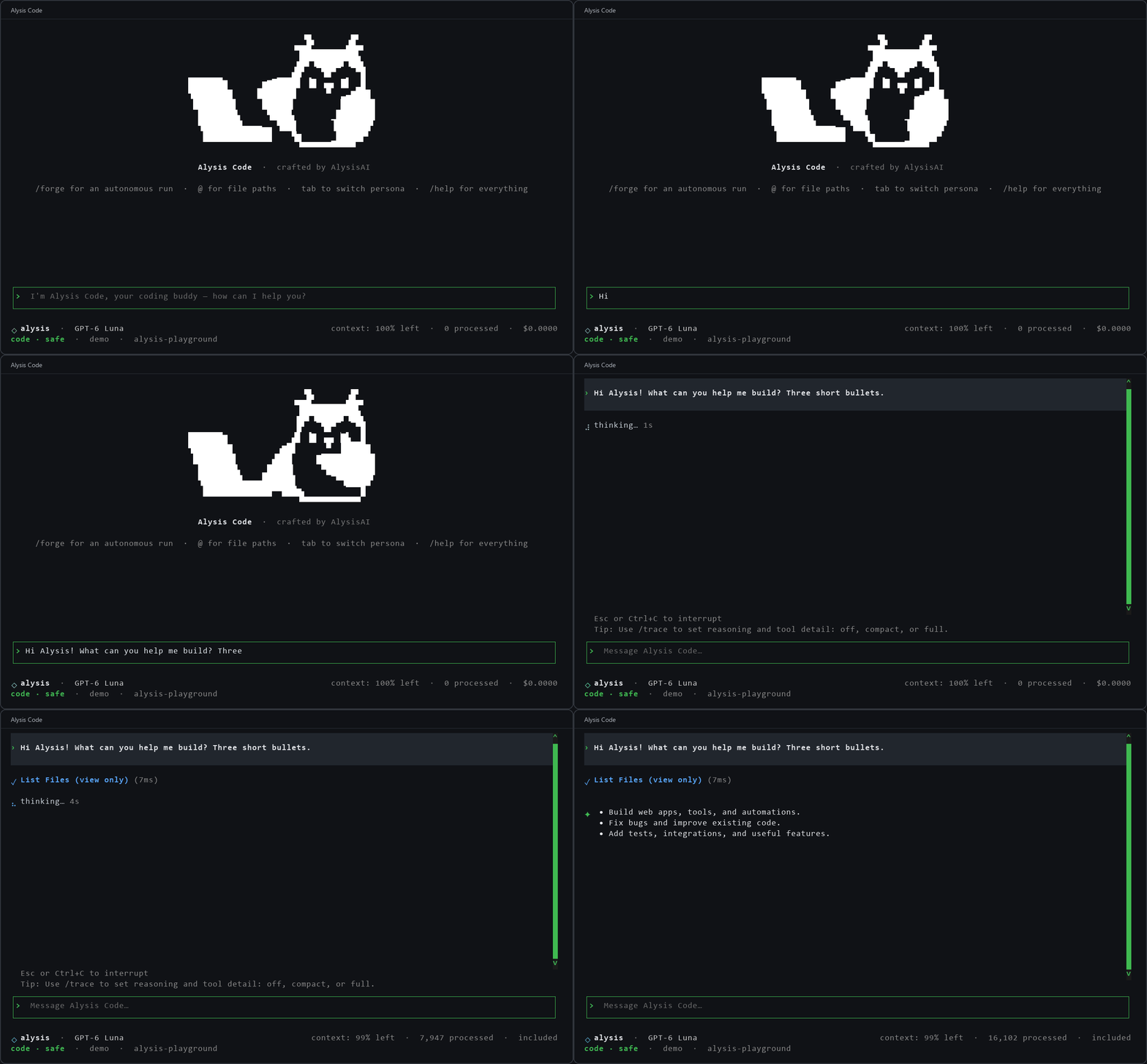
alysis
```
The first run walks you through connecting a model, picking a workspace and checking the sandbox. Run `alysis setup` to go through it again.
Choosing a model
**Your own key or a local model.** No Alysis account needed. Pick a provider in setup (OpenAI, Anthropic, Gemini, DeepSeek, OpenRouter, xAI and others), or point it at any OpenAI-compatible endpoint such as Ollama, LM Studio or vLLM. A supported AI subscription works too. You pay your provider directly, or nothing for a local model.
**An Alysis account.** Run `alysis login` and approve the code in your browser. Every account gets 50 free credits every 30 days, no card required. See [pricing](https://alysiscode.com/pricing) for paid plans.
In the desktop app, both paths live under **Models & keys** in the account menu.
### What makes it different
- **Built from scratch.** Not a fork. Our own engine, tools and desktop app.
- **Free web search.** Works with any model, no API key needed.
- **Computer use.** Our own, built in. The agent can operate apps you allow.
- **Sandboxed by default.** Shell commands run in a sandbox enforced outside the model: Seatbelt on macOS, Bubblewrap or Docker on Linux and WSL, a native sandbox on Windows x64. Check yours with `alysis sandbox doctor --smoke`. [Sandbox modes](https://alysiscode.com/docs/safety/sandbox-modes)
Verification commands also default to strict sandboxing. Strict mode refuses execution when no backend is available. [Shell sandbox](docs/shell_sandbox.md)
- **Any model.** Switch providers per task, mix in local models, or route roles to different models. [Models and providers](https://alysiscode.com/docs/config/models)
- **Permissions you choose.** `readonly`, `review`, `auto` or `fullaccess`, switched with **Shift+Tab**. A persona (`code`, `architect`, `ask`, `debug`) can narrow what the agent does but never widen it. [Permissions](https://alysiscode.com/docs/safety/approval-prompts) · [Personas](https://alysiscode.com/docs/concepts/personas)
- **Forge.** Turns a goal into a reviewed plan of dependent tasks, each with its own checks, so you get verified changes instead of one long chat. It uses a lot of tokens, so start small. [Forge guide](docs/forge.md)
- **Not only code.** Optional document tools for PDFs, Word, spreadsheets and slides. [Work guides](https://alysiscode.com/docs/guides)
### Documentation
Everything else, from config and MCP to server mode, is at [alysiscode.com/docs](https://alysiscode.com/docs). The same docs are in [docs/](docs/README.md). Editor integrations for [VS Code](extensions/vscode-alysis/README.md) and [JetBrains](extensions/jetbrains-alysis/README.md) (preview) live in `extensions/`.
### Contributing
Read the [contributing guide](.github/CONTRIBUTING.md) before opening a pull request. Report security issues privately through the [security policy](.github/SECURITY.md), not public issues.
### License
Apache-2.0. You can use, modify and distribute the code, including commercially, as long as you keep the attribution and license notices. See [LICENSE](LICENSE) and [NOTICE](NOTICE). The shared editor sidebar includes MIT-licensed adaptations from Kilo Code and OpenCode; keep its [third-party notices](extensions/shared-ui/THIRD_PARTY_NOTICES.txt).
---
**Join the community** [Discord](https://discord.gg/psEVWZgzFS) | [X](https://x.com/alysiscode) | [LinkedIn](https://www.linkedin.com/company/alysisai/) | [GitHub Issues](https://github.com/AlysisAi/AlysisCode/issues)