# Open Interface
 ### Control Your Computer Using LLMs
Open Interface
- Self-drives your computer by sending your requests to an LLM backend (GPT-4o, Gemini, etc) to figure out the required steps.
- Automatically executes these steps by simulating keyboard and mouse input.
- Course-corrects by sending the LLM backend updated screenshots of the progress as needed.
### Control Your Computer Using LLMs
Open Interface
- Self-drives your computer by sending your requests to an LLM backend (GPT-4o, Gemini, etc) to figure out the required steps.
- Automatically executes these steps by simulating keyboard and mouse input.
- Course-corrects by sending the LLM backend updated screenshots of the progress as needed.
Full Autopilot for All Computers Using LLMs
[](https://github.com/AmberSahdev/Open-Interface?tab=readme-ov-file#install)
[](https://github.com/AmberSahdev/Open-Interface?tab=readme-ov-file#install)
[](https://github.com/AmberSahdev/Open-Interface?tab=readme-ov-file#install)
[]((https://github.com/AmberSahdev/Open-Interface/releases/latest))



[](https://github.com/AmberSahdev/Open-Interface/releases/latest)
### Demo 💻
"Solve Today's Wordle"
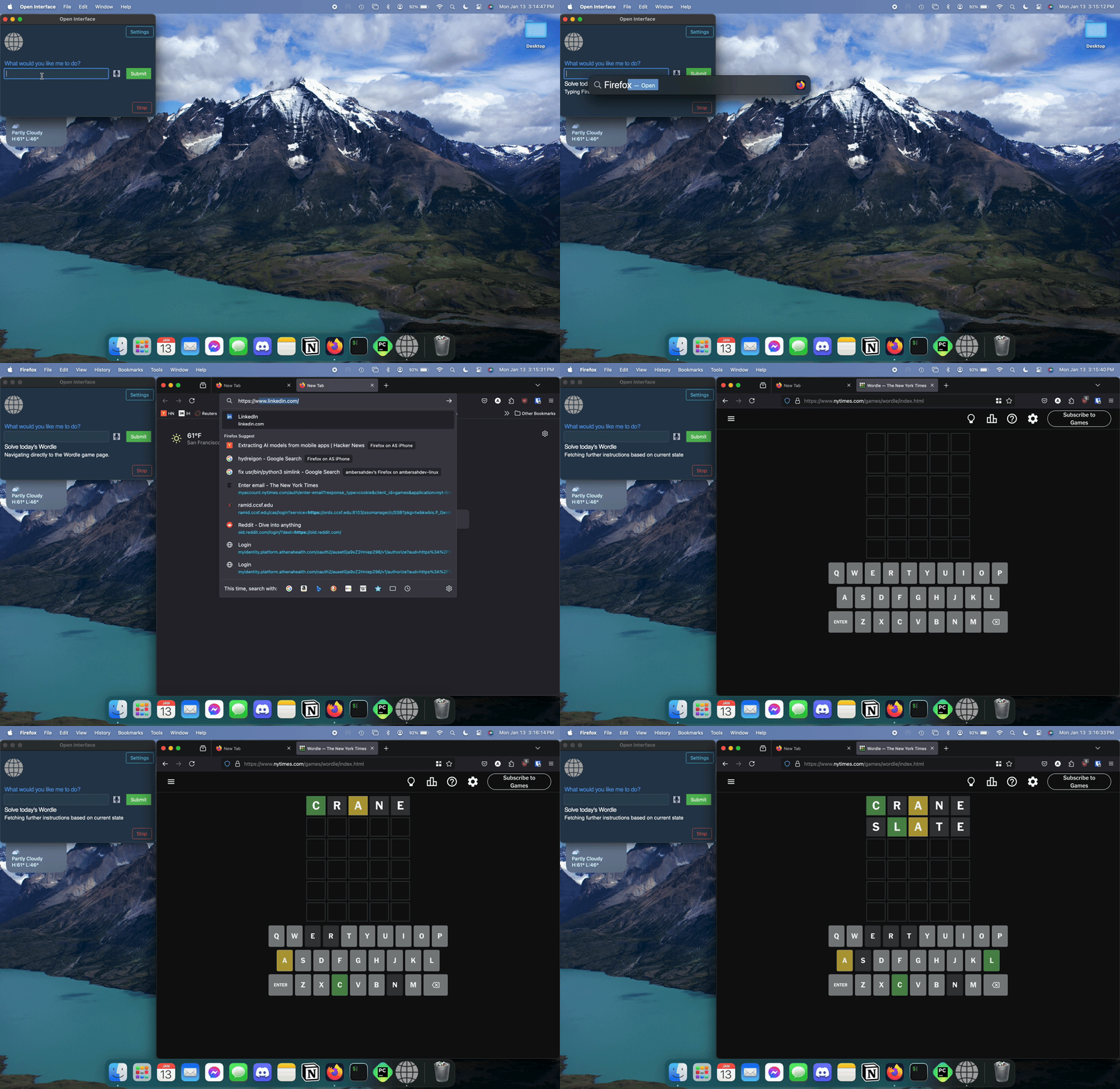
*clipped, 2x*
More Demos
-
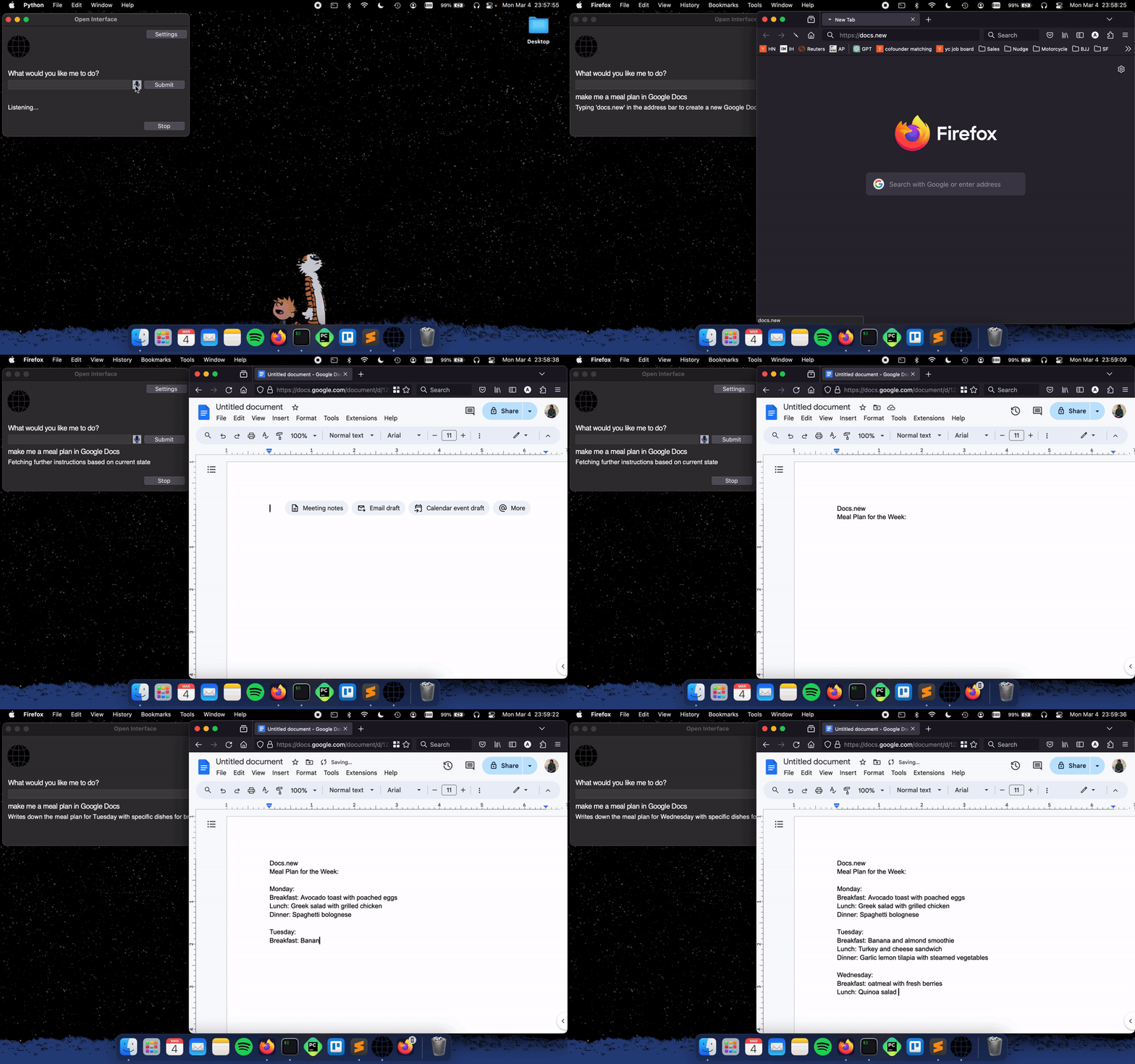
"Make me a meal plan in Google Docs"
-
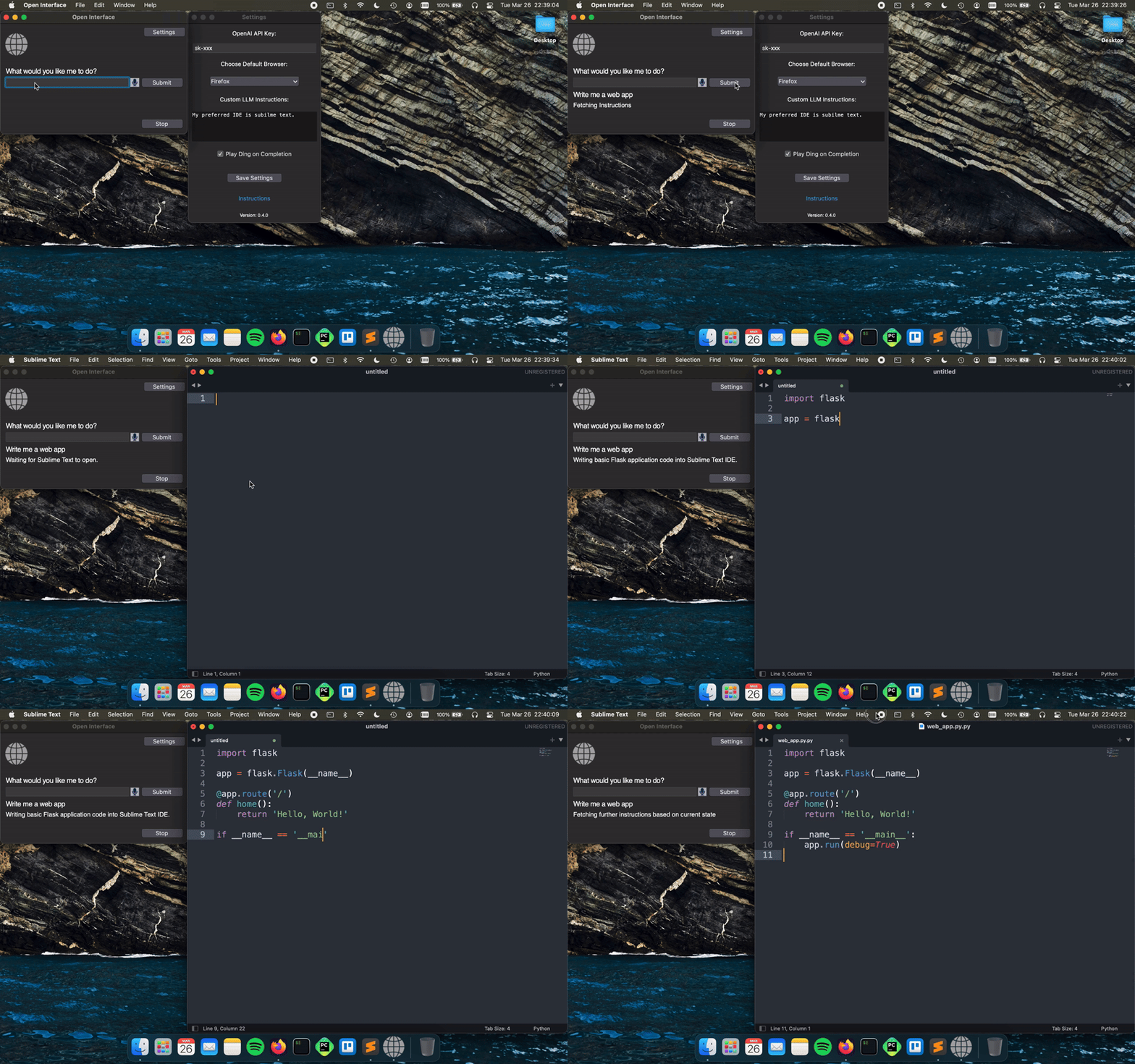
"Write a Web App"
### Install 💽
 MacOS
MacOS
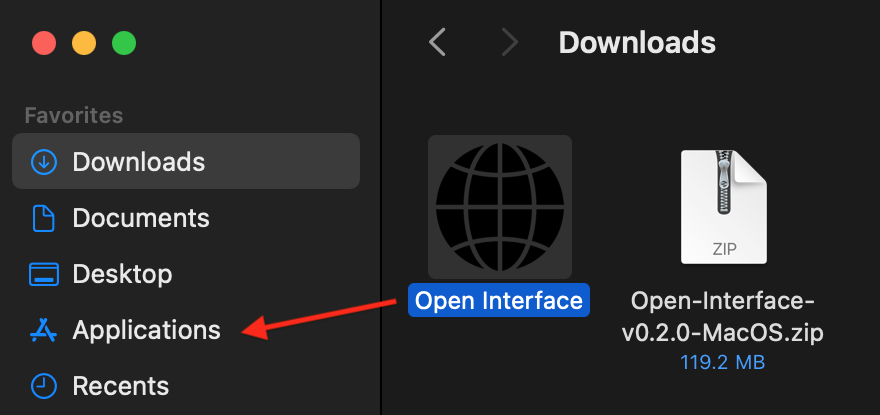
- Download the MacOS binary from the latest release.
- Unzip the file and move Open Interface to the Applications Folder.
Apple Silicon M-Series Macs
-
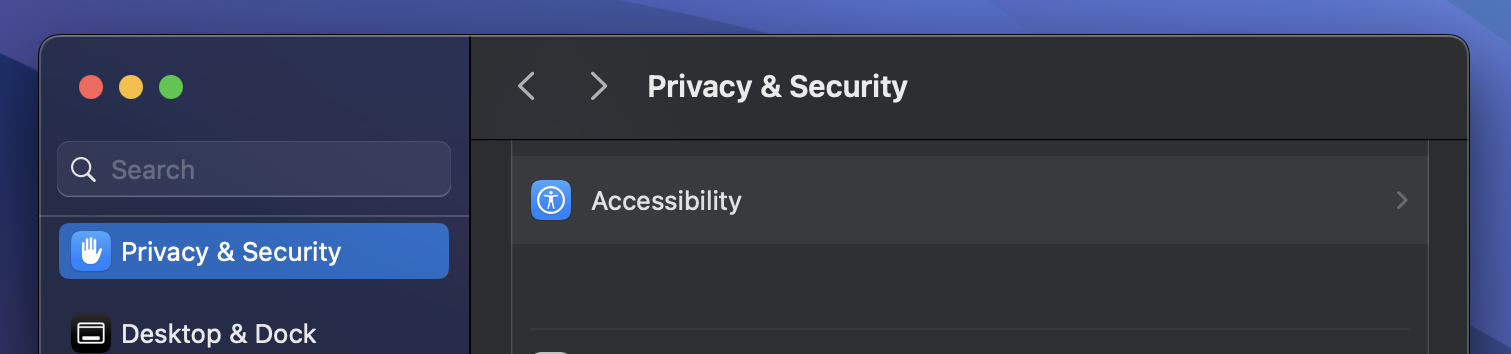
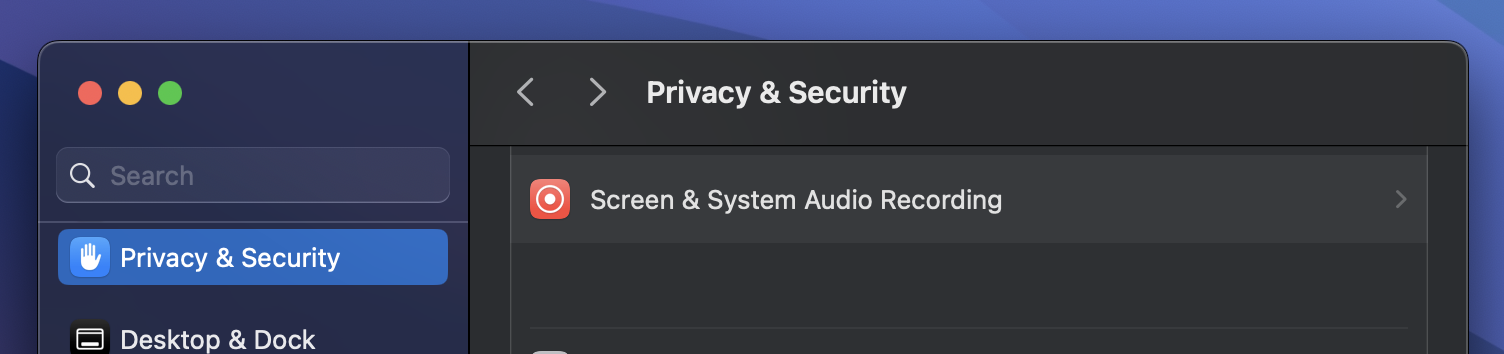
Open Interface will ask you for Accessibility access to operate your keyboard and mouse for you, and Screen Recording access to take screenshots to assess its progress.
-
In case it doesn't, manually add these permission via System Settings -> Privacy and Security
Intel Macs
-
Launch the app from the Applications folder.
You might face the standard Mac "Open Interface cannot be opened" error.
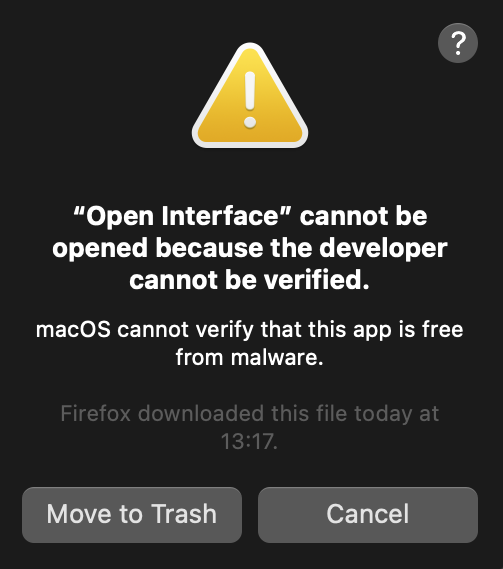
In that case, press "Cancel".
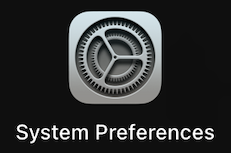
Then go to System Preferences -> Security and Privacy -> Open Anyway.

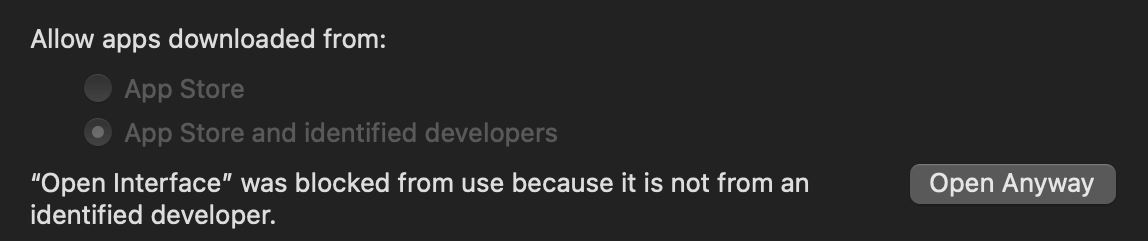
-
Open Interface will also need Accessibility access to operate your keyboard and mouse for you, and Screen Recording access to take screenshots to assess its progress.
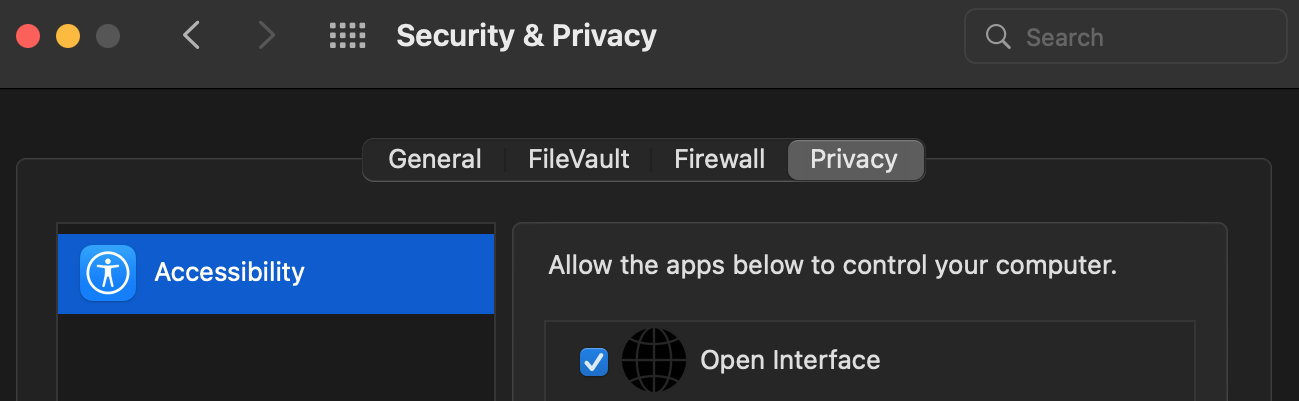
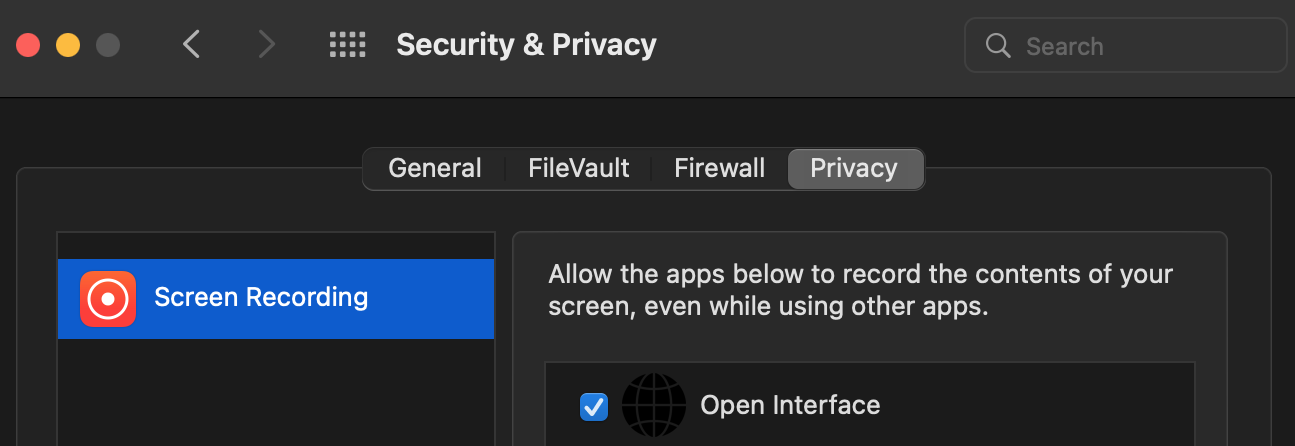
- Lastly, checkout the Setup section to connect Open Interface to LLMs (OpenAI GPT-4V)
 Linux
Linux
- Linux binary has been tested on Ubuntu 20.04 so far.
- Download the Linux zip file from the latest release.
-
Extract the executable and checkout the Setup section to connect Open Interface to LLMs, such as OpenAI GPT-4V.
 Windows
- Windows binary has been tested on Windows 10.
- Download the Windows zip file from the latest release.
- Unzip the folder, move the exe to the desired location, double click to open, and voila.
- Checkout the Setup section to connect Open Interface to LLMs (OpenAI GPT-4V)
 Run as a Script
- Install Python 3.12 or newer.
- Clone the repo
git clone https://github.com/AmberSahdev/Open-Interface.git
- Enter the directory
cd Open-Interface
- Optionally use a Python virtual environment
- Note: pyenv handles tkinter installation weirdly so you may have to debug for your own system yourself.
pyenv local 3.12.2python -m venv .venvsource .venv/bin/activate
- Install dependencies
pip install -r requirements.txt
- Run the app using
python app/app.py
### Setup 🛠️
Set up the OpenAI API key
- Get your OpenAI API key
- Open Interface needs access to GPT-4o to perform user requests. GPT-4o keys can be downloaded from your OpenAI account at [platform.openai.com/settings/organization/api-keys](https://platform.openai.com/settings/organization/api-keys).
- [Follow the steps here](https://help.openai.com/en/articles/8264644-what-is-prepaid-billing) to add balance to your OpenAI account. To unlock GPT-4o a minimum payment of $5 is needed.
- [More info](https://help.openai.com/en/articles/7102672-how-can-i-access-gpt-4)
- Save the API key in Open Interface settings
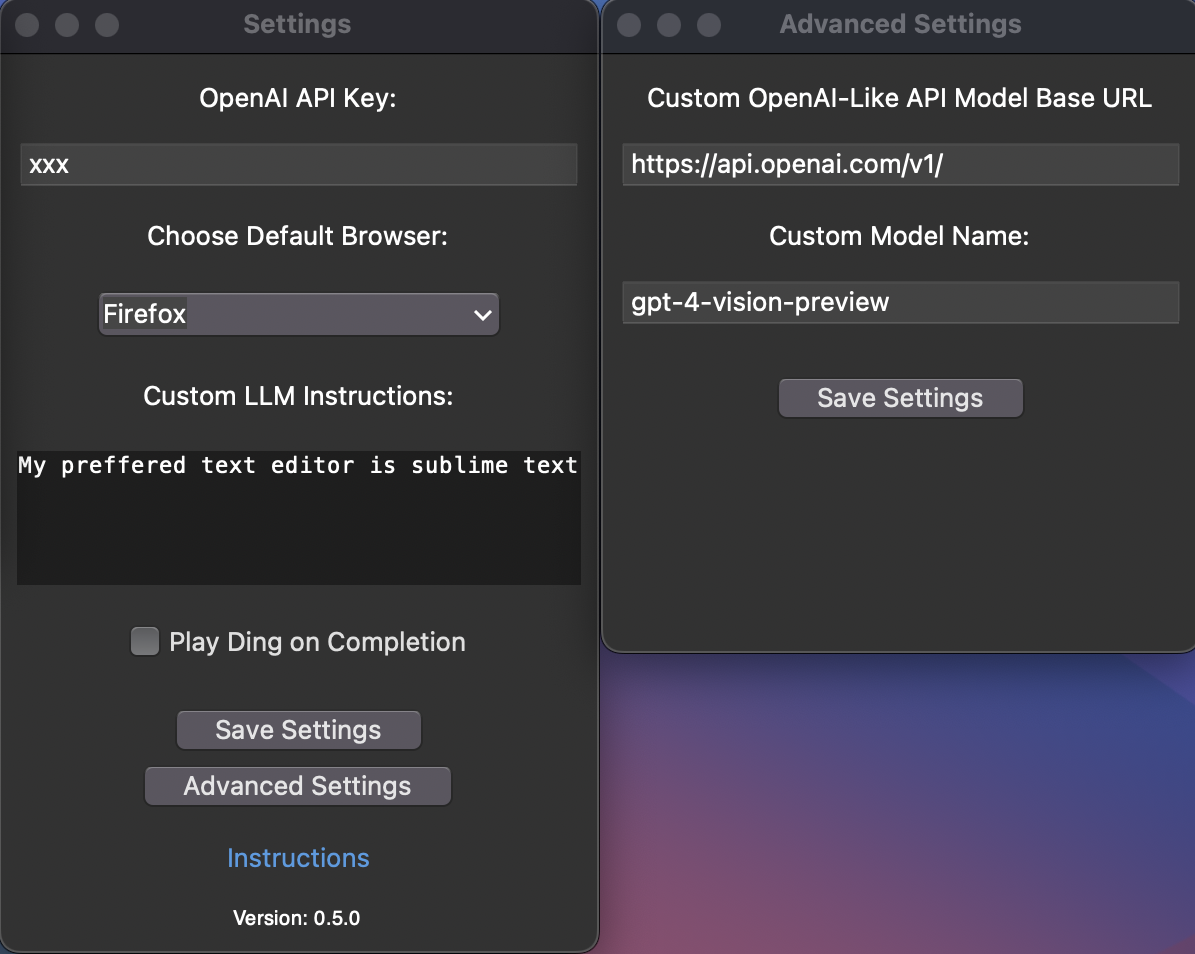
- In Open Interface, go to the Settings menu on the top right and enter the key you received from OpenAI into the text field like so:
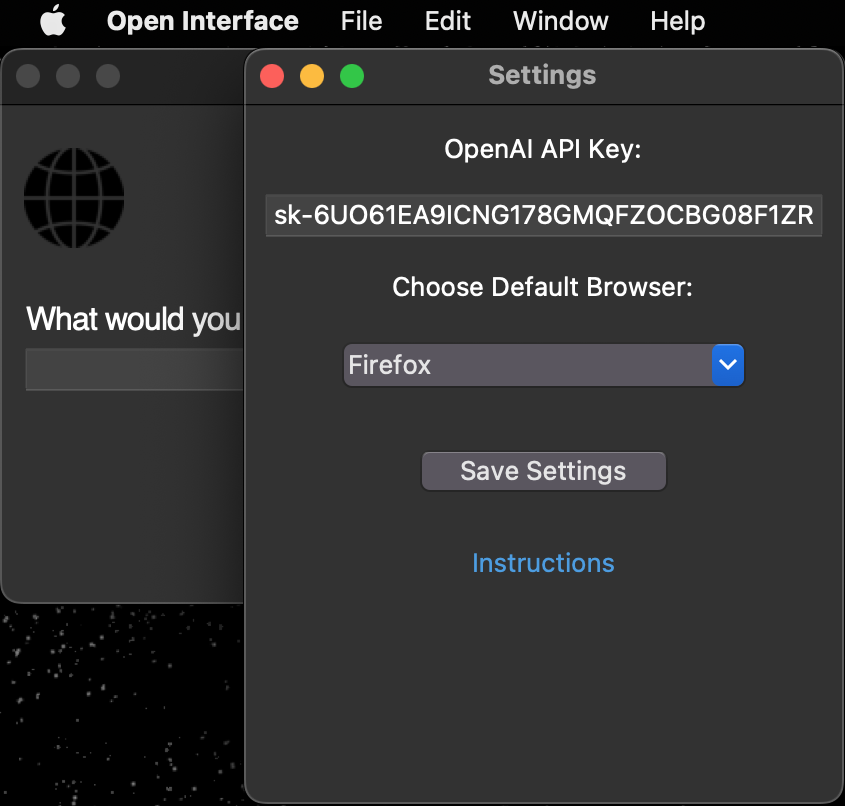
- After setting the API key for the first time you'll need to restart the app.
Set up the Google Gemini API key
- Go to Settings -> Advanced Settings and select the Gemini model you wish to use.
- Get your Google Gemini API key from https://aistudio.google.com/app/apikey.
- Save the API key in Open Interface settings.
- Save the settings and restart the app.
Optional: Setup a Custom LLM
- Open Interface supports using other OpenAI API style LLMs (such as Llava) as a backend and can be configured easily in the Advanced Settings window.
- Enter the custom base url and model name in the Advanced Settings window and the API key in the Settings window as needed.
- NOTE - If you're using Llama:
- You may need to enter a random string like "xxx" in the API key input box.
- You may need to append /v1/ to the base URL.
- If your LLM does not support an OpenAI style API, you can use a library like [this](https://github.com/BerriAI/litellm) to convert it to one.
- You will need to restart the app after these changes.
### Stuff It’s Error-Prone At, For Now 😬
- Accurate spatial-reasoning and hence clicking buttons.
- Keeping track of itself in tabular contexts, like Excel and Google Sheets, for similar reasons as stated above.
- Navigating complex GUI-rich applications like Counter-Strike, Spotify, Garage Band, etc due to heavy reliance on cursor actions.
### The Future 🔮
(*with better models trained on video walkthroughs like Youtube tutorials*)
- "Create a couple of bass samples for me in Garage Band for my latest project."
- "Read this design document for a new feature, edit the code on Github, and submit it for review."
- "Find my friends' music taste from Spotify and create a party playlist for tonight's event."
- "Take the pictures from my Tahoe trip and make a White Lotus type montage in iMovie."
### Notes 📝
- Cost Estimation: $0.0005 - $0.002 per LLM request depending on the model used.
(User requests can require between two to a few dozen LLM backend calls depending on the request's complexity.)
- You can interrupt the app anytime by pressing the Stop button, or by dragging your cursor to any of the screen corners.
- Open Interface can only see your primary display when using multiple monitors. Therefore, if the cursor/focus is on a secondary screen, it might keep retrying the same actions as it is unable to see its progress.
### System Diagram 🖼️
```
+----------------------------------------------------+
| App |
| |
| +-------+ |
| | GUI | |
| +-------+ |
| ^ |
| | |
| v |
| +-----------+ (Screenshot + Goal) +-----------+ |
| | | --------------------> | | |
| | Core | | LLM | |
| | | <-------------------- | (GPT-4o) | |
| +-----------+ (Instructions) +-----------+ |
| | |
| v |
| +-------------+ |
| | Interpreter | |
| +-------------+ |
| | |
| v |
| +-------------+ |
| | Executer | |
| +-------------+ |
+----------------------------------------------------+
```
---
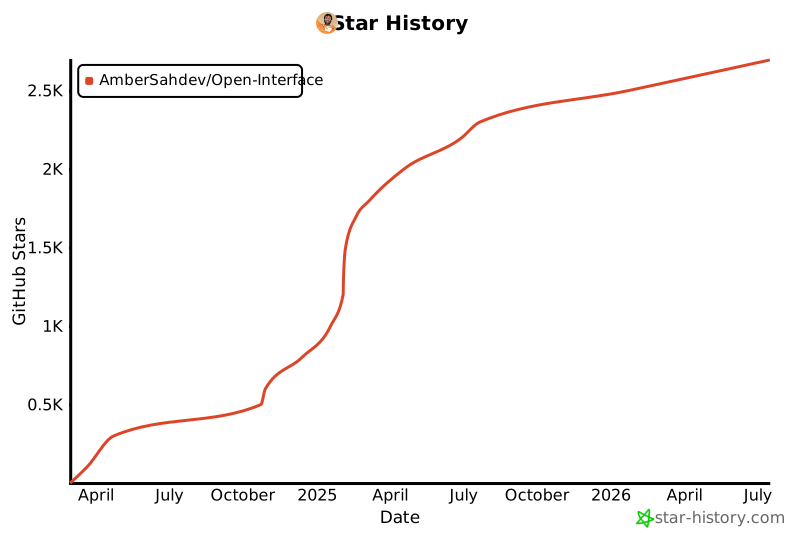
### Star History ⭐️
 ---
### Links 🔗
- Check out more of my projects at [AmberSah.dev](https://AmberSah.dev).
- Other demos and press kit can be found at [MEDIA.md](MEDIA.md).
---
### Links 🔗
- Check out more of my projects at [AmberSah.dev](https://AmberSah.dev).
- Other demos and press kit can be found at [MEDIA.md](MEDIA.md).

