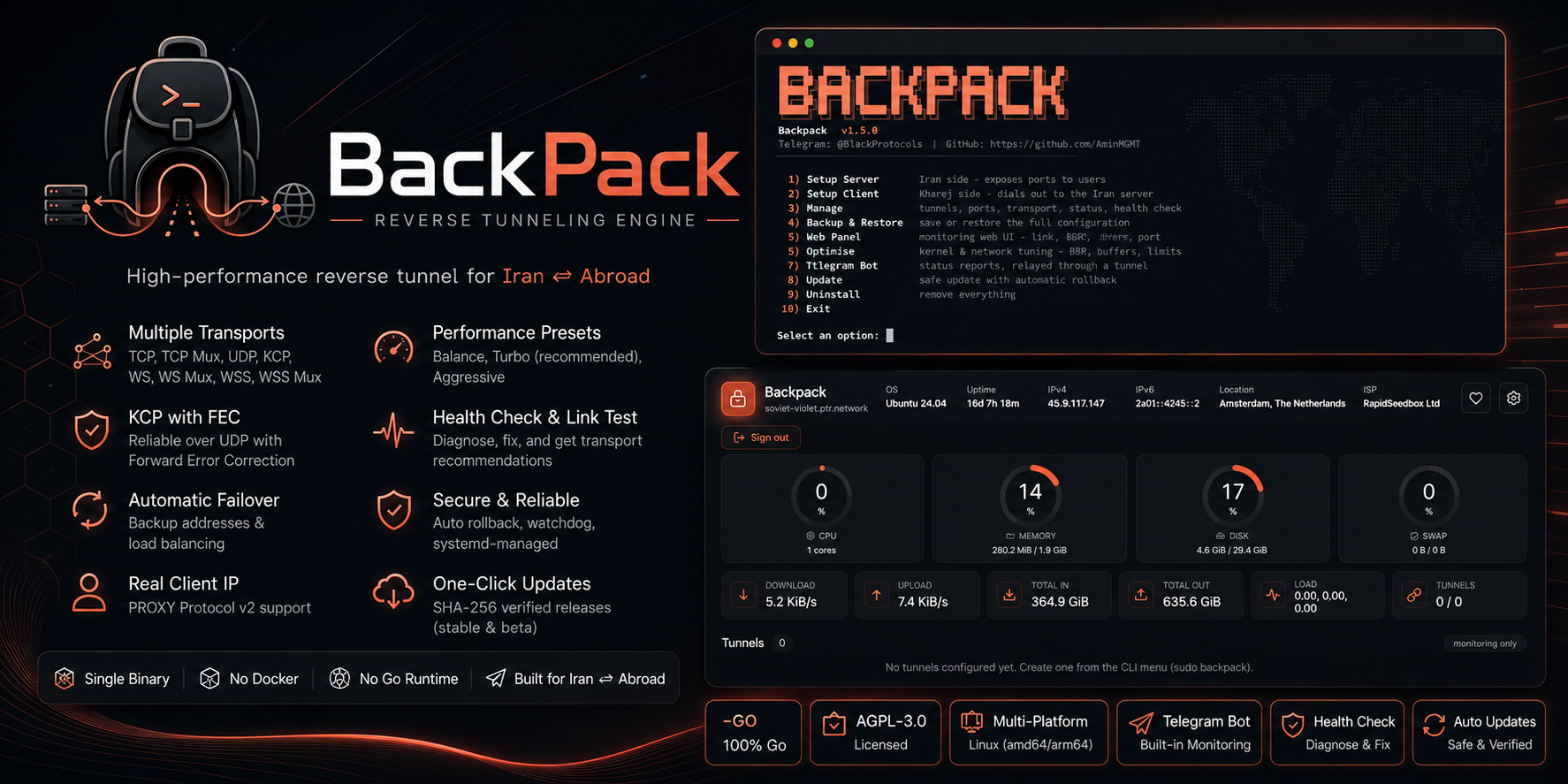
# Backpack 🎒


**Backpack** is a high-performance **tunnel** engine written entirely in
**Go**, purpose-built for Iran ⇄ abroad (kharej) server setups. One
self-contained binary with an interactive CLI **and** a secured web dashboard —
run and manage everything with or without a terminal.
It carries a tunnel three ways: **reverse** (kharej dials Iran), **direct**
(Iran dials out), and a **full IP tunnel** that puts both servers on one
private network.
📘 Setup tutorials ·
📚 Documentation ·
🇮🇷 راهنمای فارسی ·
Telegram Channel ·
Telegram Group
---
## How it works
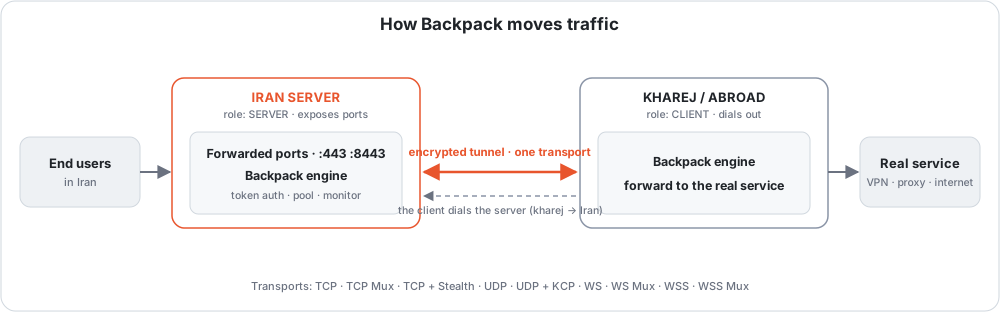
```
end users ──▶ IRAN server ══ tunnel ══▶ KHAREJ server ──▶ real service
"Setup Iran" "Setup Kharej"
exposes the ports dials out to Iran
```
An end user connects to a **forwarded port** on the Iran server; the engine
carries it through **one transport** to the kharej client, which hands it to the
**real service**. In the **reverse** tunnel above the connection is dialed **by
the client** (kharej → Iran), so the far side needs no open inbound port.
### Three shapes
The ports never move: Iran exposes them, kharej holds the real service. What
changes is who reaches out first, and what the tunnel carries.
| | Who dials | What it carries | Use it when |
|---|---|---|---|
| **Reverse** | kharej → Iran | forwarded ports | the usual case — Iran can accept an inbound connection |
| **Direct** | Iran → kharej | a private network, and forwarded ports over it | an inbound connection to Iran does not get through |
Both are built from **Setup Iran** and **Setup Kharej**: pick the machine you
are on, and the wizard asks which direction you want and writes the config
itself.
A direct tunnel is a full IP tunnel — an interface on each host carrying whole
IP packets, wrapped in Backpack's own GRE inside a Noise session and handed to
one of three carriers. It measures its own MTU once it is up, which is the
setting that fails worst when it is wrong.
**→ [Direct tunnel](docs/l3-direct-tunnel.md)**
---
## Install
One command as root on the VPS. It downloads the prebuilt release for your
architecture, **verifies it against the published checksum**, installs it, and
opens the menu:
```bash
bash <(curl -fsSL https://raw.githubusercontent.com/AminMGMT/BackPack/main/install.sh)
```
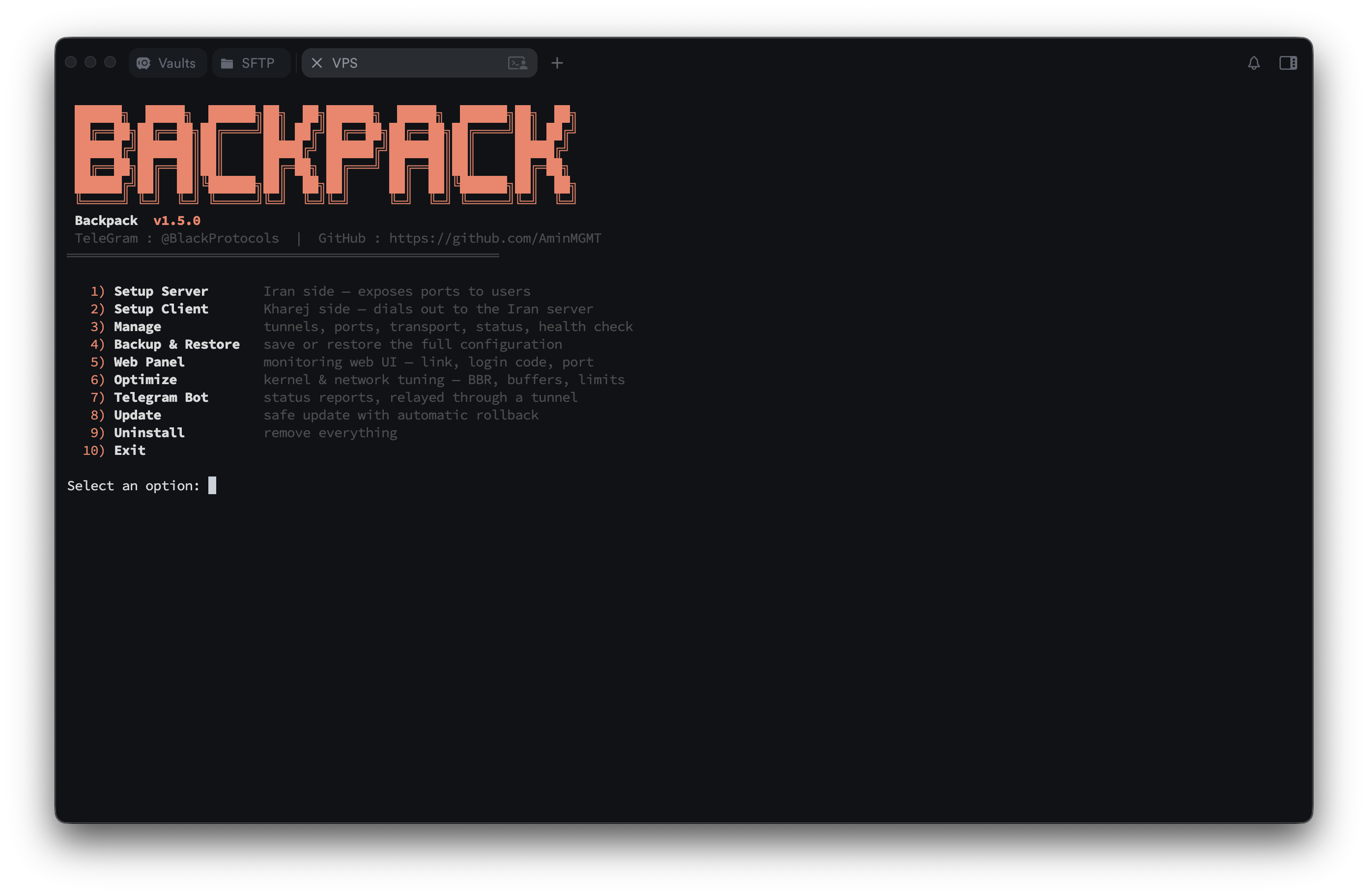
Reopen the menu any time with `sudo backpack`.
> **No internet on the server?** There is a full offline path — copy one archive
> over and go. Building from source works as a fallback too.
> **→ [Installing Backpack](docs/install.md)**
---
## Quick start
**Get the roles right first** — this is the one thing people trip on:
| Server | Where | Menu option | Why |
|--------|-------|-------------|-----|
| **Iran** | entry point | **1. Setup Iran** | It exposes the ports; users connect to the **Iran IP**. |
| **Kharej** | exit / origin | **2. Setup Kharej** | It dials the Iran server and forwards to the real service. |
**Always set up the Iran server first** — the client needs the Iran address and
the token the server generates.
```bash
# on the IRAN server
sudo backpack → 1. Setup Iran
# transport → tunnel port → name → COPY THE TOKEN → exposed ports
# → UDP? → preset (Turbo) → done
# on the KHAREJ server
sudo backpack → 2. Setup Kharej
# same transport → Iran IP + same tunnel port → name → SAME TOKEN
# → same preset → done
```
Then `Manage → Status` to see both ends, and `Manage → Health Check` if anything
looks wrong — it prints a fix under each problem.
**→ [Before you start](tutorial/before-you-start.md)** covers the roles, the
token, the port mapping and the firewall in full. Every transport then has its
own step-by-step page.
---
## Pick a transport
Thirteen to choose from, so you match the route instead of fighting it. Not sure?
**Manage → Link Test** measures your actual route and recommends one.
| Transport | Reach for it when | Guide |
|---|---|---|
| **TCP** | you are not sure — this is the starting point | [→](tutorial/tcp.md) |
| **TCP Mux** | the service opens many short connections | [→](tutorial/tcp-mux.md) |
| **TCP + Stealth** | filtering is heavy — Noise-encrypted, **no fingerprint at all** | [→](tutorial/tcp-stealth.md) |
| **TCP + PCK** | TCP connects then stalls, resets or is throttled | [→](tutorial/tcp-pck.md) |
| **UDP + KCP + FEC** | gaming or a lossy route — always-on error correction | [→](tutorial/udp-kcp-fec.md) |
| **UDP + QUIC** | you want to test an encrypted, self-tuning UDP carrier | [→](tutorial/udp-quic.md) |
| **WS / WS Mux** | only HTTP gets through, or you want a CDN in front | [→](tutorial/websocket.md) |
| **WSS / WSS Mux** | it should look like an ordinary HTTPS website | [→](tutorial/websocket-tls.md) |
| **xDi (ICMP)** | TCP and UDP are filtered but ping works | [→](tutorial/xdi-icmp.md) |
**Every transport explained → [docs/transports.md](docs/transports.md)**
> **The path blocks or counts by source address?** That is **IP Spoofing**, and
> it is a carrier of the **direct tunnel** rather than one of the transports
> above — see **[docs/ip-spoofing.md](docs/ip-spoofing.md)**.
> **Filtered or dirty server?** **TCP + Stealth** or **WSS** get the tunnel
> through DPI — proven in the field. An IP blocked at the network layer, or a
> "dirty" exit, is a clean-IP or CDN-edge matter rather than a transport one —
> see [when a server is filtered or dirty](docs/filtered-or-dirty-ip.md).
---
## Why Backpack?
- **UDP on any forwarded port** — Xray/3x-ui, Shadowsocks, WireGuard, DNS and
games, on **every** transport, with one switch.
[How](tutorial/udp-forwarding.md)
- **No fingerprint** — Stealth looks like random bytes; WSS dials with a real
**Chrome** TLS handshake and answers every probe with a **decoy website**.
- **Gaming-grade UDP** — KCP with always-on FEC repairs loss instead of waiting
for a retransmit, plus **multi-exit failover** that steers to the healthiest
server as routes degrade.
- **Nothing left broken** — updates and edits that break a tunnel **revert
themselves**, and a watchdog restarts a dropped tunnel within ~1 minute from
its own service.
- **It tells you what is wrong** — Health Check prints a fix under each problem;
Link Test measures the route and recommends a transport and its timers.
- **Telegram from Iran** — status and alerts reach Telegram by going out through
a tunnel peer, choosing the tunnel itself and moving when one dies.
- **Offline installer** — install or update with **no internet at all**.
The full feature list
**Performance** — four presets (Balance, **Turbo**, Aggressive, and Throughput on
KCP) fill in every tuning value at once; **Optimize** applies kernel/network
tuning (BBR + fq, buffer ceilings, file limits); **Link Test** derives the
liveness timers from your real round trip.
**Reliability** — automatic failover to backup addresses, with **health scoring**
(`rtt + 2·jitter + 20·loss%`) or load balancing across all of them; self-healing
watchdog; automatic rollback; systemd services that survive reboots.
**Security** — the token never travels in the clear on an encrypted transport
(Stealth and KCP derive keys from it, WSS binds the credential to the TLS
session); PROXY protocol v2 for real client IPs; per-tunnel connection and
bandwidth caps; login-protected dashboard; SHA-256 verified downloads, and
anything unverifiable is refused rather than installed.
**Management** — an interactive CLI where every option explains itself; setup
checks the address you give it (CDN in front, AAAA records); CDN-edge dialing;
JSON logging; auto-refresh every N hours; a built-in SOCKS5/HTTP proxy so the
tunnel exit can be its own backend.
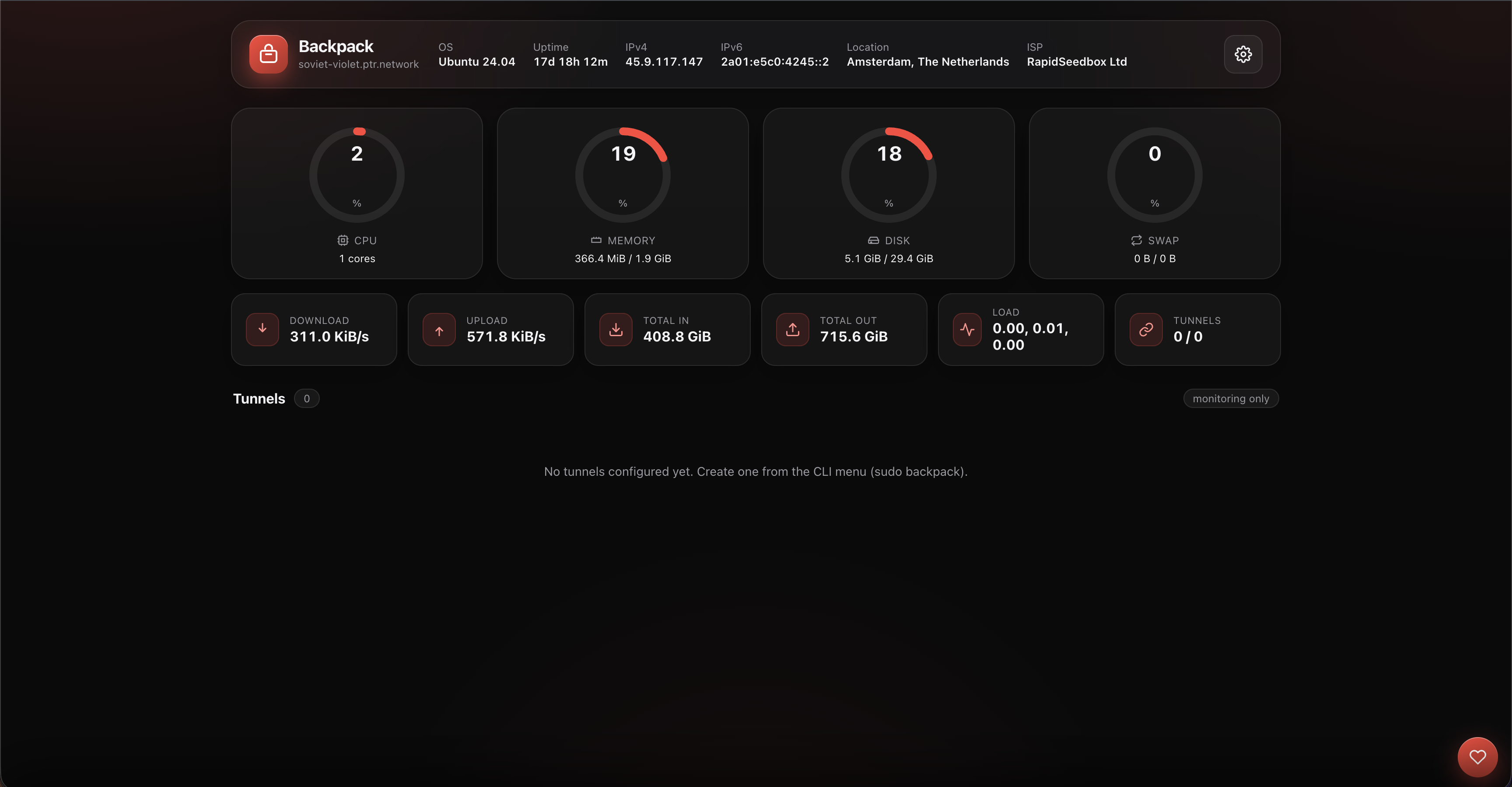
**Monitoring** — web dashboard on port 7777 with live CPU/RAM/disk/traffic and
per-tunnel status, ping and logs; metrics including KCP retransmits, loss and FEC
repairs, kept across restarts; Telegram alerts with a recovery message for each.
**Maintenance** — one-file backup of every tunnel, the panel password, Telegram
settings, TLS certificates and the schedule; verified updates on a stable or beta
channel.
---
## Documentation
| | |
|---|---|
| **[📘 Tutorials](tutorial/README.md)** | Step-by-step setup, one page per transport — every question the wizard asks, with the answer to give |
| **[📚 Docs](docs/README.md)** | Reference: what each part is, and every setting it has |
| **[🖥 CLI menu reference](docs/cli-menu.md)** | Every option in every menu, including the advanced Fine Tune settings |
| **[🔀 Transports](docs/transports.md)** | All thirteen, compared and explained |
| **[🎭 IP Spoofing](docs/ip-spoofing.md)** | The forged-source carrier, setting by setting |
| **[📡 Forwarded UDP](docs/forwarded-udp.md)** | Read this if UDP does not pass through |
Both sections are also summarised in Persian at the bottom of every page.
---
## Screenshots
| CLI menu | Web panel |
|----------|-----------|
|  |  |
| Tunnel management | Telegram bot |
|-------------------|--------------|
| 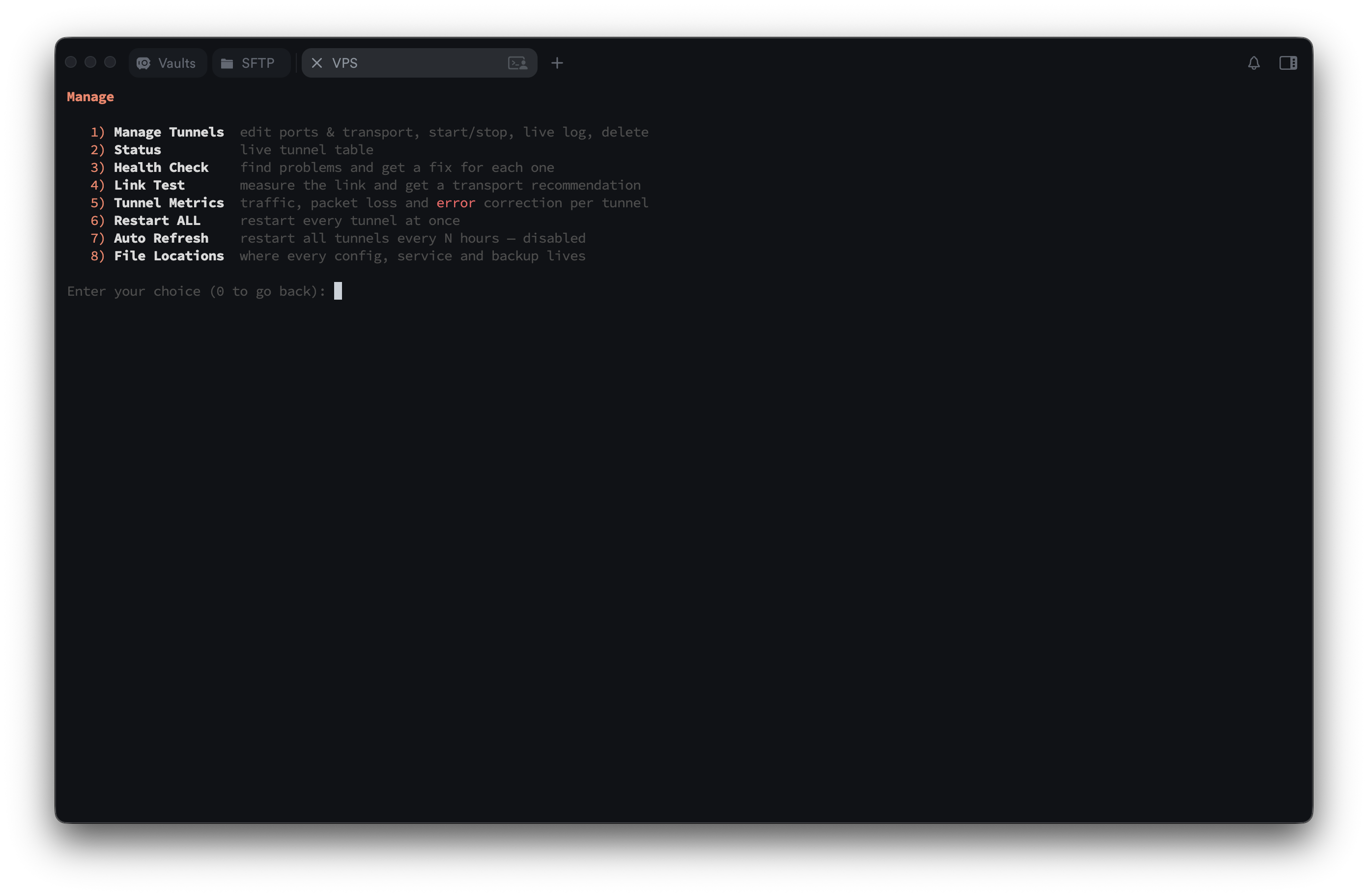 | 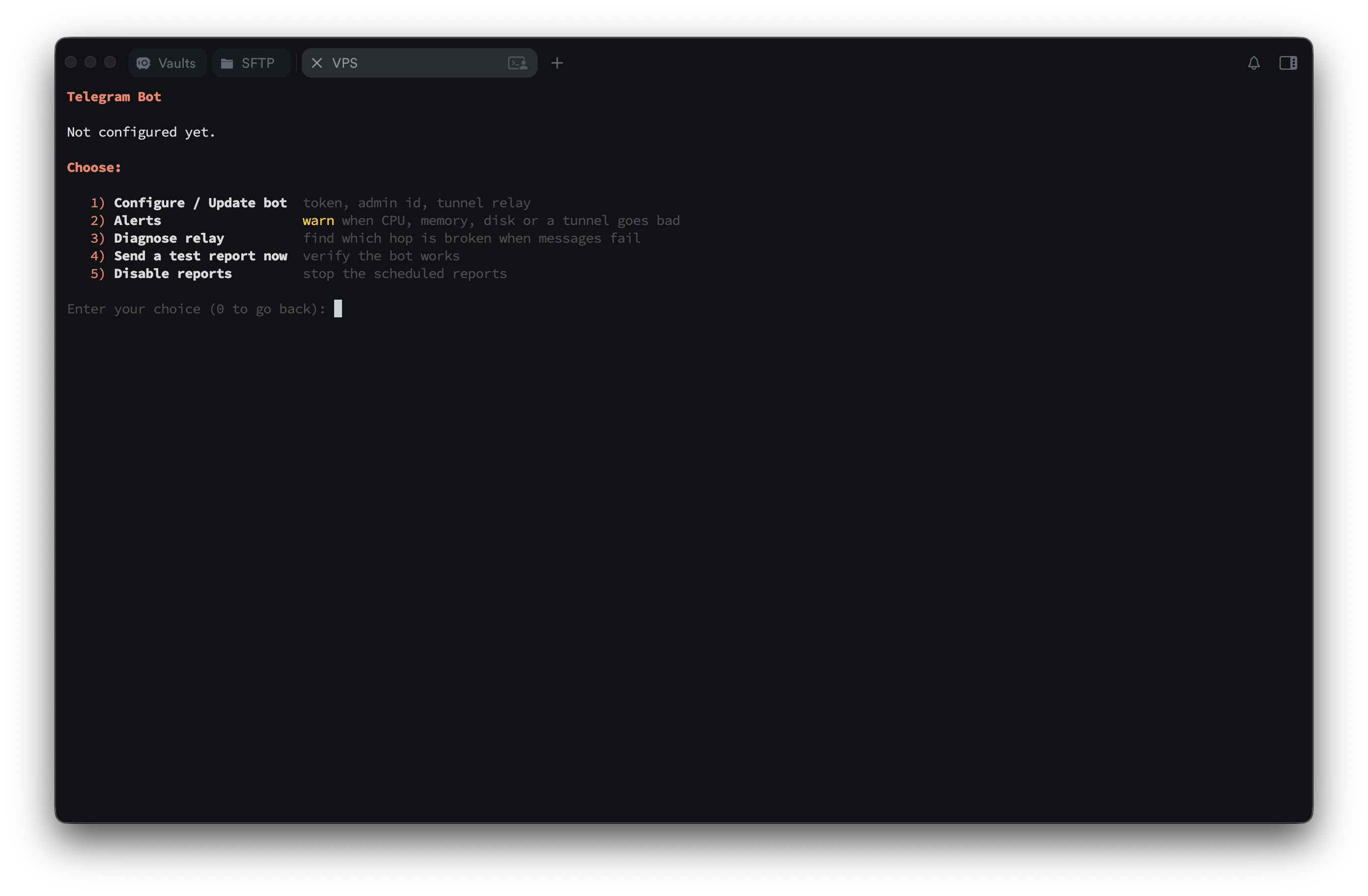 |
---
## Support & donate
If Backpack helps you, a star or a small tip is appreciated. 🙏
- Telegram channel: **[@BlackProtocols](https://t.me/BlackProtocols)**
- Telegram Group: **[@BlackProtocolsGroup](https://t.me/BlackProtocolsGroup)**
| Coin | Address |
|------|---------|
| **Tron (TRX)** | `TTzuUAtsEsrLgNpFVLNTyLVJVRRFNWESYc` |
| **USDT (BEP20)** | `0xc112AE9bfF7c59dEcFb34E988A397848D3093E82` |
| **Toncoin (TON)** | `UQD9g40QubAICJ6zPqegtCY7s-joMx2DB8aIqA0xF1aHoCDs` |
---
## License
**Copyright © 2026 Amin Mohammadi (AminMGMT).**
Released under the **GNU Affero General Public License v3.0 (AGPL-3.0)** — see
[LICENSE](LICENSE) and [NOTICE](NOTICE).