#  AntiMicroX
1. [Description](#description)
2. [License](#license)
3. [Installation](#installation)
4. [Wiki](#wiki)
5. [Command Line](#command-line)
6. [D-Bus](#d-bus)
7. [Testing Under Linux](#testing-under-linux)
8. [AntiMicroX Profiles](#antimicrox-profiles)
9. [Support](#support)
## ❗Looking for a new maintainer❗
Due to lack of time and shifting focus of its developer AntiMicroX is looking for a new maintainer willing to continue development.
For now, this app will have only limited support and will not get any new features (unless coded by external contributors).
[Link to discussion](https://github.com/AntiMicroX/antimicrox/discussions/1171)
## Description
AntiMicroX is a graphical program used to map gamepad keys to keyboard, mouse, scripts and macros. You can use this program to control any desktop application with a gamepad on Linux🐧 and Windows 🪟.
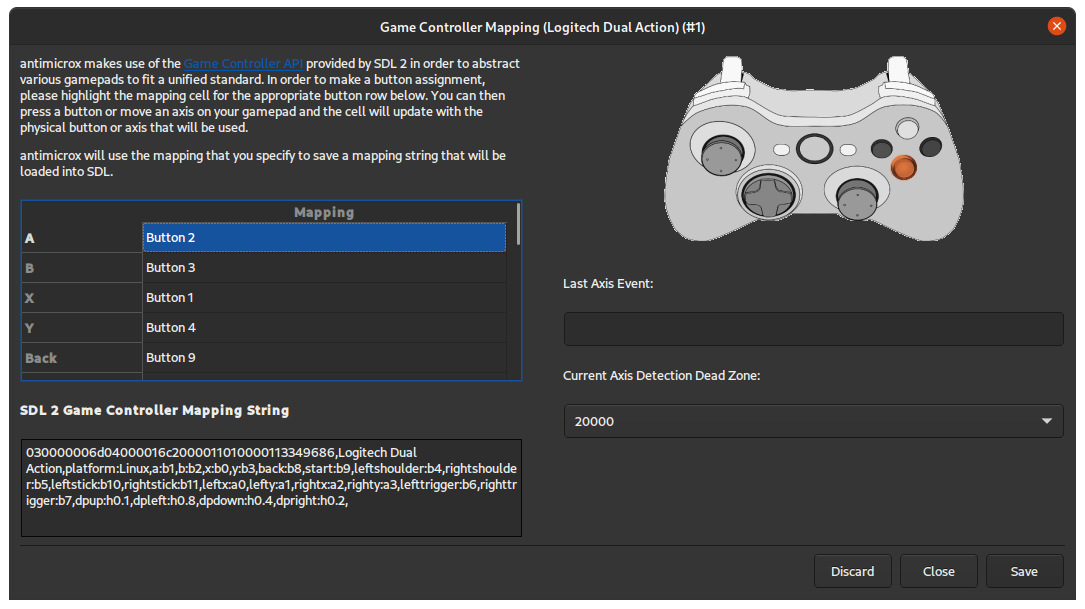
It can be also used for generating SDL2 configuration (useful for mapping atypical gamepads to generic ones like xbox360).
We support X.org and Wayland.
Features:
- Mapping of gamepads/joystick buttons to:
- keyboard buttons
- mouse buttons and moves
- scripts and executables
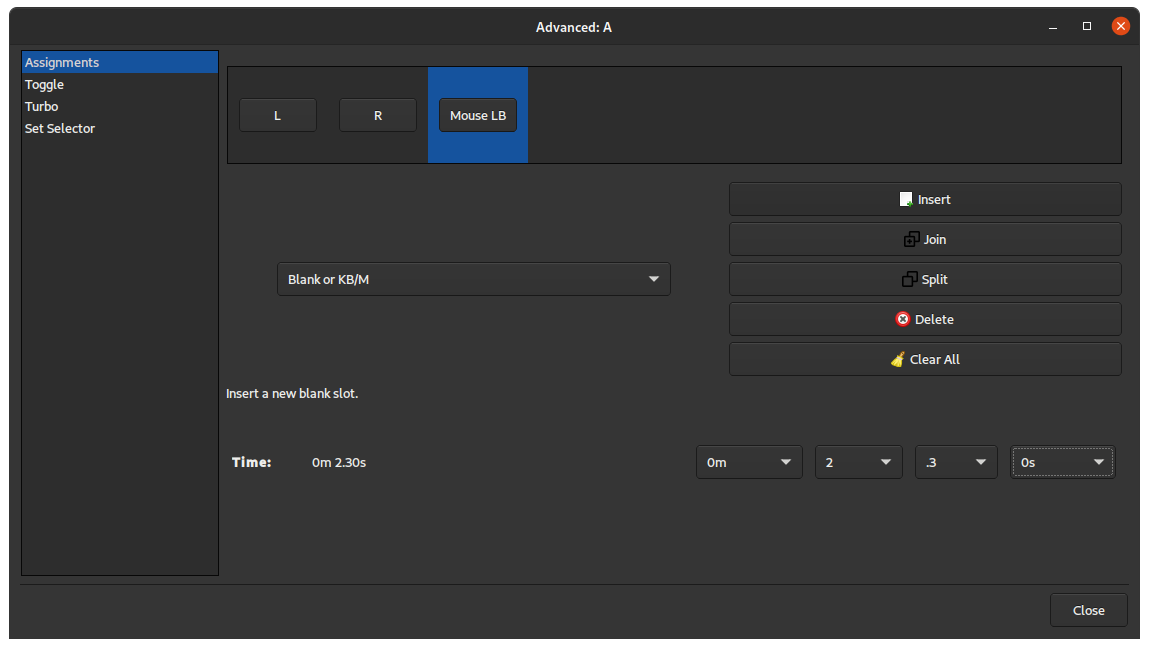
- macros consisting of elements mentioned above
- Assigning multiple switchable sets of mappings to gamepad.
- Auto profiles - assign profile to active application window (not in Wayland [note](https://github.com/AntiMicroX/antimicrox/issues/303)).
This program is currently supported under various Linux
distributions.
This application is continuation of project called `AntiMicro`, which was later abandoned and revived by juliagoda.
Legacy repositories:
- First AntiMicroX repository: https://github.com/juliagoda/antimicroX
- Second, maintained by organization: https://github.com/AntiMicro/antimicro
- First, original AntiMicro repository: https://github.com/Ryochan7/antimicro
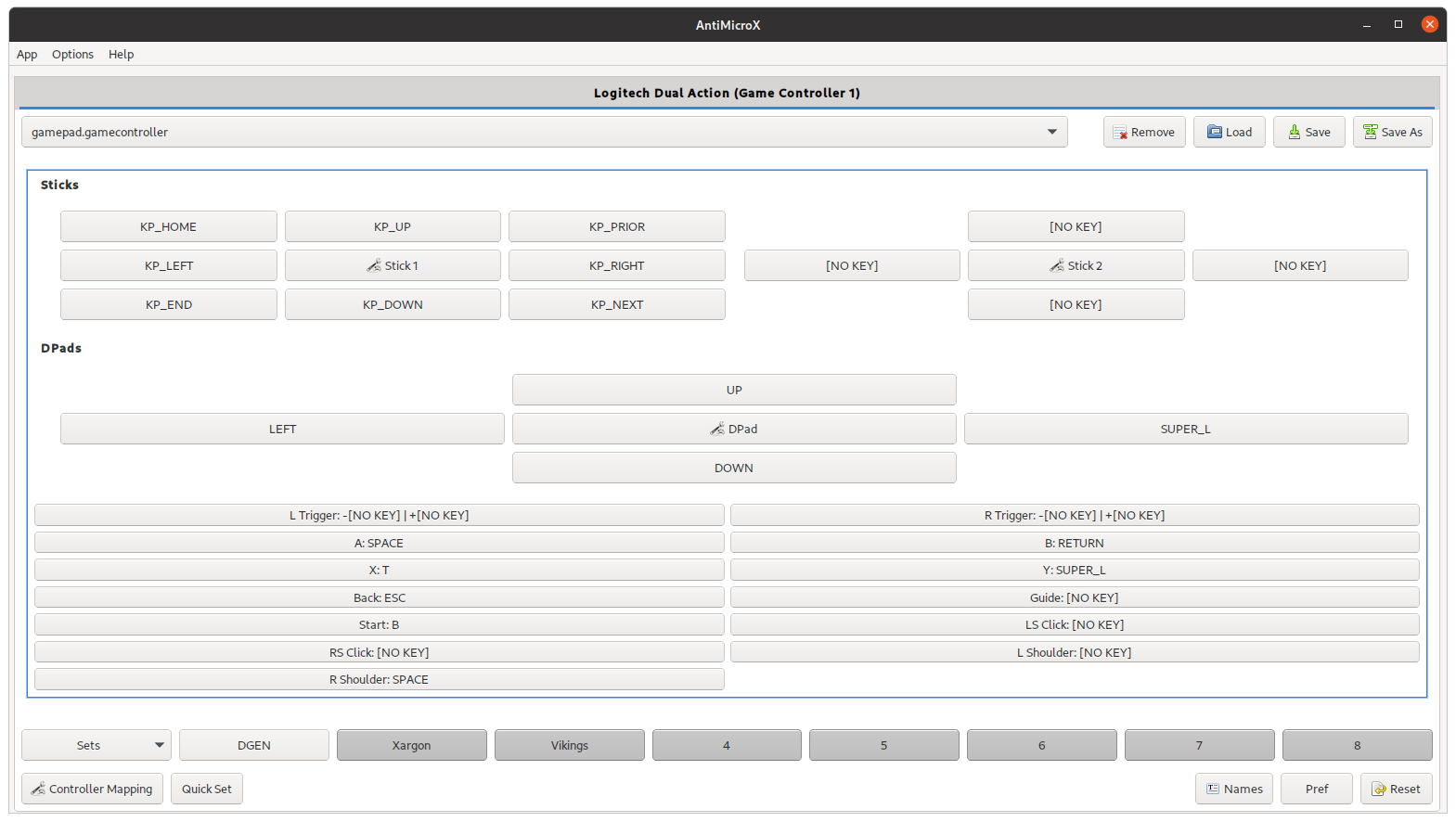
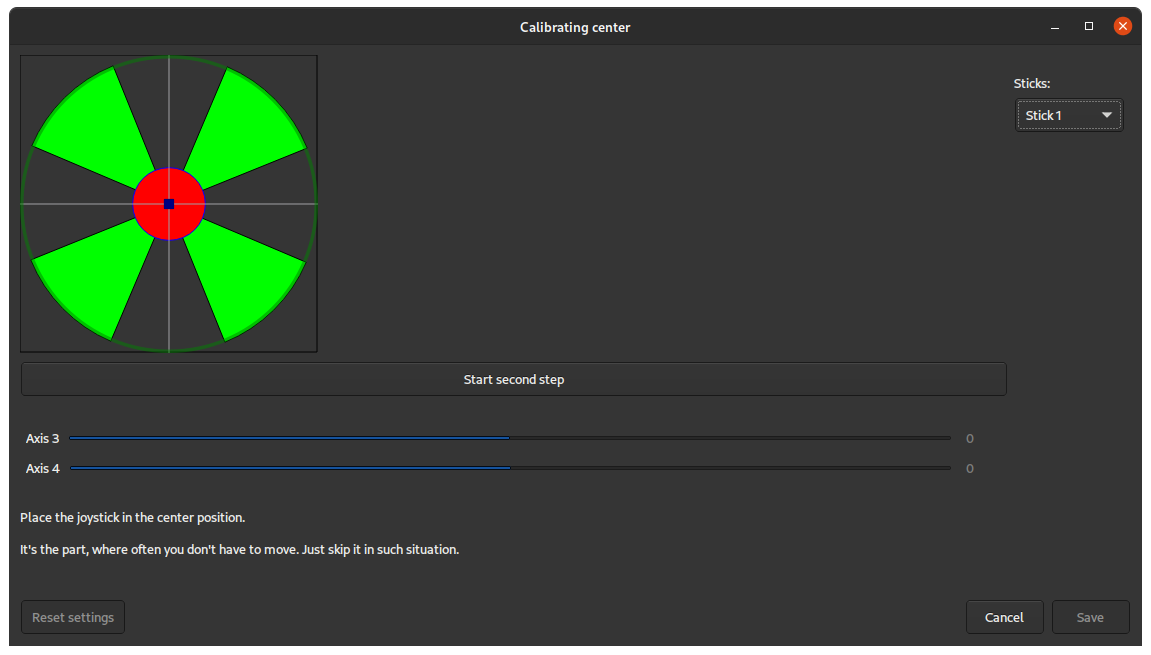
**Screenshots:**
Disclaimer: Theme may depend on your system configuration.
## License
This program is licensed under the GPL v.3. Please read the LICENSE text document
included with the source code if you would like to read the terms of the license.
The license can also be found online at
http://www.gnu.org/licenses/gpl.txt
## Installation
### Windows
Just download `antimicrox-X.X.X-AMD64.exe` from [Release site](https://github.com/AntiMicroX/antimicrox/releases/latest) and install it.
### Flatpak
The flatpak version is distributed on Flathub, and runs on most major Linux distributions. See instructions here: [Flathub application page](https://flathub.org/apps/details/io.github.antimicrox.antimicrox)
If you have Flathub [set up](https://flatpak.org/setup/) already:
```bash
flatpak install flathub io.github.antimicrox.antimicrox
```
❕ Flatpak package may not work correctly with wayland [(Fix available here)](https://github.com/AntiMicroX/antimicrox/wiki/Open-uinput-error)
### AppImage
Download from the [release site](https://github.com/AntiMicroX/antimicrox/releases).
It is recommended to use [AppImageLauncher](https://github.com/TheAssassin/AppImageLauncher) with this package.
### Debian/Ubuntu-based distributions
Download from the [release site](https://github.com/AntiMicroX/antimicrox/releases) and install `.deb` package.
### Fedora
```
dnf install antimicrox
```
### openSUSE
A [package](https://software.opensuse.org/package/antimicrox) is available.
```
zypper install antimicrox
```
### Arch Linux or Arch Linux based distributions:
```
trizen -S antimicrox
```
**or**
pre-built version can de downloaded from unofficial repository called [chaotic-aur](https://lonewolf.pedrohlc.com/chaotic-aur/).
Append (one of listed mirrors) to `/etc/pacman.conf`:
```bash
# Brazil
Server = http://lonewolf-builder.duckdns.org/$repo/$arch
# Germany
Server = http://chaotic.bangl.de/$repo/$arch
# USA (Cloudflare cached)
Server = https://repo.kitsuna.net/$arch
# Netherlands
Server = https://chaotic.tn.dedyn.io/$arch
```
To check signature, add keys:
```bash
sudo pacman-key --keyserver hkp://keyserver.ubuntu.com -r 3056513887B78AEB 8A9E14A07010F7E3
sudo pacman-key --lsign-key 3056513887B78AEB
sudo pacman-key --lsign-key 8A9E14A07010F7E3
```
Install package
```bash
pacman -S antimicrox
```
### Building Yourself
List of required dependencies and build instructions can be found [here](./BUILDING.md).
### Packages status
Status of package `antimicrox`:
[](https://repology.org/project/antimicrox/versions)
## Command Line
Run `antimicrox --help` or read `man antimicrox` for command-line parameters.
AntiMicroX
1. [Description](#description)
2. [License](#license)
3. [Installation](#installation)
4. [Wiki](#wiki)
5. [Command Line](#command-line)
6. [D-Bus](#d-bus)
7. [Testing Under Linux](#testing-under-linux)
8. [AntiMicroX Profiles](#antimicrox-profiles)
9. [Support](#support)
## ❗Looking for a new maintainer❗
Due to lack of time and shifting focus of its developer AntiMicroX is looking for a new maintainer willing to continue development.
For now, this app will have only limited support and will not get any new features (unless coded by external contributors).
[Link to discussion](https://github.com/AntiMicroX/antimicrox/discussions/1171)
## Description
AntiMicroX is a graphical program used to map gamepad keys to keyboard, mouse, scripts and macros. You can use this program to control any desktop application with a gamepad on Linux🐧 and Windows 🪟.
It can be also used for generating SDL2 configuration (useful for mapping atypical gamepads to generic ones like xbox360).
We support X.org and Wayland.
Features:
- Mapping of gamepads/joystick buttons to:
- keyboard buttons
- mouse buttons and moves
- scripts and executables
- macros consisting of elements mentioned above
- Assigning multiple switchable sets of mappings to gamepad.
- Auto profiles - assign profile to active application window (not in Wayland [note](https://github.com/AntiMicroX/antimicrox/issues/303)).
This program is currently supported under various Linux
distributions.
This application is continuation of project called `AntiMicro`, which was later abandoned and revived by juliagoda.
Legacy repositories:
- First AntiMicroX repository: https://github.com/juliagoda/antimicroX
- Second, maintained by organization: https://github.com/AntiMicro/antimicro
- First, original AntiMicro repository: https://github.com/Ryochan7/antimicro
**Screenshots:**
Disclaimer: Theme may depend on your system configuration.
## License
This program is licensed under the GPL v.3. Please read the LICENSE text document
included with the source code if you would like to read the terms of the license.
The license can also be found online at
http://www.gnu.org/licenses/gpl.txt
## Installation
### Windows
Just download `antimicrox-X.X.X-AMD64.exe` from [Release site](https://github.com/AntiMicroX/antimicrox/releases/latest) and install it.
### Flatpak
The flatpak version is distributed on Flathub, and runs on most major Linux distributions. See instructions here: [Flathub application page](https://flathub.org/apps/details/io.github.antimicrox.antimicrox)
If you have Flathub [set up](https://flatpak.org/setup/) already:
```bash
flatpak install flathub io.github.antimicrox.antimicrox
```
❕ Flatpak package may not work correctly with wayland [(Fix available here)](https://github.com/AntiMicroX/antimicrox/wiki/Open-uinput-error)
### AppImage
Download from the [release site](https://github.com/AntiMicroX/antimicrox/releases).
It is recommended to use [AppImageLauncher](https://github.com/TheAssassin/AppImageLauncher) with this package.
### Debian/Ubuntu-based distributions
Download from the [release site](https://github.com/AntiMicroX/antimicrox/releases) and install `.deb` package.
### Fedora
```
dnf install antimicrox
```
### openSUSE
A [package](https://software.opensuse.org/package/antimicrox) is available.
```
zypper install antimicrox
```
### Arch Linux or Arch Linux based distributions:
```
trizen -S antimicrox
```
**or**
pre-built version can de downloaded from unofficial repository called [chaotic-aur](https://lonewolf.pedrohlc.com/chaotic-aur/).
Append (one of listed mirrors) to `/etc/pacman.conf`:
```bash
# Brazil
Server = http://lonewolf-builder.duckdns.org/$repo/$arch
# Germany
Server = http://chaotic.bangl.de/$repo/$arch
# USA (Cloudflare cached)
Server = https://repo.kitsuna.net/$arch
# Netherlands
Server = https://chaotic.tn.dedyn.io/$arch
```
To check signature, add keys:
```bash
sudo pacman-key --keyserver hkp://keyserver.ubuntu.com -r 3056513887B78AEB 8A9E14A07010F7E3
sudo pacman-key --lsign-key 3056513887B78AEB
sudo pacman-key --lsign-key 8A9E14A07010F7E3
```
Install package
```bash
pacman -S antimicrox
```
### Building Yourself
List of required dependencies and build instructions can be found [here](./BUILDING.md).
### Packages status
Status of package `antimicrox`:
[](https://repology.org/project/antimicrox/versions)
## Command Line
Run `antimicrox --help` or read `man antimicrox` for command-line parameters.
Commandline for flatpak
In case of flatpak package AntiMicroX can be launched with command:
flatpak run io.github.antimicrox.antimicrox instead of just antimicrox
In some cases it may be good to add alias
alias antimicrox='flatpak run io.github.antimicrox.antimicrox'
fo file ~/.bashrc
## D-Bus
AntiMicroX provides a D-Bus service, io.github.antimicrox. You can control some
aspects of AntiMicroX using D-Bus, such as selecting the current control set.
For example, to select set 0 for input device 0 with dbus-send:
```
dbus-send --print-reply --dest=io.github.antimicrox /InputDevice/0 io.github.antimicrox.InputDevice.setActiveSetNumber int32:0
```
### Objects
AntiMicroX provides InputDevice objects with paths `/InputDevice/`, where
`` is the device index.
To find a device of interest, enumerate those objects and use `getSDLName` and
`getDescription` to identify the device.
### Interfaces
InputDevice objects support the [io.github.antimicrox.InputDevice](other/io.github.antimicrox.inputdevice.xml) interface.
#### Method: io.github.antimicrox.InputDevice.getSDLName()
`getSDLName()` provides the human-readable name of the device, such as "Microsoft Xbox 360 Controller" or "HORIPAD FPS for Nintendo Switch".
#### Method: io.github.antimicrox.InputDevice.getDescription()
`getDescription()` provides a detailed description of the device:
```
Index: 1
UniqueID: 030081b85e0400008e020000100100001118654
GUID: 030081b85e0400008e02000010010000
VendorID: 1118
ProductID: 654
Serial:
Product Version: 272
Name: Xbox 360 Controller
Game Controller: Yes
# of RawAxes: 6
# of Axes: 6
# of RawButtons: 21
# of Buttons: 21
# of Hats: 0
Accelerometer: 0
Gyroscope: 0
```
This includes:
* The controller's `UniqueID` assigned by AntiMicroX
* The controller's `GUID` assigned by SDL
* The controller's USB `VendorID`, `ProductID`, `Serial`, `ProductVersion`, and
`Name`
* Whether the device is a `Game Controller`
* The controller's input features: `# of RawAxes`, `# of Axes`,
`# of RawButtons`, `# of Buttons`, `# of Hats`, `Accelerometer`, and
`Gysroscope`
#### Method: io.github.antimicrox.InputDevice.getActiveSetNumber()
`getActiveSetNumber()` returns the current set number for this device.
API set indices are 0-based, but they are displayed in the UI with 1-based
labels.
#### Method: io.github.antimicrox.InputDevice.getActiveSetName()
`getActiveSetName()` returns the name of the current set for this device.
This is empty if the set was not given a name. In that case, AntiMicroX
displays a default name: `Set ` with a 1-based index.
#### Method: io.github.antimicrox.InputDevice.setActiveSetNumber()
`setActiveSetNumber()` changes the active set for this device to the set
specified, as a 0-based index.
### Test
Use [D-Spy](https://gitlab.gnome.org/GNOME/d-spy) to inspect and test the D-Bus
interface.
## Wiki
[Look here](https://github.com/AntiMicroX/antimicrox/wiki)
## Testing Under Linux
If you are having problems with antimicrox detecting a controller or
detecting all axes and buttons, you should test the controller outside of
antimicrox to check if the problem is with antimicrox or not. The two endorsed
programs for testing gamepads outside of antimicrox are **sdl-jstest**
(**sdl2-jstest**) and **evtest**. SDL2 utilizes evdev on Linux so performing
testing with older programs that use joydev won't be as helpful since some
devices behave a bit differently between the two systems. Another method also exists,
which can be found [here](https://github.com/juliagoda/SDL_JoystickButtonNames).
## AntiMicroX Profiles
If you would like to send the profile you are using for your application or find something
for yourself, [here](https://github.com/AntiMicroX/antimicrox-profiles) is the forked repository. If you want to report a bug, ask
a question or share a suggestion, you can do that on the antimicrox page or on the
[antimicrox-profiles](https://github.com/AntiMicroX/antimicrox-profiles) page.
## Support
There are several ways to get help with AntiMicroX. The easiest way is to upvote (with 👍) issues you thing are the most important ones.
### Contributing
Any contributions into codebase are welcome. You can find contribution guide [here](./CONTRIBUTING.md).
Some issues are may have bounties which are meant to attract contributors.
### Translation
Translation process is handled via [Weblate](https://weblate.org/). If you want to help just click this [link](https://hosted.weblate.org/engage/antimicrox).
Translation status
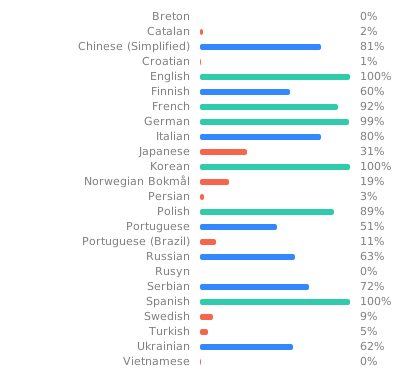 More information about translating can be found [here](https://github.com/AntiMicroX/antimicrox/wiki/Translating-AntiMicroX).