> [!WARNING]
> This repo was **migrated** to [codeberg](https://codeberg.org/arnauc/hevi).
> The github repo is **not a mirror**. It won't receive any new commits. Please use the new repo.
---
hevi
a hex viewer

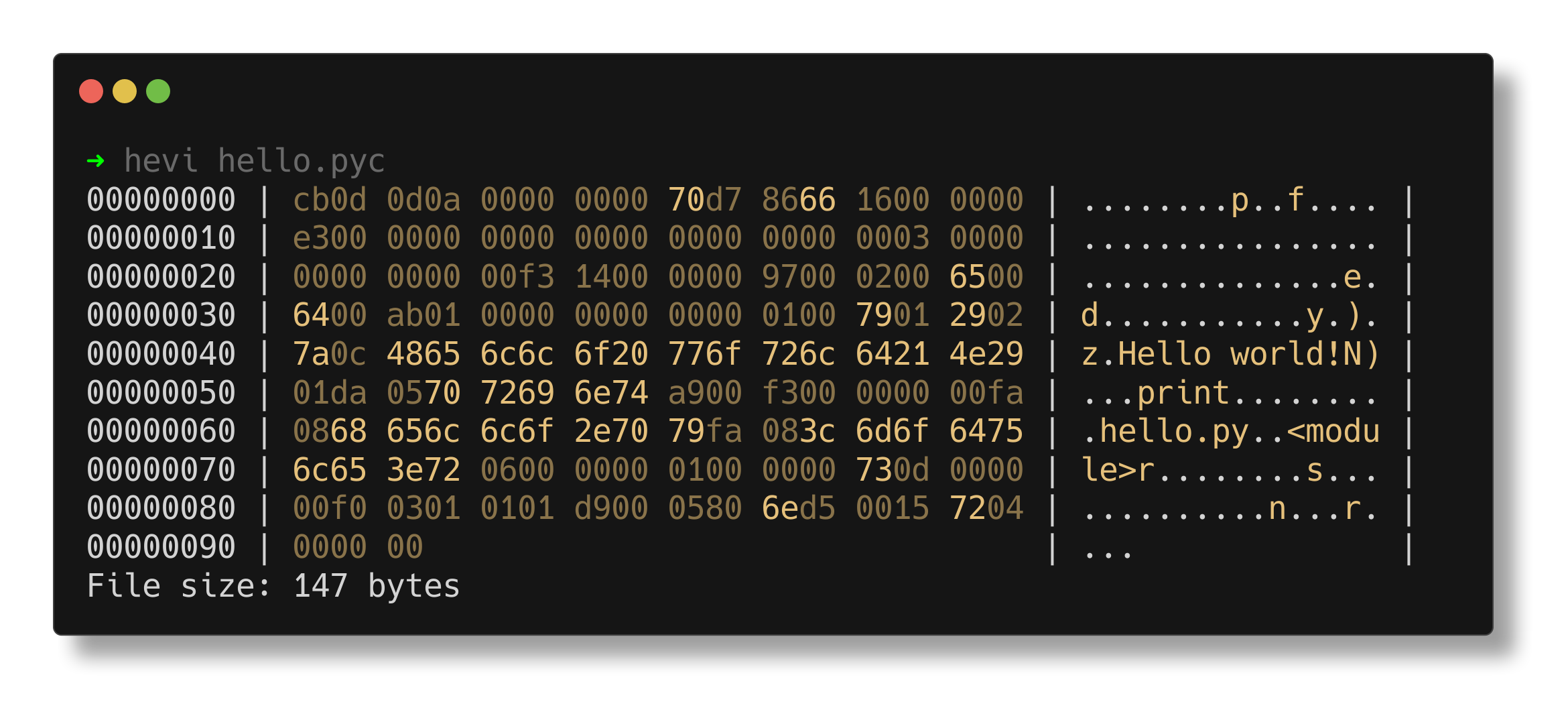
## What is hevi?
Hevi (pronounced like "heavy") is a hex viewer, just like `xxd` or `hexdump`.
## Features
### Parsers
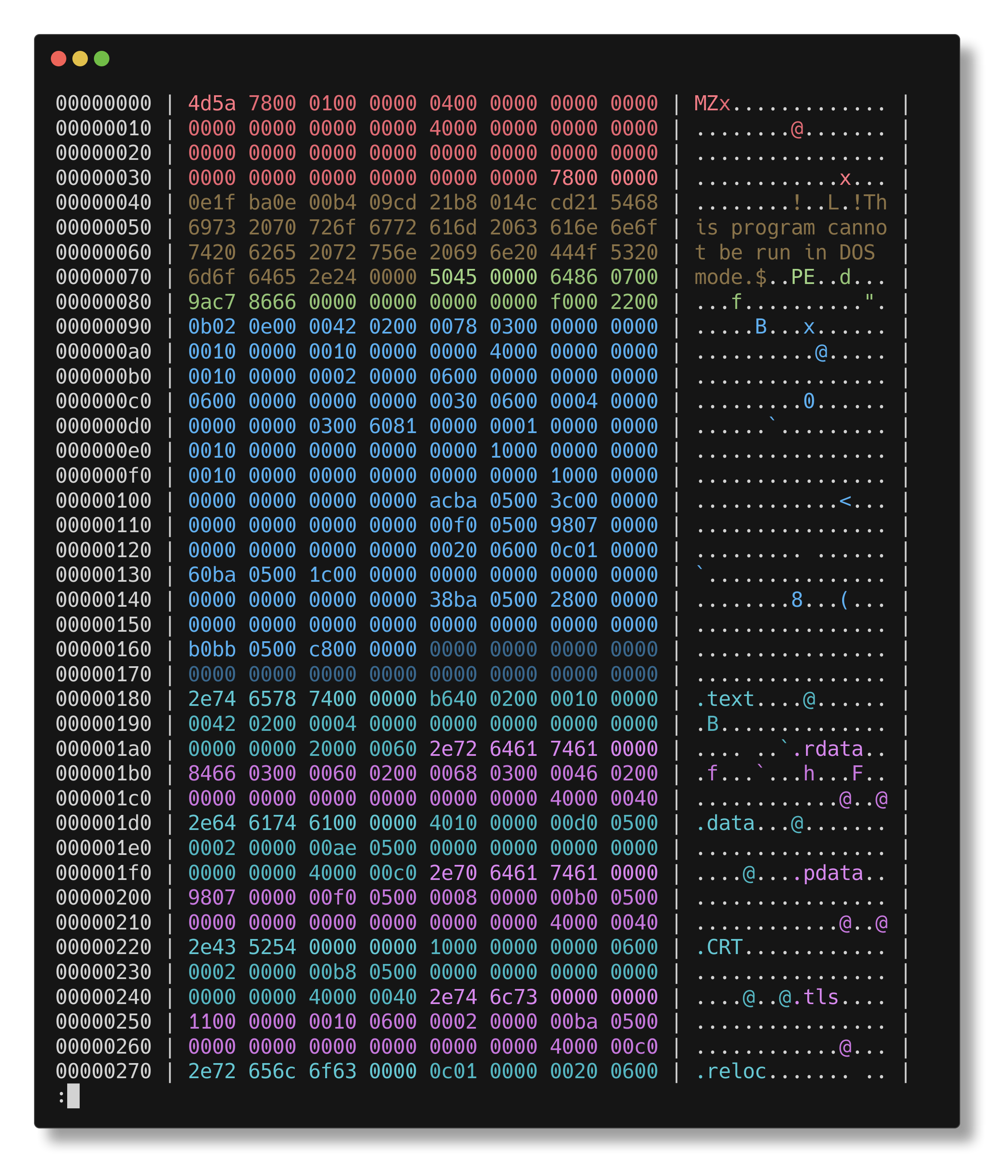
Hevi can parse things like ELF or PE files and give you syntax-highlighting.
### Custom color palettes
You can specify custom color palettes. Color palettes can use standard ANSI colors or truecolor.
## Usage
The command should be used as `hevi [flags]`. The flags are described [below](#flags).
### Flags
| Flag(s) | Description |
| -------------------------------- | ------------------------------------------------------- |
| `-h`/`--help` | Show a help message |
| `-v`/`--version` | Show version information |
| `--color`/`--no-color` | Enable or disable colored output |
| `--lowercase`/`--uppercase` | Toggle between lowercase and uppercase hex |
| `--size`/`--no-size` | Enable or disable the line showing the size at the end |
| `--offset`/`--no-offset` | Enable or disable showing the offset |
| `--ascii`/`--no-ascii` | Enable or disable ASCII interpretation |
| `--skip-lines`/`--no-skip-lines` | Enable or disable skipping of identical lines |
| `--raw` | Raw format (disables most features) |
| `--show-palette` | Show the current color palette in a table |
| `--parser` | Specify the parser to use. For a list use `hevi --help` |
### Environment variables
The `NO_COLOR` variable is supported, and disables color (see ) printing. Note that it can be overwritten by an explicit `--color`.
### Config file
The config file is a [ziggy](https://ziggy-lang.io) file. The following fields are available:
```zig
color: bool,
uppercase: bool,
show_size: bool,
show_offset: bool,
show_ascii: bool,
skip_lines: bool,
raw: bool,
palette: Palette,
```
All fields are optional.
**Note**: for the `palette` field you must specify all styles!
#### Example config
```zig
.color = true,
.skip_lines = false,
.palette = Palette{
.normal = @color("yellow"),
.normal_alt = @color("yellow::dim"),
.normal_accent = @color("yellow:bright_black:bold"),
.c1 = @color("red"),
.c1_alt = @color("red::dim"),
.c1_accent = @color("red:bright_black:bold"),
.c2 = @color("green"),
.c2_alt = @color("green::dim"),
.c2_accent = @color("green:bright_black:bold"),
.c3 = @color("blue"),
.c3_alt = @color("blue::dim"),
.c3_accent = @color("blue:bright_black:bold"),
.c4 = @color("cyan"),
.c4_alt = @color("cyan::dim"),
.c4_accent = @color("cyan:bright_black:bold"),
.c5 = @color("magenta"),
.c5_alt = @color("magenta::dim"),
.c5_accent = @color("magenta:bright_black:bold"),
},
```
#### Location
The config file is located at:
| OS | Path |
| -------------------------------------- | ------------------------------------------------------------------------------------------------ |
| Linux, MacOS, FreeBSD, OpenBSD, NetBSD | `$XDG_CONFIG_HOME/hevi/config.ziggy` or if the env doesn't exist `$HOME/.config/hevi/config.ziggy` |
| Windows | `%APPDATA%/hevi/config.ziggy` |
| Other | Not supported. No config file will be read |
#### Precedence
Hevi has a precedence for configuration and it is:
1. Flags
2. Environment variables
3. Config file
4. Defaults
## About
It is written in [zig](https://github.com/ziglang/zig), in an attempt to simplify hex viewers.
## Installation
### Some Linux package managers
If your package manager is in the following list (and preferably in green), you can simply install it from there:
[](https://repology.org/project/hevi/versions)
### Homebrew
You can install [hevi](https://formulae.brew.sh/formula/hevi) with [brew](https://brew.sh/):
```sh
$ brew install hevi
```
### Nix
There is a nix flake you can use. You can also try hevi without installing it:
```sh
$ nix shell github:Arnau478/hevi
```
### X-CMD
If you are a user of [x-cmd](https://x-cmd.com), you can run:
```sh
$ x install hevi
```
### Other platforms
You can download a binary from the [releases](https://github.com/Arnau478/hevi/releases/) page. You can also clone the repository and compile it with `zig build`.
## Contribute
Contributions are welcome! Even if you don't want to write code, you can help a lot creating new issues or testing this software.
## License
See [LICENSE](LICENSE)
SPDX-License-Identifier: GPL-3.0-or-later
[](https://spdx.org/licenses/GPL-3.0-or-later.html)