# A11y Order — Custom focus order
`A11y.Order` and `A11y.Index` let you define an explicit focus sequence that is independent of the visual render order.
| iOS | Android |
| --- | --- |
| | |
## The problem
The layout your designer wants and the focus order your users need are often different things.
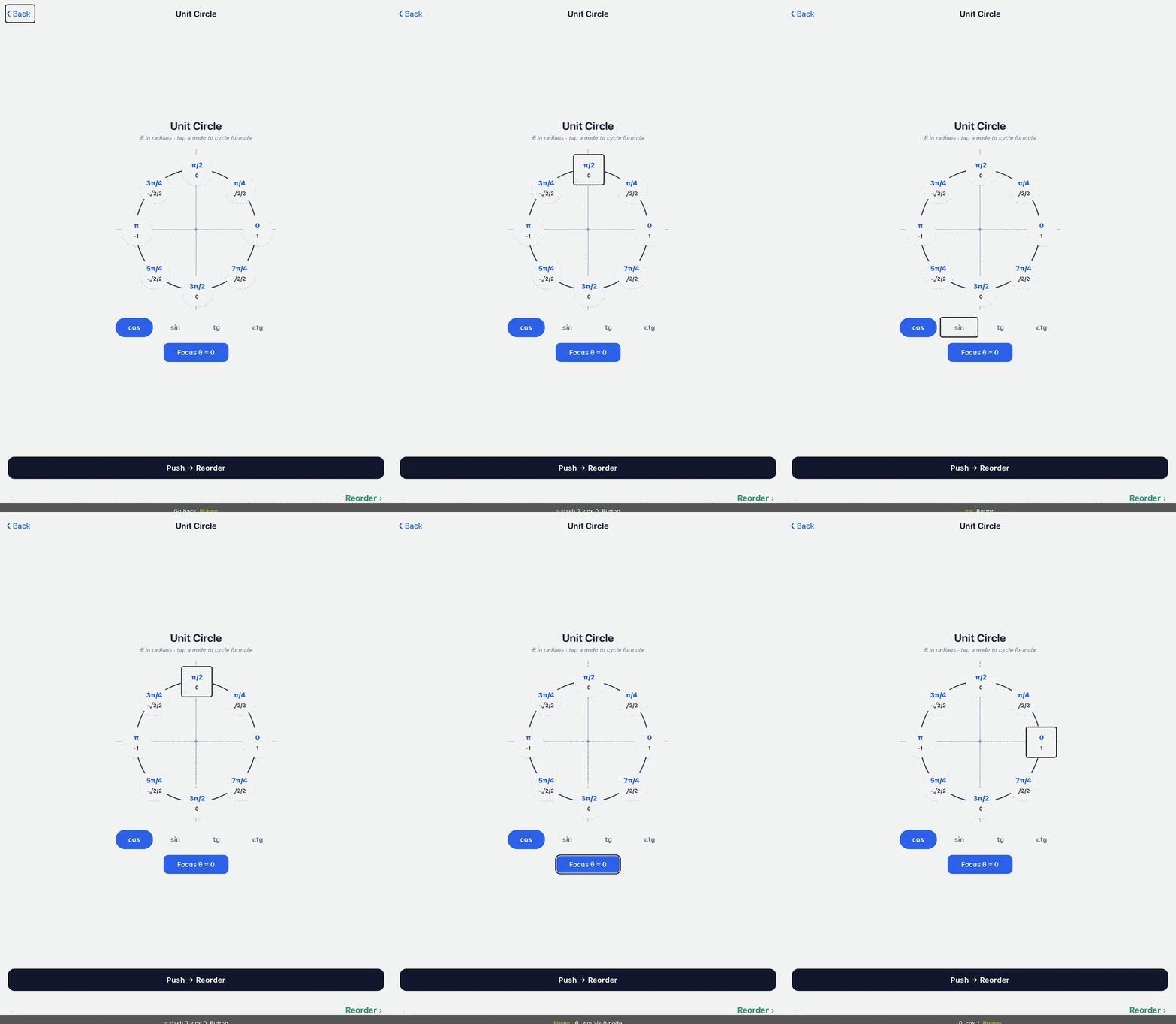
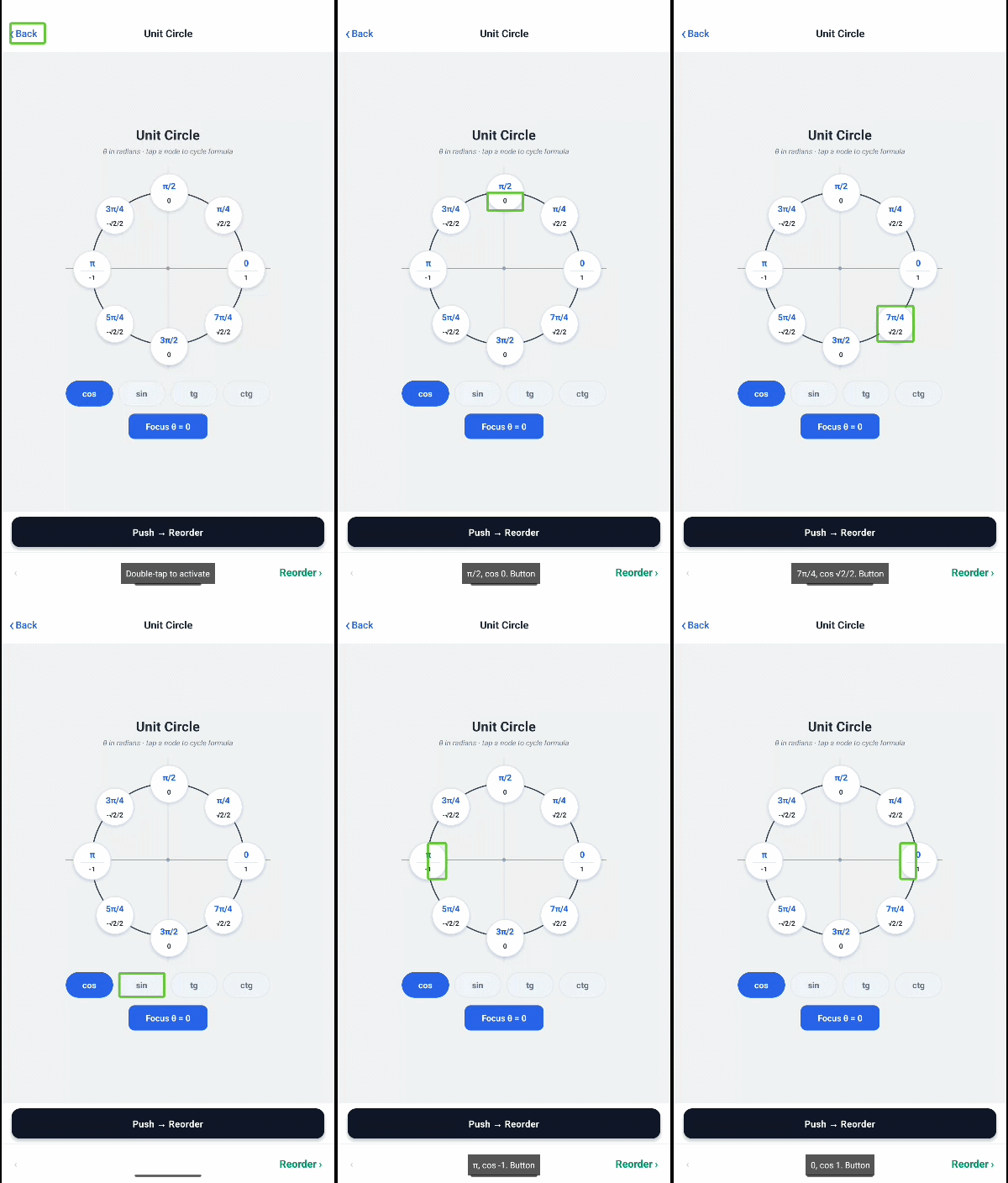
By default, the screen reader follows the native view hierarchy — which matches the render order, not the visual layout. In practice this means focus can move in unexpected directions: clockwise around a card grid instead of row by row, bottom-to-top through a chat thread, diagonally across a table, or back-and-forth between columns in a flex layout that renders column-first.
Common cases where this breaks down:
- A grid that should be read left-to-right, top-to-bottom, but renders columns first
- A chat thread where the newest message is at the bottom but focus starts at the top
- A table where cells are laid out in a way that makes focus jump between rows
- A form where a summary row appears at the top visually but should be read last
## Basic usage
Wrap elements in `A11y.Order` and give each one an `A11y.Index` with a numeric position. Lower numbers are focused first; ties are broken by render order.
```tsx
import { A11y } from 'react-native-a11y-order';
Focused firstFocused thirdFocused second
```
## Rules
- Every `A11y.Index` must be inside an `A11y.Order`. Using `A11y.Index` outside an order container throws a runtime error.
- `index` values do not need to be consecutive — gaps are fine.
- Fractional values work if you need to insert an element between two existing positions.
## Programmatic focus
The ref on `A11y.Index` exposes a `focus()` method that moves screen reader focus programmatically.
```tsx
import { A11y, type IndexCommands } from 'react-native-a11y-order';
const ref = React.useRef(null);
Target
 |
|  |
## The problem
The layout your designer wants and the focus order your users need are often different things.
By default, the screen reader follows the native view hierarchy — which matches the render order, not the visual layout. In practice this means focus can move in unexpected directions: clockwise around a card grid instead of row by row, bottom-to-top through a chat thread, diagonally across a table, or back-and-forth between columns in a flex layout that renders column-first.
Common cases where this breaks down:
- A grid that should be read left-to-right, top-to-bottom, but renders columns first
- A chat thread where the newest message is at the bottom but focus starts at the top
- A table where cells are laid out in a way that makes focus jump between rows
- A form where a summary row appears at the top visually but should be read last
## Basic usage
Wrap elements in `A11y.Order` and give each one an `A11y.Index` with a numeric position. Lower numbers are focused first; ties are broken by render order.
```tsx
import { A11y } from 'react-native-a11y-order';
|
## The problem
The layout your designer wants and the focus order your users need are often different things.
By default, the screen reader follows the native view hierarchy — which matches the render order, not the visual layout. In practice this means focus can move in unexpected directions: clockwise around a card grid instead of row by row, bottom-to-top through a chat thread, diagonally across a table, or back-and-forth between columns in a flex layout that renders column-first.
Common cases where this breaks down:
- A grid that should be read left-to-right, top-to-bottom, but renders columns first
- A chat thread where the newest message is at the bottom but focus starts at the top
- A table where cells are laid out in a way that makes focus jump between rows
- A form where a summary row appears at the top visually but should be read last
## Basic usage
Wrap elements in `A11y.Order` and give each one an `A11y.Index` with a numeric position. Lower numbers are focused first; ties are broken by render order.
```tsx
import { A11y } from 'react-native-a11y-order';