Project Golem Logo

Project Golem

Your AI operations hub: chat, act, remember, and collaborate over the long run.

version node backend dashboard

繁體中文 README · Contributing · Agent Guide

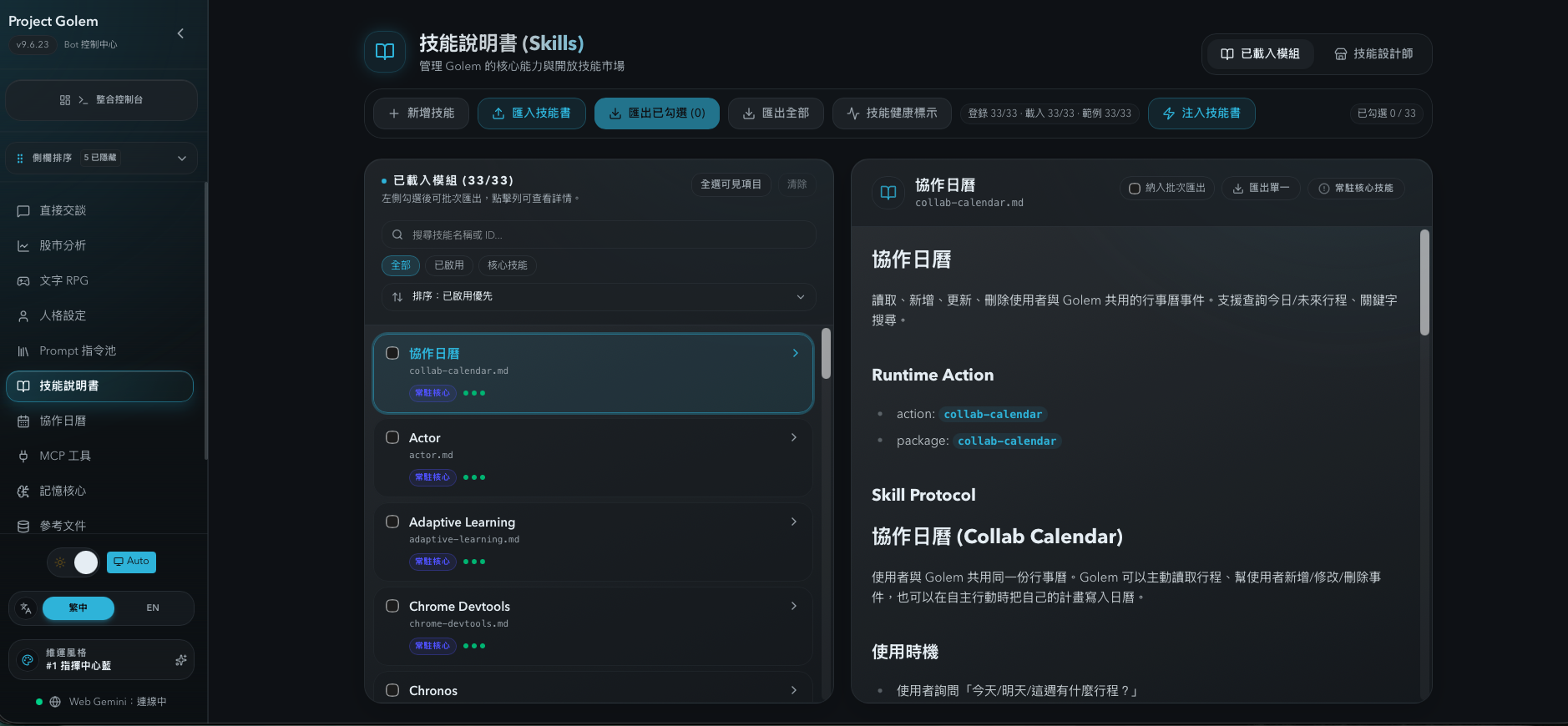
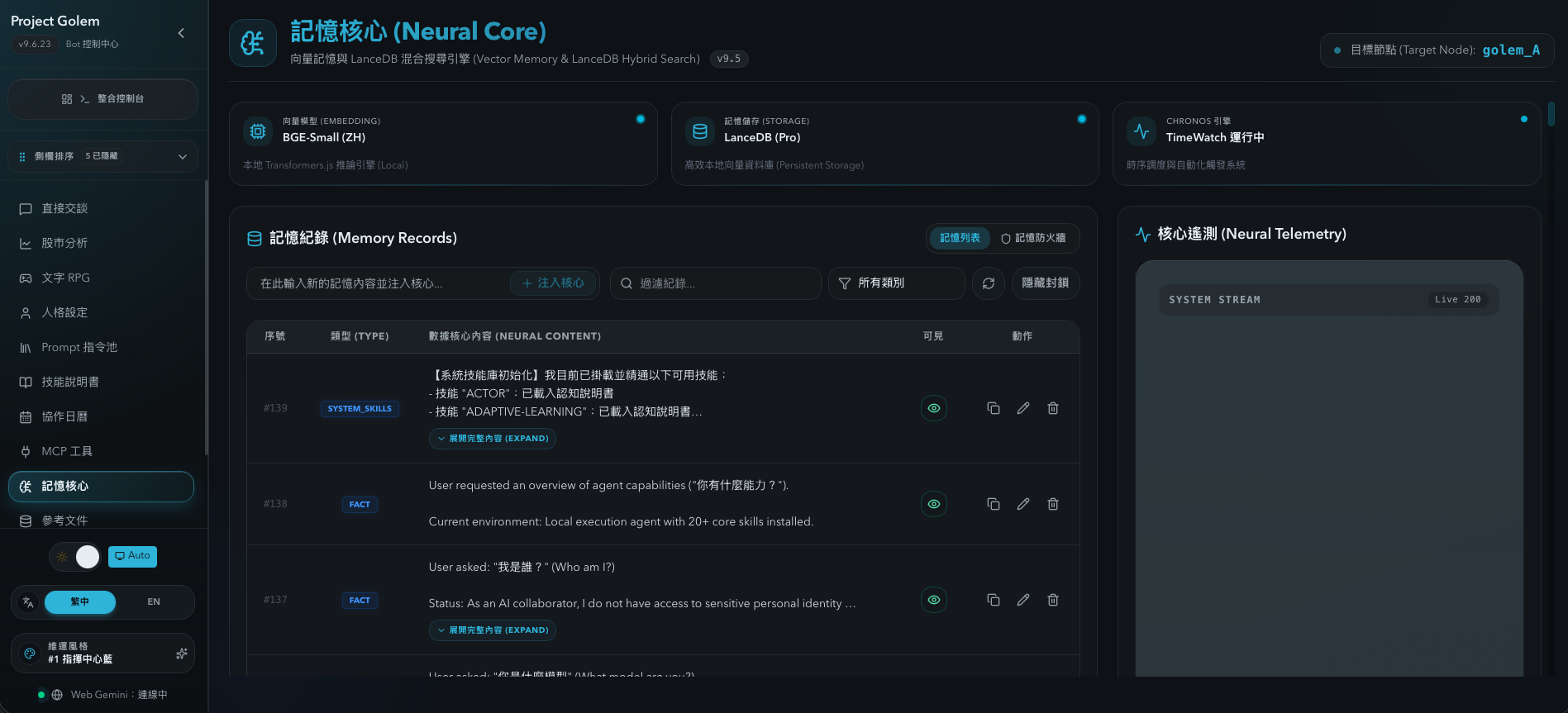
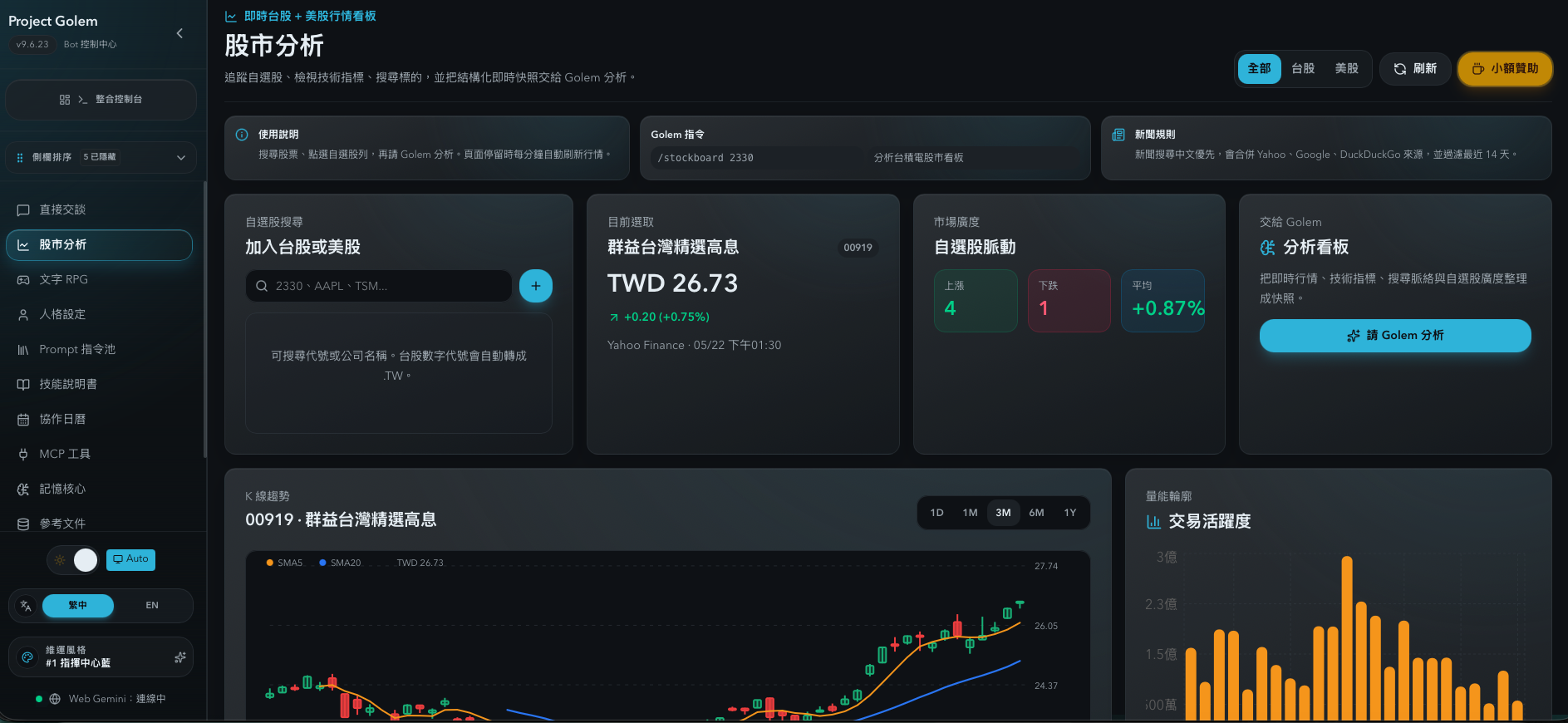
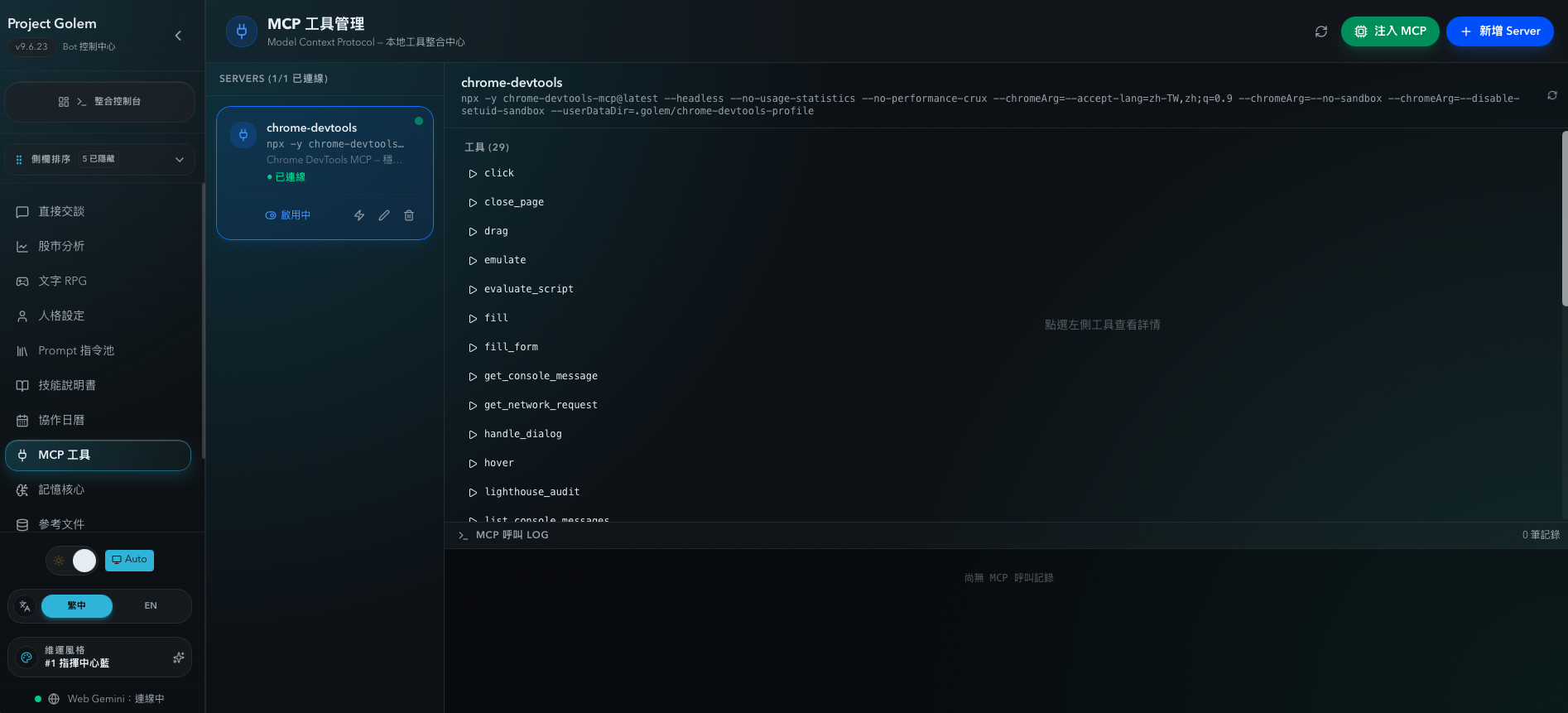
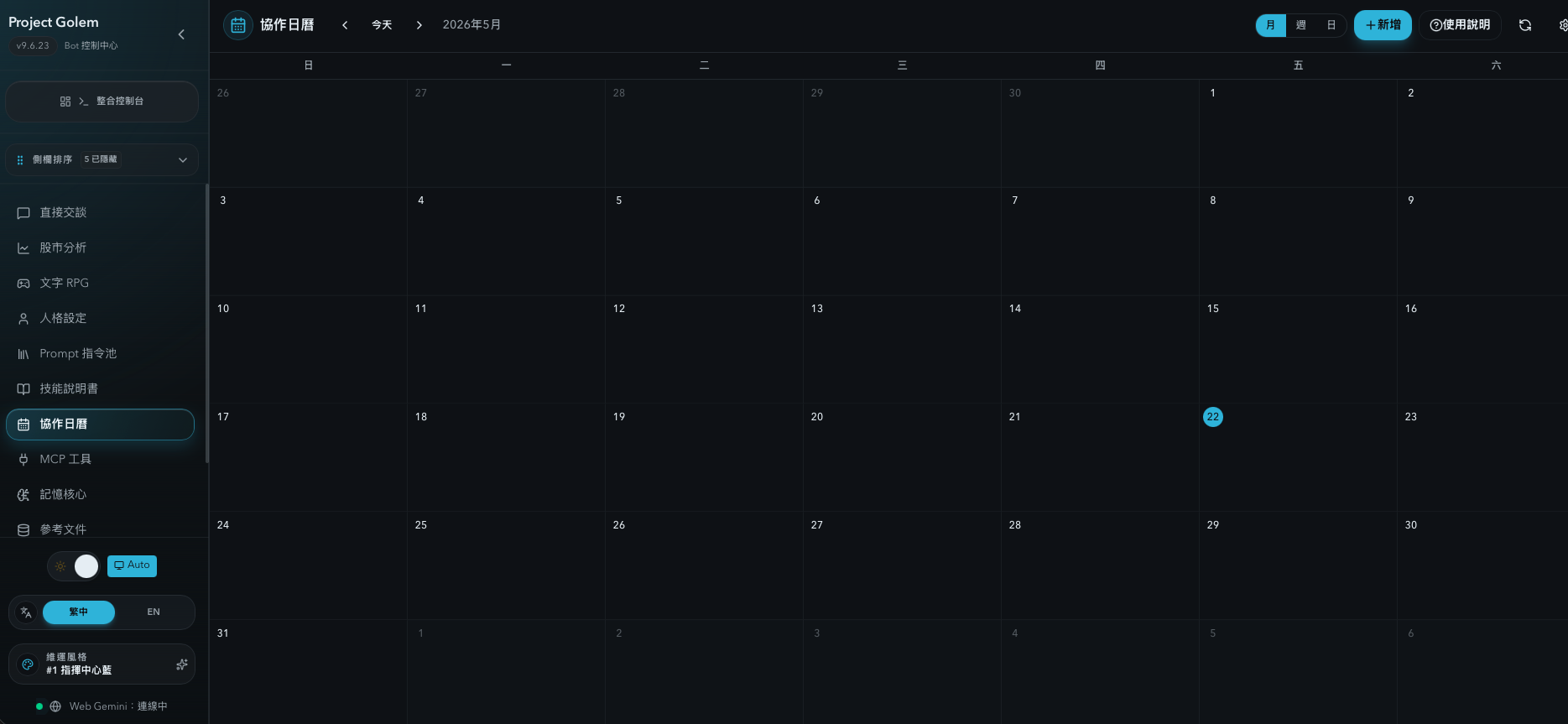
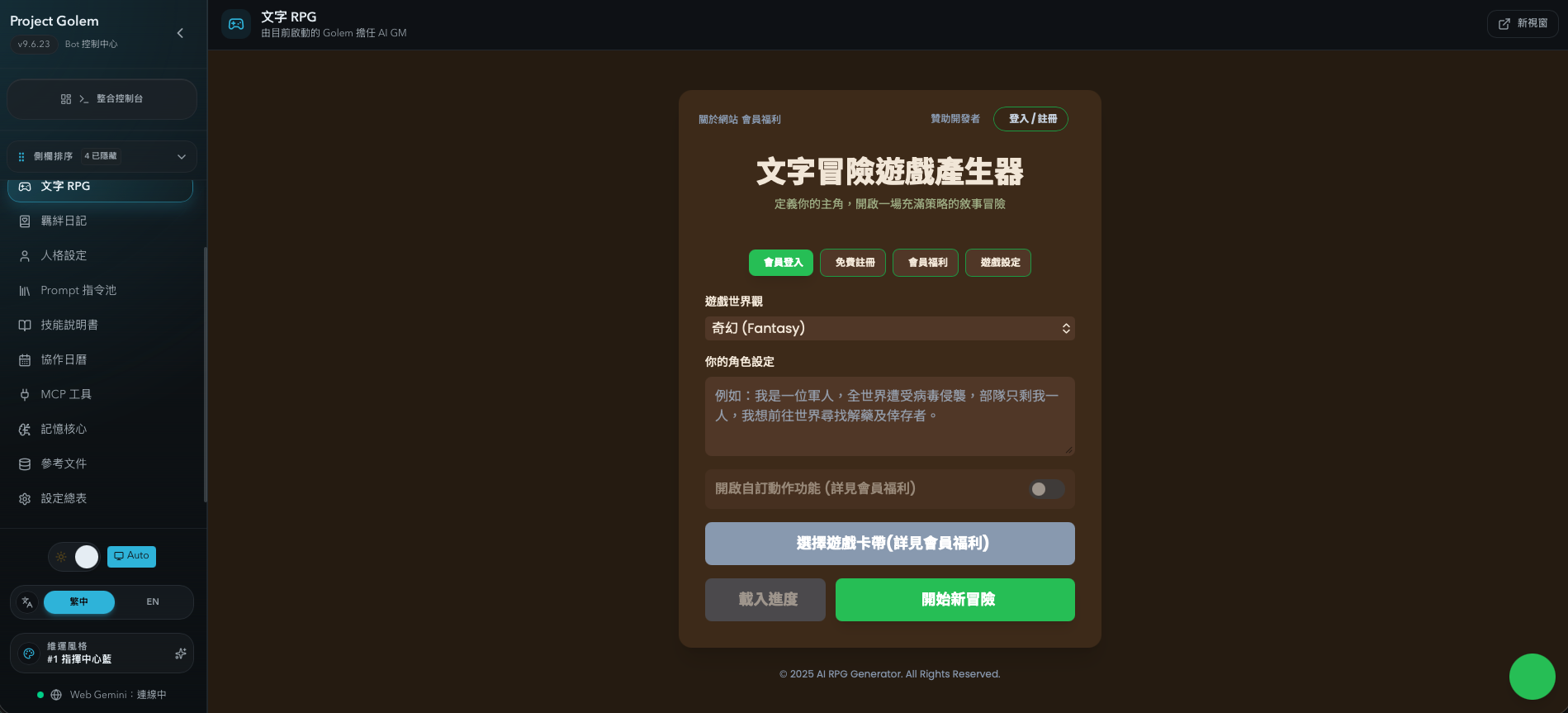
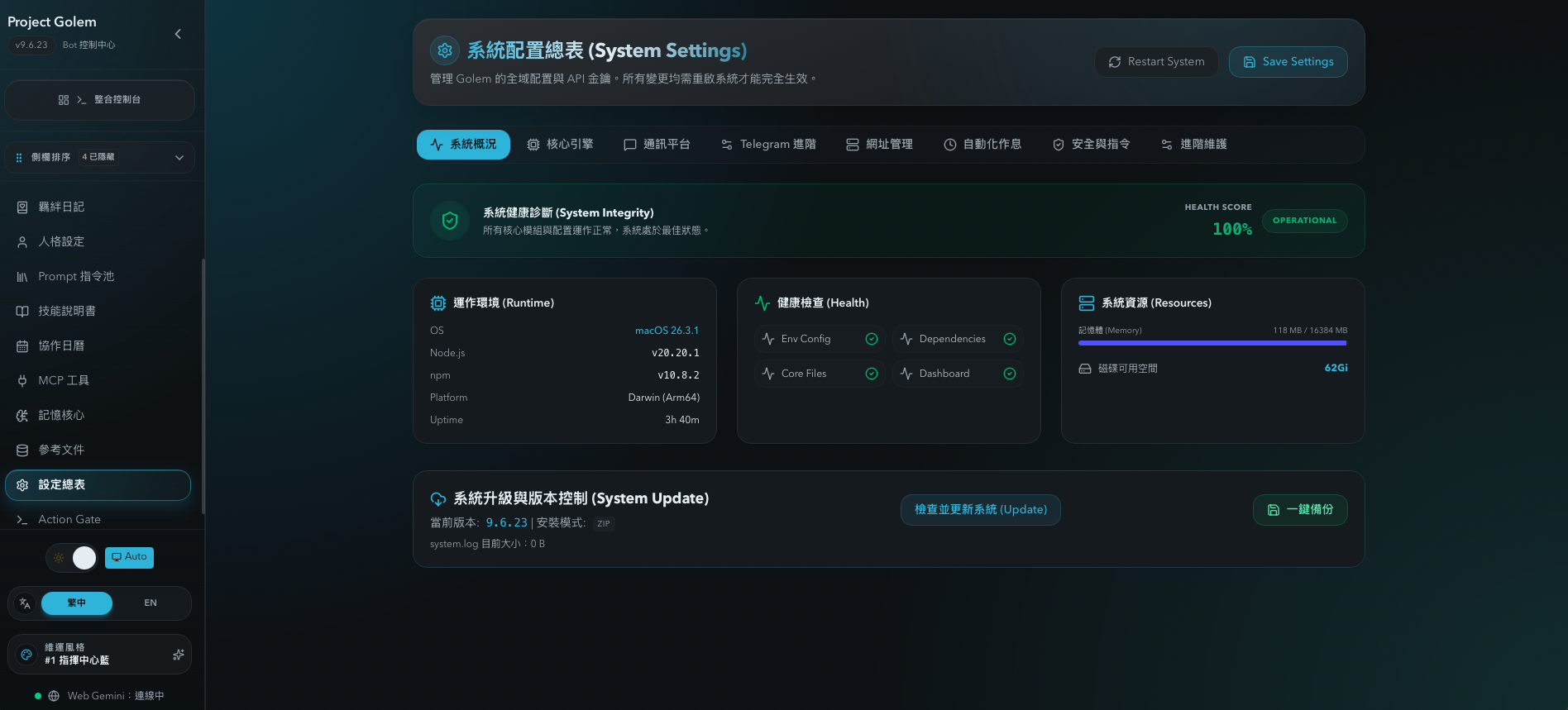
--- ## What is Project Golem? Project Golem is not just a chatbot. It is an executable AI work system. It combines language model intelligence with operational tooling so you can run real workflows from a single dashboard: - Live conversations and task collaboration - Skill loading and tool expansion (MCP / Skills) - Long-term memory management and retrieval - Multi-agent discussions and consensus output - Text RPG, stock board, collaborative calendar, and Bond Journal - Security controls, configuration, updates, and operations You can run it with: - `Gemini Web` (Browser-in-the-Loop via Playwright) - `Ollama` (local/private models) - `LM Studio` (OpenAI-compatible local API) --- ## Why it matters Many AI tools are great for one-shot prompts, but weak for continuous work. Project Golem is designed for sustained use in real environments: - Stateful: keeps long-term context and memory - Actionable: executes tasks through tools and skills - Governed: includes operation boundaries and safety checks - Operable: managed through a full web dashboard --- ## Good fits | Use case | What Golem provides | | --- | --- | | Personal AI workspace | Centralizes chat, memory, tools, and settings in one dashboard instead of scattering work across AI tabs. | | Local/private AI | Runs with Ollama or LM Studio so model calls and memory data can stay on your own machine or private network. | | Long-running projects | Keeps project context through memory, summaries, and skills instead of asking you to repeat the same background every time. | | Multi-agent decisions | Spins up role-based discussions such as product, engineering, security, and operations, then turns them into concrete conclusions. | | Tool-oriented agent experiments | Uses MCP and Skills to connect search, files, external services, and project tools into the AI workflow. | | Life and creative companionship | Uses Text RPG, Bond Journal, and collaborative calendar flows to turn the AI from a utility into a shared planning and recording partner. | | Market analysis cockpit | Uses Taiwan/US stock boards to collect quotes, news, indicators, and watchlists, then hands the snapshot to Golem for analysis. | --- ## Core capabilities | Capability | Description | | --- | --- | | Multi-backend brain | Switch between `gemini`, `ollama`, and `lmstudio` by cost, privacy, or performance needs. | | Web Dashboard | Default at `http://localhost:3000/dashboard` for chat, monitoring, settings, skills, MCP, and memory management. | | Long-term memory | Supports `lancedb-pro` and `native` memory modes with retrieval and summarization workflows. | | Multi-agent collaboration | Interactive Multi-Agent mode for role-based discussion and consensus synthesis. | | Skill system | Load built-in or custom skills, with install/enable/test management flow. | | MCP expansion | Connect standard I/O MCP servers to extend real-world tool access. | | Stock board | Taiwan/US watchlists, quotes, candlesticks, technical indicators, news context, and Golem-ready analysis snapshots. | | Collaborative calendar | Dashboard calendar for creating, updating, and deleting events while exposing schedule context to Golem. | | Text RPG | Native text RPG mode with world/character setup, choice interaction, membership turns, and external channel binding. | | Bond Journal | User diary, AI diary, AI thoughts, weekly summaries, bond levels, SQLite backup, and restore workflows. | | External channels | Optional Telegram / Discord bridges. | | Security governance | Remote access protection, operation token checks, and risky command safeguards. | --- ## UI showcase Skills Memory Core Stocks MCP Tools Calendar Text RPG System Settings Current main dashboard routes (from `web-dashboard/src/app/dashboard`) include: - `/dashboard`: Unified Console (overview + live status) - `/dashboard/chat`: chat workspace - `/dashboard/diary`: Bond Journal - `/dashboard/persona`: persona configuration - `/dashboard/prompt-pool`: Prompt Pool - `/dashboard/prompt-trends`: prompt trends analytics - `/dashboard/stocks`: stock board - `/dashboard/calendar`: collaborative calendar - `/dashboard/rpg`: text RPG - `/dashboard/skills`: skill management - `/dashboard/mcp`: MCP management - `/dashboard/action-gate`: Action Gate (approval flow for high-risk operations) - `/dashboard/agents`: agents list - `/dashboard/office`: Agent office / collaboration workspace - `/dashboard/memory`: Memory Core - `/dashboard/memory-firewall`: Memory Firewall - `/dashboard/reference-files`: Reference Files - `/dashboard/settings`: system settings summary --- ## Quick start ### 1) Prerequisites - Node.js `>=20 <23` - npm - Chromium / Google Chrome (required for Gemini Web mode) ### 2) Install and start (recommended) Windows (use Git Bash): ```bash cd /path/to/your/project-golem-main ./setup.sh ``` macOS (use Terminal): ```bash cd /path/to/your/project-golem-main ./setup.sh ``` Press Enter and the script will guide you through installation or open the startup menu. --- ## Most-used commands | Command | Description | | --- | --- | | `npm run dashboard` | Start runtime + Web Dashboard | | `npm start` | Start core runtime only | | `npm run dev` | Development mode (nodemon) | | `npm run doctor` | Environment health checks | | `npm run arch:check` | Architecture boundary checks | | `npm test` | Run test suite | ### Common chat commands | Command | Description | | --- | --- | | `/help` | Show available commands | | `/new` | Start a new conversation and load relevant memory | | `/new_memory` | Reset the underlying memory state | | `/skills` | List installed skills | | `/learn ` | Ask Golem to learn or generate a new skill | | `/stocks TSM NVDA 2330` | Build a real-time stock analysis context | | `/stockboard` | Open stock board style analysis context | | `/rpg start` | Start native text RPG mode | | `/rpg bind` | Generate membership/external channel binding code | | `/install skill-gh ` | Install a skill from GitHub | | `/install mcp-url ` | Install MCP configuration from an HTTPS JSON URL | --- ## Configuration examples ### Gemini Web (default) ```env GOLEM_BACKEND=gemini GOLEM_MEMORY_MODE=lancedb-pro PLAYWRIGHT_STEALTH_ENABLED=true ALLOW_REMOTE_ACCESS=false ``` ### Ollama ```env GOLEM_BACKEND=ollama GOLEM_OLLAMA_BASE_URL=http://127.0.0.1:11434 GOLEM_OLLAMA_BRAIN_MODEL=llama3.1:8b GOLEM_EMBEDDING_PROVIDER=ollama GOLEM_OLLAMA_EMBEDDING_MODEL=nomic-embed-text ``` ### LM Studio ```env GOLEM_BACKEND=lmstudio GOLEM_LMSTUDIO_BASE_URL=http://127.0.0.1:1234/v1 GOLEM_LMSTUDIO_BRAIN_MODEL=local-model GOLEM_LMSTUDIO_API_KEY= ``` ### Remote admin safety baseline ```env ALLOW_REMOTE_ACCESS=false REMOTE_ACCESS_PASSWORD= SYSTEM_OP_TOKEN= ``` If you enable remote access, set a strong password/token and protect the service with firewall and/or VPN. --- ## Deployment For local development and personal use, running the Node.js runtime directly is recommended. For server or VPS deployment, the repo also includes Docker Compose and headless/noVNC oriented flows. ```bash docker compose up -d --build ``` See [Docker Local Deployment Guide](docs/DOCKER-LOCAL.zh-TW.md) and [VPS VNC Setup Guide](docs/VPS_VNC_Setup_Guide.md) for details. --- ## Project structure ```text project-golem/ ├── apps/ │ ├── runtime/ # Core runtime entrypoint │ └── dashboard/ # Dashboard plugin / app layer ├── src/ # Core logic (brain, managers, services, bridges) ├── web-dashboard/ # Next.js dashboard frontend ├── packages/ # Shared modules (memory/protocol/security) ├── docs/ # Guides and technical documents ├── assets/ # README media assets ├── index.js # Compatibility shim -> apps/runtime └── dashboard.js # Compatibility shim -> dashboard startup ``` --- ## Documentation map - [Web Dashboard Guide](docs/Web-Dashboard-Guide.en.md) - [MCP Guide](docs/MCP-Guide.en.md) - [Product Architecture Blueprint](docs/Product-Architecture-Blueprint.en.md) - [Contributing Guide](docs/CONTRIBUTING.md) - [VPS VNC Setup Guide](docs/VPS_VNC_Setup_Guide.md) --- ## License This project is distributed under a **Source-Available Non-Commercial** license. See [LICENSE](LICENSE) and [COMMERCIAL-LICENSE.md](COMMERCIAL-LICENSE.md). --- ## Author **Arvin Chen**