
Hone
“Not a chat toy designed to indulge you, but a ruthless defender of your investment discipline.”
Honeclaw is dedicated to being a professional investment assistant that truly understands you.
Why the name Hone:
"Hone" means to sharpen, to refine an edge. And serious investing is fundamentally just that kind of process: it is not about chasing every piece of news, nor reacting emotionally to every rise and fall, but about continuously honing one’s judgment through research, comparison, review, and long-term discipline.
English | 简体中文 | Website: hone-claw.com | Blog: hone-claw.com/blog | 💬 Community: Discord
--- # 1. 🦅 Honeclaw (Hone Financial) Honeclaw (or simply Hone) is an open-source personal investment research assistant written in Rust. Unlike the “chatbots” on the market that are accustomed to agreeing with users, Honeclaw is designed as a co-pilot for investment research that is capable of calm thinking, objective judgment, and disciplined restraint. It integrates into your daily workflow across multiple platforms, helping you track developments at companies you hold, enforce strict investment discipline, run scheduled monitoring tasks, and counter emotional trading impulses with rational data and logic. The public product website is now live at **[hone-claw.com](https://hone-claw.com)**. It introduces Hone from the user-facing angle: what Hone is, how public chat works, how portfolio monitoring and scheduled tasks fit into daily research, and where to find the roadmap, GitHub repo, Bilibili, and YouTube demos.
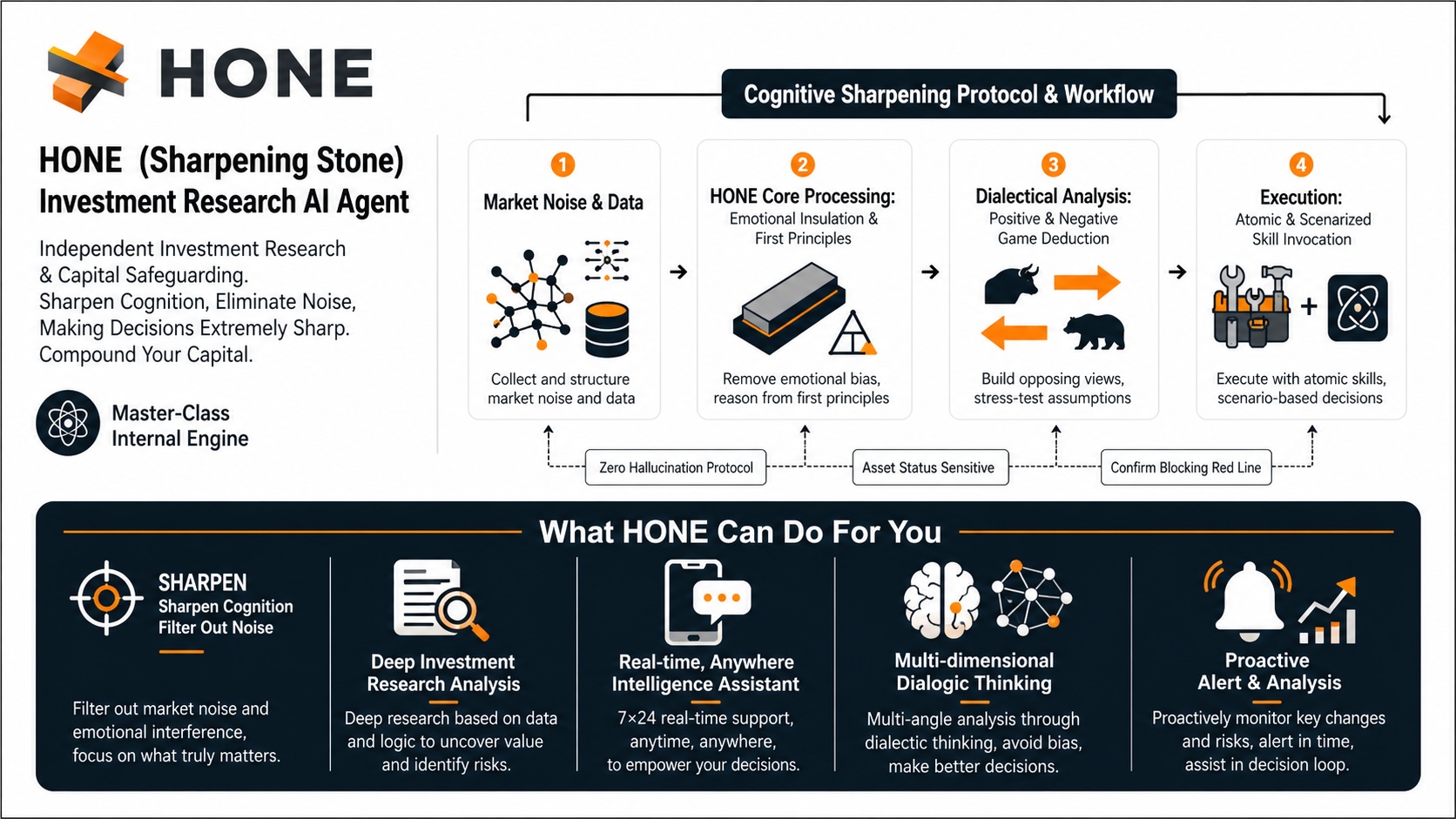
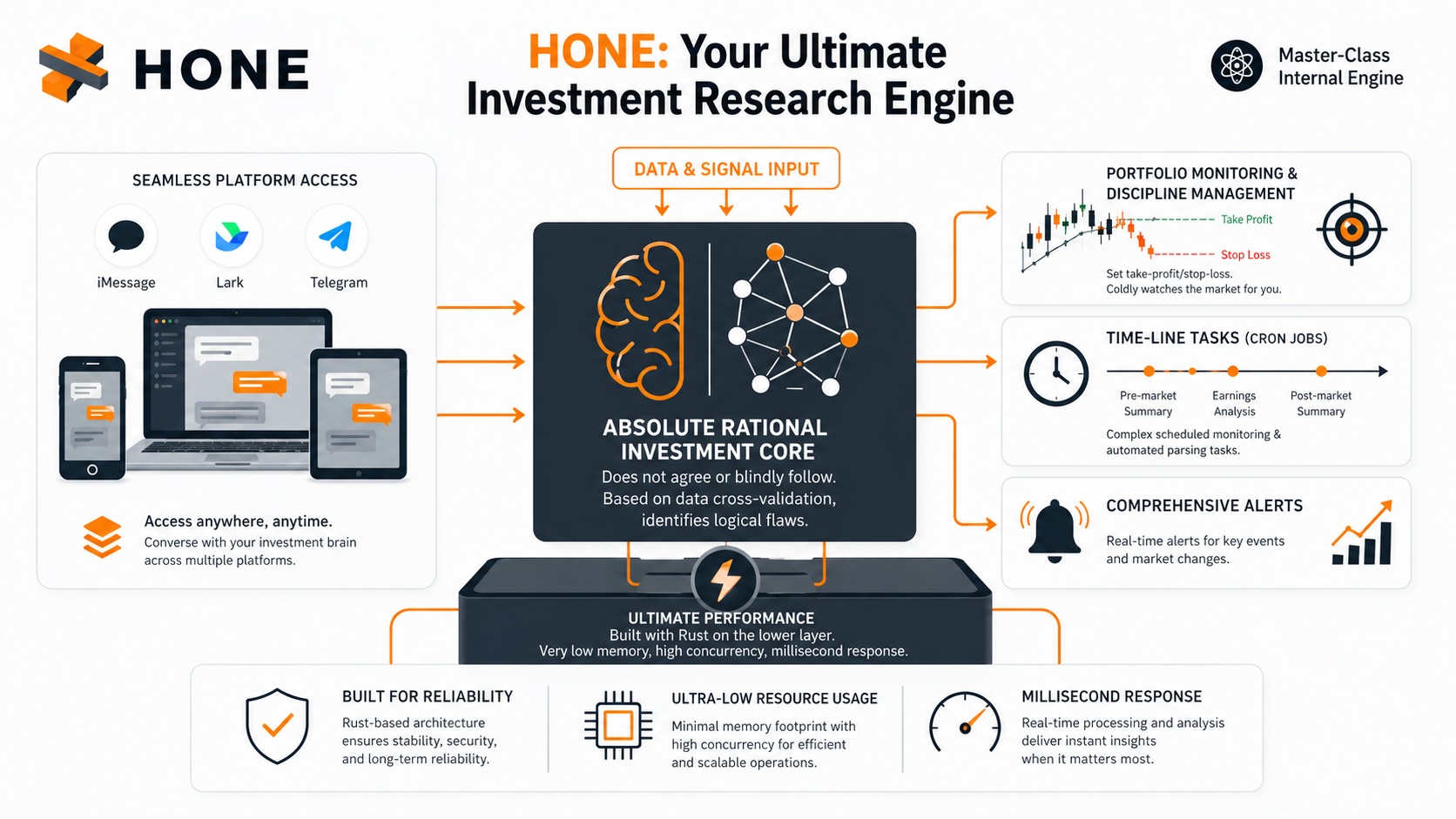
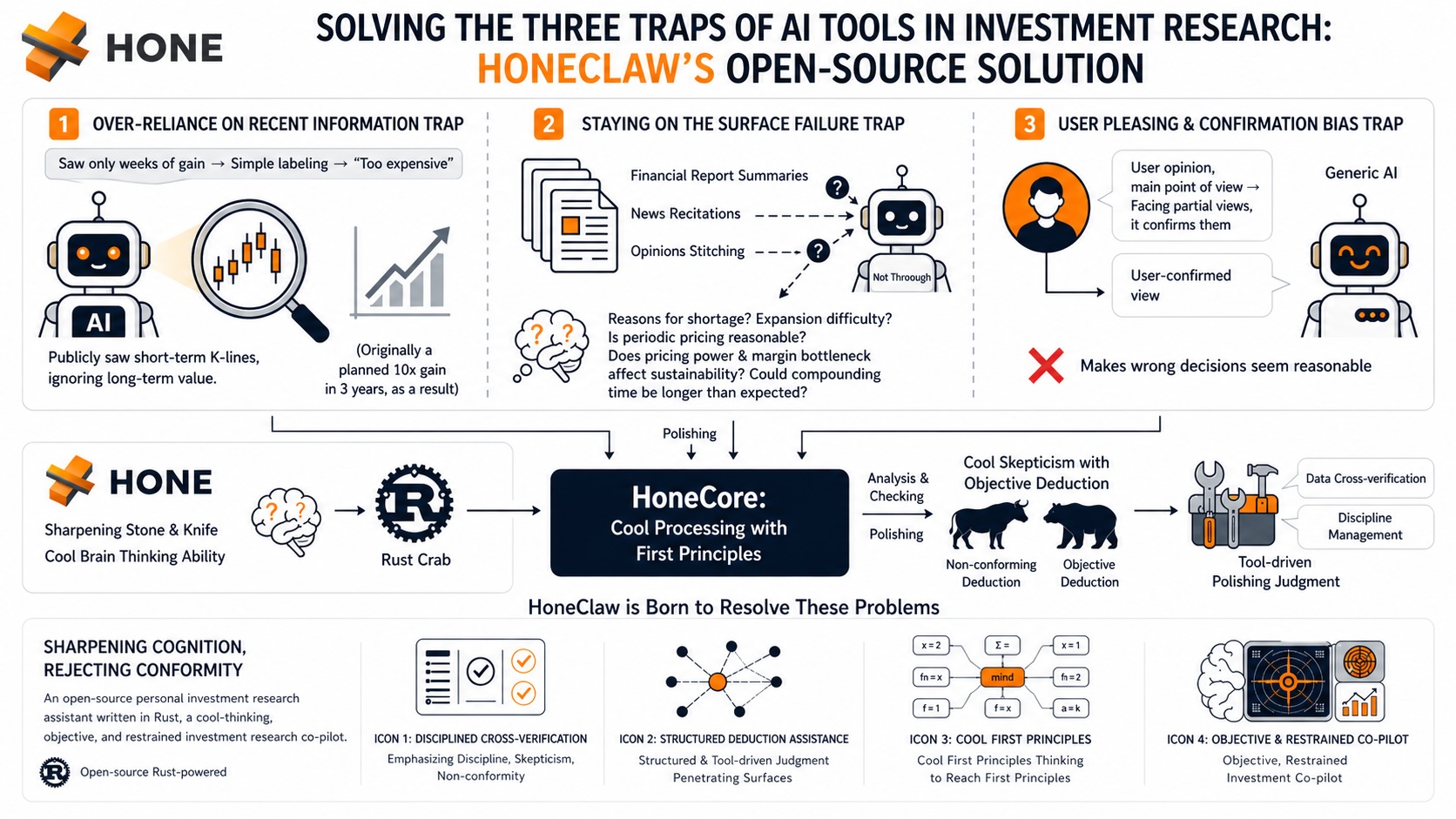
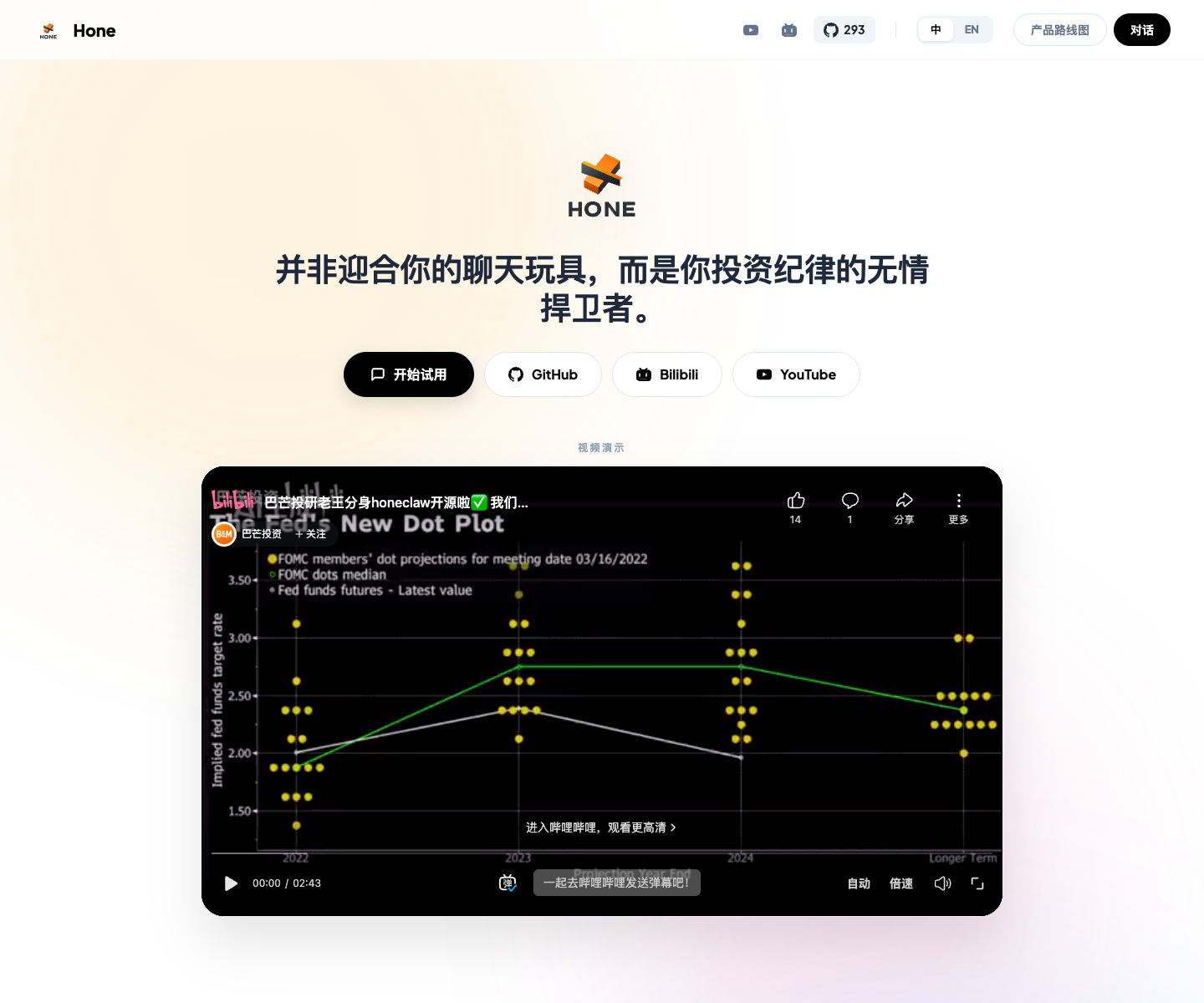
Official website: hone-claw.com introduces Hone’s public chat, portfolio tracking, scheduled tasks, long-term company memory, cross-platform notifications, and roadmap.
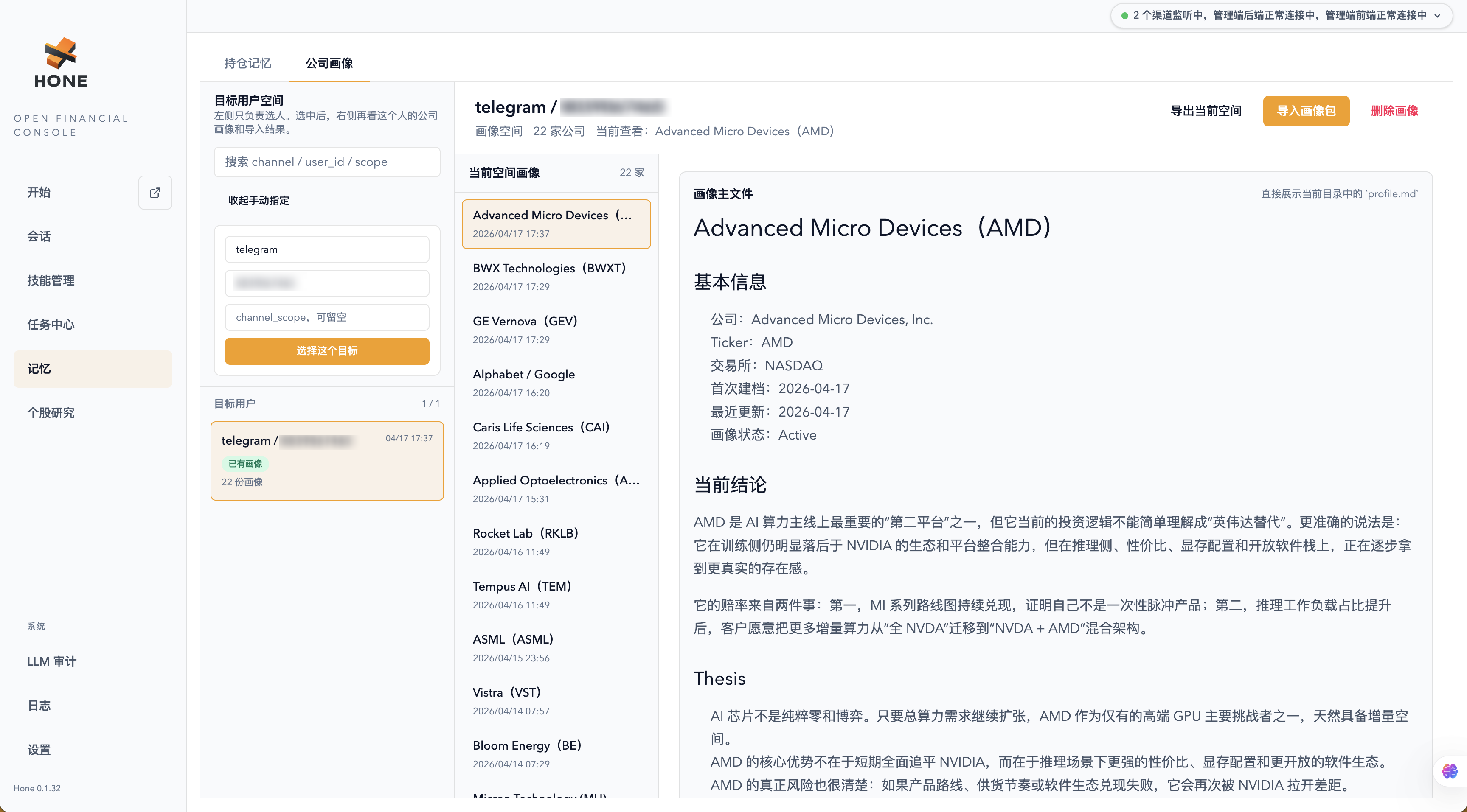
Company Portraits Dashboard: A centralized UI to manage long-term research memories, sync investment mainline developments from chats, and review your customized company knowledge base.
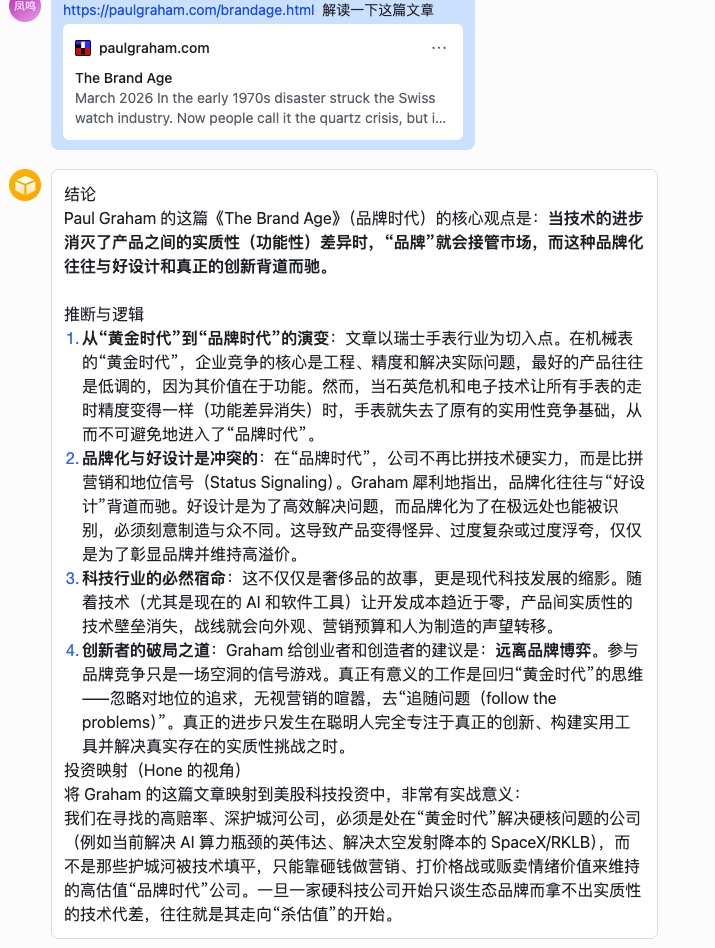
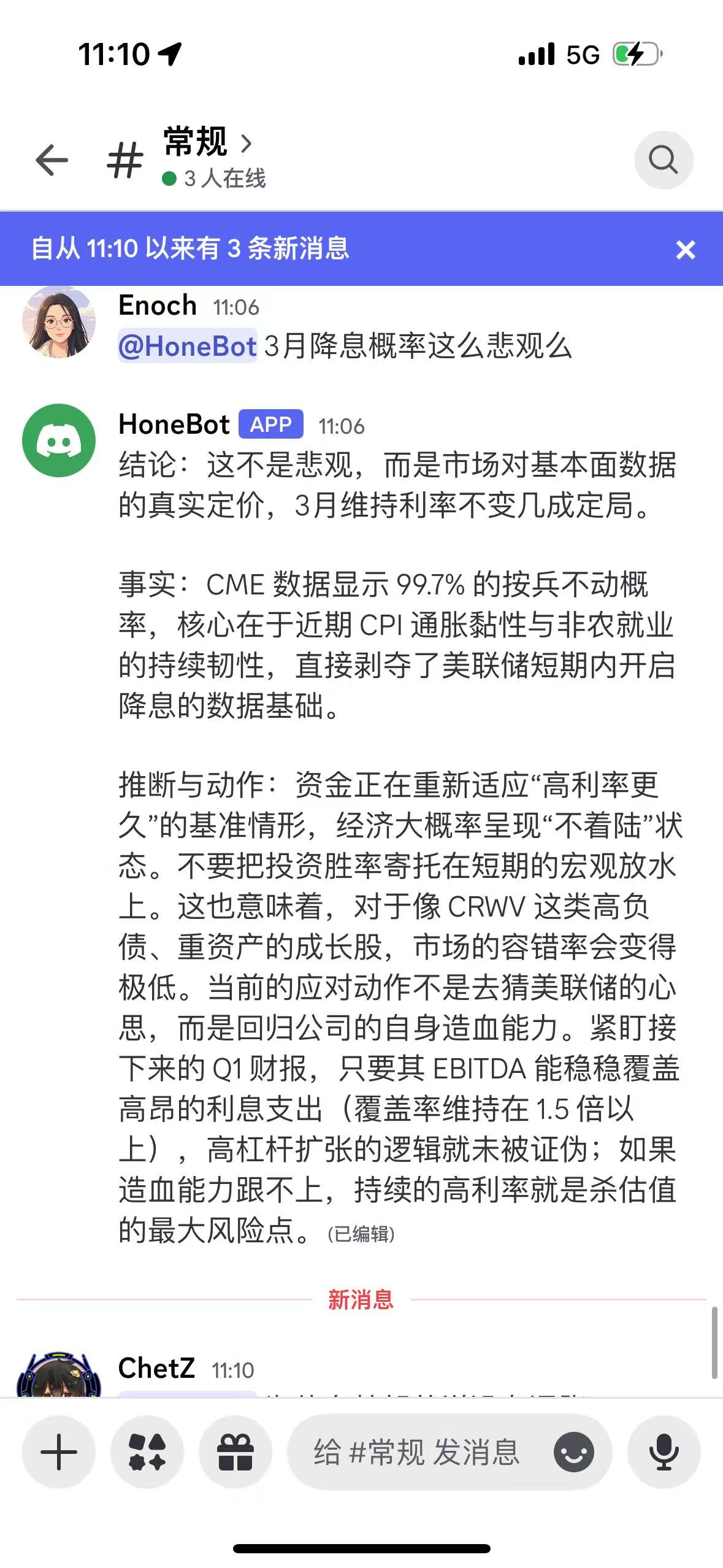
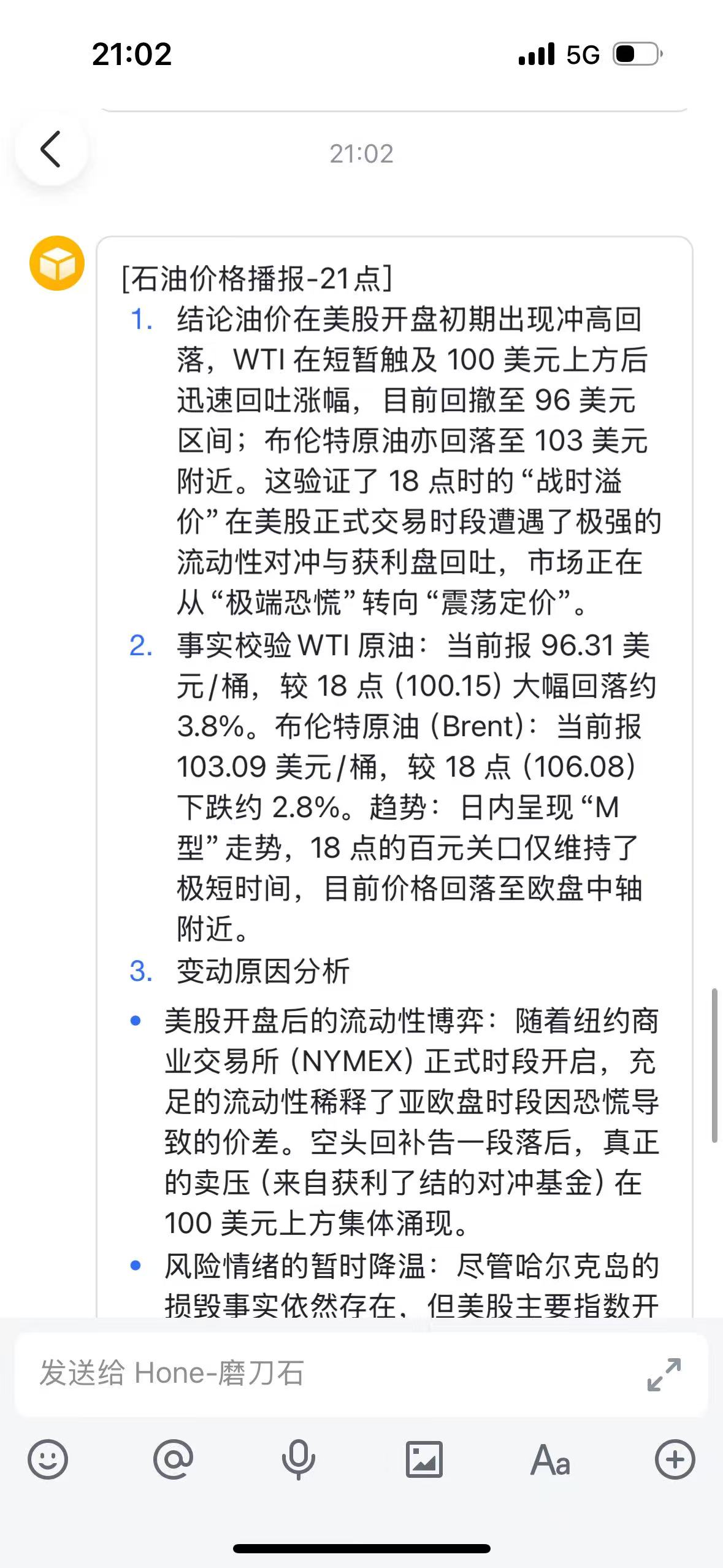
# 3. 🏗️ Getting Started ## Prerequisites - **Environment**: A Unix-like system (**macOS** or **Ubuntu** recommended). - **Rust**: Stable toolchain with **Edition 2024** support. ### Tech stack - **System core**: Rust (Tokio, Axum, SSE) - **Backend**: Rust - **Client** (desktop): Rust (Tauri) - **Frontend**: SolidJS + Tailwind v4 (Ultra-fast, Clean UI) Why Rust: see the first Hone Blog post, [Why Hone uses Rust, and why more teams should start using Rust](https://hone-claw.com/blog/why-hone-uses-rust). ### Supported channels - **Web Console**: Modern browser interface with interactive charts. - **Mac App**: Native macOS desktop experience. - **IM Integration**: Feishu (Lark), Discord, Telegram, iMessage. ## Installation and Launch For the full startup matrix, directory guide, ports, configuration, and troubleshooting notes, see the [Hone Wiki](./docs/wiki.md). ### Option A. One-line Install (macOS/Linux) ```shell curl -fsSL https://raw.githubusercontent.com/B-M-Capital-Research/honeclaw/main/scripts/install_hone_cli.sh | bash hone-cli doctor hone-cli onboard hone-cli start # In another terminal, open or start the bundled Web interfaces: hone-cli web admin-ui hone-cli web user-ui ``` ### Option B. Homebrew (macOS/Linux) ```shell brew install B-M-Capital-Research/honeclaw/honeclaw hone-cli doctor hone-cli onboard hone-cli start # In another terminal, open or start the bundled Web interfaces: hone-cli web admin-ui hone-cli web user-ui ``` ### Option C. Development Mode ```shell git clone https://github.com/B-M-Capital-Research/honeclaw.git cd honeclaw cargo run -p hone-cli -- start --build # In separate terminals: cargo run -p hone-cli -- web admin-ui --dev cargo run -p hone-cli -- web user-ui --dev ``` --- # 4. 🌰 Examples| 1. Standard Q&A | 2. Discord chat | 3. Scheduled briefings |
|---|---|---|
 |
 |
 |