# dsh-plugin-zcode-import
English | [中文](README.md)
[](LICENSE)
[](https://github.com/BaiZhi967/dsh-plugin-zcode-import)
[](package.json)
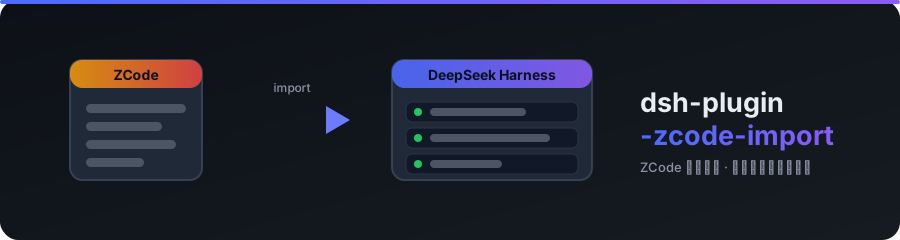
**Import your local ZCode conversations into DeepSeek Harness.** A new “Session import” page appears in Settings: ZCode workspaces on the left, that workspace's chats on the right — tick a few, or import the whole workspace in one click. What you get are **native DSH sessions**: they show up under the matching workspace in the sidebar, they open, and you can keep talking to them. This is not a text export.
- Reads ZCode's `db.sqlite` **read-only** — ZCode's own data is never modified or migrated;
- Session ids are derived from ZCode's UUIDs, so **re-importing is detected as “already imported”** instead of creating duplicates;
- Bulk import is fast: 30 conversations in about 3 seconds on a local machine.
## ✨ Features
| Capability | Detail |
|---|---|
| **Settings page** | A “Session import” page beside General / Models / Plugins — no CLI needed |
| **Workspace list** | ZCode workspaces aggregated from `session.directory`, with chat count and last update; directories that no longer exist are flagged |
| **Chat list** | Title, update time, message count and imported state per chat; subagent chats are folded away by default |
| **Partial import** | Tick any subset → “Import selected”; “Select all new” ticks the rest |
| **Whole workspace** | “Import whole workspace” brings in every chat of that workspace |
| **Progress & detail** | Live progress bar plus a per-chat result list: imported / already exists / skipped / failed, with the reason |
| **Faithful content** | Text, reasoning, tool calls and tool results all become DSH `tool/call` + `tool/result` events |
| **Workspace auto-create** | A target directory with no DSH workspace yet is created and the sessions are attached, so they appear in the sidebar immediately |
| **Hot reload** | Edit `impl.js` and `POST /__reload` — no DSH restart; client edits arrive through DSH's module HMR |
## 📦 Install
```sh
# From GitHub (this repository)
dsh plugin --profile web add github:BaiZhi967/dsh-plugin-zcode-import
dsh --profile web
```
Local development (clone and edit):
```sh
git clone https://github.com/BaiZhi967/dsh-plugin-zcode-import.git
cd dsh-plugin-zcode-import
# Run from the PARENT directory: dsh anchors a relative path to the invocation directory
dsh plugin --profile web add ../dsh-plugin-zcode-import
dsh --profile web
```
Or write the row directly into the profile's `cordis.patch.yml`:
```yaml
- insert:
- id: zcode-import
name: dsh-plugin-zcode-import
```
> Requirements: DSH `>= 0.1.6-alpha.2`, Node `>= 22.19.0` (the plugin uses built-in `node:sqlite`, available since Node 22.5).
Reload the page once after installing, then open **Settings → Session import**.
## 🚀 Usage
1. Settings → **Session import**: the header shows the detected ZCode data root;
2. Click a **workspace** on the left;
3. Tick chats on the right and press **Import selected**, or press **Import whole workspace**;
4. Watch the progress bar and the result list, then close Settings — the sessions are already in the sidebar.
Imported sessions behave like any other session: open them, continue the conversation, archive or delete them. Deleting an imported session never touches ZCode's data.
### Custom ZCode location
The default root is `/.zcode`. For a non-standard install, use either:
```sh
# Environment variable
setx ZCODE_HOME "D:\path\to\.zcode"
```
```yaml
# Or the plugin row's config in the profile's cordis.patch.yml
- insert:
- id: zcode-import
name: dsh-plugin-zcode-import
config:
root: D:\path\to\.zcode
```
## 🔍 How it works
### ZCode's data model
ZCode stores conversations in `/cli/db/db.sqlite`:
| Table | Content |
|---|---|
| `session` | Conversation metadata. **There is no workspace table — a workspace is simply a distinct `directory`**; `task_type` separates `interactive` (human conversations) from `subagent_child` |
| `message` | One row per message; the `data` JSON carries `role` and `semantics.origin/kind` (`real_user` / `agent_runtime` / `system`) |
| `part` | The actual content: `text`, `reasoning`, `tool` (`state.input` + `state.output` hold both the call and its result), `step-start`, `step-finish`, `timeline`, `file` |
Runtime-injected reminders (`todo_reminder`, `background_notification`, …) and empty timeline markers are dropped during conversion.
### DSH's data model
A DSH session is an **append-only event log**: `sessions///session.v3.jsonl.zstd` — concatenated zstd frames, the first holding the header and the rest one event row each. One exchange looks like:
```
turn/start → step/start → user/message → assistant/message (with stream)
→ tool/call + tool/result … → step/end → turn/end
```
Two validation traps worth knowing: `user/message | assistant/message | tool/result` **must** carry `surfaceOp: "append"`, while `tool/call` **must not**. Workspace membership lives in `storages/workspace.json` (`sessionIds`) and is validated against the header's `cwd`.
### The import path
This plugin deliberately does **not** hand-write `session.v3.jsonl.zstd`: the write path validates nothing while the read path is fail-closed, which easily produces sessions that list but never open. It uses the runtime APIs instead:
```
ZCode db.sqlite (read-only)
│ lib/zcode-source.js
▼
converter lib/convert.js ──► DSH event array
▼
ctx.sessionPersistence.create(header) → append(events) → flush() → close()
▼
ctx.workspaceRegistry.create(cwd) + Workspace.attachSession(sessionId)
```
The DSH session id is derived from ZCode's `sess_` / `sess_subagent_agent_` as `session-`, so a repeat import is caught by `stat()` and reported as “already exists” — and re-attached to its workspace — rather than stored twice.
### Layout
```
dsh-plugin-zcode-import/
├── entry.js # Host entry: route carrier + hot-reload shell
├── impl.js # Host implementation: listing, import jobs, storage, attach
├── client.js # Client: the Settings page (locale strings + theme tokens)
├── lib/
│ ├── zcode-source.js # Read-only db.sqlite access: workspaces, chats, messages, parts
│ └── convert.js # ZCode messages/parts → DSH session events
├── tools/
│ ├── check-conversion.mjs # Offline self-test: convert + format round-trip
│ └── verify-stored.mjs # Stored-artifact check through the official catalog
├── cordis.patch.yml # Bundle patch: inserts the plugin row
└── package.json # dsh.bundle.patch + dsh.client declarations
```
```
Settings page “Session import” (client.js)
│ same-origin HTTP (loopback)
▼
GET /zcode-import/api/{status,workspaces,sessions}
POST /zcode-import/api/import → { jobId }
GET /zcode-import/api/job?id=… → progress and per-chat results
▼
impl.js ──► sessionPersistence / workspaceRegistry
```
The host half is split on purpose: **a loaded ESM module stays cached for the life of the host process**, so `entry.js` stays tiny and the logic lives in `impl.js`, pulled through a cache-busted dynamic `import()` — replace `impl.js`, `POST /__reload`, done.
### Local API
Route prefix `/zcode-import/api`, served on DSH's own loopback address only:
| Method | Purpose |
|---|---|
| `GET /status` | ZCode root, database path, availability |
| `GET /workspaces` | Workspace list (`?includeSubagents=1` to include subagent chats) |
| `GET /sessions?path=` | Chats of one workspace, with an `imported` flag |
| `POST /import` | `{path, sessionIds[]}`; an empty array means the whole workspace → `{jobId}` |
| `GET /job?id=` | Job progress and per-chat results |
| `GET /__reload` | Development: reload `impl.js` |
## ✅ Verification
Two scripts ship with the repo. Both use the **official DSH format catalog** (`@deepseek-ai/dsh-session-format-catalog`) as the judge rather than asserting their own correctness:
```sh
# 1) Converter self-test: convert every ZCode chat, encode to physical rows, restore via the official path
node tools/check-conversion.mjs 500
# 2) Stored-artifact check: decompress each imported session.v3.jsonl.zstd and restore it
node tools/verify-stored.mjs "/sessions"
```
Measured locally (403 human conversations over a multi-GB database):
| Check | Result |
|---|---|
| Conversion + format round-trip | **403 / 403 passed**, 0 failures, 236,060 events total |
| Stored-artifact restore | **44 / 44 passed**, 0 failures |
| Live imports | MoTTEavl 6 and PowerHuman 30 chats, 0 failures; 30 chats in ~3 s |
> The scripts locate DSH's own `@deepseek-ai/dsh-session-format-catalog` automatically (a plain import first, then `DSH_CHECKOUT`, then the global npm directories). If resolution fails, point `DSH_CHECKOUT` at your DSH installation as the error message describes.
## ⚠️ Notes and limits
- **Read-only**: the ZCode database is opened `readOnly`; the plugin never writes, deletes or migrates ZCode data.
- **Images / attachments**: a ZCode `file` part becomes a filename placeholder; binary attachments are not carried over.
- **Model attribution**: imported assistant messages keep the provider/model recorded by ZCode (e.g. `GLM-5.3`) as their source label. This is display-only — new turns use your currently selected model.
- **Subagent chats**: hidden by default (2,237 of 2,642 sessions in the reference database are subagent children). Use `?includeSubagents=1` to see them.
- **Live conversations**: the import reads what is already stored in ZCode's database; chats produced afterwards need another import (duplicates are skipped).
## 📄 License
[MIT](LICENSE) © 2026 BaiZhi967