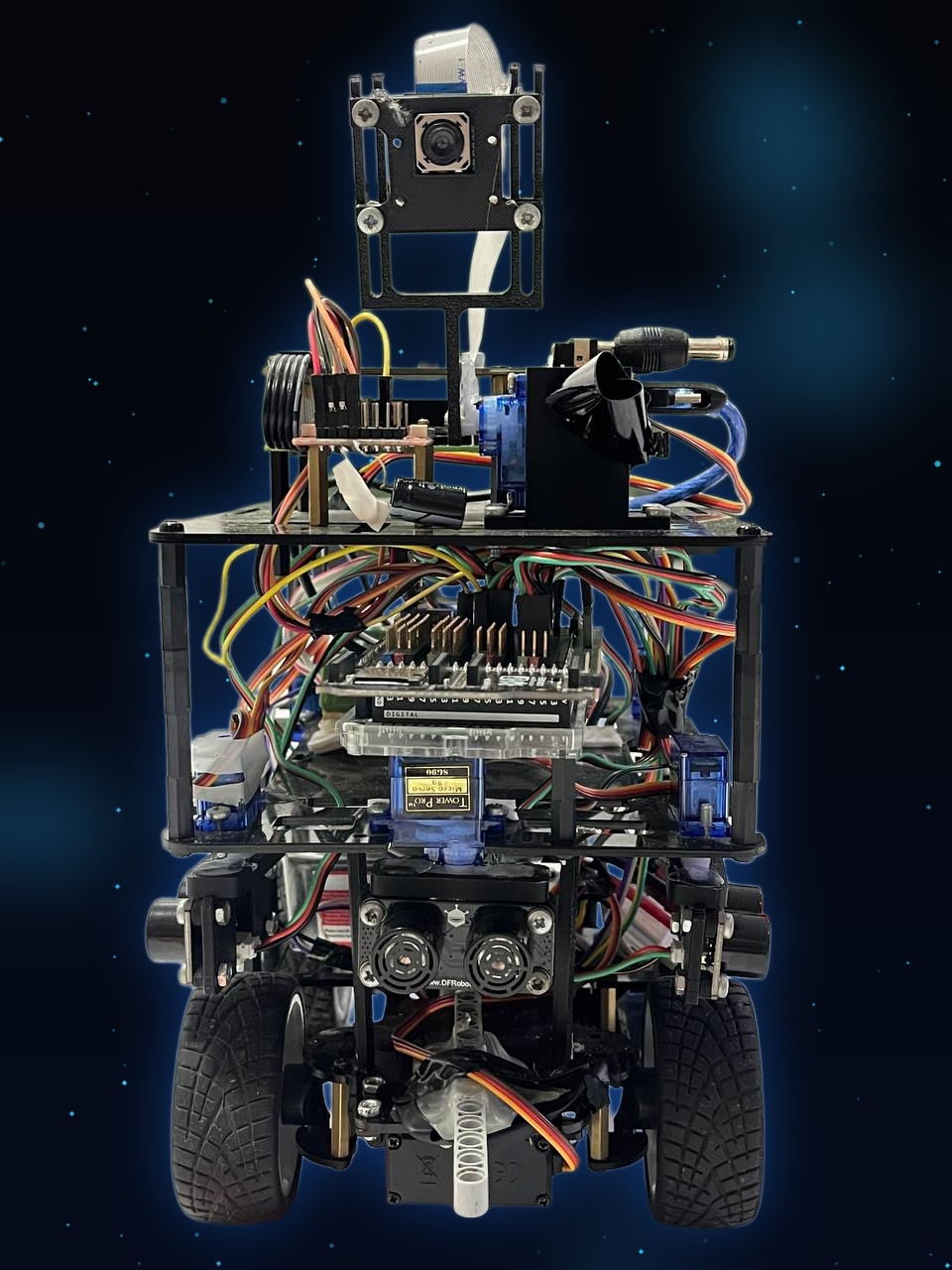
 |
| 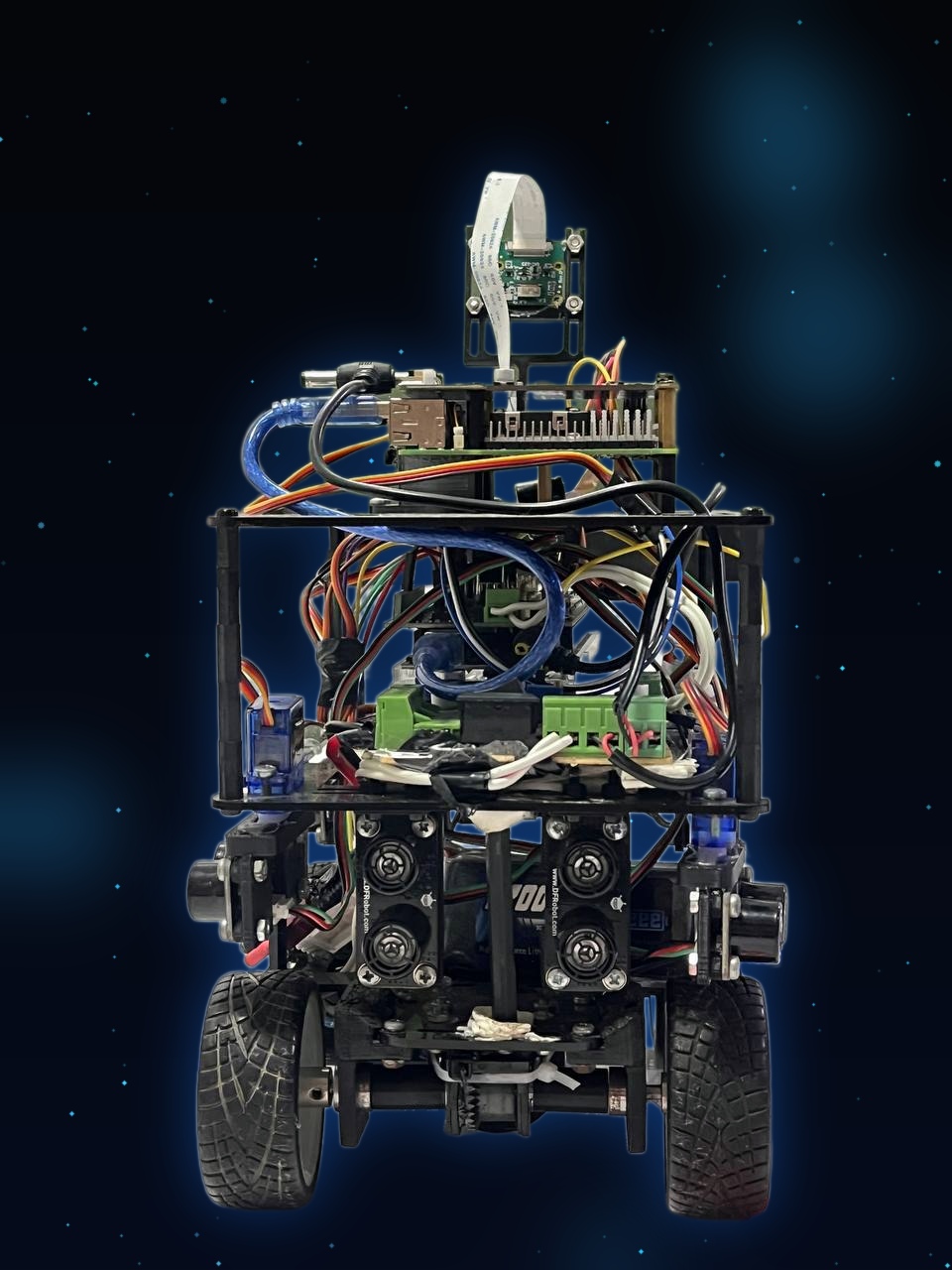 |
| 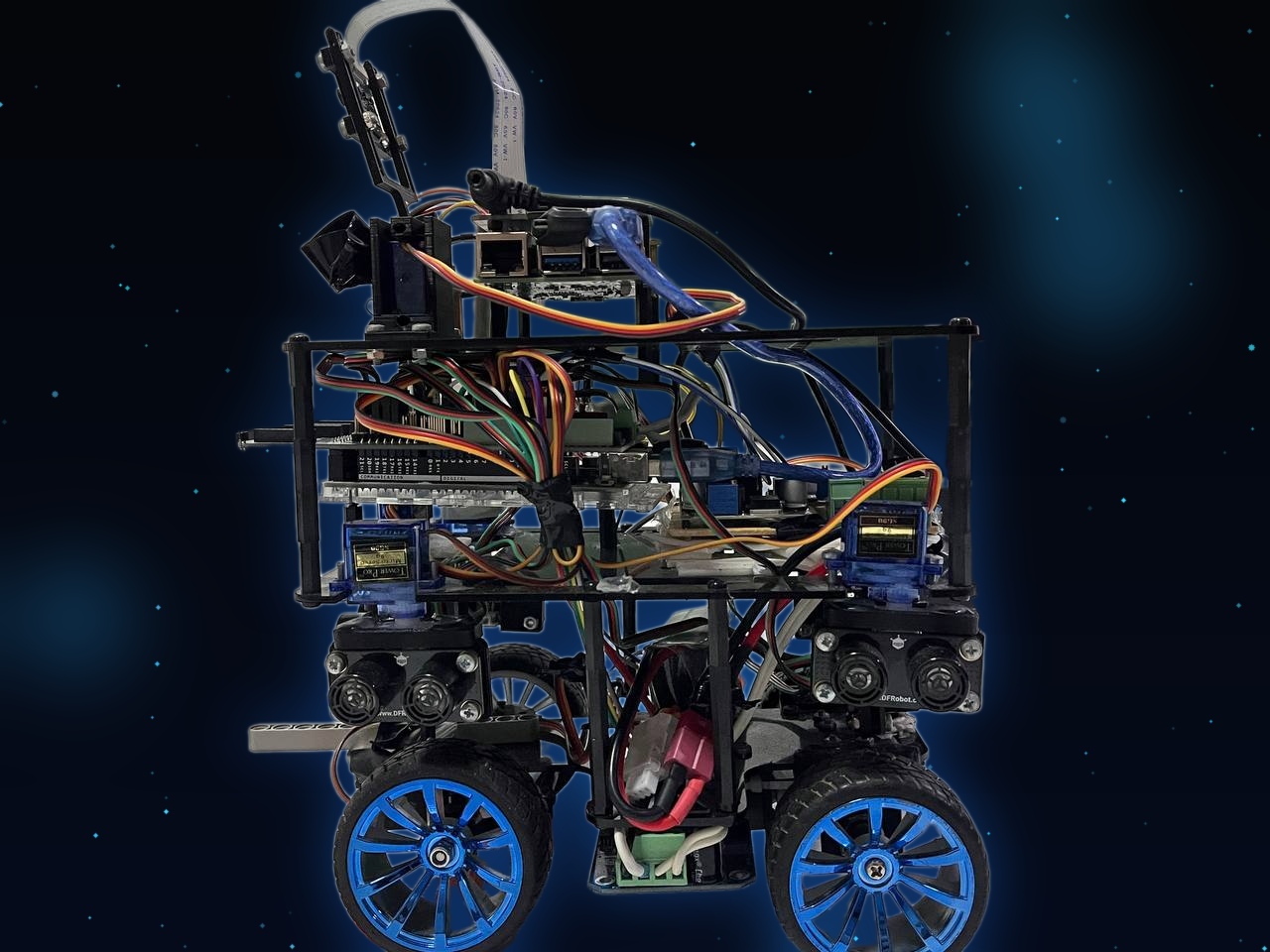 |
|:---:|:---:|:---:|
| _Front_ | _Back_ | _Left_ |
|
|
|:---:|:---:|:---:|
| _Front_ | _Back_ | _Left_ |
| 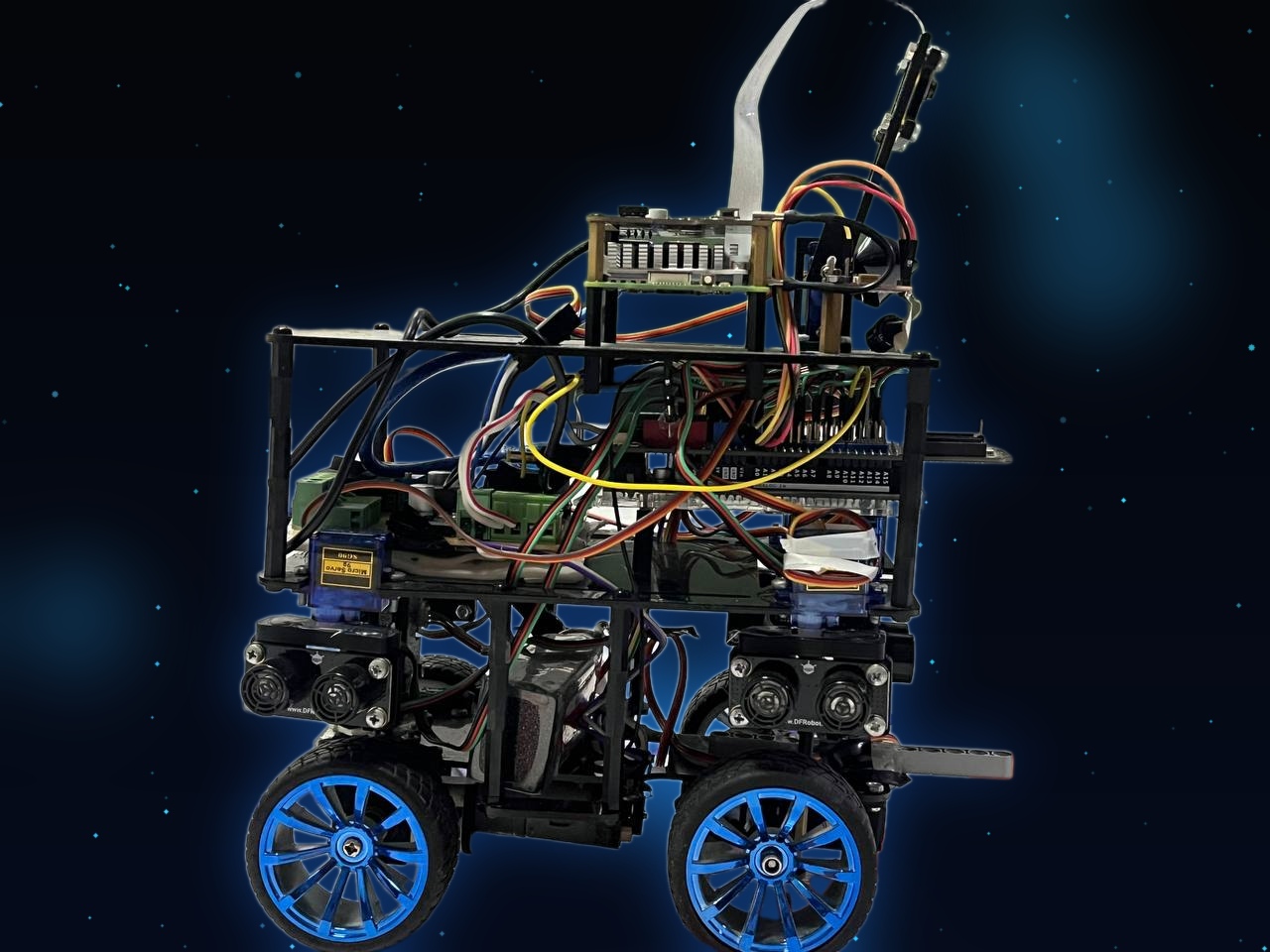 |
| 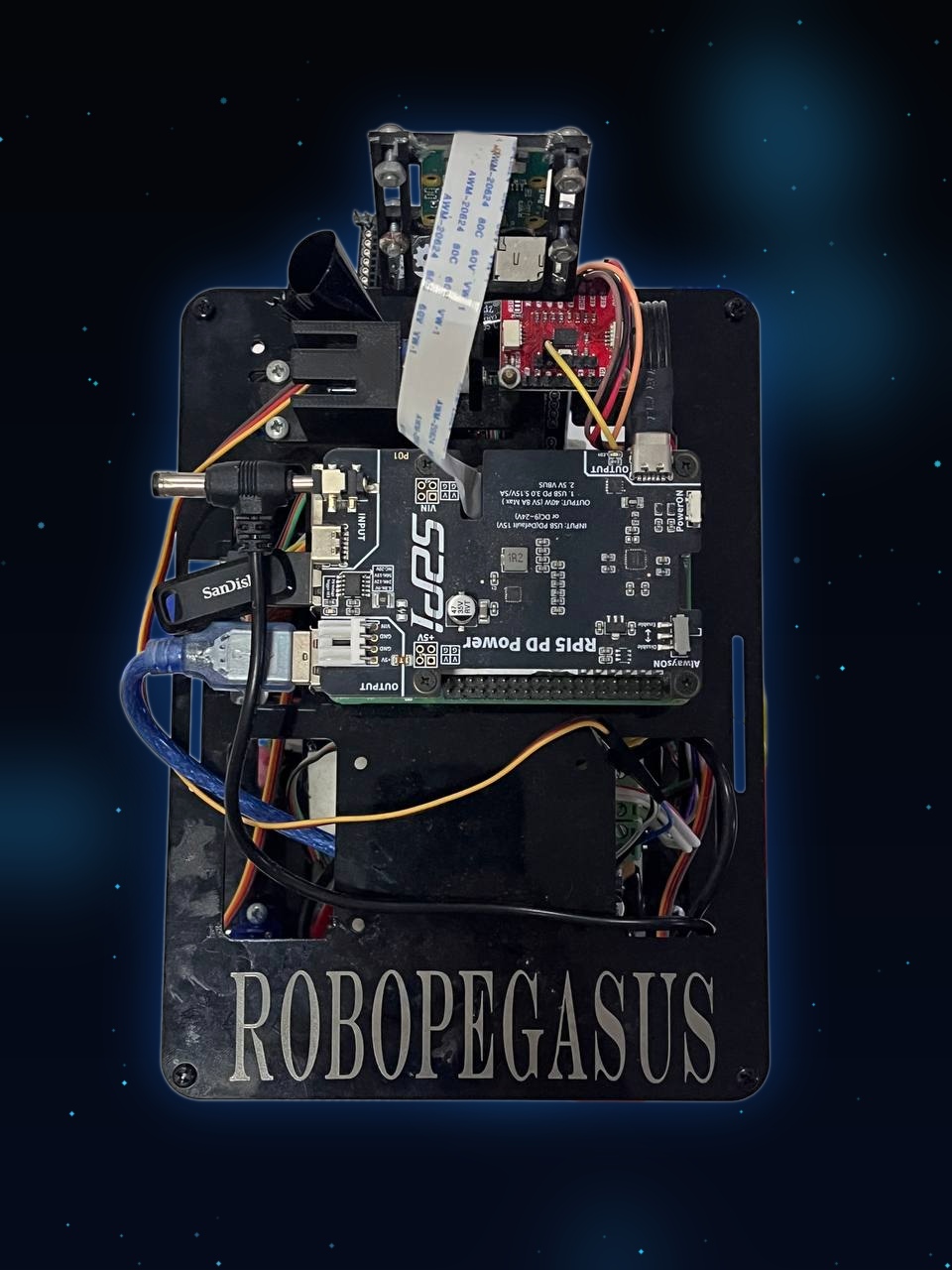 |
| 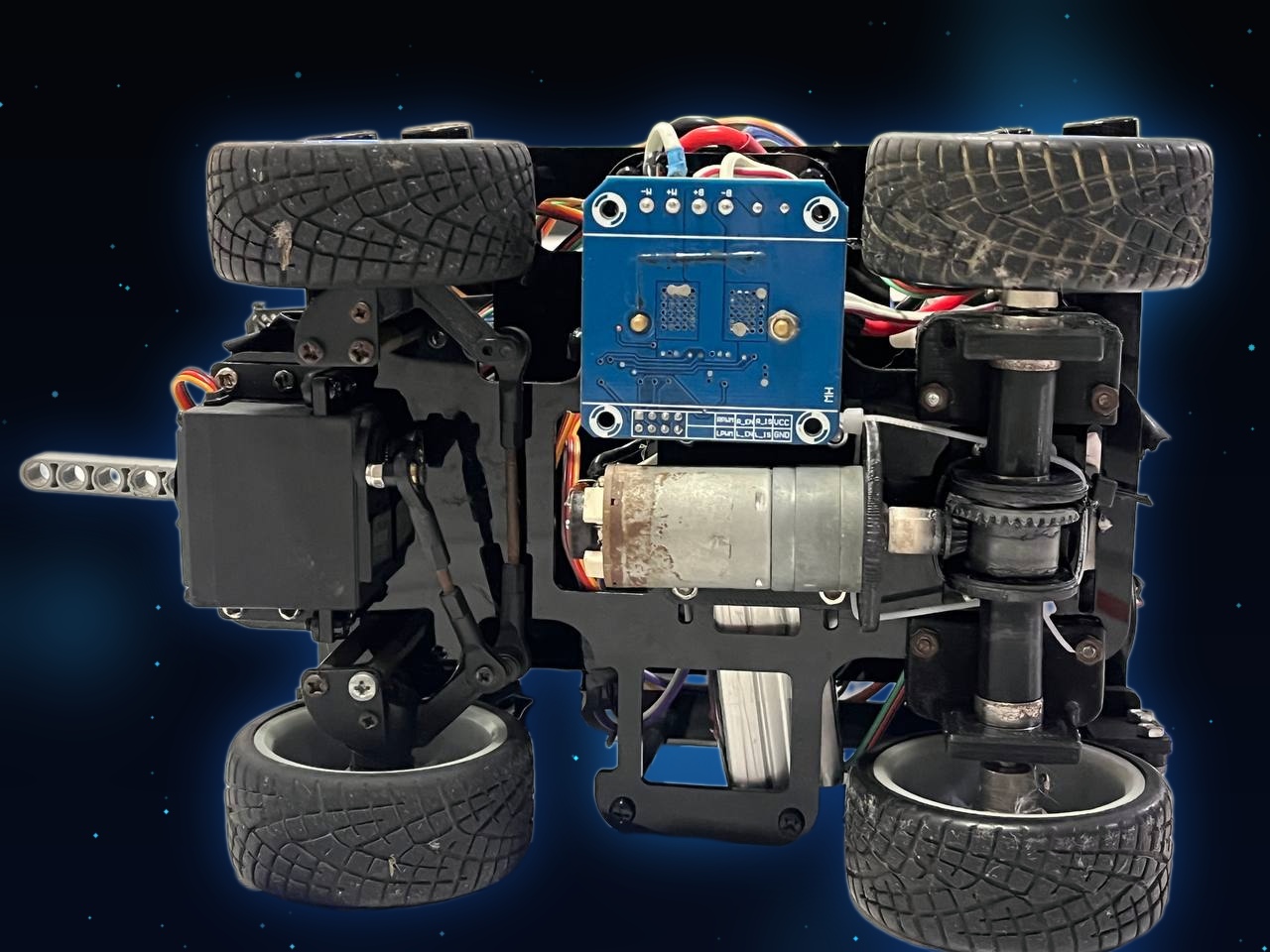 |
| _Right_ | _Top_ | _Bottom_ |
Full-resolution versions of these photos live in `v-photos/`.
### Commit history
Commits go up continuously as work wraps, with every team member
contributing roughly evenly over time.
### Hard copy
This repository also includes a hard copy of this documentation, the
Engineering Journal (`Engineering-Journal.pdf`).
## Mobility and Mechanical Design
This section describes our chassis design choices, the steering and
drive mechanism, our torque/speed reasoning, and how we approached
mechanical stability and rigidity.
### Chassis
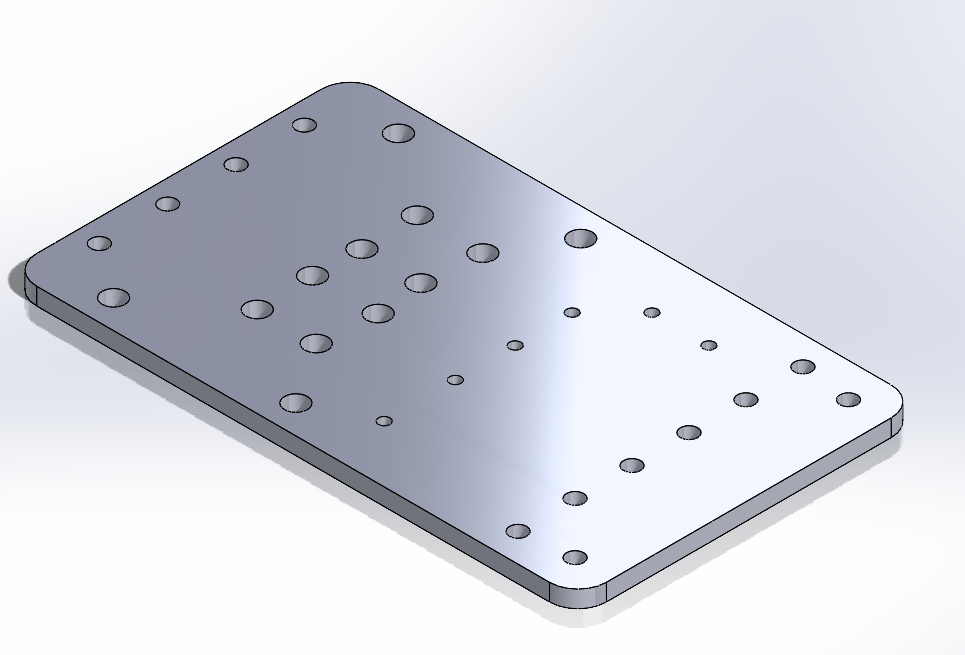
The chassis uses a hybrid material approach: 3mm plexiglass panels for
primary structural elements, combined with PLA 3D-printed components for
complex mechanical interfaces. Overall vehicle dimensions are 24cm length
x 15cm width x 29cm height, with a total system weight of 1.45kg.
|
|
| _Right_ | _Top_ | _Bottom_ |
Full-resolution versions of these photos live in `v-photos/`.
### Commit history
Commits go up continuously as work wraps, with every team member
contributing roughly evenly over time.
### Hard copy
This repository also includes a hard copy of this documentation, the
Engineering Journal (`Engineering-Journal.pdf`).
## Mobility and Mechanical Design
This section describes our chassis design choices, the steering and
drive mechanism, our torque/speed reasoning, and how we approached
mechanical stability and rigidity.
### Chassis
The chassis uses a hybrid material approach: 3mm plexiglass panels for
primary structural elements, combined with PLA 3D-printed components for
complex mechanical interfaces. Overall vehicle dimensions are 24cm length
x 15cm width x 29cm height, with a total system weight of 1.45kg.
|  |
|  |
|  |
|:---:|:---:|:---:|
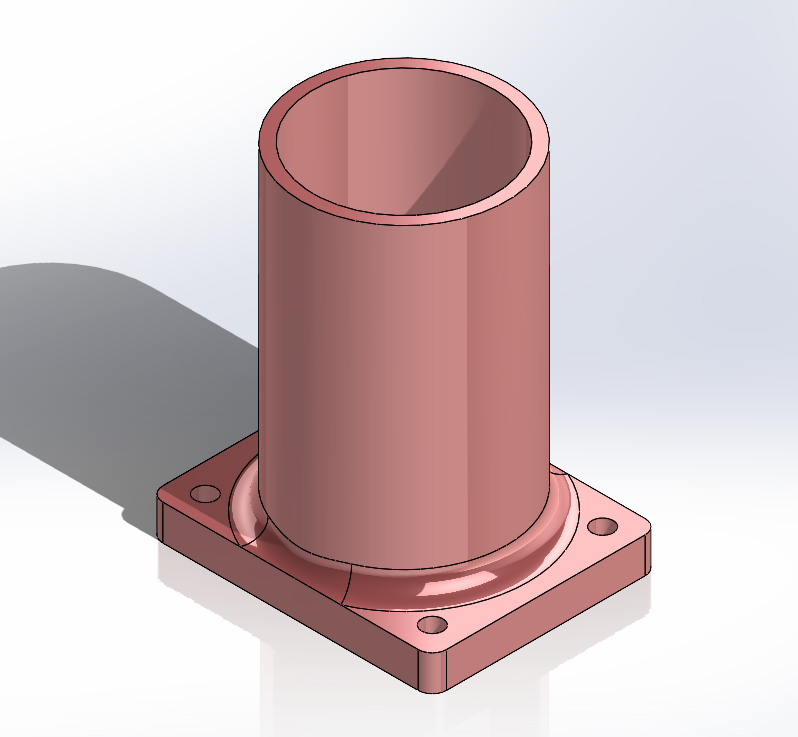
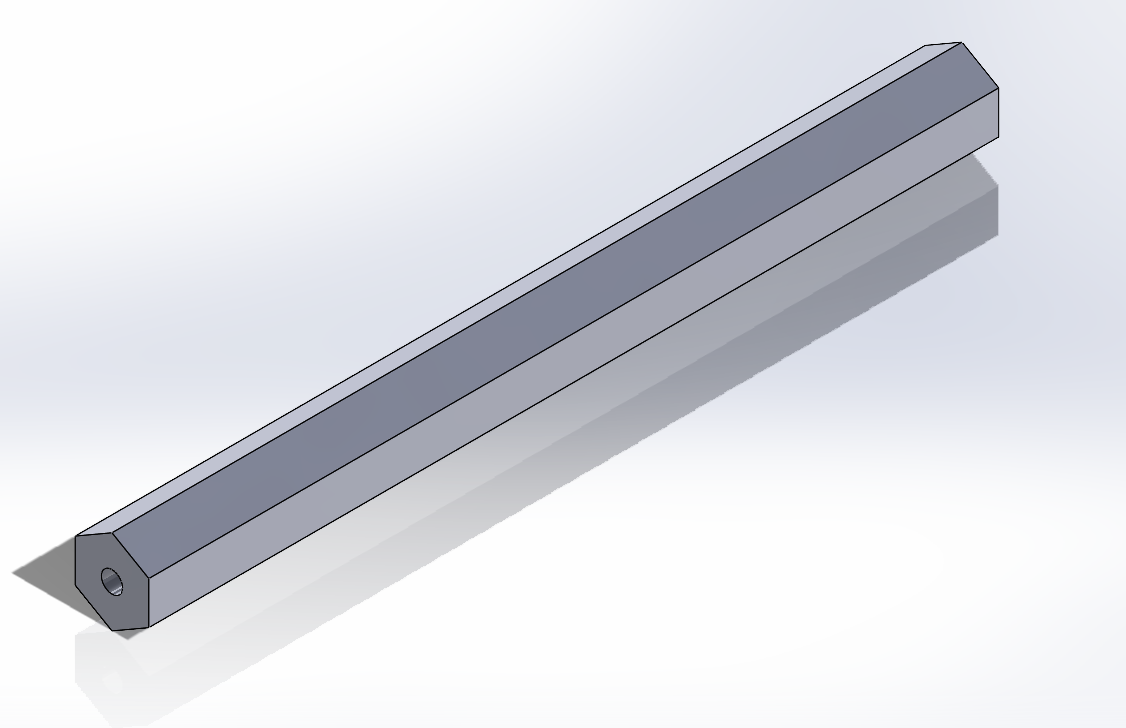
| _Rear plexi panel with differential mechanism_ | _Motor holder_ | _Hexagonal drive rod_ |
|
|
|:---:|:---:|:---:|
| _Rear plexi panel with differential mechanism_ | _Motor holder_ | _Hexagonal drive rod_ |
|  |
|  |
|  |
|  |
|:---:|:---:|:---:|:---:|
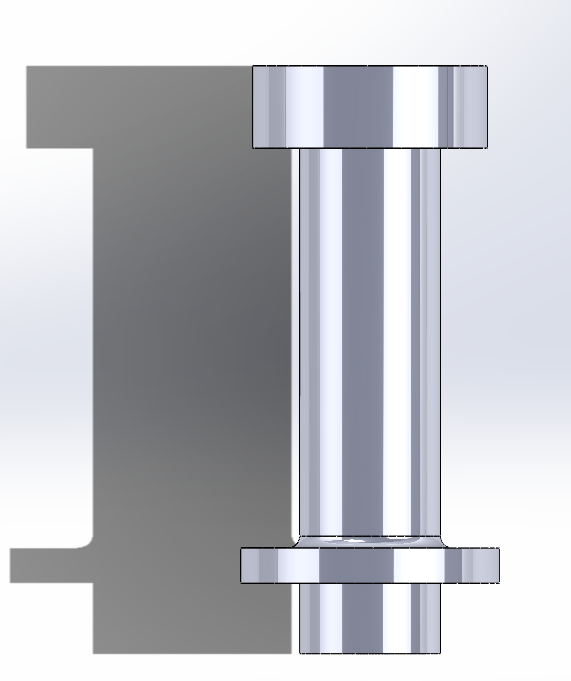
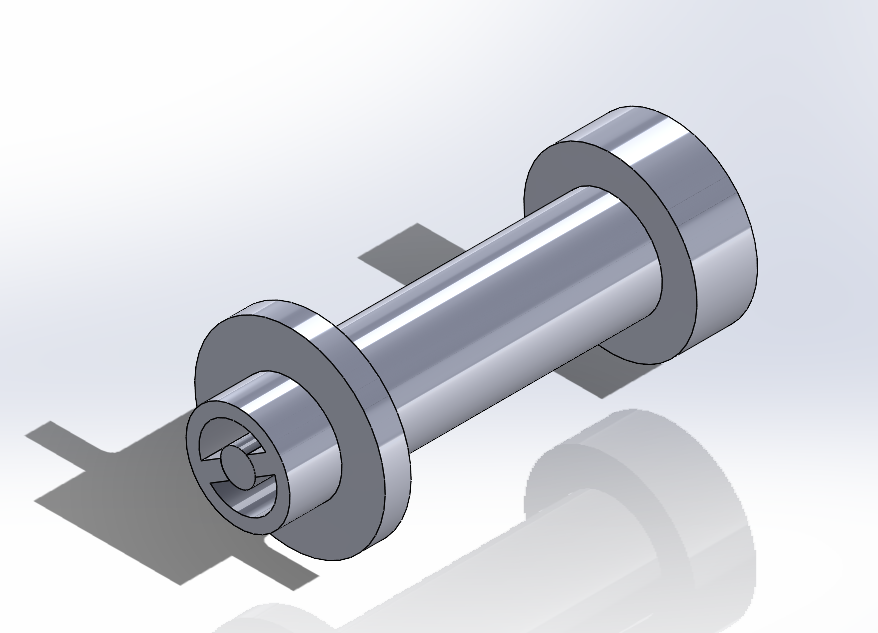
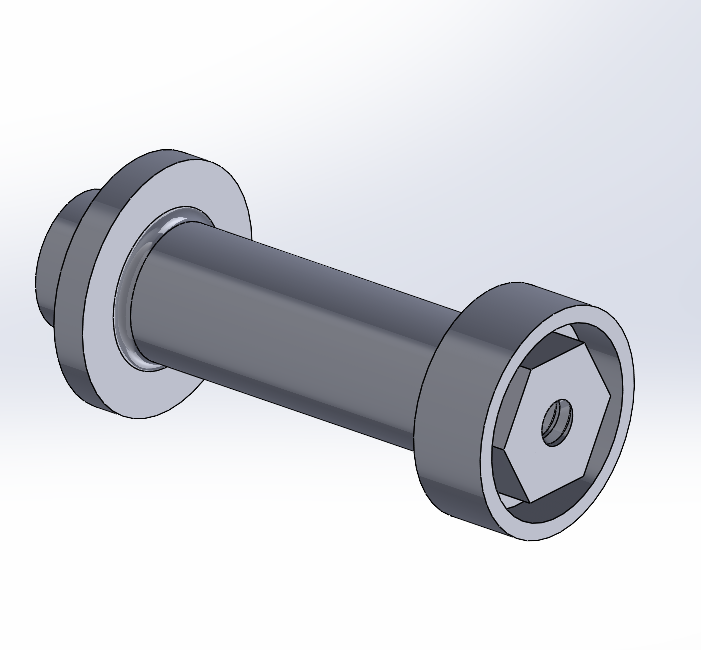
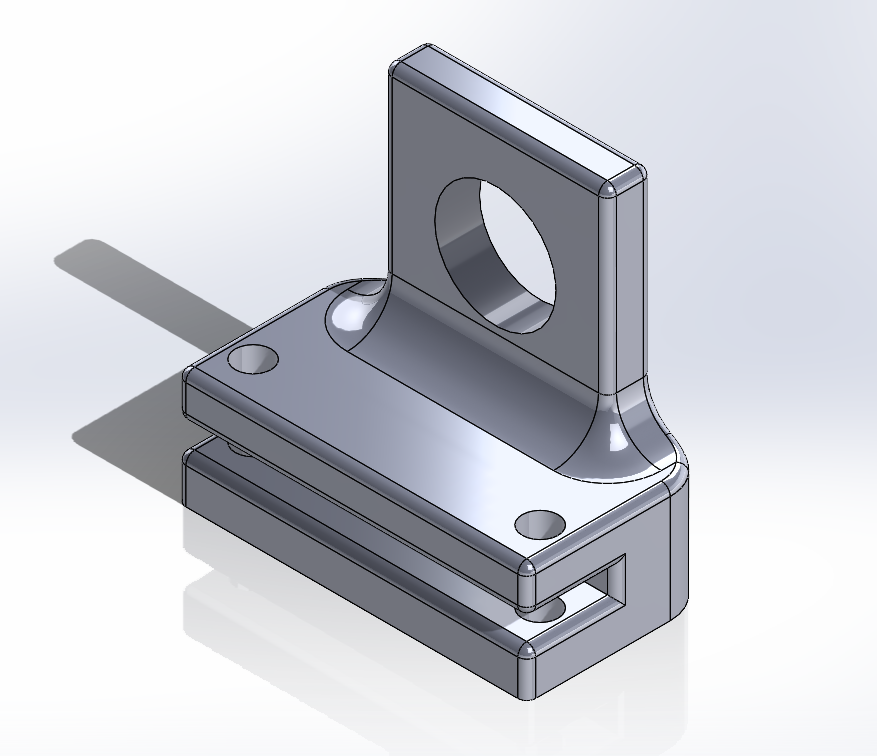
| _Axis assembly, view 1_ | _Axis assembly, view 2_ | _Axis assembly, view 3_ | _Axis holder_ |
### Drivetrain
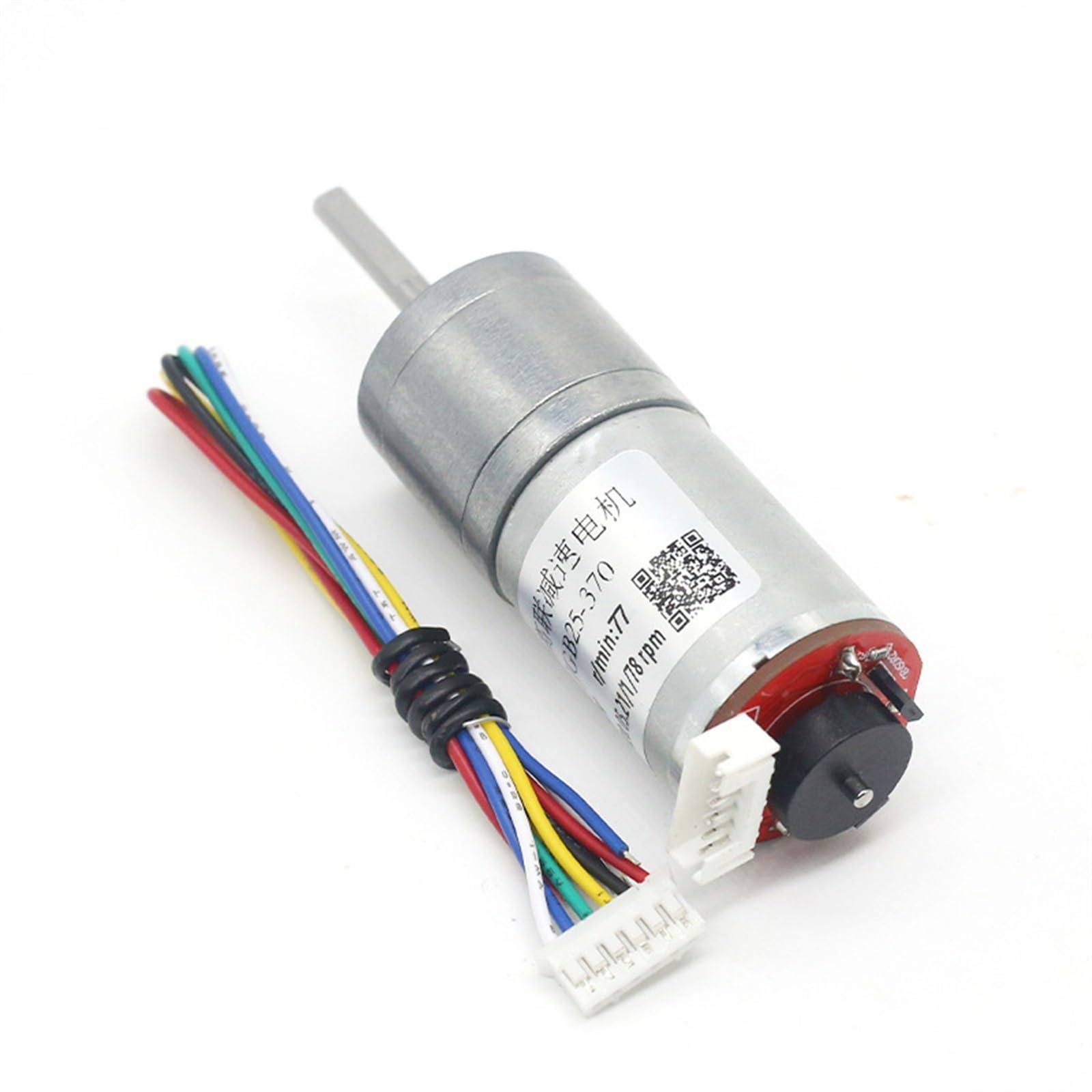
The primary drivetrain uses a JGA25-370 DC motor operating at 245 RPM,
selected for its balance of torque, power efficiency, and cost. At 12V, the
motor delivers 350 RPM no-load speed at 0.1A, reaching maximum efficiency
at 245 RPM with 1.4 kg-cm torque and 2.4W power consumption; its stall
specifications are 5.2 kg-cm torque at 2.2A. An integrated 3:1 gearbox
raises output torque to 4.2 kg-cm while reducing output speed to
approximately 82 RPM. With a 32mm wheel radius, this yields a tractive
force of approximately 12.85 N and a linear velocity of approximately
0.27 m/s at maximum efficiency, comfortably powering the 1,475g vehicle
(at an estimated 0.02 rolling-resistance coefficient, the calculated power
required for constant velocity is roughly 0.09W with the motor's ~90%
efficiency factored in) -- substantial reserve capacity above and beyond
the minimum required for propulsion, which we rely on for acceleration and
dynamic maneuvering.
|
|
|:---:|:---:|:---:|:---:|
| _Axis assembly, view 1_ | _Axis assembly, view 2_ | _Axis assembly, view 3_ | _Axis holder_ |
### Drivetrain
The primary drivetrain uses a JGA25-370 DC motor operating at 245 RPM,
selected for its balance of torque, power efficiency, and cost. At 12V, the
motor delivers 350 RPM no-load speed at 0.1A, reaching maximum efficiency
at 245 RPM with 1.4 kg-cm torque and 2.4W power consumption; its stall
specifications are 5.2 kg-cm torque at 2.2A. An integrated 3:1 gearbox
raises output torque to 4.2 kg-cm while reducing output speed to
approximately 82 RPM. With a 32mm wheel radius, this yields a tractive
force of approximately 12.85 N and a linear velocity of approximately
0.27 m/s at maximum efficiency, comfortably powering the 1,475g vehicle
(at an estimated 0.02 rolling-resistance coefficient, the calculated power
required for constant velocity is roughly 0.09W with the motor's ~90%
efficiency factored in) -- substantial reserve capacity above and beyond
the minimum required for propulsion, which we rely on for acceleration and
dynamic maneuvering.
|  |
|  |
|  |
|:---:|:---:|:---:|
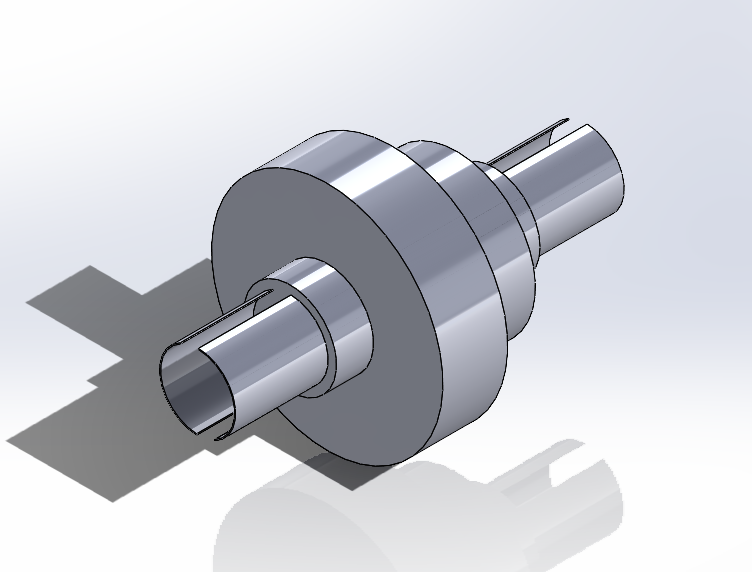
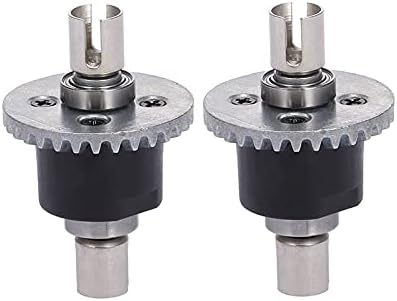
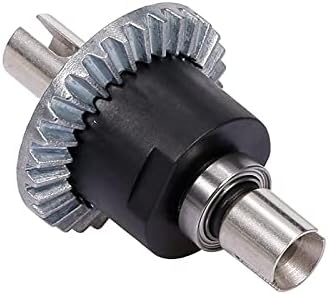
| _JGA25-370 DC motor_ | _Custom differential replica_ | _Custom differential, view 2_ |
|
|
|:---:|:---:|:---:|
| _JGA25-370 DC motor_ | _Custom differential replica_ | _Custom differential, view 2_ |
|  |
| 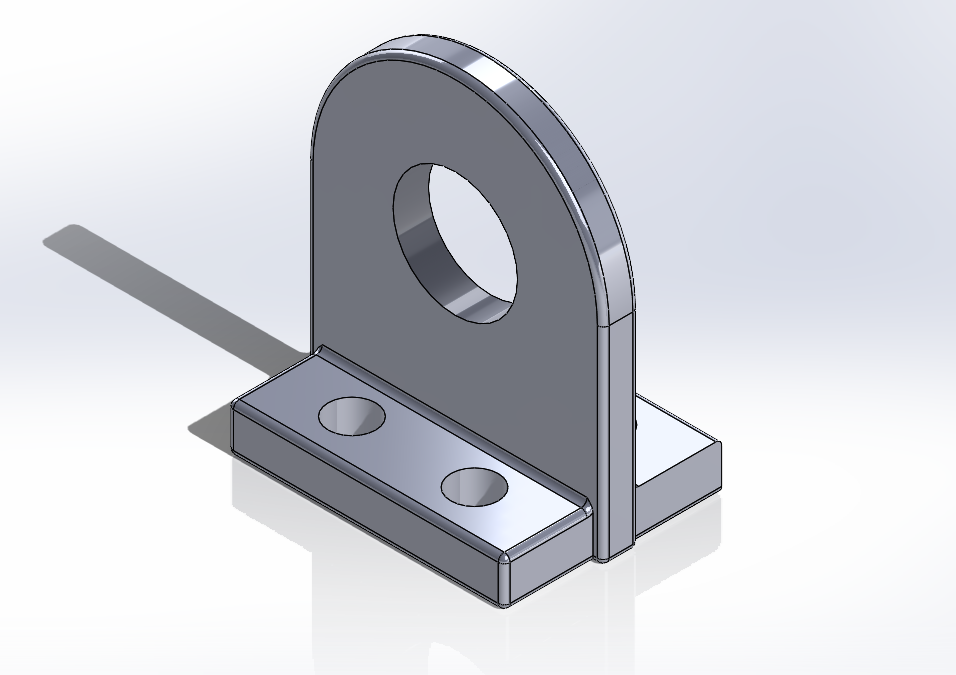 | |
| _Custom differential, view 3_ | _Differential holder_ | |
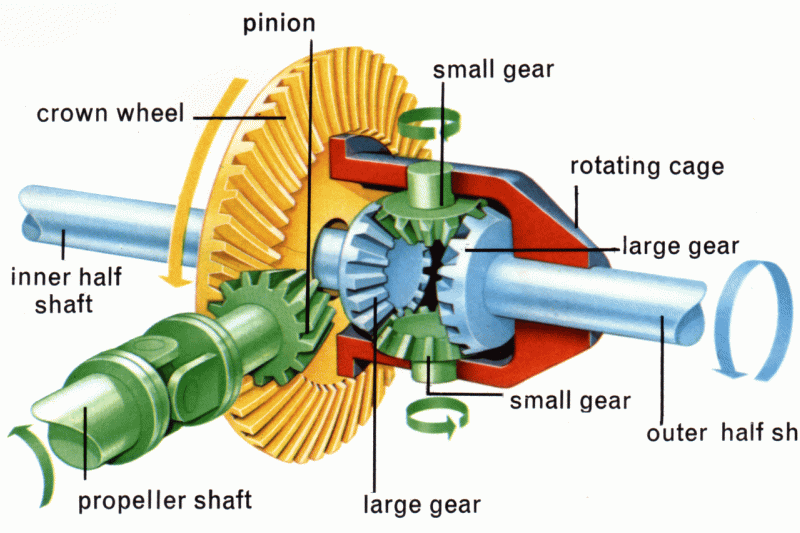
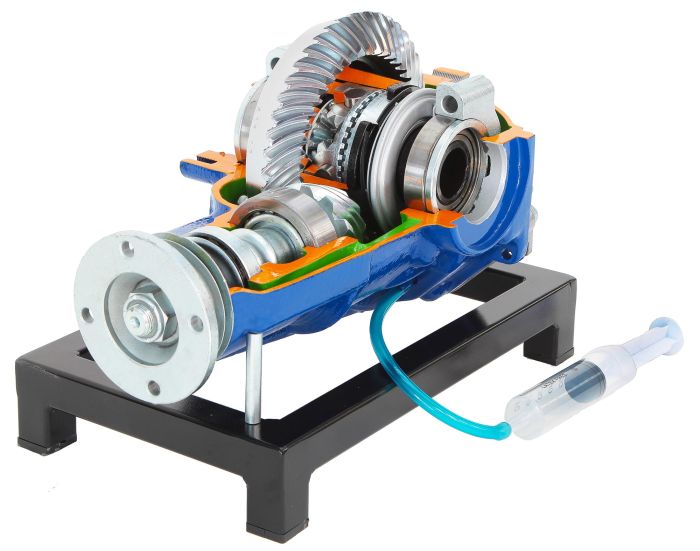
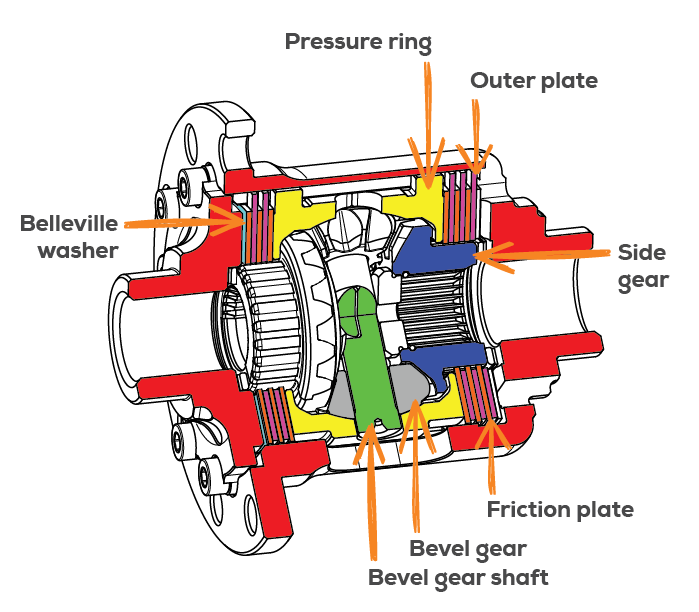
Our rear axle uses a custom differential mechanism (not an electronic,
one-motor-per-side setup) -- for reference, the two broad differential
types this design draws on:
|
| |
| _Custom differential, view 3_ | _Differential holder_ | |
Our rear axle uses a custom differential mechanism (not an electronic,
one-motor-per-side setup) -- for reference, the two broad differential
types this design draws on:
|  |
|  |
|  |
|:---:|:---:|:---:|
| _Open differential_ | _Locking differential_ | _Limited-slip differential_ |
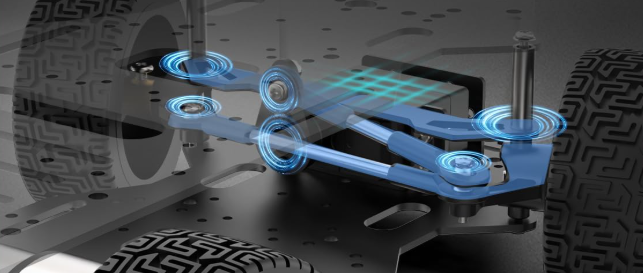
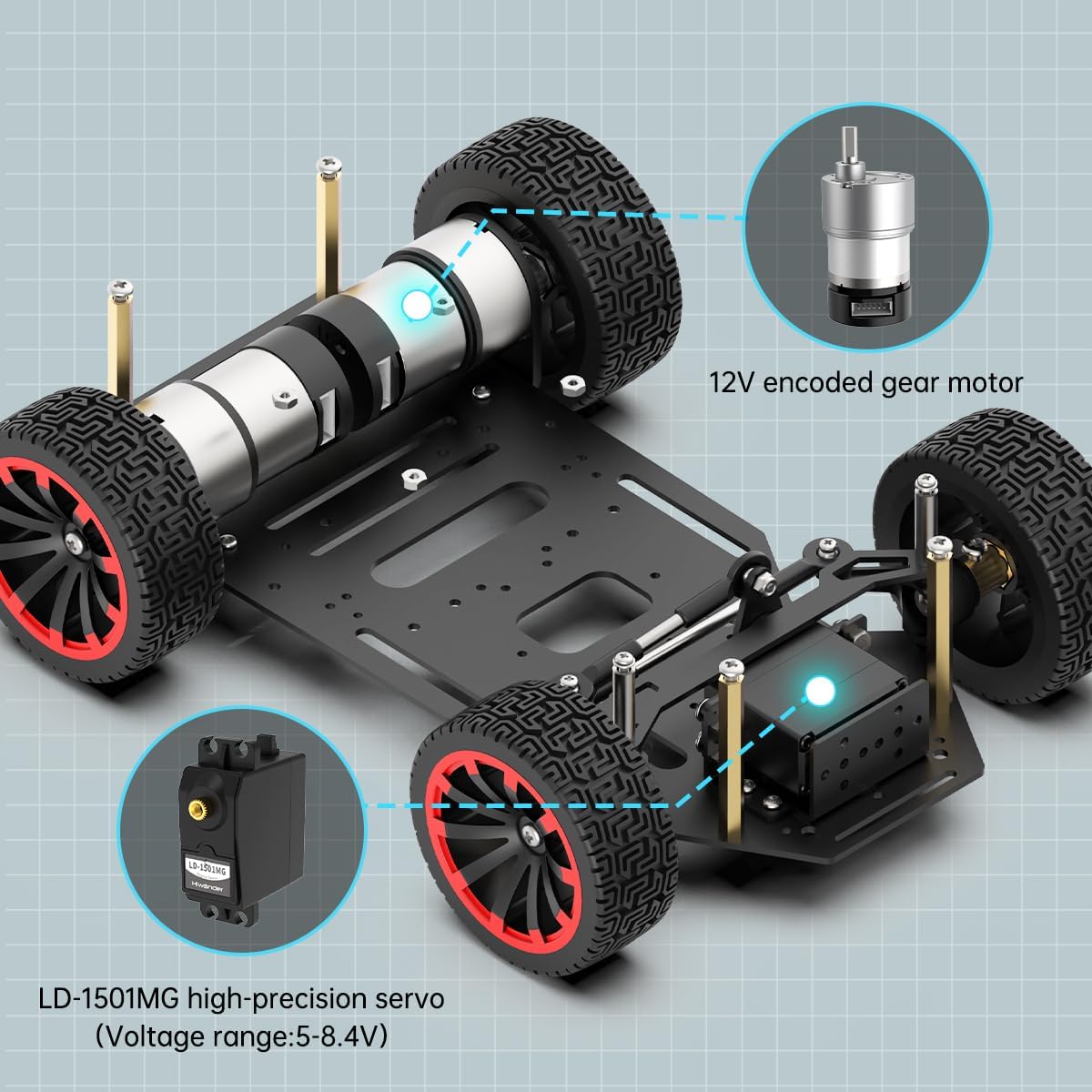
### Steering
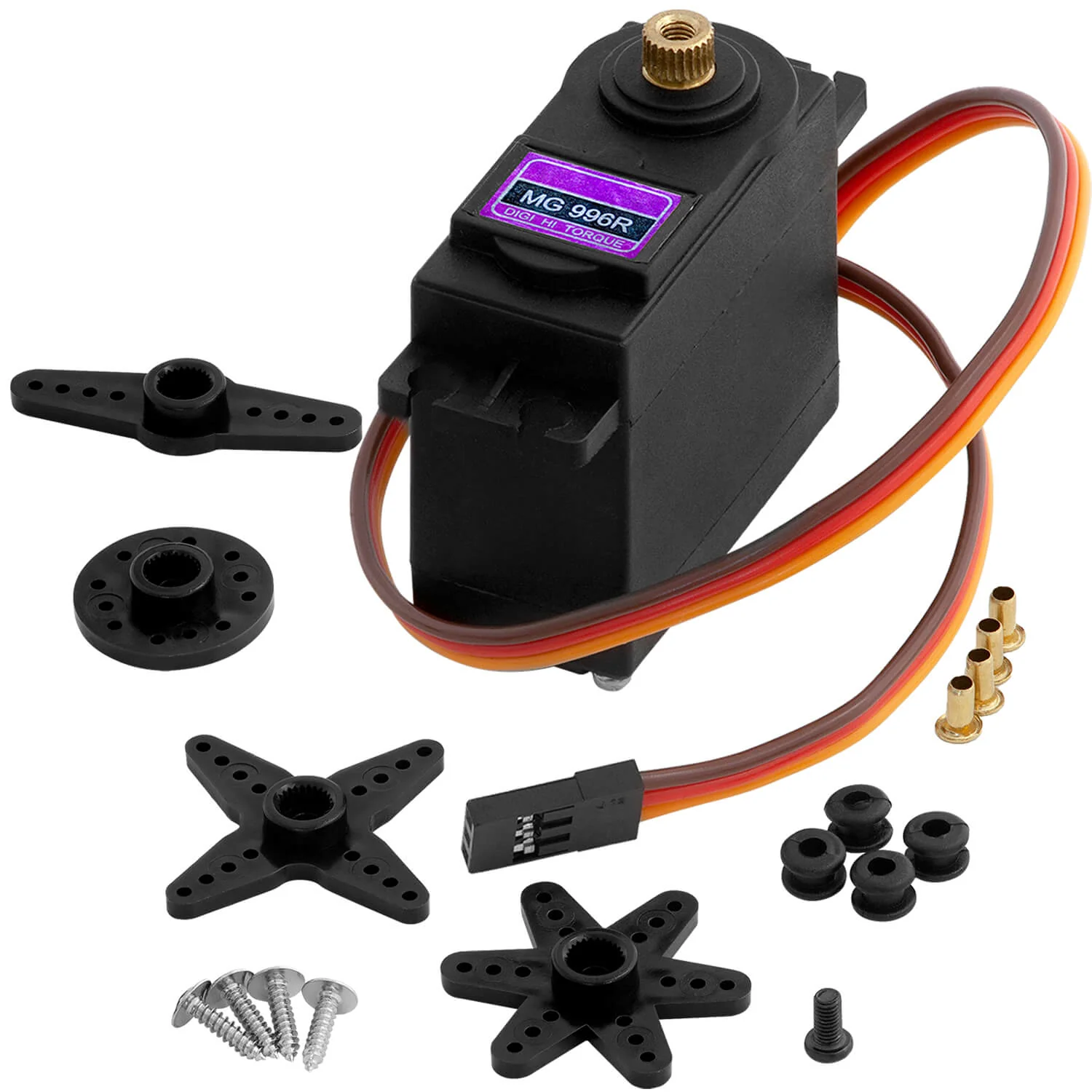
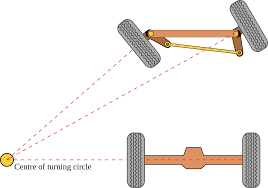
The vehicle uses Ackermann steering, driven by an MG996R high-torque servo
(9.4 kg-cm stall torque at 4.8V, 11 kg-cm at 6V; 0.17s/60 degrees and
0.14s/60 degrees at those respective voltages), which receives direct PWM
signals from the Arduino Mega with no additional driver circuitry, keeping
steering-response latency low. The Ackermann steering geometry itself was
adapted from an existing 4WD Ackermann chassis kit -- the only major
component adapted from an outside design rather than built from scratch --
because the original kit's chassis platform (approximately 24cm) was far
larger than our target robot size (16-18cm). We identified the essential
mounting holes, pivot points, and structural elements from the forward
section of the original mounting plate, then used CAD modeling to
reproduce that section's exact hole spacing and angular relationships at
our compact scale, preserving the steering geometry while eliminating the
unusable length of the original plate.
|
|
|:---:|:---:|:---:|
| _Open differential_ | _Locking differential_ | _Limited-slip differential_ |
### Steering
The vehicle uses Ackermann steering, driven by an MG996R high-torque servo
(9.4 kg-cm stall torque at 4.8V, 11 kg-cm at 6V; 0.17s/60 degrees and
0.14s/60 degrees at those respective voltages), which receives direct PWM
signals from the Arduino Mega with no additional driver circuitry, keeping
steering-response latency low. The Ackermann steering geometry itself was
adapted from an existing 4WD Ackermann chassis kit -- the only major
component adapted from an outside design rather than built from scratch --
because the original kit's chassis platform (approximately 24cm) was far
larger than our target robot size (16-18cm). We identified the essential
mounting holes, pivot points, and structural elements from the forward
section of the original mounting plate, then used CAD modeling to
reproduce that section's exact hole spacing and angular relationships at
our compact scale, preserving the steering geometry while eliminating the
unusable length of the original plate.
|  |
|  |
|:---:|:---:|
| _MG996R steering servo_ | _Ackermann steering geometry_ |
|
|
|:---:|:---:|
| _MG996R steering servo_ | _Ackermann steering geometry_ |
|  |
|  |
| _Ackermann steering, how it works_ | _Original vs. custom design comparison_ |
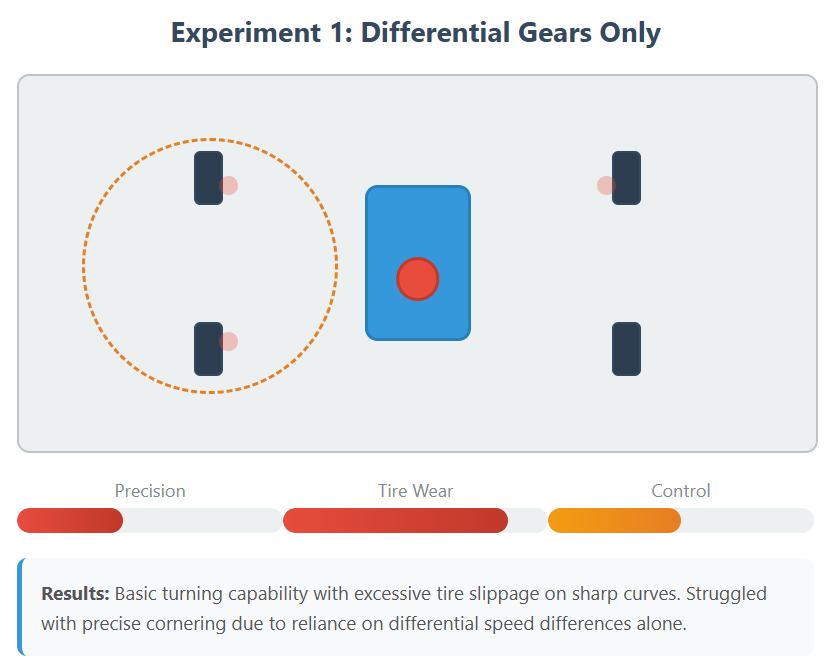
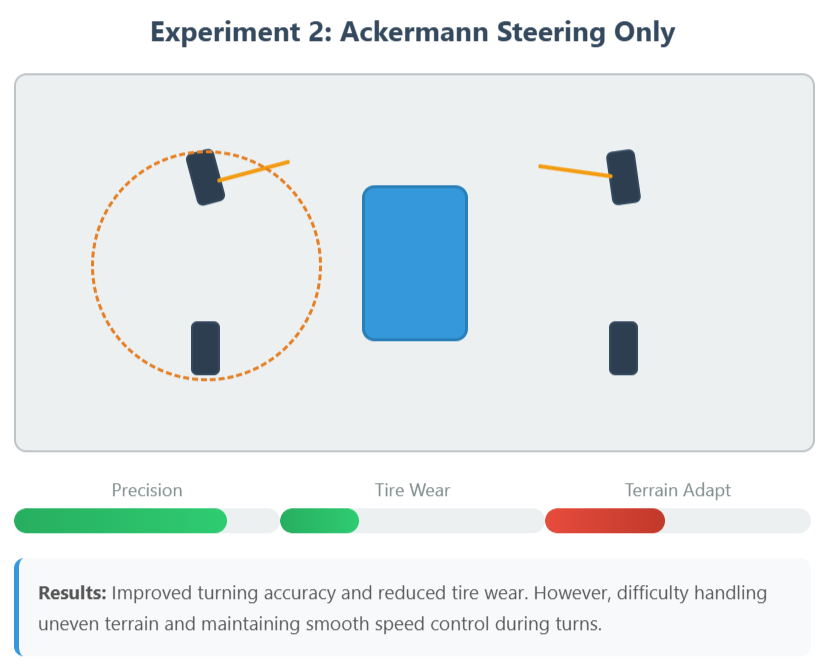
### Testing and iteration
Before locking in the design, we validated our gear reduction and
drivetrain setup against our target performance figures.
|
|
| _Ackermann steering, how it works_ | _Original vs. custom design comparison_ |
### Testing and iteration
Before locking in the design, we validated our gear reduction and
drivetrain setup against our target performance figures.
|  |
|  |
|:---:|:---:|
| _Mechanical test 1_ | _Mechanical test 2_ |
|
|
|:---:|:---:|
| _Mechanical test 1_ | _Mechanical test 2_ |
| 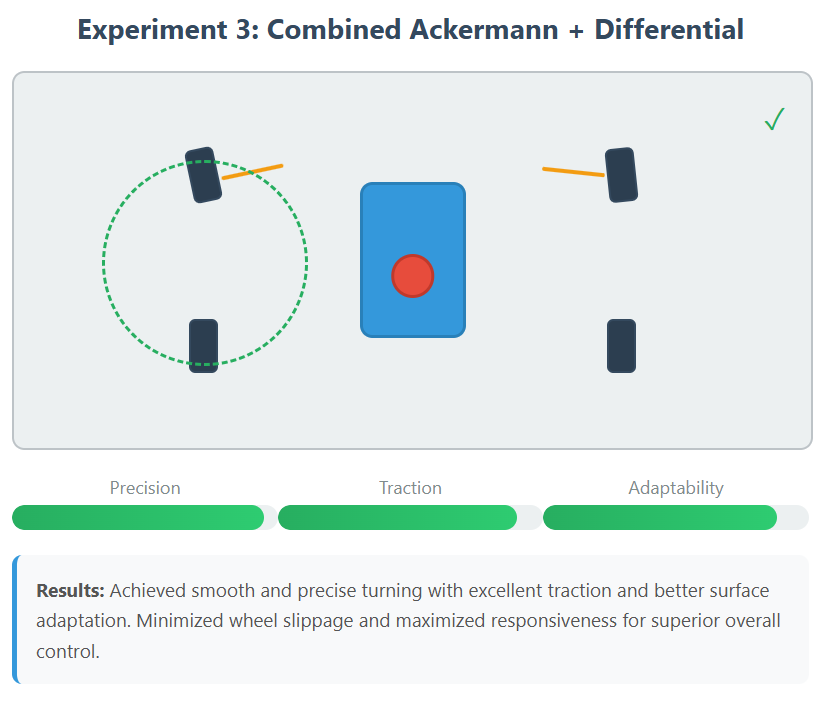 |
|  |
| _Mechanical test 3_ | _Test legend_ |
The photos above show the gear-ratio testing described earlier.
Aside from the gear-ratio tuning covered above, we haven't yet written up
any further 2026-specific mechanical tests or design changes; that will
be added as the testing happens.
## Power and Sensor Architecture
This section walks through our power system architecture, the reasoning
behind our current draw and distribution, how sensors were chosen and
placed, our calibration approach, and the wiring diagrams.
### Power source and distribution
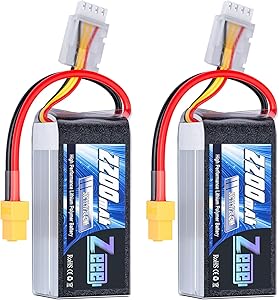
The robot is powered by a Zeee Li-Poly battery: 11.1V (3S configuration),
2200mAh capacity, 50C continuous discharge rate, up to 110A continuous
maximum current output, approximately 185g, with an XT60 connector. Power
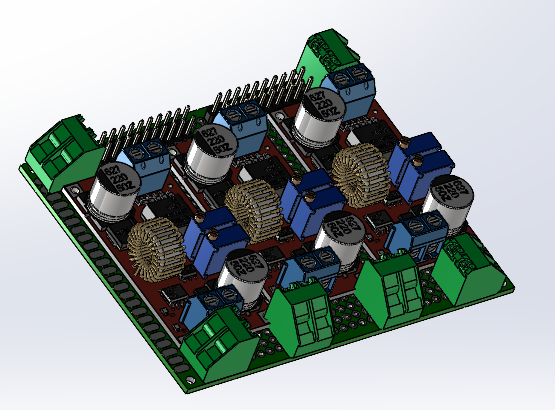
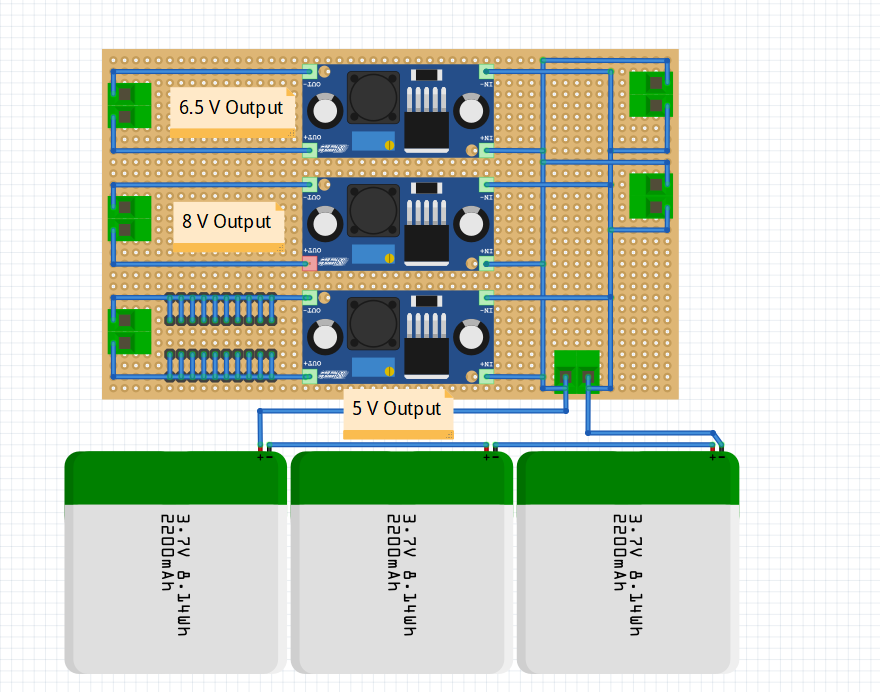
is distributed using a custom Power Management System (PMS) built on a
star topology -- each component receives power directly from a central
distribution point rather than a daisy chain, which avoids voltage drops
and current-induced interference between subsystems, isolates each
component's current draw from the others, and simplifies fault isolation
and cable management. The battery's 50C/110A capacity comfortably covers
simultaneous peak demand from the drivetrain, processors, and sensor array
without voltage sag. At a typical estimated operating power draw, the
battery supports roughly 50 minutes of runtime, with a safety-factor
budget (80% battery usage) of roughly 41 minutes -- comfortably covering
multiple competition runs per charge.
The PMS includes a dedicated DC-DC step-down converter, which regulates
and stabilizes the battery's raw voltage down to what the Raspberry Pi 5
(SBC) and Arduino Mega (SBM) require.
|
|
| _Mechanical test 3_ | _Test legend_ |
The photos above show the gear-ratio testing described earlier.
Aside from the gear-ratio tuning covered above, we haven't yet written up
any further 2026-specific mechanical tests or design changes; that will
be added as the testing happens.
## Power and Sensor Architecture
This section walks through our power system architecture, the reasoning
behind our current draw and distribution, how sensors were chosen and
placed, our calibration approach, and the wiring diagrams.
### Power source and distribution
The robot is powered by a Zeee Li-Poly battery: 11.1V (3S configuration),
2200mAh capacity, 50C continuous discharge rate, up to 110A continuous
maximum current output, approximately 185g, with an XT60 connector. Power
is distributed using a custom Power Management System (PMS) built on a
star topology -- each component receives power directly from a central
distribution point rather than a daisy chain, which avoids voltage drops
and current-induced interference between subsystems, isolates each
component's current draw from the others, and simplifies fault isolation
and cable management. The battery's 50C/110A capacity comfortably covers
simultaneous peak demand from the drivetrain, processors, and sensor array
without voltage sag. At a typical estimated operating power draw, the
battery supports roughly 50 minutes of runtime, with a safety-factor
budget (80% battery usage) of roughly 41 minutes -- comfortably covering
multiple competition runs per charge.
The PMS includes a dedicated DC-DC step-down converter, which regulates
and stabilizes the battery's raw voltage down to what the Raspberry Pi 5
(SBC) and Arduino Mega (SBM) require.
|  |
|  |
|  |
|:---:|:---:|:---:|
| _Zeee Li-Poly battery, 11.1V 2200mAh_ | _Custom Power Management System_ | _PMS schematic diagram_ |
|
|
|:---:|:---:|:---:|
| _Zeee Li-Poly battery, 11.1V 2200mAh_ | _Custom Power Management System_ | _PMS schematic diagram_ |
| 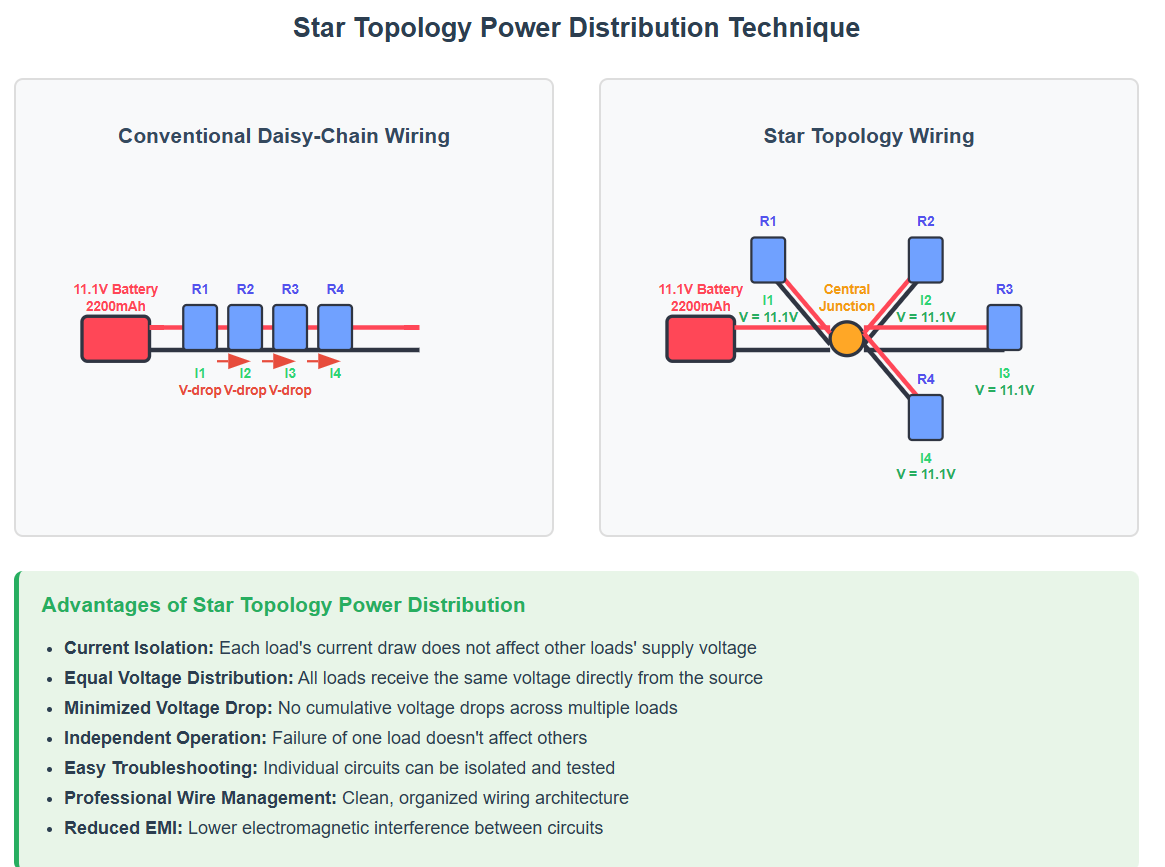 |
|:---:|
| _Star-topology power distribution_ |
### Processing
An Arduino Mega 2560 serves as the primary sensor interface and real-time
control processor -- handling sensor data acquisition, motor control, and
real-time navigation decisions -- chosen for its cost-effectiveness, 54
digital pins and 16 analog inputs (enough I/O for our full sensor array),
and proven reliability in robotics applications. A Raspberry Pi 5 (8GB RAM,
with active cooling) handles computer vision processing separately; active
cooling specifically guards against thermal throttling in high ambient
temperatures such as summer competition conditions. The two processors
communicate over a USB serial connection, exchanging computer vision
results and navigation commands.
|
|
|:---:|
| _Star-topology power distribution_ |
### Processing
An Arduino Mega 2560 serves as the primary sensor interface and real-time
control processor -- handling sensor data acquisition, motor control, and
real-time navigation decisions -- chosen for its cost-effectiveness, 54
digital pins and 16 analog inputs (enough I/O for our full sensor array),
and proven reliability in robotics applications. A Raspberry Pi 5 (8GB RAM,
with active cooling) handles computer vision processing separately; active
cooling specifically guards against thermal throttling in high ambient
temperatures such as summer competition conditions. The two processors
communicate over a USB serial connection, exchanging computer vision
results and navigation commands.
| 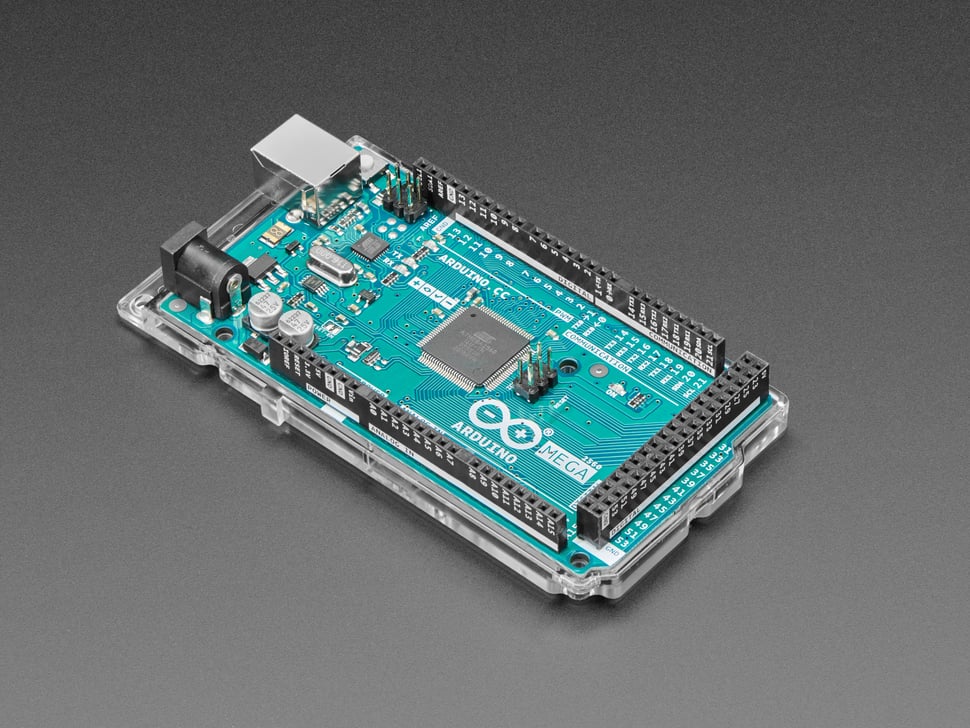 |
| 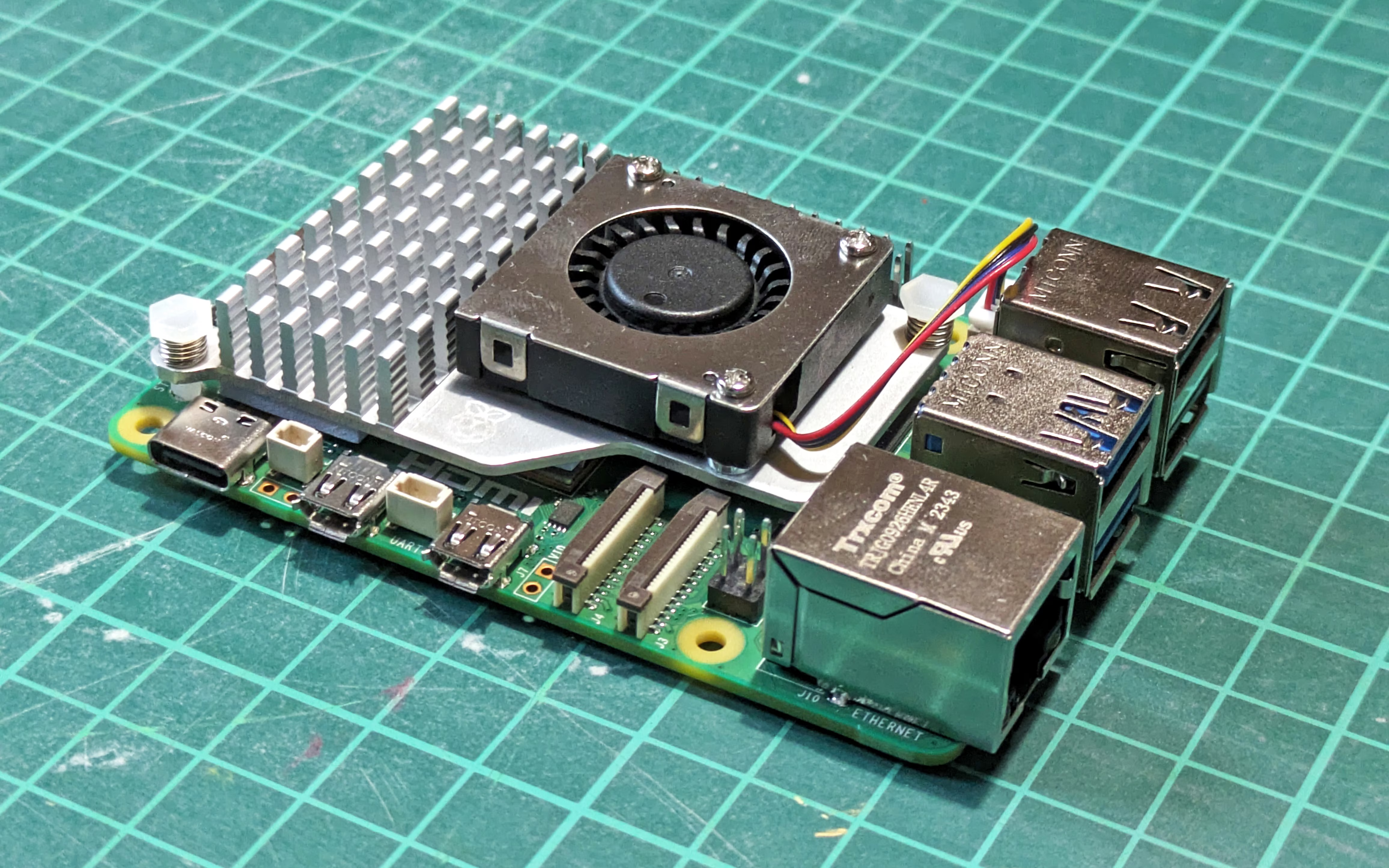 |
| 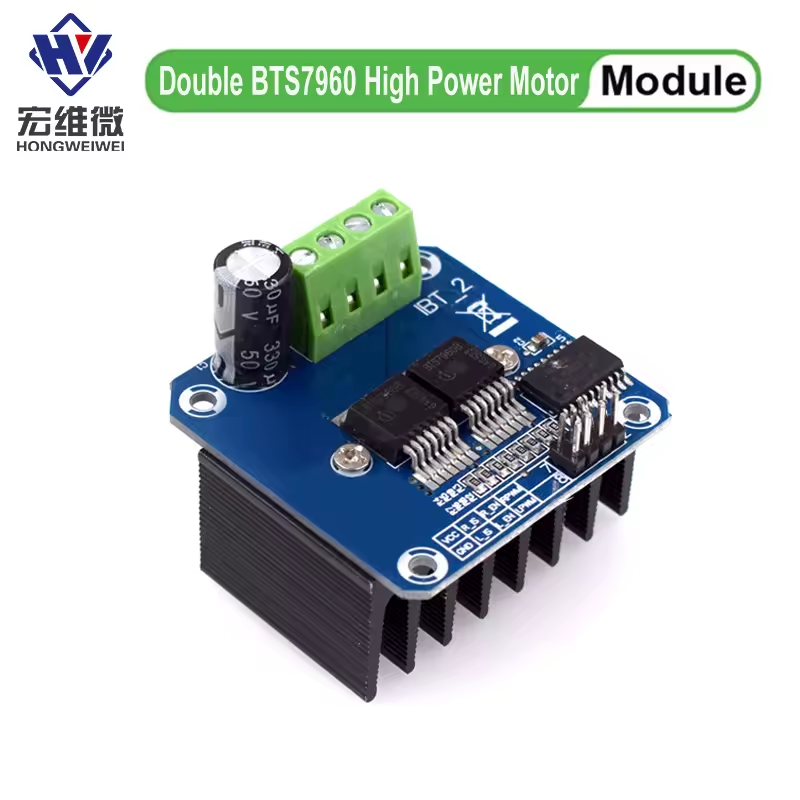 |
|:---:|:---:|:---:|
| _Arduino Mega 2560_ | _Raspberry Pi 5 with active cooling_ | _BTS7960 motor driver_ |
### Sensor array
The sensor array is made up of 7 ultrasonic sensors, an IMU, and a camera:
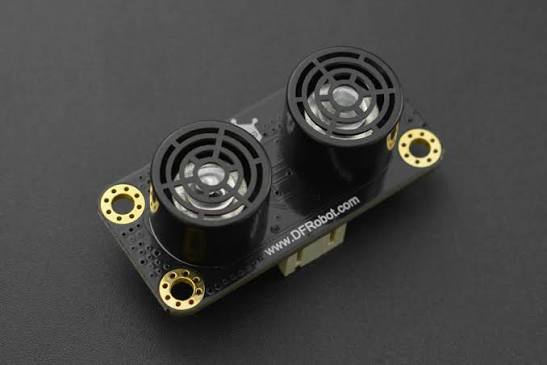
- **Ultrasonic sensors:** 7x DFRobot URM09 (previously HC-SR04). Mounted
below the 9cm height threshold for reliable wall detection.
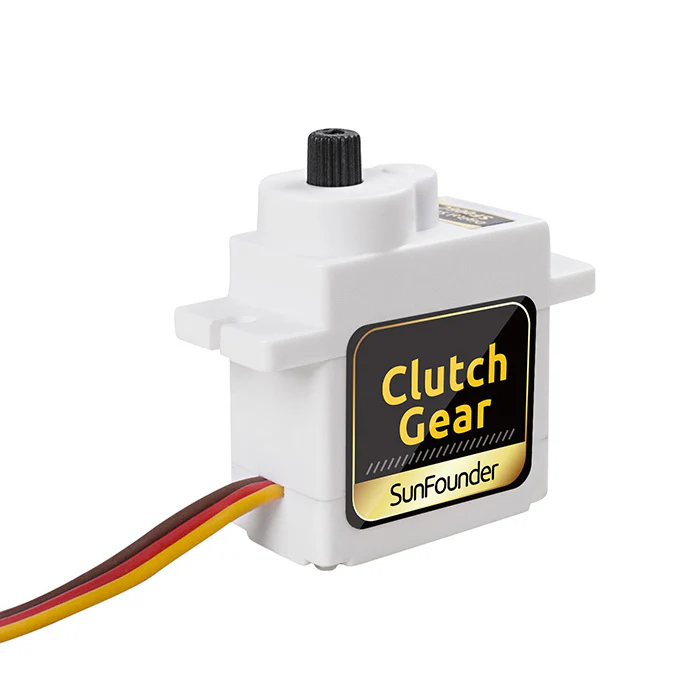
- **Dynamic positioning:** 5 servos total (previously 3) -- both
ultrasonic sensors on the left side now have servos, both on the right
side now have servos, and the front ultrasonic sensor now also has a
servo. Dynamic positioning keeps these sensors oriented perpendicular to
walls regardless of vehicle attitude, which meaningfully improves
measurement accuracy over a fixed angle.
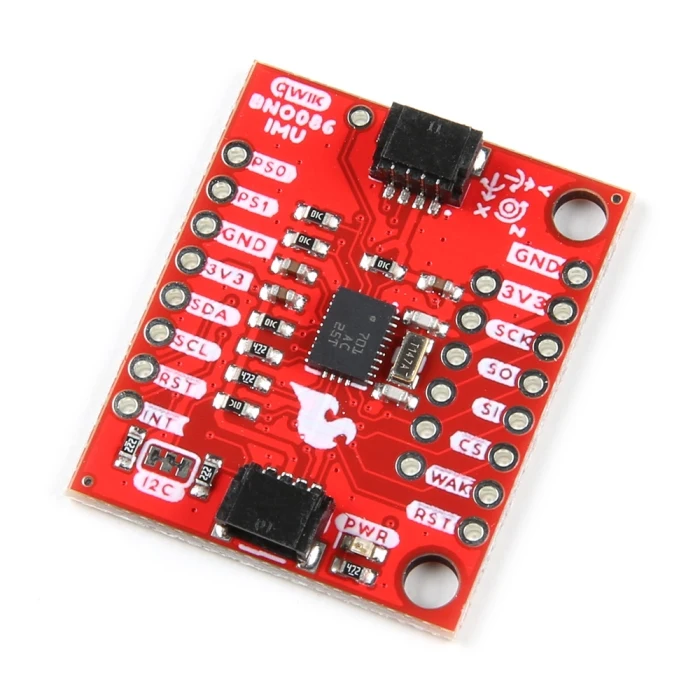
- **IMU:** SparkFun BNO086 (previously MPU6050), providing orientation and
acceleration data for dead reckoning and complementing the ultrasonic
array for navigation.
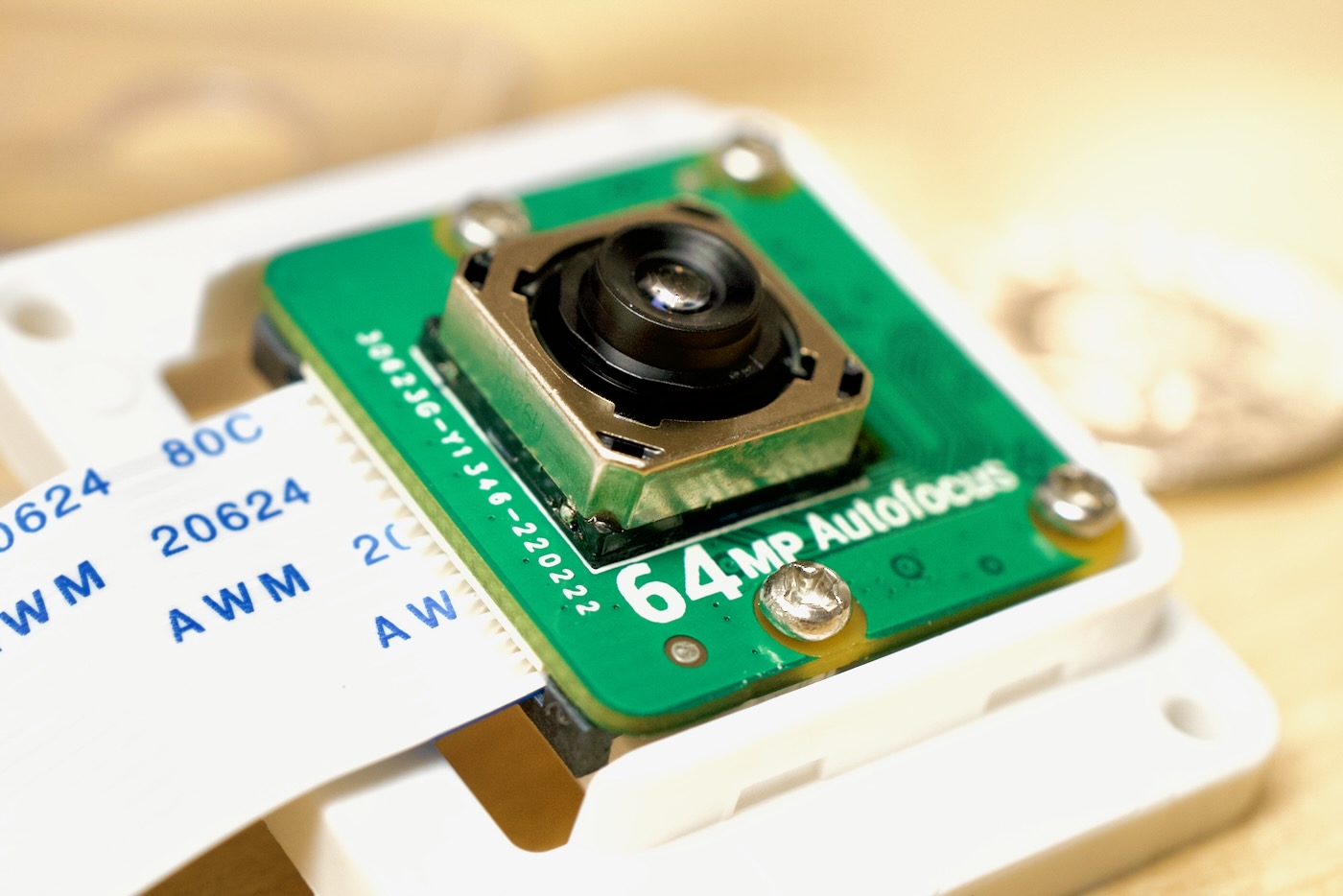
- **Camera:** Arducam 64MP Hawk-Eye module, for computer vision tasks
including pillar detection/classification and path planning.
|
|
|:---:|:---:|:---:|
| _Arduino Mega 2560_ | _Raspberry Pi 5 with active cooling_ | _BTS7960 motor driver_ |
### Sensor array
The sensor array is made up of 7 ultrasonic sensors, an IMU, and a camera:
- **Ultrasonic sensors:** 7x DFRobot URM09 (previously HC-SR04). Mounted
below the 9cm height threshold for reliable wall detection.
- **Dynamic positioning:** 5 servos total (previously 3) -- both
ultrasonic sensors on the left side now have servos, both on the right
side now have servos, and the front ultrasonic sensor now also has a
servo. Dynamic positioning keeps these sensors oriented perpendicular to
walls regardless of vehicle attitude, which meaningfully improves
measurement accuracy over a fixed angle.
- **IMU:** SparkFun BNO086 (previously MPU6050), providing orientation and
acceleration data for dead reckoning and complementing the ultrasonic
array for navigation.
- **Camera:** Arducam 64MP Hawk-Eye module, for computer vision tasks
including pillar detection/classification and path planning.
|  |
|  |
|  |
|:---:|:---:|:---:|
| _DFRobot URM09 ultrasonic sensor_ | _SparkFun BNO086 IMU_ | _Arducam 64MP Hawk-Eye camera_ |
|
|
|:---:|:---:|:---:|
| _DFRobot URM09 ultrasonic sensor_ | _SparkFun BNO086 IMU_ | _Arducam 64MP Hawk-Eye camera_ |
|  |
|:---:|
| _SG90 servo, dynamic sensor positioning_ |
### Sensor placement: field geometry and failure-point reasoning
We chose sensor placement based on how the robot's own geometry shifts
relative to the walls during a maneuver, not on a generic "more sensors
is better" logic:
- **Two rear ultrasonics** let the parking routine know when the robot is
fully inside the parking lot -- a distinct requirement from the side
sensors' wall-following role.
- **Two ultrasonics per side (front-axle and rear-axle),** rather than
one, because which end of the robot is actually closest to the wall
depends on the maneuver: driving forward while turning right brings the
*front* of the robot closest to the wall, while driving backward while
turning right brings the *back* of the robot closest to the wall. A
single side sensor would be reading the wrong distance during roughly
half of these maneuvers; having one sensor near each axle means the
relevant distance is always available on both sides regardless of
direction of travel or turn.
- **The same front/rear-axle side-sensor pair also compensates for IMU
drift:** since the two sensors' physical separation is known, the robot
can geometrically compute how many degrees it has actually drifted from
the two distance readings, and use that to correct the MPU/IMU heading
reference over time -- a concrete failure-point mitigation for sensor
drift, not just a navigation feature.
- **The front ultrasonic** exists specifically to detect obstacles
directly ahead of the robot, a role none of the side/rear sensors can
fill.
- **Servos on the ultrasonics** exist because ultrasonic ranging accuracy
degrades sharply once the reflecting surface isn't perpendicular to the
sensor -- dynamic positioning keeps each sensor perpendicular to the
wall regardless of the robot's current attitude, which is the whole
reason the sensor count and servo count both grew for 2026 (see above).
### Bill of materials
A consolidated list of the vehicle's major components, pulled together
from the descriptions above and in Mobility and Mechanical Design:
| Component | Part | Qty | Price (USD) |
|---|---|---|---|
| Chassis | 3mm plexiglass panels + PLA 3D-printed parts | -- | -- |
| Drive motor | JGA25-370 DC motor, 3:1 gearbox | 1 | $20 |
| Steering servo | MG996R high-torque servo | 1 | $8 |
| Sensor-positioning servos | SG90 | 5 | $5 ($1 each) |
| Motor driver | BTS7960 | 1 | $4 |
| Primary controller (SBM) | Arduino Mega 2560 | 1 | $50 |
| Vision processor (SBC) | Raspberry Pi 5, 8GB RAM, active cooling | 1 | $120 |
| Ultrasonic sensors | DFRobot URM09 | 7 | $70 ($10 each) |
| IMU | SparkFun BNO086 | 1 | $34 |
| Camera | Arducam 64MP Hawk-Eye | 1 | $80 |
| Battery | Zeee Li-Poly, 11.1V (3S), 2200mAh, 50C, XT60 | 2 | $80 |
| Power distribution | Custom PMS, star topology, DC-DC step-down converter | 1 | $20 |
| **Total** | | | **$491** (excludes chassis material cost) |
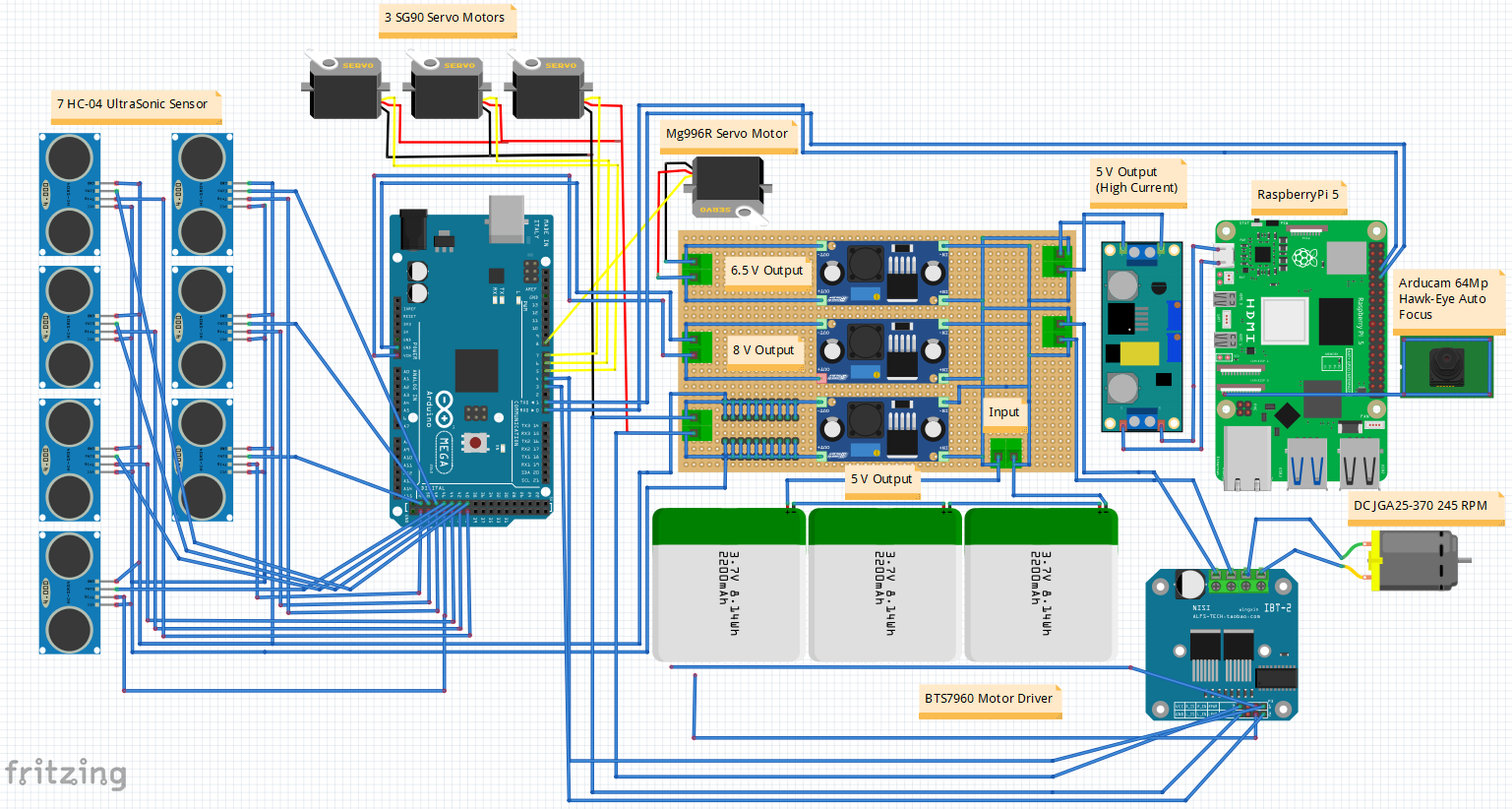
### Wiring diagram
The wiring diagram
(`schemes/Full Schematic Circuit Diagram of the Robot/Full Circuit Diagram
of the Robot.PNG`) was produced in Fritzing, which does not have exact
component symbols for the URM09 ultrasonic or BNO086 IMU, so those two
components are represented with generic/illustrative symbols rather than
exact part renders -- the diagram is accurate for overall wiring topology,
not a literal part-for-part illustration of the newest sensors.
### Calibration
Neither the DFRobot URM09 ultrasonic sensors nor the SparkFun BNO086 IMU
required a dedicated calibration procedure -- both performed reliably
right out of the box, so no team-developed calibration methodology exists
for either.
The camera's color thresholds (used for pillar detection, see Software
Architecture and Obstacle Strategy) are tuned through a dedicated
calibration routine. That routine is intentionally not published in this
repository, to avoid exposing our original color-detection work to being
copied by other teams.
## Software Architecture and Obstacle Strategy
This section explains our code structure and control flow, along with the
lane-following and obstacle-avoidance strategy and algorithms behind it.
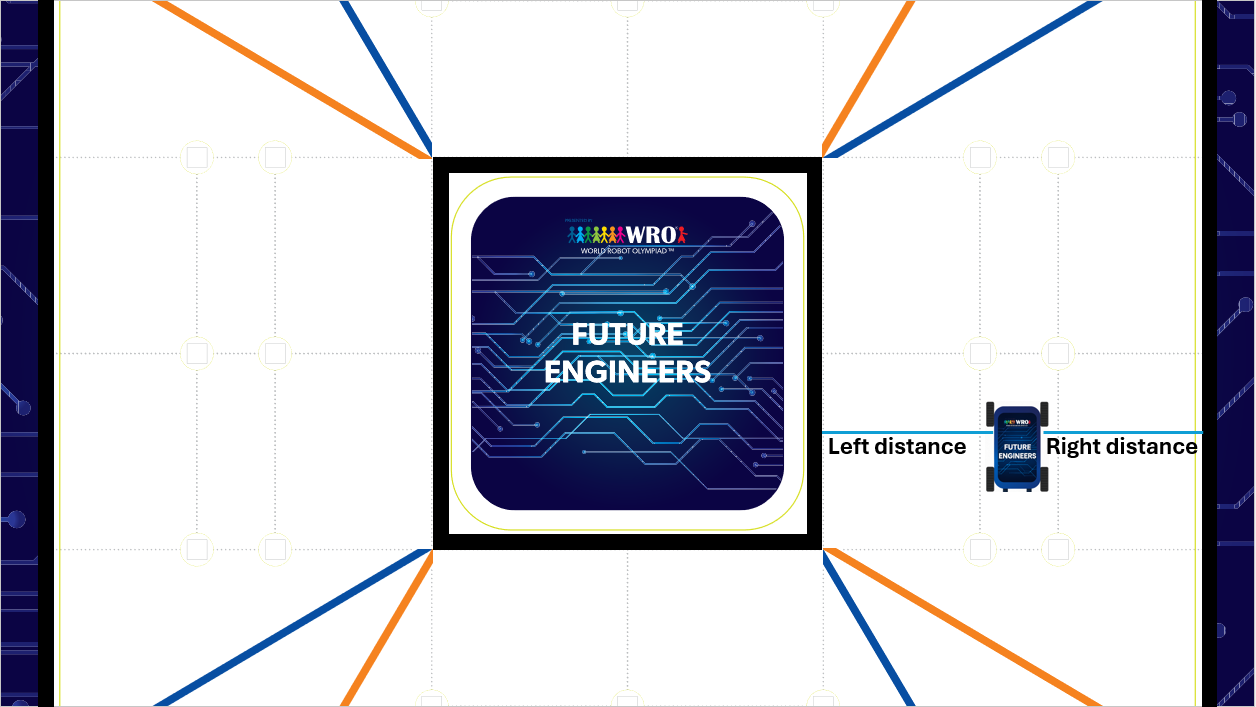
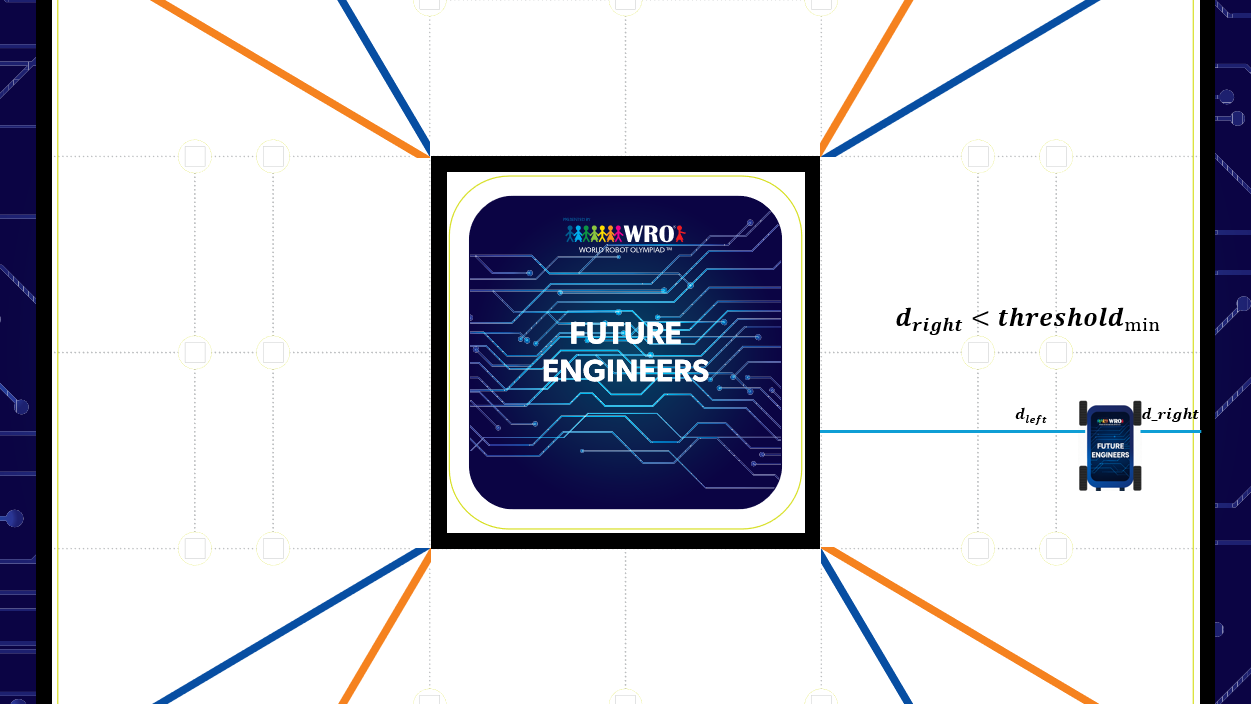
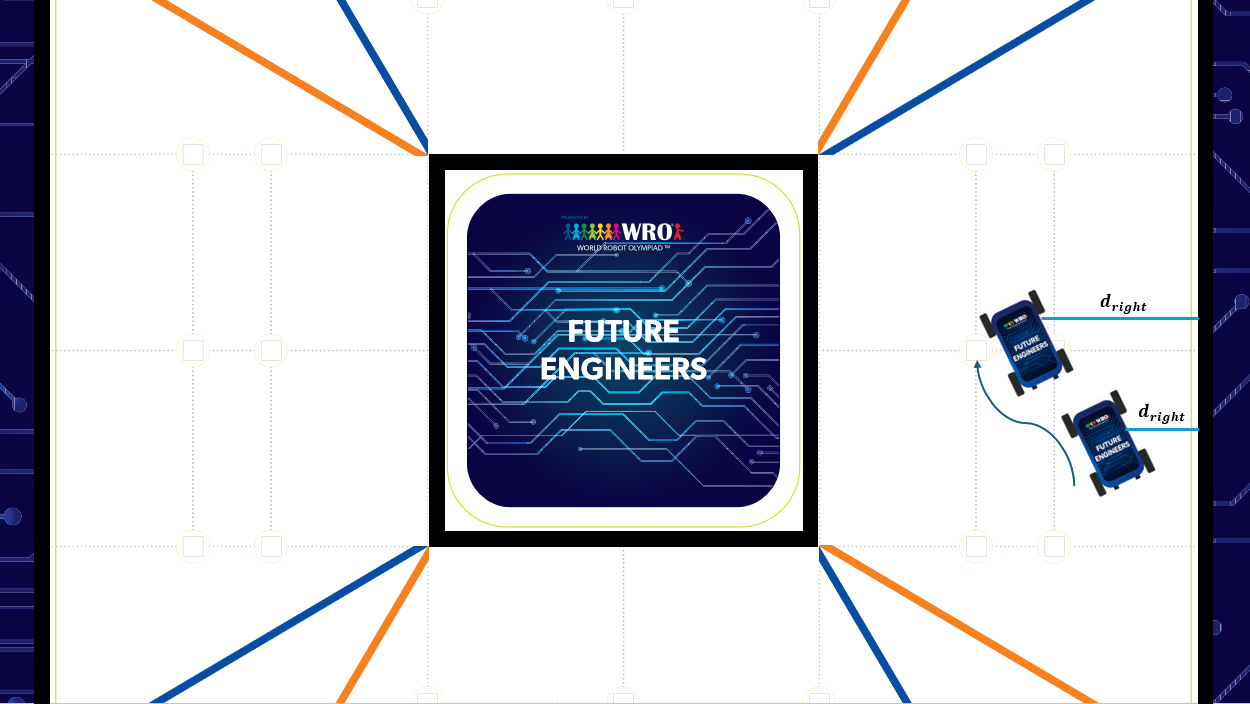
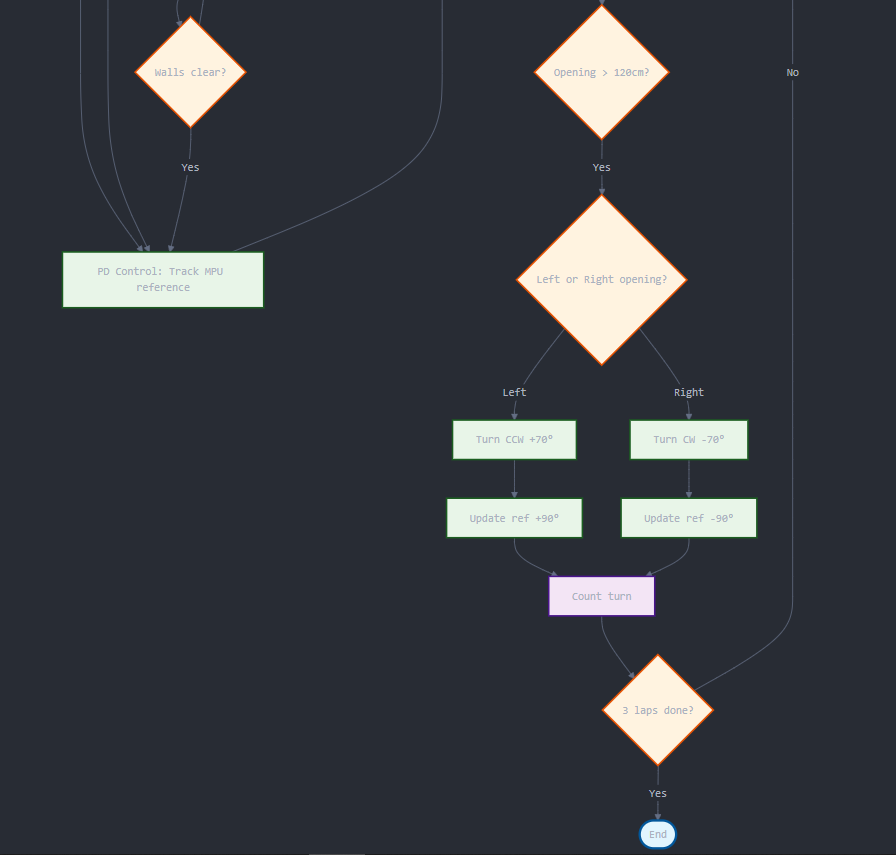
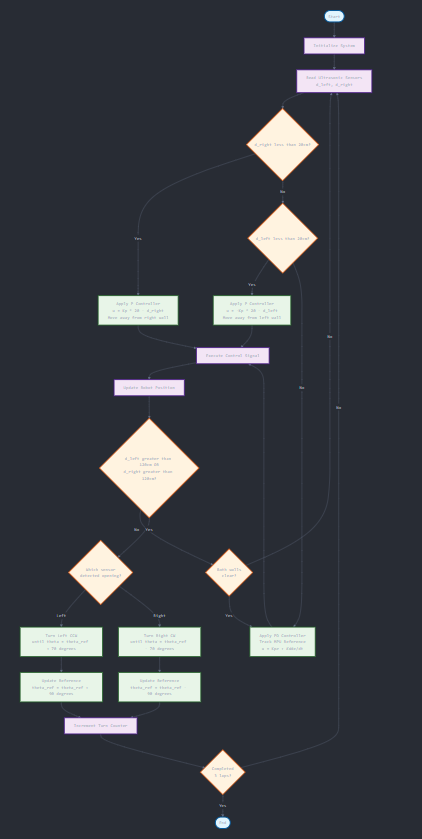
### Open Challenge navigation
At startup, the robot reads distance from its left and right ultrasonic
sensors (`d_left`, `d_right`) to establish its spatial relationship to the
surrounding walls, and determines its driving direction by comparing them:
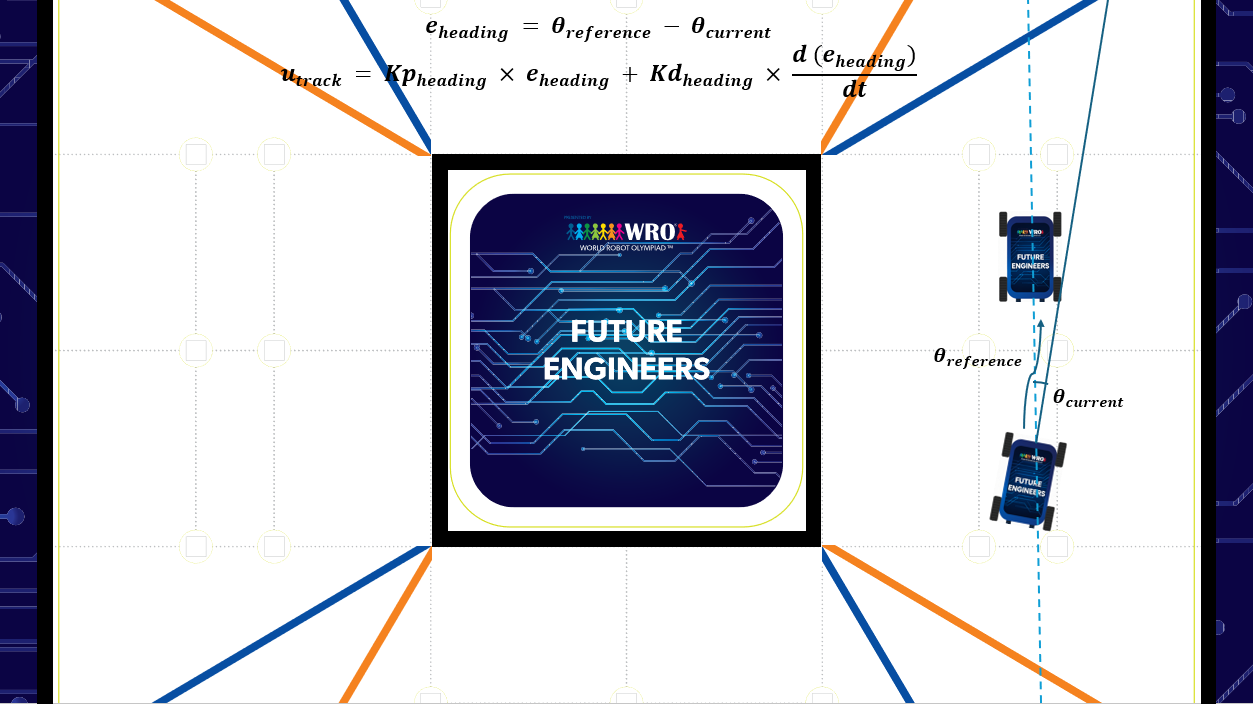
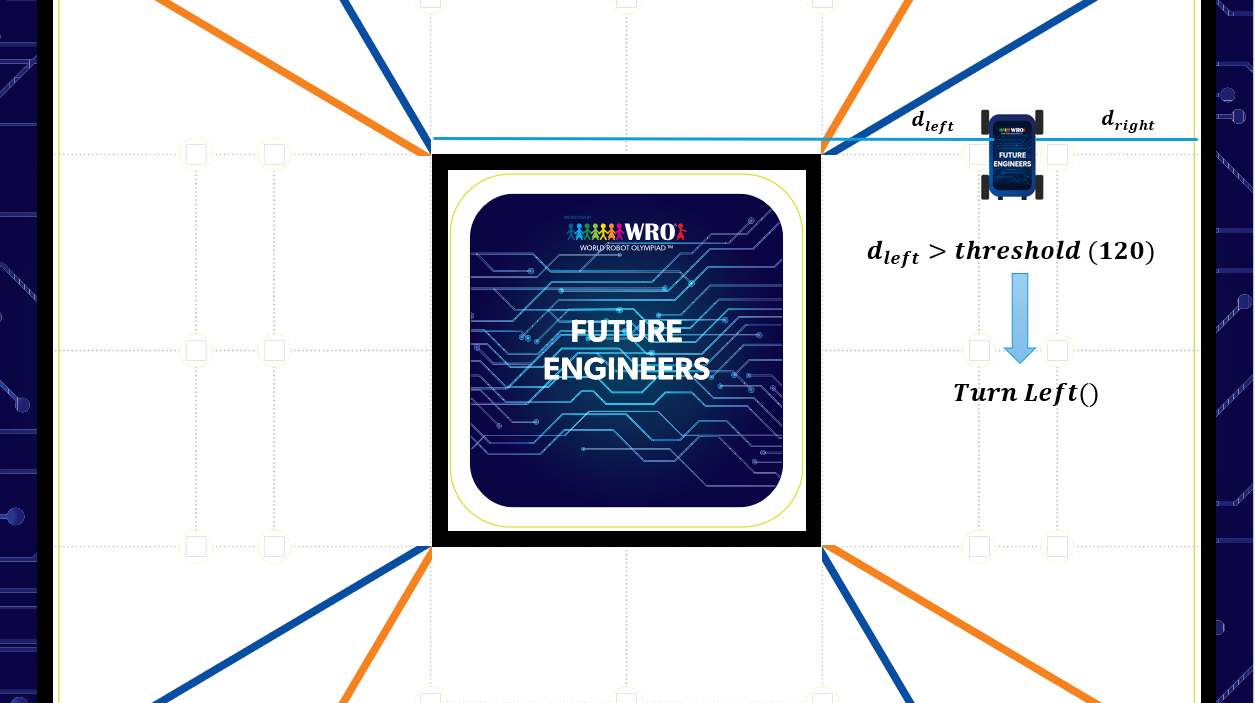
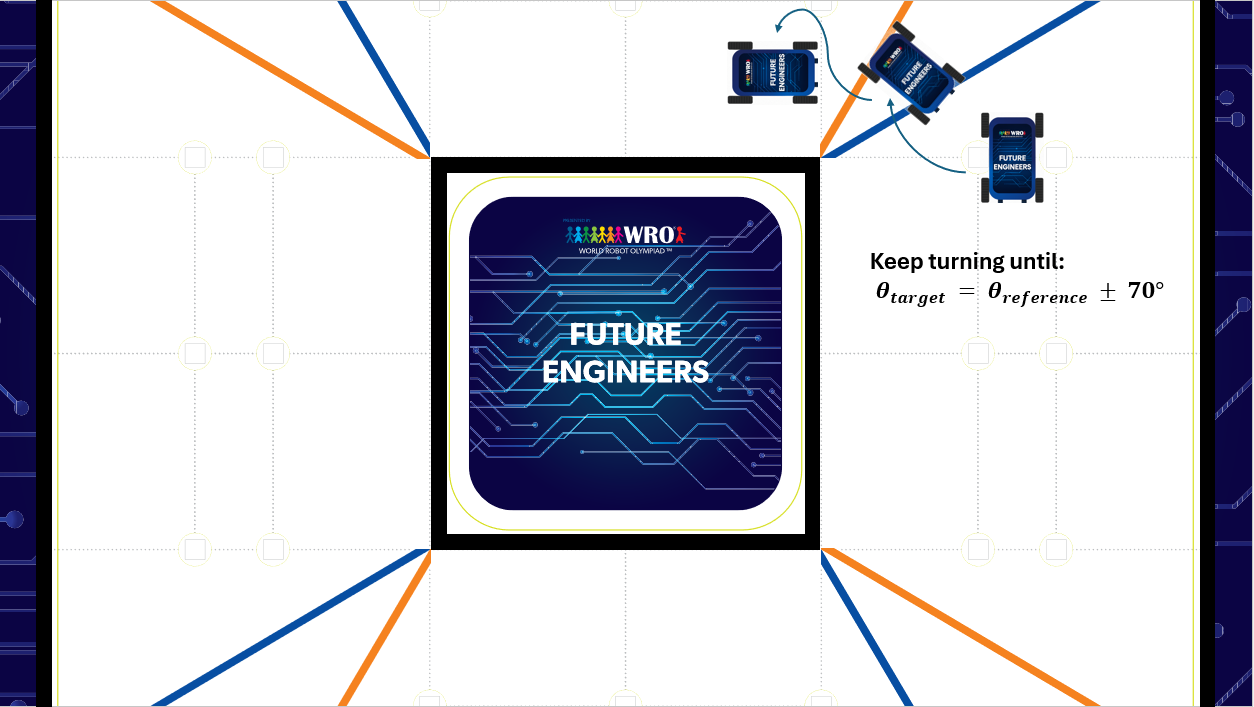
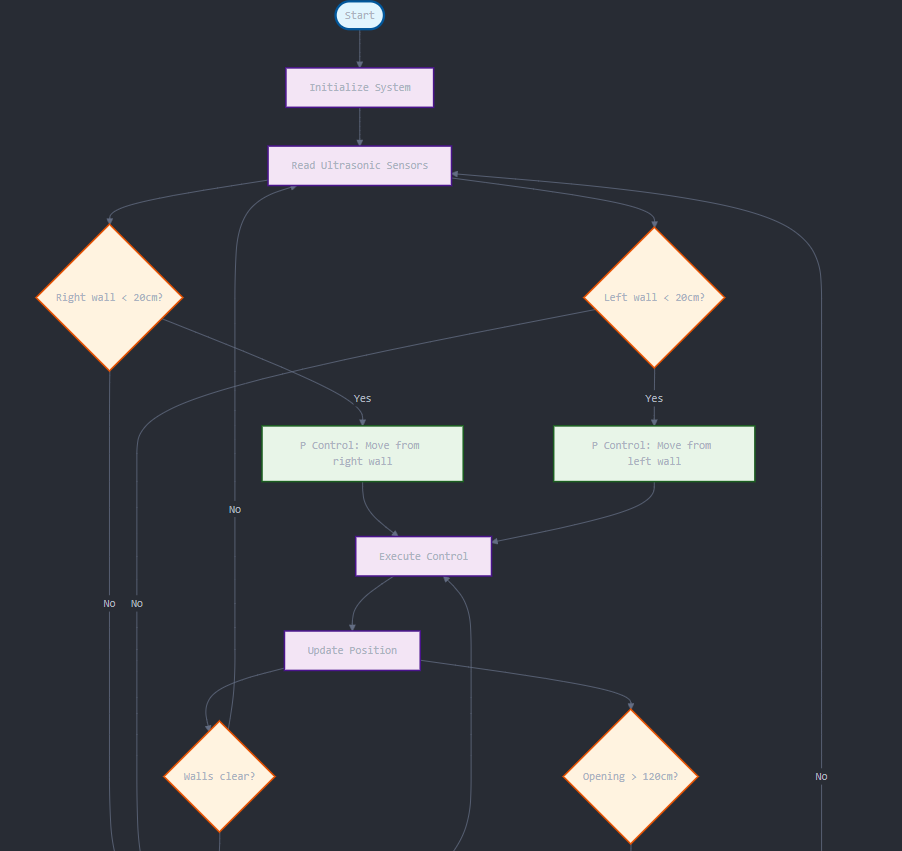
CCW if the right distance is less than the left, CW otherwise. During a
lap, the robot executes a turning maneuver whenever either ultrasonic
sensor detects an opening (a distance reading greater than 120cm),
adapting its turning logic to the section geometry it detects, and
continues wall-following/turning until the required number of laps is
complete.
|
|
|:---:|
| _SG90 servo, dynamic sensor positioning_ |
### Sensor placement: field geometry and failure-point reasoning
We chose sensor placement based on how the robot's own geometry shifts
relative to the walls during a maneuver, not on a generic "more sensors
is better" logic:
- **Two rear ultrasonics** let the parking routine know when the robot is
fully inside the parking lot -- a distinct requirement from the side
sensors' wall-following role.
- **Two ultrasonics per side (front-axle and rear-axle),** rather than
one, because which end of the robot is actually closest to the wall
depends on the maneuver: driving forward while turning right brings the
*front* of the robot closest to the wall, while driving backward while
turning right brings the *back* of the robot closest to the wall. A
single side sensor would be reading the wrong distance during roughly
half of these maneuvers; having one sensor near each axle means the
relevant distance is always available on both sides regardless of
direction of travel or turn.
- **The same front/rear-axle side-sensor pair also compensates for IMU
drift:** since the two sensors' physical separation is known, the robot
can geometrically compute how many degrees it has actually drifted from
the two distance readings, and use that to correct the MPU/IMU heading
reference over time -- a concrete failure-point mitigation for sensor
drift, not just a navigation feature.
- **The front ultrasonic** exists specifically to detect obstacles
directly ahead of the robot, a role none of the side/rear sensors can
fill.
- **Servos on the ultrasonics** exist because ultrasonic ranging accuracy
degrades sharply once the reflecting surface isn't perpendicular to the
sensor -- dynamic positioning keeps each sensor perpendicular to the
wall regardless of the robot's current attitude, which is the whole
reason the sensor count and servo count both grew for 2026 (see above).
### Bill of materials
A consolidated list of the vehicle's major components, pulled together
from the descriptions above and in Mobility and Mechanical Design:
| Component | Part | Qty | Price (USD) |
|---|---|---|---|
| Chassis | 3mm plexiglass panels + PLA 3D-printed parts | -- | -- |
| Drive motor | JGA25-370 DC motor, 3:1 gearbox | 1 | $20 |
| Steering servo | MG996R high-torque servo | 1 | $8 |
| Sensor-positioning servos | SG90 | 5 | $5 ($1 each) |
| Motor driver | BTS7960 | 1 | $4 |
| Primary controller (SBM) | Arduino Mega 2560 | 1 | $50 |
| Vision processor (SBC) | Raspberry Pi 5, 8GB RAM, active cooling | 1 | $120 |
| Ultrasonic sensors | DFRobot URM09 | 7 | $70 ($10 each) |
| IMU | SparkFun BNO086 | 1 | $34 |
| Camera | Arducam 64MP Hawk-Eye | 1 | $80 |
| Battery | Zeee Li-Poly, 11.1V (3S), 2200mAh, 50C, XT60 | 2 | $80 |
| Power distribution | Custom PMS, star topology, DC-DC step-down converter | 1 | $20 |
| **Total** | | | **$491** (excludes chassis material cost) |
### Wiring diagram
The wiring diagram
(`schemes/Full Schematic Circuit Diagram of the Robot/Full Circuit Diagram
of the Robot.PNG`) was produced in Fritzing, which does not have exact
component symbols for the URM09 ultrasonic or BNO086 IMU, so those two
components are represented with generic/illustrative symbols rather than
exact part renders -- the diagram is accurate for overall wiring topology,
not a literal part-for-part illustration of the newest sensors.

### Calibration
Neither the DFRobot URM09 ultrasonic sensors nor the SparkFun BNO086 IMU
required a dedicated calibration procedure -- both performed reliably
right out of the box, so no team-developed calibration methodology exists
for either.
The camera's color thresholds (used for pillar detection, see Software
Architecture and Obstacle Strategy) are tuned through a dedicated
calibration routine. That routine is intentionally not published in this
repository, to avoid exposing our original color-detection work to being
copied by other teams.
## Software Architecture and Obstacle Strategy
This section explains our code structure and control flow, along with the
lane-following and obstacle-avoidance strategy and algorithms behind it.
### Open Challenge navigation
At startup, the robot reads distance from its left and right ultrasonic
sensors (`d_left`, `d_right`) to establish its spatial relationship to the
surrounding walls, and determines its driving direction by comparing them:
CCW if the right distance is less than the left, CW otherwise. During a
lap, the robot executes a turning maneuver whenever either ultrasonic
sensor detects an opening (a distance reading greater than 120cm),
adapting its turning logic to the section geometry it detects, and
continues wall-following/turning until the required number of laps is
complete.
|  |
|  |
|:---:|:---:|
| _Initial position assessment_ | _Right wall avoidance, step 1_ |
|
|
|:---:|:---:|
| _Initial position assessment_ | _Right wall avoidance, step 1_ |
|  |
|  |
| _Right wall avoidance, step 2_ | _Reference tracking control_ |
|
|
| _Right wall avoidance, step 2_ | _Reference tracking control_ |
|  |
|  |
| _Turn initiation condition_ | _Turn execution_ |
|
|
| _Turn initiation condition_ | _Turn execution_ |
|  |
|  |
|:---:|:---:|
| _Algorithm flowchart, part 1_ | _Algorithm flowchart, part 2_ |
|
|
|:---:|:---:|
| _Algorithm flowchart, part 1_ | _Algorithm flowchart, part 2_ |
|  |
|:---:|
| _Algorithm flowchart, combined_ |
|
|
|:---:|
| _Algorithm flowchart, combined_ |
|  |
|:---:|
| _Open Challenge demonstration_ |
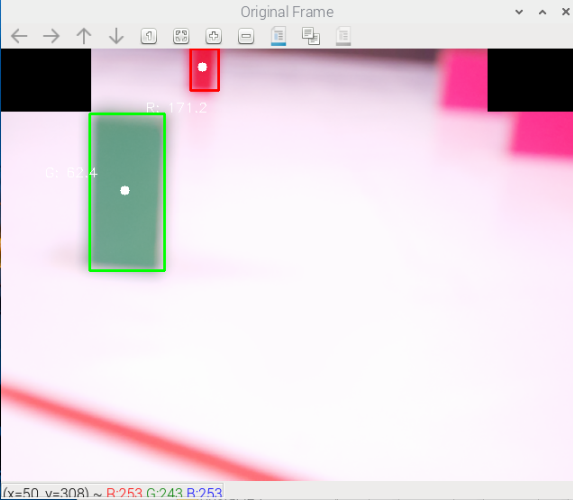
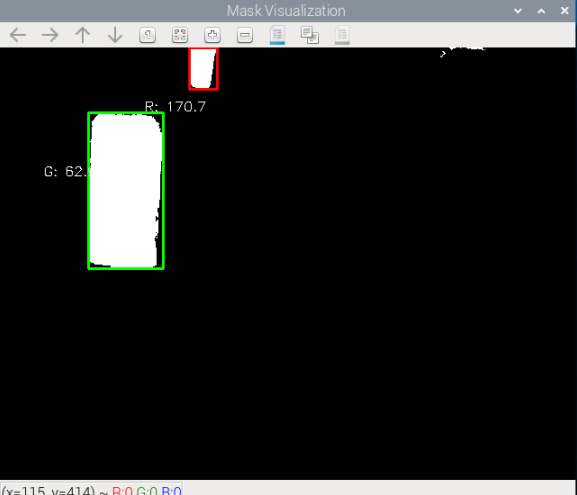
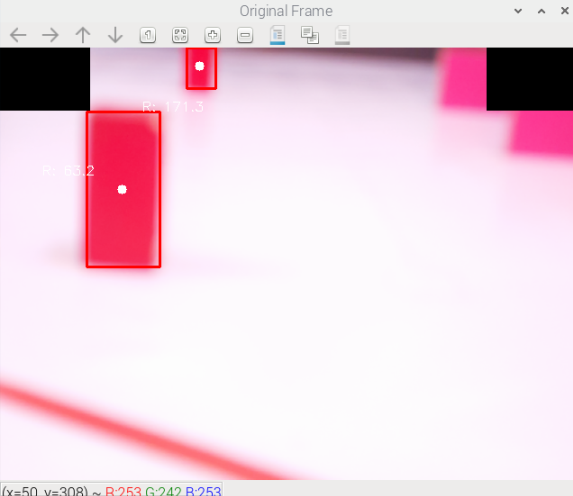
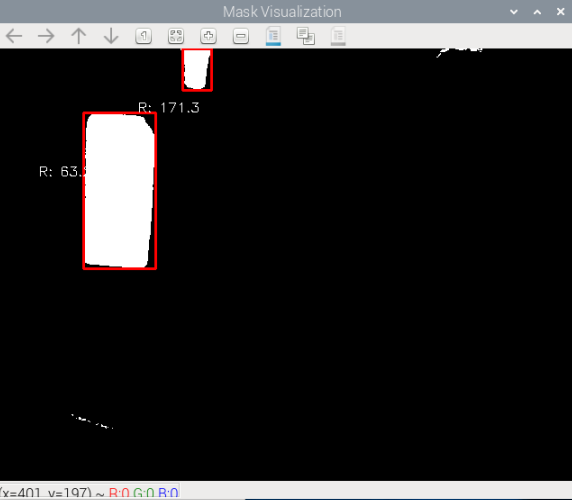
### Obstacle Challenge: pillar detection
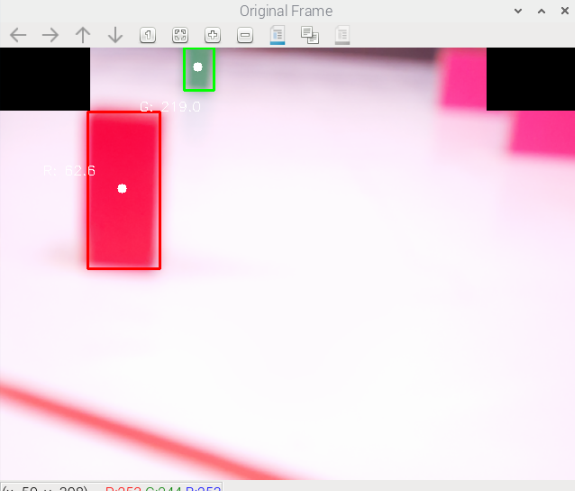
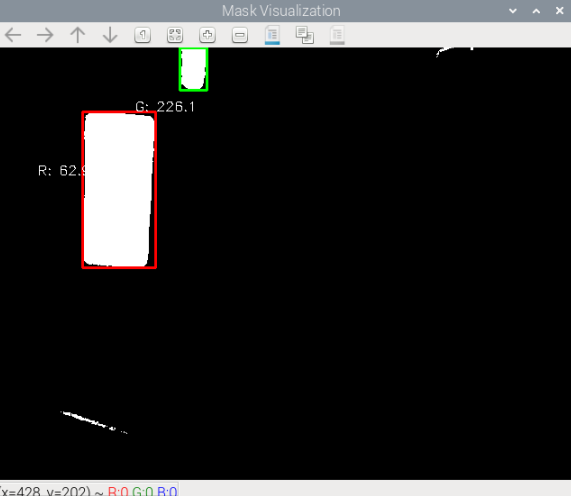
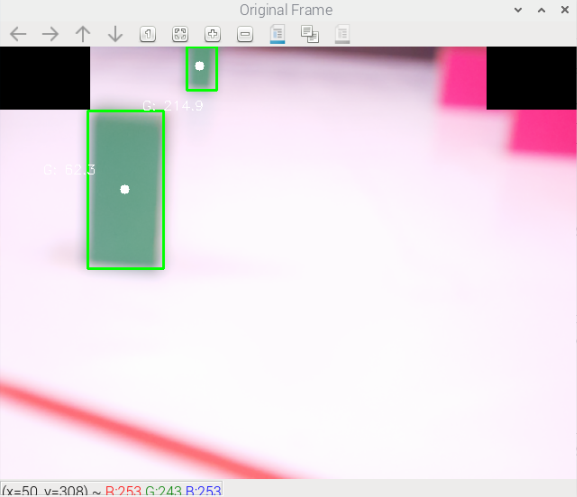
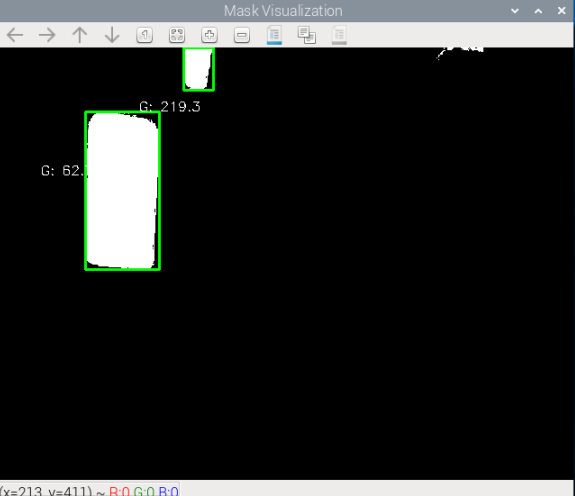
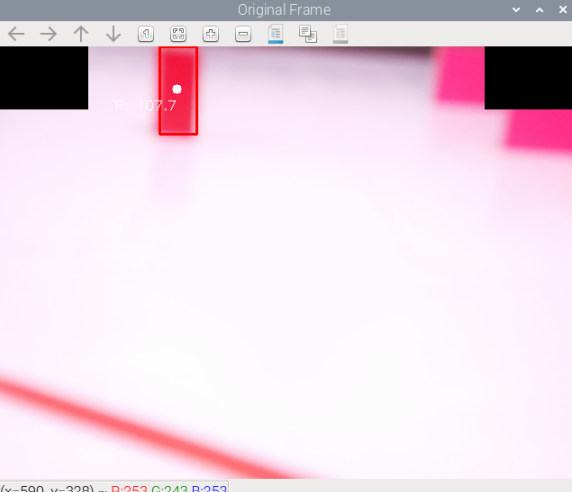
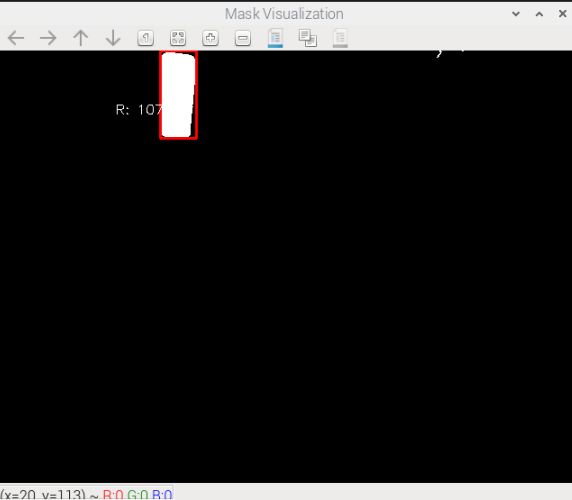
Pillar color is detected and classified via the Raspberry Pi 5's computer
vision pipeline, distinguishing red and green pillar configurations
(Red-Green, Green-Red, Red-Red, and Green-Green cases) to determine which
side of the lane to keep. Detected color masks feed directly into the
navigation logic to decide the lane-keeping side for each pillar
encountered.
|
|
|:---:|
| _Open Challenge demonstration_ |
### Obstacle Challenge: pillar detection
Pillar color is detected and classified via the Raspberry Pi 5's computer
vision pipeline, distinguishing red and green pillar configurations
(Red-Green, Green-Red, Red-Red, and Green-Green cases) to determine which
side of the lane to keep. Detected color masks feed directly into the
navigation logic to decide the lane-keeping side for each pillar
encountered.
|  |
|  |
|  |
|  |
|:---:|:---:|:---:|:---:|
| _Red-Green, camera view_ | _Red-Green, color mask_ | _Green-Red, camera view_ | _Green-Red, color mask_ |
|
|
|:---:|:---:|:---:|:---:|
| _Red-Green, camera view_ | _Red-Green, color mask_ | _Green-Red, camera view_ | _Green-Red, color mask_ |
|  |
|  |
|  |
|  |
| _Red-Red, camera view_ | _Red-Red, color mask_ | _Green-Green, camera view_ | _Green-Green, color mask_ |
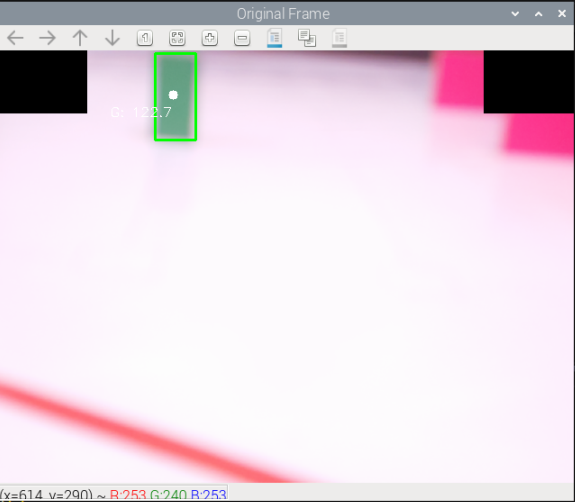
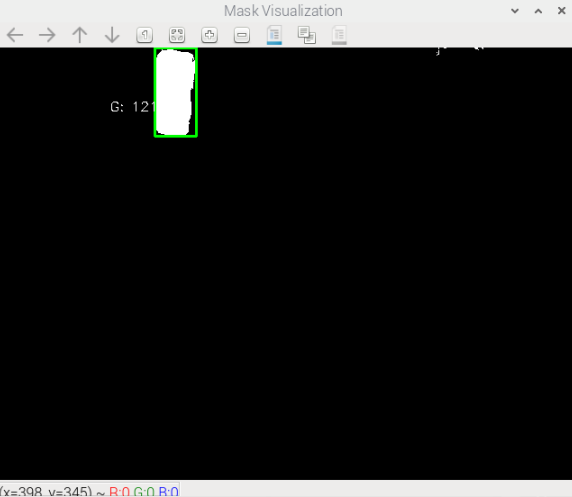
Examples of single-pillar detection (used by the color duplication
algorithm when only one pillar color appears in frame):
|
|
| _Red-Red, camera view_ | _Red-Red, color mask_ | _Green-Green, camera view_ | _Green-Green, color mask_ |
Examples of single-pillar detection (used by the color duplication
algorithm when only one pillar color appears in frame):
|  |
|  |
|  |
|  |
|:---:|:---:|:---:|:---:|
| _Single red pillar, camera view_ | _Single red pillar, color mask_ | _Single green pillar, camera view_ | _Single green pillar, color mask_ |
### State machine and control flow
The obstacle-challenge control flow is organized as a state machine built
around per-pillar handling functions. The diagram and the function names
below describe the algorithm's structure and ideas, not a literal
function-by-function map of the code in `src/` -- see `src/` for the
actual function names.
```mermaid
flowchart TD
Start(["Start"]) --> Startup["Startup: exit parking (CW/CCW)"]
Startup --> FirstPillar["First pillar: photo + pass_first_pillar()"]
FirstPillar --> Reposition["Reposition + photo"]
Reposition --> LapCheck{"Lap 1 complete?"}
LapCheck -- "No: next pillar" --> PhotoPass["Photo + pass pillar"]
PhotoPass --> LapCheck
LapCheck -- "Yes" --> LapsCheck{"3 laps complete?"}
LapsCheck -- "No: next pillar" --> DirectPass["Pass pillar directly, no photo"]
DirectPass --> LapsCheck
LapsCheck -- "Yes" --> Parking["Backward parking"]
Parking --> End(["End"])
```
1. **Startup.** The robot exits the parking section; the startup sequence
itself differs depending on whether the run is CW or CCW.
2. **First pillar.** The robot takes a photo and calls a `pass_first_pillar`
function, selected by the detected color and by CW/CCW direction.
3. **Repositioning.** After `pass_first_pillar` completes, a maneuver
(dependent on the robot's current position) repositions the robot ready
for the next section and the next photo.
4. **Subsequent pillars.** Each pillar is handled by a function named for
its color combination and direction (for example `Red_Red_ccw`,
`Red_Green_ccw`). There are also `
|
|:---:|:---:|:---:|:---:|
| _Single red pillar, camera view_ | _Single red pillar, color mask_ | _Single green pillar, camera view_ | _Single green pillar, color mask_ |
### State machine and control flow
The obstacle-challenge control flow is organized as a state machine built
around per-pillar handling functions. The diagram and the function names
below describe the algorithm's structure and ideas, not a literal
function-by-function map of the code in `src/` -- see `src/` for the
actual function names.
```mermaid
flowchart TD
Start(["Start"]) --> Startup["Startup: exit parking (CW/CCW)"]
Startup --> FirstPillar["First pillar: photo + pass_first_pillar()"]
FirstPillar --> Reposition["Reposition + photo"]
Reposition --> LapCheck{"Lap 1 complete?"}
LapCheck -- "No: next pillar" --> PhotoPass["Photo + pass pillar"]
PhotoPass --> LapCheck
LapCheck -- "Yes" --> LapsCheck{"3 laps complete?"}
LapsCheck -- "No: next pillar" --> DirectPass["Pass pillar directly, no photo"]
DirectPass --> LapsCheck
LapsCheck -- "Yes" --> Parking["Backward parking"]
Parking --> End(["End"])
```
1. **Startup.** The robot exits the parking section; the startup sequence
itself differs depending on whether the run is CW or CCW.
2. **First pillar.** The robot takes a photo and calls a `pass_first_pillar`
function, selected by the detected color and by CW/CCW direction.
3. **Repositioning.** After `pass_first_pillar` completes, a maneuver
(dependent on the robot's current position) repositions the robot ready
for the next section and the next photo.
4. **Subsequent pillars.** Each pillar is handled by a function named for
its color combination and direction (for example `Red_Red_ccw`,
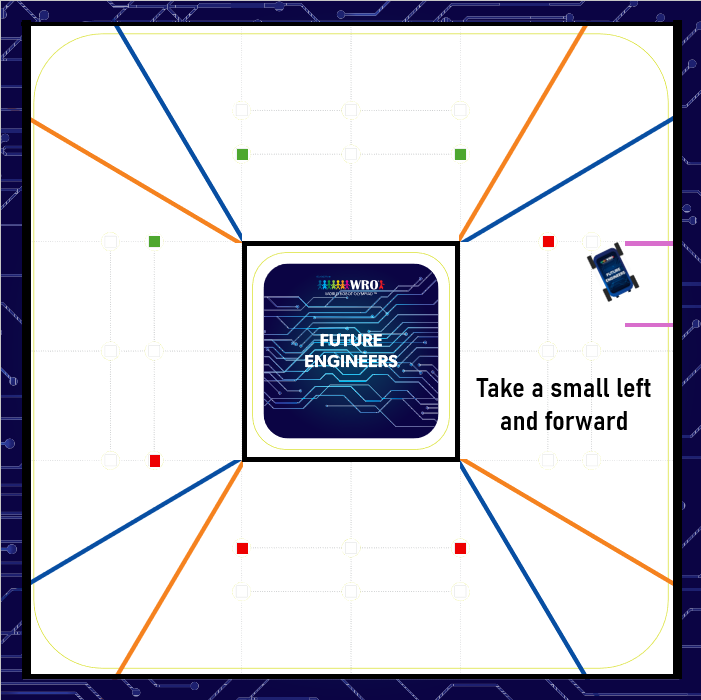
`Red_Green_ccw`). There are also `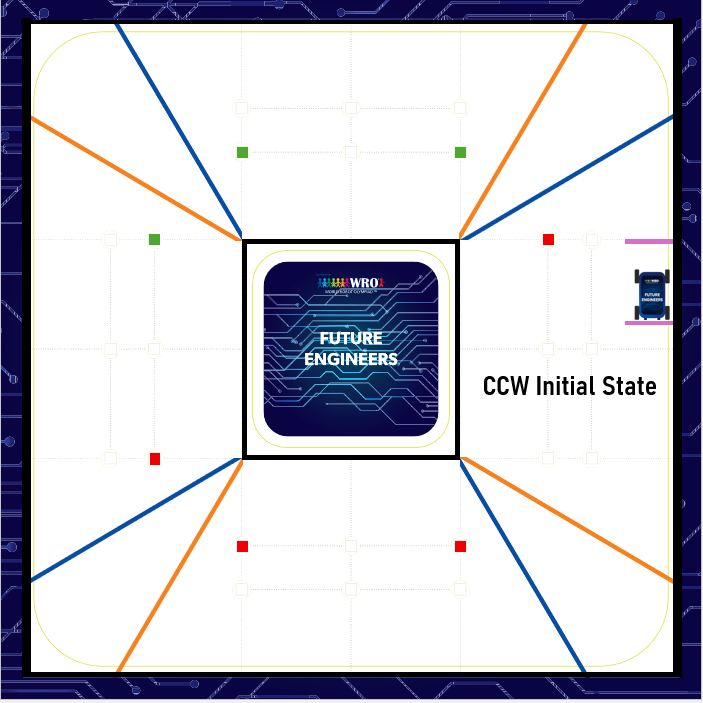 |
|  |
|:---:|:---:|
| _Step 1_ | _Step 2_ |
|
|
|:---:|:---:|
| _Step 1_ | _Step 2_ |
| 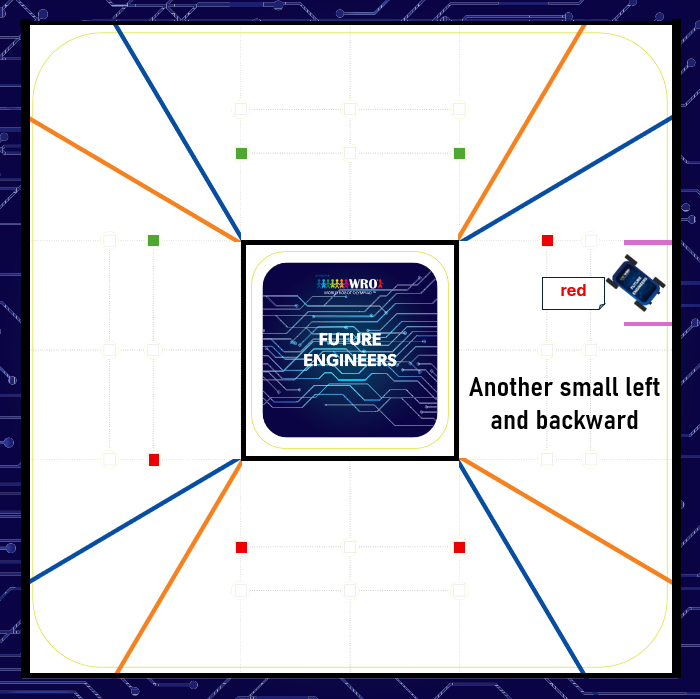 |
| 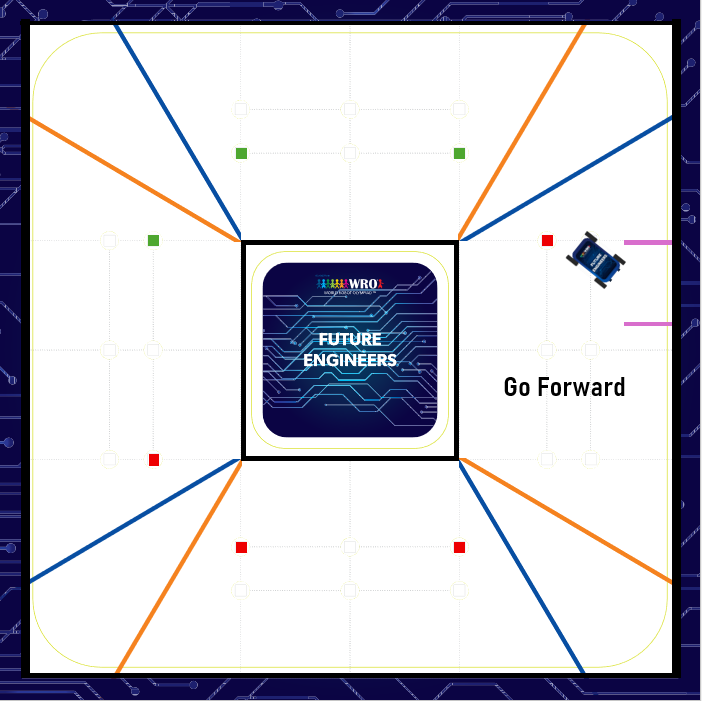 |
| _Step 3_ | _Step 4_ |
|
|
| _Step 3_ | _Step 4_ |
| 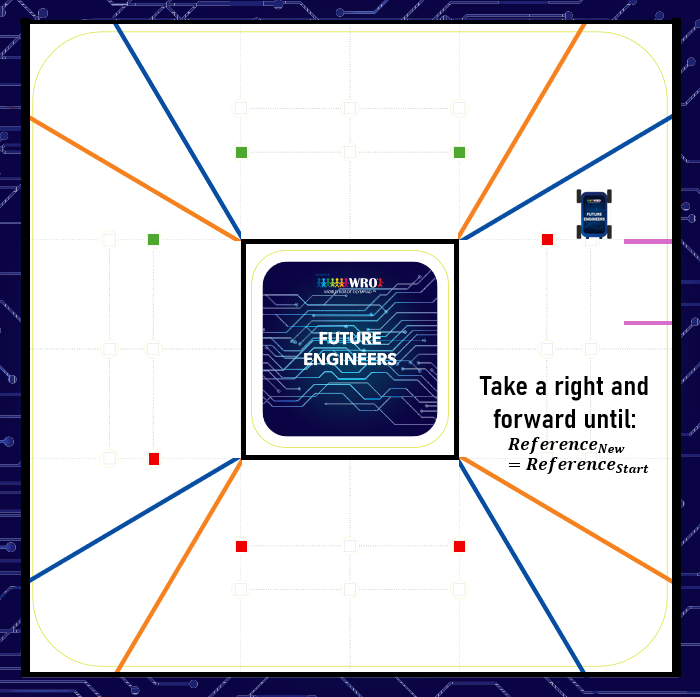 | |
| _Step 5_ | |
|
| |
| _Step 5_ | |
|  |
|:---:|
| _Startup, CCW, red pillar case_ |
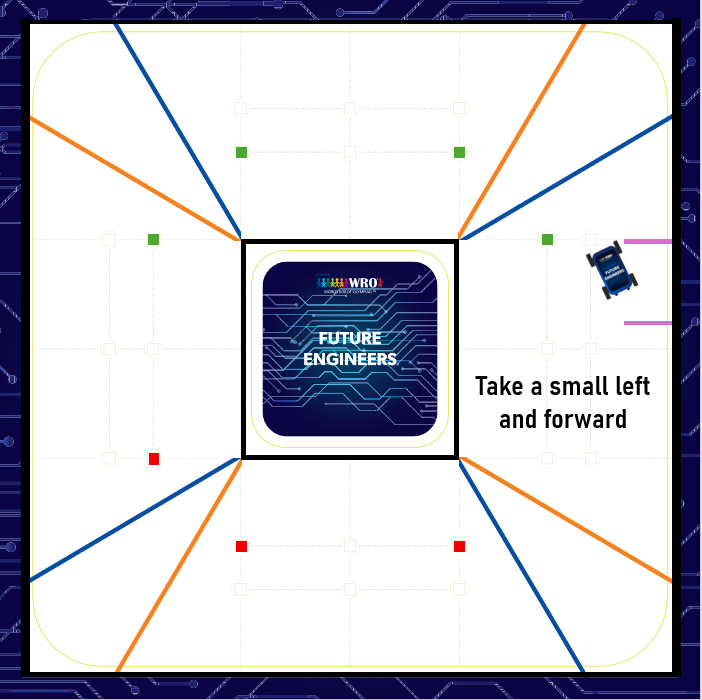
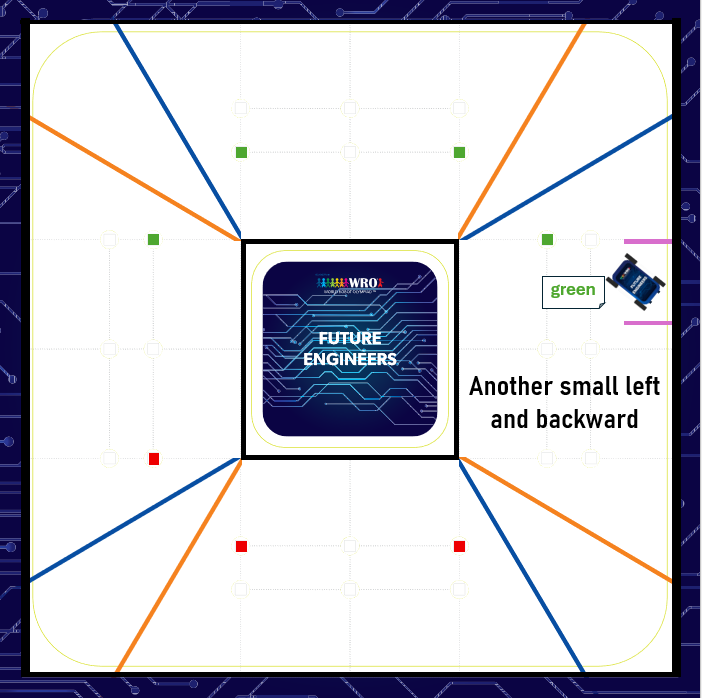
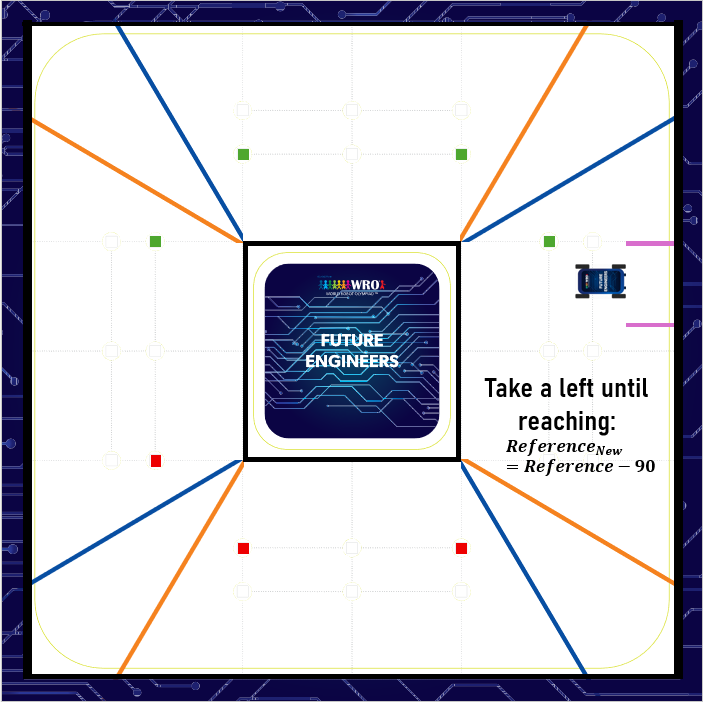
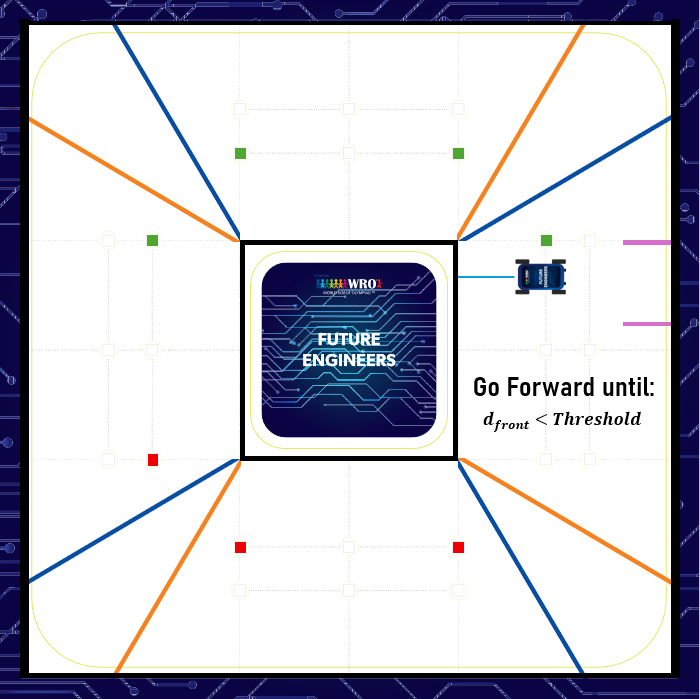
**Green pillar case:**
|
|
|:---:|
| _Startup, CCW, red pillar case_ |
**Green pillar case:**
| 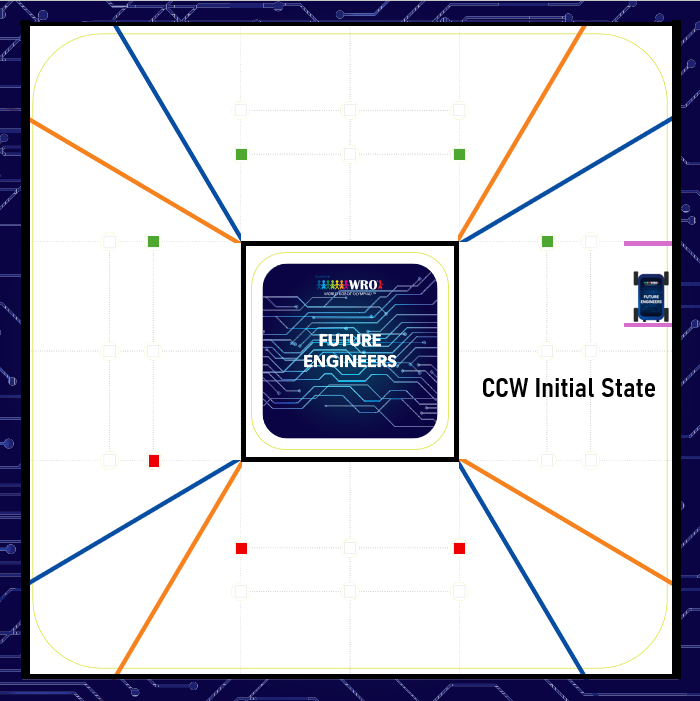 |
|  |
|:---:|:---:|
| _Step 1_ | _Step 2_ |
|
|
|:---:|:---:|
| _Step 1_ | _Step 2_ |
|  |
|  |
| _Step 3_ | _Step 4_ |
|
|
| _Step 3_ | _Step 4_ |
|  |
| 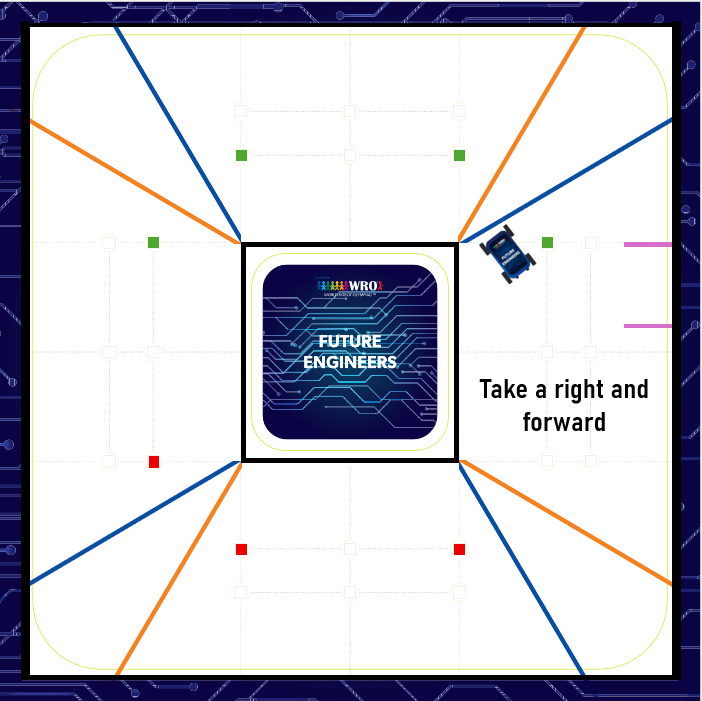 |
| _Step 5_ | _Step 6_ |
|
|
| _Step 5_ | _Step 6_ |
| 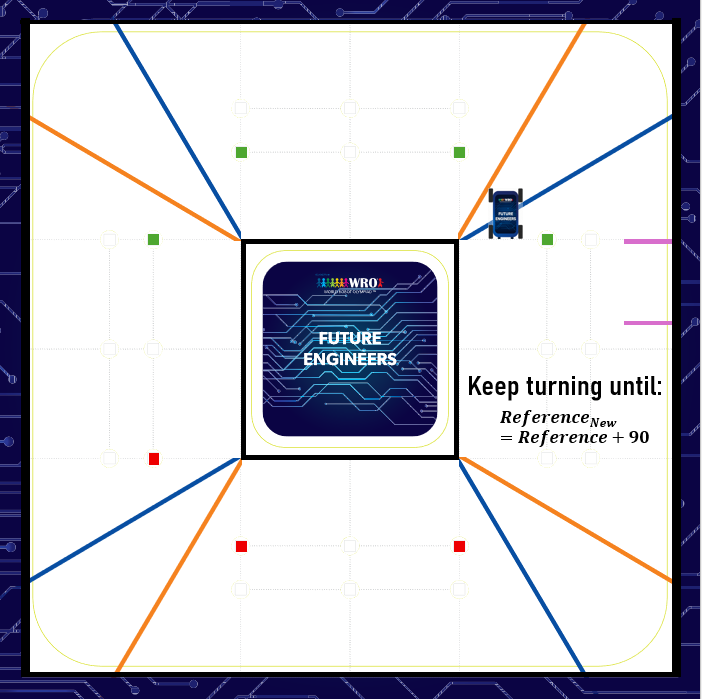 | |
| _Step 7_ | |
|
| |
| _Step 7_ | |
|  |
|:---:|
| _Startup, CCW, green pillar case_ |
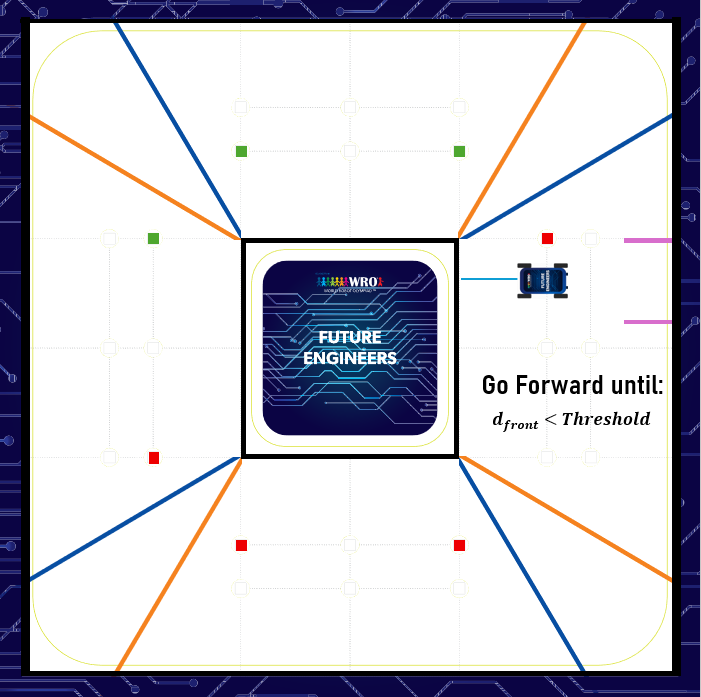
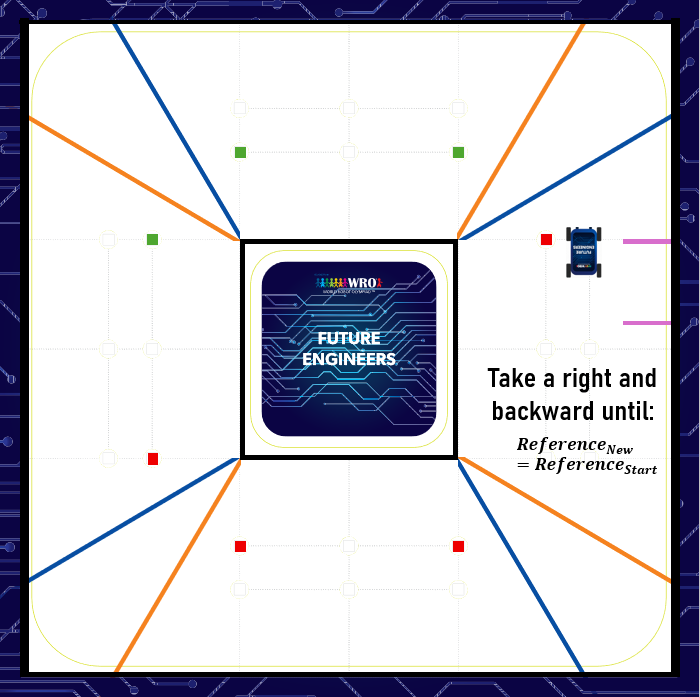
**Clockwise (CW) navigation mode:**
|
|
|:---:|
| _Startup, CCW, green pillar case_ |
**Clockwise (CW) navigation mode:**
| 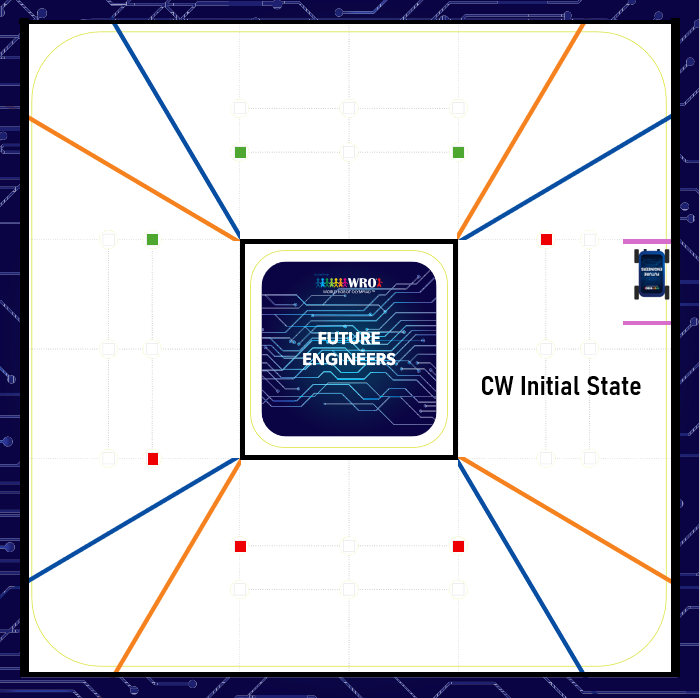 |
| 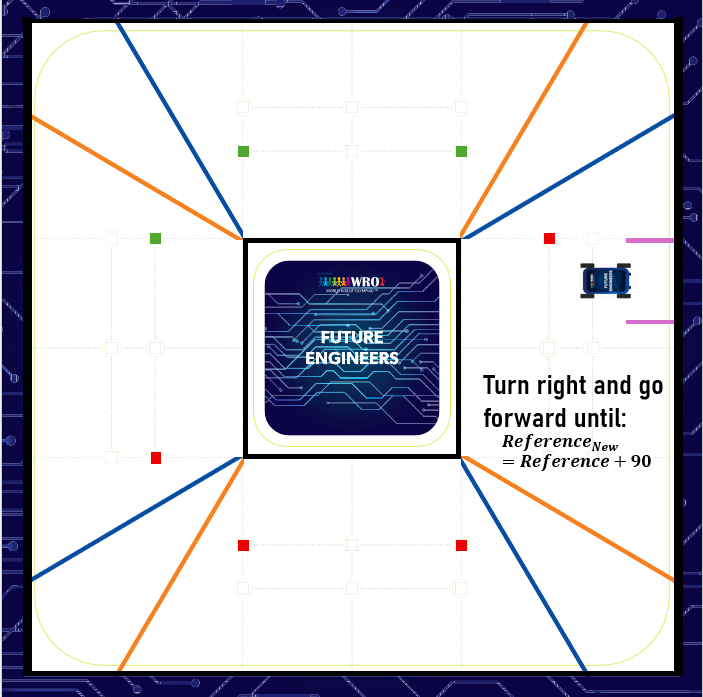 |
|:---:|:---:|
| _Step 1_ | _Step 2_ |
|
|
|:---:|:---:|
| _Step 1_ | _Step 2_ |
|  |
|  |
| _Step 3_ | _Step 4_ |
|
|
| _Step 3_ | _Step 4_ |
|  |
|:---:|
| _Startup, CW case_ |
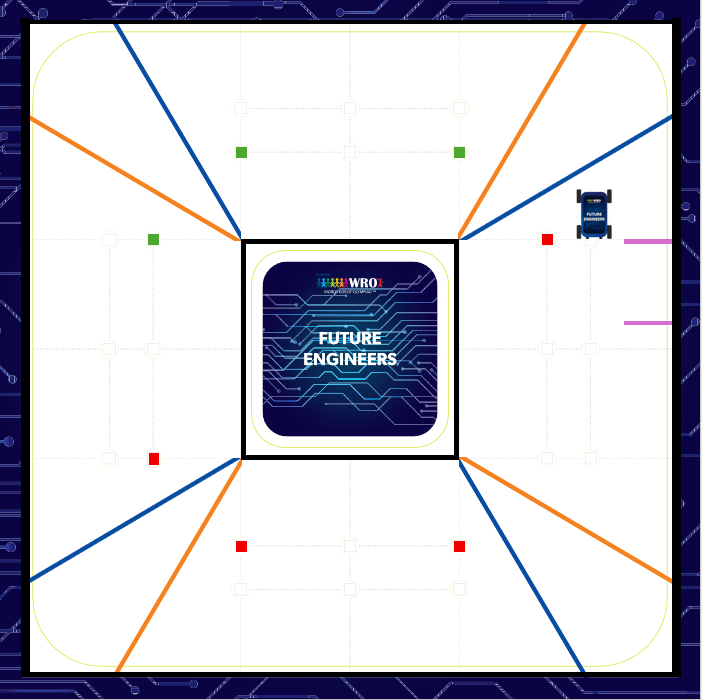
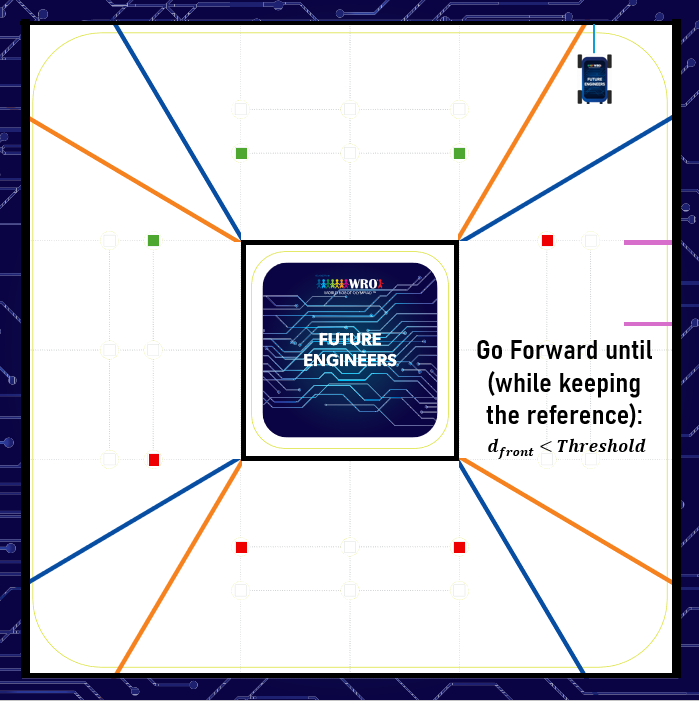
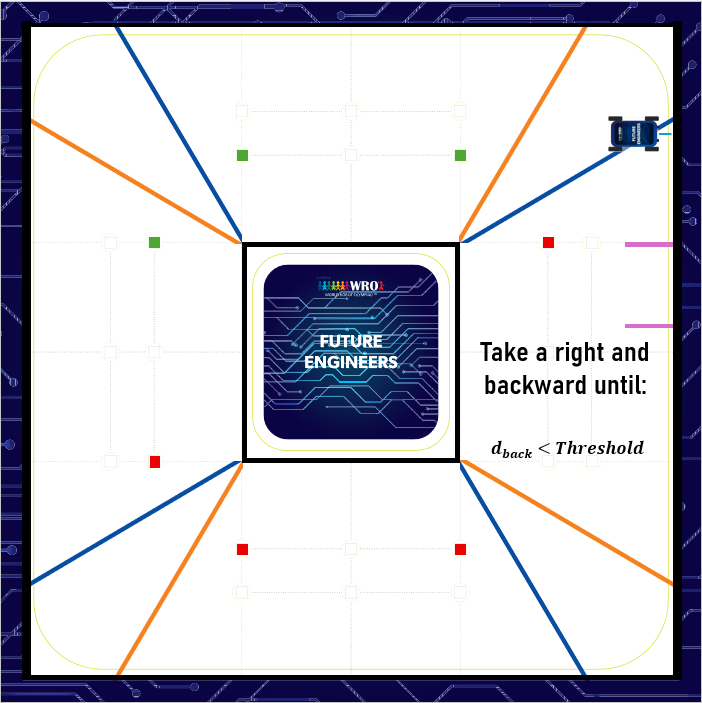
**Example scenario -- post-CCW red pillar transition (corner positioning):**
|
|
|:---:|
| _Startup, CW case_ |
**Example scenario -- post-CCW red pillar transition (corner positioning):**
|  |
|  |
|:---:|:---:|
| _Step 1_ | _Step 2_ |
|
|
|:---:|:---:|
| _Step 1_ | _Step 2_ |
|  | |
| _Step 3_ | |
|
| |
| _Step 3_ | |
|  |
|:---:|
| _Corner positioning protocol_ |
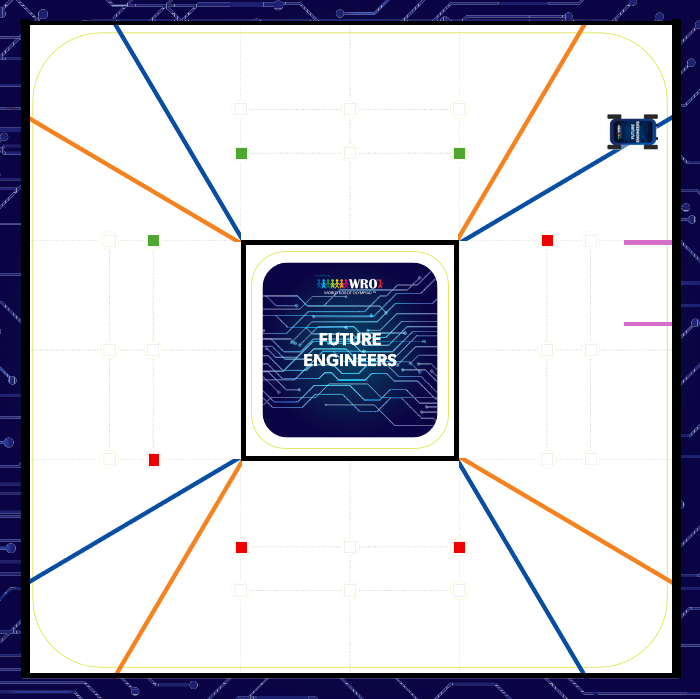
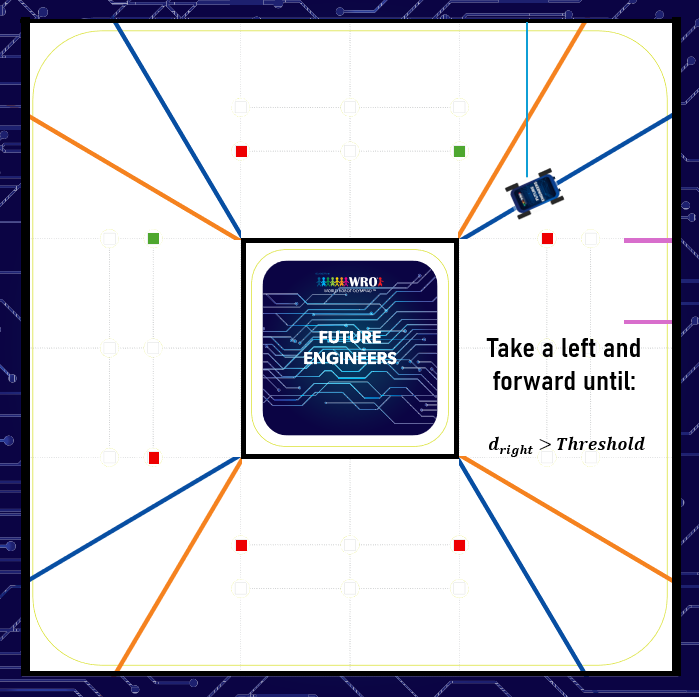
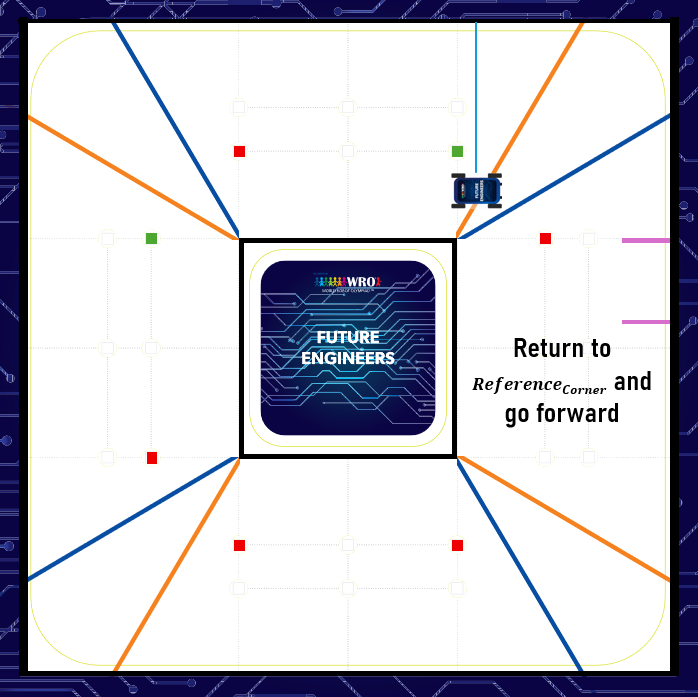
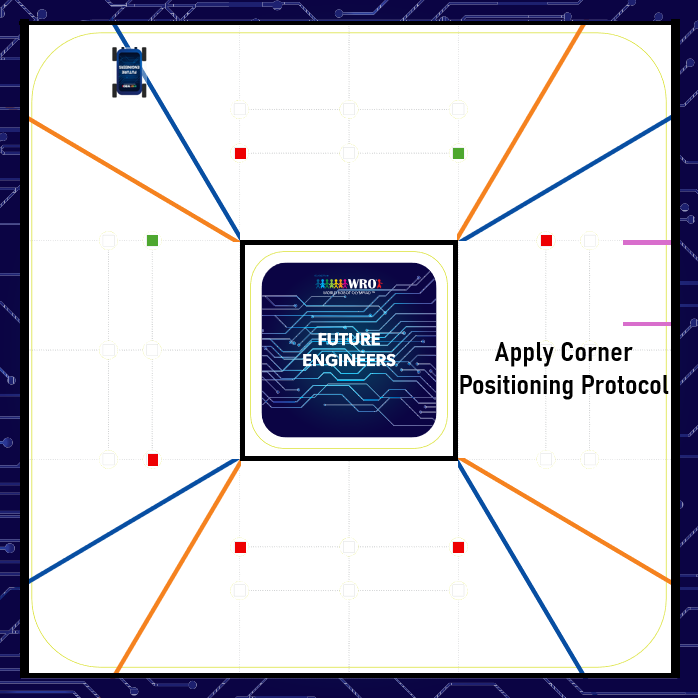
**Visual example -- Green-Red, counter-clockwise:**
|
|
|:---:|
| _Corner positioning protocol_ |
**Visual example -- Green-Red, counter-clockwise:**
|  |
|  |
|:---:|:---:|
| _Step 1_ | _Step 2_ |
|
|
|:---:|:---:|
| _Step 1_ | _Step 2_ |
|  |
| 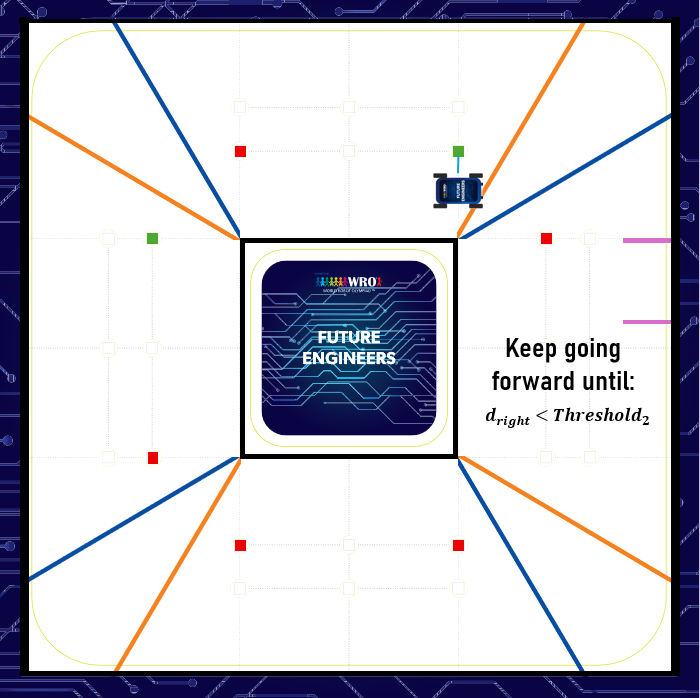 |
| _Step 3_ | _Step 4_ |
|
|
| _Step 3_ | _Step 4_ |
| 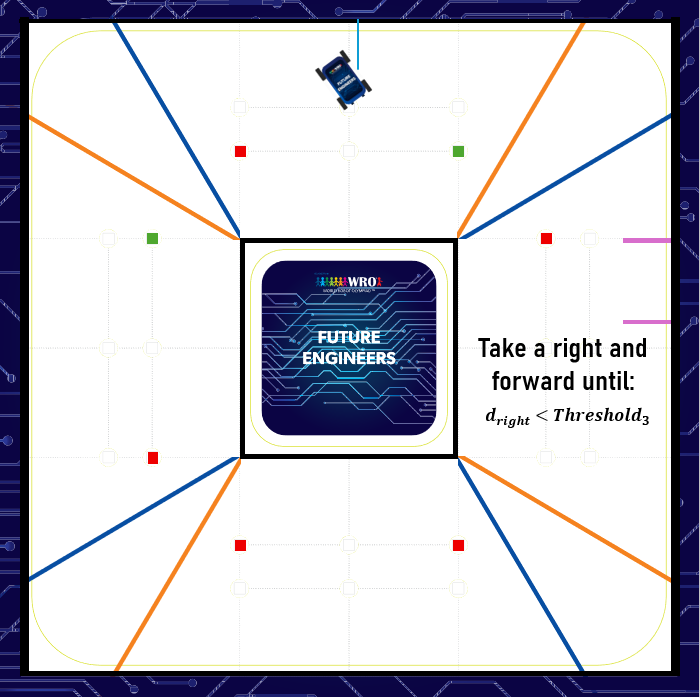 |
| 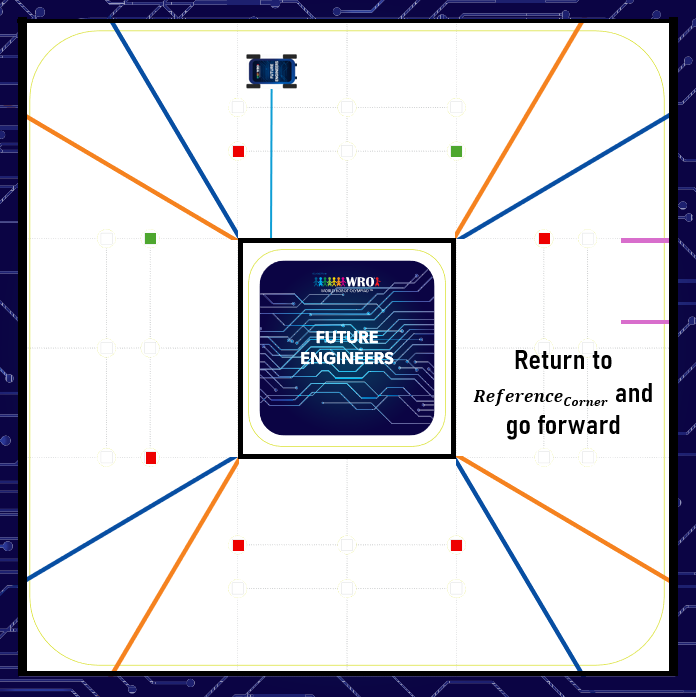 |
| _Step 5_ | _Step 6_ |
|
|
| _Step 5_ | _Step 6_ |
| 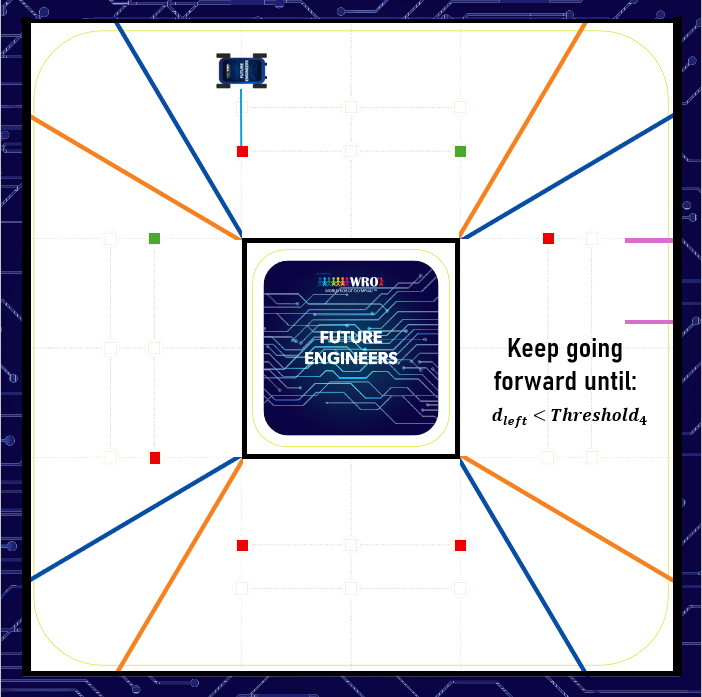 |
|  |
| _Step 7_ | _Step 8_ |
|
|
| _Step 7_ | _Step 8_ |
|  |
|:---:|
| _Green-Red, CCW case_ |
### Parking
The robot walks past the parking lot first, then enters it in reverse
from the rear axle, rather than entering forward from the front as in
previous seasons. We call this the Backward Parking method:
1. **Approach detection.** The robot drives backward along the lane, using
its rear-right sensor to monitor for the parking entrance. When the
entrance gap is detected, it continues a small additional distance to
confirm it has reached the correct spot (avoiding a false trigger at
the wall edge).
2. **Maneuver.** The robot steers right and reverses into the parking lot
entrance. As soon as the back half of the robot clears the first wall,
it steers left to align itself parallel with the walls. This reversing
trajectory is smoother and gives more precise alignment control than
the forward-entry approach used previously.
3. **Sensing.** Parking uses a combination of sensors: ultrasonic sensors
mounted on the sides and rear measure distance from the parking lot
walls and detect the entrance gap; the IMU (now the SparkFun BNO086,
see the Power and Sensor Architecture section) provides orientation and
heading for precise turning.
#### Testing
The reworked backward-entry parking maneuver has been tested 100 times,
succeeding on all 100 attempts.
Together, the state machine above and the parking trial results (100/100
successful attempts) show structured testing and tuning of our
lane-following and obstacle-avoidance strategy; a per-lap intervention
count or PID tuning narrative for the open-challenge wall-following
controller specifically is still missing -- that gap remains to be
filled.
## Systems Thinking and Engineering Decisions
Rather than treating each subsystem in isolation, this section looks at
how they work together (mobility, power, sensors, software, frame), the
reasoning behind our engineering decisions, the constraints and tradeoffs
we navigated, our iteration and testing cycles, and how we identified and
mitigated risk.
### Constraints we designed within
**Vehicle envelope.** WRO caps overall vehicle dimensions at 300x200mm and
300mm in height, and caps weight at 1.5kg.
Our vehicle's 1,475g mass (see Mobility and Mechanical Design) sits
comfortably under that limit.
**Wheelbase and turning radius.** We studied the robot's overall length
and the wheelbase (front-to-rear axle distance) specifically to determine
the turning radius we needed. We empirically tested extending the robot's
length using an added rod, and found 4cm was the safe, best-performing
addition -- long enough to meaningfully help with parking maneuvering,
without pushing length past what the rest of the design could
accommodate.
**Width vs. turning radius tradeoff.** We wanted the robot as narrow as
possible (while staying long enough for the turning-radius requirement
above), but our Ackermann steering mechanism constrained how narrow we
could actually go: the robot's width ended up set by the front axle's
track width, since that's the span the Ackermann geometry needs to
function correctly. This is a direct example of "we chose X instead of Y
because..." reasoning -- we didn't choose the width freely; the steering
mechanism we'd already committed to (see Mobility and Mechanical Design)
determined it.
**Power switching.** Only one switch is allowed to power the vehicle on.
That single-switch constraint is a direct reason we engineered a custom
Power Management System (see Power and Sensor Architecture) rather than
wiring components independently: with only one legal point of entry for
power, a centralized, star-topology distribution design was the only way
to cleanly deliver power to every subsystem from that single switch.
**Processing/startup time.** The Raspberry Pi 5's boot process and Python
library loading originally took approximately 90 seconds combined -- time
that competes directly with the window judges allow the robot to become
ready before starting the competition countdown. To bring this down, we
switched to headless/lightweight versions of our libraries instead of
their full desktop-oriented builds, and disabled Pi system services we
didn't need at boot. This got the robot moving well within that startup
window.
### Iteration and testing
Apart from the specific 2026 changes already documented -- the DFRobot
URM09/SparkFun BNO086 sensor swap, the added servos, the 4cm
wheelbase-extension rod, the reworked backward-entry parking maneuver,
and the Pi startup-time optimization above -- this season is largely an
incremental refinement of last year's platform, not a ground-up redesign.
### Risk identification and mitigation
We identified and addressed two concrete failure modes at the system
level, rather than treating them as isolated sensor concerns:
- **IMU drift.** The MPU/IMU heading reference can drift over time. We
mitigate this using the geometric relationship between each side's two
ultrasonic sensors (front-axle and rear-axle) -- the robot calculates
its actual drift angle from their two distance readings and corrects
the heading reference accordingly (see Power and Sensor Architecture).
- **Ultrasonic accuracy loss off-perpendicular.** Ultrasonic ranging
degrades sharply once the reflecting surface isn't perpendicular to the
sensor. We mitigate this with servo-driven dynamic positioning, keeping
every relevant ultrasonic sensor perpendicular to the wall regardless of
the robot's current attitude (see Power and Sensor Architecture).
In both cases, a single-subsystem fix (better IMU calibration, a single
fixed sensor) wouldn't have been enough -- the real solution came from
the interaction between two subsystems (sensing geometry and control
software).
## Team and Age Groups Definitions
### Our team
RoboPegasus is made up of 3 students, guided by a single coach:
- **Coach:** Baraa Lazkani
- **Students:** Hasan Mfleh, Hadi Moalla, Haidar Saad
At 3 students and 1 coach, our team is comfortably above the minimum size
the rules exclude -- a lone team member paired with a single coach isn't
a valid team and can't participate.
### Category and team membership
This season the team competes only in the Future Engineers category,
in line with the rule limiting a team to one WRO category per season.
Hasan, Hadi, and Haidar each belong to this team exclusively, following
the rule that a student may only be on one team.
### Age eligibility
For 2026, this category's age group spans students aged 14-22, born
between 2004 and 2012.
Eligibility for this window is based on the age a participant turns
during the 2026 calendar year, not their age on competition day.
All three of our students fall within this window: Haidar Saad was born
in 2004 (turning 22 in 2026, the oldest age this category allows), and
Hasan Mfleh and Hadi Moalla were both born in 2005.
Our coach, Baraa Lazkani, was also born in 2004 -- turning 22 in 2026,
comfortably above the minimum coach age of 18 years old required at
international events.
A coach is allowed to work with more than one team.
## Responsibilities and Team's Own Work
Our team competes fairly and treats other teams, coaches, judges, and
organizers with respect. Taking part in WRO means we accept its Guiding
Principles, and every team member plus our coach have already signed the
WRO Ethics Code.
### Ownership of the work
All coding of the vehicle and its construction was done solely by the
team -- our coach's role has been to support us organizationally and with
questions or problems, not to program or build the vehicle themselves,
consistent with the rule that coaching may not include programming the
vehicle or its construction.
Our control program and design are our own work: the state machine,
navigation algorithms, and sensor integration described in the Software
Architecture and Power and Sensor Architecture sections were built by the
team, not copied from or too similar to a solution sold online or used by
another team.
The one exception is our Ackermann steering mechanism, which adapts the
geometry of an existing 4WD chassis kit, customized and re-integrated
into our own compact chassis design (see Mobility and Mechanical
Design).
### Competition-day conduct
During the competition, our team will not communicate in any way with
anyone outside the competition area, except where a judge specifically
permits supervised communication.
Team members will not bring or use mobile phones or any other
communication device in the competition area.
We won't damage or interfere with competition courts, tables, materials,
or other teams' vehicles.
### Consequences of violations
Should any of these rules be broken, judges may interview the team or
individual members about the vehicle or program before deciding what
consequences apply.
Suspected violations specifically related to independent construction
(rule 3.3) or original work (rule 3.7) can trigger an investigation, with
consequences up to preventing the team from progressing to the next
competition even if they would otherwise place well.
## Vehicle Material & Regulations Compliance
This section verifies our vehicle satisfies the rules' physical and
material requirements, referencing back to the measurements and
component choices already documented in Mobility and Mechanical Design
and Power and Sensor Architecture.
### Size and weight
At 29cm x 17.5cm x 29cm and 1,475g (see Mobility and Mechanical Design),
our vehicle sits comfortably within the rules' limits: dimensions capped
at 300x200mm and 300mm in height, weight capped at 1.5 kilograms.
### Drivetrain and wheels
Our vehicle is a 4-wheeled, rear-wheel-drive vehicle with Ackermann
steering at the front axle (see Mobility and Mechanical Design), which
satisfies the requirement that a vehicle be 4-wheeled with one driving
axle and one steering actuator, built as front-wheel, rear-wheel, or
four-wheel drive -- not a differential wheeled base.
Our wheels are plain rubber wheels, not omnidirectional wheels, ball
casters, or spherical wheels.
A single JGA25-370 motor drives the rear axle through a custom
differential mechanism and gearbox (see Mobility and Mechanical Design) --
well within the maximum of two driving motors allowed, connected directly
or through gearing rather than independently to each wheel, and not an
electronic differential with one motor per side.
### Autonomy and communication
The vehicle operates fully autonomously with no radio communication or
remote control while running (see the state machine described in
Software Architecture and Obstacle Strategy).
Consistent with this, no team member interferes with or assists the
vehicle once a round is running -- no manual data entry, visual, audio,
or other signaling to the vehicle during a run.
The Raspberry Pi 5's built-in WiFi and Bluetooth hardware is disabled
during competition runs, satisfying the requirement that any built-in
wireless capability be turned off and confirmable by judges.
Every connection between our electromechanical components -- sensors,
motors, and the two processors -- is a wired connection; no wireless
links exist anywhere in the sensor or communication chain, satisfying the
requirement that only wire connections be used for inter-component
communication.
### Controllers and materials
Our controllers -- a Raspberry Pi 5 (SBC) and an Arduino Mega 2560 (SBM)
(see Power and Sensor Architecture) -- satisfy the rule allowing either
controller type with no brand restriction.
Our chassis uses a plexiglass and PLA 3D-printed hybrid construction (see
Mobility and Mechanical Design), which the rules permit -- any material or
building system is allowed, with no restriction to a specific type.
|
|:---:|
| _Green-Red, CCW case_ |
### Parking
The robot walks past the parking lot first, then enters it in reverse
from the rear axle, rather than entering forward from the front as in
previous seasons. We call this the Backward Parking method:
1. **Approach detection.** The robot drives backward along the lane, using
its rear-right sensor to monitor for the parking entrance. When the
entrance gap is detected, it continues a small additional distance to
confirm it has reached the correct spot (avoiding a false trigger at
the wall edge).
2. **Maneuver.** The robot steers right and reverses into the parking lot
entrance. As soon as the back half of the robot clears the first wall,
it steers left to align itself parallel with the walls. This reversing
trajectory is smoother and gives more precise alignment control than
the forward-entry approach used previously.
3. **Sensing.** Parking uses a combination of sensors: ultrasonic sensors
mounted on the sides and rear measure distance from the parking lot
walls and detect the entrance gap; the IMU (now the SparkFun BNO086,
see the Power and Sensor Architecture section) provides orientation and
heading for precise turning.
#### Testing
The reworked backward-entry parking maneuver has been tested 100 times,
succeeding on all 100 attempts.
Together, the state machine above and the parking trial results (100/100
successful attempts) show structured testing and tuning of our
lane-following and obstacle-avoidance strategy; a per-lap intervention
count or PID tuning narrative for the open-challenge wall-following
controller specifically is still missing -- that gap remains to be
filled.
## Systems Thinking and Engineering Decisions
Rather than treating each subsystem in isolation, this section looks at
how they work together (mobility, power, sensors, software, frame), the
reasoning behind our engineering decisions, the constraints and tradeoffs
we navigated, our iteration and testing cycles, and how we identified and
mitigated risk.
### Constraints we designed within
**Vehicle envelope.** WRO caps overall vehicle dimensions at 300x200mm and
300mm in height, and caps weight at 1.5kg.
Our vehicle's 1,475g mass (see Mobility and Mechanical Design) sits
comfortably under that limit.
**Wheelbase and turning radius.** We studied the robot's overall length
and the wheelbase (front-to-rear axle distance) specifically to determine
the turning radius we needed. We empirically tested extending the robot's
length using an added rod, and found 4cm was the safe, best-performing
addition -- long enough to meaningfully help with parking maneuvering,
without pushing length past what the rest of the design could
accommodate.
**Width vs. turning radius tradeoff.** We wanted the robot as narrow as
possible (while staying long enough for the turning-radius requirement
above), but our Ackermann steering mechanism constrained how narrow we
could actually go: the robot's width ended up set by the front axle's
track width, since that's the span the Ackermann geometry needs to
function correctly. This is a direct example of "we chose X instead of Y
because..." reasoning -- we didn't choose the width freely; the steering
mechanism we'd already committed to (see Mobility and Mechanical Design)
determined it.
**Power switching.** Only one switch is allowed to power the vehicle on.
That single-switch constraint is a direct reason we engineered a custom
Power Management System (see Power and Sensor Architecture) rather than
wiring components independently: with only one legal point of entry for
power, a centralized, star-topology distribution design was the only way
to cleanly deliver power to every subsystem from that single switch.
**Processing/startup time.** The Raspberry Pi 5's boot process and Python
library loading originally took approximately 90 seconds combined -- time
that competes directly with the window judges allow the robot to become
ready before starting the competition countdown. To bring this down, we
switched to headless/lightweight versions of our libraries instead of
their full desktop-oriented builds, and disabled Pi system services we
didn't need at boot. This got the robot moving well within that startup
window.
### Iteration and testing
Apart from the specific 2026 changes already documented -- the DFRobot
URM09/SparkFun BNO086 sensor swap, the added servos, the 4cm
wheelbase-extension rod, the reworked backward-entry parking maneuver,
and the Pi startup-time optimization above -- this season is largely an
incremental refinement of last year's platform, not a ground-up redesign.
### Risk identification and mitigation
We identified and addressed two concrete failure modes at the system
level, rather than treating them as isolated sensor concerns:
- **IMU drift.** The MPU/IMU heading reference can drift over time. We
mitigate this using the geometric relationship between each side's two
ultrasonic sensors (front-axle and rear-axle) -- the robot calculates
its actual drift angle from their two distance readings and corrects
the heading reference accordingly (see Power and Sensor Architecture).
- **Ultrasonic accuracy loss off-perpendicular.** Ultrasonic ranging
degrades sharply once the reflecting surface isn't perpendicular to the
sensor. We mitigate this with servo-driven dynamic positioning, keeping
every relevant ultrasonic sensor perpendicular to the wall regardless of
the robot's current attitude (see Power and Sensor Architecture).
In both cases, a single-subsystem fix (better IMU calibration, a single
fixed sensor) wouldn't have been enough -- the real solution came from
the interaction between two subsystems (sensing geometry and control
software).
## Team and Age Groups Definitions
### Our team
RoboPegasus is made up of 3 students, guided by a single coach:
- **Coach:** Baraa Lazkani
- **Students:** Hasan Mfleh, Hadi Moalla, Haidar Saad
At 3 students and 1 coach, our team is comfortably above the minimum size
the rules exclude -- a lone team member paired with a single coach isn't
a valid team and can't participate.
### Category and team membership
This season the team competes only in the Future Engineers category,
in line with the rule limiting a team to one WRO category per season.
Hasan, Hadi, and Haidar each belong to this team exclusively, following
the rule that a student may only be on one team.
### Age eligibility
For 2026, this category's age group spans students aged 14-22, born
between 2004 and 2012.
Eligibility for this window is based on the age a participant turns
during the 2026 calendar year, not their age on competition day.
All three of our students fall within this window: Haidar Saad was born
in 2004 (turning 22 in 2026, the oldest age this category allows), and
Hasan Mfleh and Hadi Moalla were both born in 2005.
Our coach, Baraa Lazkani, was also born in 2004 -- turning 22 in 2026,
comfortably above the minimum coach age of 18 years old required at
international events.
A coach is allowed to work with more than one team.
## Responsibilities and Team's Own Work
Our team competes fairly and treats other teams, coaches, judges, and
organizers with respect. Taking part in WRO means we accept its Guiding
Principles, and every team member plus our coach have already signed the
WRO Ethics Code.
### Ownership of the work
All coding of the vehicle and its construction was done solely by the
team -- our coach's role has been to support us organizationally and with
questions or problems, not to program or build the vehicle themselves,
consistent with the rule that coaching may not include programming the
vehicle or its construction.
Our control program and design are our own work: the state machine,
navigation algorithms, and sensor integration described in the Software
Architecture and Power and Sensor Architecture sections were built by the
team, not copied from or too similar to a solution sold online or used by
another team.
The one exception is our Ackermann steering mechanism, which adapts the
geometry of an existing 4WD chassis kit, customized and re-integrated
into our own compact chassis design (see Mobility and Mechanical
Design).
### Competition-day conduct
During the competition, our team will not communicate in any way with
anyone outside the competition area, except where a judge specifically
permits supervised communication.
Team members will not bring or use mobile phones or any other
communication device in the competition area.
We won't damage or interfere with competition courts, tables, materials,
or other teams' vehicles.
### Consequences of violations
Should any of these rules be broken, judges may interview the team or
individual members about the vehicle or program before deciding what
consequences apply.
Suspected violations specifically related to independent construction
(rule 3.3) or original work (rule 3.7) can trigger an investigation, with
consequences up to preventing the team from progressing to the next
competition even if they would otherwise place well.
## Vehicle Material & Regulations Compliance
This section verifies our vehicle satisfies the rules' physical and
material requirements, referencing back to the measurements and
component choices already documented in Mobility and Mechanical Design
and Power and Sensor Architecture.
### Size and weight
At 29cm x 17.5cm x 29cm and 1,475g (see Mobility and Mechanical Design),
our vehicle sits comfortably within the rules' limits: dimensions capped
at 300x200mm and 300mm in height, weight capped at 1.5 kilograms.
### Drivetrain and wheels
Our vehicle is a 4-wheeled, rear-wheel-drive vehicle with Ackermann
steering at the front axle (see Mobility and Mechanical Design), which
satisfies the requirement that a vehicle be 4-wheeled with one driving
axle and one steering actuator, built as front-wheel, rear-wheel, or
four-wheel drive -- not a differential wheeled base.
Our wheels are plain rubber wheels, not omnidirectional wheels, ball
casters, or spherical wheels.
A single JGA25-370 motor drives the rear axle through a custom
differential mechanism and gearbox (see Mobility and Mechanical Design) --
well within the maximum of two driving motors allowed, connected directly
or through gearing rather than independently to each wheel, and not an
electronic differential with one motor per side.
### Autonomy and communication
The vehicle operates fully autonomously with no radio communication or
remote control while running (see the state machine described in
Software Architecture and Obstacle Strategy).
Consistent with this, no team member interferes with or assists the
vehicle once a round is running -- no manual data entry, visual, audio,
or other signaling to the vehicle during a run.
The Raspberry Pi 5's built-in WiFi and Bluetooth hardware is disabled
during competition runs, satisfying the requirement that any built-in
wireless capability be turned off and confirmable by judges.
Every connection between our electromechanical components -- sensors,
motors, and the two processors -- is a wired connection; no wireless
links exist anywhere in the sensor or communication chain, satisfying the
requirement that only wire connections be used for inter-component
communication.
### Controllers and materials
Our controllers -- a Raspberry Pi 5 (SBC) and an Arduino Mega 2560 (SBM)
(see Power and Sensor Architecture) -- satisfy the rule allowing either
controller type with no brand restriction.
Our chassis uses a plexiglass and PLA 3D-printed hybrid construction (see
Mobility and Mechanical Design), which the rules permit -- any material or
building system is allowed, with no restriction to a specific type.