# ActiveAnalytics
 Simple traffic analytics for the win of privacy.
* NO cookies
* NO JavaScript
* NO third parties
* NO bullshit
**ActiveAnalytics** is a Rails engine directly mountable in your Ruby on Rails application. It doesn't reveal anything about specific visitors. It cannot be blocked by adblockers or other privacy-protecting extensions (and doesn't need to).
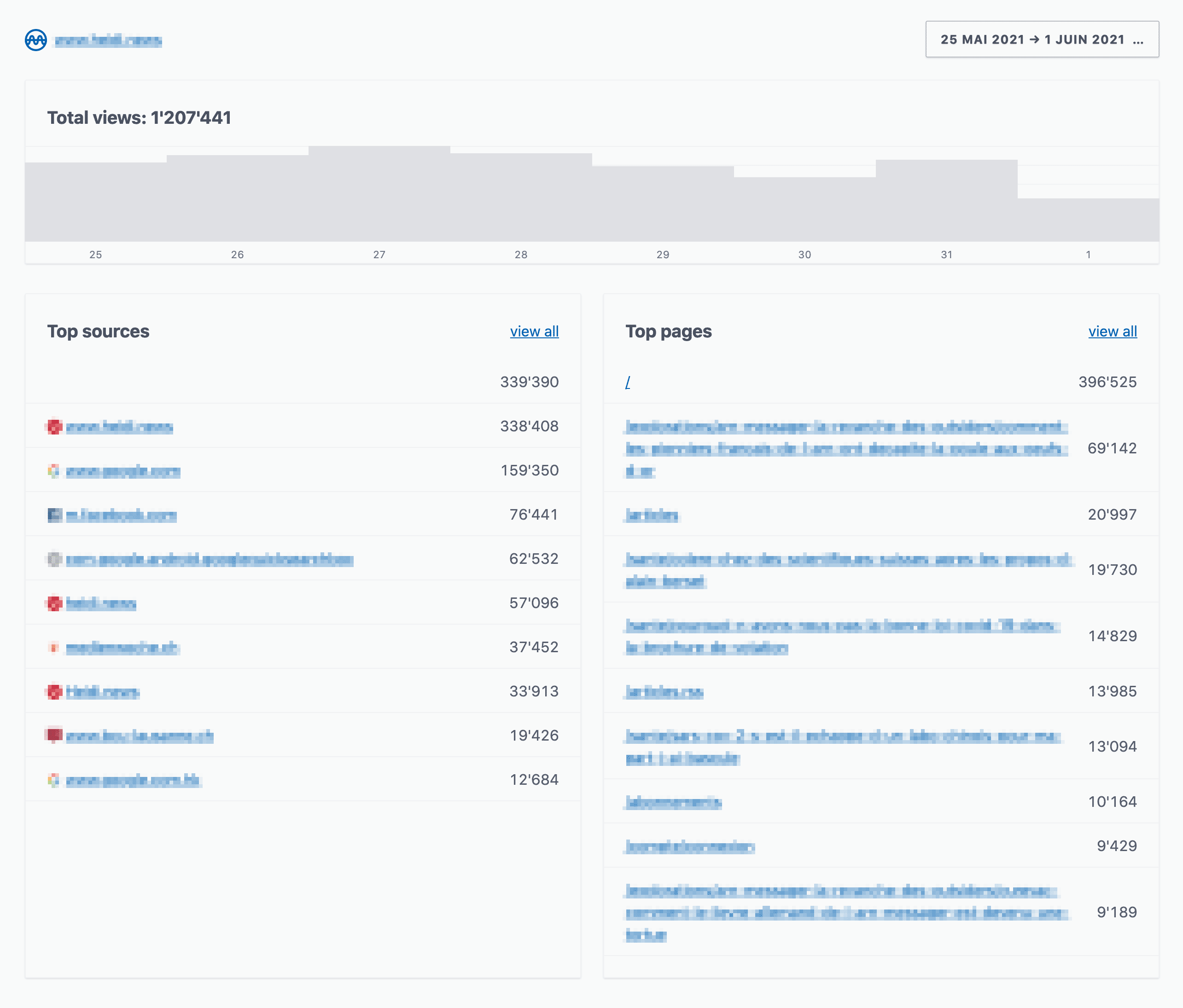
**ActiveAnalytics** lets you know about:
* **Sources**: What are the pages and domains that bring some traffic.
* **Page views**: What are the pages that are the most viewed in your application.
* **Next/previous page**: What are the entry and exit pages for a given page of your application.
* **Browser statistics**: What browsers and which versions are visiting your site.
Simple traffic analytics for the win of privacy.
* NO cookies
* NO JavaScript
* NO third parties
* NO bullshit
**ActiveAnalytics** is a Rails engine directly mountable in your Ruby on Rails application. It doesn't reveal anything about specific visitors. It cannot be blocked by adblockers or other privacy-protecting extensions (and doesn't need to).
**ActiveAnalytics** lets you know about:
* **Sources**: What are the pages and domains that bring some traffic.
* **Page views**: What are the pages that are the most viewed in your application.
* **Next/previous page**: What are the entry and exit pages for a given page of your application.
* **Browser statistics**: What browsers and which versions are visiting your site.
 ## Installation
Add this line to your application's Gemfile:
```ruby
gem 'active_analytics'
```
Then execute bundle and run the migration:
```bash
bundle
rails active_analytics:install:migrations
rails db:migrate
```
Add the route to ActiveAnalytics dashboard at the desired endpoint:
```ruby
# config/routes.rb
mount ActiveAnalytics::Engine, at: "analytics" # http://localhost:3000/analytics
```
By default ActiveAnalytics will extend `ActionController::Base`, but you can specify a custom base controller for the ActiveAnalytics dashboard:
```ruby
# config/initializers/active_analytics.rb
Rails.application.configure do
ActiveAnalytics.base_controller_class = "AdminController"
end
```
The next step is to collect trafic and there is 2 options.
### Record requests synchronously
This is the easiest way to start with.
However it's less performant since it triggers a write into your database for each request.
Your controllers have to call `ActiveAnalytics.record_request(request)` to record page views.
The Rails way to achieve is to use `after_action` :
```ruby
class ApplicationController < ActionController::Base
after_action :record_page_view
def record_page_view
# This is a basic example, you might need to customize some conditions.
# For most sites, it makes no sense to record anything other than HTML.
if response.content_type && response.content_type.start_with?("text/html")
# Add a condition to record only your canonical domain
# and use a gem such as crawler_detect to skip bots.
ActiveAnalytics.record_request(request)
end
end
end
```
In case you don't want to record all page views, because each application has sensitive URLs such as password reset and so on, simply define a `skip_after_action :record_page_view` in the relevant controller.
### Queue requests asynchronously
It requires more work and it's relevant if your application handle a large trafic.
The idea is to queue data into Redis because it does not require the database writing to the disk on each request.
First you have to set the Redis URL or connection.
```ruby
# File lib/patches/active_analytics.rb or config/initializers/active_analytics.rb
ActiveAnalytics.redis_url = "redis://user:password@host/1" # Default ENV["ACTIVE_ANALYTICS_REDIS_URL"] || ENV["REDIS_URL"] || "redis://localhost"
# If you use special connection options you have to instantiate it yourself
ActiveAnalytics.redis = Redis.new(
url: ENV["REDIS_URL"],
reconnect_attempts: 10,
ssl_params: {verify_mode: OpenSSL::SSL::VERIFY_NONE}
)
```
Then your controllers have to call `ActiveAnalytics.queue_request(request)` to queue page views.
The Rails way to achieve is to use `after_action` :
```ruby
class ApplicationController < ActionController::Base
after_action :queue_page_view
def queue_page_view
# This is a basic example, you might need to customize some conditions.
# For most sites, it makes no sense to record anything other than HTML.
if response.content_type && response.content_type.start_with?("text/html")
# Add a condition to record only your canonical domain
# and use a gem such as crawler_detect to skip bots.
ActiveAnalytics.queue_request(request)
end
end
end
```
Queued data need to be saved into the database in order to be viewable in the ActiveAnalytics dashboard.
For that, call `ActiveAnalytics.flush_queue` from a cron task or a background job.
It's up to you if you want to flush the queue every hour or every 10 minutes.
I advise to execute the last flush of the day at 23:59.
It prevents from shifting the trafic to the next day.
In that case only the last minute will be shifted to the next day, even if the flush ends after midnight.
This small imperfection allows a simpler implementation for now.
Keep it simple !
## Authentication and permissions
ActiveAnalytics cannot guess how you handle user authentication, because it is different for all Rails applications.
So you have to monkey patch `ActiveAnalytics::ApplicationController` in order to inject your own mechanism.
The patch can be saved wherever you want.
For example, I like to have all the patches in one place, so I put them in `lib/patches`.
```ruby
# lib/patches/active_analytics.rb
ActiveAnalytics::ApplicationController.class_eval do
before_action :require_admin
def require_admin
# This example supposes there are current_user and User#admin? methods
raise ActionController::RoutingError.new("Not found") unless current_user.try(:admin?)
end
end
end
```
Then you have to require the monkey patch.
Because it's loaded via require, it won't be reloaded in development.
Since you are not supposed to change this file often, it should not be an issue.
```ruby
# config/application.rb
config.after_initialize do
require "patches/active_analytics"
end
```
If you use Devise, you can check the permission directly from routes.rb :
```ruby
# config/routes.rb
authenticate :user, -> (u) { u.admin? } do # Supposing there is a User#admin? method
mount ActiveAnalytics::Engine, at: "analytics" # http://localhost:3000/analytics
end
```
## License
The gem is available as open-source under the terms of the [MIT License](https://opensource.org/licenses/MIT).
Made by [Base Secrète](https://basesecrete.com).
Rails developer? Check out [RoRvsWild](https://rorvswild.com), our Ruby on Rails application monitoring tool.
## Installation
Add this line to your application's Gemfile:
```ruby
gem 'active_analytics'
```
Then execute bundle and run the migration:
```bash
bundle
rails active_analytics:install:migrations
rails db:migrate
```
Add the route to ActiveAnalytics dashboard at the desired endpoint:
```ruby
# config/routes.rb
mount ActiveAnalytics::Engine, at: "analytics" # http://localhost:3000/analytics
```
By default ActiveAnalytics will extend `ActionController::Base`, but you can specify a custom base controller for the ActiveAnalytics dashboard:
```ruby
# config/initializers/active_analytics.rb
Rails.application.configure do
ActiveAnalytics.base_controller_class = "AdminController"
end
```
The next step is to collect trafic and there is 2 options.
### Record requests synchronously
This is the easiest way to start with.
However it's less performant since it triggers a write into your database for each request.
Your controllers have to call `ActiveAnalytics.record_request(request)` to record page views.
The Rails way to achieve is to use `after_action` :
```ruby
class ApplicationController < ActionController::Base
after_action :record_page_view
def record_page_view
# This is a basic example, you might need to customize some conditions.
# For most sites, it makes no sense to record anything other than HTML.
if response.content_type && response.content_type.start_with?("text/html")
# Add a condition to record only your canonical domain
# and use a gem such as crawler_detect to skip bots.
ActiveAnalytics.record_request(request)
end
end
end
```
In case you don't want to record all page views, because each application has sensitive URLs such as password reset and so on, simply define a `skip_after_action :record_page_view` in the relevant controller.
### Queue requests asynchronously
It requires more work and it's relevant if your application handle a large trafic.
The idea is to queue data into Redis because it does not require the database writing to the disk on each request.
First you have to set the Redis URL or connection.
```ruby
# File lib/patches/active_analytics.rb or config/initializers/active_analytics.rb
ActiveAnalytics.redis_url = "redis://user:password@host/1" # Default ENV["ACTIVE_ANALYTICS_REDIS_URL"] || ENV["REDIS_URL"] || "redis://localhost"
# If you use special connection options you have to instantiate it yourself
ActiveAnalytics.redis = Redis.new(
url: ENV["REDIS_URL"],
reconnect_attempts: 10,
ssl_params: {verify_mode: OpenSSL::SSL::VERIFY_NONE}
)
```
Then your controllers have to call `ActiveAnalytics.queue_request(request)` to queue page views.
The Rails way to achieve is to use `after_action` :
```ruby
class ApplicationController < ActionController::Base
after_action :queue_page_view
def queue_page_view
# This is a basic example, you might need to customize some conditions.
# For most sites, it makes no sense to record anything other than HTML.
if response.content_type && response.content_type.start_with?("text/html")
# Add a condition to record only your canonical domain
# and use a gem such as crawler_detect to skip bots.
ActiveAnalytics.queue_request(request)
end
end
end
```
Queued data need to be saved into the database in order to be viewable in the ActiveAnalytics dashboard.
For that, call `ActiveAnalytics.flush_queue` from a cron task or a background job.
It's up to you if you want to flush the queue every hour or every 10 minutes.
I advise to execute the last flush of the day at 23:59.
It prevents from shifting the trafic to the next day.
In that case only the last minute will be shifted to the next day, even if the flush ends after midnight.
This small imperfection allows a simpler implementation for now.
Keep it simple !
## Authentication and permissions
ActiveAnalytics cannot guess how you handle user authentication, because it is different for all Rails applications.
So you have to monkey patch `ActiveAnalytics::ApplicationController` in order to inject your own mechanism.
The patch can be saved wherever you want.
For example, I like to have all the patches in one place, so I put them in `lib/patches`.
```ruby
# lib/patches/active_analytics.rb
ActiveAnalytics::ApplicationController.class_eval do
before_action :require_admin
def require_admin
# This example supposes there are current_user and User#admin? methods
raise ActionController::RoutingError.new("Not found") unless current_user.try(:admin?)
end
end
end
```
Then you have to require the monkey patch.
Because it's loaded via require, it won't be reloaded in development.
Since you are not supposed to change this file often, it should not be an issue.
```ruby
# config/application.rb
config.after_initialize do
require "patches/active_analytics"
end
```
If you use Devise, you can check the permission directly from routes.rb :
```ruby
# config/routes.rb
authenticate :user, -> (u) { u.admin? } do # Supposing there is a User#admin? method
mount ActiveAnalytics::Engine, at: "analytics" # http://localhost:3000/analytics
end
```
## License
The gem is available as open-source under the terms of the [MIT License](https://opensource.org/licenses/MIT).
Made by [Base Secrète](https://basesecrete.com).
Rails developer? Check out [RoRvsWild](https://rorvswild.com), our Ruby on Rails application monitoring tool.