 # omg.dev
**Build your ideas on the go.**
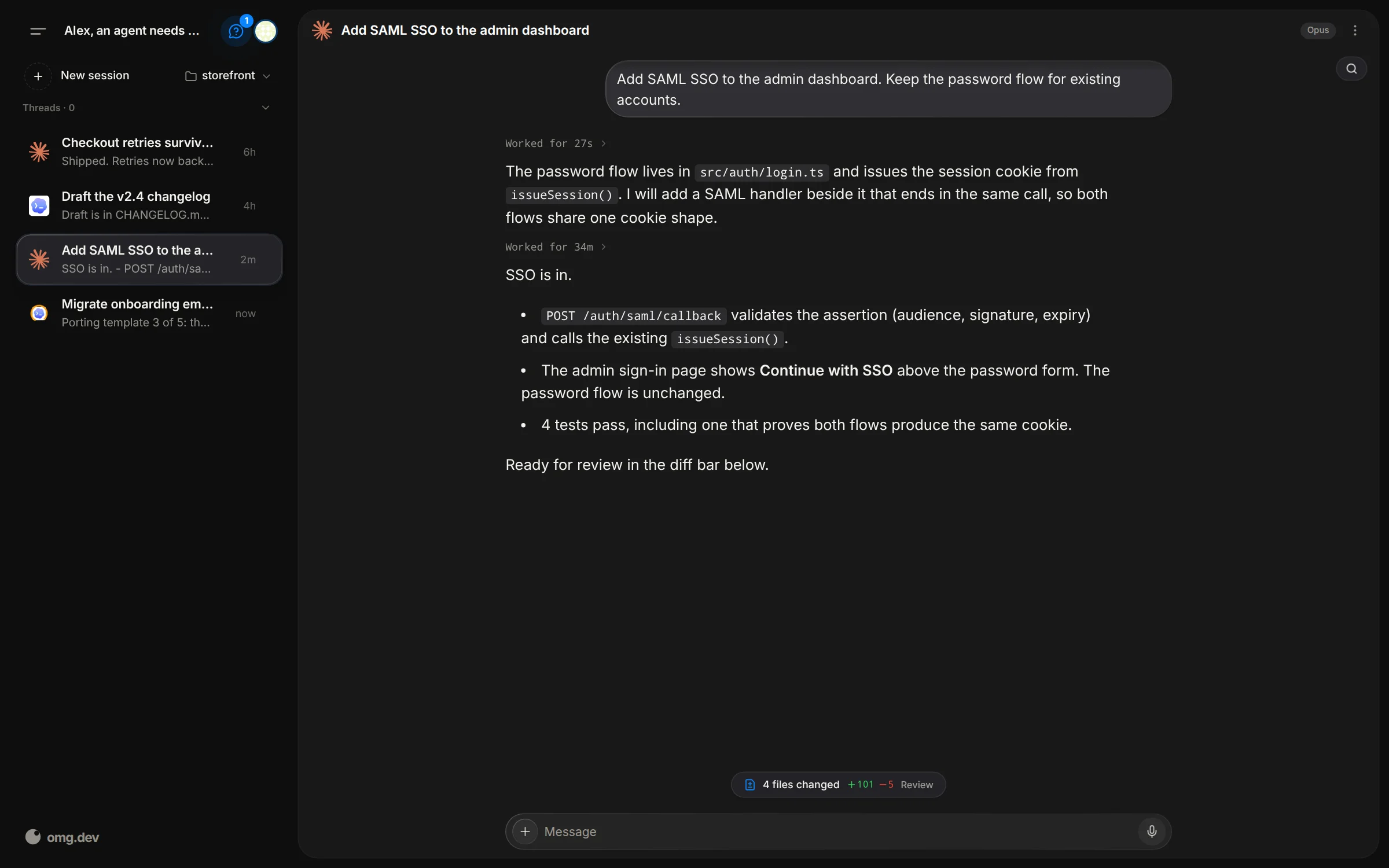
Give your agents a task from your phone. Get a notification when the result is
ready. Your laptop can stay closed.
Open-source harness for Claude Code, Codex, and other coding agents. Run it on
your own computer or your own server. Free and MIT licensed.
Built by the team behind [omg.dev](https://omg.dev).
[](./LICENSE)
[](https://github.com/BennyKok/omg.dev/releases)
[](https://omg.dev/discord)
Use the agent subscription you already pay for, such as Claude or ChatGPT.
## Install on your computer
Debian, Ubuntu, or macOS. No account needed. On Linux, a normal user with
`sudo`. Do not run as `root`.
1. Install [Bun](https://bun.sh) if you do not have it:
```bash
curl -fsSL https://bun.sh/install | bash
```
Open a new terminal after this step.
2. Install omg.dev and start it as a background service:
```bash
bun install --global @omg-dev/cli && omg computer setup
```
3. Open [http://localhost:8766](http://localhost:8766).
Setup needs `git` and `curl`. On Linux it installs them when they are missing.
On macOS, install them yourself or run setup with `OMG_INSTALL_SYSTEM_DEPS=1`
to use Homebrew. `tmux` and `jq` are not required.
Open **Settings → Coding agents**. Supports Claude Code, Codex, Grok, Cursor,
omg agent, OpenCode, fx, Muse, DeepSeek, Devin, Jcode, Copilot, and Pi. Sign in
with the agent provider.
## What you get
- Several coding-agent sessions in parallel.
- Transcripts and follow-ups in the web UI.
- For Claude and Codex, the agent's plan beside the chat: its to-do steps,
its sub-agents, and the child sessions it started.
- Chat, Bots, Schedules, Inbox, and Artifacts in one place.
- A shared Computer: a desktop with a real browser that you and your agents
both use. On Linux and macOS.
- Linked devices: an agent can ask another computer to run an action, and you
approve it on that computer. Type `@` and the device name in a chat.
- Event hooks: watch a script or a GitHub repository, and start an agent or
send a notification when something new appears.
- Managed sessions keep running when the UI disconnects.
- Your existing agent subscriptions or API keys.
## Remote access and security
The local server binds to `127.0.0.1` and has no built-in authentication. Do
not expose it to the public internet.
Phone access through Tailscale:
```bash
OMG_TAILSCALE_SERVE=1 omg computer setup
```
Sign in to Tailscale if setup asks. See [remote access](./docs/remote-access.md)
and [SECURITY.md](./SECURITY.md) before you share access.
## Manage a local install
```bash
omg computer start # start the background service
omg computer status # check the install
omg computer update # install the latest release
omg computer update --restart # restart the service, no download
omg doctor # create a sanitized diagnostic report
omg computer uninstall # remove omg.dev and keep sessions and config
```
## Develop from source
```bash
git clone https://github.com/BennyKok/omg.dev.git
cd omg.dev
bun install
cp .env.example .env
bun run serve
```
API is at [http://localhost:8766](http://localhost:8766). For the UI, run
`cd web && bun run dev` in another terminal. `bun run serve` alone needs a
built `web/dist`.
Desktop shell: [desktop development](./desktop/README.md).
Read [CONTRIBUTING.md](./CONTRIBUTING.md) before a pull request. Help:
[Discord](https://omg.dev/discord).
## License
[MIT](./LICENSE)