简体中文 · English

Hopet
A macOS desktop AI pet that shows what your
Claude Code and
Codex CLI agents are doing:
thinking, running tools, waiting for confirmation, asking for permission,
or wrapping up, all through animations and speech bubbles so you can keep
track without switching back to the terminal.






---
## About
Hopet is a desktop AI coding companion for macOS that turns the live
session state of Claude Code / Codex CLI into something you can actually
see: thinking, calling tools, awaiting confirmation, requesting
permission, completing, or failing — every transition is expressed
through pet animations, inline bubbles, and the menu-bar indicator.
It is not another chat window, but a lightweight companion layer that
lets you stay in your editor and still know, at a glance, what the agent
is doing, whether it needs you to step in, and whether the session is
making progress — without switching back to the terminal.
Hopet lifts the agent lifecycle out of the command line and makes it
clearer, and a little friendlier — adding a touch of order, and warmth,
to the long hours you spend pairing with an AI.
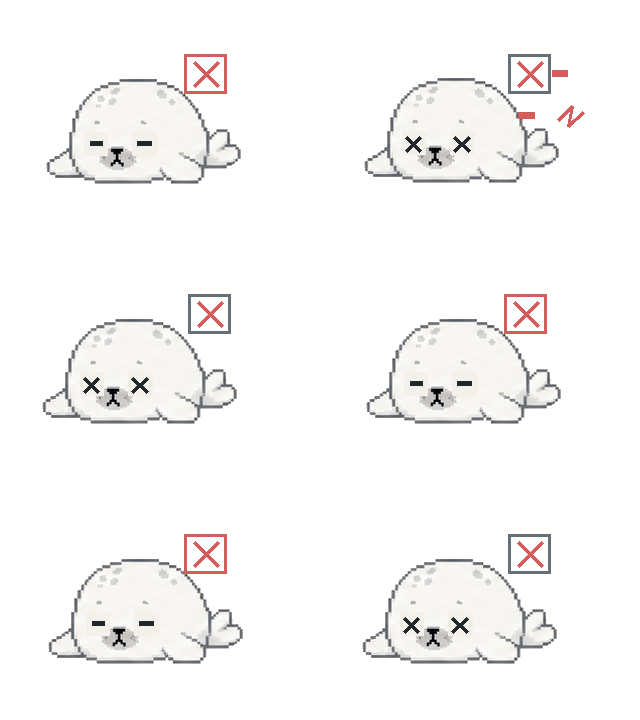
The release ships with the built-in **Hopi** theme: a hand-drawn pixel
seal with one animation per state. Prefer a different pet? Import one with
a name and eight GIFs, or import a Codex pet folder or ZIP archive directly.
## Supported AI tools
Hopet works through the lifecycle hooks of the agent CLIs, so the
following four entry points are covered:
- **Claude Code** — the `claude` CLI in any terminal
- **Claude Code for VS Code** — the official VS Code extension
- **Codex CLI** — the `codex` CLI in any terminal
- **Codex VS Code Extension** — the official VS Code extension
Because everything runs through the same `~/.claude/settings.json` and
`~/.codex/hooks.json` hooks, the host on top doesn't matter: Apple
Terminal, iTerm2, Ghostty, Warp, the embedded terminal of VS Code or
Cursor — they all behave the same.
Not supported: the browser version of Claude at claude.ai, and any
agent that isn't Claude Code or Codex (GitHub Copilot Chat, Gemini CLI,
Aider, etc.).
## Features
### Session awareness
- **Eight-state machine** covering every meaningful agent transition:
`idle`, `responding`, `thinking`, `tool-use`, `permission-prompt`,
`ask-user`, `completed`, and `error-interrupted`
- **Multi-session aggregation** — every active session feeds into a single
pet, and the pet always reflects the highest-priority state across all
of them (AskUser > Permission > Error > Tool > Thinking > Responding >
Completed > Idle)
- **Leader highlight** — the session driving the current pet state is
visually distinguished, so the answer to "which one is asking?" is
always one glance away
### Hook integration
- **One-click install / uninstall** for both Claude Code and Codex CLI hook
settings, performed via safe JSON merge so your existing hooks are kept
intact
- **Unix Domain Socket IPC** with length-prefixed JSON framing for every
event delivered from the CLI helper into the app
- **`hopet-emit` CLI helper** with full flag support (`--require`,
`--exclude`, dotted field paths) — installed at `~/.hopet/bin/` and
invoked by the registered hooks
- **Synchronous reply path** for `PermissionRequest` and
`AskUserQuestion` — answers travel back through the same suspended hook
socket, so Allow/Deny decisions and structured AskUser answers work
uniformly across iTerm, Apple Terminal, VS Code, Cursor, Ghostty, and
Warp embedded shells
### Desktop pet
- **Floating `NSPanel`** that lives above your windows without stealing
focus, joins every Space, and stays out of `⌘Tab` cycling
- **Sprite animations** driven by the active theme — eight bundled
animations for the Hopi theme, swapped via a short cross-dissolve on
state changes
- **Drag-to-move** with persisted position
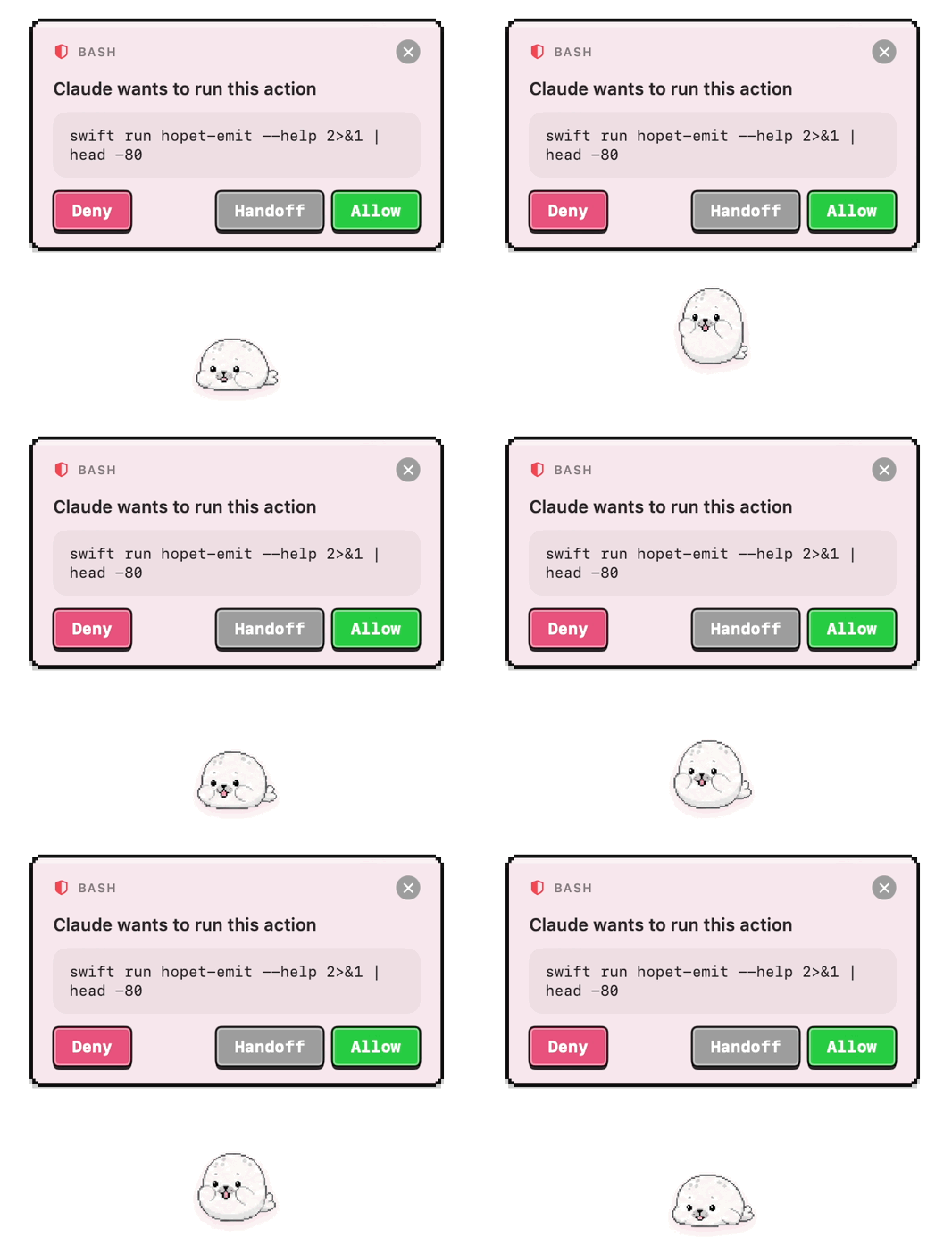
- **Inline interaction bubbles** — permission prompts expand into an
Allow / Deny / Defer-to-terminal card; AskUserQuestion expands into a
per-question answer card with options plus a free-text fallback
### Dynamic Notch / top status bar
- **Dynamic Notch, enabled by default on notched MacBooks** — a compact
status capsule follows the highest-priority session and reports states
such as `Idle`, `Responding…`, `Thinking…`, `Running tool…`,
`Permission needed`, and `Waiting for your answer`
- **Expandable interaction** — click the capsule, or let a permission
request, AskUserQuestion, or completion summary expand it into cards
- **Resolve requests in place** — permission requests, AskUserQuestion,
and plan approvals can be handled from the notch; responses travel back
through the hook socket to the agent
- **Fallback for Macs without a notch** — optionally show the same status
bar at the top center of the display; it is off by default to avoid
covering the menu bar
- **Controls** — toggle **Show notch bar** in **Overview → Display** or
**Behavior → Notch**. On a non-notched display, also enable **Show top
bar on non-notch displays**.
### Theme system
- **Built-in Hopi theme** — eight pixel-art seal animations bundled in the
app
- **GIF theme import** — give the theme a name and provide eight GIFs (one
per `PetState`); file format and animation frames are validated on import
- **Direct Codex pet import** — select a Codex pet folder / ZIP archive
containing `pet.json` and `spritesheet.png` or `spritesheet.webp`. Both
v1 (8×9) and current v2 (8×11) sheets are supported; format, dimensions,
and animation frames are validated and mapped to Hopet states
- **Safe installation** — both import paths copy the result to
`~/.hopet/themes//` with a `manifest.json`. Failed imports roll back
completely, so no half-installed theme remains.
- **Apply / delete from the preferences panel**; user themes coexist with
the built-in Hopi theme and survive app upgrades
### Preference panel
A standard macOS preferences window with eight tabs:
| Tab | Purpose |
| --- | --- |
| Overview | Pet status snapshot and active session list |
| Themes | Built-in + user themes, import / apply / delete |
| Appearance | Pet rendering options |
| Bindings | Global theme binding |
| Hooks | Claude Code / Codex hook install state and doctor |
| Behavior | Drag snapping, notch / fallback top-bar, terminal, and diagnostic preferences |
| Notifications | Per-category banner toggles |
| About | Version, build, and credits |
**Show notch bar** is the same shared setting in the **Display** card of
**Overview** and the **Notch** card of **Behavior**, and takes effect
immediately. On Macs without a physical notch, enable **Show top bar on
non-notch displays** as well to show the fallback bar.
## Showcase
The Hopi theme covers all eight `PetState` values. Each GIF below is the
exact animation shipped with the app, in priority order.
 |
 |
 |
 |
| Ask User |
Permission Prompt |
Error / Interrupted |
Tool Use |
 |
 |
 |
 |
| Thinking |
Responding |
Completed |
Idle |
## Install
Requirements: macOS 14+ on Apple Silicon. The v0.1.2 DMG does not ship
an Intel binary; build from source on an Intel Mac.
1. Download `Hopet-0.1.2.dmg` from the
[Releases page](https://github.com/BinaryFroggy/Hopet/releases/latest).
2. Open the DMG and drag **Hopet** into **Applications**.
3. The release is **ad-hoc signed** (no Apple Developer ID). On first
launch macOS will block it with _"Hopet" can't be opened because Apple
cannot check it for malicious software._ To bypass:
- **Right-click** Hopet.app in Applications → **Open** → **Open** in
the confirmation dialog, **or**
- run once from Terminal: `xattr -dr com.apple.quarantine /Applications/Hopet.app`
On first launch the app automatically installs hooks for every
recognized AI tool (Claude Code, Codex CLI) and copies the
`hopet-emit` helper to `~/.hopet/bin/`. The merge is non-destructive
— existing hooks in `~/.claude/settings.json` and `~/.codex/hooks.json`
are preserved. Subsequent launches skip the step if the hooks are
already in place.
The **Hooks** tab in Preferences shows install status, runs the
diagnostic Doctor, and offers per-tool listener toggles for soft-muting
events without touching the hook files.
Want a custom pet? Open the **Themes** tab and click _Import Theme…_. Give
it a name and supply eight matching animation GIFs, or select a Codex pet
folder or ZIP archive containing `pet.json` plus `spritesheet.png` or
`spritesheet.webp`. The imported theme lands in `~/.hopet/themes//`
and is selectable alongside Hopi.
## Build from source
Requirements: macOS 14+, Swift 5.10+ (Command Line Tools is enough).
```bash
swift run Hopet # build both targets and launch
swift build # compile only
swift run hopet-emit --help # inspect the CLI helper's flags
```
## Architecture & protocol
- [DevDocs/architecture.md](./DevDocs/architecture.md) — state machine,
aggregator, IPC framing, and module boundaries
- [DevDocs/features.md](./DevDocs/features.md) — feature inventory and UI
behavior in depth
- [DevDocs/hooks-and-priority.md](./DevDocs/hooks-and-priority.md) — hook
event schema and priority resolution
- [DevDocs/preferences.md](./DevDocs/preferences.md) — preference keys
and theme import contract
## Acknowledgments
- [LINUX DO](https://linux.do/)
## License
Released under the [MIT License](./LICENSE). © 2026 BinaryFroggy.