



🌐 Part of the BiosSystem Suite
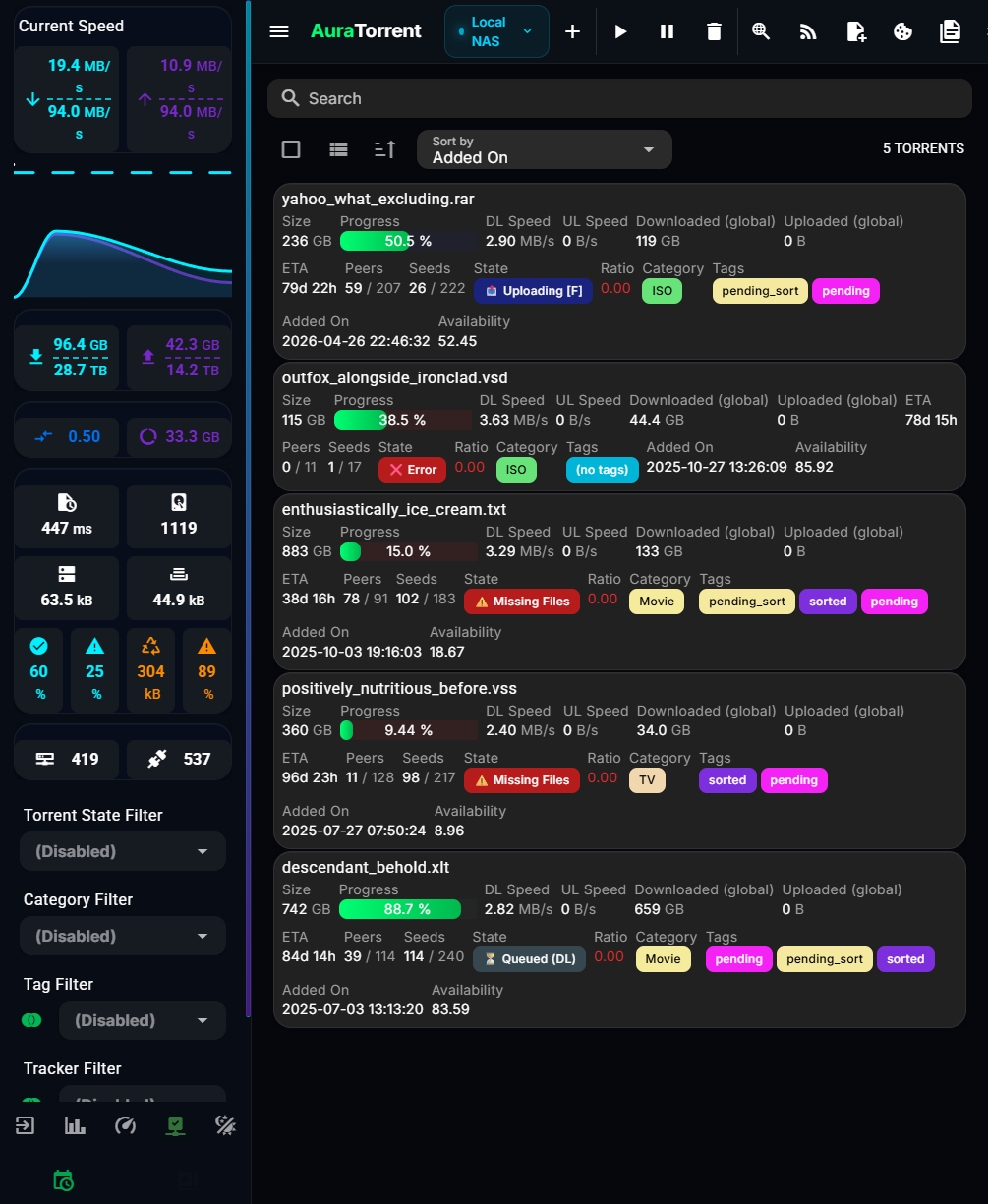
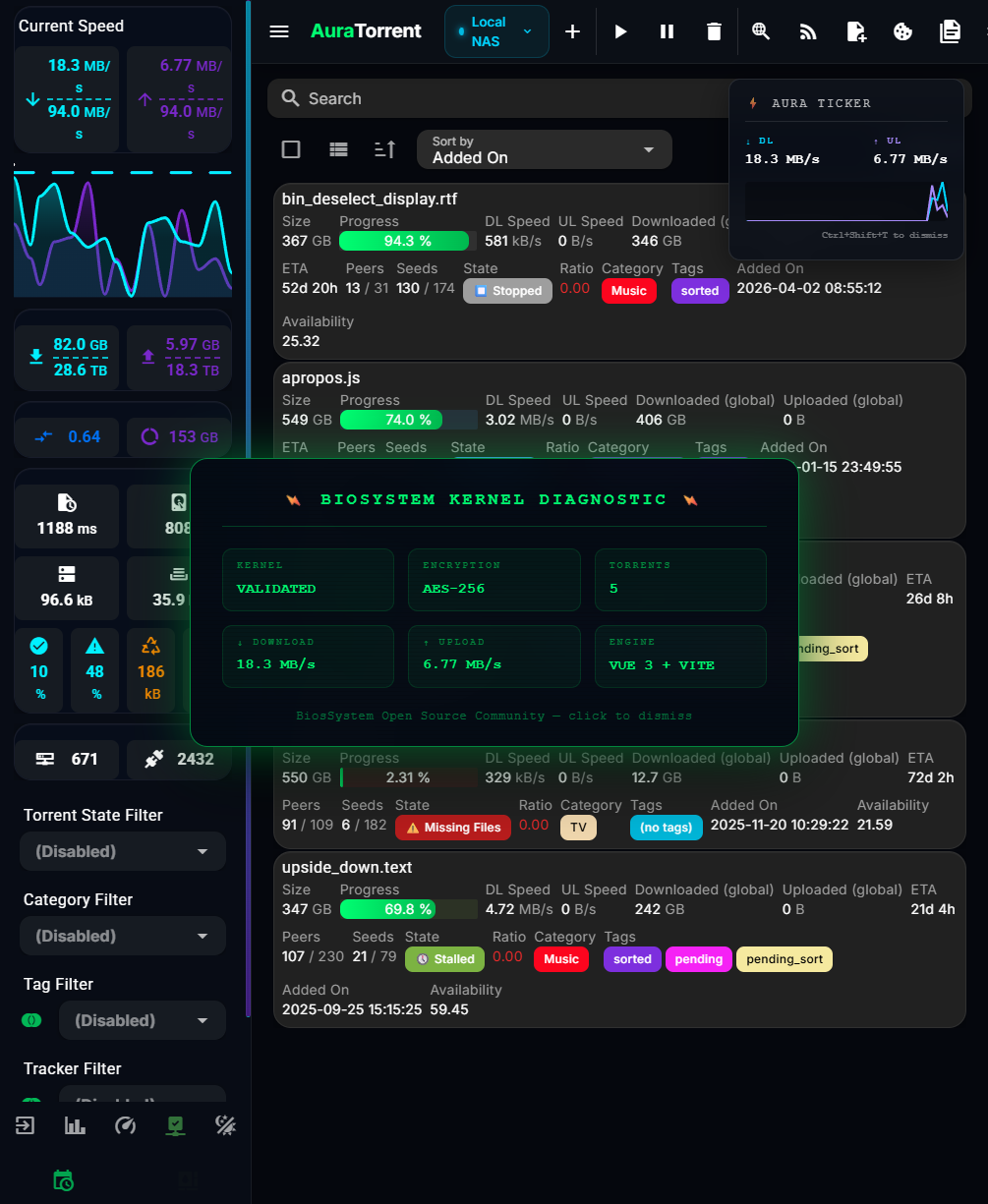
**AuraTorrent** is a fast open-source WebUI for qBittorrent. Built on Vue 3 and Vite, it includes dynamic scheduling, real-time telemetry HUDs, and deep customization.
 ## 🏗️ Architecture
```mermaid
graph TB
subgraph Client["Client Layer"]
PWA["PWA / Browser"]
BOT["Telegram AuraBot"]
end
subgraph Frontend["Vue 3 Frontend (Vite)"]
ROUTER["Vue Router"]
STORE["Pinia Store"]
THEME["ThemeLab Engine"]
SCHED["Bandwidth Scheduler"]
TICKER["Speed Ticker HUD"]
CMD["Command Palette"]
end
subgraph API["qBittorrent API"]
REST["REST API :8080"]
AUTH["Session Auth"]
end
subgraph Features["Core Modules"]
MATRIX["7x24 Heatmap Matrix"]
CSSVAR["CSS Variable Editor"]
IDB["IndexedDB Config"]
end
PWA --> ROUTER
ROUTER --> STORE
STORE --> REST
AUTH --> REST
THEME --> CSSVAR
CSSVAR --> IDB
SCHED --> MATRIX
MATRIX --> REST
TICKER --> STORE
CMD --> ROUTER
BOT --> REST
```
## ✨ Features
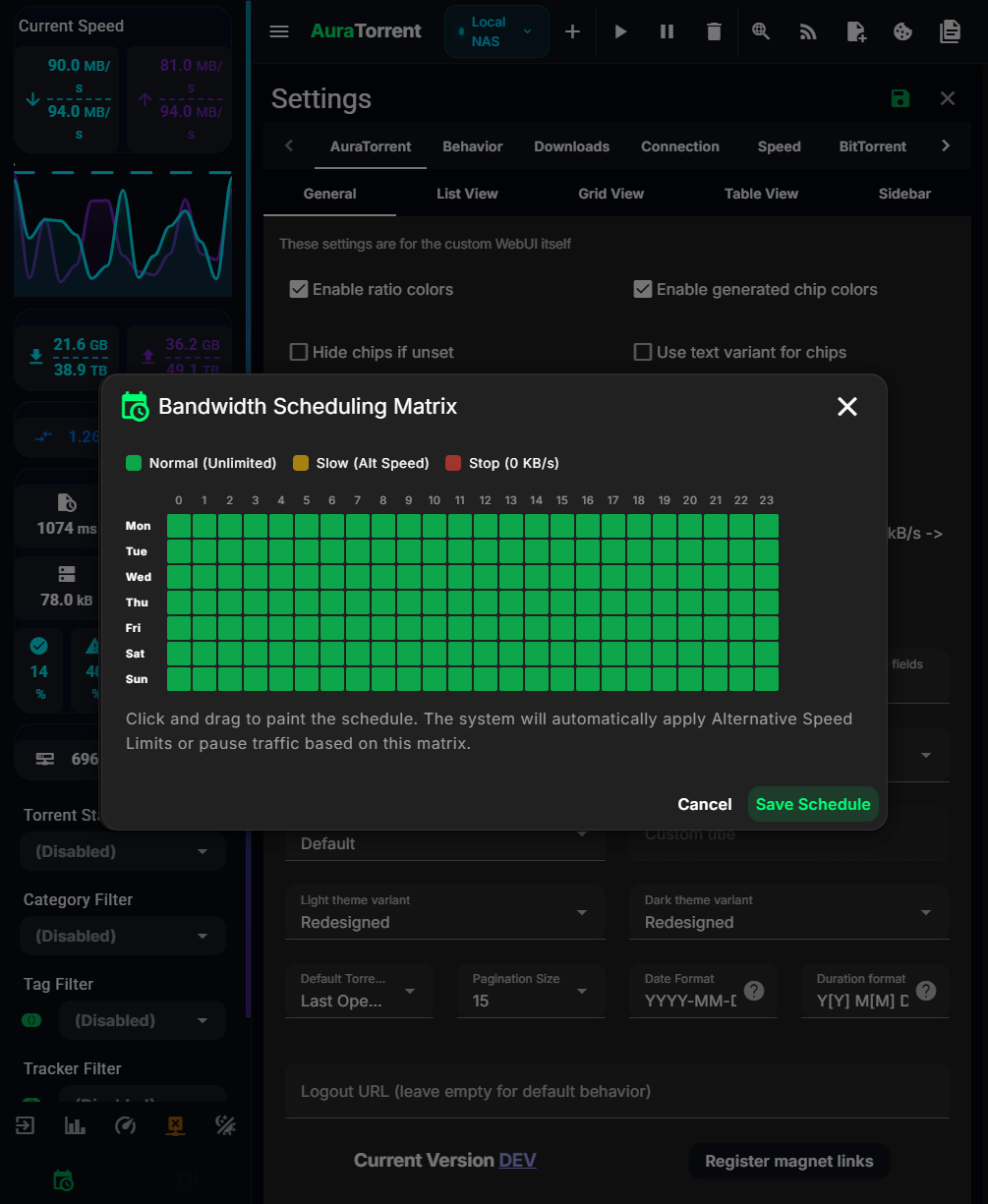
- **Bandwidth Scheduling Matrix** - Use a 7x24 visual heatmap grid to paint your bandwidth schedule. The UI throttles qBittorrent automatically based on the current hour.
- **Global Command Palette** - Press `Cmd/Ctrl + K` to jump to specific settings, perform actions, or search torrents instantly.
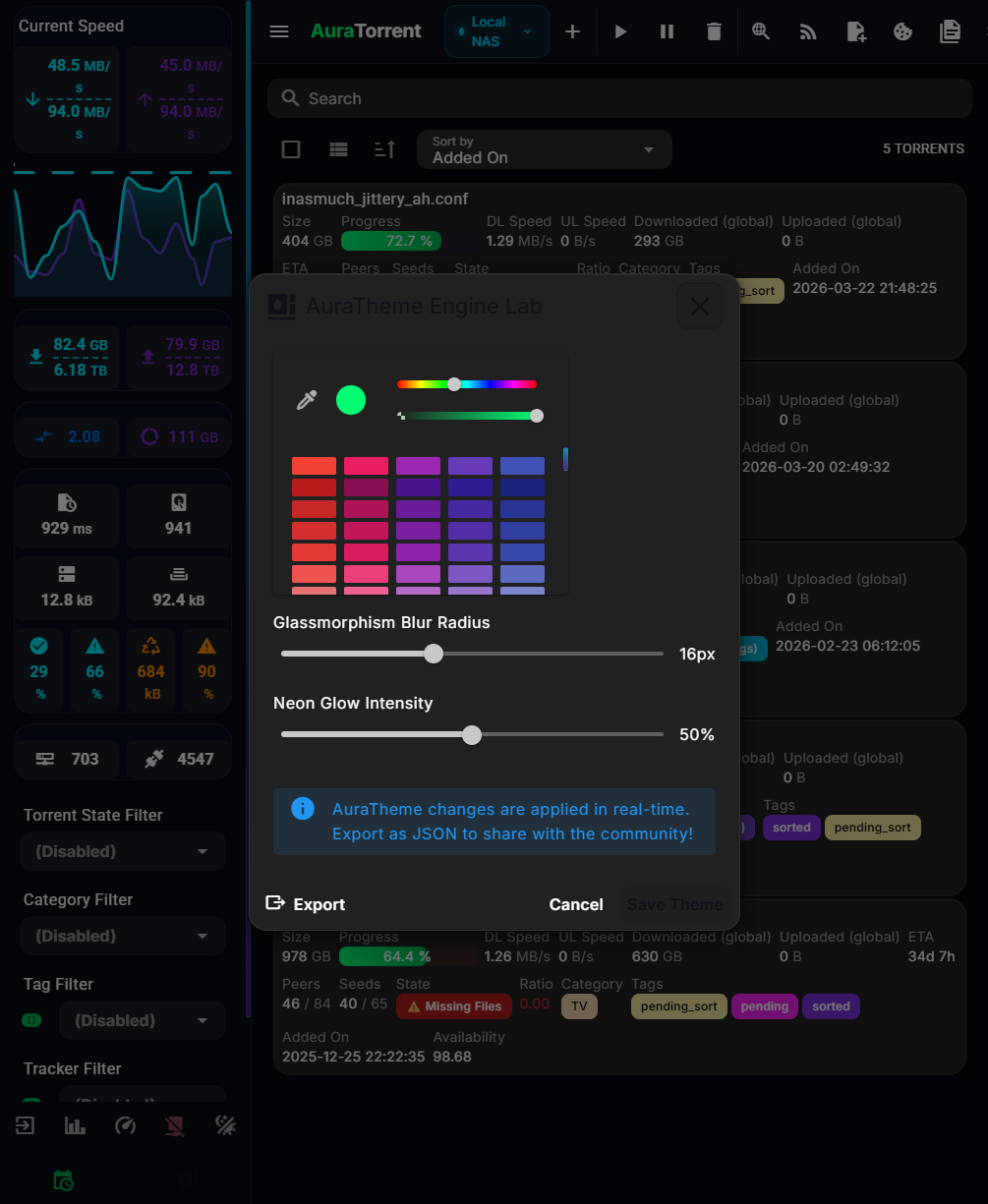
- **AuraTheme Engine** - Adjust glassmorphism blur, neon glow intensity, and accent colors in real-time, then export to JSON using the live CSS variable editor.
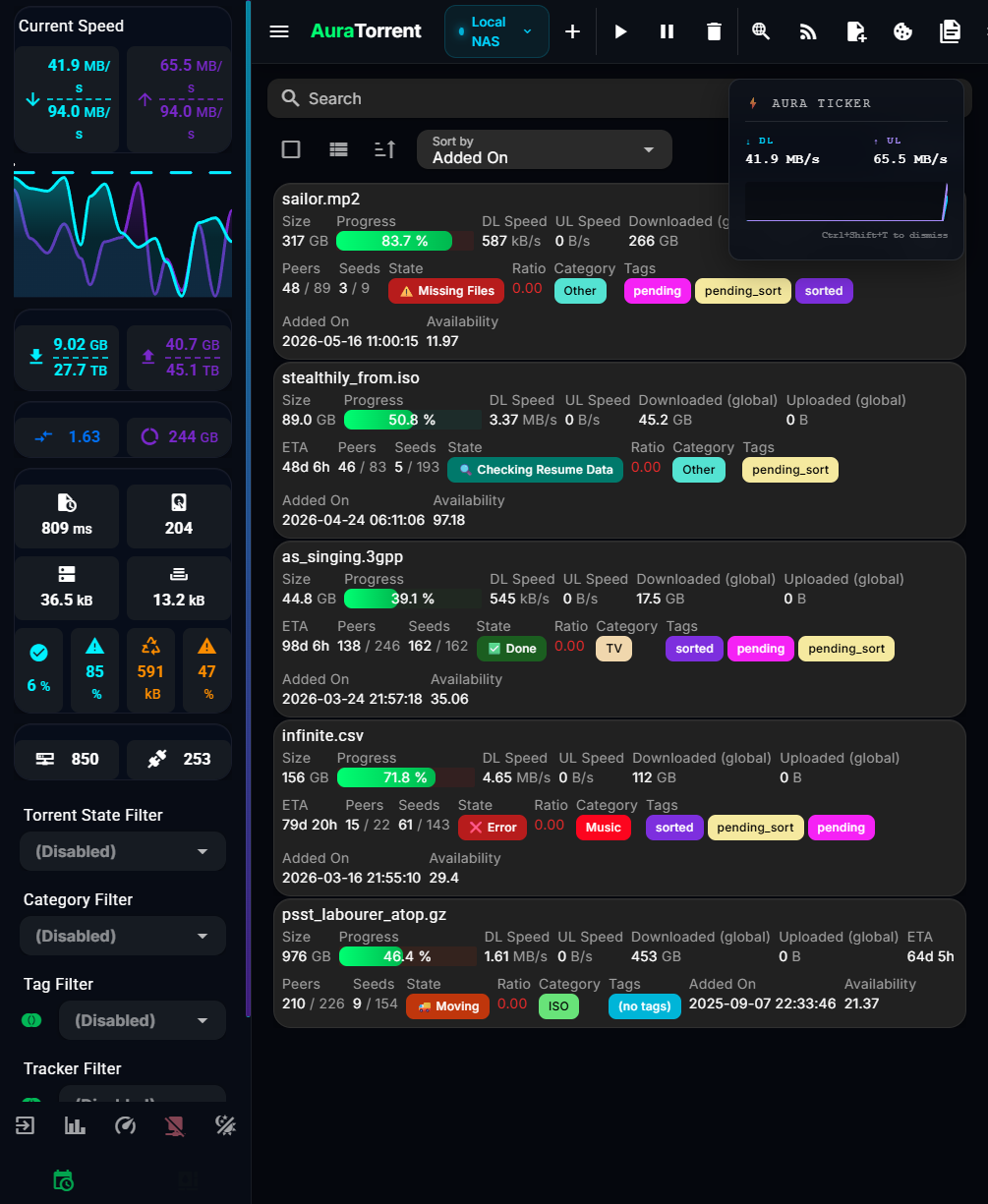
- **Global Speed Ticker** - Press `Ctrl+Shift+T` anywhere to summon a floating, always-on-top HUD sparkline graph of your current I/O speeds.
- **B-I-O-S Easter Egg** - Type `B-I-O-S` on your keyboard to open the BiosSystem Kernel Diagnostic HUD.
## 📊 Feature Matrix Comparison
| Feature | AuraTorrent | VueTorrent | Flood | Default UI |
|---|:---:|:---:|:---:|:---:|
| **Modern Neon Glassmorphism UI** | ✅ | ❌ | ❌ | ❌ |
| **Mobile Responsive (PWA)** | ✅ | ✅ | ✅ | ❌ |
| **Telegram Companion Bot (AuraBot)** | ✅ | ❌ | ❌ | ❌ |
| **Live Theme Editor Lab** | ✅ | ❌ | ❌ | ❌ |
| **Multi-Daemon Switcher** | ✅ | ❌ | ❌ | ❌ |
| **Visual Bandwidth Heatmap** | ✅ | ❌ | ❌ | ❌ |
| **Global Speed Ticker HUD** | ✅ | ❌ | ❌ | ❌ |
## 🖥️ Platform Support
| Platform | Support | Notes |
|---|:---:|---|
| **Windows / macOS / Linux** | ✅ Native | Works in any modern desktop browser. |
| **iOS / iPadOS** | ✅ PWA | Add to Home Screen for a native app-like experience. |
| **Android** | ✅ PWA | Install via Chrome. Handles `magnet:` links directly. |
| **Docker / Seedboxes** | ✅ Supported | Mount into your container's WebUI folder. |
## 🚀 Quick Start (Production)
**Step 1.** Download the latest release:
```bash
wget https://github.com/BiosSystem/AuraTorrent/releases/latest/download/auratorrent.zip
```
**Step 2.** Extract to your qBittorrent WebUI directory:
```bash
unzip auratorrent.zip -d /path/to/qbittorrent/webui
```
**Step 3.** Enable the custom UI in qBittorrent:
Open `Options → WebUI`, check **Use alternative Web UI**, and point it to the extracted folder.
**Step 4.** Reload your browser.
## 🐳 Docker
Run the stack (qBittorrent plus AuraTorrent's static build) with Docker Compose:
```bash
npm run build
docker compose up -d
```
Pull the standalone, nginx-served published image:
```bash
docker pull ghcr.io/biossystem/auratorrent:latest
docker run -p 8000:80 ghcr.io/biossystem/auratorrent:latest
```
## 🤖 Telegram Companion Bot (AuraBot)
AuraBot pushes download-complete and error alerts to Telegram and answers `/status` on demand.
**Step 1.** Configure it:
```bash
cd bot
cp .env.example .env
```
*(Set BOT_TOKEN, ALLOWED_USERS, and OWNER_ID)*
**Step 2.** Run it:
```bash
pip install -r requirements.txt
python main.py
```
## 🛠️ Developer Setup
**Step 1.** Clone the repository:
```bash
git clone https://github.com/BiosSystem/AuraTorrent.git
cd AuraTorrent
```
**Step 2.** Install dependencies:
```bash
npm install
```
**Step 3.** Start the development server:
```bash
npm run dev
```
**Step 4.** Open `http://localhost:5173` and connect to your local qBittorrent instance.
## 📖 Developer Wiki
Review the deep technical insights and step-by-step guides in the **[Developer Wiki](docs/Home.md)** to understand how the system works under the hood.
## 🙏 Attribution & Credits
AuraTorrent builds upon the open-source PWA foundation of **VueTorrent**. We attribute the core architecture to **WDaan** and the VueTorrent contributor community.
- **Original Repository**: [VueTorrent](https://github.com/VueTorrent/VueTorrent)
- **License**: GPL-3.0
## 🔒 Security
AuraTorrent enforces strict web security boundaries:
- **Enforced Dependency Audit** - CI runs `npm audit` on every pull request and fails the build on any high-severity finding.
- **Strict WebUI Sandboxing** - Enforces restricted API communications and secure CORS configurations.
- **Upstream Parity Security Fixes** - Integrates upstream patches directly from verified VueTorrent pull requests.
Review our [Security Policy](SECURITY.md) for detailed guidelines.
*Copyright © 2026 BiosSystem | Powered by BiosSystem Kernel*