 ## ⚡ Highlights
- **Live preview** — changes apply instantly to your running compositor
- **Your config stays untouched** — HyprMod writes only to its own `hyprland-gui.conf`
- **Undo with Ctrl+Z** — step back one change at a time
- **Profiles** — save, name, and share complete configurations as `.conf` files
## ✨ Features
- **Lua config support** — migrate and edit `hyprland.lua` directly (Hyprland 0.55+)
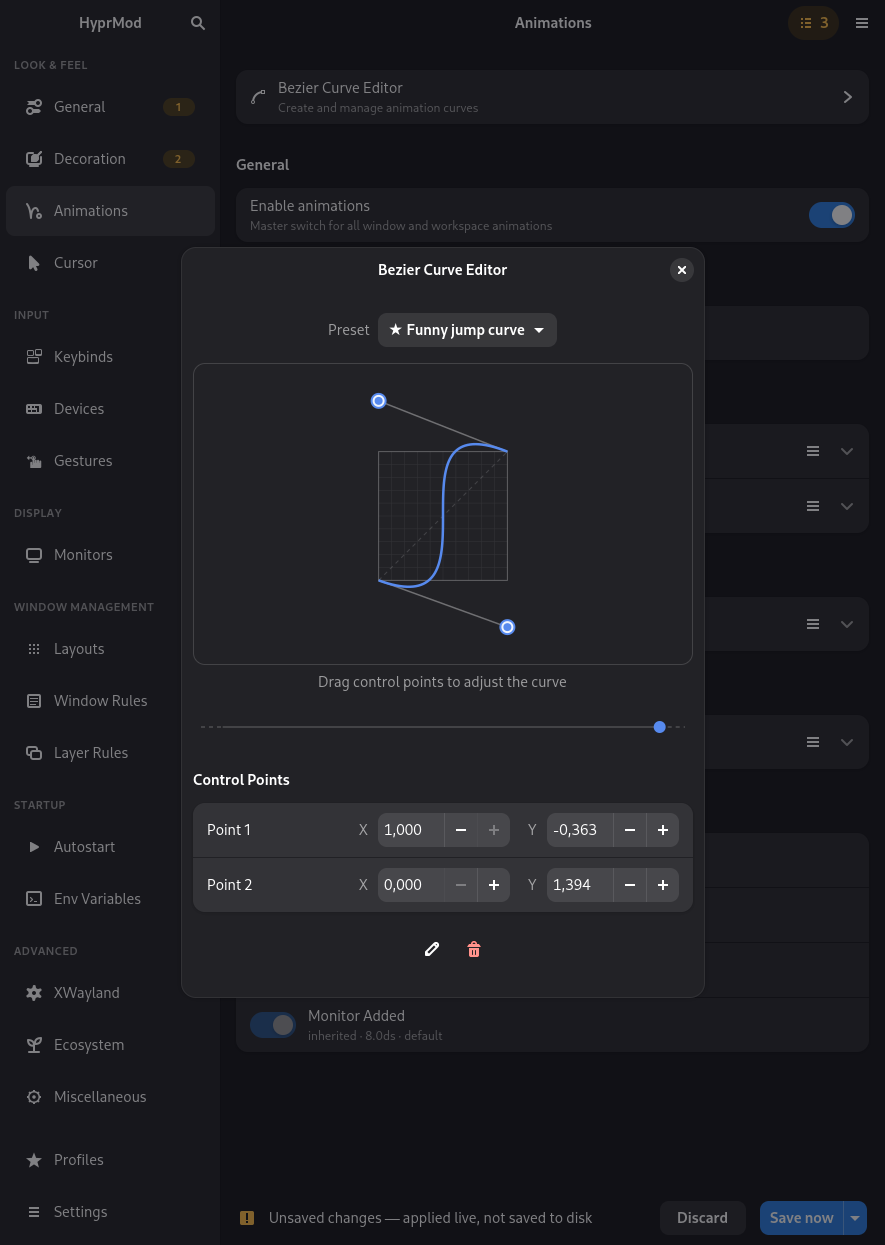
- Bezier curve editor with live animation preview
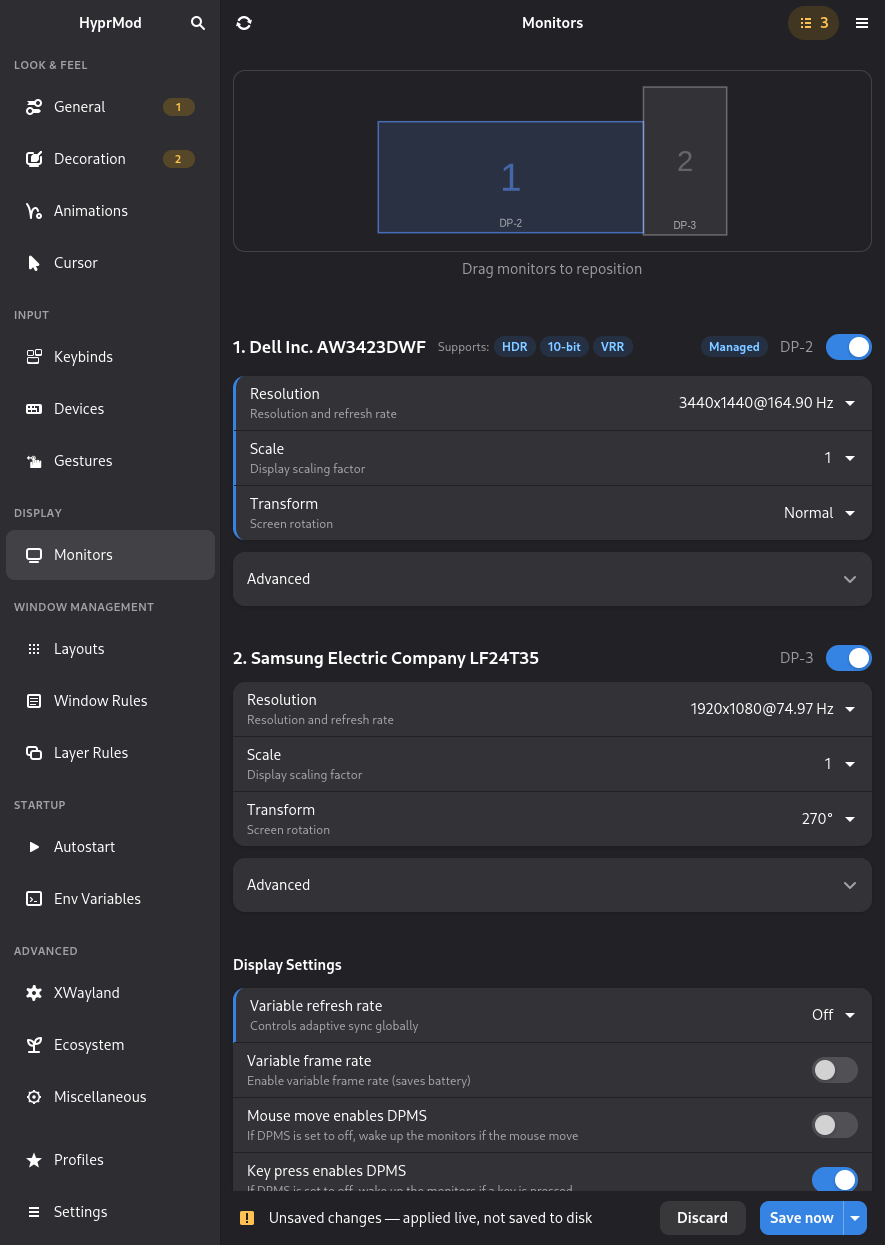
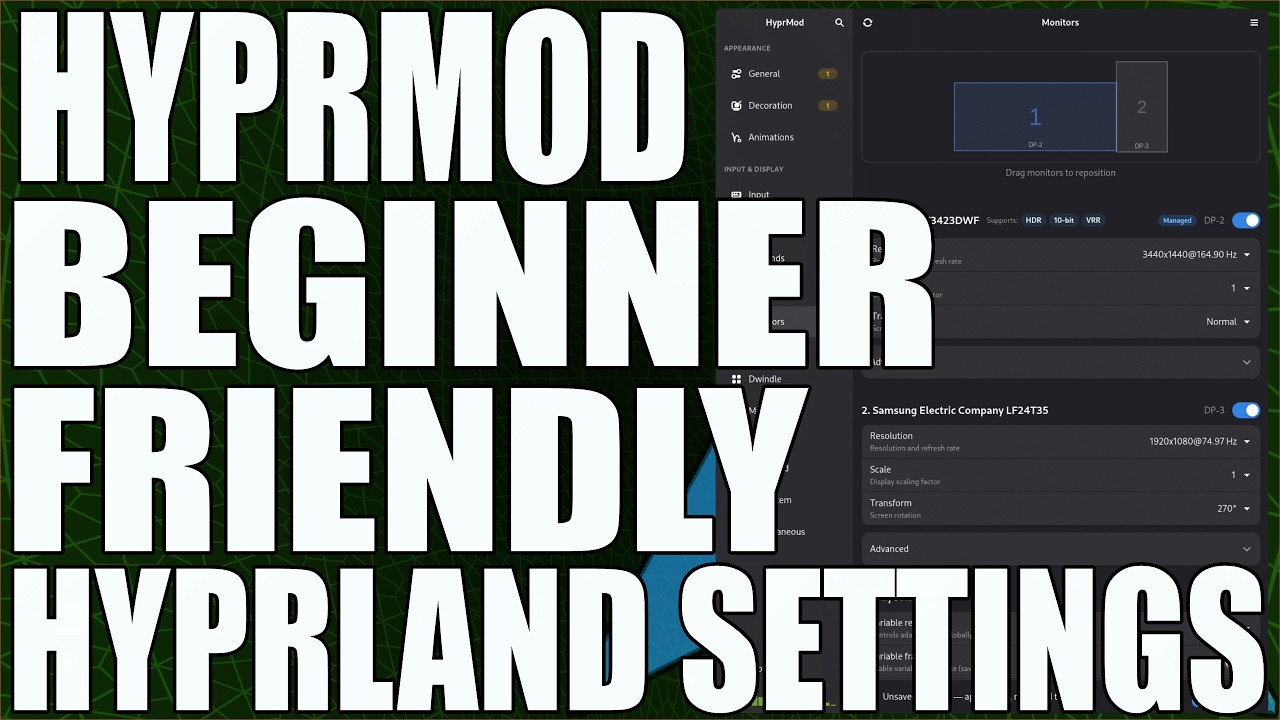
- Monitor layout editor with VRR, 10-bit detection, and advanced HDR controls with safe defaults
- Keybind editor with interactive key capture, including mouse-drag (`bindm`) binds
- Window rules, layer rules, and workspace rules editors with live preview
- Autostart (`exec` / `exec-once`) and environment variable management
- Pending Changes page — review every unsaved edit before saving
- Cursor theme picker with live preview
- Config DNA — a unique visual fingerprint per profile
- Global search across all options (Ctrl+F)
## ⌨️ Command line
Switch profiles without opening the window. Handy to bind to a Hyprland keybind or call from a script.
```bash
hyprmod profile list # show saved profiles (active marked with *)
hyprmod profile apply Gaming # switch to a profile by name (case-insensitive)
hyprmod profile next # cycle to the next profile (alphabetical, wraps around)
hyprmod profile previous # cycle to the previous one (alias: prev)
```
## 📦 Installation
> HyprMod is in active development and not yet packaged for most distributions.
Requires Python 3.12+, GTK4, and libadwaita.
The one-line installer works on any distribution.
```bash
curl -LsSf https://raw.githubusercontent.com/BlueManCZ/hyprmod/main/install.sh | sh
```
To uninstall:
```bash
curl -LsSf https://raw.githubusercontent.com/BlueManCZ/hyprmod/main/install.sh | sh -s -- --uninstall
```
### 📦 pkgit
If you use [`pkgit`](https://git.symlinx.net/pkgit/about/), you can install `hyprmod` directly with:
```bash
pkgit -i https://github.com/BlueManCZ/hyprmod
```
### Distribution packages
**Arch Linux** — [`hyprmod`](https://aur.archlinux.org/packages/hyprmod) on the AUR:
```bash
yay -S hyprmod
```
**Gentoo** — via the [`edgets`](https://github.com/BlueManCZ/edgets) overlay:
```bash
emerge -a hyprmod
```
**NixOS / home-manager** — via the flake:
Add the input to your `flake.nix`:
```nix
inputs = {
nixpkgs-unstable.url = "github:nixos/nixpkgs/nixos-unstable";
hyprmod = {
url = "github:BlueManCZ/hyprmod";
inputs.nixpkgs.follows = "nixpkgs-unstable";
};
};
```
Then add the package to `home.packages` or `environment.systemPackages`:
```nix
# home-manager module
{ inputs, pkgs, ... }: {
home.packages = [
inputs.hyprmod.packages.${pkgs.stdenv.hostPlatform.system}.default
];
}
# NixOS module
{ inputs, pkgs, ... }: {
environment.systemPackages = [
inputs.hyprmod.packages.${pkgs.stdenv.hostPlatform.system}.default
];
}
```
Make sure `inputs` reaches your module via `specialArgs` (NixOS) or
`extraSpecialArgs` (home-manager).
## ⚡ Highlights
- **Live preview** — changes apply instantly to your running compositor
- **Your config stays untouched** — HyprMod writes only to its own `hyprland-gui.conf`
- **Undo with Ctrl+Z** — step back one change at a time
- **Profiles** — save, name, and share complete configurations as `.conf` files
## ✨ Features
- **Lua config support** — migrate and edit `hyprland.lua` directly (Hyprland 0.55+)
- Bezier curve editor with live animation preview
- Monitor layout editor with VRR, 10-bit detection, and advanced HDR controls with safe defaults
- Keybind editor with interactive key capture, including mouse-drag (`bindm`) binds
- Window rules, layer rules, and workspace rules editors with live preview
- Autostart (`exec` / `exec-once`) and environment variable management
- Pending Changes page — review every unsaved edit before saving
- Cursor theme picker with live preview
- Config DNA — a unique visual fingerprint per profile
- Global search across all options (Ctrl+F)
## ⌨️ Command line
Switch profiles without opening the window. Handy to bind to a Hyprland keybind or call from a script.
```bash
hyprmod profile list # show saved profiles (active marked with *)
hyprmod profile apply Gaming # switch to a profile by name (case-insensitive)
hyprmod profile next # cycle to the next profile (alphabetical, wraps around)
hyprmod profile previous # cycle to the previous one (alias: prev)
```
## 📦 Installation
> HyprMod is in active development and not yet packaged for most distributions.
Requires Python 3.12+, GTK4, and libadwaita.
The one-line installer works on any distribution.
```bash
curl -LsSf https://raw.githubusercontent.com/BlueManCZ/hyprmod/main/install.sh | sh
```
To uninstall:
```bash
curl -LsSf https://raw.githubusercontent.com/BlueManCZ/hyprmod/main/install.sh | sh -s -- --uninstall
```
### 📦 pkgit
If you use [`pkgit`](https://git.symlinx.net/pkgit/about/), you can install `hyprmod` directly with:
```bash
pkgit -i https://github.com/BlueManCZ/hyprmod
```
### Distribution packages
**Arch Linux** — [`hyprmod`](https://aur.archlinux.org/packages/hyprmod) on the AUR:
```bash
yay -S hyprmod
```
**Gentoo** — via the [`edgets`](https://github.com/BlueManCZ/edgets) overlay:
```bash
emerge -a hyprmod
```
**NixOS / home-manager** — via the flake:
Add the input to your `flake.nix`:
```nix
inputs = {
nixpkgs-unstable.url = "github:nixos/nixpkgs/nixos-unstable";
hyprmod = {
url = "github:BlueManCZ/hyprmod";
inputs.nixpkgs.follows = "nixpkgs-unstable";
};
};
```
Then add the package to `home.packages` or `environment.systemPackages`:
```nix
# home-manager module
{ inputs, pkgs, ... }: {
home.packages = [
inputs.hyprmod.packages.${pkgs.stdenv.hostPlatform.system}.default
];
}
# NixOS module
{ inputs, pkgs, ... }: {
environment.systemPackages = [
inputs.hyprmod.packages.${pkgs.stdenv.hostPlatform.system}.default
];
}
```
Make sure `inputs` reaches your module via `specialArgs` (NixOS) or
`extraSpecialArgs` (home-manager).
pkgs.hyprmod available everywhere)