# Patina
Local-first time tracking for Windows desktop work.
English · [简体中文](README.zh-CN.md)



[](LICENSE)
[](https://github.com/Ceceliaee/patina/releases)
[](https://github.com/Ceceliaee/patina/releases/latest)
[](https://github.com/Ceceliaee/patina/stargazers)
Patina records foreground app usage as local, quiet, and trustworthy personal desktop time records.
## Why Patina
- Records foreground apps automatically, without manually starting or stopping timers.
- Handles idle, lock, sleep, and abnormal-exit boundaries to keep records more trustworthy.
- Keeps data local by default, with no account, cloud sync, or server dependency.
- Lets you manage app names, categories, colors, stats exclusions, and window title capture.
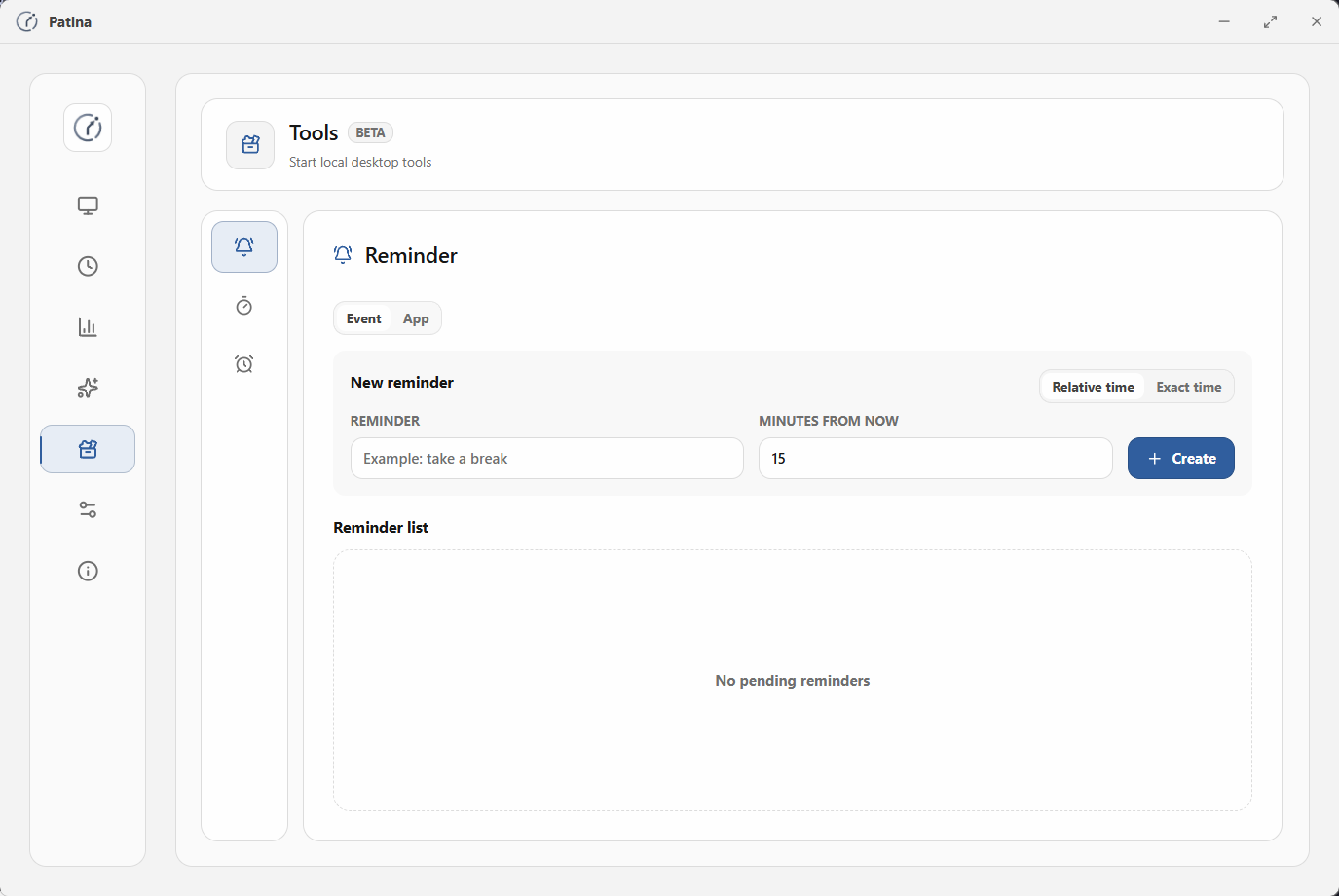
- Provides lightweight local tools such as reminders, timers, and Pomodoro.
- Keeps the interface restrained, clear, and low-interruption for long-term daily use.
## Download
Download and install the latest Patina:
[Patina Web Sync](https://github.com/Ceceliaee/patina-web-sync) adds specific webpage details to browser activity. Install it as needed:
## Core Features
### Automatic Tracking
- Automatically records the current foreground app and turns activity into time records.
- Detects idle, lock, and sleep states to reduce invalid time in statistics.
- Handles record boundaries after long-away periods and abnormal exits, reducing accidentally merged time.
- Reduces missed effective activity in low-interaction scenarios such as videos, meetings, courses, and livestreams.
### Review And Analysis
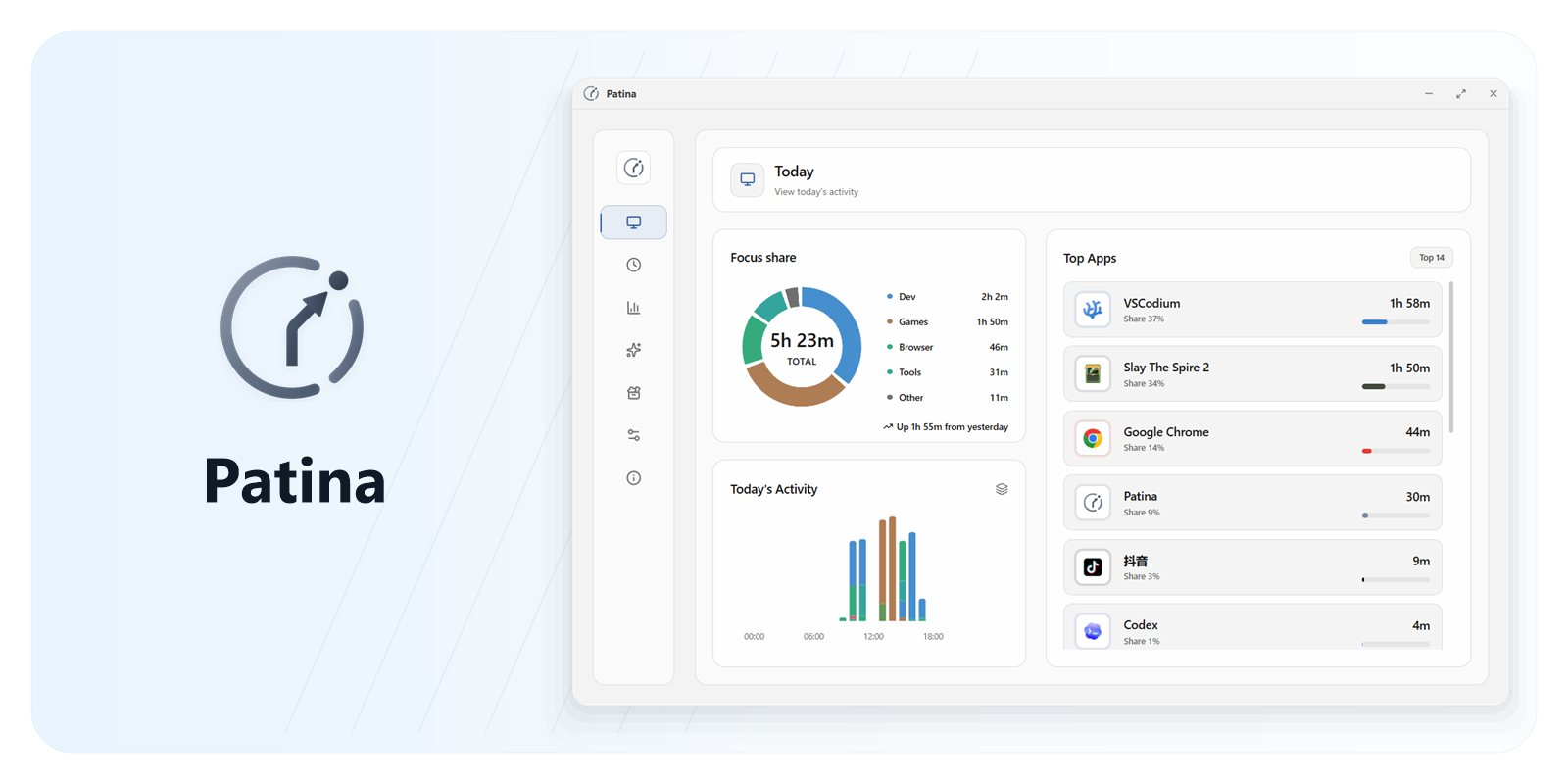
- Review effective activity, app rankings, and category distribution in today's overview.
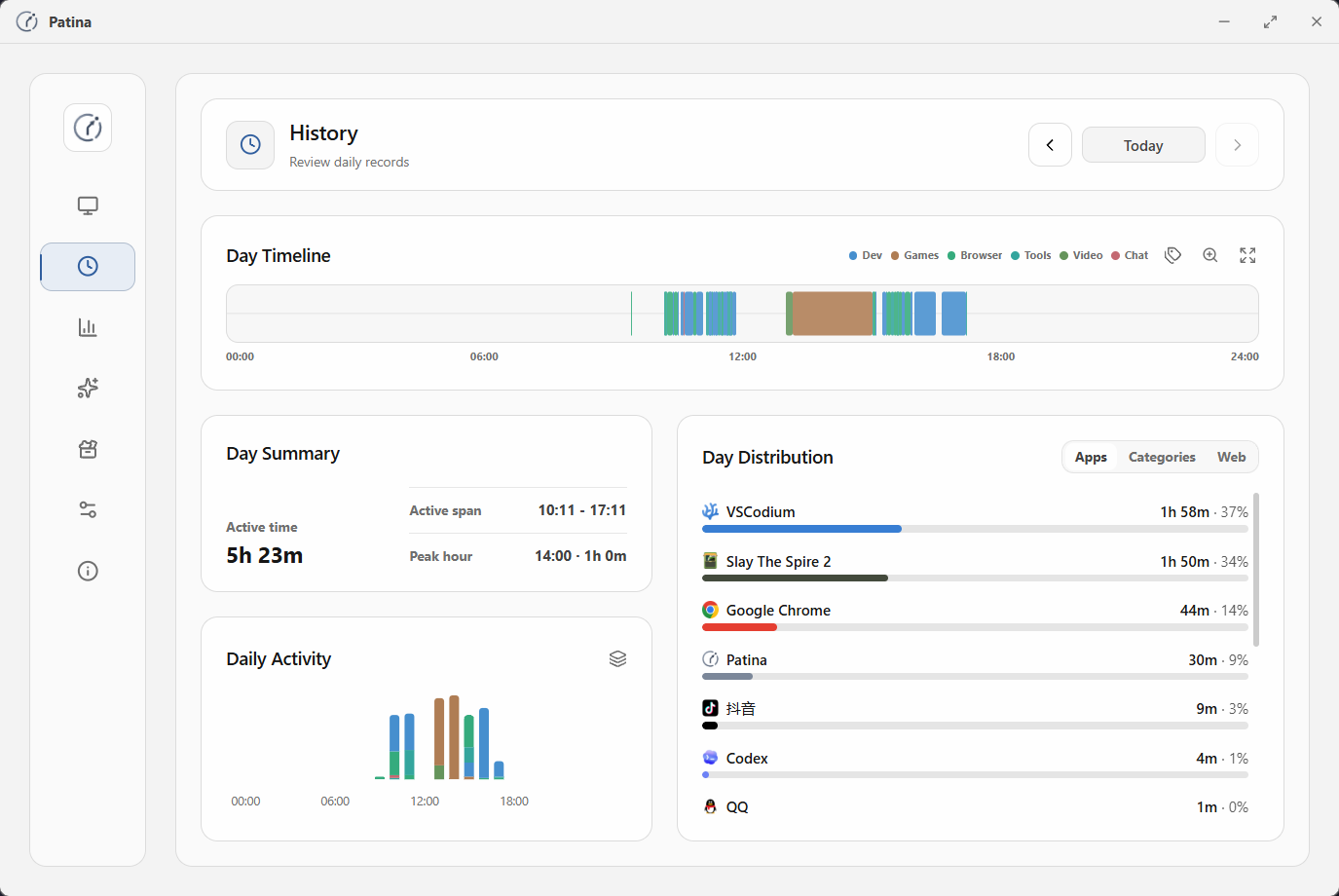
- Use the timeline to review activity by date and inspect app switches and window title details.
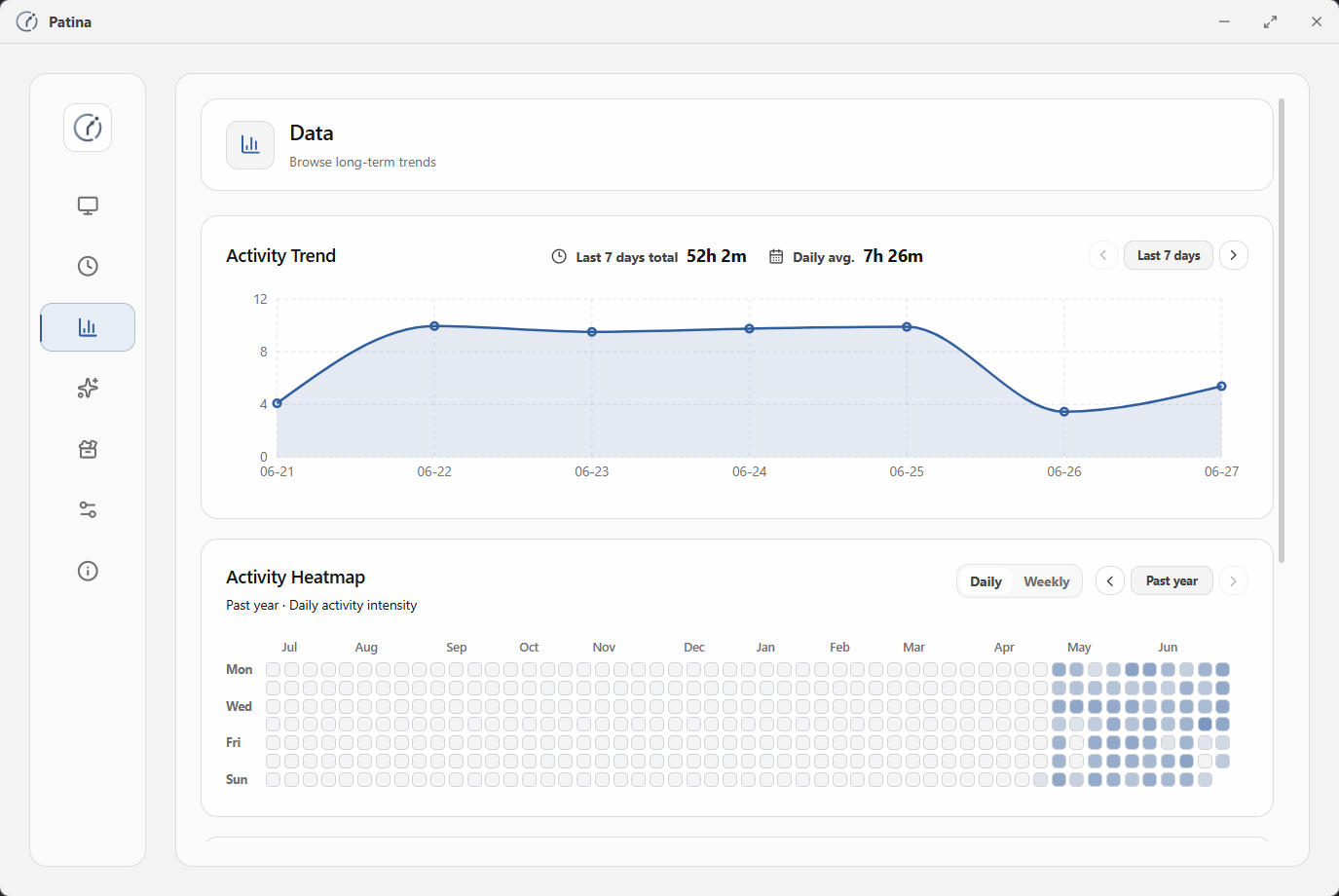
- Understand long-term time distribution through trends, heatmaps, and app curves.
### Management And Control
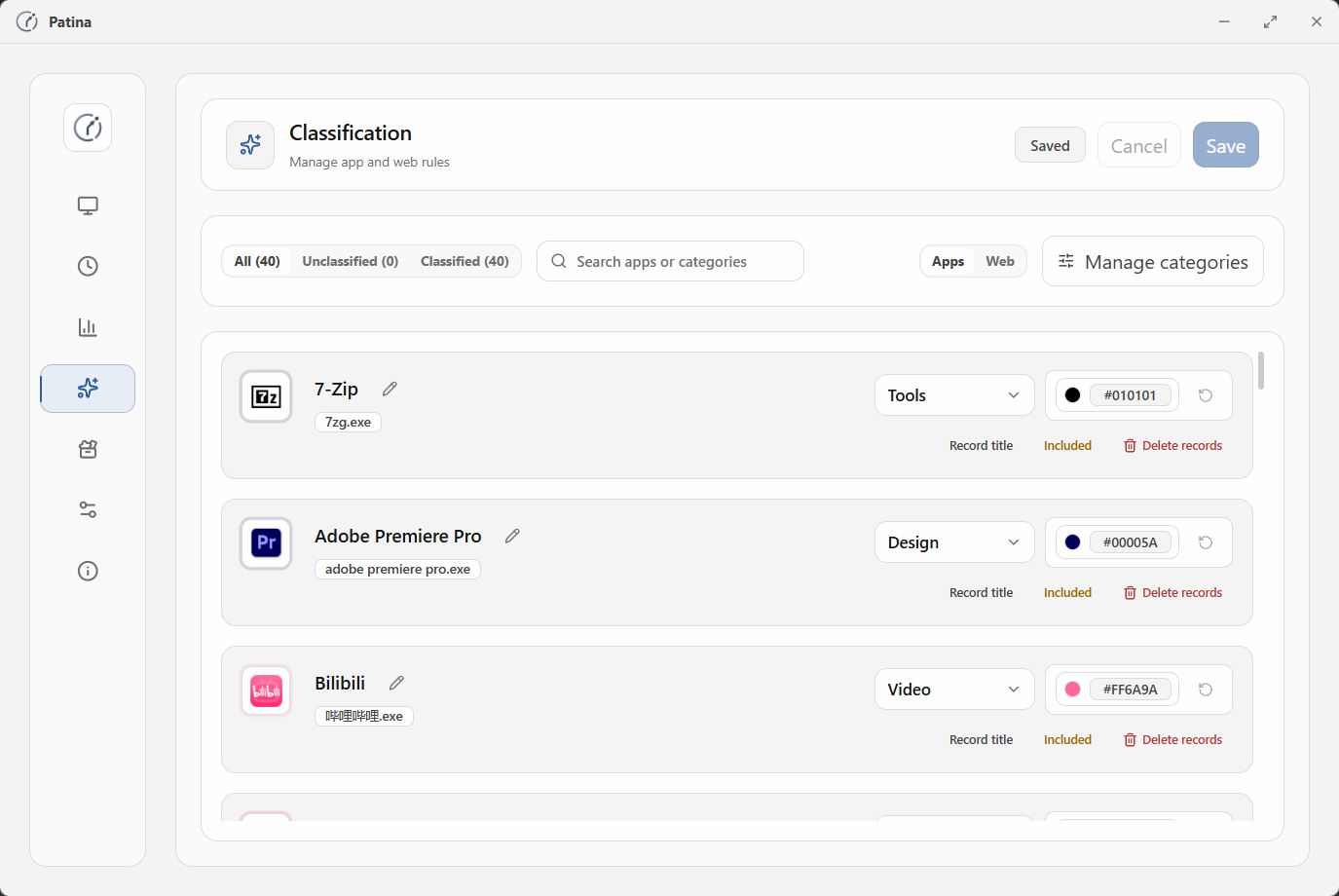
- Rename apps and adjust categories, colors, and statistics rules.
- Exclude apps you do not want in statistics, or disable window title capture for specific apps.
- Export local backups, restore backups, and clean up historical records.
### Lightweight Tools
- Create one-off reminders and app usage limit reminders.
- Use stopwatch, countdown, and Pomodoro for active focus tasks.
- Tool state stays local and does not replace automatic tracking records.
## Interface Preview
History
Data
Classification
Tools
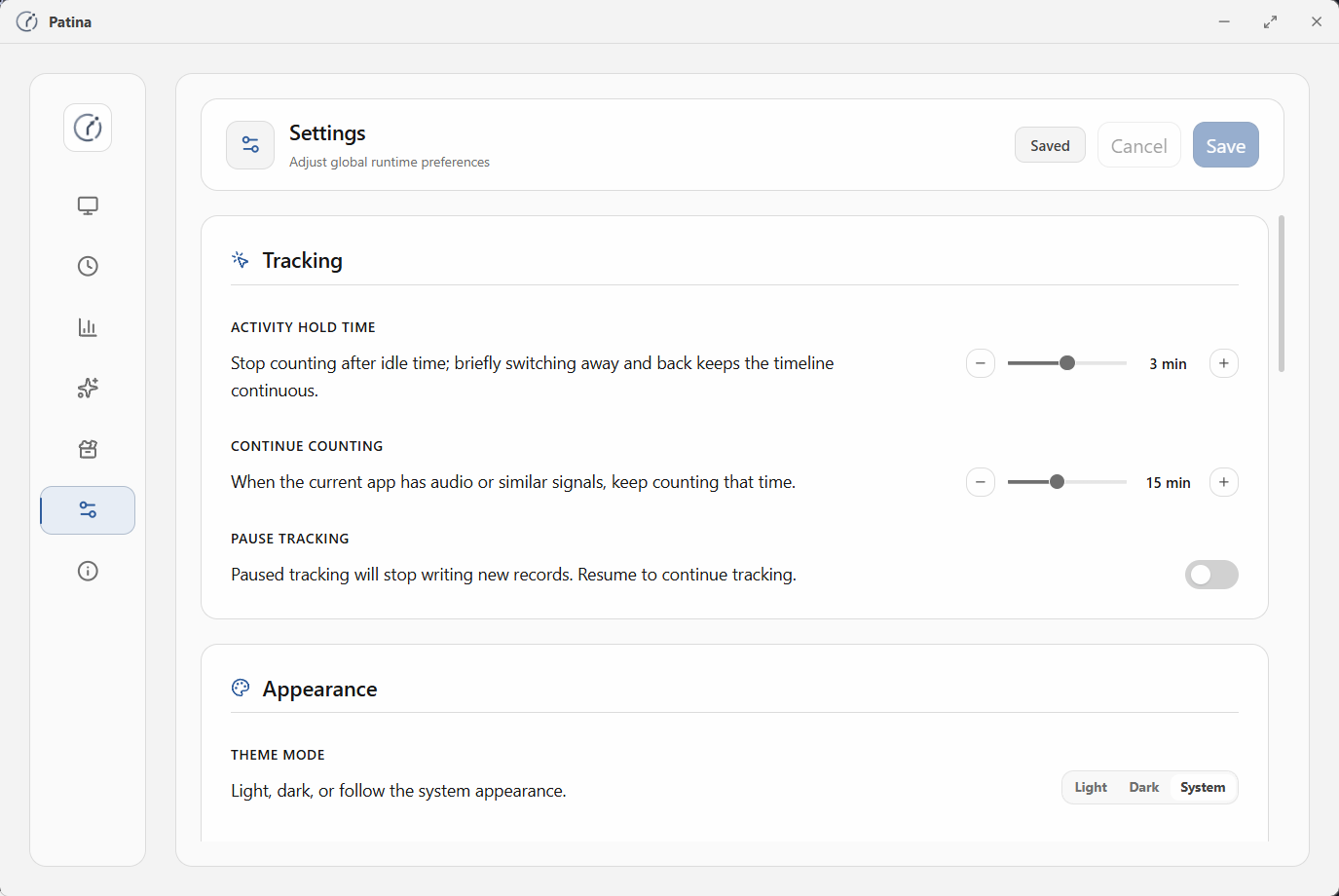
Settings
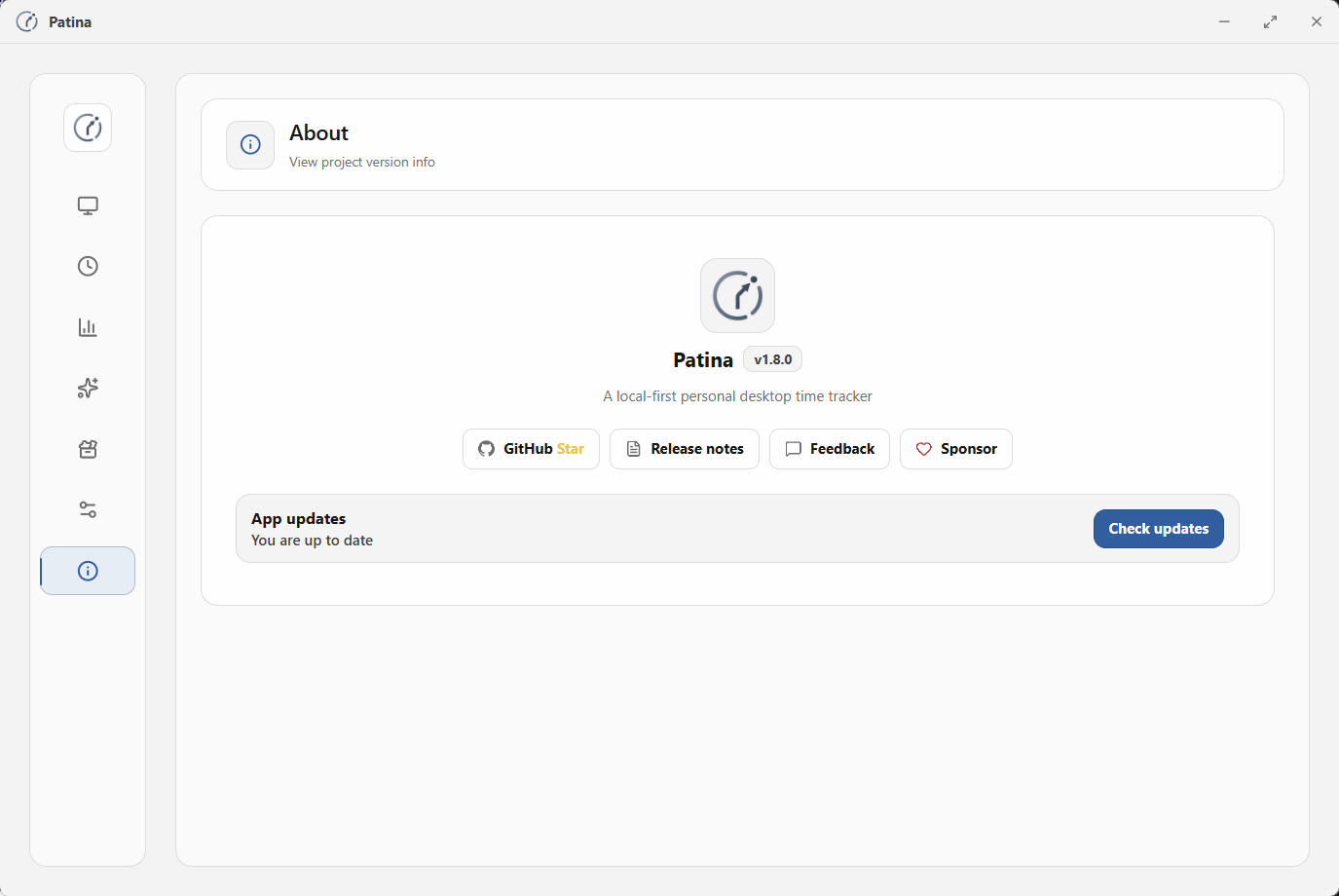
About
## Reliability And Privacy
Time tracking has long-term value only when the records are trustworthy. Patina focuses on these boundaries:
- **Foreground app recognition**: records the window and app that are actually in the foreground, reducing temporary-window and system noise.
- **Idle handling**: idle time does not continue counting as effective activity.
- **State boundaries**: handles record boundaries after lock, sleep, resume, long-away periods, and abnormal exits.
- **Effective-duration stats**: rankings, distributions, and totals use effective activity time, not just open spans.
- **Title capture control**: window title capture can be disabled per app to reduce unnecessary sensitive information retention.
- **Local data control**: core data stays local, and backups, restores, and history cleanup are initiated by the user.
## Current Scope
Patina currently focuses on personal local time records:
- Windows 10/11 desktop use
- Personal local data storage and control
- Automatic tracking, review, classification, and backup or restore
- Lightweight local tools
It is not currently aimed at team collaboration, account systems, cloud sync, multi-platform sync, or heavy AI insights.
## Build From Source
### Requirements
- [Rust](https://www.rust-lang.org/tools/install)
- [Node.js](https://nodejs.org/) 18+
### Install Dependencies
```bash
git clone https://github.com/Ceceliaee/patina.git
cd patina
npm install
```
### Run In Development
```bash
npm run tauri dev
```
### Build Installer
```bash
npm run tauri build
```
Installers are generated under:
```text
src-tauri/target/release/bundle/
```
## Tech Stack
- Desktop shell: Tauri v2
- Backend: Rust
- Frontend: React + Vite + TypeScript
- Styling: Tailwind CSS
- Animation: Framer Motion
- Charts: Recharts
- Database: SQLite via `@tauri-apps/plugin-sql`
- Windows integration: `windows` crate
## Contributing
If you want to contribute, understand the product direction, or review architecture boundaries, start with [`CONTRIBUTING.md`](CONTRIBUTING.md#english).
## Feedback
Use GitHub Issues for bugs and feedback that needs follow-up, or scan the QR code to join the QQ channel for everyday conversation:
## Support
Patina is a personal, local-first open-source project. If it has been useful in your daily life or work, you can support ongoing maintenance in whichever way is convenient:
Sponsorship helps sustain maintenance, but it does not affect feature priority, issue handling, the roadmap, or the product direction.
## Star History
## License
[MIT](LICENSE)