# [CN]CYLTabBarController【一行代码实现 Lottie 动画 TabBar】iOS27+ Tested
# [EN]CYLTabBarController [An animated tabBar supported by Lottie with one line of code]
--------------------------------------------
## [CN]阅读须知
## [EN]Before Reading
| 中文 | English |
|:---|:---|
| `[CN]` 表示中文内容。 | `[CN]` indicates Chinese content. |
| `[EN]` 表示英文内容。 | `[EN]` indicates English content. |
| [点此获取 QQ 群、Telegram 群交流信息](https://github.com/ChenYilong/iOSBlog/issues/21)。 | [Join the QQ or Telegram groups](https://github.com/ChenYilong/iOSBlog/issues/21). |
## [CN]最新版本预览
## [EN]Preview of the latest version
Preview of the latest version on iOS 27+
### [CN]iOS 27 和 iPhone Duo 适配
### [EN]iOS 27 and iPhone Duo support
CYLTabBarController 现已适配 iOS 27,新增如下功能:
CYLTabBarController now supports iOS 27 with the following improvements:
现在已适配 iPhone Duo 的横向布局与竖向布局,请更新至 CYLTabBarController 1.99.66 查看。
It also supports both landscape and portrait layouts on iPhone Duo. Update to CYLTabBarController 1.99.66 to try it.
CYLTabBarController 现已适配 iOS 27 和 iPhone Duo,更新内容如下:
CYLTabBarController now supports iOS 27 and iPhone Duo with the following features:
| 中文 | English |
|:---|:---|
| ✅ 支持横向布局与竖向布局 | ✅ Supports landscape and portrait layouts. |
| ✅ 支持扁平样式与液态玻璃样式 | ✅ Supports flat and Liquid Glass styles. |
| ✅ 所有样式均支持加号按钮居中显示。 | ✅ The plus button can be centered in every style. |
| ✅ 零代码适配:已经接入 CYLTabBar 液态玻璃样式或扁平样式的代码,无需修改代码,更新版本即可适配 iPhone Duo。 | ✅ Zero-code adaptation: apps already using the CYLTabBar Liquid Glass or flat style require no code changes to support iPhone Duo. |
| ✅ 审核友好,适配代码均为纯原生公开 API,无审核风险。 | ✅ Review-friendly: the adaptation uses only public native APIs. |
请更新 CYLTabBarController 1.99.66 查看演示:
Update to CYLTabBarController 1.99.66 to see the demo:
| 中文 | English |
|:---|:---|
| ✅ iOS 27 下无需新增代码即可启用扁平风格;保留 `UIDesignRequiresCompatibility` 时会自动切换到扁平样式。 | ✅ Enable the flat style on iOS 27 without adding code; `UIDesignRequiresCompatibility` automatically selects the flat style. |
| ✅ 扁平风格作为独立组件集成,降低耦合并减小包体积。 | ✅ The flat style is integrated as an independent component for lower coupling and a smaller package size. |
| ✅ 扁平风格与液态玻璃样式共享 API,只需修改样式属性即可切换。 | ✅ The flat and Liquid Glass styles share the same APIs; switch styles by changing the appearance property. |
| ✅ 支持运行期间在两种样式之间切换,适合 A/B 测试和灰度发布。 | ✅ Switch between styles at runtime for A/B testing and staged rollout. |
| ✅ 液态玻璃样式继承自 `UITabBar`,支持系统样式设置,并提供 PlusButton。 | ✅ The Liquid Glass style inherits from `UITabBar`, supports system appearance settings, and adds PlusButton support. |
| ✅ 支持同时展示 Lottie 动画、液态玻璃效果和红点角标动画。 | ✅ Display Lottie animations, Liquid Glass effects, and animated badges together. |
| ✅ 建议升级到 1.99.41 或更高版本进行 iOS 27 适配。 | ✅ Upgrade to 1.99.41 or later for iOS 27 support. |
CYLTabBarController 现已支持在 iOS 26 上实现以下效果,请更新至 1.99.39 或更高版本。
CYLTabBarController supports the following features on iOS 26. Update to version 1.99.39 or later:
| 中文 | English |
|:---|:---|
| ✅ 同时展示 Lottie 动画与液态玻璃效果。 | ✅ Display Lottie animations and the Liquid Glass effect together. |
| ✅ 支持将 PlusButton 居中显示在液态玻璃效果上,并保留旧版本的按钮逻辑。 | ✅ Center PlusButton over the Liquid Glass effect while preserving the previous button behavior. |
| ✅ 液态玻璃效果不使用私有 API,适合 Apple 审核。 | ✅ Liquid Glass uses no private APIs and is suitable for App Store review. |
| ✅ 使用纯原生液态玻璃效果,支持系统对相关属性的设置。 | ✅ Use a native Liquid Glass effect and support the system appearance settings. |
| ✅ 面向企业生产环境的开源解决方案。 | ✅ An open-source solution suitable for production environments. |
| ✅ 对现有集成友好,升级通常只需少量代码修改。 | ✅ Existing integrations can usually be upgraded with minimal code changes. |
| ✅ 不依赖 UI 兼容模式,适合 iOS 27 审核。 | ✅ Does not depend on UI compatibility mode and is review-friendly on iOS 27. |
| ✅ GitHub: | ✅ GitHub: |


1.99.39 版本现已支持在 iOS 26 运行期间增加或删除加号按钮。效果见下方演示,欢迎访问 [Demo](https://github.com/ChenYilong/CYLTabBarController) 进行尝试:
Version 1.99.39 supports adding or removing the plus button at runtime on iOS 26. See the demo below or visit the [Demo](https://github.com/ChenYilong/CYLTabBarController) to try it:
# [CN]谁在使用?已上架 App 列表
# [EN]Who is using it? Published apps
APP name link icon | image |APP name link icon | image
:-------------:|:-------------:|:-------------:|:-------------:
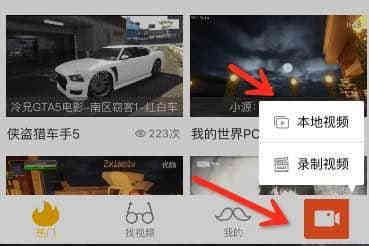
海底捞 [App Store Link](https://itunes.apple.com/cn/app/%E6%B5%B7%E5%BA%95%E6%8D%9E/id553115181?l=en&mt=8)  | 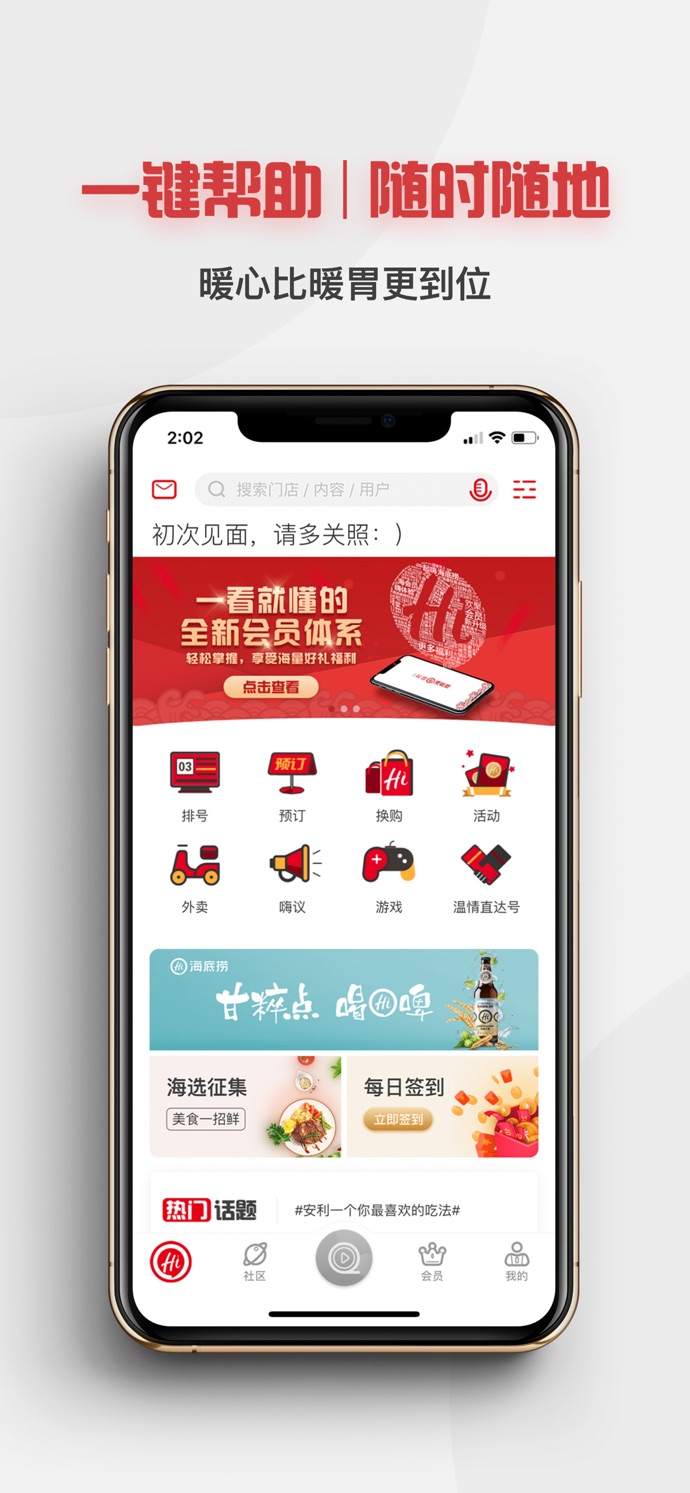 | C家 [App Store Link](https://itunes.apple.com/cn/app/c%E5%AE%B6/id1123394197?l=en&mt=8)  | Lottie 效果  |
淘必中-淘宝推出的一款具有营销购物功能的APP [App Store Link](https://itunes.apple.com/cn/app/%E6%B7%98%E5%BF%85%E4%B8%AD/id399737960?l=en&mt=8)  |  | 慧诊健康 [App Store Link](https://itunes.apple.com/cn/app/%E6%85%A7%E8%AF%8A%E5%81%A5%E5%BA%B7/id1434271846?mt=8) |
究竟大学 [App Store Link](https://itunes.apple.com/us/app/%E7%A9%B6%E7%AB%9F%E5%A4%A7%E5%AD%A6/id1334531245?mt=8)  | 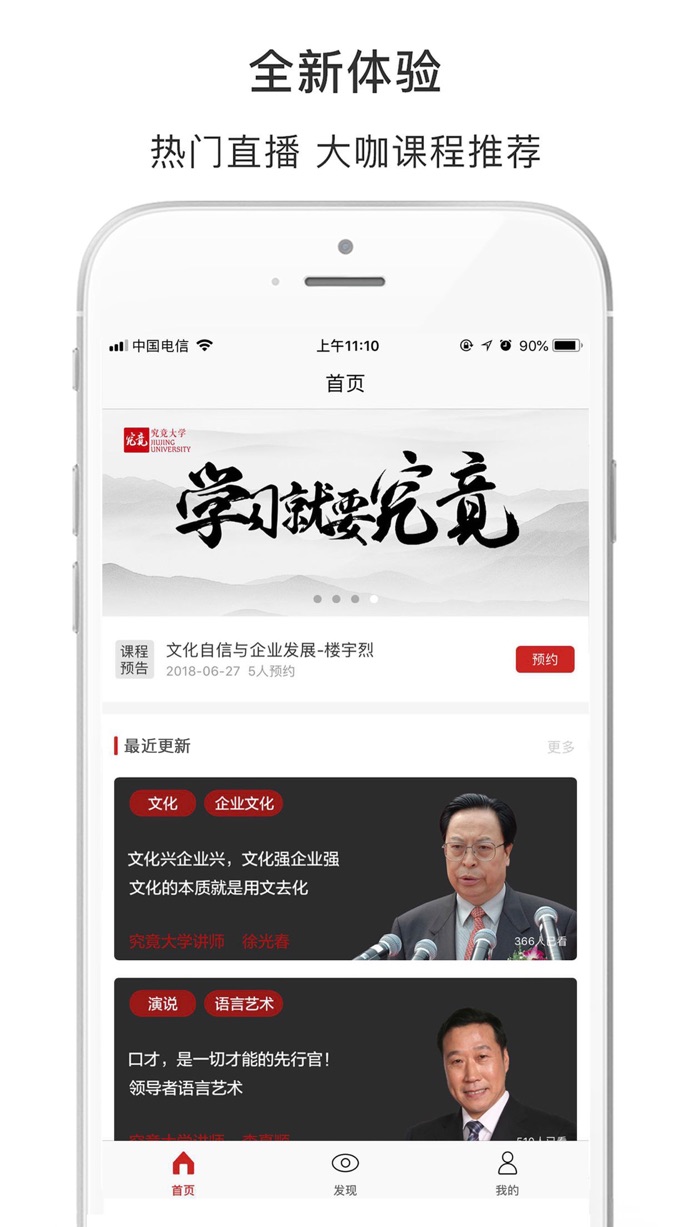 | 蕉片 - 短视频拍摄剪辑出电影大片 [App Store Link](https://itunes.apple.com/us/app/%E8%95%89%E7%89%87-%E7%9F%AD%E8%A7%86%E9%A2%91%E6%8B%8D%E6%91%84%E5%89%AA%E8%BE%91%E5%87%BA%E7%94%B5%E5%BD%B1%E5%A4%A7%E7%89%87/id1235972800?mt=8) |
闪剧 - 可以玩的短视频 [App Store Link](https://itunes.apple.com/us/app/%E9%97%AA%E5%89%A7-%E5%8F%AF%E4%BB%A5%E7%8E%A9%E7%9A%84%E7%9F%AD%E8%A7%86%E9%A2%91/id1360997439?mt=8) |  | 土狗云商城 [App Store Link](https://itunes.apple.com/cn/app/%E5%9C%9F%E7%8B%97%E4%BC%98%E4%BA%AB/id1239005385?mt=8) |
Analyst.ai [App Store Link](https://itunes.apple.com/us/app/analyst-ai/id1345754742?mt=8) | 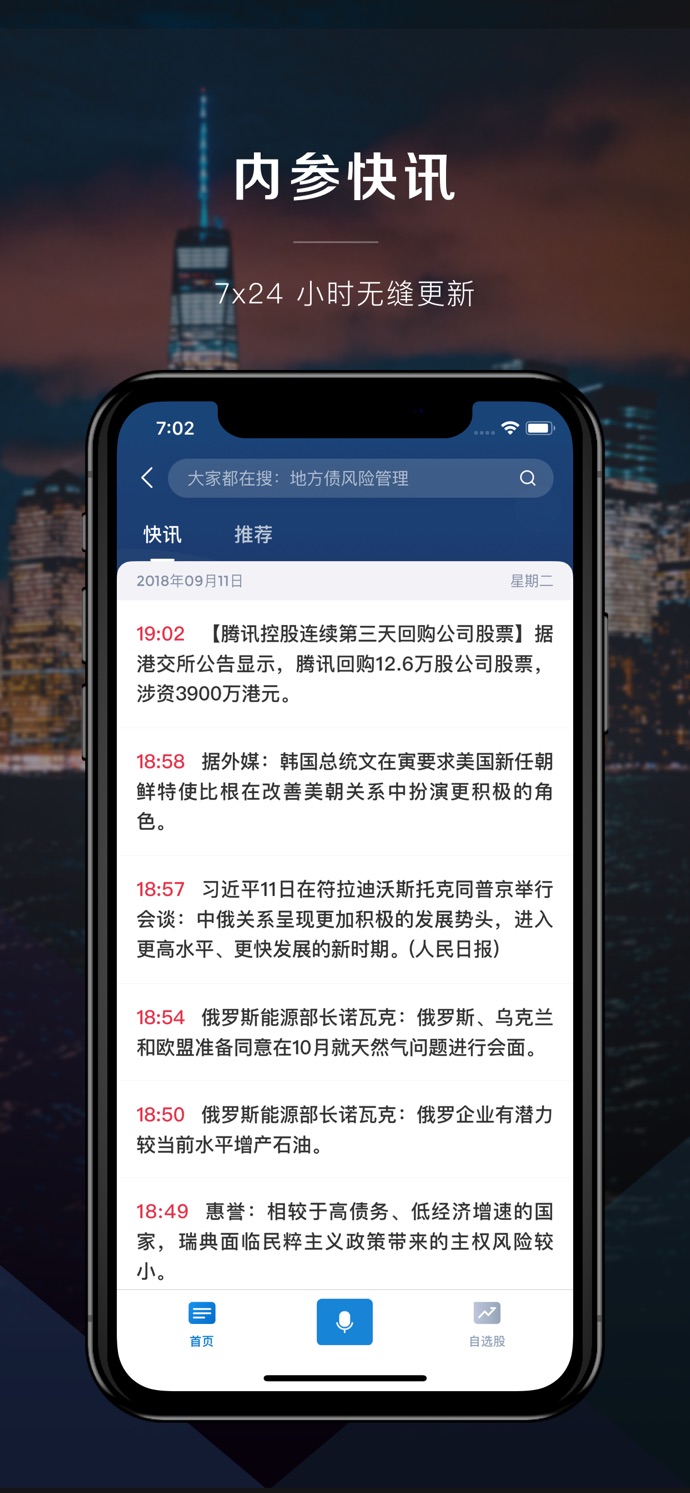 | 美膳校园 [App Store Link](https://itunes.apple.com/us/app/%E7%BE%8E%E8%86%B3%E6%A0%A1%E5%9B%AD/id1447211131?mt=8) | 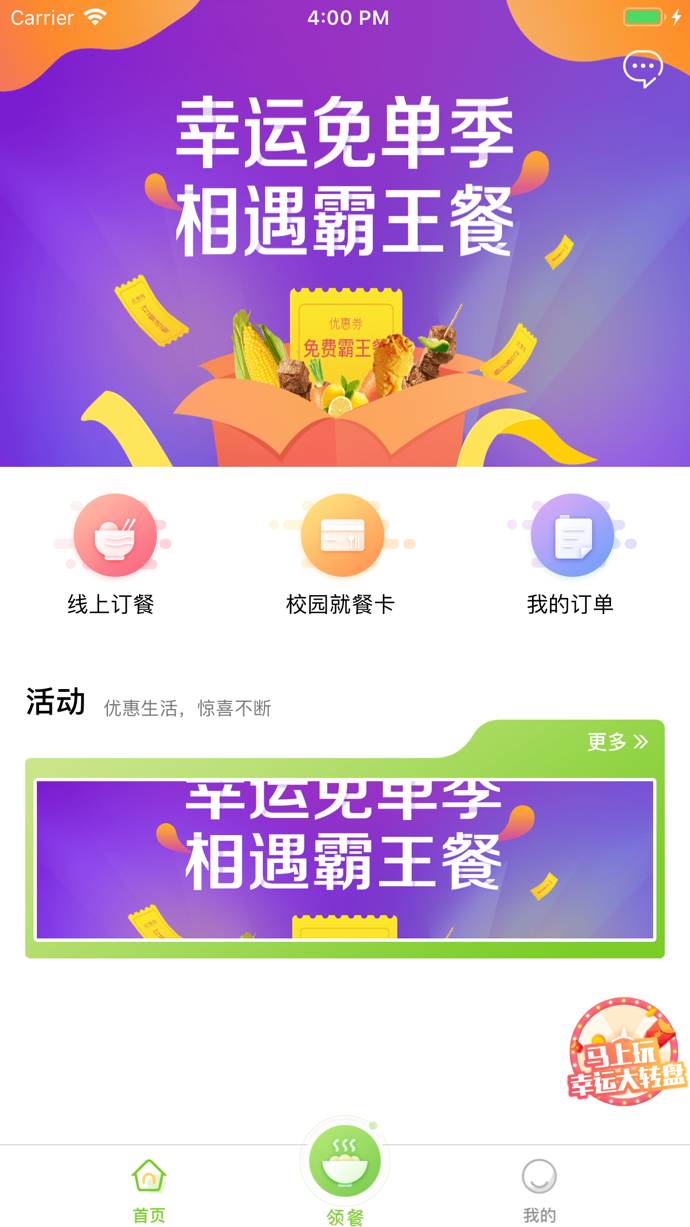
全聚星 [App Store Link](https://itunes.apple.com/us/app/%E5%85%A8%E8%81%9A%E6%98%9F/id1140827531?mt=8)  |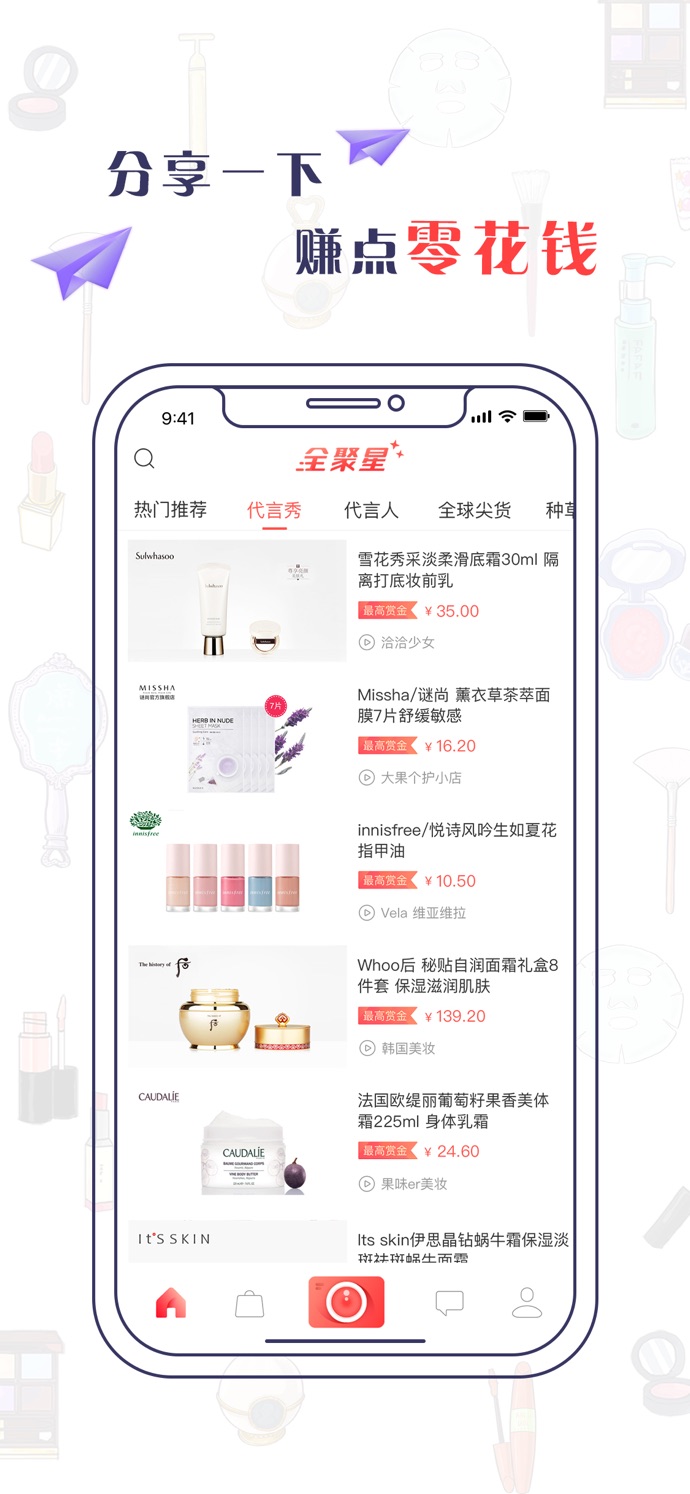 | Yesoul [App Store Link](https://itunes.apple.com/us/app/yesoul/id1144444969?mt=8)  | 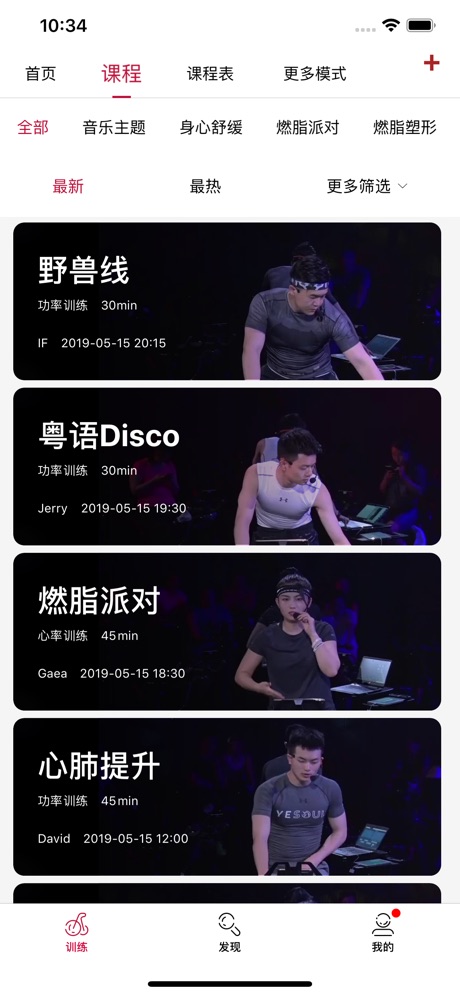
贵州充电通 [App Store Link](https://itunes.apple.com/us/app/%E8%B4%B5%E5%B7%9E%E5%85%85%E7%94%B5%E9%80%9A/id1455932848?mt=8&app=itunes&ign-mpt=uo%3D4)  | 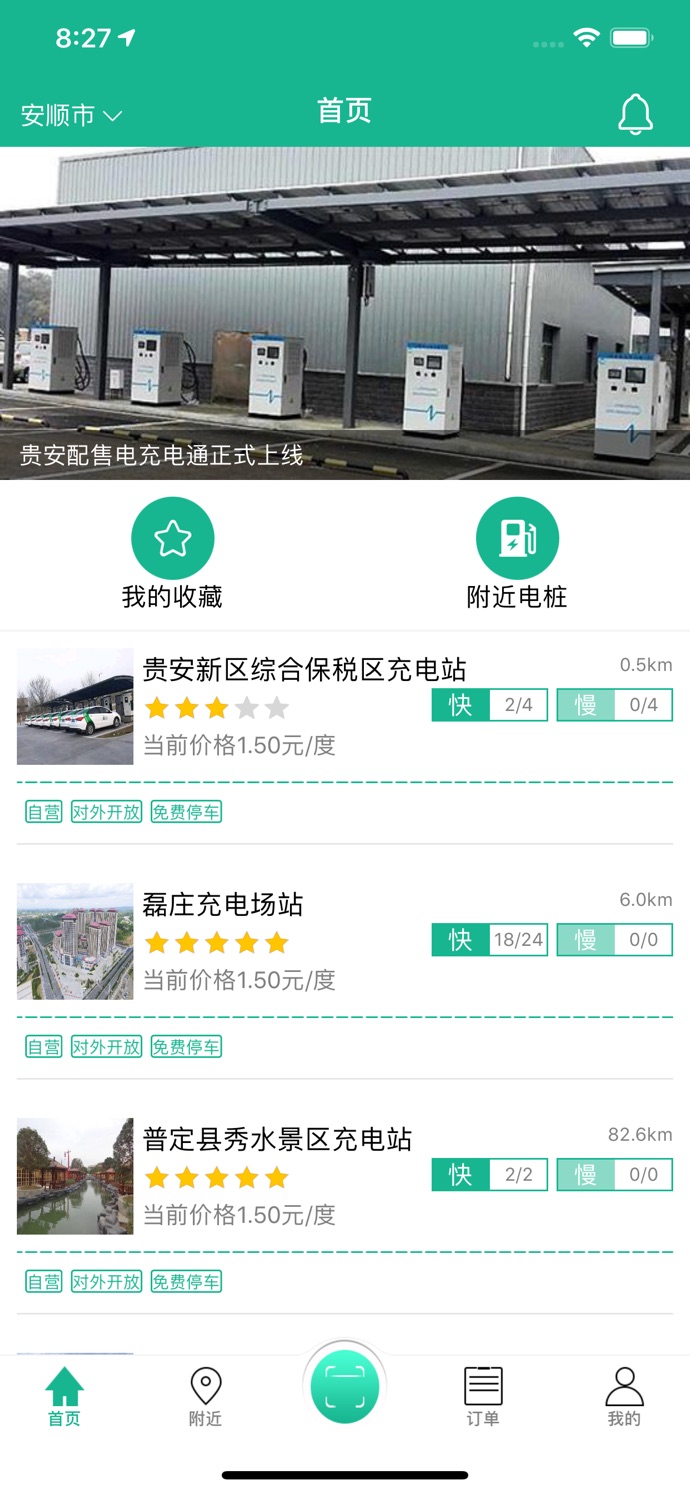 | 卓尔购 [App Store Link](https://itunes.apple.com/cn/app/%E5%8D%93%E5%B0%94%E8%B4%AD-%E6%89%B9%E5%8F%91%E9%87%87%E8%B4%AD%E8%BF%9B%E8%B4%A7%E9%A6%96%E9%80%89/id1063104387?mt=8)  | 
卓越管家 [App Store Link](https://itunes.apple.com/cn/app//id1268483803?mt=8)  | 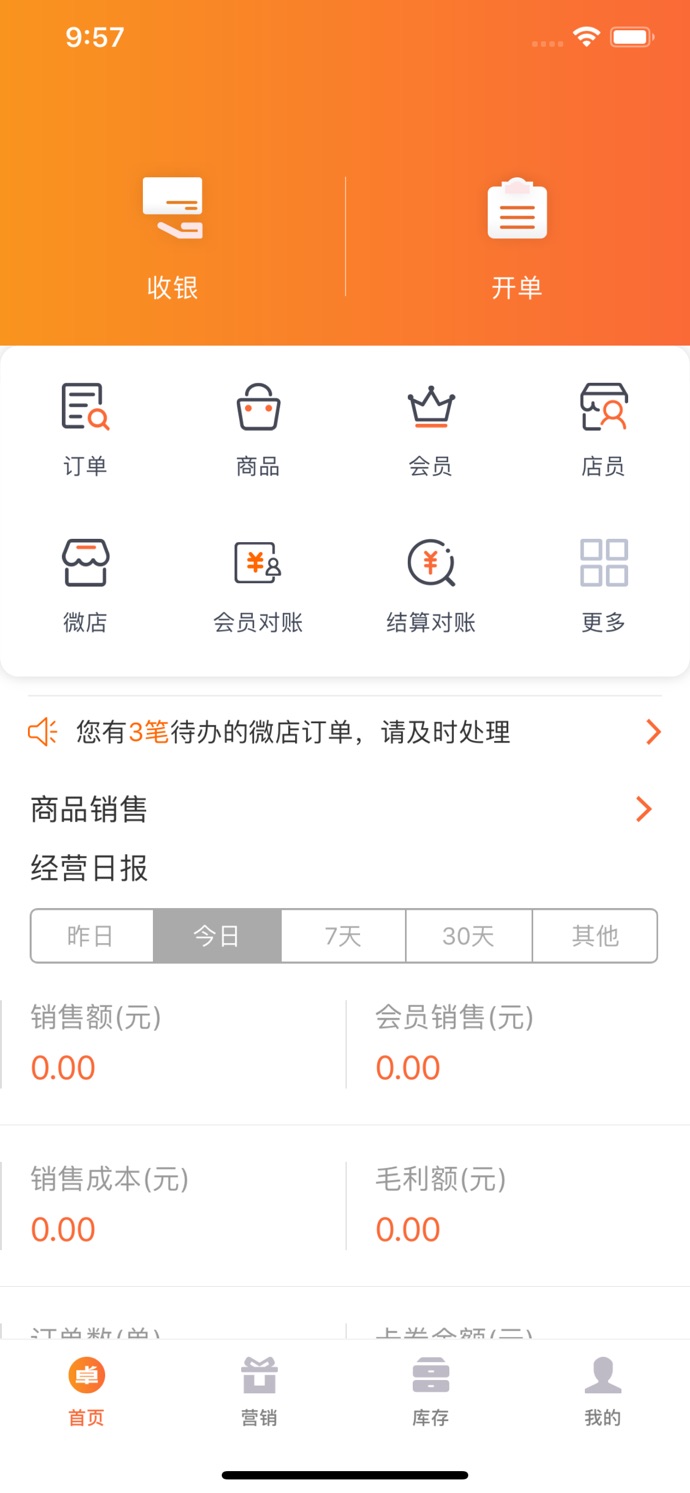 | 悦守护 [App Store Link](https://itunes.apple.com/cn/app/%E6%82%A6%E5%AE%88%E6%8A%A4/id1347678565?mt=8) | 
筑集采采购端 [App Store Link](https://itunes.apple.com/cn/app//id1041802973?mt=8)  |  | 筑集采供应端 [App Store Link](https://itunes.apple.com/fr/app//id1035221629?mt=8)  |  |
桂富宝 [App Store Link](https://itunes.apple.com/nz/app/e%E8%81%94%E7%9B%9F%E5%95%86%E5%9F%8E/id979819957)  | 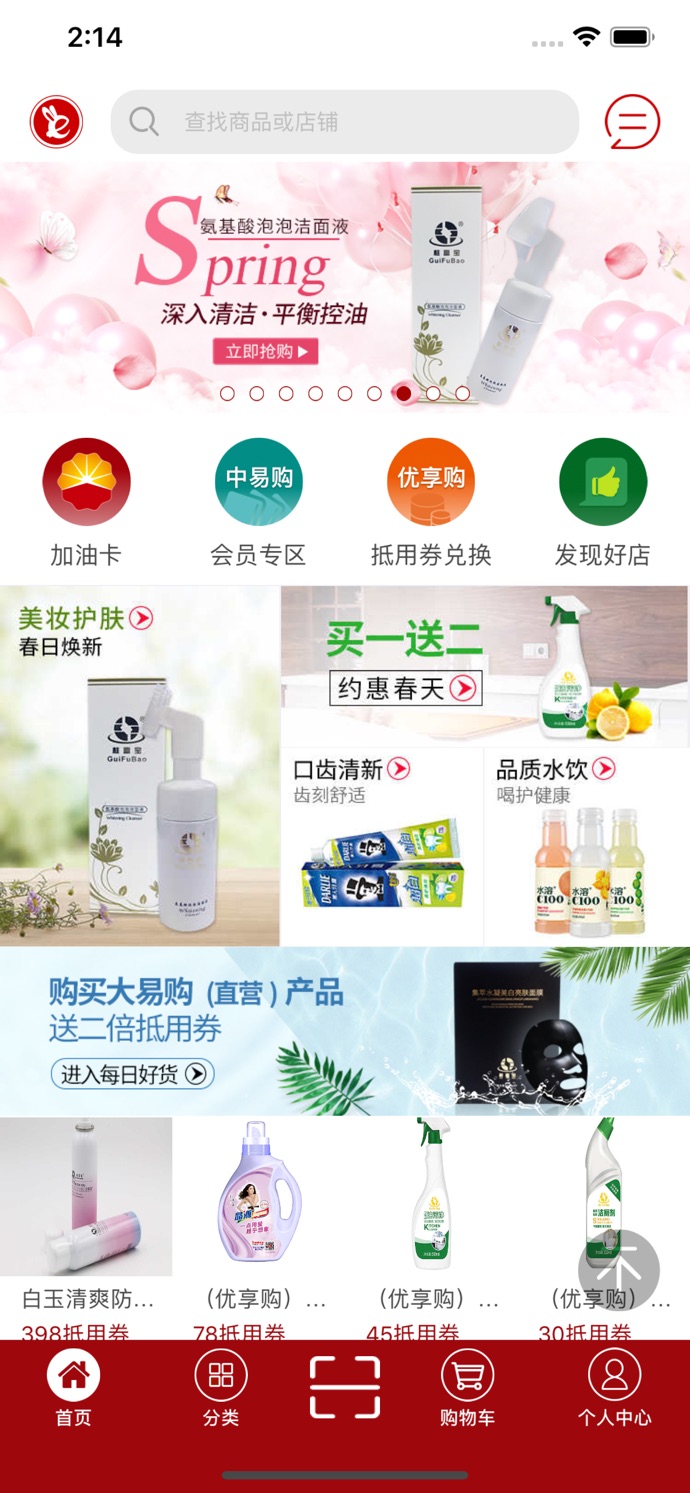 | 小猪奔奔 [App Store Link](https://itunes.apple.com/cn/app/%E5%B0%8F%E7%8C%AA%E5%A5%94%E5%A5%94-%E7%94%A8%E6%88%B7%E7%89%88/id1124274649?mt=8)  | 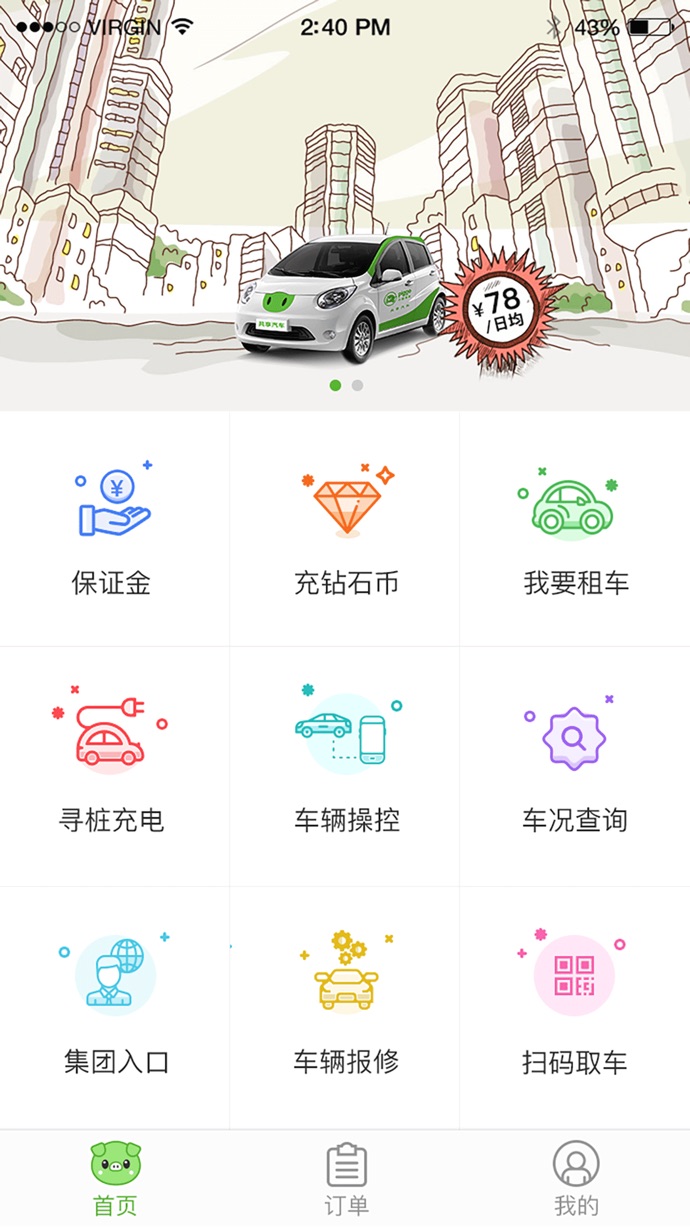
娃娃坞(开发中) |  | 更多APP请访问 [《使用 CYLTabBarController 做的 APP,来这里报道下吧》]( https://github.com/ChenYilong/CYLTabBarController/issues/314 ) | 如果你正在使用也请提交到这里 [《使用 CYLTabBarController 做的 APP,来这里报道下吧》]( https://github.com/ChenYilong/CYLTabBarController/issues/314 )
## [CN]导航
## [EN]CONTENTS
- [与其他自定义TabBarController的区别](#%E4%B8%8E%E5%85%B6%E4%BB%96%E8%87%AA%E5%AE%9A%E4%B9%89tabbarcontroller%E7%9A%84%E5%8C%BA%E5%88%AB)
- [集成后的效果:](#%E9%9B%86%E6%88%90%E5%90%8E%E7%9A%84%E6%95%88%E6%9E%9C)
- [项目结构](#%E9%A1%B9%E7%9B%AE%E7%BB%93%E6%9E%84)
- [使用CYLTabBarController](#%E4%BD%BF%E7%94%A8cyltabbarcontroller)
- [第一步:使用CocoaPods导入CYLTabBarController](#%E7%AC%AC%E4%B8%80%E6%AD%A5%E4%BD%BF%E7%94%A8cocoapods%E5%AF%BC%E5%85%A5cyltabbarcontroller)
- [第二步:设置CYLTabBarController的两个数组:控制器数组和TabBar属性数组](#%E7%AC%AC%E4%BA%8C%E6%AD%A5%E8%AE%BE%E7%BD%AEcyltabbarcontroller%E7%9A%84%E4%B8%A4%E4%B8%AA%E6%95%B0%E7%BB%84%E6%8E%A7%E5%88%B6%E5%99%A8%E6%95%B0%E7%BB%84%E5%92%8Ctabbar%E5%B1%9E%E6%80%A7%E6%95%B0%E7%BB%84)
- [第三步:将CYLTabBarController设置为window的RootViewController](#%E7%AC%AC%E4%B8%89%E6%AD%A5%E5%B0%86cyltabbarcontroller%E8%AE%BE%E7%BD%AE%E4%B8%BAwindow%E7%9A%84rootviewcontroller)
- [第四步(可选):创建自定义的形状不规则加号按钮](#%E7%AC%AC%E5%9B%9B%E6%AD%A5%E5%8F%AF%E9%80%89%E5%88%9B%E5%BB%BA%E8%87%AA%E5%AE%9A%E4%B9%89%E7%9A%84%E5%BD%A2%E7%8A%B6%E4%B8%8D%E8%A7%84%E5%88%99%E5%8A%A0%E5%8F%B7%E6%8C%89%E9%92%AE)
- [补充说明](#%E8%A1%A5%E5%85%85%E8%AF%B4%E6%98%8E)
- [自定义 `TabBar` 样式](#%E8%87%AA%E5%AE%9A%E4%B9%89-tabbar-%E6%A0%B7%E5%BC%8F)
- [捕获 TabBar 点击事件](#%E6%8D%95%E8%8E%B7-tabbar-%E7%82%B9%E5%87%BB%E4%BA%8B%E4%BB%B6)
- [点击 TabBarButton 时添加动画](#%E7%82%B9%E5%87%BB-tabbarbutton-%E6%97%B6%E6%B7%BB%E5%8A%A0%E5%8A%A8%E7%94%BB)
- [横竖屏适配](#%E6%A8%AA%E7%AB%96%E5%B1%8F%E9%80%82%E9%85%8D)
- [访问初始化好的 CYLTabBarController 对象](#%E8%AE%BF%E9%97%AE%E5%88%9D%E5%A7%8B%E5%8C%96%E5%A5%BD%E7%9A%84-cyltabbarcontroller-%E5%AF%B9%E8%B1%A1)
- [点击 PlusButton 跳转到指定 UIViewController](#%E7%82%B9%E5%87%BB-plusbutton-%E8%B7%B3%E8%BD%AC%E5%88%B0%E6%8C%87%E5%AE%9A-uiviewcontroller)
- [让TabBarItem仅显示图标,并使图标垂直居中](#%E8%AE%A9tabbaritem%E4%BB%85%E6%98%BE%E7%A4%BA%E5%9B%BE%E6%A0%87%E5%B9%B6%E4%BD%BF%E5%9B%BE%E6%A0%87%E5%9E%82%E7%9B%B4%E5%B1%85%E4%B8%AD)
- [多TabBar嵌套,并指定PlusButton位置](#%E5%A4%9Atabbar%E5%B5%8C%E5%A5%97%E5%B9%B6%E6%8C%87%E5%AE%9Aplusbutton%E4%BD%8D%E7%BD%AE)
- [在 Swift 项目中使用 CYLTabBarController](#%E5%9C%A8-swift-%E9%A1%B9%E7%9B%AE%E4%B8%AD%E4%BD%BF%E7%94%A8-cyltabbarcontroller)
- [搭配 Storyboard 使用 CYLTabBarController](#%E6%90%AD%E9%85%8D-storyboard-%E4%BD%BF%E7%94%A8-cyltabbarcontroller)
- [源码实现原理](#%E6%BA%90%E7%A0%81%E5%AE%9E%E7%8E%B0%E5%8E%9F%E7%90%86)
- [FAQ](#faq)
## [CN]与其他自定义 TabBarController 的区别
## [EN]Comparison with other libraries
| 中文 | English |
|:---|:---|
| **一行代码支持 Lottie 动画 TabBar** [使用方法](https://github.com/ChenYilong/CYLTabBarController/issues/341) | **One line of code enables an animated TabBar with Lottie.** [Usage](https://github.com/ChenYilong/CYLTabBarController/issues/341) |
| **低耦合,易删除** TabBar 配置与业务代码完全分离;PlusButton 由独立子类管理。 | **Loosely coupled and easy to remove.** TabBar configuration is independent from business code, and PlusButton is managed by a separate subclass. |
| **使用系统原生控件** `TabBar` 和 `TabBarItem` 保持系统行为,并支持外观 API。 | **Uses native system controls.** `TabBar` and `TabBarItem` preserve system behavior and support the appearance APIs. |
| **自动管理 PlusButton** 自动检测 PlusButton、计算位置并完成布局;按钮样式和 frame 由自定义类实现。 | **Automatically manages PlusButton.** The library detects the PlusButton, calculates its position, and lays it out automatically. |
| **支持动态更新** 可以动态添加或删除 PlusButton,并更新 TabBar 样式。 | **Supports runtime updates.** Add or remove the PlusButton and update the TabBar appearance at runtime. |
| **支持超出 TabBar 区域点击** PlusButton 超出 TabBar 的部分仍可响应点击。 | **Supports taps outside the TabBar bounds.** The portion of PlusButton extending beyond the TabBar can still receive taps. |
| **支持指定 PlusButton 位置** 可指定 PlusButton 的位置,并支持 Airbnb 风格布局。 | **Supports a custom PlusButton position.** Place the PlusButton at a custom index and support Airbnb-style layouts. |
| **仅显示图标并垂直居中** 不设置标题即可只显示图标,并可自定义 TabBar 高度。 | **Icon-only, vertically centered items.** Omit the title to show only icons and customize the TabBar height. |
| **支持自定义角标 View** 可以使用自定义 View 展示角标。 | **Supports custom badge views.** Use a custom view to display badges. |
| **支持多 TabBar 嵌套** 可嵌套多个 TabBar,并指定 PlusButton 所属的 context。 | **Supports nested TabBars.** Nest multiple TabBars and associate a PlusButton with a specific context. |
| **支持 CocoaPods 和 Swift** 易于集成,并兼容 Swift 项目。 | **Supports CocoaPods and Swift.** Easy to integrate and compatible with Swift projects. |
| **支持横竖屏** 自动适配不同屏幕方向。 | **Supports portrait and landscape orientations.** Layout adapts to both orientations. |
学习交流群:515295083
Learning group: 515295083.
## [CN]集成后的效果
## [EN]Results after integration
| 中文 | English |
|:---|:---|
| 默认样式  | Default style  |
| 自定义不规则 PlusButton  | Custom irregular PlusButton  |
Supports portrait and landscape orientations.
| 中文 | English |
|:---|:---|
| 本仓库配套 Demo 的效果  | Demo included in this repository  |
| 另一个 Demo:[CYLTabBarControllerDemoForWeib](https://github.com/ChenYilong/CYLTabBarControllerDemoForWeib)  | Another demo: [CYLTabBarControllerDemoForWeib](https://github.com/ChenYilong/CYLTabBarControllerDemoForWeib)  |
## [CN]项目结构
## [EN]Project structure

说明:
The directory structure is organized as follows:
```Objective-C
├── CYLTabBarController # 核心库文件夹;不使用 CocoaPods 时可直接拖入项目
└── Example
└── Classes
├── Module # 模块类文件夹 / Module classes
│ ├── Home
│ ├── Message
│ ├── Mine
│ └── SameCity
└── View # CYLPlusButton 子类;演示自定义不规则 PlusButton
```
## [CN]使用 [CYLTabBarController](https://github.com/ChenYilong/CYLTabBarController)
## [EN]Using [CYLTabBarController](https://github.com/ChenYilong/CYLTabBarController)
| 中文 | English |
|:---|:---|
| 四步完成主流 App 框架搭建: | Build a mainstream app structure in four steps: |
| 中文 | English |
|:---|:---|
| [第一步:使用 CocoaPods 导入 CYLTabBarController](#第一步使用-cocoapods-导入-cyltabbarcontroller) | Step 1: Import CYLTabBarController with CocoaPods |
| [第二步:设置控制器和 TabBar 属性数组](#第二步设置-cyltabbarcontroller-的两个数组) | Step 2: Configure the view controller and tab bar item attribute arrays |
| [第三步:设置 RootViewController](#第三步将-cyltabbarcontroller-设置为-window-的-rootviewcontroller) | Step 3: Set the RootViewController |
| [第四步(可选):创建自定义 PlusButton](#第四步可选创建自定义的不规则加号按钮) | Step 4 (optional): Create a custom PlusButton |
### [CN]第一步:使用 CocoaPods 导入 CYLTabBarController
### [EN]Step 1: Import CYLTabBarController with CocoaPods
#### [CN]1. 安装 CocoaPods
#### [EN]1. Install CocoaPods
| 中文 | English |
|:---|:---|
| 如果您的机器上已经安装了 CocoaPods,直接进入下一步即可。 | If CocoaPods is already installed, continue to the next step. |
| 中文 | English |
|:---|:---|
| 如果网络环境允许直接访问 RubyGems,请在终端运行: | If RubyGems is directly accessible, run: |
```
sudo gem install cocoapods
```
| 中文 | English |
|:---|:---|
| 如果无法直接访问 RubyGems,可以使用 Ruby China 镜像: | If RubyGems is unavailable, use the Ruby China mirror: |
| 中文 | English |
|:---|:---|
| 在终端依次运行以下命令: | Run the following commands in sequence in the terminal: |
```
gem sources --add https://gems.ruby-china.com/ --remove https://rubygems.org/
sudo gem install cocoapods
```
#### [CN]2. 查询 CocoaPods 源
#### [EN]2. Search the CocoaPods repository
| 中文 | English |
|:---|:---|
| 在终端中运行以下命令: | Run the following command in the terminal: |
```
pod search CYLTabBarController
```
| 中文 | English |
|:---|:---|
| 注意:该命令搜索的是本机缓存,并不会联网查询。 | Note: this command searches the local cache and does not query the network. |
| 中文 | English |
|:---|:---|
| 如果没有找到库或版本不是最新,请更新本地源: | If the library is missing or outdated, update the local repository: |
```
pod repo update
```
#### [CN]3. 使用 CocoaPods 导入
#### [EN]3. Integrate with CocoaPods
| 中文 | English |
|:---|:---|
| 进入工程目录并初始化 Podfile: | Open your project directory and initialize a Podfile: |
```
pod init
```
| 中文 | English |
|:---|:---|
| 如果尚未安装 CocoaPods,也可以运行: | If CocoaPods is not installed, run: |
```
gem install cocoapods
```
| 中文 | English |
|:---|:---|
| 打开 Podfile,在目标 target 中加入以下内容。版本号请以 [podspec](https://github.com/ChenYilong/CYLTabBarController/blob/master/CYLTabBarController.podspec) 为准。 | Open the Podfile and add the following line to your target. Check the [podspec](https://github.com/ChenYilong/CYLTabBarController/blob/master/CYLTabBarController.podspec) for the latest version. |
| 中文 | English |
|:---|:---|
| 在文件 `Podfile` 中加入以下内容: | Add the following content to the `Podfile`: |
```
pod 'CYLTabBarController', '~> 1.24.0'
```
| 中文 | English |
|:---|:---|
| 安装依赖: | Install the dependency: |
```
pod install
```
| 中文 | English |
|:---|:---|
| 如果不希望更新 spec 仓库,可使用: | To avoid updating the spec repository, use: |
```
# 禁止升级 CocoaPods 的 spec 仓库,否则会卡在 Analyzing dependencies,非常慢
pod update --verbose --no-repo-update
```
| 中文 | English |
|:---|:---|
| 如果提示找不到库,请移除 `--no-repo-update`。 | If the library cannot be found, remove `--no-repo-update`. |
| 中文 | English |
|:---|:---|
| 安装完成后,CocoaPods 会在工程根目录生成 `.xcworkspace` 文件。请使用该文件打开工程,而不是 `.xcodeproj`。 | After installation, CocoaPods creates an `.xcworkspace` file in the project root. Open the project with this file instead of the `.xcodeproj`. |
### [CN]CocoaPods 使用说明
### [EN]CocoaPods usage notes
#### [CN]指定 CYLTabBarController 版本
#### [EN]Pinning the CYLTabBarController version
| 中文 | English |
|:---|:---|
| 可以使用以下版本约束: | You can use the following version constraints: |
| 中文 | English |
|:---|:---|
| `>= 1.n.X` 会根据您本地的 CocoaPods 源列表,导入不低于 `1.(n+1).X` 版本的 CYLTabBarController。 | Based on your local CocoaPods sources, imports a CYLTabBarController version no lower than `1.(n+1).X`. |
| 中文 | English |
|:---|:---|
| `~> 1.n.X` 会根据您本地的 CocoaPods 源列表,介于 1.n.X~1.(n+1).0 之前版本的 CYLTabBarController。 | Based on your local CocoaPods sources, imports a CYLTabBarController version from `1.n.X` up to but not including `1.(n+1).0`. |
| 中文 | English |
|:---|:---|
| 建议锁定版本,便于团队协作。 | Pinning a version is recommended for consistent team builds. |
| 中文 | English |
|:---|:---|
| (此处示例可能是旧版本,使用时请替换为最新版,最新版信息可以从这里获取:[podspec](https://github.com/ChenYilong/CYLTabBarController/blob/master/CYLTabBarController.podspec)。) | This example may use an older version. Replace it with the latest version when needed; the latest version is available in the [podspec](https://github.com/ChenYilong/CYLTabBarController/blob/master/CYLTabBarController.podspec). |
```
pod 'CYLTabBarController', '~> 1.24.0'
```
#### [CN]升级本地 CocoaPods 源
#### [EN]Update the local CocoaPods repository
| 中文 | English |
|:---|:---|
| CocoaPods 会在本地缓存源服务器上的版本。如果搜索不到最新版本,请运行: | CocoaPods caches versions locally. Run the following command when the latest version is unavailable: |
```
pod repo update
```
#### [CN]升级工程中的 CYLTabBarController 版本
#### [EN]Upgrade CYLTabBarController in the project
| 中文 | English |
|:---|:---|
| 修改 Podfile 中的版本后运行: | After changing the version in the Podfile, run: |
```
pod update
```
#### [CN]清除 CocoaPods 本地缓存
#### [EN]Clear the CocoaPods cache
| 中文 | English |
|:---|:---|
| 如果下载文件损坏,可以删除 `~/Library/Caches/CocoaPods/Pods/Release` 后重新导入。 | If downloaded files are corrupted, remove `~/Library/Caches/CocoaPods/Pods/Release` and integrate again. |
#### [CN]查看当前使用的版本
#### [EN]Check the installed version
| 中文 | English |
|:---|:---|
| 在 `Podfile.lock` 中可以查看项目使用的版本。 | The installed version is recorded in `Podfile.lock`. |
| 中文 | English |
|:---|:---|
| 更多信息请参考 [CocoaPods 文档](https://cocoapods.org/)。 | For more information, see the [CocoaPods documentation](https://cocoapods.org/). |
### [CN]使用 Carthage 导入 CYLTabBarController(可选)
### [EN]Import CYLTabBarController with Carthage (optional)
| 中文 | English |
|:---|:---|
| 除了 CocoaPods 和 Swift Package Manager,也可以通过 [Carthage](https://github.com/Carthage/Carthage) 集成本库。在 `Cartfile` 中添加: | In addition to CocoaPods and Swift Package Manager, you can integrate the library with [Carthage](https://github.com/Carthage/Carthage). Add the following to `Cartfile`: |
```
github "ChenYilong/CYLTabBarController"
```
| 中文 | English |
|:---|:---|
| 然后执行: | Then run: |
```
carthage update --use-xcframeworks
```
| 中文 | English |
|:---|:---|
| 构建完成后,将生成的 `CYLTabBarController.xcframework` 拖入工程,并在 "Frameworks, Libraries, and Embedded Content" 中设置为 `Embed & Sign`。 | After the build completes, drag `CYLTabBarController.xcframework` into the project and set it to `Embed & Sign` under "Frameworks, Libraries, and Embedded Content". |
| 中文 | English |
|:---|:---|
| 说明:Carthage 构建的是不含 Lottie 动画相关文件(`LottieSwift` 目录)的核心功能集,与 CocoaPods 的 `Core`子规范(subspec)范围一致。 | Note: Carthage builds the core feature set without the Lottie animation files in the `LottieSwift` directory, matching the scope of the CocoaPods `Core` subspec. |
### [CN]第二步:设置 CYLTabBarController 的两个数组
### [EN]Step 2: Configure the view controller and tab bar item attribute arrays
```Objective-C
//MainTabBarController
@interface MainTabBarController : CYLTabBarController
@end
- (instancetype)init {
if (!(self = [super init])) {
return nil;
}
/**
* 以下两行代码目的在于手动设置让TabBarItem只显示图标,不显示文字,并让图标垂直居中。
* 等效于在 `-tabBarItemsAttributesForController` 方法中不传 `CYLTabBarItemTitle` 字段。
* 更推荐后一种做法。
*/
UIEdgeInsets imageInsets = UIEdgeInsetsZero;//UIEdgeInsetsMake(4.5, 0, -4.5, 0);
UIOffset titlePositionAdjustment = UIOffsetMake(0, -3.5);
CYLTabBarController *tabBarController = [CYLTabBarController tabBarControllerWithViewControllers:self.viewControllers
tabBarItemsAttributes:self.tabBarItemsAttributesForController
imageInsets:imageInsets
titlePositionAdjustment:titlePositionAdjustment
context:nil
];
[self customizeTabBarAppearance:tabBarController];
self.navigationController.navigationBar.hidden = YES;
return (self = (MainTabBarController *)tabBarController);
}
- (NSArray *)viewControllers {
CYLHomeViewController *firstViewController = [[CYLHomeViewController alloc] init];
UIViewController *firstNavigationController = [[CYLBaseNavigationController alloc]
initWithRootViewController:firstViewController];
[firstViewController cyl_setHideNavigationBarSeparator:YES];
CYLSameCityViewController *secondViewController = [[CYLSameCityViewController alloc] init];
UIViewController *secondNavigationController = [[CYLBaseNavigationController alloc]
initWithRootViewController:secondViewController];
[secondViewController cyl_setHideNavigationBarSeparator:YES];
NSArray *viewControllers = @[
firstNavigationController,
secondNavigationController,
];
return viewControllers;
}
- (NSArray *)tabBarItemsAttributesForController {
NSDictionary *firstTabBarItemsAttributes = @{
CYLTabBarItemTitle : @"首页",
CYLTabBarItemImage : self.darkMode ? @"home_highlight" : @"home_normal", /* NSString and UIImage are supported*/
CYLTabBarItemSelectedImage : @"home_highlight", /* NSString and UIImage are supported*/
};
NSDictionary *secondTabBarItemsAttributes = @{
CYLTabBarItemTitle : @"同城",
CYLTabBarItemImage : self.darkMode ? @"fishpond_highlight" : @"fishpond_normal",
CYLTabBarItemSelectedImage : @"fishpond_highlight",
};
NSArray *tabBarItemsAttributes = @[
firstTabBarItemsAttributes,
secondTabBarItemsAttributes,
];
return tabBarItemsAttributes;
}
```
| 中文 | English |
|:---|:---|
| 在这个字典中,`CYLTabBarItemImage` 和 `CYLTabBarItemSelectedImage` 支持 `NSString`、`UIImage` 两种格式。 | The `CYLTabBarItemImage` and `CYLTabBarItemSelectedImage` values support both `NSString` and `UIImage`. |
| 不设置 `CYLTabBarItemTitle` 时,只显示图标并自动居中。 | Omit `CYLTabBarItemTitle` to display and center the icon only. |
### [CN]第三步:将 CYLTabBarController 设置为 window 的 RootViewController
### [EN]Step 3: Set CYLTabBarController as the window's root view controller
```Objective-C
- (BOOL)application:(UIApplication *)application didFinishLaunchingWithOptions:(NSDictionary *)launchOptions {
/* *省略部分: * */
[self.window setRootViewController:self.tabBarController];
/* *省略部分: * */
return YES;
}
```
| 中文 | English |
|:---|:---|
| 也可以将 CYLTabBarController 的子类设置为 RootViewController,或将其 NavigationViewController 设置为 RootViewController。 | You can also use a CYLTabBarController subclass, or its NavigationViewController, as the root view controller. |
| Demo 使用后者,便于动态更新。 | The demo uses the latter so the hierarchy can be updated dynamically. |
### [CN]第四步(可选):创建自定义的不规则加号按钮
### [EN]Step 4 (optional): Create a custom irregular plus button
| 中文 | English |
|:---|:---|
| 创建一个继承自 `CYLPlusButton` 的类,并按以下步骤配置: | Create a `CYLPlusButton` subclass and follow these steps: |
| 中文 | English |
|:---|:---|
| 实现 `CYLPlusButtonSubclassing` 协议。 | Conform to `CYLPlusButtonSubclassing`. |
| 中文 | English |
|:---|:---|
| 注册子类:调用 `[YourClass registerPlusButton]`。建议在 RootViewController 的 `viewDidLoad` 或 `application:didFinishLaunchingWithOptions:` 中注册。 | Register the subclass with `[YourClass registerPlusButton]` from `viewDidLoad` or `application:didFinishLaunchingWithOptions:`. |
| 中文 | English |
|:---|:---|
| 不要在子类的 `+load` 方法中注册,否则在 iOS 10 上可能发生崩溃。 | Do not register it from `+load`, because this may crash on iOS 10. |
```Objective-C
+ (void)load {
[super registerPlusButton];
}
```
| 中文 | English |
|:---|:---|
| 协议提供以下可选方法: | The protocol provides the following optional methods: |
```Objective-C
+ (NSUInteger)indexOfPlusButtonInTabBar;
+ (CGFloat)multiplierOfTabBarHeight:(CGFloat)tabBarHeight;
+ (UIViewController *)plusChildViewController;
+ (BOOL)shouldSelectPlusChildViewController;
```
| 中文 | English |
|:---|:---|
| 这些方法的作用如下: | Their roles are described below. |
```Objective-C
+ (NSUInteger)indexOfPlusButtonInTabBar;
```
| 中文 | English |
|:---|:---|
| 用于自定义 PlusButton 的位置。未实现时默认居中;当 TabBarItem 数量为奇数时必须实现,否则会抛出异常。 | Use this method to customize the PlusButton index. It defaults to the center, but must be implemented when the number of TabBarItems is odd. |
| 中文 | English |
|:---|:---|
| 主要适用于如下情景: | This is mainly useful in the following situations: |
```Objective-C
+ (CGFloat)multiplierOfTabBarHeight:(CGFloat)tabBarHeight;
```
| 中文 | English |
|:---|:---|
| 该方法用于调整自定义按钮中心点在 Y 轴上的位置,适用于按钮超出 `TabBar` 边界的场景。 | Use this method to adjust the button center on the Y axis, especially when it extends beyond the `TabBar`. |
| 返回值为按钮中心点 Y 坐标与 `TabBar` 高度的比值;不实现时使用自动布局。 | The return value is the button center Y coordinate divided by the `TabBar` height. Automatic positioning is used when it is not implemented. |
| 中文 | English |
|:---|:---|
| 内部实现时,会使用该返回值来设置 PlusButton 的 centerY 坐标,公式如下: | `PlusButtonCenterY = multiplierOfTabBarHeight * taBarHeight + constantOfPlusButtonCenterYOffset;` |
| 中文 | English |
|:---|:---|
| 当 `constantOfPlusButtonCenterYOffset` 为 0 且 `multiplierOfTabBarHeight` 为 0.5 时,PlusButton 居中;小于 0.5 时向上,大于 0.5 时向下。 | With an offset of 0, a multiplier of 0.5 centers the PlusButton. Values below 0.5 move it upward; values above 0.5 move it downward. |
```Objective-C
+ (CGFloat)constantOfPlusButtonCenterYOffsetForTabBarHeight:(CGFloat)tabBarHeight;
```
| 中文 | English |
|:---|:---|
| 参考 `+multiplierOfTabBarHeight:` 中的公式: | `PlusButtonCenterY = multiplierOfTabBarHeight * taBarHeight + constantOfPlusButtonCenterYOffset;` |
| 中文 | English |
|:---|:---|
| `constantOfPlusButtonCenterYOffset` 大于 0 时向下偏移,小于 0 时向上偏移。 | Positive values move the button downward; negative values move it upward. |
| 中文 | English |
|:---|:---|
| 如果只实现该方法而未实现 `+multiplierOfTabBarHeight:`,偏移量会叠加到默认布局逻辑上。 | If only this method is implemented, the offset is applied on top of the default layout. |
| 中文 | English |
|:---|:---|
| 详见 Demo 中 `CYLPlusButtonSubclass` 的实现。 | See `CYLPlusButtonSubclass` in the demo for a complete implementation. |
```Objective-C
+ (UIViewController *)plusChildViewController;
```
| 中文 | English |
|:---|:---|
| 详见 [点击 PlusButton 跳转到指定 UIViewController](#点击-plusbutton-跳转到指定-uiviewcontroller)。 | See [Navigating to a UIViewController by tapping the PlusButton](#点击-plusbutton-跳转到指定-uiviewcontroller). |
| 中文 | English |
|:---|:---|
| 另外,如果加号按钮超出了边界,一般需要手动调用如下代码取消 tabbar 顶部默认的阴影,可在 AppDelegate 类中调用: | If the plus button extends beyond the bounds, you may need to remove the default tab bar top shadow by calling the following code from the AppDelegate: |
```Objective-C
//去除 TabBar 自带的顶部阴影
[[UITabBar appearance] setShadowImage:[[UIImage alloc] init]];
```
// iOS 10 and later: use -[CYLTabBarController hideTabBarShadowImageView].
// See the AppDelegate example.
#### [CN]调整 PlusButton 与 TabBarItem 的宽度
#### [EN]Customize the PlusButton and TabBarItem widths
| 中文 | English |
|:---|:---|
| `CYLTabBarController` 使用以下计算方式: | `CYLTabBarController` uses the following formula: |
```Objective-C
TabBarItem 宽度 = ( TabBar 总宽度 - PlusButton 宽度 ) / (TabBarItem 个数)
```
| 中文 | English |
|:---|:---|
| 因此只需修改 PlusButton 的宽度即可改变各 TabBarItem 的宽度。 | Change the PlusButton width to customize the width of the other TabBarItems. |
| 中文 | English |
|:---|:---|
| 例如,在 Demo 的 `CYLPlusButtonSubclass.m` 中: | For example, in `CYLPlusButtonSubclass.m`: |
| 中文 | English |
|:---|:---|
| 把: | Replace: |
```Objective-C
[button sizeToFit];
```
| 中文 | English |
|:---|:---|
| 改为: | With: |
```Objective-C
button.frame = CGRectMake(0.0, 0.0, 250, 100);
button.backgroundColor = [UIColor redColor];
```
| 中文 | English |
|:---|:---|
| 效果如下: | The result is shown below: |
| 中文 | English |
|:---|:---|
| 你也可以测试 `CYLTabBarController` 的以下特性: | You can also test this feature: |
| 中文 | English |
|:---|:---|
| 即使 PlusButton 超出 TabBar 区域,超出部分仍可响应点击事件。 | The portion of PlusButton outside the TabBar bounds can still receive taps. |
| 中文 | English |
|:---|:---|
| 你还可以在任意位置读取 `CYLPlusButtonWidth`,该 extern 定义在 `CYLTabBarController.h` 中。 | The PlusButton width is also available through the `CYLPlusButtonWidth` extern declared in `CYLTabBarController.h`. |
| 参考 `+[CYLTabBarControllerConfig customizeTabBarAppearance:]` 的用法。 | See `+[CYLTabBarControllerConfig customizeTabBarAppearance:]` for an example. |
## [CN]补充说明
## [EN]Additional notes
### [CN]自定义 `TabBar` 样式
### [EN]Customizing the `TabBar` appearance
| 中文 | English |
|:---|:---|
| 可以在 `-application:didFinishLaunchingWithOptions:` 中进一步自定义 `TabBar` 样式。 | Customize the `TabBar` appearance from `-application:didFinishLaunchingWithOptions:`: |
```Objective-C
/**
* tabBarItem 的选中和不选中文字属性、背景图片
*/
- (void)customizeInterface {
// 普通状态下的文字属性
NSMutableDictionary *normalAttrs = [NSMutableDictionary dictionary];
normalAttrs[NSForegroundColorAttributeName] = [UIColor grayColor];
// 选中状态下的文字属性
NSMutableDictionary *selectedAttrs = [NSMutableDictionary dictionary];
selectedAttrs[NSForegroundColorAttributeName] = [UIColor darkGrayColor];
// 设置文字属性
UITabBarItem *tabBar = [UITabBarItem appearance];
[tabBar setTitleTextAttributes:normalAttrs forState:UIControlStateNormal];
[tabBar setTitleTextAttributes:selectedAttrs forState:UIControlStateSelected];
// 设置背景图片
UITabBar *tabBarAppearance = [UITabBar appearance];
[tabBarAppearance setBackgroundImage:[UIImage imageNamed:@"tabbar_background"]];
}
- (BOOL)application:(UIApplication *)application didFinishLaunchingWithOptions:(NSDictionary *)launchOptions {
/* *省略部分: * */
[self.window makeKeyAndVisible];
[self customizeInterface];
return YES;
}
```
#### [CN]捕获 TabBar 点击事件
#### [EN]Handling TabBar selection events
| 中文 | English |
|:---|:---|
| 实现以下代理方法即可捕获点击事件。 | Implement the following delegate methods to observe selections. |
| 中文 | English |
|:---|:---|
| 下面的方法可以捕获 `TabBar` 上被点击的控件,包括 `UITabBarButton`、PlusButton 或其他 `UIControl`。 | This method reports the selected control, including `UITabBarButton`, PlusButton, or any other `UIControl`. |
| 如果 PlusButton 自身添加了点击事件,点击它时不会触发该代理方法。 | It is not called for PlusButton when PlusButton has its own action. |
```Objective-C
//CYLTabBarController.h
@protocol CYLTabBarControllerDelegate
/*!
* @param tabBarController The tab bar controller containing viewController.
* @param control Selected UIControl in TabBar.
* @attention If PlusButton also add an action, then this delegate method will not be invoked when the PlusButton is selected.
*/
- (void)tabBarController:(UITabBarController *)tabBarController didSelectControl:(UIControl *)control;
@end
```
| 中文 | English |
|:---|:---|
| 下面的方法可以捕获跳转前的控制器和即将跳转到的目标控制器。 | The following method receives the current and destination view controllers. |
```Objective-C
//UITabBarController.h
@protocol UITabBarControllerDelegate
@optional
- (BOOL)tabBarController:(UITabBarController *)tabBarController shouldSelectViewController:(UIViewController *)viewController NS_AVAILABLE_IOS(3_0);
@end
```
| 中文 | English |
|:---|:---|
| 注意:调用该方法时应始终调用 `[[self cyl_tabBarController] updateSelectionStatusIfNeededForTabBarController:tabBarController shouldSelectViewController:viewController];` 以确保 PlusButton 的选中状态正确。 | Always call the following method to keep the PlusButton selection state synchronized: |
```Objective-C
- (BOOL)tabBarController:(UITabBarController *)tabBarController shouldSelectViewController:(UIViewController *)viewController {
[[self cyl_tabBarController] updateSelectionStatusIfNeededForTabBarController:tabBarController shouldSelectViewController:viewController];
return YES;
}
```
| 中文 | English |
|:---|:---|
| 完整用法请参考 Demo。 | See the demo for a complete example. |
| 中文 | English |
|:---|:---|
| 协议声明方式如下: | Declare the protocols as follows: |
```Objective-C
@interface AppDelegate ()
@end
- (BOOL)application:(UIApplication *)application didFinishLaunchingWithOptions:(NSDictionary *)launchOptions {
//...
tabBarControllerConfig.tabBarController.delegate = self;
//...
return YES;
}
```
### [CN]点击 TabBarButton 时添加动画
### [EN]Adding animations when a TabBar button is tapped
| 中文 | English |
|:---|:---|
| Demo 效果: | Demo preview: |
| 中文 | English |
|:---|:---|
| 实现该代理方法即可获取选中的控件,并直接为其添加动画。 | Implement this delegate method to access the selected control and animate it. |
```Objective-C
//CYLTabBarController.h
@protocol CYLTabBarControllerDelegate
/*!
* @param tabBarController The tab bar controller containing viewController.
* @param control Selected UIControl in TabBar.
*/
- (void)tabBarController:(UITabBarController *)tabBarController didSelectControl:(UIControl *)control;
@end
```
| 中文 | English |
|:---|:---|
| Demo 中的示例代码如下: | The demo uses the following code: |
| 中文 | English |
|:---|:---|
| 遵循协议: | Conform to the protocols: |
```Objective-C
@interface AppDelegate ()
@end
```
```Objective-C
//AppDelegate.m
- (void)tabBarController:(UITabBarController *)tabBarController didSelectControl:(UIControl *)control {
UIView *animationView;
// If PlusButton has its own action, this delegate is not called for it.
if ([control cyl_isPlusButton]) {
// The plus button of this tab bar controller's context (`CYLExternPlusButton` is the one registered last).
UIButton *button = [CYLPlusButton plusButtonForOwner:tabBarController];
animationView = button.imageView;
} else if ([control isKindOfClass:NSClassFromString(@"UITabBarButton")]) {
for (UIView *subView in control.subviews) {
if ([subView isKindOfClass:NSClassFromString(@"UITabBarSwappableImageView")]) {
animationView = subView;
}
}
}
if ([self cyl_tabBarController].selectedIndex % 2 == 0) {
[self addScaleAnimationOnView:animationView];
} else {
[self addRotateAnimationOnView:animationView];
}
}
// 缩放动画 / Scale animation
- (void)addScaleAnimationOnView:(UIView *)animationView {
// Customize the keyframe animation as needed.
CAKeyframeAnimation *animation = [CAKeyframeAnimation animation];
animation.keyPath = @"transform.scale";
animation.values = @[@1.0,@1.3,@0.9,@1.15,@0.95,@1.02,@1.0];
animation.duration = 1;
animation.calculationMode = kCAAnimationCubic;
[animationView.layer addAnimation:animation forKey:nil];
}
// 旋转动画 / Rotation animation
- (void)addRotateAnimationOnView:(UIView *)animationView {
[UIView animateWithDuration:0.32 delay:0 options:UIViewAnimationOptionCurveEaseIn animations:^{
animationView.layer.transform = CATransform3DMakeRotation(M_PI, 0, 1, 0);
} completion:nil];
dispatch_after(dispatch_time(DISPATCH_TIME_NOW, (int64_t)(0.2 * NSEC_PER_SEC)), dispatch_get_main_queue(), ^{
[UIView animateWithDuration:0.70 delay:0 usingSpringWithDamping:1 initialSpringVelocity:0.2 options:UIViewAnimationOptionCurveEaseOut animations:^{
animationView.layer.transform = CATransform3DMakeRotation(2 * M_PI, 0, 1, 0);
} completion:nil];
});
}
```
### [CN]横竖屏适配
### [EN]Supporting portrait and landscape orientations
| 中文 | English |
|:---|:---|
| 当 TabBar 中包含 PlusButton,且布局依赖 TabBarItem 宽度时,不建议使用系统的 `UIDeviceOrientationDidChangeNotification`。 | When a PlusButton is present and your layout depends on TabBarItem width, do not rely on `UIDeviceOrientationDidChangeNotification`. |
| 请使用 `CYLTabBarItemWidthDidChangeNotification` 更新布局,例如根据屏幕方向切换选中 TabBarItem 的背景图。 | Use `CYLTabBarItemWidthDidChangeNotification` to update the layout, for example to switch the selected TabBarItem background image by orientation. |
| 中文 | English |
|:---|:---|
| 每个 TabBar 保存自己的 item 宽度:`tabBar.cyl_tabBarItemWidth`(同理有 `cyl_tabbarItemsCount`、`cyl_plusButtonIndex`、`cyl_plusButtonWidth`),存在多个 TabBarController 时互不影响,并会在宽度变化时更新。`CYLTabBarController.h` 里的 `CYLTabBarItemWidth` extern 保存最后一次写入的值,仍然可用。 | Each TabBar keeps its own item width: `tabBar.cyl_tabBarItemWidth` (likewise `cyl_tabbarItemsCount`, `cyl_plusButtonIndex`, `cyl_plusButtonWidth`). They do not affect each other with several TabBarControllers, and are updated whenever the width changes. The `CYLTabBarItemWidth` extern in `CYLTabBarController.h` holds what was written last and still works. |
```Objective-C
- (void)updateTabBarCustomizationWhenTabBarItemWidthDidUpdate {
void (^deviceOrientationDidChangeBlock)(NSNotification *) = ^(NSNotification *notification) {
[self tabBarItemWidthDidUpdate];
};
[[NSNotificationCenter defaultCenter] addObserverForName:CYLTabBarItemWidthDidChangeNotification
object:nil
queue:[NSOperationQueue mainQueue]
usingBlock:deviceOrientationDidChangeBlock];
}
- (void)tabBarItemWidthDidUpdate {
UIDeviceOrientation orientation = [[UIDevice currentDevice] orientation];
if ((orientation == UIDeviceOrientationLandscapeLeft) || (orientation == UIDeviceOrientationLandscapeRight)) {
NSLog(@"Landscape Left or Right !");
} else if (orientation == UIDeviceOrientationPortrait){
NSLog(@"Landscape portrait!");
}
CGSize selectionIndicatorImageSize = CGSizeMake([self cyl_tabBar].cyl_tabBarItemWidth, [self cyl_tabBarController].tabBar.bounds.size.height);
[[self cyl_tabBarController].tabBar setSelectionIndicatorImage:[[self class]
imageFromColor:[UIColor yellowColor]
forSize:selectionIndicatorImageSize
withCornerRadius:0]];
}
```
### [CN]访问初始化好的 CYLTabBarController 对象
### [EN]Accessing the initialized CYLTabBarController instance
| 中文 | English |
|:---|:---|
| 对于任意 `NSObject` 对象: | For any `NSObject`: |
| 中文 | English |
|:---|:---|
| `CYLTabBarController.h` 为 `NSObject` 提供了 `-cyl_tabBarController` 分类属性。 | `CYLTabBarController.h` adds `-cyl_tabBarController` to `NSObject`. |
| 因此可以在任意对象中用一行代码访问已初始化的 CYLTabBarController。 | It provides one-line access to the initialized CYLTabBarController, similar to retrieving a shared instance. |
| 中文 | English |
|:---|:---|
| 接口如下: | The interface is: |
```Objective-C
// CYLTabBarController.h
@interface NSObject (CYLTabBarController)
/**
* If `self` is kind of `UIViewController`, this method will return the nearest ancestor in the view controller hierarchy that is a tab bar controller. If `self` is not kind of `UIViewController`, it will return the `rootViewController` of the `rootWindow` as long as you have set the `CYLTabBarController` as the `rootViewController`. Otherwise return nil. (read-only)
*/
@property (nonatomic, readonly) CYLTabBarController *cyl_tabBarController;
@end
```
| 中文 | English |
|:---|:---|
| 用法: | Usage: |
```Objective-C
//导入 CYLTabBarController.h
#import "CYLTabBarController.h"
- (void)viewDidLoad {
[super viewDidLoad];
CYLTabBarController *tabbarController = [self cyl_tabBarController];
/*...*/
}
```
### [CN]点击 PlusButton 跳转到指定 UIViewController
### [EN]Navigating to a UIViewController by tapping the PlusButton
| 中文 | English |
|:---|:---|
| 通过协议方法即可实现该功能。 | Use the protocol methods below to enable this behavior. |
| 中文 | English |
|:---|:---|
| 实现后,点击 PlusButton 的效果与点击其他 TabBar 按钮一致,并跳转到指定的 UIViewController。 | After implementation, tapping PlusButton behaves like tapping another TabBar button and navigates to the specified view controller. |
| 中文 | English |
|:---|:---|
| 注意:必须同时实现 `+indexOfPlusButtonInTabBar` 指定 PlusButton 的位置。 | You must also implement `+indexOfPlusButtonInTabBar` to define its position. |
| 中文 | English |
|:---|:---|
| 协议示例: | Protocol example: |
```Objective-C
#pragma mark - CYLPlusButtonSubclassing
+ (UIViewController *)plusChildViewController {
UIViewController *plusChildViewController = [[UIViewController alloc] init];
plusChildViewController.view.backgroundColor = [UIColor redColor];
plusChildViewController.navigationItem.title = @"PlusChildViewController";
UIViewController *plusChildNavigationController = [[UINavigationController alloc]
initWithRootViewController:plusChildViewController];
return plusChildNavigationController;
}
+ (NSUInteger)indexOfPlusButtonInTabBar {
return 2;
}
+ (BOOL)shouldSelectPlusChildViewController {
BOOL isSelected = [CYLPlusButton plusButtonForTabBarContext:[self matchedTabBarContext]].selected;
return YES;
}
+ (CGFloat)multiplierOfTabBarHeight:(CGFloat)tabBarHeight {
return 0.3;
}
+ (CGFloat)constantOfPlusButtonCenterYOffsetForTabBarHeight:(CGFloat)tabBarHeight {
return (CYL_IS_IPHONE_X ? - 6 : 4);
}
//+ (NSString *)tabBarContext {
// return NSStringFromClass([self class]);
//}
```
| 中文 | English |
|:---|:---|
| 也可以通过下面的方法获取 PlusButton 的点击状态: | Use the following method to inspect the PlusButton selection state: |
```Objective-C
+ (BOOL)shouldSelectPlusChildViewController;
```
| 中文 | English |
|:---|:---|
| 用法如下: | Usage: |
```Objective-C
+ (BOOL)shouldSelectPlusChildViewController {
BOOL isSelected = [CYLPlusButton plusButtonForTabBarContext:[self matchedTabBarContext]].selected;
if (isSelected) {
NSLog(@"🔴类名与方法名:%@(在第%@行),描述:%@", @(__PRETTY_FUNCTION__), @(__LINE__), @"PlusButton is selected");
} else {
NSLog(@"🔴类名与方法名:%@(在第%@行),描述:%@", @(__PRETTY_FUNCTION__), @(__LINE__), @"PlusButton is not selected");
}
return YES;
}
```
### [CN]让 TabBarItem 仅显示图标并使图标垂直居中
### [EN]Display only icons in TabBarItems and center them vertically
| 中文 | English |
|:---|:---|
| 要实现该效果,只需在 `tabBarItemsAttributes` 中省略 `title`。 | To enable this behavior, omit `title` from `tabBarItemsAttributes`. |
| 中文 | English |
|:---|:---|
| 例如,在 Demo 中注释掉下图红框部分: | For example, comment out the highlighted code in the demo: |
注释前 / Before | 注释后 / After
-------------|-------------
|
| 中文 | English |
|:---|:---|
| 这样即可实现 Airbnb app 风格: | This produces an Airbnb-style layout: |
| 中文 | English |
|:---|:---|
| 如需手动设置偏移量,可在 `-setViewControllers:` 前设置 `imageInsets` 和 `titlePositionAdjustment`。 | To adjust the offset manually, set `imageInsets` and `titlePositionAdjustment` before `-setViewControllers:`. |
| 中文 | English |
|:---|:---|
| 注意:这两个属性会应用于所有 TabBarItem,并优先于自动居中逻辑。 | These properties apply to every TabBarItem and take precedence over the automatic centering logic. |
| 中文 | English |
|:---|:---|
| Demo 中已提供完整示例。 | See the demo for a complete example. |
| 中文 | English |
|:---|:---|
| 要实现完整的 Airbnb app 效果,还需要设置 `CYLTabBarController` 的 `tabBarHeight`。 | For the complete Airbnb-style layout, also set the `tabBarHeight` of `CYLTabBarController`. |
| 可在 Demo 的 `CYLTabBarControllerConfig.m` 的 `-customizeTabBarAppearance:` 中设置。 | Set it in `-customizeTabBarAppearance:` in the demo’s `CYLTabBarControllerConfig.m`. |
| 中文 | English |
|:---|:---|
| 注:这里的“图标”属于系统私有类 `UITabBarSwappableImageView`,因此相关接口名称包含 `SwappableImageView`。 | Note: the icon is backed by the private system class `UITabBarSwappableImageView`, which explains the `SwappableImageView` naming. |
| 使用该特性需要将依赖更新到 1.5.5 或更高版本。 | This feature requires version 1.5.5 or later. |
### [CN]多 TabBar 嵌套并指定 PlusButton 位置
### [EN]Nesting multiple TabBars and specifying the PlusButton position
| 中文 | English |
|:---|:---|
| 旧版本可能不支持此功能,建议使用最新版本。 | Older versions may not support this feature; use the latest release. |
| 中文 | English |
|:---|:---|
| 效果图 / Preview: | Preview: |
| 中文 | English |
|:---|:---|
| 实现以下协议方法,为 PlusButton 指定 context: | Implement the following protocol method to assign a context: |
```Objective-C
//CYLPlusButtonSubclassing
+ (NSString *)tabBarContext;
```
| 中文 | English |
|:---|:---|
| 当 PlusButton 的 context 与 TabBarController 的 context 匹配时,PlusButton 才会展示。 | The PlusButton is shown when its context matches the TabBarController context. |
| 如果两者都未设置 context,则默认视为匹配。 | If neither value is set, they are considered equal by default. |
| 中文 | English |
|:---|:---|
| 可以同时注册多个 PlusButton(每个 `+tabBarContext` 一个),每个 TabBarController 使用 context 与自己 `context` 相同的那一个,互不影响。PlusButton 绑定的是 CYLTabBarController,它的 TabBar 通过控制器找到它。 | Several PlusButtons can be registered at the same time, one per `+tabBarContext`. Each TabBarController uses the one whose context equals its own `context`, and they do not affect each other. A PlusButton is bound to the CYLTabBarController; its TabBar finds it through the controller. |
| context 相同的多个 TabBarController 各自有一个 PlusButton:第一个使用注册的实例,其余的使用同一个类的 `+plusButton` / `+plusChildViewController` 新建的实例(所以这两个方法每次调用应返回新实例)。 | TabBarControllers that share a context each get their own PlusButton: the first uses the registered instance, the others new instances from the same class's `+plusButton` / `+plusChildViewController` (so these should return a new instance on every call). |
| 用 `+[CYLPlusButton plusButtonForTabBarContext:]` 和 `+[CYLPlusButton plusChildViewControllerForTabBarContext:]` 读取某个 context 的 PlusButton 及其子控制器。`CYLExternPlusButton` 与 `CYLPlusChildViewController` 指向最后注册的那一个。 | Read the PlusButton and the child view controller of a context with `+[CYLPlusButton plusButtonForTabBarContext:]` and `+[CYLPlusButton plusChildViewControllerForTabBarContext:]`. `CYLExternPlusButton` and `CYLPlusChildViewController` point at the one registered last. |
| Demo 里有两个 PlusButton(`CYLPlusButtonSubclass`、继承自它且只改了图标、标题和 context 的 `CYLSecondPlusButtonSubclass`),点击 PlusButton 切换样式、或点击 table cell push 另一个 TabBarController 时,会显示另一个 PlusButton。 | The demo has two PlusButtons (`CYLPlusButtonSubclass`, and `CYLSecondPlusButtonSubclass`, which inherits from it and only changes the icon, the title and the context). Switching the style from the PlusButton, or pushing another TabBarController from a table cell, shows the other PlusButton. |
### [CN]在 Swift 项目中使用 CYLTabBarController
### [EN]Using CYLTabBarController in a Swift project
| 中文 | English |
|:---|:---|
| 仓库提供了 Swift Demo,目录为 `Example-Swift`。 | The repository includes a Swift demo in `Example-Swift`. |
| 中文 | English |
|:---|:---|
| 在 Swift 项目中作为静态库使用: | To use the library as a static library in a Swift project: |
| 中文 | English |
|:---|:---|
| CocoaPods 1.5.0+ (with Xcode 9+): | CocoaPods 1.5.0+ (with Xcode 9+): |
```Objective-C
platform :ios, '8.0'
# Uncomment the next line when you want all Pods as static framework
# use_modular_headers!
pod 'CYLTabBarController', '~> 1.29.0', :modular_headers => true
```
| 中文 | English |
|:---|:---|
| 作为动态库使用: | To use it as a dynamic framework: |
```Objective-C
platform :ios, '8.0'
use_frameworks!
```
| 中文 | English |
|:---|:---|
| 感谢 [@WeMadeCode](https://github.com/WeMadeCode) 提供 Swift Demo,原仓库:[WeMadeCode/CYLTabBarController-Swift](https://github.com/WeMadeCode/CYLTabBarController-Swift)。 | Thanks to [@WeMadeCode](https://github.com/WeMadeCode) for the Swift demo. Original repository: [WeMadeCode/CYLTabBarController-Swift](https://github.com/WeMadeCode/CYLTabBarController-Swift). |
| 中文 | English |
|:---|:---|
| 具体步骤可参考教程:[从头开始 Swift 2.1:主流 Tabbed 框架搭建](http://www.jianshu.com/p/c5bc2eae0f55?nomobile=yes)。 | For step-by-step instructions, see [Building a mainstream Tabbed framework with Swift 2.1](http://www.jianshu.com/p/c5bc2eae0f55?nomobile=yes). |
| 中文 | English |
|:---|:---|
| 注意:教程早期版本的示例缺少 PlusButton 尺寸设置,可能导致点击事件失效。当前教程已更新。 | Note: an early version of the tutorial omitted the PlusButton size, which could disable taps. The tutorial has since been updated. |
### [CN]搭配 Storyboard 使用 CYLTabBarController
### [EN]Using CYLTabBarController with Storyboard
| 中文 | English |
|:---|:---|
| 参考: | References: |
| 中文 | English |
|:---|:---|
| [Issue 讨论](https://github.com/ChenYilong/CYLTabBarController/issues/170) | [Issue discussion](https://github.com/ChenYilong/CYLTabBarController/issues/170) |
| [CYLDeallocBlockExecutor](https://github.com/ChenYilong/CYLDeallocBlockExecutor) 中的 `CYLTabBarControllerTestDemo` 演示了如何与 Storyboard 配合使用。 | The `CYLTabBarControllerTestDemo` directory demonstrates Storyboard integration. |
### [CN]源码实现原理
### [EN]Implementation details
| 中文 | English |
|:---|:---|
| 参考:[《[Note] CYLTabBarController》](http://www.jianshu.com/p/8758d8014f86) | See [Note: CYLTabBarController](http://www.jianshu.com/p/8758d8014f86). |
| 中文 | English |
|:---|:---|
| 更多文档请查看 [CocoaDocs: CYLTabBarController](http://cocoadocs.org/docsets/CYLTabBarController/1.2.1/index.html)。 | For additional documentation, see [CocoaDocs: CYLTabBarController](http://cocoadocs.org/docsets/CYLTabBarController/1.2.1/index.html). |
## [CN]常见问题
## [EN]FAQ
| 中文 | English |
|:---|:---|
| 更多问答请查看 [Issue FAQ](https://github.com/ChenYilong/CYLTabBarController/issues?utf8=✓&q=+label%3AQ-A+)。 | For more questions and answers, see the [Issue FAQ](https://github.com/ChenYilong/CYLTabBarController/issues?utf8=✓&q=+label%3AQ-A+). |
### [CN]为什么放置 6 个 TabBarItem 会显示异常?
### [EN]Why does placing six TabBarItems behave unexpectedly?
| 中文 | English |
|:---|:---|
| Apple 规定,一个 `TabBar` 最多显示 5 个 `TabBarItem`,第六个及之后的项目不会显示。 | Apple allows a maximum of five `TabBarItem` instances in a `TabBar`; additional items are hidden. |
| 中文 | English |
|:---|:---|
| Apple 检测的是 `UITabBarItem` 及其子类。由于 PlusButton 是 `UIButton`,它不计入这五个项目。 | Because PlusButton is a `UIButton`, it is not counted as one of those five items. |
| 中文 | English |
|:---|:---|
| 因此,一个 TabBar 最多可以放置 5 个 TabBarItem 和 1 个 PlusButton。 | The practical limit is therefore five TabBarItems plus one PlusButton. |
### [CN]按钮响应区域发生偏移
### [EN]The button hit area is offset
| 中文 | English |
|:---|:---|
| 我把 Demo 两侧的 item 各去掉一个后,按钮的响应区域变成了下图的样子: | After removing one item from each side of the demo, the button hit area looked like this: |
| 中文 | English |
|:---|:---|
| v1.5.5 已修复该问题,不会再出现点击区域无响应或响应区域偏移。 | This was fixed in v1.5.5; the hit area should no longer be offset. |
### [CN]如何添加选中背景色?
### [EN]How can I add a selected background color?
| 中文 | English |
|:---|:---|
| Demo 中已提供实现代码,详见 `CYLTabBarControllerConfig` 的以下方法: | The demo includes an implementation in `CYLTabBarControllerConfig`: |
```Objective-C
/**
* 更多TabBar自定义设置:比如:tabBarItem 的选中和不选中文字和背景图片属性、tabbar 背景图片属性
*/
- (void)customizeTabBarAppearance:(CYLTabBarController *)tabBarController;
```
| 中文 | English |
|:---|:---|
| 效果如下: | The result is shown below: |
### [CN]ViewController 标题与 TabBar 标题不一致
### [EN]The ViewController title does not match the TabBar title
| 中文 | English |
|:---|:---|
| 当 `ViewController` 的 `self.title` 与 `tabBarItemsAttributes` 中的 `title` 不一致时,可能导致排序异常。 | If `self.title` differs from the corresponding `tabBarItemsAttributes` title, the order may appear incorrect. |
| 中文 | English |
|:---|:---|
| v1.0.7 已修复相关 bug,但仍建议不要使用 `self.title` 设置导航栏标题。 | This bug was fixed in v1.0.7, but do not use `self.title` to set the navigation bar title. |
| 中文 | English |
|:---|:---|
| 请使用 `self.navigationItem.title = @"同城";`: | Use `self.navigationItem.title = @"同城";`: |
| 中文 | English |
|:---|:---|
| `self.title = @"同城"; ` 这种方式,如果和 `tabBarItemsAttributes` 中对应的 `title` 不一致的时候可能会导致如下现象(不算 bug,但看起来也很奇怪): | If `self.title = @"同城";` differs from the corresponding `tabBarItemsAttributes` title, the following strange-looking behavior may occur (this is not technically a bug): |
| 中文 | English |
|:---|:---|
| 推荐规则如下: | Recommended usage: |
```Objective-C
self.navigationItem.title = @"同城"; //✅sets navigation bar title.The right way to set the title of the navigation
self.tabBarItem.title = @"同城"; //❌sets tab bar title. Even the `tabBarItem.title` changed, this will be ignored in tabbar.
self.title = @"同城1"; //❌sets both of these. Do not do this‼️‼️ This may cause something strange like this : http://i68.tinypic.com/282l3x4.jpg
```
### [CN]调用 `cyl_popSelectTabBarChildViewControllerAtIndex:` 时出现黑边
### [EN]Black borders appear when calling `cyl_popSelectTabBarChildViewControllerAtIndex:`
| 中文 | English |
|:---|:---|
| 这是早期 iOS 系统的问题,测试表明 iOS 9.3 已修复。 | This was an issue on older iOS versions; testing shows that it was fixed in iOS 9.3. |
| 在受影响的旧版本上,可以将根窗口背景色设置为白色: | On affected older iOS versions, set the root window background color to white: |
```Objective-C
//#import "CYLTabBarController.h"
[[self cyl_tabBarController] rootWindow].backgroundColor = [UIColor whiteColor];
```
### [CN]凸起的图标超出 49pt 后无法响应
### [EN]A raised icon does not respond above 49pt
| 中文 | English |
|:---|:---|
| 库会自动处理,但只能保证 `UIButton` frame 内的区域可以响应。 | The library handles this automatically, but only the `UIButton` frame is guaranteed to receive taps. |
| 中文 | English |
|:---|:---|
| 请给 button 设置明显的背景色以确认实际 frame。红色区域可以响应,超出 button frame 的图片区域不能响应。 | Use a visible background color to inspect the button frame. The button area receives taps; image pixels outside the frame do not. |
| 中文 | English |
|:---|:---|
| 这是因为响应链中的 `UIControl` 可以响应点击,而 `UIImage` 不能。 | This is because `UIControl` participates in hit testing, while `UIImage` does not. |
### [CN]为什么 iOS 10 会崩溃而 iOS 9 不会?
### [EN]Why does it crash on iOS 10 but not iOS 9?
| 中文 | English |
|:---|:---|
| 注册 PlusButton 时,必须在 `-application:didFinishLaunchingWithOptions:` 中调用 `[YourClass registerPlusButton]`。 | Register the PlusButton by calling `[YourClass registerPlusButton]` from `-application:didFinishLaunchingWithOptions:`. |
| 中文 | English |
|:---|:---|
| 不要在子类的 `+load` 方法中调用,否则在 iOS 10 上可能崩溃。 | Do not call it from the subclass `+load` method, as this may crash on iOS 10. |
```Objective-C
+ (void)load {
[super registerPlusButton];
}
```
### [CN]PlusButton 选中后无法恢复为 normal
### [EN]PlusButton remains selected after selecting another tab
| 中文 | English |
|:---|:---|
| 通常有两种原因: | There are two common causes: |
| 中文 | English |
|:---|:---|
| `tabBar` 设置了自定义 delegate,覆盖了默认状态切换逻辑。请在 delegate 中手动同步状态。 | A custom `tabBar` delegate may override the default selection handling. Synchronize the state manually: |
```Objective-C
- (BOOL)tabBarController:(UITabBarController *)tabBarController shouldSelectViewController:(UIViewController *)viewController {
[[self cyl_tabBarController] updateSelectionStatusIfNeededForTabBarController:tabBarController shouldSelectViewController:viewController];
return YES;
}
```
| 中文 | English |
|:---|:---|
| PlusButton 添加了自定义点击事件或手势,与库内置逻辑冲突。请移除自定义 `addTarget` 或手势。 | A custom action or gesture may conflict with the library. Remove the custom `addTarget` or gesture. |
### [CN]PlusButton 与其他 TabBarItem 的间距不均匀
### [EN]The PlusButton is not evenly spaced
| 中文 | English |
|:---|:---|
| 对应 [issue #36](https://github.com/ChenYilong/CYLTabBarController/issues/36#issuecomment-269165471)。 | See [issue #36](https://github.com/ChenYilong/CYLTabBarController/issues/36#issuecomment-269165471). |
| 中文 | English |
|:---|:---|
| 将 Demo 中的: | Replace this in the demo: |
```Objective-C
[button sizeToFit];
```
| 中文 | English |
|:---|:---|
| 改为: | Replace it with: |
```Objective-C
button.frame = CGRectMake(0.0, 0.0, w, h);
```
| 中文 | English |
|:---|:---|
| 如果只放置一个相机图标,尺寸应以设计稿为准。 | For a camera-only icon, use the size specified by your design. |
| 中文 | English |
|:---|:---|
| 通常可以使用与其他 TabBarItem 相同的宽度: | In most cases, use the same width as the other TabBarItems: |
```Objective-C
[UIScreen mainScreen].bounds.size.width / [CYLTabBarController allItemsInTabBarCount]
```
### [CN]如何兼容 Lottie 动画?
### [EN]How do I integrate Lottie animations?
| 中文 | English |
|:---|:---|
| 用法请参考 [issue #341](https://github.com/ChenYilong/CYLTabBarController/issues/341)。 | See [issue #341](https://github.com/ChenYilong/CYLTabBarController/issues/341) for usage. |
## [CN]Star 历史
## [EN]Star history
| 中文 | English |
|:---|:---|
| (更多 iOS 开发干货,欢迎关注 [微博@iOS程序犭袁](http://weibo.com/luohanchenyilong/)) | (For more iOS development tips, follow [@iOS程序犭袁 on Weibo](http://weibo.com/luohanchenyilong/).) |
--------------------------------------------
| 中文 | English |
|:---|:---|
| 发布者:[微博@iOS程序犭袁](http://weibo.com/luohanchenyilong/) & [公众号@iTeaTime技术清谈](https://mp.weixin.qq.com/s/A4e5h3xgIEh6PInf1Rjqsw) | Posted by [@iOS程序犭袁 on Weibo](http://weibo.com/luohanchenyilong/) & [@iTeaTime技术清谈 on WeChat](https://mp.weixin.qq.com/s/A4e5h3xgIEh6PInf1Rjqsw) |
| 中文 | English |
|:---|:---|
| 原创作品,版权声明:License MIT | Original work. Copyright license: MIT. |





-订阅仓库版本更新-yellow.svg)
-订阅我的博客更新-yellow.svg)