DuckQuery

DuckQuery

Query local files and remote databases in a single SQL statement
Ad-hoc reconciliation, cross-source checks and data exploration — without importing first, and without standing up a warehouse for one analysis.
Write SQL directly, or ask in natural language (NL-to-SQL) — the answer is returned together with reusable SQL.

Latest release MIT License Stars

Download Desktop · Docker Self-hosting · 中文

Your data stays entirely local · AI runs on your own key and model
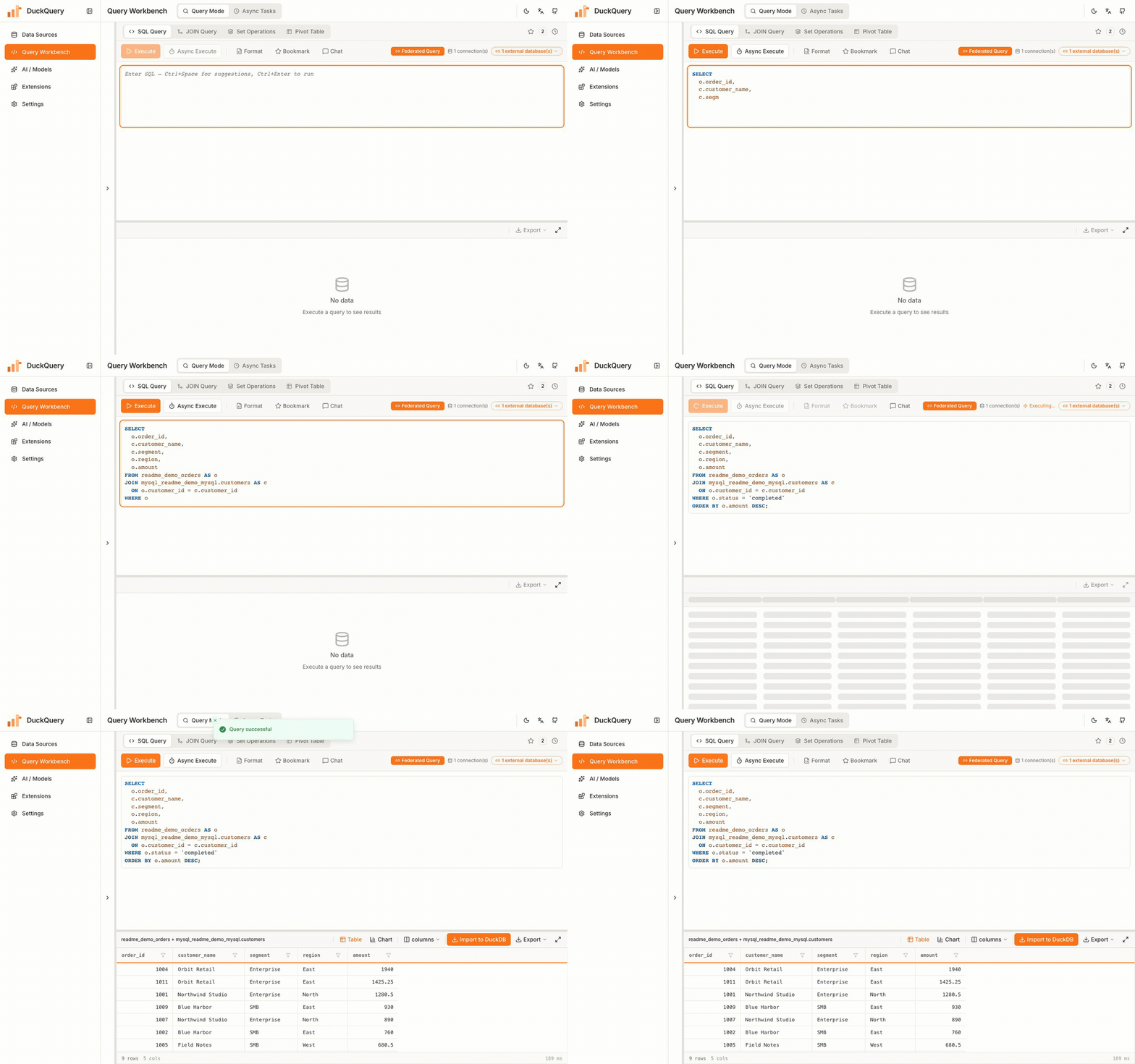
DuckQuery workbench running a cross-source JOIN between a local DuckDB table and MySQL

## Where It Fits - **DuckDB without the scripting**: create tables, import, join, pivot and export from the interface — no Python session or command line required. - **Ad-hoc reconciliation**: compare an Excel / CSV extract against database tables directly, without loading it into a warehouse for a single analysis. - **Cross-source analysis**: join and aggregate local Parquet / SQLite with a remote MySQL in a single statement to isolate missing, duplicated or mismatched records. - **Numerically reliable answers**: aggregation is executed as SQL inside DuckDB; the model performs no arithmetic, which rules out hallucinated figures. - **AI coding tool integration**: expose your connected data sources to Claude Code, Codex or Cursor over MCP, with no intermediate export. ## 30 Seconds to First Result | Step | What it involves | |---|---| | **1. Connect the data** | Drop an Excel / CSV file to create a table, or connect MySQL / PostgreSQL / SQLite / DuckDB | | **2. Write SQL or ask** | Write the query yourself; or ask in natural language ("paid amount by city last month") and run the drafted SQL once you have reviewed it | | **3. Review and export** | Switch between grid and charts, drill into details, export to CSV / Excel / JSON / Parquet | ![AI drafts SQL, it runs, the result becomes a chart](docs/assets/readme/workflow-ai-chart-en.gif) ## Core Capabilities
Capability Typical problem What it provides
Files as tables Defining tables or building an ETL step for a one-off analysis Drop CSV / Excel / Parquet / JSON / JSONL to create a table; pasting tabular data, URL import and server directory reading are also supported
Federated queries Database tables have to be reconciled against files on your machine Connect MySQL / PostgreSQL / SQLite / DuckDB and join them with local tables in a single SQL statement, with automatic pushdown on large joins
Query workflow The work is split across Excel, a SQL client and a BI tool SQL editor, plus visual builders for joins, set operations and pivot tables; long queries run asynchronously and can be cancelled
AI data Q&A A figure is needed quickly, without writing the query first Ask in natural language: the agent inspects schemas, verifies values and runs read-only queries before answering, and returns reusable SQL; it also repairs failing statements, explains SQL and suggests charts
Results and export Results have to be presented and handed to someone else Virtualized grid, bar / line / area / pie / donut / KPI charts, export to CSV / Excel / JSON / Parquet
MCP automation AI coding tools such as Claude Code, Codex, Cursor, OpenCode or Pi need direct access to local data sources 24 tools exposed over MCP, with read-only / normal / full permission modes
## Get Started **Desktop**: download **one** installer from [Releases](https://github.com/Chenkeliang/duckdb-query/releases/latest) according to the table below (`.sig`, `.app.tar.gz` and `latest.json` are used by the in-app updater and are not needed). | Your machine | Standard build (recommended) | Offline build (air-gapped) | |---|---|---| | **Windows 10 / 11 (64-bit)** | `*_x64-setup.exe` | `*_x64-offline-setup.exe` | | **Mac · Apple silicon (M1–M4)** | `*_aarch64.dmg` | `*_aarch64-offline.dmg` | | **Mac · Intel** | `*_x64.dmg` | `*_x64-offline.dmg` | Use the standard build when online (DuckDB extensions are downloaded on first use of MySQL / PostgreSQL); use the `-offline` build on air-gapped machines, where extensions and WebView2 are bundled. No Linux package is provided yet. > [!WARNING] > The installers are **not signed with an Apple or Microsoft certificate**, so the first launch may be blocked. Windows: choose **More info → Run anyway**; macOS: run `xattr -cr /Applications/DuckQuery.app`. > How to identify your chip and what the offline build contains: [desktop guide (Chinese)](docs/guide/桌面版使用手册.md). **Docker**: ```bash git clone https://github.com/Chenkeliang/duckdb-query.git cd duckdb-query ./quick-start.sh # Web UI → http://localhost:48000 ; API docs → :48001/docs ; data → ./data ``` Configuration and image mirrors: [configuration reference](docs/CONFIGURATION.md). ## MCP Start the desktop app or Docker first, then run: ```bash uvx duckquery-mcp # or: claude mcp add duckquery -- uvx duckquery-mcp ``` Permission modes (`read-only` / `normal` / `full`), the Cursor configuration and pointing at a specific backend: [mcp/README.md](mcp/README.md). --- If DuckQuery is useful to you, a ⭐ Star helps others find it. If something is missing or does not fit your workflow, open an [Issue](https://github.com/Chenkeliang/duckdb-query/issues) describing your case. [Docs index](docs/README.md) · [API contract](docs/API_CONTRACT_FE_BE.md) · [Issues](https://github.com/Chenkeliang/duckdb-query/issues) · [Contributing](CONTRIBUTING.md) · [Code of Conduct](CODE_OF_CONDUCT.md) · [MIT License](LICENSE)