# Mobileraker - A free mobile app for klipper
[](https://play.google.com/store/apps/details?id=com.mobileraker.android)
[](https://apps.apple.com/us/app/mobileraker/id1581451248)



[](https://crowdin.com/project/mobileraker-app)
[//]: # ()
---
## Table of Content
1. [Download the app](#get-mobileraker-now)
2. [General](#general)
3. [Push-Notifications](#push-notifications--remote-notification)
4. [App Screenshots](#app-impressions)
5. [Translations](#translations)
6. [Environment Setup for Contribution](#environment-setup-for-contribution)
7. [Changelog](#changelog)
8. [License](#license)
---
## Get Mobileraker now!
[](https://play.google.com/store/apps/details?id=com.mobileraker.android)
[](https://apps.apple.com/us/app/mobileraker/id1581451248)
[](https://github.com/Clon1998/mobileraker/releases/latest)
---
## General
🏷️ Mobileraker works as a simple UI for Klipper on the phone. Connect it to an existing moonraker installation and
control the printer.
🧰 With Mobileraker, the user has access to critical machine commands:
- Pause, Resume, Stop a print job
- Monitor the print progress
- Control all axis of the machine
- Control the heaters
- Get the current temperature readings
- Control fans
- Control pins like LEDs
- Send GCode Macros
- Emergency Stop the machine
🛠️ Additionally, Mobileraker enables the user to monitor the machine via an integrated webcam viewer with support for
multiple cams, interact with the machine through the GCode console and browse the available GCode files to start a new
print job.
Mobileraker also offers comfort features like remote push notifications about the progress of a print job, temperature
presets.
✨ One more thing ...
Mobileraker can manage multiple machines!
✍🏻 Some final words from the project owner:
Hi,
My name is Patrick Schmidt, and I am the developer of Mobileraker. Mobileraker started as a small side project with the
intention to be able to control My 3D printer via My phone. After posting some screenshots of the app to the 3D printing
community, the public interest in Mobileraker grew, and I published it to the app stores.
As I am only able to work on Mobileraker in my free time, I am always thankful for support and feedback. Either via
lovely messages of people enjoying Mobileraker, good reviews in the store or through donations. I hope you enjoy
Mobileraker and happy printing 🙏!
## Push Notifications / Remote Notification
> **Note**
> Android's progress notification (Shown in the Impression Images) is not supported anymore, due to a change in a 3rd
> party [library](https://pub.dev/packages/awesome_notifications). As soon as this library offers support for this kind
> of
> notification again, I will revisit the implementation (Feel free to contribute).
Mobileraker allows users to enable push notifications, which are also delivered if your phone is not in the same network
as your klipperized 3D printer. To allow Mobileraker to send push notifications to your phone, please install and
configure the [Mobileraker's Companion](https://github.com/Clon1998/mobileraker_companion). You can learn more about it
by visiting the [Mobileraker's Companion](https://github.com/Clon1998/mobileraker_companion) GitHub project to learn
more.
## App Impressions
/Google Pixel 4 XL Screenshot 0.png)
/Google Pixel 4 XL Screenshot 1.png)
/Google Pixel 4 XL Screenshot 2.png)
/Google Pixel 4 XL Screenshot 3.png)
/Google Pixel 4 XL Screenshot 4.png)
/Google Pixel 4 XL Screenshot 5.png)
/Google Pixel 4 XL Screenshot 6.png)
/Google Pixel 4 XL Screenshot 7.png) ## Translations
Mobileraker already supports multiple languages, but it relies on contributions to add new languages and keep existing
translations up to date. If you want to add your own language or update an existing one, please feel free to open a Pull
Request (PR). This [guide](docs/contribute_i18n.md) provides details on the structure of translation keys and how to add
a new language.
## Environment Setup for Contribution
> **Note:**
> This section outlines the steps required for contributors who wish to enhance or contribute to the project, or for
> those who want to build the app locally.
1. **Flutter and FlutterFire Installation:**
- Ensure that you have [Flutter](https://docs.flutter.dev/get-started/install "Flutter installation instructions")
and [FlutterFire](https://firebase.google.com/docs/flutter/setup?platform=android#install-cli-tools "Firebase Flutter Command Line tools installation instructions")
installed on your machine.
2. **Import Project into IDE:**
- Import the project into your preferred Integrated Development Environment (IDE).
3. **Clone the `mobileraker_pro_pub` Repository:**
- Clone the [mobileraker_pro](https://github.com/Clon1998/mobileraker_pro_pub) repository into same location as the
`mobileraker` repository.
- Folder structure should look like this:
```bash
.
├── mobileraker
└── mobileraker_pro_pub
```
4. **Configure Dependency in `pubspec.yaml`:**
- In [pubspec.yaml](pubspec.yaml), verify that the `path` option for the `mobileraker_pro` dependency is used that
points to the cloned `mobileraker_pro_pub` repository.
```yaml
...
mobileraker_pro:
path: ../mobileraker_pro_pub
```
5. **Generate Required Files:**
- Run the following commands in the terminal of the repos root folder:
```bash
flutter pub get
flutter packages pub run build_runner build
cd common
flutter pub get
flutter packages pub run build_runner build
```
This will generate necessary files in both the root folder and the `common` folder.
6. **Firebase Configuration:**
- Run the command:
```bash
flutterfire configure
```
This step configures your Firebase project, targeting both Android and iOS platforms, and generates
a `firebase_options.dart` file.
7. **Update `firebase_options.dart`:**
- Replace the contents of the `firebase_options.dart` file in the cloned `mobileraker_pro_pub` repository with the
contents of the `firebase_options.dart` file generated in the previous step.
8. **Run the App:**
- Run the app on your preferred device or emulator. Happy coding!
---
## Changelog
The changelog can be found in [docs/changelog.md](docs/changelog.md).
## License
The project is licensed under the Mobileraker License v2, an updated version of the Mobileraker License v1 crafted by
Patrick Schmidt which itself was based on the MIT license.
This license permits non-commercial use, redistribution, and modification of the software and documentation, provided
that copyright and permission notices are preserved. However, commercial usage is restricted unless explicit written
consent is obtained from Patrick Schmidt, who also maintains all intellectual property rights.
The project was initially licensed under the MIT License until the 11th of June 2023. Afterward, it transitioned to the
Mobileraker License v1 until the 19th of May 2024. Since then, the project is licensed under the Mobileraker License v2.
For more details, please refer to the [LICENSE](LICENSE) file.
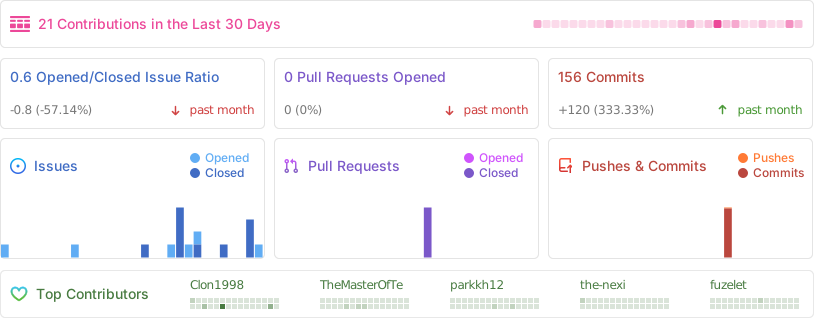
## Repobeats
## Translations
Mobileraker already supports multiple languages, but it relies on contributions to add new languages and keep existing
translations up to date. If you want to add your own language or update an existing one, please feel free to open a Pull
Request (PR). This [guide](docs/contribute_i18n.md) provides details on the structure of translation keys and how to add
a new language.
## Environment Setup for Contribution
> **Note:**
> This section outlines the steps required for contributors who wish to enhance or contribute to the project, or for
> those who want to build the app locally.
1. **Flutter and FlutterFire Installation:**
- Ensure that you have [Flutter](https://docs.flutter.dev/get-started/install "Flutter installation instructions")
and [FlutterFire](https://firebase.google.com/docs/flutter/setup?platform=android#install-cli-tools "Firebase Flutter Command Line tools installation instructions")
installed on your machine.
2. **Import Project into IDE:**
- Import the project into your preferred Integrated Development Environment (IDE).
3. **Clone the `mobileraker_pro_pub` Repository:**
- Clone the [mobileraker_pro](https://github.com/Clon1998/mobileraker_pro_pub) repository into same location as the
`mobileraker` repository.
- Folder structure should look like this:
```bash
.
├── mobileraker
└── mobileraker_pro_pub
```
4. **Configure Dependency in `pubspec.yaml`:**
- In [pubspec.yaml](pubspec.yaml), verify that the `path` option for the `mobileraker_pro` dependency is used that
points to the cloned `mobileraker_pro_pub` repository.
```yaml
...
mobileraker_pro:
path: ../mobileraker_pro_pub
```
5. **Generate Required Files:**
- Run the following commands in the terminal of the repos root folder:
```bash
flutter pub get
flutter packages pub run build_runner build
cd common
flutter pub get
flutter packages pub run build_runner build
```
This will generate necessary files in both the root folder and the `common` folder.
6. **Firebase Configuration:**
- Run the command:
```bash
flutterfire configure
```
This step configures your Firebase project, targeting both Android and iOS platforms, and generates
a `firebase_options.dart` file.
7. **Update `firebase_options.dart`:**
- Replace the contents of the `firebase_options.dart` file in the cloned `mobileraker_pro_pub` repository with the
contents of the `firebase_options.dart` file generated in the previous step.
8. **Run the App:**
- Run the app on your preferred device or emulator. Happy coding!
---
## Changelog
The changelog can be found in [docs/changelog.md](docs/changelog.md).
## License
The project is licensed under the Mobileraker License v2, an updated version of the Mobileraker License v1 crafted by
Patrick Schmidt which itself was based on the MIT license.
This license permits non-commercial use, redistribution, and modification of the software and documentation, provided
that copyright and permission notices are preserved. However, commercial usage is restricted unless explicit written
consent is obtained from Patrick Schmidt, who also maintains all intellectual property rights.
The project was initially licensed under the MIT License until the 11th of June 2023. Afterward, it transitioned to the
Mobileraker License v1 until the 19th of May 2024. Since then, the project is licensed under the Mobileraker License v2.
For more details, please refer to the [LICENSE](LICENSE) file.
## Repobeats
