Add nodes from the left palette and arrange the complete workflow on the canvas
## Overview DSH Node Flow is a visual workflow plugin for [DeepSeek Harness (DSH)](https://github.com/deepseek-ai/deepseek-harness). It combines agent calls, TypeScript / Python code, conditions, and loops into executable flow diagrams, making it easy to build automation tasks and multi-step agent workflows. ## Features - **Visual orchestration** — drag nodes, connect handles, and inspect data and execution paths directly on the canvas. - **Sub-agent calls** — agent nodes can inherit the current model or select a model route configured in DSH. - **Code nodes** — run TypeScript or Python with a full-screen code editor. - **Flow control** — built-in If, Switch, Loop, and While nodes cover branching and iteration. - **Execution feedback** — nodes display their run state, and the actual path taken is highlighted. - **Failure policies** — Code and Agent nodes support timeouts and either stopping the branch or continuing with an empty value. - **Scheduled tasks** — save workflows with five-field cron expressions, inspect them in the task board, run them immediately, or cancel them. - **Import and export** — save workflows as files for backup, sharing, and reuse. - **Built-in documentation** — the help panel explains node fields, connection rules, result semantics, and workflow examples. ## Screenshots ### Node properties Select a node to configure its label, model, prompt, timeout, and failure policy in the right-hand inspector. 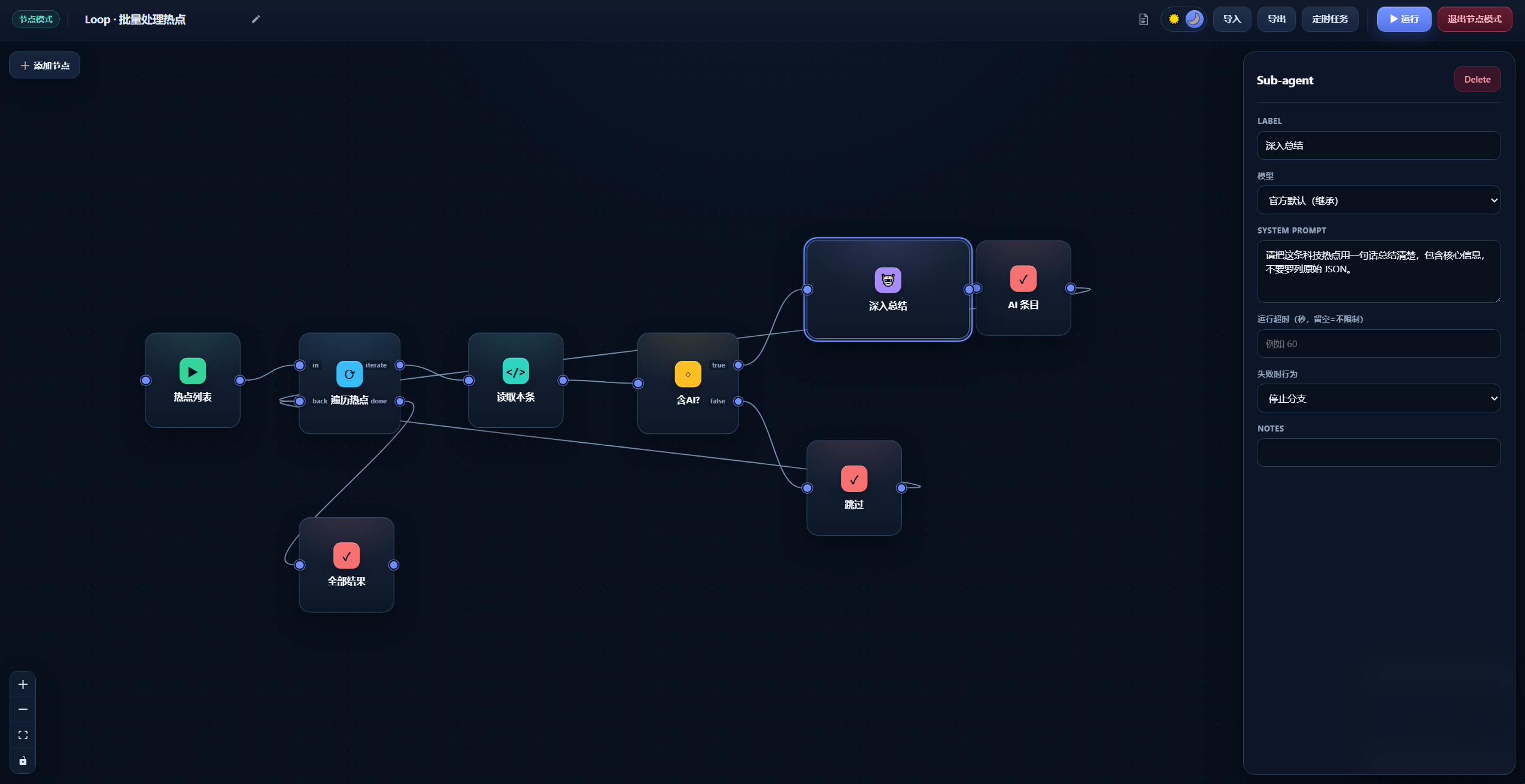 ### Scheduled tasks The scheduled-task board displays cron plans, previous trigger times, and latest run results, with actions to inspect, run once, or cancel a task. 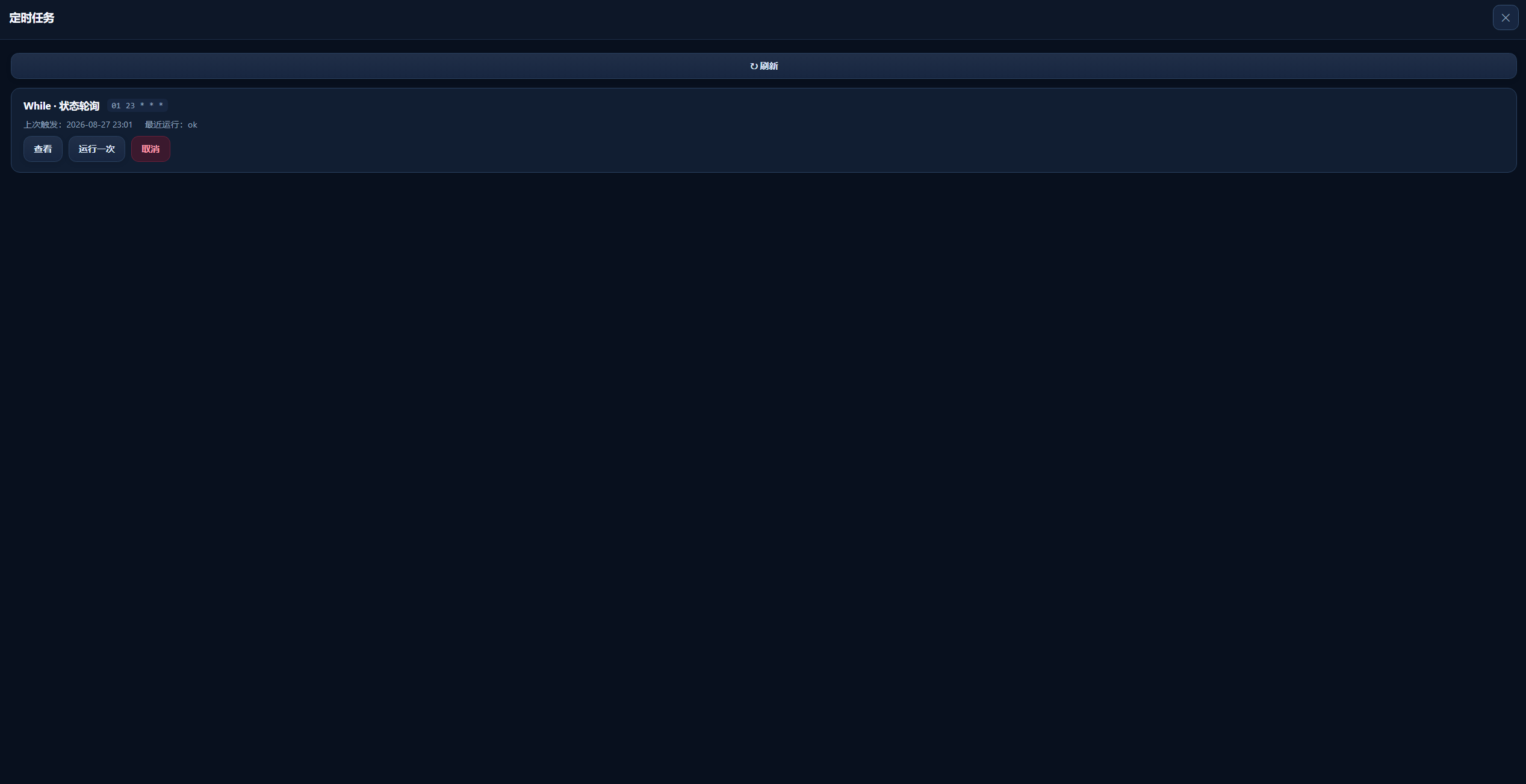 ## Quick start ### Installation The package has not been published to npm. Install it directly from the public GitHub repository: ```sh dsh plugin --profile web add git+https://github.com/CodermanYHZ/dsh-node-flow.git ``` When running DSH from a DeepSeek Harness source checkout, use: ```sh pnpm dsh plugin --profile web add git+https://github.com/CodermanYHZ/dsh-node-flow.git ``` Restart the Web UI after installation: ```sh dsh web ``` For a source checkout, the corresponding command is `pnpm dsh web`. Open **Node Mode** from the DSH sidebar to start building workflows. ### Basic usage 1. Click **Add Node**, then choose a node or a built-in example from the left panel. 2. Connect node handles and configure parameters in the right-hand inspector. 3. Click **▶ Run** and watch the node states and highlighted execution path. 4. Use **Export** to save the workflow as a file, or create a cron schedule from **Scheduled Tasks**. ## Node types | Node | Purpose | | --- | --- | | **Trigger** | Starts the workflow and passes its content downstream. | | **Schedule** | Runs the complete workflow using a five-field cron expression. | | **Agent** | Calls a DSH sub-agent using the inherited model or a selected model route. | | **Code** | Runs TypeScript or Python on the host, reads upstream input, and returns a result. | | **If** | Routes the workflow to `true` or `false` based on a truthy condition. | | **Switch** | Matches a value against cases and falls back to `default`. | | **Loop** | Iterates over an array or repeats N times, optionally collecting each result. | | **While** | Repeats while a condition remains true, guarded by `maxIters`. | | **Output** | Renders the upstream value using a `{{result}}` template. | | **Note** | Adds a canvas annotation and is not executed. | ## Code node API TypeScript programs can use the global `dsh` object: ```ts const response = await dsh.fetch({ url: "https://example.com/api", method: "POST", headers: { "Content-Type": "application/json" }, body: { message: "hello" }, }) const previous = await dsh.input(null) // Read the upstream node output const now = await dsh.now(null) // { iso, ts, local } return response.json ``` Python nodes read upstream input from an environment variable and use standard output as the node result: ```python import os previous = os.environ.get("DSH_INPUT", "") print(previous) ``` > DSH Code Runtime bindings require a lossless JSON argument. Use `dsh.input(null)` and `dsh.now(null)` rather than omitting the argument. ## Runtime requirements The plugin expects the DSH host to provide these services: - `ctx.webServer` - `ctx.codeRuntime` for Code nodes - `ctx.agents` and `ctx.subagents` for Agent nodes - `ctx.llm` for the model-route list React, ReactDOM, and `@deepseek-ai/cordis` are provided by DSH as peer dependencies. ## Local development ```sh npm install npm run dev # Start the standalone Vite preview npm run build # TypeScript checks + client bundle + demo build npm test # Run tests ``` ## License Released under the [MIT License](./LICENSE).