# Riley's General Framework for Windowing
 **RGFW** is a focused general windowing framework for creating and handling windows, graphics contexts and windowing inputs with a minimalistic and easy to modify implementation.
---
**RGFW** is a focused general windowing framework for creating and handling windows, graphics contexts and windowing inputs with a minimalistic and easy to modify implementation.
---
[](https://discord.gg/pXVNgVVbvh)



# Features
* **is** primarly written in C99 in mind, but supports C++, Objective-C/C++ and zig-cc compilation
* **has** a C89 compatible API
* **is** a flexible and can be used in multiple ways to best fit your use case
* **is** small compared to other windowing libraries
* **is** a general framework and can be used for games, apps or tools
* **does** only depend on system API libraries, Winapi, X11, Cocoa, etc **NO** external dependencies
* **does** help you create a window with a graphics context (OpenGL, Vulkan, WebGPU, Metal, or DirectX) and manage the window and its events only with a few function calls
* **is** customizable, you enable or disable features
* **does** work with X11 (UNIX), Wayland (*experimental*) (LINUX), Cocoa (MacOS), Emscripten (WASM) and WinAPI (tested on windows *XP*, 10, 11, reactOS and has limited 9x support)
* **is** multi-paradigm, with a flexible event system, including multiple ways of handling events (callbacks, queue, state lookups)
* **does** include a large number of examples for learning RGFW
* **has** direct support for multiple compilers, gcc, clang, zig-cc, msvc (cl.exe) and emscripten c compiler (emcc).
* does **not** handle any rendering for you (other than creating your graphics context)
* is **not** an OpenGL focused library, RGFW can be used with ANY graphics API
There is a Makefile including for compiling the examples. NOTE: `WAYLAND=1` can be defined to compile for wayland. `WAYLAND_X11=1` can be used instead if you want examples to fallback to X11 if a Wayland display is not found. This adds `#define RGFW_WAYLAND` in the implementation (or defines `RGFW_WAYLAND` AND `RGFW_X11`)
Included in the framework are helper functions for multiple rendering APIs OpenGL (Native, EGL, GLES), Vulkan, DirectX, [Metal](https://github.com/ColleagueRiley/RGFW/blob/main/examples/metal/metal.m) and WebGPU, you can also easily blit raw data directly onto the window with the `RGFW_surface` object using `RGFW_window_blitSurface`.
You must explicitly request these helper functions via, `#define RGFW_OPENGL`, `#define RGFW_VULKAN`, `#define RGFW_DIRECTX`, `#define RGFW_WEBGPU`.
# Getting started
## a very simple example
```c
/*
this example doesn't have any graphics, for a graphics example see the other examples
examples/dx11/dx11 -> DirectX
examples/metal/metal -> Metal
examples/gl11/gl11 -> OpenGL 1.1
examples/gl33/gl33 -> OpenGL 3.3
examples/gles2/gles2 -> OpenGL ES 2
examples/egl/egl -> egl
examples/surface/surface -> software rendering
*/
#define RGFW_IMPLEMENTATION
#include "RGFW.h"
#include
void keyfunc(const RGFW_event* event) {
if (event->key.value == RGFW_keyEscape) {
RGFW_window_setShouldClose(event->common.win, 1);
}
}
int main() {
RGFW_window* win = RGFW_createWindow("a window", 0, 0, 800, 600, RGFW_windowCenter | RGFW_windowNoResize);
RGFW_setEventCallback(RGFW_keyPressed, keyfunc); // you can use callbacks like this if you want
i32 mouseX, mouseY;
while (RGFW_window_shouldClose(win) == RGFW_FALSE) {
RGFW_event event;
while (RGFW_window_checkEvent(win, &event)) { // or RGFW_pollEvents(); if you only want callbacks / state checking
RGFW_window_getMouse(win, &mouseX, &mouseY);
if (event.type == RGFW_mouseButtonPressed && event.button.value == RGFW_mouseLeft) {
printf("You clicked at x: %d, y: %d\n", mouseX, mouseY);
}
}
/* state checking */
if (RGFW_isMousePressed(RGFW_mouseRight)) {
printf("The right mouse button was clicked at x: %d, y: %d\n", mouseX, mouseY);
}
}
RGFW_window_close(win);
return 0;
}
```
```sh
linux : gcc main.c -lX11 -lGL -lm -lXrandr
windows : gcc main.c -lopengl32 -lgdi32
macos : gcc main.c -framework Cocoa
```
## other examples
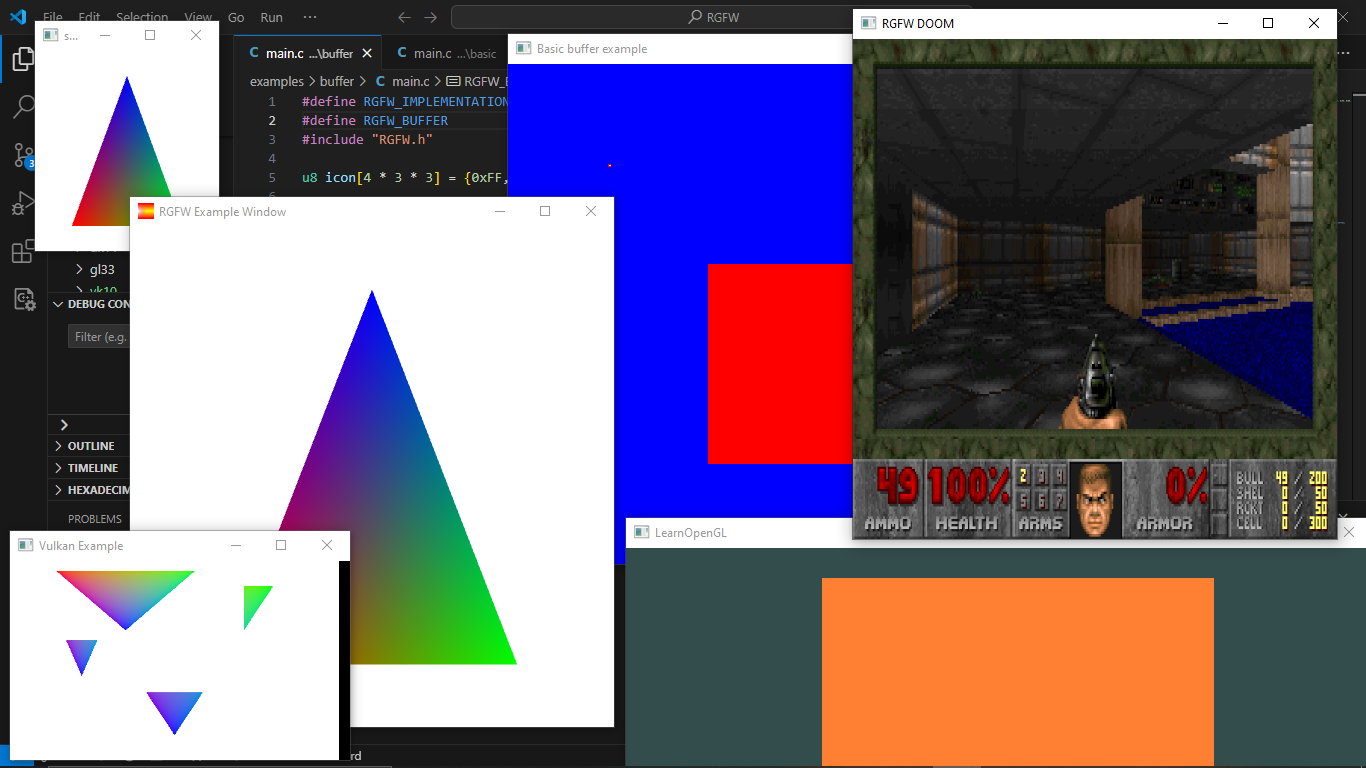
You can find more examples [here](examples) or [run them in your browser](https://colleagueriley.github.io/RGFW/) with emscripten
# Documentation
There is a lot of in-header-documentation, but more documentation can be found at https://colleagueriley.github.io/RGFW/docs/index.html
If you wish to build the documentation yourself, there is also a Doxygen file attached.
# Bindings
A list of bindings can be found on the RGFW wiki [here](https://github.com/ColleagueRiley/RGFW/wiki/Bindings)
# projects
A list of projects that use RGFW can be found on the RGFW wiki [here](https://github.com/ColleagueRiley/RGFW/wiki/Projects-that-use-RGFW)
# Contacts
- email : ColleagueRiley@gmail.com
- discord : ColleagueRiley
- discord server : https://discord.gg/pXVNgVVbvh
- BlueSky https://bsky.app/profile/colleagueriley.bsky.social
- Twitter/X : https://x.com/ColleagueRiley
# Supporting RGFW
There is a RGFW wiki page about things you can do if you want to support the development of RGFW [here](https://github.com/ColleagueRiley/RGFW/wiki/Supporting-RGFW).
# License
RGFW uses the Zlib/libPNG license, this means you can use RGFW freely as long as you do not claim you wrote this software, mark altered versions as such and keep the license included with the header.
```
Permission is granted to anyone to use this software for any purpose,
including commercial applications, and to alter it and redistribute it
freely, subject to the following restrictions:
1. The origin of this software must not be misrepresented; you must not
claim that you wrote the original software. If you use this software
in a product, an acknowledgment in the product documentation would be
appreciated but is not required.
2. Altered source versions must be plainly marked as such, and must not be
misrepresented as being the original software.
3. This notice may not be removed or altered from any source distribution.
```