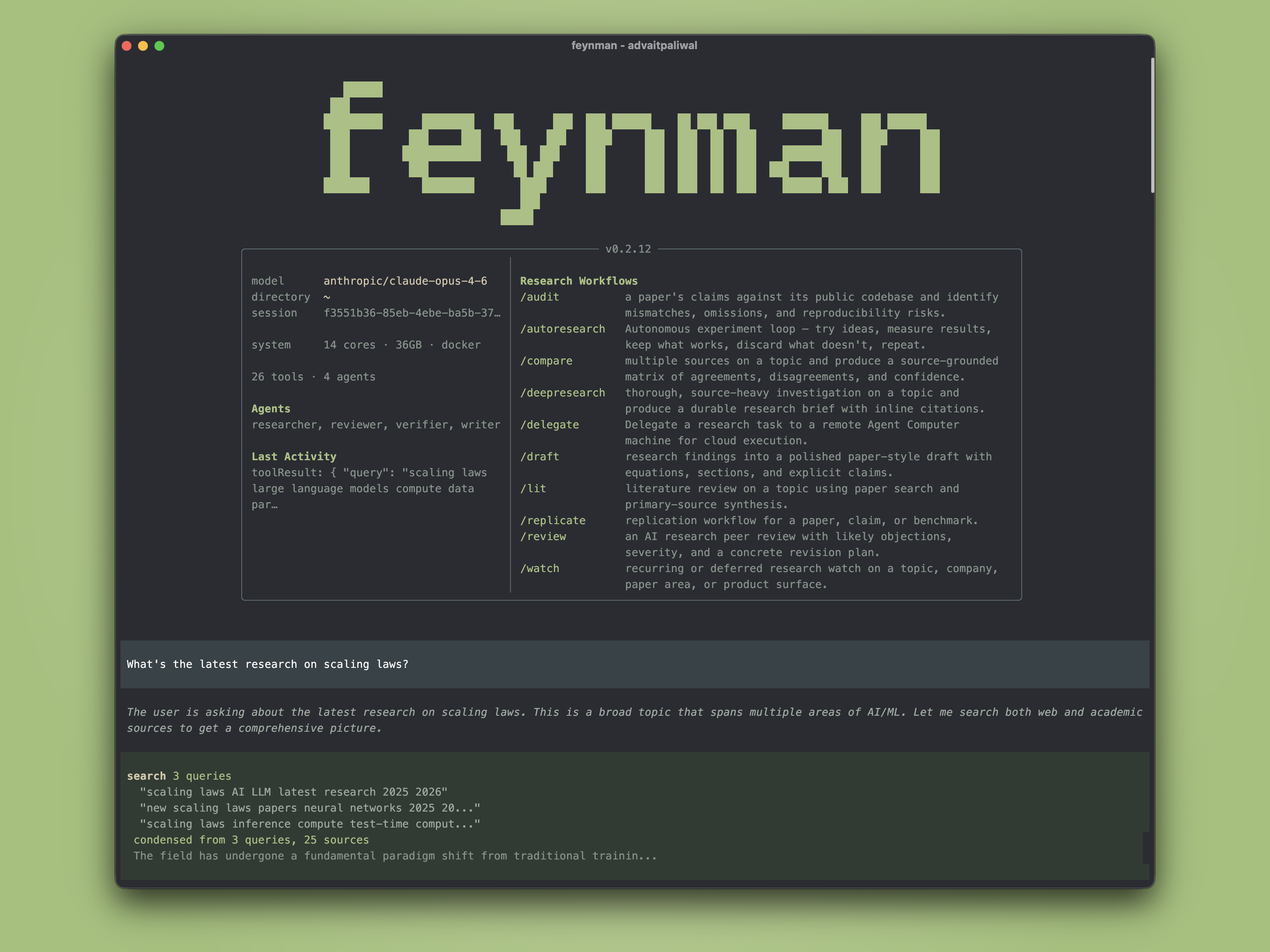
## Install
macOS / Linux:
```bash
curl -fsSL https://feynman.is/install | bash
```
Windows (PowerShell):
```powershell
irm https://feynman.is/install.ps1 | iex
```
Or with npm and Node.js 22.22 or newer: `npm install -g @companion-ai/feynman`.
Then sign in to a model provider:
```bash
feynman setup
```
The [installation guide](https://feynman.is/docs/getting-started/installation) covers pinned versions, uninstalling, and the skills-only bundle for Codex and OpenCode. The [setup guide](https://feynman.is/docs/getting-started/setup) covers local models and editors such as Zed.
## Use
```bash
feynman "what do we know about scaling laws"
feynman lit "RLHF alternatives"
feynman deepresearch "mechanistic interpretability"
```
| Workflow | What it does |
| --- | --- |
| `/deepresearch ` | Planned investigation with parallel researchers and citation checks |
| `/lit ` | Literature review: consensus, disagreements, open questions |
| `/review ` | Critique with severity levels and a revision plan |
| `/audit ` | Paper claims compared with its public code |
| `/replicate ` | Replication plan; runs only after you choose an environment |
| `/recipe ` | Ranked ML training recipes with datasets and code |
| `/compare ` | Source comparison matrix |
| `/draft ` | Paper-style draft from research findings |
| `/autoresearch ` | Bounded experiment loop against a benchmark |
| `/summarize ` | Summary of a paper, repository, or PDF |
Results are saved to `outputs/` (drafts to `papers/`). `/lit`, `/deepresearch`, and `/recipe` also write a provenance file listing the sources used and what was verified.
## Sources
Feynman searches alphaXiv, Semantic Scholar, OpenAlex, arXiv, PubMed, Europe PMC, bioRxiv, medRxiv, Crossref, the web, and Hugging Face, and reads local PDFs and documents. Free `OPENALEX_API_KEY` and `SEMANTIC_SCHOLAR_API_KEY` keys avoid the shared rate limits. It runs on stock [Pi](https://github.com/earendil-works/pi) with four research agents: researcher, verifier, reviewer, and writer.
## Telemetry
Feynman sends anonymous usage data to PostHog: commands, workflows, tools, models, token counts, and errors with their messages and stack traces (your home folder shown as `~`). It never sends prompts, model output, paper content, or tool arguments. Turn it off with `FEYNMAN_TELEMETRY=off`. [What is sent](https://feynman.is/docs/getting-started/configuration#telemetry)
## Contributing
```bash
git clone https://github.com/Companion-Inc/feynman.git
cd feynman
npm install
npm test
```
See [CONTRIBUTING.md](CONTRIBUTING.md).
[Docs](https://feynman.is/docs) · [Release notes](RELEASES.md) · [MIT License](LICENSE)