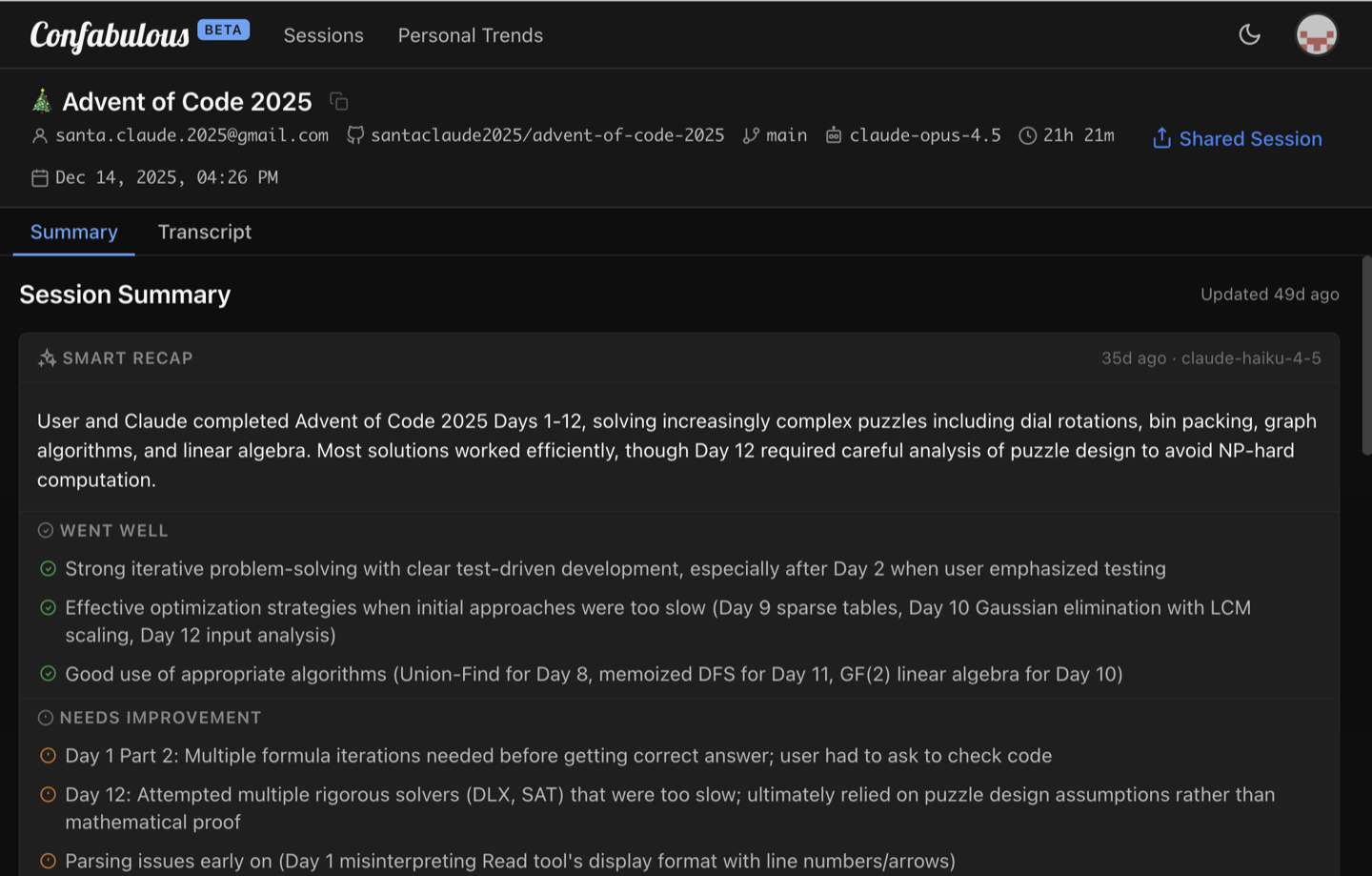
Session Summary
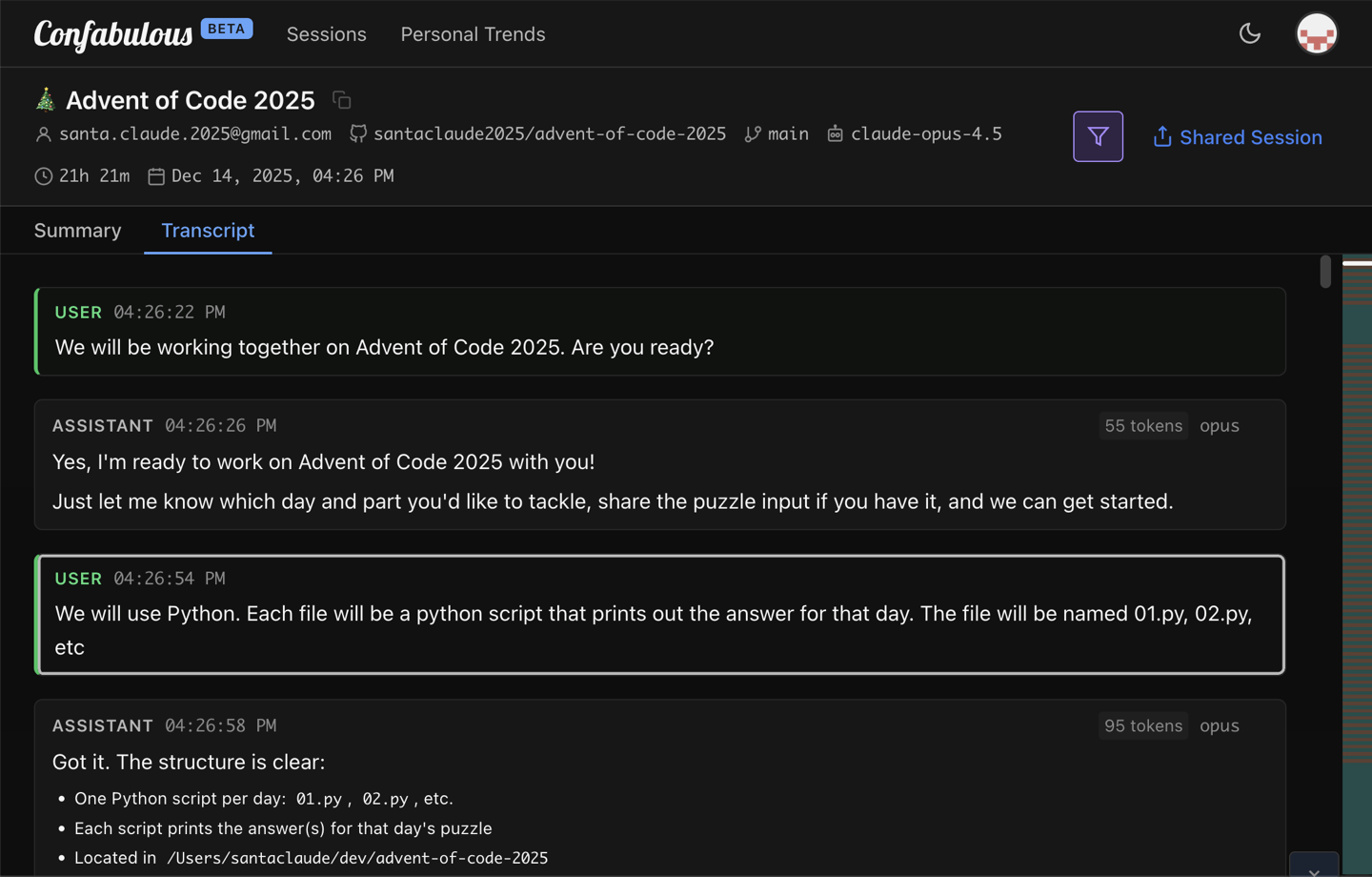
Transcript
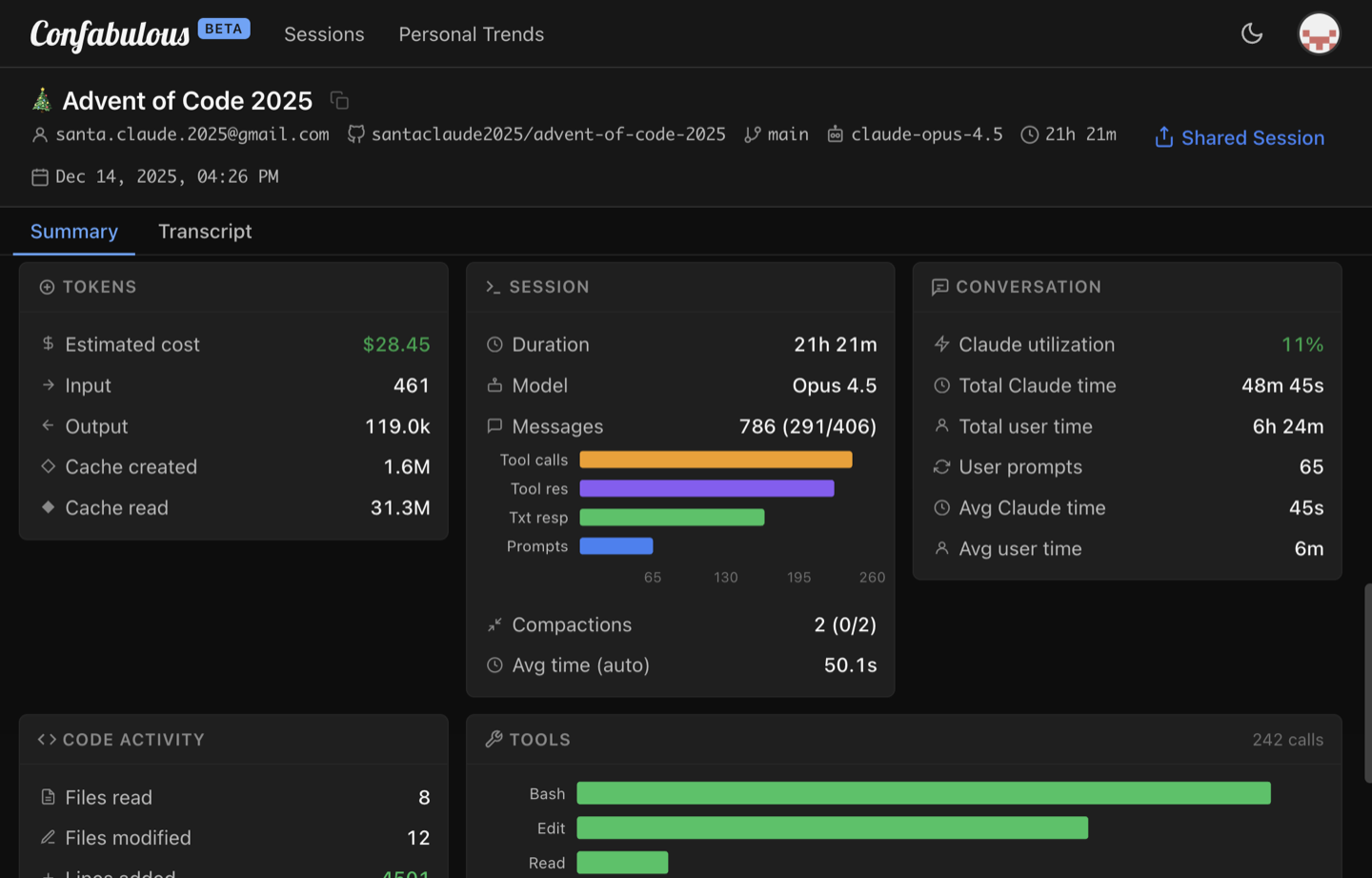
Analytics
|
Session Summary |
Transcript |
Analytics |
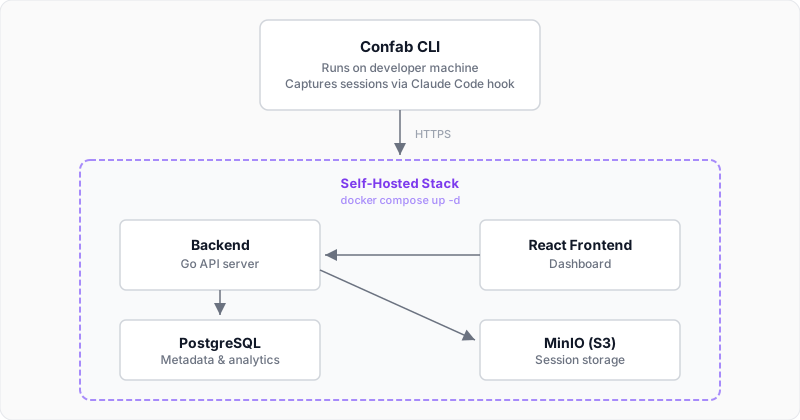 ## Self-Hosting
See the [Self-Hosting Guide](SELF-HOSTING.md) for complete deployment instructions including HTTPS setup, authentication options, and production hardening.
## Configuration
Configuration is simple — everything is controlled through environment variables. See [CONFIGURATION.md](CONFIGURATION.md) for the full reference.
## Deploying to a Cloud Host
Two production reference deployments:
- **Linode + Docker Compose + Caddy** — [`confab-demo-site`](https://github.com/ConfabulousDev/confab-demo-site) (OpenTofu, compose, Caddyfile, deploy script) powers [code-demo.confabulous.dev](https://code-demo.confabulous.dev) for $7/mo.
- **Fly.io + Neon** — [`deploy-to-fly.sh`](deploy-to-fly.sh) and [`fly.toml`](fly.toml) power [code.confabulous.dev](https://code.confabulous.dev).
## Developer Docs
### Project Guides
- [`CLAUDE.md`](CLAUDE.md) -- Development workflow, testing, coding conventions
- [`CONFIGURATION.md`](CONFIGURATION.md) -- Full environment variable reference
- [`SELF-HOSTING.md`](SELF-HOSTING.md) -- Deployment, HTTPS, auth setup, production hardening
### Backend
- [`backend/API.md`](backend/API.md) -- REST API reference (endpoints, request/response schemas, auth)
- [`backend/internal/README.md`](backend/internal/README.md) -- Package index, dependency map, data flow, layering rules
### Frontend
- [`frontend/src/README.md`](frontend/src/README.md) -- Module index, data flow, architectural patterns
## Local Development
One path: infra in Docker, backend and frontend native for hot reload. Everything runs through the root `Makefile` — `make help` lists every target.
**Prerequisites:** Docker & Docker Compose, Go 1.27+, Node.js 24+.
```bash
make setup # first run only: creates backend/.env, installs frontend deps
make dev # infra + backend + frontend in one terminal (Ctrl-C stops all)
```
Open [http://localhost:5173](http://localhost:5173) and log in with `admin@example.com` / `change-me-immediately` (from `backend/.env`).
Prefer separate terminals? Run the pieces on their own:
```bash
make up # infra (Postgres + MinIO) + migrations
make backend # backend → http://localhost:8080
make frontend # frontend → http://localhost:5173
```
### Running Tests
```bash
make test # backend + frontend
make coverage # backend coverage (sharded)
```
### Project Structure
```
confab-web/
├── docker-compose.yml # Canonical self-host deploy stack (full app, from the prebuilt image)
├── docker-compose.infra.yml # Local dev infrastructure only (Postgres + MinIO + migrate)
├── .env.example # Self-host config template (copy to .env)
├── Caddyfile # Reverse proxy for the HTTPS (caddy) profile
├── CONFIGURATION.md # Full configuration reference
├── backend/ # Backend service (Go)
│ ├── cmd/server/ # Server entry point
│ ├── internal/ # Internal packages
│ │ ├── api/ # HTTP handlers
│ │ ├── auth/ # OAuth & API keys
│ │ ├── db/ # PostgreSQL layer
│ │ ├── storage/ # MinIO/S3 client
│ │ └── testutil/ # Test infrastructure
│ └── README.md
│
└── frontend/ # React web dashboard
├── src/pages/ # Pages and routes
├── src/services/ # API client
└── README.md
```
See also: [Confab CLI](https://github.com/ConfabulousDev/confab) (separate repo)
## License
[MIT](LICENSE)