[English](README.md) [简体中文](docs/i18n/README-zh.md) | [Discord](https://discord.gg/y4p8KfzrN4) [Wiki](https://coplaydev.github.io/unity-mcp/)
#### Proudly sponsored and maintained by [Aura](https://www.tryaura.dev/) — the AI assistant for Unreal & Unity.
##### And don't miss [Godot AI](https://github.com/hi-godot/godot-ai), the new open source project from the makers of MCP for Unity.
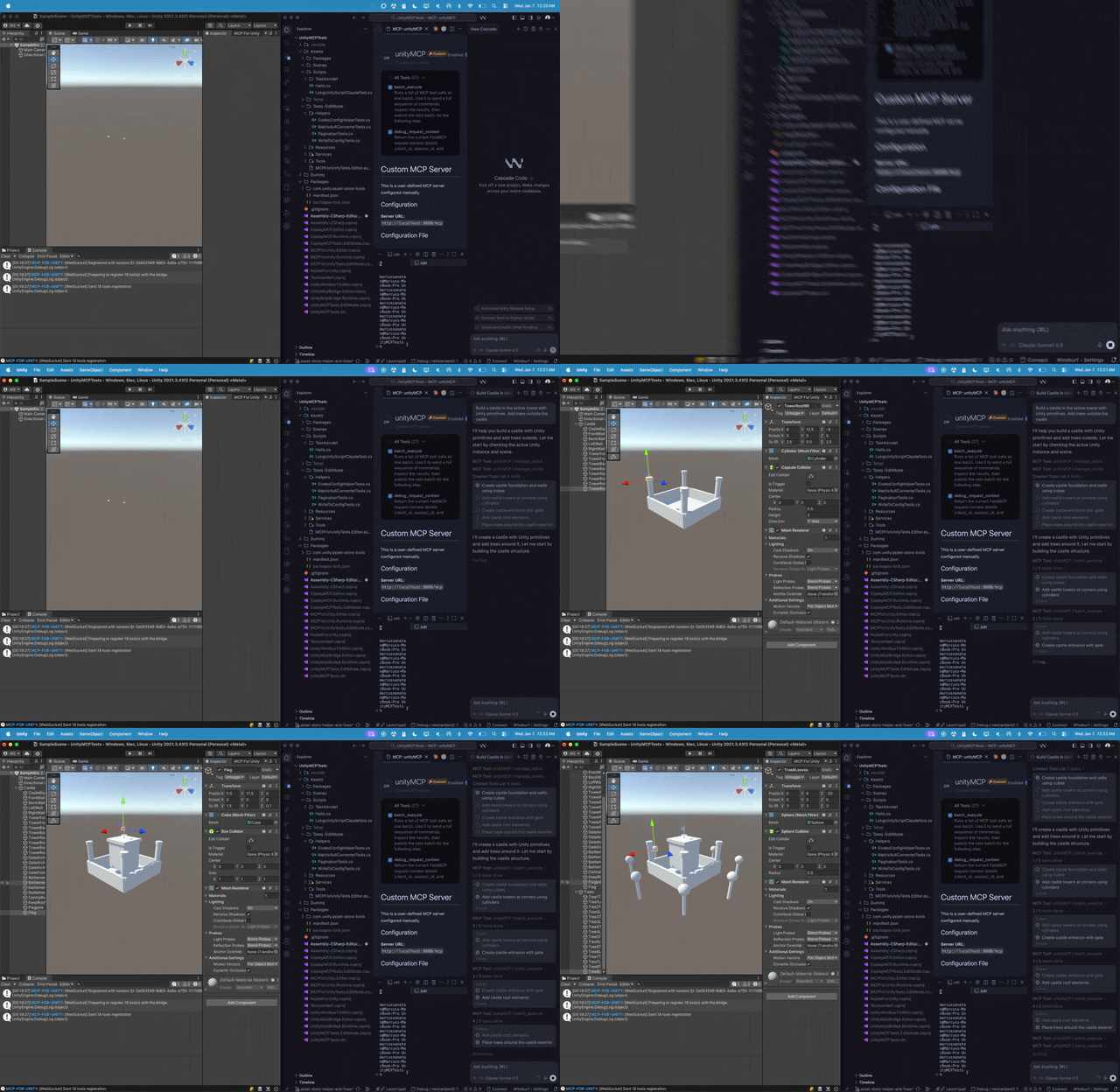
Create your Unity apps with LLMs. MCP for Unity bridges AI assistants — Claude, Codex, VS Code, local LLMs, and more — with your Unity Editor via Model Context Protocol. Give your LLM the tools to manage assets, control scenes, edit scripts, run tests, and automate your game dev workflows.
---
Recent Updates
* **[v10.0.0](https://github.com/CoplayDev/unity-mcp/releases/tag/v10.0.0)** (2026-06-30)
* **[v9.7.3](https://github.com/CoplayDev/unity-mcp/releases/tag/v9.7.3)** (2026-06-15)
* **[v9.7.1](https://github.com/CoplayDev/unity-mcp/releases/tag/v9.7.1)** (2026-05-24)
* **[v9.7.0](https://github.com/CoplayDev/unity-mcp/releases/tag/v9.7.0)** (2026-05-22)
* **[v9.6.8](https://github.com/CoplayDev/unity-mcp/releases/tag/v9.6.8)** (2026-04-27)
Full history: [Release Notes](https://coplaydev.github.io/unity-mcp/releases).
---
## What it does
Control the Unity Editor in natural language from any MCP client — create scenes & GameObjects, edit C# scripts, manage assets, run tests, profile, and build. 47 focused MCP tool entrypoints, any client, free & MIT.
**[Browse the full tool catalog →](https://coplaydev.github.io/unity-mcp/reference/tools/)**
---
## Quickstart
**Requirements:** Unity **2021.3 LTS → 6.x** · Python **3.10+** (via [`uv`](https://docs.astral.sh/uv/)). Works with **any MCP client** — Claude Desktop & Code, Cursor, VS Code, Windsurf, Cline, Gemini CLI, and more.
1. **Install** — Unity → Package Manager → Add from git URL:
`https://github.com/CoplayDev/unity-mcp.git?path=/MCPForUnity#main` _(pin `#v10.0.0` for this release, or `openupm add com.coplaydev.unity-mcp`)_
2. **Configure** — `Window → MCP for Unity → Configure All Detected Clients`.
3. **Prompt** — *"Create a cube at the origin and add a Rigidbody."* The cube appears in seconds.
---
## Community
- [Discord](https://discord.gg/y4p8KfzrN4) — chat with maintainers and other contributors
- [Issues](https://github.com/CoplayDev/unity-mcp/issues) — bugs and feature requests
- [Discussions](https://github.com/CoplayDev/unity-mcp/discussions) — design ideas and broader questions
- Security: see [SECURITY.md](SECURITY.md) for private reporting
## Contributing
See [CONTRIBUTING.md](CONTRIBUTING.md). Branch off `beta`, not `main`. The full dev setup, testing, and release process live in the [Contributing](https://coplaydev.github.io/unity-mcp/contributing/dev-setup) docs.
## Advanced
- **Multiple Unity instances** — [Multi-Instance Routing](https://coplaydev.github.io/unity-mcp/guides/multi-instance)
- **Tool groups (vfx / animation / ui / testing / etc.)** — [Tool Groups](https://coplaydev.github.io/unity-mcp/guides/tool-groups)
- **v10 asset generation and upgrade notes** — [v10 Migration](https://coplaydev.github.io/unity-mcp/migrations/v10)
- **Roslyn script validation** — [Roslyn Validation](https://coplaydev.github.io/unity-mcp/guides/roslyn)
- **Remote-hosted server with auth** — [Remote Server Auth](https://coplaydev.github.io/unity-mcp/guides/remote-server-auth)
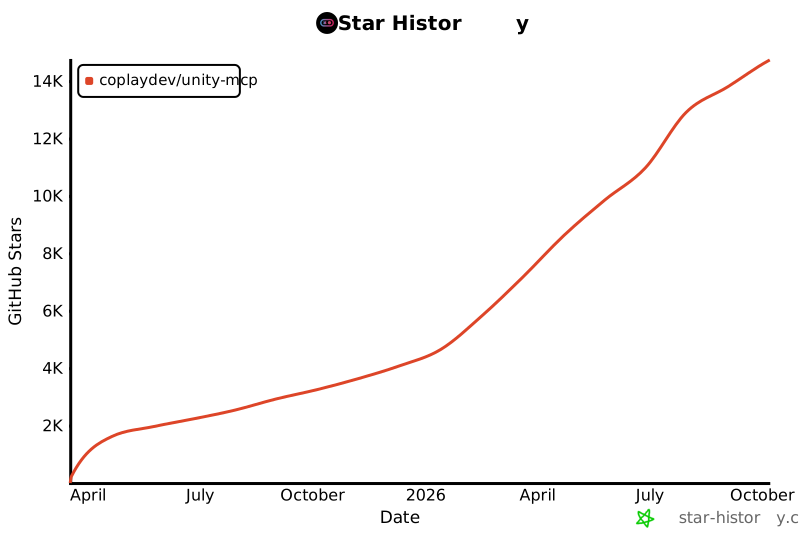
## Star History
[](https://www.star-history.com/#CoplayDev/unity-mcp&Date)
## Citation
If MCP for Unity helped your research, please cite it.
```bibtex
@inproceedings{wu2025mcpunity,
author = {Wu, Shutong and Barnett, Justin P.},
title = {{MCP-Unity}: {Protocol-Driven} Framework for Interactive {3D} Authoring},
year = {2025},
isbn = {9798400721366},
publisher = {Association for Computing Machinery},
address = {New York, NY, USA},
url = {https://doi.org/10.1145/3757376.3771417},
doi = {10.1145/3757376.3771417},
series = {SA Technical Communications '25}
}
```
## Unity AI Tools by Aura
Aura offers 2 AI tools for Unity:
- **MCP for Unity** is available freely under the MIT license.
- **Aura for Unity** is a premium Unity/Unreal AI assistant built for game devs.
## Disclaimer
This project is a free and open-source tool for the Unity Editor, and is not affiliated with Unity Technologies.
---
**License:** MIT — see [LICENSE](LICENSE).

 [简体中文](docs/i18n/README-zh.md) | [Discord](https://discord.gg/y4p8KfzrN4)