
# Zelyq
### The open-source developer platform for building, securing and shipping apps.
Build apps with an AI agent that works like an engineer. Keep every credential in one encrypted vault.
Test, build and deploy on your own machines — with pipelines, environments and automatic roll back.
**Self-hosted. Bring your own model. No telemetry.**
[](https://github.com/CrowPus/Zelyq/actions/workflows/ci.yml)
[](./LICENSE)
[](https://nodejs.org)
[](./tsconfig.base.json)
[](./CONTRIBUTING.md)
**[Live demo](https://zelyq.com)** · [Quickstart](#quickstart) · [Tutorial](./docs/tutorial.md) ·
[Documentation](./docs/README.md) ·
[Self-hosting](./docs/self-hosting.md) · [Architecture](./docs/architecture.md) ·
[Roadmap](./docs/roadmap.md) · [Contributing](./CONTRIBUTING.md)
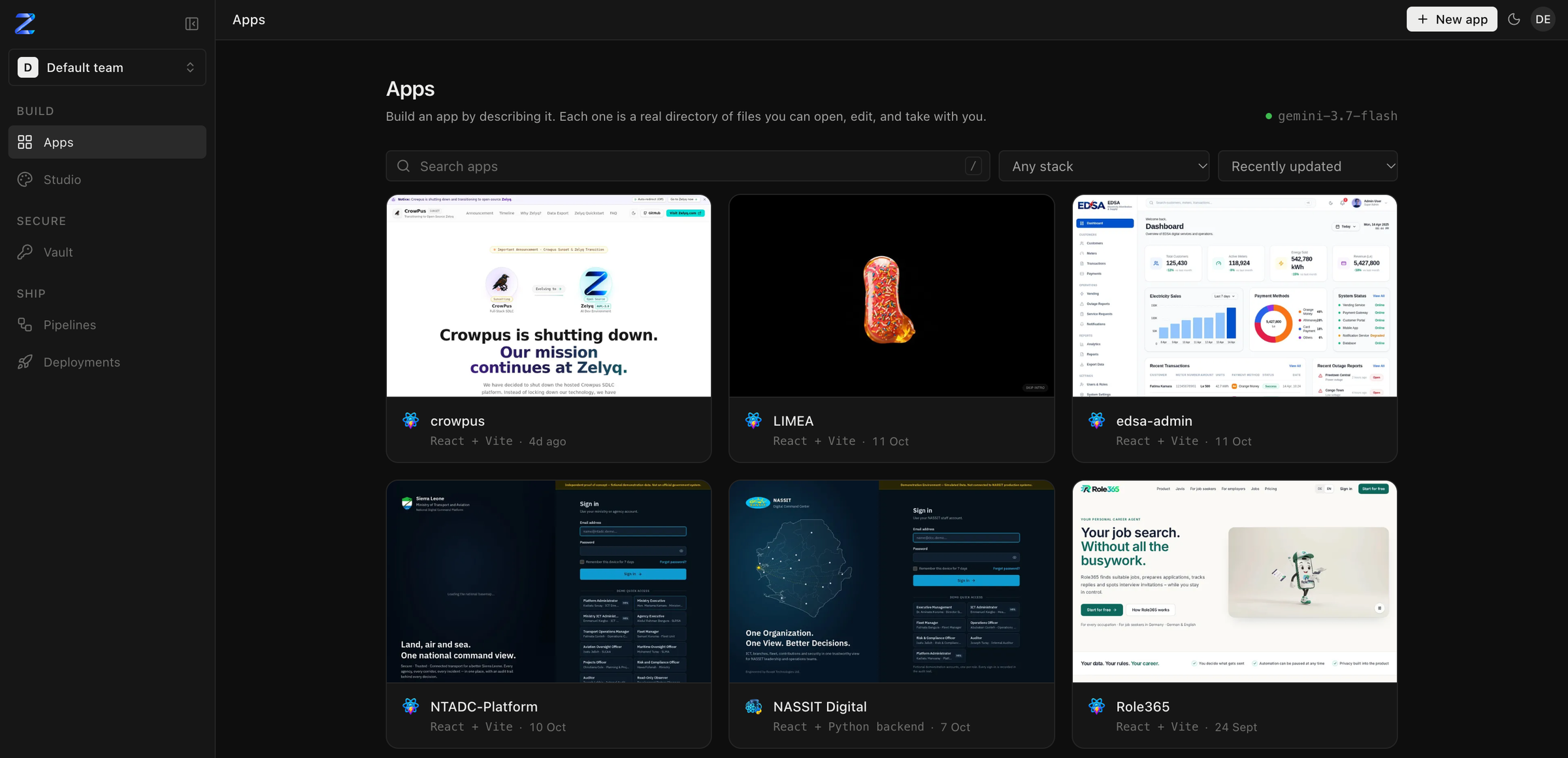
---
## One platform, from idea to production
Most teams stitch together an AI app builder, a secrets manager, a CI service and a deploy tool — four
products, four logins, four places for a key to leak. Zelyq is one self-hosted platform for the whole
path, organised the way the work happens:
| | Module | What it does |
| --- | --- | --- |
| **Build** | **[Apps](#build--apps-built-by-an-agent-that-works-like-an-engineer)** | Describe an app; an agent plans it, builds it in real files you own, and verifies it before calling it done |
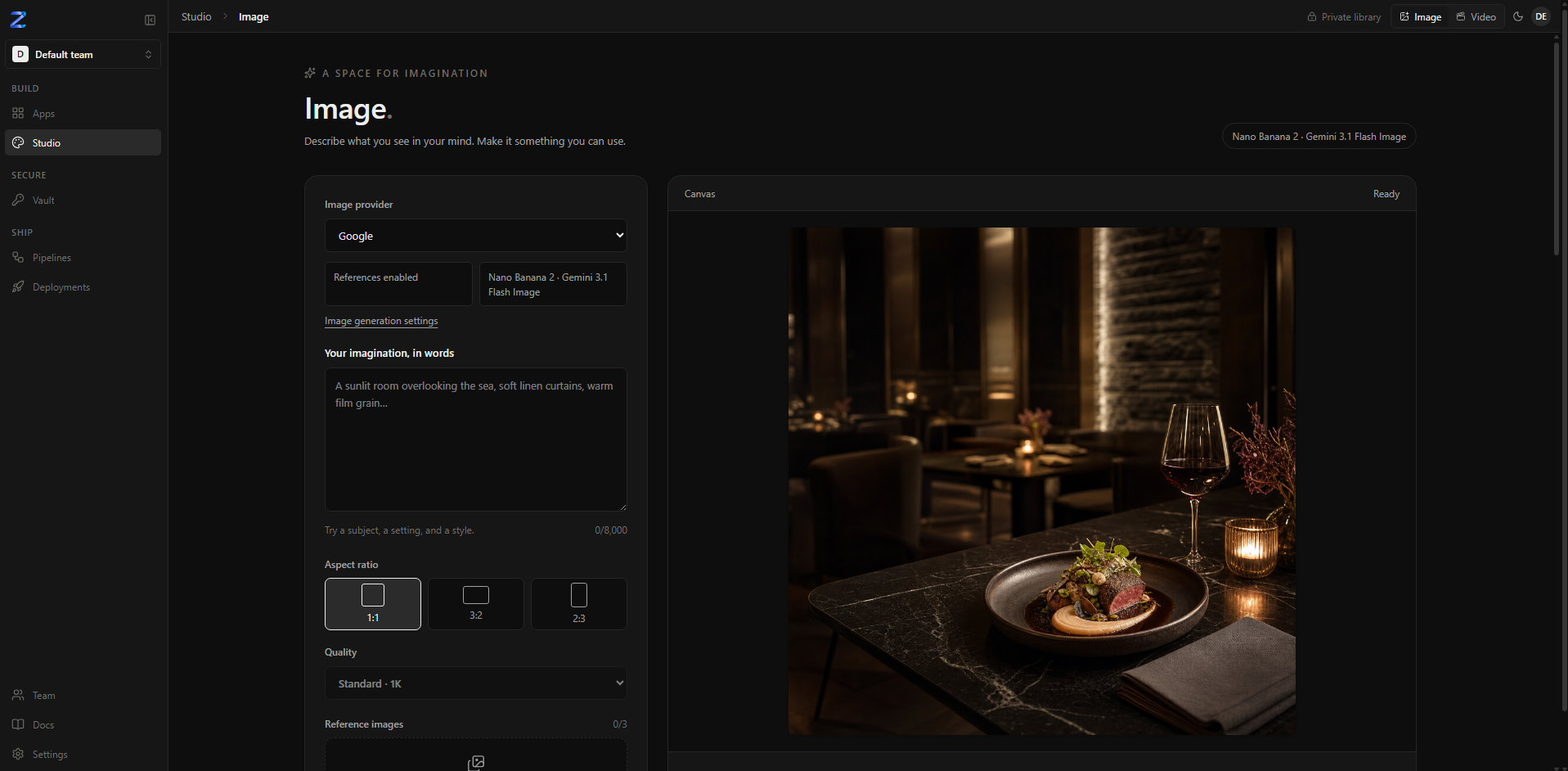
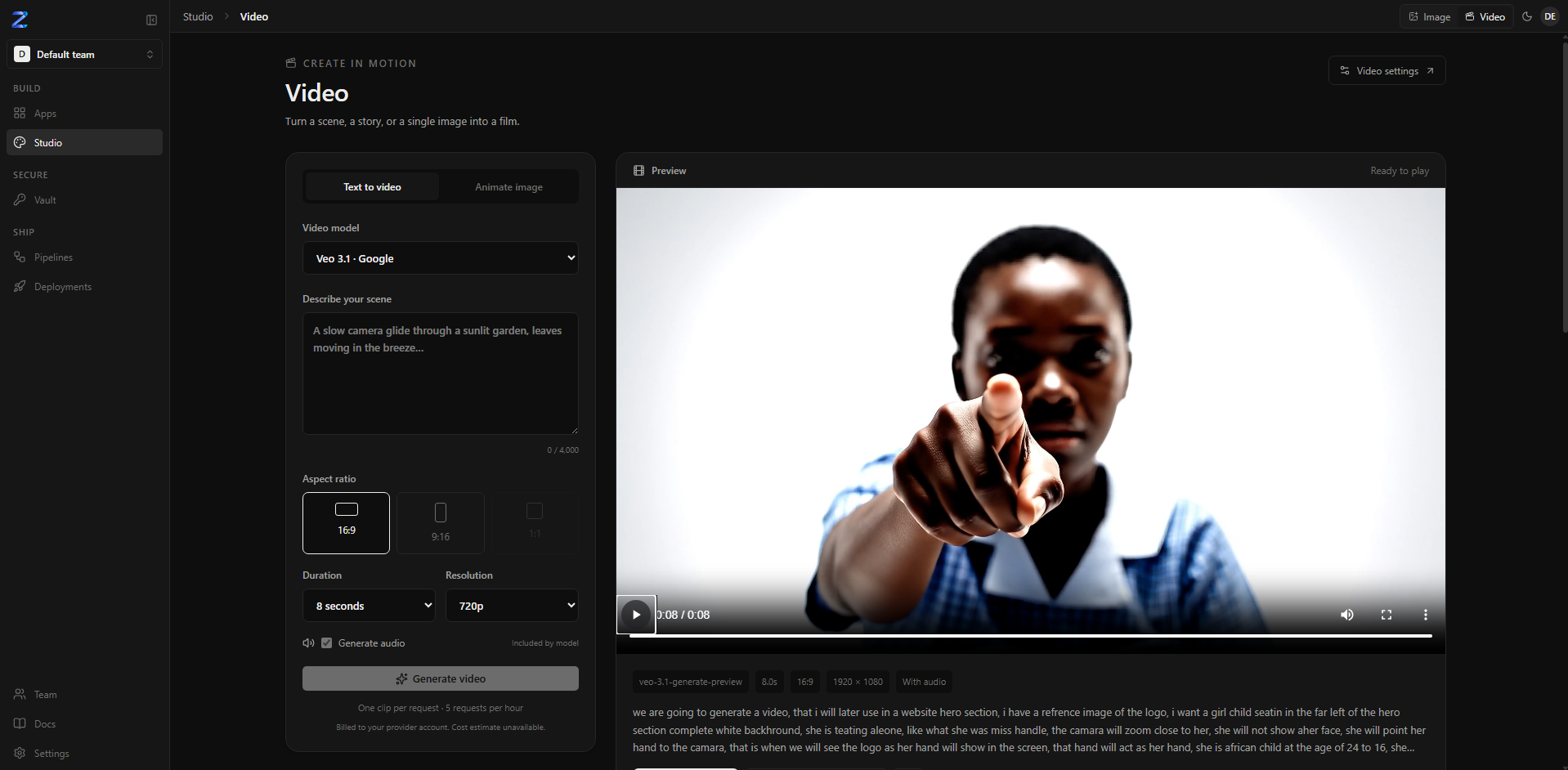
| | **[Studio](#studio--images-and-video)** | Generate images and video — for your apps, or on their own |
| **Secure** | **[Vault](#secure--vault)** | Every credential once, encrypted, versioned and audited — used by apps, pipelines and your own servers |
| **Ship** | **[Pipelines](#ship--pipelines)** | Test and build the same way every time, on the Zelyq server or your own Linux, macOS and Windows machines |
| | **[Deployments](#ship--deployments)** | Put apps on your machines per environment, with approvals, freeze and automatic roll back |
Everything lives in **teams**: invite people, give them a role, and every module follows it.
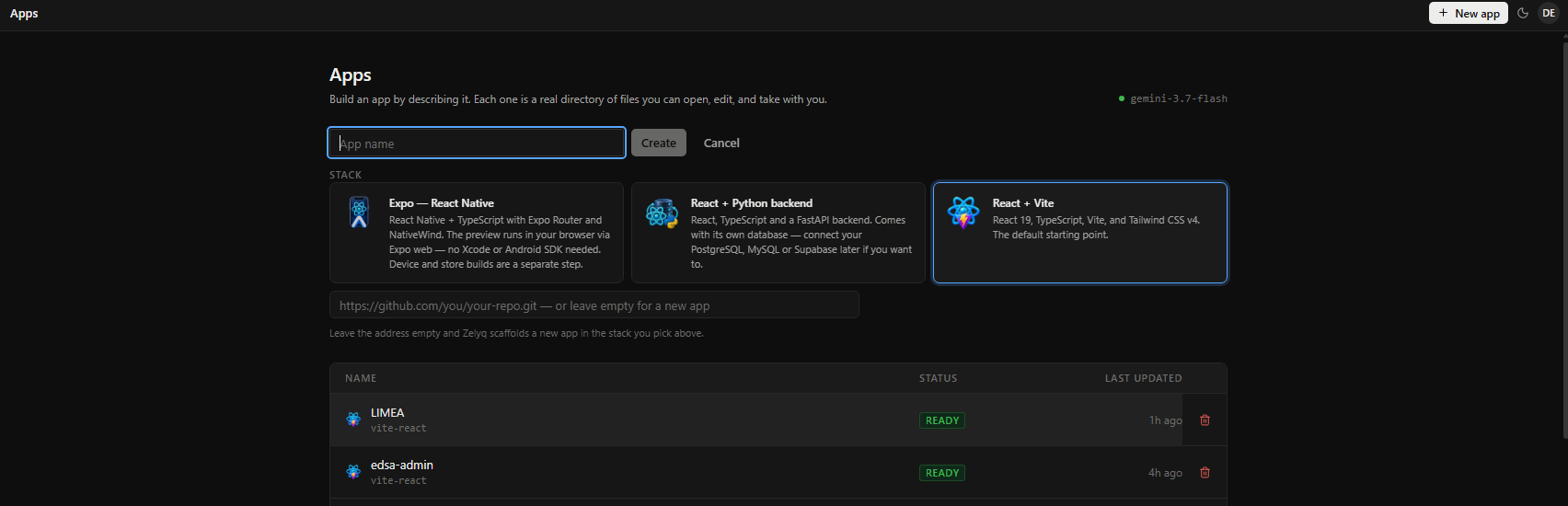 Describe what you want. The agent reads, plans, writes files, runs commands and starts a live preview —
and you watch every tool call and every file it touches as it happens.
- **Verified, not just generated.** When the agent finishes, Zelyq runs the project's own typecheck or
build and checks the preview for a crash. A turn that broke something is handed back to fix — not
reported as done.
- **Honest about what it knows.** *Engineer Mode* separates what was verified from what was inferred
or assumed, names the alternative it did not choose, and asks instead of guessing on anything
irreversible.
- **Plans before it builds.** *Architect Mode* turns a request into a reviewable design — requirements,
decisions, data model, API, a build plan — and waits for your go-ahead. *Auto Mode* then runs the
passes itself, to a hard limit.
- **Specialist agents.** A Designer (`DESIGN.md`), a DevOps engineer (CI, Dockerfile, deploy config),
a Security/QA engineer (tests and a security scan) and a Cinematic engineer (scroll-driven heroes).
- **Full stack.** React + Vite, React with a Python (FastAPI) backend, or Expo React Native. Supabase Postgres with
row-level security written per operation and verified by a second session.
- **Start from what exists.** Bring in an existing GitHub repository when you create the app;
`/clone
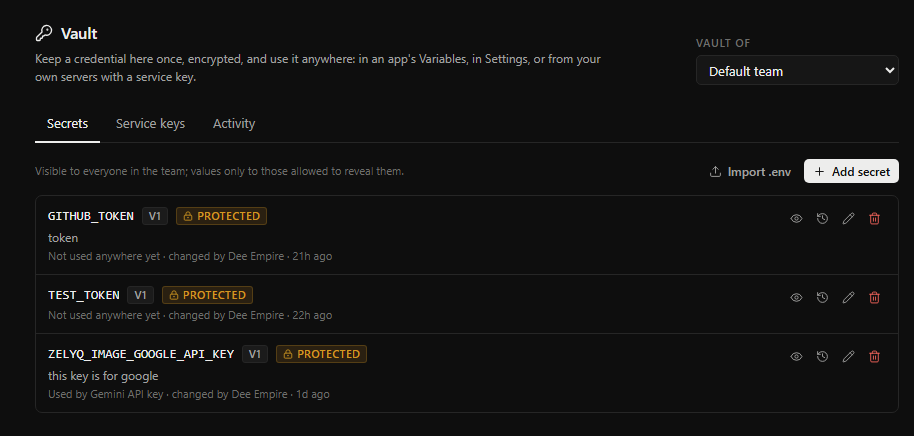 Keep each credential **once**, and use it everywhere — without ever pasting it into a file.
- **Encrypted at rest** (AES-256-GCM), with **version history**, a **Protected** flag for live keys,
and an **audit trail** of every reveal and change.
- **Used by reference.** App variables, model keys in Settings, pipelines and deployments all point to
`vault://NAME` — the value is filled in only where and when it is needed.
- **Masked everywhere.** A secret that reaches a pipeline log shows as `***`.
- **Your own servers too.** Fetch secrets with a scoped service key, or run
`zelyq vault run --
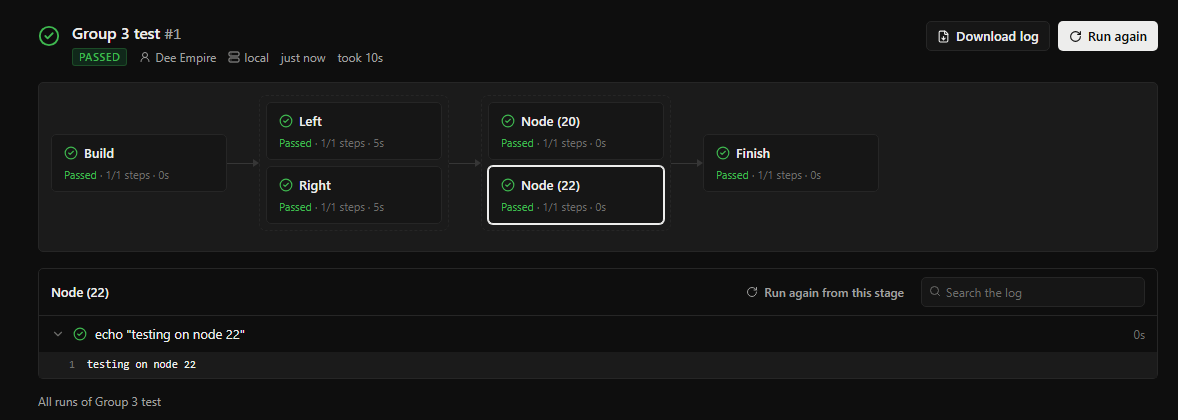
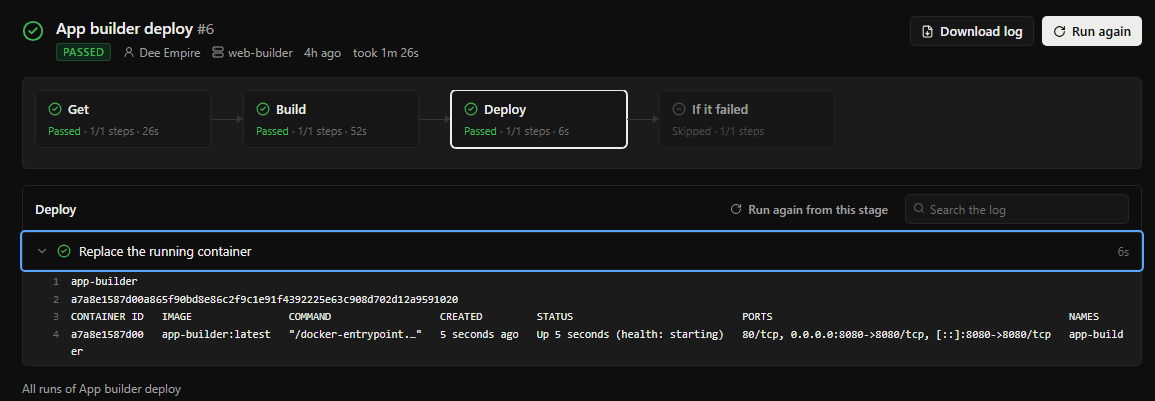 A pipeline is a short YAML file: stages run in order, steps run in order, every step is a command.
```yaml
name: Shop
runs-on: local # the Zelyq server, or one of your machines over SSH
source: { app: Shop }
stages:
- name: Test
matrix: { node: [20, 22] } # one copy per version, at the same time
steps:
- checkout: true
- setup: node@${{ matrix.node }}
- run: npm ci && npm test
tests: reports/*.xml # JUnit: passed / failed on the step
- name: Deploy
steps:
- deploy: { to: production, port: 3000 }
```
 - **Runs where you choose.** In a throwaway container on the Zelyq server, or on your own **Linux,
macOS and Windows** machines over SSH, with each machine's fingerprint pinned.
- **Fast and flexible.** Stages that run at the same time, a different machine per stage, matrix builds,
and reusable templates shared across pipelines.
- **Plugins.** Package a step once — with inputs, secrets from Vault and outputs — install it in your
team and use it in any pipeline. See [Pipeline plugins](./docs/pipeline-plugins.md).
- **Started by anything.** By hand, a git push (with path filters), a pull request, a schedule, another
pipeline finishing, an app change from the agent, or any CI with a service key.
- **Everything a real pipeline needs.** Tool setup and caches, service containers (Postgres, Redis),
step outputs, JUnit test reports, artifacts, approvals, retries, timeouts and concurrency control.
- **Reports back.** ✓ / ✗ on the commit and the pull request in GitHub or GitLab, and notifications when
a run ends.
See [Pipelines](./docs/pipelines.md).
## Ship — Deployments
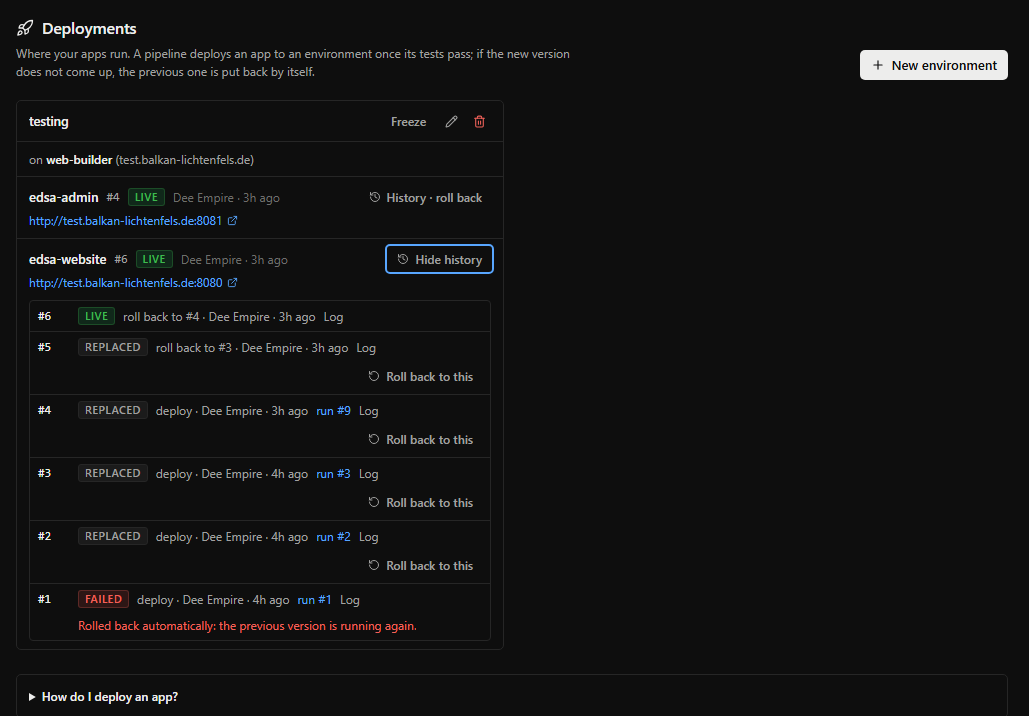 - **Environments** such as `staging` and `production`, each on one of your machines, each with its own
variables — the test key on staging, the live key on production, from Vault.
- **Deploy from a pipeline**, so an app is tested before it ships. Zelyq builds the image on your
machine — from the app's `Dockerfile`, or one Zelyq writes for Node, Python, Go and static sites.
No registry needed.
- **Automatic roll back.** If the new version does not pass its health check, the previous one is put
back by itself.
- **One-click roll back** to any of the last three good versions, from the deploy history.
- **An app page** with its live logs, CPU and memory, and restart and stop.
- **Promote** the exact image tested on staging to production, without building it again.
- **Protected environments** wait for an admin's approval; **freeze** stops all deploys during a
release.
See [Deploy](./docs/deploy.md).
---
## Quickstart
```bash
# Requires Node >= 20.12 and pnpm >= 9
git clone https://github.com/CrowPus/Zelyq.git
cd Zelyq
cp .env.example .env # your configuration — edit it before the first start (below)
pnpm install
pnpm dev # web :5173 · server :8787 · agent :8788
```
**Edit `.env` before you start.** Its defaults assume you open Zelyq on the same computer it runs
on, at `localhost`. On a VM or any remote server, change these — replace `203.0.113.10` with your
machine's address or domain:
| Setting | On a VM / server | Why |
| --- | --- | --- |
| `ZELYQ_WEB_HOST` | `0.0.0.0` | Otherwise the web UI only answers on the VM itself |
| `ZELYQ_PREVIEW_HOST` | `203.0.113.10` | Otherwise every app preview refuses your browser |
| `ZELYQ_CORS_ORIGIN` | `http://203.0.113.10:5173` | The address you open Zelyq at |
| `ZELYQ_PUBLIC_URL` | `http://203.0.113.10:5173` | Used in webhook and sign-in callback links |
| `ZELYQ_ALLOW_REGISTRATION` | `false`, once your account exists | Otherwise anyone who finds the address can sign up |
Open the preview ports (`ZELYQ_PREVIEW_PORT_MIN`–`MAX`, 4300–4399 by default) and 5173 in the VM's
firewall. On a machine reachable from the internet, put Zelyq behind HTTPS — see
[Self-hosting](./docs/self-hosting.md). Every other setting is explained in `.env.example` itself
and in [Configuration](./docs/configuration.md).
Open