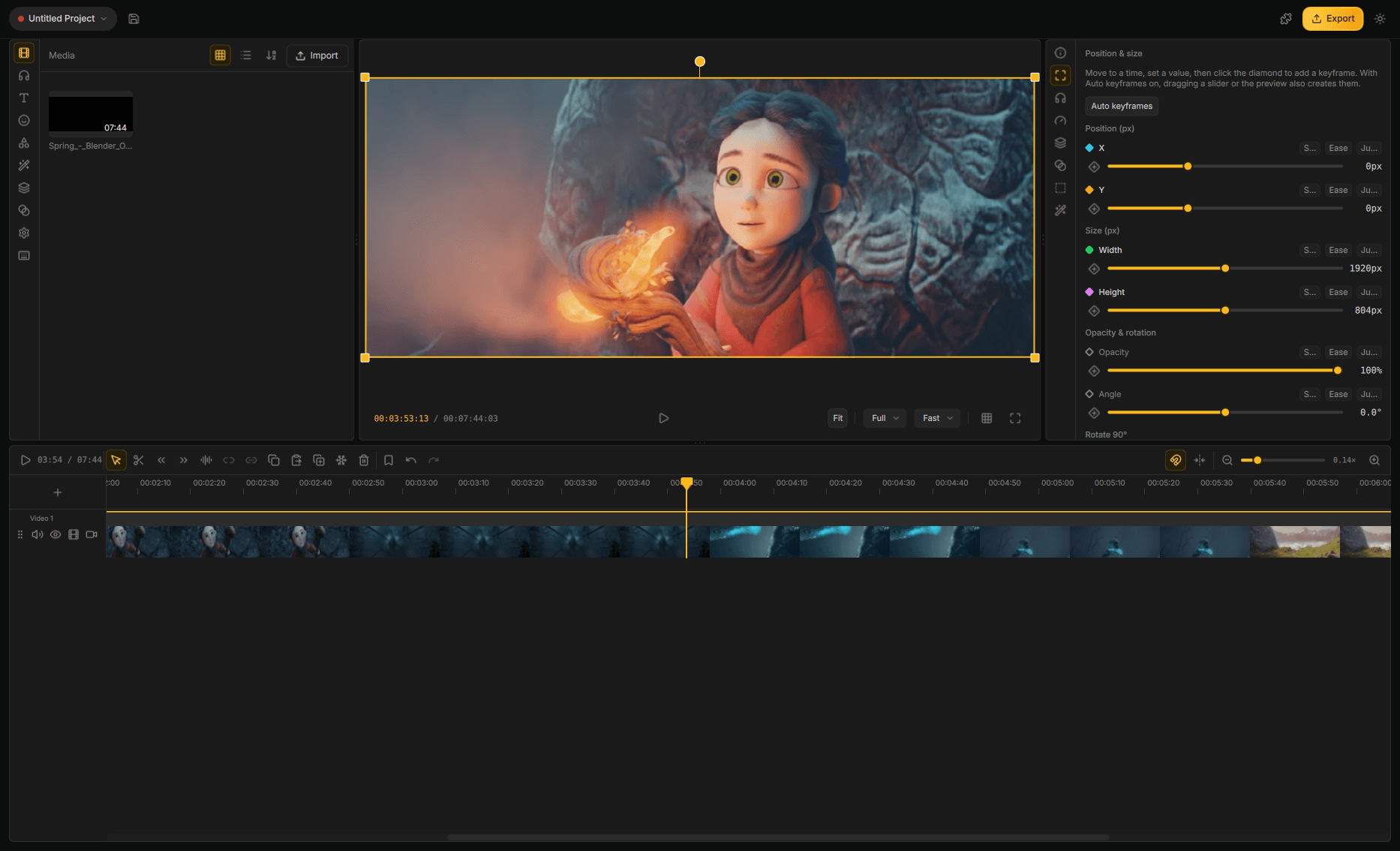
一款免费的桌面视频剪辑软件,让你的视频呈现专业质感 — 绝不向“凑合”妥协。





Google Play 处于封闭测试阶段 — 查看如何参与。
**Linux** — 通过 Flathub 安装: ```bash flatpak install flathub org.cutwire.Drift flatpak run org.cutwire.Drift ``` **macOS** — 通过 Homebrew 安装: ```bash brew install --cask cutwire-studios/tap/drift ``` > **macOS 首次运行提示:** Drift 采用 ad-hoc 签名(未经 Apple 官方公证)。通过 Homebrew 安装会自动解除隔离属性。若通过 `.dmg` 手动安装或遇到 Gatekeeper 拦截,请在终端执行: > ```bash > xattr -dr com.apple.quarantine /Applications/Drift.app > ``` 或者从[最新版本发布页](https://github.com/CutWire-Studios/Drift/releases/latest)直接获取预编译安装包: | 平台 | 安装包 | |------|--------| | Linux | [Flathub](https://flathub.org/apps/org.cutwire.Drift) · [AppImage](https://github.com/CutWire-Studios/Drift/releases/latest) | | Windows | [Microsoft Store](https://apps.microsoft.com/detail/9PHHBZ07FRSZ) · [安装程序 (.exe)](https://github.com/CutWire-Studios/Drift/releases/latest) · [绿色便携版 (.zip)](https://github.com/CutWire-Studios/Drift/releases/latest) | | macOS | [Homebrew Tap](https://github.com/CutWire-Studios/homebrew-tap) · [磁盘映像 (.dmg, Apple Silicon)](https://github.com/CutWire-Studios/Drift/releases/latest) | | Android | [Google Play (内测版)](../docs/play-testing.md) · [APK (arm64-v8a)](https://github.com/CutWire-Studios/Drift/releases/latest) · [APK (armeabi-v7a)](https://github.com/CutWire-Studios/Drift/releases/latest) · [APK (x86_64)](https://github.com/CutWire-Studios/Drift/releases/latest) | 在手机上,可加入 [Google Play 封闭测试](../docs/play-testing.md),或直接下载最新版本的 `Drift-*-arm64-v8a.apk` 并安装(亦可使用 `adb install Drift-*-arm64-v8a.apk`)。模拟器请使用 `x86_64` 构建版本。 查看[历史版本一览](https://github.com/CutWire-Studios/Drift/releases)以获取过往发布和完整更新日志。 ## 软件界面截图