# 👨💻👩💻 [_LetsMarkdown.com_](https://LetsMarkdown.com/)
Fast, minimal web editor that makes markdown editing **collaborative** and
**accessible** to everyone.
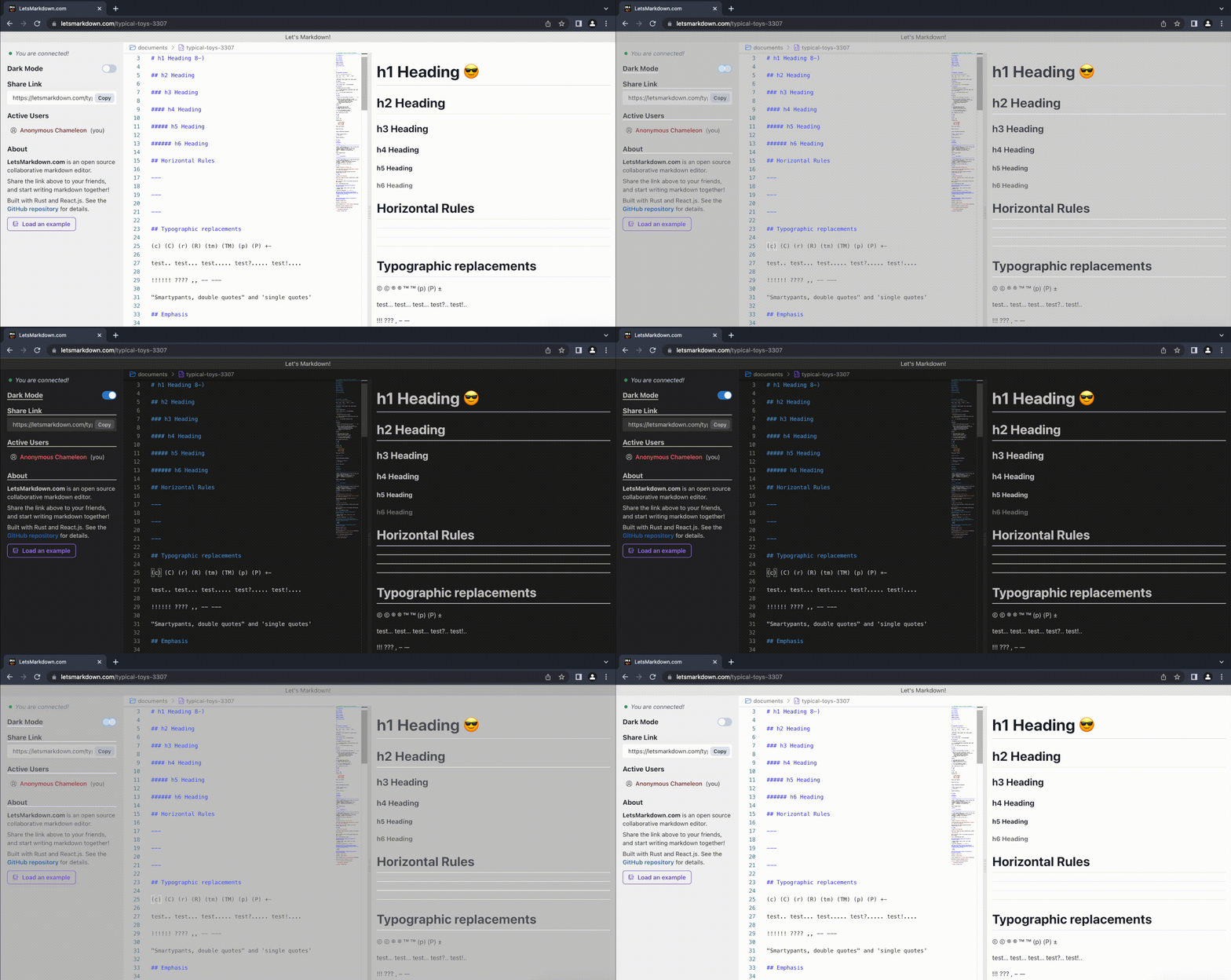
LetsMarkdown.com
## Motivation
\> I want to edit markdown files with my friends, but sending/resending files,
changing viewing access, version control, and previewing are just _too much
work_.
\> 💡 why not create a google doc for collaborative markdown editing,
**_without_** having to log into Google, change view/edit access, worry about
previewing the file, etc?
\> Voilà, after hours of laborious coding,
[LetsMarkdown.com](https://LetsMarkdown.com/) is born!
## Features
- **Live** collaborative markdown editing and preview
- **VSCode-like** editor with support for command palette (syntax highlighting,
autocomplete, editor themes...)
- Minimal setup with **no login required** - say goodbye to malicious trackers
and privacy invasions
- Efficient backend built with **Rust** and **WebAssembly**
- Dark mode (duh)
- **Emoji** support with shortcuts enabled
- (Upcoming) cursors tracking, synced scrolling, subscript/footnote/insert
support, and more
## Tech Stack
- Frontend: React.js (TypeSript), Vite.js, Chakra UI
- Editor & markdown preview: Monaco, mardown-it.js, highlight.js
- Backend: Rust, WebAssembly, Node.js
- Deployment & hosting: Docker, DigitalOcean
- CI/CD: Github Action
- Formatting: Prettier, Rustfmt
- Design & prototyping: Figma
## Development Info
This application is built using a backend
[operational transformation](https://docs.rs/operational-transform/latest/operational_transform/)
control server written in Rust (based on
[Rustpad](https://github.com/ekzhang/rustpad)), and a frontend written in
TypeScript using [React.js](https://reactjs.org/).
The backend server supports real-time collaborative editing sessions, and the
frontend offers a collaborative text editor with built-in markdown syntax
highlighting and auto-completion. These parts of the application are connected
via WebSocket communication.
For markdown previewing, I used the
[markdown-it.js](https://markdown-it.github.io/) library to dynamically render
the markdown file. To style the markdown file, I also created a custom
`markdown.css` stylesheet.
To develop this application locally, you need to:
First, install `Rust`, `wasm-pack`, and `Node.js`. Verify your installation
with:
```bash
rustup -V && wasm-pack -V && npm -v
```
Then, build the WebAssembly part of the app:
```bash
wasm-pack build --target web letsmarkdown-wasm
```
After that, install the dependencies for the React application:
```
npm install
```
Next, you can compile and run the backend web server:
```bash
cargo run
```
While the backend is running, open another shell and run the following command
to start the frontend dev server.
```bash
npm run dev
```
This command will open a browser window to `http://localhost:3000`, with hot
reloading enabled on saved changes.
## Deployment
[LetsMarkdown.com](https://LetsMarkdown.com/) is distributed as a single 12 MB
Docker image, which is built automatically from the `Dockerfile` in this
repository. You can pull the latest version of this image from Docker Hub. It
has multi-platform support for linux/amd64 and linux/arm64.
```
docker pull cveinnt/letsmarkdown
```
(You can also manually build this image with `docker build -t rustpad .` in the
project root directory.) To run locally, execute the following command, then
open `http://localhost:3030` in your browser.
```
docker run --rm -dp 3030:3030 cveinnt/letsmarkdown
```
I deploy a public instance of this image with
[DigitalOcean App Platform](https://www.digitalocean.com/products/app-platform/).
## Contributing
This project is still in a **very early** phase. If you're interested in adding
new features or fixing bugs, please reach out to me by creating a GitHub issue!
I plan to integrate this repository continuously, and the code base already
accounts for things like code style (Prettier, Rustfmt) and build success
(Docker). The current state of the `main` branch is continuously deployed to the
production web server at [LetsMarkdown.com](https://LetsMarkdown.com/).
## Credits
[LetsMarkdown.com](https://LetsMarkdown.com/) is inspired by
[composing.studio](https://composing.studio/), which is based on
[Rustpad](https://github.com/ekzhang/rustpad).
All code is licensed under the MIT license.