
English | 简体中文





Tiercel is a production-oriented iOS download framework in pure Swift for background downloads, relaunch recovery, resumable transfers, and URLSession-based task orchestration.
Indexed on Swift Package Index and featured in awesome-swift and awesome-ios.
If Tiercel helps your team ship reliable downloads, consider starring the repository.
## Why Teams Pick Tiercel - Background downloads that stay close to native `URLSession` behavior. - Relaunch recovery through persisted task metadata and resume data. - Fine-grained control for start, suspend, cancel, remove, and batch operations. - Multiple `SessionManager` instances so different download domains stay isolated. - Network policy knobs for cellular, constrained, and expensive connections. - Built-in speed, remaining-time, and file-validation callbacks. - Thread-safe internal state designed for long-running download flows. ## Choose Tiercel If - You need downloads to recover after the app relaunches. - You manage more than one download queue, domain, or product surface. - You want batch downloads and operational visibility instead of ad hoc tasks. - You prefer a higher-level API than raw `URLSessionDownloadTask`, while still using Apple's native stack underneath. - You need a download layer that can be evaluated quickly through a real demo app. ## At A Glance | What you need | Raw `URLSession` only | Tiercel | | --- | --- | --- | | Background downloads | Base primitives | Higher-level manager and task model | | Relaunch recovery | App-specific persistence work | Built-in persisted task metadata and resume data | | Batch operations | Manual orchestration | Multi-download helpers and manager-level controls | | Download domain isolation | Custom architecture | Multiple isolated `SessionManager` instances | | Progress and validation hooks | Hand-rolled callbacks | Built-in progress, speed, ETA, and validation APIs | ## Installation ### CocoaPods ```ruby platform :ios, '12.0' use_frameworks! target 'YourTargetName' do pod 'Tiercel' end ``` Then run: ```bash pod install ``` ### Swift Package Manager In Xcode, choose `File > Add Package Dependencies...` and use: ```text https://github.com/Danie1s/Tiercel.git ``` ### Manual Integration Drag the `Sources` directory into your project and make sure the files are included in the desired target. ## Quick Start ```swift import Tiercel var configuration = SessionConfiguration() configuration.allowsCellularAccess = true configuration.maxConcurrentTasksLimit = 3 let manager = SessionManager("downloads", configuration: configuration) let task = manager.download("https://example.com/video.mp4") task?.progress(onMainQueue: true) { task in print("progress:", task.progress.fractionCompleted) }.success { task in print("saved to:", task.filePath) }.failure { _ in print("download failed") } ``` You can control downloads by URL or by task instance: ```swift let url = "https://example.com/video.mp4" manager.start(url) manager.suspend(url) manager.cancel(url) manager.remove(url, completely: false) if let task = task { manager.start(task) manager.suspend(task) manager.cancel(task) manager.remove(task, completely: false) } ``` Tiercel also supports batch creation and start: ```swift let urls = [ "https://example.com/episode-1.mp4", "https://example.com/episode-2.mp4" ] let tasks = manager.multiDownload(urls) print(tasks.count) ``` ## Background Downloads And Relaunch Recovery Tiercel persists task state and resume data to disk, so downloads can be restored after the app relaunches. If the user force-quits the app, iOS stops background execution until the next launch; once the app is opened again, Tiercel can recover eligible downloads and continue from stored state. To support native background session callbacks, wire the completion handler from `AppDelegate` to the matching `SessionManager`: ```swift let downloadManagers = [managerA, managerB] func application(_ application: UIApplication, handleEventsForBackgroundURLSession identifier: String, completionHandler: @escaping () -> Void) { for manager in downloadManagers where manager.identifier == identifier { manager.completionHandler = completionHandler break } } ``` ## Network Policy And File Validation `SessionConfiguration` lets you tune network behavior for different products or environments: ```swift var configuration = SessionConfiguration() configuration.maxConcurrentTasksLimit = 3 configuration.allowsCellularAccess = true configuration.allowsConstrainedNetworkAccess = true configuration.allowsExpensiveNetworkAccess = true let manager = SessionManager("downloads", configuration: configuration) ``` You can also validate downloaded files when integrity matters: ```swift task?.validateFile(code: "9e2a3650530b563da297c9246acaad5c", type: .md5, onMainQueue: true) { task in if task.validation == .correct { print("file is valid") } else { print("file is invalid") } } ``` ## Compatibility - Minimum platform: `iOS 12.0+` - Language baseline: `Swift 5.0+` - Distribution: CocoaPods, Swift Package Manager, and manual source integration ## Demo Open `Demo/Tiercel-Demo.xcodeproj` to explore: - Single-file downloads - Batch downloads - Multiple isolated download managers - Background session event handling - Validation and progress callbacks 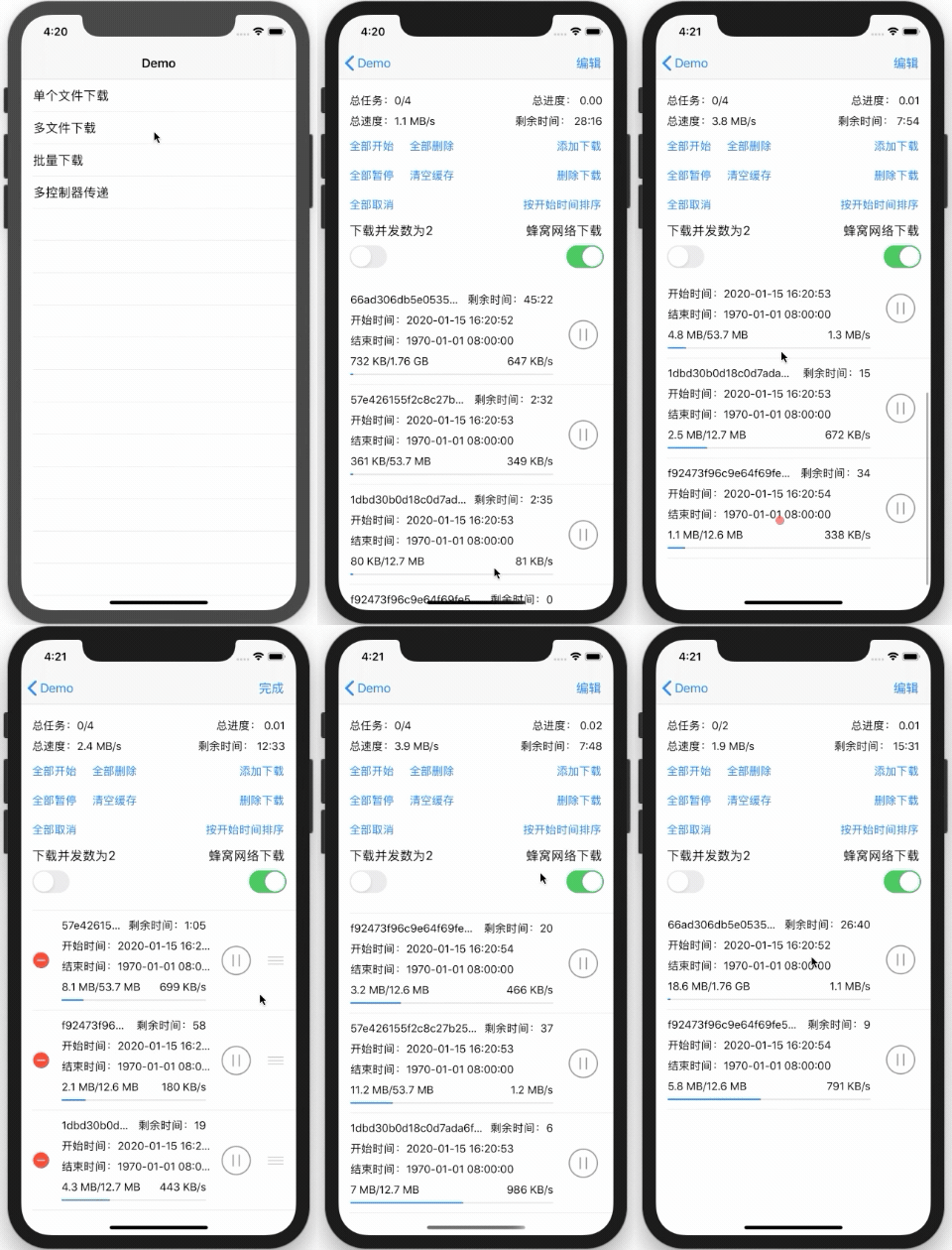 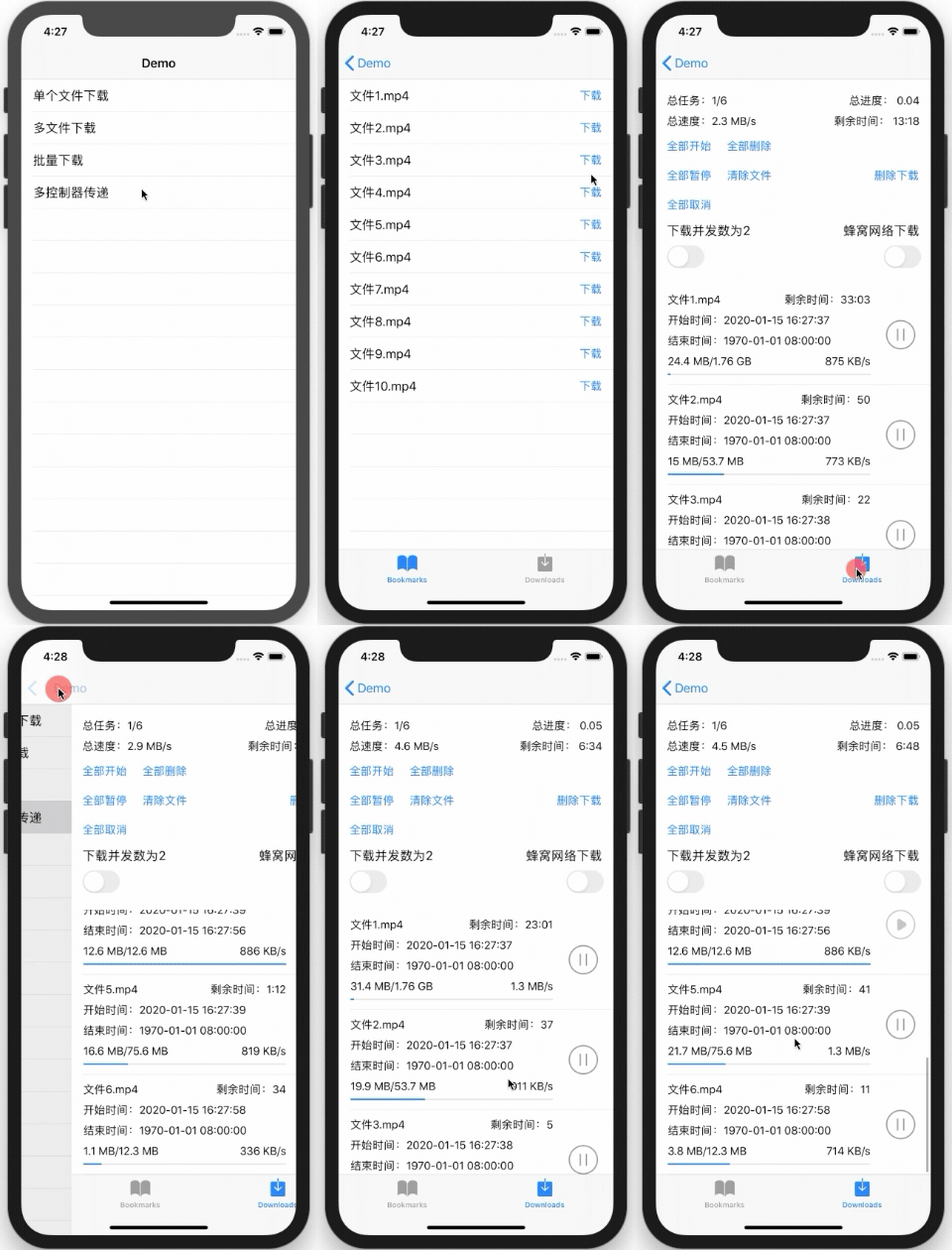 ## Docs And Links - [Wiki](https://github.com/Danie1s/Tiercel/wiki) - [Tiercel 3.0 Migration Guide](https://github.com/Danie1s/Tiercel/wiki/Tiercel-3.0-%E8%BF%81%E7%A7%BB%E6%8C%87%E5%8D%97) - [Objective-C Bridge](https://github.com/Danie1s/TiercelObjCBridge) - [Contributing Guide](CONTRIBUTING.md) - [Security Policy](SECURITY.md) ## Repository Layout - `Sources/General`: core session, task, cache, and status-management logic - `Sources/Extensions`: lightweight helpers used across the framework - `Sources/Utility`: checksum and resume-data utilities - `Demo`: sample iOS app for evaluation and manual testing ## License Tiercel is available under the MIT license. See [LICENSE](LICENSE) for details.