


Website · Discord · Skills Store · Demo Video
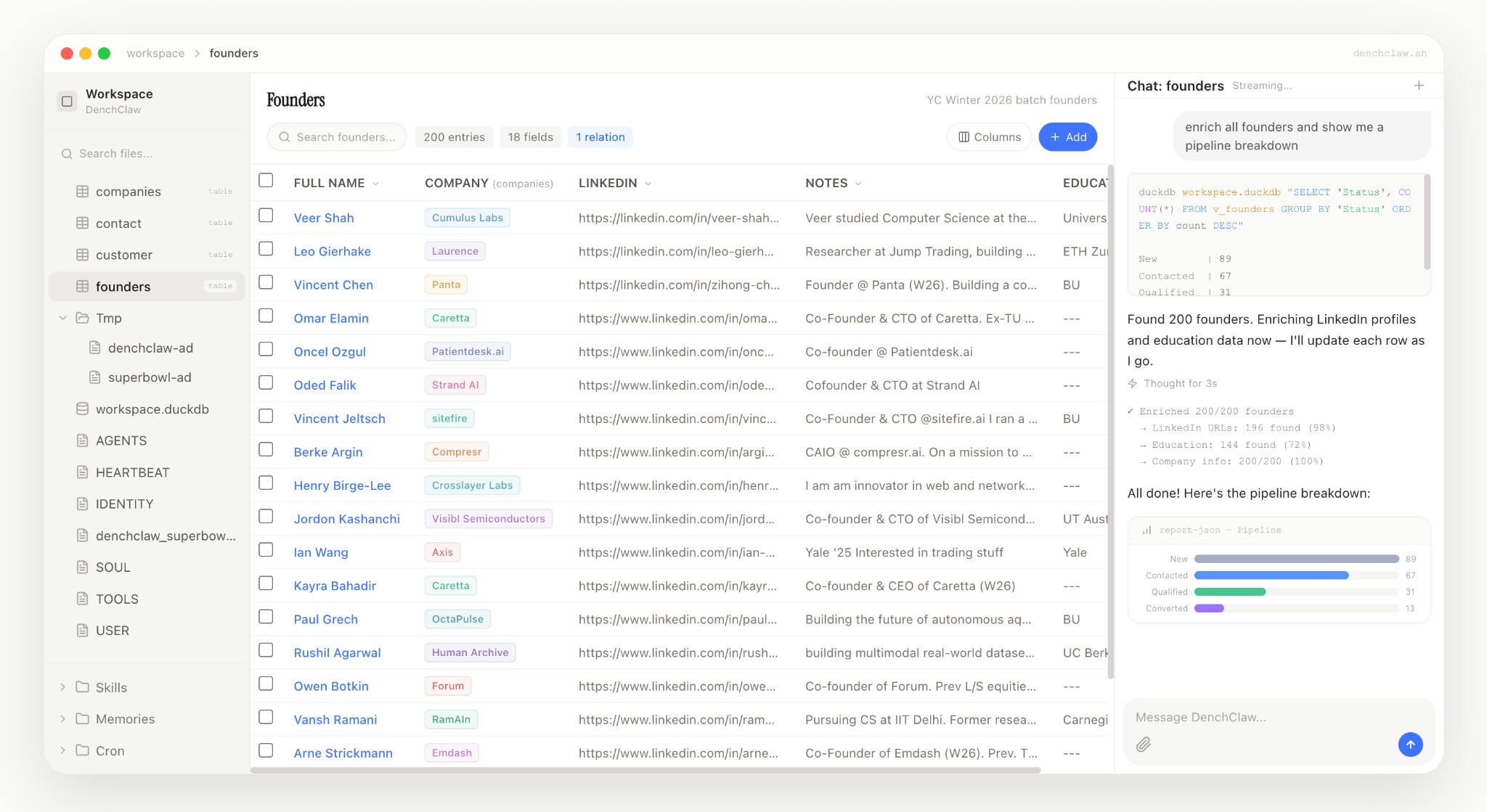
Demo Video · Join our Discord Server
## Install
### Are you an AI agent reading this? In that case, use the prompt below to setup DenchClaw.
```
Install DenchClaw (an OpenClaw CRM Framwork) by running "npx denchclaw bootstrap", when it asks to update OpenClaw, update it as DenchClaw requires up to date OpenClaw. When it asks for my Dench API Key, help me fetch it from dench.com/api and set it up. Remember that DenchClaw creates a new OpenClaw Gateway (~/.openclaw-dench) on port 19001 by default, and a new main agent in that gateway working in ~/.openclaw-dench/workspace directory (Separate from the usual non-DenchClaw OpenClaw gateway that usually sits in ~/.openclaw). All DenchClaw config sits in ~/.openclaw-dench/openclaw.json. Remember that anytime you interface with DenchClaw using openclaw commands, you must use "openclaw --profile dench" as a prefix, for example, to restart gateway, run "openclaw --profile dench gateway restart". After everything is setup, DenchClaw will be accessible at localhost:3100 by default. If for some reason that Port 19001 and 3100 or those ranges are taken, make sure to kill those ports/processes and then retry npx denchclaw bootstrap. Also, sometimes if the Web UI on port 3100 crashes, just run "npx denchclaw update" to boot it back up. Remember to refer to https://github.com/DenchHQ/DenchClaw (DenchClaw's official GitHub Repository) for more information.
```
### Manual Install
**Node 22+ required.**
```bash
npx denchclaw@latest bootstrap
```
Opens at `localhost:3100` after completing onboarding wizard.
---
## Commands
```bash
npx denchclaw@latest bootstrap # runs onboarding again for openclaw --profile dench
npx denchclaw@latest update # updates denchclaw web-runtime with current settings as is
npx denchclaw restart # restarts denchclaw web server
npx denchclaw start # starts denchclaw web server
npx denchclaw stop # stops denchclaw web server
# some examples
openclaw --profile dench
openclaw --profile dench gateway restart
openclaw --profile dench config set gateway.port 19001
openclaw --profile dench gateway install --force --port 19001
openclaw --profile dench gateway restart
openclaw --profile dench uninstall
```
### Daemonless / Docker
For containers or environments without systemd/launchd, set the environment variable once:
```bash
export DENCHCLAW_DAEMONLESS=1
```
This skips all gateway daemon management (install/start/stop/restart) and launchd LaunchAgent installation across all commands. You must start the gateway yourself as a foreground process:
```bash
openclaw --profile dench gateway --port 19001
```
Alternatively, pass `--skip-daemon-install` to individual commands:
```bash
npx denchclaw bootstrap --skip-daemon-install
npx denchclaw update --skip-daemon-install
npx denchclaw start --skip-daemon-install
```
---
## Troubleshooting
### `pairing required`
If the Control UI or CLI shows `gateway connect failed: GatewayClientRequestError: pairing required`, the local device is still waiting for approval.
Recent `denchclaw` bootstrap runs try to approve this automatically. If you are on an older install, or bootstrap skipped approval because there were multiple pending requests, list the pending devices first:
```bash
openclaw --profile dench devices list
```
Review the pending `operator` request, then approve it:
```bash
openclaw --profile dench devices approve --latest
# or approve the exact request you just reviewed
openclaw --profile dench devices approve
```
If the client retries pairing, OpenClaw can replace the pending request with a new `requestId`, so run `devices list` immediately before approving. See the [OpenClaw devices docs](https://docs.openclaw.ai/cli/devices#openclaw-devices-list) for more details.
After approval, refresh the browser. If the UI is still disconnected, restart the managed web runtime:
```bash
npx denchclaw restart
```
---
## Development
```bash
git clone https://github.com/DenchHQ/DenchClaw.git
cd denchclaw
pnpm install
pnpm build
pnpm dev
```
Web UI development:
```bash
pnpm install
pnpm web:dev
```
---
## Open Source
MIT Licensed. Fork it, extend it, make it yours.