"Any button, any input from any peripheral, triggers anything on your system"
[Install](#installation) • [Commands](#commands) • [Configuration](#configuration) • [Behaviors](#behaviors) • [Key Names](#key-names)


 *I'd check out the [Overlay System](#overlay-system) and [Behaviors](#behaviors). That's where it gets fun.*
- I designed it to have zero conflicts with any other remapper or shortcut tool. (keyd, kanata, kmonad, xremap...)
- Dead-simple TOML config. Modular overlays that are portable and shareable by design for absolute no conflicts.
- Declarative config only consumes what you explicitly asked for
- **Actually lightweight** takes about ~3MB binary, <3MB RAM, 0% CPU when idle (as expected)
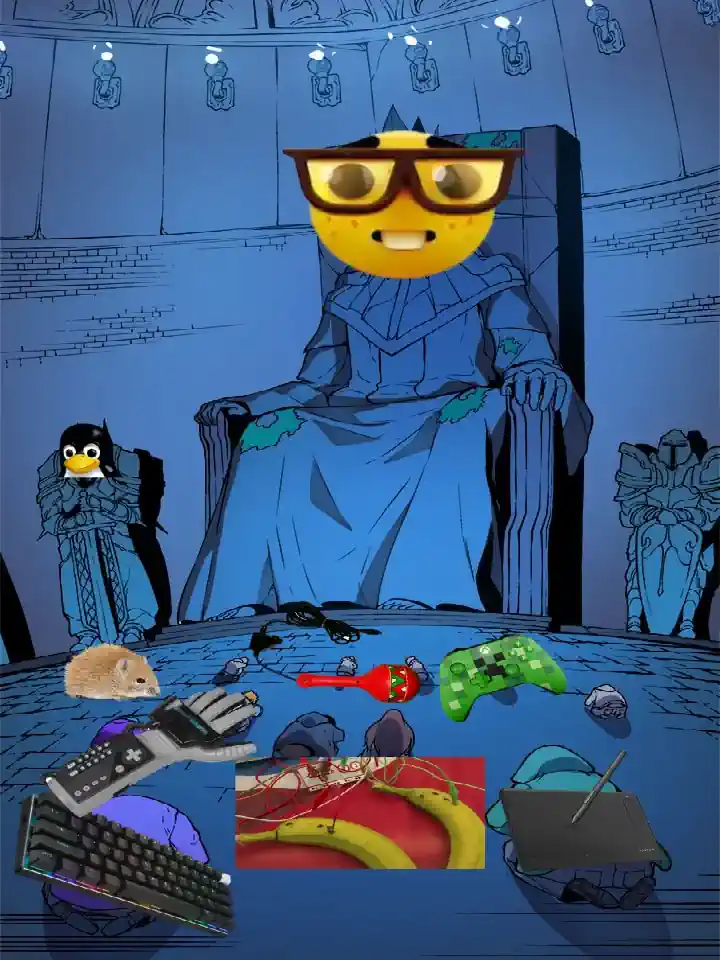
- You can write literal drivers on steroids on a 10 line file. If its a peripheral akeyshually basically pwns it.
- Advanced triggers and behaviors customization ([see table](#behaviors))
- Its borderline black-market software
---
## Quick Start
**Prerequisites:**
```bash
# Add yourself to the input group (first time only)
sudo usermod -aG input $USER
# then logout and back in
```
**Run akeyshually** — config auto-generates at `~/.config/akeyshually/`:
```bash
akeyshually
```
*I'd check out the [Overlay System](#overlay-system) and [Behaviors](#behaviors). That's where it gets fun.*
- I designed it to have zero conflicts with any other remapper or shortcut tool. (keyd, kanata, kmonad, xremap...)
- Dead-simple TOML config. Modular overlays that are portable and shareable by design for absolute no conflicts.
- Declarative config only consumes what you explicitly asked for
- **Actually lightweight** takes about ~3MB binary, <3MB RAM, 0% CPU when idle (as expected)
- You can write literal drivers on steroids on a 10 line file. If its a peripheral akeyshually basically pwns it.
- Advanced triggers and behaviors customization ([see table](#behaviors))
- Its borderline black-market software
---
## Quick Start
**Prerequisites:**
```bash
# Add yourself to the input group (first time only)
sudo usermod -aG input $USER
# then logout and back in
```
**Run akeyshually** — config auto-generates at `~/.config/akeyshually/`:
```bash
akeyshually
```
 **Open config and add this shortcut:**
```toml
[shortcuts]
'super+shift+a' = "notify-send 'Errm... whassup doc?'"
```
Press the combo, notification pops.
**Now here's how to make an auto-clicker:**
```toml
"f9.repeat" = ">lclick"
```
Tap F9 to trigger, tap again to stop.
---
## Configuration
Config lives at `~/.config/akeyshually/`:
- `config.toml` - All-in-one config (settings, shortcuts, command aliases)
- `akeyshually.service` - Systemd service file (with install instructions)
> [!TIP]
> If you wanna see a working example vheck out [my personal config](#personal-config) at the bottom of this section.
### Shortcut Syntax
**Key combinations:**
- Single key: `"print"`, `"super"`, `"f1"`
- With modifiers: `"super+t"`, `"ctrl+alt+delete"`, `"shift+print"`
- Modifiers: `super`, `ctrl`, `alt`, `shift` (lowercase)
- Use `+` to combine modifiers and keys
**Dot notation:**
- Triggers define when the command fires: `.onpress`, `.hold`, `.doubletap`, `.pressrelease`, etc.
- Modifiers change how the command executes: `.switch`, `.repeat`, `.passthrough`
- Chain triggers and modifiers: `"key.hold.repeat"`, `"key.doubletap(200)"`
- Triggers can take parameters: `.hold(500)`, `.doubletap(200)`, `.taphold(200, 500)`
**Alias syntax:**
- Share command across multiple keys: `"f1/f2/f3.switch" = ["cmd1", "cmd2"]`
- Dot modifiers from the last key apply to all: `"a/b.hold"` = `"a.hold"` + `"b.hold"`
**Axis syntax:**
- Axis direction: `"rx+"`, `"abs_y-"` (axis name + direction suffix)
- Remap to scroll: `"rx+" = ">scrollup"`, `"abs_y-" = ">scrolldown"`
- Works with drawing tablets, gamepads, trackballs, any ABS device
**Commands:**
- Direct: `"super+t" = "kitty"`
- Command variable: `"super+t" = "$TERMINAL"` or `"super+t" = "terminal"` (references `[command_variables]`)
- Arrays for specific behaviors: `".pressrelease" = ["press_cmd", "release_cmd"]`
**Open config and add this shortcut:**
```toml
[shortcuts]
'super+shift+a' = "notify-send 'Errm... whassup doc?'"
```
Press the combo, notification pops.
**Now here's how to make an auto-clicker:**
```toml
"f9.repeat" = ">lclick"
```
Tap F9 to trigger, tap again to stop.
---
## Configuration
Config lives at `~/.config/akeyshually/`:
- `config.toml` - All-in-one config (settings, shortcuts, command aliases)
- `akeyshually.service` - Systemd service file (with install instructions)
> [!TIP]
> If you wanna see a working example vheck out [my personal config](#personal-config) at the bottom of this section.
### Shortcut Syntax
**Key combinations:**
- Single key: `"print"`, `"super"`, `"f1"`
- With modifiers: `"super+t"`, `"ctrl+alt+delete"`, `"shift+print"`
- Modifiers: `super`, `ctrl`, `alt`, `shift` (lowercase)
- Use `+` to combine modifiers and keys
**Dot notation:**
- Triggers define when the command fires: `.onpress`, `.hold`, `.doubletap`, `.pressrelease`, etc.
- Modifiers change how the command executes: `.switch`, `.repeat`, `.passthrough`
- Chain triggers and modifiers: `"key.hold.repeat"`, `"key.doubletap(200)"`
- Triggers can take parameters: `.hold(500)`, `.doubletap(200)`, `.taphold(200, 500)`
**Alias syntax:**
- Share command across multiple keys: `"f1/f2/f3.switch" = ["cmd1", "cmd2"]`
- Dot modifiers from the last key apply to all: `"a/b.hold"` = `"a.hold"` + `"b.hold"`
**Axis syntax:**
- Axis direction: `"rx+"`, `"abs_y-"` (axis name + direction suffix)
- Remap to scroll: `"rx+" = ">scrollup"`, `"abs_y-" = ">scrolldown"`
- Works with drawing tablets, gamepads, trackballs, any ABS device
**Commands:**
- Direct: `"super+t" = "kitty"`
- Command variable: `"super+t" = "$TERMINAL"` or `"super+t" = "terminal"` (references `[command_variables]`)
- Arrays for specific behaviors: `".pressrelease" = ["press_cmd", "release_cmd"]`
 **akeyshually** supports absolute axis (ABS) events from evdev devices, its an absolute nerd term to say that you can bind:
- **Drawing tablet touchstrips/wheels** - Map touchstrip to scroll, zoom, brush size, etc.
- **Gamepad analog sticks** - Bind stick movement to commands or scroll
- **Trackballs** - Use scroll rings or additional axes
- **Any peripheral with axis input** - If it reports ABS events, it (probably) works
Its still experimental but works, just need more testing and refinement.
**Axis syntax:**
```toml
[shortcuts]
"rx+" = ">scrollup" # Axis RX positive direction → scroll up
"rx-" = ">scrolldown" # Axis RX negative direction → scroll down
"abs_y+" = "volume_up" # Any axis works, any command works
```
**Why? You stupid or smt?:** The entire reason this project feature exists (besides being a natural extension) was to get my Huion Kamvas Pro 13 touchstrip working on NixOS. Traditional shortcut tools only handle keyboard events but have the entire boilerplate backend sitting on there to handle this as well. So I just made any hardware first-class.
See the [Huion overlay example](#personal-config) above for the full config that makes touchstrip scrolling work. and stuff. idk you do you.
---
## Overlay System
This is an override thingie I made to let you enable/disable groups of shortcuts dynamically without any conflicts what so ever and not editing the main `config.toml`.
It's _actually_ very powerful since any config file just works.
**Use Cases:**
- **Gaming**: Override window manager shortcuts so you don't start 9001 instances of firefox.
- **Work profiles**: Different shortcuts for different projects/contexts or programs.
- **Application-specific**: Load shortcuts for specific tools (DAW, IDE, browser, etc.)
**akeyshually** supports absolute axis (ABS) events from evdev devices, its an absolute nerd term to say that you can bind:
- **Drawing tablet touchstrips/wheels** - Map touchstrip to scroll, zoom, brush size, etc.
- **Gamepad analog sticks** - Bind stick movement to commands or scroll
- **Trackballs** - Use scroll rings or additional axes
- **Any peripheral with axis input** - If it reports ABS events, it (probably) works
Its still experimental but works, just need more testing and refinement.
**Axis syntax:**
```toml
[shortcuts]
"rx+" = ">scrollup" # Axis RX positive direction → scroll up
"rx-" = ">scrolldown" # Axis RX negative direction → scroll down
"abs_y+" = "volume_up" # Any axis works, any command works
```
**Why? You stupid or smt?:** The entire reason this project feature exists (besides being a natural extension) was to get my Huion Kamvas Pro 13 touchstrip working on NixOS. Traditional shortcut tools only handle keyboard events but have the entire boilerplate backend sitting on there to handle this as well. So I just made any hardware first-class.
See the [Huion overlay example](#personal-config) above for the full config that makes touchstrip scrolling work. and stuff. idk you do you.
---
## Overlay System
This is an override thingie I made to let you enable/disable groups of shortcuts dynamically without any conflicts what so ever and not editing the main `config.toml`.
It's _actually_ very powerful since any config file just works.
**Use Cases:**
- **Gaming**: Override window manager shortcuts so you don't start 9001 instances of firefox.
- **Work profiles**: Different shortcuts for different projects/contexts or programs.
- **Application-specific**: Load shortcuts for specific tools (DAW, IDE, browser, etc.)
 **How it works:**
1. Base config (`config.toml`) is always loaded first (I'll change that in the future)
2. Enabled overlays merge on top, overriding base shortcuts
3. `[shortcuts]` and `[command_variables]` from overlays override base
4. `devices` from overlays are appended (deduplicated)
5. Daemon auto-restarts when overlays change
**Commands:**
```bash
akeyshually enable gaming.toml # Enable overlay and restart daemon
akeyshually disable gaming.toml # Disable overlay and restart
akeyshually list # Show all configs and overlay status
akeyshually clear # Disable all overlays
akeyshually config gaming # Create/edit gaming.toml overlay
```
**Example overlay** (`~/.config/akeyshually/streaming.toml`):
```toml
[shortcuts]
# OBS controls
"f9" = "obs-recording-toggle"
"f10.switch" = ["obs-scene-game", "obs-scene-chat", "obs-scene-brb"]
"f11" = "obs-replay-save"
# Audio controls
"f12.pressrelease" = ["mic-unmute", "mic-mute"] # Push-to-talk
"ctrl+f12" = "toggle-sound-board"
# Quick alerts
"f1/f2/f3/f4.switch" = ["alert-subscribe", "alert-follow", "alert-donate", "alert-raid"]
[command_variables]
obs-recording-toggle = "obs-cmd recording toggle"
obs-scene-game = "obs-cmd scene switch 'Gaming'"
obs-scene-chat = "obs-cmd scene switch 'Just Chatting'"
obs-scene-brb = "obs-cmd scene switch 'BRB'"
obs-replay-save = "obs-cmd replay save"
mic-unmute = "wpctl set-mute @DEFAULT_AUDIO_SOURCE@ 0"
mic-mute = "wpctl set-mute @DEFAULT_AUDIO_SOURCE@ 1"
toggle-sound-board = "pavucontrol --tab=3"
alert-subscribe = "obs-cmd trigger subscribe-alert"
alert-follow = "obs-cmd trigger follow-alert"
alert-donate = "obs-cmd trigger donate-alert"
alert-raid = "obs-cmd trigger raid-alert"
```
Enable with: `akeyshually enable streaming` (`.toml` extension optional)
---
## CLI Commands
| Command | Description | Example |
|:--------|:------------|:--------|
| _(none)_ | Run in foreground | `akeyshually` |
| `start` | Daemonize in background | `akeyshually start` |
| `stop` | Stop daemon (pidfile or systemctl) | `akeyshually stop` |
| `restart` | Restart daemon | `akeyshually restart` |
| `enable FILE` | Enable a config overlay | `akeyshually enable gaming` |
| `disable FILE` | Disable a config overlay | `akeyshually disable gaming` |
| `list` | List all configs and overlay status | `akeyshually list` |
| `clear` | Disable all active overlays | `akeyshually clear` |
| `config [FILE]` | Edit a config file in `$EDITOR` | `akeyshually config` |
| `update` | Check for and install updates | `akeyshually update` |
| `version` | Show version | `akeyshually version` |
| `--help` | Show help | `akeyshually --help` |
---
## Why
> When life gives you lemons, don't make lemonade. Make life take the lemons back! GET MAD! I don't want your damn lemons, what the heck am I supposed to do with these?!?
It's very simple, I used to use gnome then I switched from gnome and my shortcuts got vaporized.
So I made something that could store my keybinds across anything. Then I realized the backend could do a lot more stuff that I was in need of like getting my Huion Kamvas Pro 13 touchstrip thing to work on linux since nobody cares about nixos support.
> Do you know who I am? I'm the man who's gonna burn your house down! With the lemons! I'm gonna get my engineers to invent a combustible lemon that burns your house down!
---
**How it works:**
1. Base config (`config.toml`) is always loaded first (I'll change that in the future)
2. Enabled overlays merge on top, overriding base shortcuts
3. `[shortcuts]` and `[command_variables]` from overlays override base
4. `devices` from overlays are appended (deduplicated)
5. Daemon auto-restarts when overlays change
**Commands:**
```bash
akeyshually enable gaming.toml # Enable overlay and restart daemon
akeyshually disable gaming.toml # Disable overlay and restart
akeyshually list # Show all configs and overlay status
akeyshually clear # Disable all overlays
akeyshually config gaming # Create/edit gaming.toml overlay
```
**Example overlay** (`~/.config/akeyshually/streaming.toml`):
```toml
[shortcuts]
# OBS controls
"f9" = "obs-recording-toggle"
"f10.switch" = ["obs-scene-game", "obs-scene-chat", "obs-scene-brb"]
"f11" = "obs-replay-save"
# Audio controls
"f12.pressrelease" = ["mic-unmute", "mic-mute"] # Push-to-talk
"ctrl+f12" = "toggle-sound-board"
# Quick alerts
"f1/f2/f3/f4.switch" = ["alert-subscribe", "alert-follow", "alert-donate", "alert-raid"]
[command_variables]
obs-recording-toggle = "obs-cmd recording toggle"
obs-scene-game = "obs-cmd scene switch 'Gaming'"
obs-scene-chat = "obs-cmd scene switch 'Just Chatting'"
obs-scene-brb = "obs-cmd scene switch 'BRB'"
obs-replay-save = "obs-cmd replay save"
mic-unmute = "wpctl set-mute @DEFAULT_AUDIO_SOURCE@ 0"
mic-mute = "wpctl set-mute @DEFAULT_AUDIO_SOURCE@ 1"
toggle-sound-board = "pavucontrol --tab=3"
alert-subscribe = "obs-cmd trigger subscribe-alert"
alert-follow = "obs-cmd trigger follow-alert"
alert-donate = "obs-cmd trigger donate-alert"
alert-raid = "obs-cmd trigger raid-alert"
```
Enable with: `akeyshually enable streaming` (`.toml` extension optional)
---
## CLI Commands
| Command | Description | Example |
|:--------|:------------|:--------|
| _(none)_ | Run in foreground | `akeyshually` |
| `start` | Daemonize in background | `akeyshually start` |
| `stop` | Stop daemon (pidfile or systemctl) | `akeyshually stop` |
| `restart` | Restart daemon | `akeyshually restart` |
| `enable FILE` | Enable a config overlay | `akeyshually enable gaming` |
| `disable FILE` | Disable a config overlay | `akeyshually disable gaming` |
| `list` | List all configs and overlay status | `akeyshually list` |
| `clear` | Disable all active overlays | `akeyshually clear` |
| `config [FILE]` | Edit a config file in `$EDITOR` | `akeyshually config` |
| `update` | Check for and install updates | `akeyshually update` |
| `version` | Show version | `akeyshually version` |
| `--help` | Show help | `akeyshually --help` |
---
## Why
> When life gives you lemons, don't make lemonade. Make life take the lemons back! GET MAD! I don't want your damn lemons, what the heck am I supposed to do with these?!?
It's very simple, I used to use gnome then I switched from gnome and my shortcuts got vaporized.
So I made something that could store my keybinds across anything. Then I realized the backend could do a lot more stuff that I was in need of like getting my Huion Kamvas Pro 13 touchstrip thing to work on linux since nobody cares about nixos support.
> Do you know who I am? I'm the man who's gonna burn your house down! With the lemons! I'm gonna get my engineers to invent a combustible lemon that burns your house down!
---