
# LinkedGrow
**Autonomous agents that find your clients on LinkedIn, on a server you own.**
**An MCP server with 26 tools, so Claude, Cursor or ChatGPT can run the whole thing.**
[](LICENSE)
[](#install)
[](docker-compose.yml)
[](src/content/docs/integrations/mcp-server.md)
[Install](#install) · [Docs](src/content/docs/self-hosting) · [Hosted version](https://linkedgrow.ai) · [Issues](https://github.com/DigiHold/LinkedGrow/issues) · [Contributing](CONTRIBUTING.md)
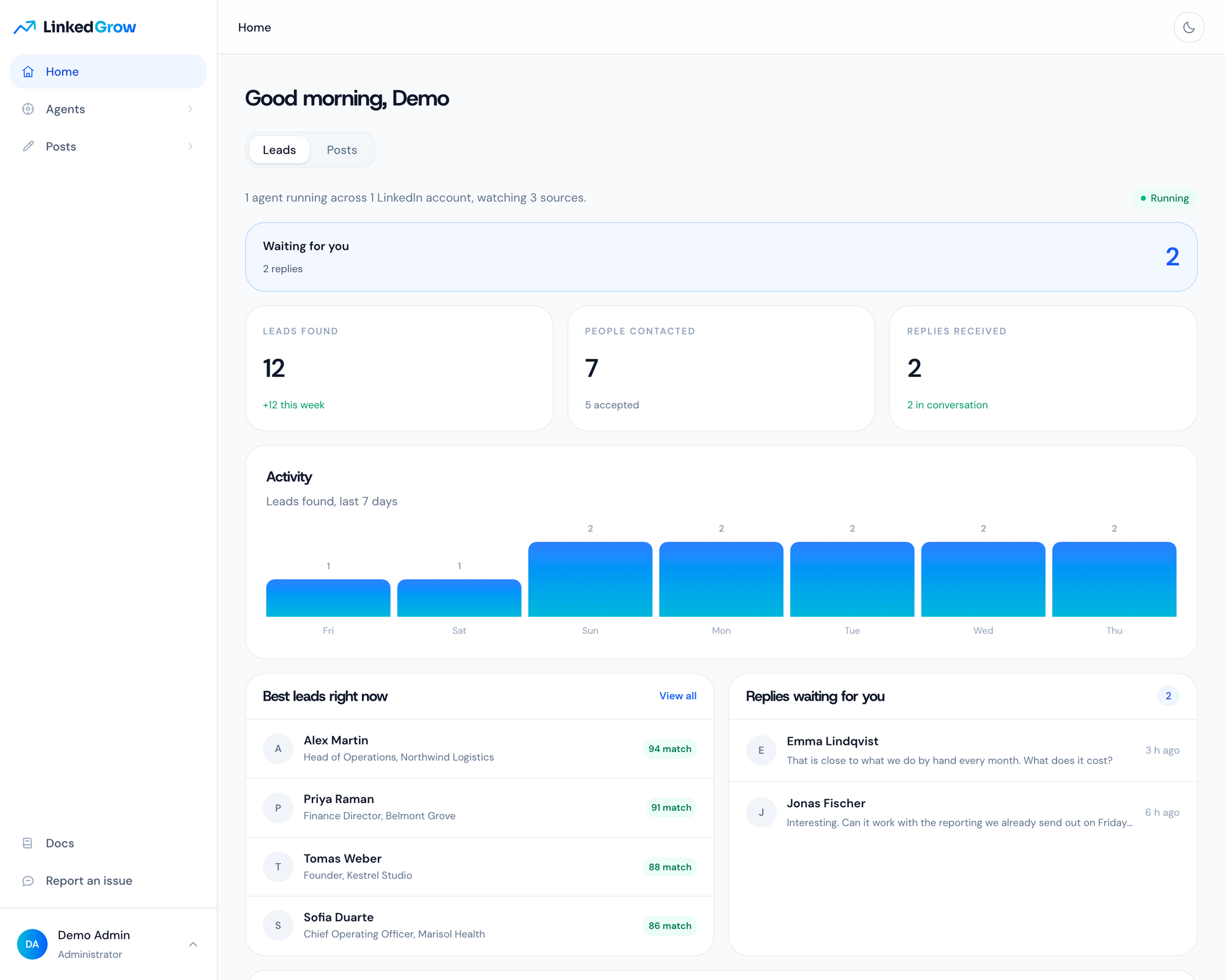
## What it does
You describe who you sell to, and an agent goes looking for those people where they already are: under a competitor's post, inside a search you already trust, among the people who reacted to a topic. It reads the profile, scores the fit, likes something real, and sends an invitation with no note attached. Once the person accepts, it runs a short conversation in your name and hands you the ones who want to talk. Every lead keeps the post or the search that produced it, so you always know where it came from.
The posting side is the same product. A generator writes a first draft in your voice, an editor scores the hook and the length before anything goes out, a calendar hands each post to LinkedIn's own scheduler, and the numbers on the analytics page are the ones LinkedIn showed on your posts. All of it, the agents and the publishing, happens in a real Chrome signed in to your account, on one dedicated address reserved for that account, moving at a human pace. There is no LinkedIn API in this product, because LinkedIn revokes the apps that do what this one does.
Everything above is also a tool your own assistant can call. LinkedGrow is an MCP server: 26 tools
covering the agents, the leads and the posting, behind one URL and one key. Point Claude, Cursor or
ChatGPT at `/api/mcp` and ask for your warmest leads, or for next week's posts to be written and
spaced out, and it calls LinkedGrow to do it. The [MCP page](src/content/docs/integrations/mcp-server.md)
has the configuration, which is three lines.
## Install
LinkedGrow is 3 containers and a compose file. Take whichever of the 3 ways below suits you, they all end at the same place.
### Hand it to an AI agent
An assistant with shell access to the server does the whole thing, because the run is written down for one in [llms-install.md](llms-install.md). Paste this into Claude Code, OpenClaw, Cursor or whatever you already point at your servers, with your own domain in it:
```text
Install LinkedGrow on this server by following
https://raw.githubusercontent.com/DigiHold/LinkedGrow/main/llms-install.md
with the domain linkedgrow.example.com. Use no key of your own, create no
account, and give me the address to open once the health check answers.
```
Drop the domain from that prompt to serve on the server address over plain http instead. The agent reads the page, runs the installer, and comes back with the address in 2 or 3 minutes.
### Docker Compose
The install every self hosted project uses, and it is 3 lines with nothing to edit. On a Linux host that already has Docker:
```sh
mkdir -p /opt/linkedgrow && cd /opt/linkedgrow
curl -fsSLO https://raw.githubusercontent.com/DigiHold/LinkedGrow/main/docker-compose.yml
docker compose up -d
```
When it comes up, open `http://