# threejs-devtools-mcp
[](https://www.npmjs.com/package/threejs-devtools-mcp)
[](LICENSE)
[](https://github.com/DmitriyGolub/threejs-devtools-mcp/actions)
[](https://mcp-marketplace.io/server/io-github-dmitriygolub-threejs-devtools)
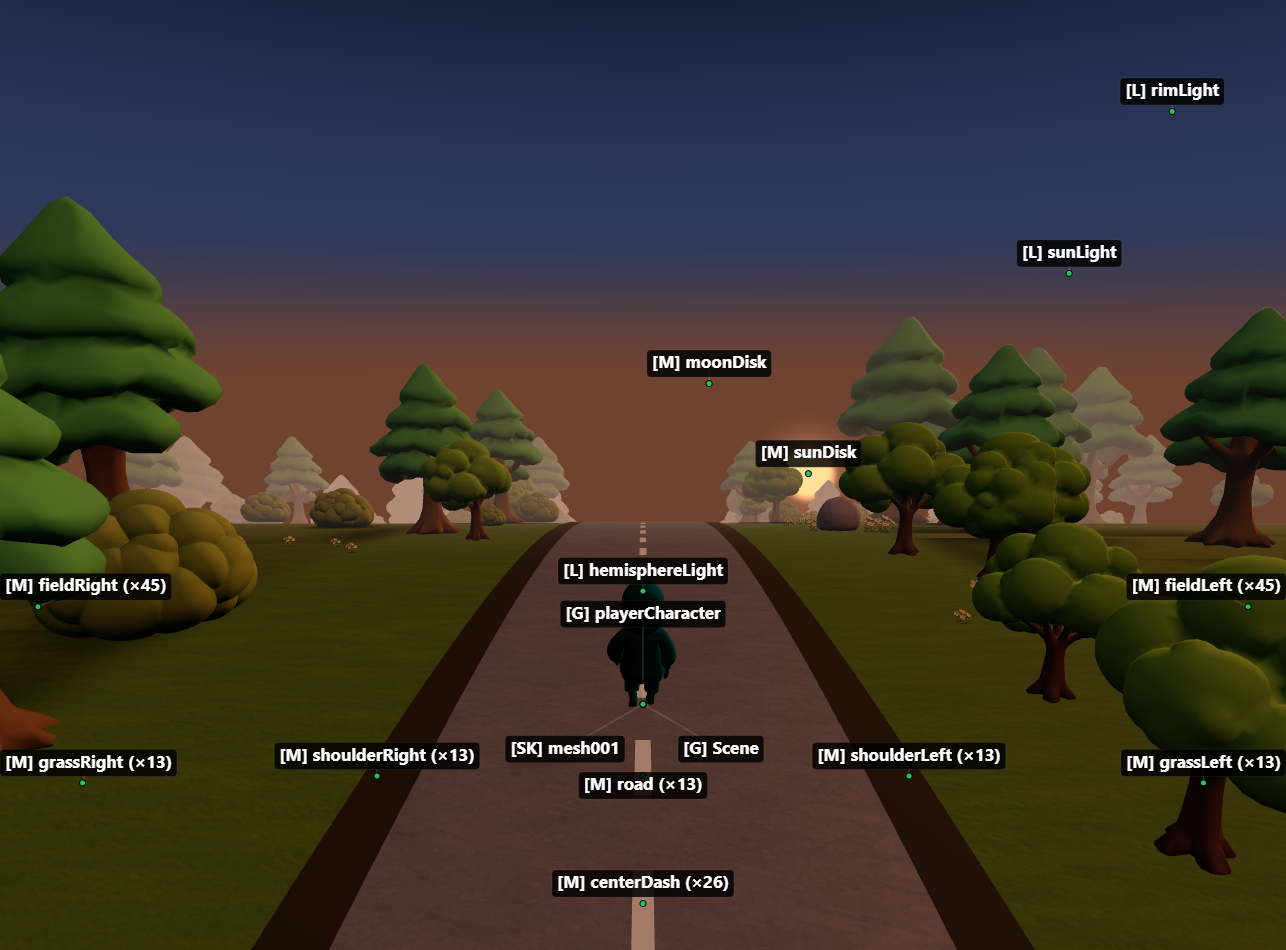
MCP server for inspecting and modifying Three.js scenes in real time — **59 tools** for objects, materials, shaders, textures, animations, performance monitoring, memory diagnostics, and code generation.
**Zero changes to your project.** Works with vanilla Three.js, React Three Fiber, and any framework.
## Setup
### 1. Add the MCP server
Claude Code
```bash
claude mcp add threejs-devtools-mcp -- npx threejs-devtools-mcp
```
Claude Desktop
Add to `claude_desktop_config.json`:
```json
{
"mcpServers": {
"threejs-devtools-mcp": {
"command": "npx",
"args": ["-y", "threejs-devtools-mcp"]
}
}
}
```
Cursor
Add to `.cursor/mcp.json` in your project:
```json
{
"mcpServers": {
"threejs-devtools-mcp": {
"command": "npx",
"args": ["-y", "threejs-devtools-mcp"]
}
}
}
```
Or use the HTTP transport — see [Cursor setup guide](docs/cursor-setup.md).
Windsurf
Add to `~/.codeium/windsurf/mcp_config.json`:
```json
{
"mcpServers": {
"threejs-devtools-mcp": {
"command": "npx",
"args": ["-y", "threejs-devtools-mcp"]
}
}
}
```
VS Code (Copilot)
Add to `.vscode/mcp.json`:
```json
{
"servers": {
"threejs-devtools-mcp": {
"command": "npx",
"args": ["-y", "threejs-devtools-mcp"]
}
}
}
```
OpenCode
Add to `opencode.json` in your project:
```json
{
"$schema": "https://opencode.ai/config.json",
"mcp": {
"threejs-devtools-mcp": {
"type": "local",
"command": ["npx", "-y", "threejs-devtools-mcp"],
"enabled": true
}
}
}
```
### 2. Start your dev server and open the browser
Start your Three.js dev server as usual (`npm run dev`). The MCP server auto-detects the port from `package.json` and opens a browser at `localhost:9222` with the devtools bridge injected.
> **Keep the browser tab open.** The MCP server talks to your scene through a WebSocket bridge. Close the tab = tools stop working.
### 3. Ask the AI about your scene
```
"show me the scene tree"
"why is my model invisible?"
"make the car red"
"check for memory leaks"
"what's my FPS?"
"generate a React component from character.glb"
```
## In-browser overlay
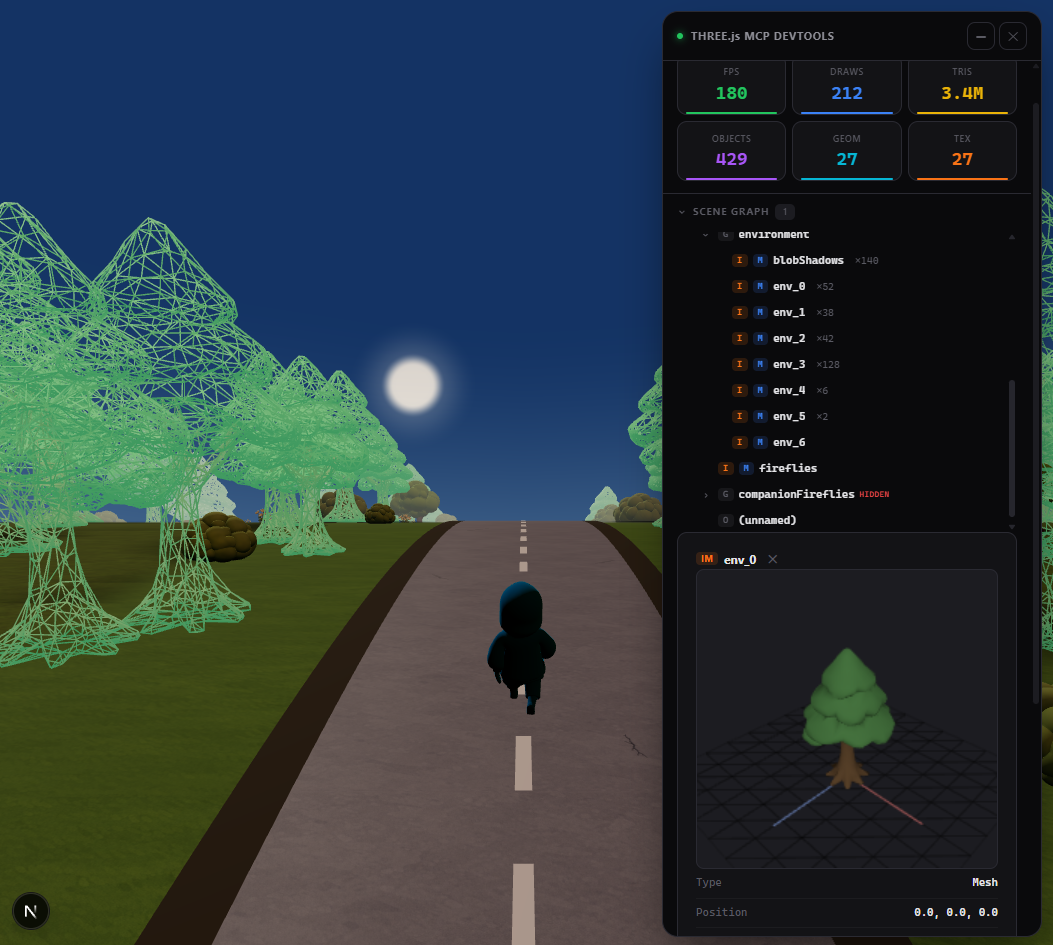
A built-in devtools panel with live performance stats, interactive scene graph, material editor, and 3D object preview. Activated automatically or via the `toggle_overlay` tool.
## Tip: name your objects
Unnamed objects show as `(unnamed)` in the scene tree. Named objects are easier to find and modify:
```js
// Three.js
mesh.name = "player";
```
```jsx
// React Three Fiber
```
## Documentation
- [Tools reference](docs/tools.md) — all 59 tools with parameters
- [Advanced setup](docs/advanced.md) — animations, scene export, configuration, transports
- [Cursor setup](docs/cursor-setup.md) — step-by-step guide for Cursor
- [Token-efficient workflow](docs/workflow.md) — best practices for saving context
## License
MIT